4. Connecting to Databases: SQL Server, MySQL, DirectQuery and Live Connection
4.9 Data Source Settings, Changing Sources and Privacy Levels
Start with a problem
Raja tested against QCTEST01 and must switch to QCSERVER01. A colleague also hit a Formula.Firewall error when combining an Excel file with the database.
Explain simply
Data source settings › Change Source switches a server or path for every query. Privacy levels (Private, Organizational, Public) control whether data from one source may be sent to another while combining.
Show the data
| Source | Privacy level |
|---|---|
| QuickCommerceDB on QCSERVER01 | Organizational |
| Targets.xlsx on company SharePoint | Organizational |
| Public page of Maharashtra divisions | Public |
| Bank statements folder | Private |
About this data: This table uses columns: Source, Privacy level. This table uses columns: Data sources in current file. This table uses columns: Card. Values shown are the lesson examples already on this page (not a new dataset).
Fictional sample data. Practice file: quickcommerce_practice.sql (source: src/practice/).
Demonstrate
-
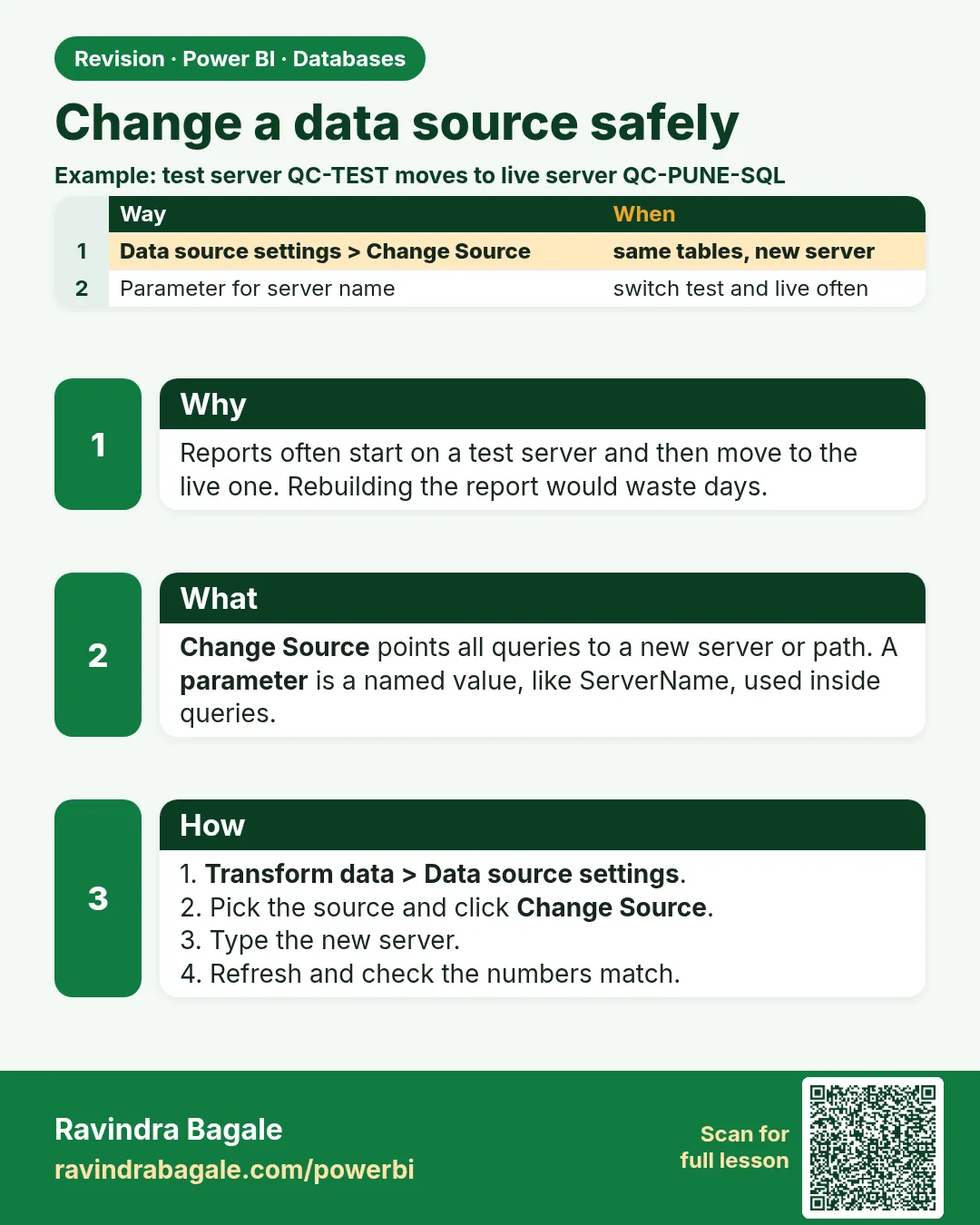
Home › Transform data › Data source settings › select
QCTEST01;QuickCommerceDB› Change Source… ›QCSERVER01› OK.Your result should look like this:
Data sources in current file QCSERVER01;QuickCommerceDB -
Edit Permissions › set the privacy level for each source as in the table.
-
Refresh.
Your result should look like this:
Card ₹2,100 from the production server -
Better: use a ServerName parameter (Module 10.4) so switching is one value.
Show the result
Your result should look like this (fictional sample):
| Combination | Allowed to fold data across? |
|---|---|
| SQL (Organizational) + SharePoint targets (Organizational) | Yes |
| SQL (Organizational) + public divisions page (Public) | Yes; public data may be sent to the organisational source |
| Bank statements (Private) + public web page (Public) | No; Power Query keeps private data from being sent |
Explain what happened
Change Source rewrote the server in every query. Privacy levels let the engine decide which combinations are safe to push data across; correct levels prevent leaks and most Formula.Firewall errors.
Explore further
- Formula.Firewall can also come from a query that references other queries and a source in the same step; restructure into staging queries.
Detailed reference for this lesson:
Steps in Power BI – change a source (e.g. Test server → Production server)
- Home › Transform data › Data source settings (or File › Options and settings › Data source settings).
- Select Data sources in current file › select
QCTEST01;QuickCommerceDB› Change Source… › typeQCSERVER01› OK. - Edit Permissions… to change credentials, encryption or the privacy level; Clear Permissions to forget saved credentials.
- Better: use a parameter for the server name (Module 10), so switching is a single change.
Privacy levels decide whether Power Query may send data from one source to another while combining them. For example, it may fold a filter that uses values from an Excel file into a SQL query.
| Level | Meaning | Example |
|---|---|---|
| Private | Sensitive, must not be sent to other sources | Customer phone list, bank statements |
| Organizational | Can be shared with trusted sources inside the organisation | QuickCommerceDB, company SharePoint |
| Public | Anyone can see it | A public web page of Maharashtra district names |
| None | Not set | – |
Sometimes queries mix sources with different privacy levels, or refer to each other in a way the engine cannot keep apart. Then you see Formula.Firewall: Query '…' references other queries or steps, so it may not directly access a data source. Please rebuild this data combination. There are two fixes. Set the correct privacy levels (Data source settings › Edit Permissions). Or change the queries: load each source in its own query first, and combine them after that. The global setting (File › Options and settings › Options › Global › Privacy) can ignore privacy levels. Use it only when you understand the data-leak risk.
Practice task
Create a parameter ServerName with values QCTEST01 and QCSERVER01, use it in Sql.Database(ServerName, "QuickCommerceDB"), and switch between them. Then set the Customer source to Private and the DarkStore Excel file to Organizational.
Ravindra Bagale's Tip
Friends, many students set every source to the "None" privacy level to make a Formula.Firewall error disappear. Understand the error first: combining a Private source with a Public web source is exactly what privacy levels protect against. Set the levels correctly (Organizational for company sources) and restructure the query if needed. Practise, and it will feel very easy.
Ravindra Bagale's Tip – मराठी
मित्रांनो, Formula.Firewall error घालवण्यासाठी बरेच students प्रत्येक source ला "None" privacy level देतात. आधी error समजून घ्या: Private source आणि Public web source एकत्र करणं यापासूनच privacy levels संरक्षण करतात. Levels बरोबर set करा (company sources साठी Organizational) आणि गरज असेल तर query ची रचना बदला. Practice करा, मग एकदम सोपं वाटेल.
Ravindra Bagale's Tip – हिंदी
दोस्तों, Formula.Firewall error हटाने के लिए बहुत से students हर source को "None" privacy level दे देते हैं. पहले error को समझो: Private source को Public web source के साथ जोड़ना – privacy levels इसी से बचाते हैं. Levels सही set करो (company sources के लिए Organizational) और ज़रूरत हो तो query की बनावट बदलो. Practice करो, फिर बहुत आसान लगेगा.
Fix common mistakes
| Wrong result | Reason | Correction |
|---|---|---|
| Set everything to None/Ignore to hide the error | Treating the symptom | Set correct levels; restructure queries |
| One query still reads QCTEST01 | Server typed in a native SQL statement | Search Advanced Editor text too |
| Old credentials fail | Saved permission for the old server | Edit or Clear Permissions |
Practise independently
Practice task
Which privacy level would you give a CSV of customer phone numbers, and could it be combined with a public web page by folding data into the web request?
Hints
- Personal data.
Solution
Private. No: Power Query will not send private data to the public source.
Think like a professional
Privacy levels are a data-protection control, not an annoyance. Set them on purpose and record why.
 Revision card