4. Connecting to Databases: SQL Server, MySQL, DirectQuery and Live Connection
4.3 Advanced Options and Native SQL Queries
Start with a problem
Zoya needs order lines for Pune and Nashik with store names. She writes a SQL statement but is unsure whether Power BI can use it.
Explain simply
Advanced options › SQL statement runs your own SQL instead of picking tables. It works, but later Power Query steps usually stop folding, so keep the SQL simple and list columns explicitly.
Show the data
| order_id | order_date | store_id | platform | category | amount | delivery_mins | status |
|---|---|---|---|---|---|---|---|
| 301 | 2026-04-06 | S01 | Blinkit | Dairy | 400 | 8 | Delivered |
| 302 | 2026-04-06 | S02 | Amazon Now | Snacks | 200 | 12 | Delivered |
| 303 | 2026-04-07 | S03 | Blinkit | Dairy | 300 | 14 | Delivered |
| 304 | 2026-05-04 | S04 | Blinkit | Fruits | 150 | 9 | Delivered |
| 305 | 2026-05-04 | S05 | Amazon Now | Snacks | 450 | 7 | Delivered |
| 306 | 2026-05-05 | S01 | Blinkit | Fruits | 250 | 16 | Delivered |
| 307 | 2026-05-05 | S04 | Amazon Now | Dairy | 350 | 11 | Delivered |
| 308 | 2026-05-05 | S05 | Blinkit | Dairy | 0 | NULL | Cancelled |
About this data: This table uses columns: order_id, order_date, store_id, platform, category, amount, delivery_mins, status. This table uses columns: order_id, store_name, city, amount. This table uses columns: order_date, city, orders, sales. Values shown are the lesson examples already on this page (not a new dataset).
Fictional sample data. Practice file: quickcommerce_practice.sql (source: src/practice/).
Demonstrate
- Get data › SQL Server › server and database › expand Advanced options.
-
Paste
SELECT o.order_id, o.order_date, s.store_name, s.city, o.amount FROM dbo.orders AS o INNER JOIN dbo.dark_store AS s ON s.store_id = o.store_id WHERE s.city IN ('Pune', 'Nashik');› OK › Run on the native query prompt.Your result should look like this:
order_id store_name city amount 301 Kothrud Pune 400 302 Baner Pune 200 303 Gangapur Nashik 300 304 College Road Nashik 150 306 Kothrud Pune 250 307 College Road Nashik 350 -
Second query, daily summary:
SELECT o.order_date, s.city, COUNT(DISTINCT o.order_id) AS orders, SUM(o.amount) AS sales FROM dbo.orders o JOIN dbo.dark_store s ON s.store_id = o.store_id WHERE o.status = 'Delivered' GROUP BY o.order_date, s.city;Your result should look like this:
order_date city orders sales 2026-04-06 Pune 2 600 2026-04-07 Nashik 1 300 2026-05-04 Kolhapur 1 450 2026-05-04 Nashik 1 150 2026-05-05 Nashik 1 350 2026-05-05 Pune 1 250 -
Click Transform Data and add only light steps (folding usually stops after a native query).
Show the result
Your result should look like this (fictional sample):
| Query | Rows | Total (₹) |
|---|---|---|
| Pune + Nashik order lines | 6 | 1,650 |
| Daily summary (delivered) | 6 | 2,100 |
Explain what happened
SQL Server ran each statement and returned only the result. The join added store names; the WHERE kept 6 of 8 orders (Pune 850 + Nashik 800 = 1,650). The GROUP BY gave one row per date and city.
Explore further
- Prefer a database view for shared logic; Power BI can then fold steps on top of it.
Detailed reference for this lesson:
Clicking Advanced options in the SQL Server dialog shows:
| Option | What it does |
|---|---|
| Command timeout in minutes | How long to wait for a slow query before failing |
| SQL statement | Your own SQL query instead of choosing tables in the Navigator |
| Include relationship columns | Adds columns to navigate to related tables (usually untick for cleaner tables) |
| Navigate using full hierarchy | Shows schemas as folders in the Navigator |
| Enable SQL Server Failover support | For high-availability server setups |
Example 1 – order lines for our six Maharashtra cities (JOIN + WHERE):
SELECT  o.OrderID, o.OrderDateTime, o.ProductID, o.Quantity, o.Amount,
        o.DeliveryTimeMins, o.OrderStatus, o.Platform,
        s.StoreID, s.StoreName, s.Area, s.City
FROM    dbo.Orders    AS o
INNER JOIN dbo.DarkStore AS s ON s.StoreID = o.StoreID
WHERE   s.City IN ('Pune', 'Mumbai', 'Nashik', 'Sambhaji Nagar', 'Kolhapur', 'Nagpur')
  AND   o.OrderDateTime >= '2025-01-01';
Example 2 – daily summary per city and platform (GROUP BY):
SELECT  CAST(o.OrderDateTime AS date)   AS OrderDate,
        s.City, o.Platform,
        COUNT(DISTINCT o.OrderID)       AS Orders,
        SUM(o.Amount)                   AS Sales,
        AVG(CAST(o.DeliveryTimeMins AS decimal(10,2))) AS AvgDeliveryMins
FROM    dbo.Orders o
JOIN    dbo.DarkStore s ON s.StoreID = o.StoreID
WHERE   o.OrderStatus = 'Delivered'
GROUP BY CAST(o.OrderDateTime AS date), s.City, o.Platform;
Steps in Power BI
- Get data › SQL Server › Server and Database › expand Advanced options.
- Paste the SQL into SQL statement › OK. Power BI may ask Native Database Query – You are about to run a native database query › Run.
- Preview the result › Transform Data.
Native queries and query folding
After a hand-written SQL statement, Power Query usually cannot fold the next steps back to the server, so filters and merges you add later run on your computer. Prefer the Navigator (or a database view) and let Power Query generate SQL. Use native SQL for logic that must run in the database, and put all filters inside the SQL.
Tip
Always write an explicit column list instead of SELECT *. New columns added to the table later will not break your report, and less data is transferred.
Practice task
Write a native SQL query that returns cancelled Amazon Now orders in Nagpur and Kolhapur with Store Name and Area. Then do the same using the Navigator + Power Query filters, and compare View Native Query (next section).
Ravindra Bagale's Tip
Friends, many students write SELECT * in the native query box and then remove columns in Power Query, so the database still sends everything. List only the columns you need in the SQL, leave out ORDER BY (the model doesn't keep row order), and ask the DBA to turn a long query into a view that everyone can reuse. Remember this rule.
Ravindra Bagale's Tip – मराठी
मित्रांनो, बरेच students native query box मध्ये SELECT * लिहितात आणि मग Power Query मध्ये columns काढतात, त्यामुळे database तरीही सगळं पाठवतो. SQL मध्ये फक्त लागणारे columns लिहा, ORDER BY टाळा (model rows ची order ठेवत नाही), आणि लांब query चा सगळ्यांना पुन्हा वापरता येईल असा view बनवायला DBA ला सांगा. हा नियम लक्षात ठेवा.
Ravindra Bagale's Tip – हिंदी
दोस्तों, बहुत से students native query box में SELECT * लिखते हैं और फिर Power Query में columns हटाते हैं, तो database फिर भी सब कुछ भेजता है. SQL में सिर्फ़ ज़रूरी columns लिखो, ORDER BY छोड़ दो (model rows का order नहीं रखता), और DBA से कहो कि लंबी query को एक view बना दे जिसे सब दोबारा इस्तेमाल कर सकें. यह नियम याद रखो.
Fix common mistakes
| Wrong result | Reason | Correction |
|---|---|---|
| New column breaks the report | SELECT * |
List the columns explicitly |
| Later filters are slow | Native query stops folding | Filter inside the SQL or use a view |
| Kolhapur rows appear | City filter missing or misspelt | Check the WHERE list |
Practise independently
Practice task
Write the SQL for cancelled orders with store name and city. Which rows come back?
Hints
- WHERE o.status = 'Cancelled'
Solution
One row: 308, Rajarampuri, Kolhapur, ₹0.
Think like a professional
Keep business logic in views owned by the database team, and keep native SQL in Power BI short and documented.
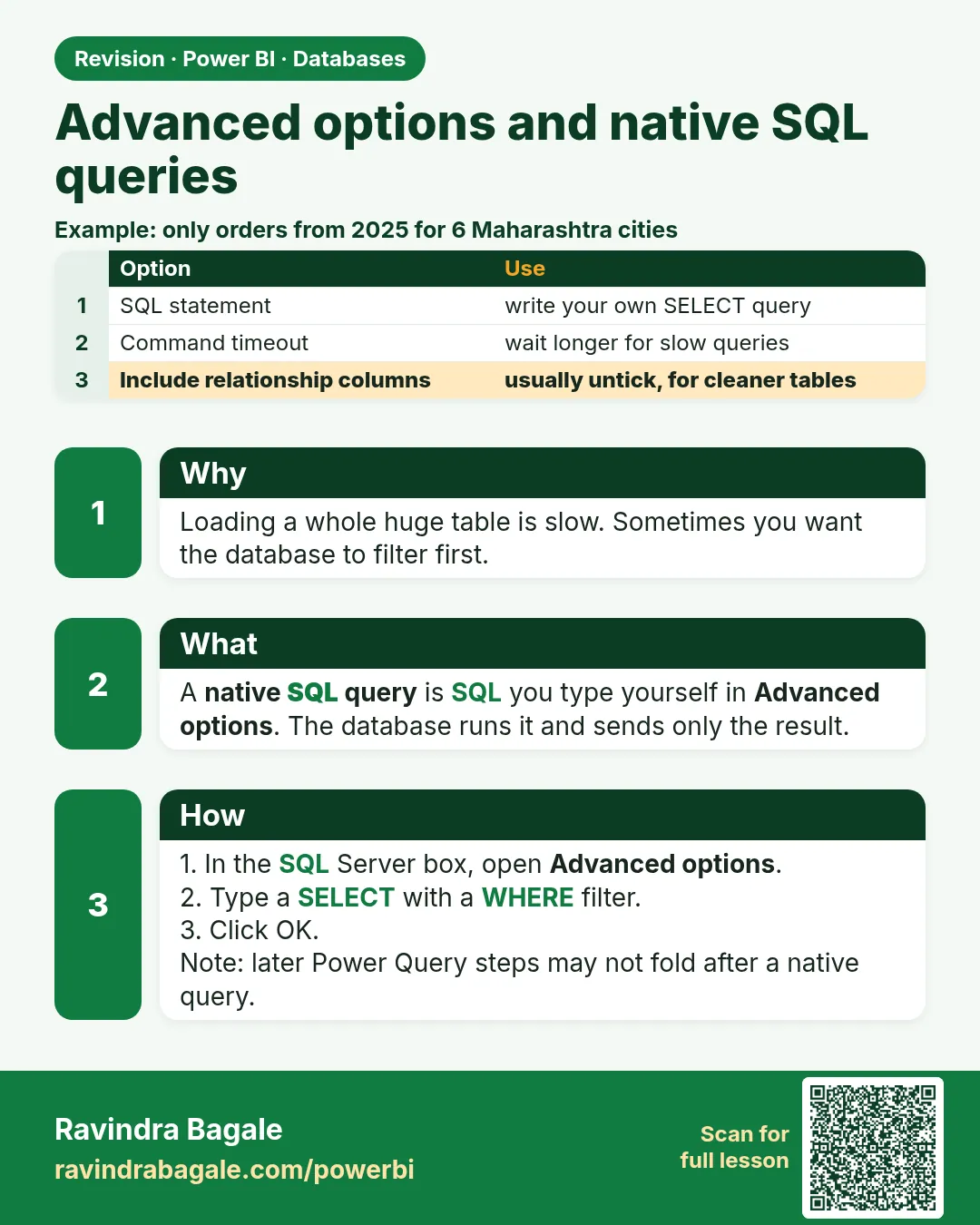 Revision card
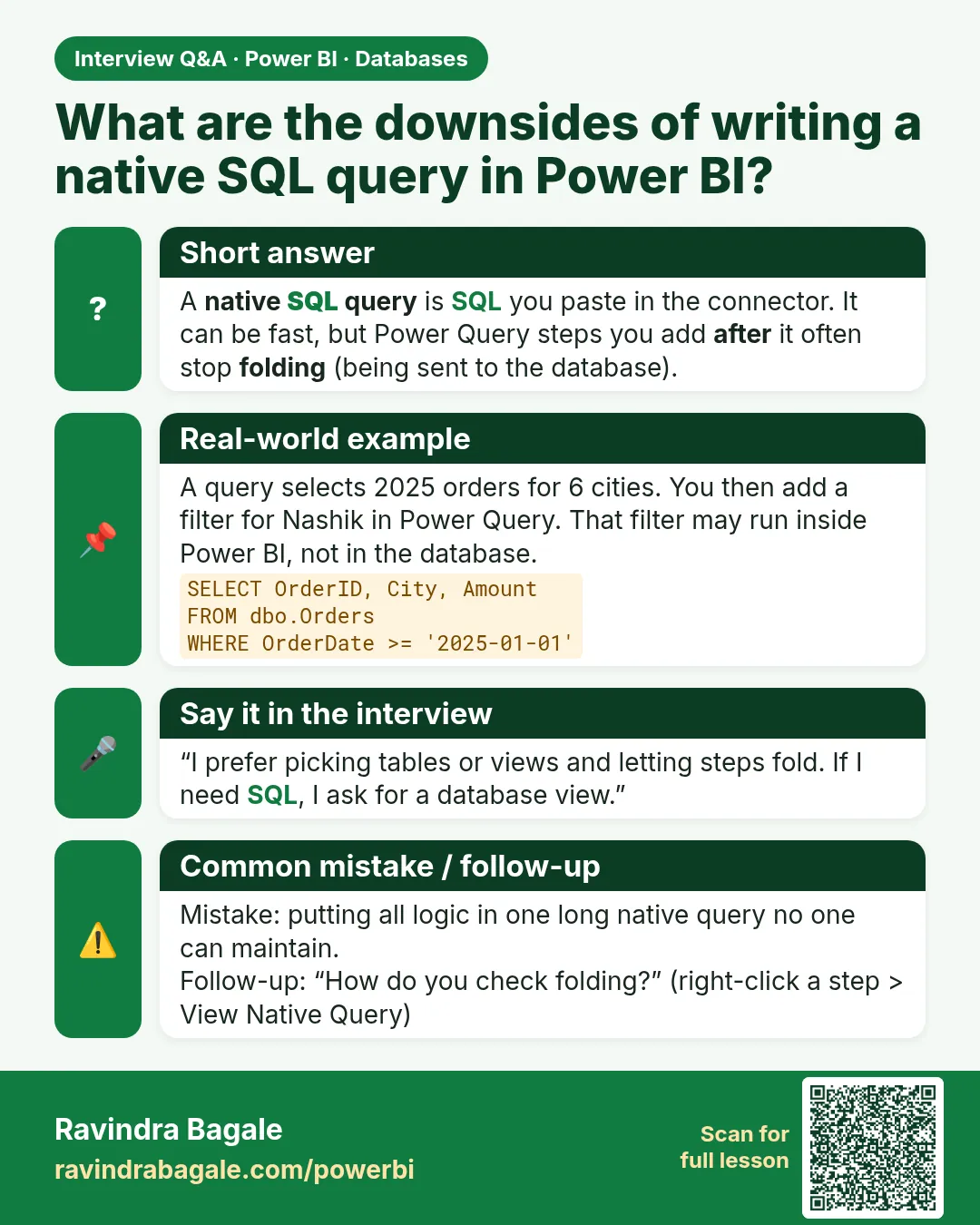 Interview card
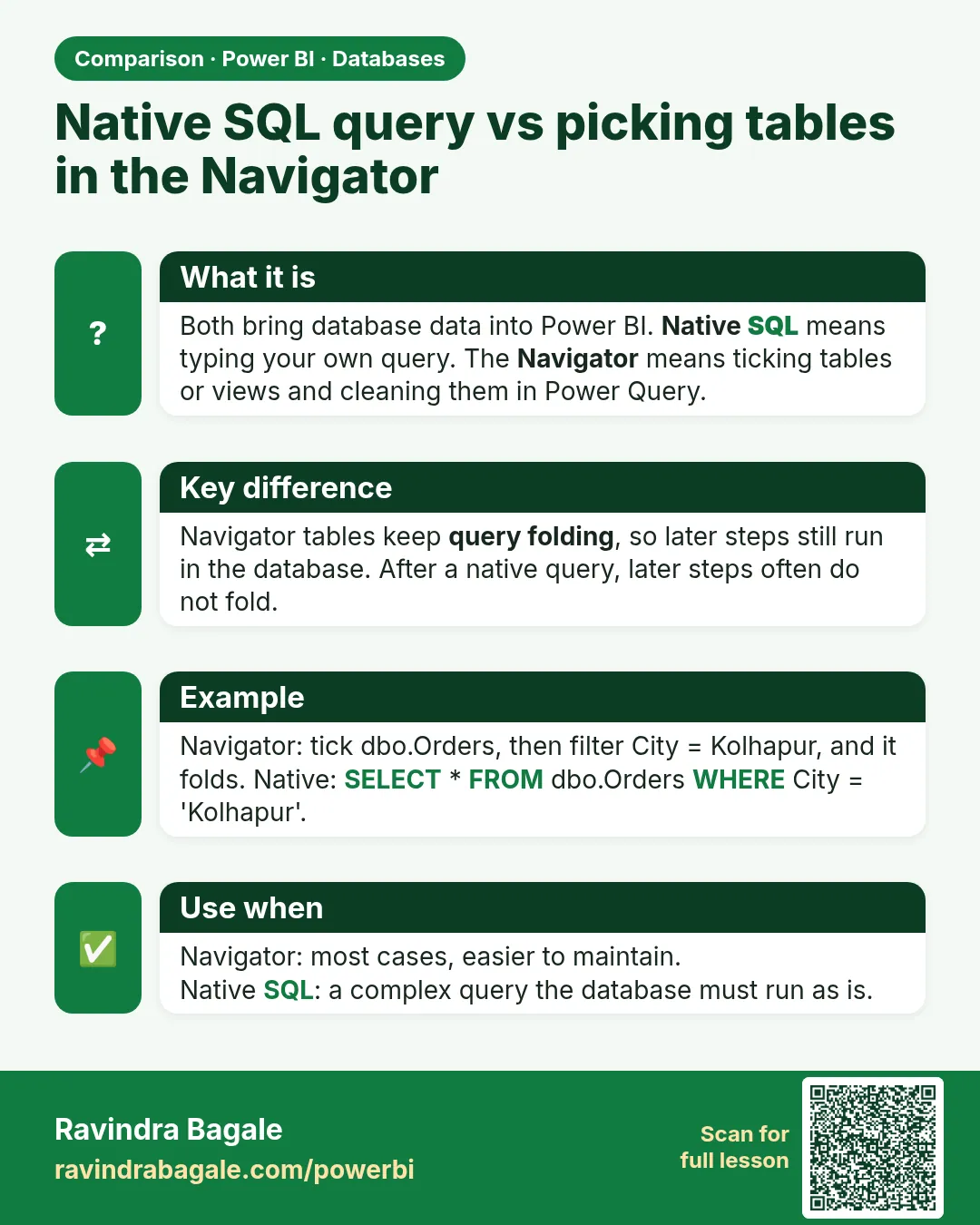 Comparison card