4. Connecting to Databases: SQL Server, MySQL, DirectQuery and Live Connection
4.10 Connecting to PostgreSQL
Start with a problem
Shraddha's Nashik and Sambhaji Nagar orders are in PostgreSQL. She has never connected to it.
Explain simply
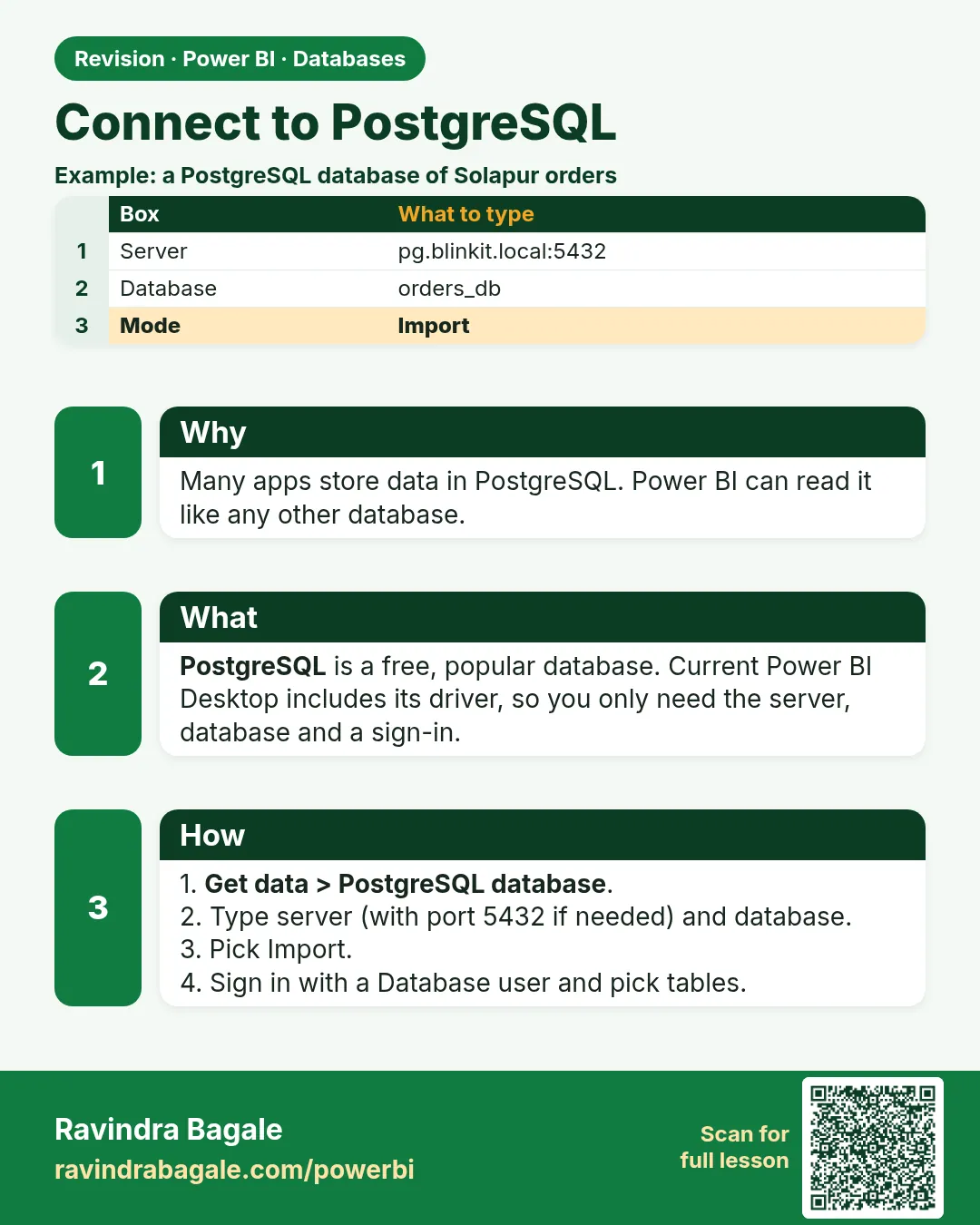
Install the Npgsql driver your Desktop version documents, then Get data › PostgreSQL database with server:port (default 5432) and database.
Show the data
| order_id | order_date | store_id | platform | category | amount | delivery_mins | status |
|---|---|---|---|---|---|---|---|
| 301 | 2026-04-06 | S01 | Blinkit | Dairy | 400 | 8 | Delivered |
| 302 | 2026-04-06 | S02 | Amazon Now | Snacks | 200 | 12 | Delivered |
| 303 | 2026-04-07 | S03 | Blinkit | Dairy | 300 | 14 | Delivered |
| 304 | 2026-05-04 | S04 | Blinkit | Fruits | 150 | 9 | Delivered |
| 305 | 2026-05-04 | S05 | Amazon Now | Snacks | 450 | 7 | Delivered |
| 306 | 2026-05-05 | S01 | Blinkit | Fruits | 250 | 16 | Delivered |
| 307 | 2026-05-05 | S04 | Amazon Now | Dairy | 350 | 11 | Delivered |
| 308 | 2026-05-05 | S05 | Blinkit | Dairy | 0 | NULL | Cancelled |
Fictional sample data. Practice file: quickcommerce_practice.sql (source: src/practice/).
Demonstrate
- Install the documented Npgsql driver; restart Desktop.
- Run the practice script in a PostgreSQL database
quickcommerce. - Get data › More… › Database › PostgreSQL database › Server
localhost:5432(orqc-pg.internal:5432) › Databasequickcommerce› Import. -
Sign in with a read-only database user › tick orders and dark_store › Transform Data.
Your result should look like this:
Queries orders 8 · dark_store 5 -
Relate the tables and filter the city to Nashik in a visual.
Your result should look like this:
Nashik orders 303 ₹300, 304 ₹150, 307 ₹350
Show the result
Your result should look like this (fictional sample):
| City | Orders | Total Sales (₹) |
|---|---|---|
| Nashik | 3 | 800 |
| All cities | 8 | 2,100 |
Explain what happened
The connector used the Npgsql provider to read the same tables; the model and DAX are identical to SQL Server.
Explore further
- Native SQL works here too, but a server-side view keeps folding possible.
Detailed reference for this lesson:
Next, PostgreSQL. After MySQL this connector will feel familiar, but the driver is different.
PostgreSQL is a common open-source database. Power BI talks to it with the Npgsql provider.
Steps
- Install the Npgsql driver that your Power BI Desktop version documents (the installer name changes; use the driver Microsoft lists for PostgreSQL, not a random copy).
- Get data › More… › Database › PostgreSQL database.
- Server: host and port if it is not 5432, for example
qc-pg.internal:5432. Database:quickcommerce. - Choose Import or DirectQuery. Sign in with the database user. Prefer a read-only login.
- In Navigator, pick tables or a view. Transform data so you can check folding later (section 4.4).
Native SQL in Advanced options is the same idea as SQL Server: it is allowed, but a hand-written statement often blocks later folding. A view on the server is usually cleaner.
Worked example. The fictional orders for Nashik and Sambhaji Nagar sit in PostgreSQL table orders. You import orders, product and store, then build the same star schema as Module 11. You do not need a different DAX language because the database is PostgreSQL. DAX runs in the semantic model after import. In DirectQuery, the same measures are translated back to SQL, so expensive iterators hurt the database, not only Desktop.
Ravindra Bagale's Tip
Many students install a PostgreSQL driver, connect once, and forget that the gateway machine needs that same driver. Scheduled refresh then fails with a provider error even though Desktop works. Install Npgsql on the gateway host as well. Remember this rule.
Ravindra Bagale's Tip – मराठी
बरेच students PostgreSQL driver install करतात, एकदा connect करतात, आणि विसरतात की gateway machine ला पण तोच driver लागतो. मग Desktop चालत असूनही scheduled refresh provider error देऊन fail होतो. Gateway host वर पण Npgsql install करा. हा नियम लक्षात ठेवा.
Ravindra Bagale's Tip – हिंदी
बहुत से students PostgreSQL driver install करते हैं, एक बार connect करते हैं, और भूल जाते हैं कि gateway machine को भी वही driver चाहिए. फिर Desktop चलने के बावजूद scheduled refresh provider error देकर fail होता है. Gateway host पर भी Npgsql install करो. यह नियम याद रखो.
Fix common mistakes
| Wrong result | Reason | Correction |
|---|---|---|
| Provider error | Npgsql not installed or wrong version | Install the documented driver |
| Connection refused | Wrong port or server not listening | Check host:5432 and firewall |
| Refresh fails in the Service | Driver missing on the gateway | Install it on the gateway |
Practise independently
Practice task
Using the PostgreSQL tables, what is the average delivery time for Nashik delivered orders?
Hints
- Nashik minutes: 14, 9, 11.
Solution
(14 + 9 + 11) ÷ 3 = 34 ÷ 3 = 11.3 minutes.
Think like a professional
Whatever the database brand, the Power BI side stays the same: least-privilege login, folding checked, gateway prepared.
 Revision card