Ravindra BagaleCourses & study guides मराठी Track your progress

Ravi Sir's Cards › Power BI

6. Power Query Essentials: Cards

मराठी cards · Open the chapter

Revision cards
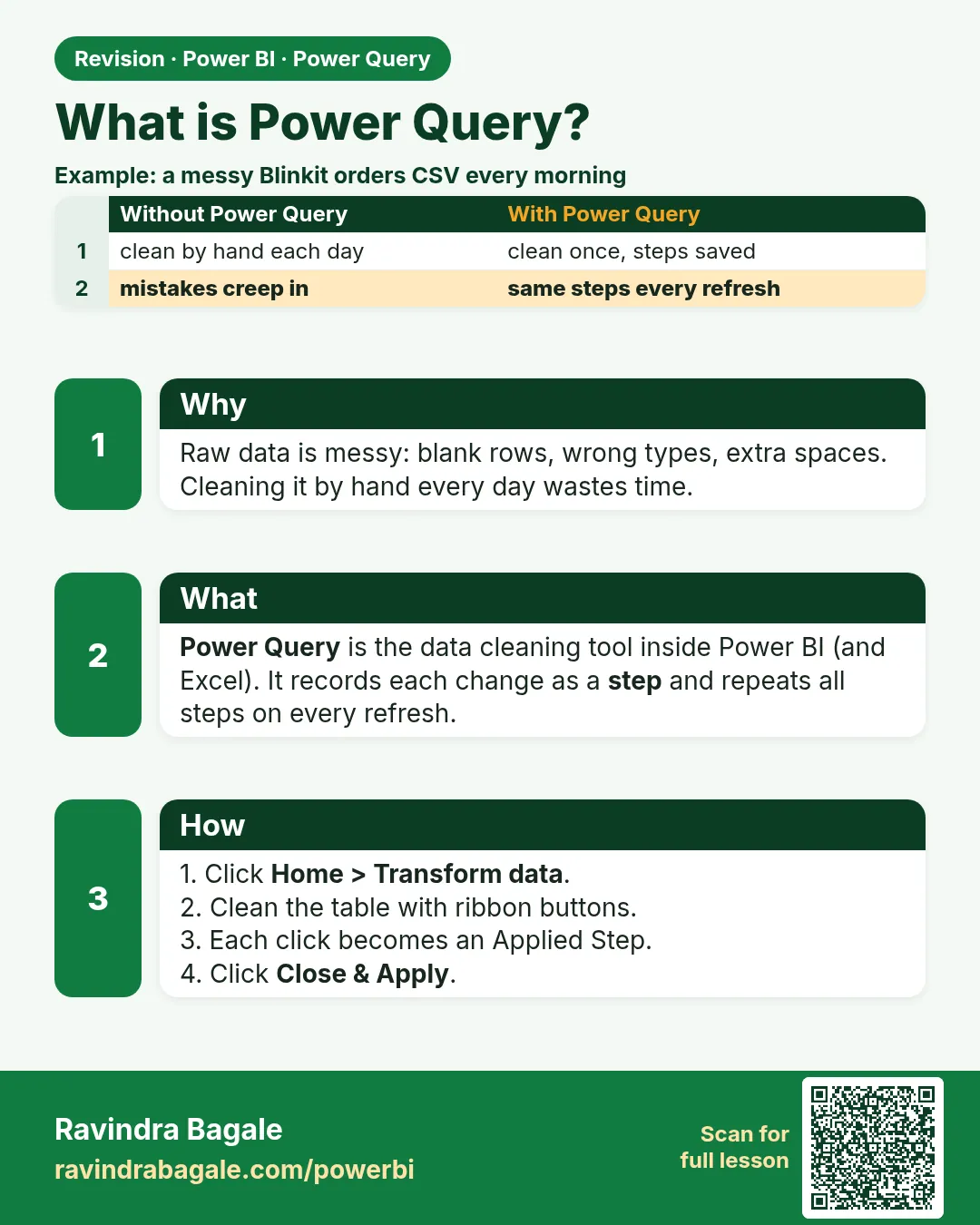
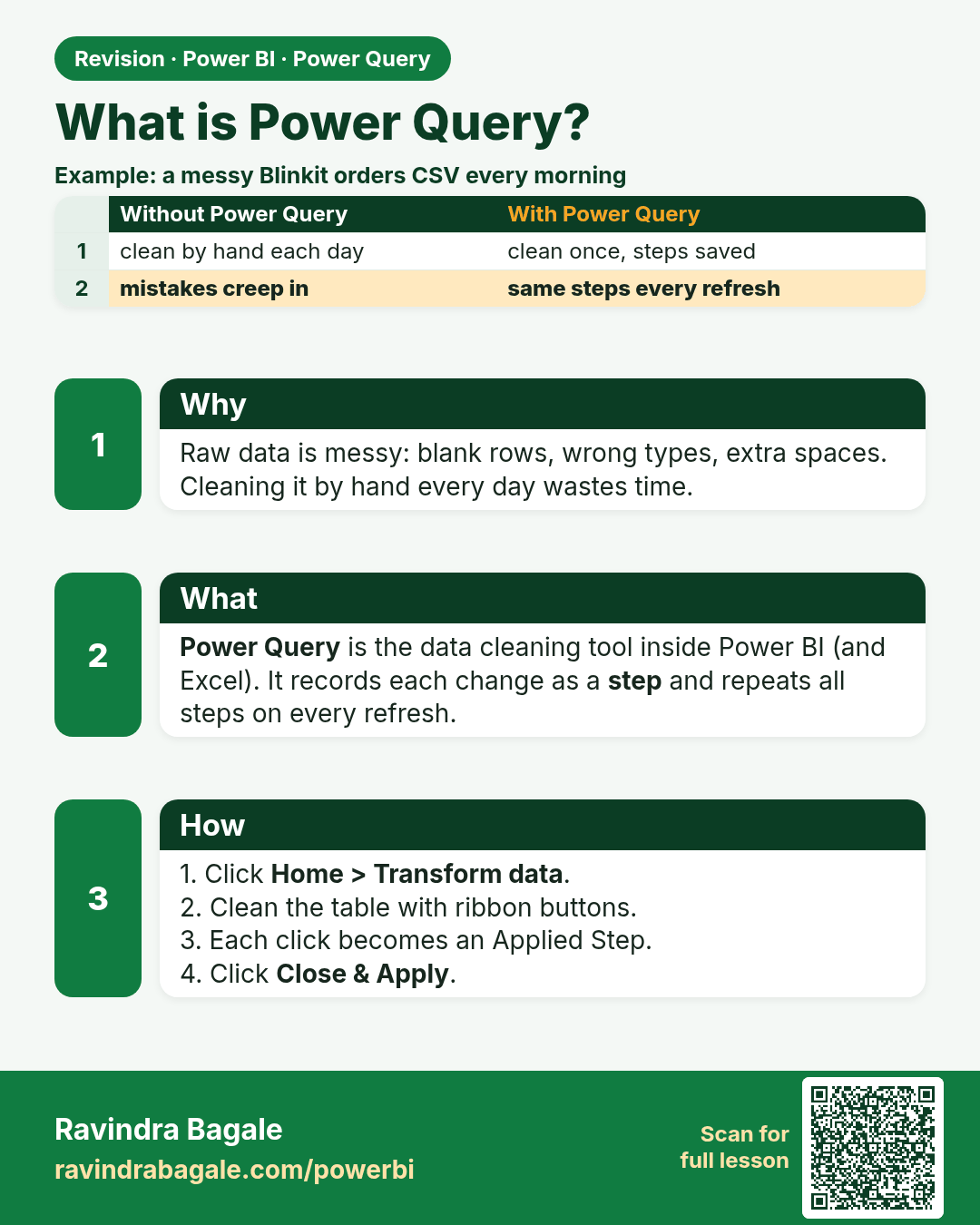
What is Power Query?. Raw data is messy: blank rows, wrong types, extra spaces. Cleaning it by hand every day wastes time.
Revision card 1 of 11: What is Power Query? · Download PNG · Open card page

Lesson: 6.1 What is Power Query?

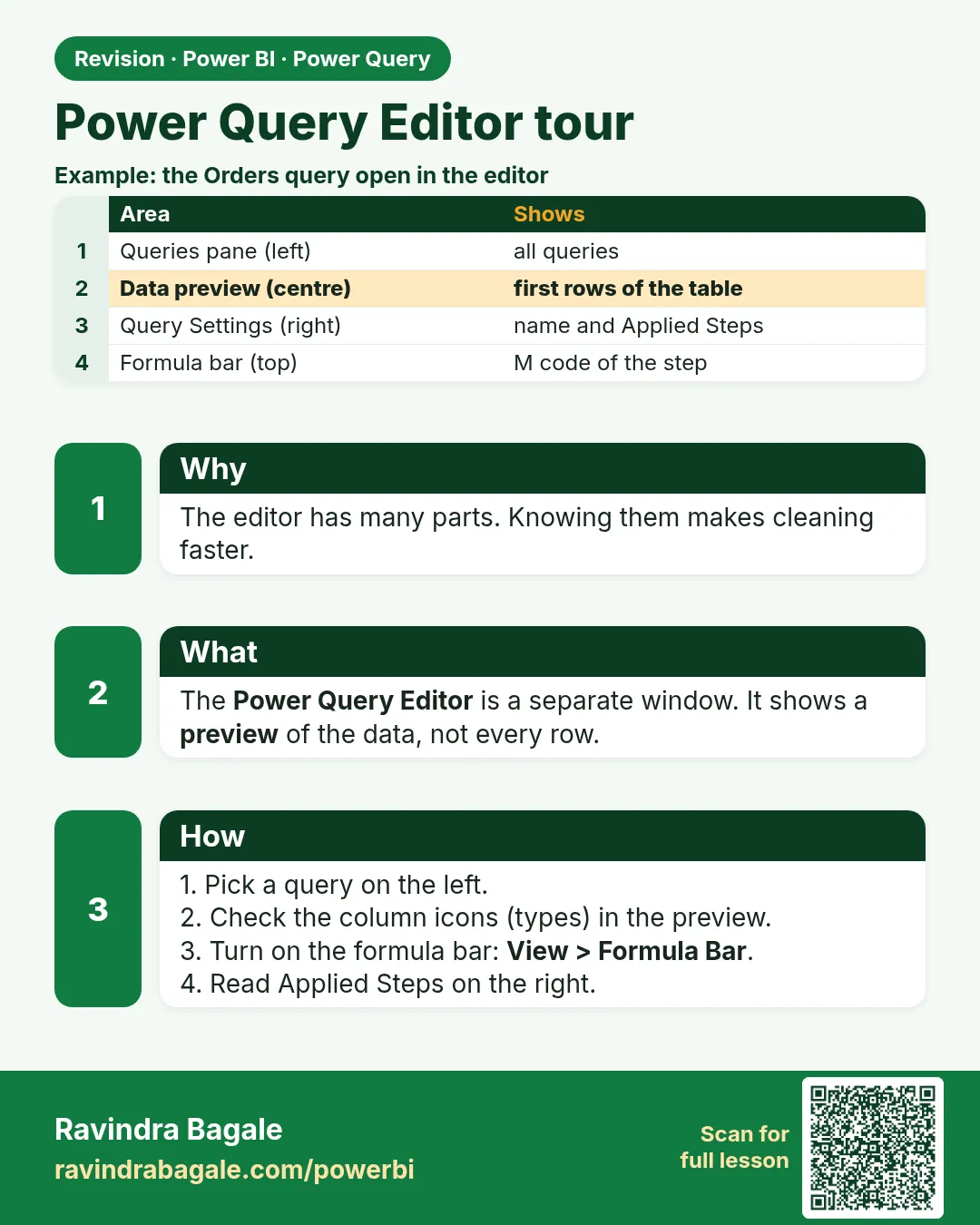
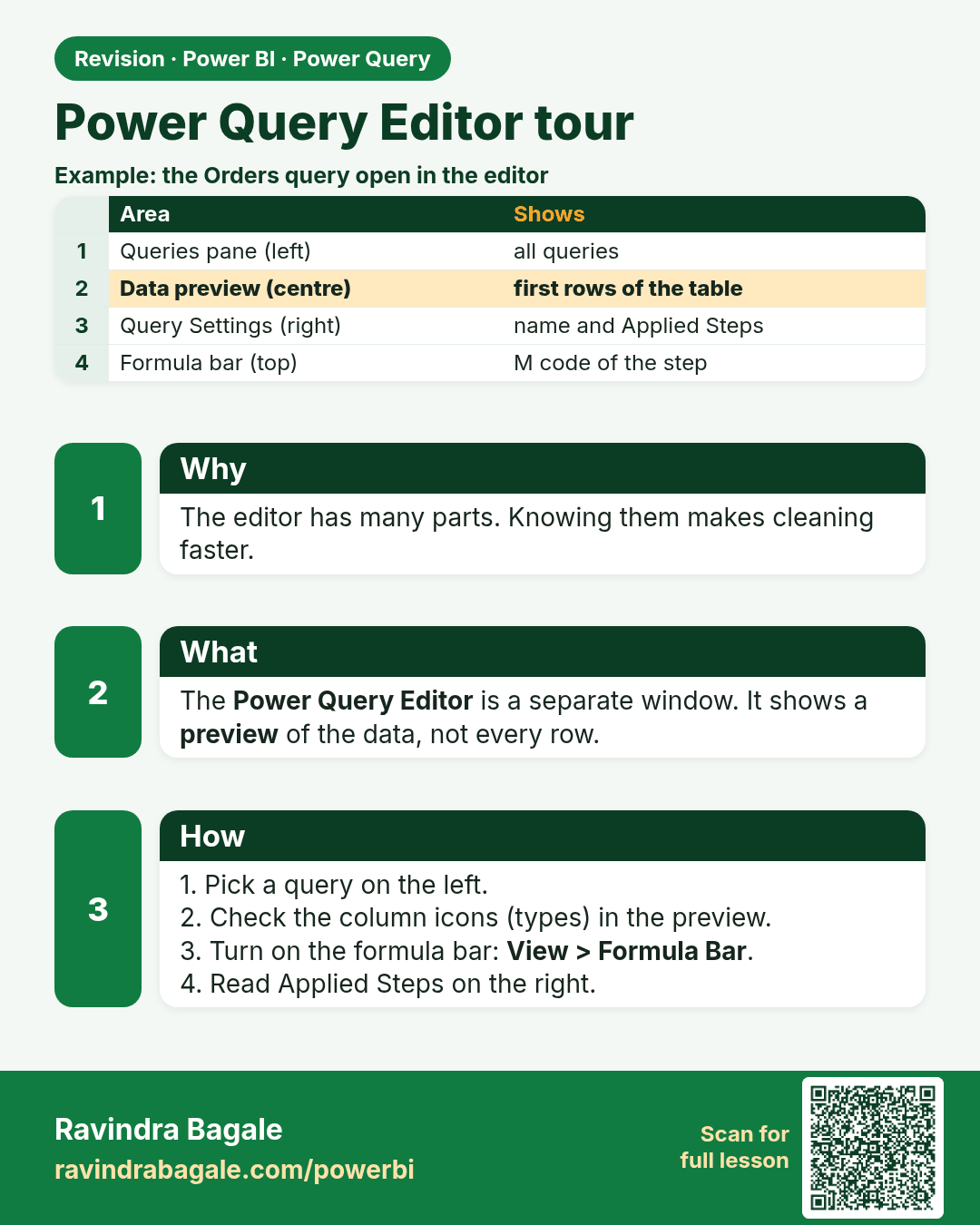
Power Query Editor tour. The editor has many parts. Knowing them makes cleaning faster.
Revision card 2 of 11: Power Query Editor tour · Download PNG · Open card page

Lesson: 6.2 Power Query Editor Tour
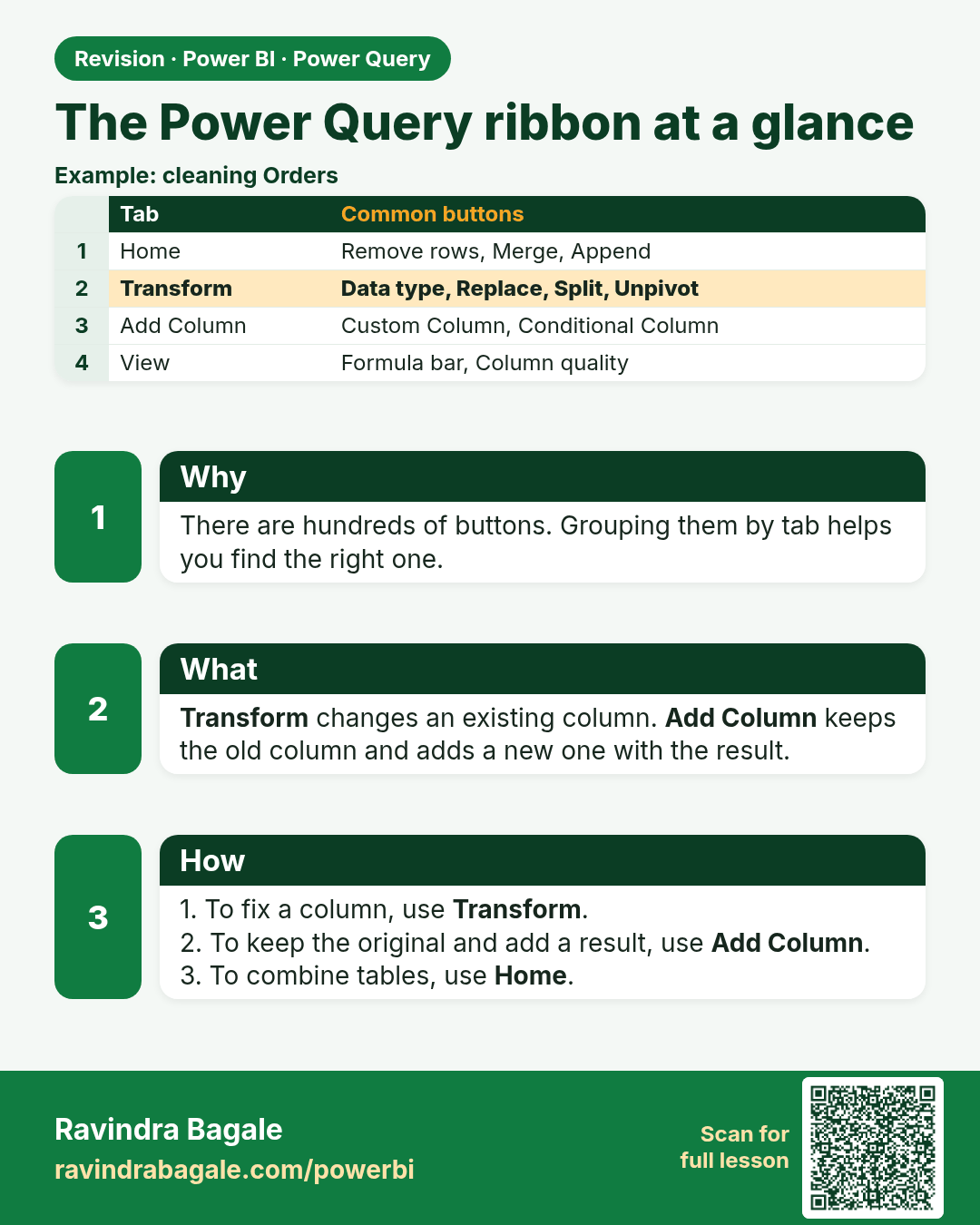
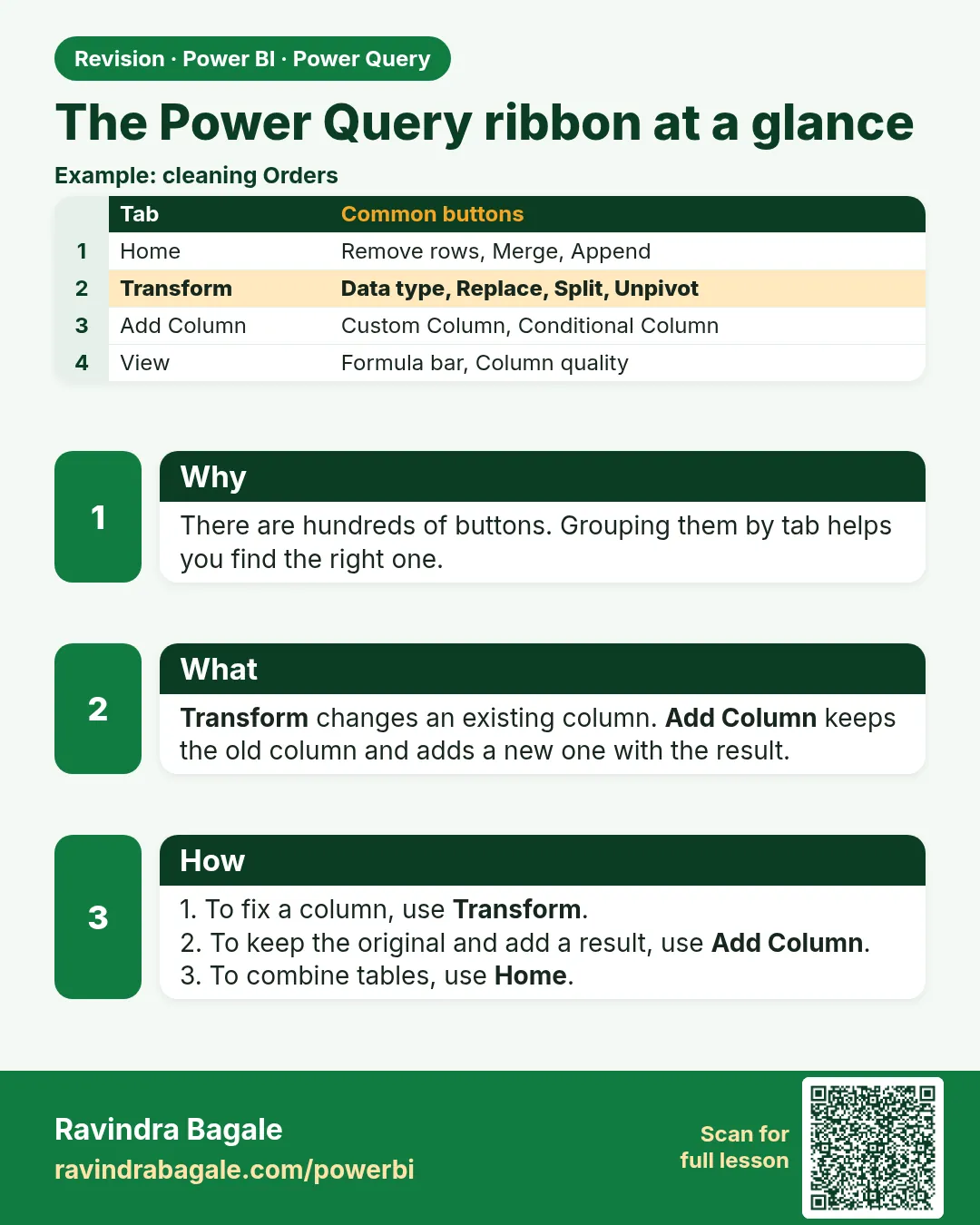
The Power Query ribbon at a glance. There are hundreds of buttons. Grouping them by tab helps you find the right one.
Revision card 3 of 11: The Power Query ribbon at a glance · Download PNG · Open card page

Lesson: 6.3 The Power Query Ribbon at a Glance
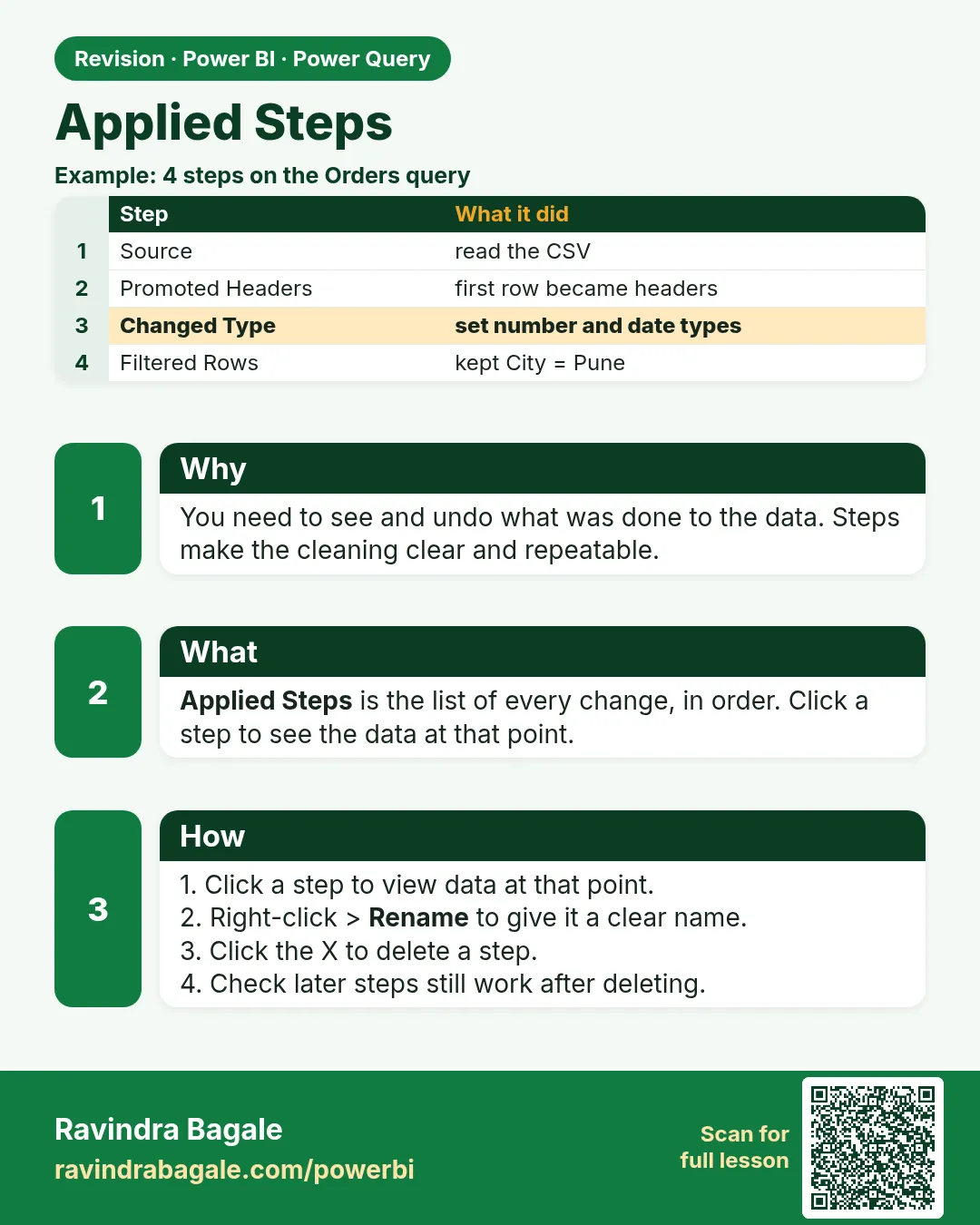
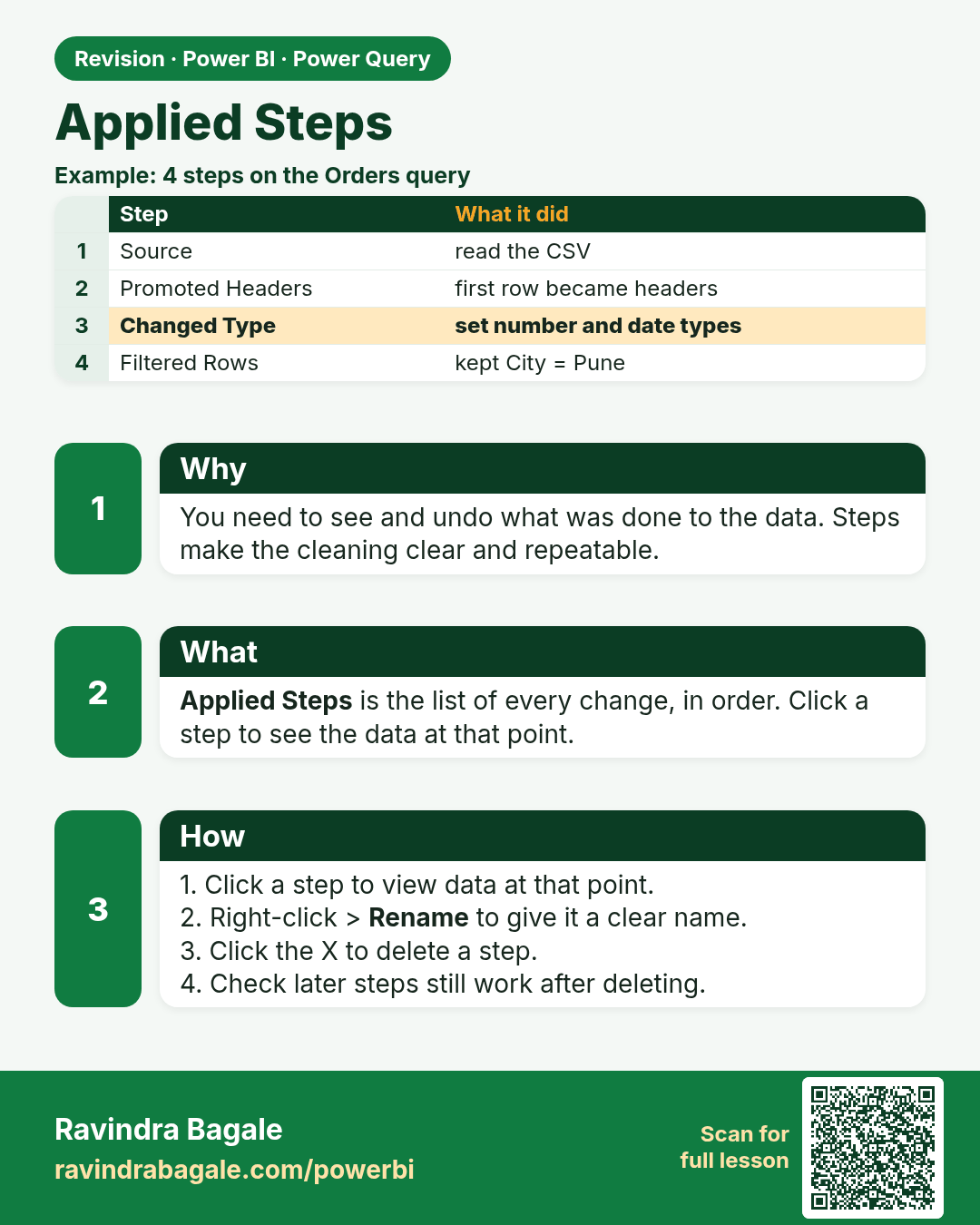
Applied Steps. You need to see and undo what was done to the data. Steps make the cleaning clear and repeatable.
Revision card 4 of 11: Applied Steps · Download PNG · Open card page

Lesson: 6.4 Applied Steps in Power Query (Power BI)
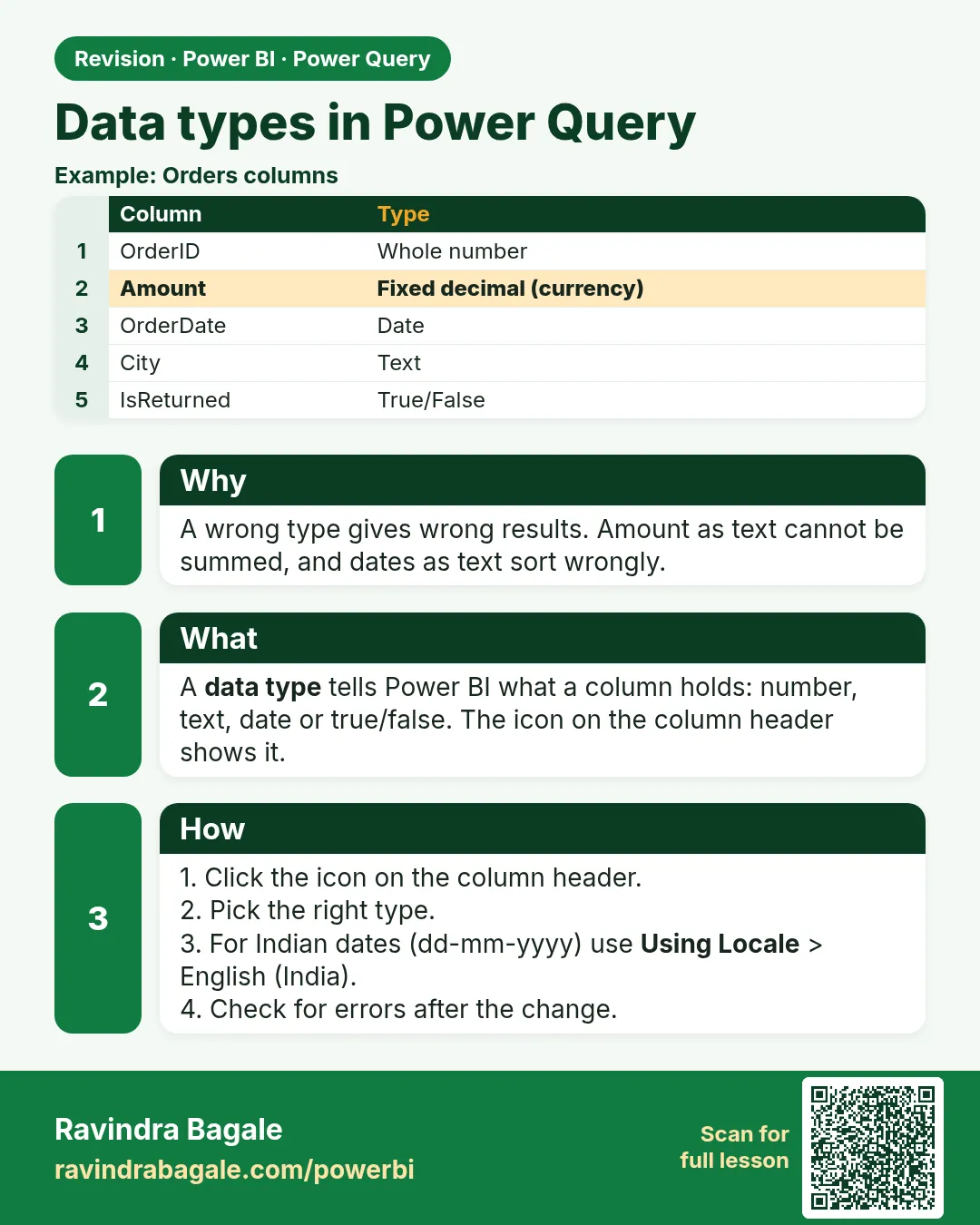
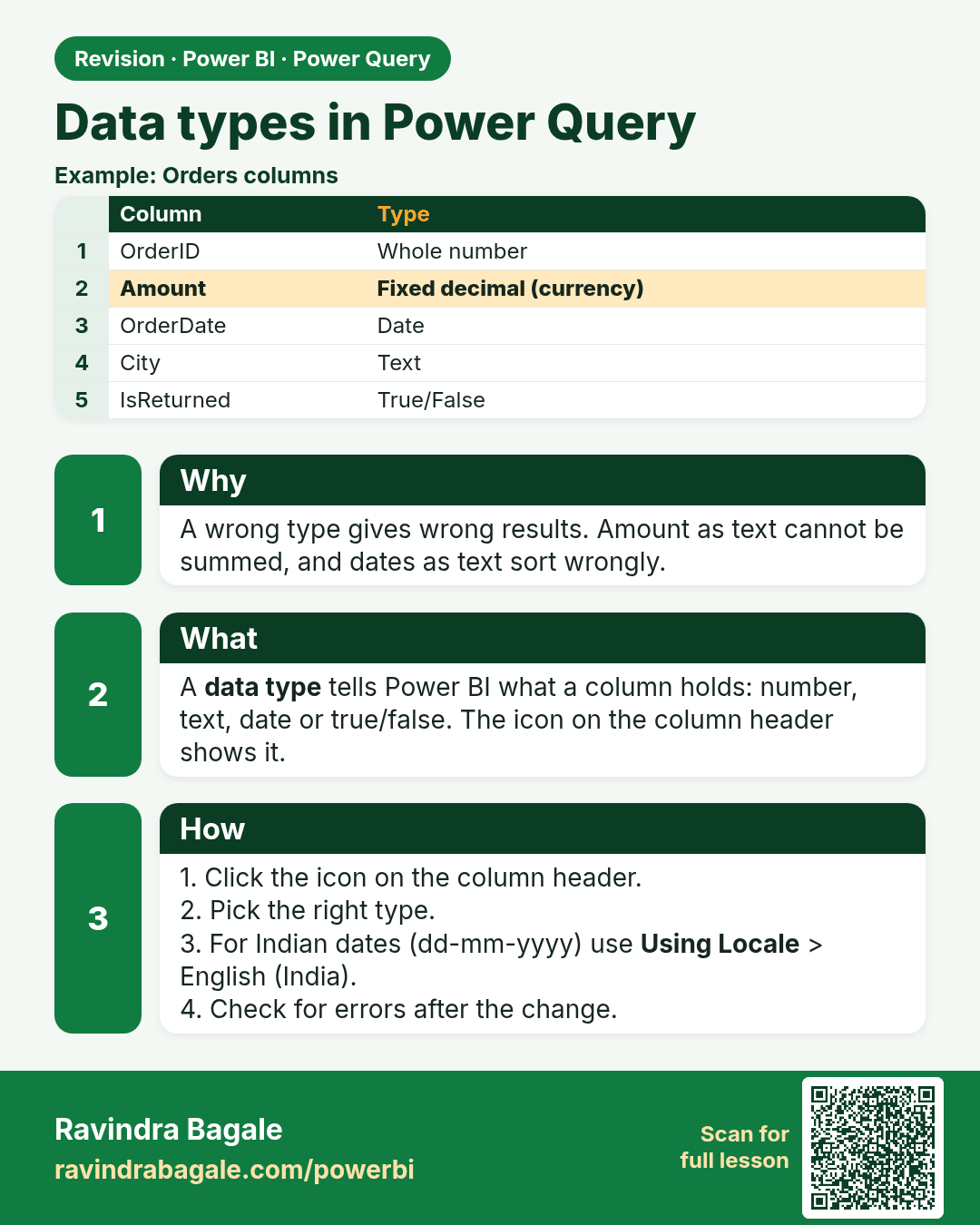
Data types in Power Query. A wrong type gives wrong results. Amount as text cannot be summed, and dates as text sort wrongly.
Revision card 5 of 11: Data types in Power Query · Download PNG · Open card page

Lesson: 6.5 Data Types

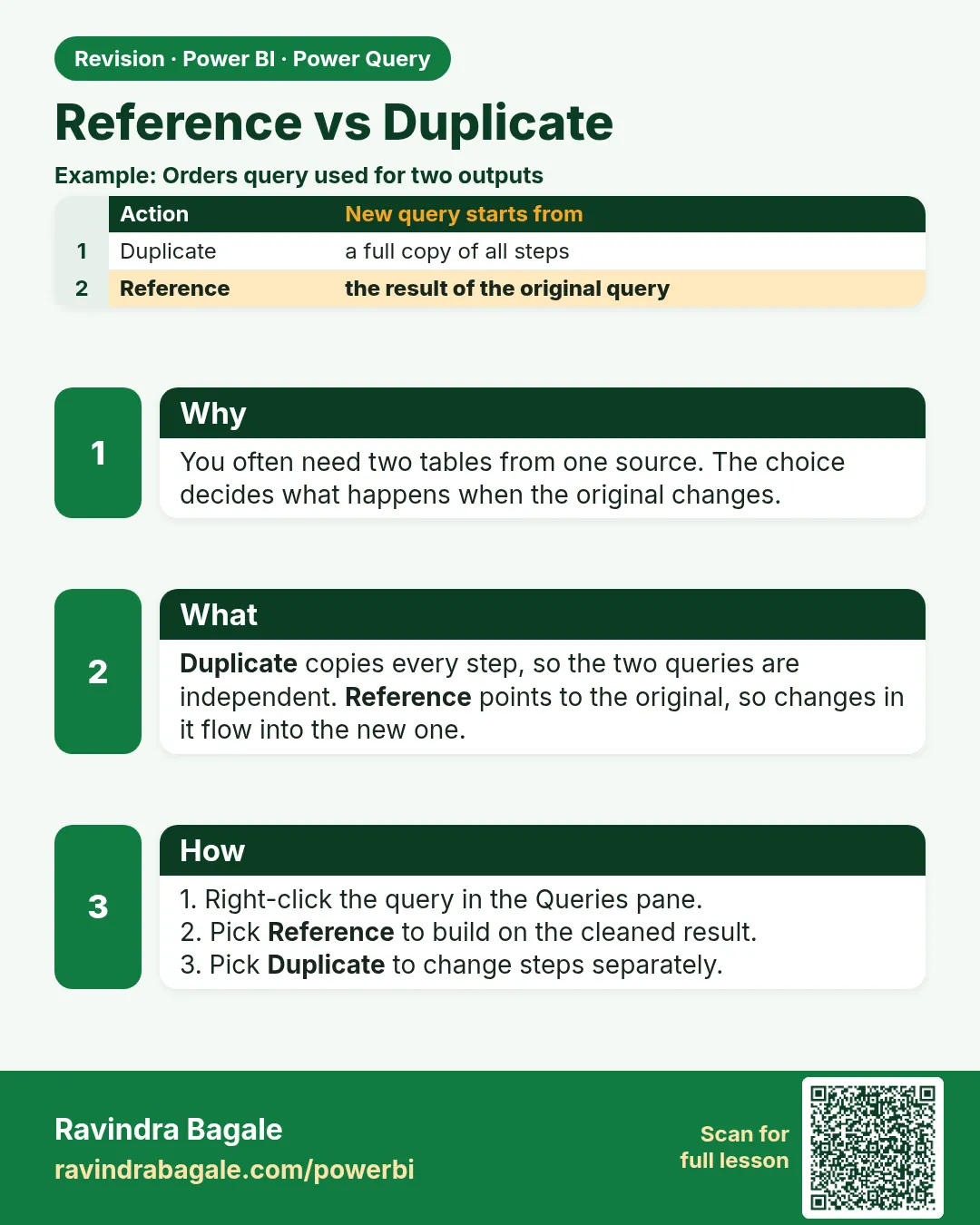
Reference vs Duplicate. You often need two tables from one source. The choice decides what happens when the original changes.
Revision card 6 of 11: Reference vs Duplicate · Download PNG · Open card page

Lesson: 6.6 Reference vs Duplicate

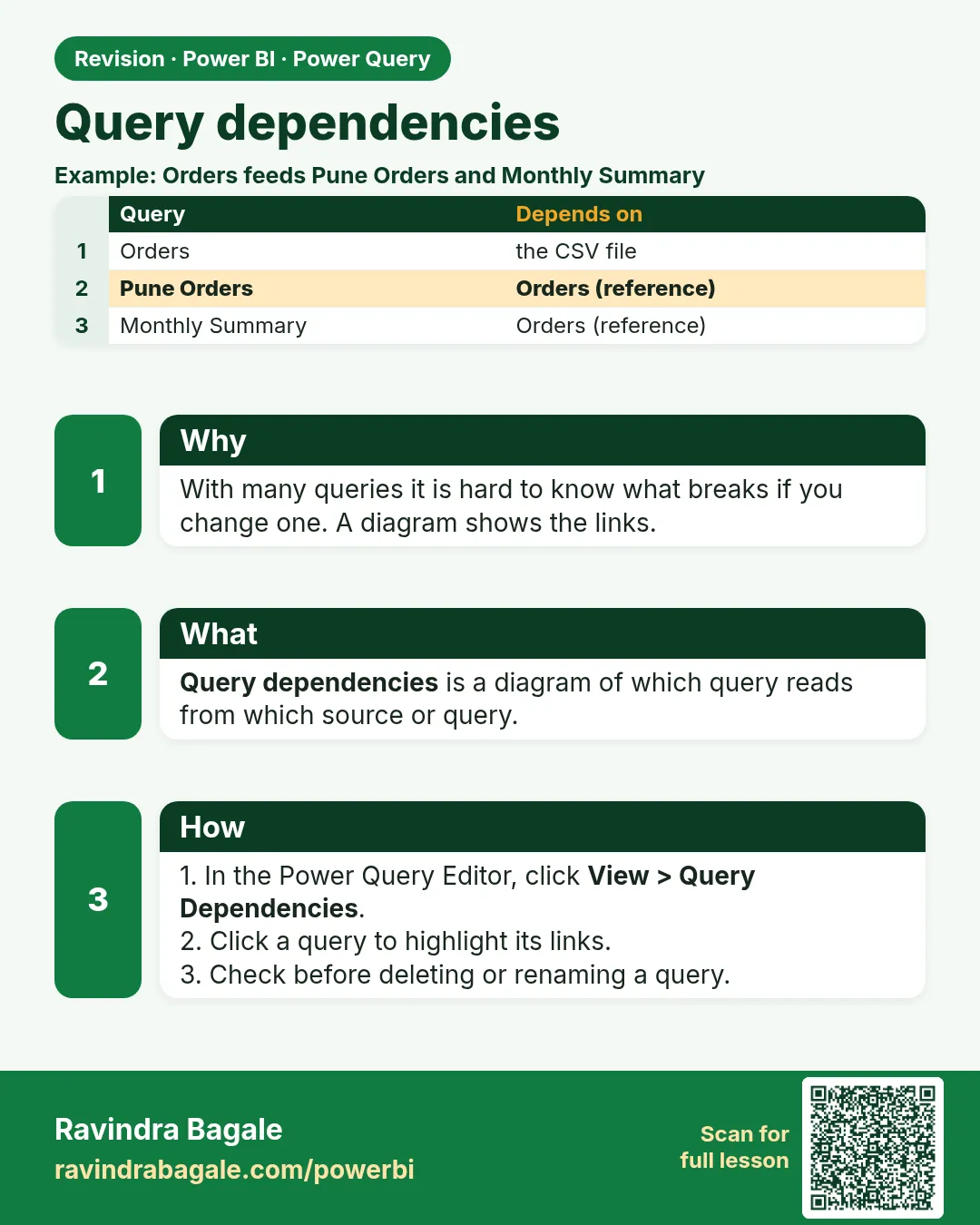
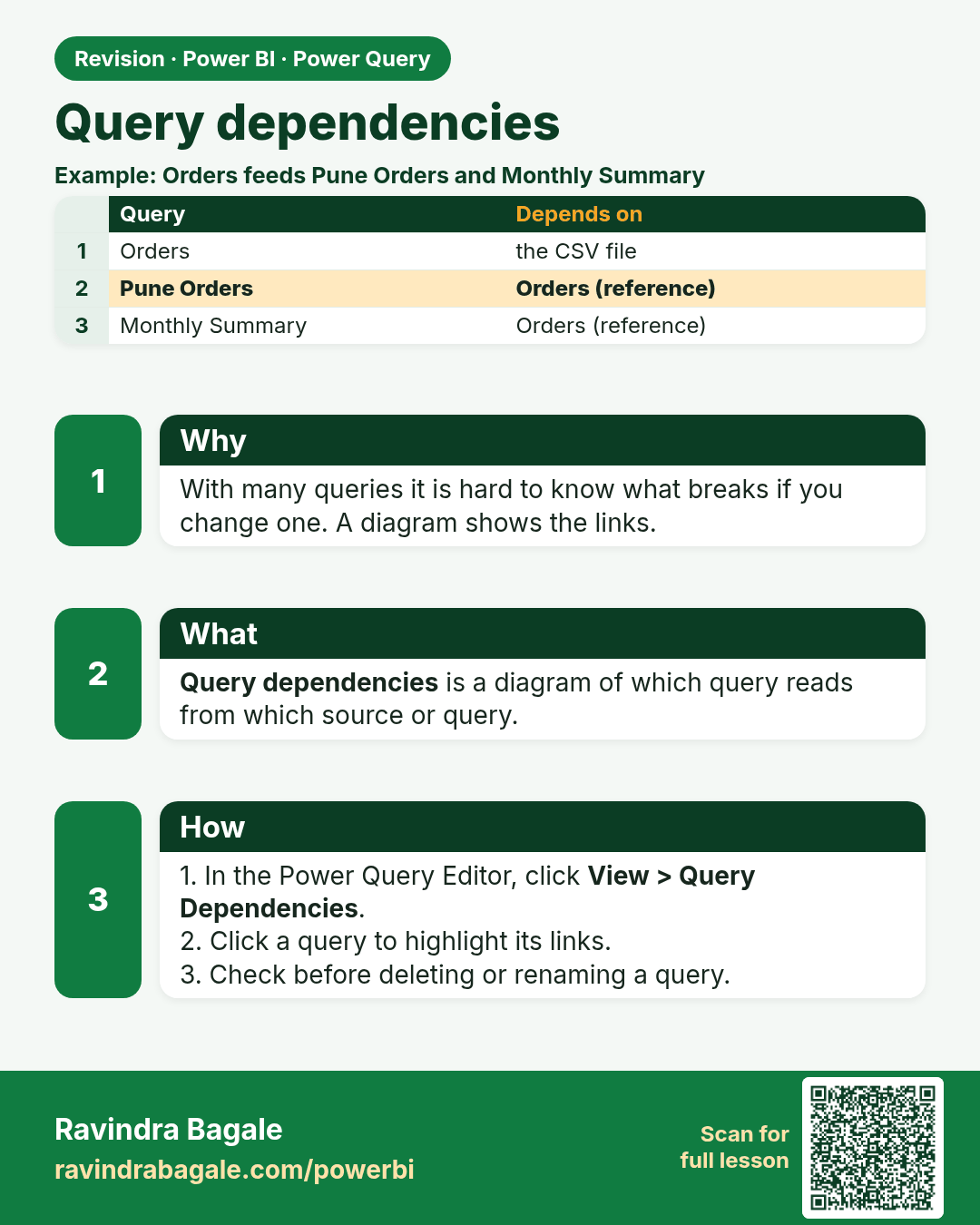
Query dependencies. With many queries it is hard to know what breaks if you change one. A diagram shows the links.
Revision card 7 of 11: Query dependencies · Download PNG · Open card page

Lesson: 6.7 Query Dependencies

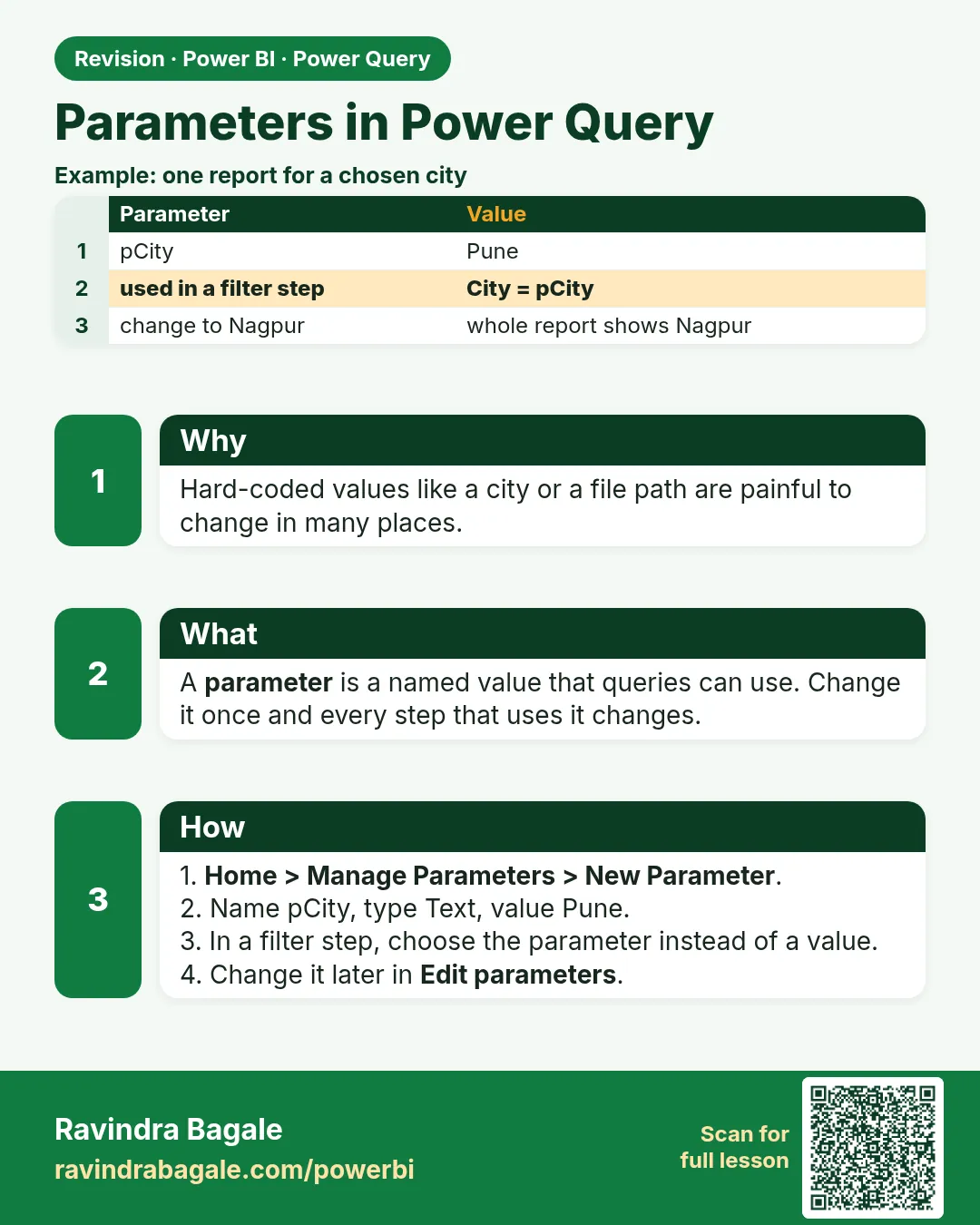
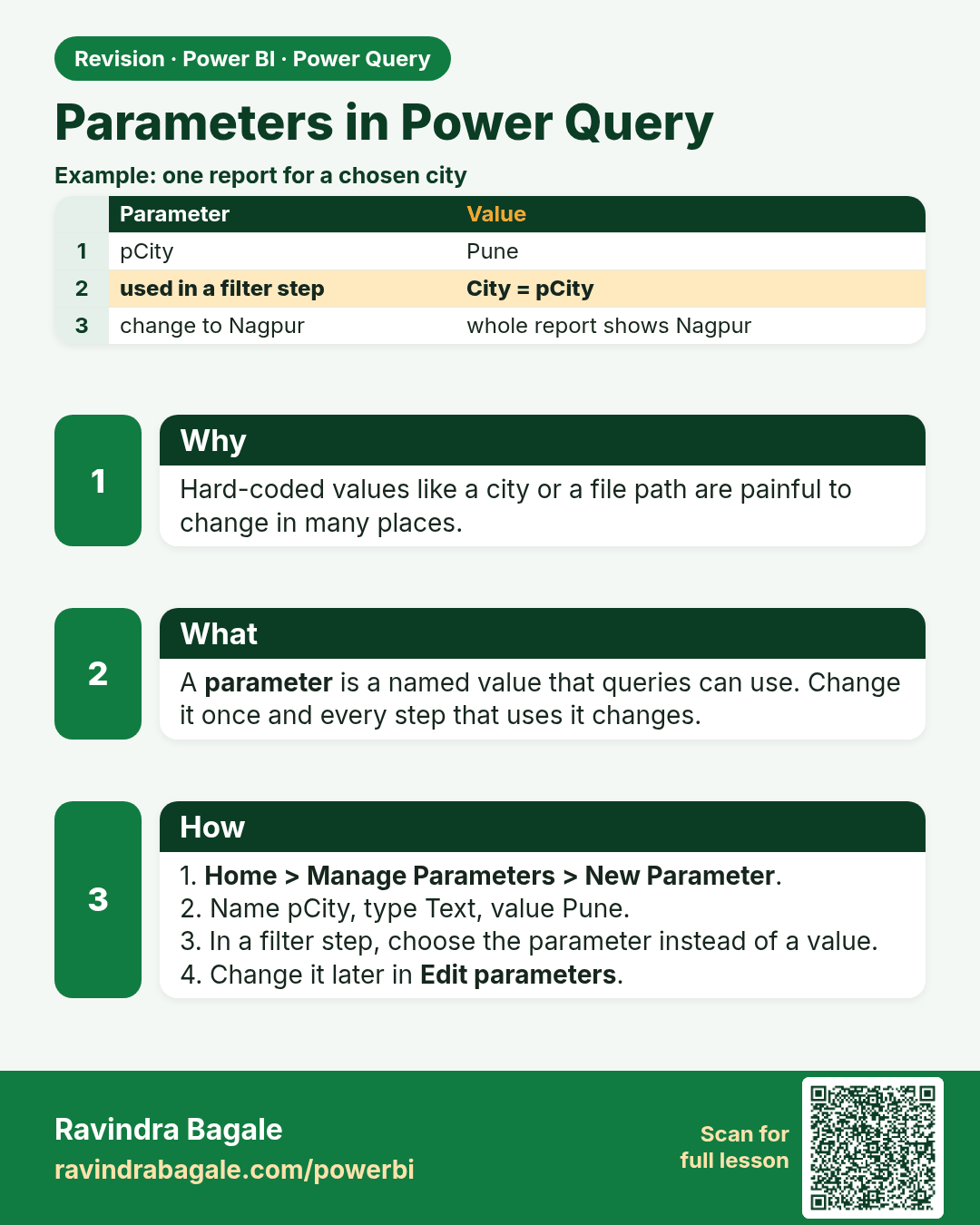
Parameters in Power Query. Hard-coded values like a city or a file path are painful to change in many places.
Revision card 8 of 11: Parameters in Power Query · Download PNG · Open card page

Lesson: 6.8 Parameters (Overview)

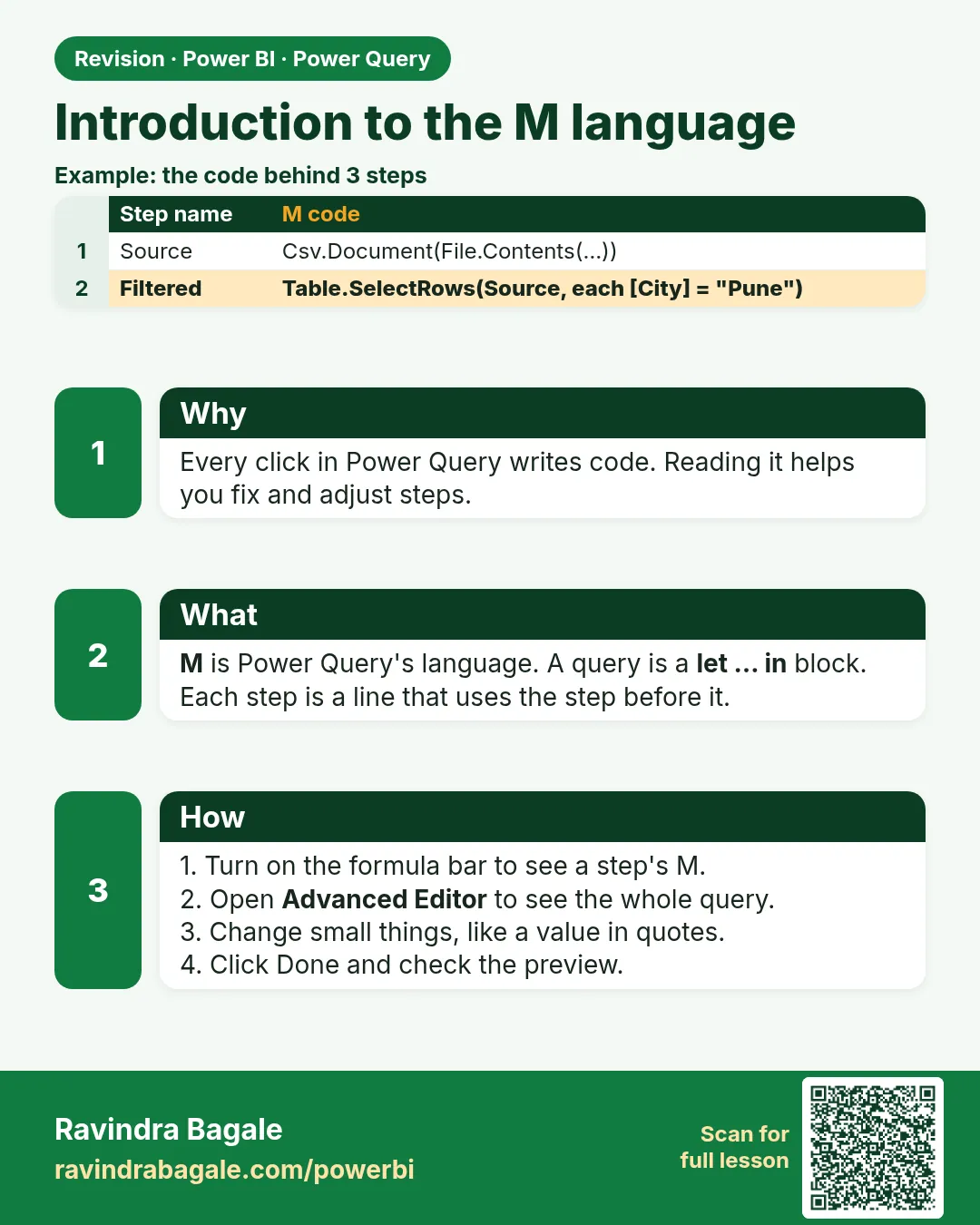
Introduction to the M language. Every click in Power Query writes code. Reading it helps you fix and adjust steps.
Revision card 9 of 11: Introduction to the M language · Download PNG · Open card page

Lesson: 6.9 Introduction to the M Language
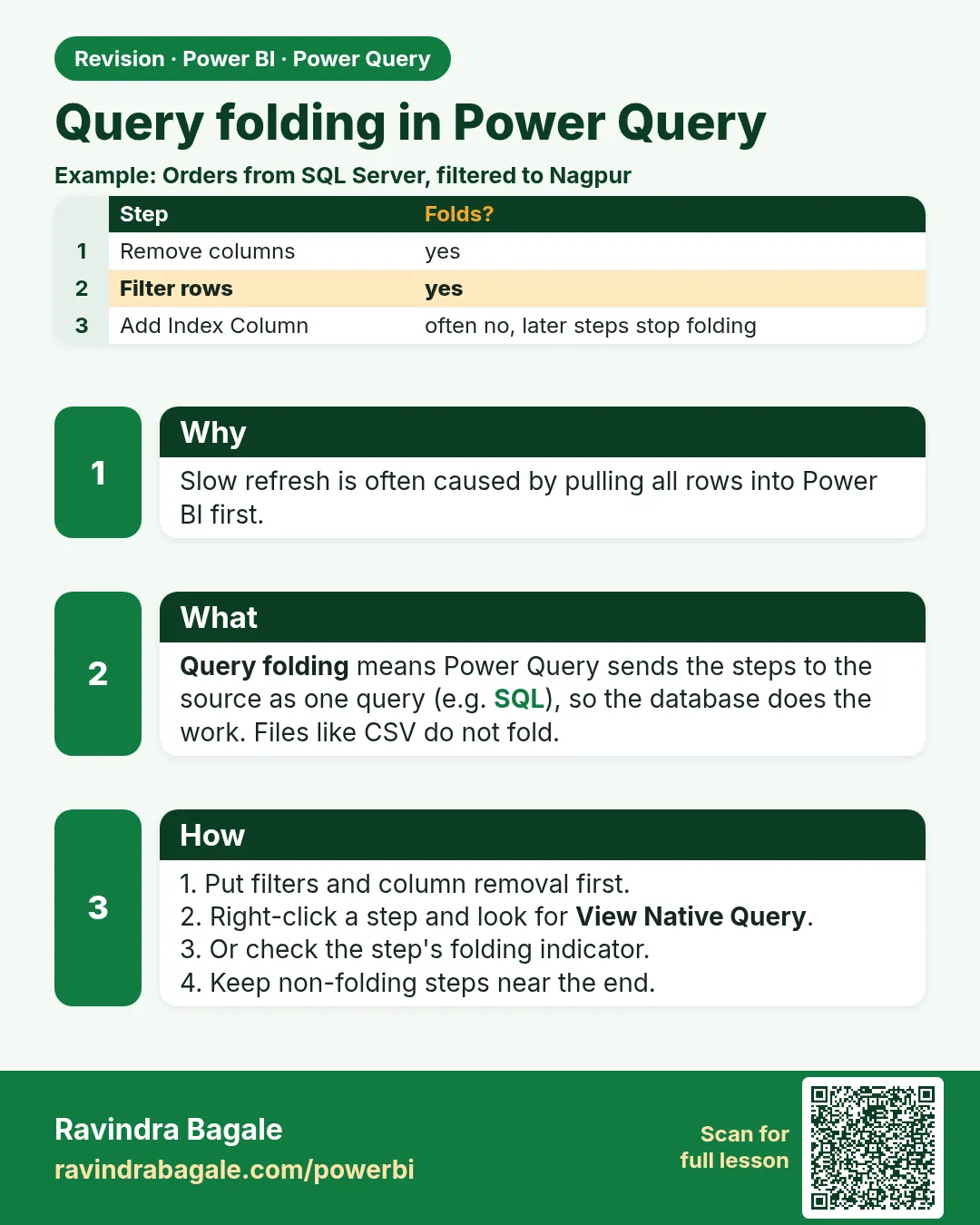
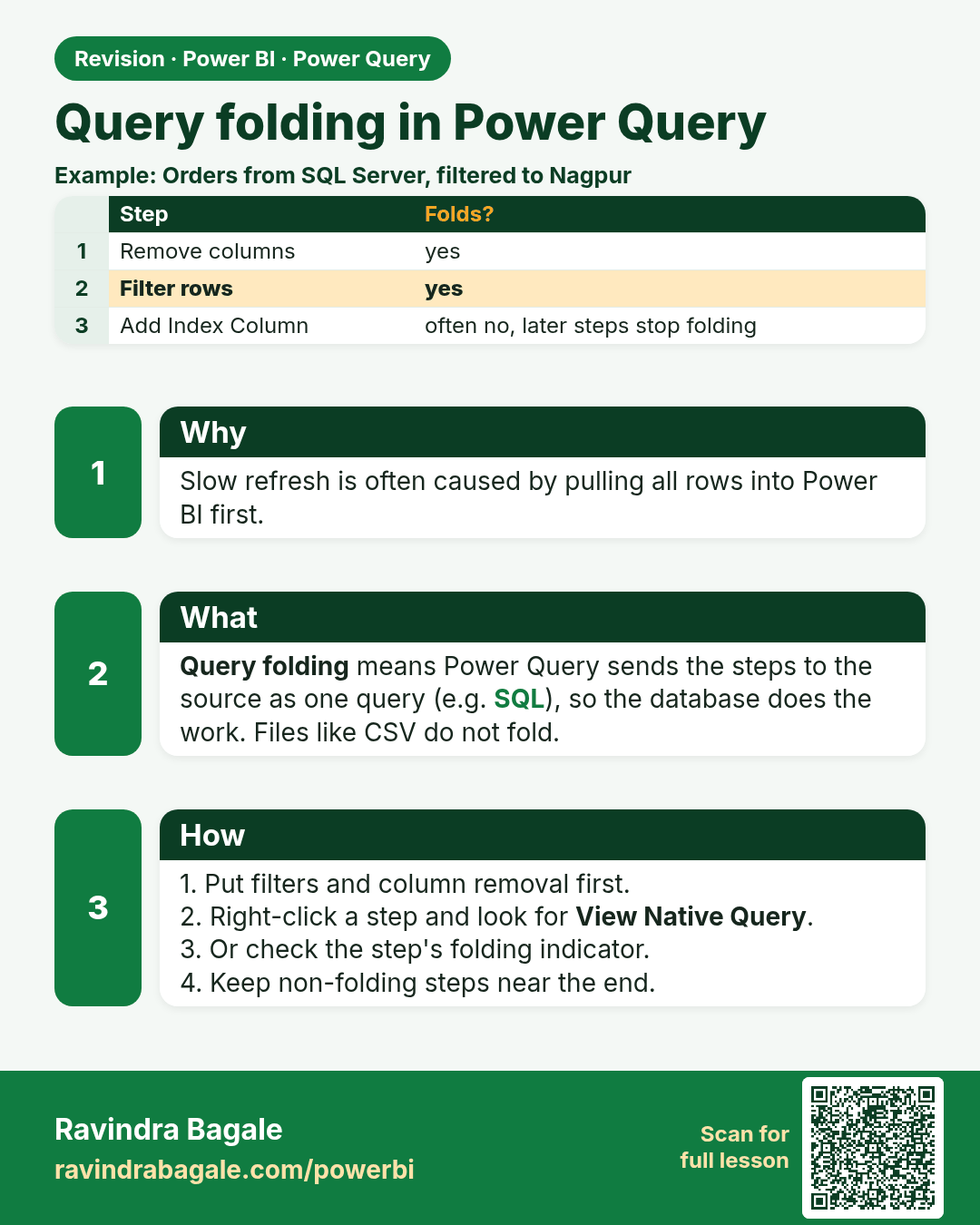
Query folding in Power Query. Slow refresh is often caused by pulling all rows into Power BI first.
Revision card 10 of 11: Query folding in Power Query · Download PNG · Open card page

Lesson: 6.10 Query Folding

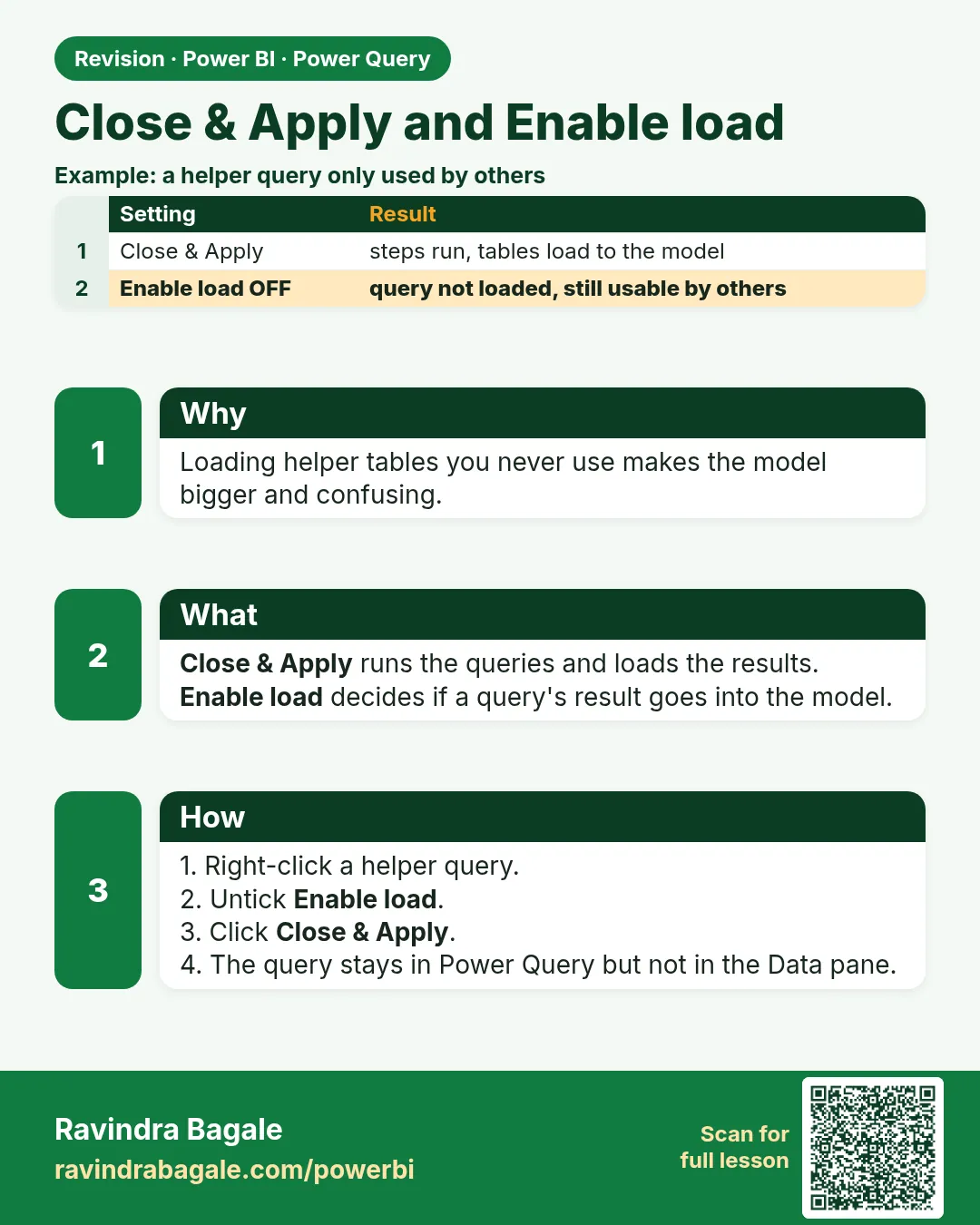
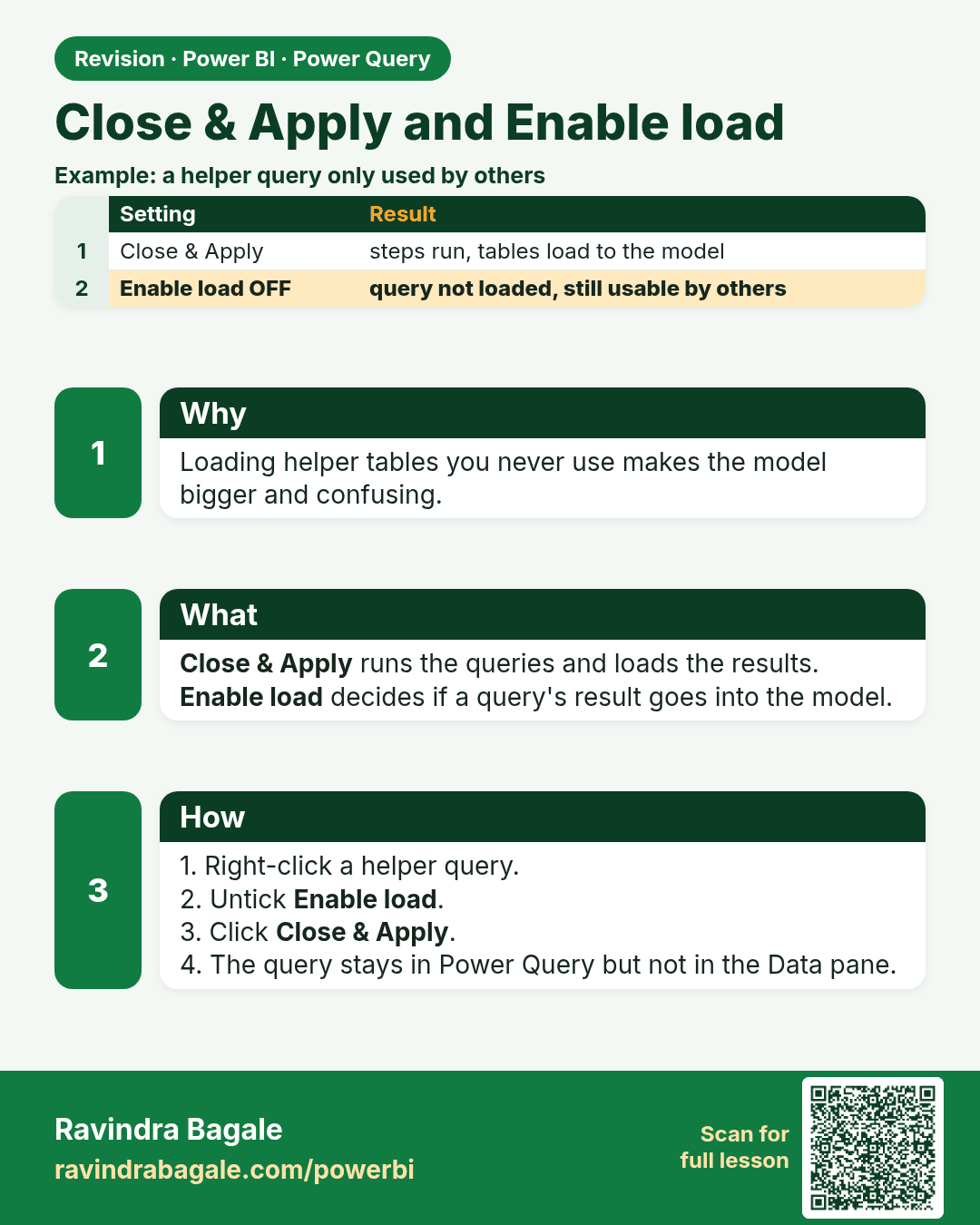
Close & Apply and Enable load. Loading helper tables you never use makes the model bigger and confusing.
Revision card 11 of 11: Close & Apply and Enable load · Download PNG · Open card page

Lesson: 6.11 Close & Apply and Enable Load

Interview cards
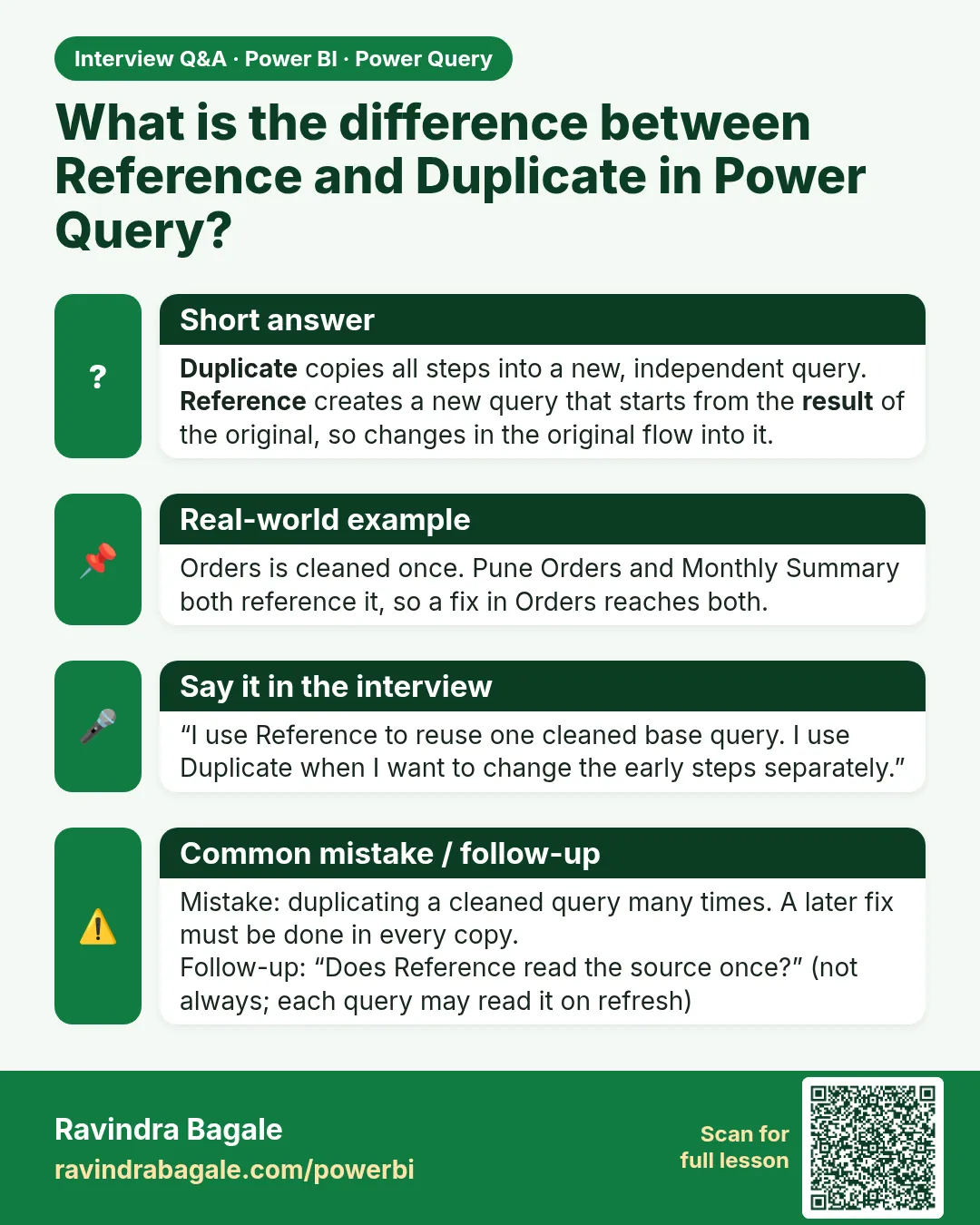
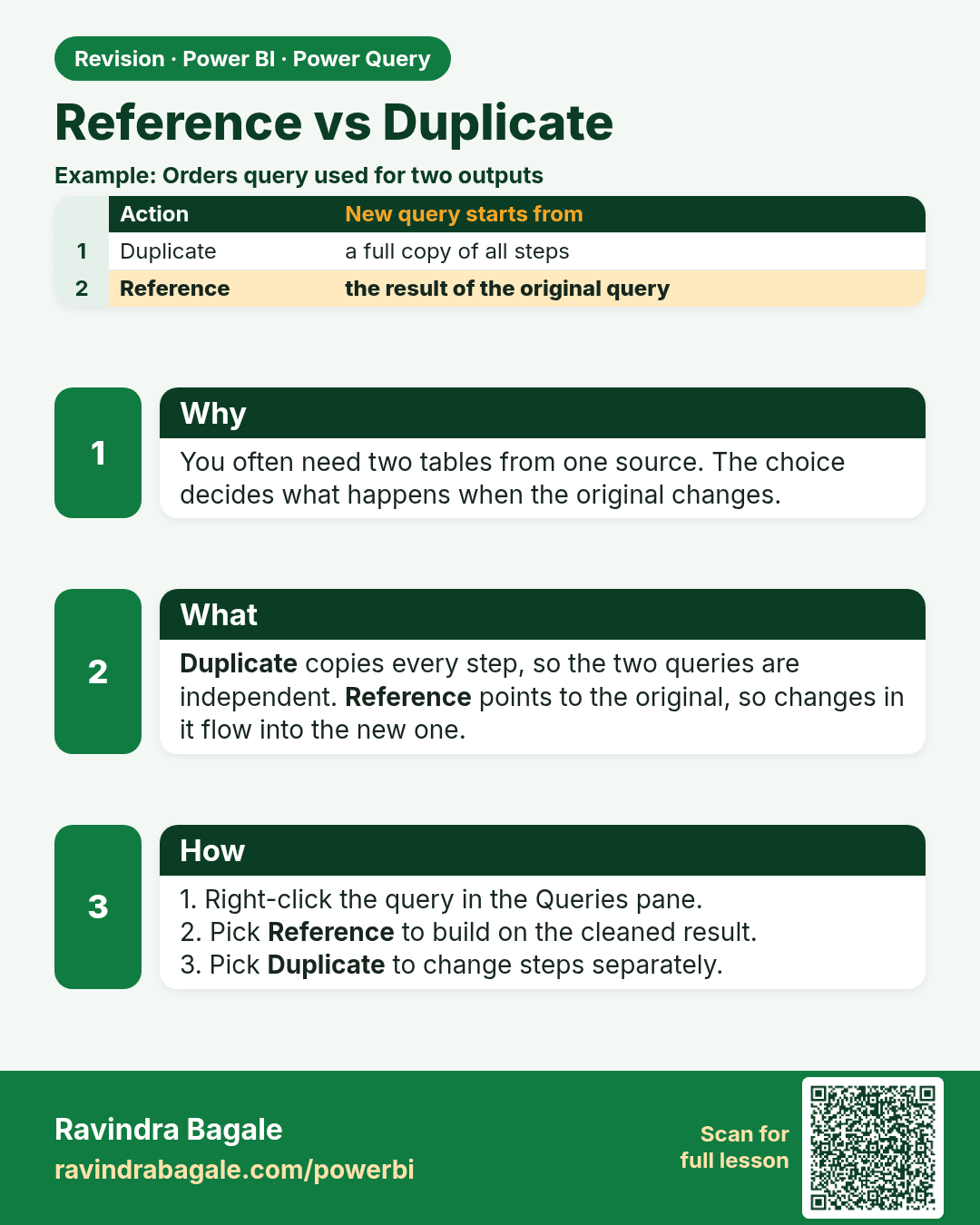
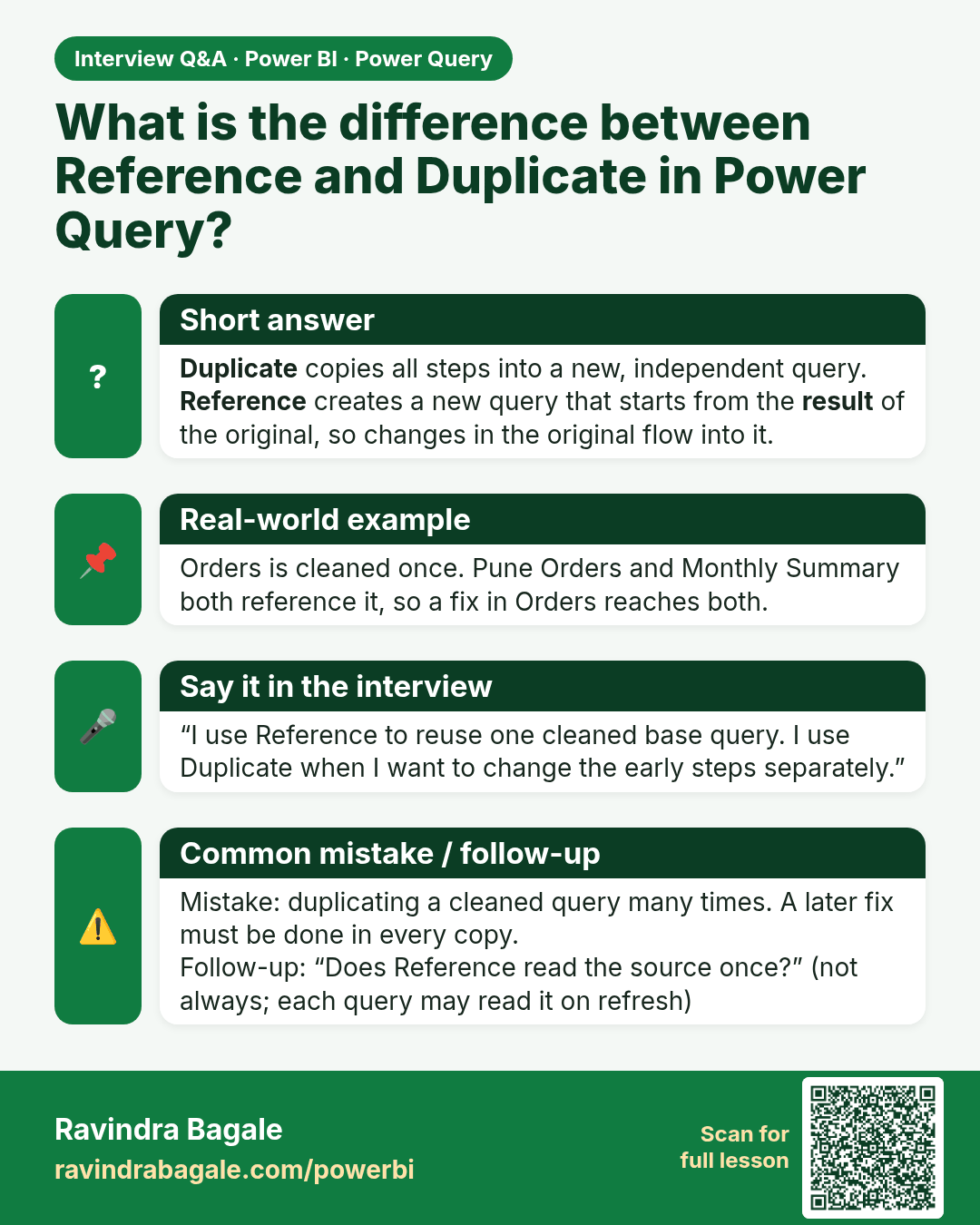
What is the difference between Reference and Duplicate in Power Query? Duplicate copies all steps into a new, independent query. Reference creates a new query that starts from the result of the original, so changes in the original flow into it.
Interview card 1 of 3: What is the difference between Reference and Duplicate in Power Query? · Download PNG · Open card page

Lesson: 6.6 Reference vs Duplicate

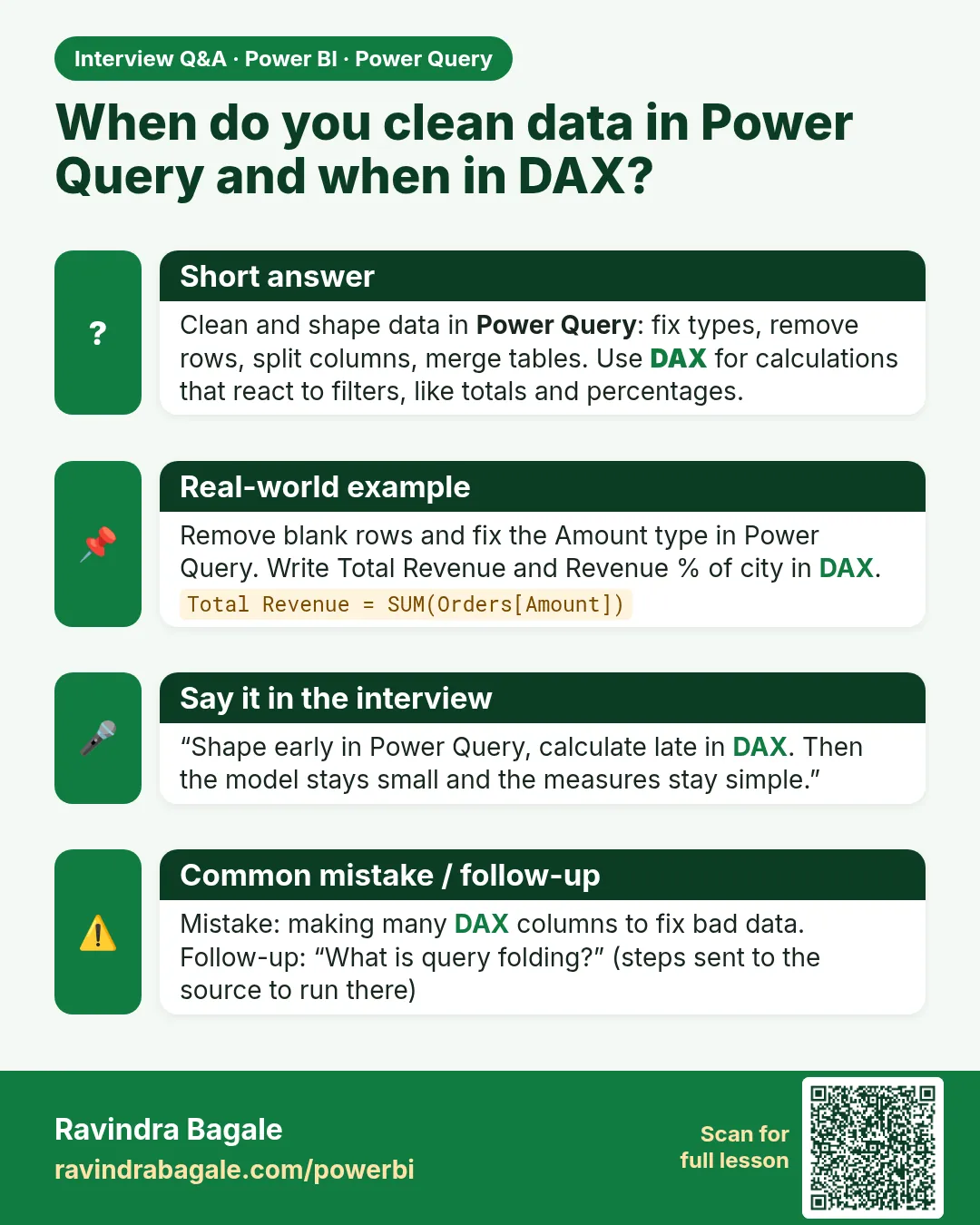
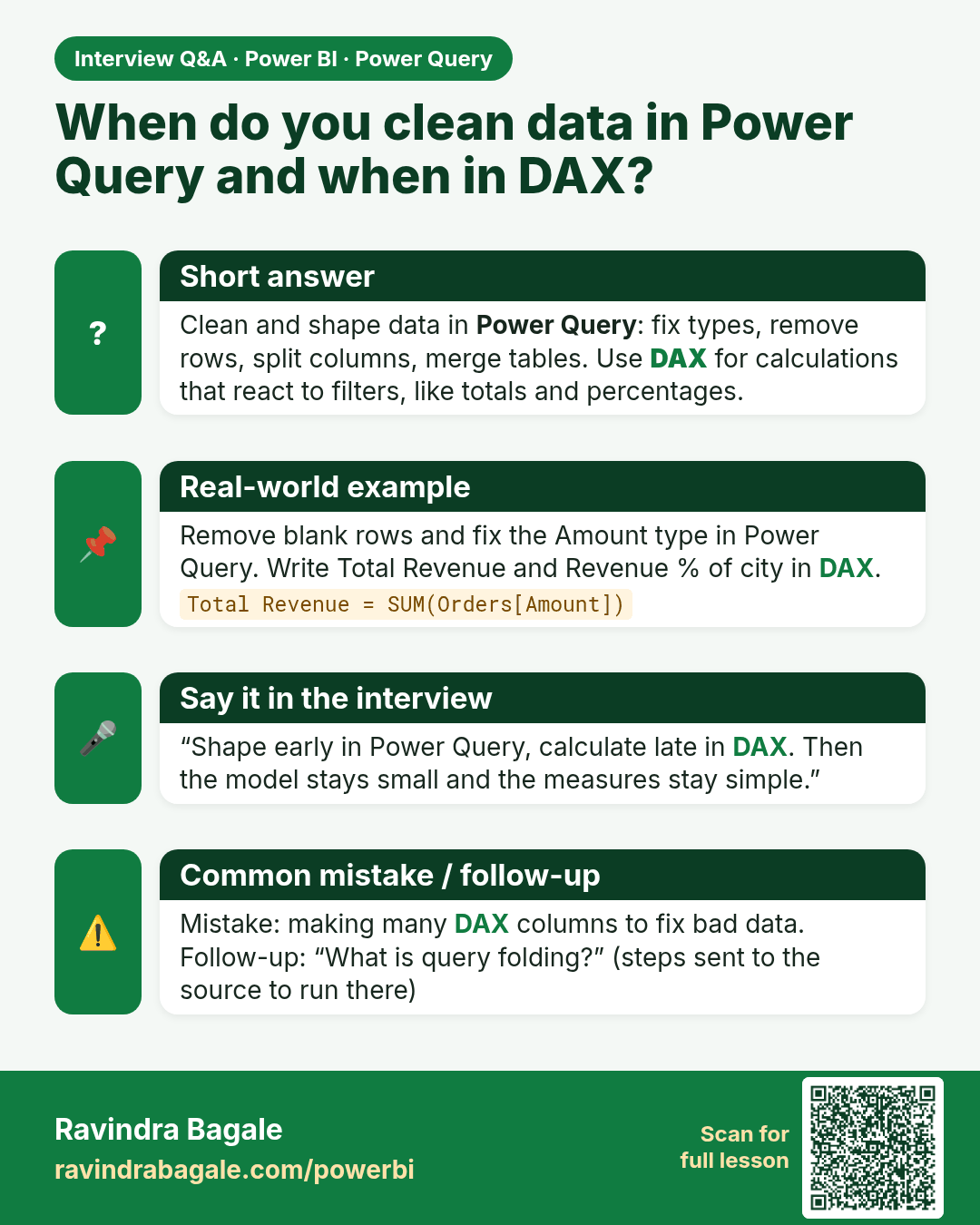
When do you clean data in Power Query and when in DAX? Clean and shape data in Power Query: fix types, remove rows, split columns, merge tables. Use DAX for calculations that react to filters, like totals and percentages.
Interview card 2 of 3: When do you clean data in Power Query and when in DAX? · Download PNG · Open card page

Lesson: 6.1 What is Power Query?

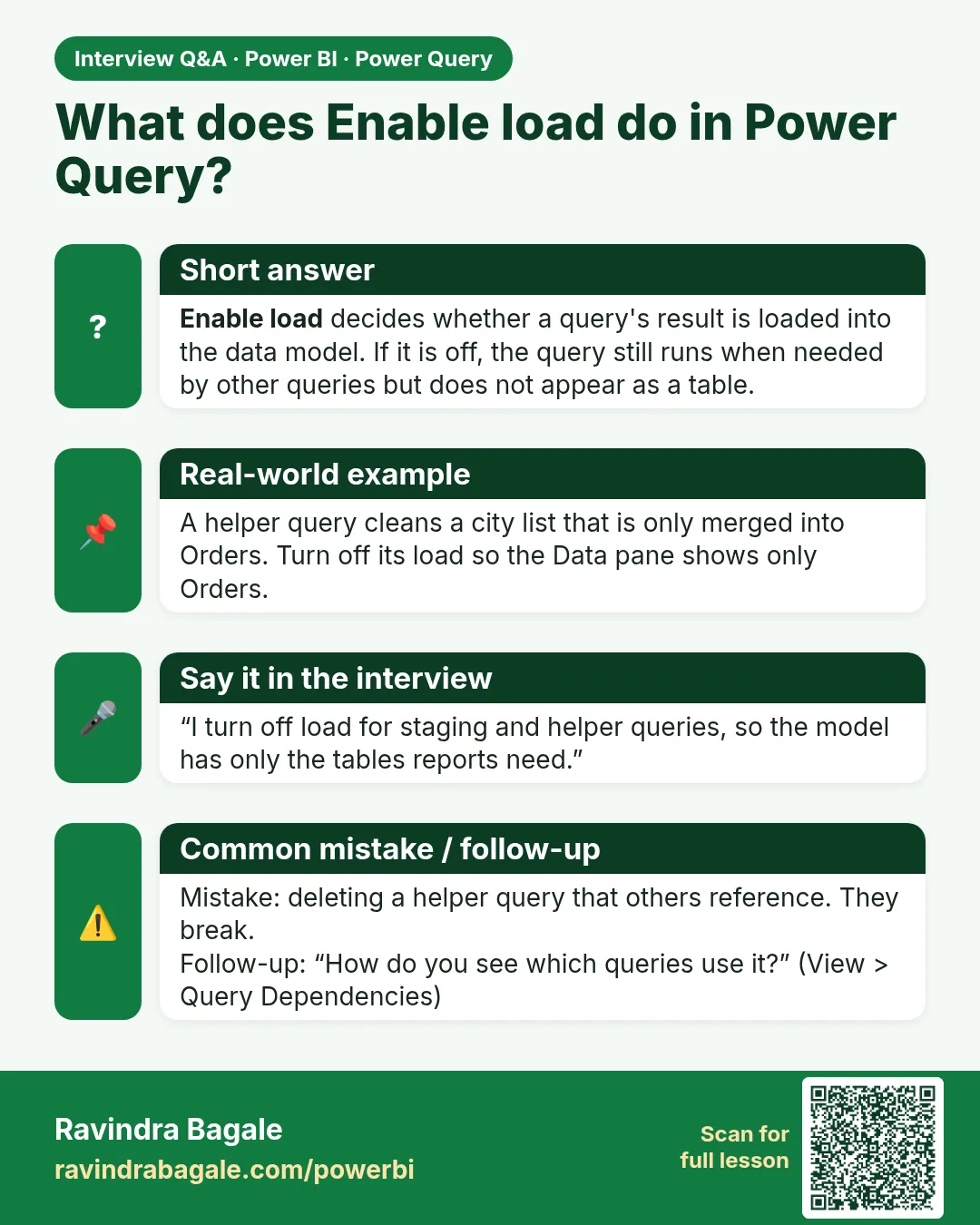
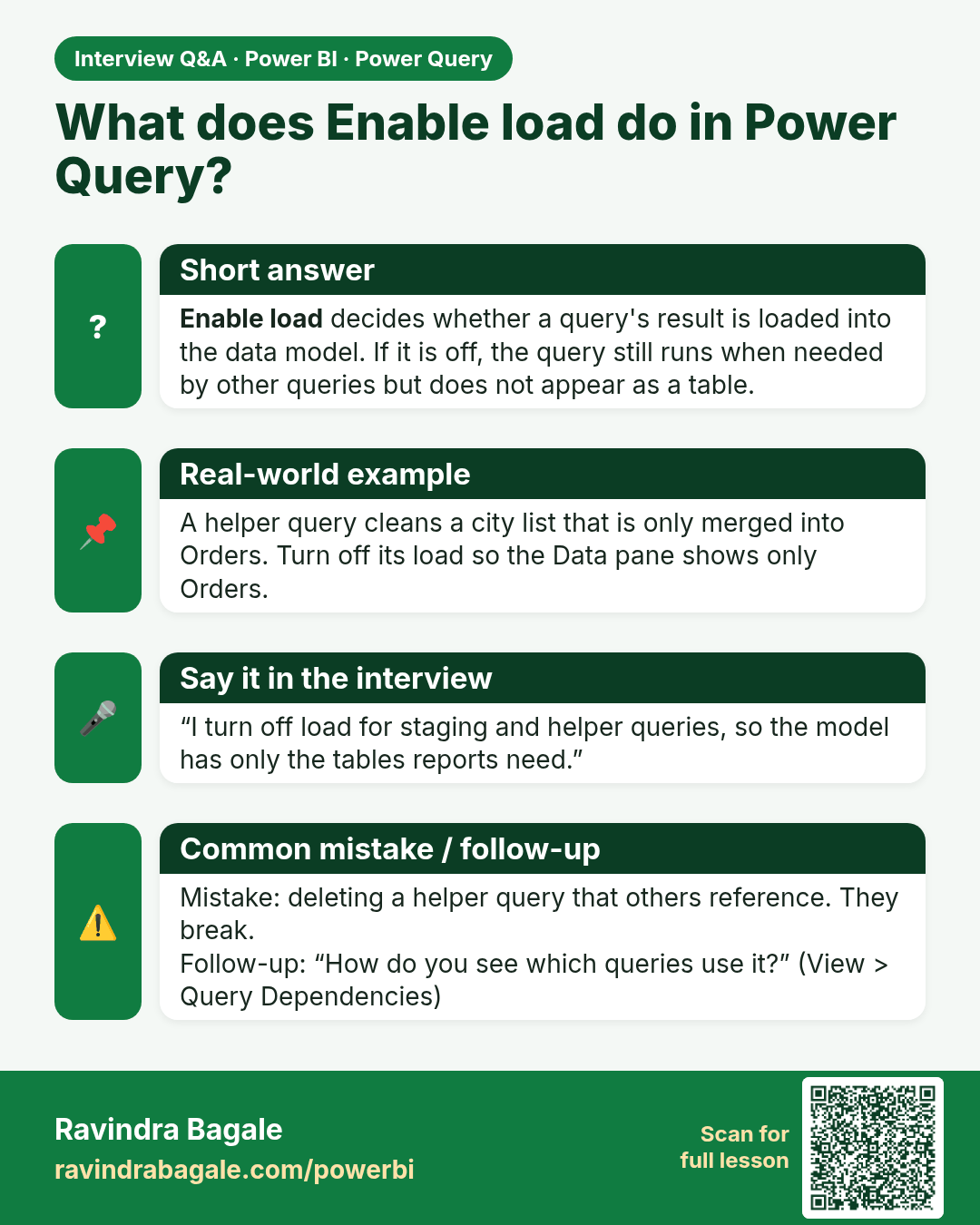
What does Enable load do in Power Query? Enable load decides whether a query's result is loaded into the data model. If it is off, the query still runs when needed by other queries but does not appear as a table.
Interview card 3 of 3: What does Enable load do in Power Query? · Download PNG · Open card page

Lesson: 6.11 Close & Apply and Enable Load

Comparison cards
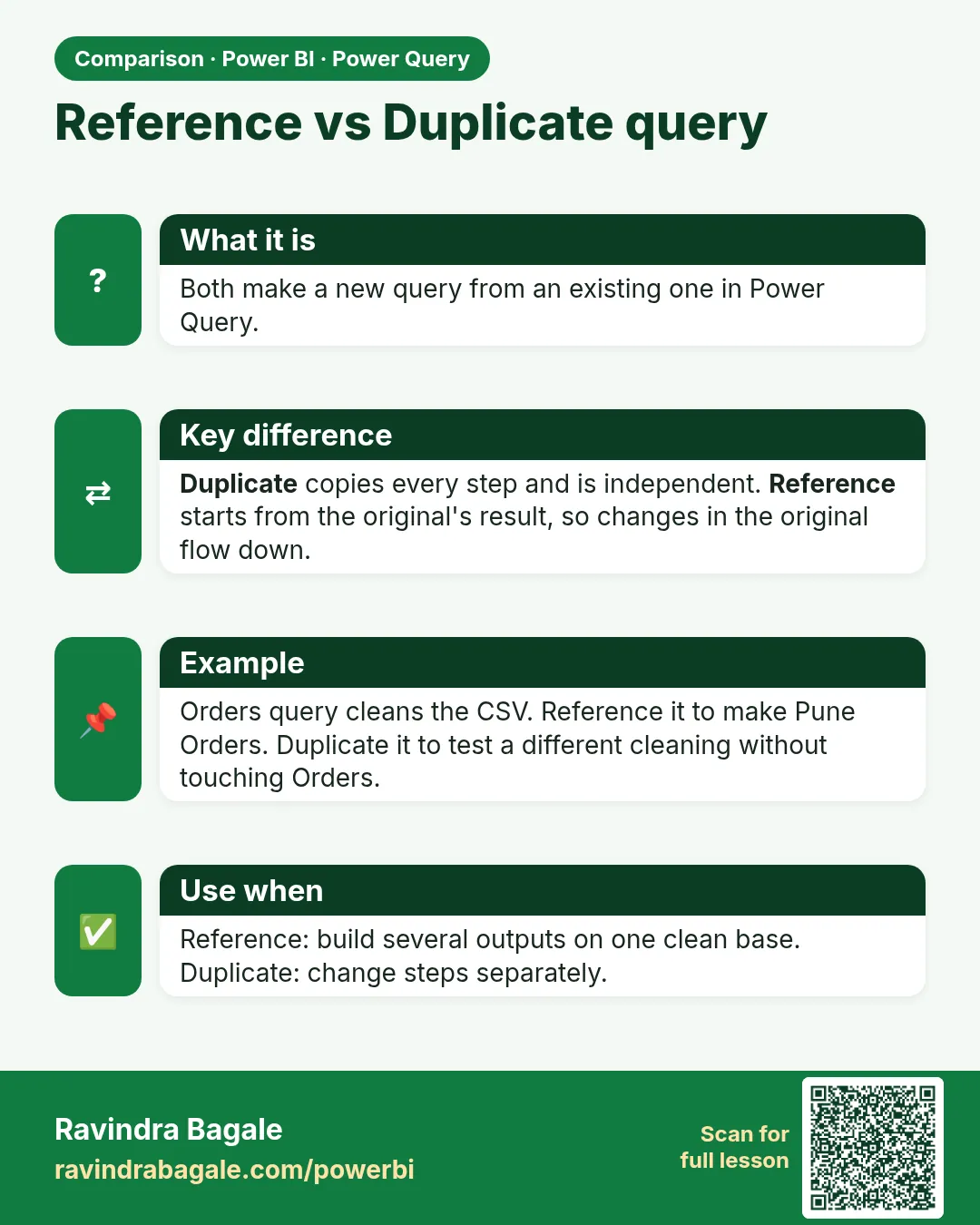
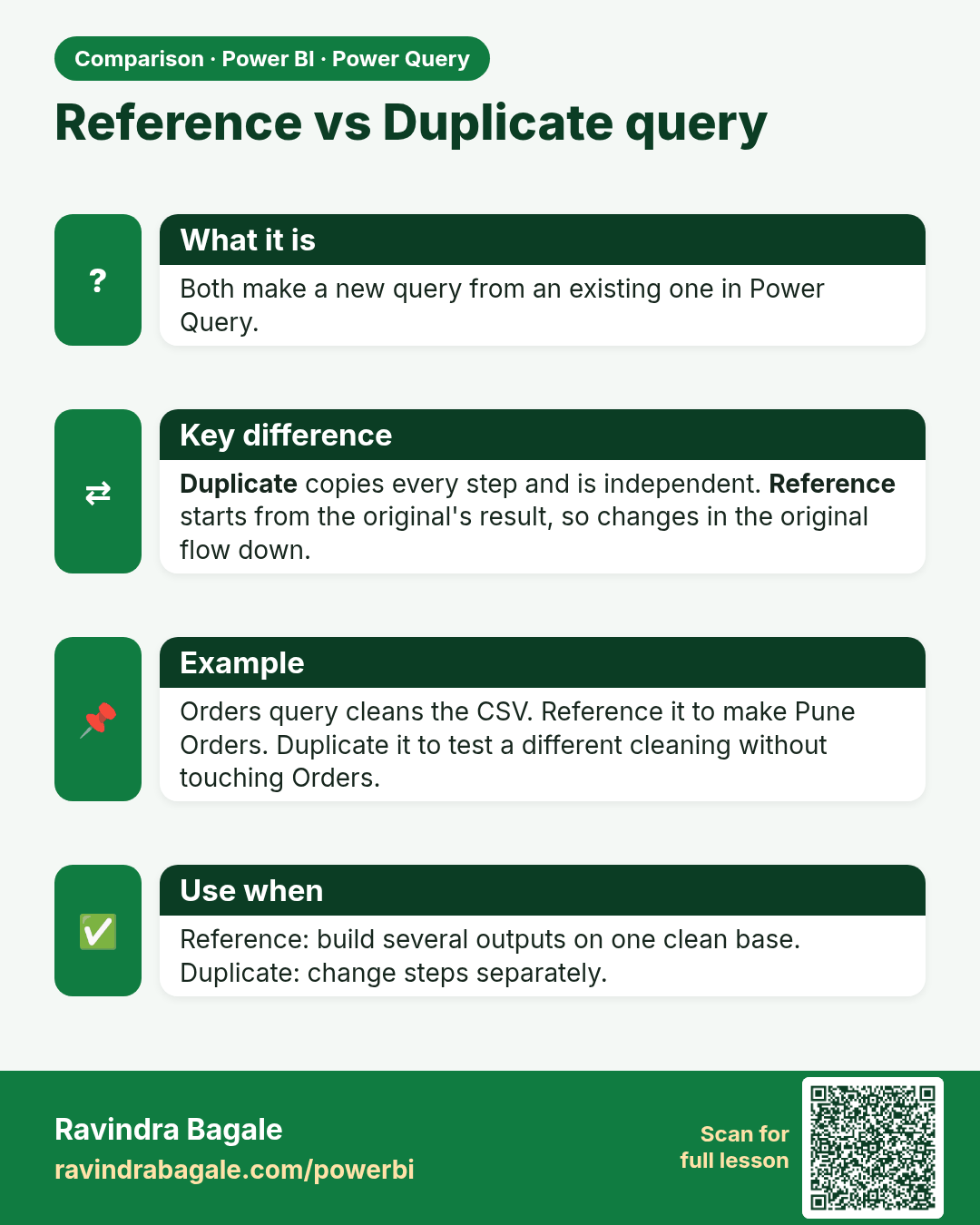
Reference vs Duplicate query. Both make a new query from an existing one in Power Query.
Comparison card 1 of 2: Reference vs Duplicate query · Download PNG · Open card page

Lesson: 6.6 Reference vs Duplicate

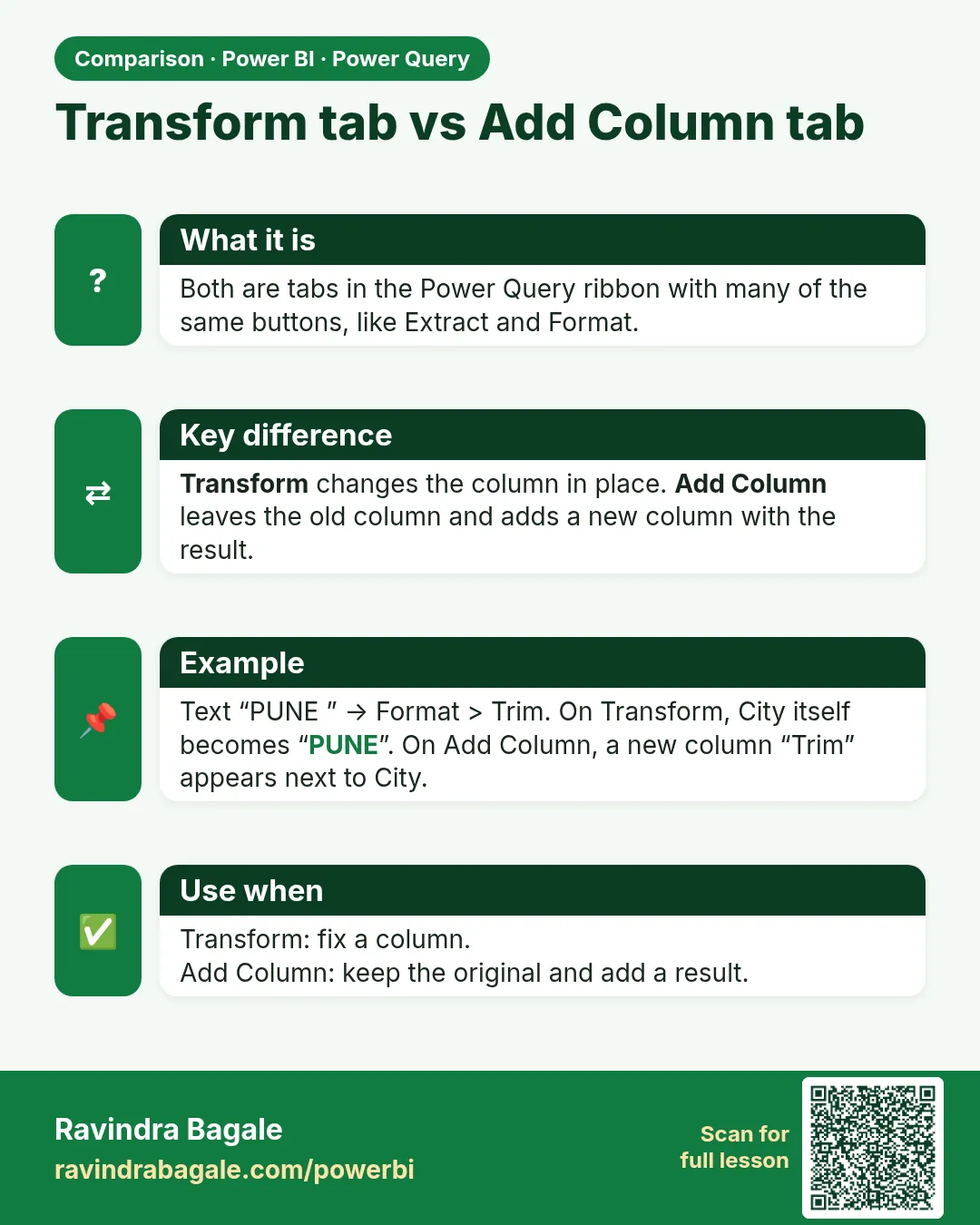
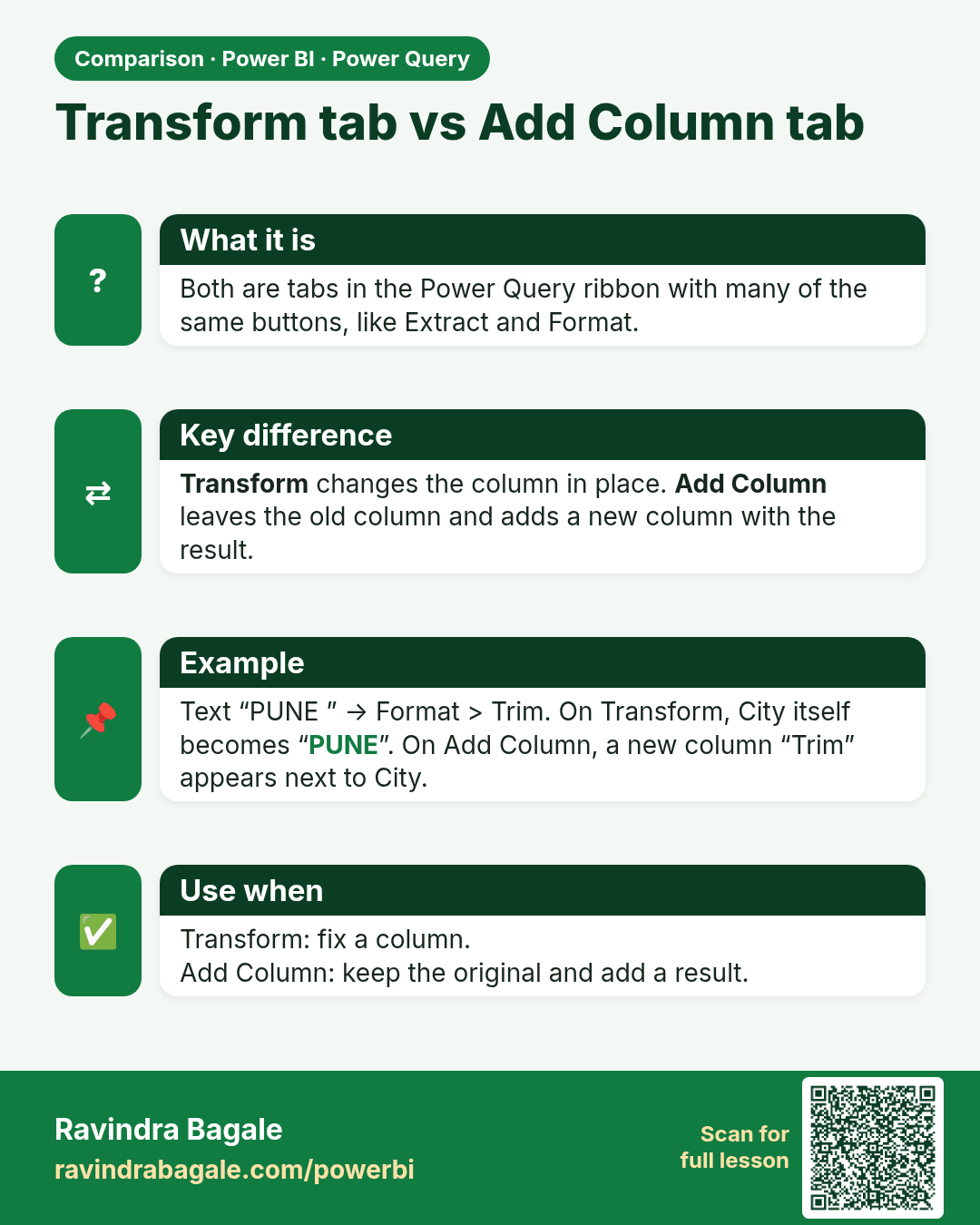
Transform tab vs Add Column tab. Both are tabs in the Power Query ribbon with many of the same buttons, like Extract and Format.
Comparison card 2 of 2: Transform tab vs Add Column tab · Download PNG · Open card page

Lesson: 6.3 The Power Query Ribbon at a Glance