Revision cards
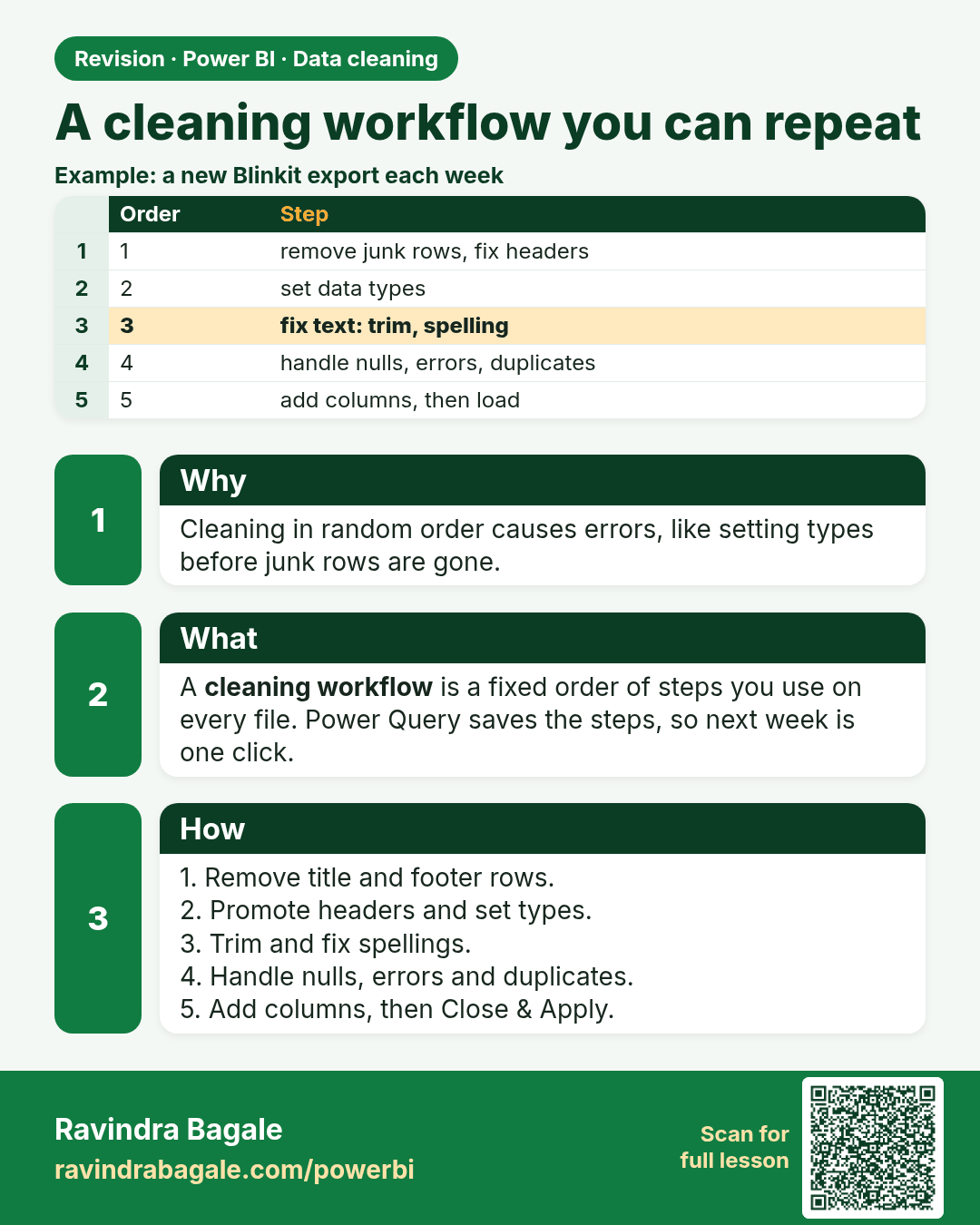
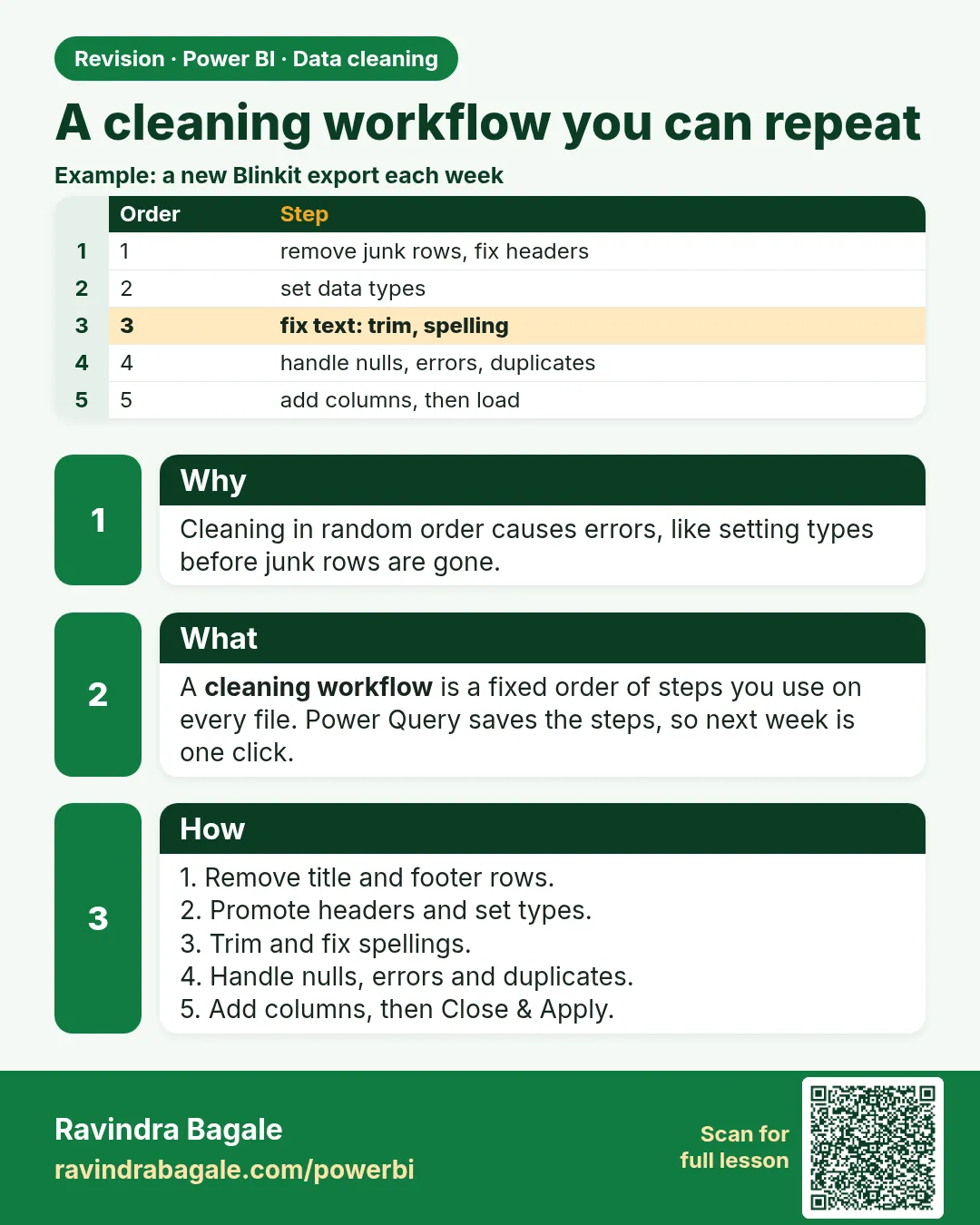 Revision card 1 of 24: A cleaning workflow you can repeat · Download PNG · Open card page
Lesson: 7.1 A Cleaning Workflow You Can Repeat
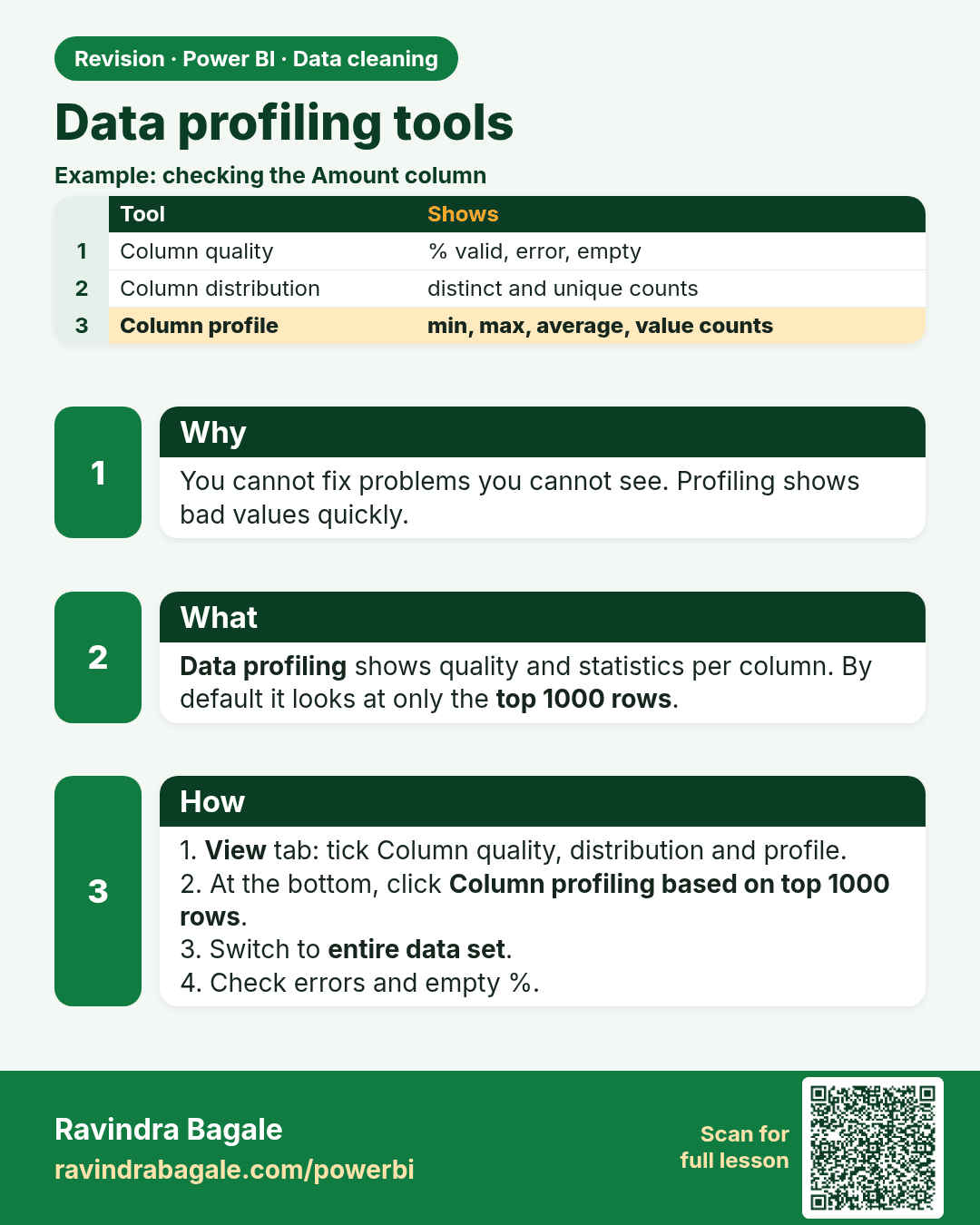
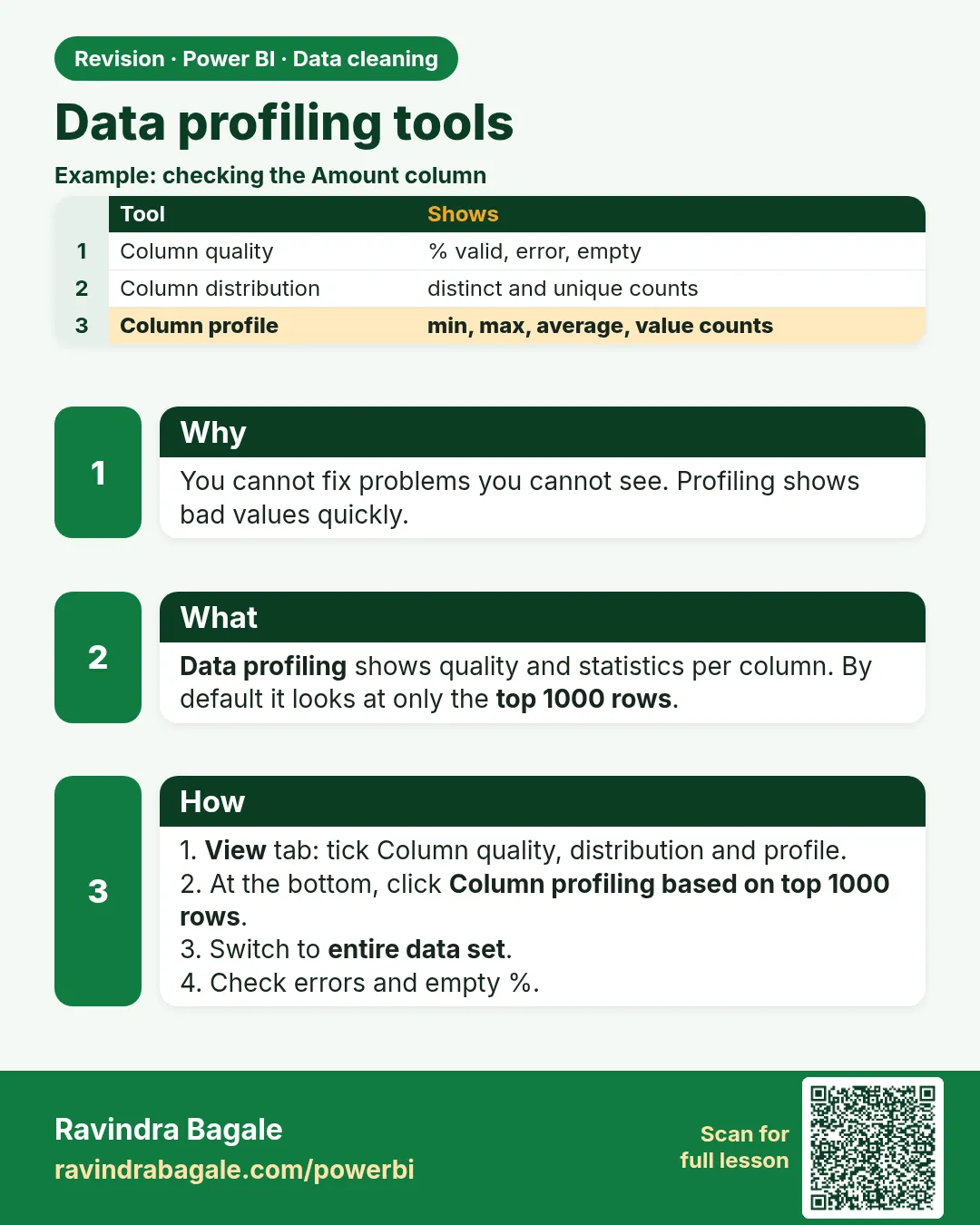 Revision card 2 of 24: Data profiling tools · Download PNG · Open card page
Lesson: 7.2 Data Profiling Tools
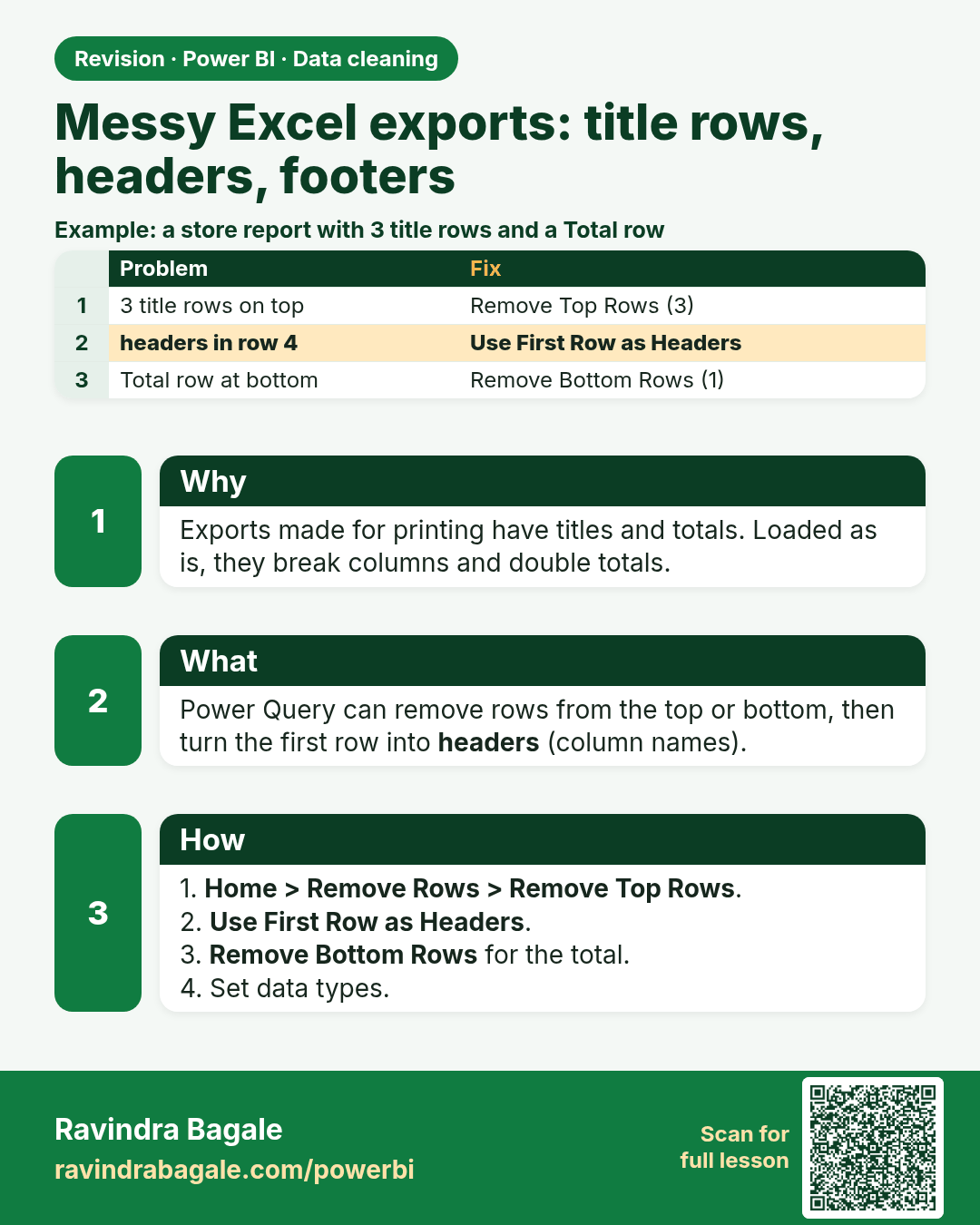
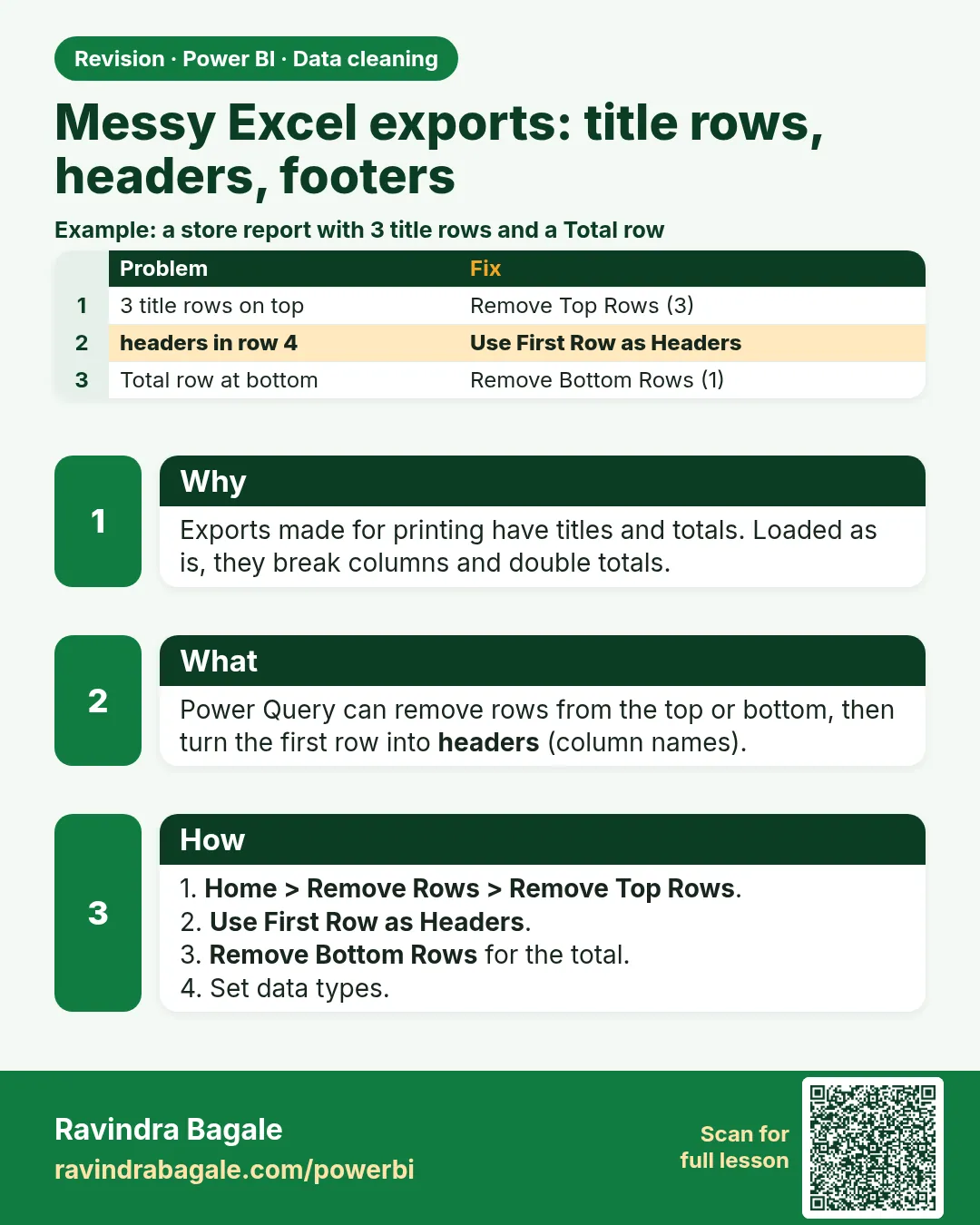 Revision card 3 of 24: Messy Excel exports: title rows, headers, footers · Download PNG · Open card page
Lesson: 7.3 Messy Excel Exports: Title Rows, Headers, Footers and Transpose
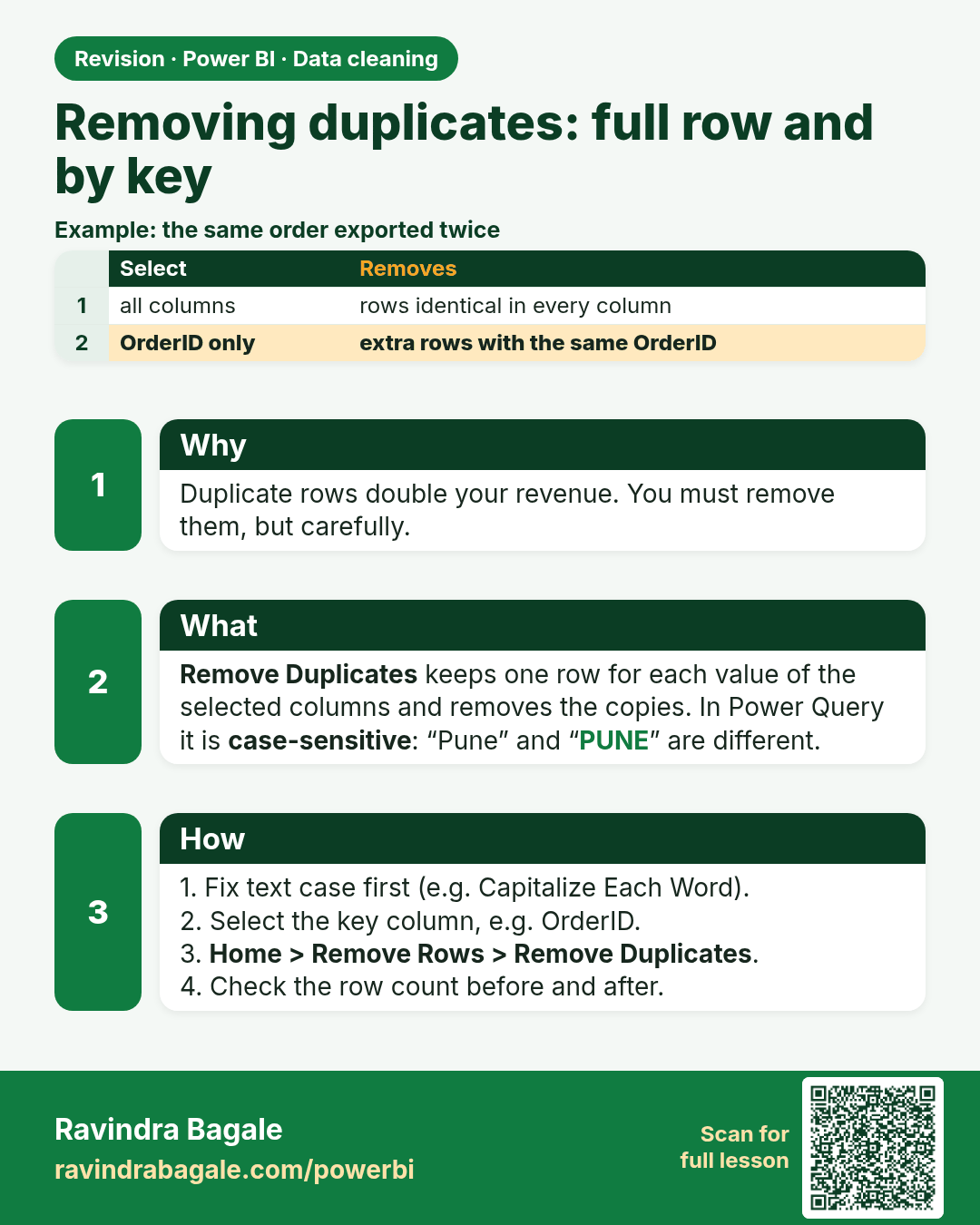
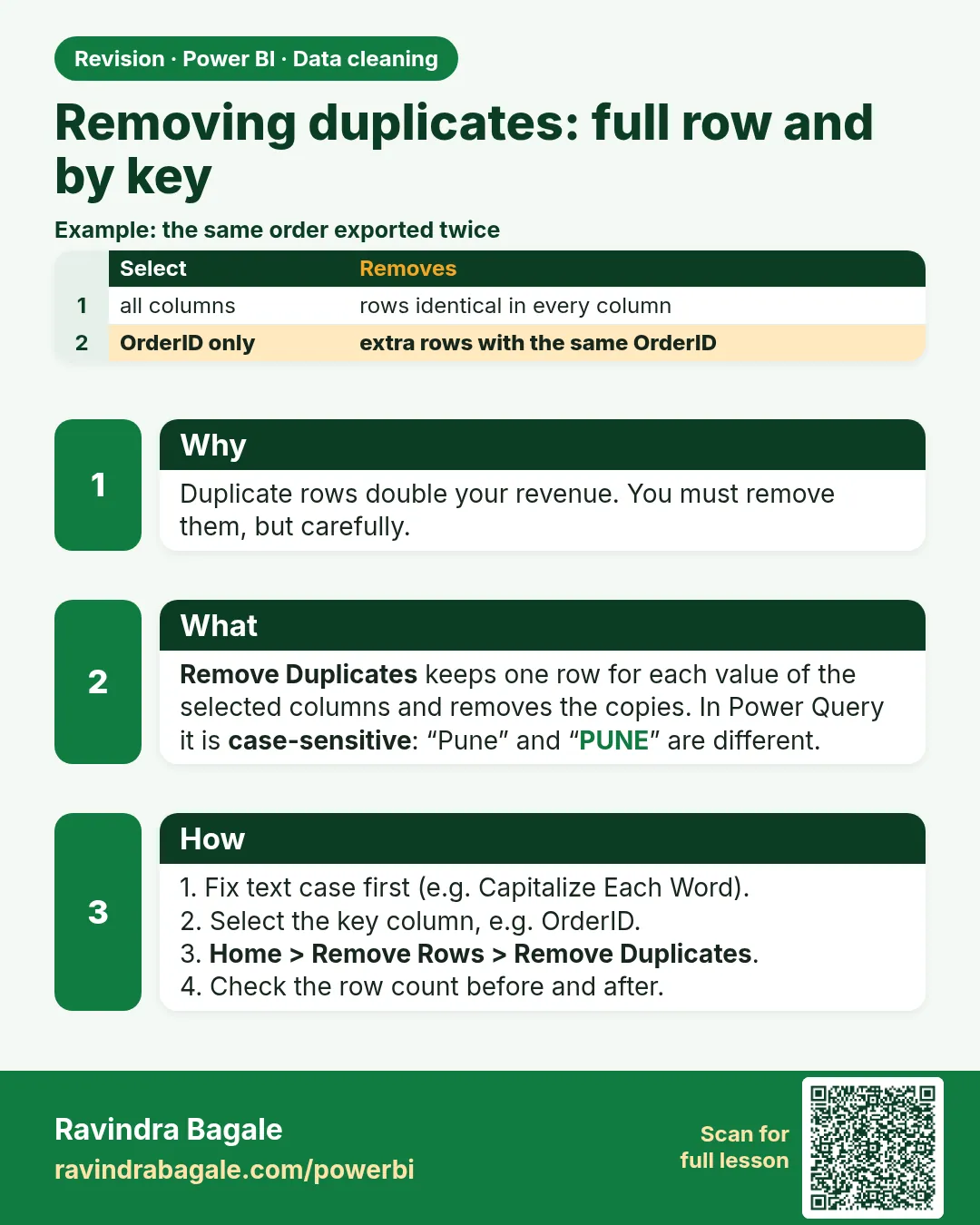 Revision card 4 of 24: Removing duplicates: full row and by key · Download PNG · Open card page
Lesson: 7.4 Remove Duplicates in Power Query with Example (Full Row and by Key)
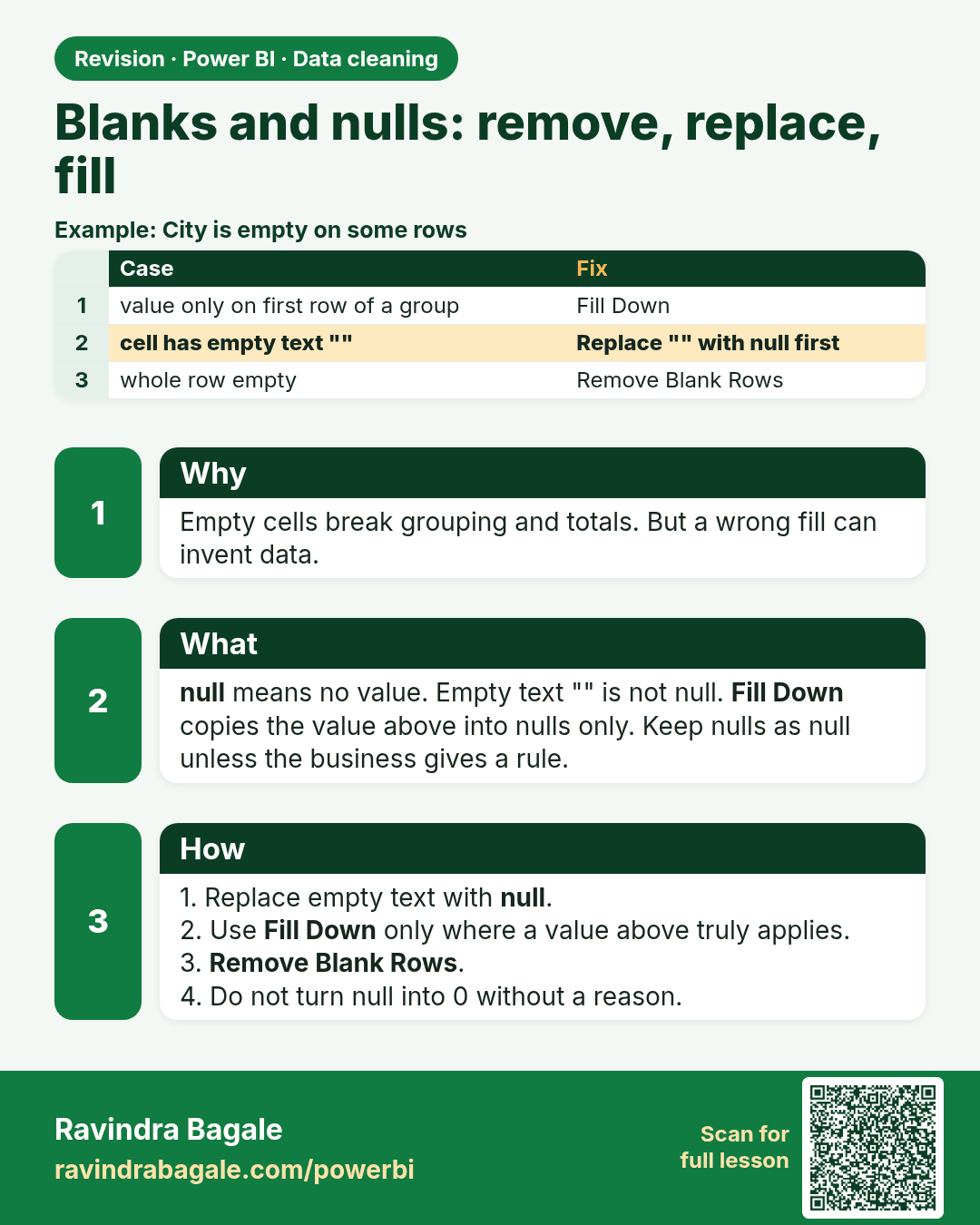
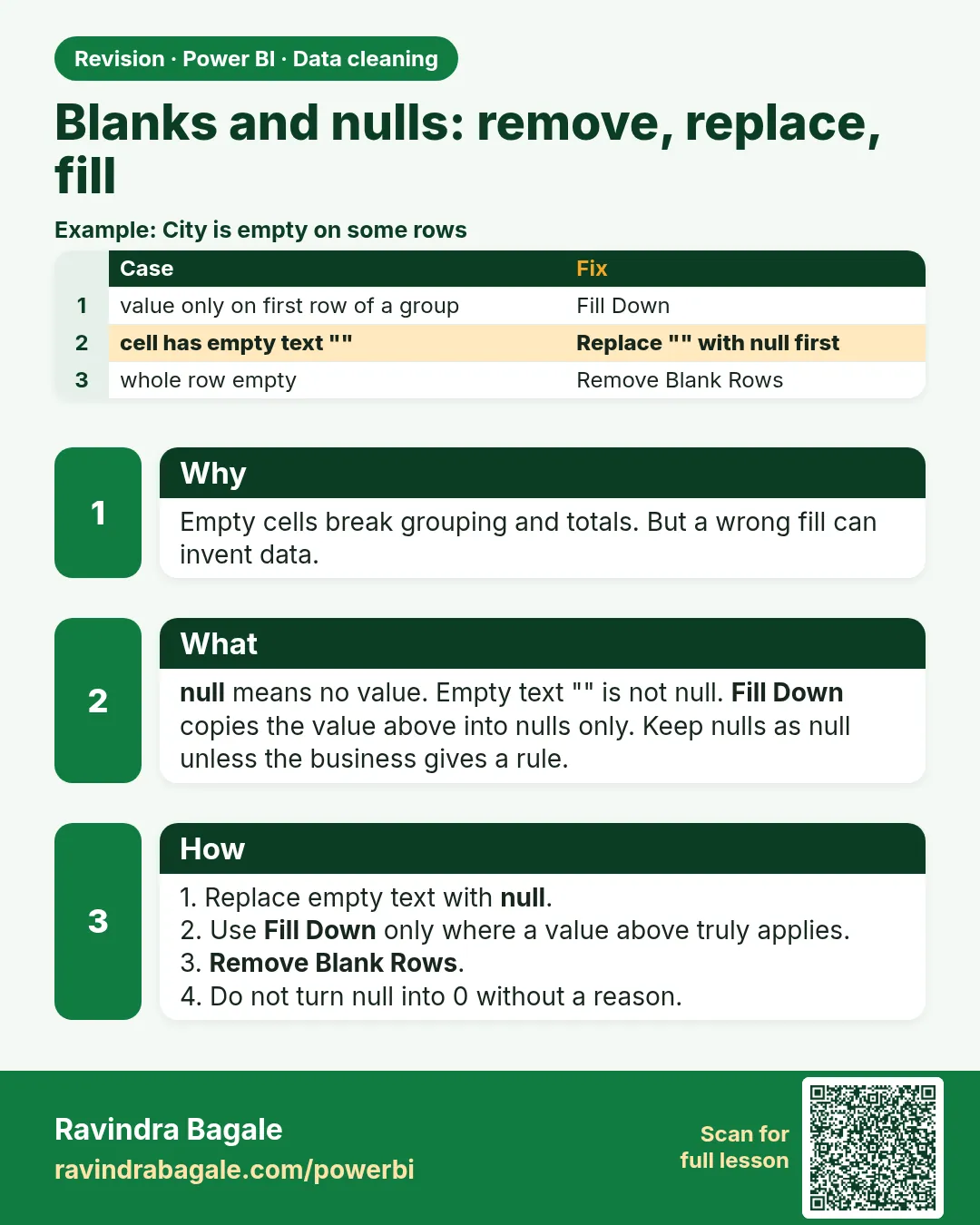 Revision card 5 of 24: Blanks and nulls: remove, replace, fill · Download PNG · Open card page
Lesson: 7.5 Blanks and Nulls: Remove, Replace, Fill Down / Fill Up
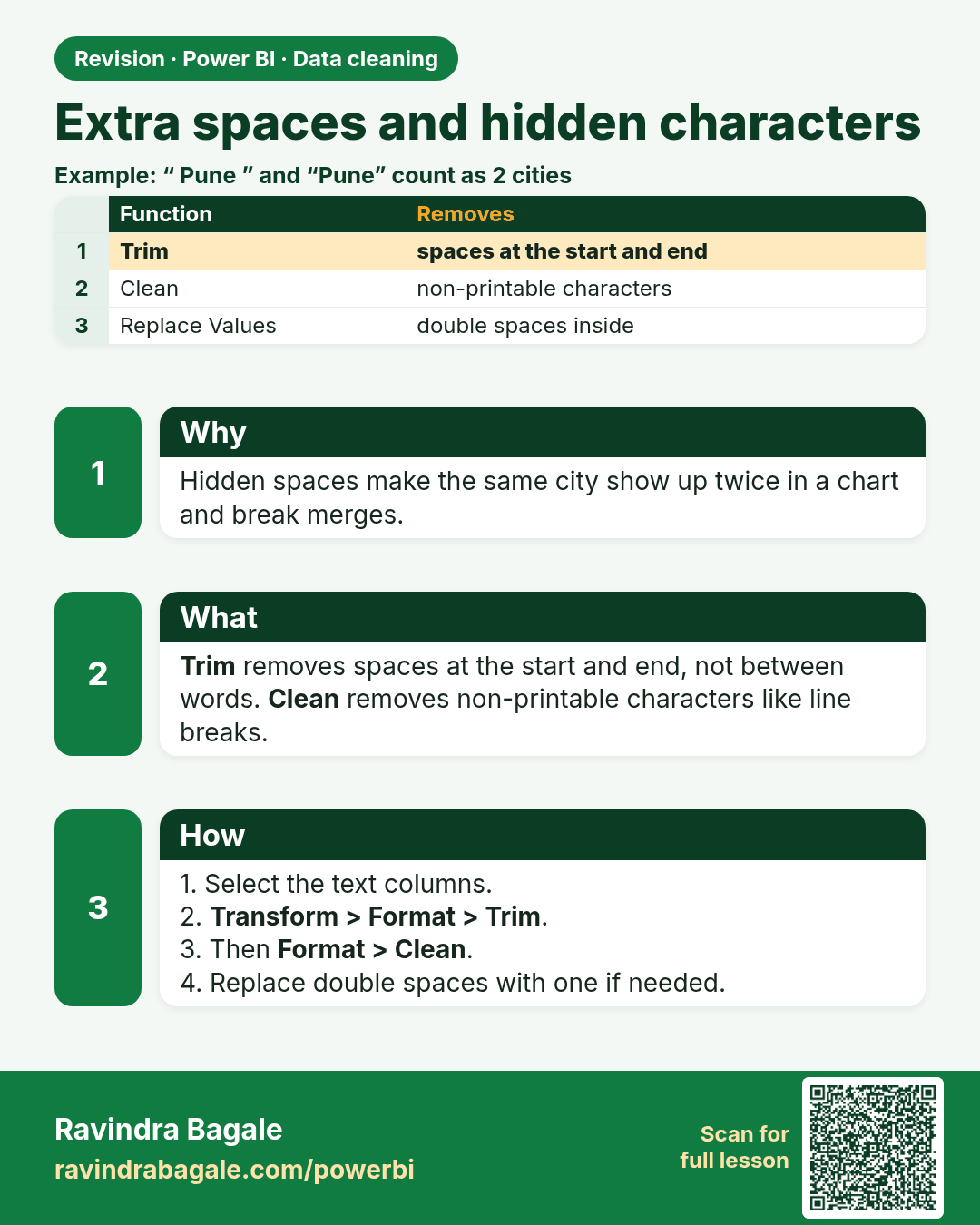
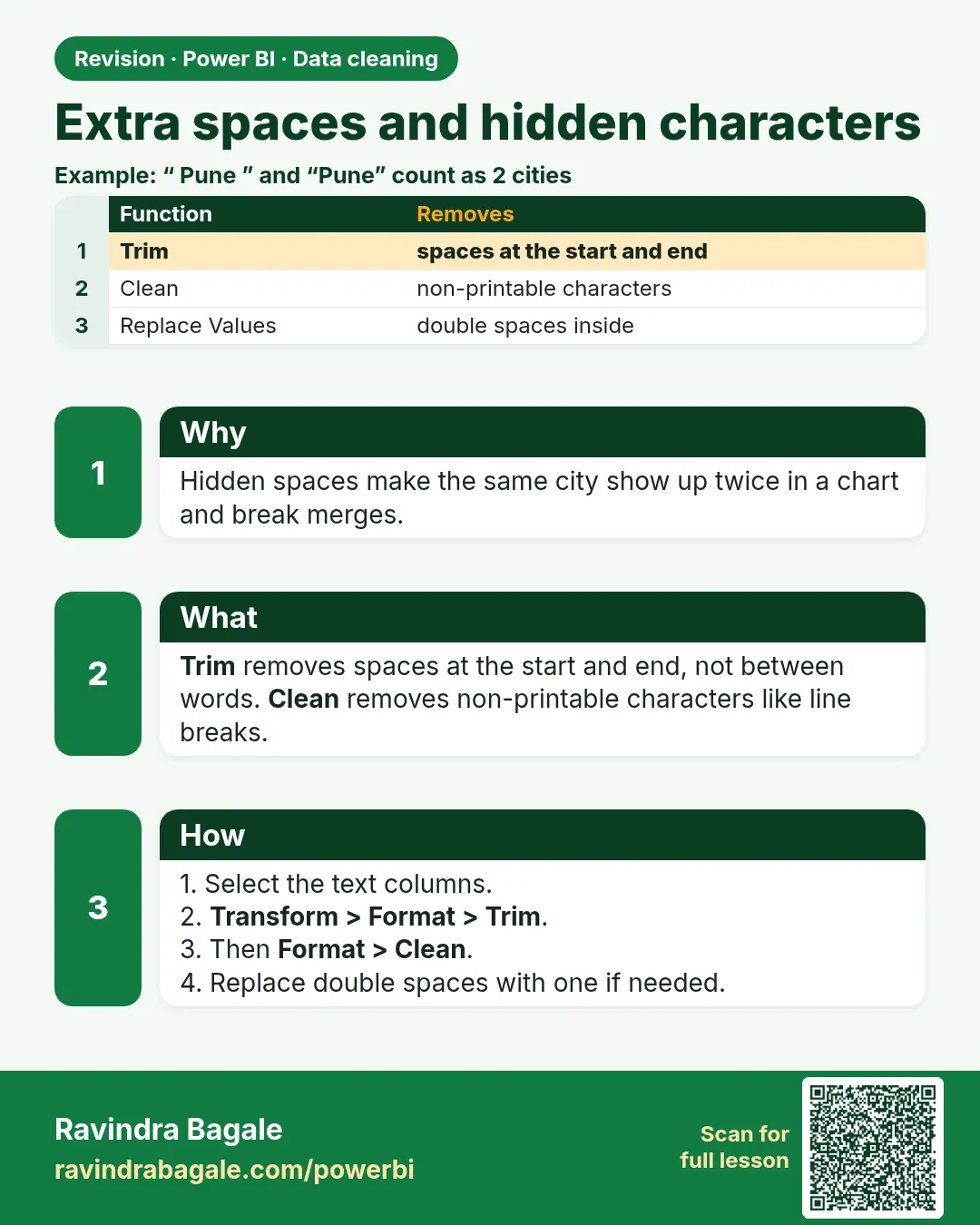 Revision card 6 of 24: Extra spaces and hidden characters · Download PNG · Open card page
Lesson: 7.6 Extra Spaces, Non-printable Characters and Text Case
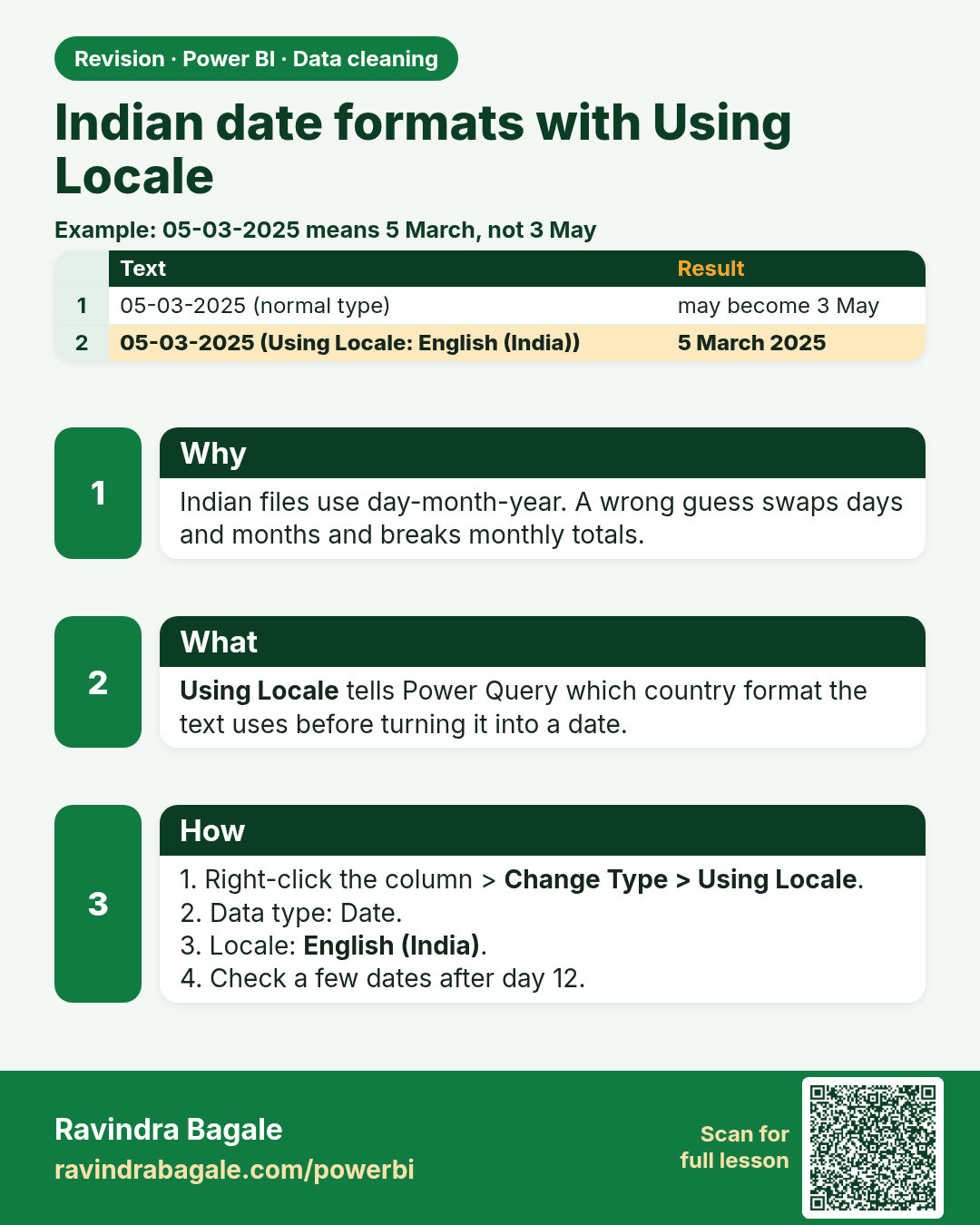
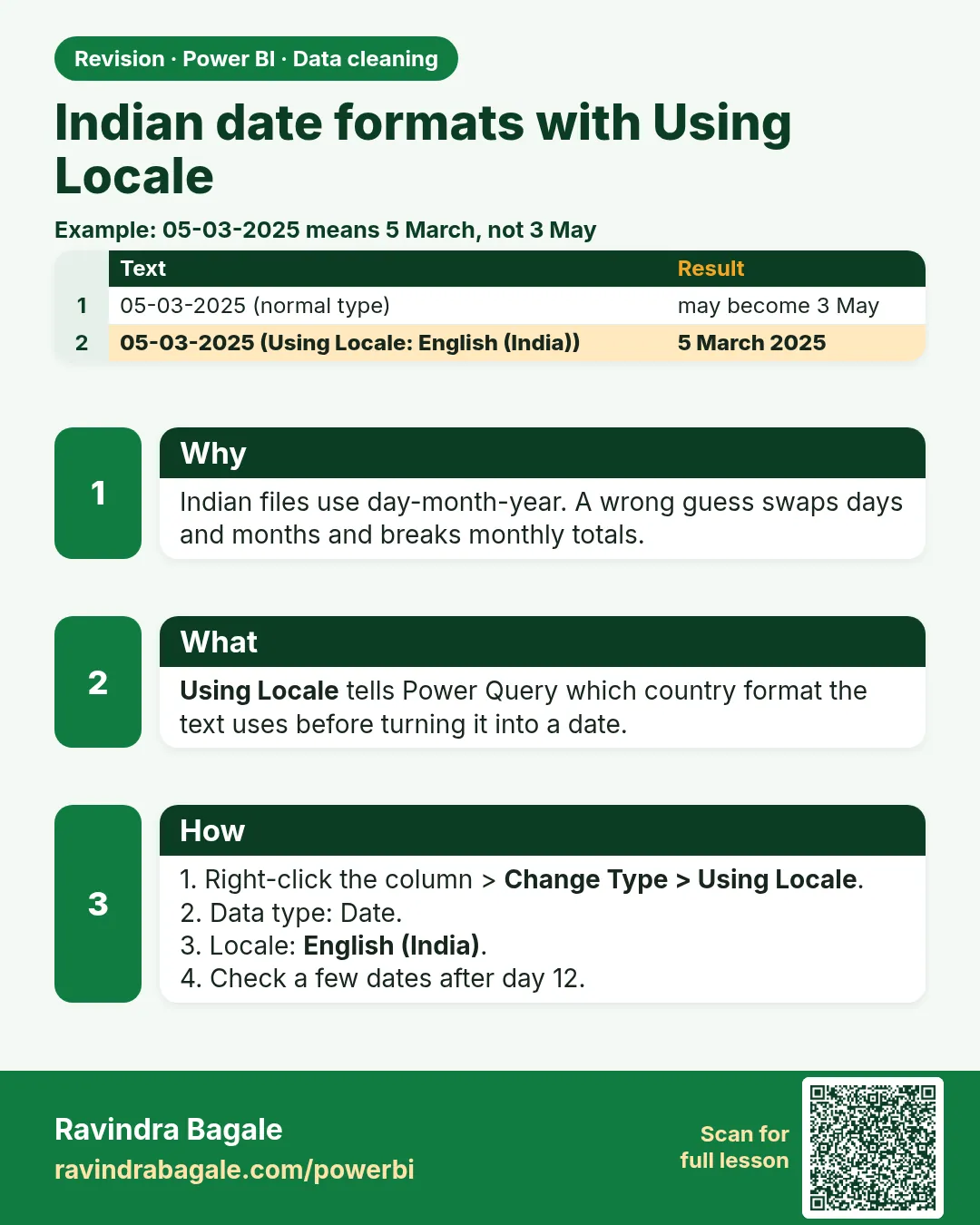 Revision card 7 of 24: Indian date formats with Using Locale · Download PNG · Open card page
Lesson: 7.7 Wrong Data Types and Indian Date Formats (Using Locale)
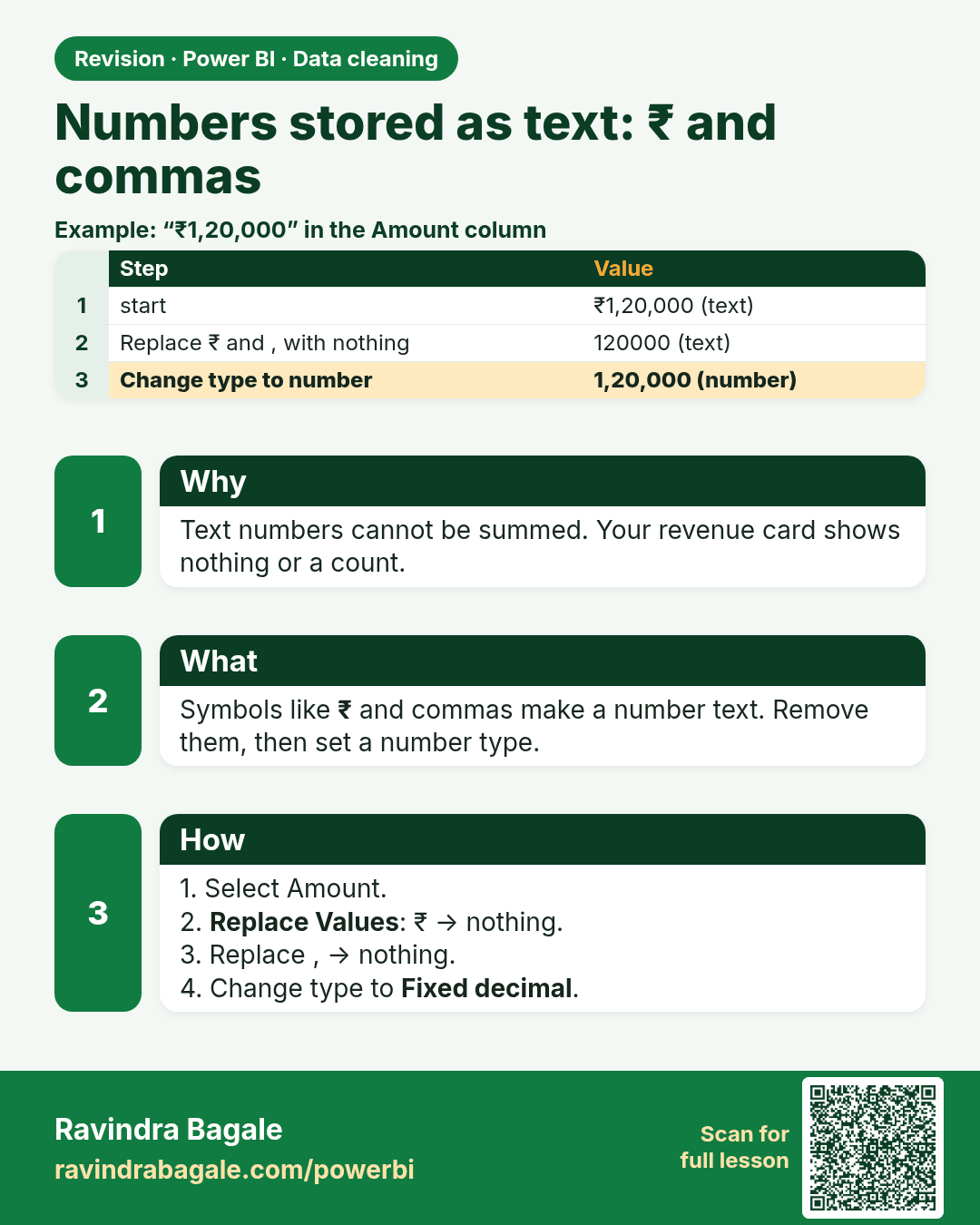
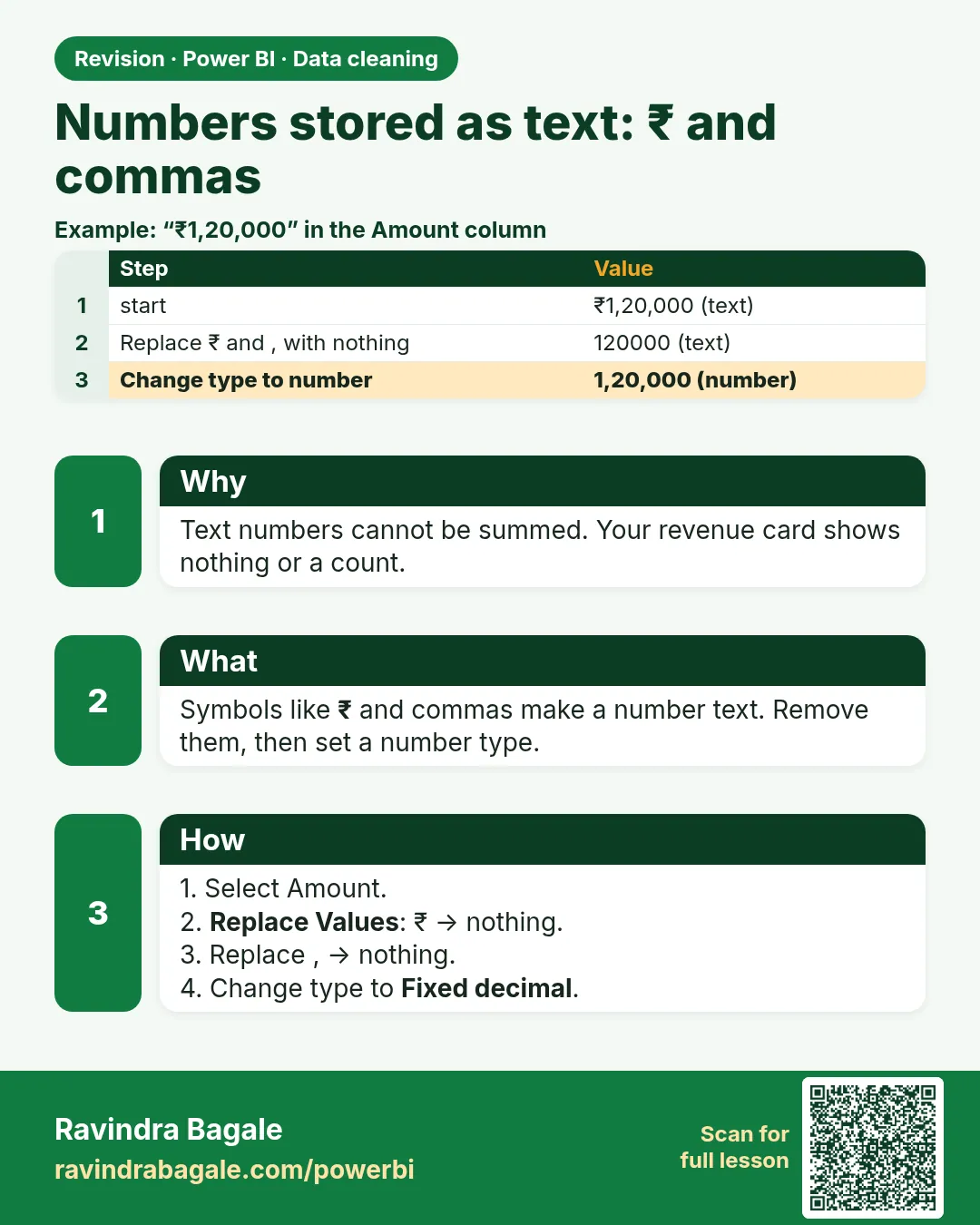 Revision card 8 of 24: Numbers stored as text: ₹ and commas · Download PNG · Open card page
Lesson: 7.8 Numbers Stored as Text, ₹ Symbol and Commas
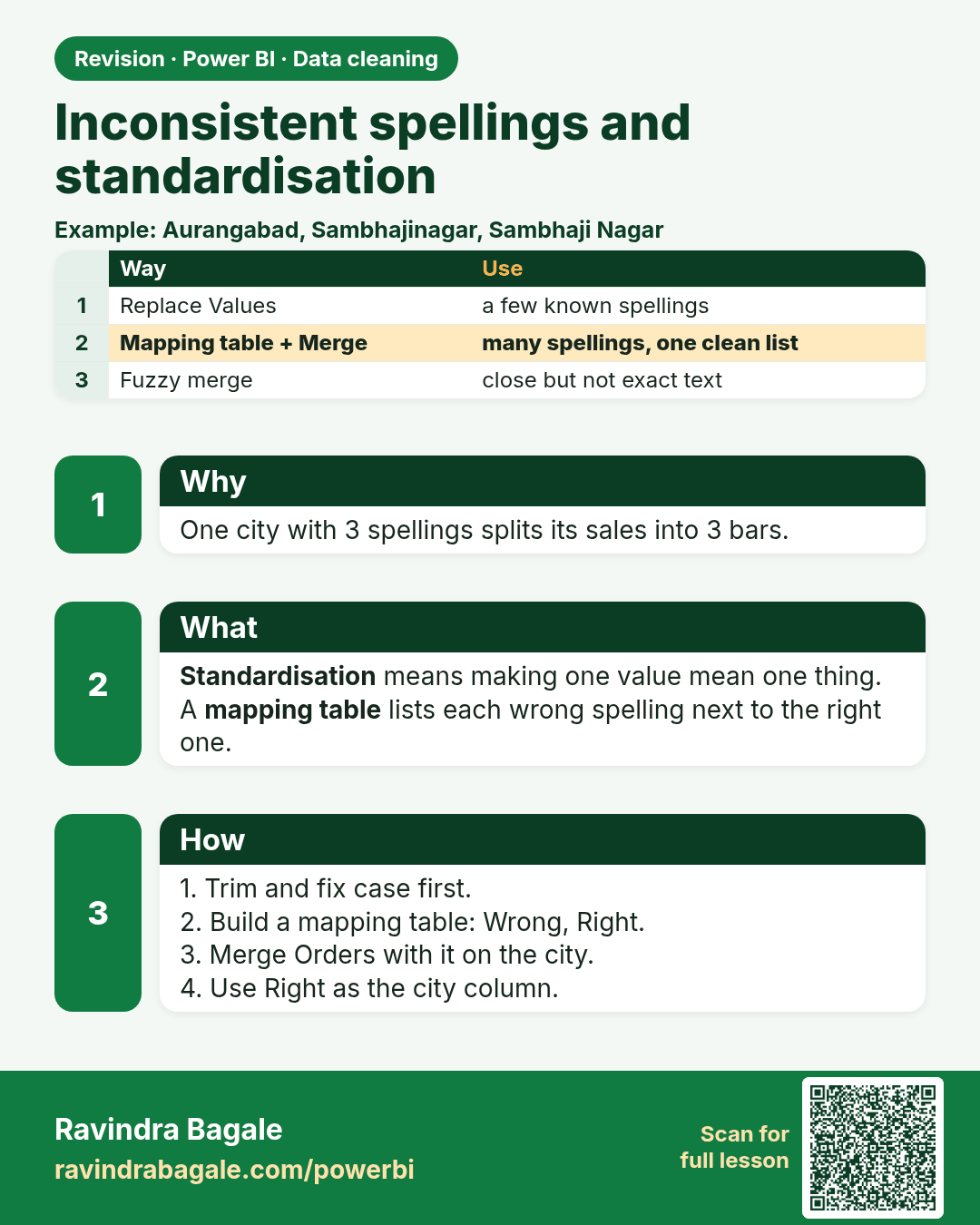
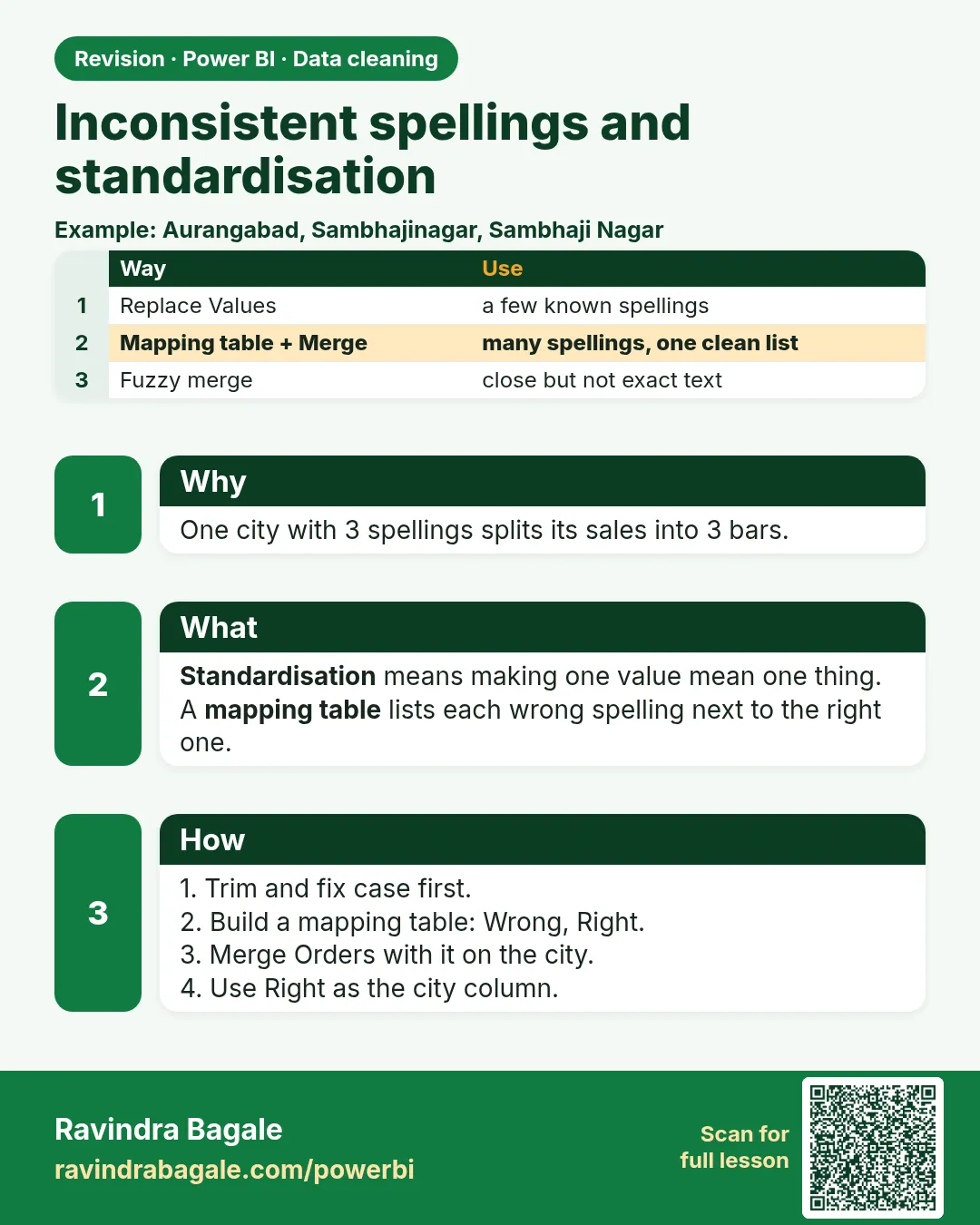 Revision card 9 of 24: Inconsistent spellings and standardisation · Download PNG · Open card page
Lesson: 7.9 Inconsistent Spellings and Standardisation
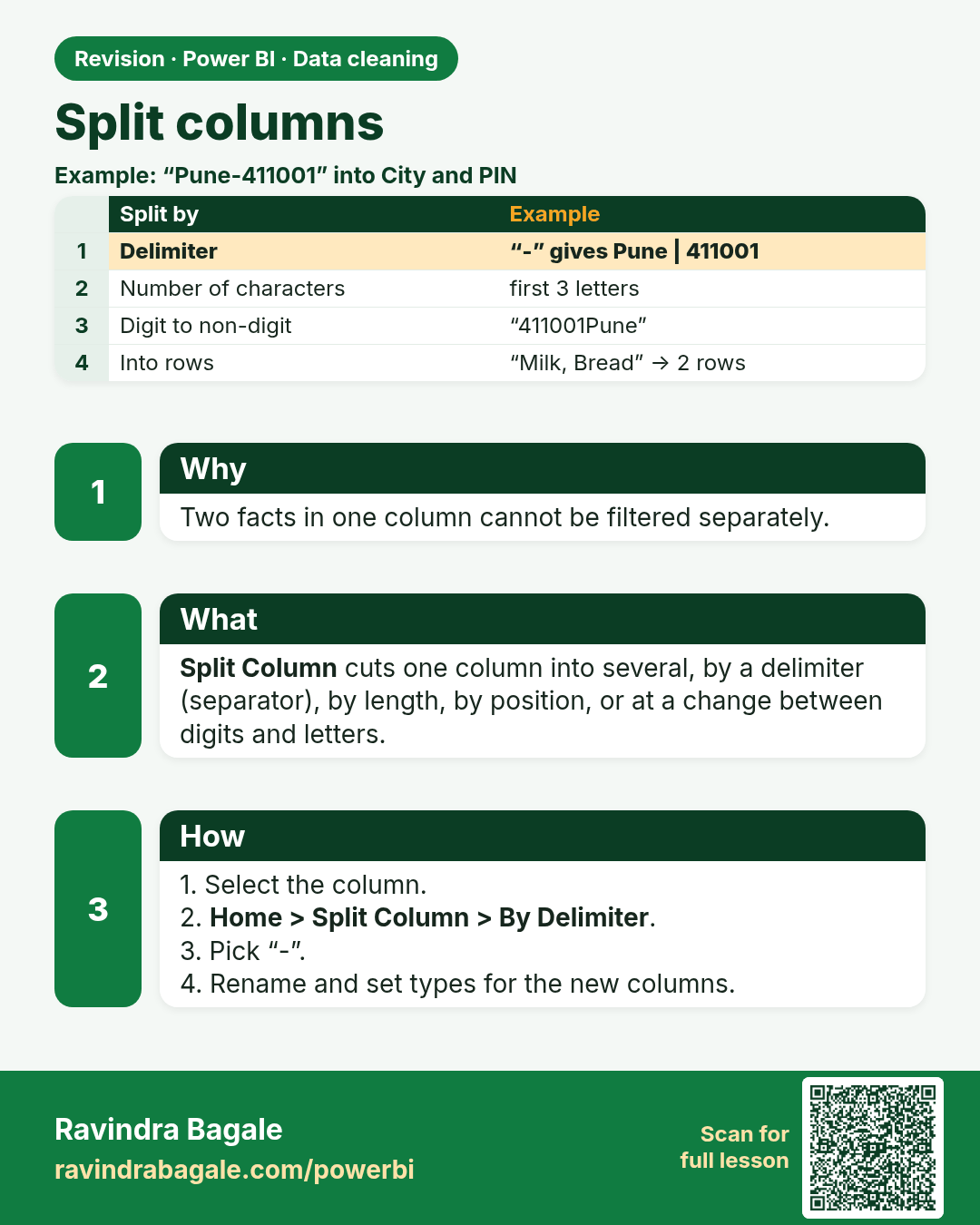
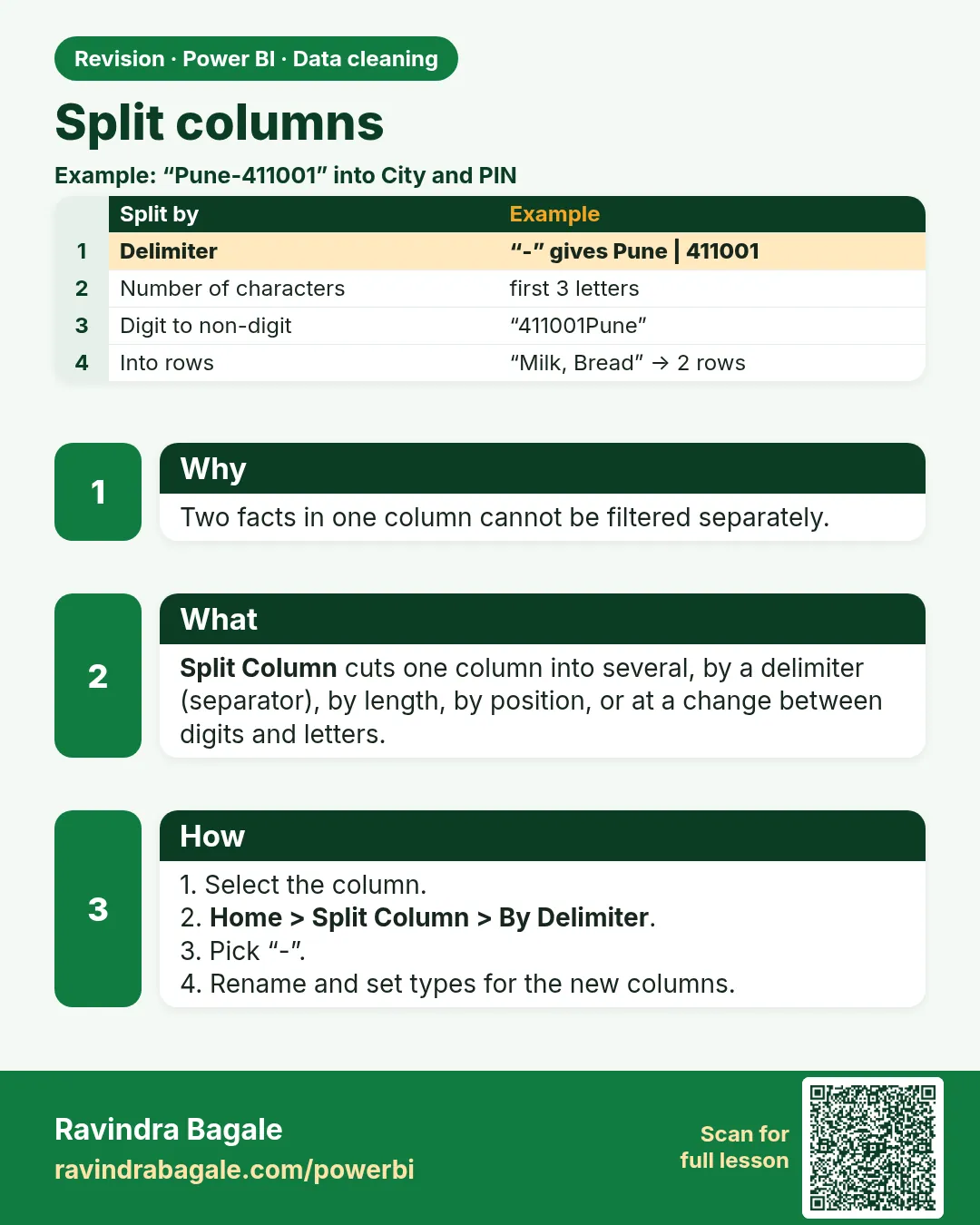 Revision card 10 of 24: Split columns · Download PNG · Open card page
Lesson: 7.10 Split Columns (All Six Methods, Plus Split into Rows)
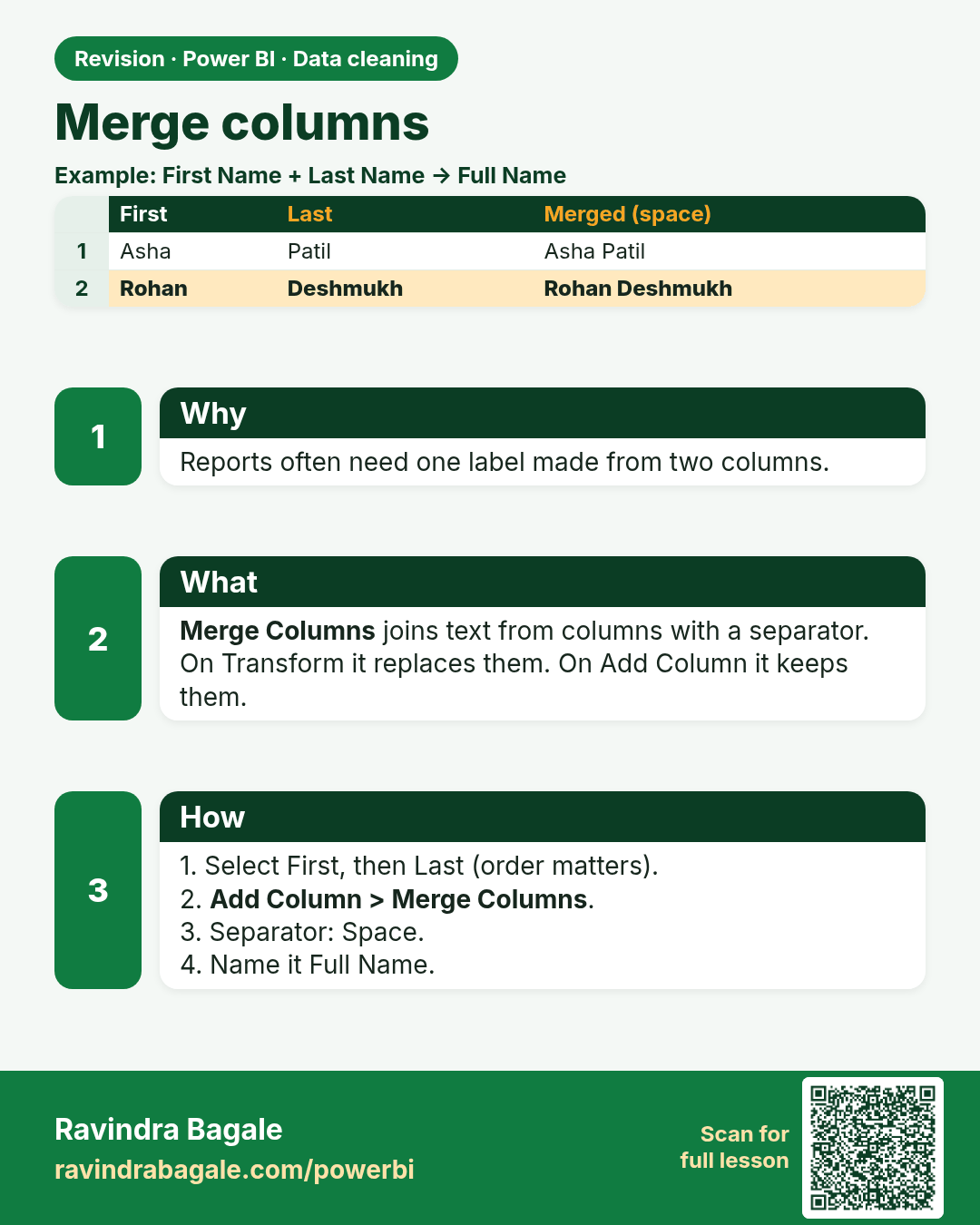
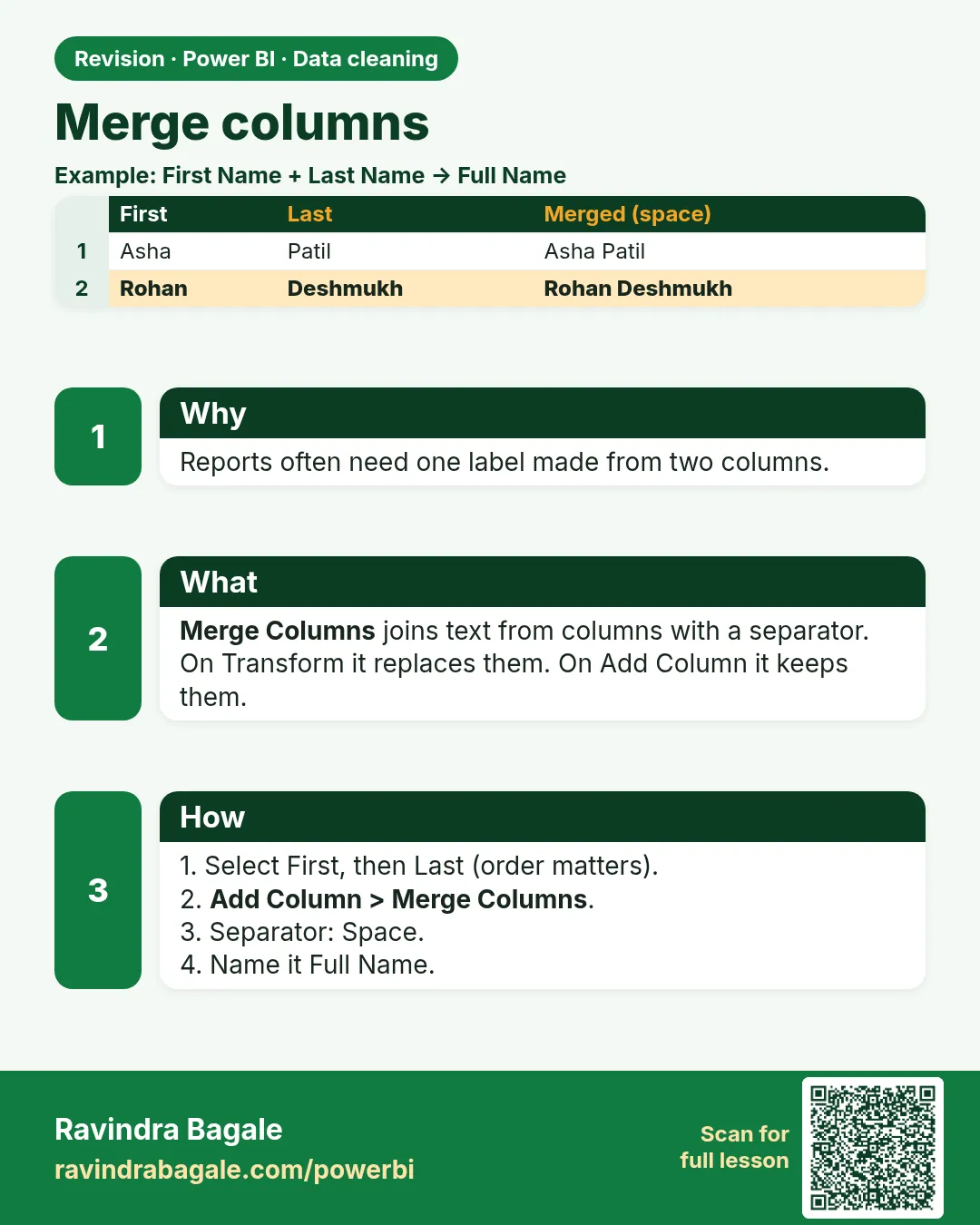 Revision card 11 of 24: Merge columns · Download PNG · Open card page
Lesson: 7.11 Merge Columns
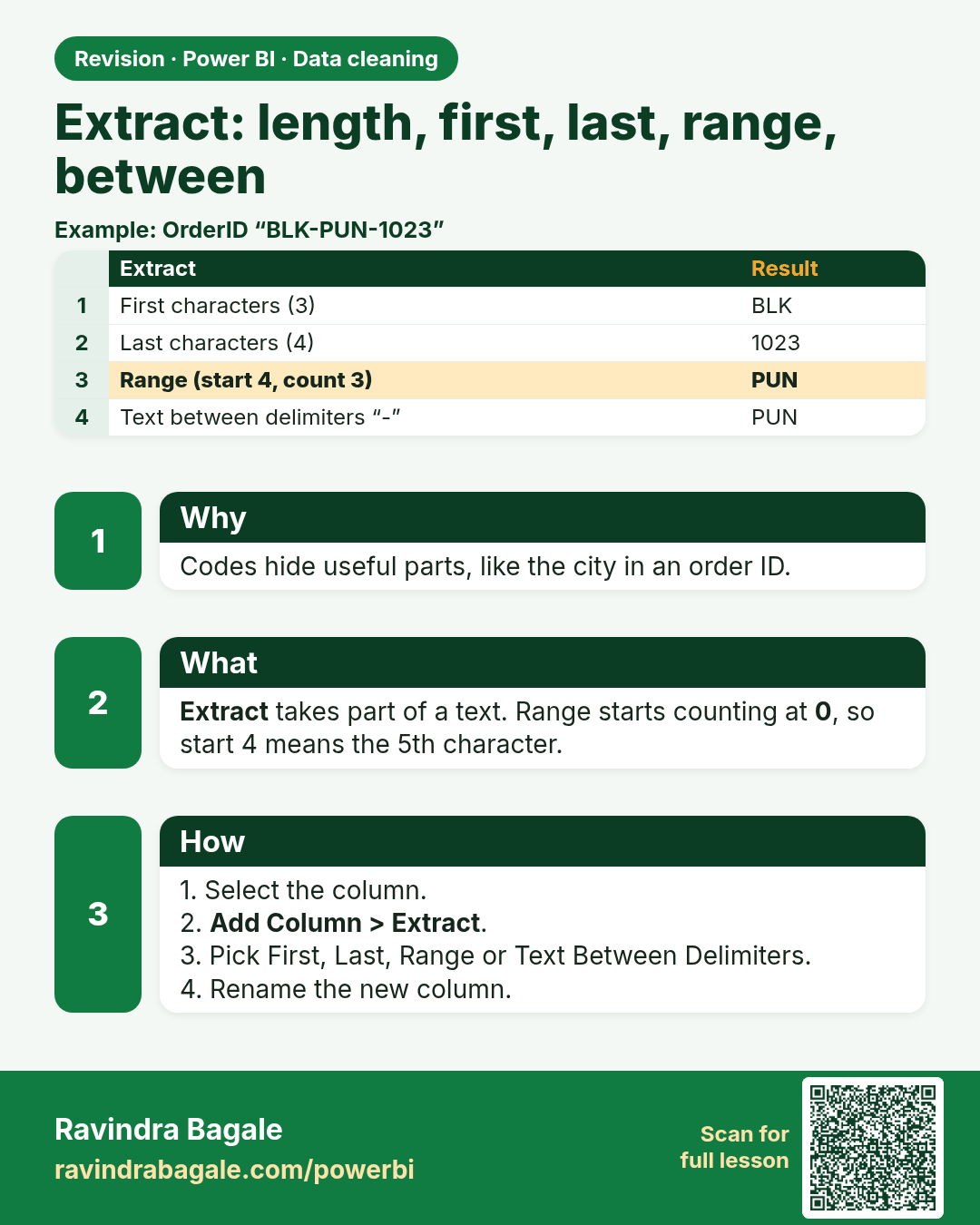
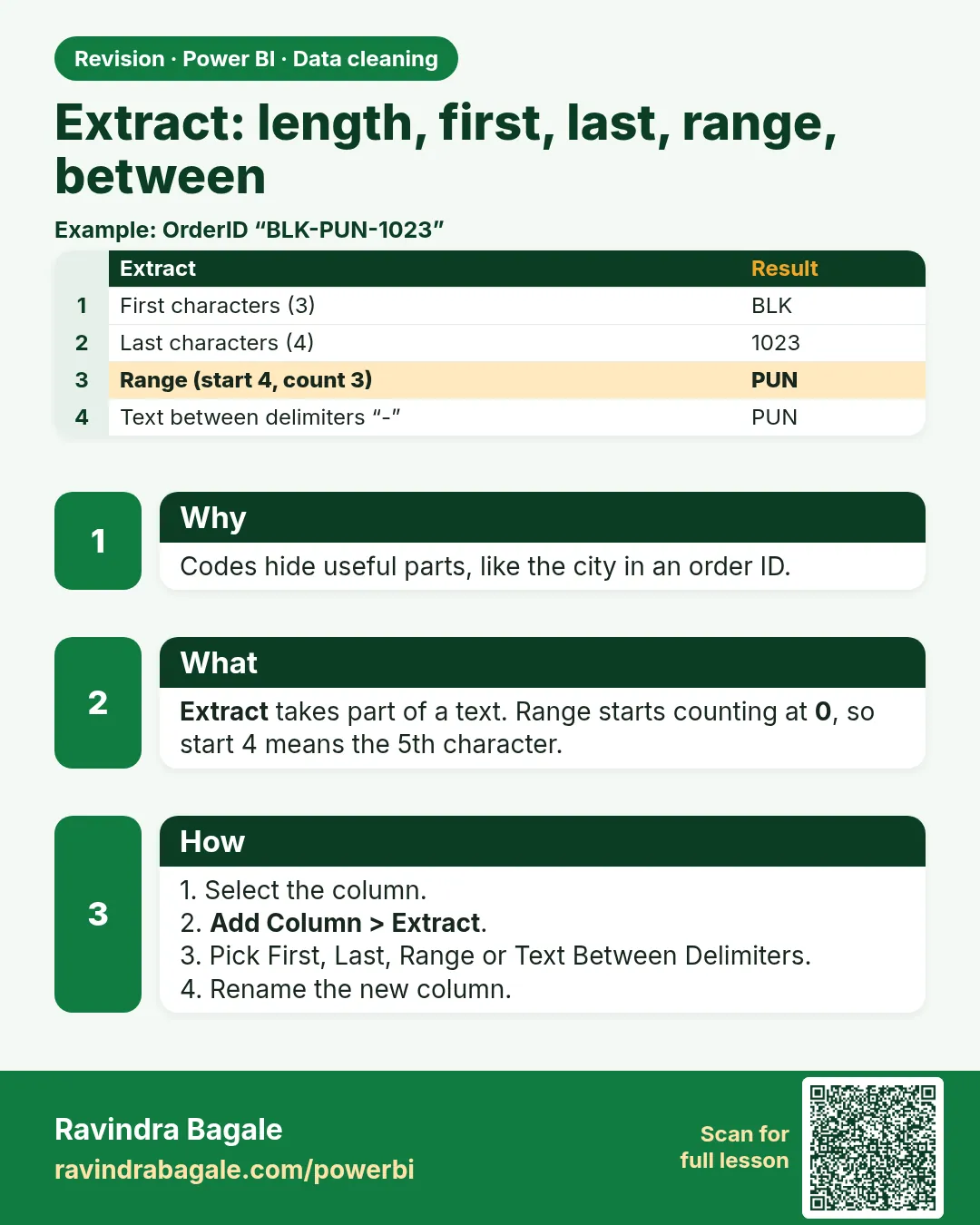 Revision card 12 of 24: Extract: length, first, last, range, between · Download PNG · Open card page
Lesson: 7.12 Extract: Length, First/Last Characters, Range and Delimiters
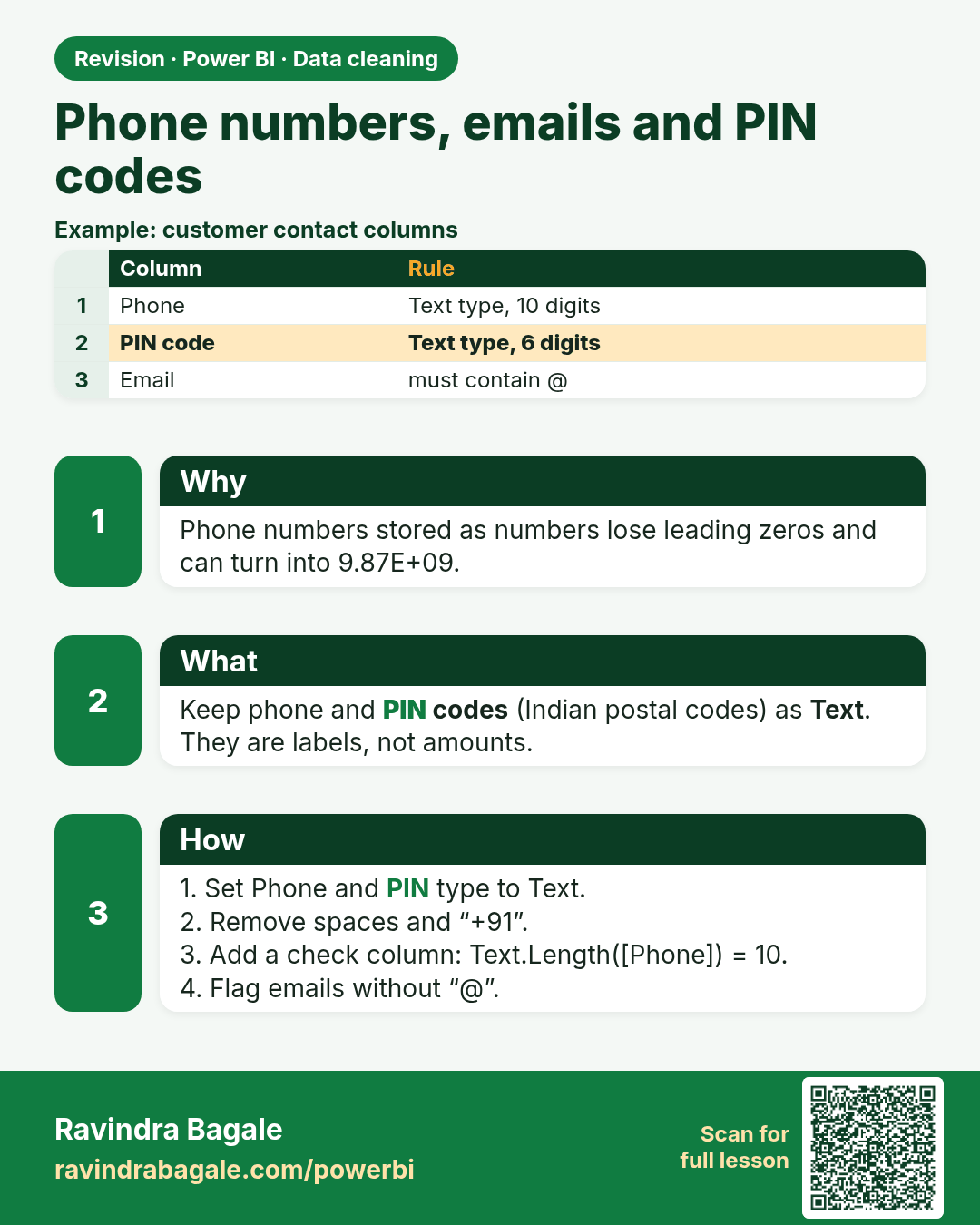
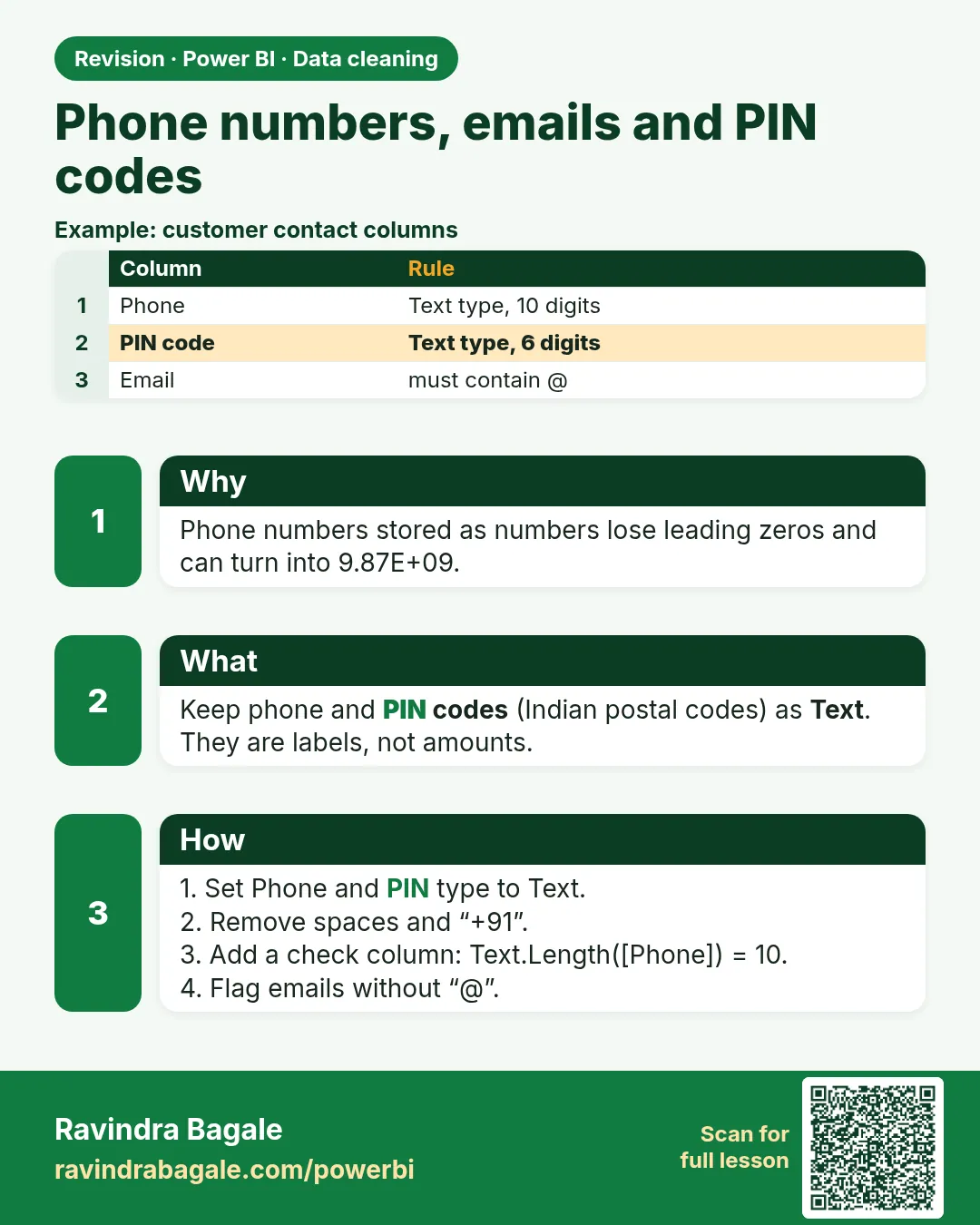 Revision card 13 of 24: Phone numbers, emails and PIN codes · Download PNG · Open card page
Lesson: 7.13 Phone Numbers, E-mails and PIN Codes
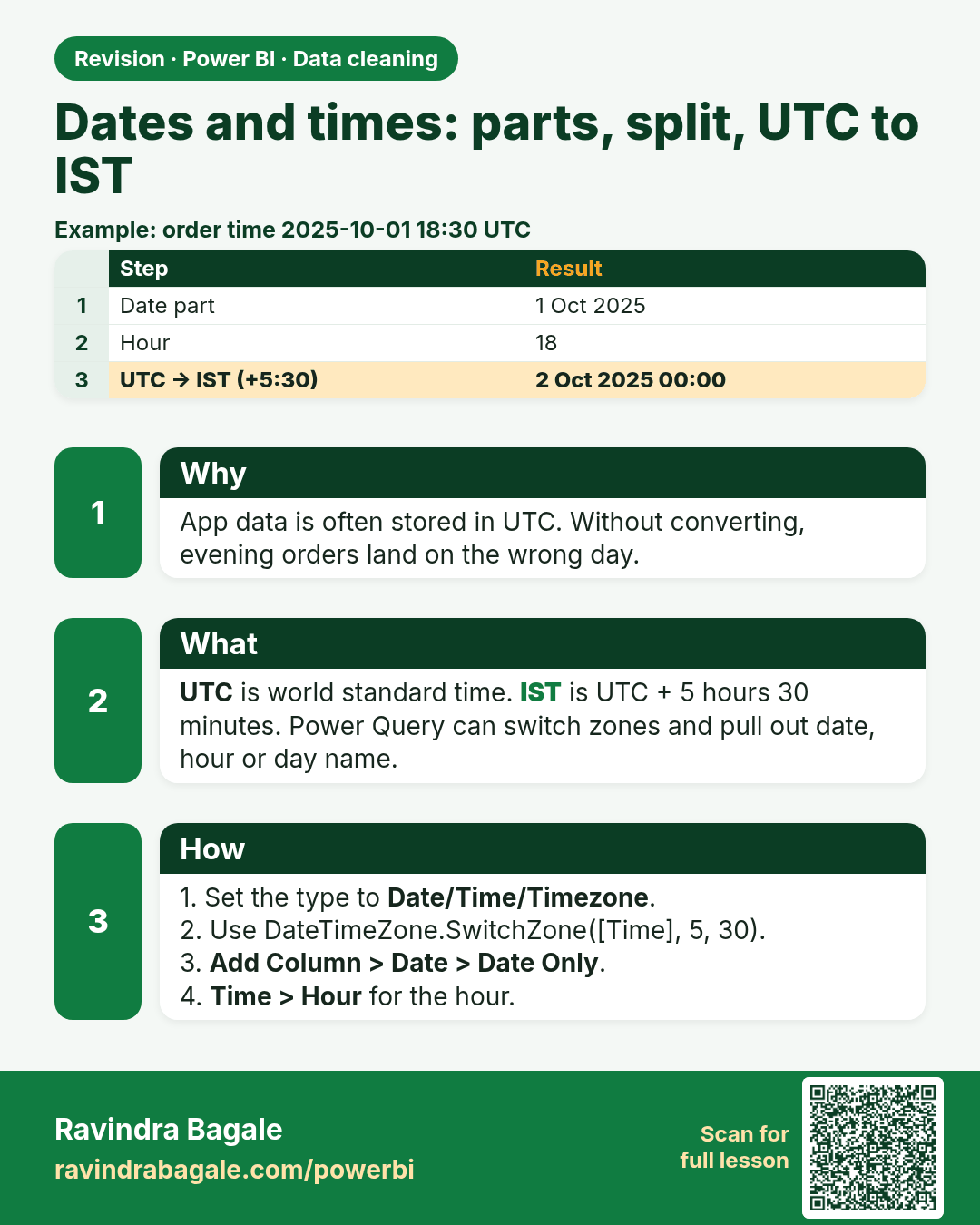
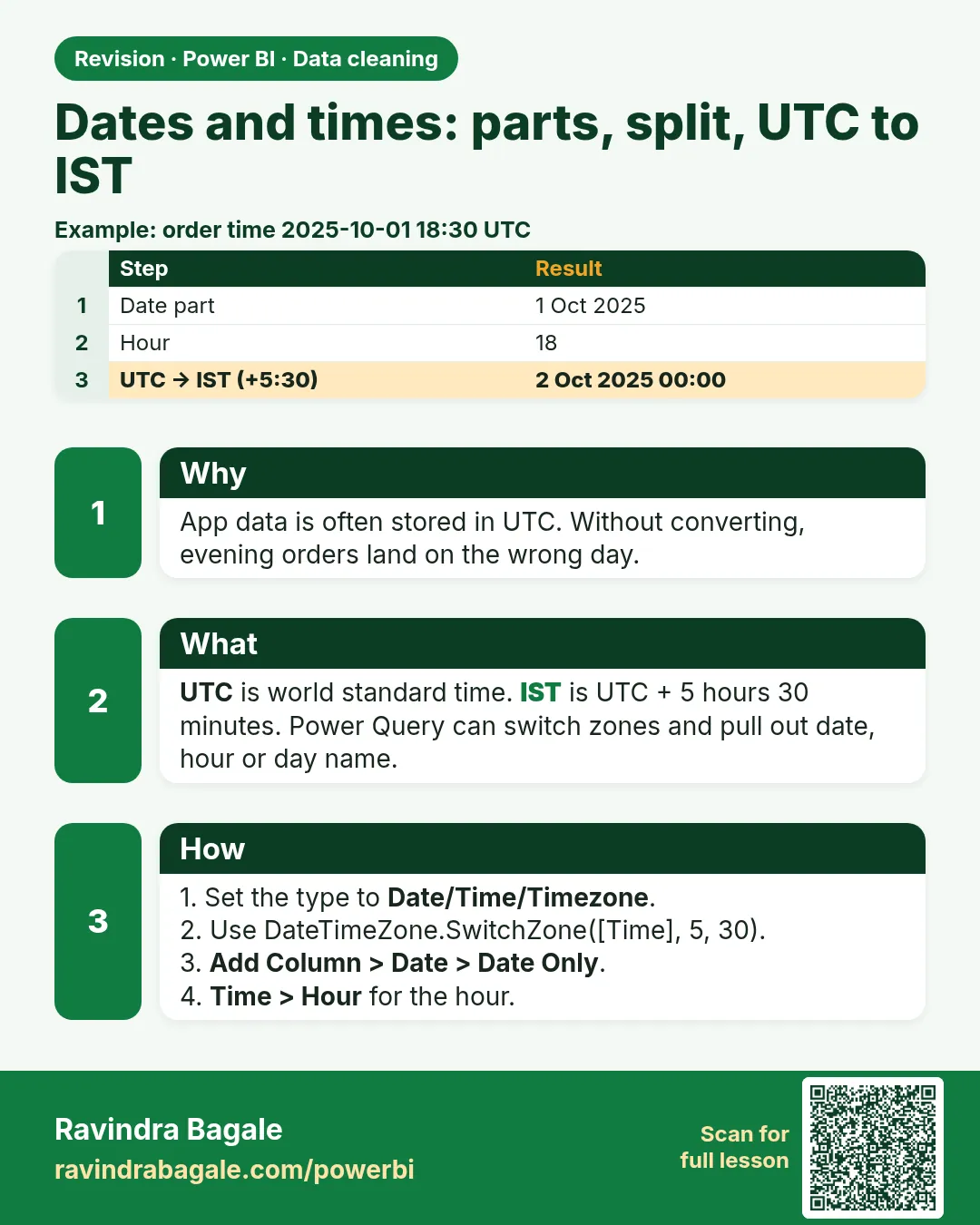 Revision card 14 of 24: Dates and times: parts, split, UTC to IST · Download PNG · Open card page
Lesson: 7.14 Dates and Times: Parts, Split DateTime, UTC to IST, Age and Duration
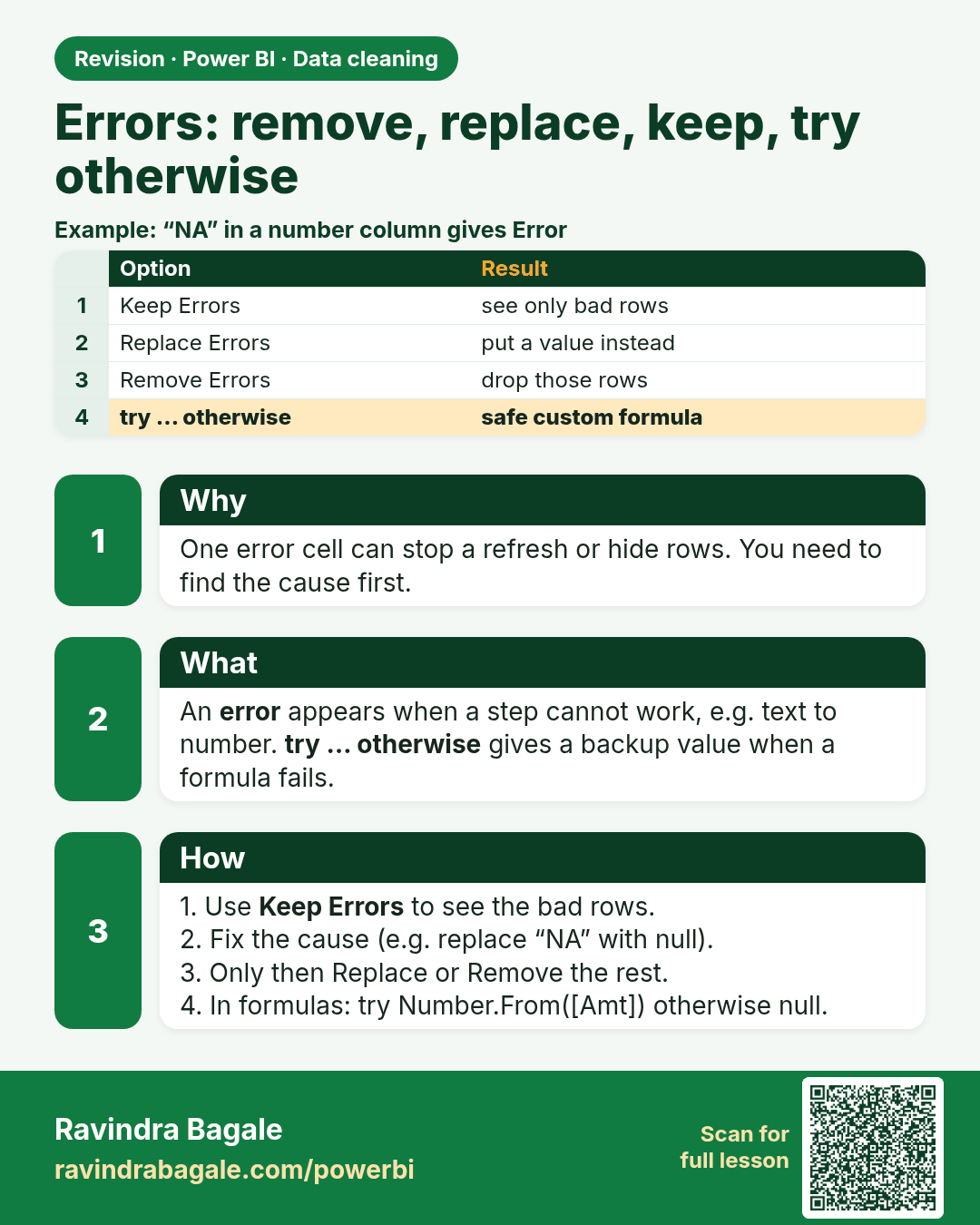
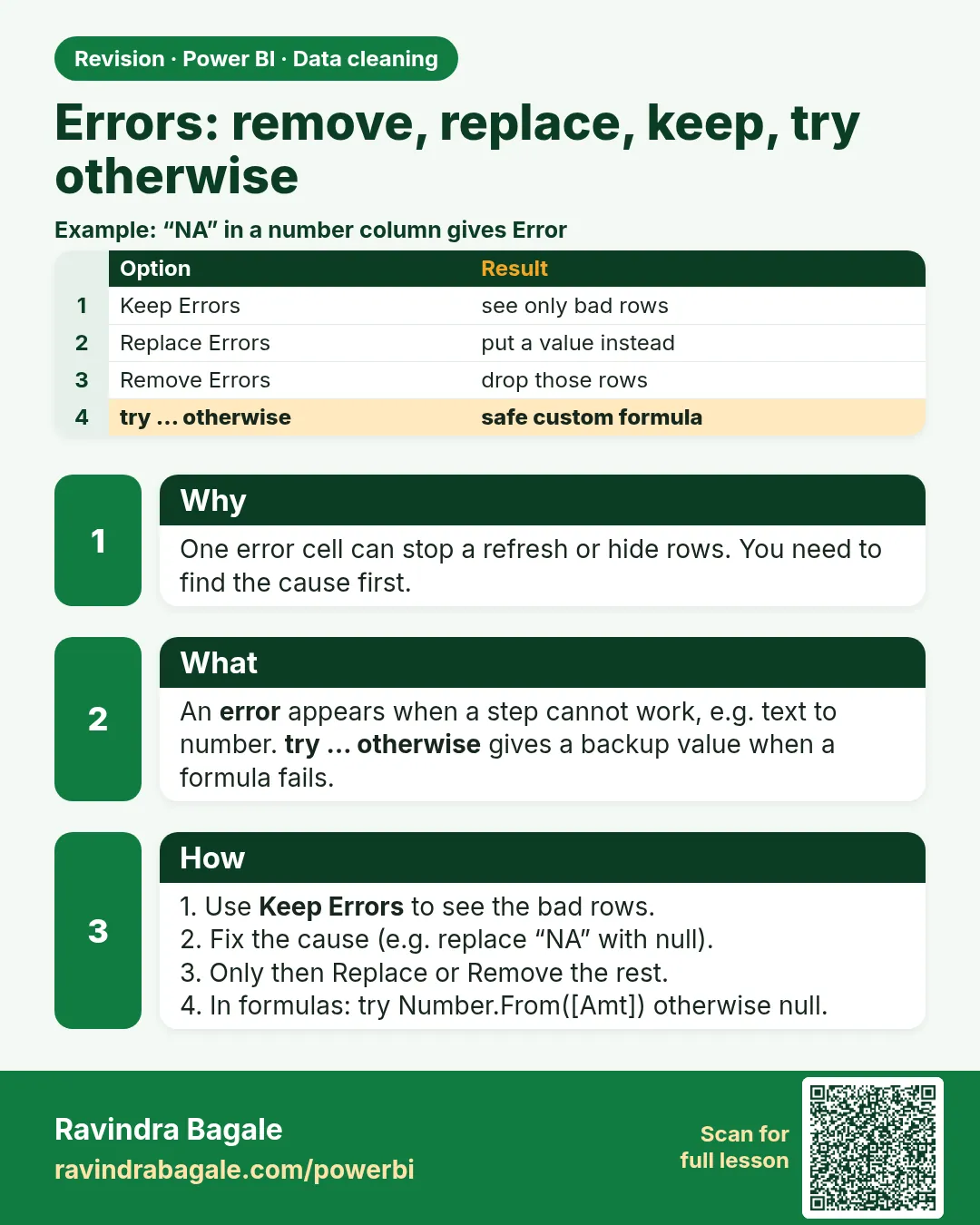 Revision card 15 of 24: Errors: remove, replace, keep, try otherwise · Download PNG · Open card page
Lesson: 7.15 Errors: Remove, Replace, Keep and try … otherwise
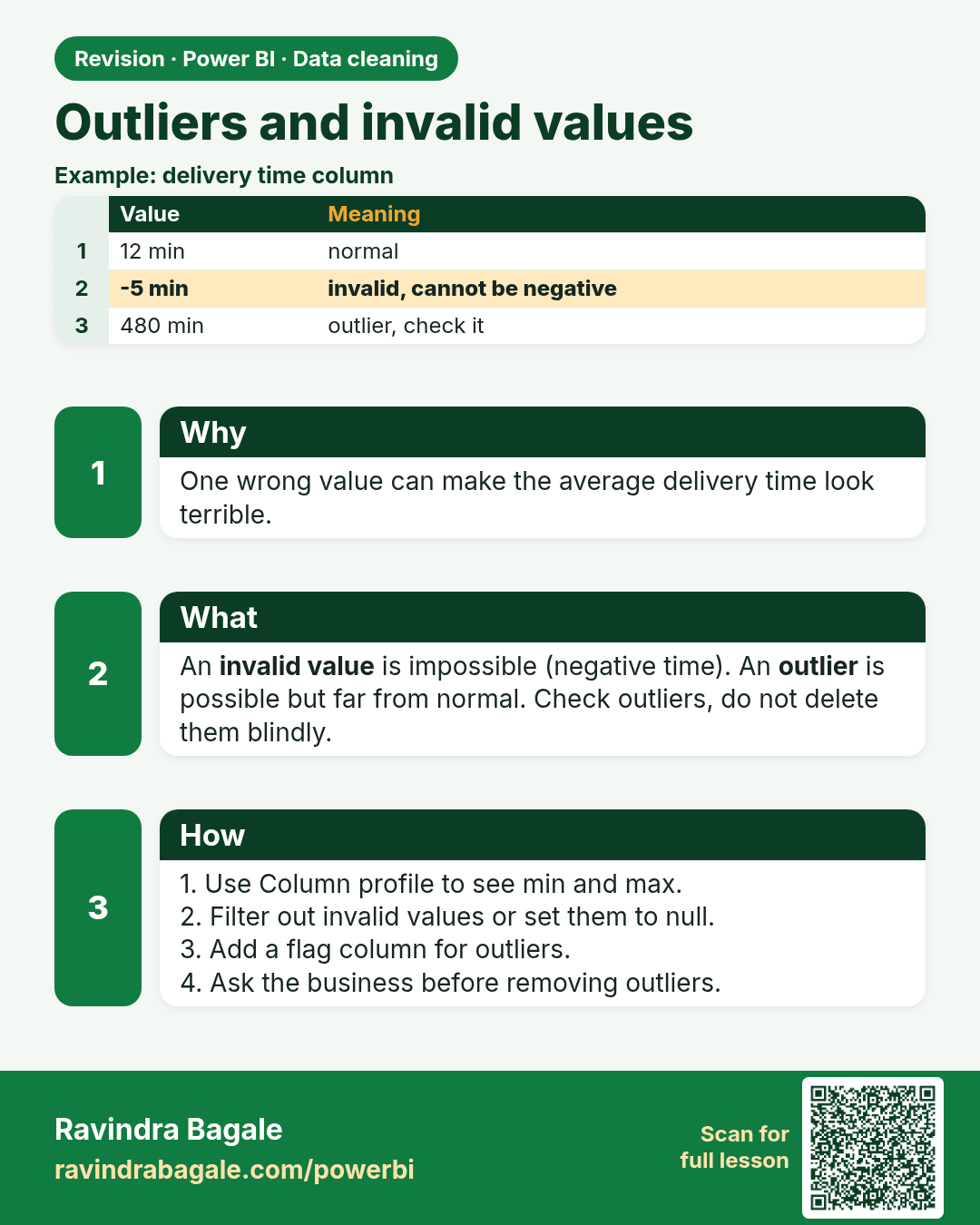
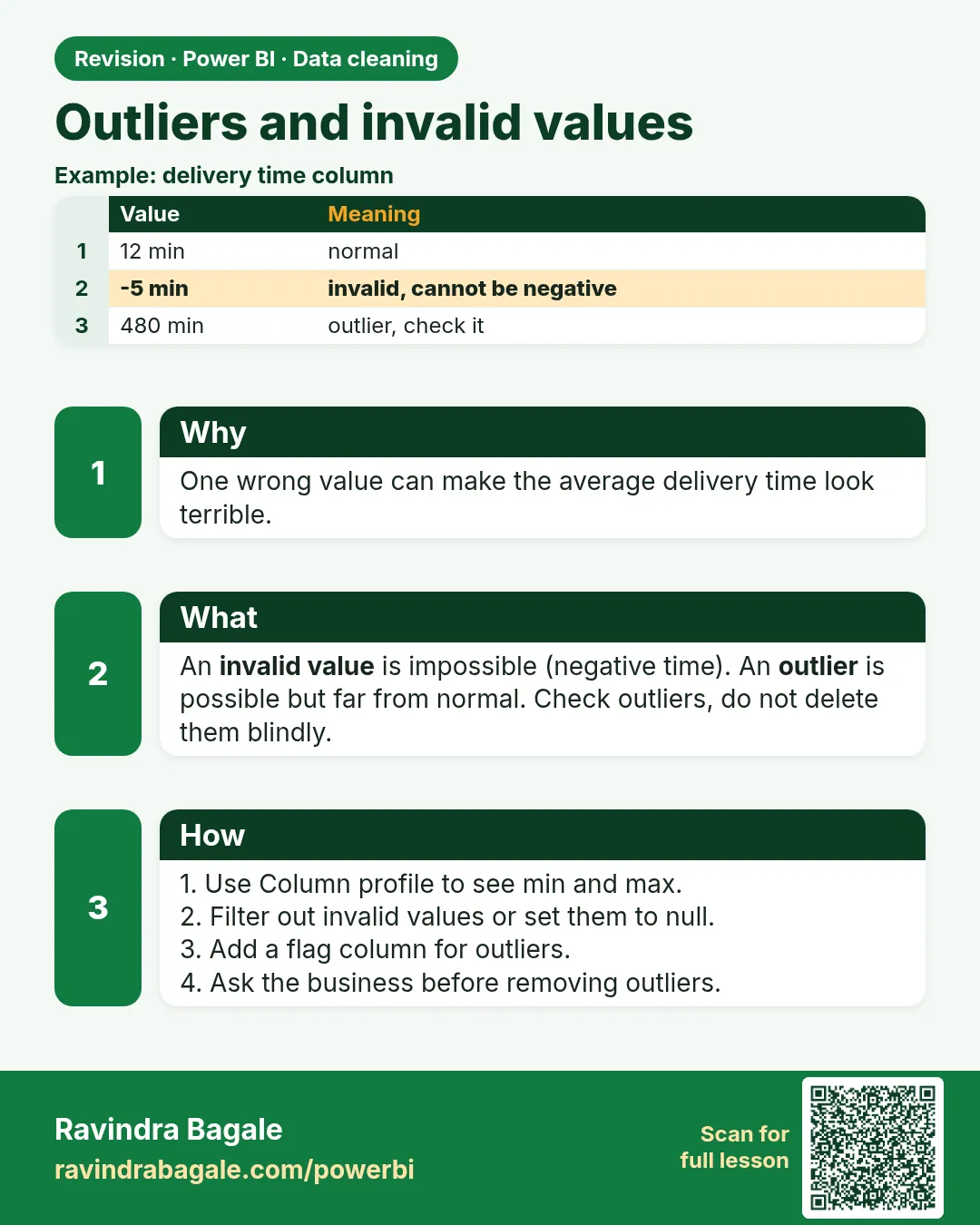 Revision card 16 of 24: Outliers and invalid values · Download PNG · Open card page
Lesson: 7.16 Outliers and Invalid Values
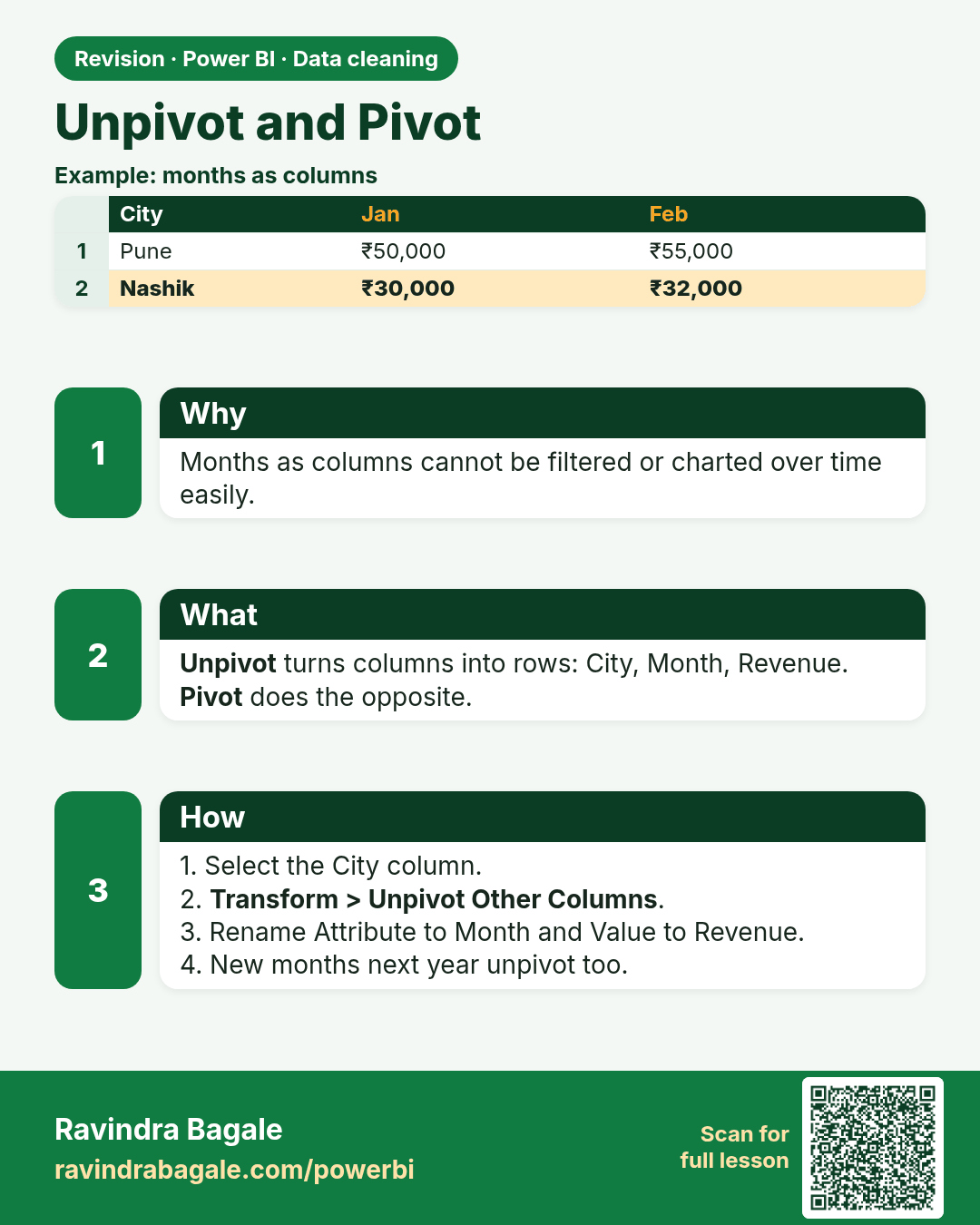
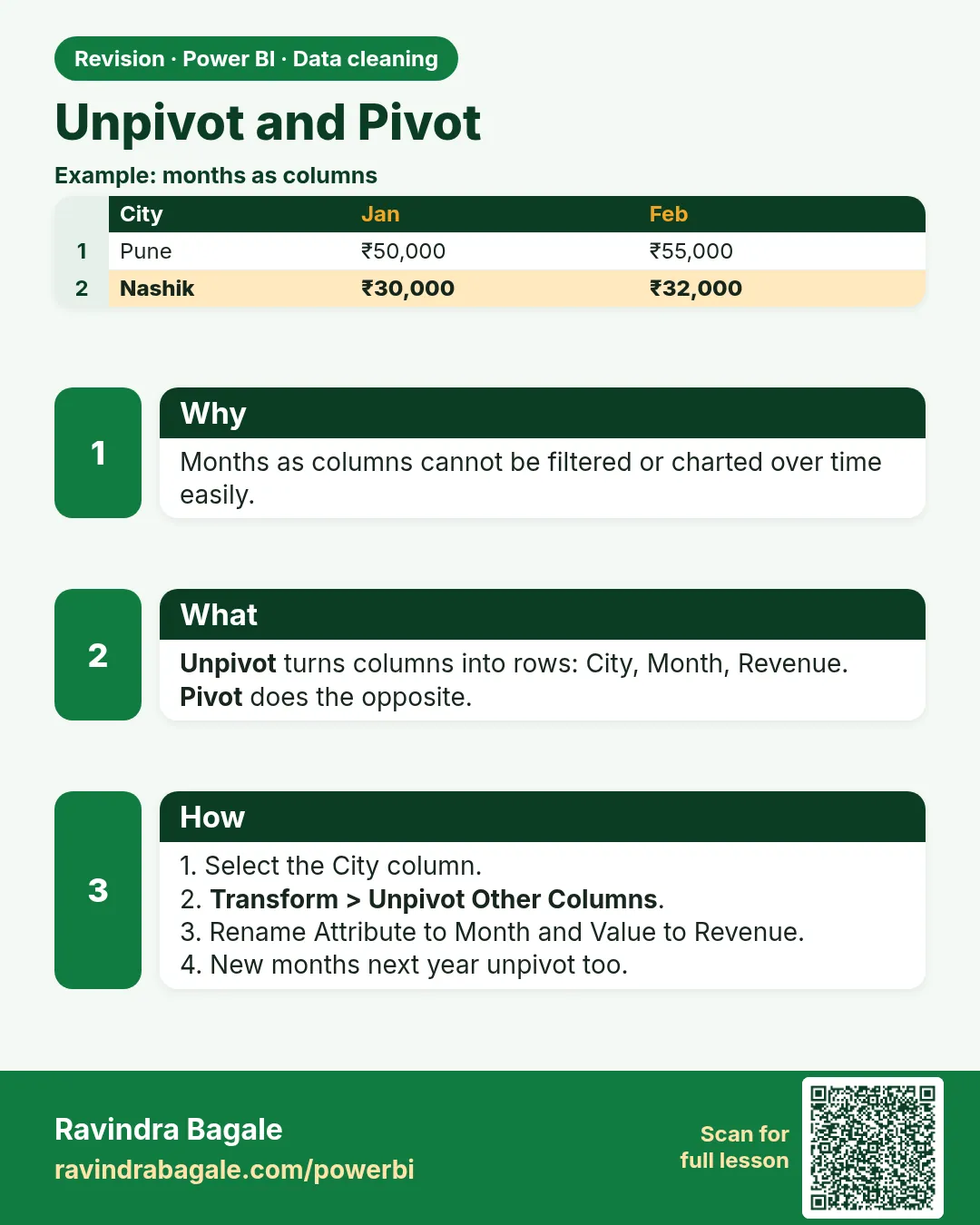 Revision card 17 of 24: Unpivot and Pivot · Download PNG · Open card page
Lesson: 7.17 Unpivot and Pivot in Power Query with Example
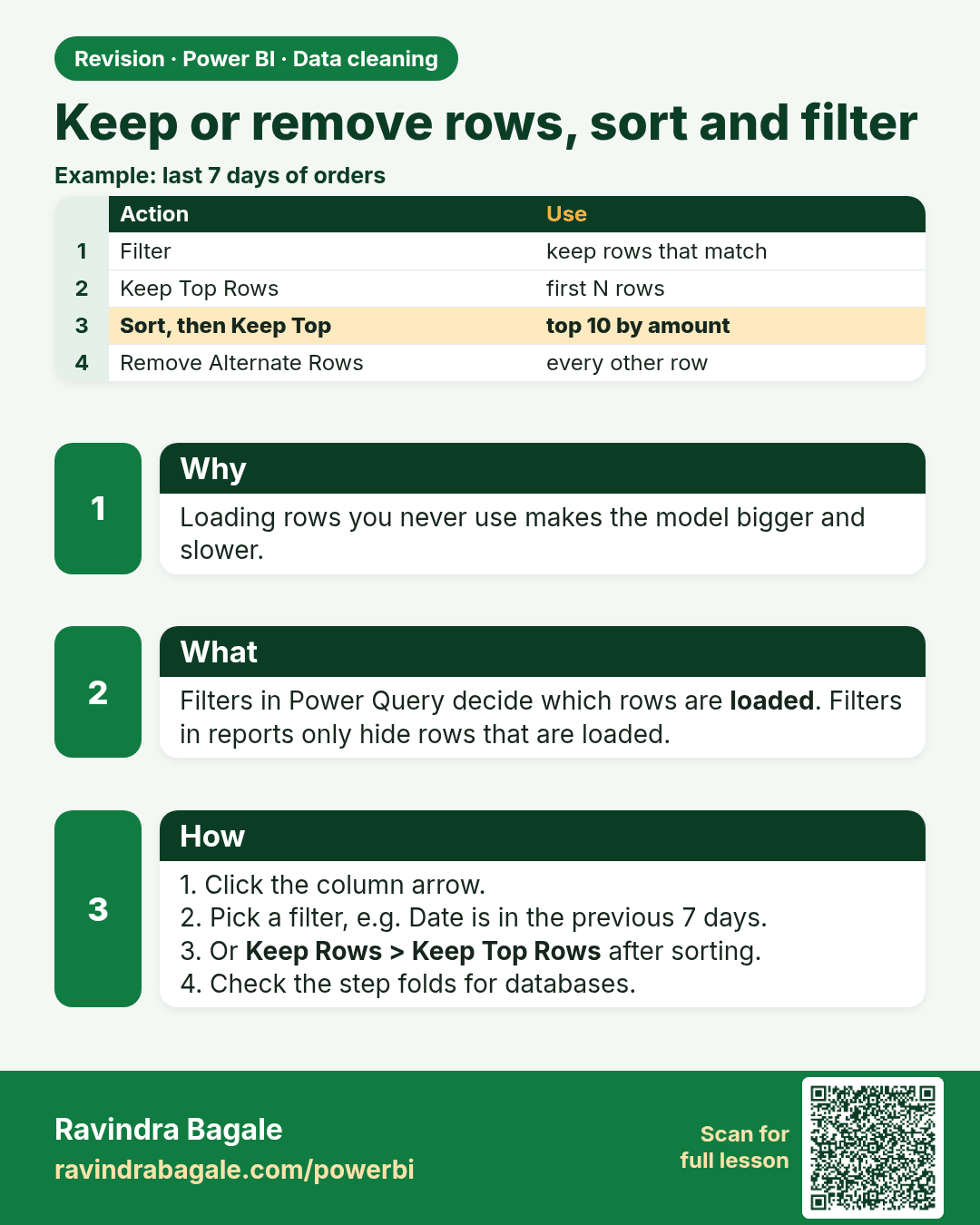
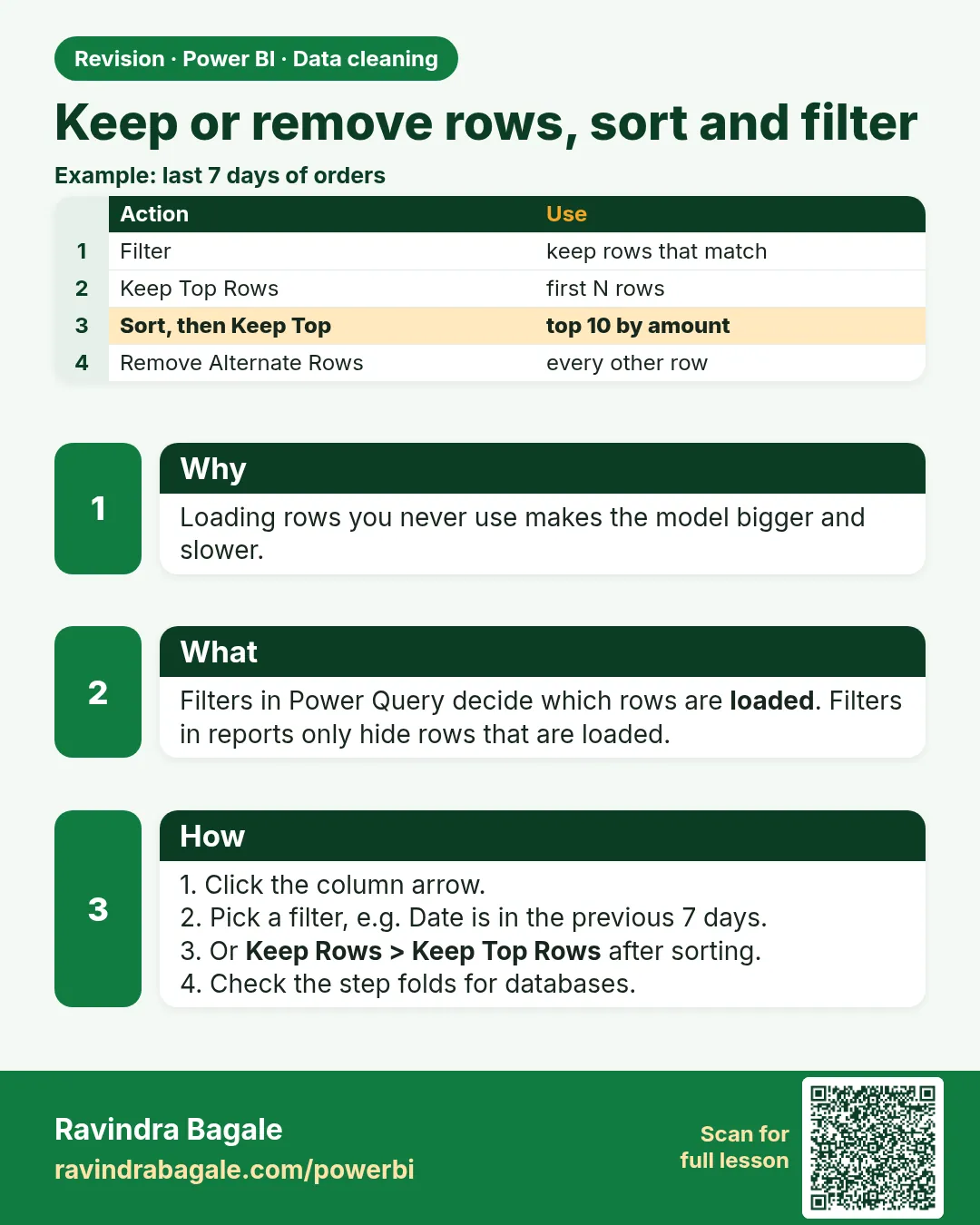 Revision card 18 of 24: Keep or remove rows, sort and filter · Download PNG · Open card page
Lesson: 7.18 Keep / Remove Rows, Sort and Filter
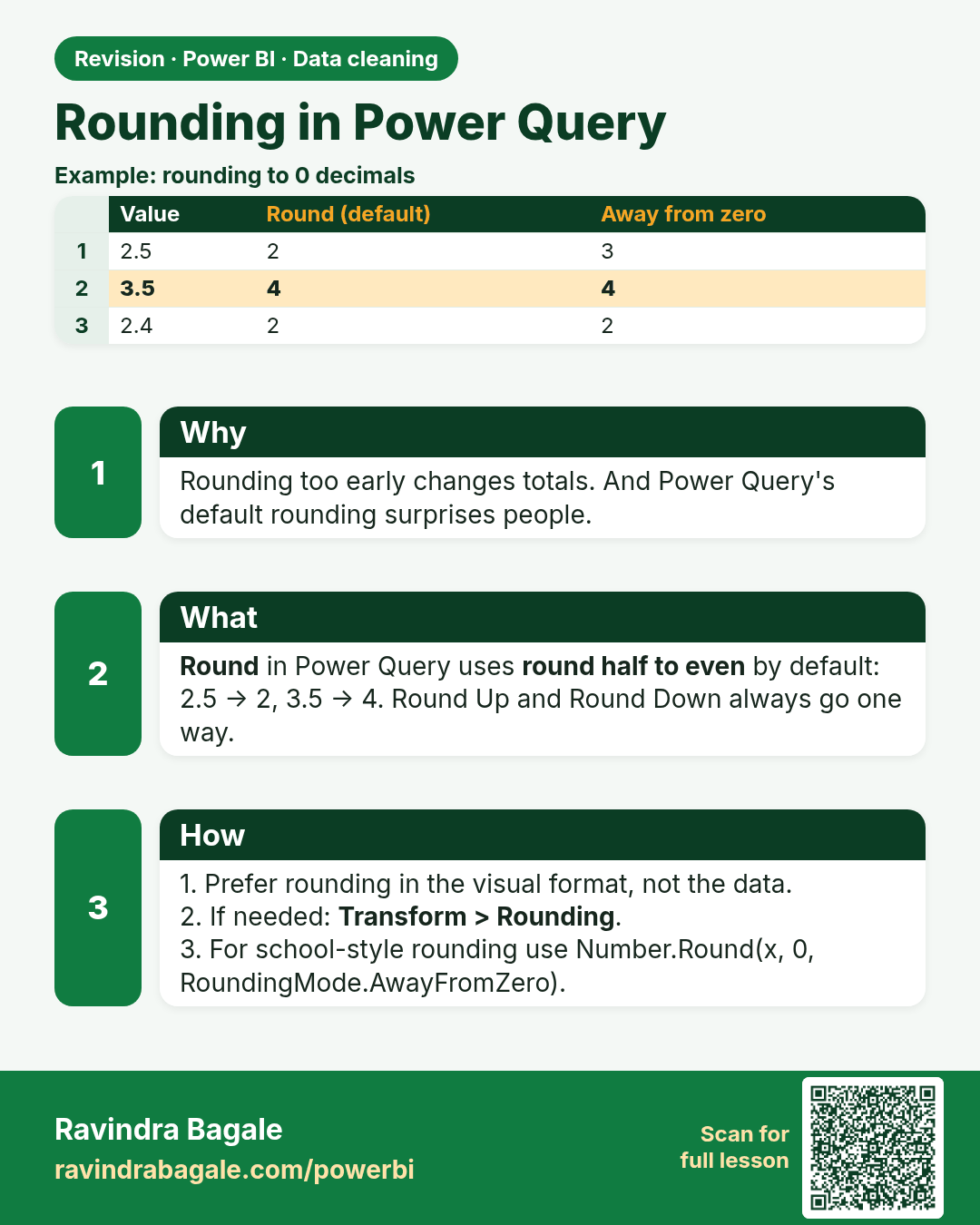
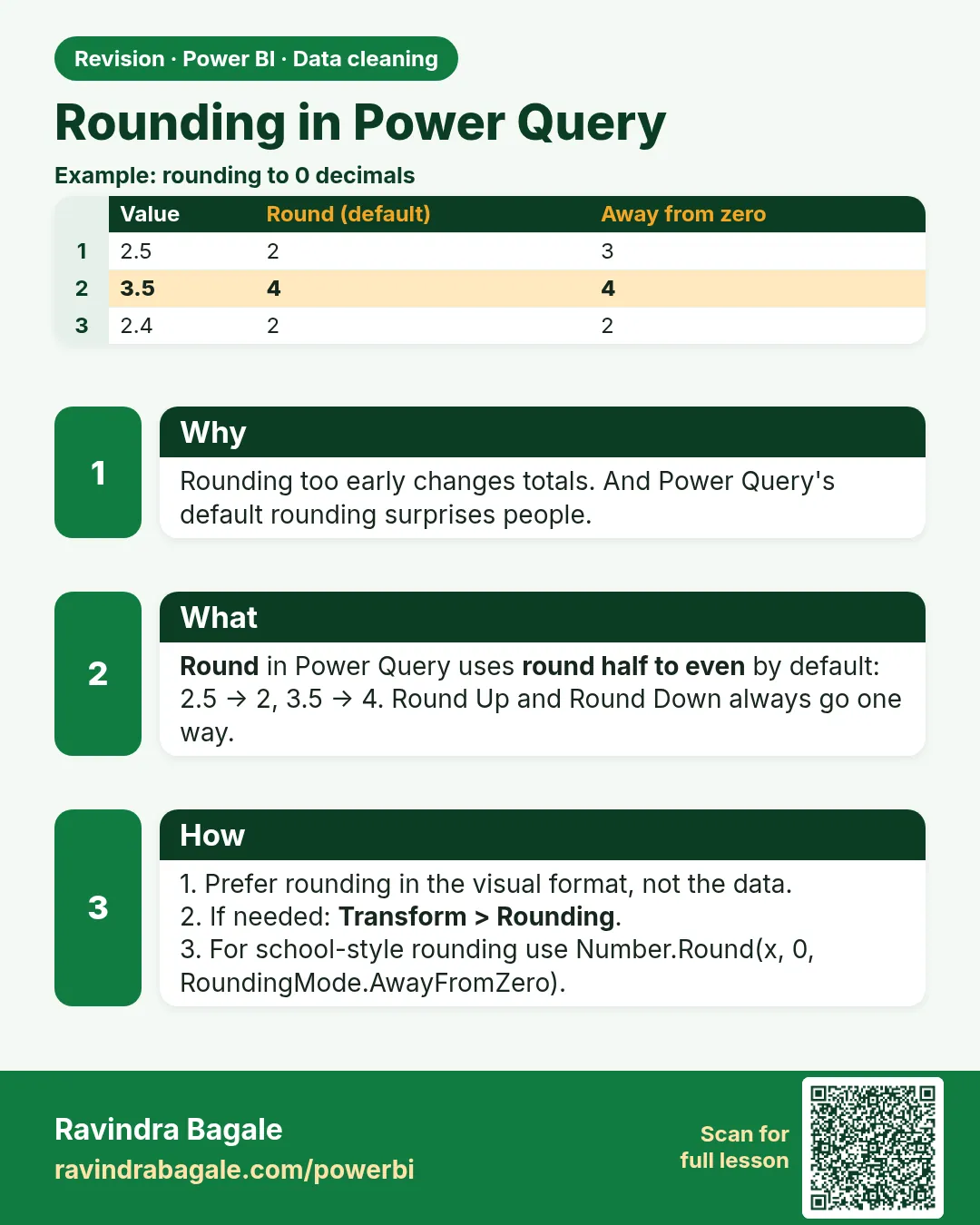 Revision card 19 of 24: Rounding in Power Query · Download PNG · Open card page
Lesson: 7.19 Rounding
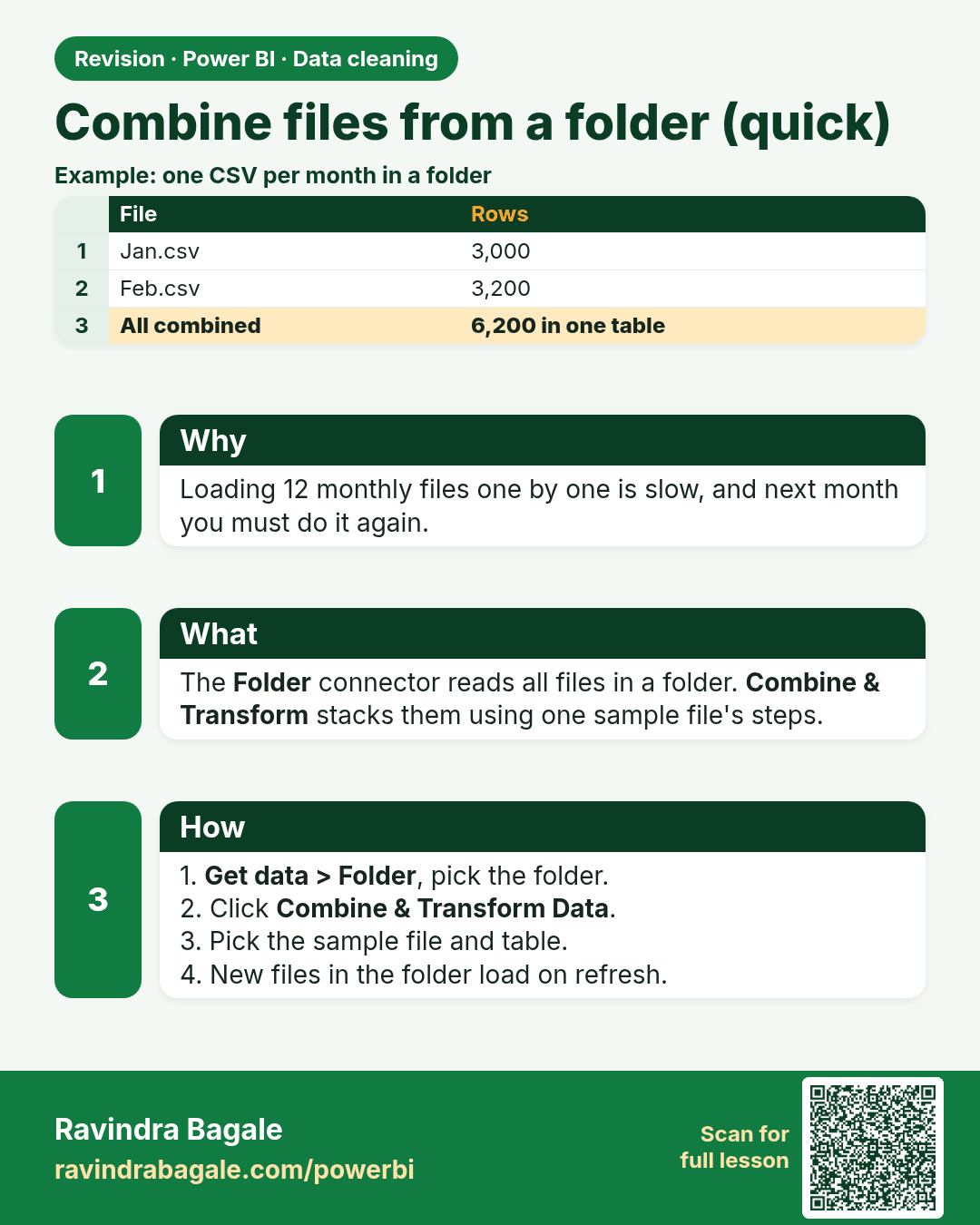
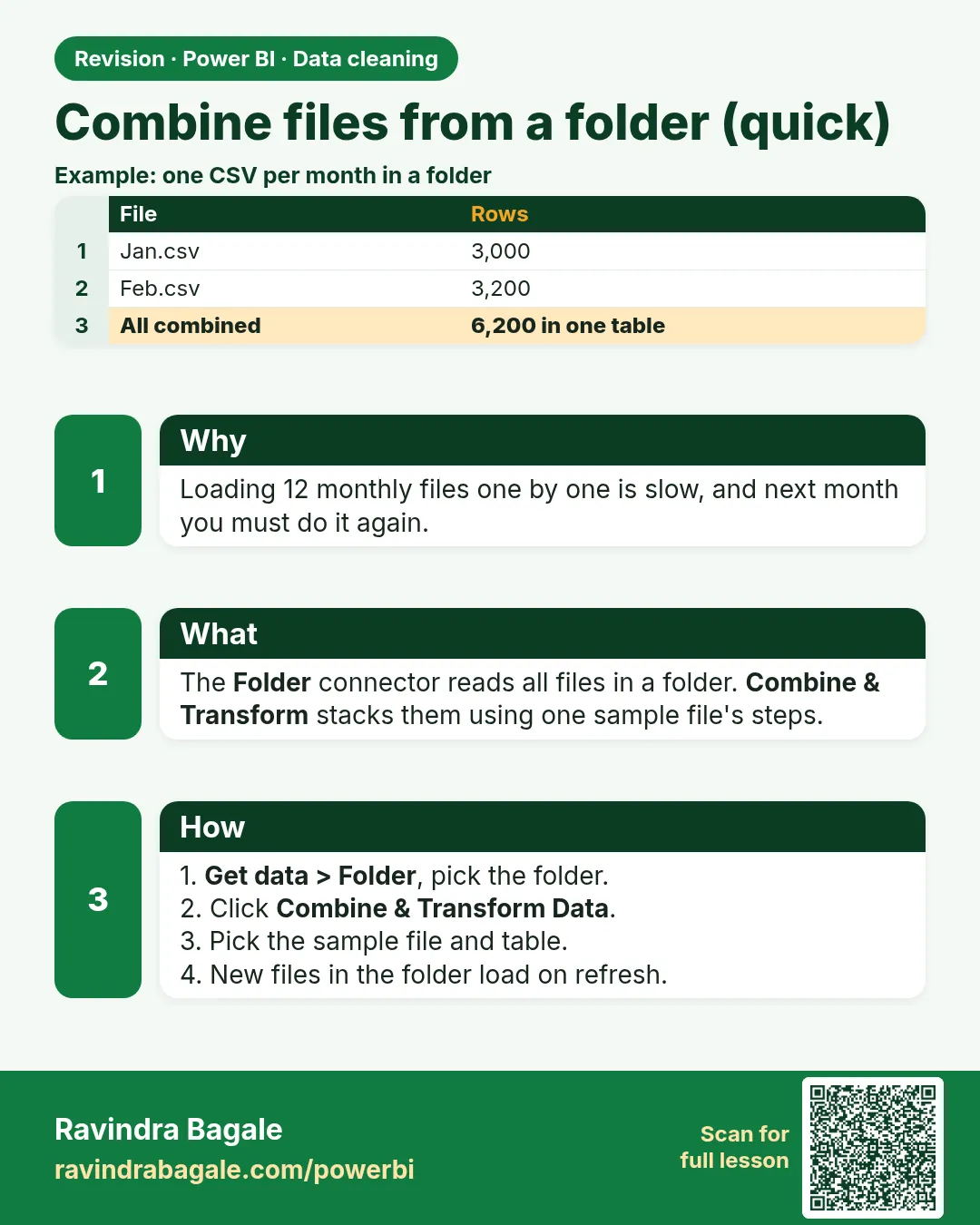 Revision card 20 of 24: Combine files from a folder (quick) · Download PNG · Open card page
Lesson: 7.20 Combine Files from a Folder (Quick Version)
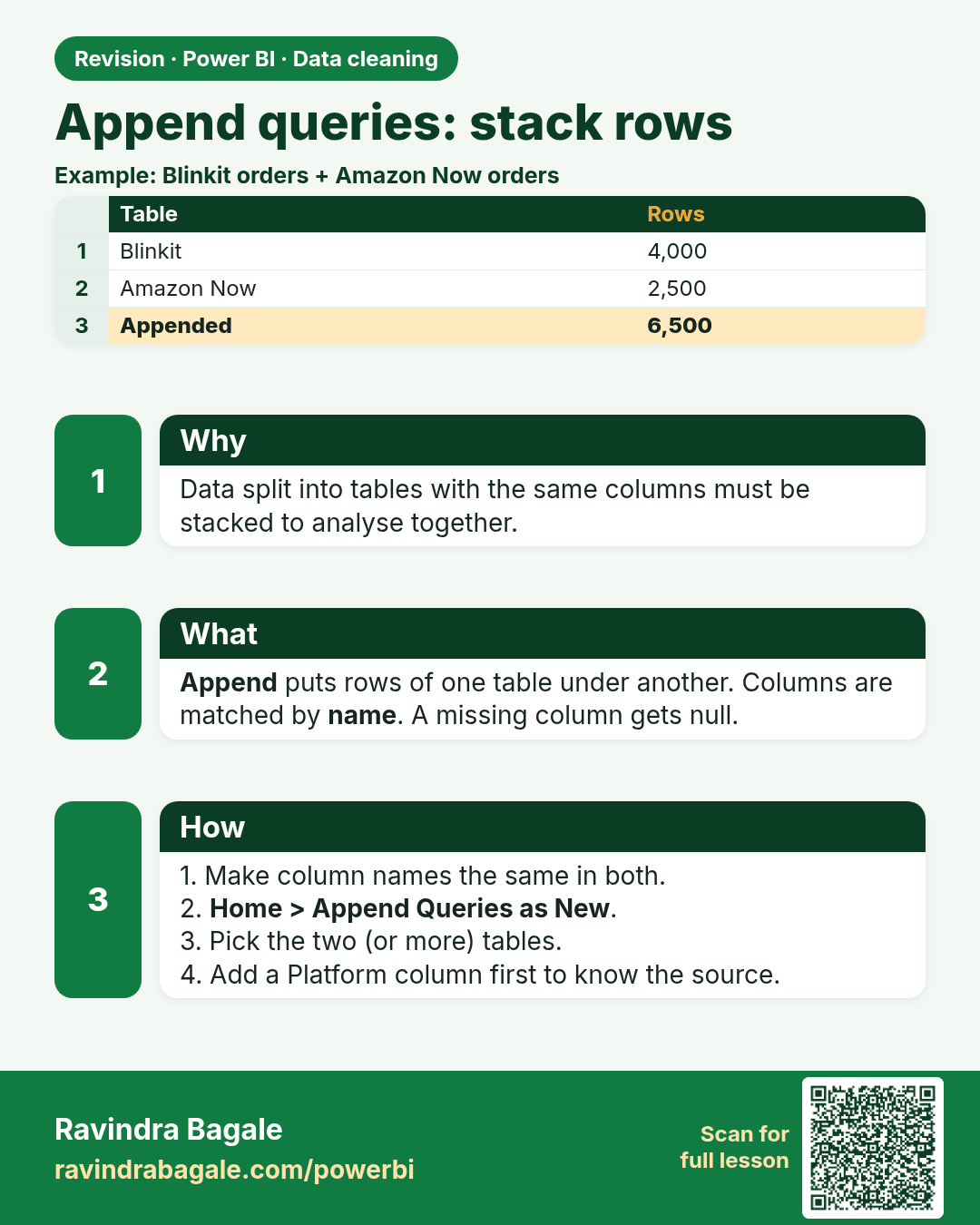
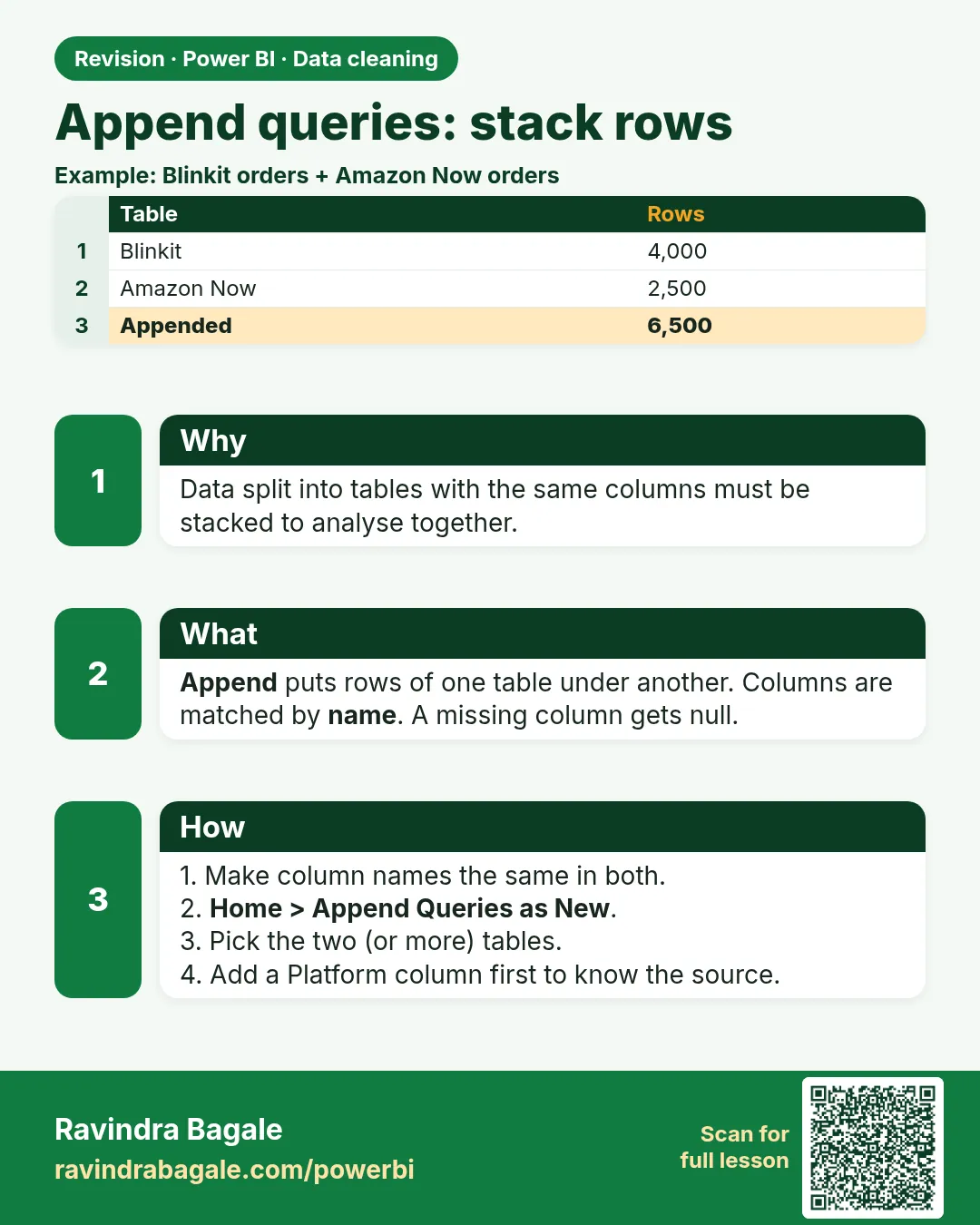 Revision card 21 of 24: Append queries: stack rows · Download PNG · Open card page
Lesson: 7.21 Append Queries (Stack Rows)
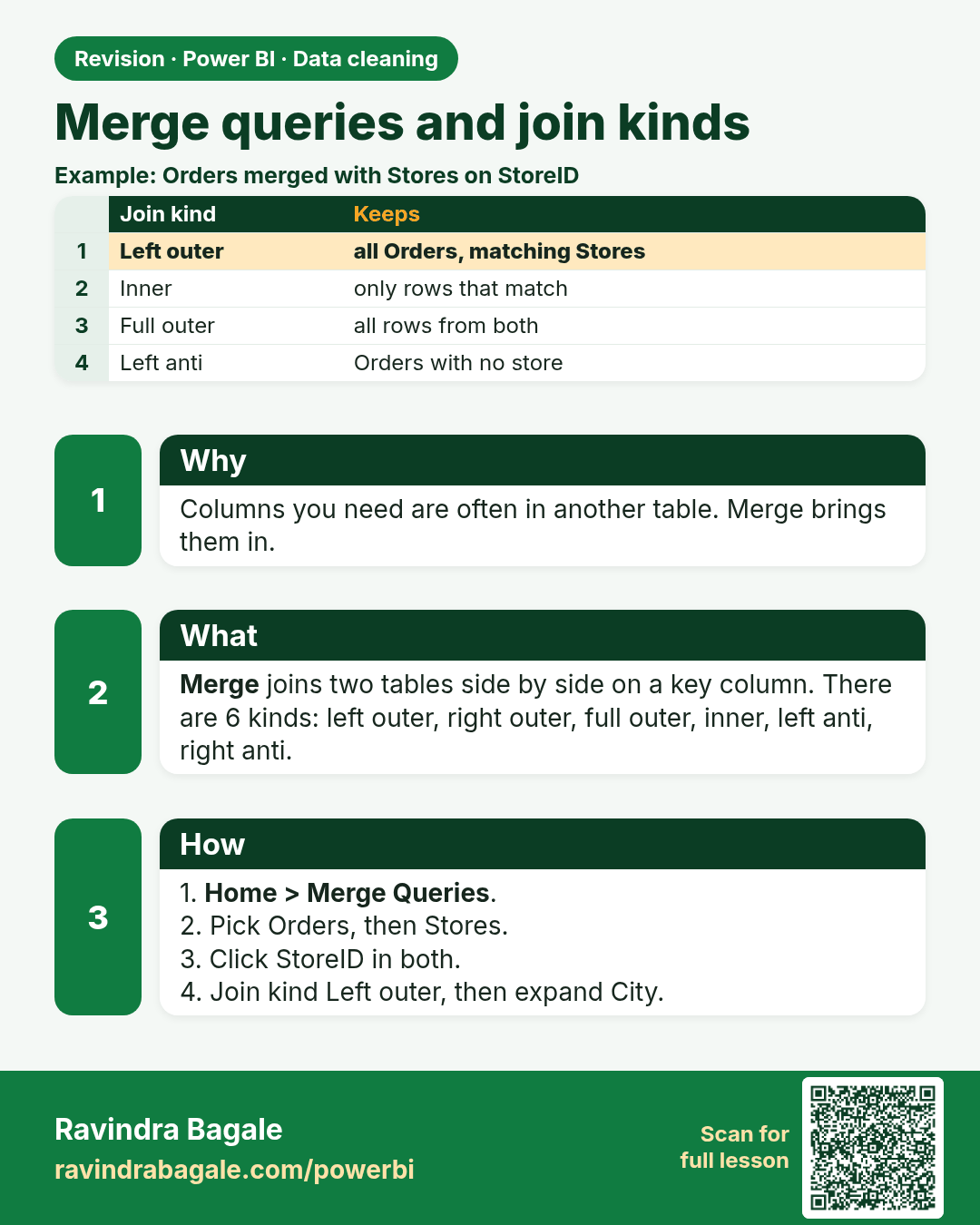
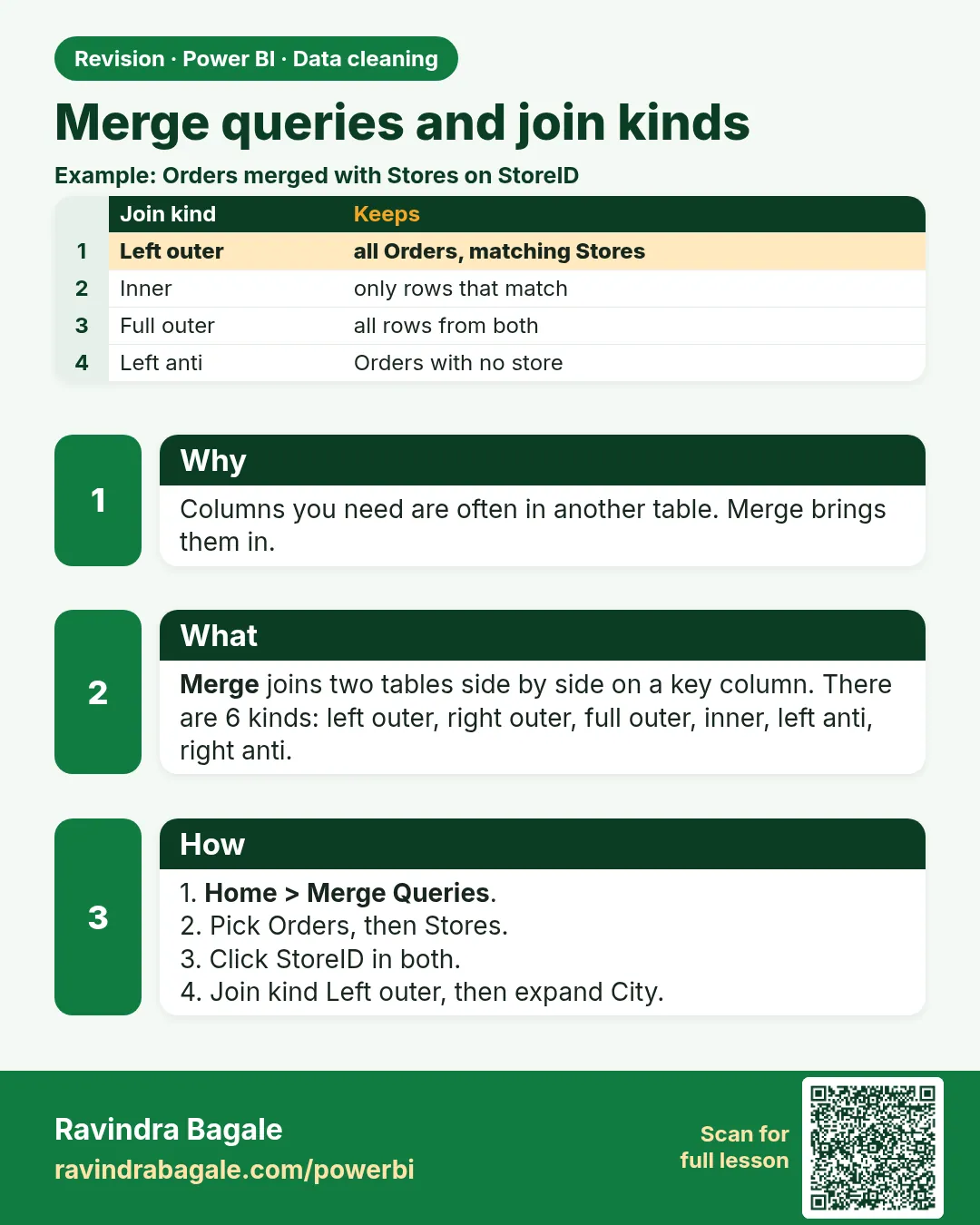 Revision card 22 of 24: Merge queries and join kinds · Download PNG · Open card page
Lesson: 7.22 Merge Queries and All Join Kinds in Power Query with Example
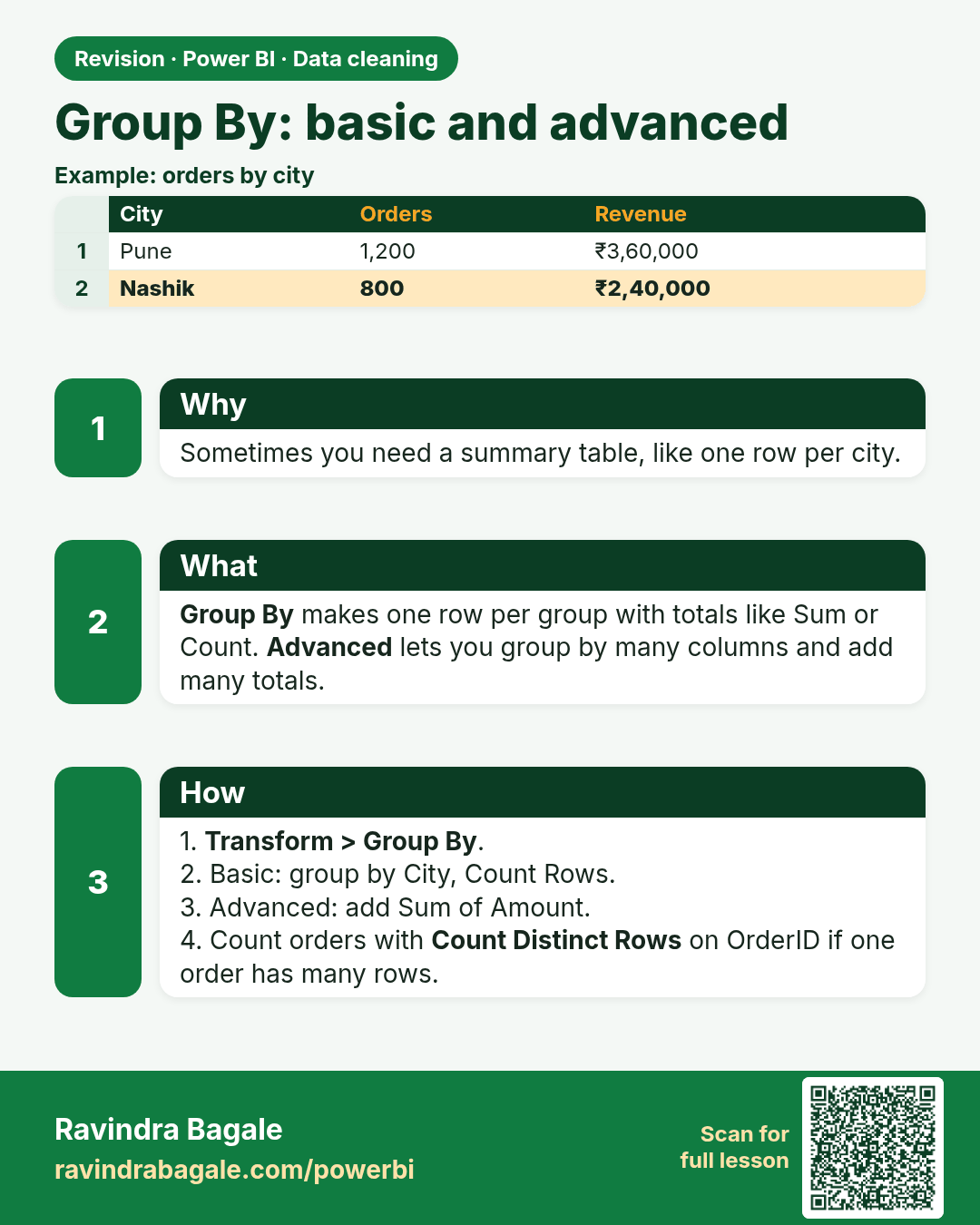
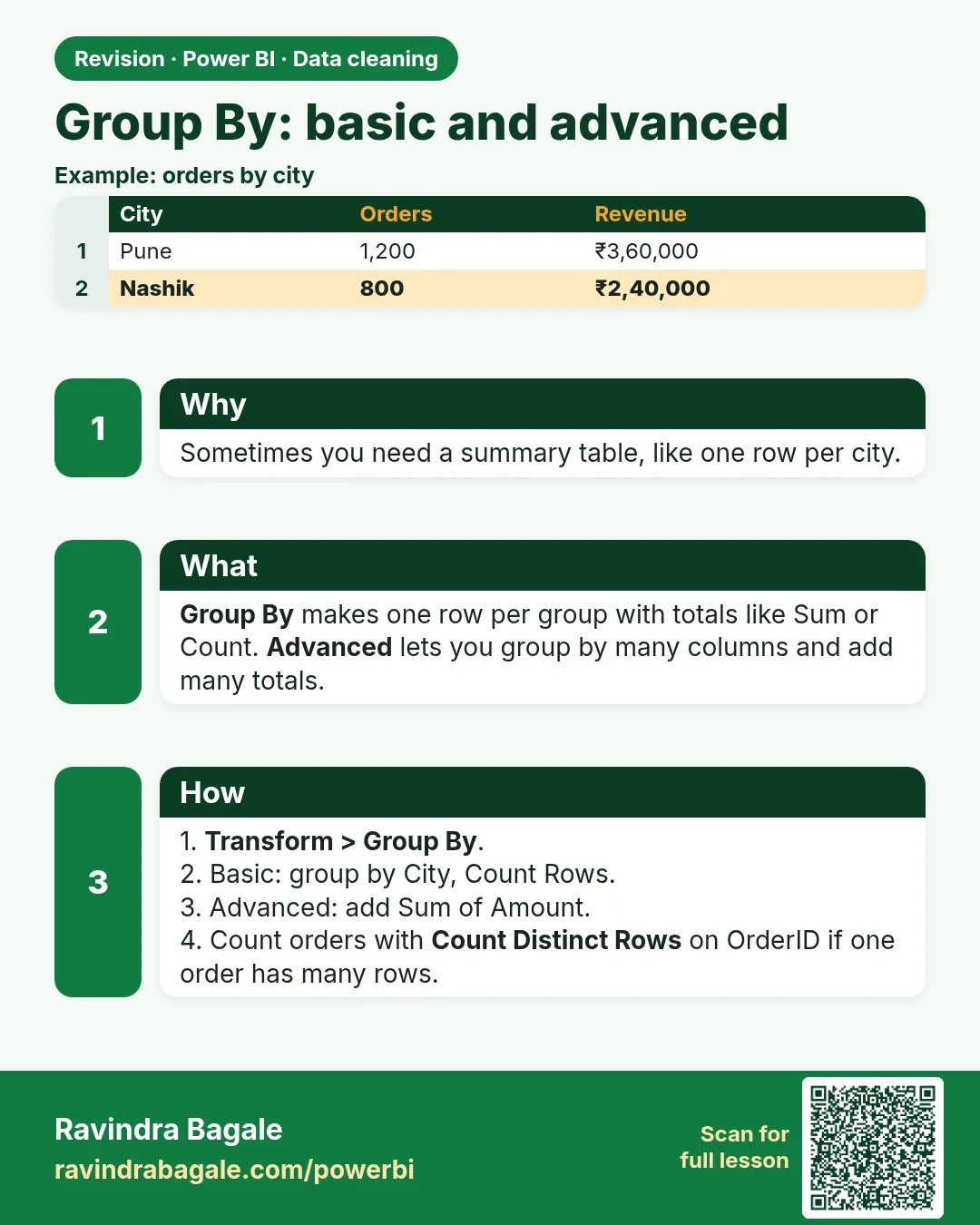 Revision card 23 of 24: Group By: basic and advanced · Download PNG · Open card page
Lesson: 7.23 Group By (Basic and Advanced)
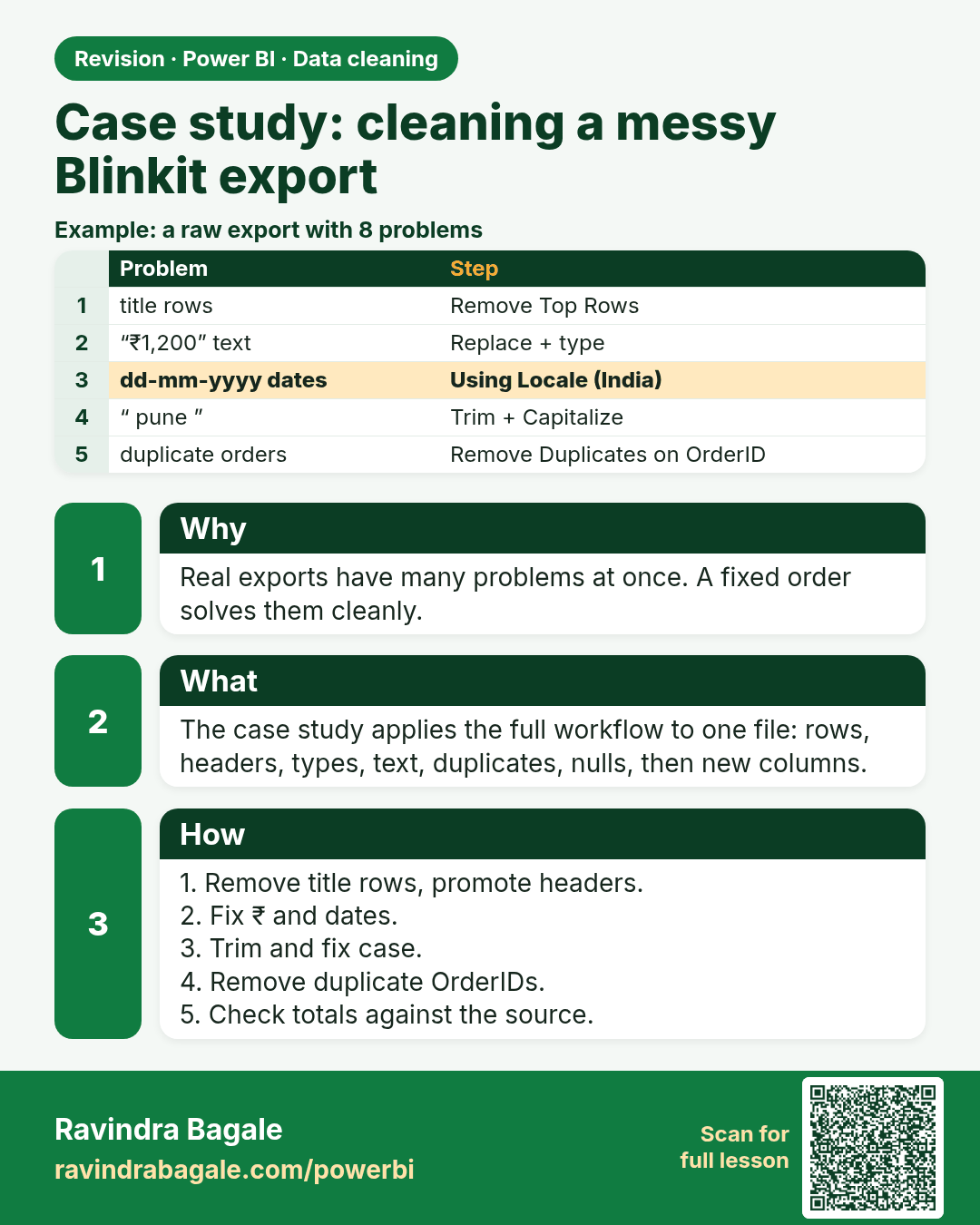
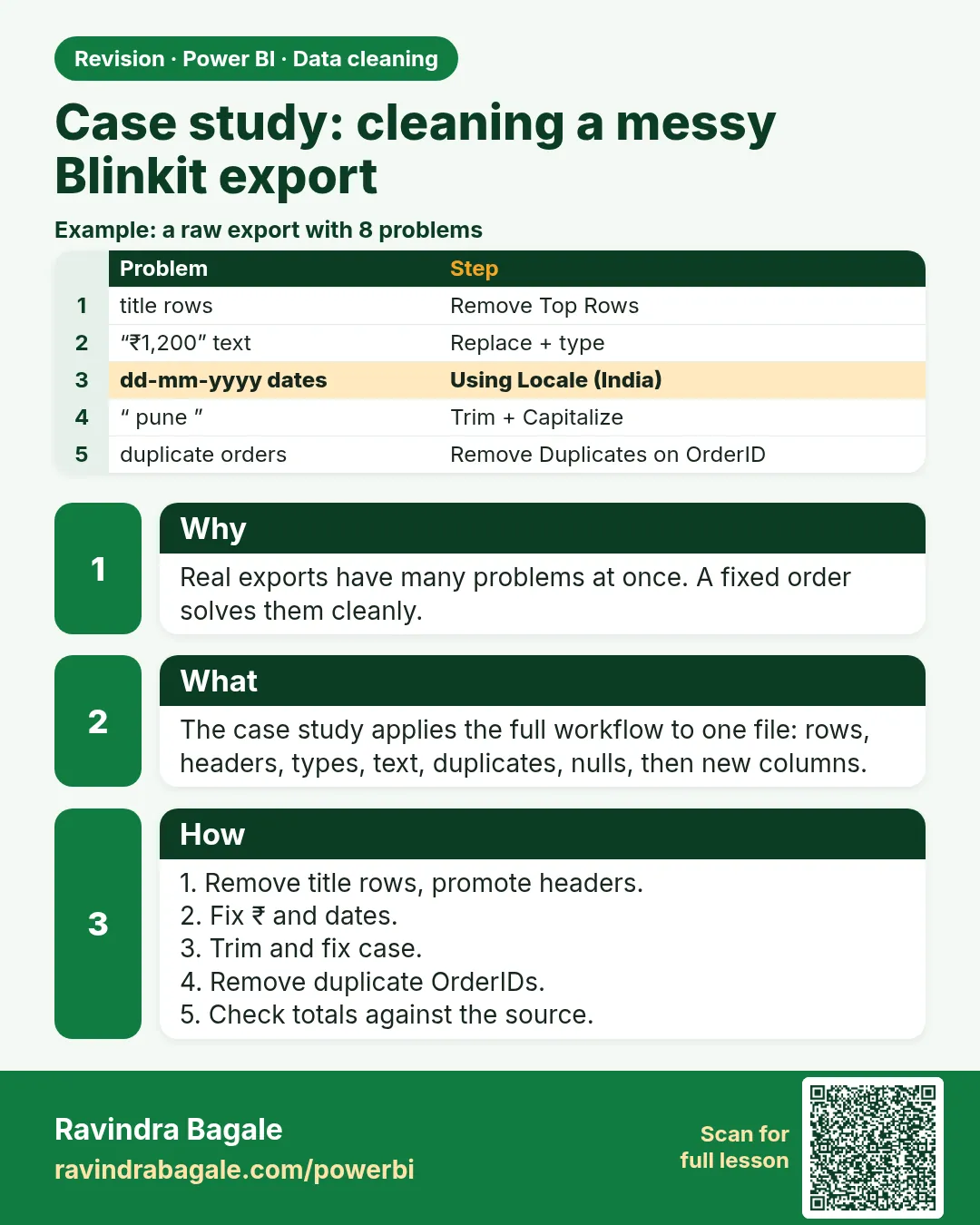 Revision card 24 of 24: Case study: cleaning a messy Blinkit export · Download PNG · Open card page
Lesson: 7.25 Case Study: Cleaning a Messy Blinkit Export End to End
Interview cards
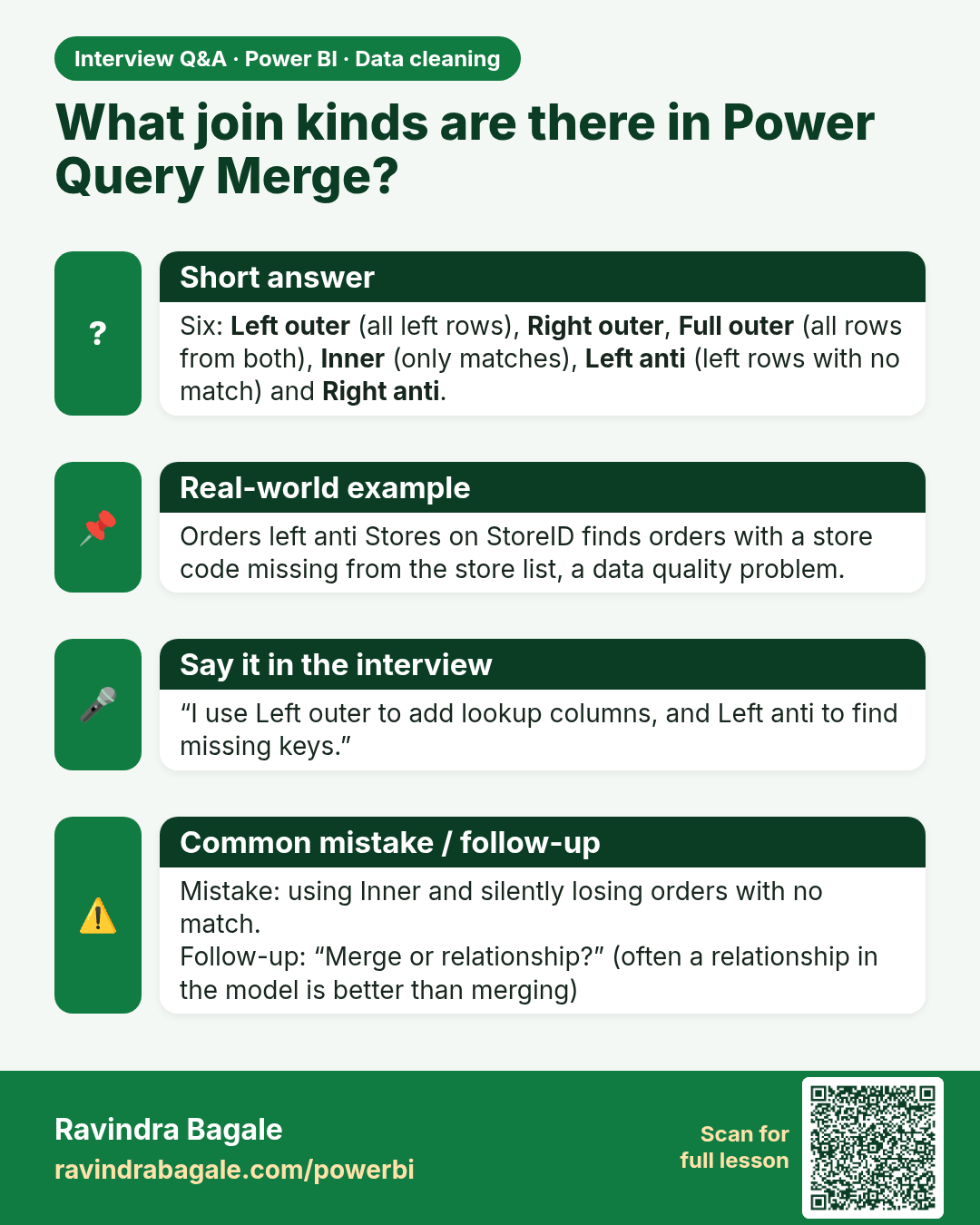
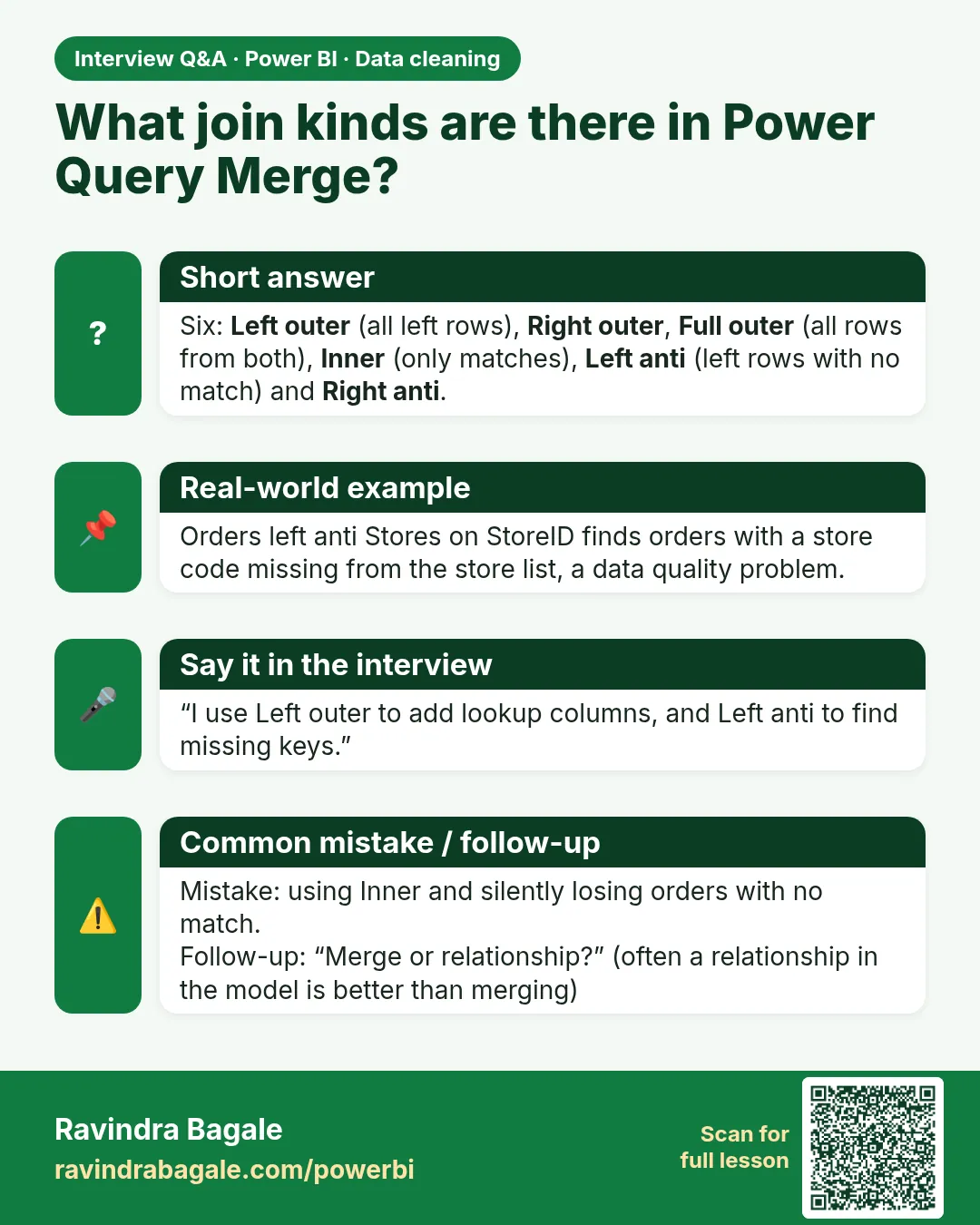 Interview card 1 of 4: What join kinds are there in Power Query Merge? · Download PNG · Open card page
Lesson: 7.22 Merge Queries and All Join Kinds in Power Query with Example
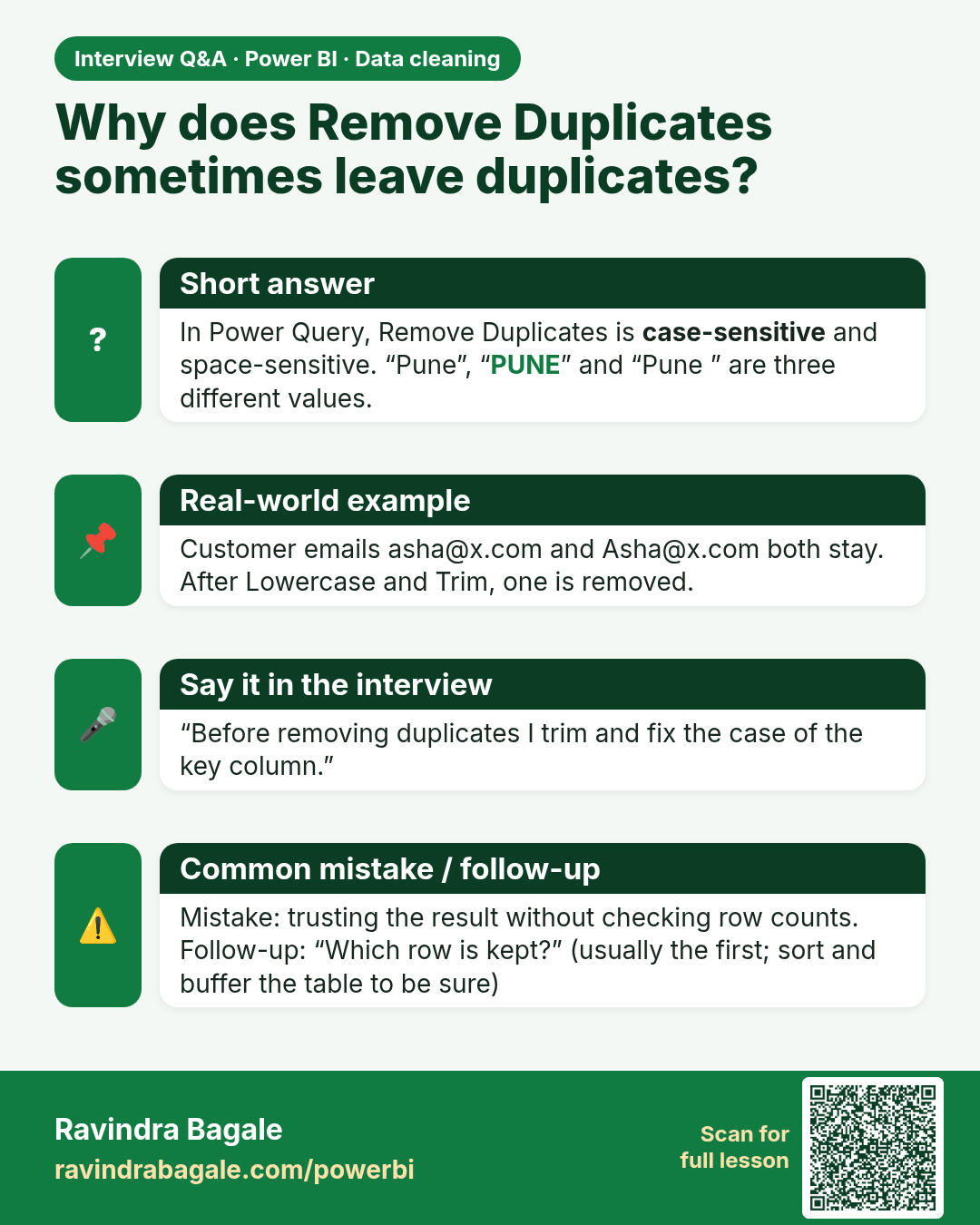
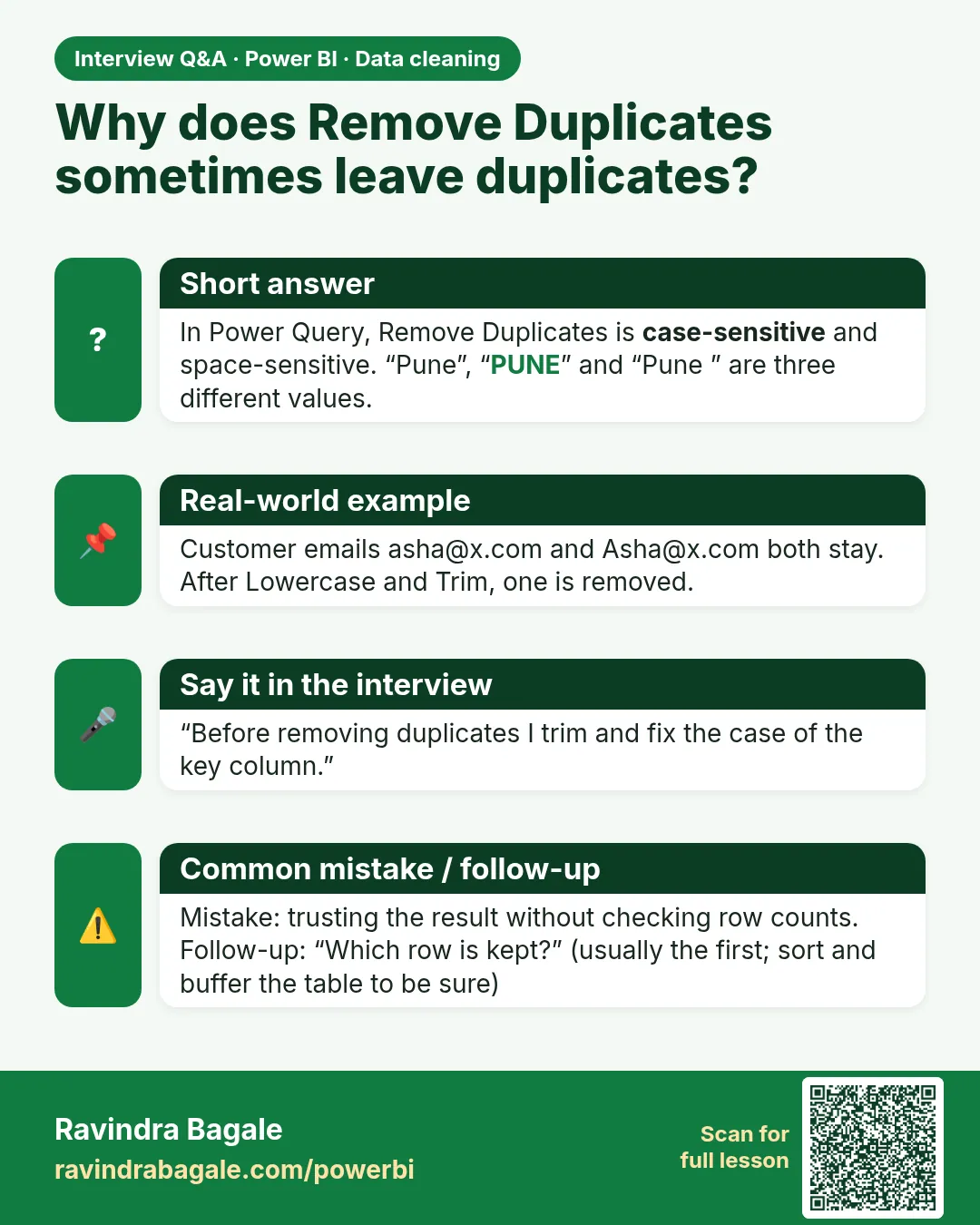 Interview card 2 of 4: Why does Remove Duplicates sometimes leave duplicates? · Download PNG · Open card page
Lesson: 7.4 Remove Duplicates in Power Query with Example (Full Row and by Key)
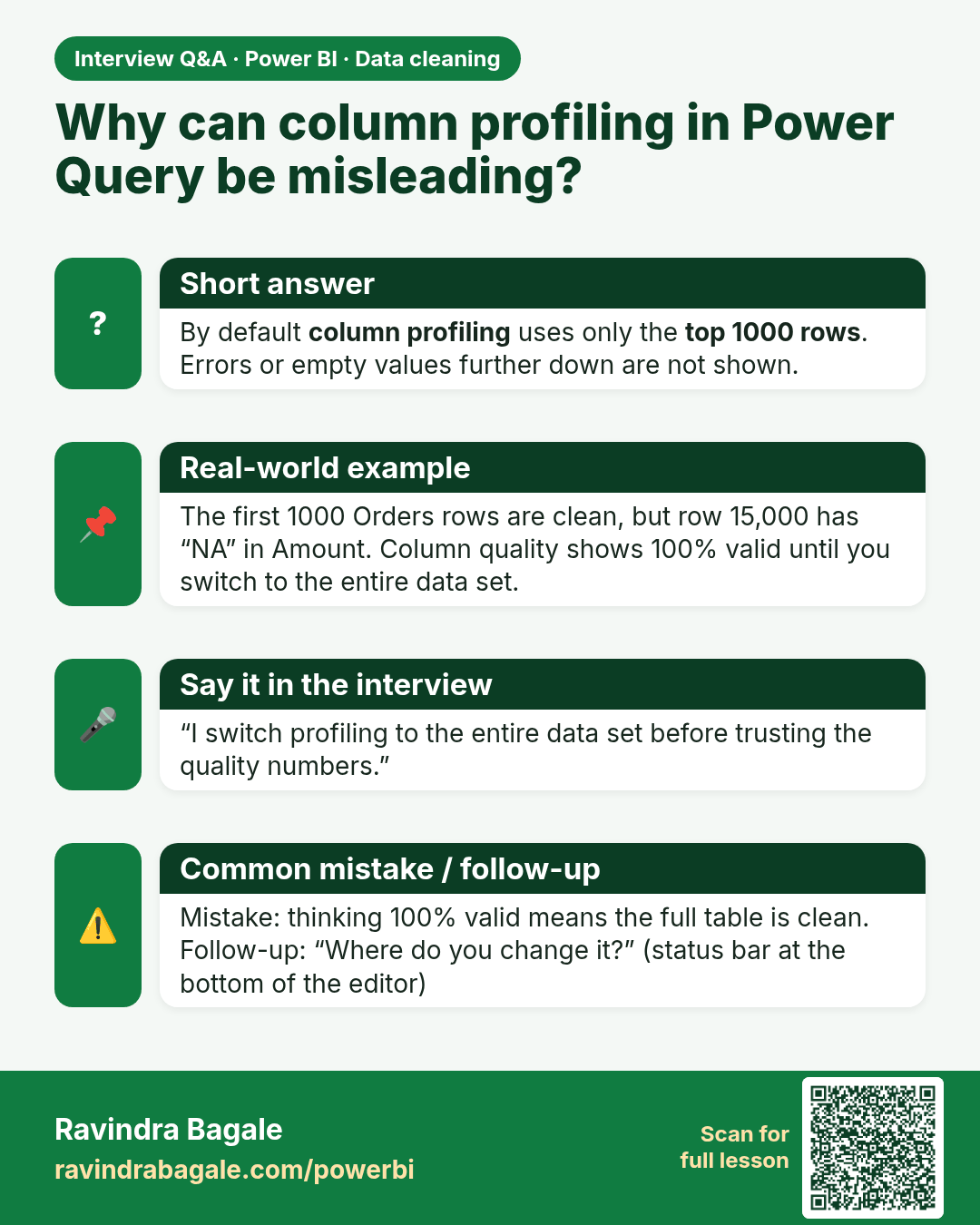
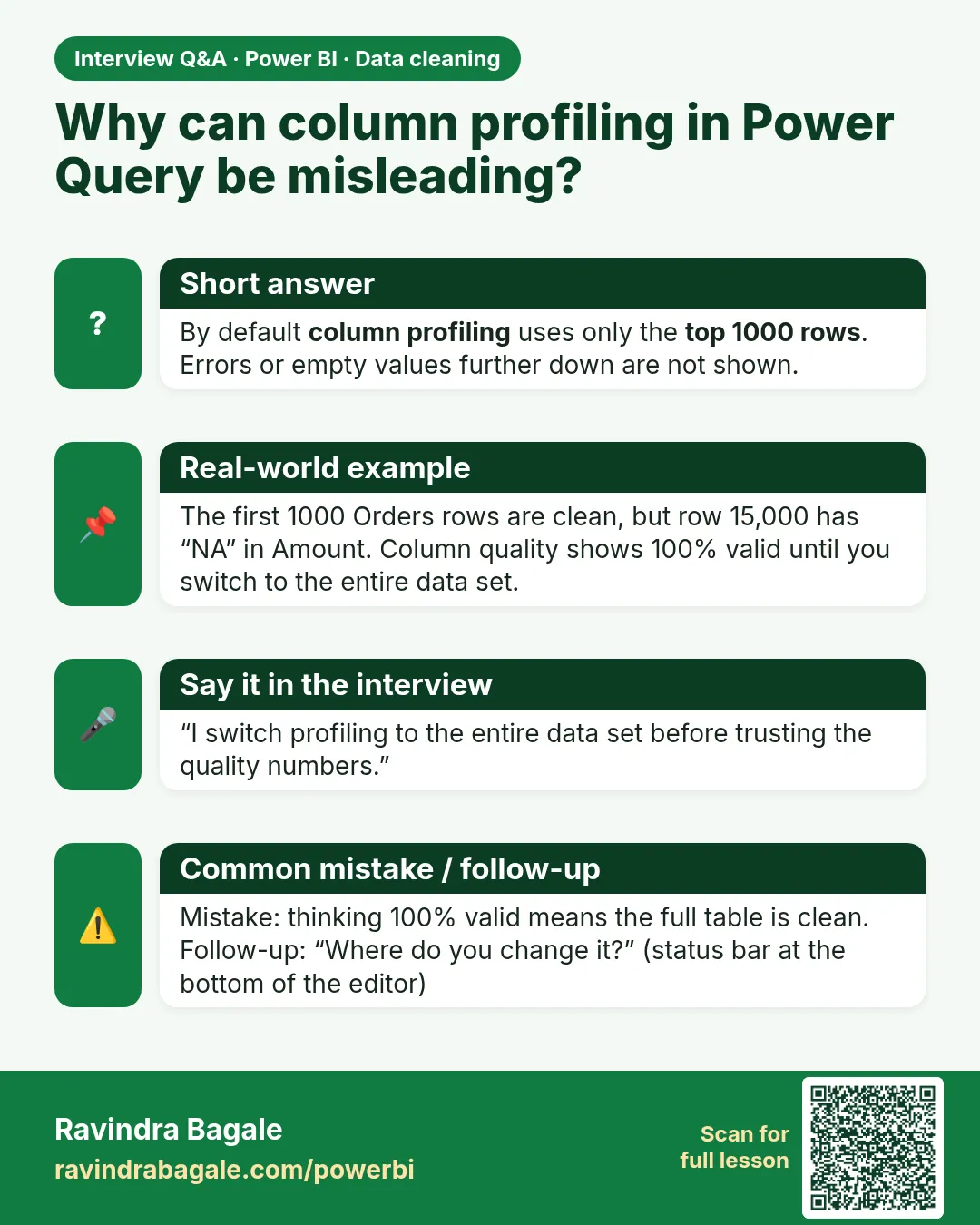 Interview card 3 of 4: Why can column profiling in Power Query be misleading? · Download PNG · Open card page
Lesson: 7.2 Data Profiling Tools
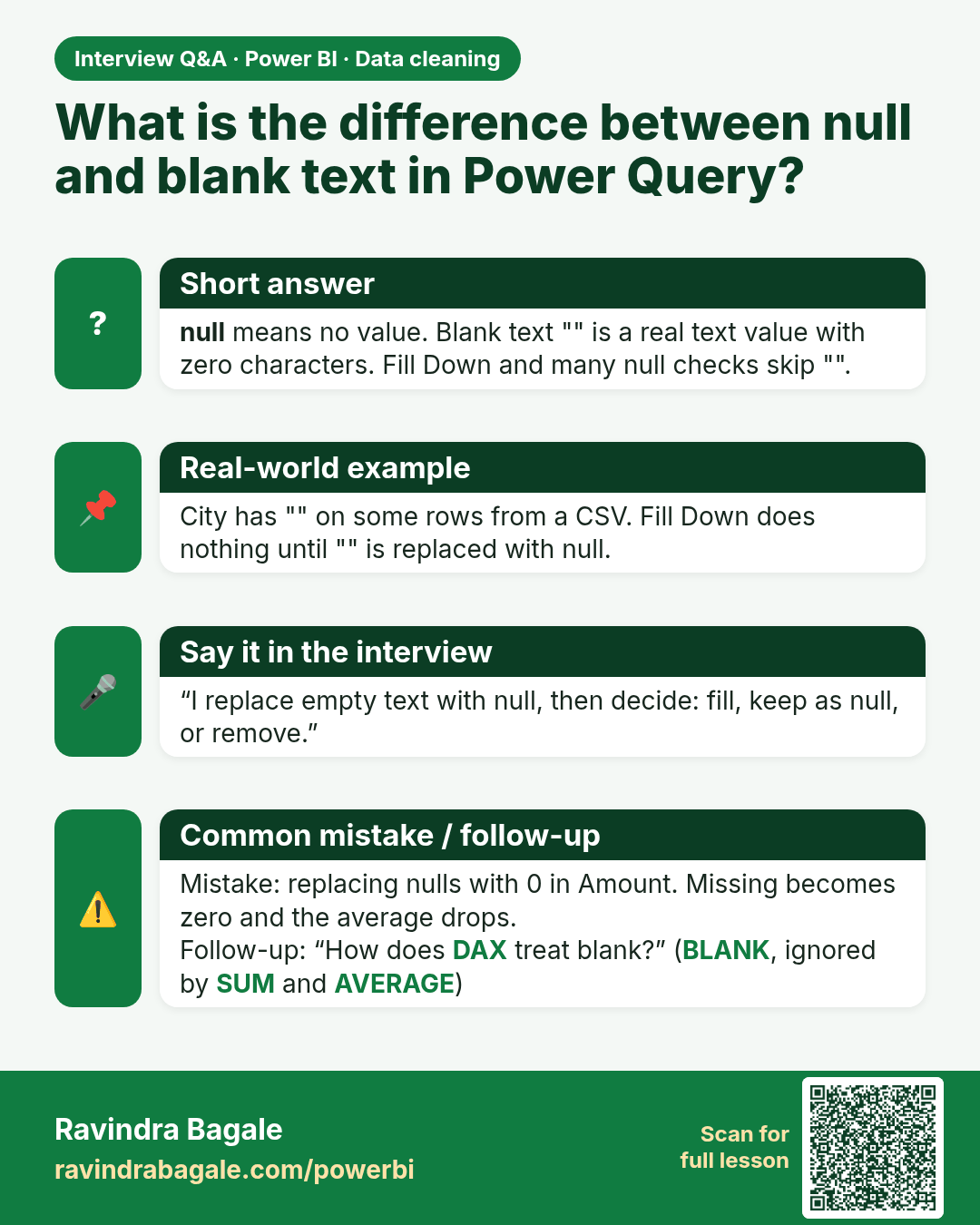
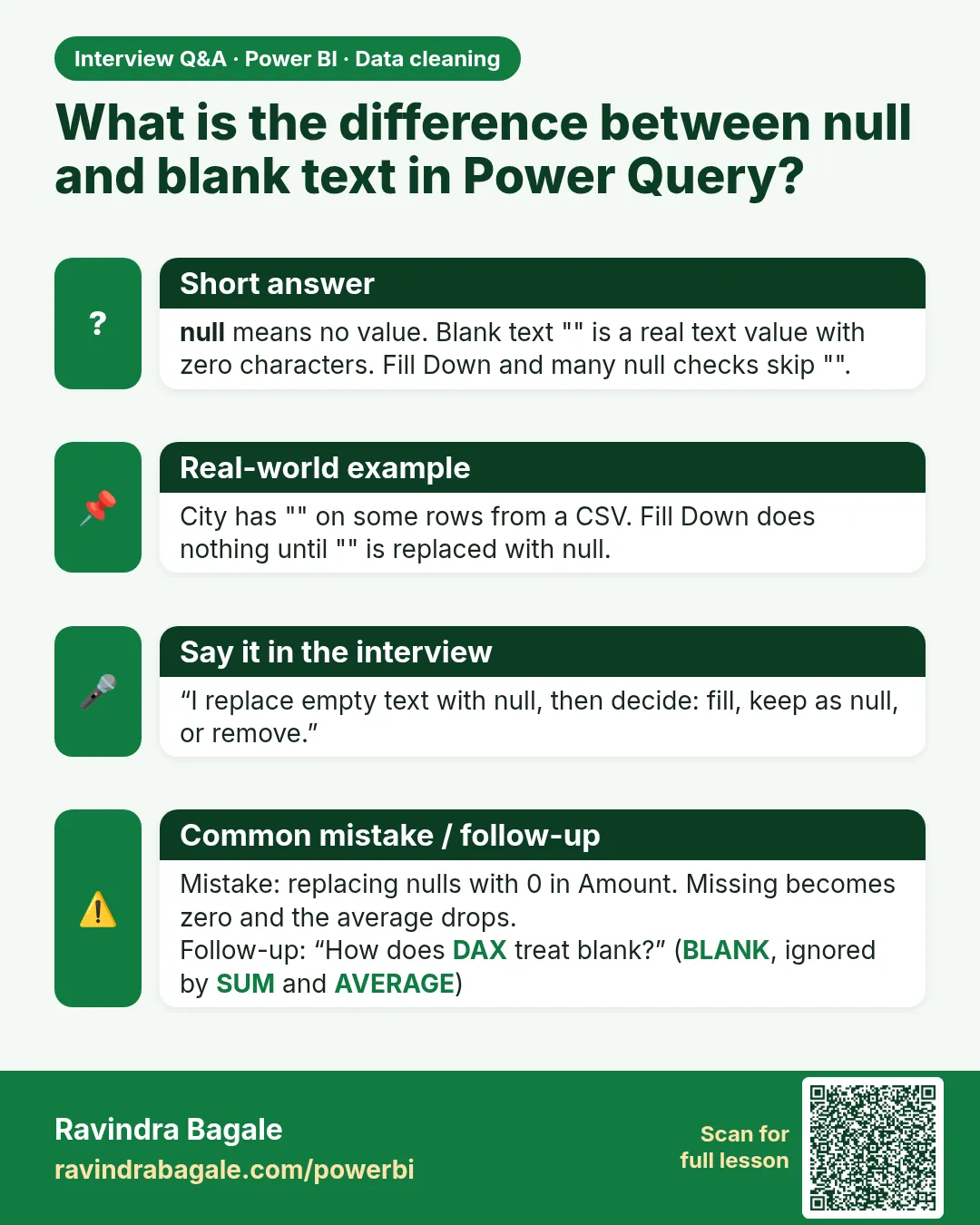 Interview card 4 of 4: What is the difference between null and blank text in Power Query? · Download PNG · Open card page
Lesson: 7.5 Blanks and Nulls: Remove, Replace, Fill Down / Fill Up
Comparison cards
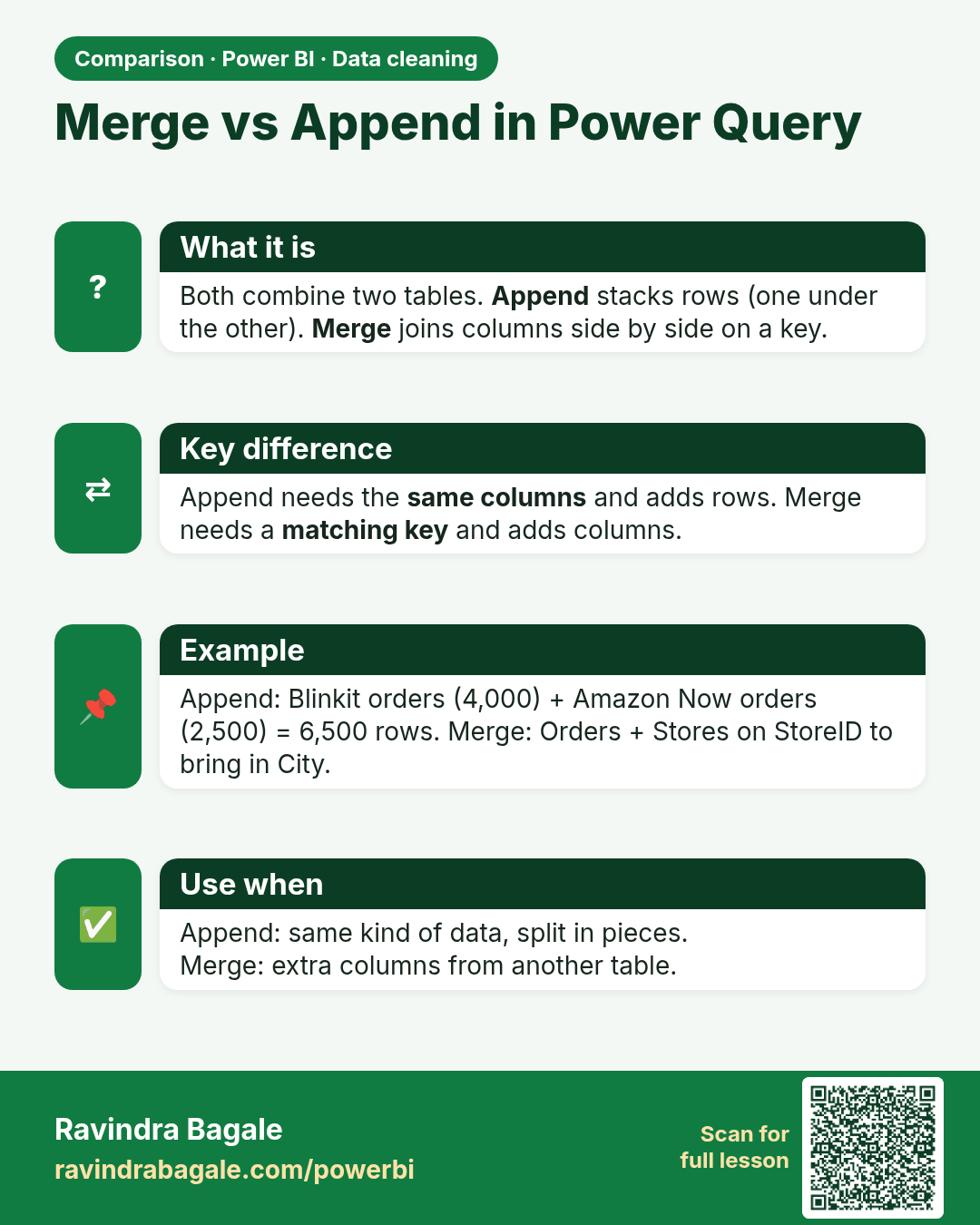
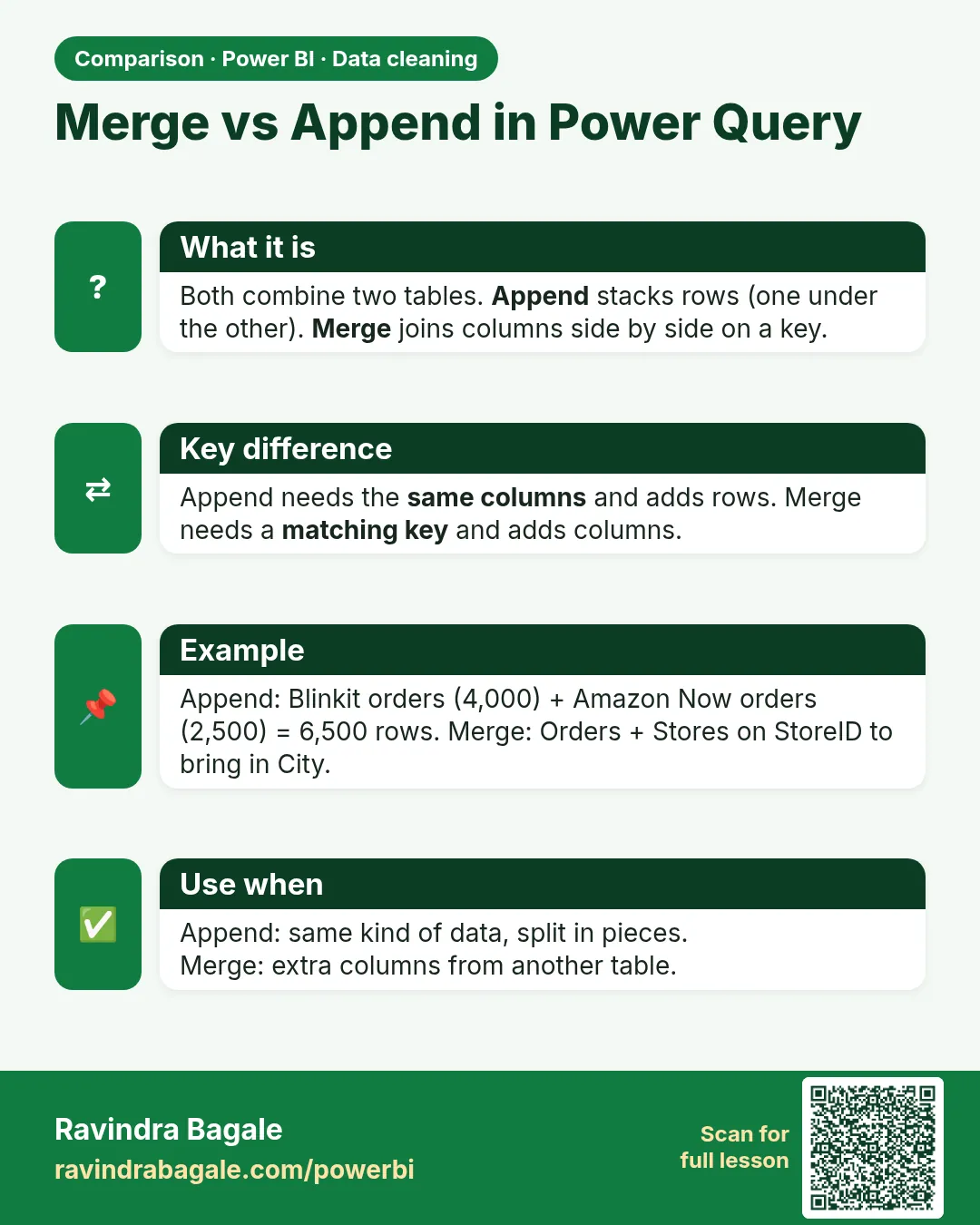 Comparison card 1 of 3: Merge vs Append in Power Query · Download PNG · Open card page
Lesson: 7.21 Append Queries (Stack Rows)
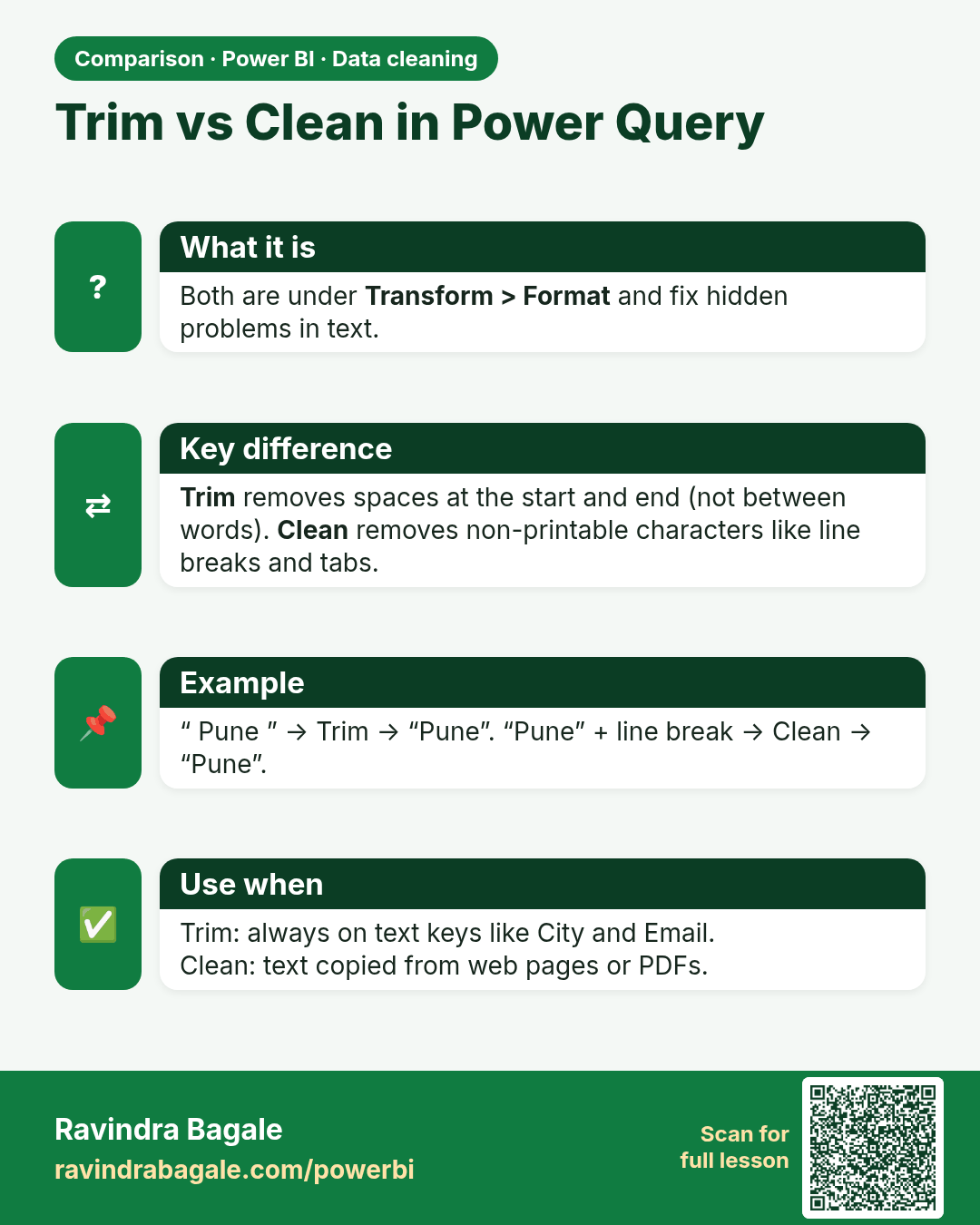
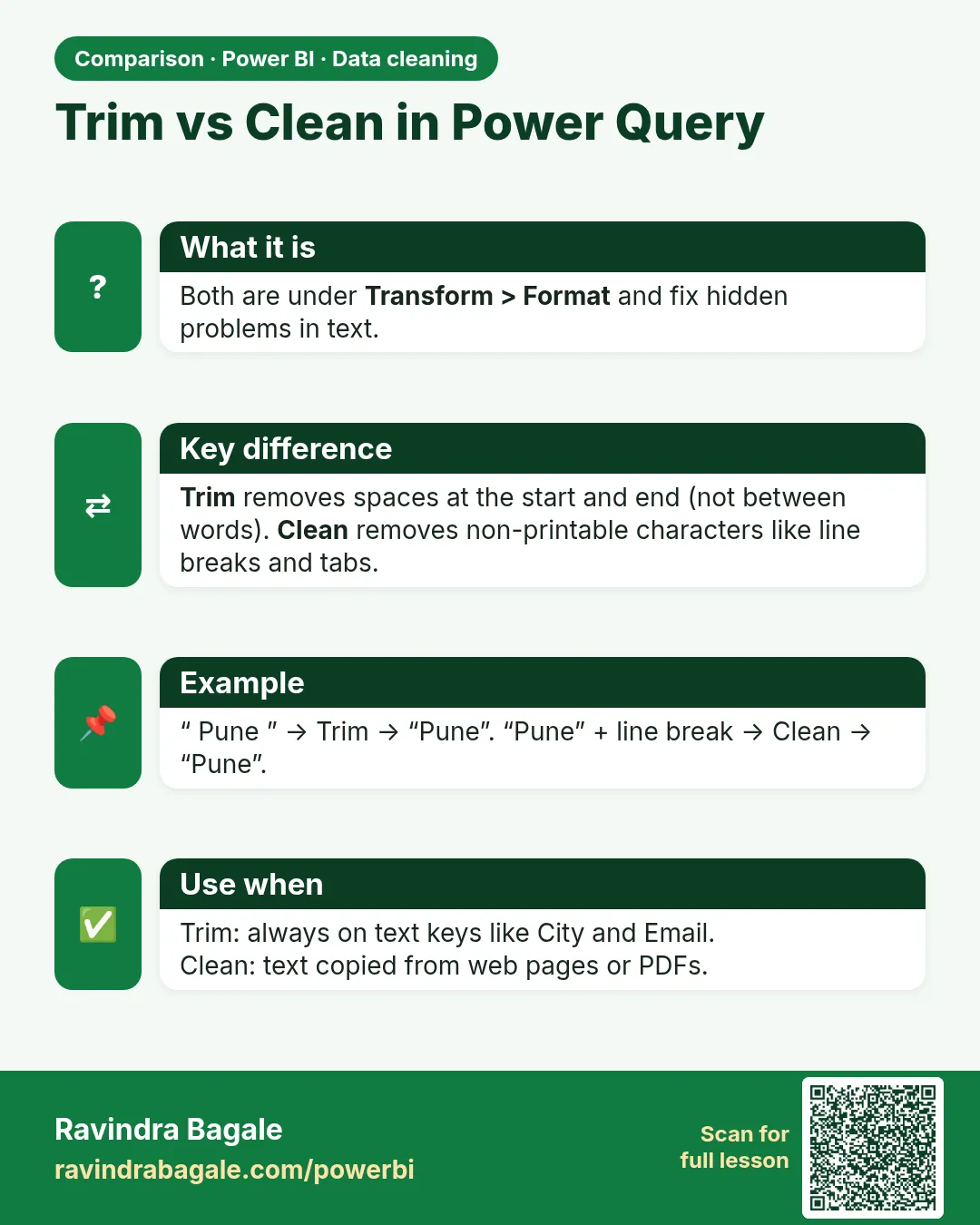 Comparison card 2 of 3: Trim vs Clean in Power Query · Download PNG · Open card page
Lesson: 7.6 Extra Spaces, Non-printable Characters and Text Case
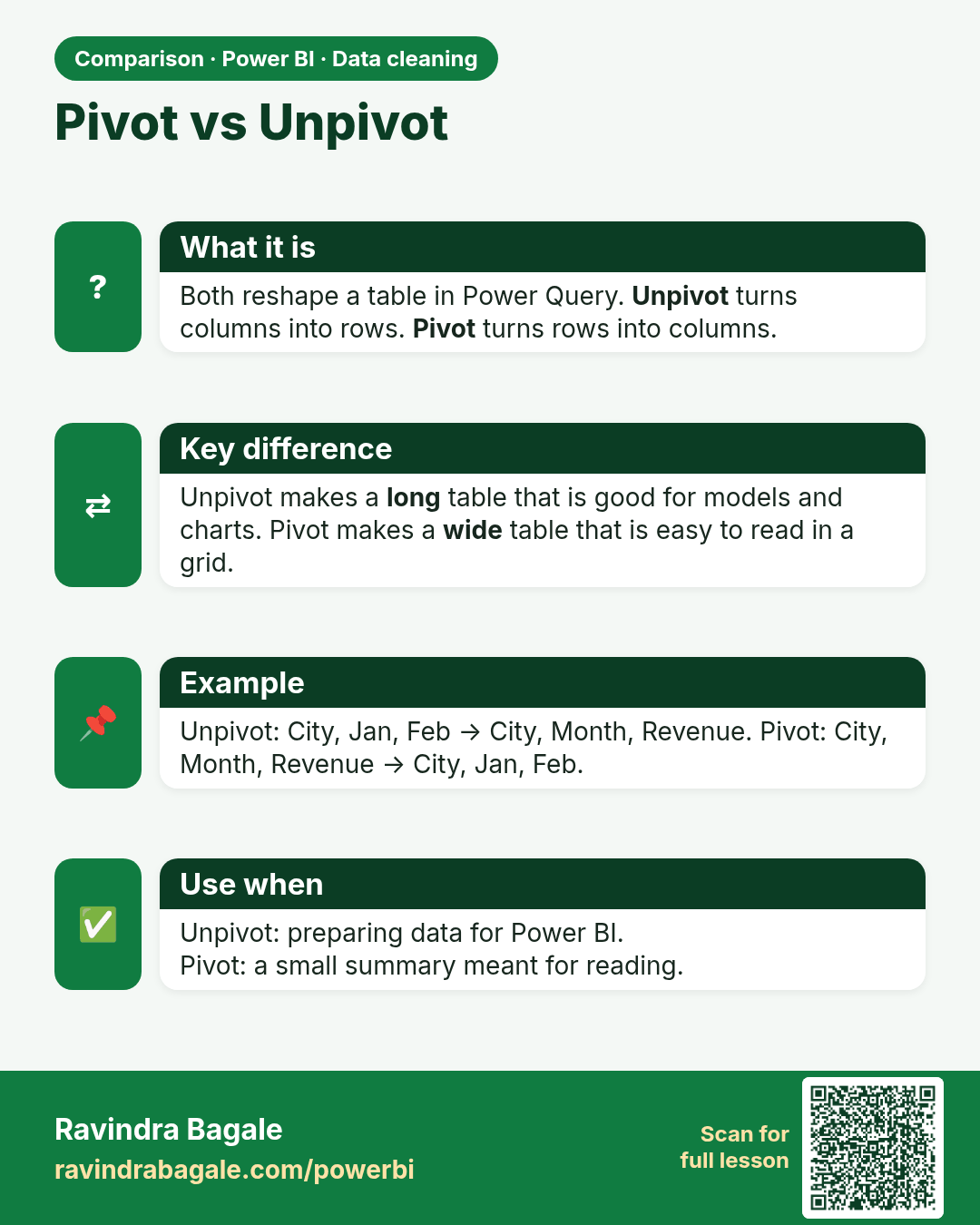
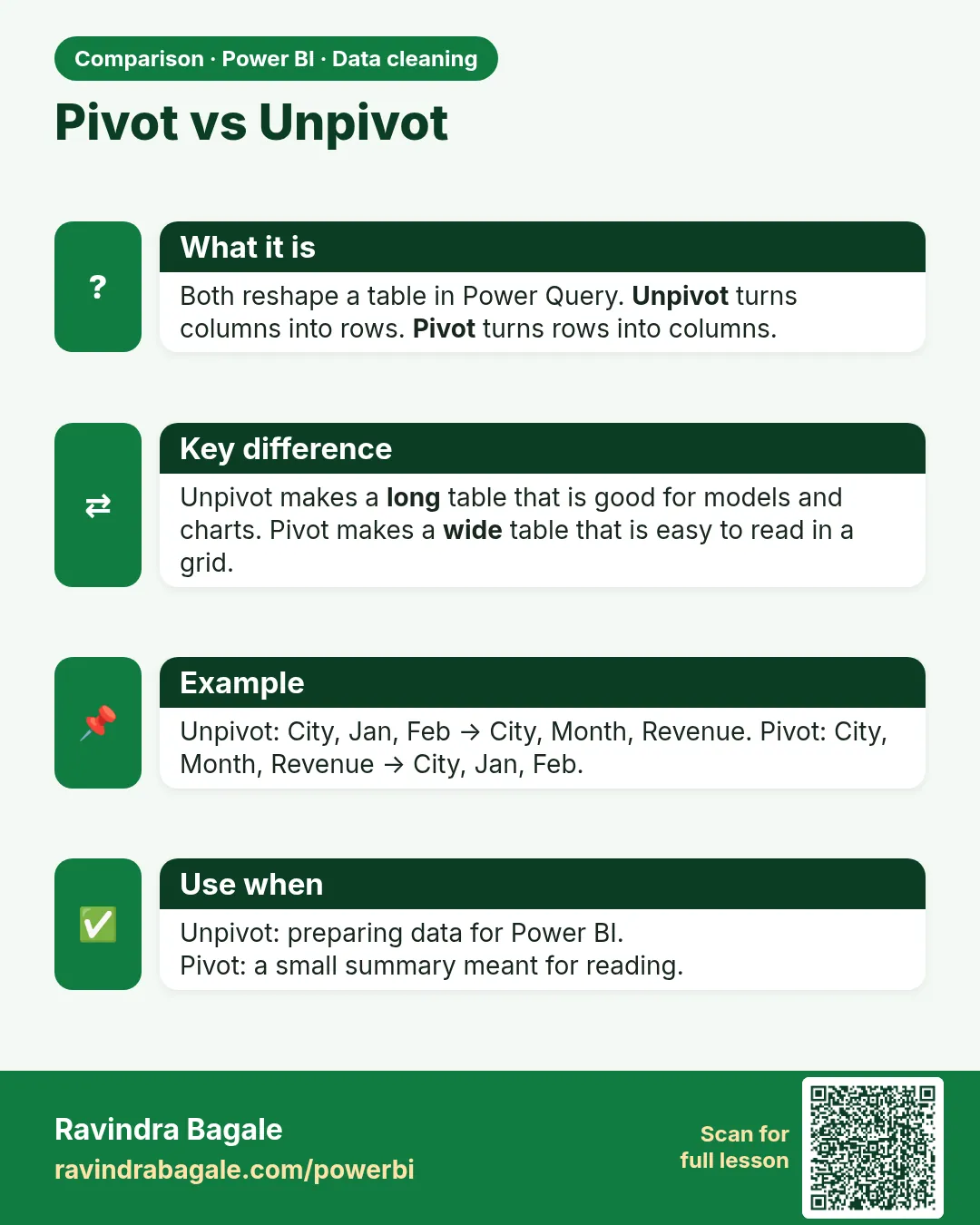 Comparison card 3 of 3: Pivot vs Unpivot · Download PNG · Open card page
Lesson: 7.17 Unpivot and Pivot in Power Query with Example