7. Data Cleaning A–Z in Power Query
7.7 Wrong Data Types and Indian Date Formats (Using Locale)
Start with a problem
Zoya's Pune dates (06-04-2026) turn into June dates, and nobody notices because they are valid dates.
Explain simply
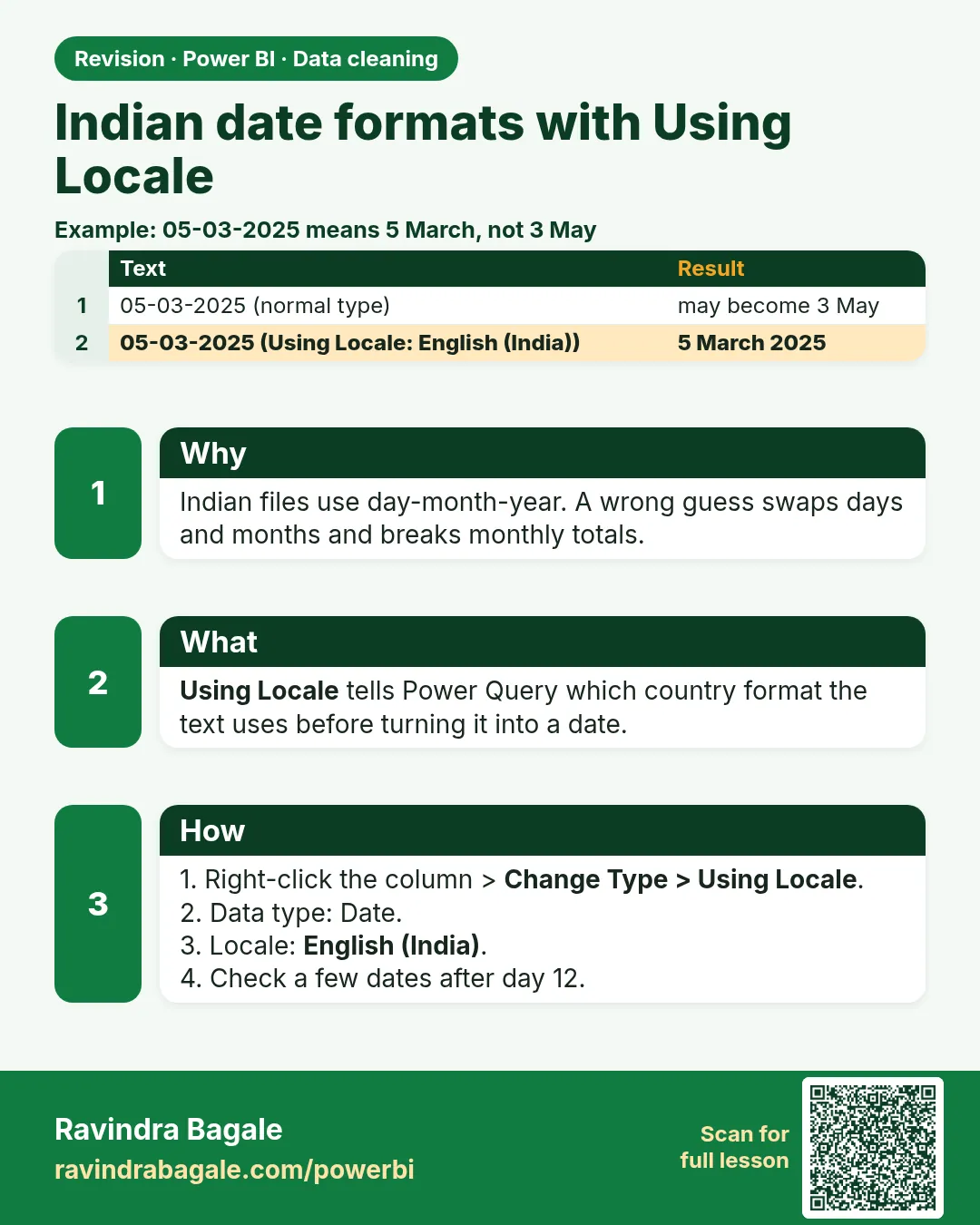
Indian files use day-month-year. Set the type with Change Type › Using Locale › English (India) so Power Query reads the day first. Check a date where the day is 12 or less.
Show the data
Before (text):
| Order ID | Order Date |
|---|---|
| BLK-401 | 06-04-2026 |
| BLK-403 | 07-04-2026 |
About this data: This table uses columns: Order ID, Order Date. This table uses columns: Order ID, Order Date, Month name. This table uses columns: Order Date (text), Result with US locale. This table uses columns: Column, Correct type, Why. Values shown are the lesson examples already on this page (not a new dataset).
Fictional sample data. Practice file: pq_raw_pune_export.csv (source: src/practice/).
Demonstrate
-
Click the ABC icon › Date (default locale English US).
Your result should look like this:
Order Date 04-Jun-2026 04-Jul-2026 ✗ -
Delete that step.
-
Right-click Order Date › Change Type › Using Locale… › Date, English (India) › OK.
Your result should look like this:
Order Date 06-Apr-2026 07-Apr-2026 ✓ -
Add Column › Date › Month › Name of Month to double-check: April.
Show the result
Your result should look like this (fictional sample):
| Order ID | Order Date | Month name |
|---|---|---|
| BLK-401 | 06-Apr-2026 | April |
| BLK-403 | 07-Apr-2026 | April |
Explain what happened
The locale tells Power Query how to read the text. The M step is Table.TransformColumnTypes(..., {{"Order Date", type date}}, "en-IN").
Explore further
- File › Options › Regional settings sets a default locale for the file.
Detailed reference for this lesson:
Lakshat theva, indian systems write dates as dd-mm-yyyy (14-03-2025). If your Windows region is English (United States), Power Query reads "03-04-2025" as 4 March (month first) instead of 3 April, and "14-03-2025" becomes an Error karan there is no month 14.
Before (Text, read as US)
| Order Date (text) | Result with US locale |
|---|---|
| 03-04-2025 | 04-Mar-2025 ✗ |
| 14-03-2025 | Error ✗ |
| 01-11-2025 | 11-Jan-2025 ✗ |
After (Using Locale en-IN)
| Order Date (Date) |
|---|
| 03-Apr-2025 |
| 14-Mar-2025 |
| 01-Nov-2025 |
Steps in Power BI
- Delete the automatic Changed Type step if it already converted the column wrongly (in Applied Steps, click the ✕ next to it).
- Right-click the Order Date header › Change Type › Using Locale…
- Data Type: Date (or Date/Time if there is a time part); Locale: English (India) › OK.
- Check the column quality bar: errors should now be 0%.
- To fix it for the whole file instead: File › Options and settings › Options › Current File › Regional Settings › Locale for import = English (India).
Typed = Table.TransformColumnTypes(Source, {{"Order Date", type date}}, "en-IN")
Choosing the right type for each column in our data:
| Column | Correct type | Why |
|---|---|---|
| Order ID, Product ID, Store ID, Pincode, Phone | Text | Identifiers are never added up; keeps leading zeros |
| Quantity | Whole Number | Counts of items |
| Amount, Discount, Delivery Fee | Fixed Decimal Number (currency) or Decimal Number | Money; Fixed Decimal stores 4 decimal places precisely |
| Delivery Time Mins | Whole Number (or Decimal) | Minutes |
| Order DateTime | Date/Time (or Date/Time/Timezone for UTC data) | Needs date and hour |
| Order Date | Date | Relates to the Date table |
| Is Repeat Customer | True/False | Yes/No flags |
The date problem is the most common one in Maharashtra, because we write dd-mm-yyyy. Remember the locale.
Dates चा problem Maharashtra मध्ये सगळ्यात common आहे, कारण आपण dd-mm-yyyy लिहितो. Locale लक्षात ठेवा.
Dates की problem Maharashtra में सबसे आम है, क्योंकि हम dd-mm-yyyy लिखते हैं. Locale याद रखिए.
Ravindra Bagale's Tip
The biggest date mistake is changing the type with the default locale, so 03-04-2026 becomes 4 March instead of 3 April. Use Change Type › Using Locale › English (India) for dd-mm-yyyy data. Also never let type detection turn Pincode or Phone into numbers, and use Fixed Decimal for ₹ amounts. Don't worry – after doing it two or three times, it becomes a habit.
Ravindra Bagale's Tip – मराठी
सगळ्यात मोठी date ची चूक म्हणजे default locale ने type बदलणं, त्यामुळे 03-04-2026 चा 3 April ऐवजी 4 March होतो. dd-mm-yyyy data साठी Change Type › Using Locale › English (India) वापरा. तसंच type detection ला Pincode किंवा Phone चे numbers कधीच करू देऊ नका, आणि ₹ amounts साठी Fixed Decimal वापरा. घाबरू नका, दोन-तीन वेळा केलं की सवय होते.
Ravindra Bagale's Tip – हिंदी
Date की सबसे बड़ी गलती है default locale से type बदलना, जिससे 03-04-2026 बन जाता है 3 April की जगह 4 March. dd-mm-yyyy data के लिए Change Type › Using Locale › English (India) इस्तेमाल करो. साथ ही type detection को कभी Pincode या Phone को numbers मत बनाने दो, और ₹ amounts के लिए Fixed Decimal इस्तेमाल करो. घबराओ मत, दो-तीन बार करने पर आदत हो जाती है.
Practice task
An Amazon Now export for Kolhapur has Delivered On as text like "31-10-2025 23:52". Convert it to Date/Time using the English (India) locale (भाषा/देशानुसार तारीख-अंक लिहिण्याची पद्धत), then add a Date-only column.
Fix common mistakes
| Wrong result | Reason | Correction |
|---|---|---|
| Dates in June/July | US locale | Using Locale English (India) |
| Error for 13-04-2026 | US locale cannot read month 13 | Same fix – the error was a clue |
| Time zone shift by a day | UTC timestamps | Convert UTC to IST (7.14) |
Practise independently
Practice task
With the US locale, what does 12-04-2026 become?
Hints
- Month 12.
Solution
04-Dec-2026 (wrong). Correct: 12-Apr-2026.
Think like a professional
Silent wrong dates break FY reporting (April–March). Always spot-check dates after a type change.
 Revision card