11.10 Role-Playing Dimensions
Start with a problem
Shraddha's order placed on 31-Mar-2026 at 23:50 (IST) is delivered on 01-Apr-2026. Finance asks: FY 2025-26 or FY 2026-27?
Explain simply
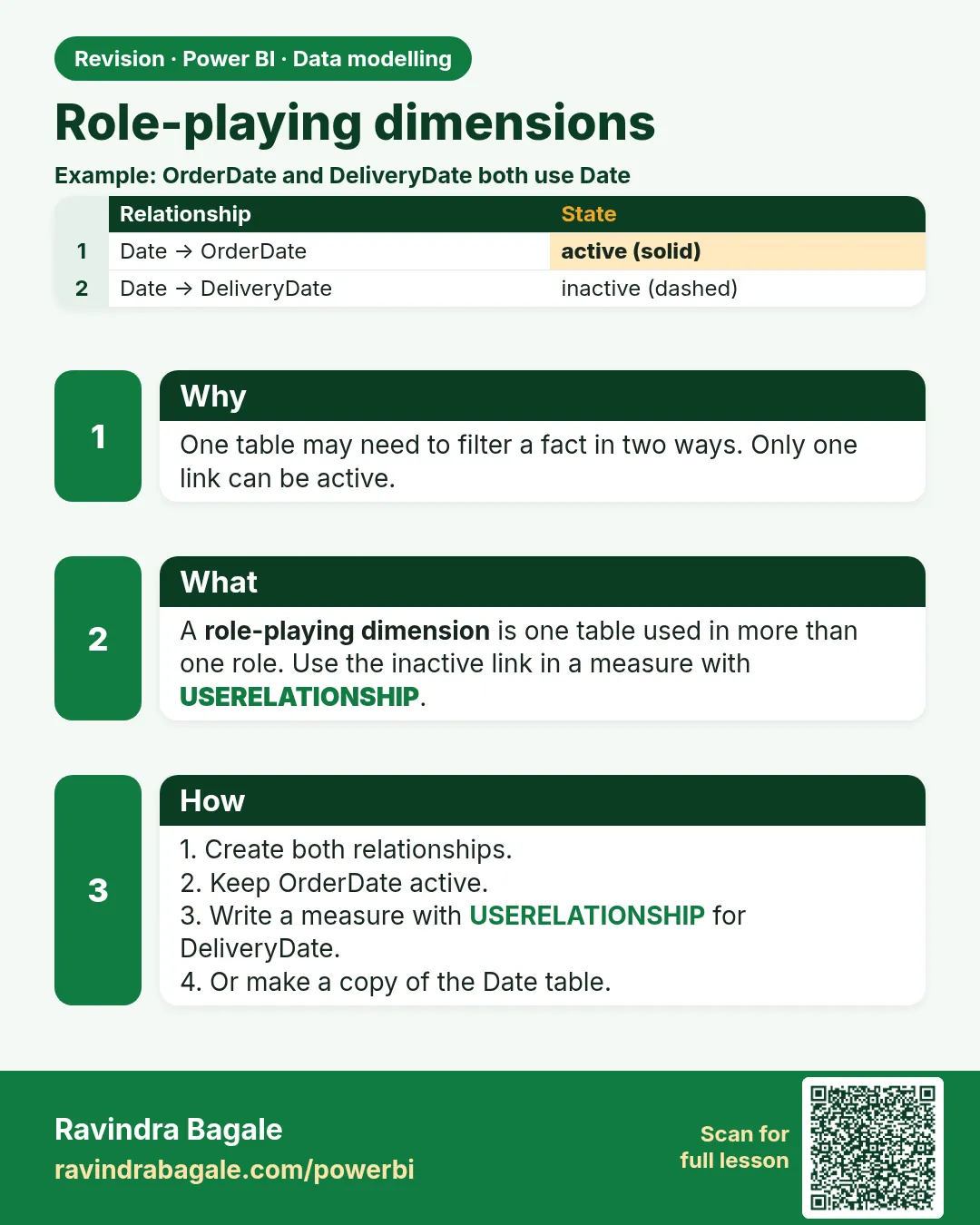
One Date table can play two roles: order date and delivered date. Either copy it (a second role table) or keep one table with an inactive relationship and USERELATIONSHIP.
Show the data
| Order ID | Order Date | Delivered Date | City | Amount (₹) |
|---|---|---|---|---|
| 901 | 31-03-2026 | 01-04-2026 | Pune | 500 |
| 902 | 01-04-2026 | 01-04-2026 | Pune | 300 |
| 903 | 30-04-2026 | 01-05-2026 | Nashik | 200 |
Fictional sample data. Practice file: role_playing_dates.csv (source: src/practice/).
Demonstrate
- Load
role_playing_dates.csvas Orders. CreateDate = CALENDAR(DATE(2026,3,1), DATE(2026,5,31))with a Month Name column; mark it as a date table. - Relate Date[Date] 1 → * Orders[Order Date] (active).
-
Modeling › New table
Delivered Date = 'Date'› relate Delivered Date[Date] 1 → * Orders[Delivered Date].Your result should look like this:
Model Date → Order Date (active) · Delivered Date → Delivered Date (active, separate table) -
Visual 1: Date[Month Name] + Total Sales.
Your result should look like this:
Month Total Sales (₹) Mar 500 Apr 500 -
Visual 2: Delivered Date[Month Name] + Total Sales.
Your result should look like this:
Month Total Sales (₹) Apr 800 May 200
Show the result
Your result should look like this (fictional sample):
| Order | By order date | By delivered date |
|---|---|---|
| 901 (₹500) | Mar (FY 2025-26) | Apr (FY 2026-27) |
| 902 (₹300) | Apr | Apr |
| 903 (₹200) | Apr | May |
Explain what happened
Each role table filters Orders through its own relationship, so the same order sits in March on one visual and April on the other.
Explore further
- One-table alternative:
Sales by Delivered = CALCULATE([Total Sales], USERELATIONSHIP('Date'[Date], Orders[Delivered Date]))with the delivered relationship inactive.
Detailed reference for this lesson:
One Date table can do two jobs: order date and delivered date. This is called a role-playing dimension (one dimension playing different roles).
You already have the inactive-relationship pattern in section 11.4, with USERELATIONSHIP. That is one date table playing two roles. The other pattern is a second physical date table, often named Delivered Date, so a page can show order month and delivery month together without a measure switch.
Steps – a second date role
- In Model view, use Modeling › New table and set
Delivered Date = 'Date'. You get a copy of the columns. Mark Delivered Date as a date table on its own date column too, if you will use time intelligence on it. - Relate
Delivered Date[Date]toOrders[Delivered Date], single direction, many orders to one date. LeaveDate[Date]toOrders[Order Date]as the active order-date path. - Hide one of the two if a page should not offer both, or name them so a report author cannot mix them up:
Order DateandDelivered Date. - Build two visuals. One uses
Date[Month Name]. The other usesDelivered Date[Month Name]. Same measure[Total Sales].
Worked example. A fictional order is placed in Pune on 31 March (IST) and delivered on 1 April. On the order-date visual it sits in March. On the delivered-date visual it sits in April. Both can be on one page because the two date tables are different roles. This copy costs a little memory. If you only need one axis at a time, keep a single Date table and USERELATIONSHIP (section 13.12) instead.
Ravindra Bagale's Tip
A common mistake is two active relationships from the same Date table to Order Date and Delivered Date. Power BI will turn one of them off. Either accept the inactive line and activate it inside CALCULATE, or copy the date table so each role has its own table. Don't mix both. Pay attention!
Ravindra Bagale's Tip – मराठी
एक common चूक म्हणजे एकाच Date table पासून Order Date आणि Delivered Date ला दोन active relationships. Power BI त्यातली एक बंद करेल. एकतर inactive line स्वीकारा आणि CALCULATE मध्ये activate करा, किंवा date table copy करा म्हणजे प्रत्येक role ला स्वतःचा table मिळेल. दोन्ही एकत्र करू नका. लक्षात ठेवा!
Ravindra Bagale's Tip – हिंदी
एक common गलती है एक ही Date table से Order Date और Delivered Date तक दो active relationships. Power BI उनमें से एक बंद कर देगा. या तो inactive line मान लो और CALCULATE में activate करो, या date table copy करो ताकि हर role की अपनी table हो. दोनों एक साथ मत करो. ध्यान रखो!
Fix common mistakes
| Wrong result | Reason | Correction |
|---|---|---|
| The second relationship is dotted (inactive) | Two relationships from the same Date table | Copy the table, or use USERELATIONSHIP |
| Both visuals show the same numbers | Visual 2 uses Date[Month Name] | Use Delivered Date[Month Name] |
| Delivered YTD is wrong | The copy is not marked as a date table | Mark the copy too |
Practise independently
Practice task
With one Date table and USERELATIONSHIP, what is Sales by Delivered for April? And Total Sales by order date for March?
Hints
- 901 is delivered in April.
Solution
Sales by Delivered, April: ₹800 (901 ₹500 + 902 ₹300). By order date, March: ₹500 (901).
Think like a professional
Agree with finance which date drives revenue, and label visuals "by order date" or "by delivery date".
Loading DAX practice tasks...
- Units by order month (Easy): Shown per Month. Measure: Units Ordered = the existing quantity measure, unchanged.
- Units by delivered month (Easy): Shown per Month. Measure: Units Delivered = [Total Qty] using the DeliveredDate relationship.
- Orders by order year (Easy): Shown per Year. Measure: Orders Placed = the existing order count measure, unchanged.
- Orders by delivery year (Medium): Shown per Year. Measure: Orders Delivered = [Total Orders] by delivery date.
- Delivered sales in a quarter (Medium): Slicer: FY 2025-26 and FYQuarter Q2. Measure: Delivered Sales = [Total Sales] by delivery date.
- Delivered Blinkit sales (Medium): Shown per FY. Measure: Blinkit Delivered = [Total Sales] for Platform "Blinkit" by delivery date.
- Average delivery minutes by delivery quarter (Medium): Shown per FYQuarter. Measure: Avg Mins Delivered = average DeliveryMins by delivery date.
- Ordered minus delivered units (Hard): Shown per FY. Measure: Qty Gap = [Total Qty] by order date − [Total Qty] by delivery date.
- Delivered sales per Pune store (Hard): Slicer: Store City = Pune. Shown per FY. Measure: Delivered Sales = [Total Sales] by delivery date.
- Delivered units in Q4 (Hard): Slicer: FY 2024-25 and FYQuarter Q4. Measure: Units Delivered = [Total Qty] by delivery date.
 Revision card