Ravindra BagaleCourses & study guides मराठी Track your progress

Ravi Sir's Cards › Power BI

5. Web Data, APIs and Google Sheets: Cards

मराठी cards · Open the chapter

Revision cards
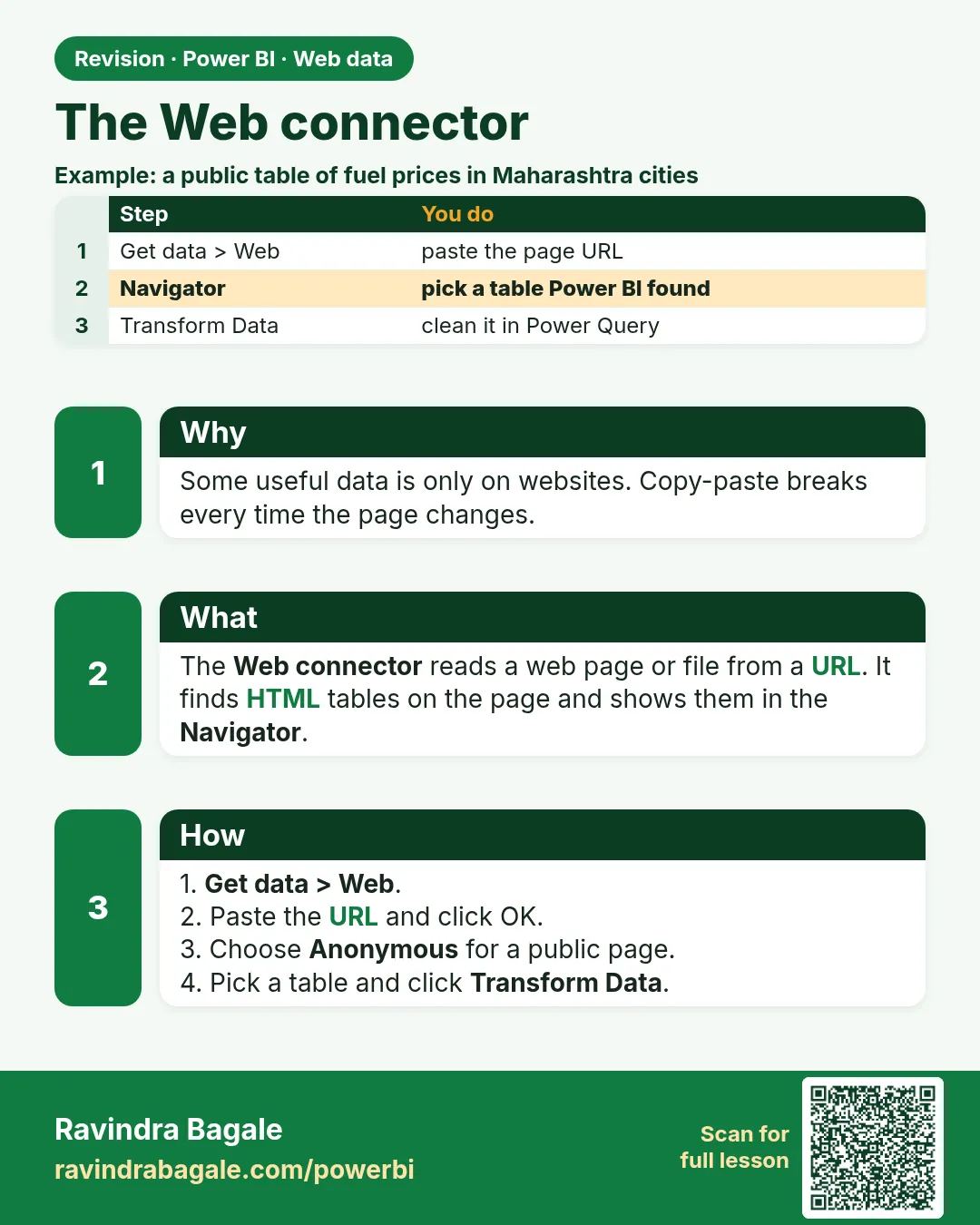
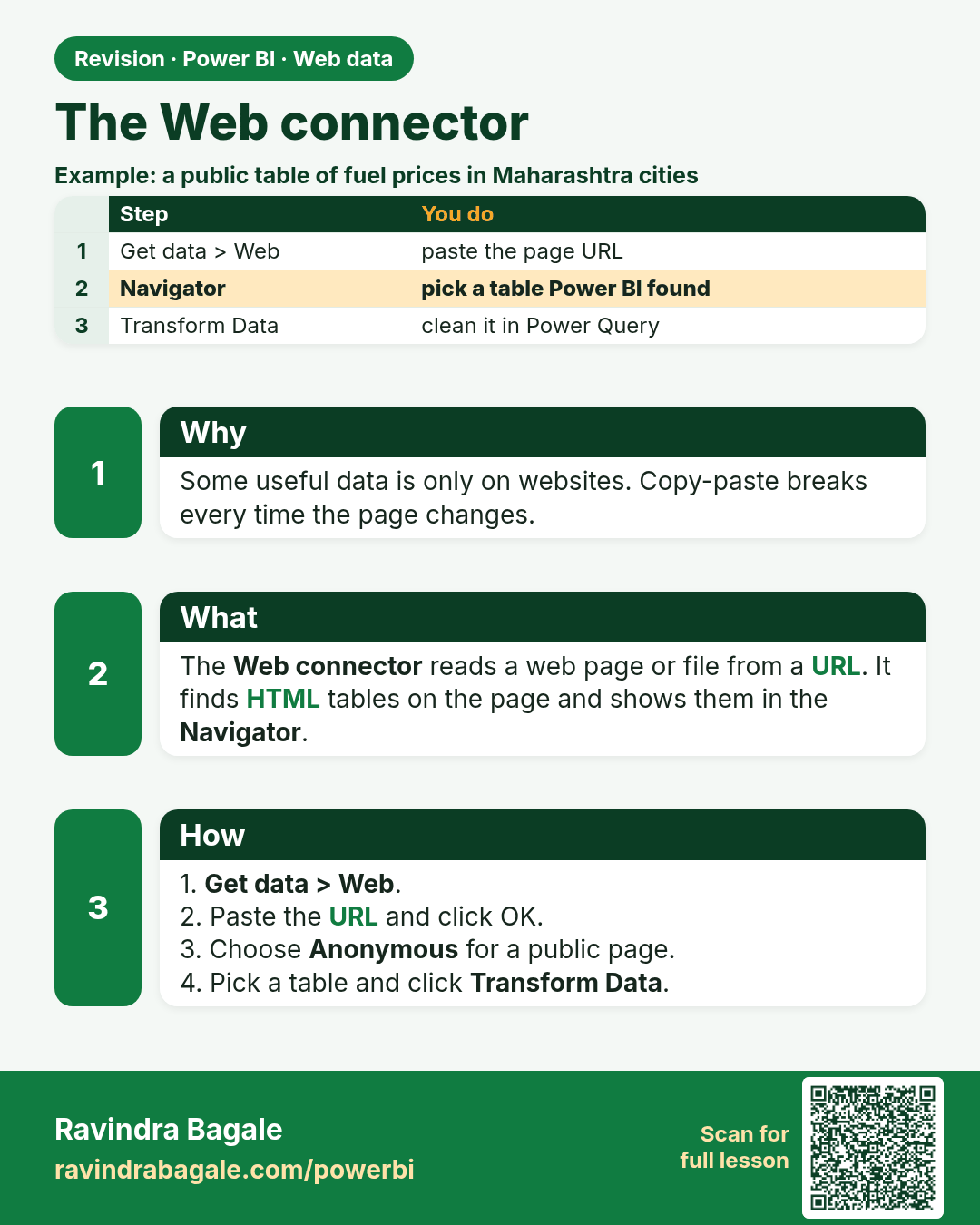
The Web connector. Some useful data is only on websites. Copy-paste breaks every time the page changes.
Revision card 1 of 8: The Web connector · Download PNG · Open card page

Lesson: 5.1 The Web Connector

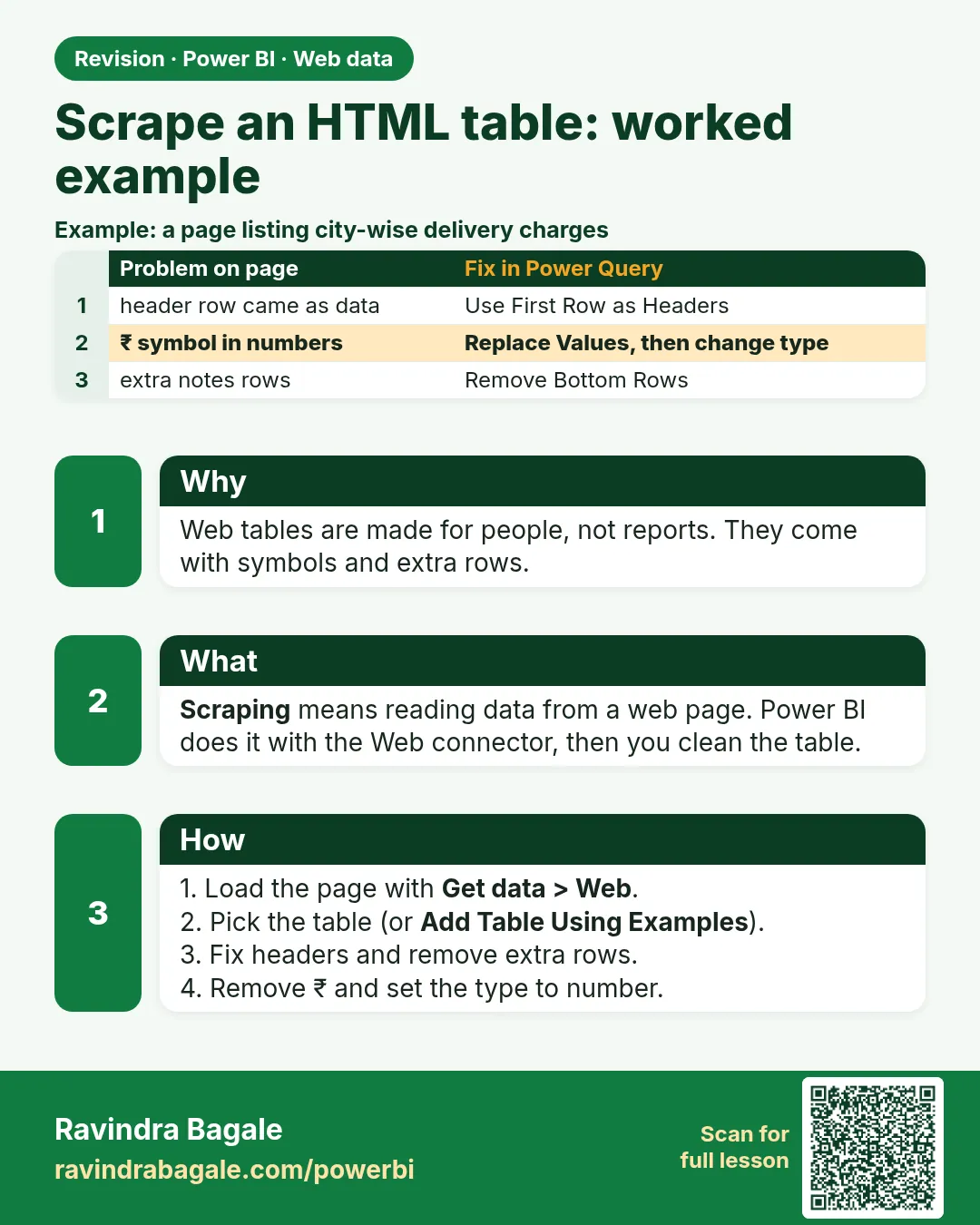
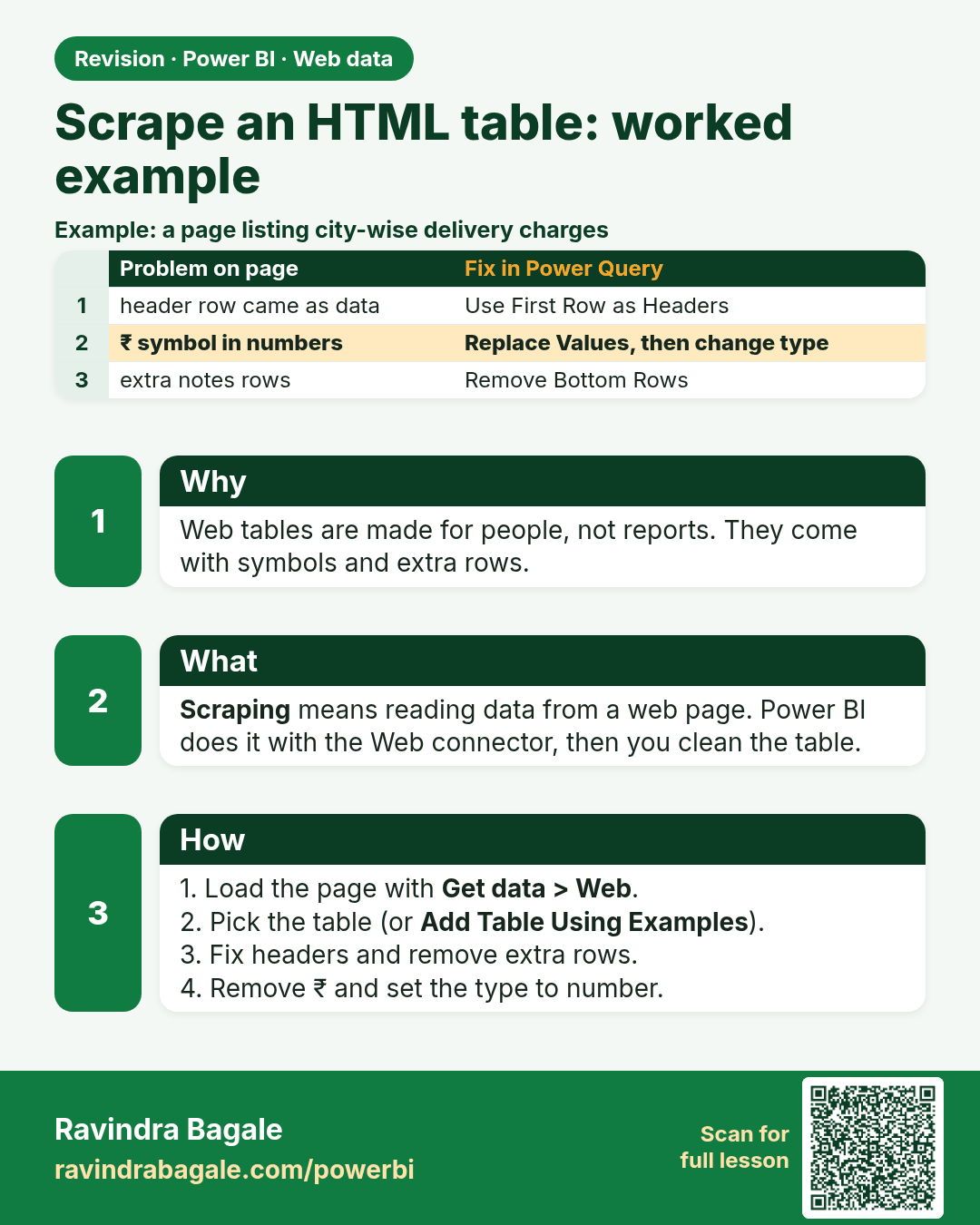
Scrape an HTML table: worked example. Web tables are made for people, not reports. They come with symbols and extra rows.
Revision card 2 of 8: Scrape an HTML table: worked example · Download PNG · Open card page

Lesson: 5.2 Scraping an HTML Table (Worked Example)
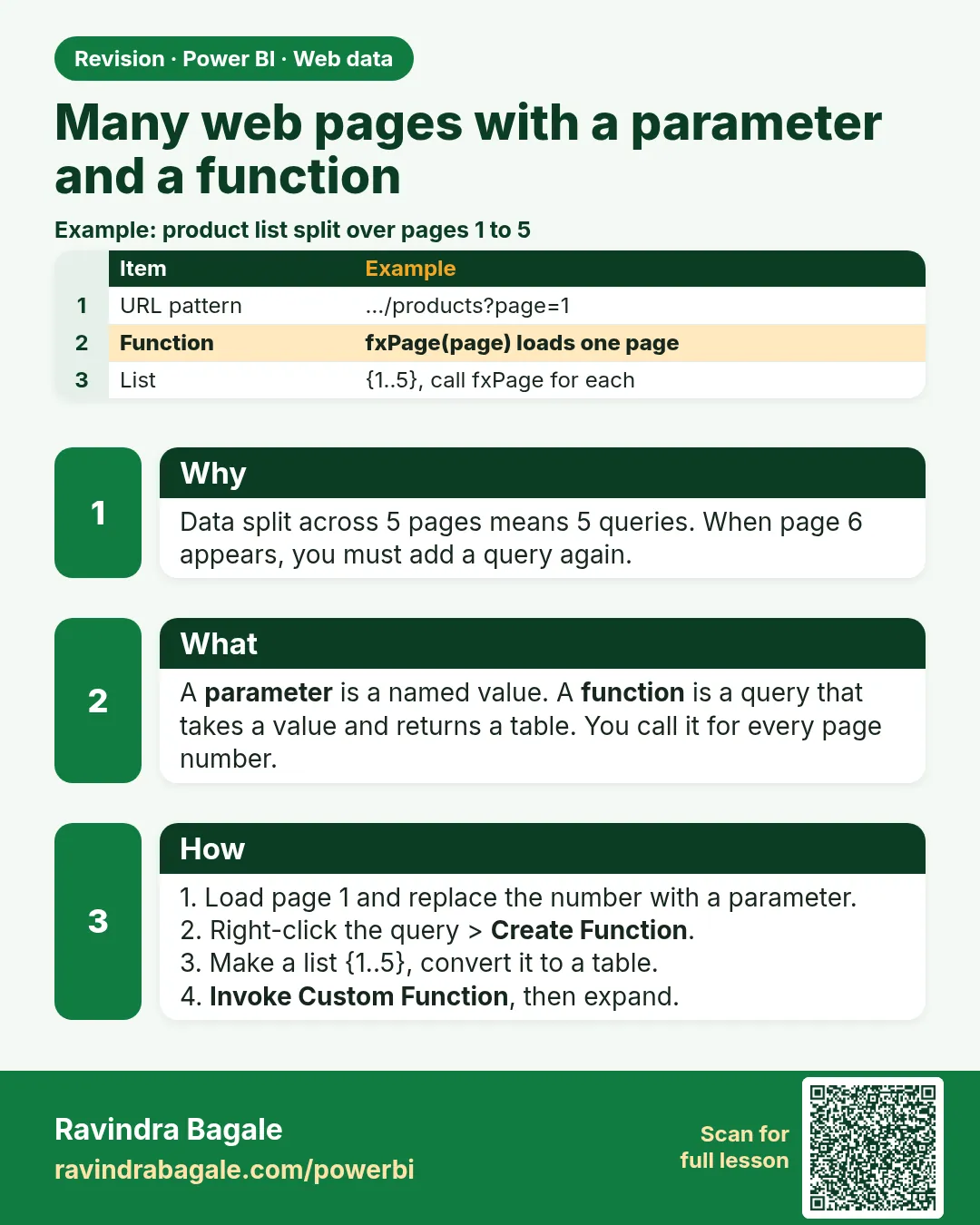
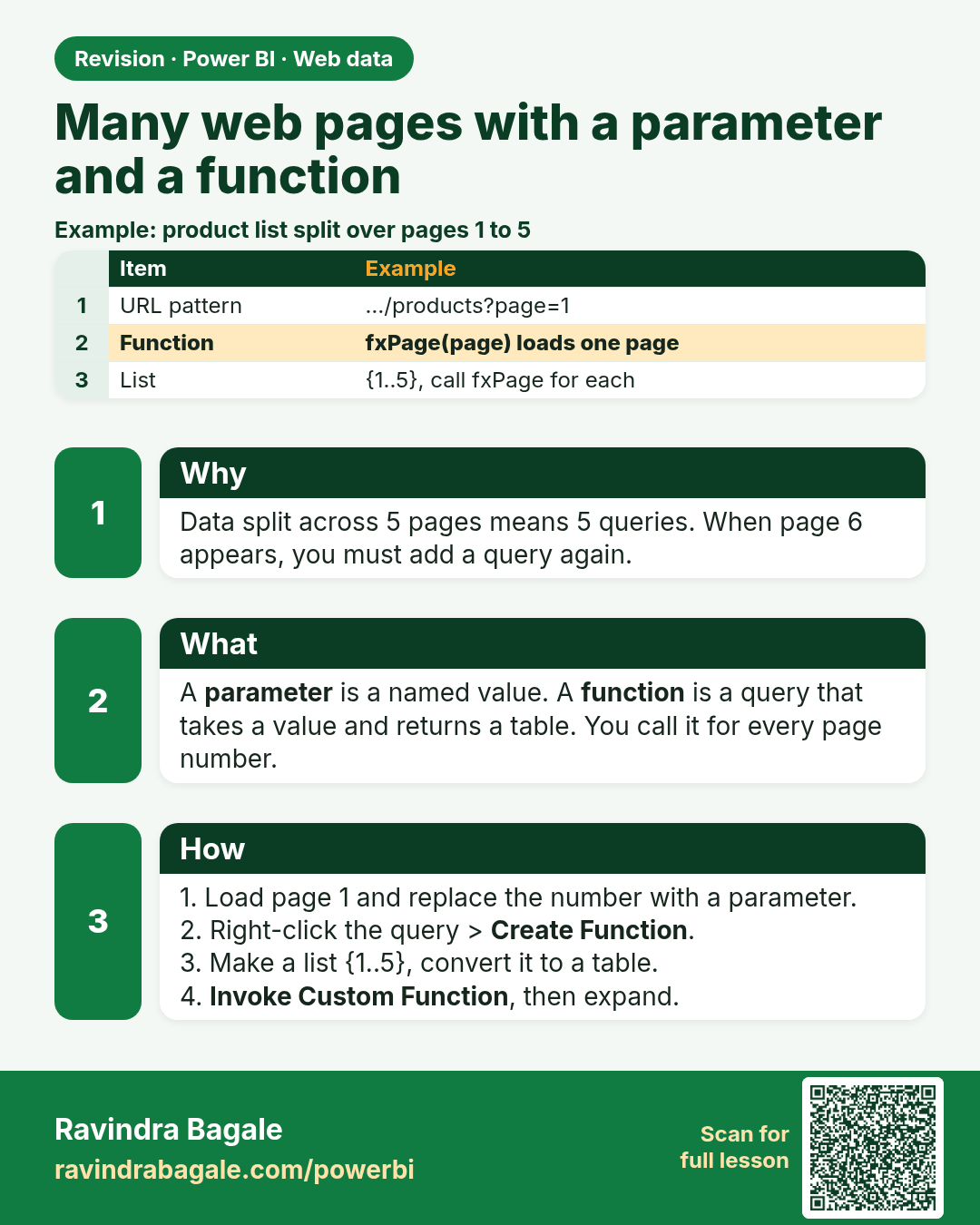
Many web pages with a parameter and a function. Data split across 5 pages means 5 queries. When page 6 appears, you must add a query again.
Revision card 3 of 8: Many web pages with a parameter and a function · Download PNG · Open card page

Lesson: 5.3 Many Pages: Pagination with a Parameter and a Custom Function
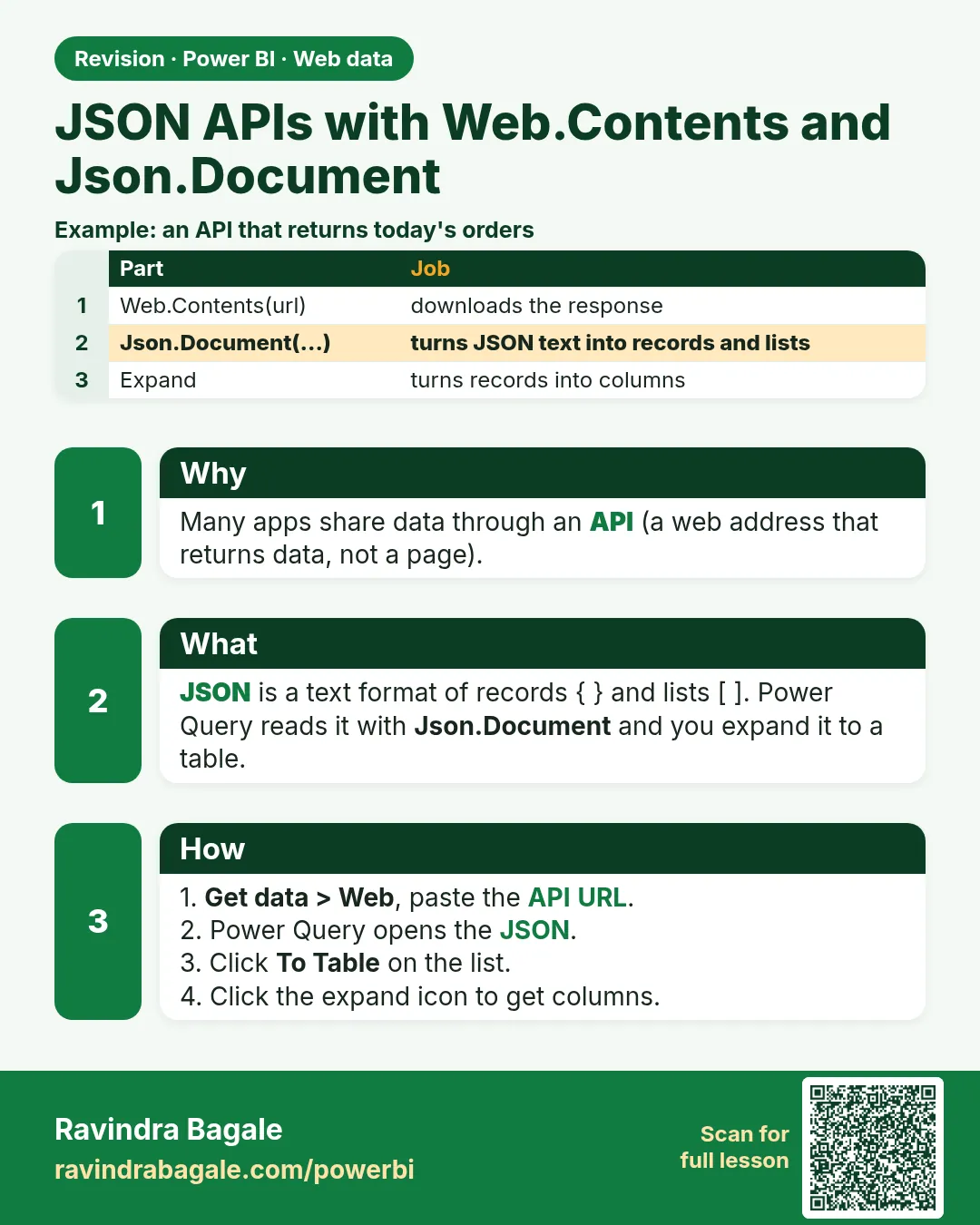
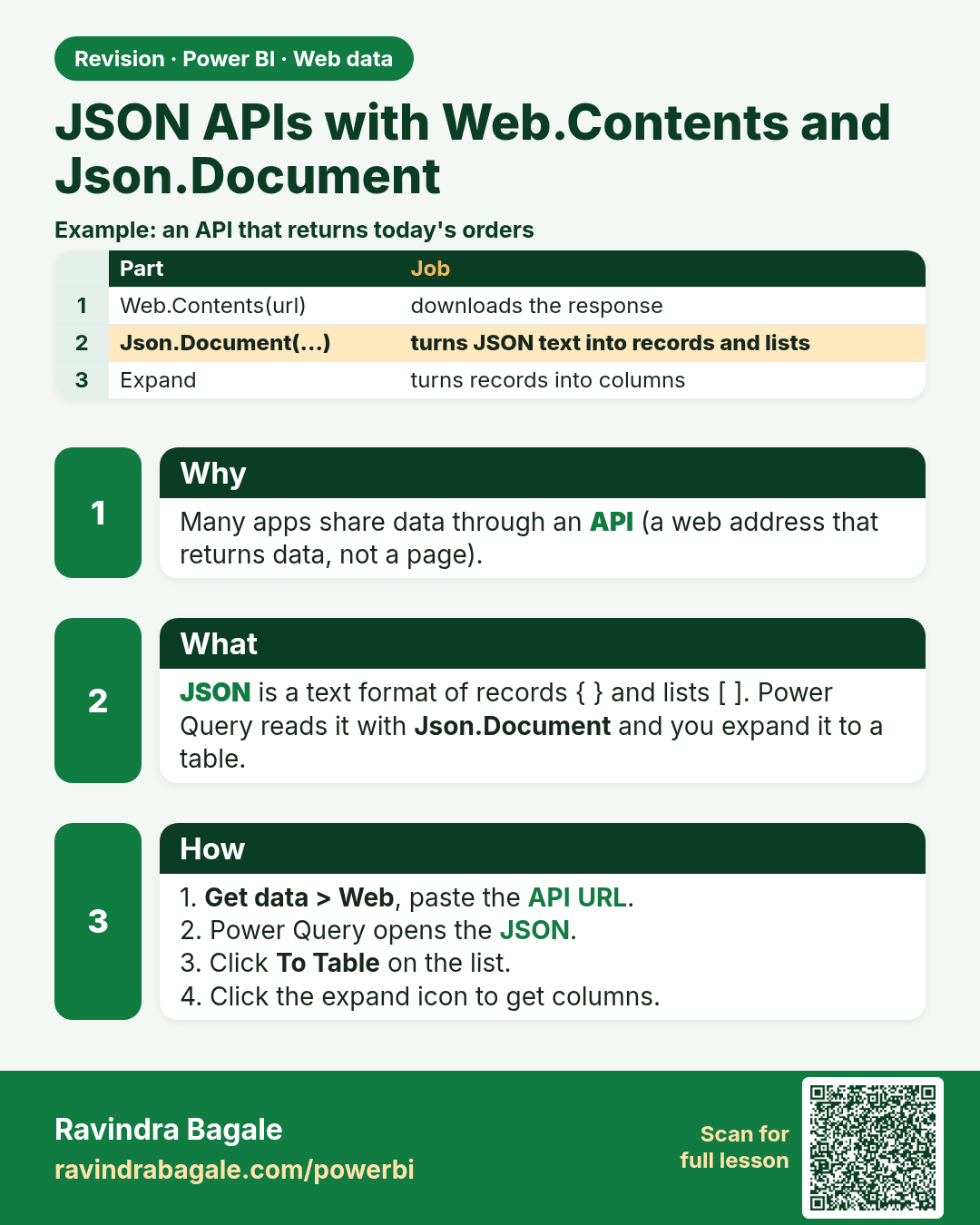
JSON APIs with Web.Contents and Json.Document. Many apps share data through an API (a web address that returns data, not a page).
Revision card 4 of 8: JSON APIs with Web.Contents and Json.Document · Download PNG · Open card page
Lesson: 5.4 JSON APIs with Web.Contents and Json.Document
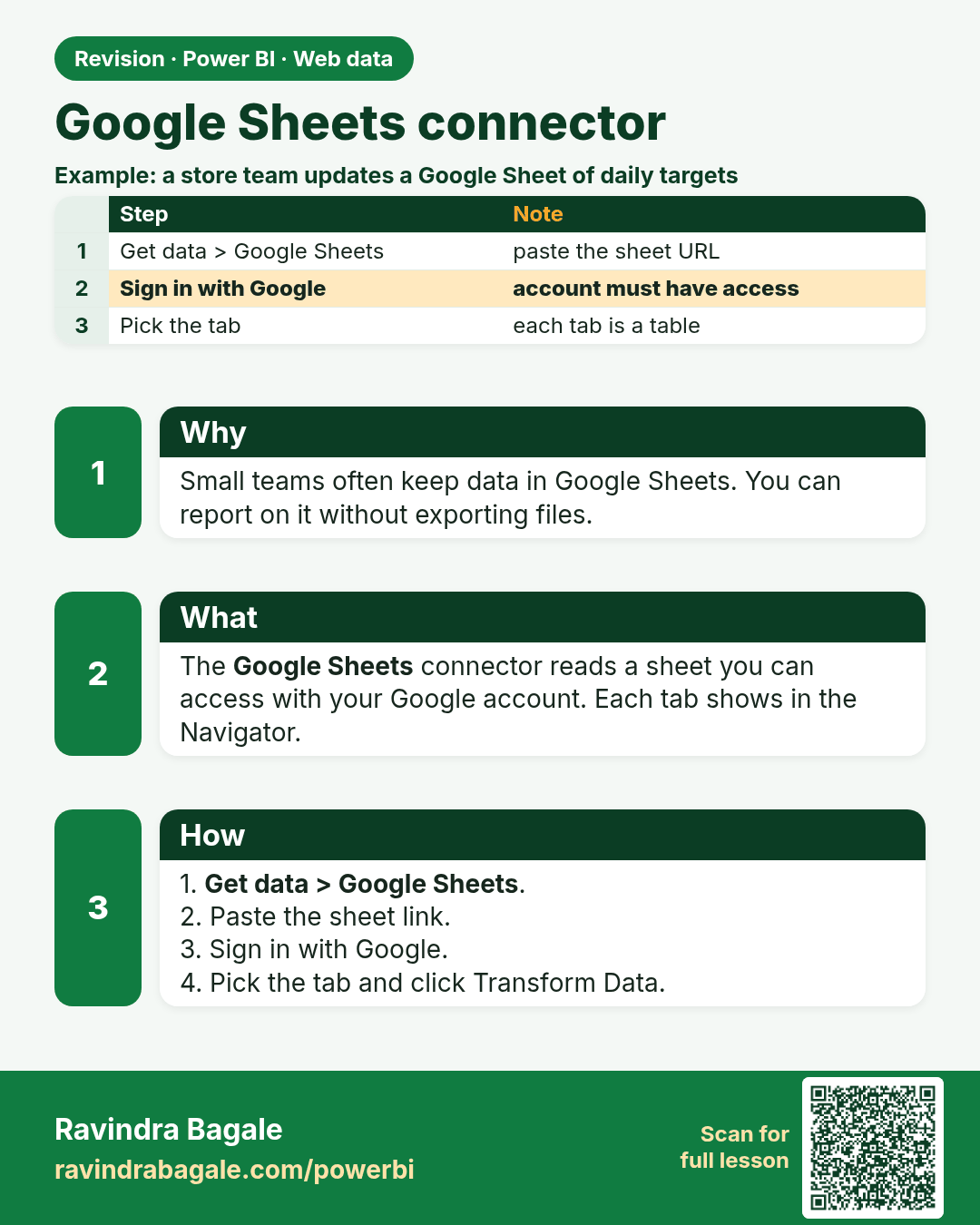
Google Sheets connector. Small teams often keep data in Google Sheets. You can report on it without exporting files.
Revision card 5 of 8: Google Sheets connector · Download PNG · Open card page

Lesson: 5.5 Google Sheets Connector
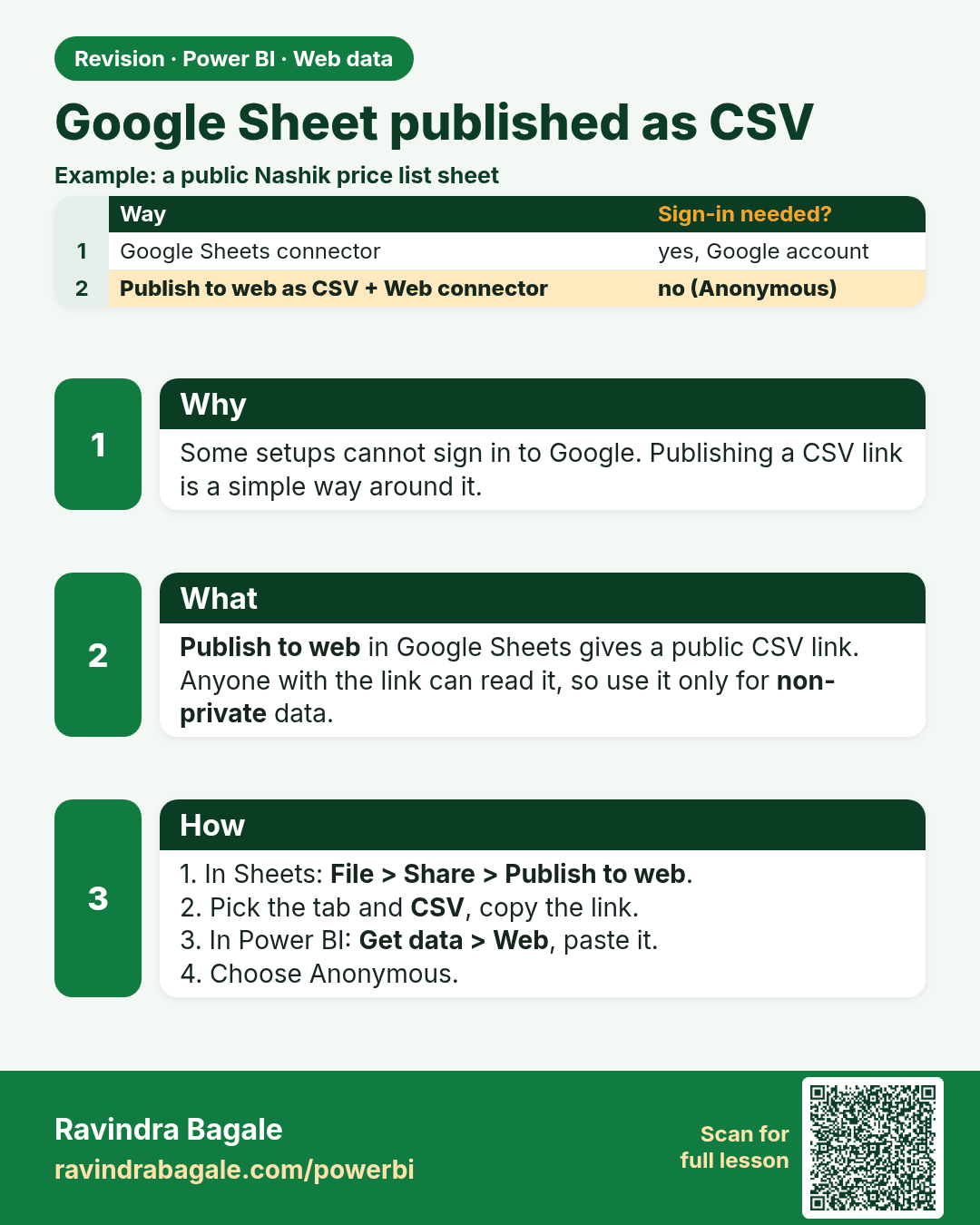
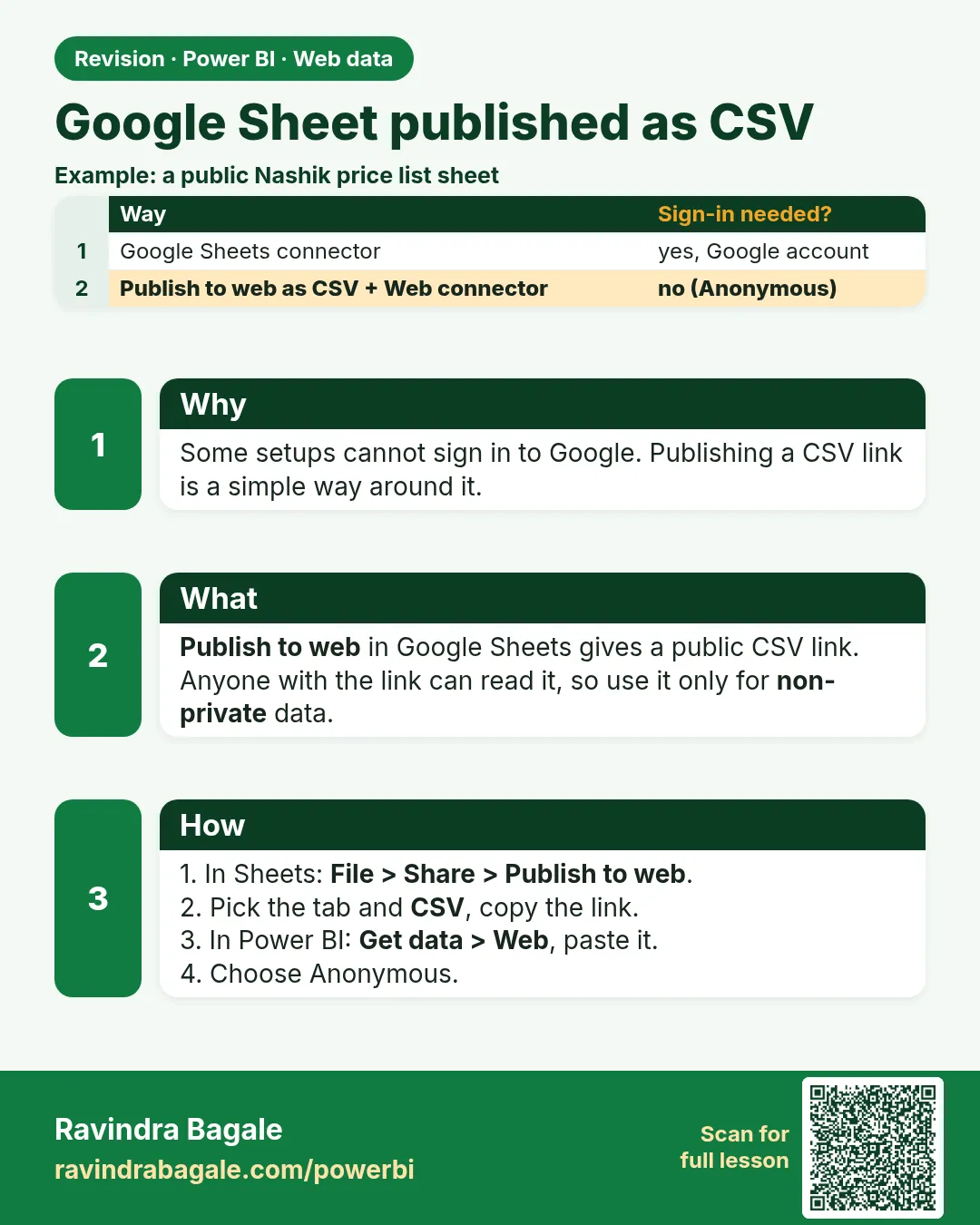
Google Sheet published as CSV. Some setups cannot sign in to Google. Publishing a CSV link is a simple way around it.
Revision card 6 of 8: Google Sheet published as CSV · Download PNG · Open card page

Lesson: 5.6 Alternative: Publish a Google Sheet as CSV and Use the Web Connector
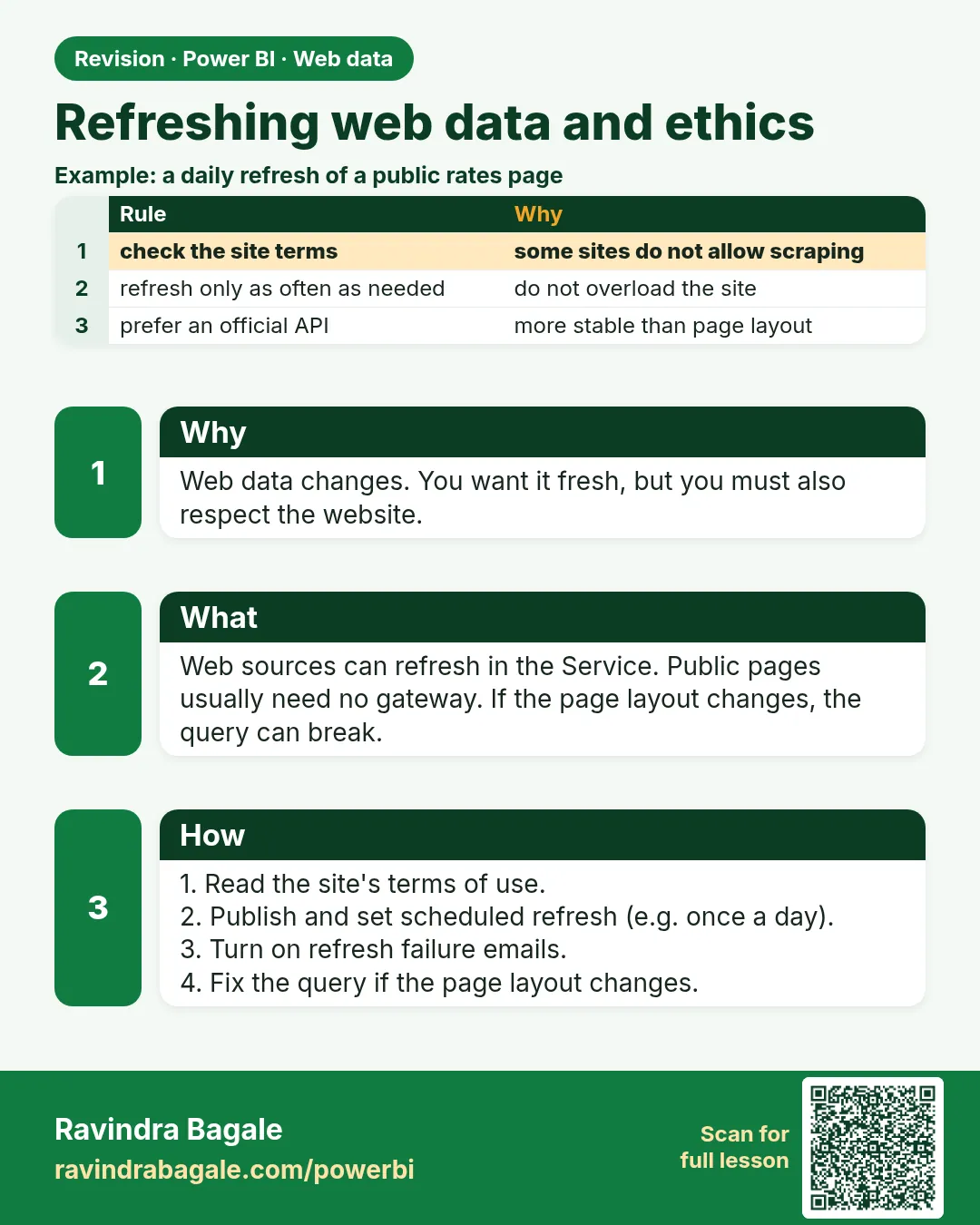
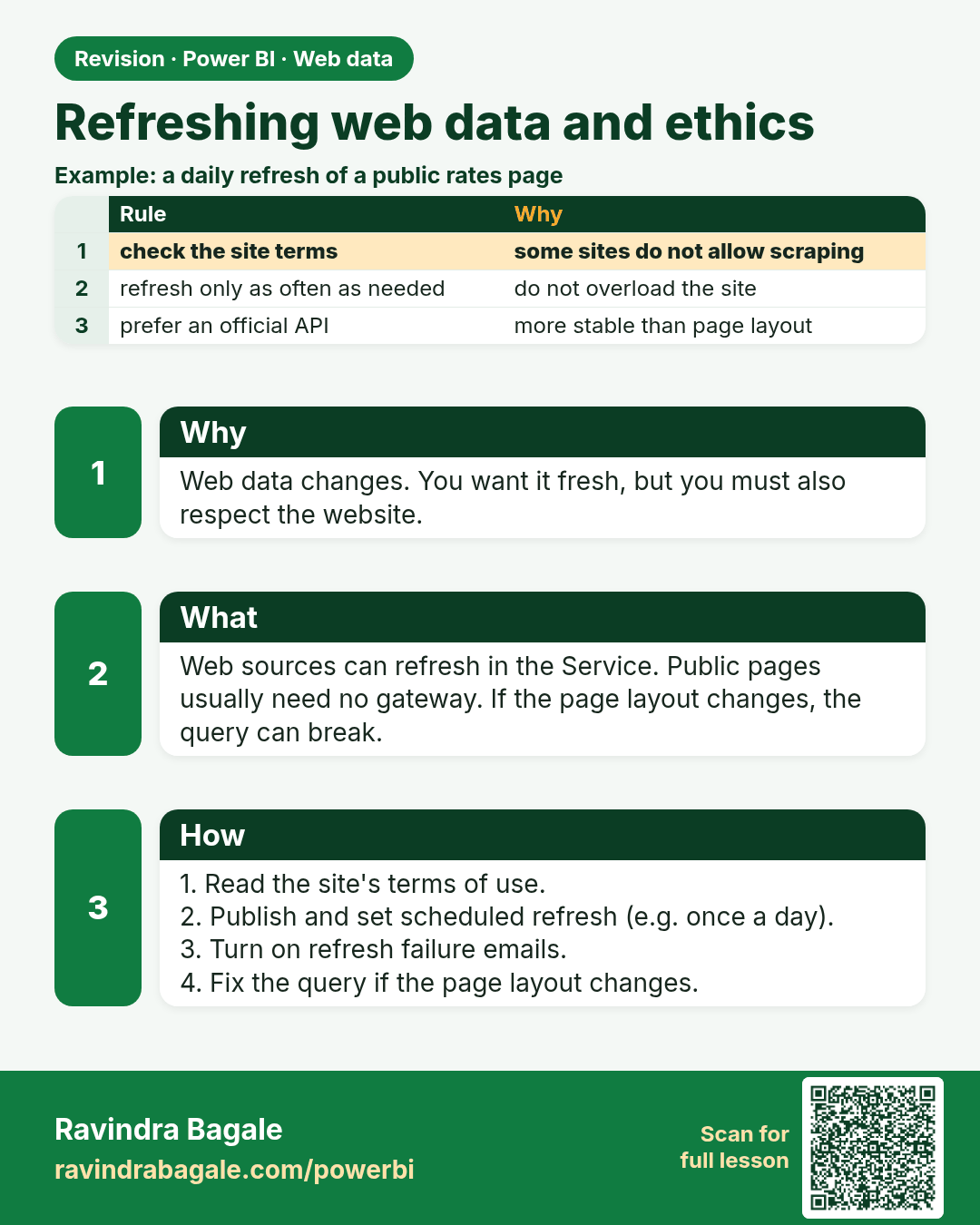
Refreshing web data and ethics. Web data changes. You want it fresh, but you must also respect the website.
Revision card 7 of 8: Refreshing web data and ethics · Download PNG · Open card page

Lesson: 5.7 Refreshing Web Data and Ethics

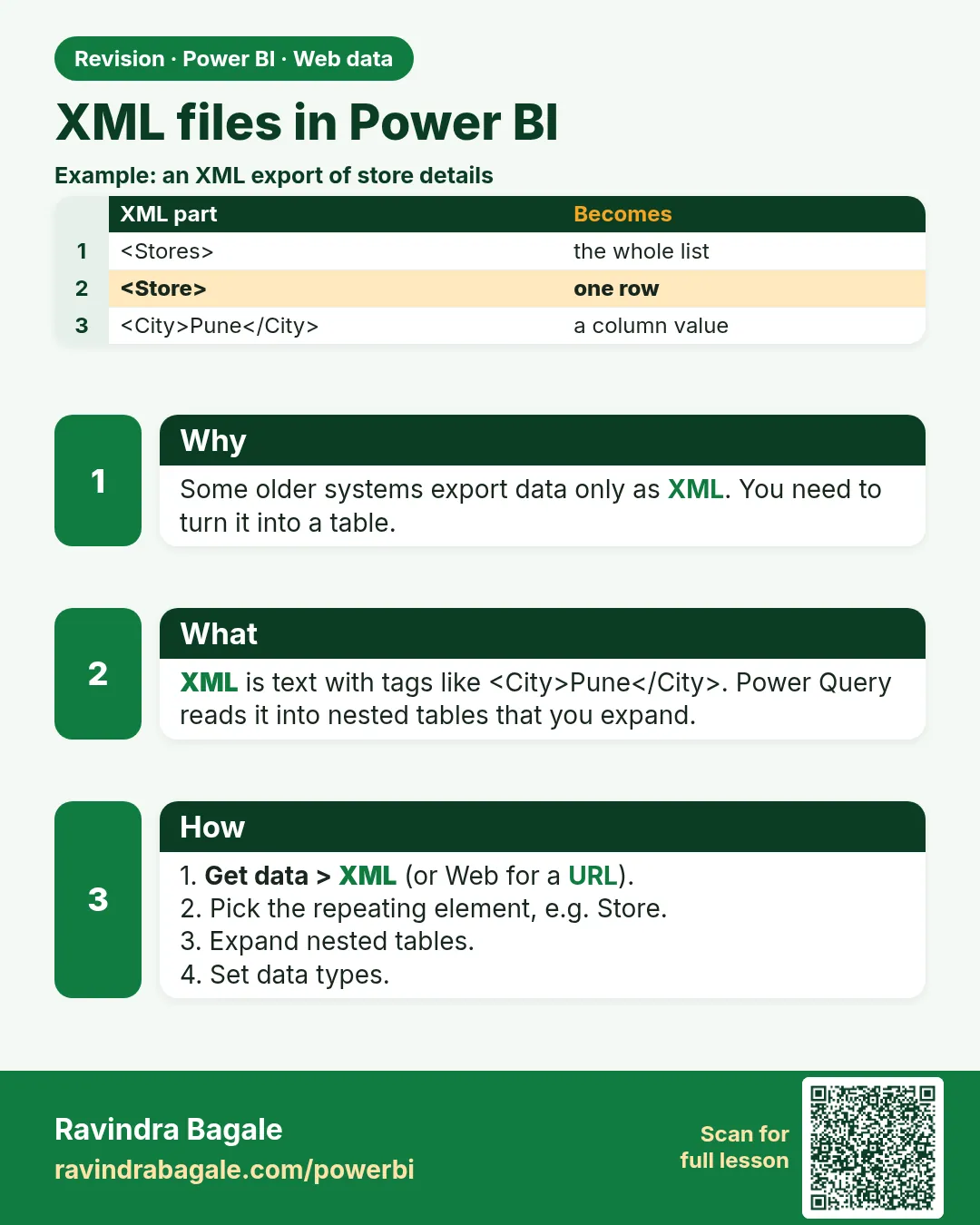
XML files in Power BI. Some older systems export data only as XML. You need to turn it into a table.
Revision card 8 of 8: XML files in Power BI · Download PNG · Open card page

Lesson: 5.8 XML Files

Interview cards

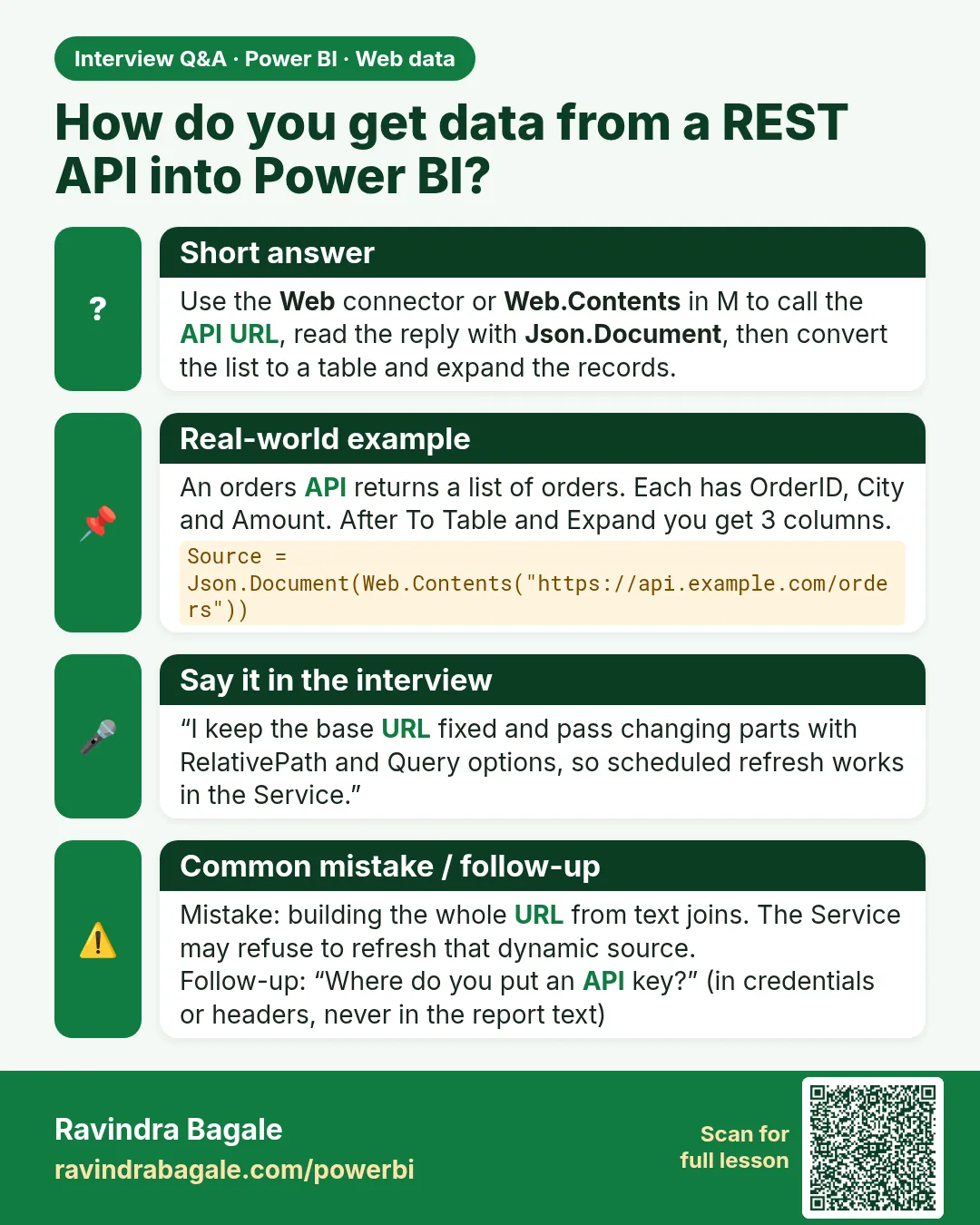
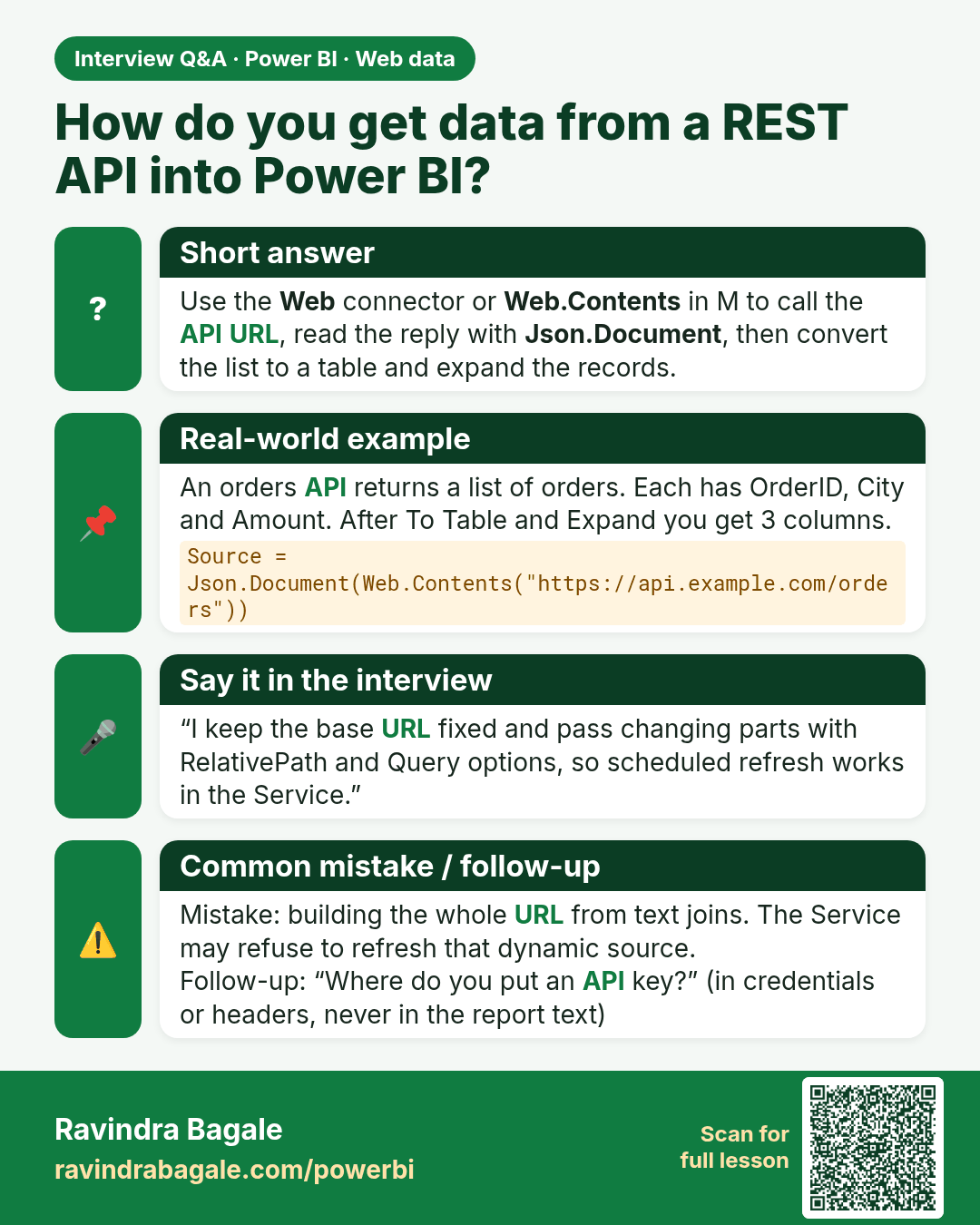
How do you get data from a REST API into Power BI? Use the Web connector or Web.Contents in M to call the API URL, read the reply with Json.Document, then convert the list to a table and expand the records.
Interview card 1 of 2: How do you get data from a REST API into Power BI? · Download PNG · Open card page

Lesson: 5.4 JSON APIs with Web.Contents and Json.Document

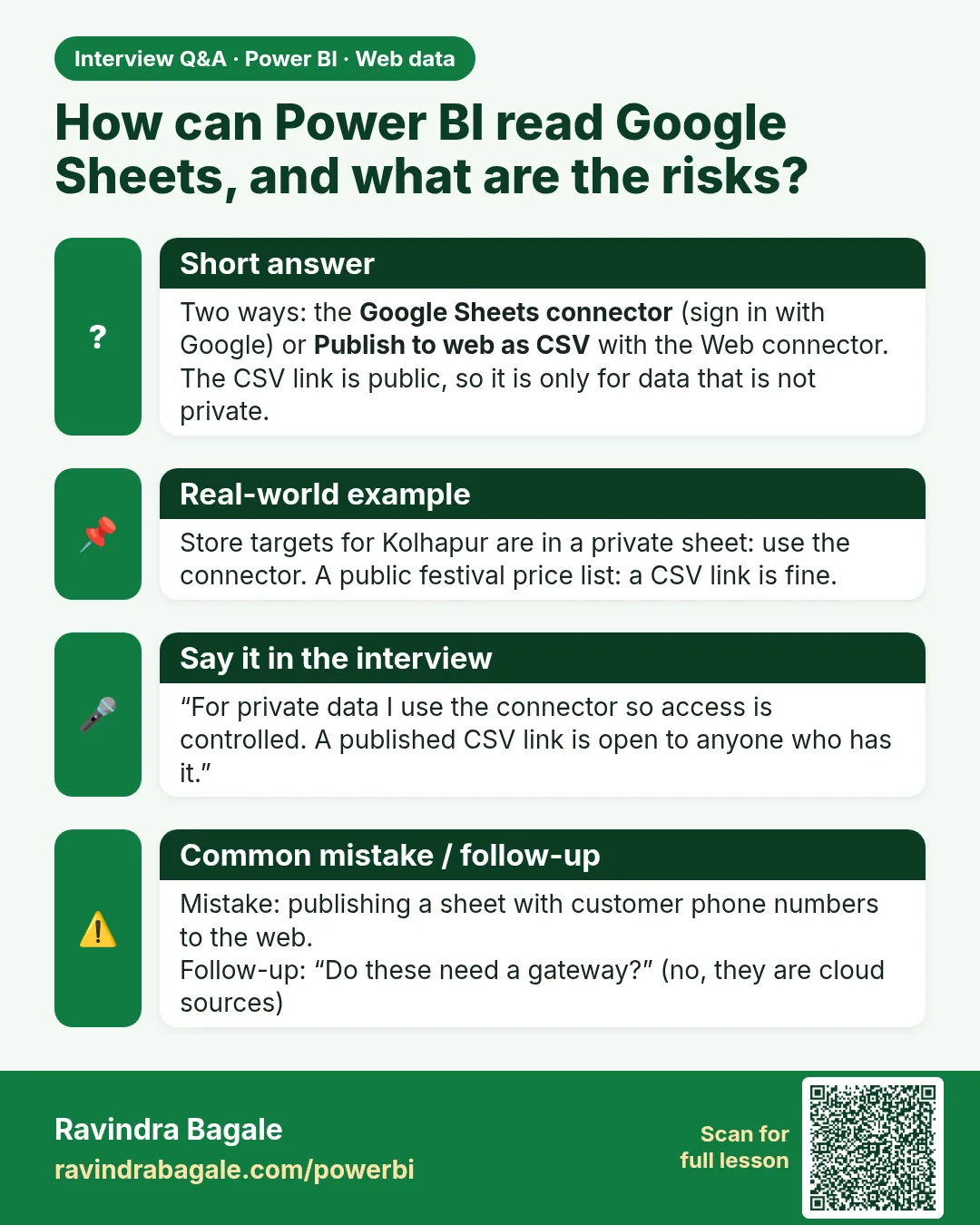
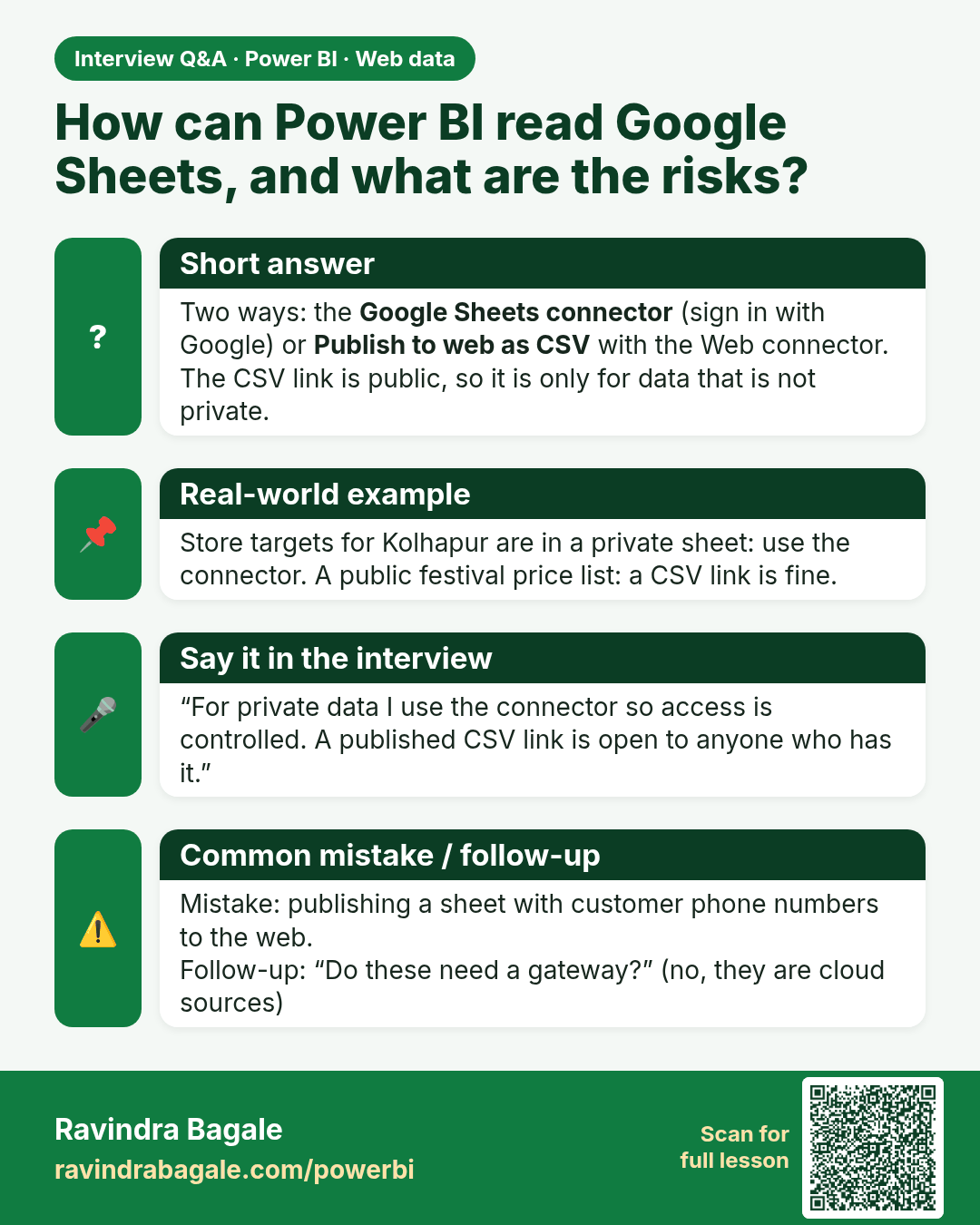
How can Power BI read Google Sheets, and what are the risks? Two ways: the Google Sheets connector (sign in with Google) or Publish to web as CSV with the Web connector. The CSV link is public, so it is only for data that is not private.
Interview card 2 of 2: How can Power BI read Google Sheets, and what are the risks? · Download PNG · Open card page

Lesson: 5.6 Alternative: Publish a Google Sheet as CSV and Use the Web Connector
Comparison cards
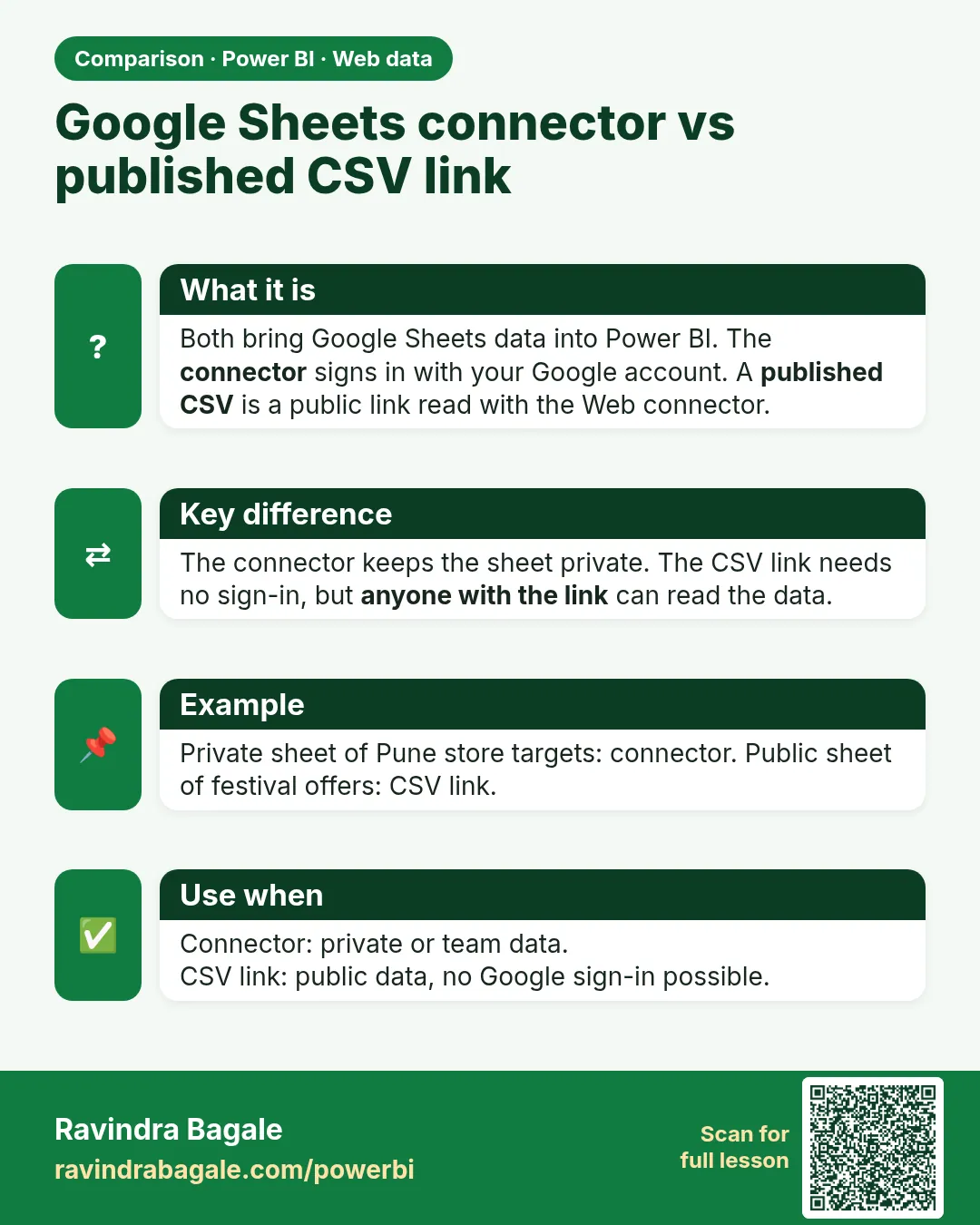
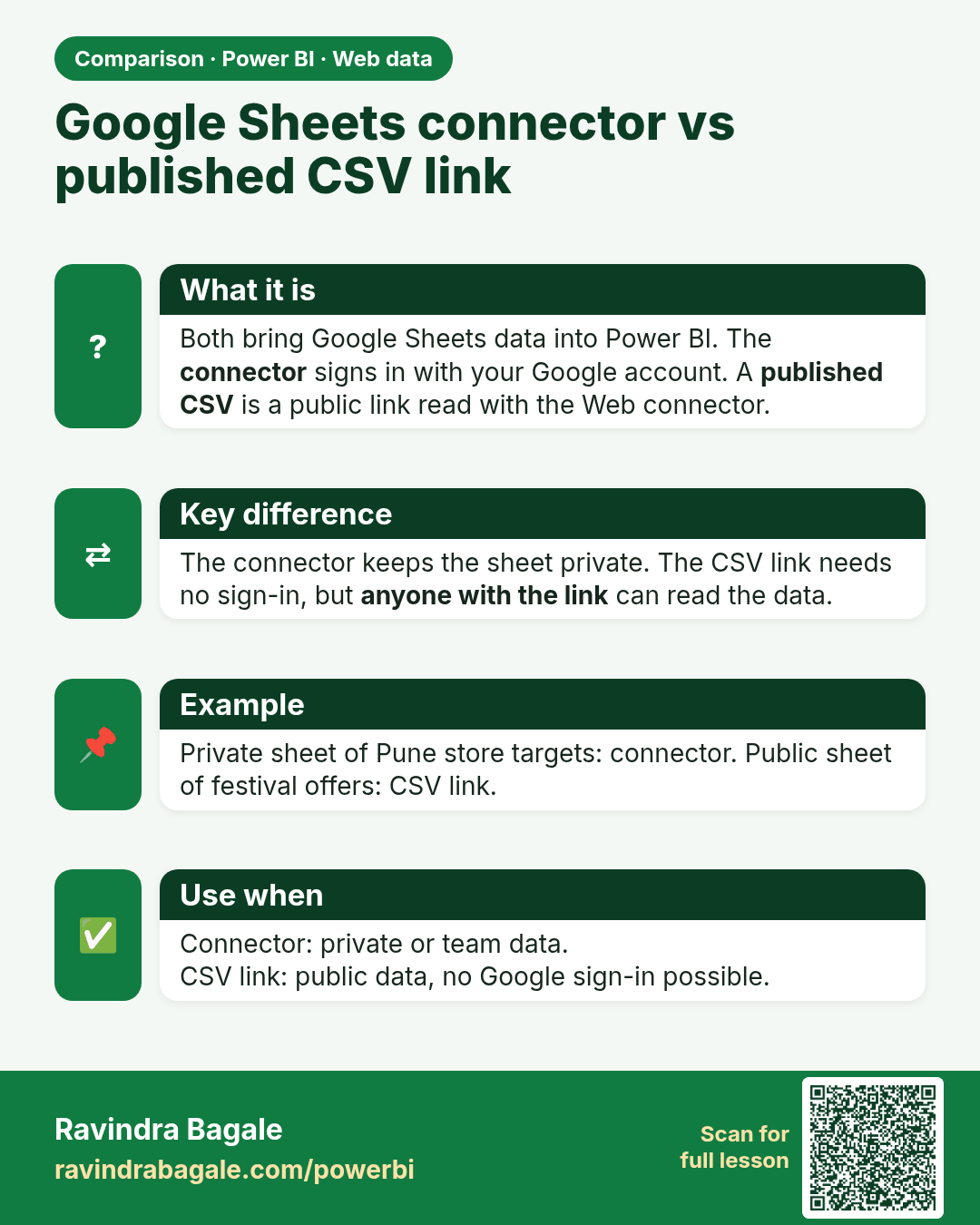
Google Sheets connector vs published CSV link. Both bring Google Sheets data into Power BI. The connector signs in with your Google account. A published CSV is a public link read with the Web connector.
Comparison card 1 of 2: Google Sheets connector vs published CSV link · Download PNG · Open card page

Lesson: 5.6 Alternative: Publish a Google Sheet as CSV and Use the Web Connector
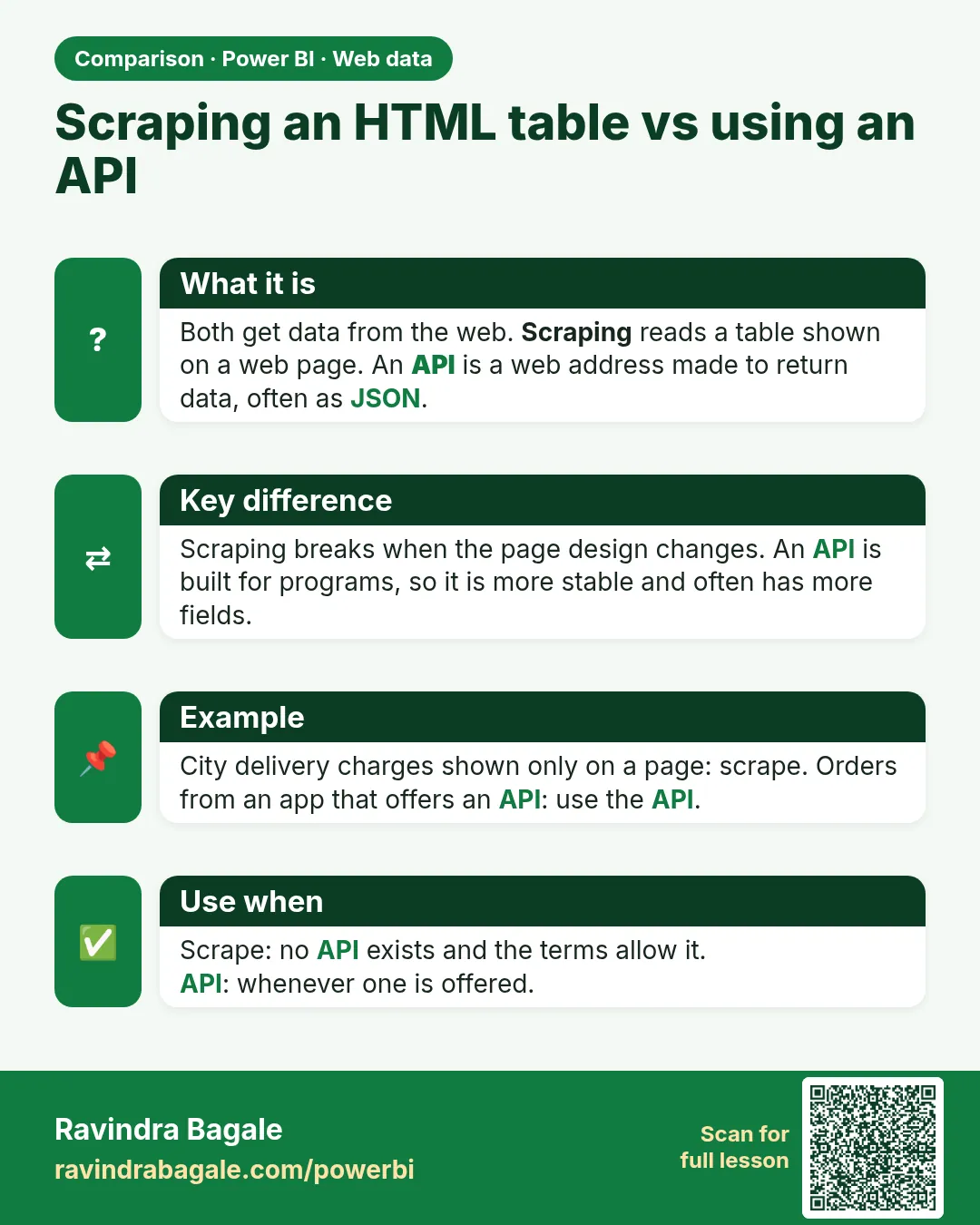
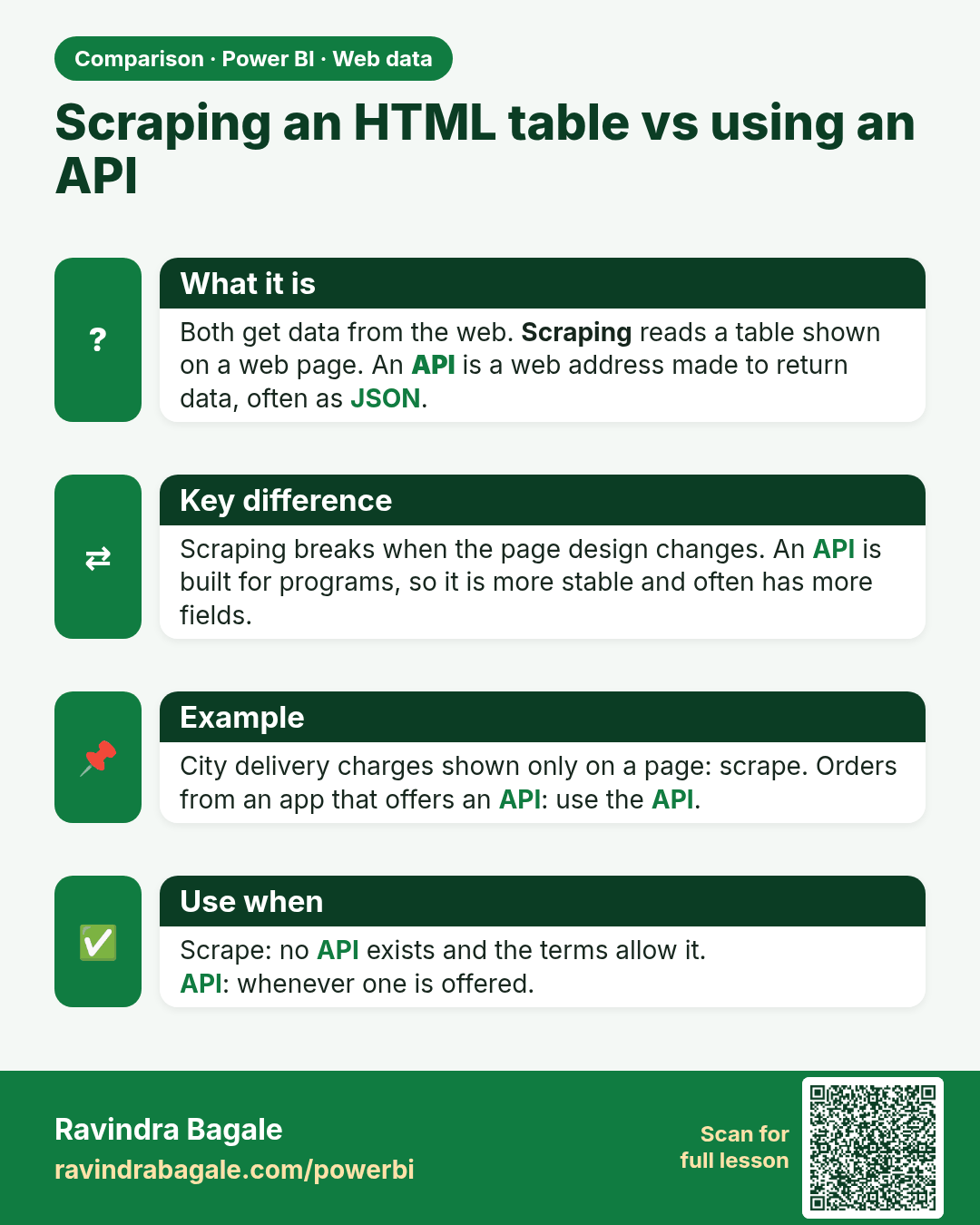
Scraping an HTML table vs using an API. Both get data from the web. Scraping reads a table shown on a web page. An API is a web address made to return data, often as JSON.
Comparison card 2 of 2: Scraping an HTML table vs using an API · Download PNG · Open card page

Lesson: 5.4 JSON APIs with Web.Contents and Json.Document