5. Web Data, APIs and Google Sheets
5.2 Scraping an HTML Table (Worked Example)
Start with a problem
Rani wants a Division column next to each dark store's city. The divisions are on a web page, not in any file.
Explain simply
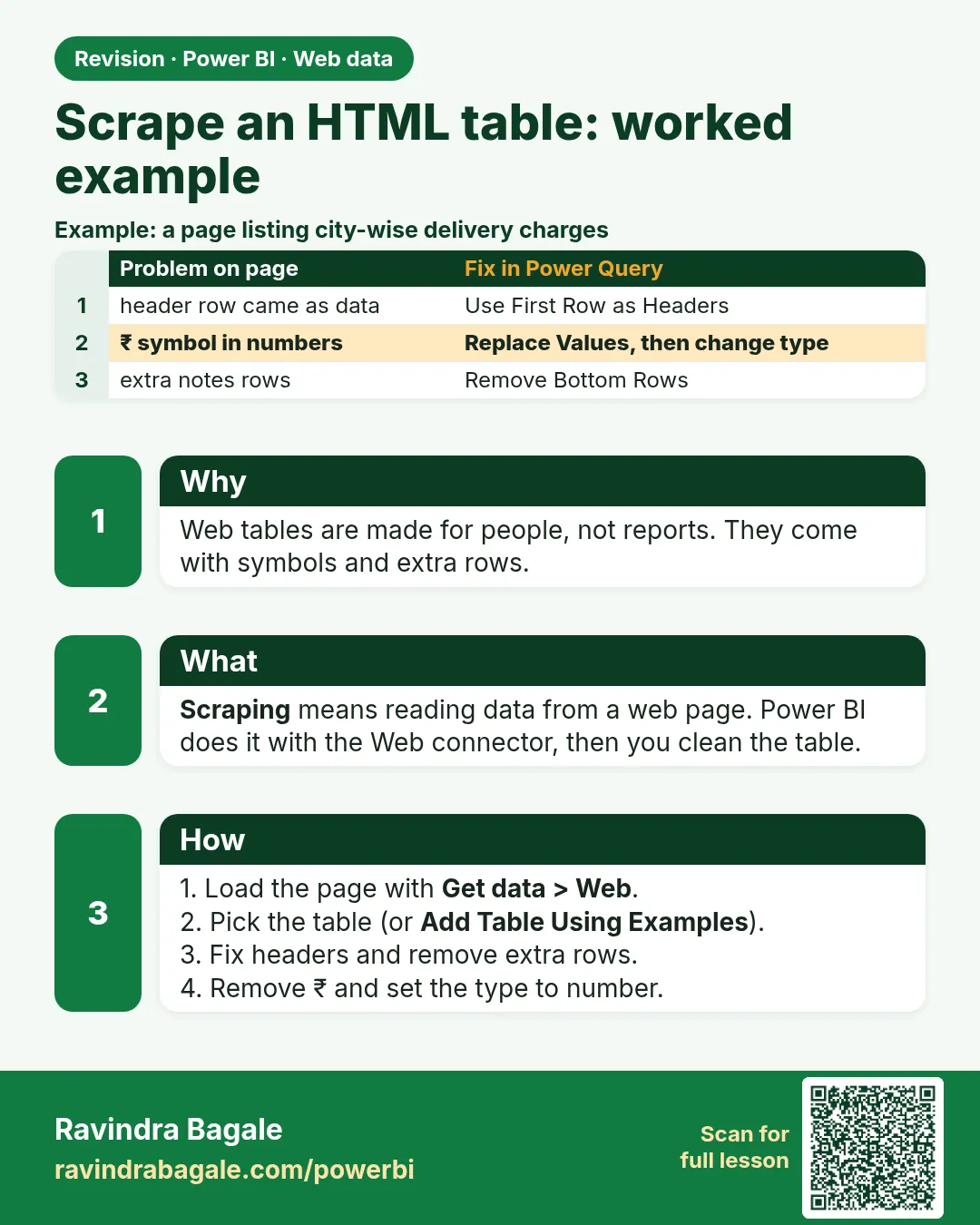
Get data › Web reads HTML tables from a page. The Navigator lists Table 1, Table 2…; pick the right one, then clean footnote markers and match names before merging.
Show the data
Practice page web_maharashtra_divisions.html, Table 2 (as scraped):
| City | District | Division |
|---|---|---|
| Pune[1] | Pune | Pune |
| Kolhapur | Kolhapur | Pune |
| Nashik[2] | Nashik | Nashik |
| Nagpur | Nagpur | Nagpur |
| Mumbai | Mumbai City | Konkan |
| Aurangabad[3] | Chhatrapati Sambhaji Nagar | Chhatrapati Sambhaji Nagar |
About this data: This table uses columns: City, District, Division. This table uses columns: Navigator. This table uses columns: City. Values shown are the lesson examples already on this page (not a new dataset).
Fictional sample data. Practice file: web_maharashtra_divisions.html, dark_stores_maharashtra.csv (source: src/practice/).
Demonstrate
- On this course site, right-click the practice page link › Copy link address.
-
Desktop › Get data › Web › Basic › paste the URL › Anonymous › Connect.
Your result should look like this:
Navigator Table 1 (Updated, By) · Table 2 (City, District, Division) -
Tick Table 2 › Transform Data (Table 1 is a page log, not your data).
-
City › Transform › Replace Values
[1]→ (nothing); repeat for[2]and[3]. (One-step alternative: a custom columnText.Split([City], "["){0}.)Your result should look like this:
City Pune, Kolhapur, Nashik, Nagpur, Mumbai, Aurangabad -
Replace Values
Aurangabad→Sambhaji Nagar(the name used in our data).Your result should look like this:
City Pune, Kolhapur, Nashik, Nagpur, Mumbai, Sambhaji Nagar -
Merge DarkStore (dark_stores_maharashtra.csv) with this table on City (Left Outer) › expand Division.
Your result should look like this:
Store City Division Kothrud Pune Pune Baner Pune Pune Gangapur Nashik Nashik College Road Nashik Nashik Rajarampuri Kolhapur Pune
Show the result
Your result should look like this (fictional sample):
| Division | Stores | Total Sales (₹) |
|---|---|---|
| Pune | Kothrud, Baner, Rajarampuri | 1,300 |
| Nashik | Gangapur, College Road | 800 |
| Total | 2,100 |
Explain what happened
The Web connector found two HTML tables. After removing footnote markers and matching the city name, the merge added Division to every store. Pune division = Pune ₹850 + Kolhapur ₹450 = ₹1,300.
Explore further
- Add table using examples helps when the data is in cards or lists, not an HTML table.
Detailed reference for this lesson:
Goal: get a table of Maharashtra districts or cities from a public encyclopaedia page (for example a Wikipedia list of cities in Maharashtra) to enrich our DarkStore table with a Division column (Pune, Nashik, Nagpur, Aurangabad/Chhatrapati Sambhaji Nagar divisions etc.). We describe the process. The page's numbers are not quoted here, and pages change over time.
Steps in Power BI
- Open the page in your browser and confirm the table you want is a real HTML table (you can select its rows as text).
- Home › Get data › Web › Basic › paste the page URL › OK.
- Choose Anonymous access for a public page › Connect.
- The Navigator lists HTML Tables (Table 1, Table 2 …) and Suggested Tables. Click each one and use the Table View / Web View tabs to find the right table.
- Tick the table › Transform Data.
- Clean it: promote headers if needed, remove footnote markers like "[3]" (Transform › Replace Values, or
Text.BeforeDelimiter([City], "[")), trim, and set types using Using Locale English (India) for numbers with Indian commas. - Standardise names so they match our data ("Aurangabad", then "Sambhaji Nagar", Module 7.9) and Merge with DarkStore on City.
Add table using examples
When the data is not in an HTML table (for example cards or lists on a page), click Add table using examples in the Navigator:
- The page opens inside the dialog, with an empty grid below.
- Type the value you want in the first cell of Column1 (e.g. "Pune"). Power BI suggests matching values from the page. Pick one.
- Type one or two more examples until the column fills correctly. Add Column2 (e.g. the division name) the same way.
- Click OK. A new Table from examples appears in the Navigator. Tick it › Transform Data. Power Query uses functions such as
Web.BrowserContentsandHtml.Tablewith CSS selectors.
Do not worry: scraping feels a bit confusing the first time. Try it on two or three pages and it becomes very easy.
घाबरू नका, पहिल्यांदा scraping थोडं confusing वाटतं. दोन-तीन pages वर try केलं की एकदम सोपं वाटेल.
घबराइए मत, पहली बार scraping थोड़ा confusing लगता है. दो-तीन pages पर try किया तो बिल्कुल आसान लगेगा.
Ravindra Bagale's Tip
Friends, don't make a mistake here: web pages change their layout, and a scraped table can break or silently shift columns after a site update. My advice: add a check – for example, keep only the expected column names – and clean footnote marks, merged headers and "—" explicitly. Review the numbers after every refresh. Keep this in mind!
Ravindra Bagale's Tip – मराठी
मित्रांनो, इथे चूक करू नका: web pages त्यांचा layout बदलतात, आणि site update नंतर scrape केलेला table तुटू शकतो किंवा गुपचूप columns सरकू शकतात. माझं सांगणं आहे, एक check जोडा, उदाहरणार्थ फक्त अपेक्षित column names ठेवा, आणि footnote marks, merged headers आणि "—" स्पष्टपणे clean करा. प्रत्येक refresh नंतर आकडे चेक करा. लक्षात ठेवा!
Ravindra Bagale's Tip – हिंदी
दोस्तों, यहाँ गलती मत करना: web pages अपना layout बदलते रहते हैं, और site update के बाद scrape की गई table टूट सकती है या चुपचाप columns खिसक सकते हैं. मेरी सलाह है, एक check जोड़ो, जैसे सिर्फ़ अपेक्षित column names रखो, और footnote marks, merged headers और "—" को साफ़ तौर पर clean करो. हर refresh के बाद आँकड़े चेक करो. ध्यान रखना!
Practice task
Scrape a public list of Maharashtra districts with their divisions. Clean it into two columns, District and Division, and merge it with DarkStore to add Division to our six cities.
Fix common mistakes
| Wrong result | Reason | Correction |
|---|---|---|
| Merge gives null Division for Pune | Pune[1] does not equal Pune |
Remove footnote markers before merging |
| Wrong table loaded | Picked Table 1 | Preview each table in the Navigator |
| Refresh breaks after the site changes | Page layout changed | Add a row-count check; prefer an API or file if offered |
Practise independently
Practice task
If Division were also needed for orders in Nagpur and Mumbai, which rows of the scraped table would match, and which name fix is needed for Sambhaji Nagar orders?
Hints
- Look at the cleaned City column.
Solution
Nagpur, then Nagpur division; Mumbai, then Konkan division. Sambhaji Nagar orders match only after replacing Aurangabad with Sambhaji Nagar (done in step 5).
Think like a professional
Read the site's terms first, keep a copy of the expected row count, and treat scraped data as fragile.
 Revision card