Ravindra BagaleCourses & study guides मराठी Track your progress

Ravi Sir's Cards › Power BI

3. Getting Data: Cards

मराठी cards · Open the chapter

Revision cards
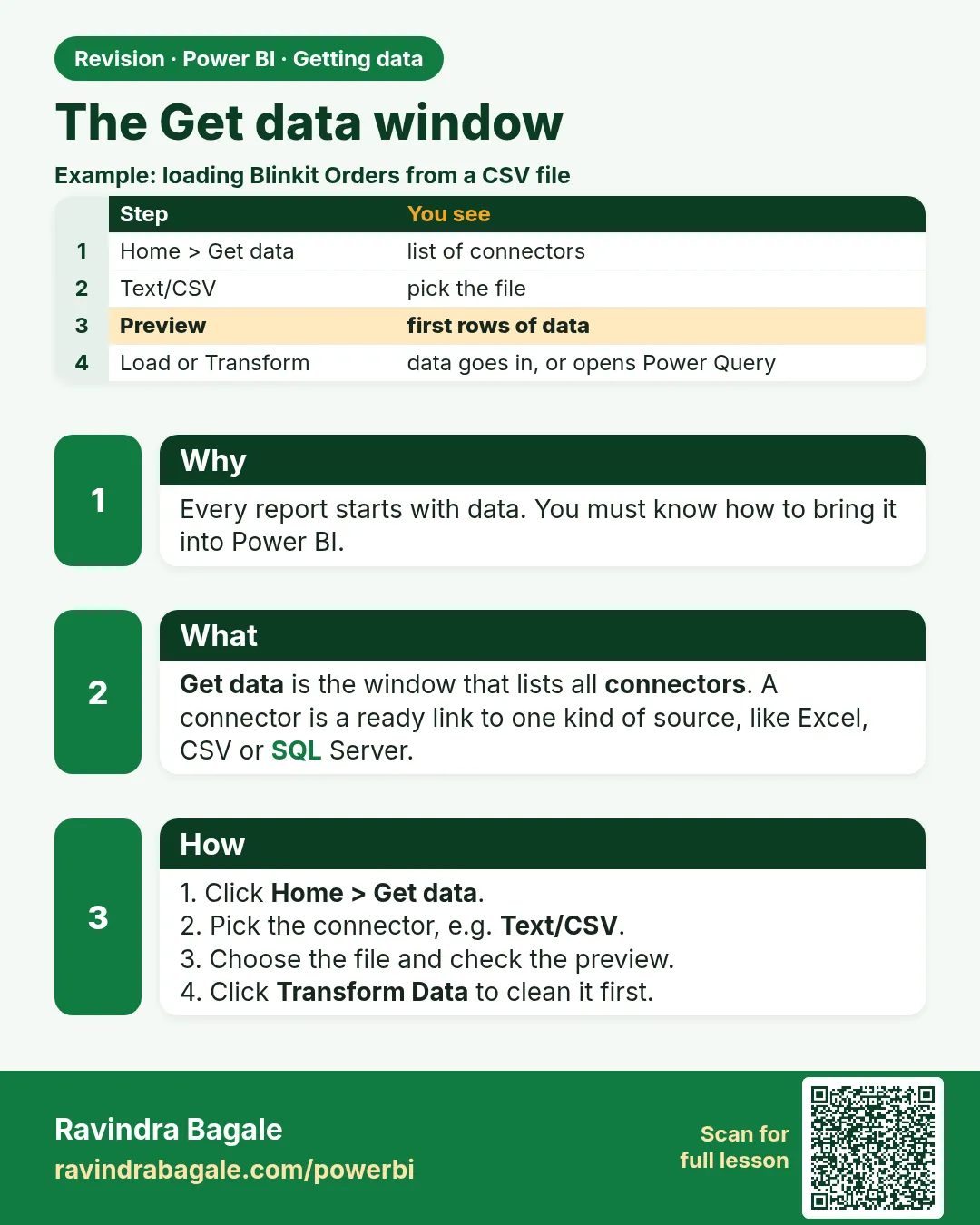
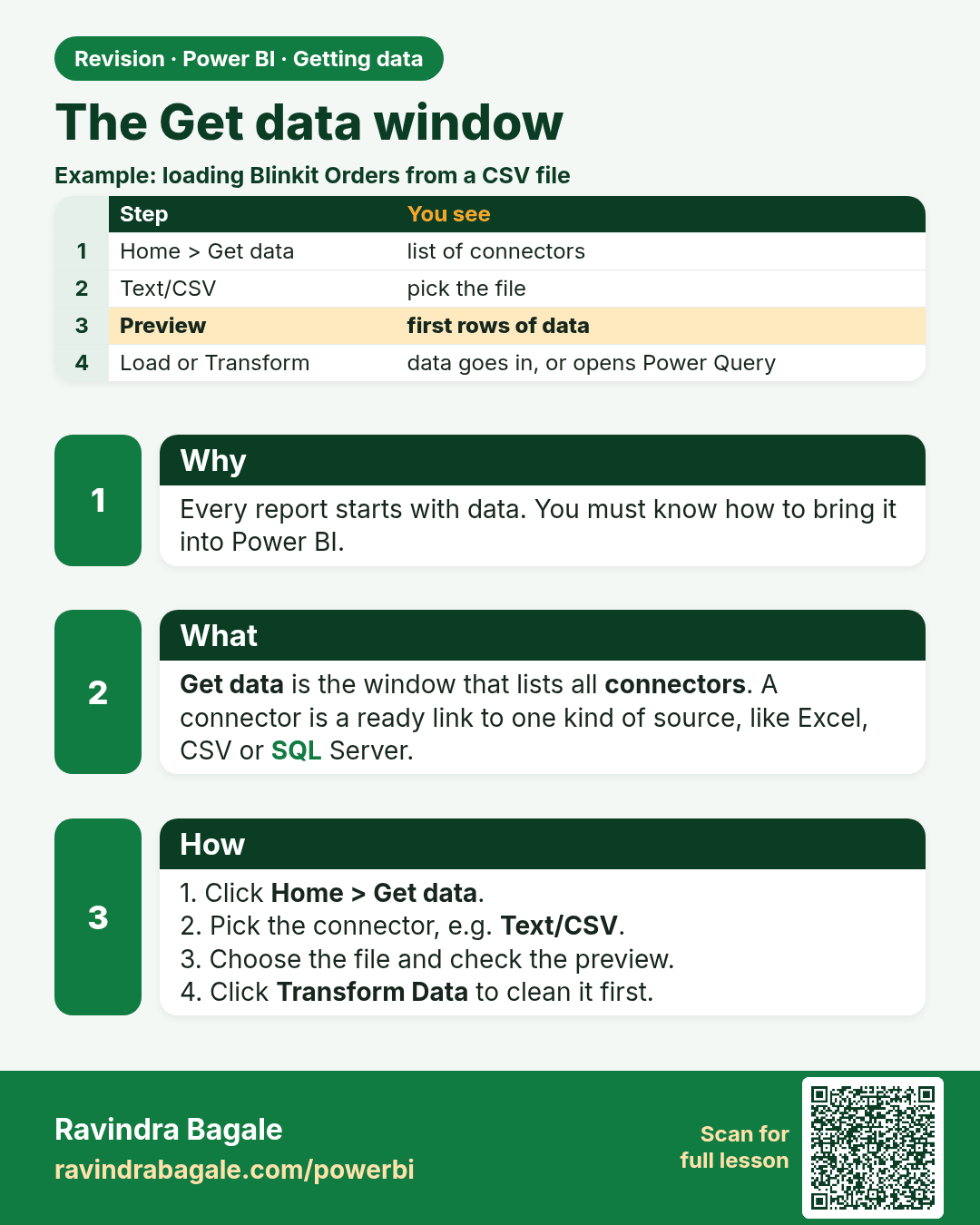
The Get data window. Every report starts with data. You must know how to bring it into Power BI.
Revision card 1 of 6: The Get data window · Download PNG · Open card page

Lesson: 3.1 The Get Data Window

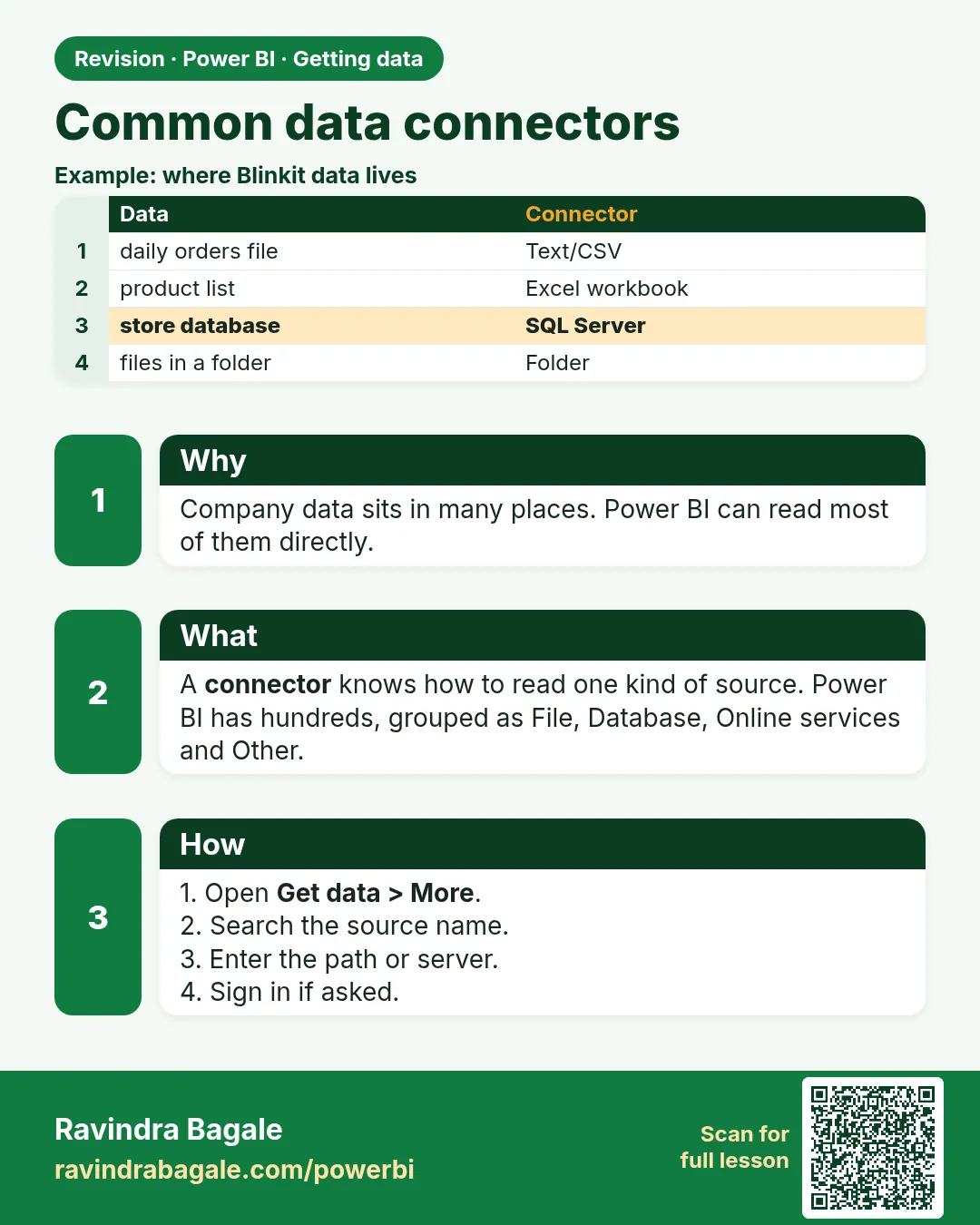
Common data connectors. Company data sits in many places. Power BI can read most of them directly.
Revision card 2 of 6: Common data connectors · Download PNG · Open card page

Lesson: 3.2 Common Connectors

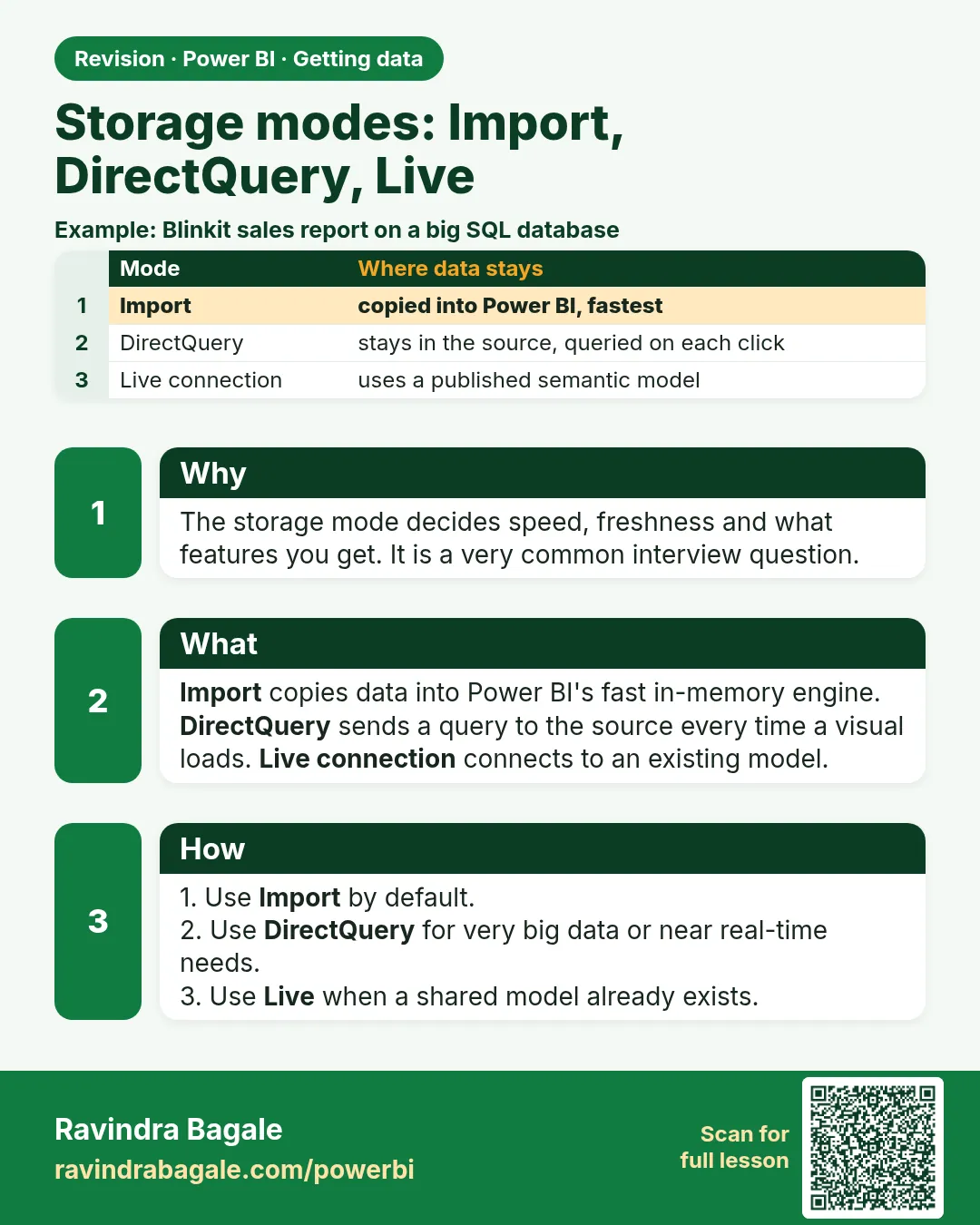
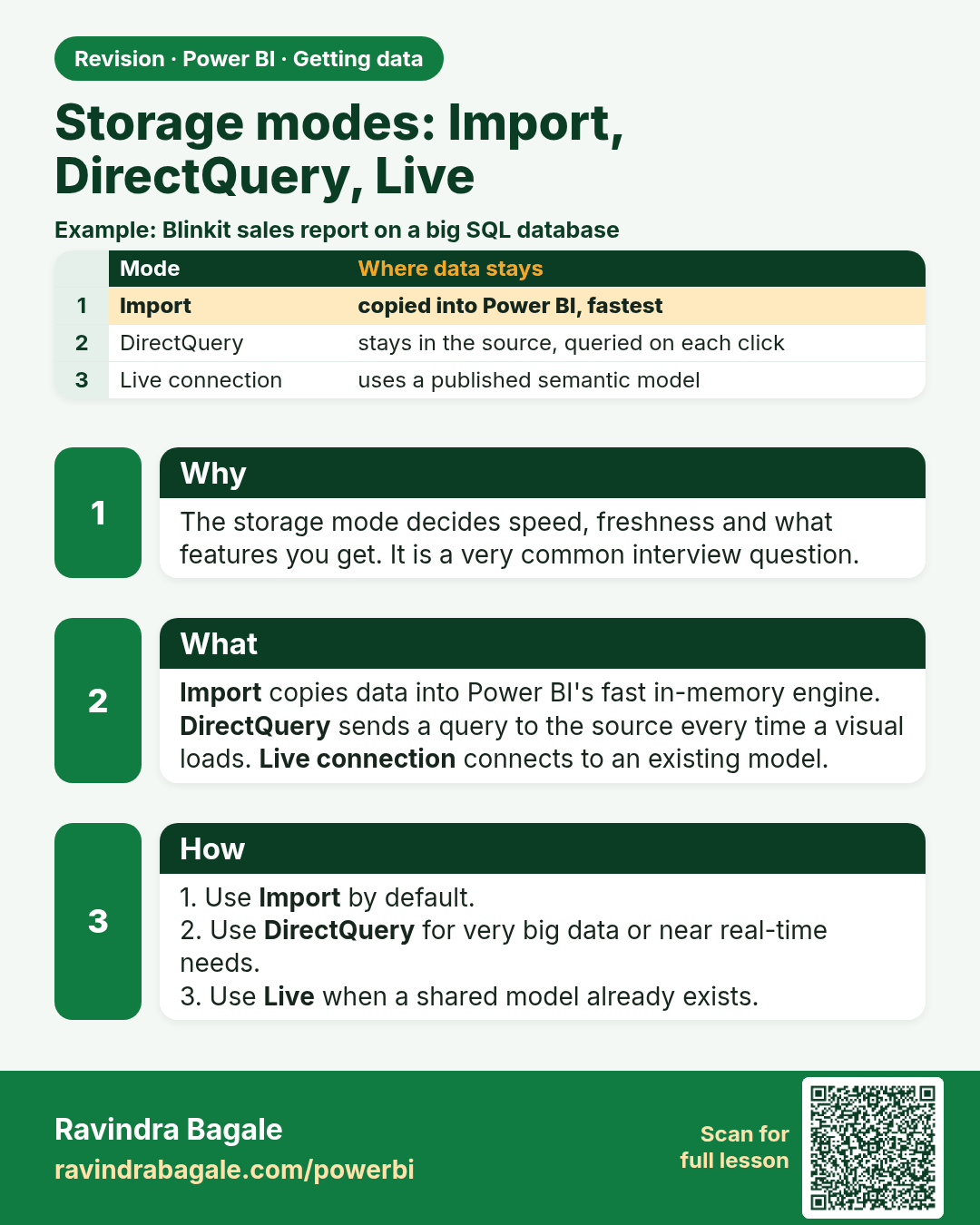
Storage modes: Import, DirectQuery, Live. The storage mode decides speed, freshness and what features you get. It is a very common interview question.
Revision card 3 of 6: Storage modes: Import, DirectQuery, Live · Download PNG · Open card page

Lesson: 3.3 Storage Modes: Import vs DirectQuery vs Live Connection
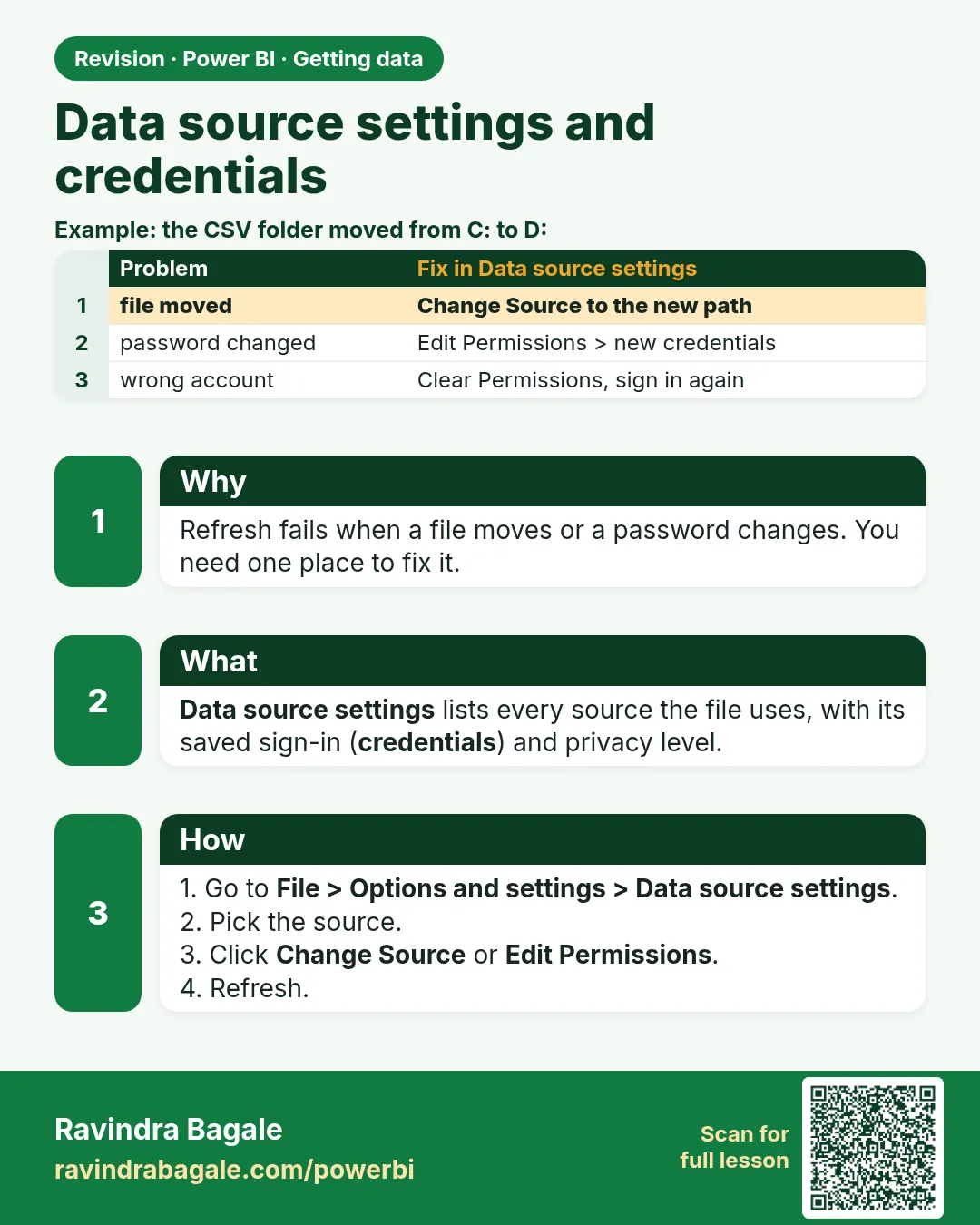
Data source settings and credentials. Refresh fails when a file moves or a password changes. You need one place to fix it.
Revision card 4 of 6: Data source settings and credentials · Download PNG · Open card page

Lesson: 3.4 Data Source Settings and Credentials

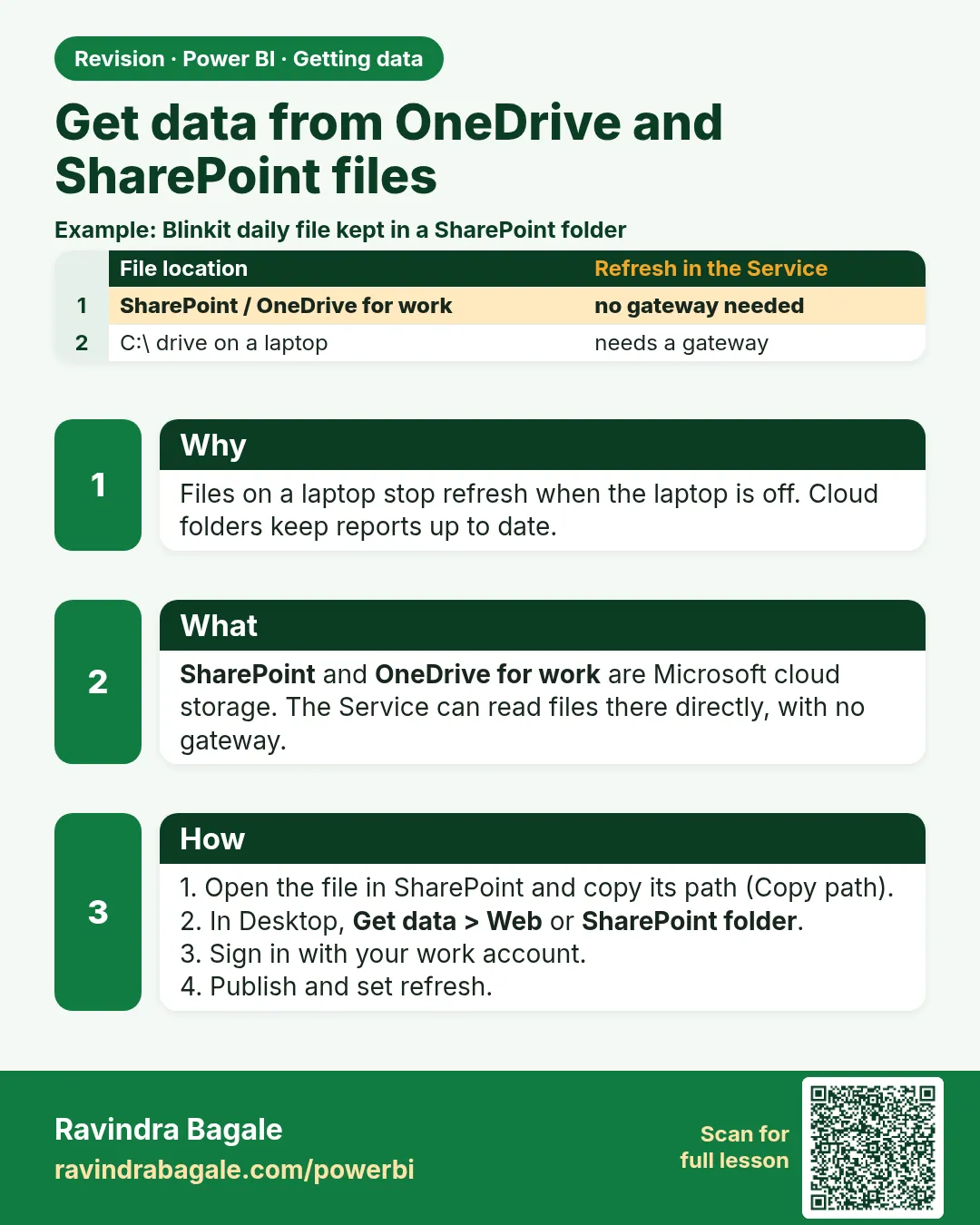
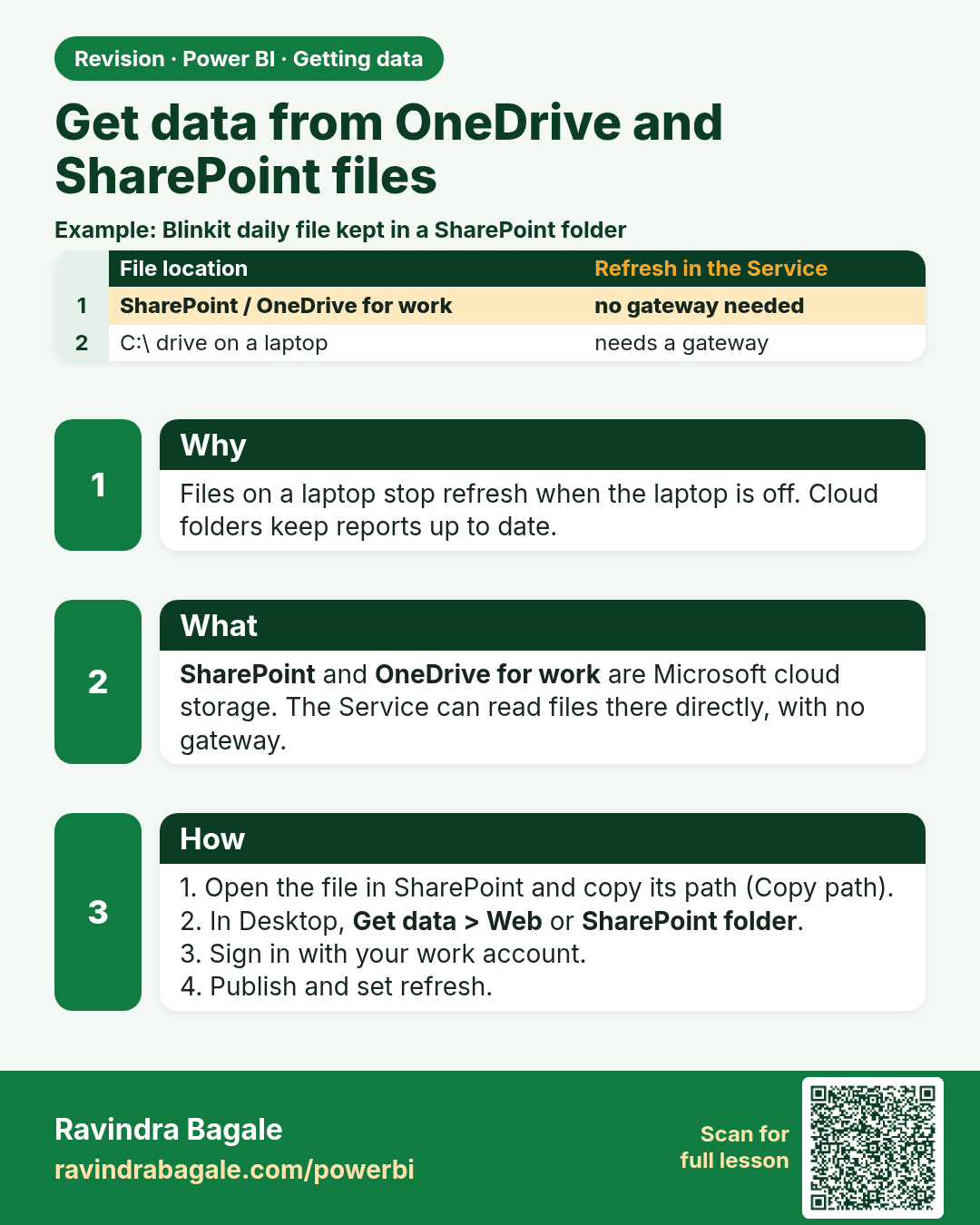
Get data from OneDrive and SharePoint files. Files on a laptop stop refresh when the laptop is off. Cloud folders keep reports up to date.
Revision card 5 of 6: Get data from OneDrive and SharePoint files · Download PNG · Open card page

Lesson: 3.5 OneDrive and SharePoint Files

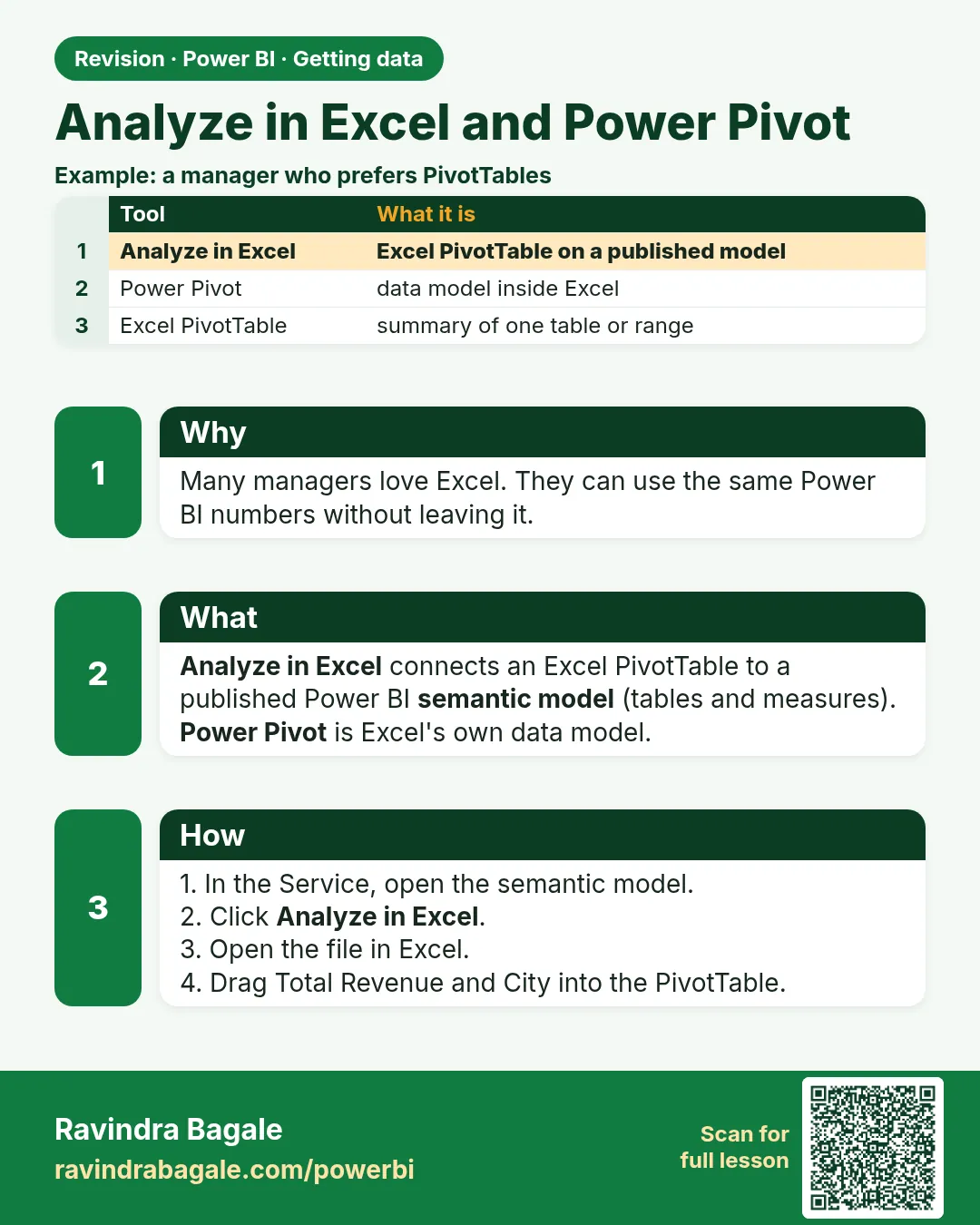
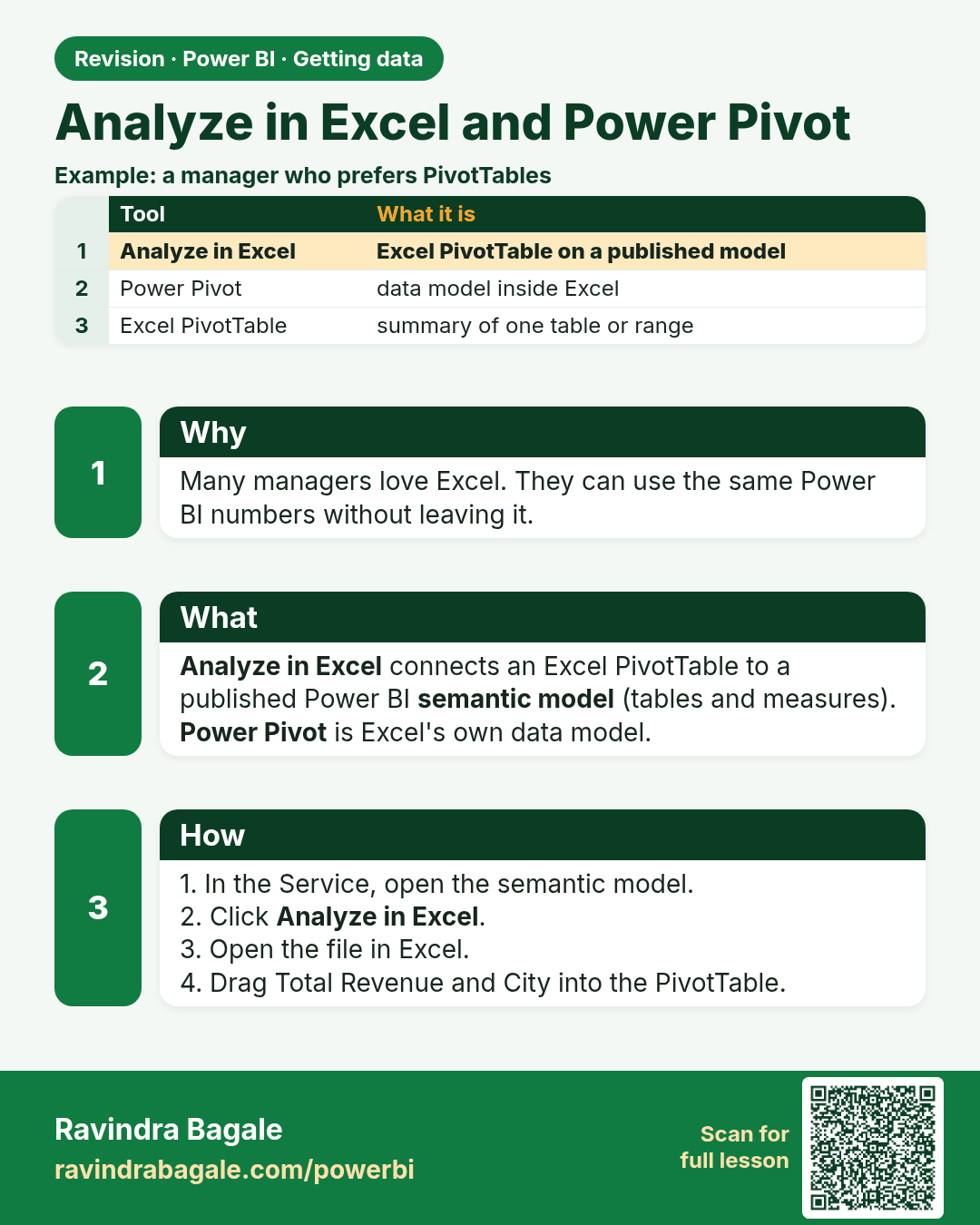
Analyze in Excel and Power Pivot. Many managers love Excel. They can use the same Power BI numbers without leaving it.
Revision card 6 of 6: Analyze in Excel and Power Pivot · Download PNG · Open card page

Lesson: 3.6 Excel, PivotTables, Power Pivot and Analyze in Excel

Interview cards

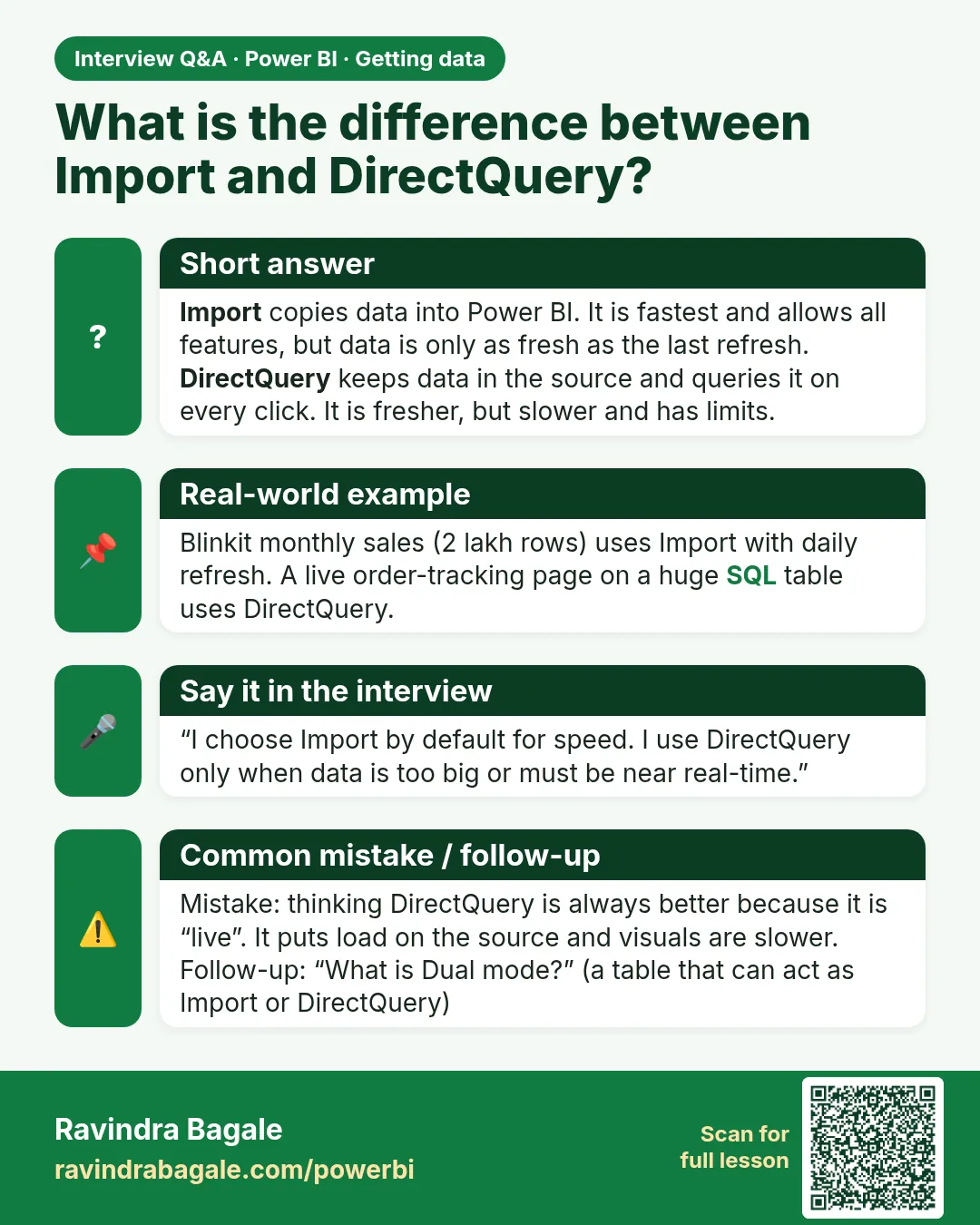
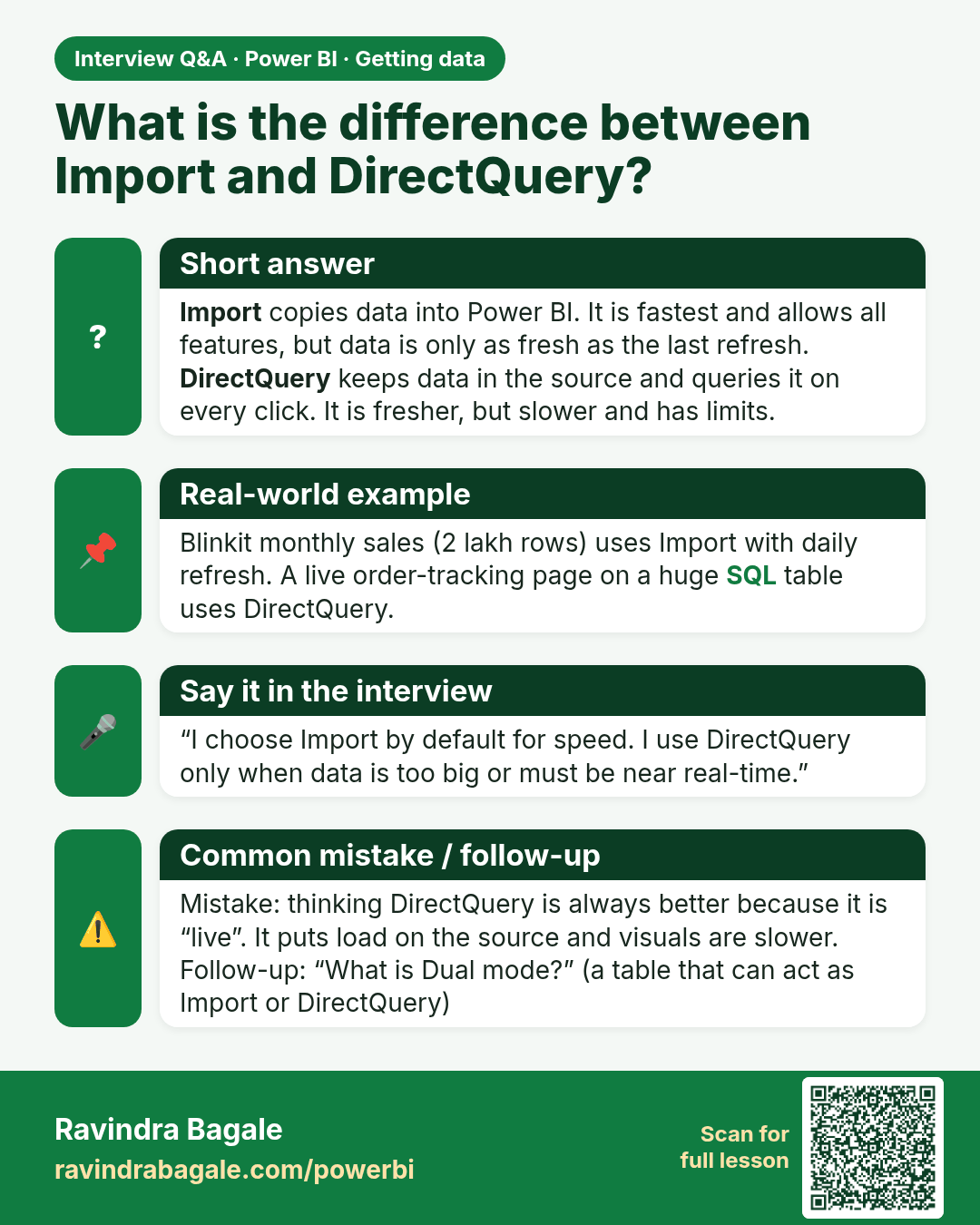
What is the difference between Import and DirectQuery? Import copies data into Power BI. It is fastest and allows all features, but data is only as fresh as the last refresh. DirectQuery keeps data in the source and queries it on every click. It is fresher, but slower and has limits.
Interview card 1 of 2: What is the difference between Import and DirectQuery? · Download PNG · Open card page

Lesson: 3.3 Storage Modes: Import vs DirectQuery vs Live Connection
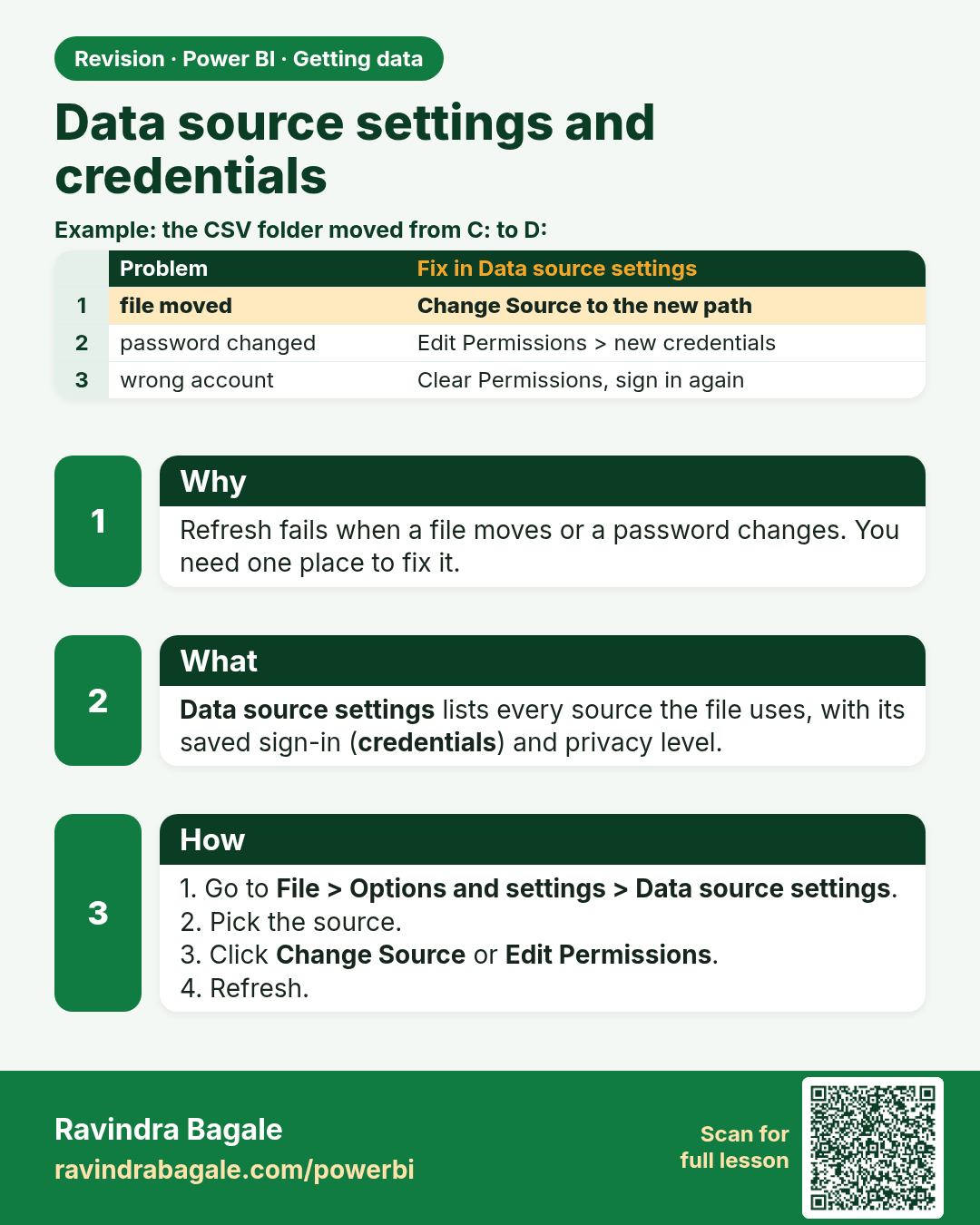
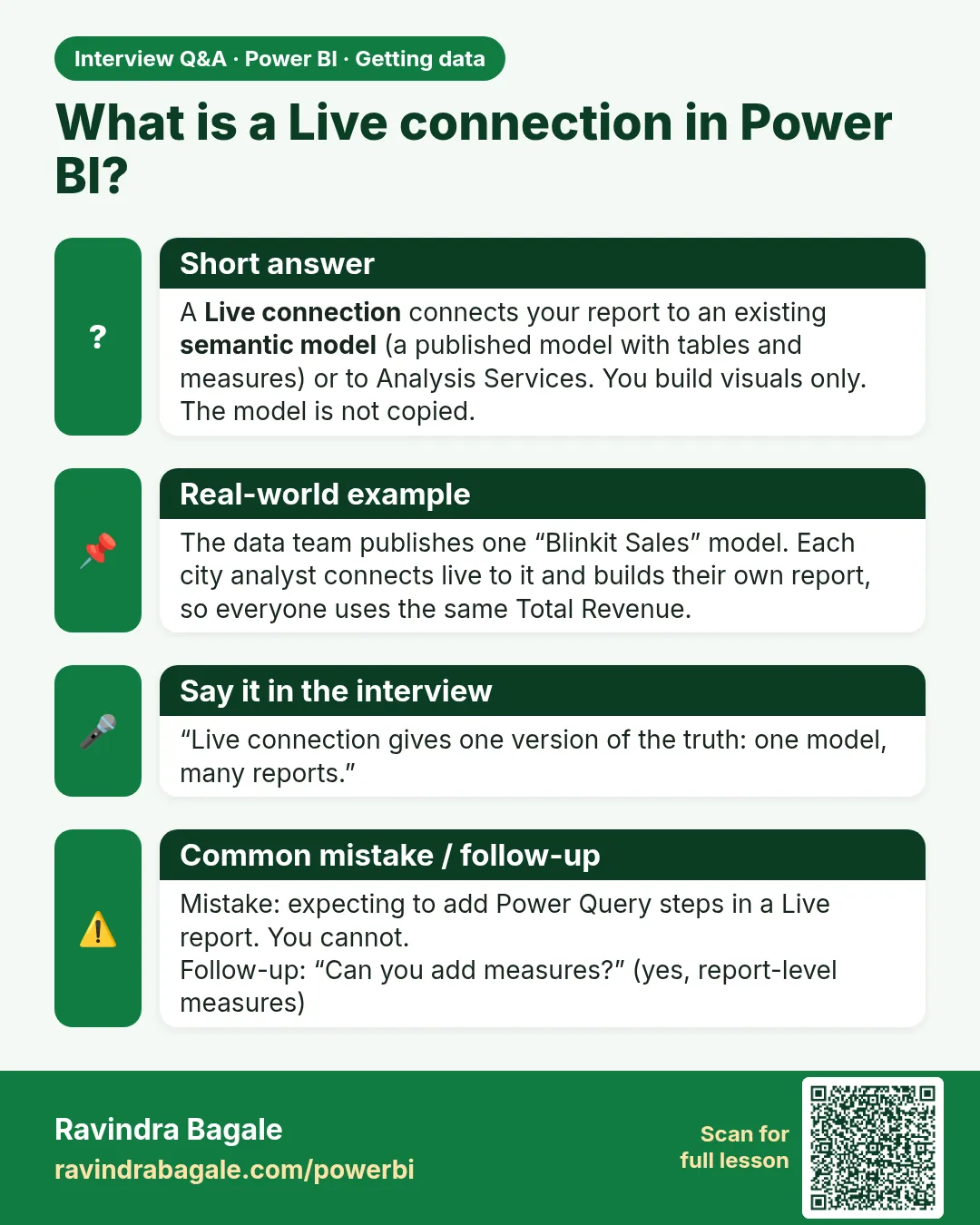
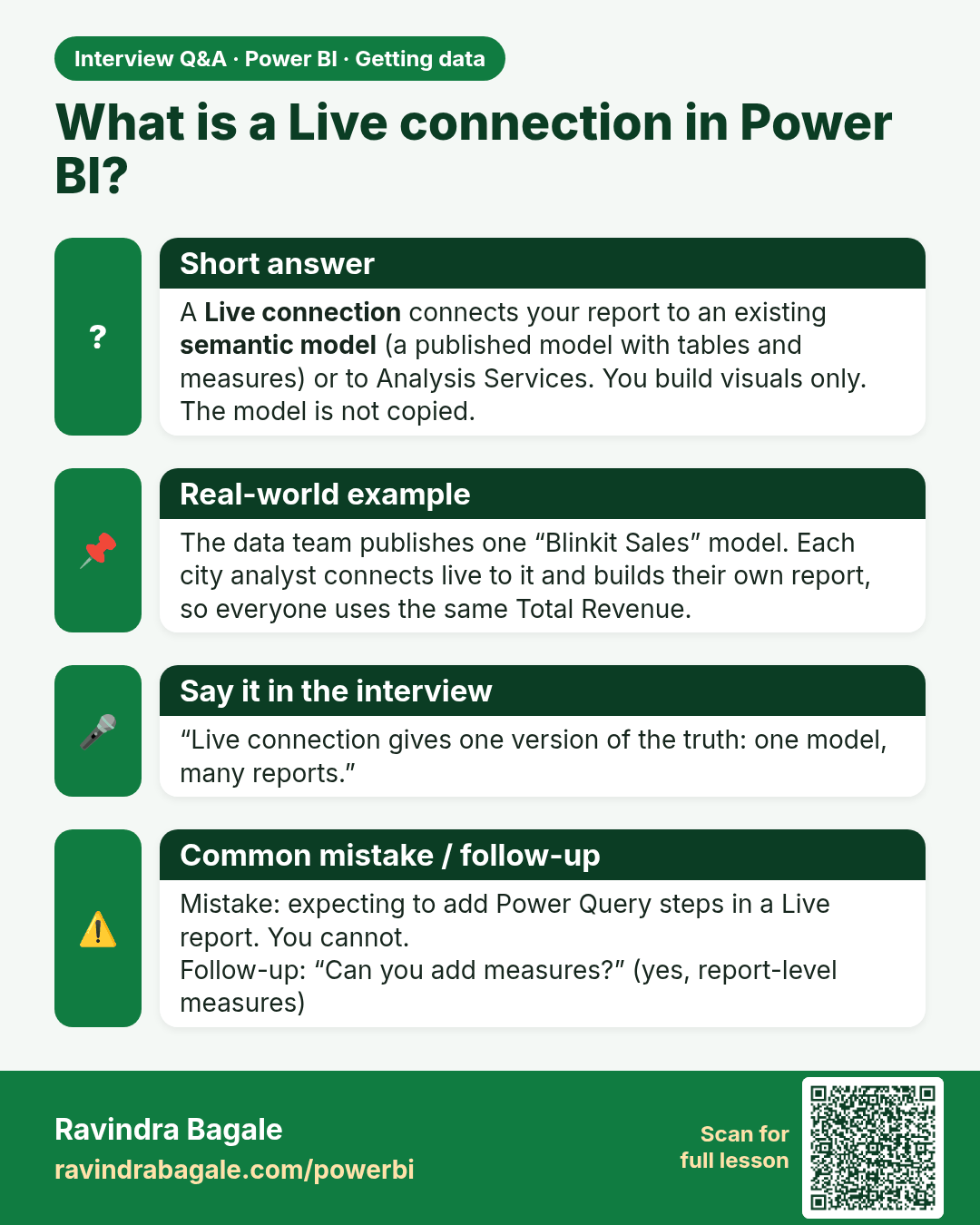
What is a Live connection in Power BI? A Live connection connects your report to an existing semantic model (a published model with tables and measures) or to Analysis Services. You build visuals only. The model is not copied.
Interview card 2 of 2: What is a Live connection in Power BI? · Download PNG · Open card page

Lesson: 3.3 Storage Modes: Import vs DirectQuery vs Live Connection
Comparison cards

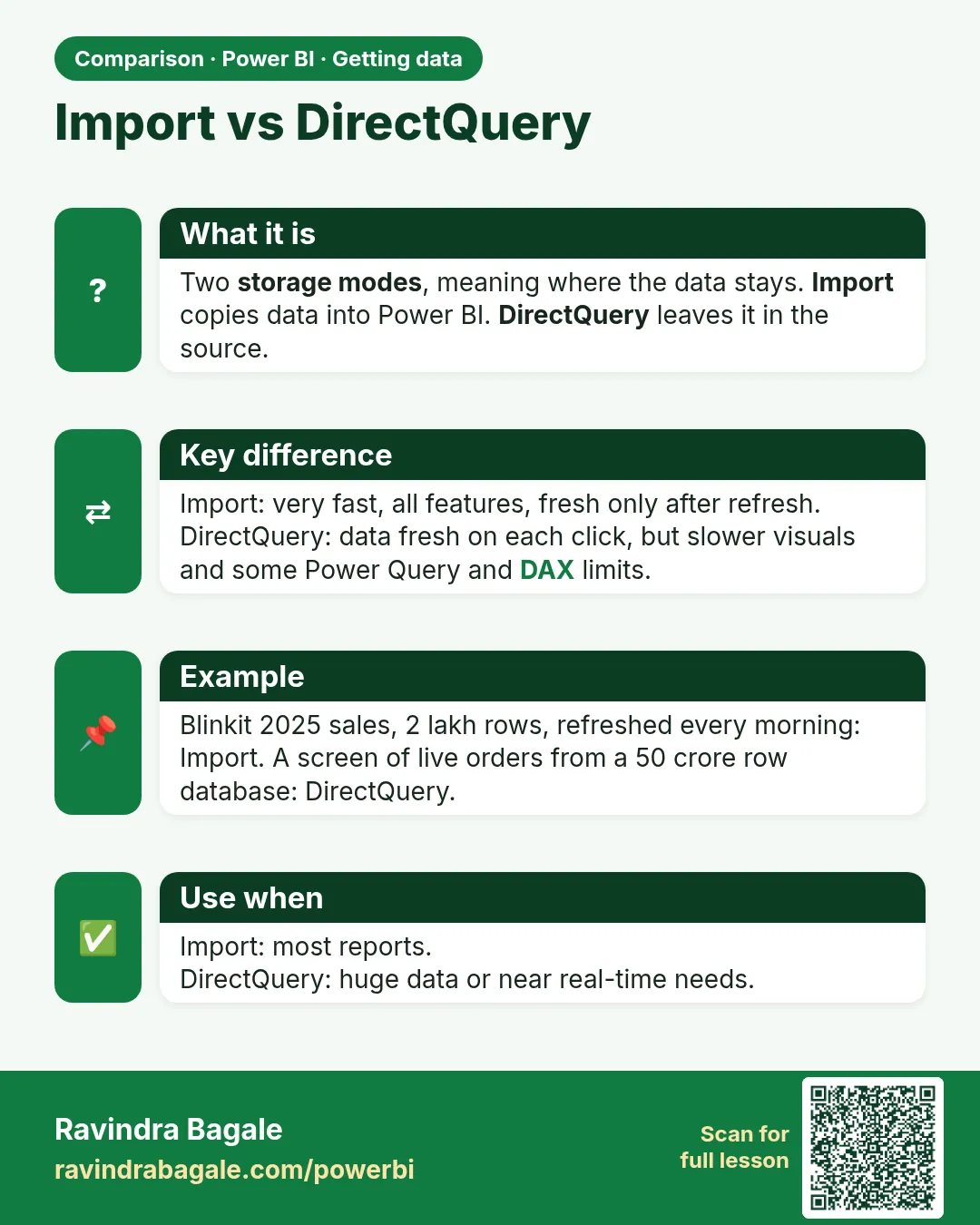
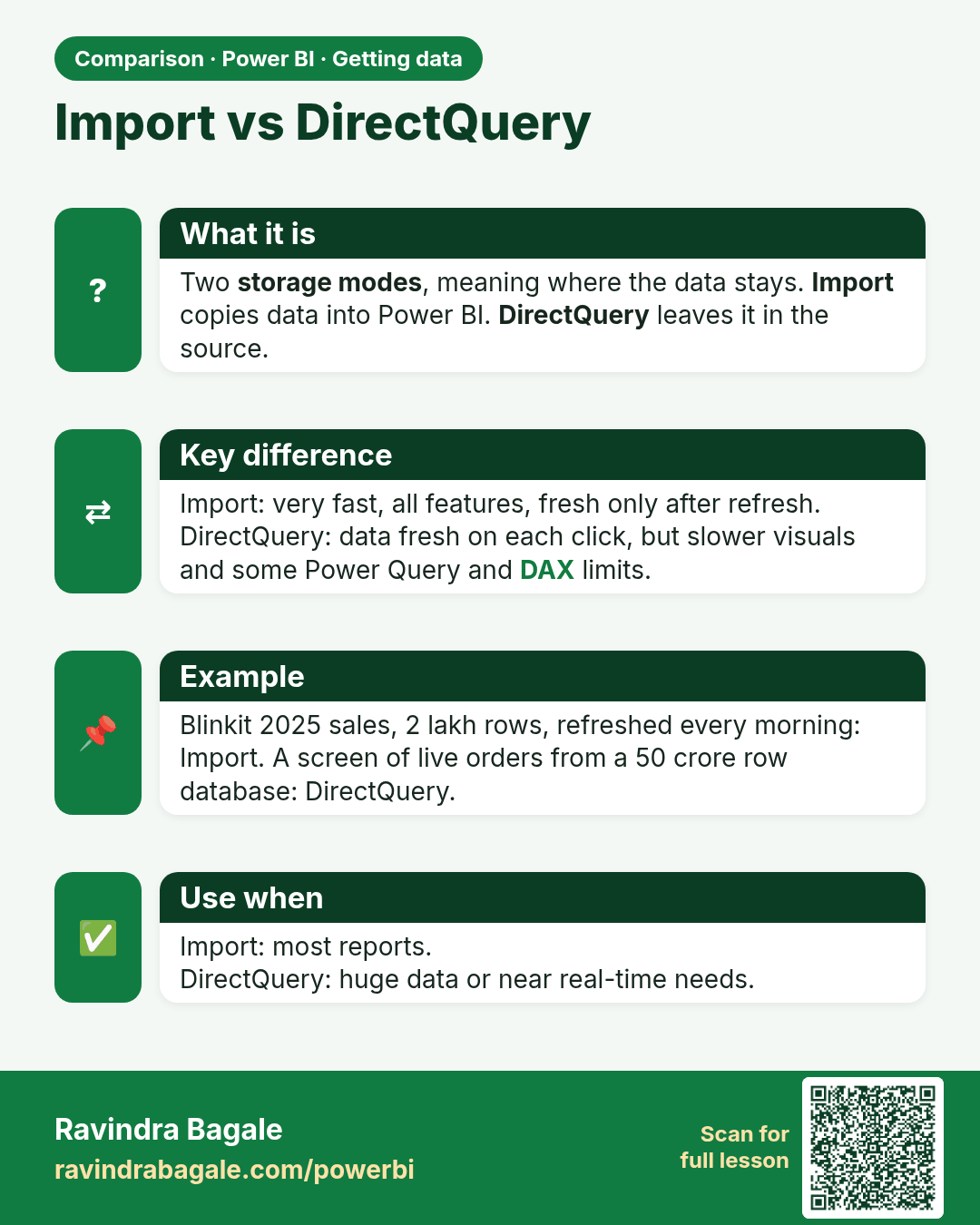
Import vs DirectQuery. Two storage modes, meaning where the data stays. Import copies data into Power BI. DirectQuery leaves it in the source.
Comparison card 1 of 2: Import vs DirectQuery · Download PNG · Open card page

Lesson: 3.3 Storage Modes: Import vs DirectQuery vs Live Connection
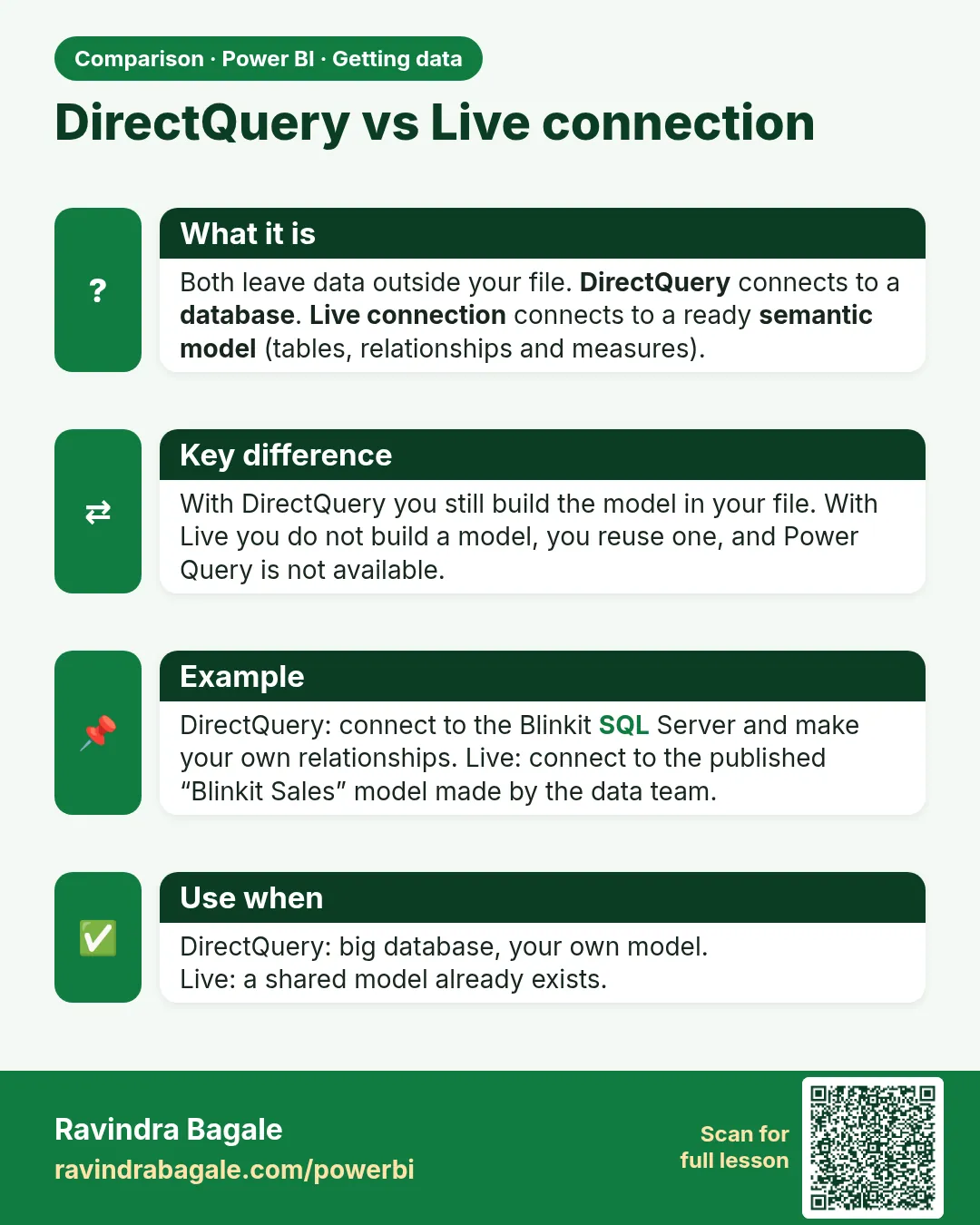
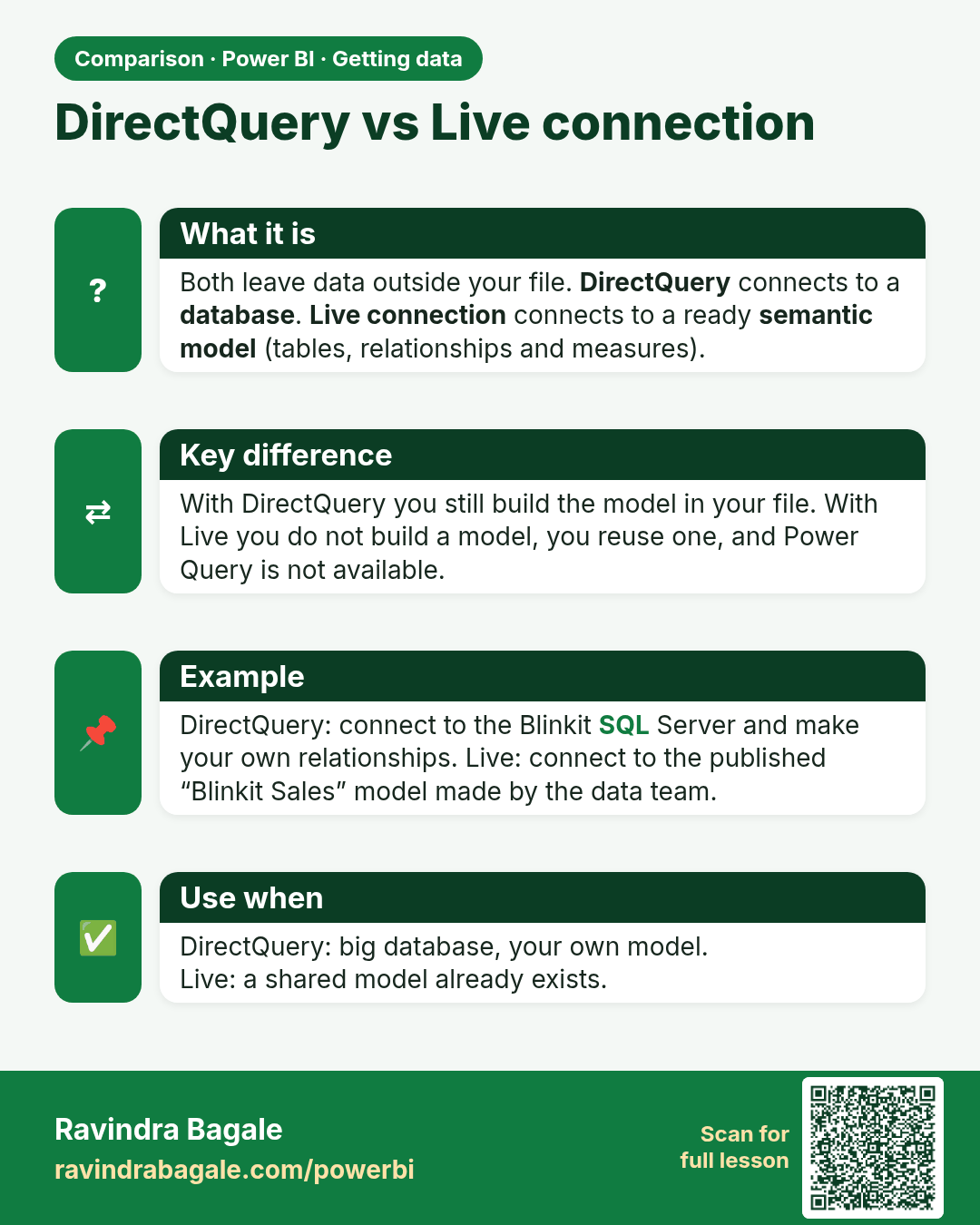
DirectQuery vs Live connection. Both leave data outside your file. DirectQuery connects to a database. Live connection connects to a ready semantic model (tables, relationships and measures).
Comparison card 2 of 2: DirectQuery vs Live connection · Download PNG · Open card page

Lesson: 3.3 Storage Modes: Import vs DirectQuery vs Live Connection