Ravindra BagaleCourses & study guides मराठी Track your progress

Ravi Sir's Cards › Power BI

15. Maps: Showing Maharashtra on a Map: Cards

मराठी cards · Open the chapter

Revision cards
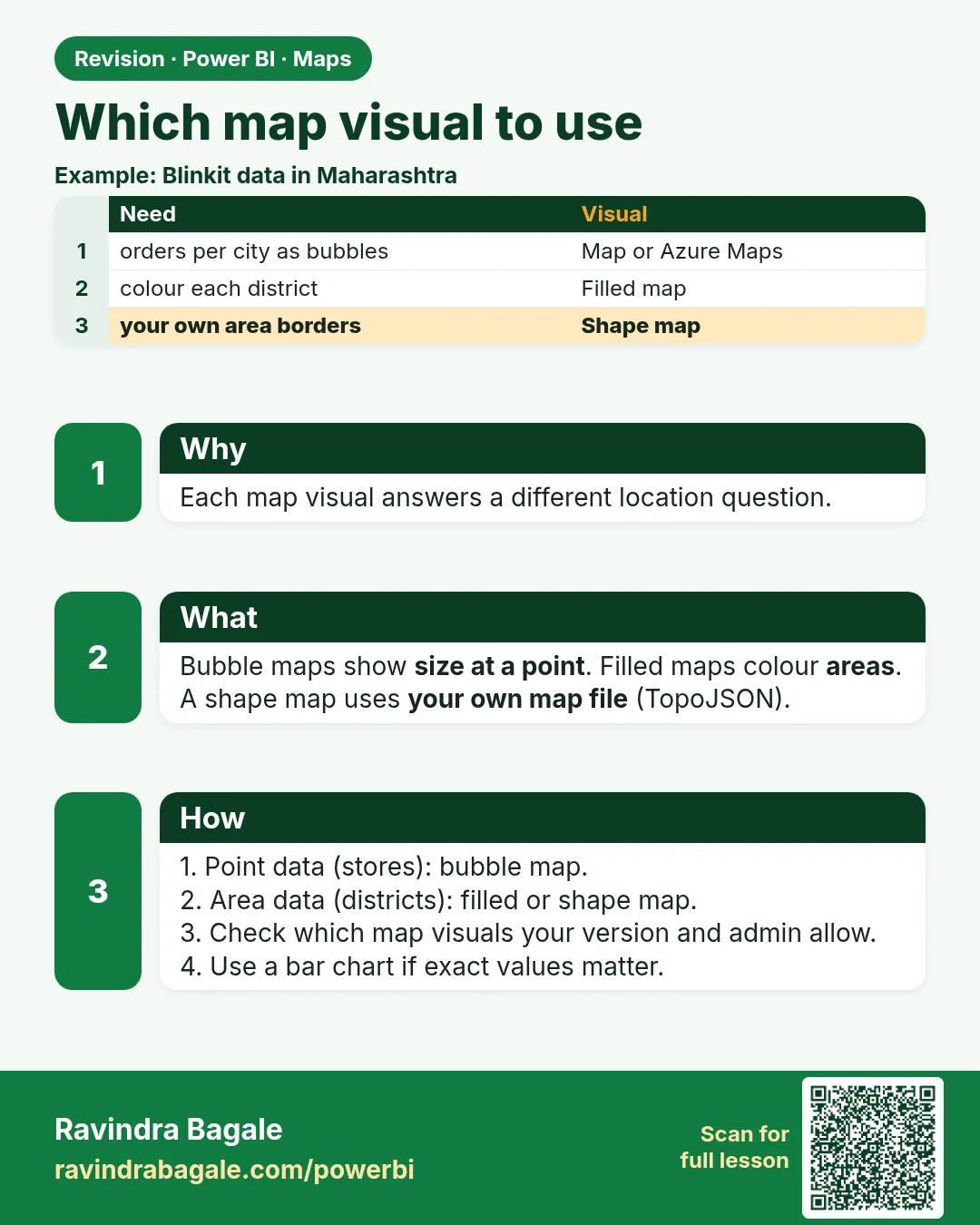
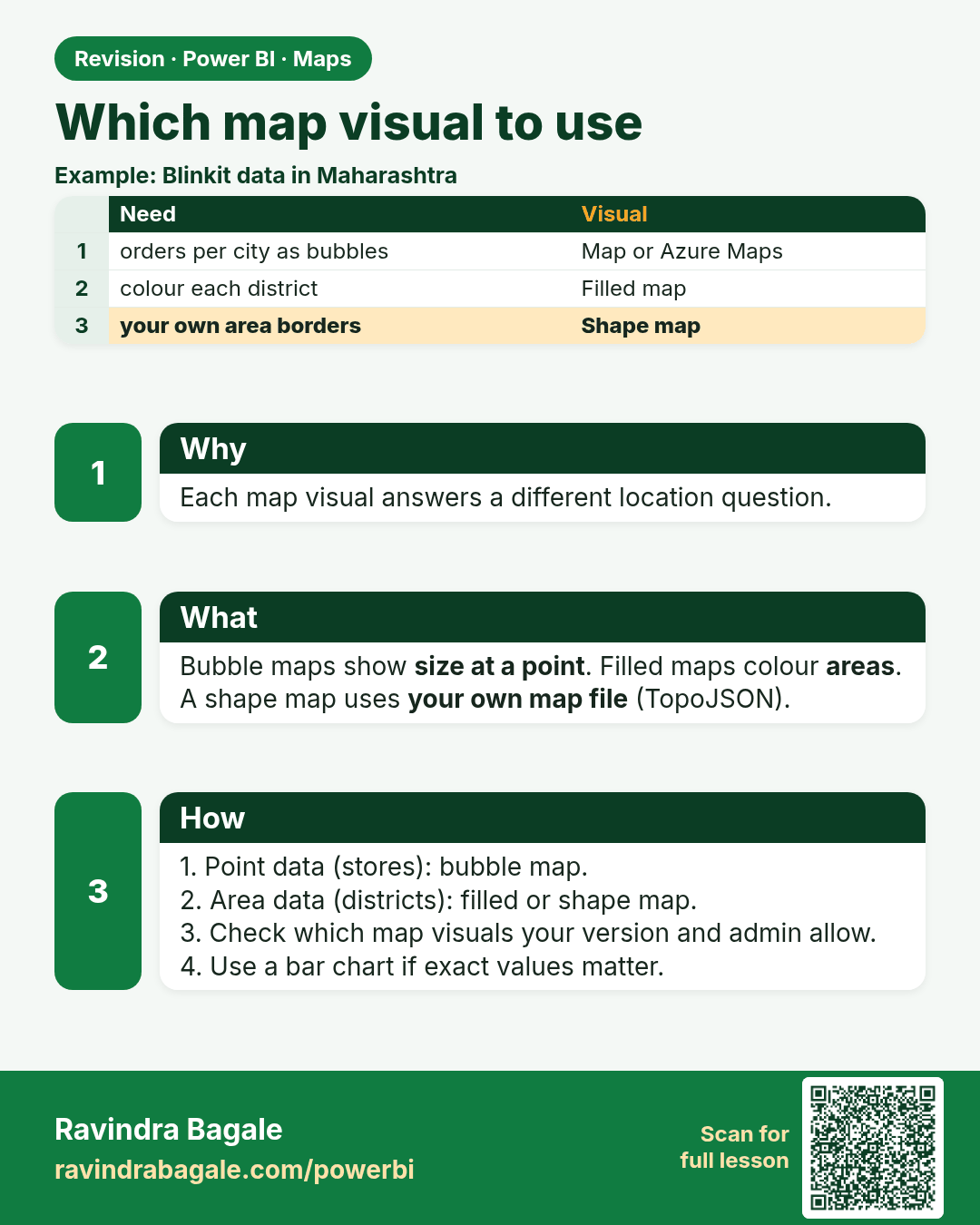
Which map visual to use. Each map visual answers a different location question.
Revision card 1 of 7: Which map visual to use · Download PNG · Open card page

Lesson: 15.1 Which Map Visual?

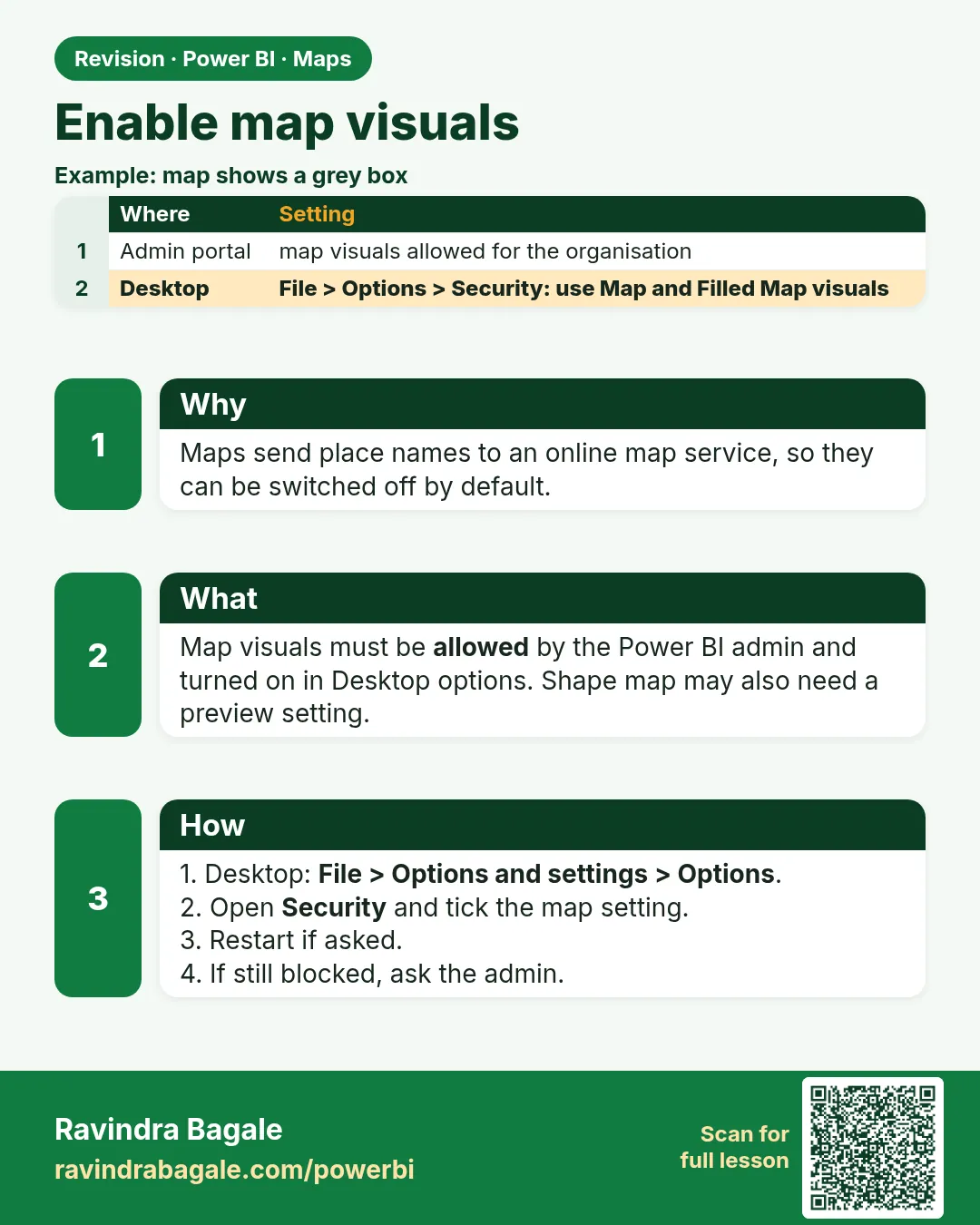
Enable map visuals. Maps send place names to an online map service, so they can be switched off by default.
Revision card 2 of 7: Enable map visuals · Download PNG · Open card page

Lesson: 15.2 Enabling Map Visuals

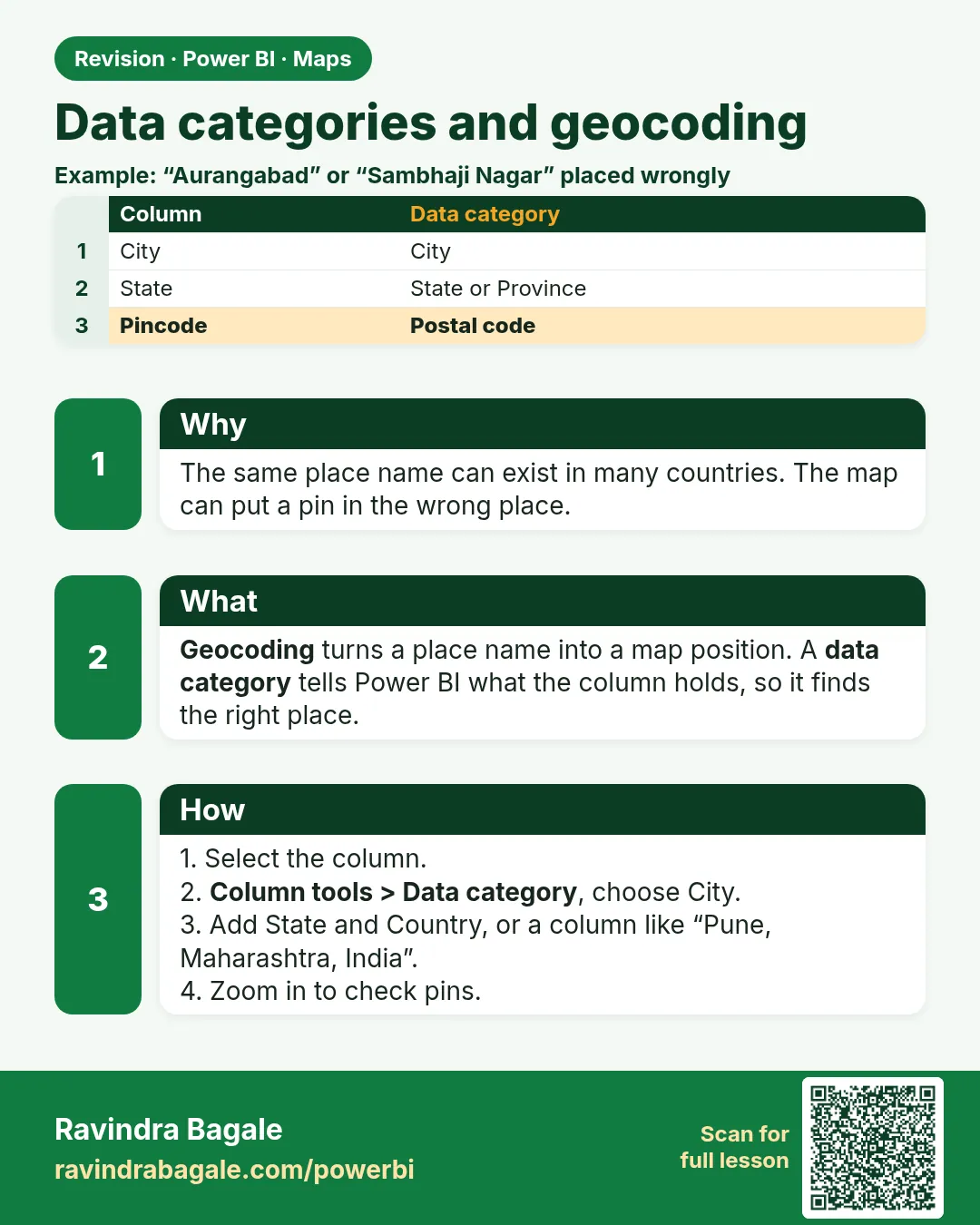
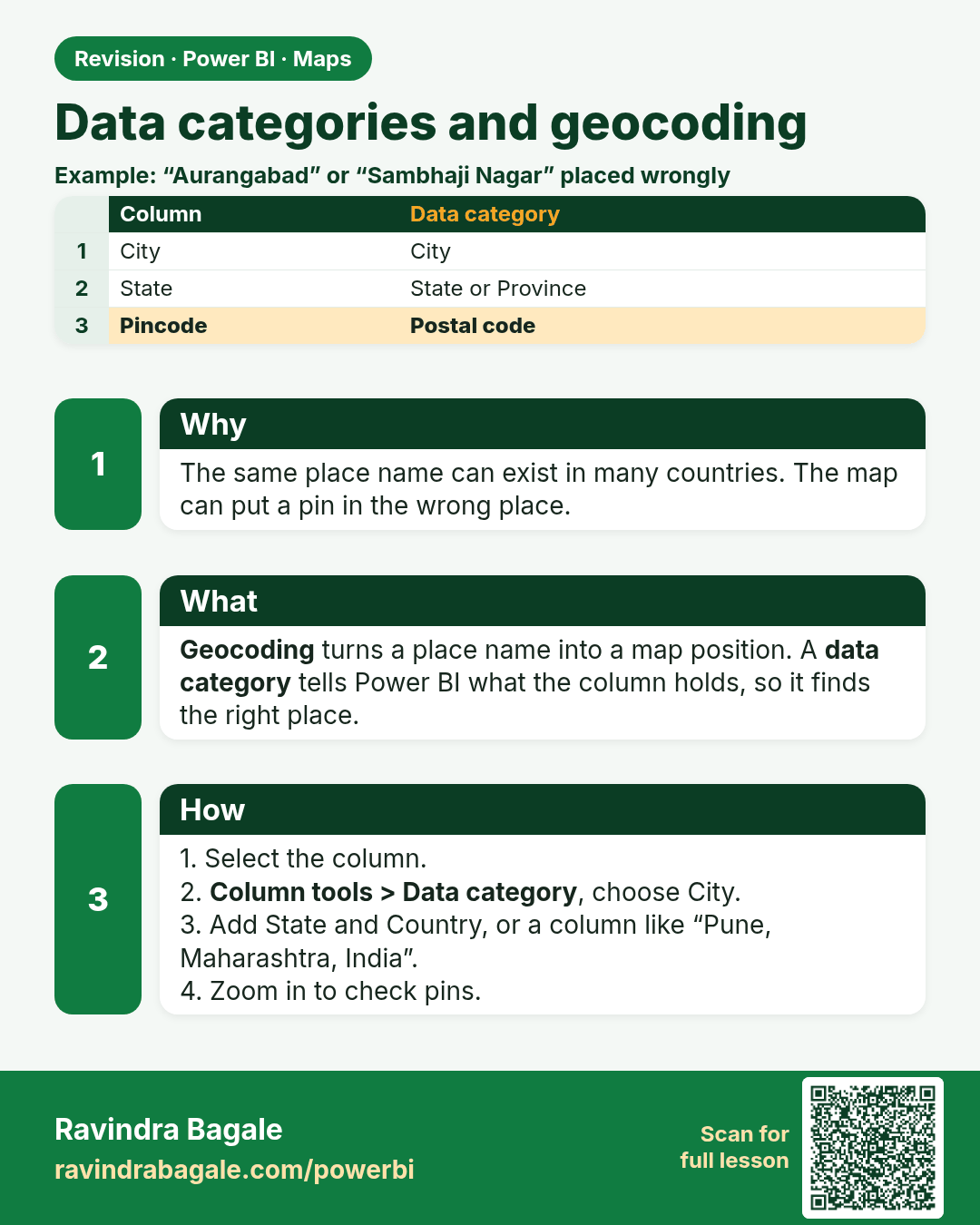
Data categories and geocoding. The same place name can exist in many countries. The map can put a pin in the wrong place.
Revision card 3 of 7: Data categories and geocoding · Download PNG · Open card page

Lesson: 15.3 Data Categories and Geocoding
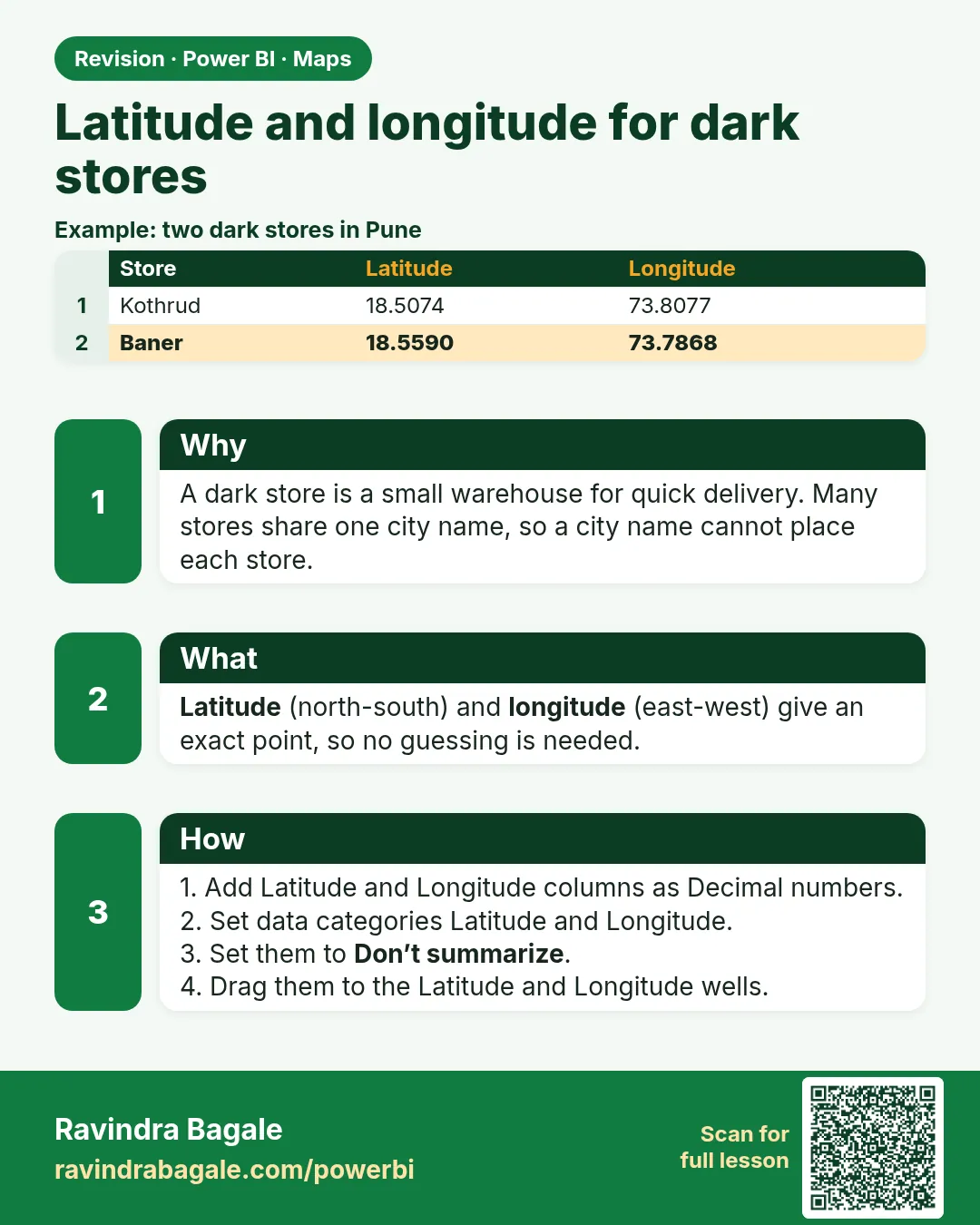
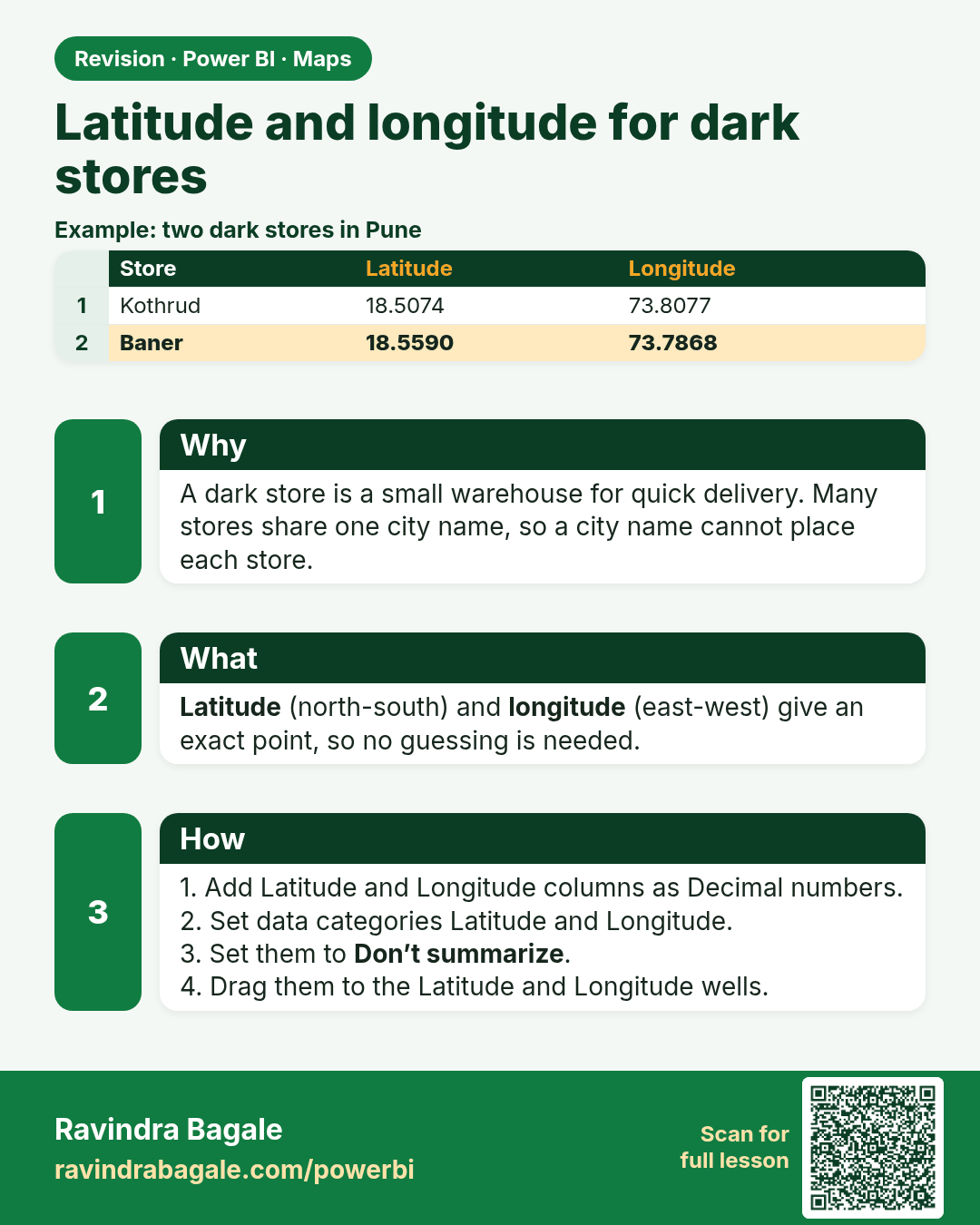
Latitude and longitude for dark stores. A dark store is a small warehouse for quick delivery. Many stores share one city name, so a city name cannot place each store.
Revision card 4 of 7: Latitude and longitude for dark stores · Download PNG · Open card page

Lesson: 15.4 Latitude and Longitude for Dark Stores

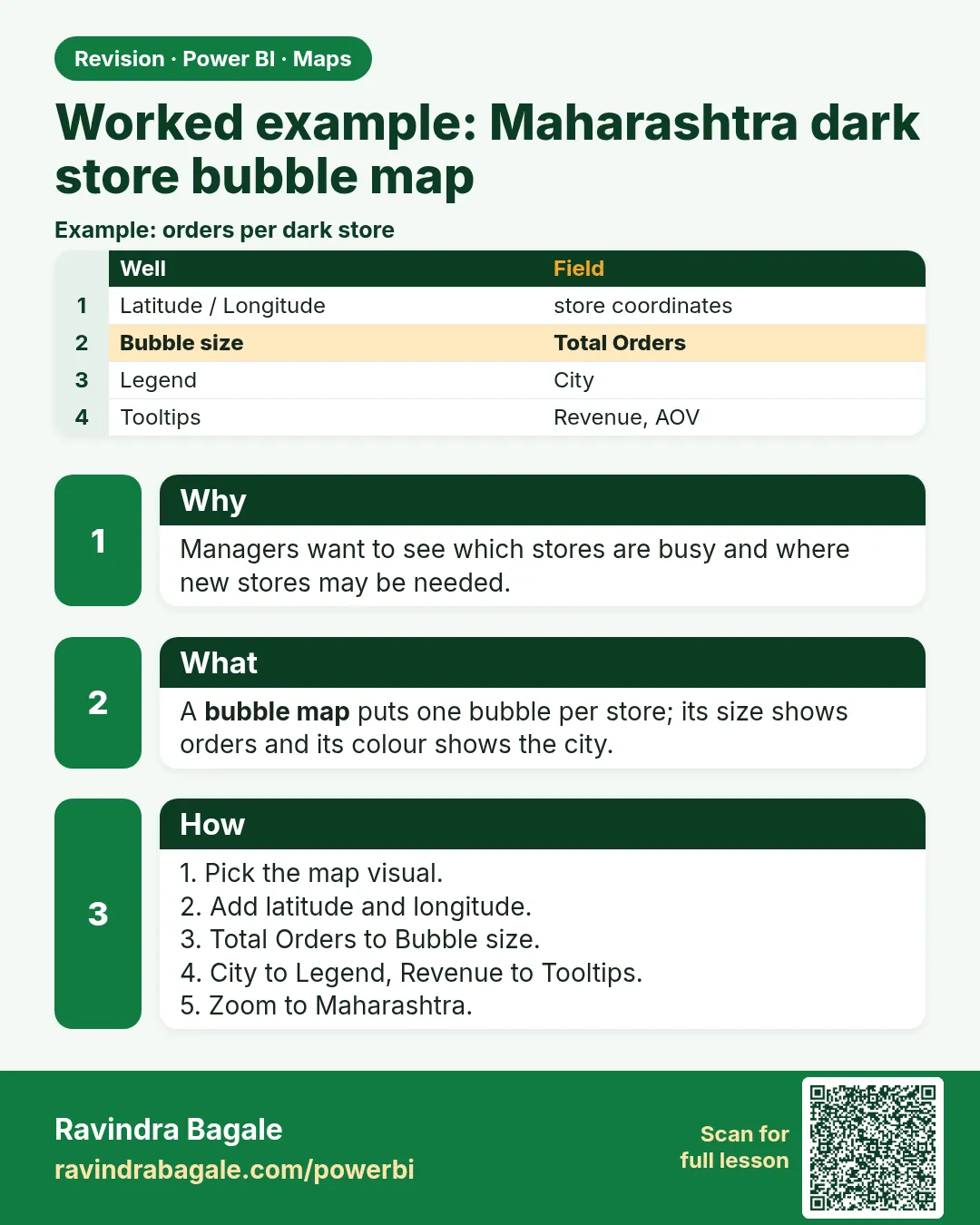
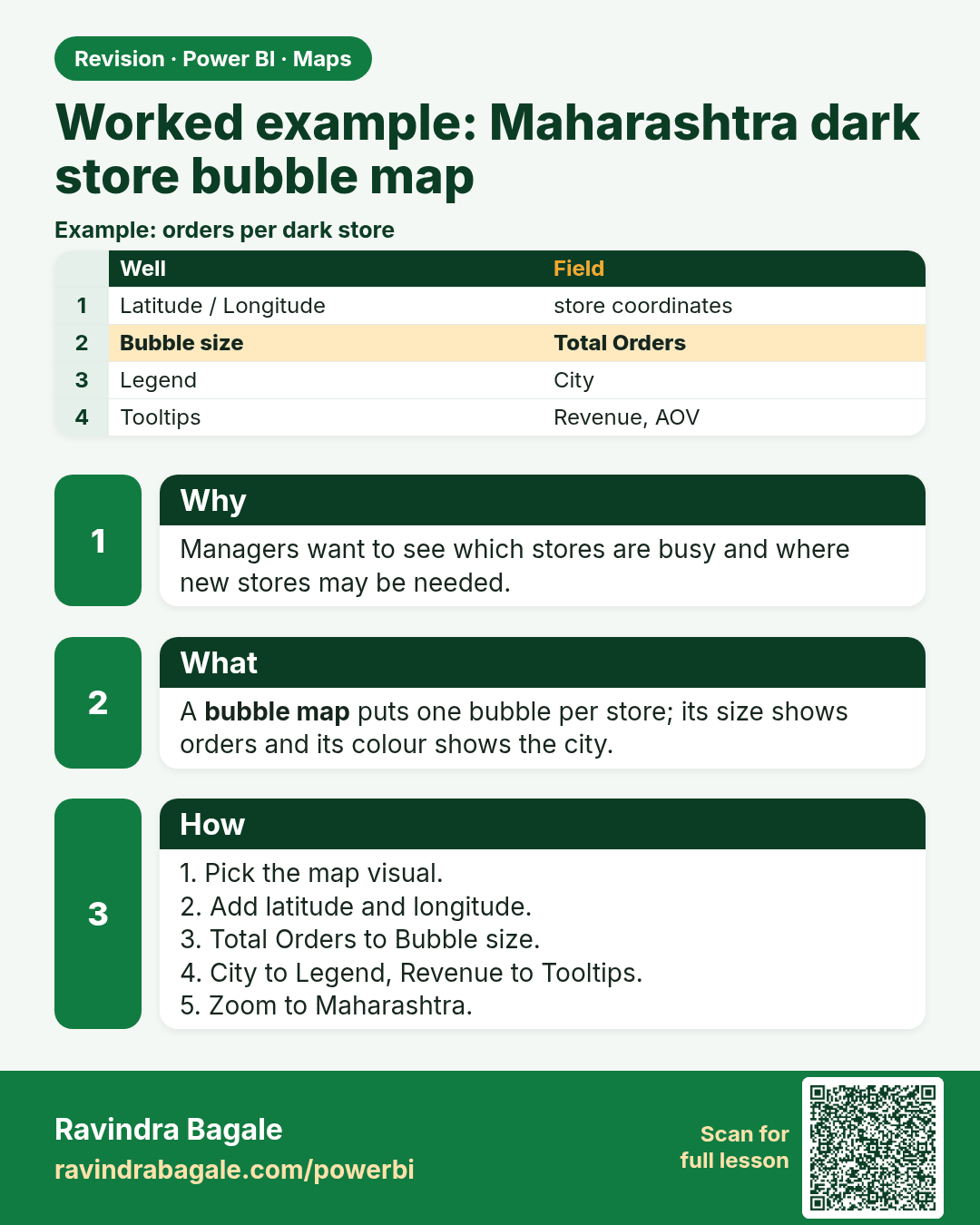
Worked example: Maharashtra dark store bubble map. Managers want to see which stores are busy and where new stores may be needed.
Revision card 5 of 7: Worked example: Maharashtra dark store bubble map · Download PNG · Open card page

Lesson: 15.5 Worked Example: Maharashtra Dark Store Bubble Map

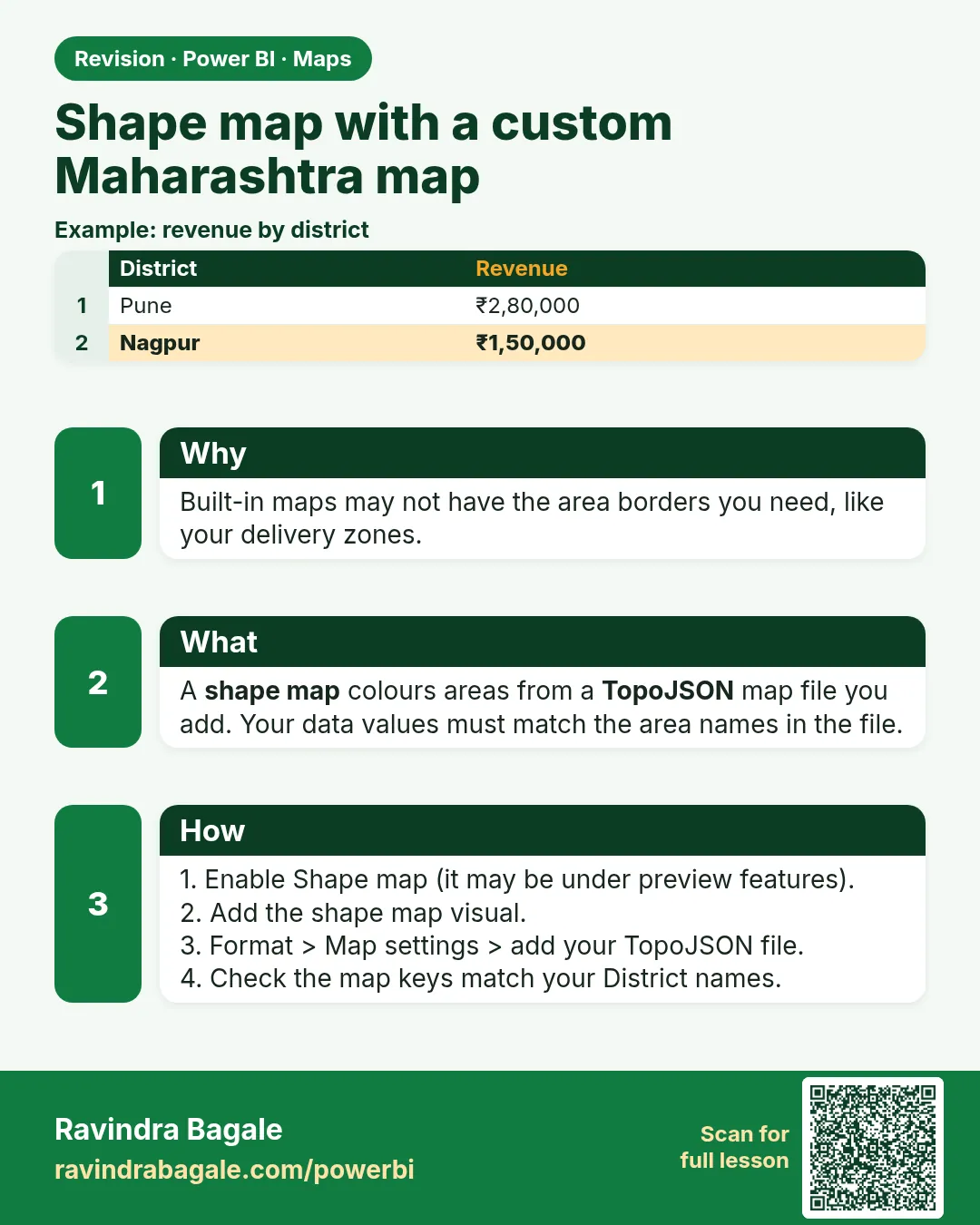
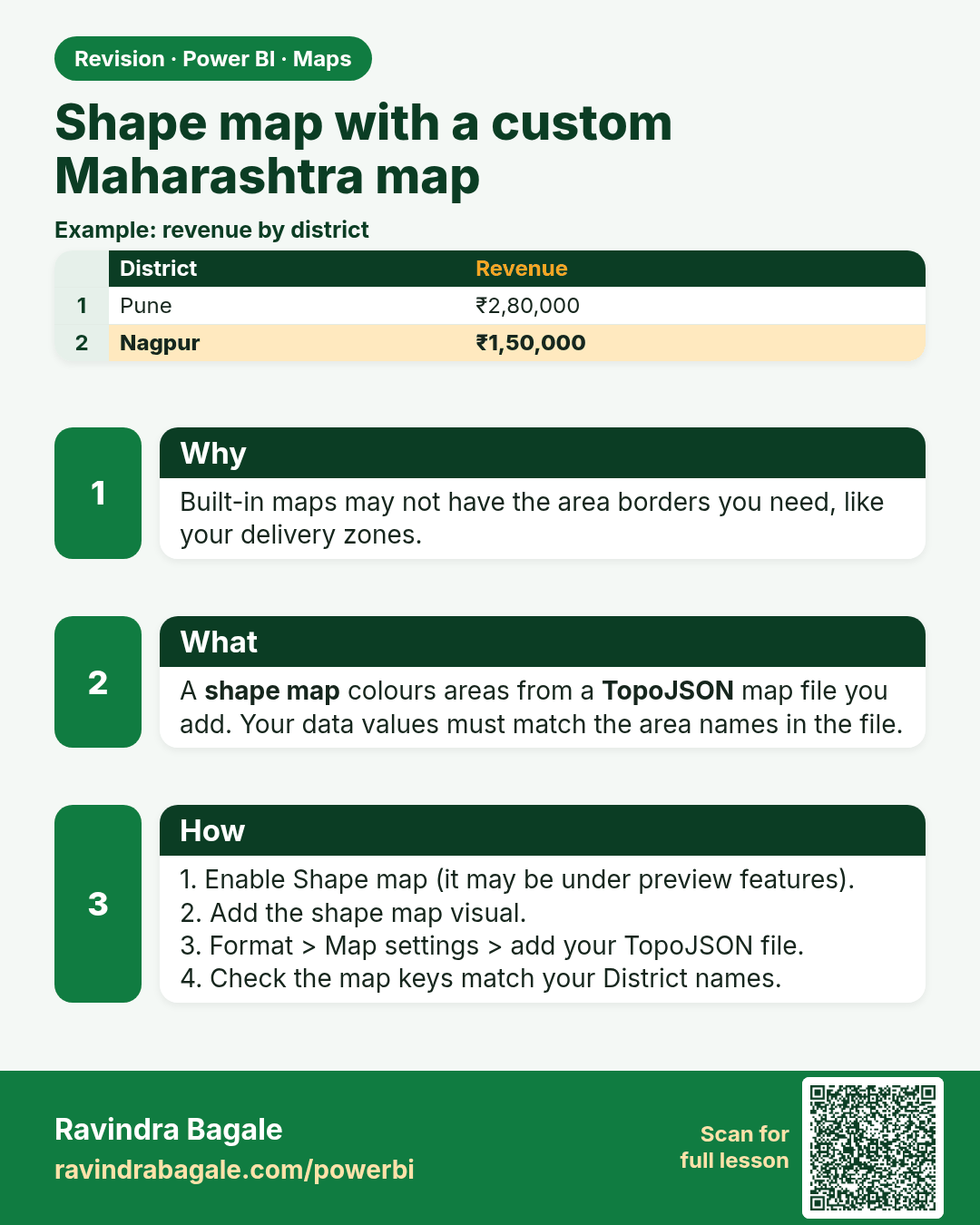
Shape map with a custom Maharashtra map. Built-in maps may not have the area borders you need, like your delivery zones.
Revision card 6 of 7: Shape map with a custom Maharashtra map · Download PNG · Open card page

Lesson: 15.6 Shape Map with a Custom Maharashtra Map

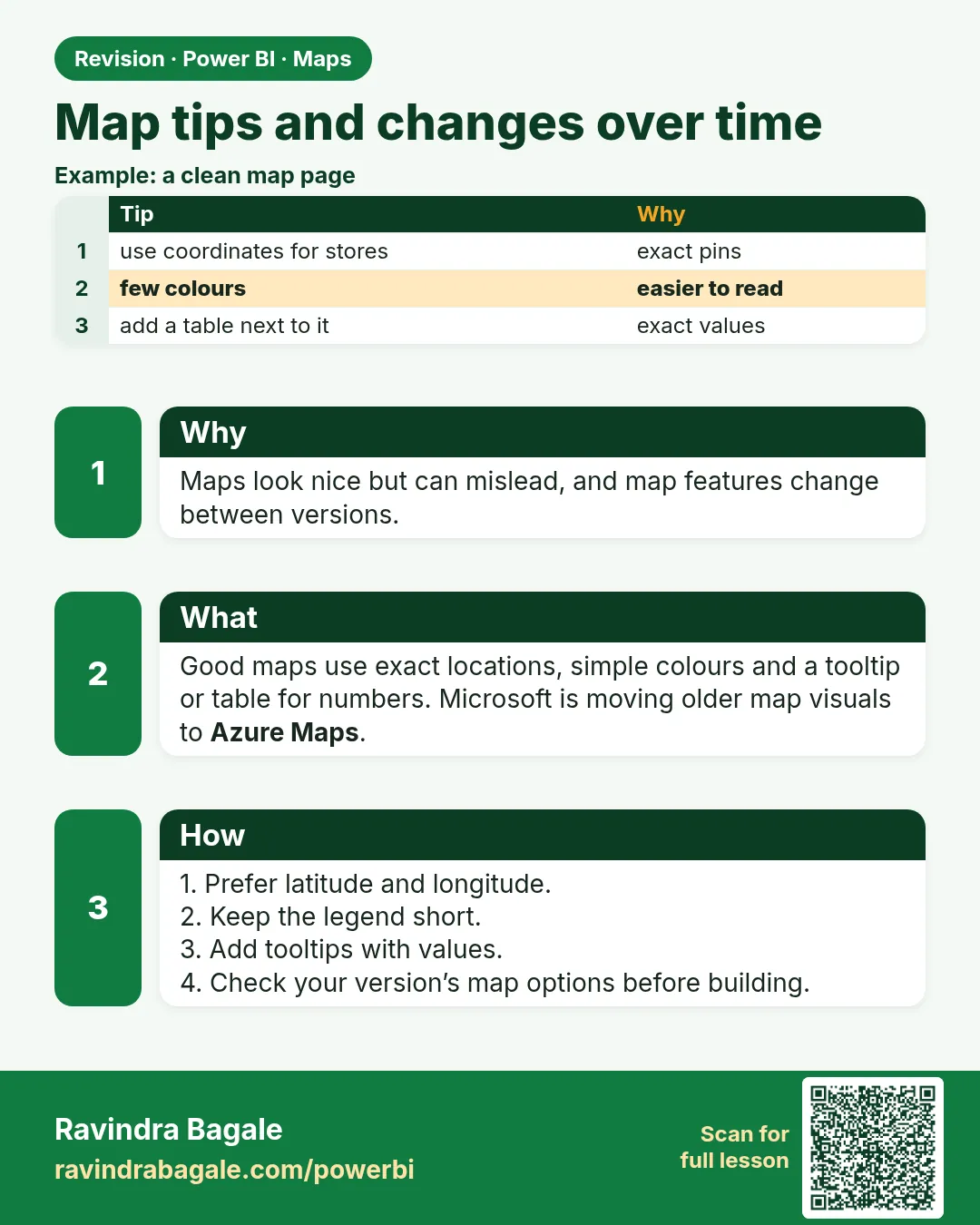
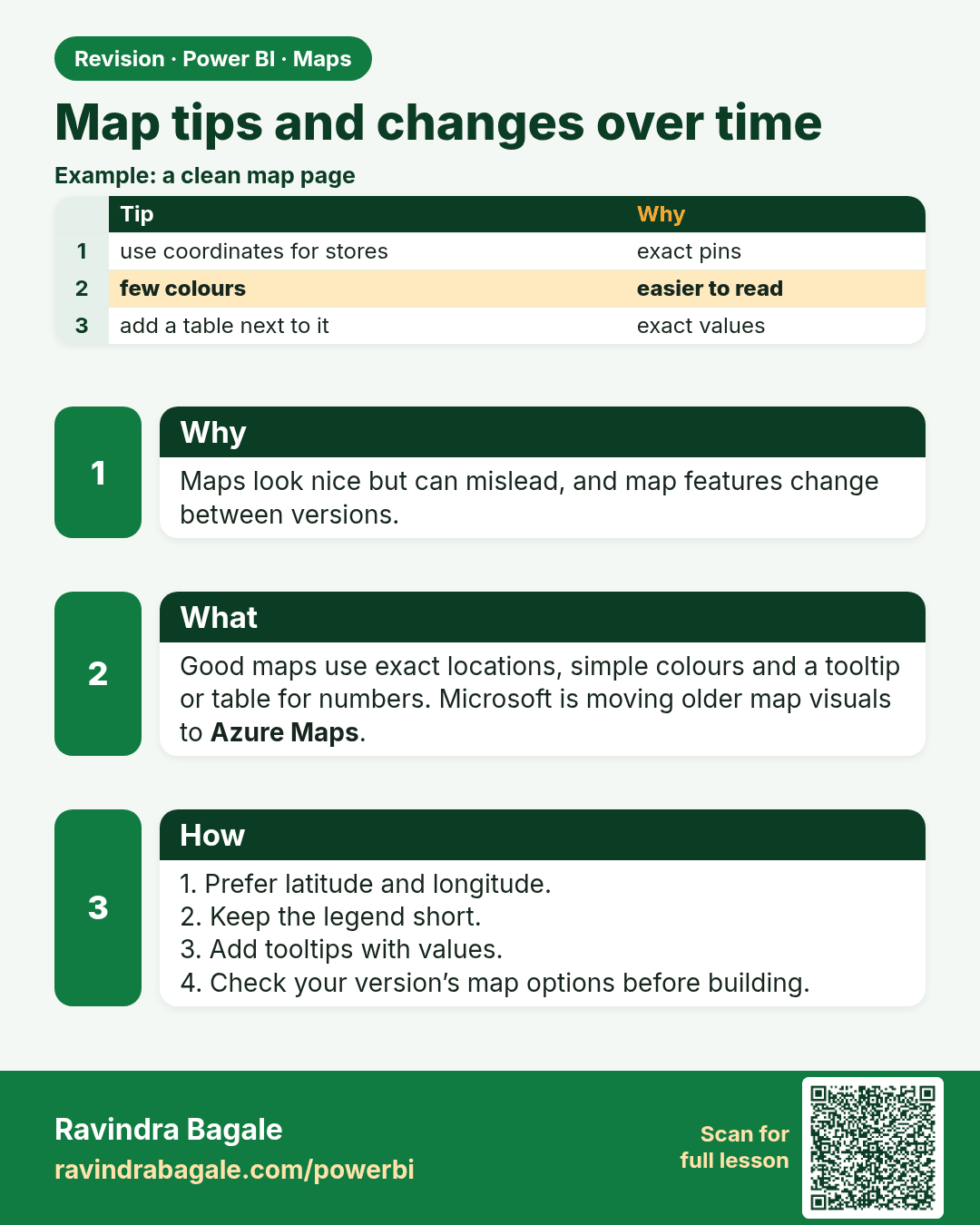
Map tips and changes over time. Maps look nice but can mislead, and map features change between versions.
Revision card 7 of 7: Map tips and changes over time · Download PNG · Open card page

Lesson: 15.7 Map Tips and Changes Over Time

Interview cards

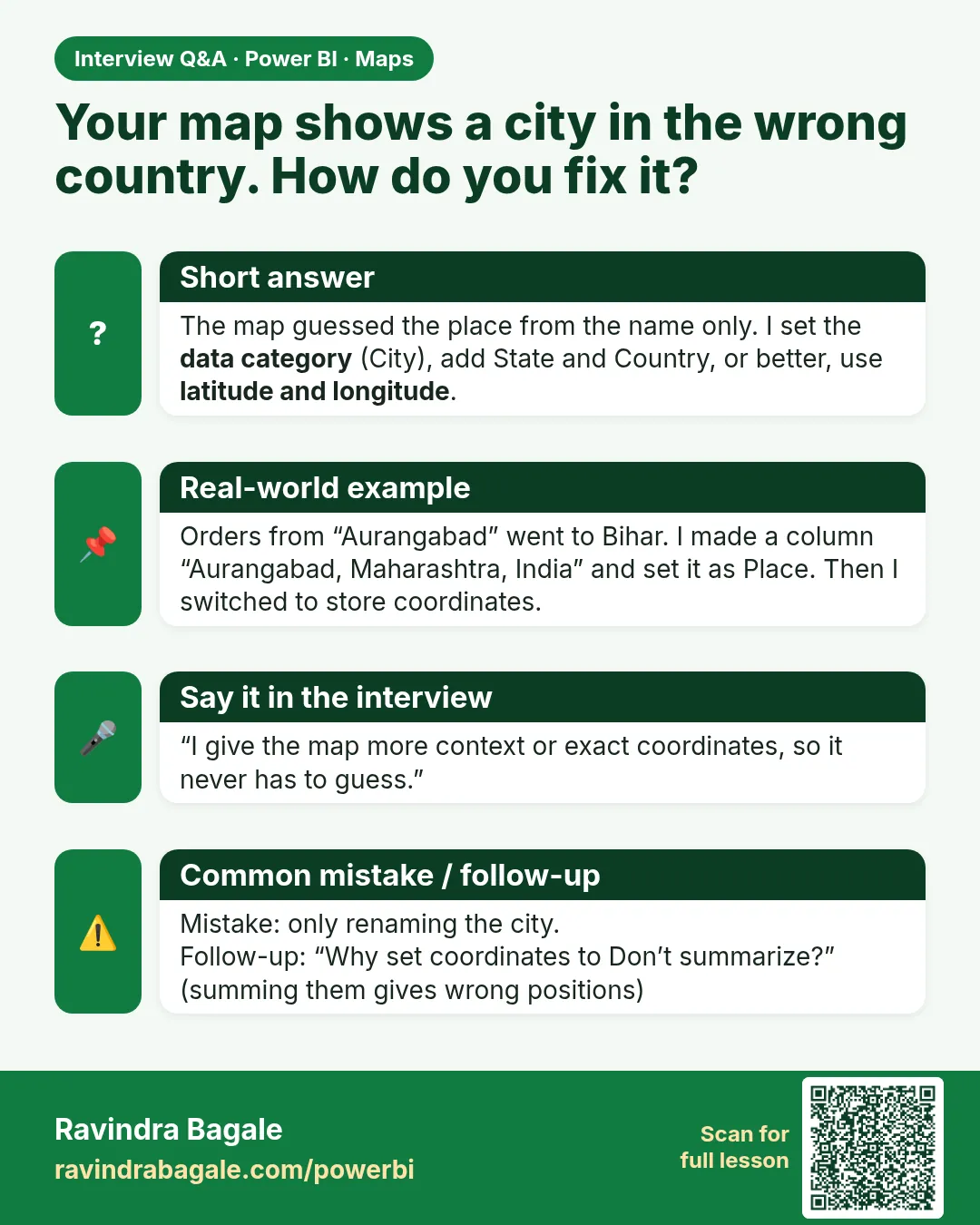
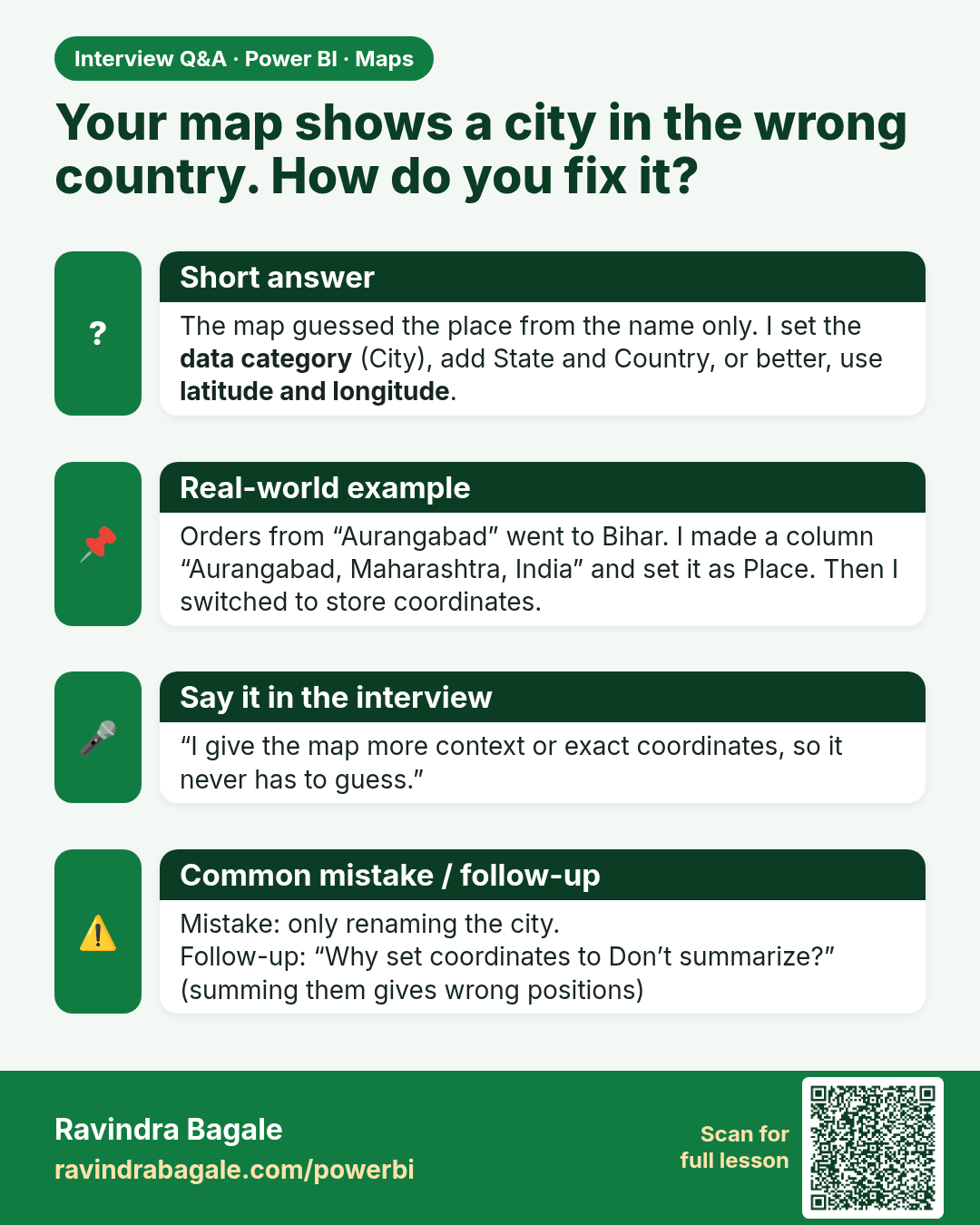
Your map shows a city in the wrong country. How do you fix it? The map guessed the place from the name only. I set the data category (City), add State and Country, or better, use latitude and longitude.
Interview card 1 of 1: Your map shows a city in the wrong country. How do you fix it? · Download PNG · Open card page

Lesson: 15.3 Data Categories and Geocoding
Comparison cards
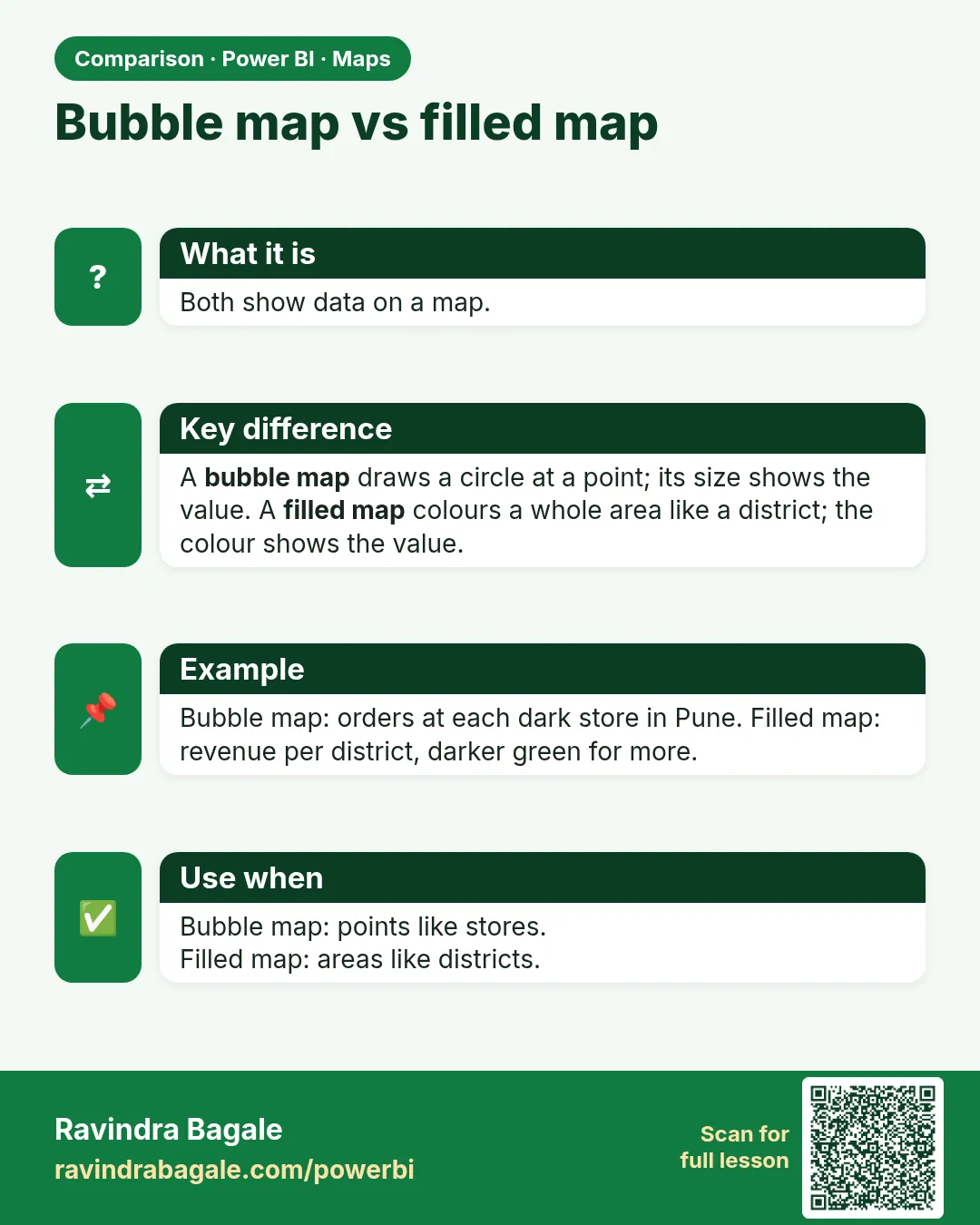
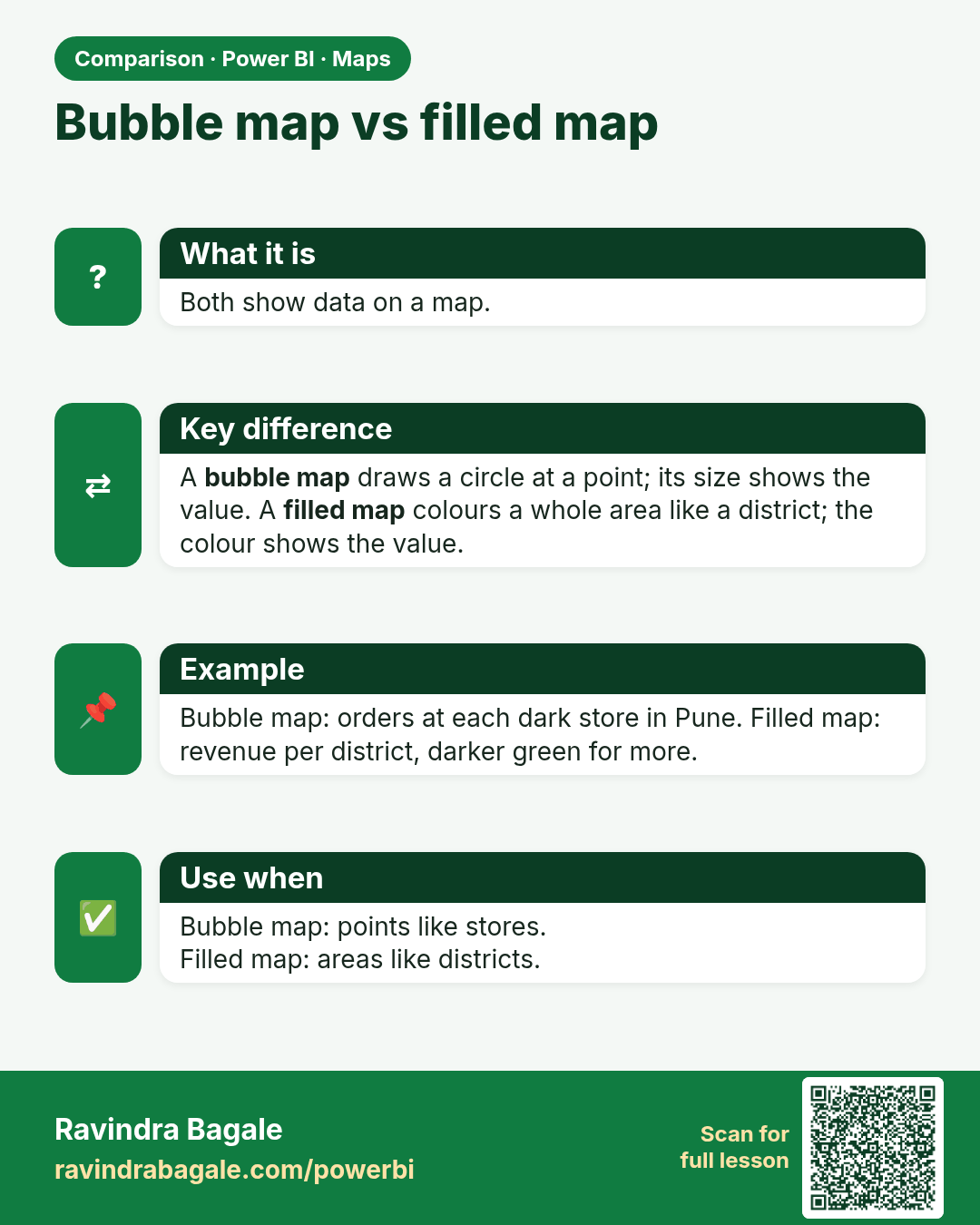
Bubble map vs filled map. Both show data on a map.
Comparison card 1 of 1: Bubble map vs filled map · Download PNG · Open card page

Lesson: 15.1 Which Map Visual?