Ravindra BagaleCourses & study guides मराठी Track your progress

Ravi Sir's Cards › Power BI

21. Dynamic Charts: Field Parameters, What-if and Dynamic Top N: Cards

मराठी cards · Open the chapter

Revision cards
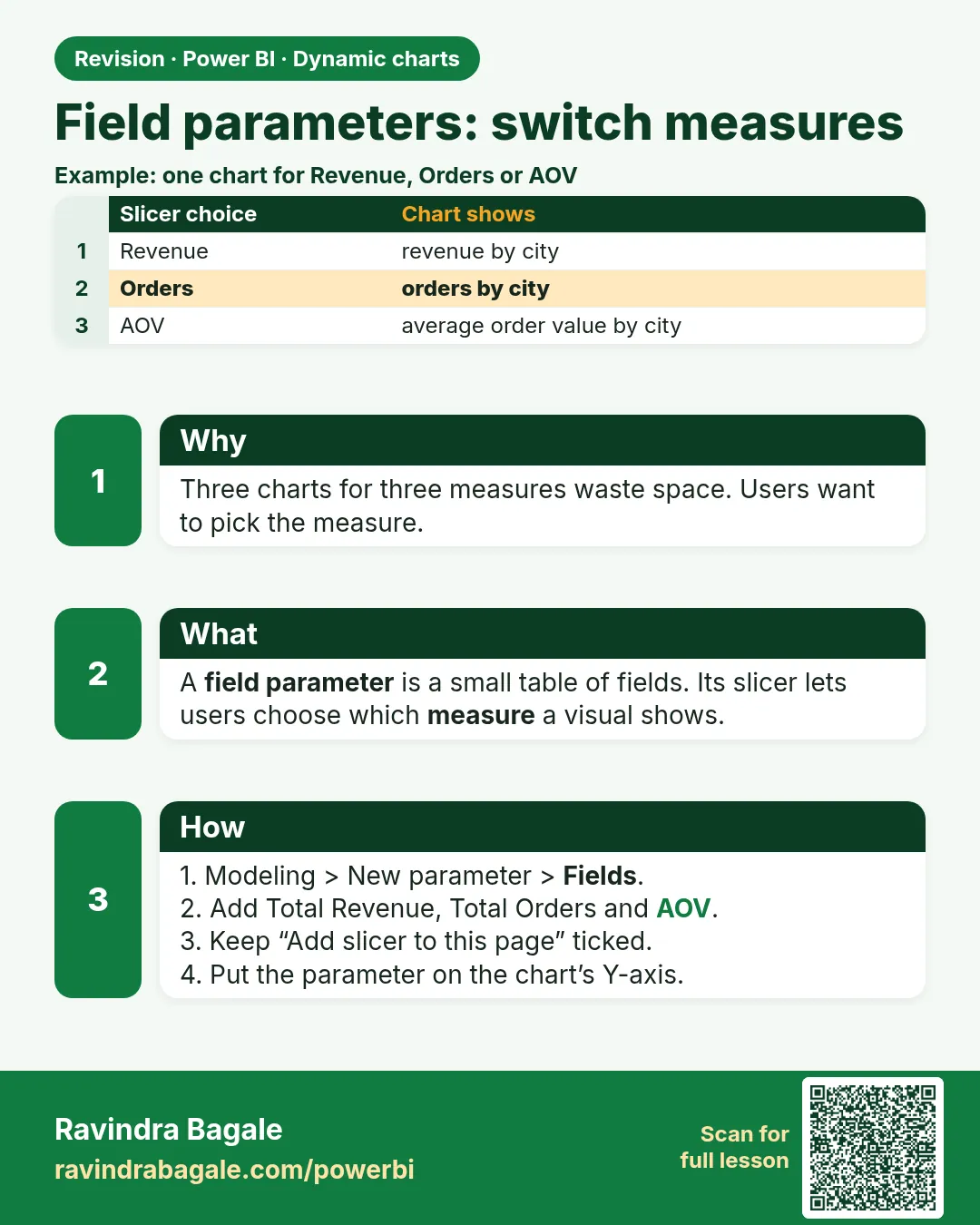
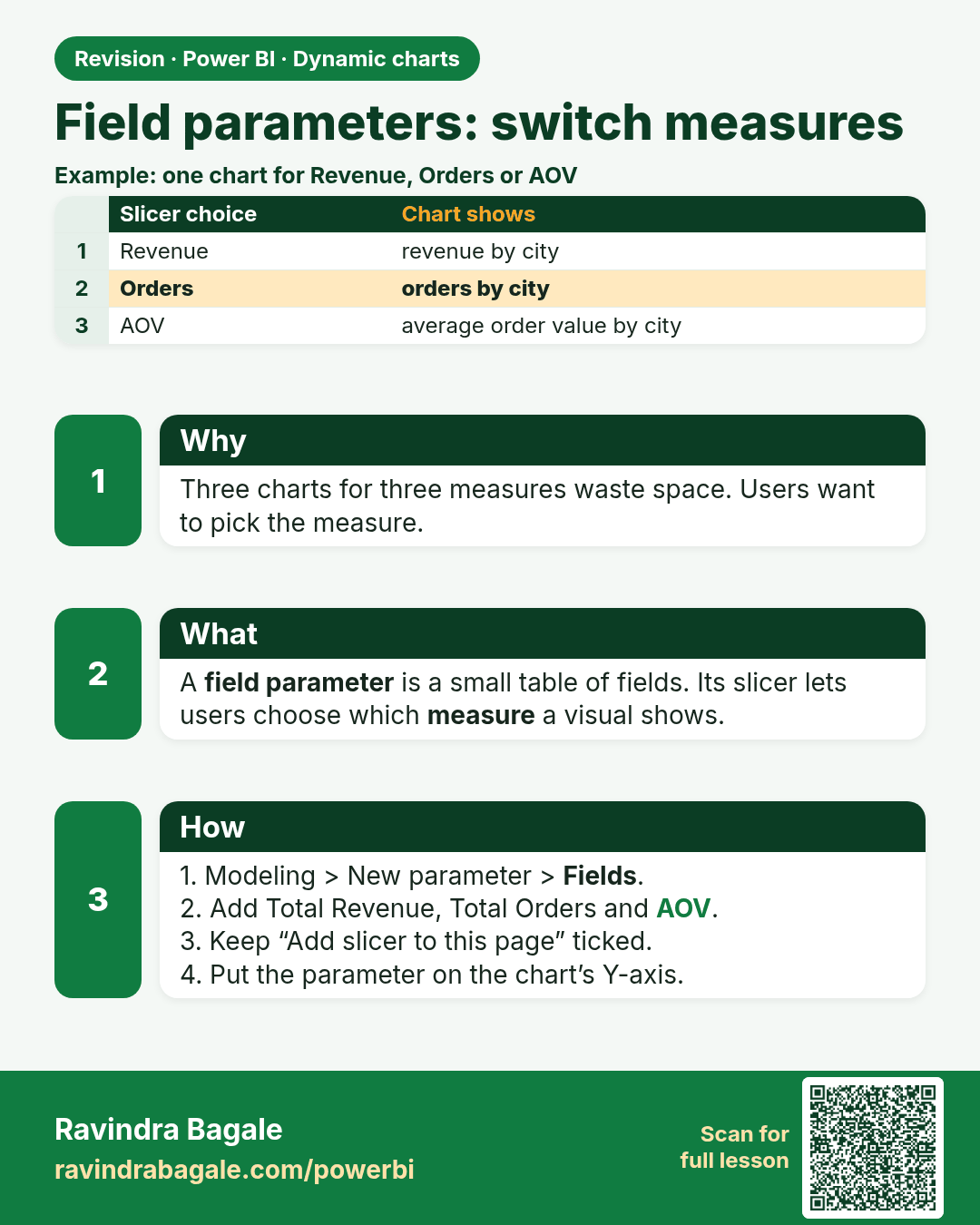
Field parameters: switch measures. Three charts for three measures waste space. Users want to pick the measure.
Revision card 1 of 8: Field parameters: switch measures · Download PNG · Open card page

Lesson: 21.1 Field Parameters: Switch Measures
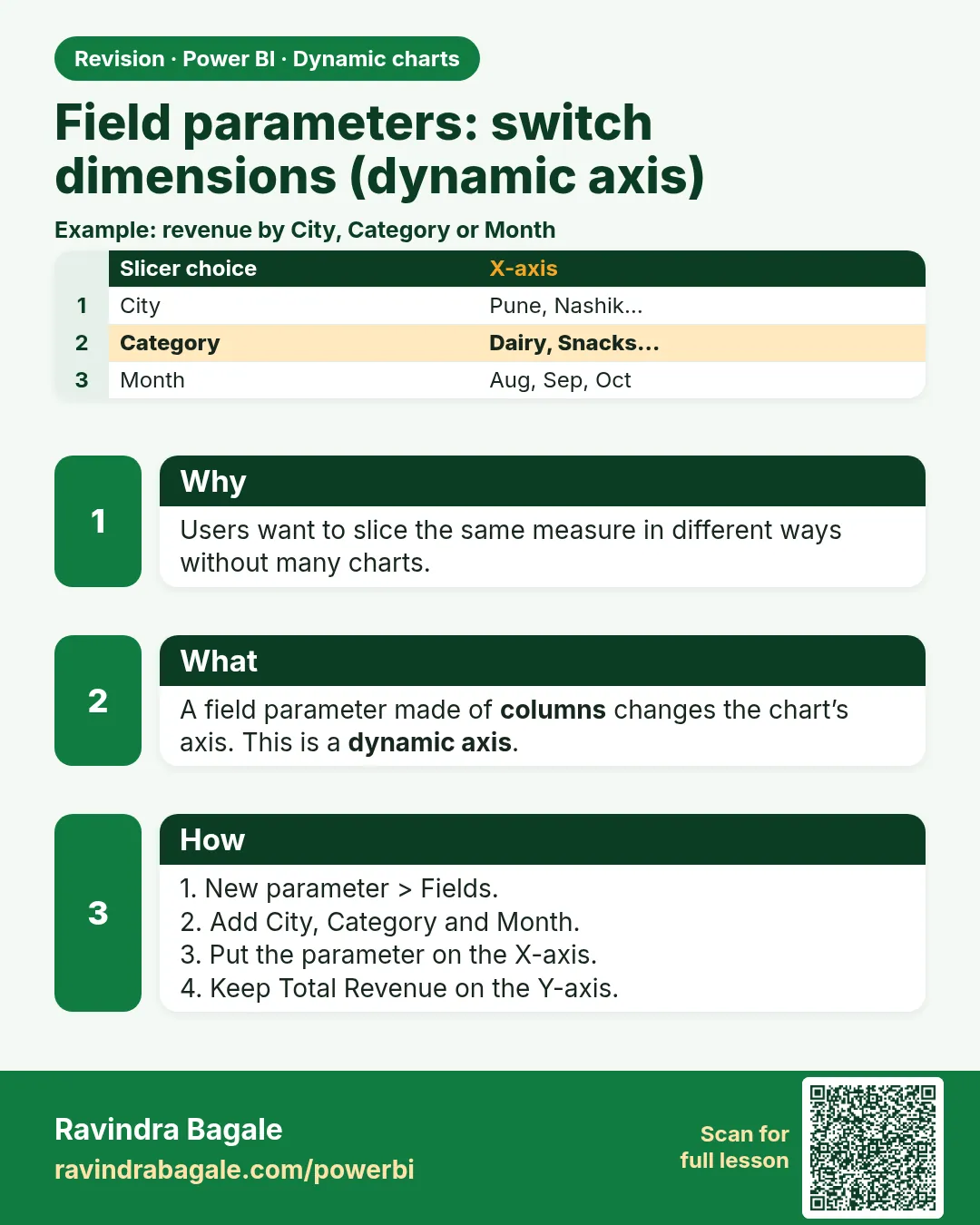
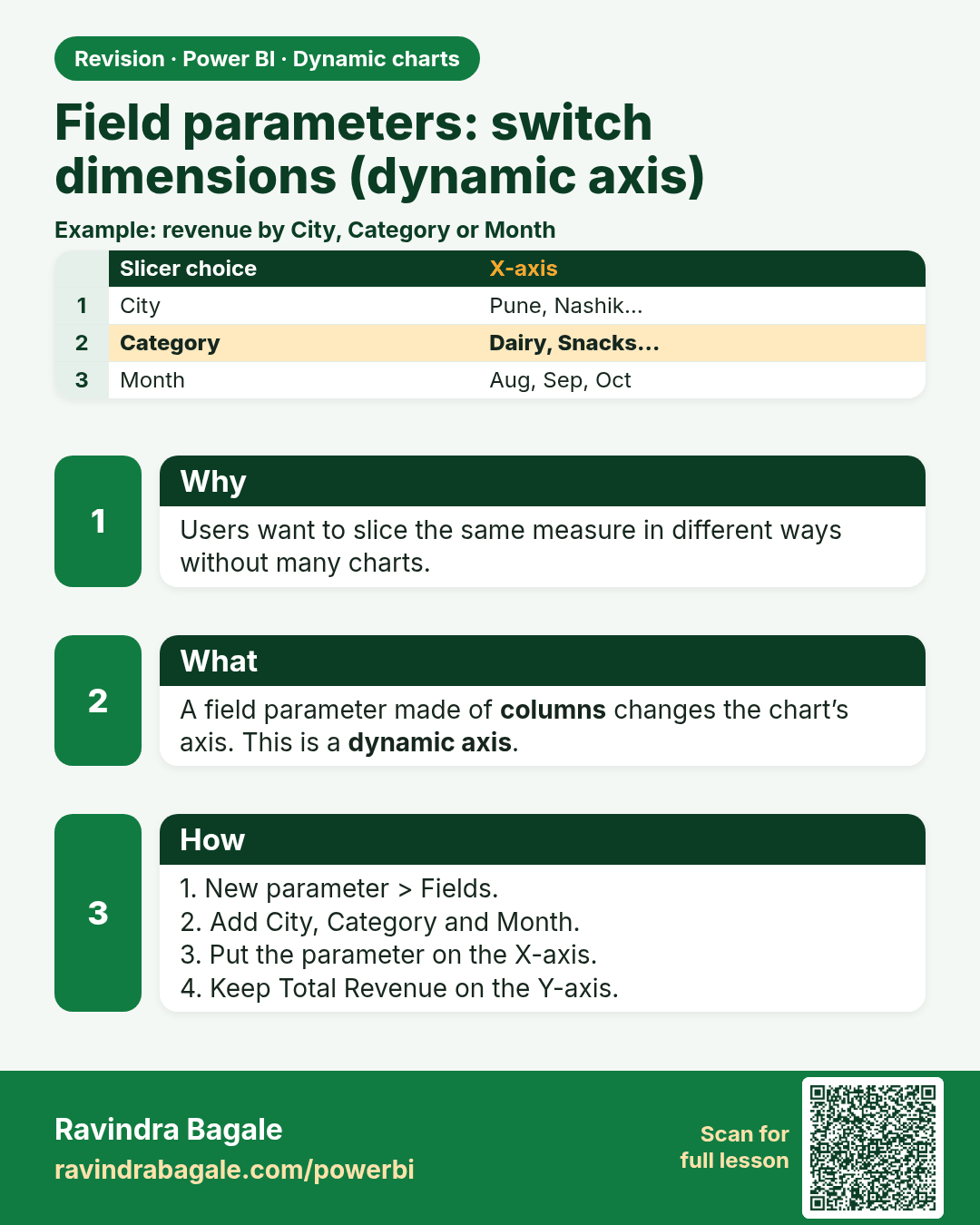
Field parameters: switch dimensions (dynamic axis). Users want to slice the same measure in different ways without many charts.
Revision card 2 of 8: Field parameters: switch dimensions (dynamic axis) · Download PNG · Open card page

Lesson: 21.2 Field Parameters: Switch Dimensions (Dynamic Axis)

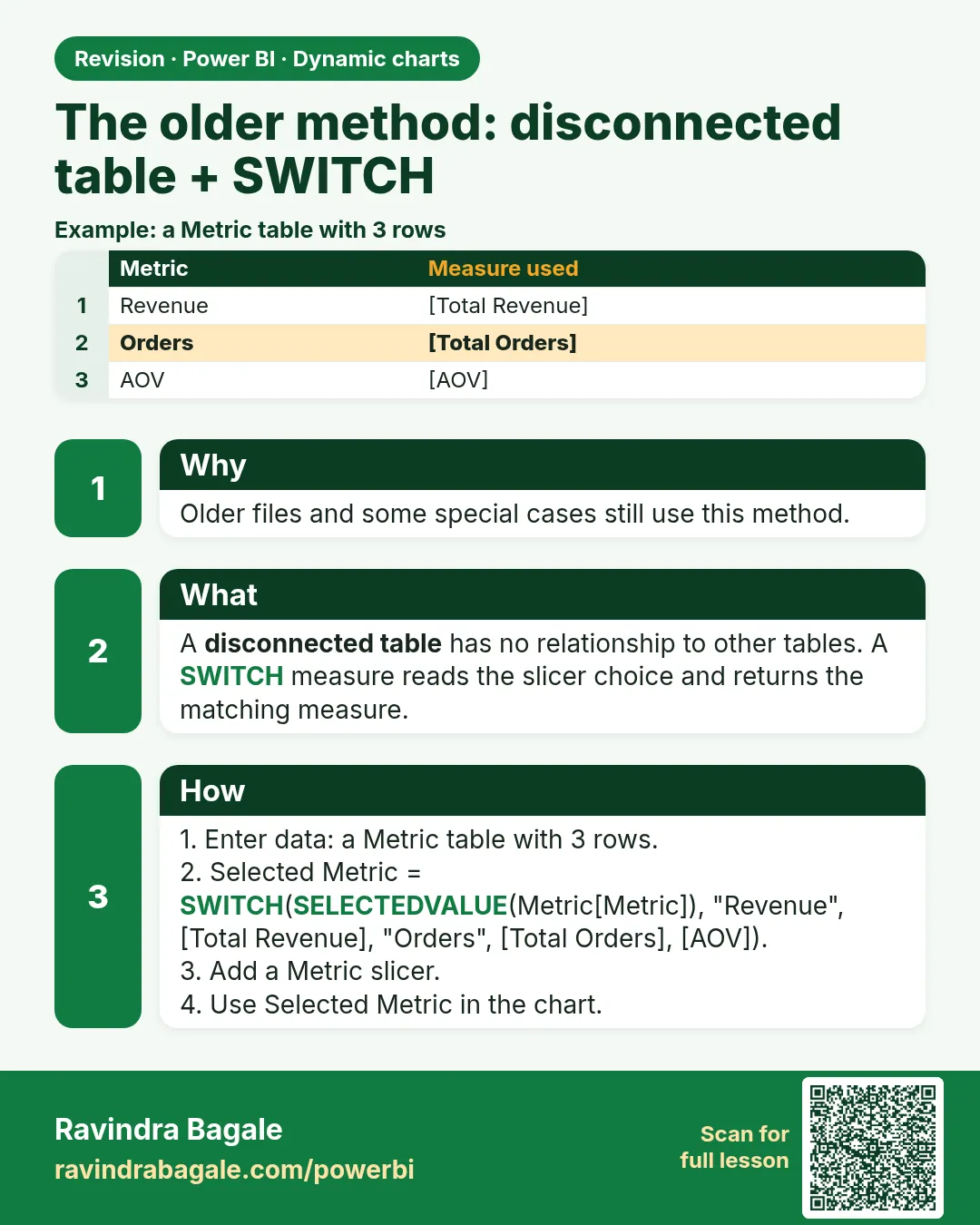
The older method: disconnected table + SWITCH. Older files and some special cases still use this method.
Revision card 3 of 8: The older method: disconnected table + SWITCH · Download PNG · Open card page

Lesson: 21.3 The Older Method: Disconnected Table + SWITCH

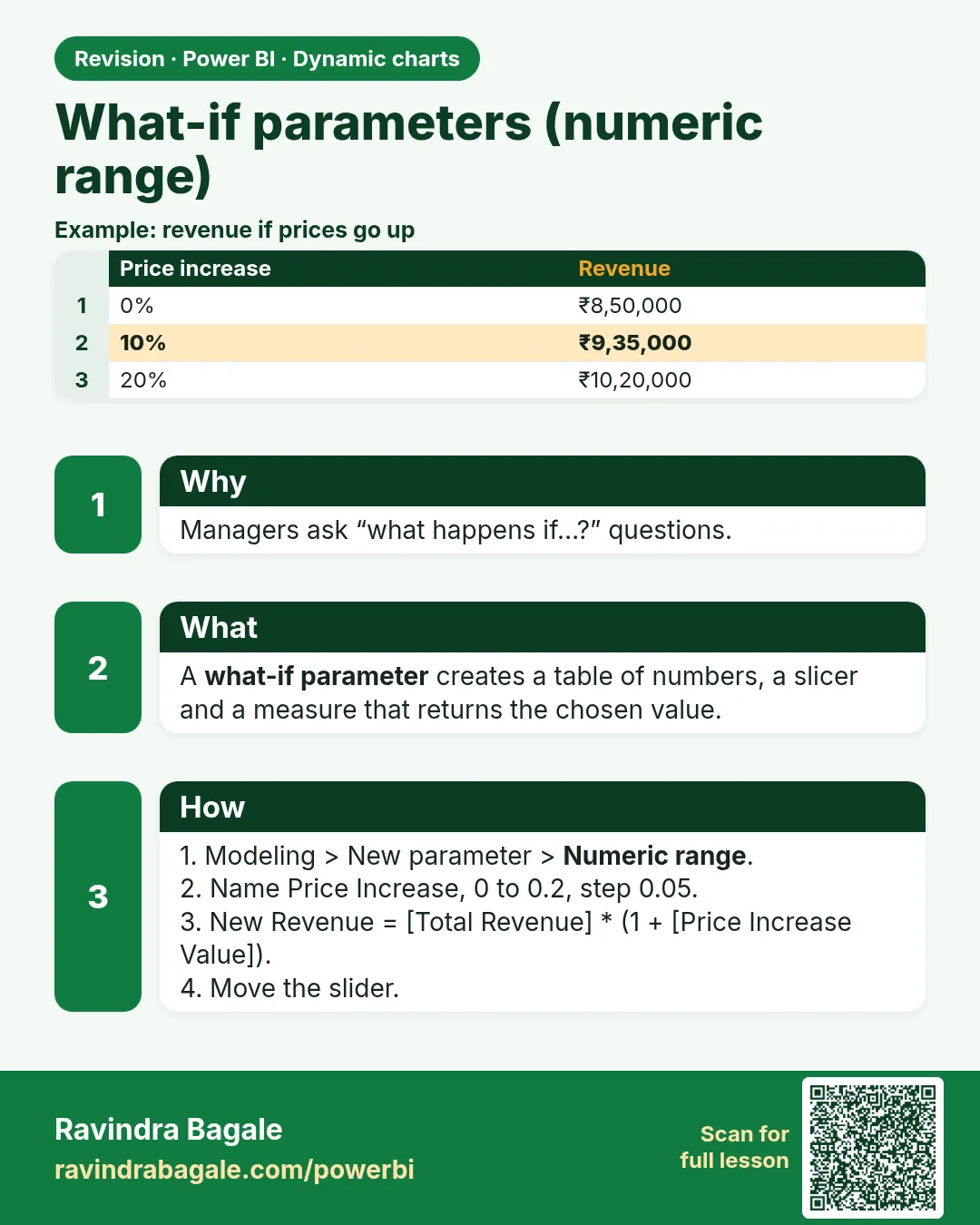
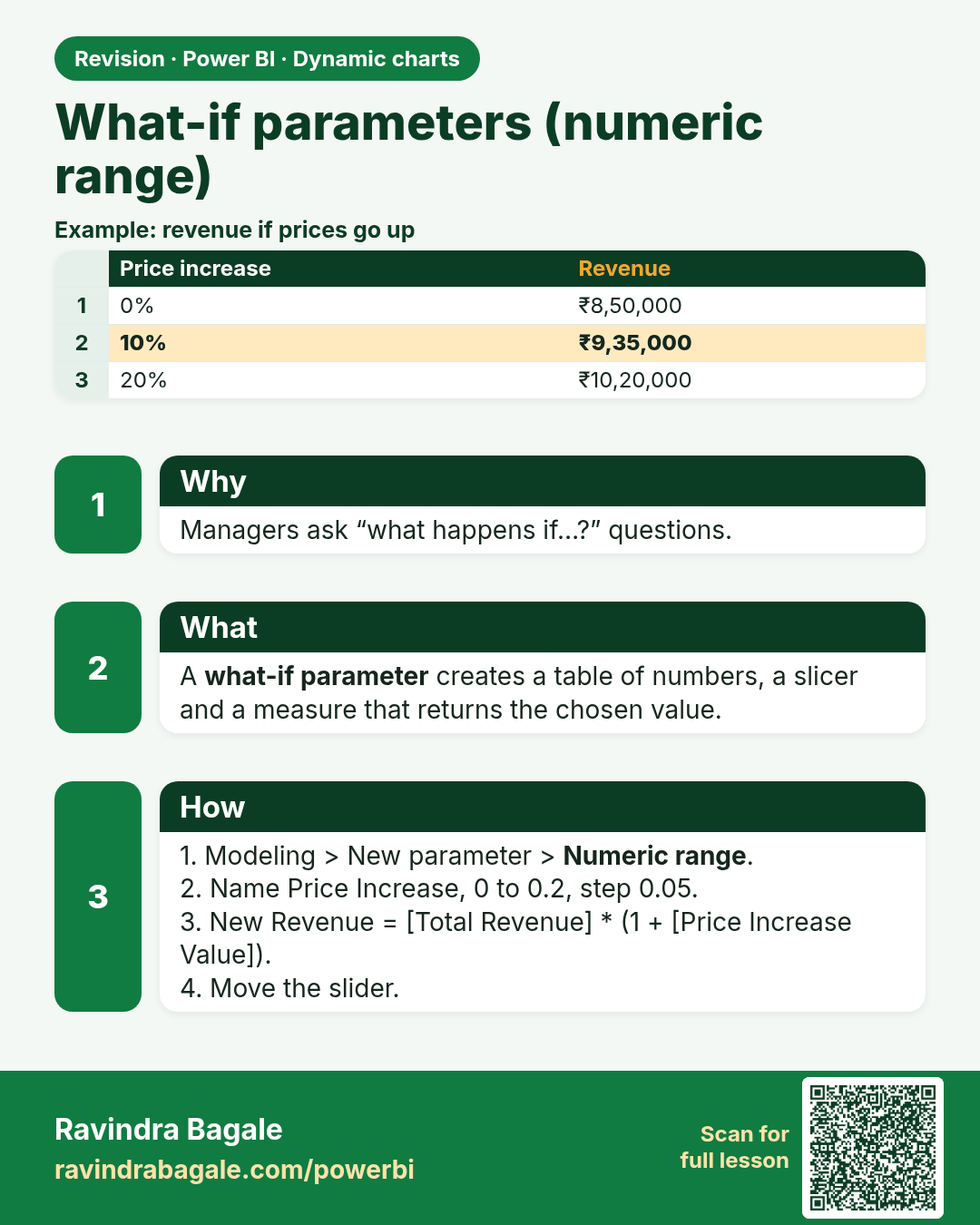
What-if parameters (numeric range). Managers ask “what happens if…?” questions.
Revision card 4 of 8: What-if parameters (numeric range) · Download PNG · Open card page

Lesson: 21.4 What-if Parameters (Numeric Range)

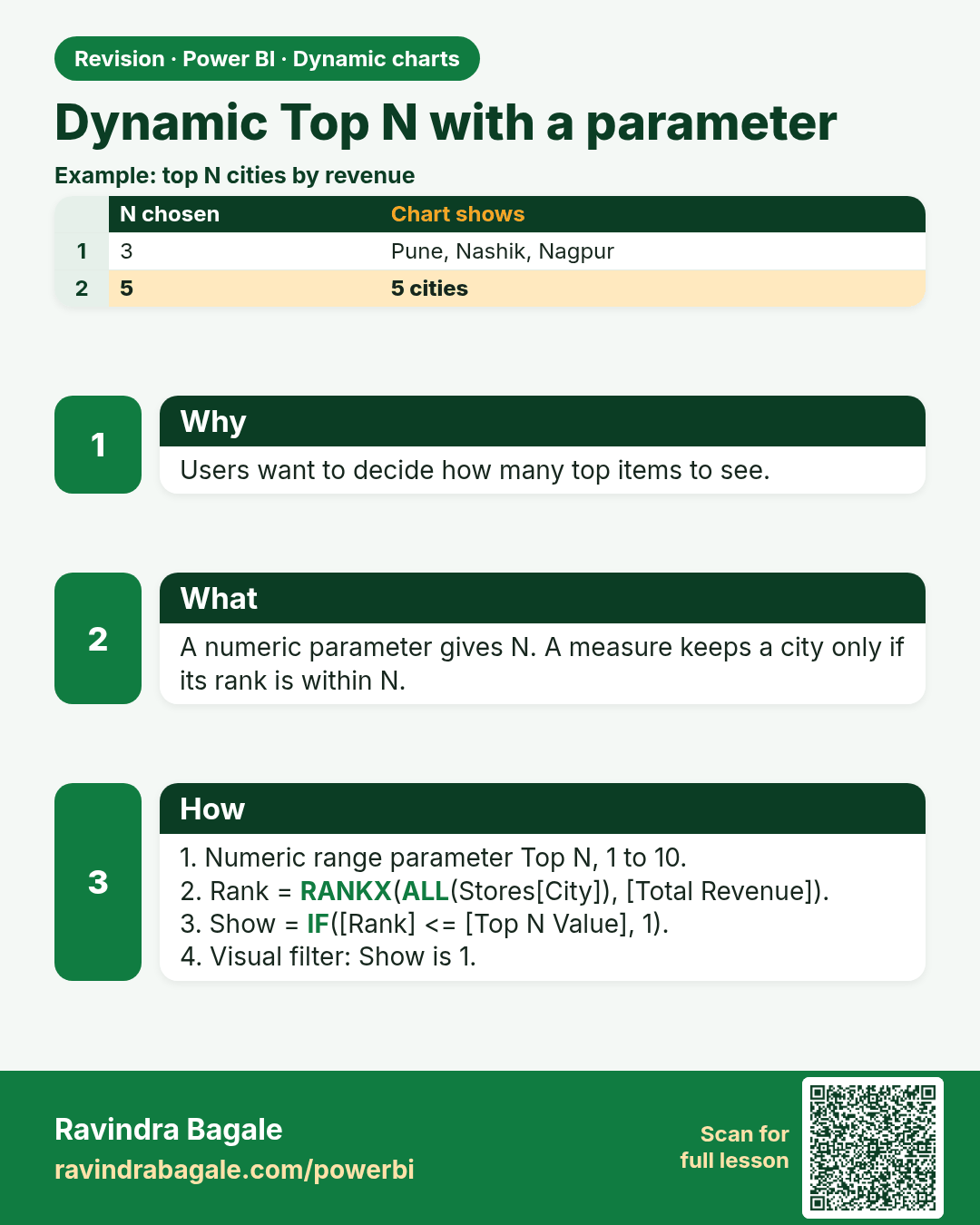
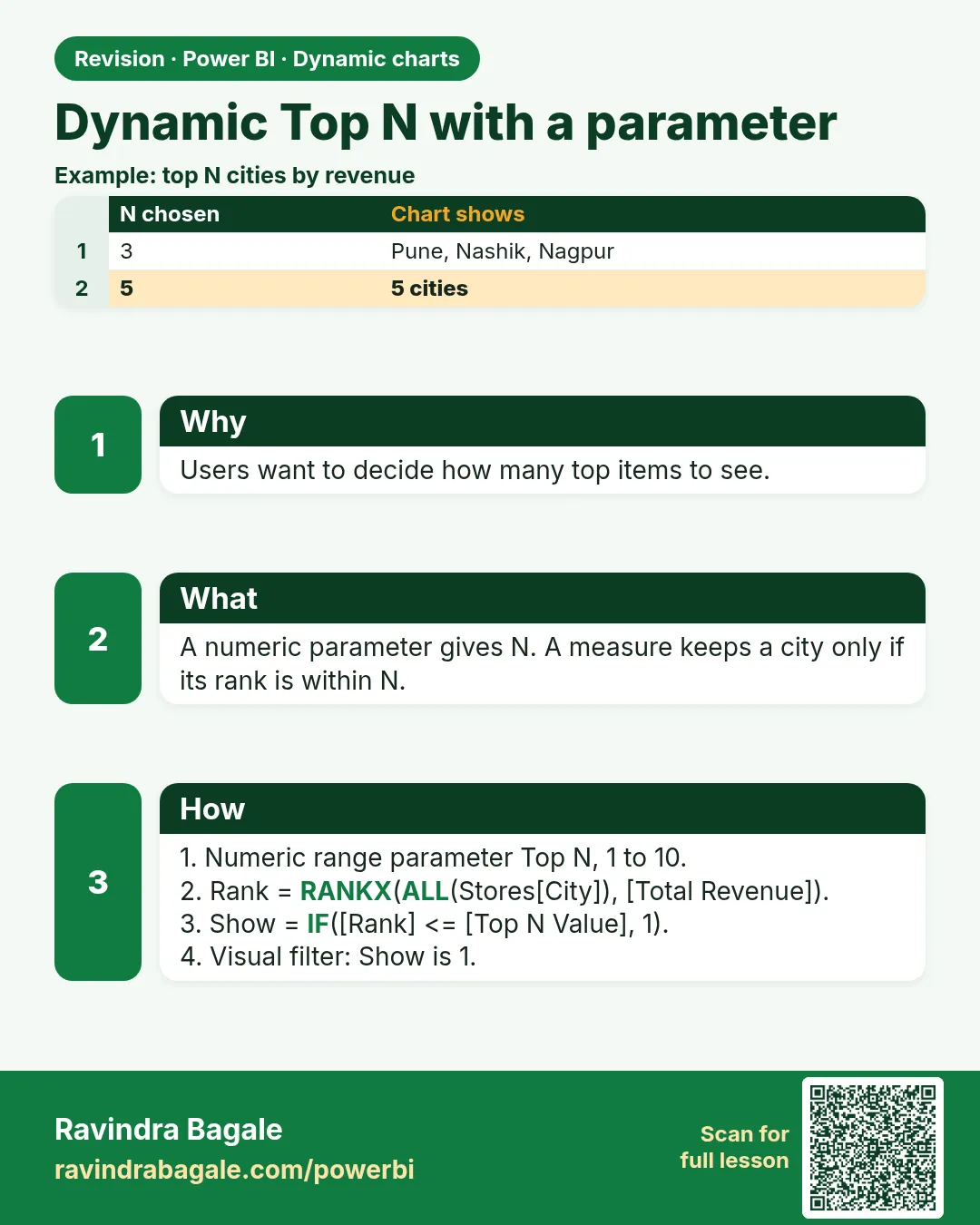
Dynamic Top N with a parameter. Users want to decide how many top items to see.
Revision card 5 of 8: Dynamic Top N with a parameter · Download PNG · Open card page

Lesson: 21.5 Dynamic Top N with a Parameter

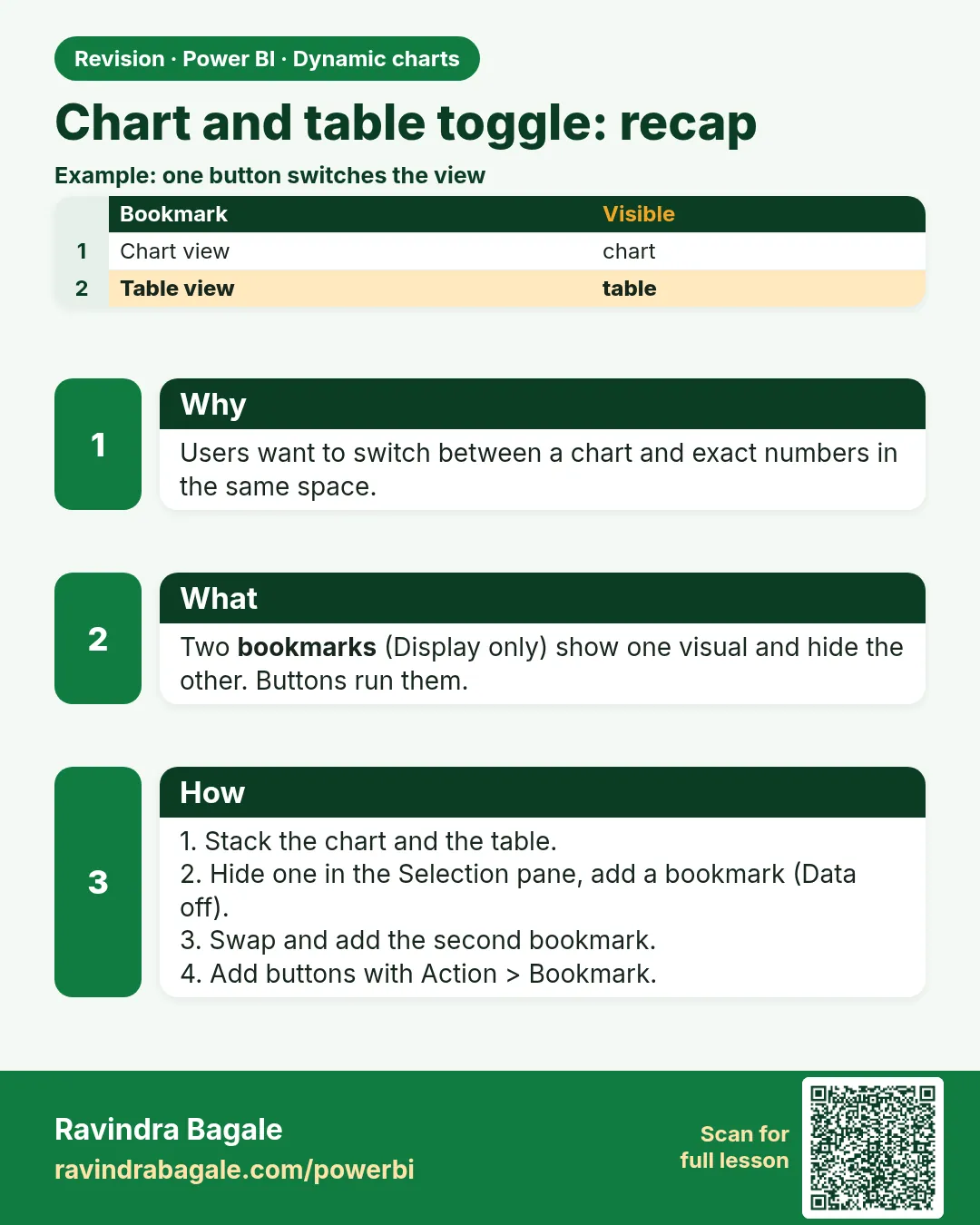
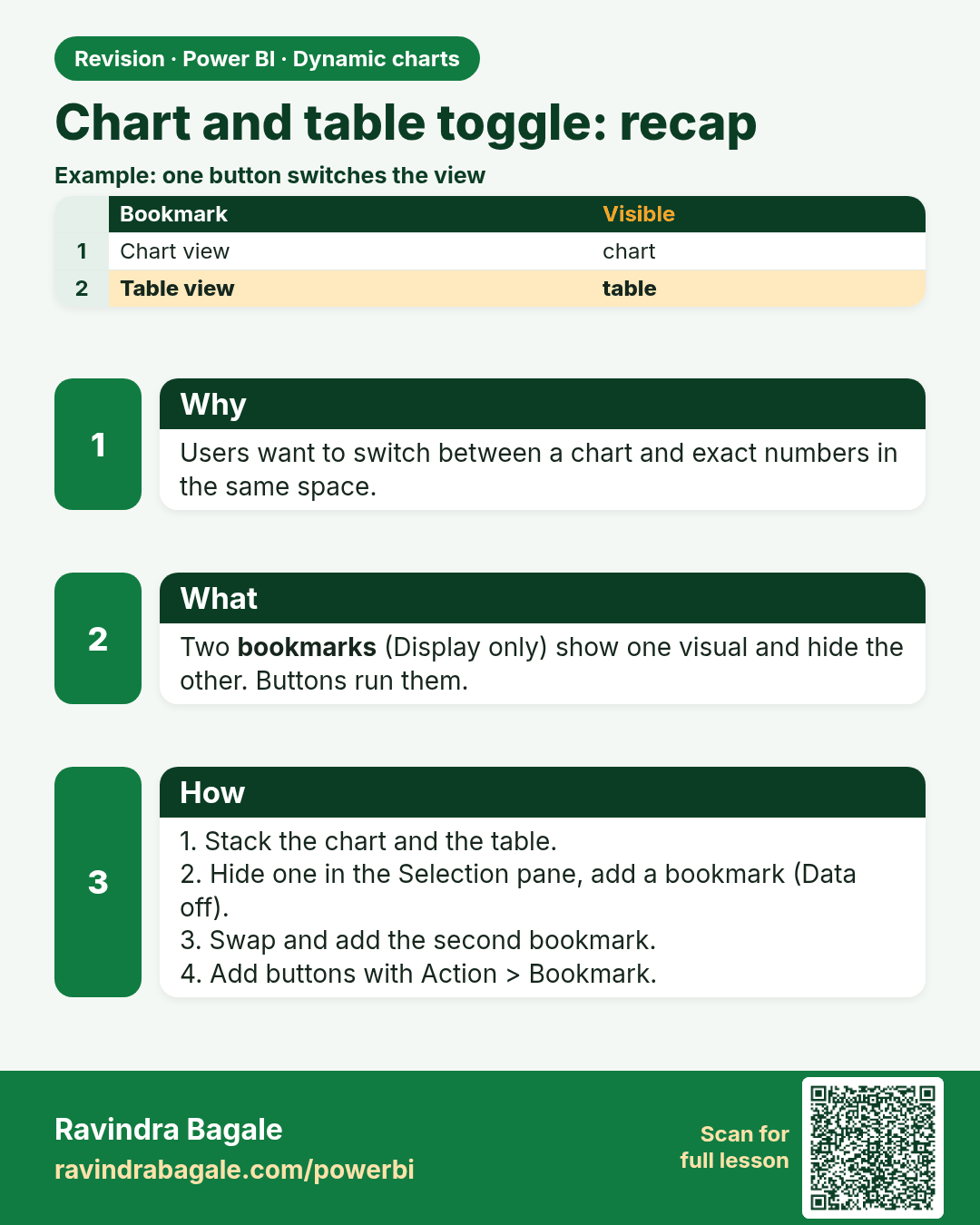
Chart and table toggle: recap. Users want to switch between a chart and exact numbers in the same space.
Revision card 6 of 8: Chart and table toggle: recap · Download PNG · Open card page

Lesson: 21.6 Chart/Table Toggle (Recap)

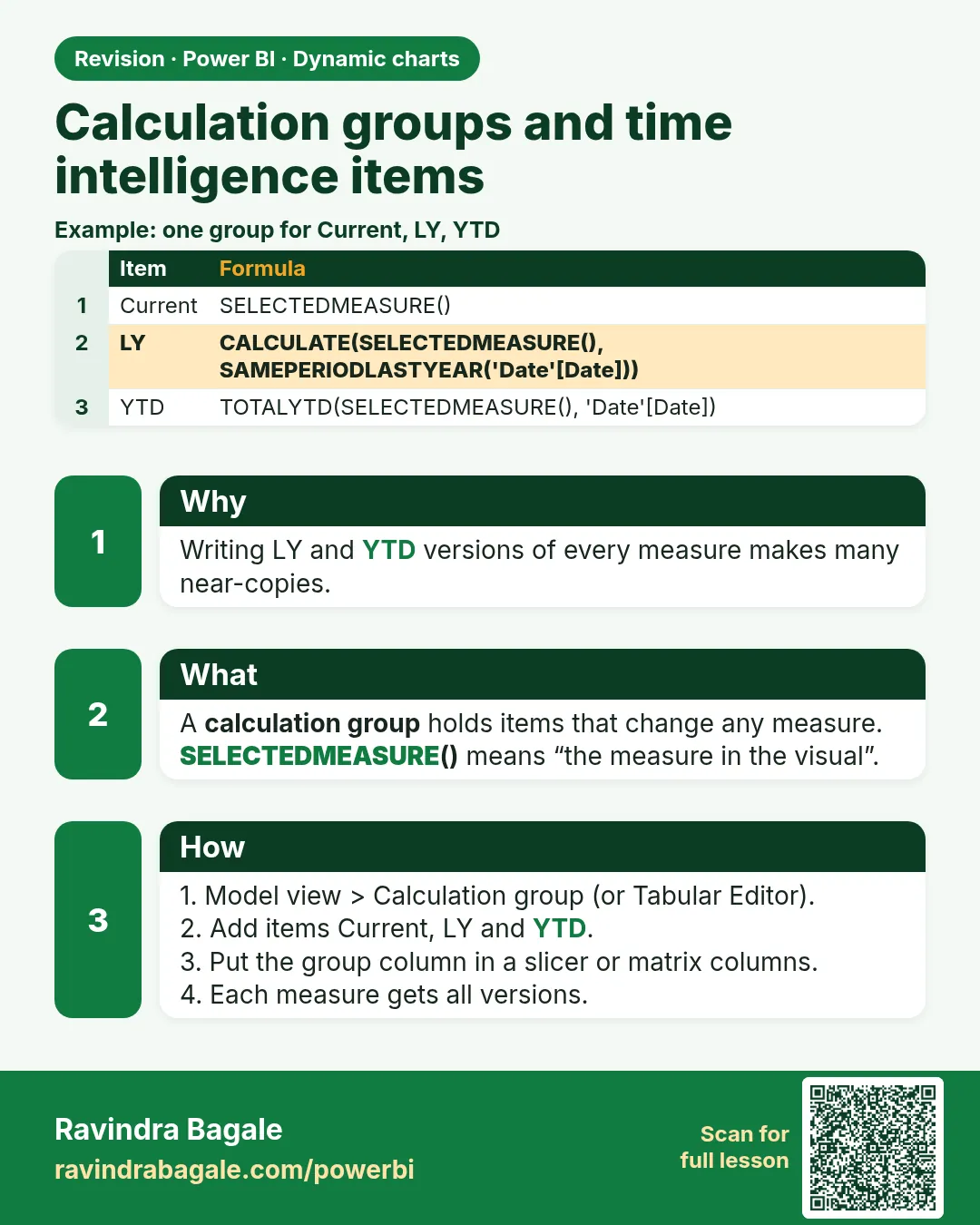
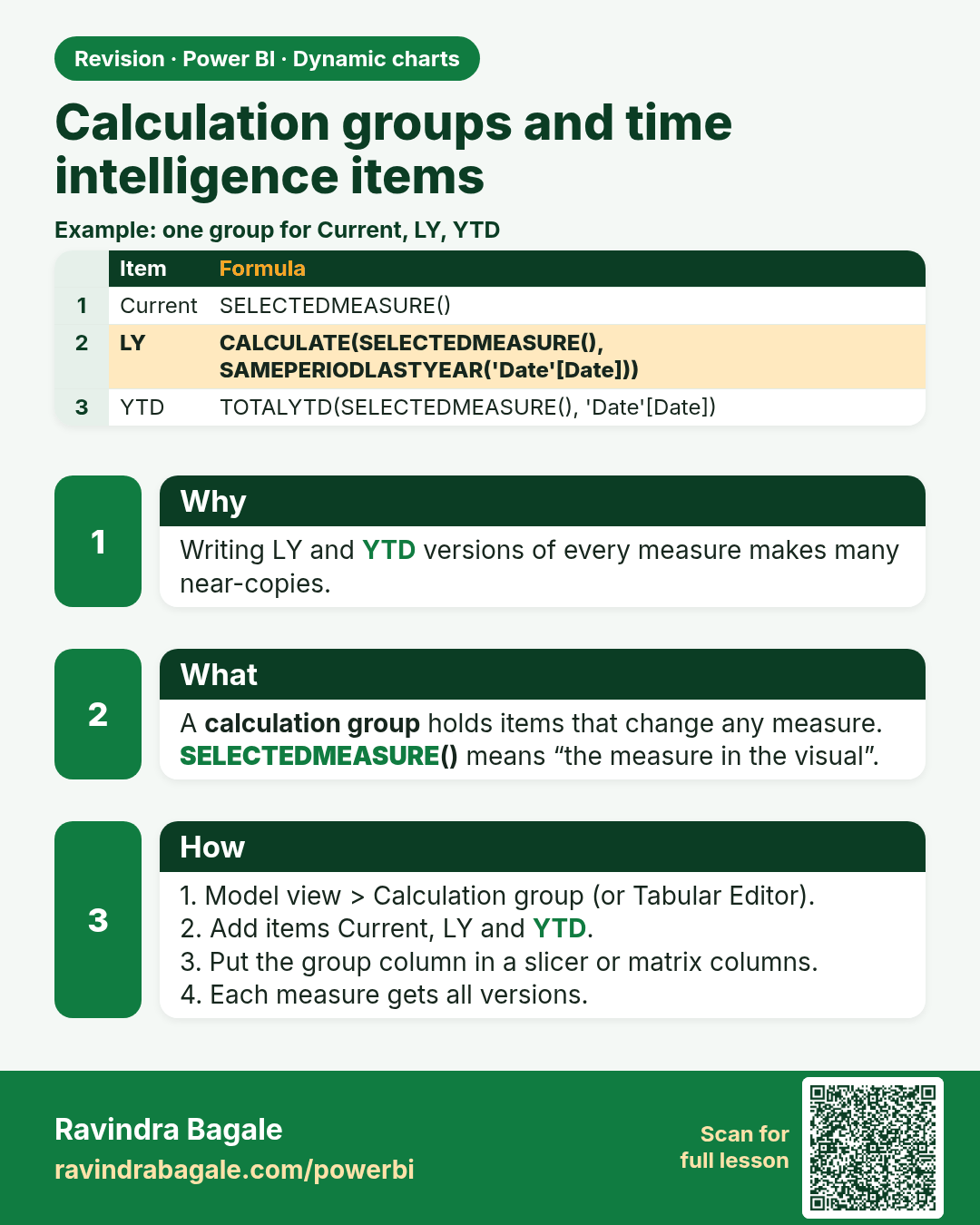
Calculation groups and time intelligence items. Writing LY and YTD versions of every measure makes many near-copies.
Revision card 7 of 8: Calculation groups and time intelligence items · Download PNG · Open card page

Lesson: 21.7 Calculation Groups and Time Intelligence Items

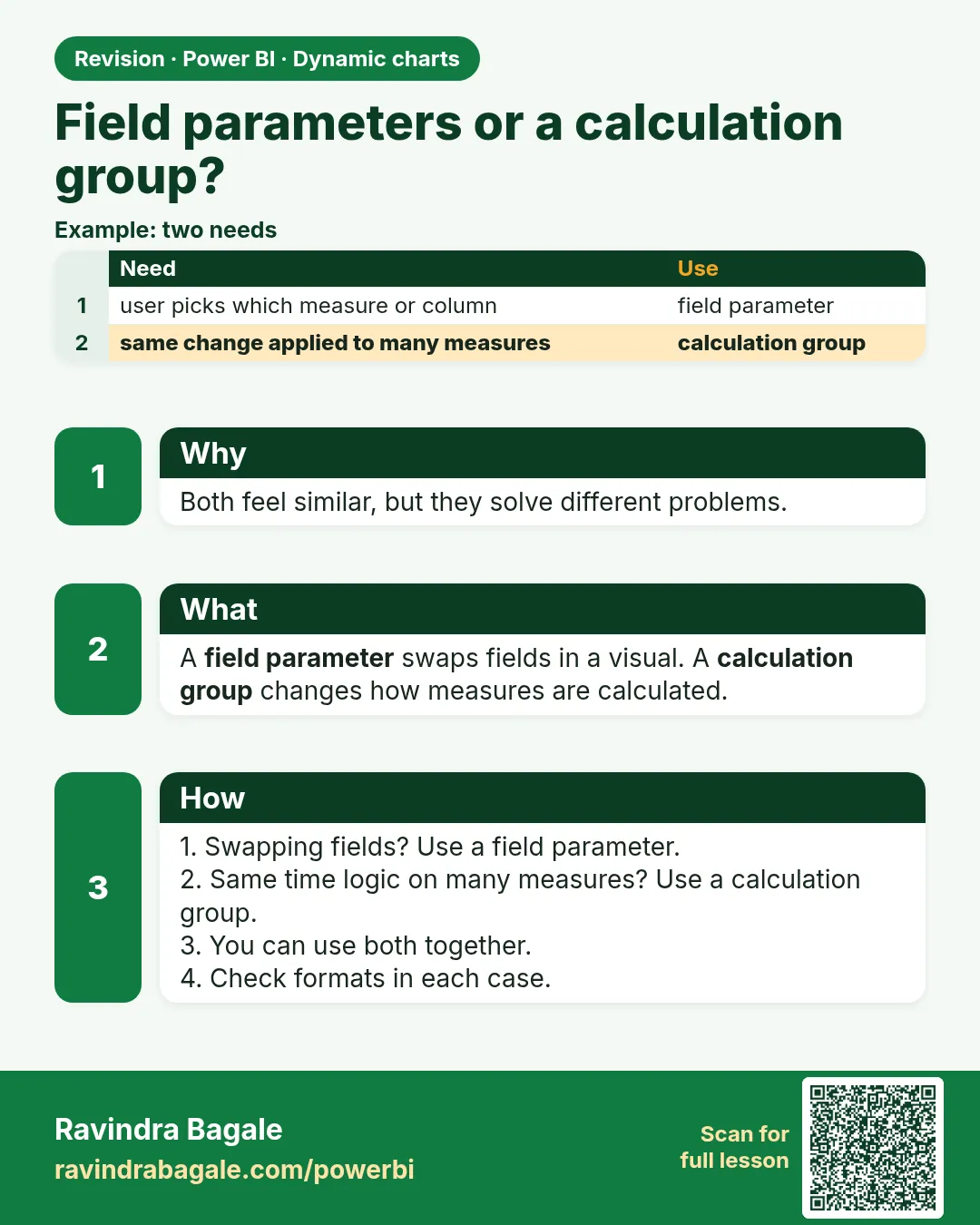
Field parameters or a calculation group?. Both feel similar, but they solve different problems.
Revision card 8 of 8: Field parameters or a calculation group? · Download PNG · Open card page

Lesson: 21.8 Field Parameters or a Calculation Group

Interview cards

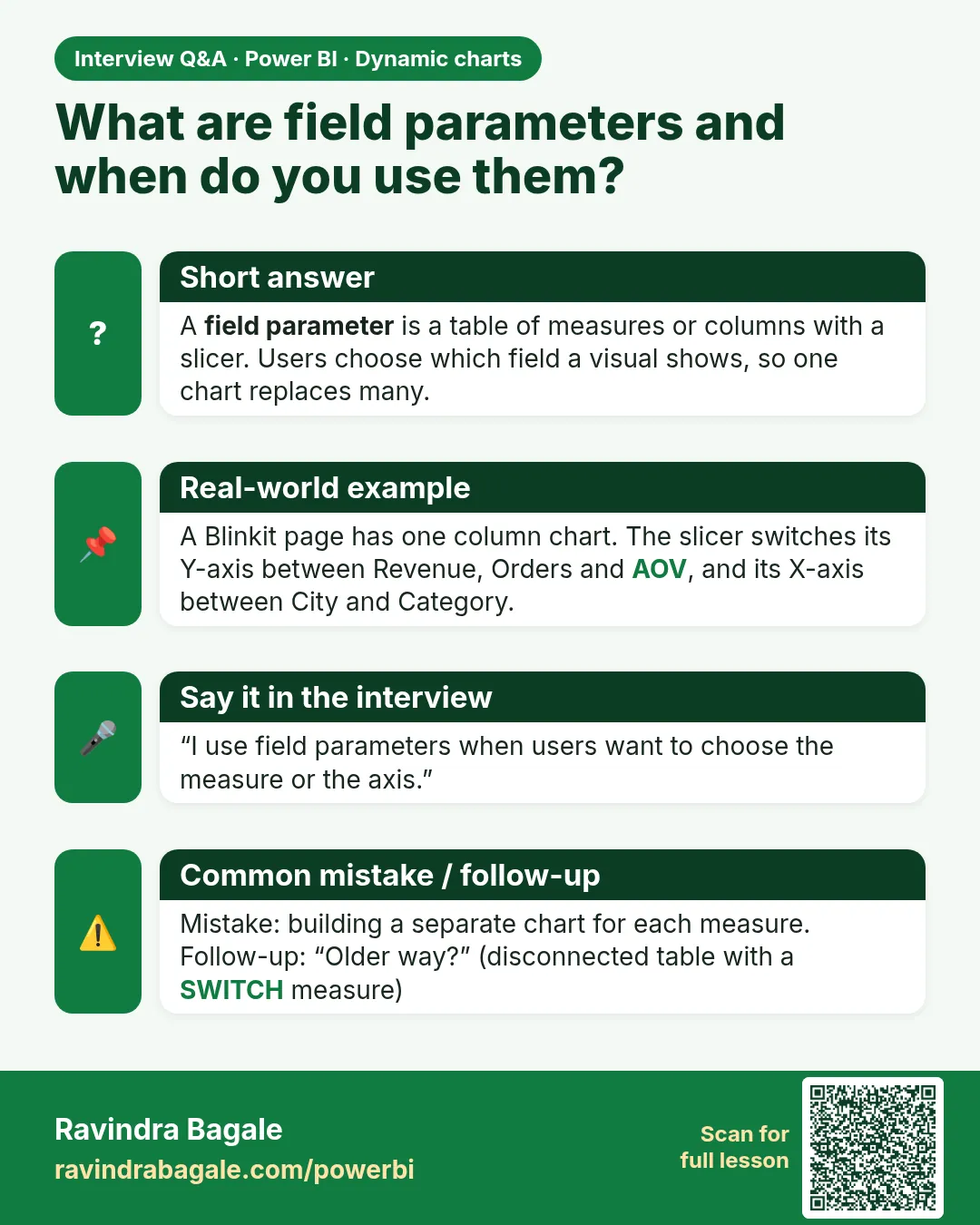
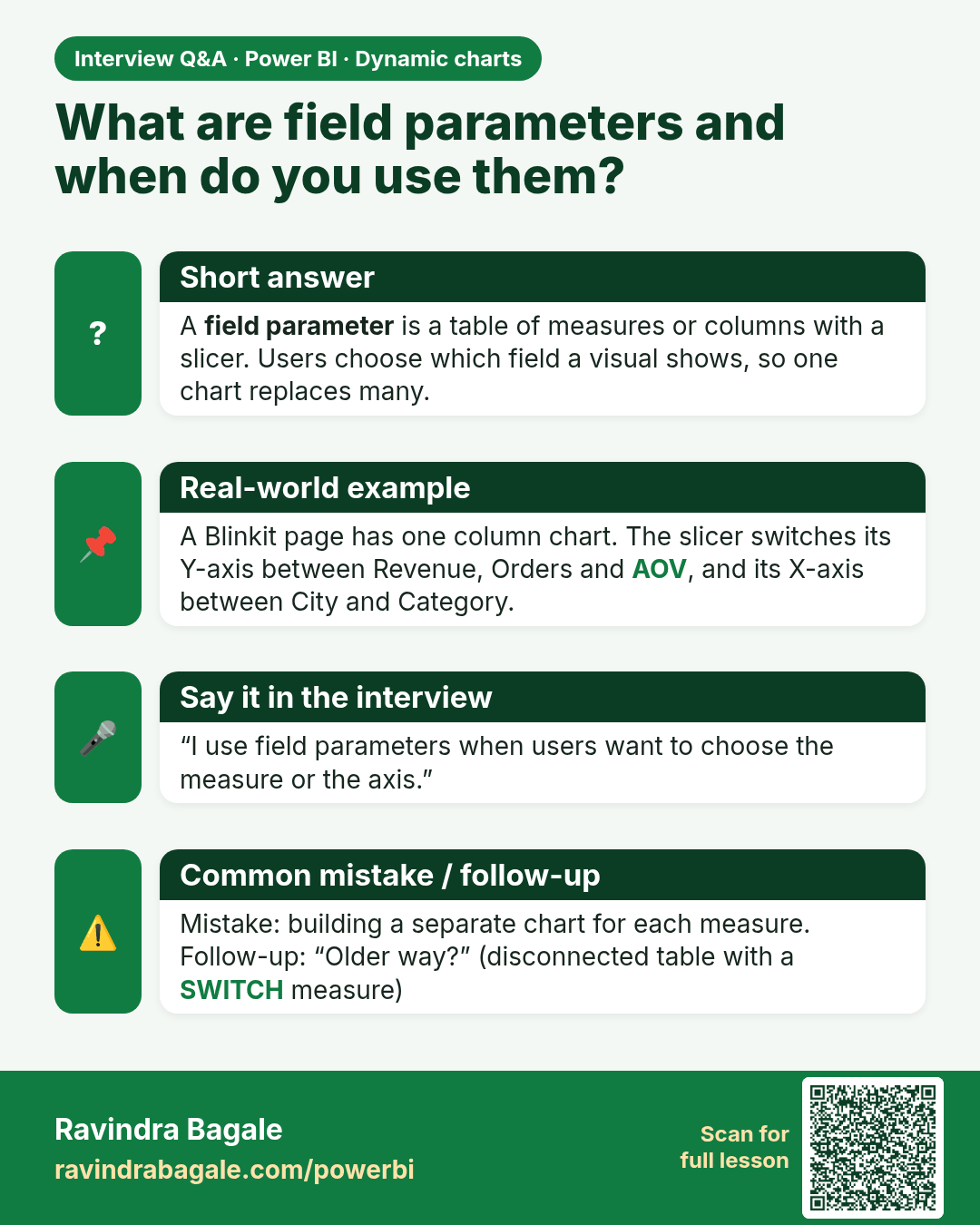
What are field parameters and when do you use them? A field parameter is a table of measures or columns with a slicer. Users choose which field a visual shows, so one chart replaces many.
Interview card 1 of 2: What are field parameters and when do you use them? · Download PNG · Open card page

Lesson: 21.1 Field Parameters: Switch Measures
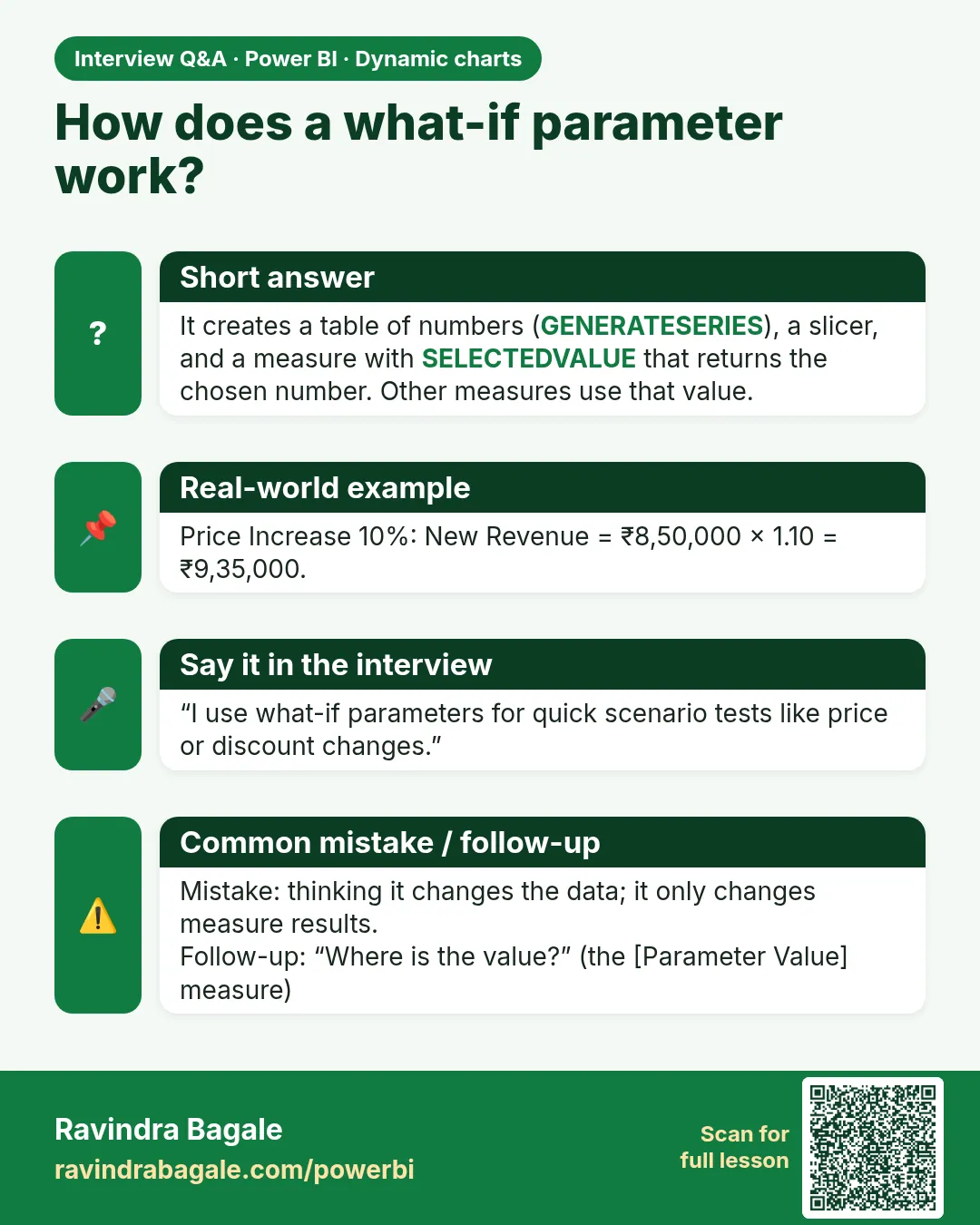
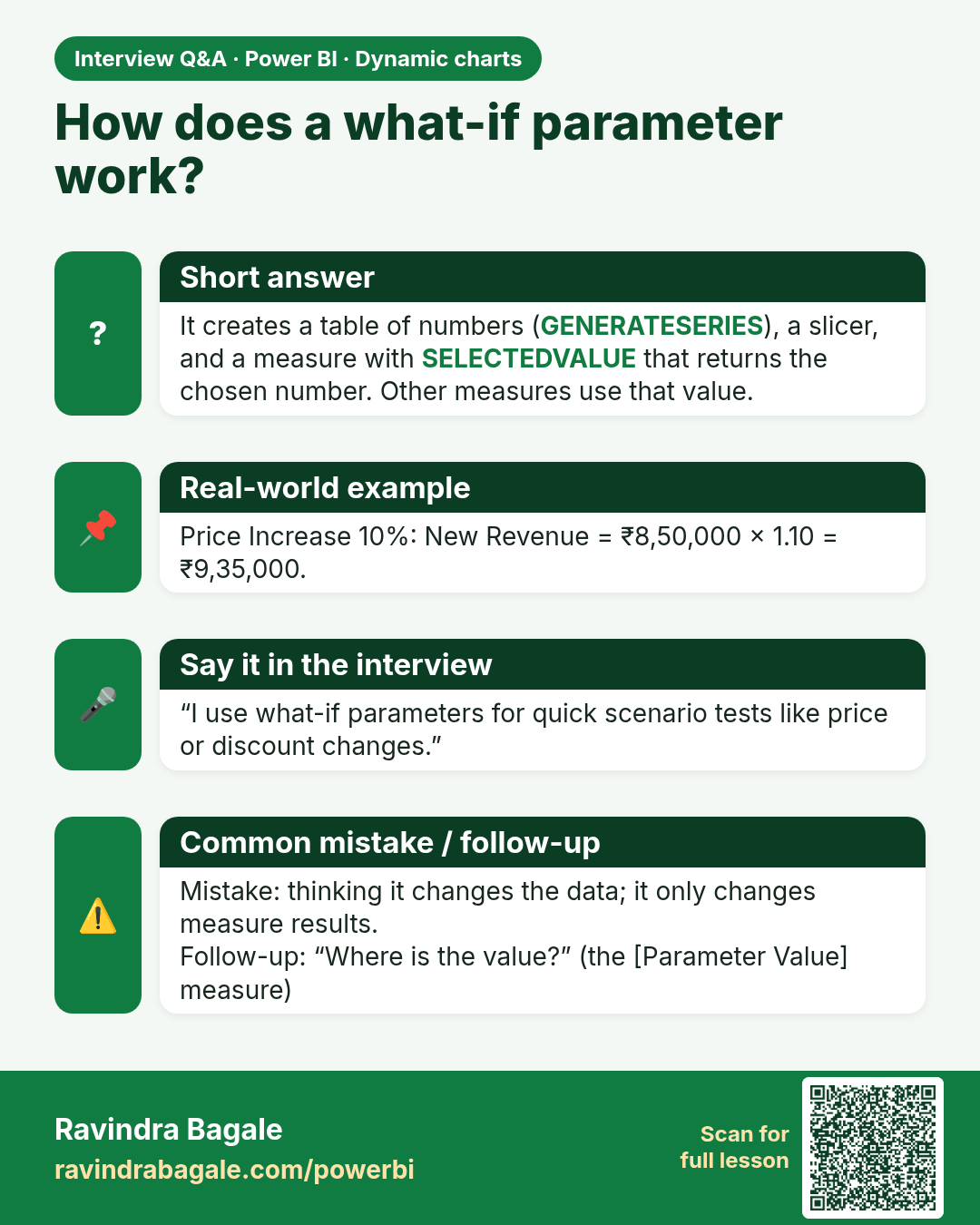
How does a what-if parameter work? It creates a table of numbers (GENERATESERIES), a slicer, and a measure with SELECTEDVALUE that returns the chosen number. Other measures use that value.
Interview card 2 of 2: How does a what-if parameter work? · Download PNG · Open card page

Lesson: 21.4 What-if Parameters (Numeric Range)
Comparison cards
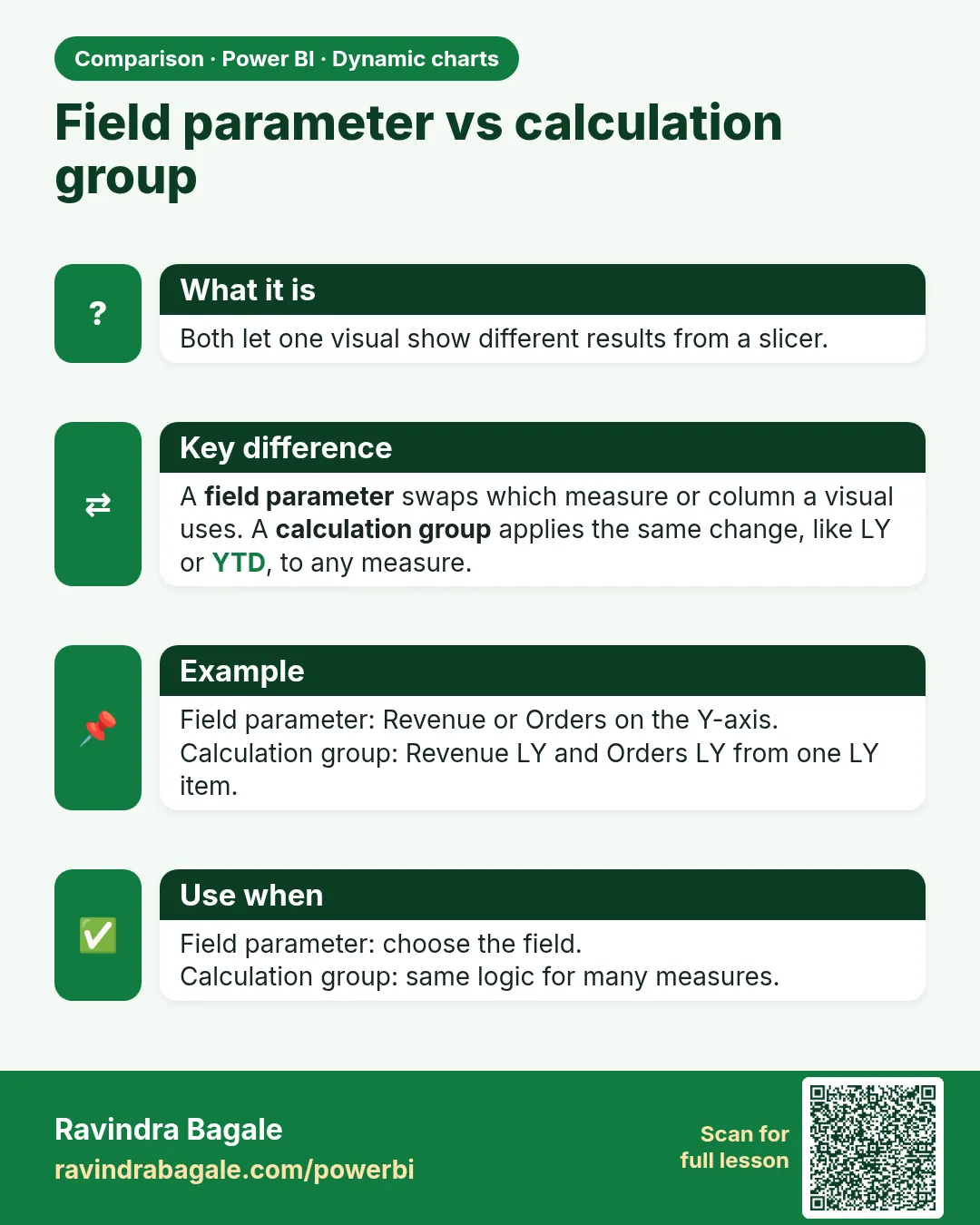
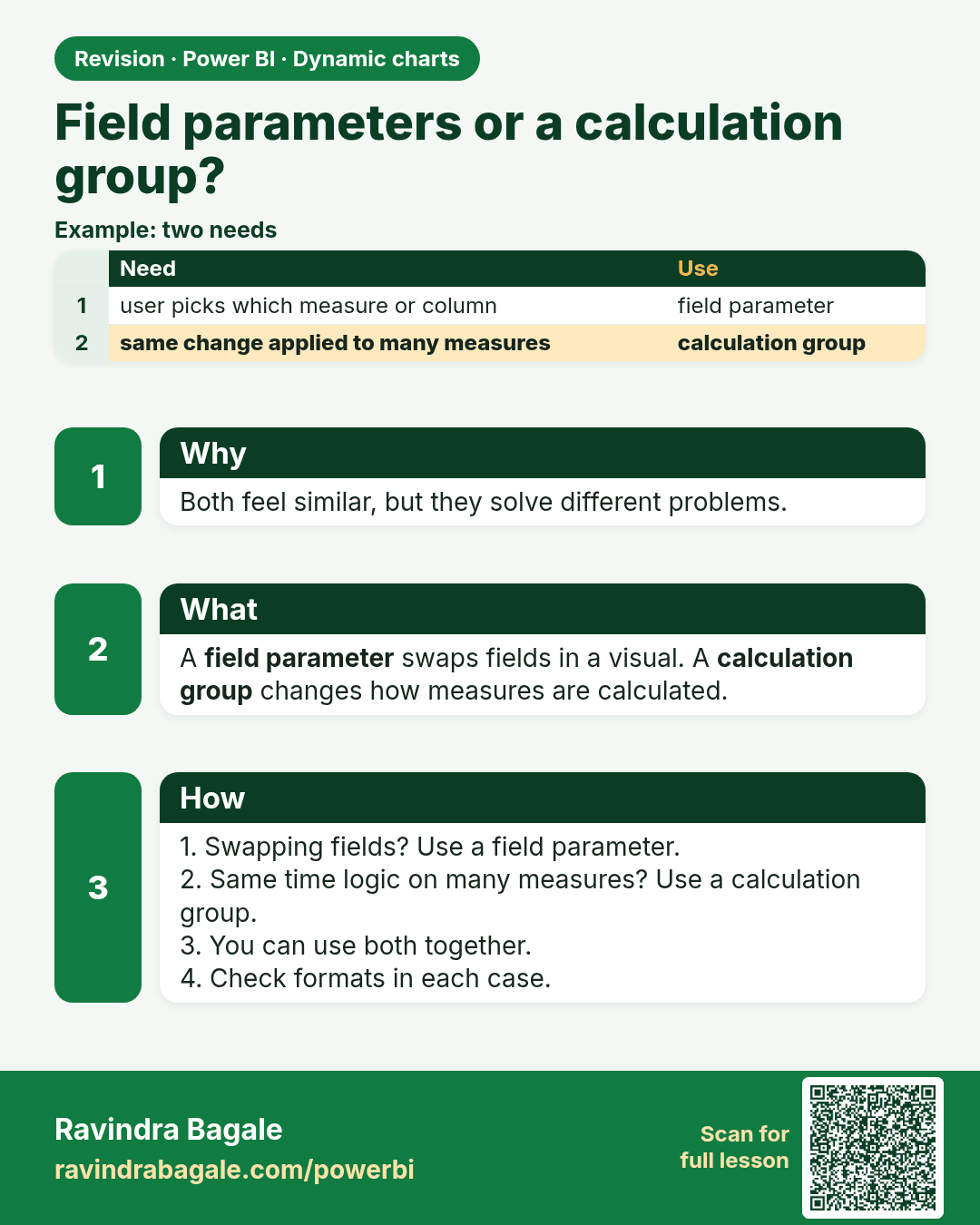
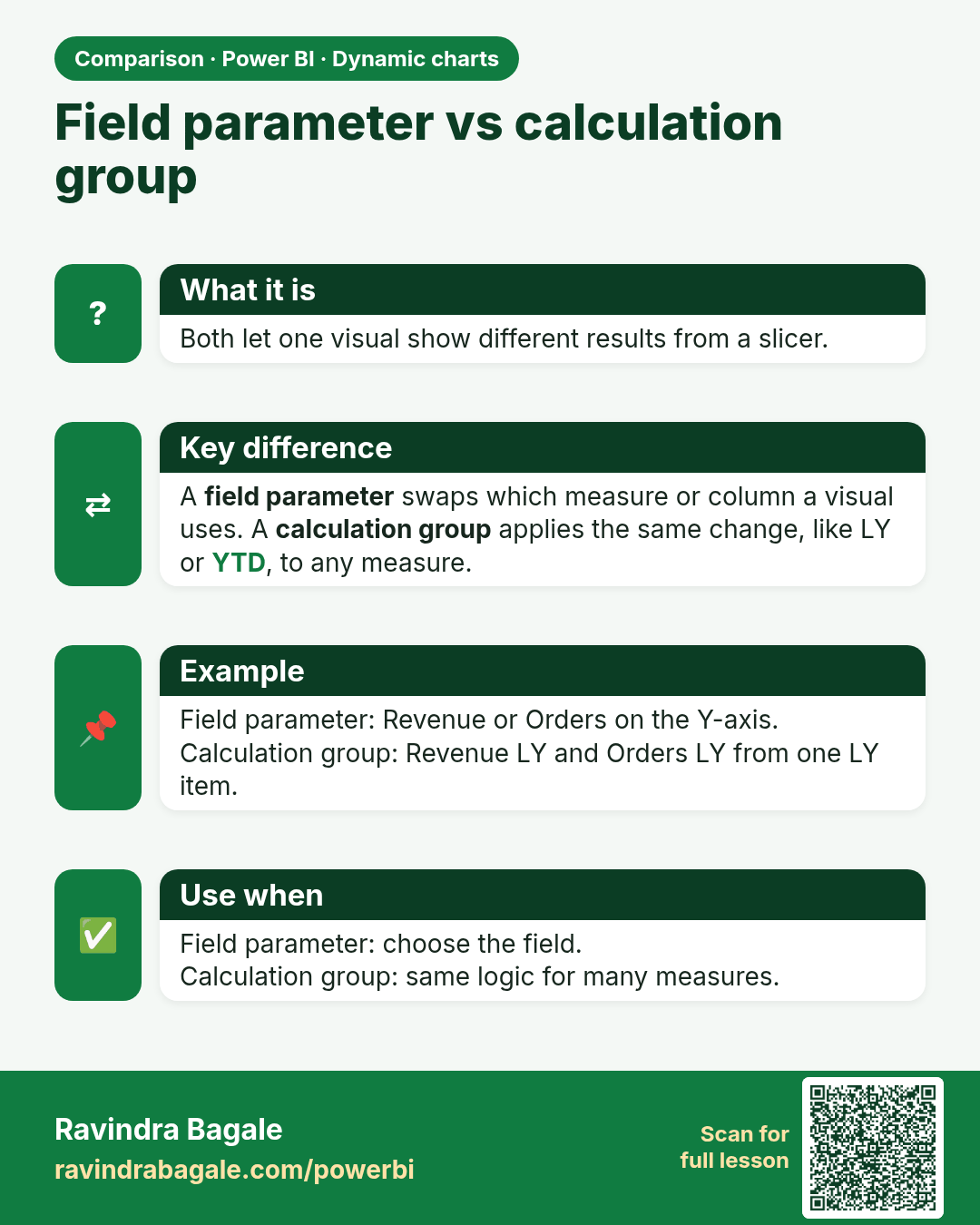
Field parameter vs calculation group. Both let one visual show different results from a slicer.
Comparison card 1 of 1: Field parameter vs calculation group · Download PNG · Open card page

Lesson: 21.8 Field Parameters or a Calculation Group