Ravi Sir's Cards › Power BI
8. Adding Columns: Power Query Add Column Tab and DAX Calculated Columns: Cards
मराठी cards · Open the chapter
Revision cards
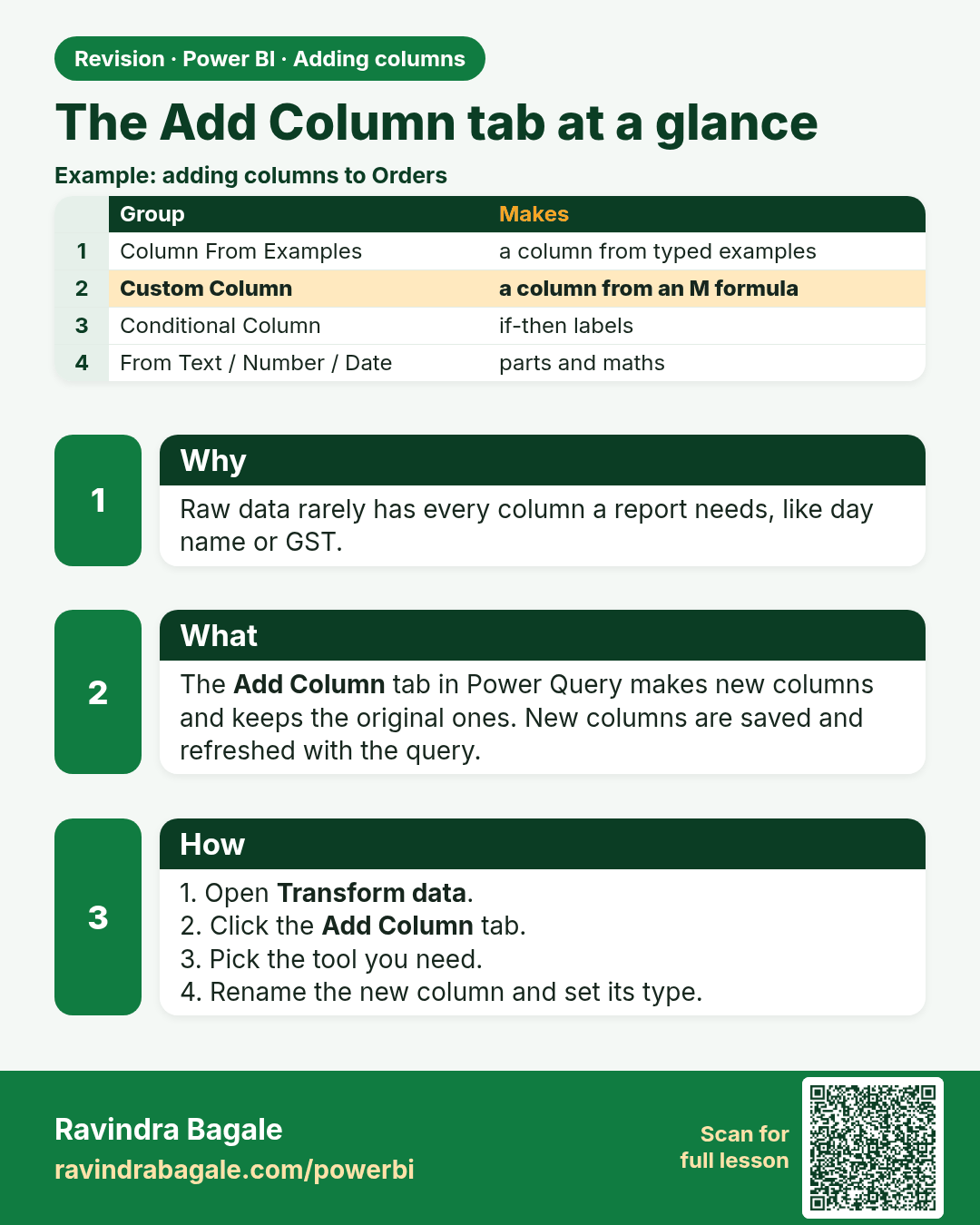
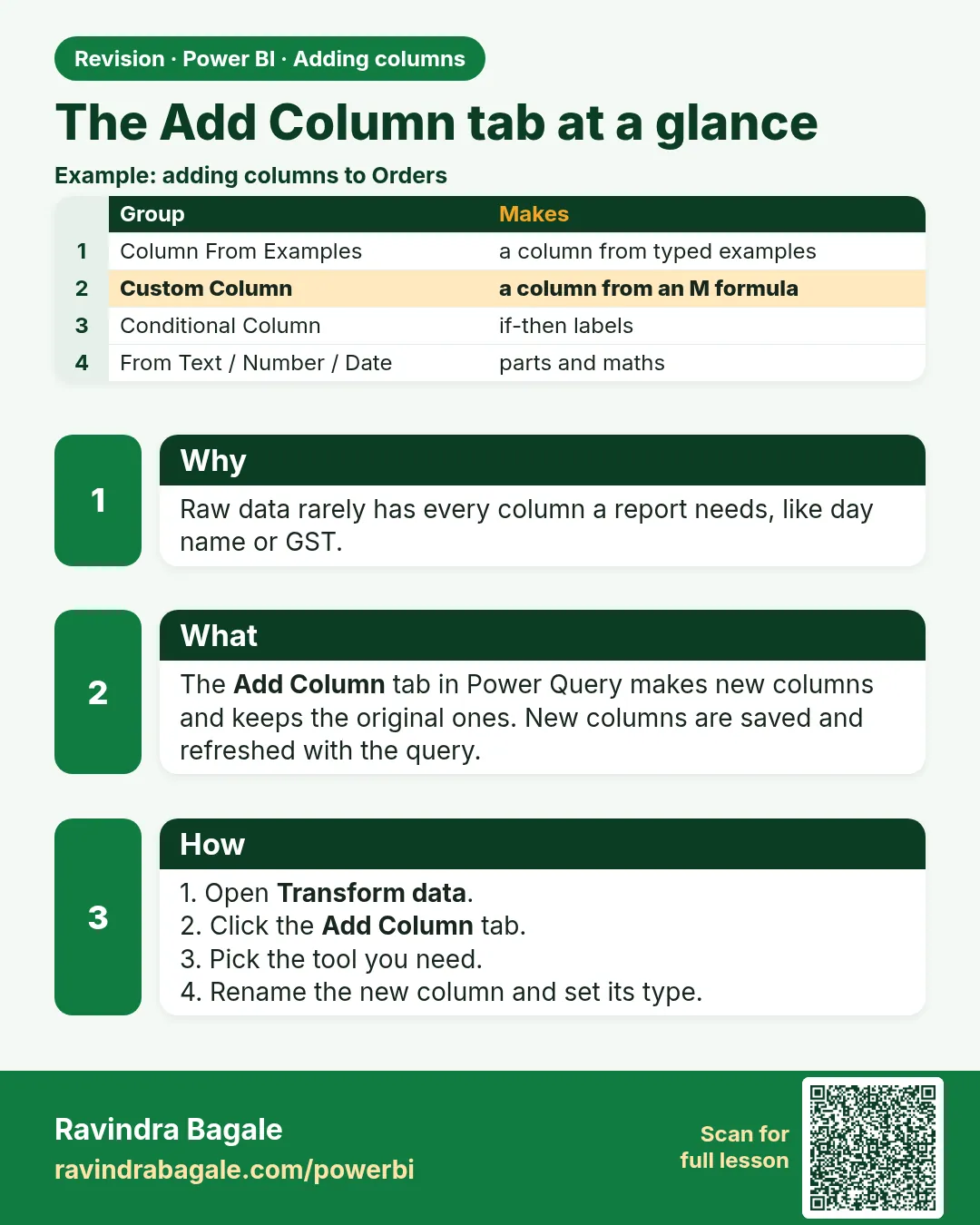 Revision card 1 of 12: The Add Column tab at a glance · Download PNG · Open card page
Lesson: 8.1 The Add Column Tab at a Glance
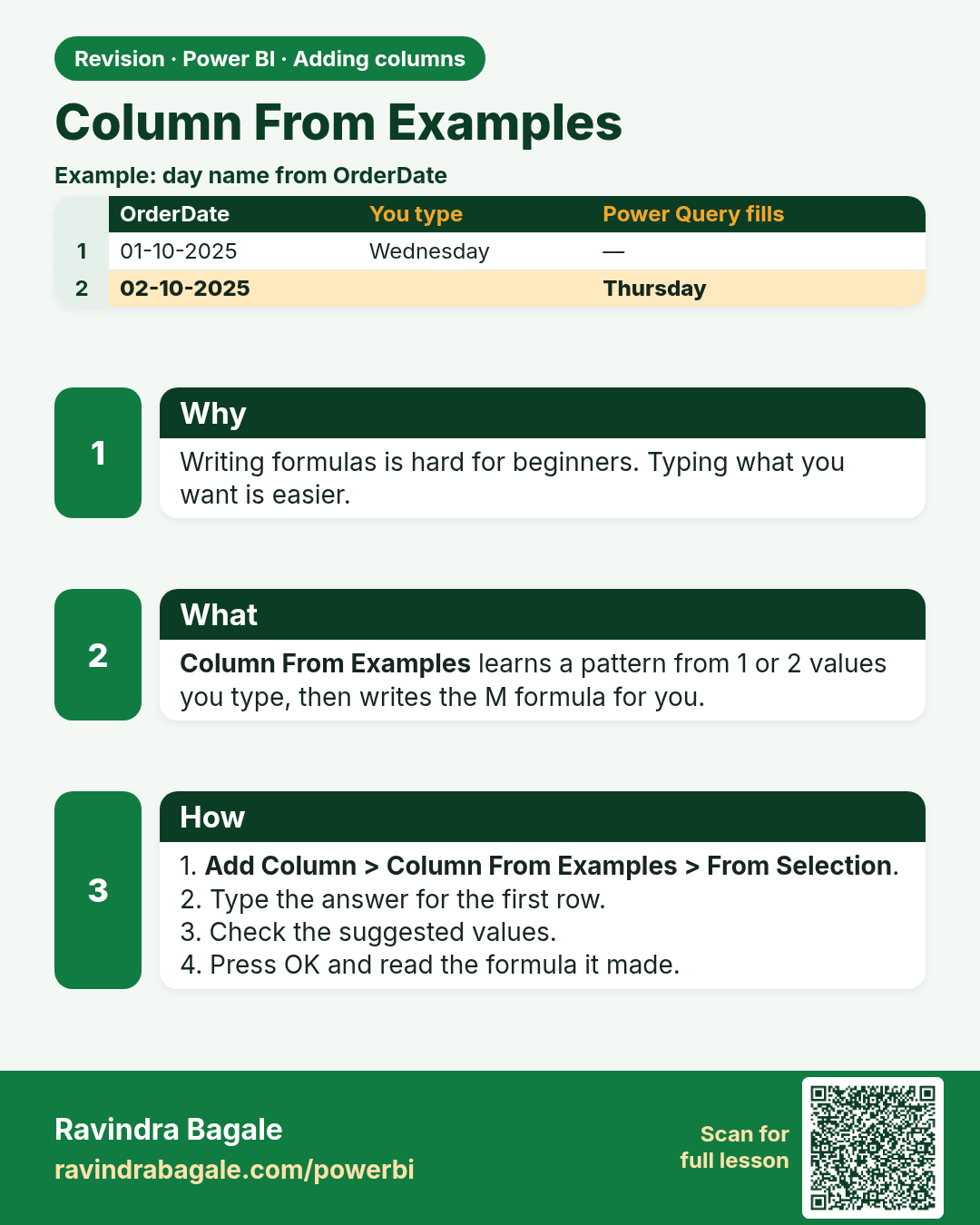
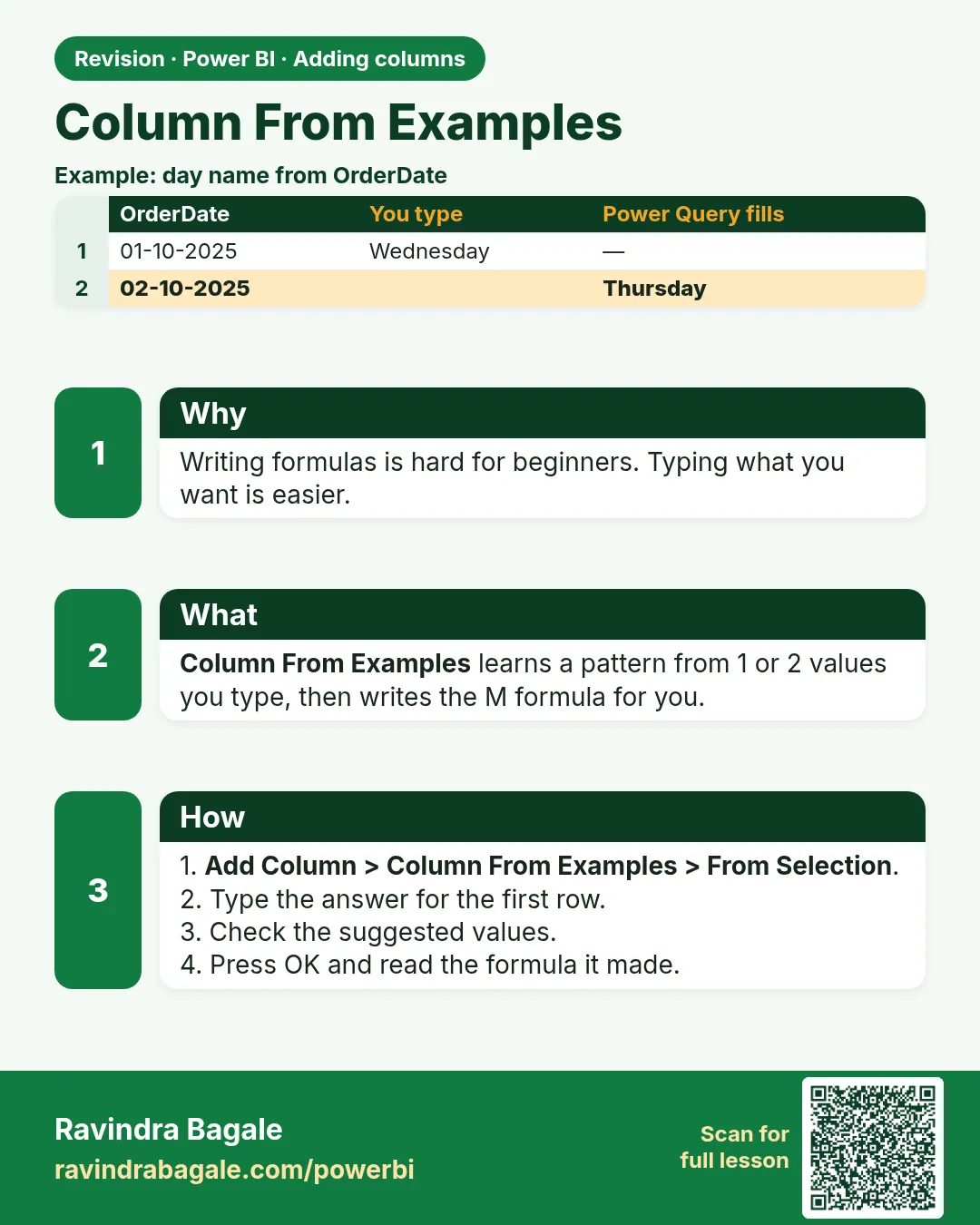 Revision card 2 of 12: Column From Examples · Download PNG · Open card page
Lesson: 8.2 Column From Examples
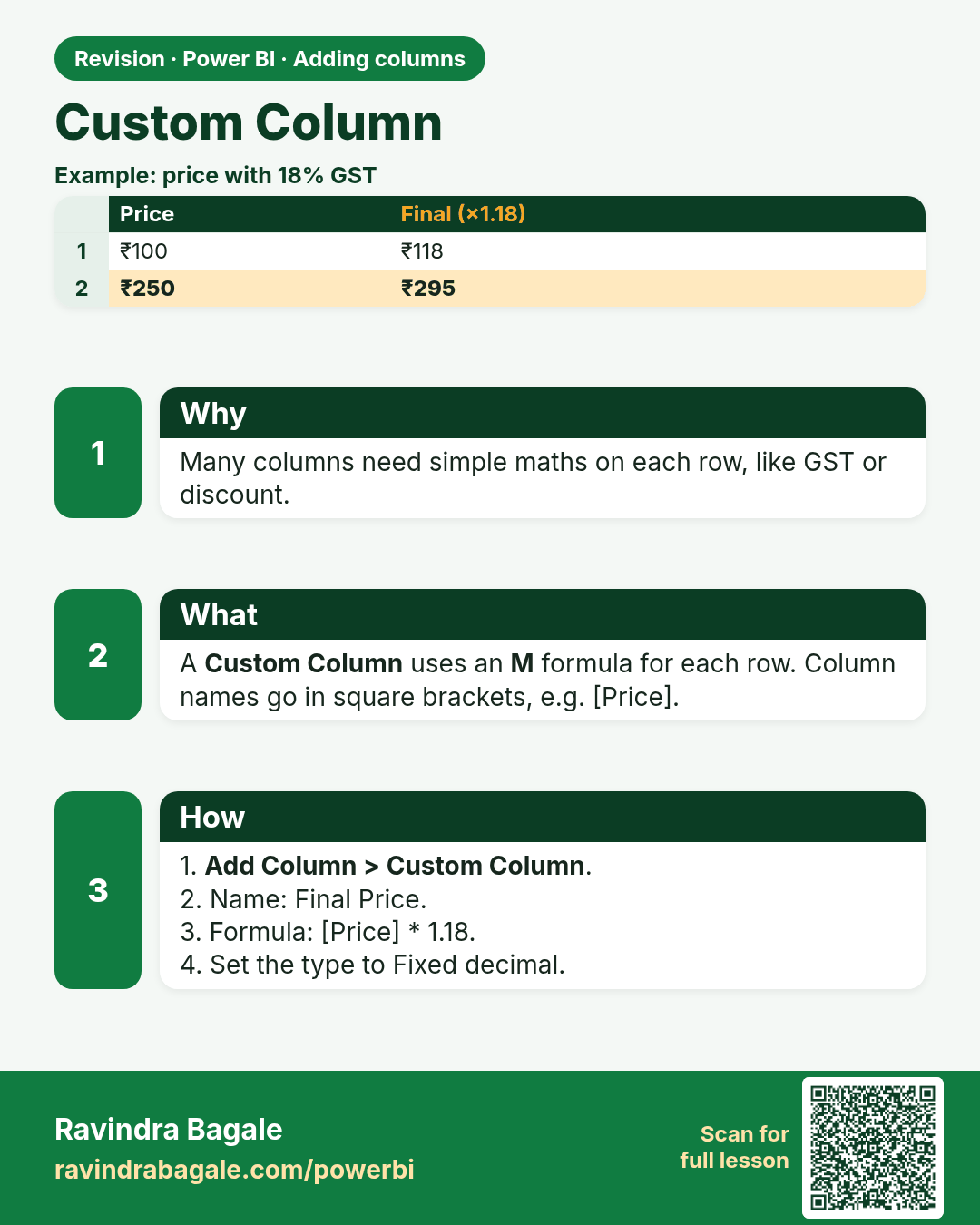
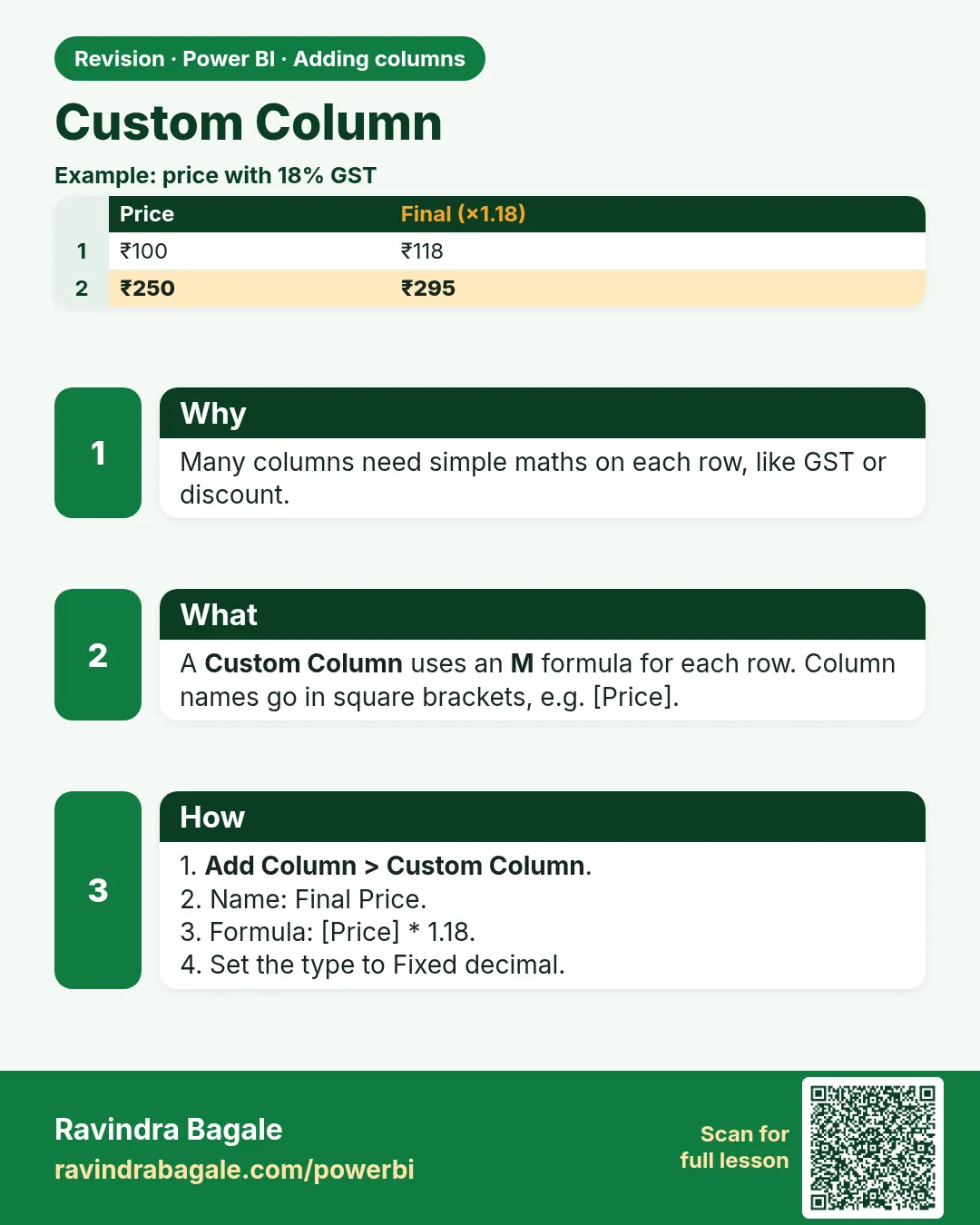 Revision card 3 of 12: Custom Column · Download PNG · Open card page
Lesson: 8.3 Custom Column
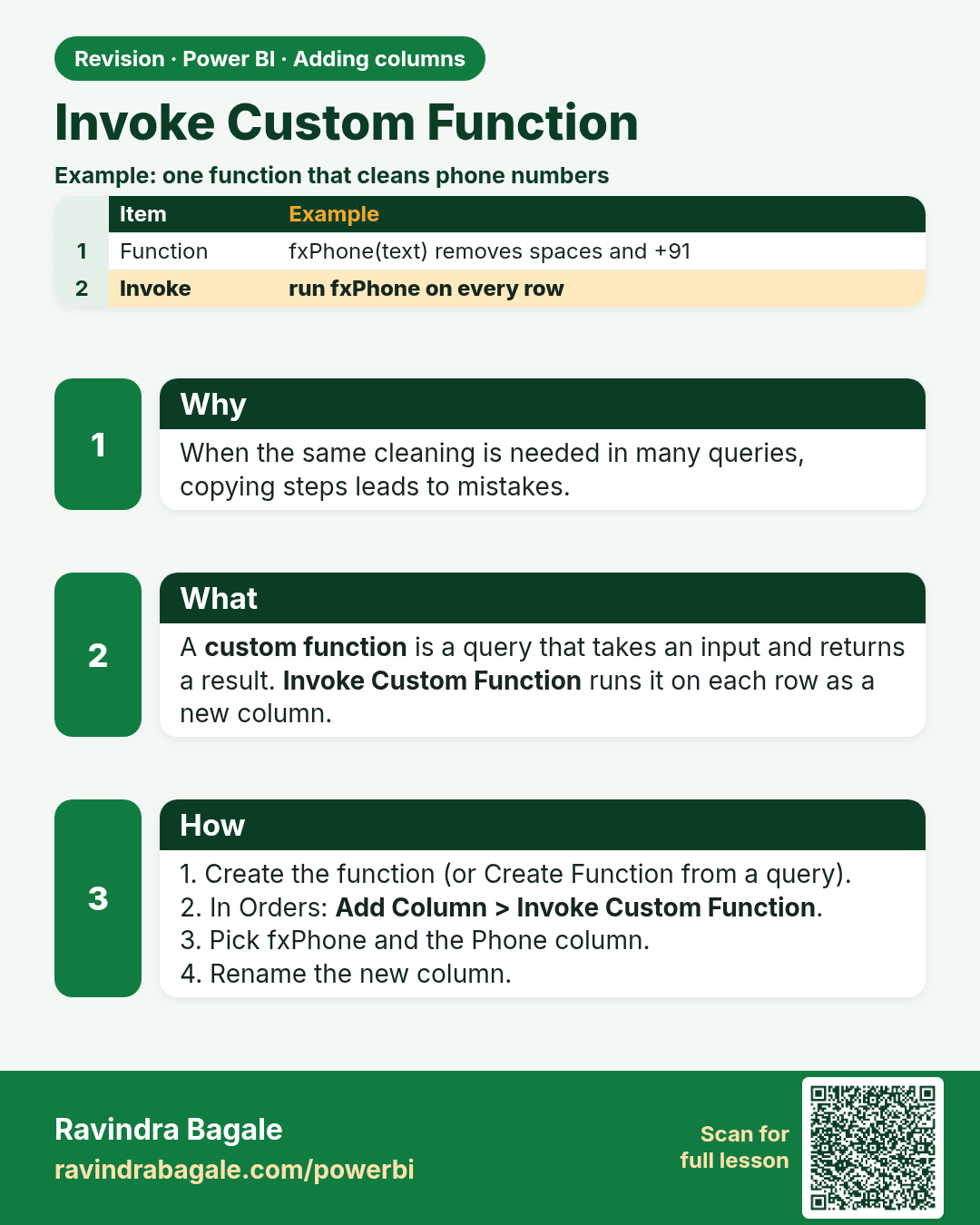
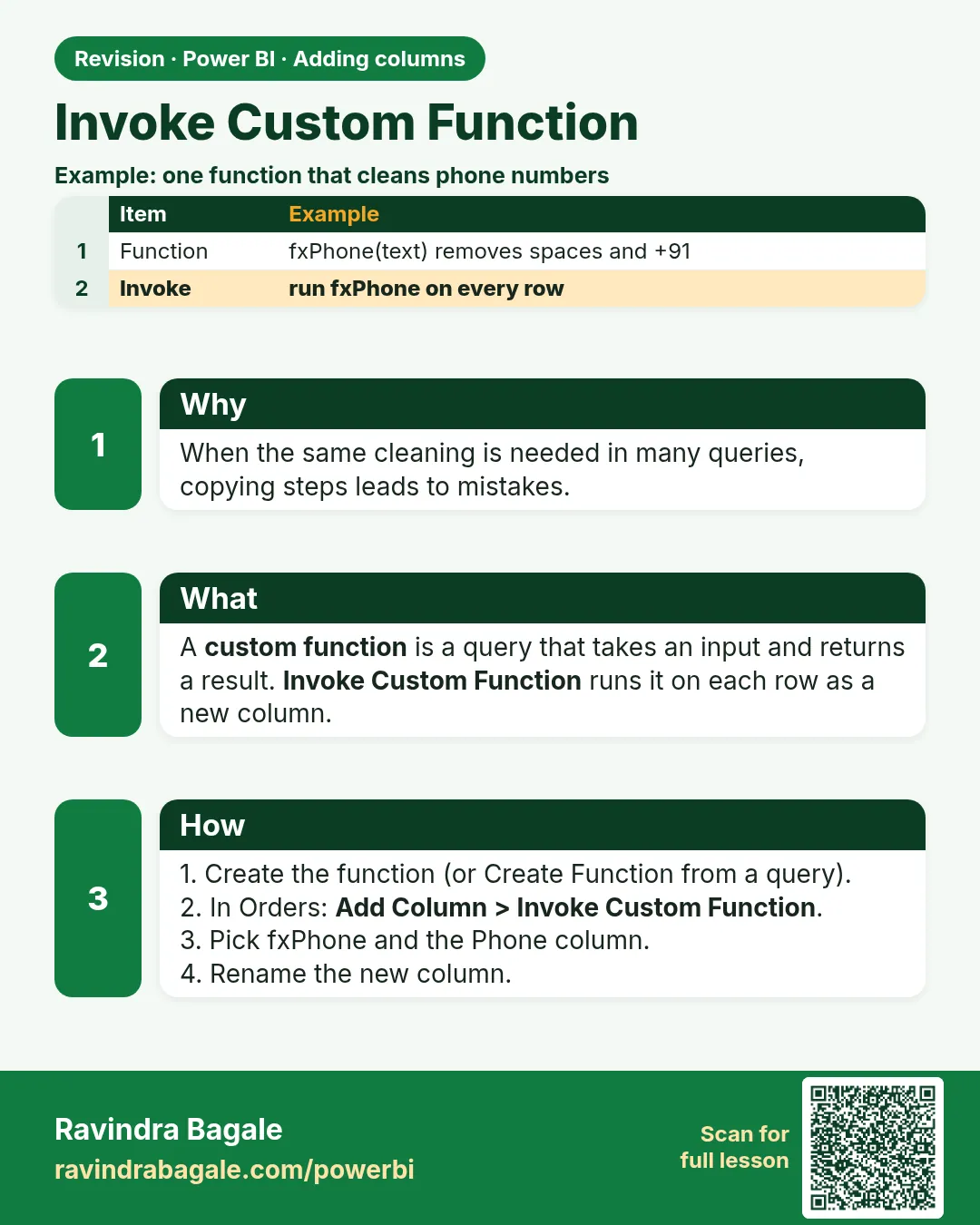 Revision card 4 of 12: Invoke Custom Function · Download PNG · Open card page
Lesson: 8.4 Invoke Custom Function
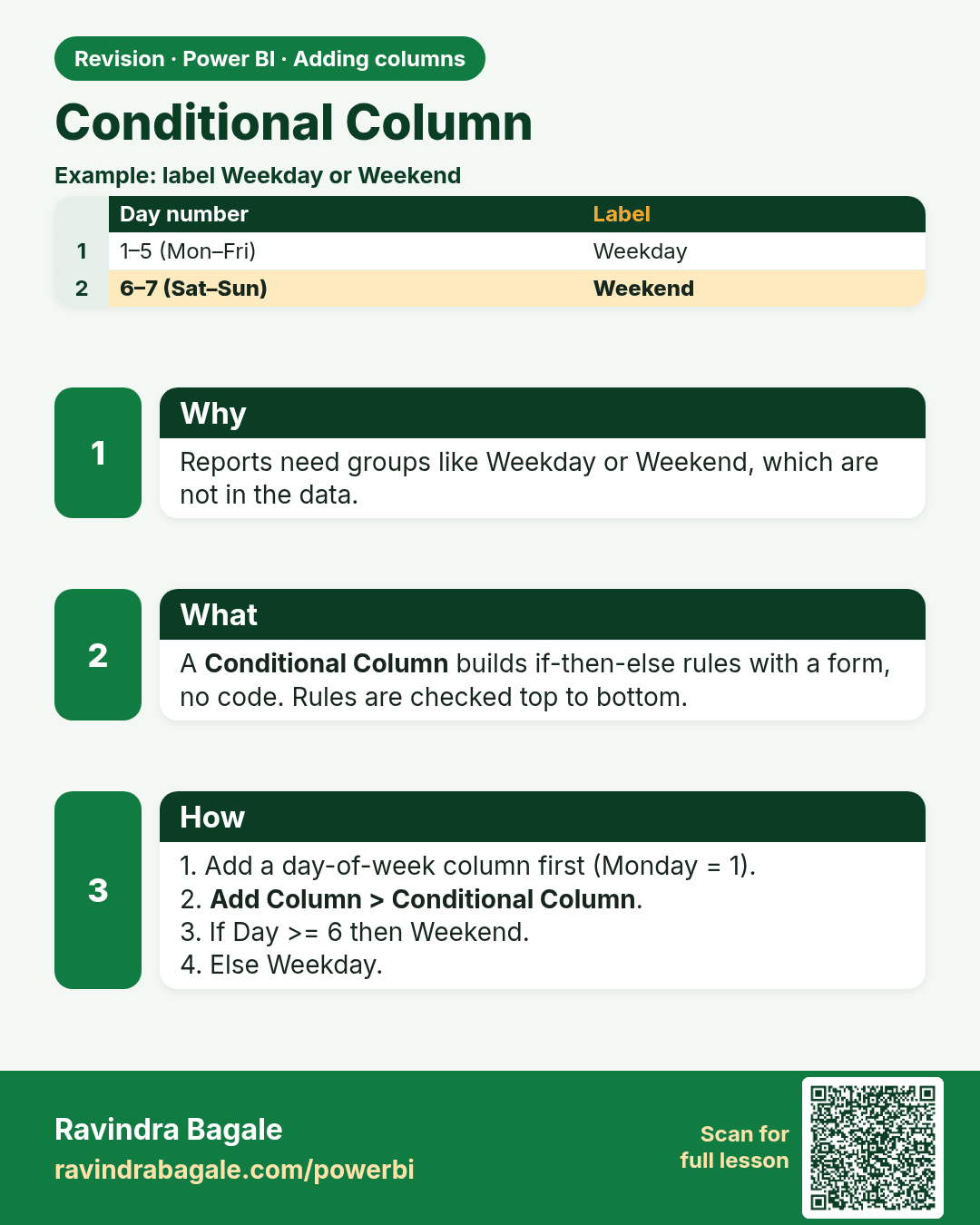
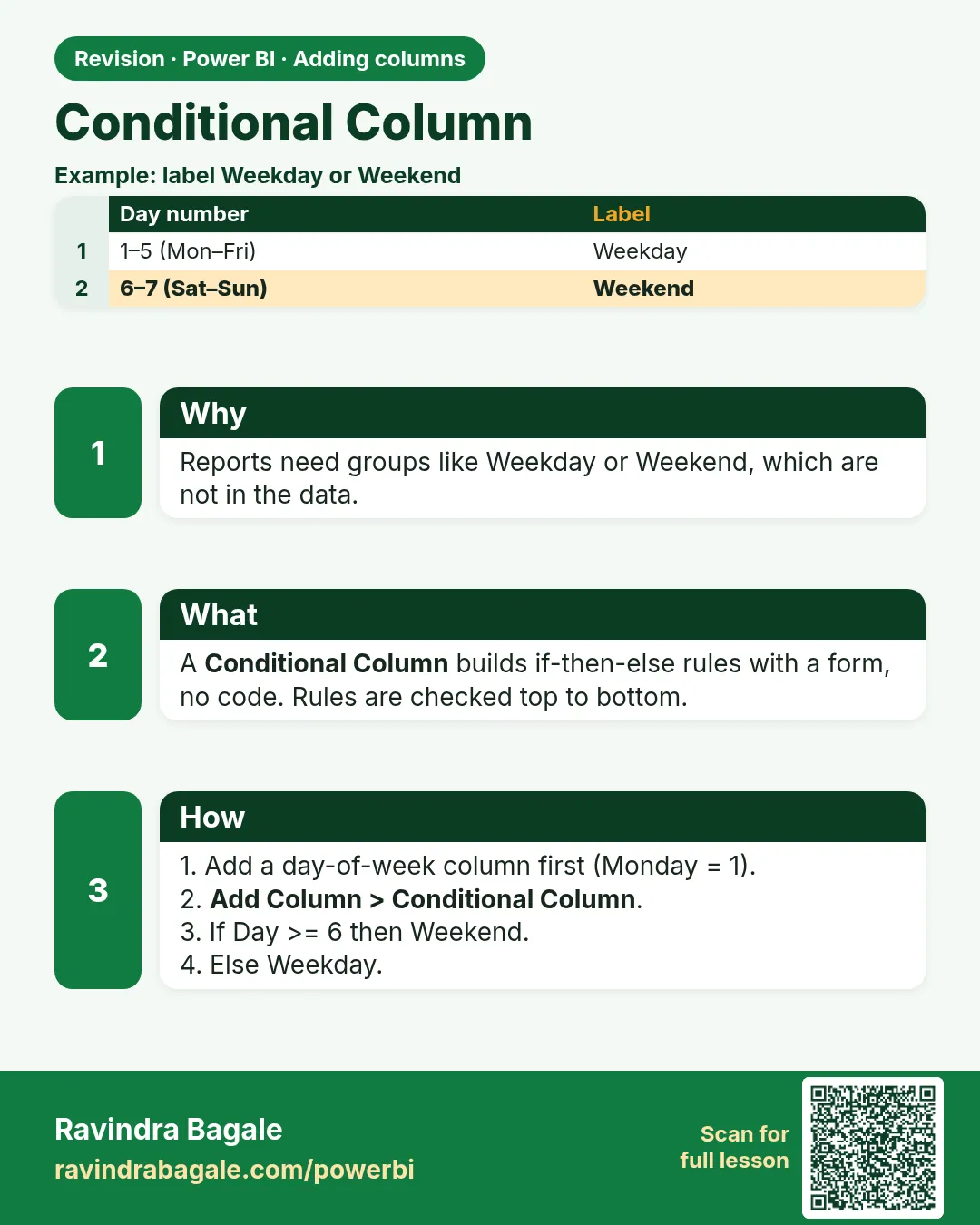 Revision card 5 of 12: Conditional Column · Download PNG · Open card page
Lesson: 8.5 Conditional Column
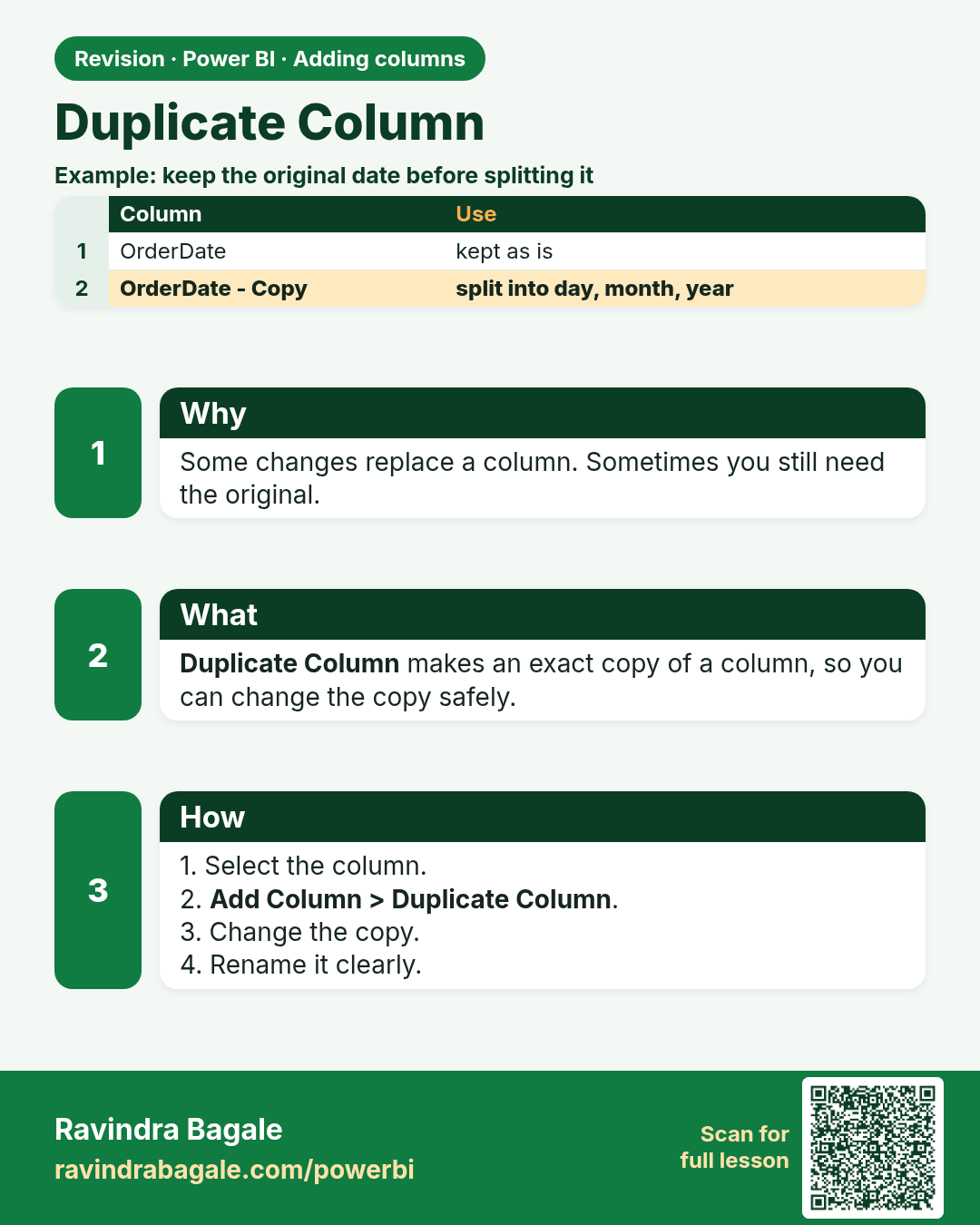
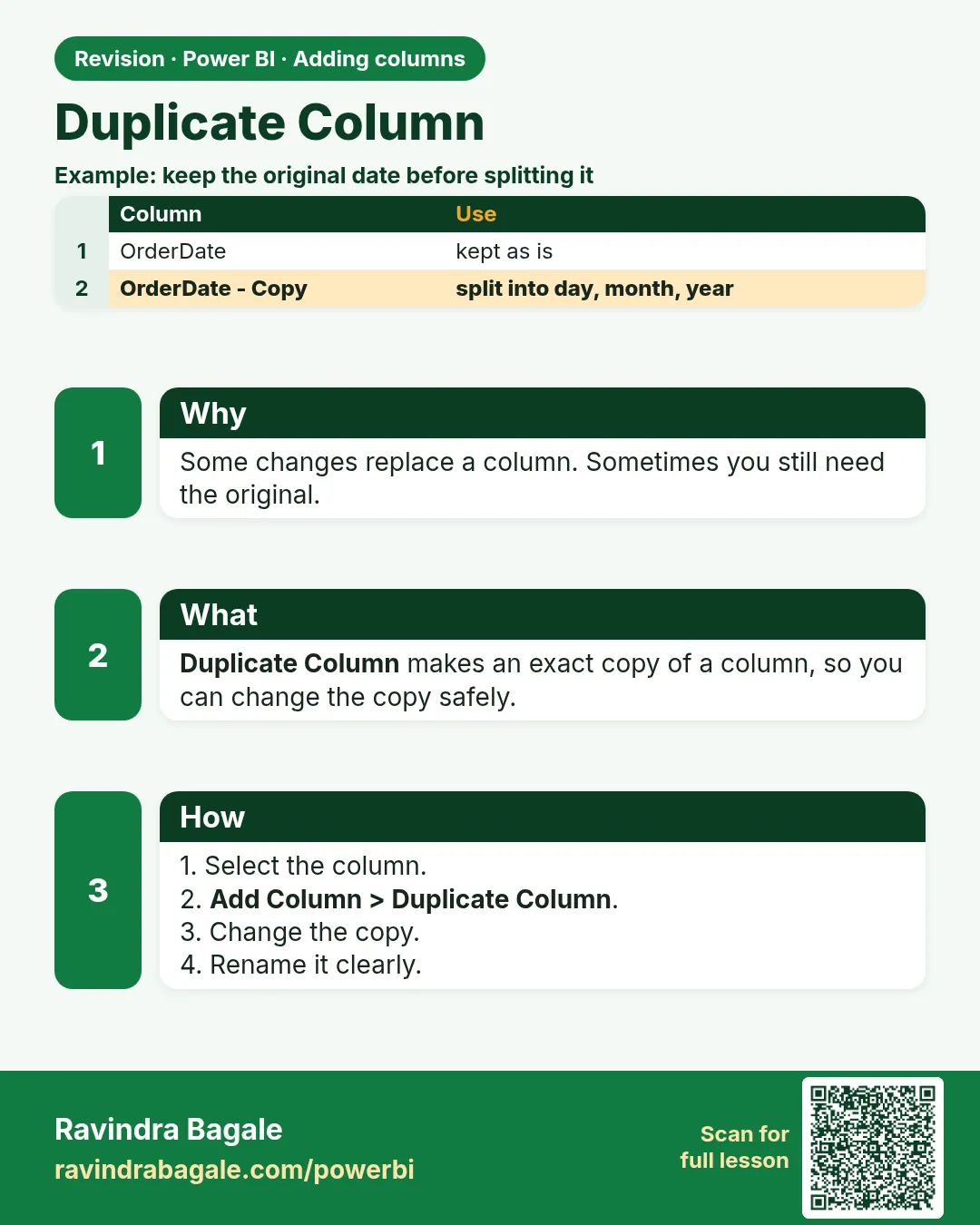 Revision card 6 of 12: Duplicate Column · Download PNG · Open card page
Lesson: 8.7 Duplicate Column
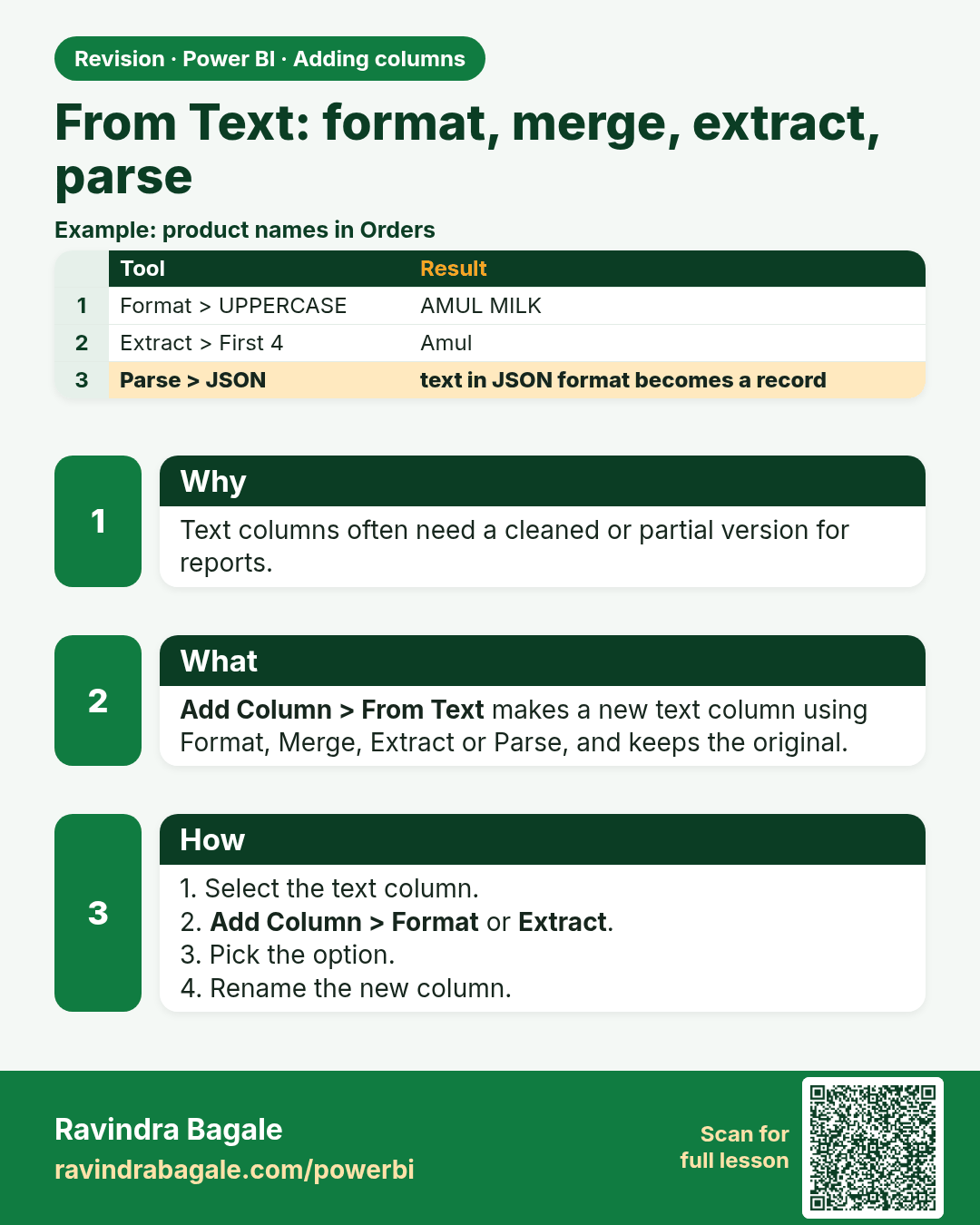
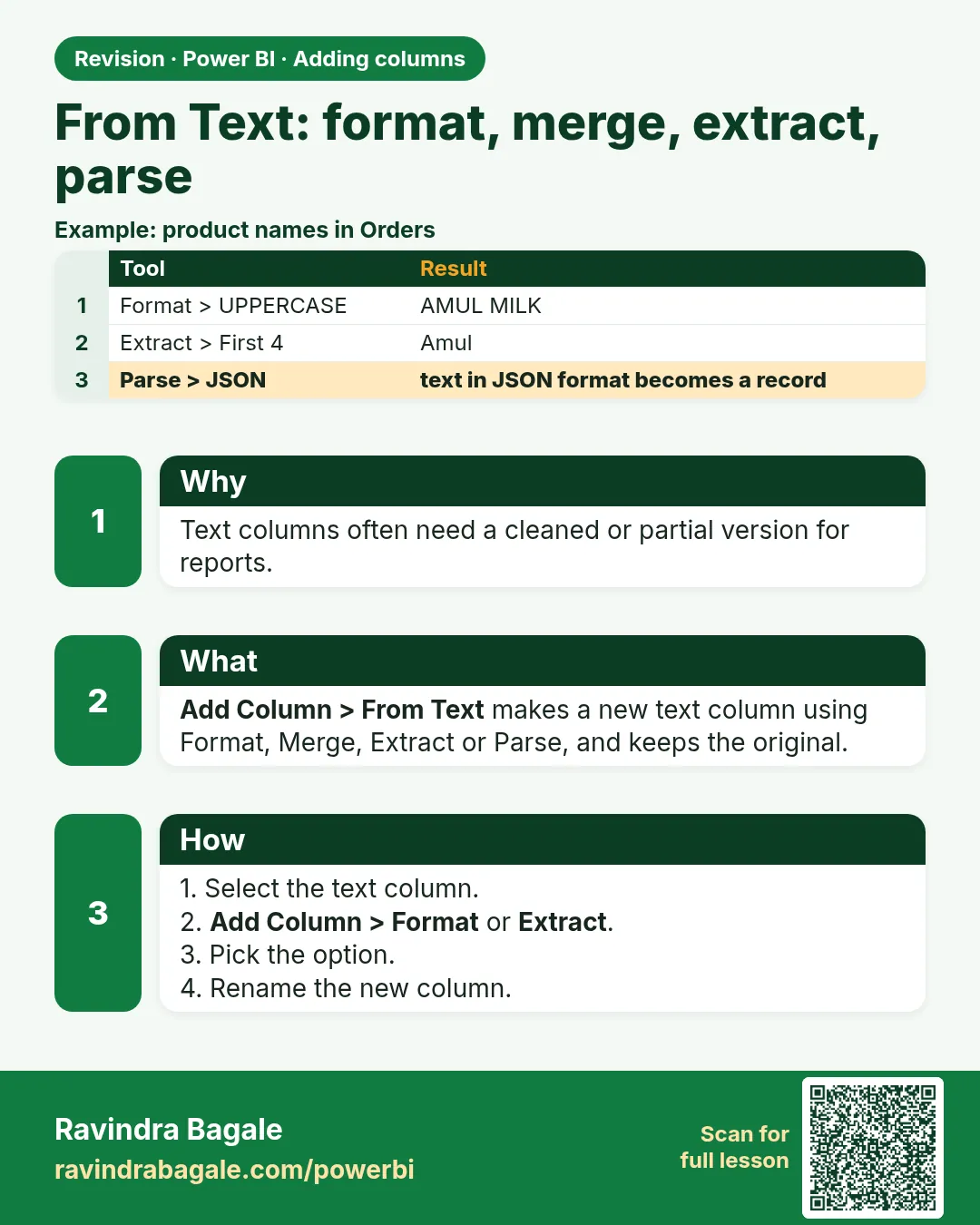 Revision card 7 of 12: From Text: format, merge, extract, parse · Download PNG · Open card page
Lesson: 8.8 From Text: Format, Merge Columns, Extract, Parse
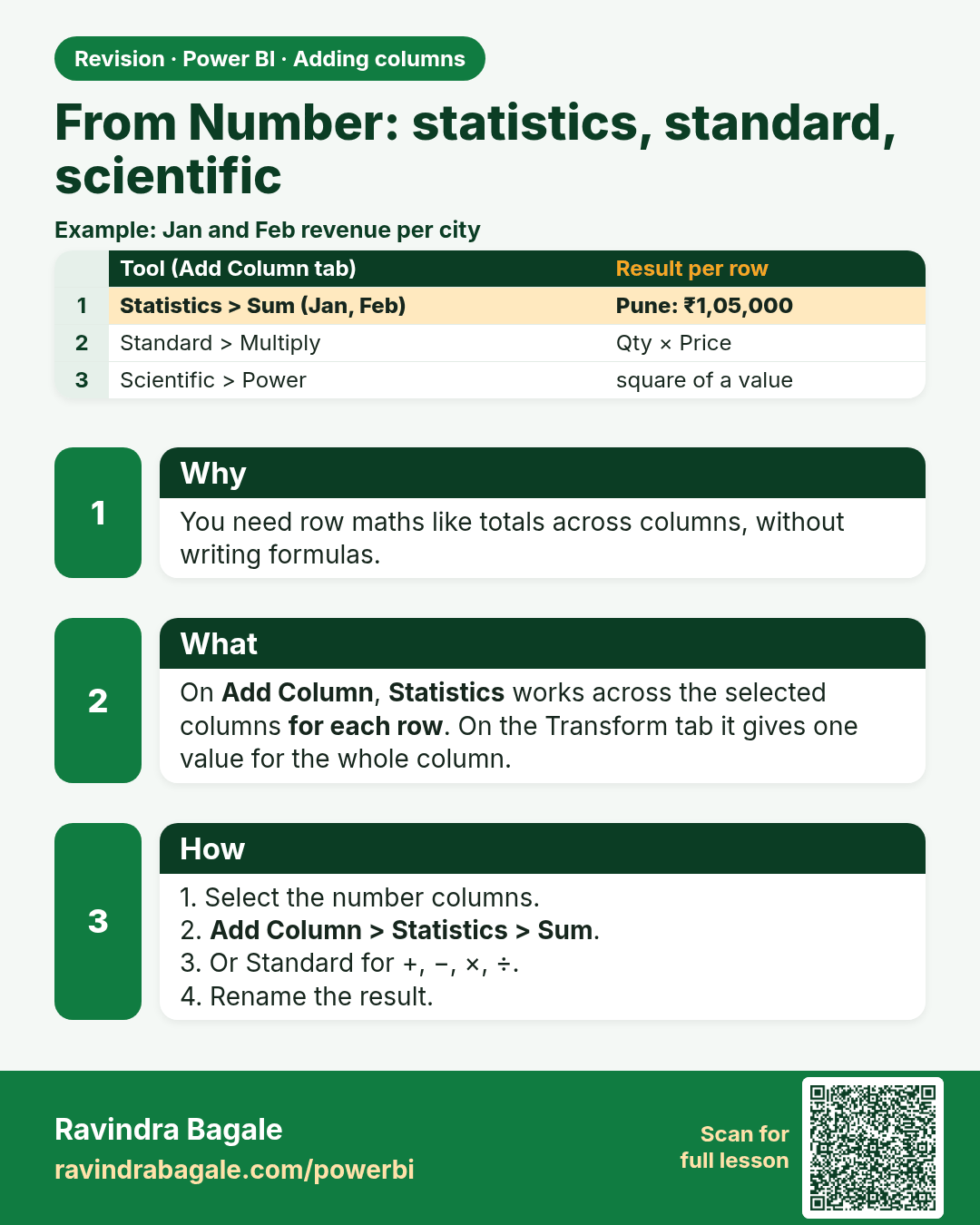
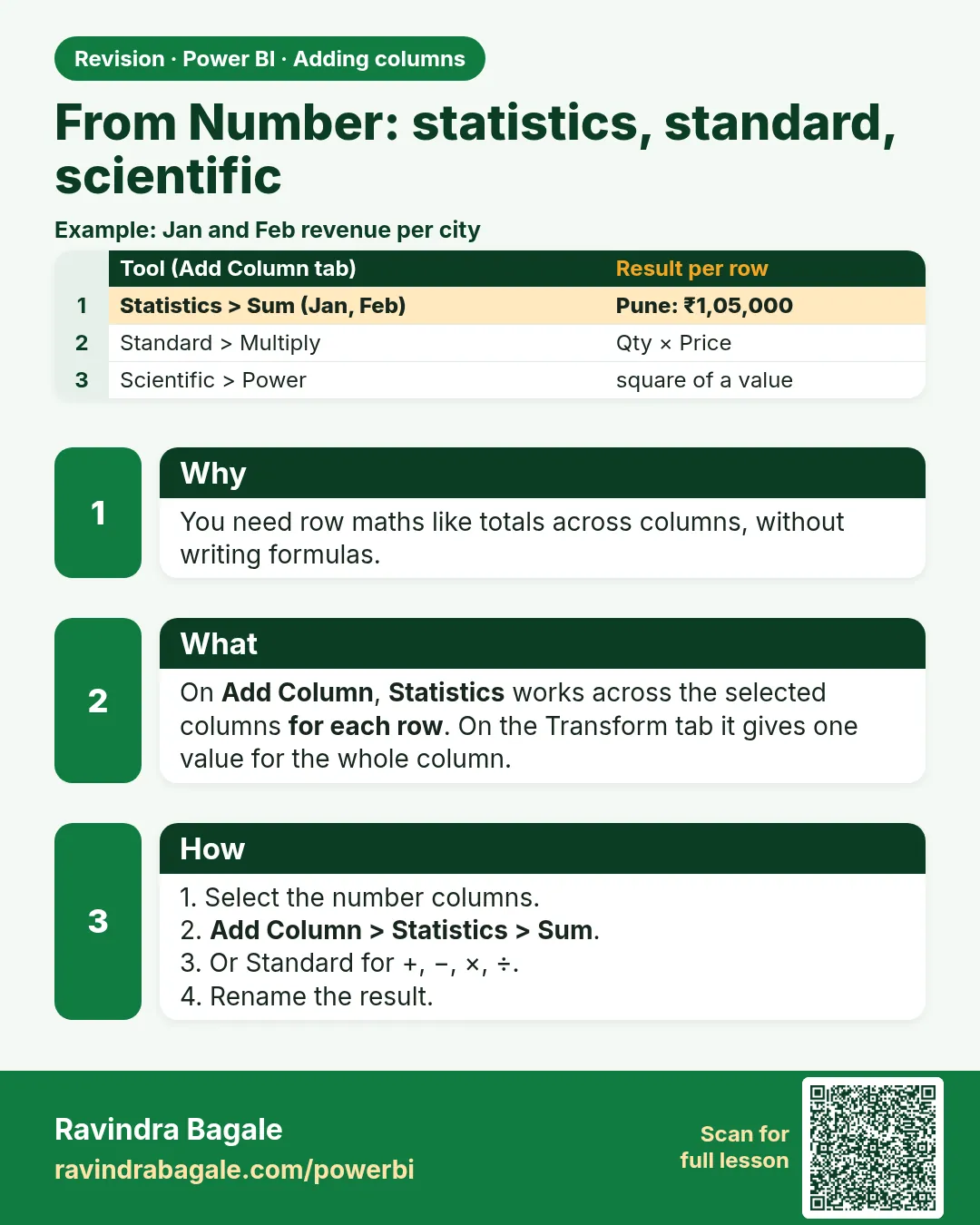 Revision card 8 of 12: From Number: statistics, standard, scientific · Download PNG · Open card page
Lesson: 8.9 From Number: Statistics, Standard, Scientific, Trigonometry, Rounding, Information
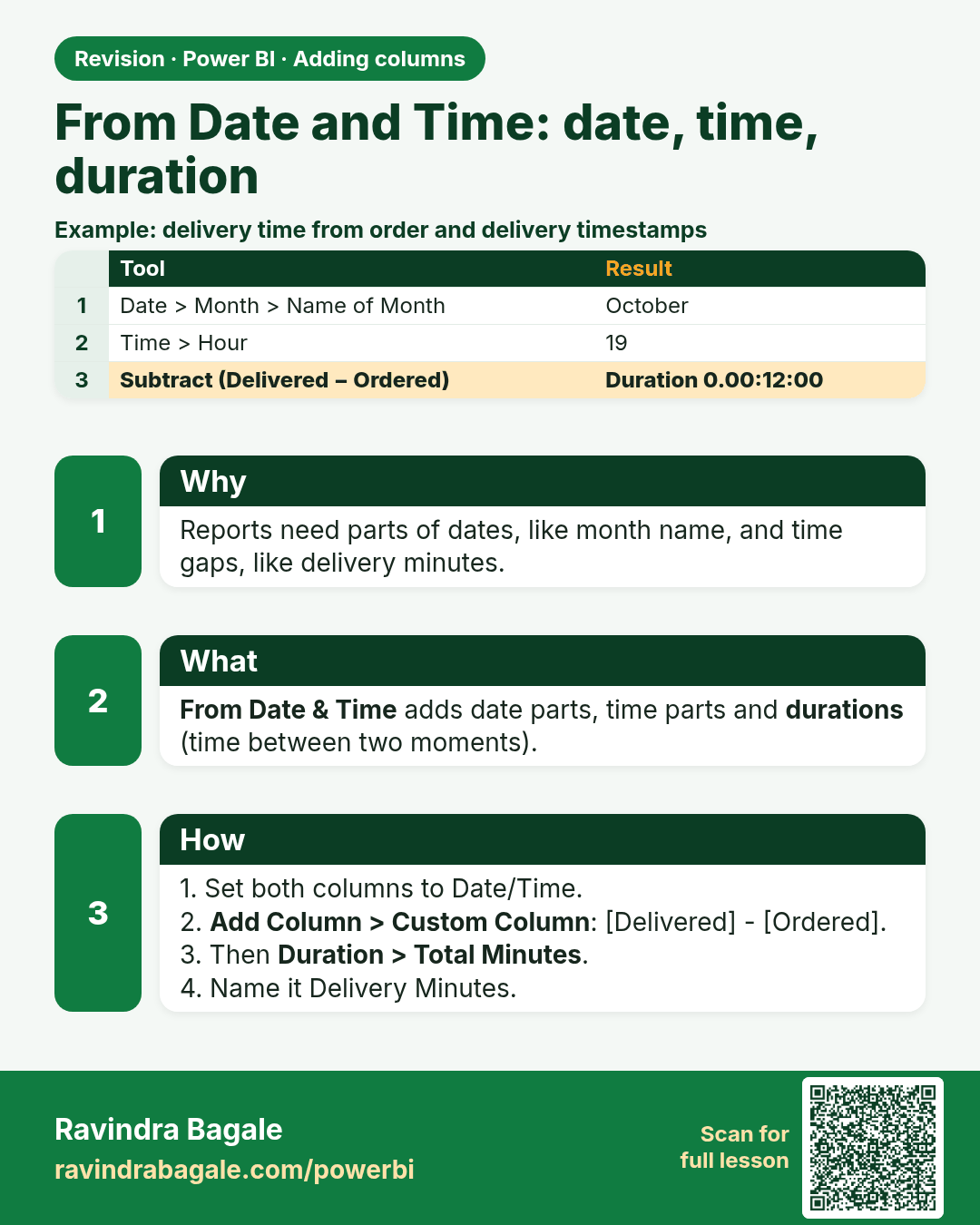
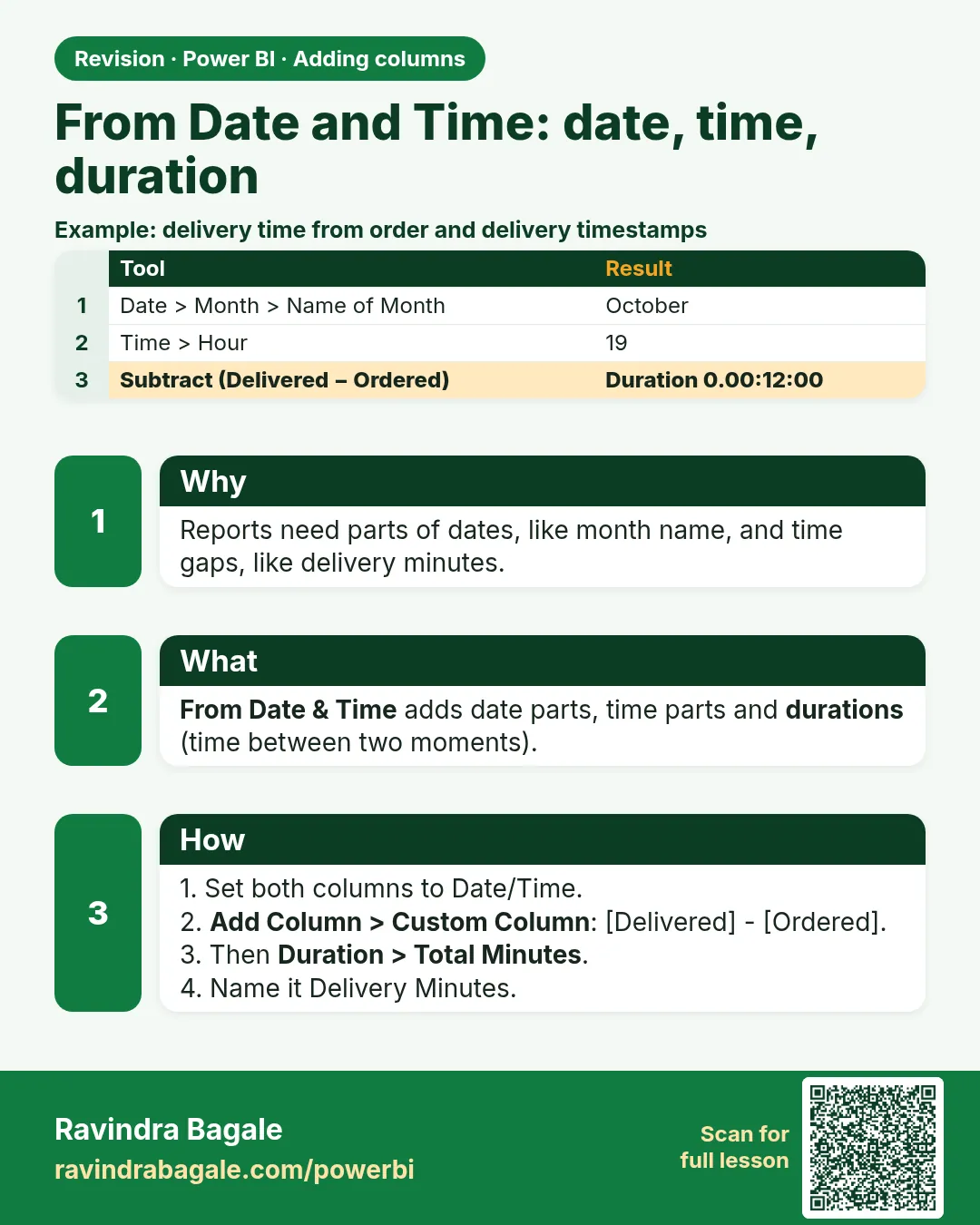 Revision card 9 of 12: From Date and Time: date, time, duration · Download PNG · Open card page
Lesson: 8.10 From Date & Time: Date, Time, Duration
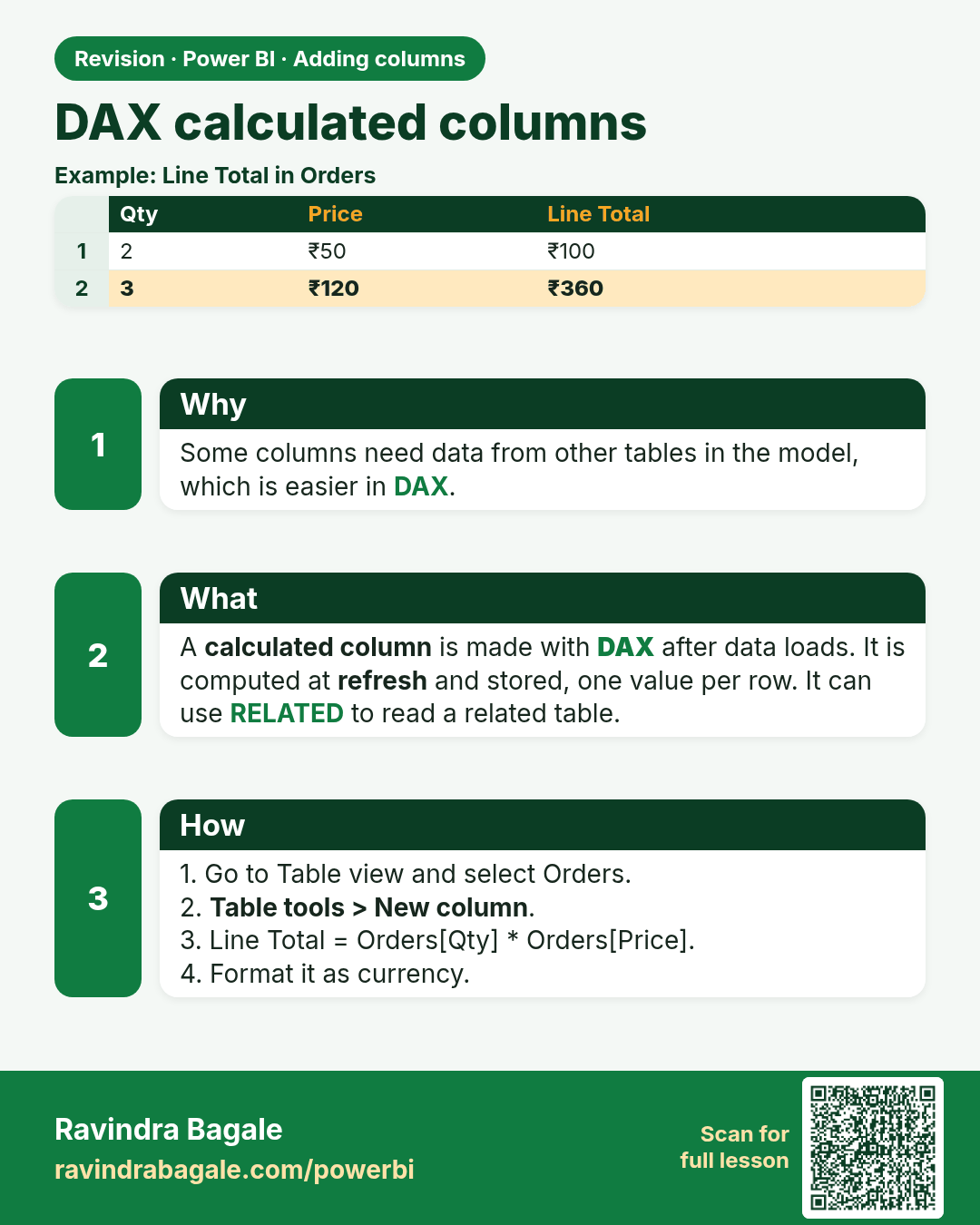
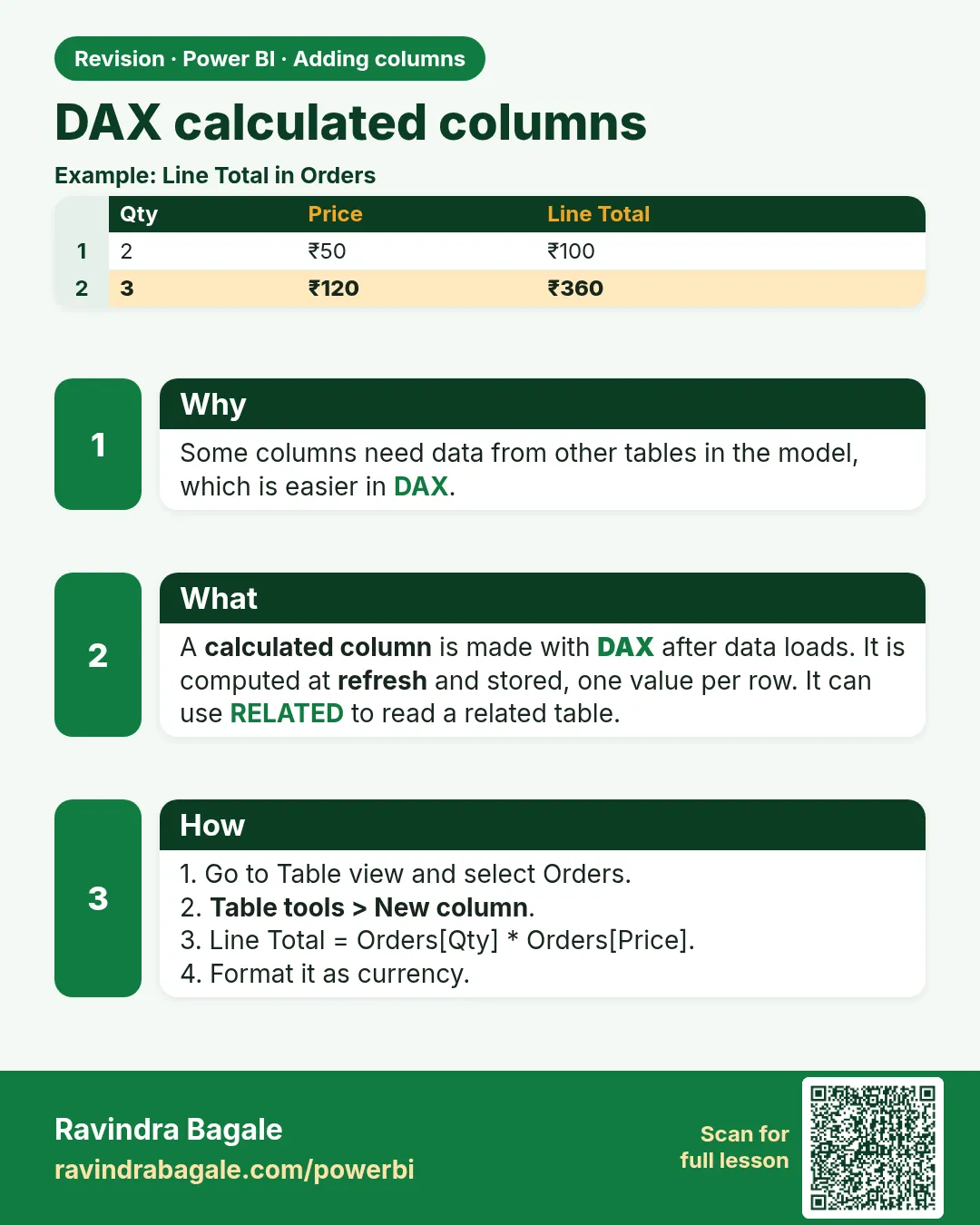 Revision card 10 of 12: DAX calculated columns · Download PNG · Open card page
Lesson: 8.11 DAX Calculated Columns
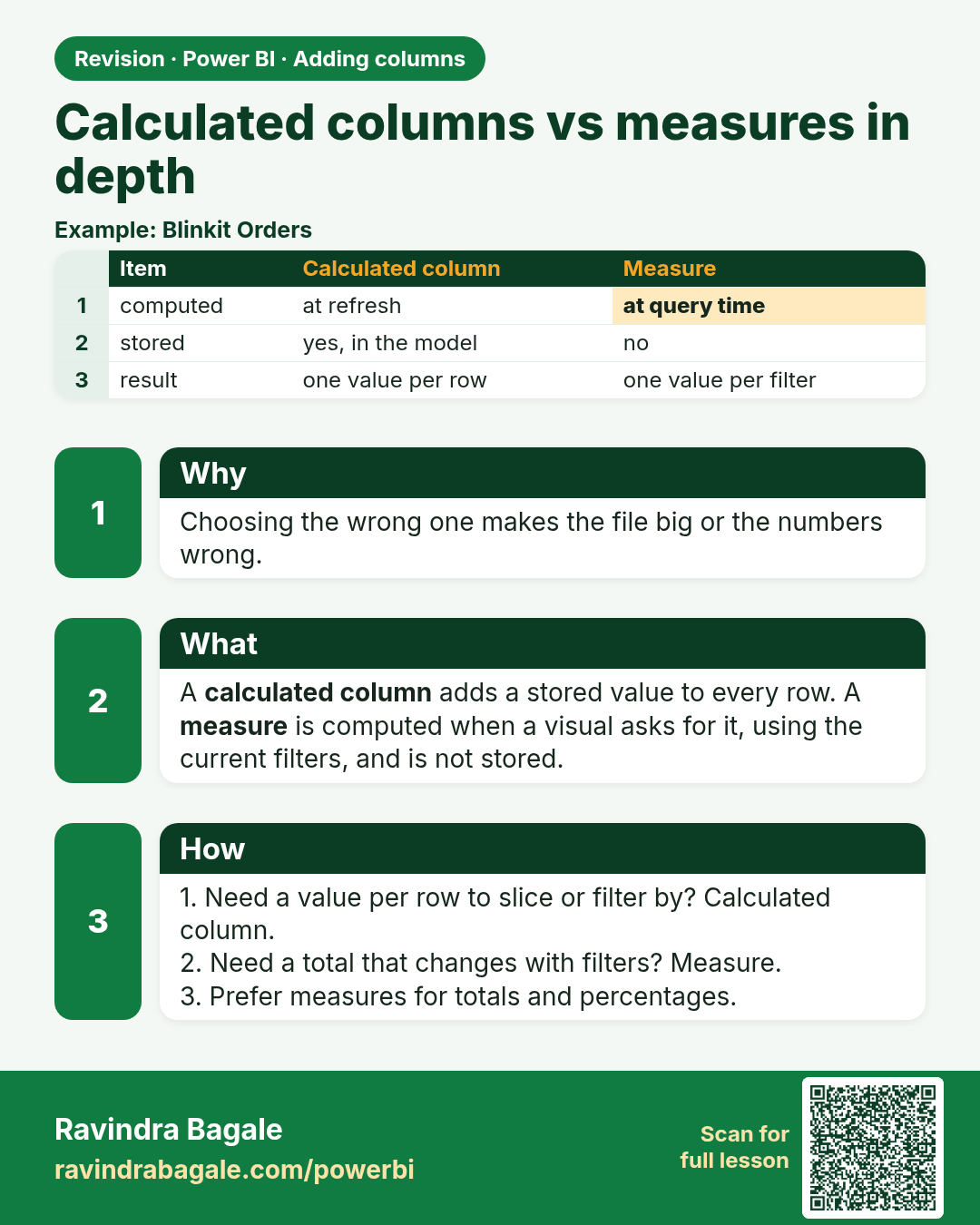
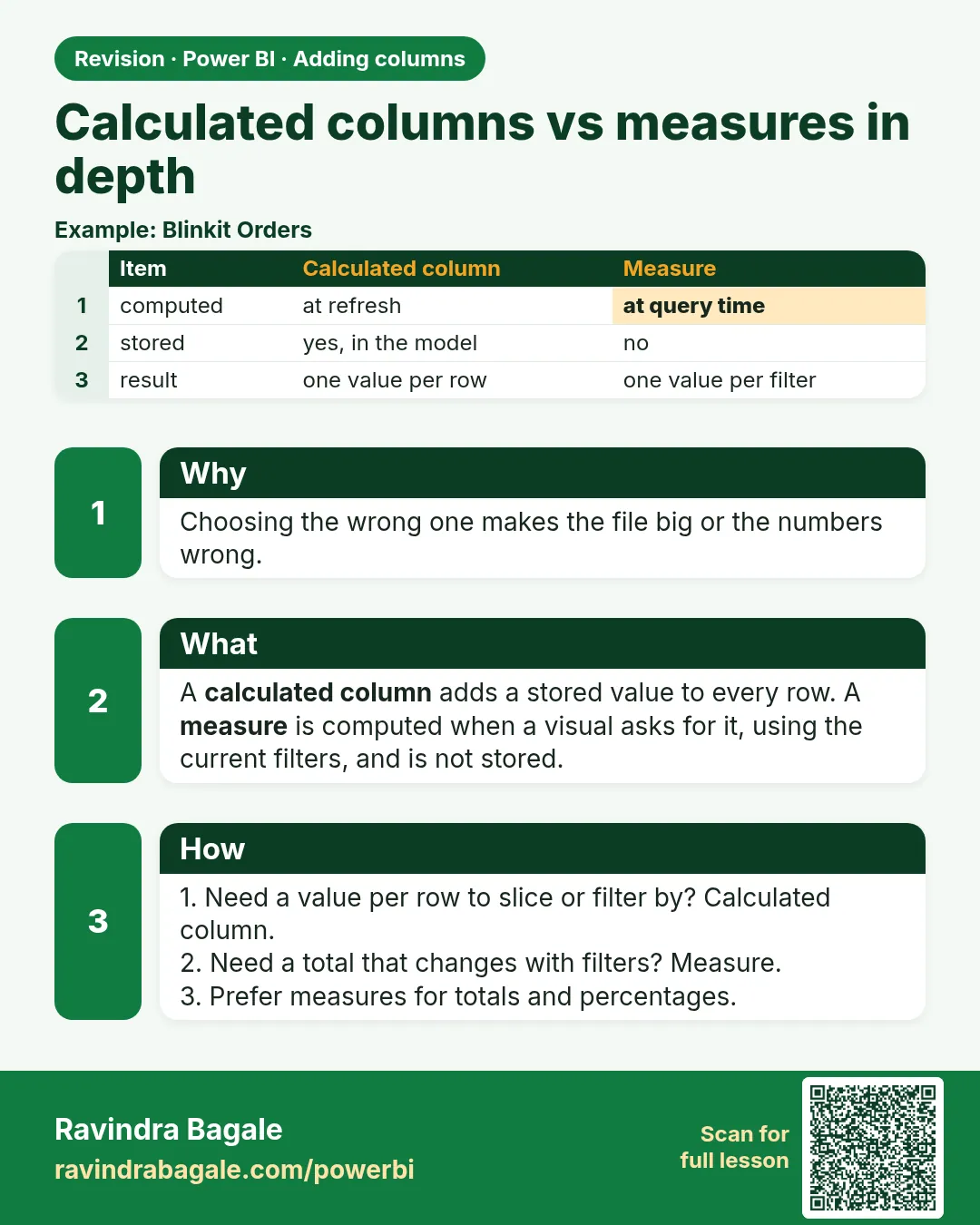 Revision card 11 of 12: Calculated columns vs measures in depth · Download PNG · Open card page
Lesson: 8.12 Calculated Columns vs Measures in Depth
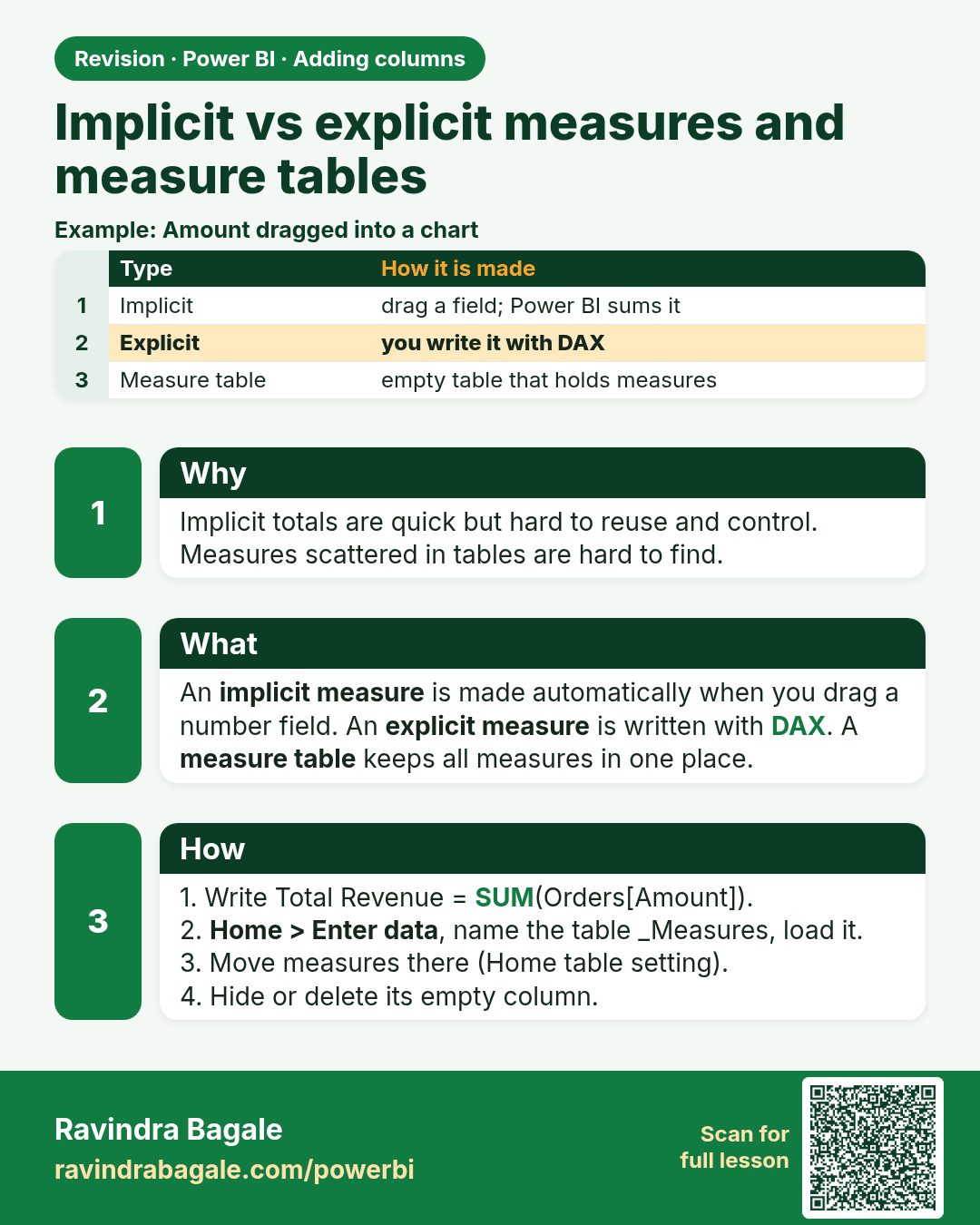
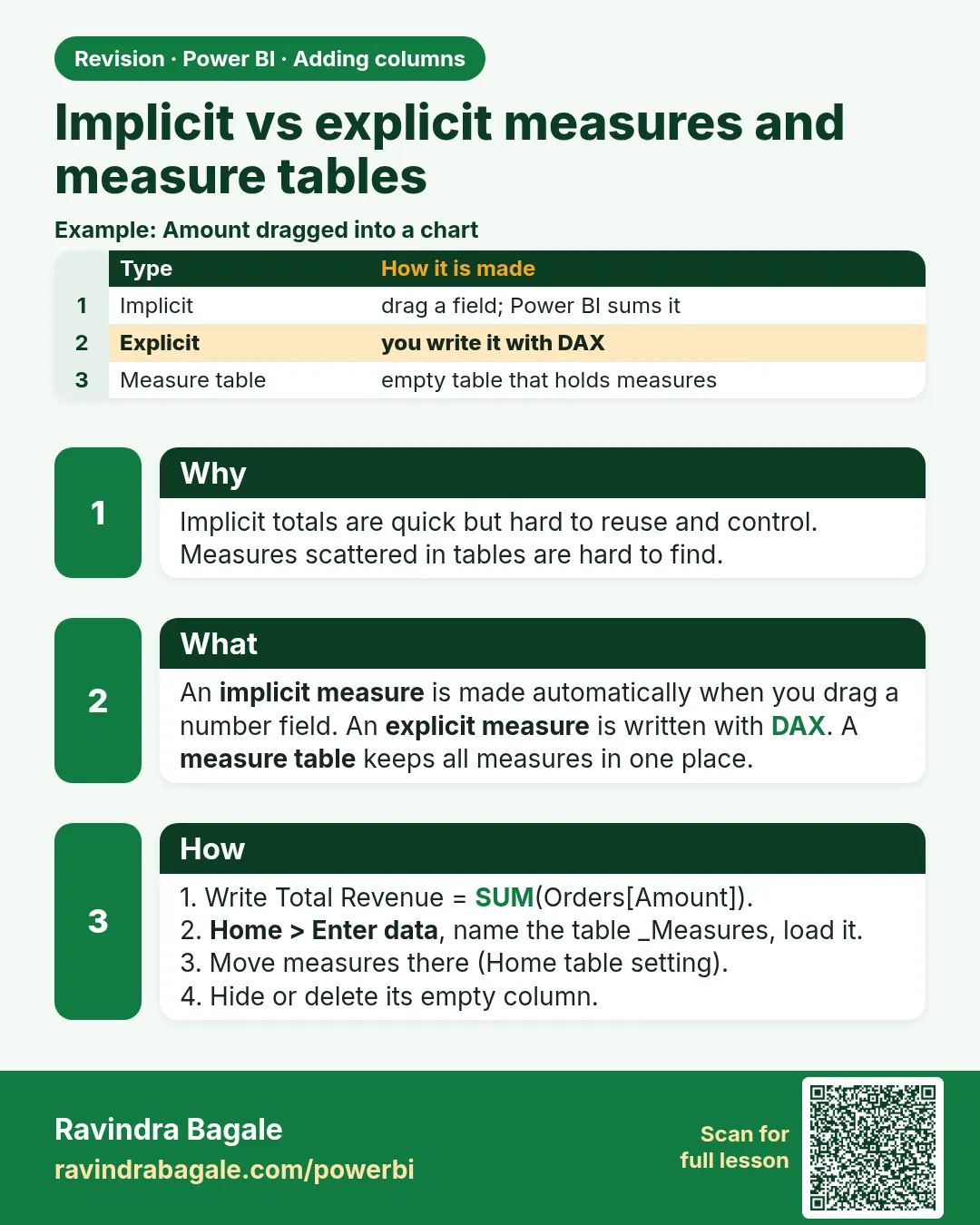 Revision card 12 of 12: Implicit vs explicit measures and measure tables · Download PNG · Open card page
Lesson: 8.13 Implicit vs Explicit Measures, Measure Tables, Display Folders and Formatting
Interview cards
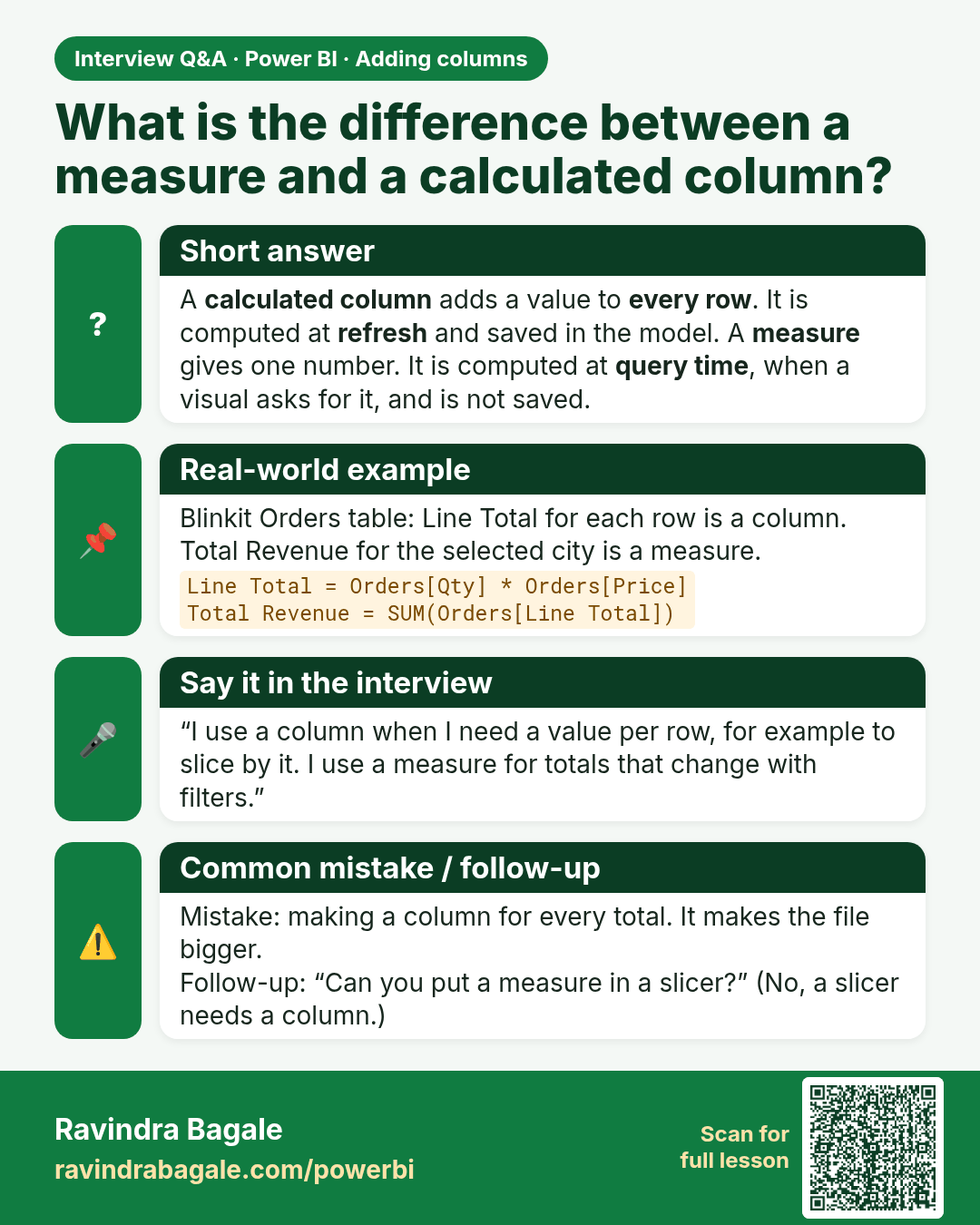
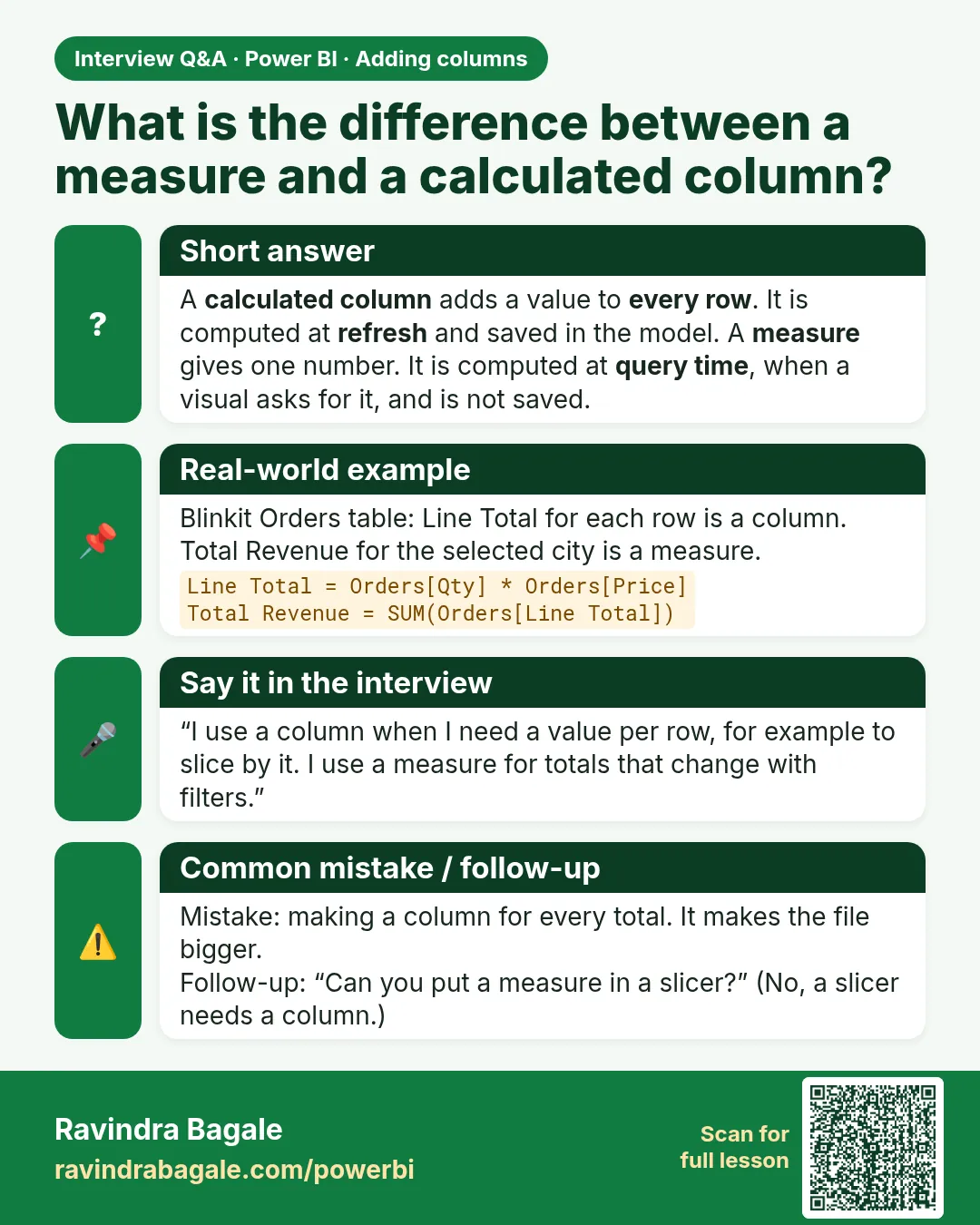 Interview card 1 of 3: What is the difference between a measure and a calculated column? · Download PNG · Open card page
Lesson: 8.12 Calculated Columns vs Measures in Depth
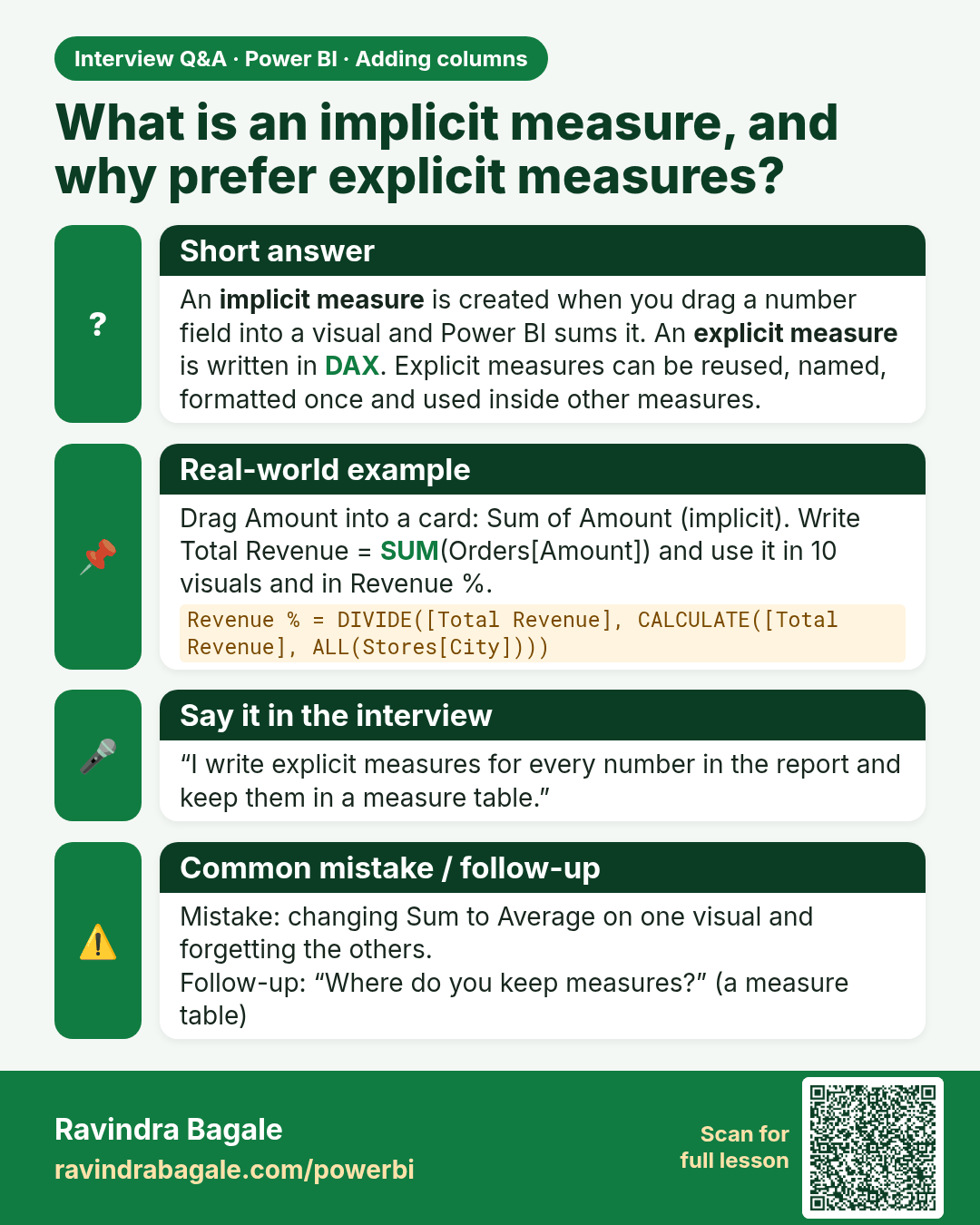
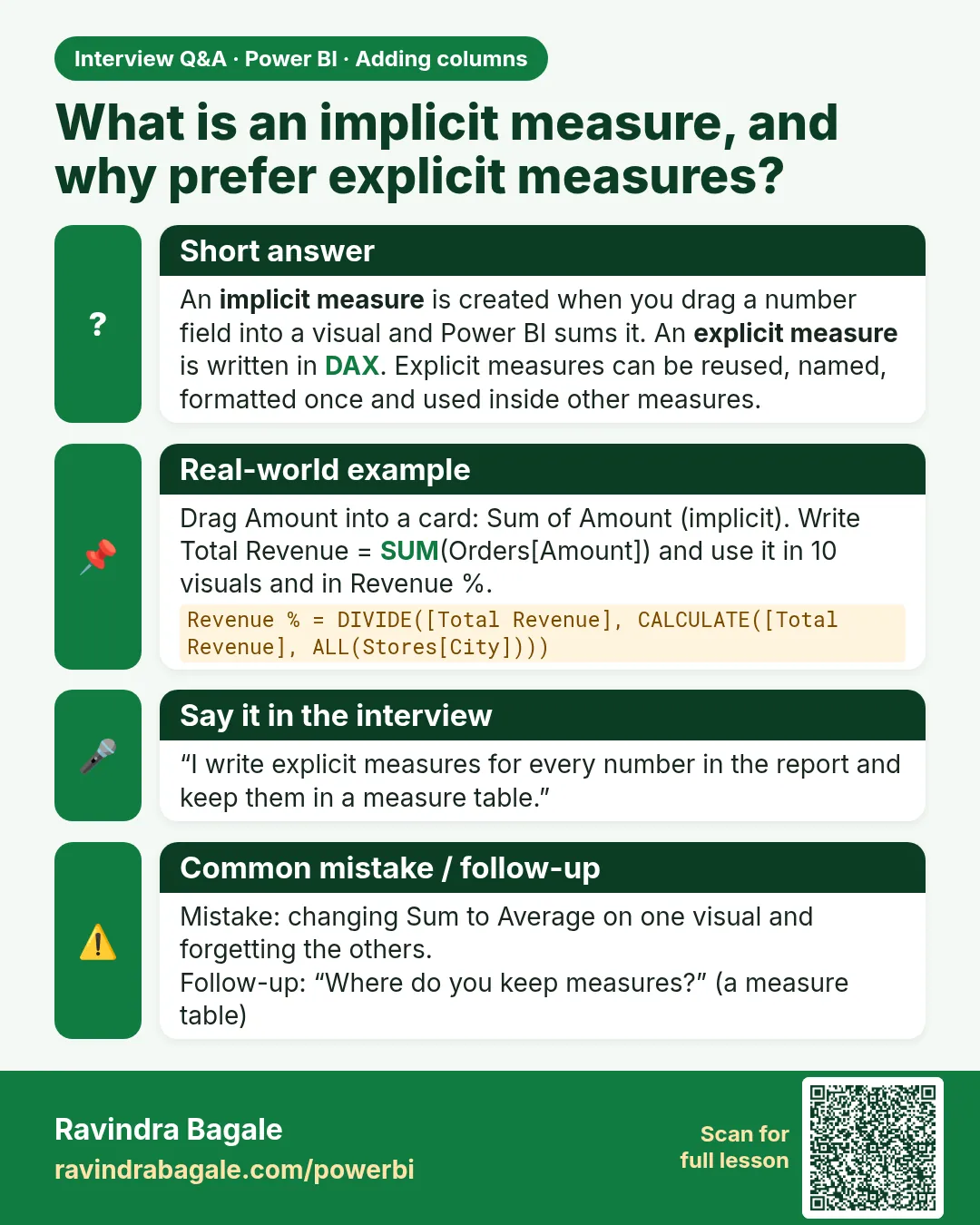 Interview card 2 of 3: What is an implicit measure, and why prefer explicit measures? · Download PNG · Open card page
Lesson: 8.13 Implicit vs Explicit Measures, Measure Tables, Display Folders and Formatting
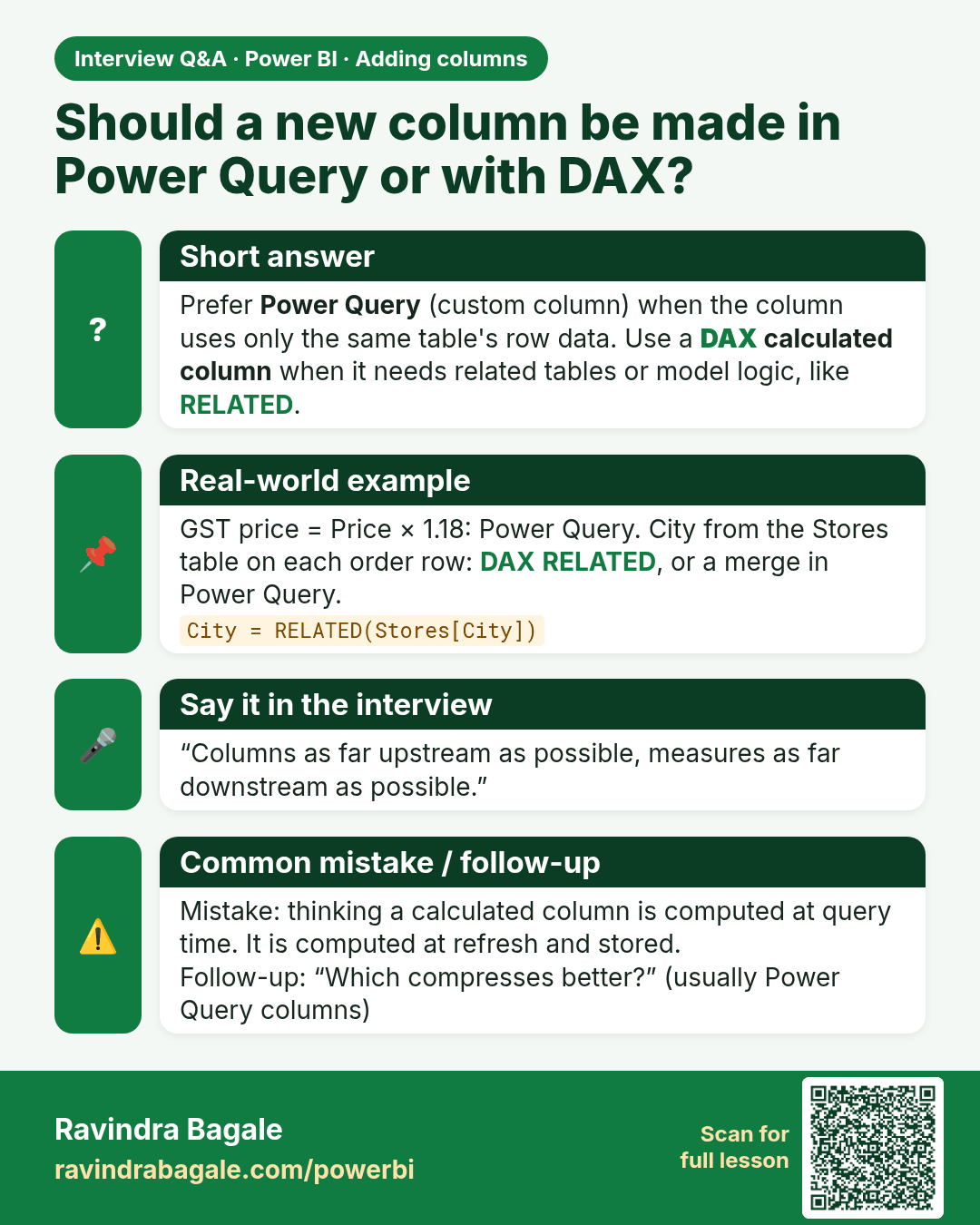
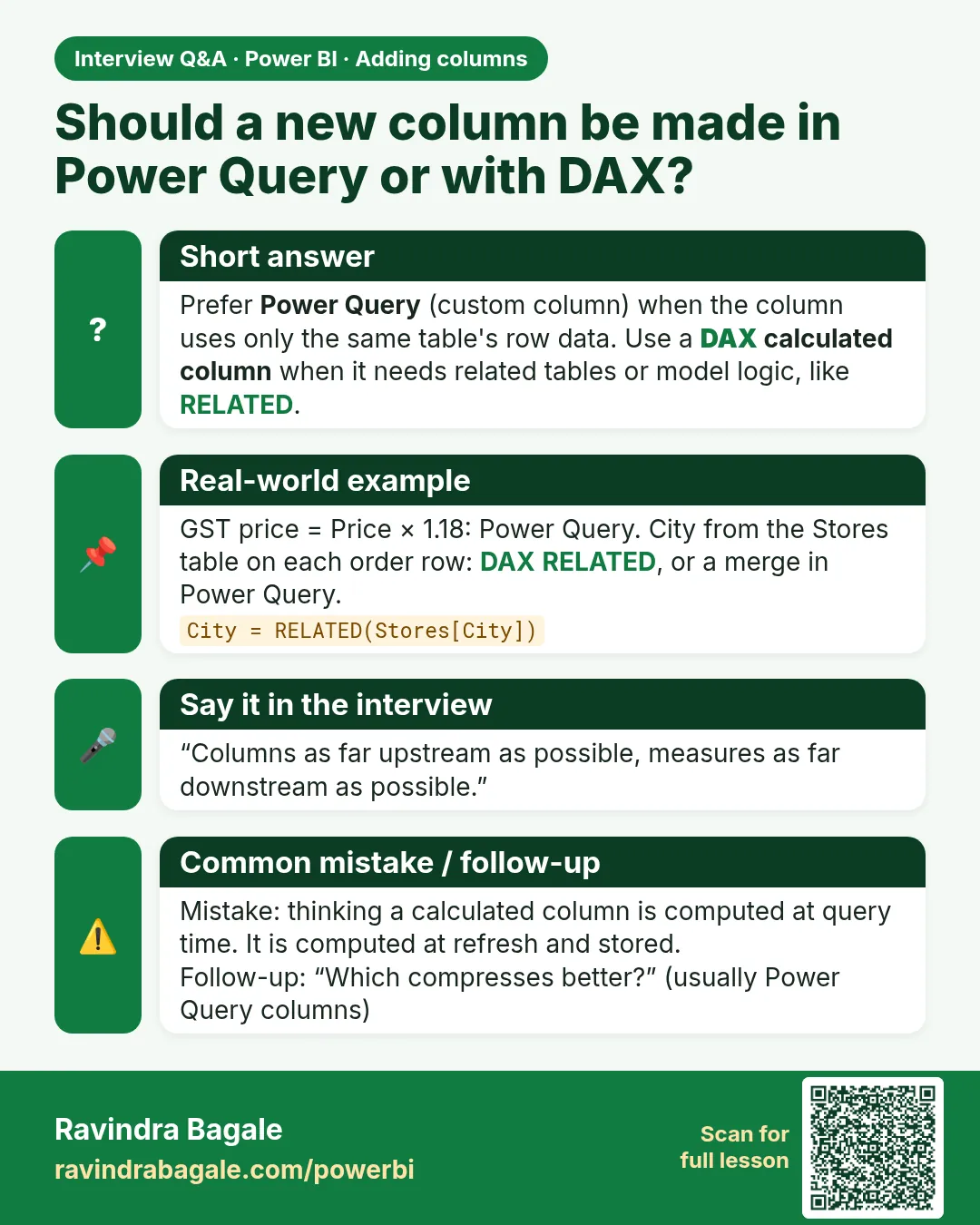 Interview card 3 of 3: Should a new column be made in Power Query or with DAX? · Download PNG · Open card page
Lesson: 8.3 Custom Column
Comparison cards
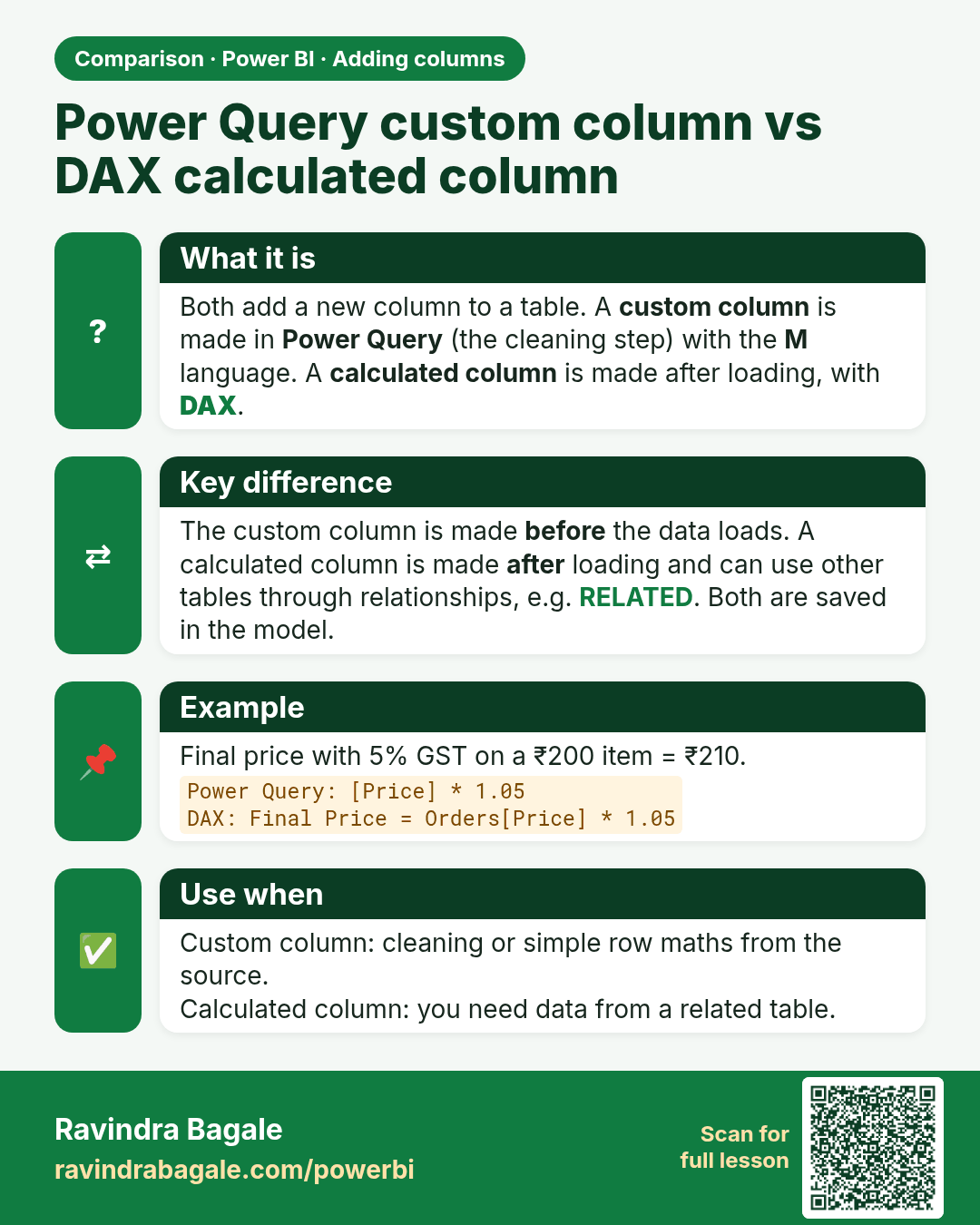
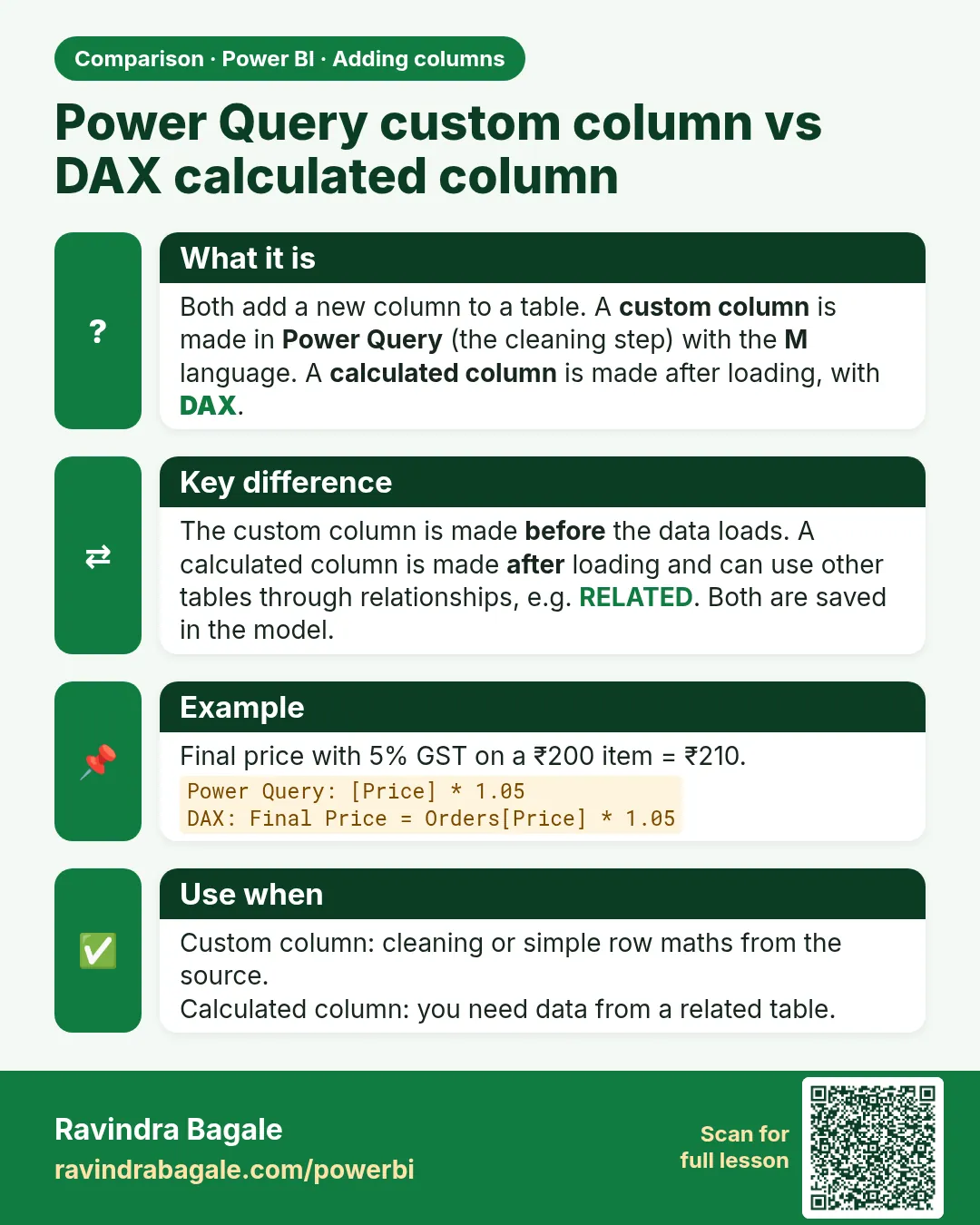 Comparison card 1 of 3: Power Query custom column vs DAX calculated column · Download PNG · Open card page
Lesson: 8.3 Custom Column
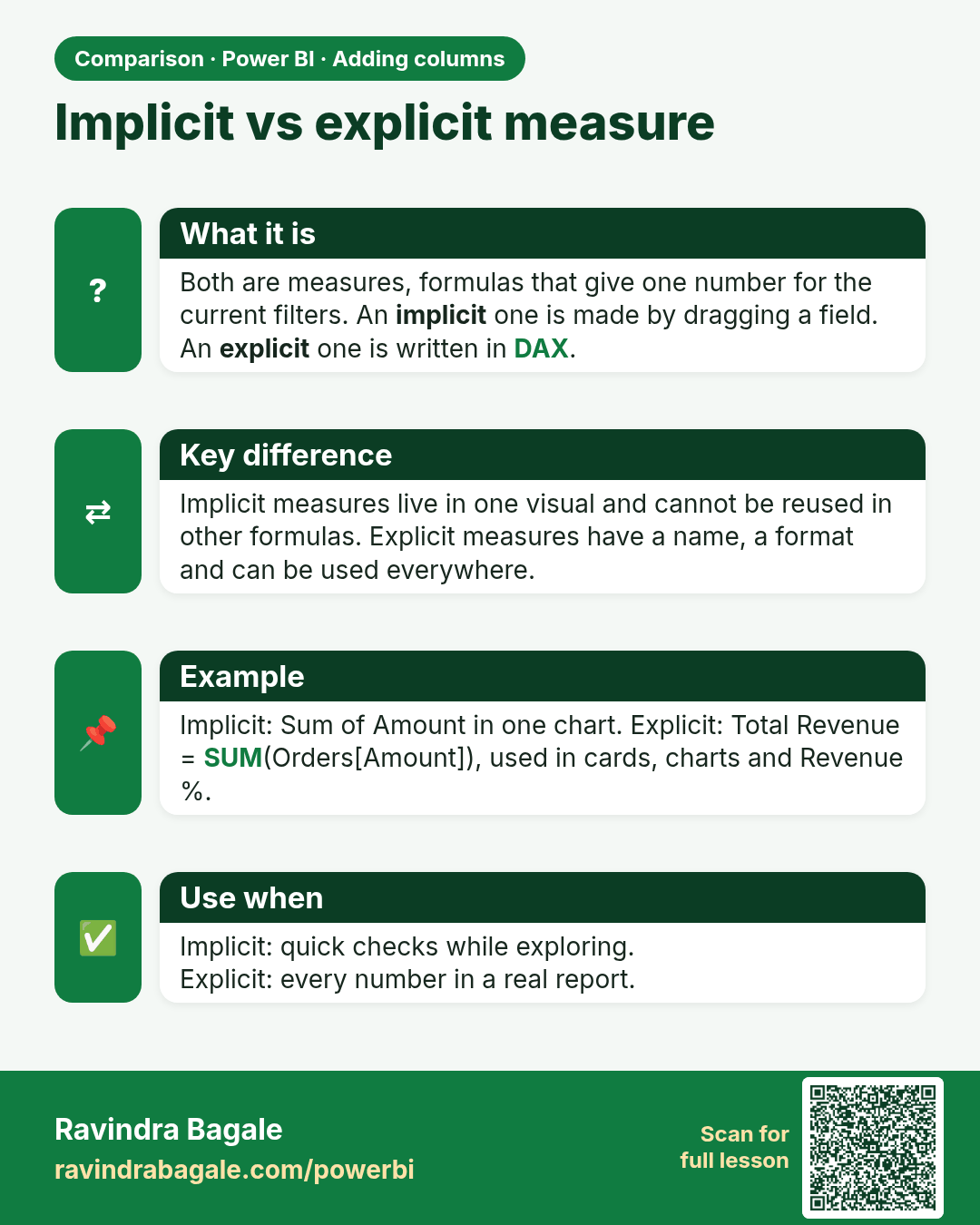
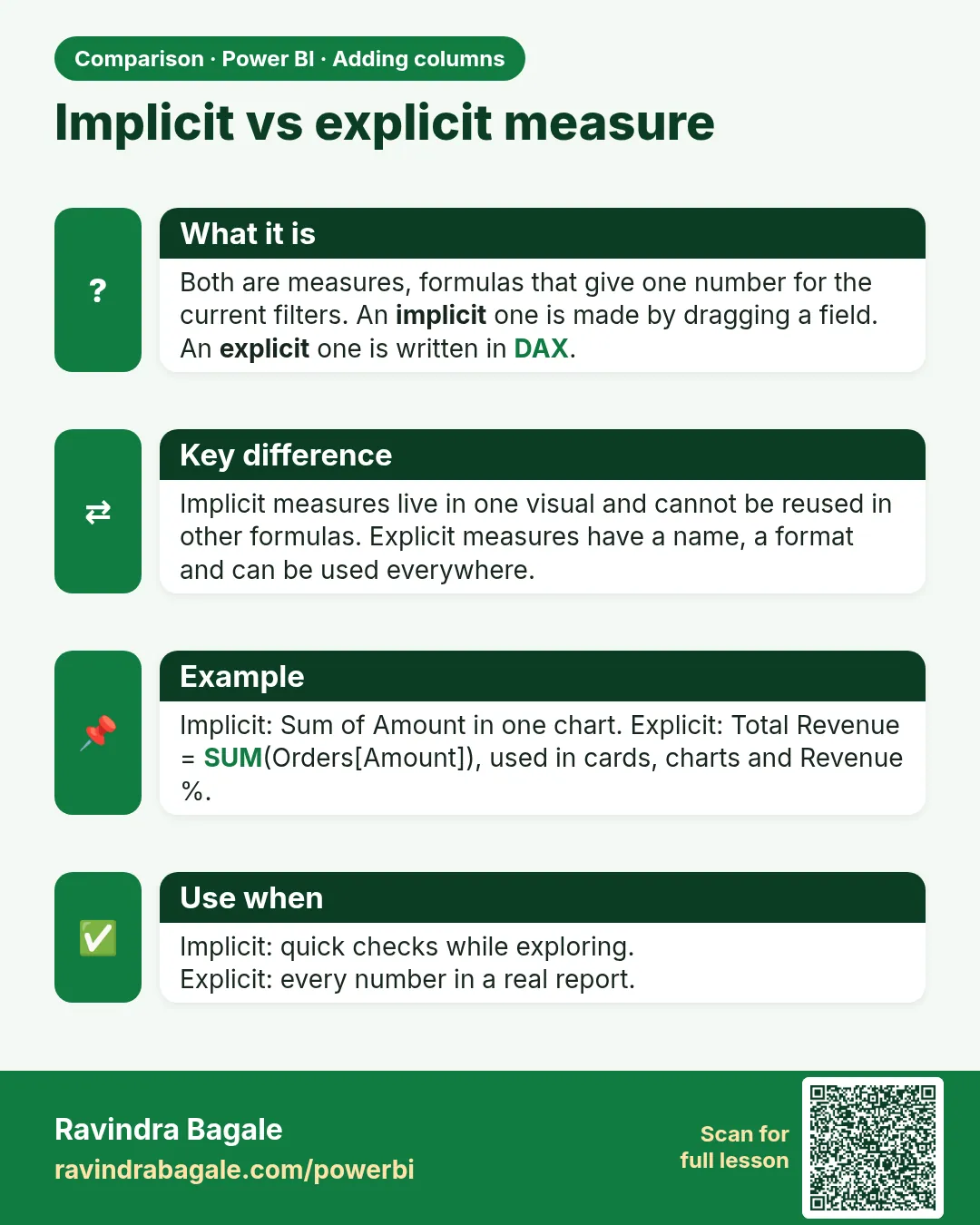 Comparison card 2 of 3: Implicit vs explicit measure · Download PNG · Open card page
Lesson: 8.13 Implicit vs Explicit Measures, Measure Tables, Display Folders and Formatting
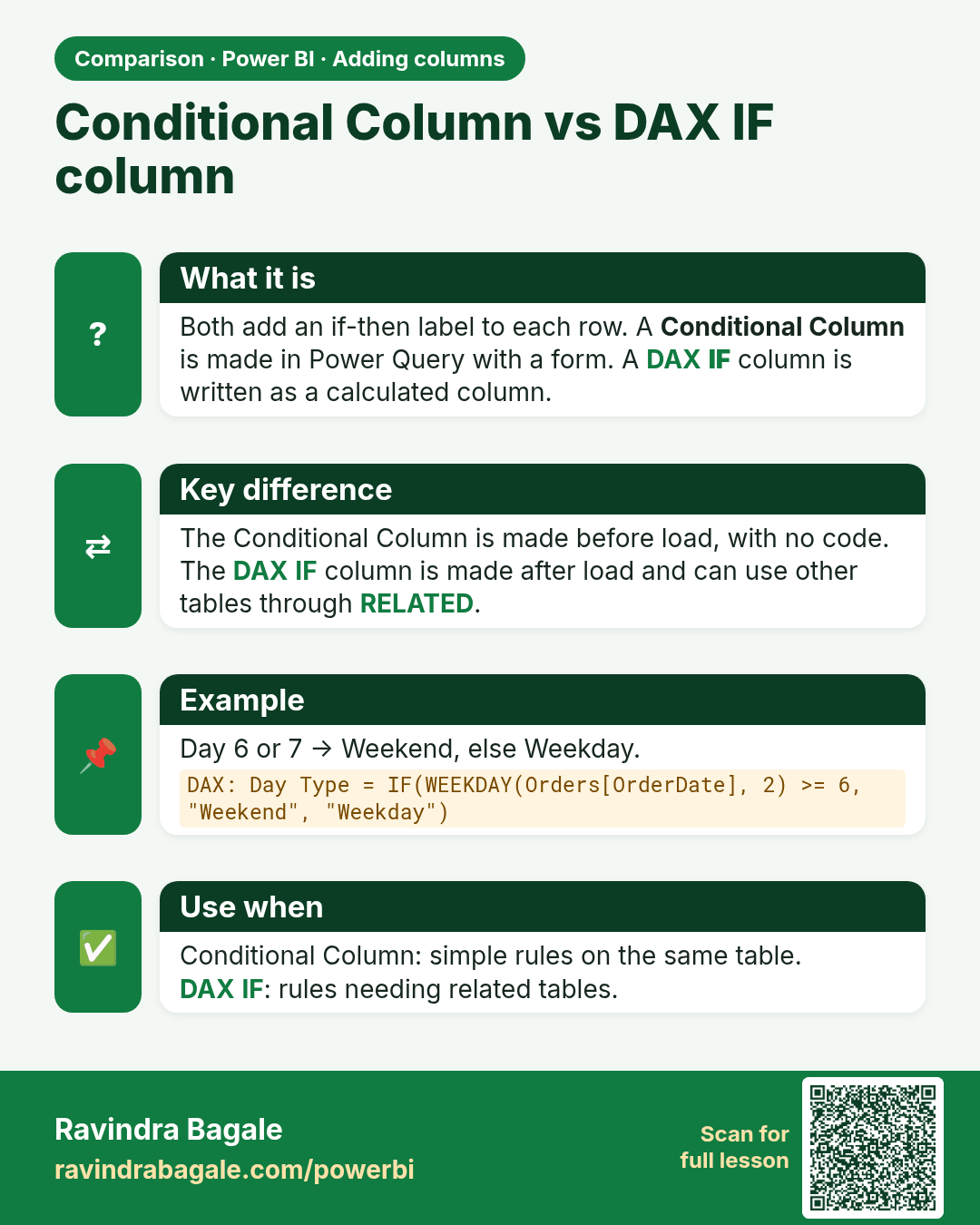
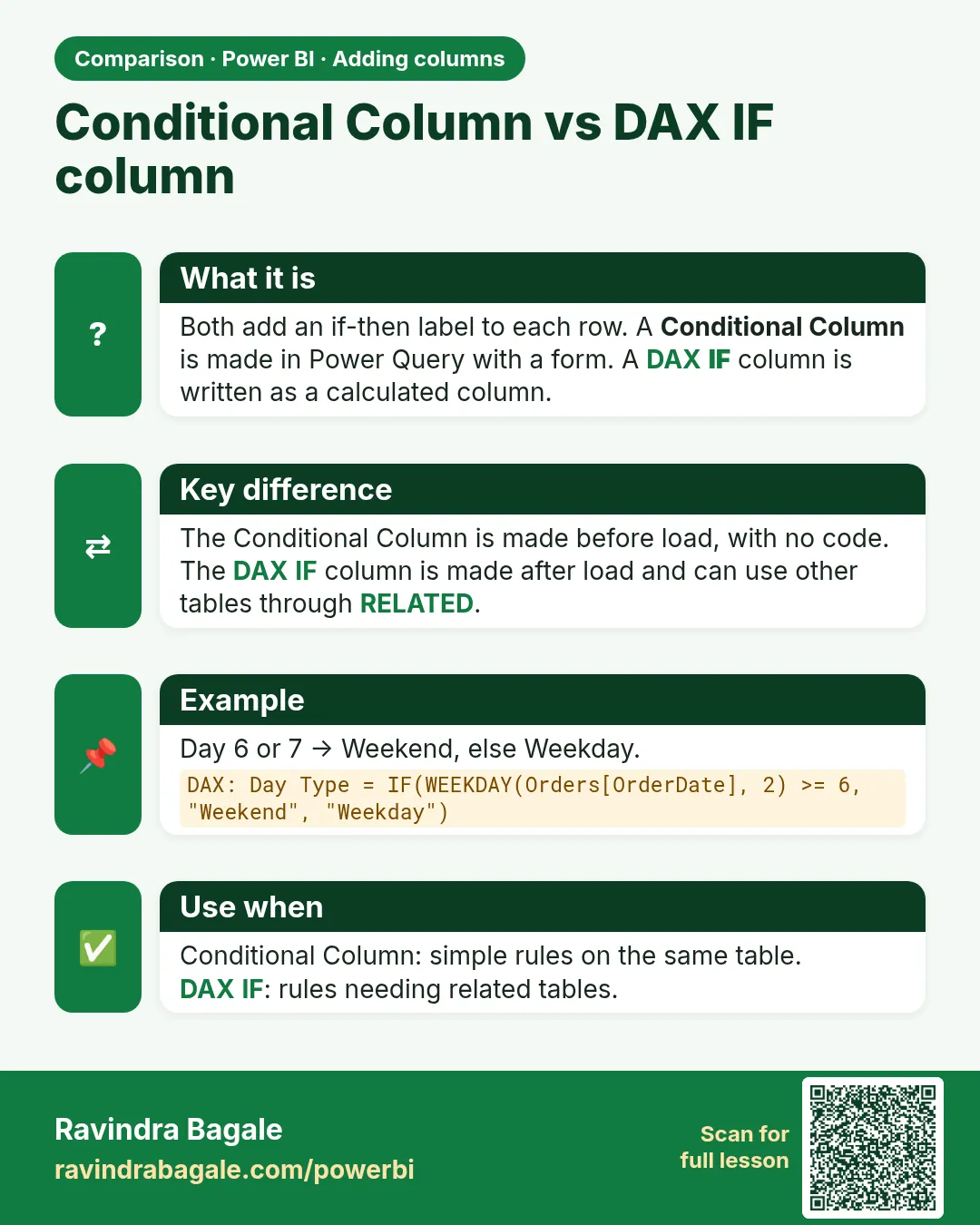 Comparison card 3 of 3: Conditional Column vs DAX IF column · Download PNG · Open card page
Lesson: 8.5 Conditional Column