20. Dynamic Text and Dynamic Colour (Conditional Formatting)
20.3 Showing Several Selected Cities (CONCATENATEX)
Start with a problem
Rani selects Pune and Nashik; the title falls back to All cities, which is wrong.
Explain simply
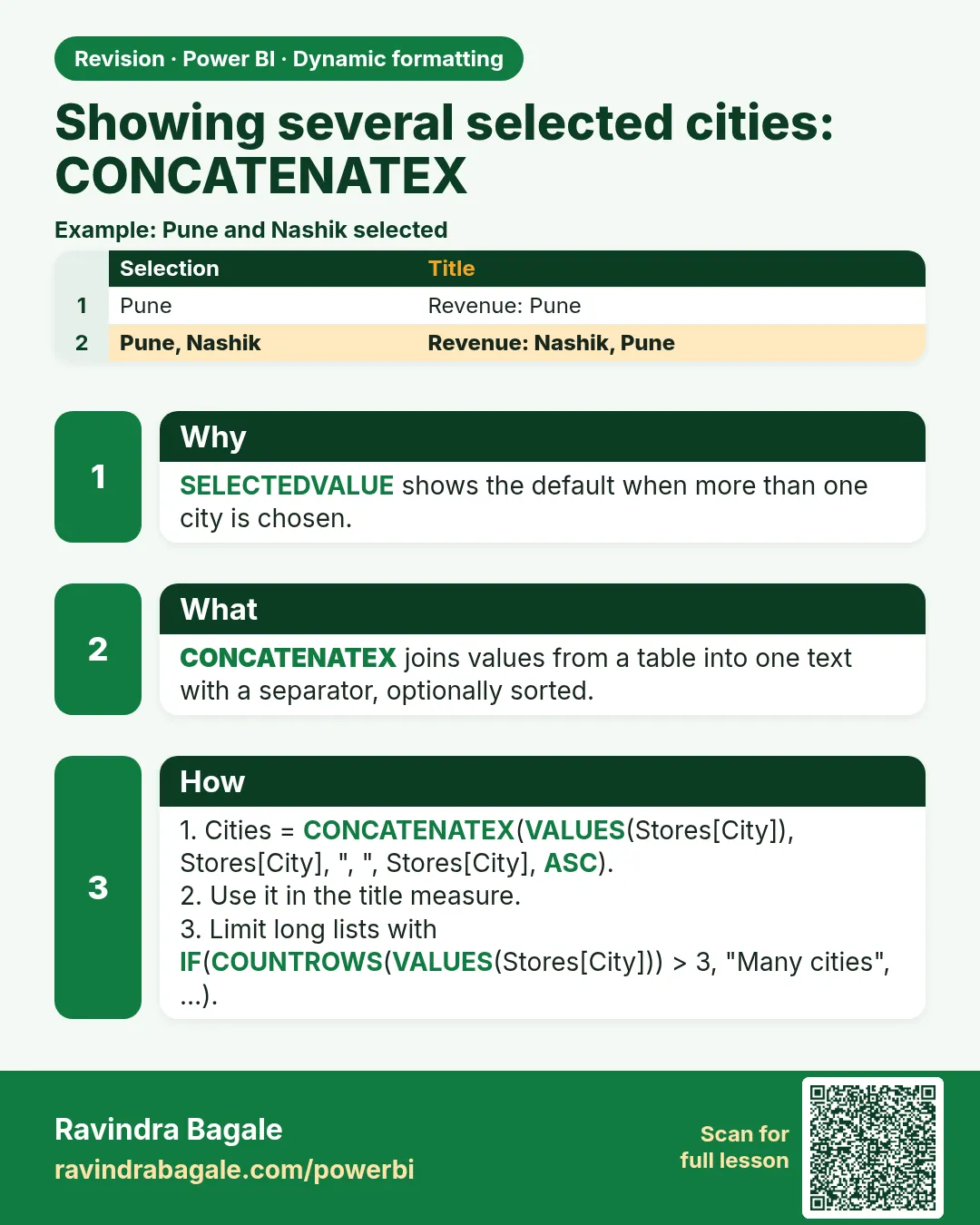
Use CONCATENATEX to list the selected values, and ISFILTERED to detect whether a selection exists.
Show the data
| Selection | Expected title text |
|---|---|
| None | All cities |
| Pune | Pune |
| Pune + Nashik | Nashik, Pune |
About this data: This table uses columns: Selection, Expected title text. This table uses columns: Selection, Title. This table uses columns: Wrong result, Reason, Correction. Values shown are the lesson examples already on this page (not a new dataset).
Fictional sample data. Practice file: visuals_orders_apr_may_2026.csv (source: src/practice/).
Demonstrate
- Create
Cities Text = IF(ISFILTERED(Orders[City]), CONCATENATEX(VALUES(Orders[City]), Orders[City], ", ", Orders[City], ASC), "All cities"). - Use it in the title:
"Total Sales – " & [Cities Text]. - Select Pune and Nashik.
Show the result
Your result should look like this (fictional sample):
| Selection | Title |
|---|---|
| Pune + Nashik | Total Sales – Nashik, Pune |
| None | Total Sales – All cities |
Explain what happened
VALUES returns the cities still visible; CONCATENATEX joins them alphabetically with commas.
Explore further
- Limit long lists: if COUNTROWS(VALUES(...)) > 3, show 4 cities selected.
Detailed reference for this lesson:
Selected Cities =
VAR SelCount   = COUNTROWS(VALUES(DarkStore[City]))
VAR TotalCount = COUNTROWS(ALL(DarkStore[City]))
RETURN
SWITCH(TRUE(),
    NOT ISFILTERED(DarkStore[City]) || SelCount = TotalCount, "All cities",
    SelCount <= 3, CONCATENATEX(VALUES(DarkStore[City]), DarkStore[City], ", ", DarkStore[City], ASC),
    SelCount & " cities selected")

Title Delivery = "Avg delivery time – " & [Selected Cities]
Friends, with Pune and Kolhapur selected, the title reads "Avg delivery time – Kolhapur, Pune". With 5 cities selected, it reads "… – 5 cities selected".
Ravindra Bagale's Tip
Look, friends: using VALUES in a title without handling multiple values gives "A table of multiple values was supplied where a single value was expected". Use SELECTEDVALUE or CONCATENATEX. Remember, ISFILTERED returns TRUE only for direct filters on that column, so use ISCROSSFILTERED when a filter on another column should count. Practise, and it will feel very easy.
Ravindra Bagale's Tip – मराठी
हे बघा मित्रांनो: multiple values handle न करता title मध्ये VALUES वापरलं तर "A table of multiple values was supplied where a single value was expected" येतं. SELECTEDVALUE किंवा CONCATENATEX वापरा. लक्षात ठेवा, ISFILTERED फक्त त्याच column वरच्या थेट filters साठी TRUE देतं, म्हणून दुसऱ्या column वरचा filter पण मोजायचा असेल तर ISCROSSFILTERED वापरा. Practice करा, मग एकदम सोपं वाटेल.
Ravindra Bagale's Tip – हिंदी
देखो दोस्तों: multiple values handle किए बिना title में VALUES इस्तेमाल करने पर "A table of multiple values was supplied where a single value was expected" आता है. SELECTEDVALUE या CONCATENATEX इस्तेमाल करो. याद रखो, ISFILTERED सिर्फ़ उसी column पर सीधे filters के लिए TRUE देता है, इसलिए दूसरे column का filter भी गिनना हो तो ISCROSSFILTERED इस्तेमाल करो. Practice करो, फिर बहुत आसान लगेगा.
Fix common mistakes
| Wrong result | Reason | Correction |
|---|---|---|
| All cities listed with no selection | No ISFILTERED check | Wrap in IF(ISFILTERED(...)) |
| Order random | No sort argument | Add the ASC order arguments |
| Title overflows | Too many items | Show a count after three items |
Practise independently
Practice task
What is the title when all three cities are selected manually?
Hints
- ISFILTERED is TRUE when a selection exists.
Solution
Total Sales – Kolhapur, Nashik, Pune.
Think like a professional
Edge cases (none, one, many) are what testers check. Test all three before publishing.
Loading DAX practice tasks...
- All cities in one line (Easy): Measure: City List = all Store cities joined with a comma and space, sorted A to Z.
- Two picked cities (Easy): Slicer: Store City = Pune and Mumbai. Measure: City List = the picked cities joined with ", ", sorted A to Z.
- All platforms (Easy): Measure: App List = all Platform values joined with ", ", sorted A to Z.
- Cities with a label (Medium): Slicer: Store City = Nashik and Nagpur. Measure: Cities Title = "Cities: " followed by the sorted list.
- Stores in each city (Medium): Shown per Store City. Measure: Stores = store names joined with ", ", sorted A to Z.
- Dairy products (Medium): Slicer: Category = Dairy. Measure: Products = product names joined with ", ", sorted A to Z.
- Products per category (Medium): Shown per Category. Measure: Products = product names joined with ", ", sorted A to Z.
- Too many cities (Hard): Slicer: Store City = Pune, Mumbai and Nashik. Measure: City Note = "Many cities" when more than 2 cities are picked, else the sorted list.
- Short list stays (Hard): Slicer: Store City = Kolhapur and Pune. Measure: City Note = "Many cities" when more than 2 cities, else the sorted list.
- Customers per segment (Hard): Shown per Segment. Measure: Names = customer names joined with ", ", sorted A to Z.
 Revision card