16.1 Prepare the Hierarchies
Start with a problem
Rani wants to start at city level and click down to the store, then to the category, on the same chart.
Explain simply
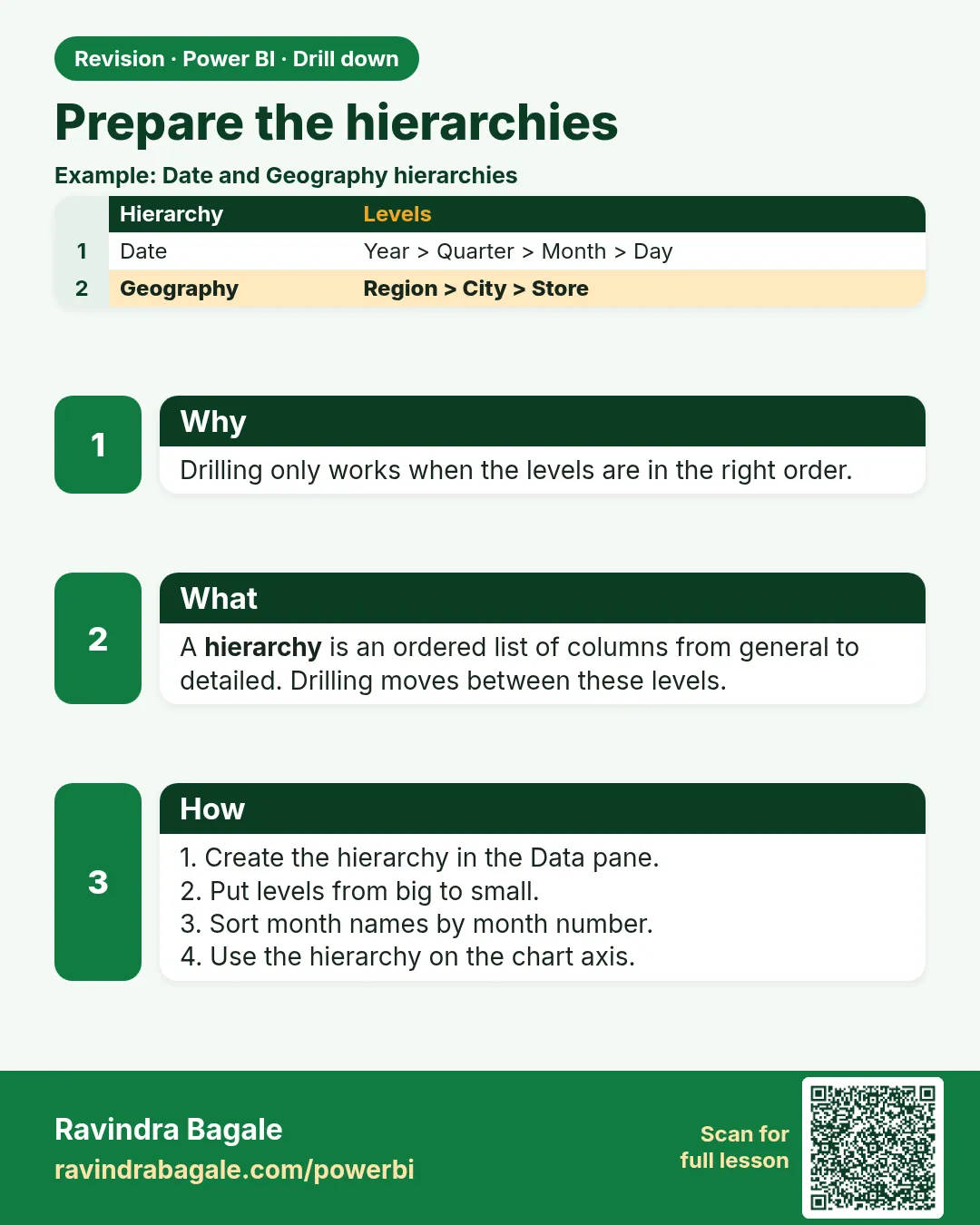
Drilling needs either a hierarchy or several fields stacked in the axis (or rows) of the visual. The order of the fields is the drill path, from general to detailed.
Show the data
| Level | Field | Example value |
|---|---|---|
| 1 | City | Pune |
| 2 | Store | Kothrud |
| 3 | Category | Dairy |
About this data: This table uses columns: Level, Field, Example value. This table uses columns: Hierarchy, Levels. This table uses columns: Wrong result, Reason, Correction. Values shown are the lesson examples already on this page (not a new dataset).
Fictional sample data. Practice file: visuals_orders_apr_may_2026.csv (source: src/practice/).
Demonstrate
- In the Data pane, right-click
City› Create hierarchy. - Right-click
Store› Add to hierarchy › City Hierarchy; then addCategorythe same way. - Rename the hierarchy City, then Store, then Category.
- Insert a bar chart and drag the hierarchy into the Y-axis.
Show the result
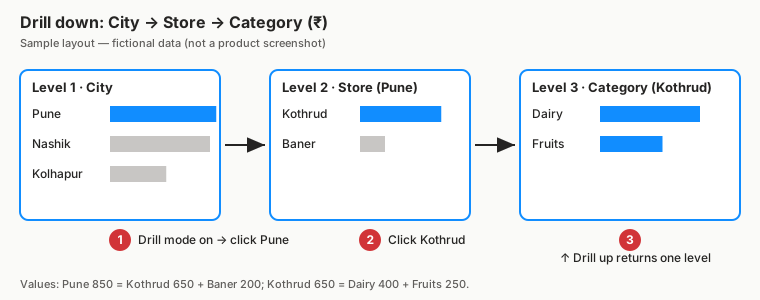
Your result should look like this (fictional sample):
| Hierarchy | Levels |
|---|---|
| City, then Store, then Category | City, Store, Category |
Explain what happened
The hierarchy stores the level order. The visual shows only the first level until you drill.
Explore further
- Fields can be in a hierarchy only if they are in the same table; otherwise stack fields from related tables directly in the axis.
Detailed reference for this lesson:
Drilling needs a hierarchy (columns ordered from general to detailed) or several fields in a visual's axis or rows. Create them as shown in Module 12.2:
- Date: Year › Quarter › Month Name › Date (Date table)
- Location: State › City › Area › Store Name (DarkStore)
- Product: Category › Sub Category › Product Name (Product)
Lakshat theva, you can also drag separate fields into the axis (Year, then Month Name). The drill buttons appear either way.
Ravindra Bagale's Tip
Friends, many students try to drill with separate fields instead of a hierarchy, so the drill buttons do nothing. Build the hierarchy first (Date › Year › Quarter › Month or Region › City › Area › Store) and put the whole hierarchy in the axis well. Don't worry – after doing it two or three times, it becomes a habit.
Ravindra Bagale's Tip – मराठी
मित्रांनो, बरेच students hierarchy ऐवजी वेगवेगळ्या fields ने drill करायचा प्रयत्न करतात, त्यामुळे drill buttons काहीच करत नाहीत. आधी hierarchy बनवा (Date › Year › Quarter › Month किंवा Region › City › Area › Store) आणि पूर्ण hierarchy axis well मध्ये टाका. घाबरू नका, दोन-तीन वेळा केलं की सवय होते.
Ravindra Bagale's Tip – हिंदी
दोस्तों, बहुत से students hierarchy की जगह अलग-अलग fields से drill करने की कोशिश करते हैं, जिससे drill buttons कुछ नहीं करते. पहले hierarchy बनाओ (Date › Year › Quarter › Month या Region › City › Area › Store) और पूरी hierarchy को axis well में डालो. घबराओ मत, दो-तीन बार करने पर आदत हो जाती है.
Fix common mistakes
| Wrong result | Reason | Correction |
|---|---|---|
| No drill icons appear | Only one field in the axis | Add the hierarchy or several fields |
| Levels in the wrong order | Fields added out of order | Drag levels in the hierarchy to reorder |
| Category from another table cannot be added | Hierarchy needs one table | Stack fields in the axis instead |
Practise independently
Practice task
Build a hierarchy Platform, then City. What appears at level 1?
Hints
- Two platforms.
Solution
Blinkit ₹1,100 and Amazon Now ₹1,000.
Think like a professional
Design the drill path with the user: managers drill the way they think (city, then store), not the way the tables are stored.
 Revision card