27.9 Composite Models: Limits, Dual Mode and a Shared Model
Start with a problem
Shahrukh wants Orders in DirectQuery and a local Excel target table. What limits should he know?
Explain simply
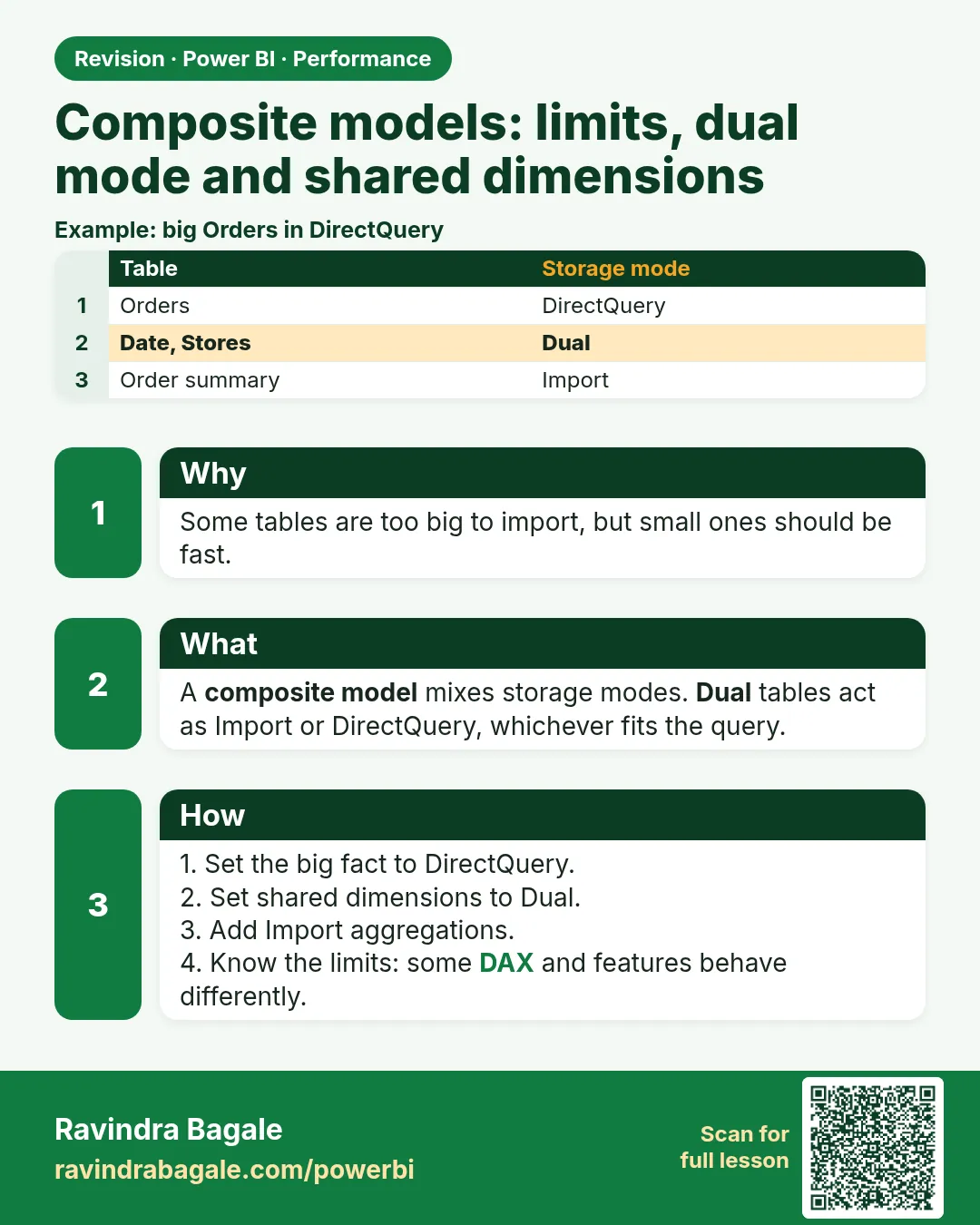
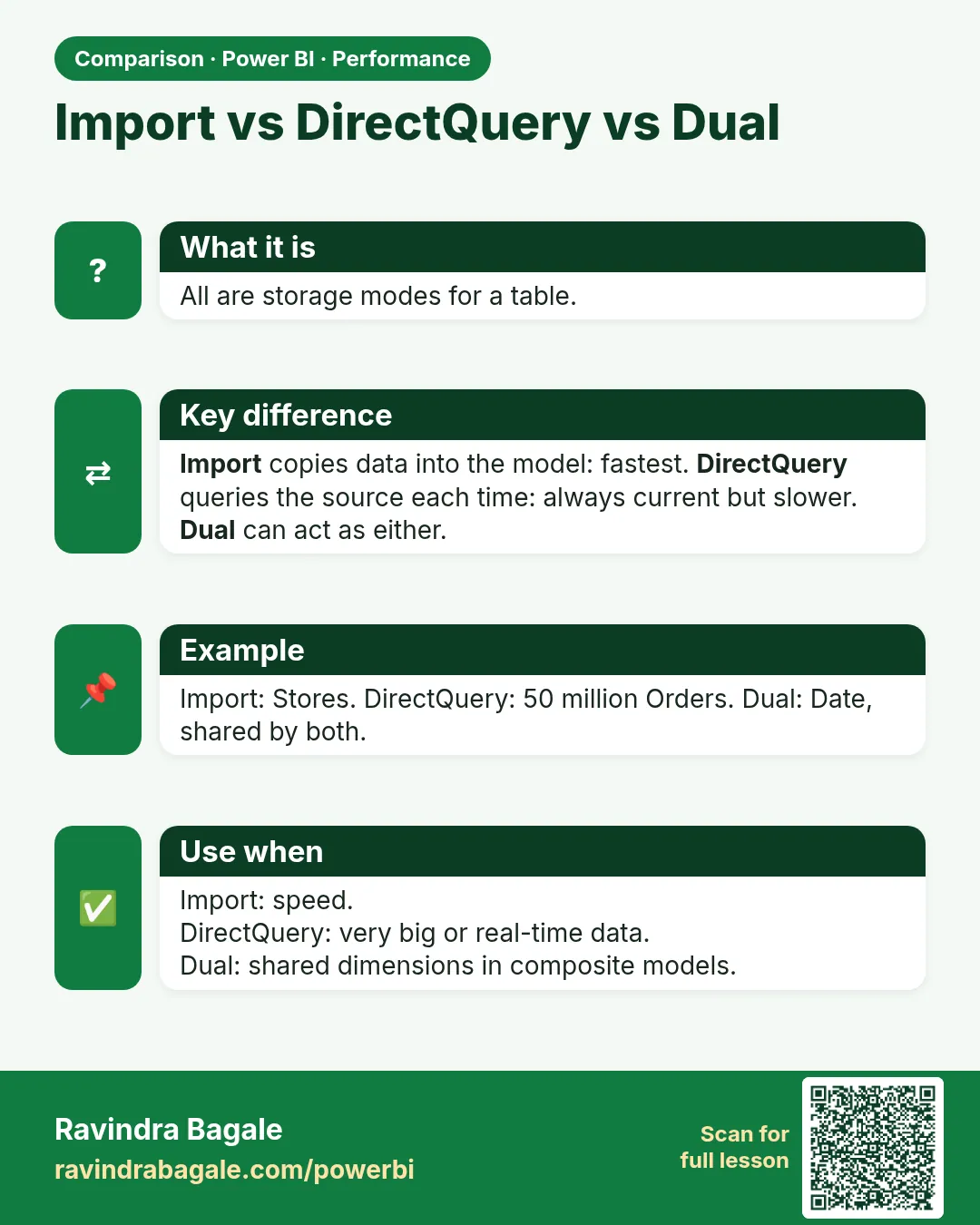
A composite model mixes Import, DirectQuery and Dual tables. DirectQuery steps must fold; cross-source relationships can be limited.
Show the data
| Table | Storage mode |
|---|---|
| Orders | DirectQuery |
| City, Date | Dual |
| Targets | Import |
Fictional sample data. Practice file: monthly_targets_fy2026_27.csv (source: src/practice/).
Demonstrate
- Set Orders to DirectQuery, City/Date to Dual, Targets Import.
- Relate Targets to Date.
- Build Sales vs Target visual; check Performance Analyzer.
Show the result
Your result should look like this (fictional sample):
| Month | Sales | Target |
|---|---|---|
| Apr-2026 | ₹900 | ₹1,000 |
| May-2026 | ₹1,200 | ₹1,100 |
Explain what happened
Sales query goes to SQL; target from memory; Dual dimensions serve both.
Explore further
- Prefer Import unless size/policy requires DirectQuery.
Detailed reference for this lesson:
A composite model (संमिश्र मॉडेल) combines Import and DirectQuery. Section 3.3 introduced it; this section covers its limits.
A composite model is allowed to mix Import tables, DirectQuery tables and Dual tables. Dual means the table can answer as Import when the query stays inside imported data, and as DirectQuery when the query must reach a DirectQuery fact. Dimensions are the usual Dual tables. A huge fact should not be Dual "for speed"; you would import it twice in spirit and still pay for DirectQuery.
Limits you should plan for (details move by release, so check the current documentation before a production design):
- Power Query steps on a DirectQuery table must fold, or the table will not stay DirectQuery.
- A relationship between two DirectQuery tables from different sources can be a weak (limited) relationship. Filters and blank rows behave more strictly. Do not be surprised if a many-to-many across sources is rejected or slow.
- Some modelling features are blocked or slower: calculated columns on large DirectQuery tables, bi-directional filters across the composite, and RLS that has to cross a limited relationship.
- Chained composites (DirectQuery to a Power BI semantic model, then another chain on top) get more restricted, not less. A thin report on a shared semantic model (Live connection, section 3.3) cannot add Power Query. Converting that live connection into a composite lets you add a local table, and it also means you now own the refresh and the extra limits.
- Aggregations (section 27.8) are often why people accept a composite. Without that reason, stay on Import.
Worked example. Orders stay DirectQuery on SQL because the class was told not to copy them. DarkStore and Date are Dual (or Import). A local CityTarget Excel table is Import, related or linked with TREATAS (section 13.22). A visual of Pune sales hits SQL. A visual that also needs the Excel target hits both. If you add a non-folding "split column by example" step on Orders, the DirectQuery table stops being a simple source query. Remove that step and put the split in a SQL view instead (section 4.12).
Ravindra Bagale's Tip
Many students convert every Live connection into a composite model on day one, then add calculated columns on the fact table. The report gets slow and refresh gets complicated. Extend a shared model with report measures. Use composite only when you really need a local table or an aggregation. Remember this rule.
Ravindra Bagale's Tip – मराठी
बरेच students पहिल्याच दिवशी प्रत्येक Live connection composite model मध्ये बदलतात, आणि मग fact table वर calculated columns टाकतात. Report slow होतो आणि refresh गुंतागुंतीचा होतो. Shared model ला report measures ने extend करा. Local table किंवा aggregation खरंच लागते तेव्हाच composite. हा नियम लक्षात ठेवा.
Ravindra Bagale's Tip – हिंदी
बहुत से students पहले ही दिन हर Live connection को composite model में बदल देते हैं, फिर fact table पर calculated columns जोड़ते हैं. Report slow हो जाती है और refresh उलझ जाता है. Shared model को report measures से extend करो. Local table या aggregation सच में चाहिए तभी composite. यह नियम याद रखो.
Fix common mistakes
| Wrong result | Reason | Correction |
|---|---|---|
| Table switched to Import | Non-folding step | Move logic to SQL view |
| Slow cross-source visual | Limited relationship | Aggregation or import |
| Calculated columns on DQ fact slow | Computed at query time | Avoid |
Practise independently
Practice task
May achievement %?
Hints
- 1,200 ÷ 1,100.
Solution
109.1%.
Think like a professional
Choose composite only with a clear reason – say that in design reviews.
 Revision card
 Comparison card