26.6 Object-Level Security
Start with a problem
Store managers may see dark stores but not Manager Email.
Explain simply
Object-level security (OLS) hides whole tables or columns for a role. It is set with Tabular Editor (or TMDL).
Show the data
| Store | City | Manager | Manager Email |
|---|---|---|---|
| Kothrud | Pune | Ravindra | ravindra@example.com |
| Gangapur | Nashik | Shraddha | shraddha@example.com |
Fictional sample data. Practice file: dark_stores_maharashtra.csv (source: src/practice/).
Demonstrate
- Create role
StoreManagersin Desktop. - External tools › Tabular Editor.
- Roles › StoreManagers › Table Permissions / column
Manager Email› None. - Save, publish, test as role.
Show the result
Your result should look like this (fictional sample):
| Column | Admin view | StoreManagers view |
|---|---|---|
| Manager | Visible | Visible |
| Manager Email | Visible | Hidden (visual shows error) |
Explain what happened
OLS removes the column from the role's metadata, so visuals using it fail for that role.
Explore further
- Build pages that don't depend on hidden columns.
Detailed reference for this lesson:
RLS hides rows. OLS hides a column or a whole table. The role summary in the ribbon does not show OLS.
Object-Level Security (OLS) removes a table or a column for a role. The user does not see the field in the Data pane, and a visual that used it breaks for that role (the visual shows an error rather than a quiet blank). Use it when a column must not be visible at all, for example a cost column that city managers must not use to back-calculate margin. Hiding a column in Model view (section 11.7) is not OLS. Hidden fields are still available to anyone who can edit or who knows the name in DAX.
Desktop's Modeling ribbon does not include an OLS dialog next to Manage roles. You set OLS in the model metadata with an external editor such as Tabular Editor, or another XMLA path your company allows, then publish. This course does not make that tool mandatory for the rest of the modules. You do need to know the idea for interviews, and you need to know it is separate from RLS.
Roles still matter. A role can have an RLS filter and an OLS restriction. Test with View as. Workspace Admin, Member and Contributor still bypass RLS (section 26.5); do not assume OLS is a reason to give everyone Member.
Worked example. [Cost of Goods Sold] uses Product[Unit Cost]. City managers (Ravindra for Pune, Shraddha for Nashik) should see sales and orders, not unit cost. You keep RLS on city, and you put OLS on Product[Unit Cost] for the city-manager role so the column is gone, not merely hidden. Rani's leadership role can still see the column. If you only click the eye icon to hide Unit Cost, a manager with build permission can unhide it. That is the mistake.
Ravindra Bagale's Tip
Many students hide the cost column and call it security. The eye icon means a clean field list. OLS means security. And after you apply OLS, check the page for broken visuals, because any visual that uses that column shows an error for that role. Test with View as. Don't forget this.
Ravindra Bagale's Tip – मराठी
बरेच students cost column hide करतात आणि त्याला security म्हणतात. Eye icon म्हणजे स्वच्छता. OLS म्हणजे security. आणि OLS लावल्यावर कोणता visual तुटला का ते page वर तपासा, कारण तो column वापरणारा visual त्या role ला error दाखवतो. View as ने test करा. अजिबात विसरू नका.
Ravindra Bagale's Tip – हिंदी
बहुत से students cost column hide करके उसे security कहते हैं. Eye icon यानी सफ़ाई. OLS यानी security. और OLS लगाने के बाद page पर कोई visual टूटा तो नहीं, जाँचो, क्योंकि वह column इस्तेमाल करने वाला visual उस role को error दिखाता है. View as से test करो. बिल्कुल मत भूलो.
Fix common mistakes
| Wrong result | Reason | Correction |
|---|---|---|
| Visual error for managers | Uses hidden column | Separate page/visual |
| Column still visible | Not saved/published | Save in Tabular Editor |
| Tried to hide with RLS | RLS filters rows only | Use OLS |
Practise independently
Practice task
RLS or OLS to hide Manager Email column?
Hints
- Column.
Solution
OLS.
Think like a professional
RLS = rows, OLS = objects. A crisp interview answer.
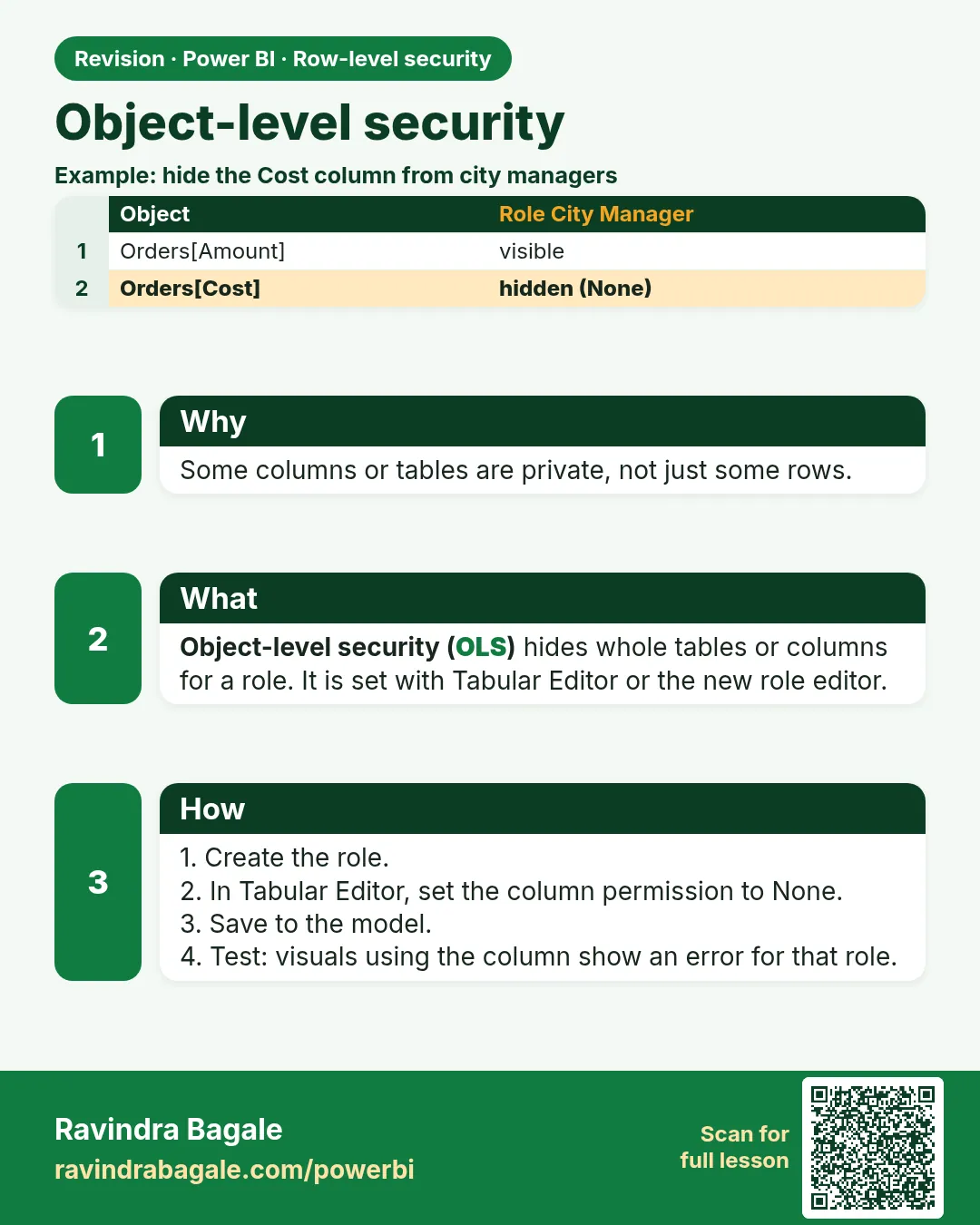 Revision card
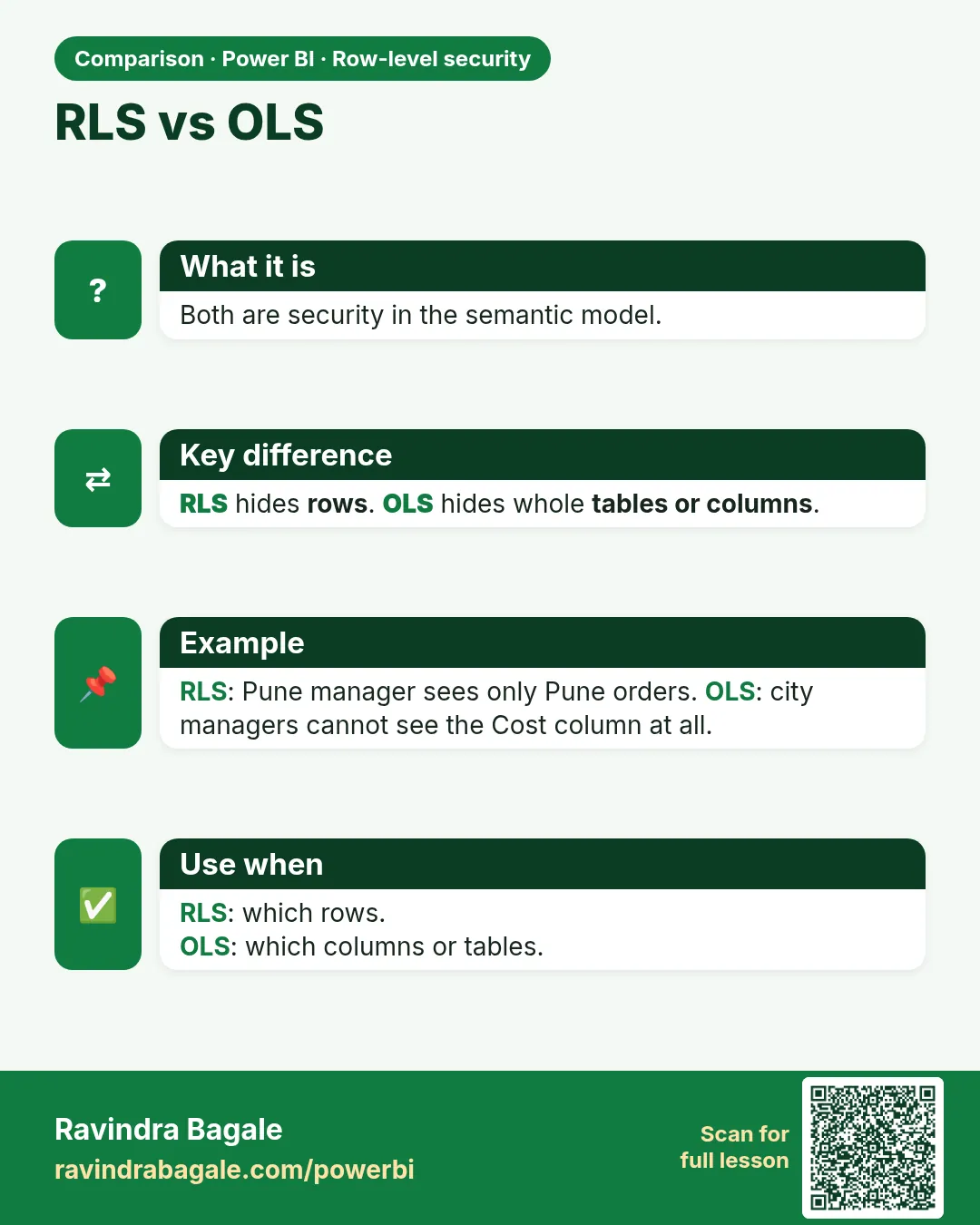 Comparison card