19. Bookmarks, Selection Pane, Buttons and Navigation
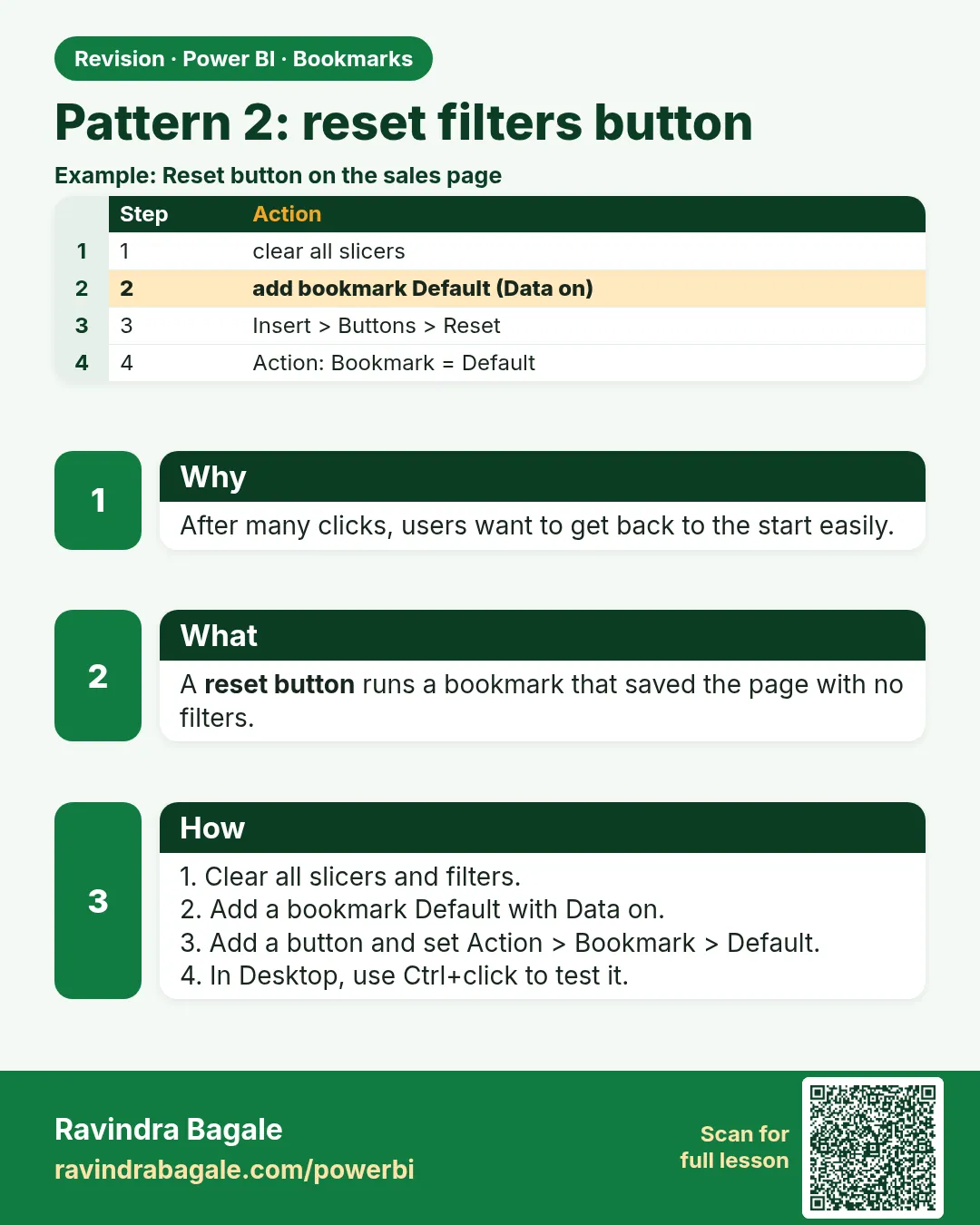
19.5 Pattern 2: Reset Filters Button
Start with a problem
Managers click several slicers and then cannot get back to the default view. Rani asks for a Reset button.
Explain simply
Create a bookmark of the clean default state with Data on, and attach it to a button. Clicking it re-applies the default filters.
Show the data
| State | City slicer | Platform slicer | Total Sales |
|---|---|---|---|
| Default | All | All | ₹2,100 |
| After user clicks | Pune | Blinkit | ₹650 |
About this data: This table uses columns: State, City slicer, Platform slicer, Total Sales. This table uses columns: Before reset, After reset. This table uses columns: Wrong result, Reason, Correction. Values shown are the lesson examples already on this page (not a new dataset).
Fictional sample data. Practice file: visuals_orders_apr_may_2026.csv (source: src/practice/).
Demonstrate
- Clear all slicers so the page shows ₹2,100.
- Bookmarks › Add › rename Reset filters; keep Data ticked.
- Insert › Buttons › Reset (or Blank) › Action › Bookmark › Reset filters.
- Select Pune and Blinkit (₹650); Ctrl + click Reset.
Show the result
Your result should look like this (fictional sample):
| Before reset | After reset |
|---|---|
| ₹650 (Pune, Blinkit) | ₹2,100 (all) |
Explain what happened
The bookmark stored the empty slicer selections and re-applies them.
Explore further
- The Service also has Reset to default in the top bar for the whole report.
Detailed reference for this lesson:
- Clear all slicers and filters so the page is in its default state (e.g. all cities, current year).
- Bookmarks › Add › rename Reset – Executive. Keep Data ticked, and Current page ticked.
- Insert › Buttons › Reset (if available) or a Blank button with the text "Reset filters" › Action › Type Bookmark › Reset – Executive.
- Alternative in newer versions: button Type Clear all slicers. It clears slicers on the page without needing a bookmark (Filters pane filters are not affected).
Ravindra Bagale's Tip
Friends, many students build a Reset button with a bookmark that captures their test selection instead of the clean default. Clear all slicers first, then create and update the "Reset" bookmark. Tick Data, but consider unticking Current page if it should work from several pages. Don't worry – after doing it two or three times, it becomes a habit.
Ravindra Bagale's Tip – मराठी
मित्रांनो, बरेच students असा Reset button बनवतात ज्याचा bookmark स्वच्छ default ऐवजी त्यांचं test selection capture करतो. आधी सगळे slicers clear करा, मग "Reset" bookmark बनवा आणि update करा. Data tick करा, पण तो अनेक pages वरून चालायला हवा असेल तर Current page untick करण्याचा विचार करा. घाबरू नका, दोन-तीन वेळा केलं की सवय होते.
Ravindra Bagale's Tip – हिंदी
दोस्तों, बहुत से students ऐसा Reset button बनाते हैं जिसका bookmark साफ़ default की जगह उनका test selection capture करता है. पहले सारे slicers clear करो, फिर "Reset" bookmark बनाओ और update करो. Data tick करो, पर अगर यह कई pages से चलना चाहिए तो Current page untick करने के बारे में सोचो. घबराओ मत, दो-तीन बार करने पर आदत हो जाती है.
Fix common mistakes
| Wrong result | Reason | Correction |
|---|---|---|
| Reset does nothing | Data unticked | Tick Data on the reset bookmark |
| Reset also hides visuals | Display captured a hidden state | Recapture with all visuals visible, or untick Display |
| Reset goes to another page | Current page ticked from another page | Create the bookmark on this page |
Practise independently
Practice task
After reset, a user selects Nashik + Amazon Now. What is the card? Then what after Reset?
Hints
- Order 307.
Solution
₹350, then ₹2,100 after Reset.
Think like a professional
A reset button reduces support requests and makes self-service safer.
 Revision card