10. Parameters in Power Query (and Other Kinds of Parameters)
10.6 Using Parameters Elsewhere in M
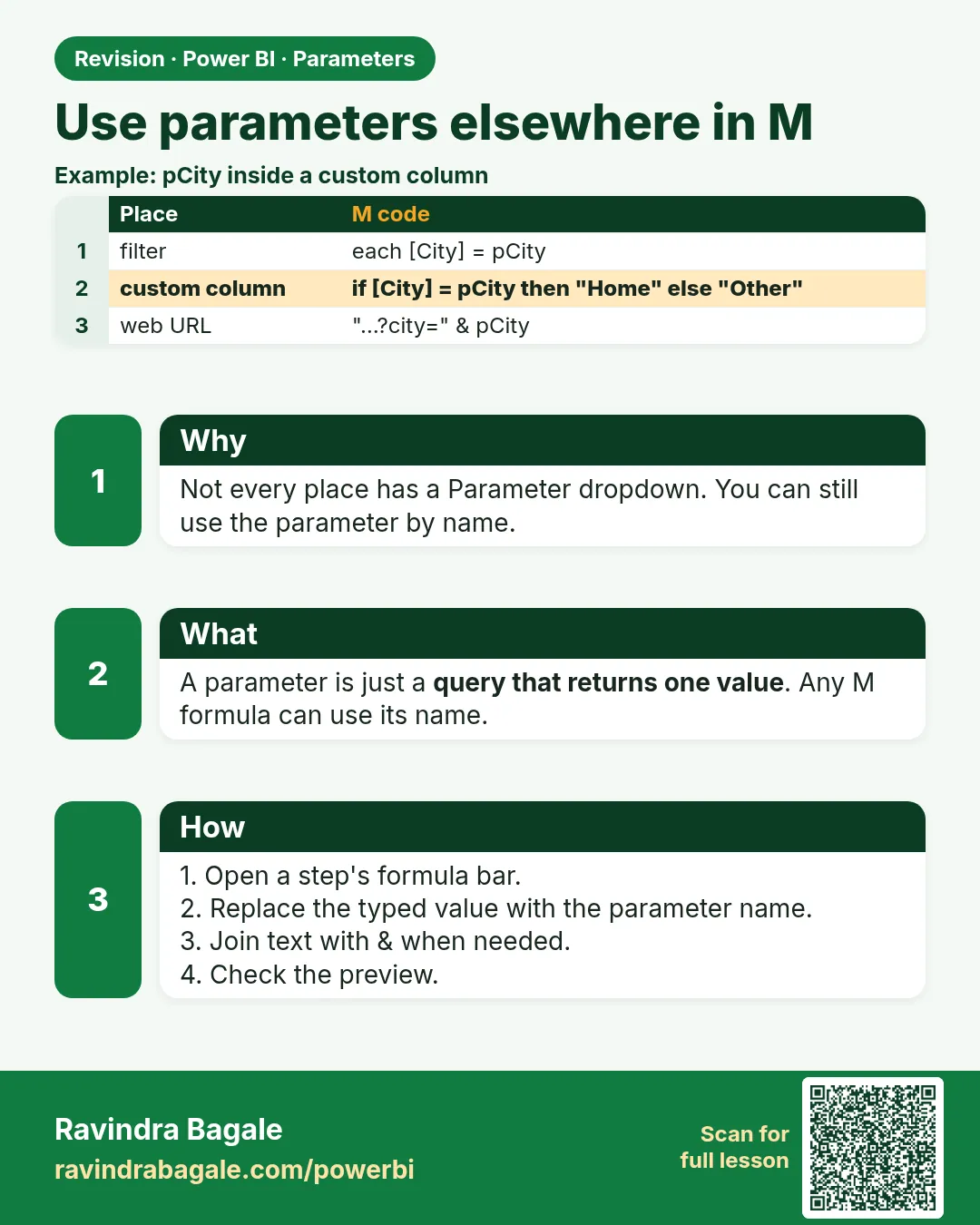
In short: A parameter is just a value, so any M expression can use it: in conditions, in text, or as a function argument.
Start with a problem
Rani wants one City parameter, so the same report highlights Nashik for Shraddha and Kolhapur for Zoya.
Explain simply
A parameter is just a value, so any M expression can use it: in conditions, in text, or as a function argument.
Show the data
| City | Total Sales (₹) |
|---|---|
| Pune | 850 |
| Nashik | 800 |
| Kolhapur | 450 |
| Total | 2,100 |
About this data: This table uses columns: City, Total Sales (₹). This table uses columns: Order ID, City Focus. This table uses columns: City Focus, Amount (₹). This table uses columns: Wrong result, Reason, Correction. Values shown are the lesson examples already on this page (not a new dataset).
Fictional sample data. Practice file: visuals_orders_apr_may_2026.csv (source: src/practice/).
Demonstrate
- Create
SelectedCity(Text, List of values Pune, Nashik, Kolhapur; current Nashik). -
Add Column › Custom Column
City Focus=if [City] = SelectedCity then "Focus city" else "Other".Your result should look like this:
Order ID City Focus 303, 304, 307 Focus city 301, 302, 305, 306, 308 Other -
Create a one-row title query: New Source › Blank Query ›
= #table({"Title"}, {{"Report for " & SelectedCity}}).Your result should look like this:
Title Report for Nashik -
Close & Apply. Build a bar chart: City Focus + Sum of Amount; a card with Title.
Show the result
Your result should look like this (fictional sample):
| City Focus | Amount (₹) |
|---|---|
| Focus city | 800 |
| Other | 1,300 |
Explain what happened
At refresh, Power Query compared every row's City with the parameter value and built the title text from it. Pune ₹850 + Kolhapur ₹450 = ₹1,300 for Other.
Explore further
- Use parameters inside native SQL only with trusted list values, never with free text typed by users.
Detailed reference for this lesson:
A parameter is simply a value, so you can use it anywhere in M:
// in a conditional column value
each if [City] = SelectedCity then "Focus city" else "Other"
// in a text
each "Report for " & SelectedCity
// as a native SQL argument (keep it simple and trusted – avoid user-typed text)
Value.NativeQuery(Source, "SELECT * FROM dbo.vw_MaharashtraOrders WHERE City = @city",
                  [city = SelectedCity])
Ravindra Bagale's Tip
Friends, don't make a mistake here: common errors here are a type mismatch between the parameter and the column, renaming a parameter and breaking every query that uses the old name, and gluing a parameter into a web URL without RelativePath. Check Query Dependencies before renaming, and keep a static base URL. It's very simple – just make it a habit.
Ravindra Bagale's Tip – मराठी
मित्रांनो, इथे चूक करू नका: इथल्या common errors म्हणजे parameter आणि column मधला type mismatch, parameter rename करून जुनं नाव वापरणाऱ्या सगळ्या queries तोडणं, आणि RelativePath शिवाय parameter web URL ला चिकटवणं. Rename करण्याआधी Query Dependencies चेक करा, आणि base URL static ठेवा. एकदम simple आहे, फक्त सवय लावून घ्या.
Ravindra Bagale's Tip – हिंदी
दोस्तों, यहाँ गलती मत करना: यहाँ की common errors हैं parameter और column के बीच type mismatch, parameter का नाम बदलकर पुराना नाम इस्तेमाल करने वाली हर query तोड़ देना, और RelativePath के बिना parameter को web URL में जोड़ देना. नाम बदलने से पहले Query Dependencies check करो, और base URL static रखो. बहुत आसान है, बस आदत बना लो.
Fix common mistakes
| Wrong result | Reason | Correction |
|---|---|---|
| All rows are Other | Spelling or case differs (nashik) |
Use a List of values parameter, so the value is picked, not typed |
| The title repeats on every order row | Added as a column on the fact table | Use a one-row query instead |
| Viewers ask to change the city themselves | A parameter changes the data for everyone at refresh | Use a slicer or RLS for per-viewer choices |
Practise independently
Practice task
Switch SelectedCity to Kolhapur. What are the Focus city and Other totals?
Hints
- Kolhapur orders: 305 and 308.
Solution
Focus city ₹450 (305 ₹450 + 308 ₹0); Other ₹1,650 (₹2,100 − ₹450).
Think like a professional
If each viewer needs a different city at the same time, a parameter is the wrong tool. Parameters are for the author; slicers and RLS are for viewers.
 Revision card