10. Parameters in Power Query (and Other Kinds of Parameters)
10.4 Parameterising Server and Database (Dev, then Prod)
Start with a problem
Raja tests on server QCTEST01 and publishes against QCSERVER01. Last month he published a report that still read the test server.
Explain simply
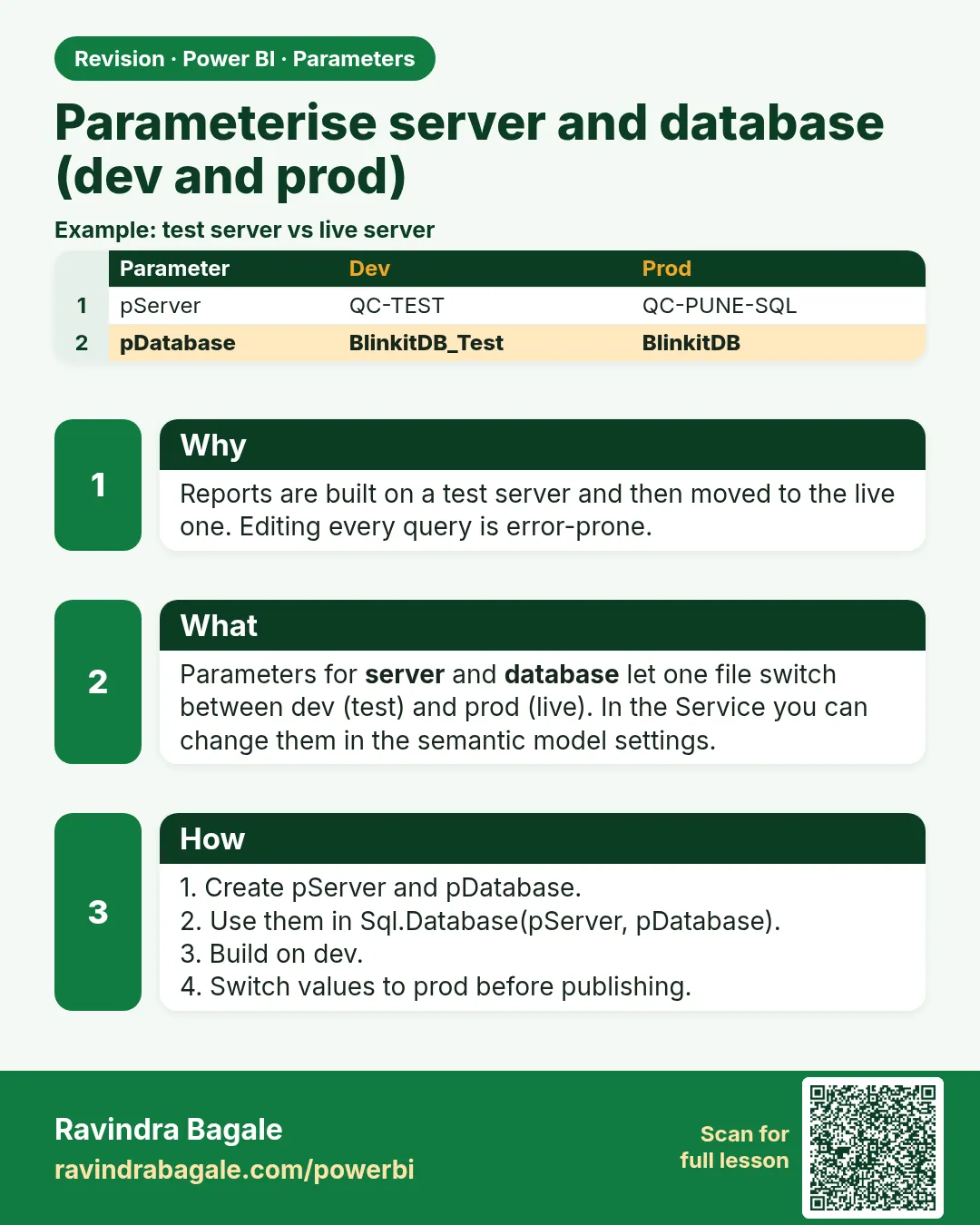
Two parameters, ServerName and DatabaseName, feed Sql.Database(ServerName, DatabaseName). Switch the server before publishing; in the Service you can check the value in the semantic model settings.
Show the data
| Environment | ServerName | DatabaseName |
|---|---|---|
| Dev (test) | QCTEST01 | QuickCommerceDB |
| Prod | QCSERVER01 | QuickCommerceDB |
About this data: This table uses columns: Environment, ServerName, DatabaseName. This table uses columns: Check, Dev, Prod. This table uses columns: Wrong result, Reason, Correction. Values shown are the lesson examples already on this page (not a new dataset).
Fictional sample data. Practice file: visuals_orders_apr_may_2026.csv (source: src/practice/).
Demonstrate
- Create
ServerName(Text, list QCTEST01, QCSERVER01, current QCTEST01) andDatabaseName(Text, QuickCommerceDB). -
Open Advanced Editor for each SQL query and replace
Sql.Database("QCTEST01", "QuickCommerceDB")withSql.Database(ServerName, DatabaseName).Your result should look like this:
Source step = Sql.Database(ServerName, DatabaseName) -
Build and test the report against QCTEST01.
-
Before publishing: Edit parameters › ServerName = QCSERVER01 › refresh.
Your result should look like this:
Data source settings QCSERVER01 / QuickCommerceDB -
Publish. In the Service, open the semantic model Settings › Parameters to confirm; the gateway needs a data source for the prod server.
Show the result
Your result should look like this (fictional sample):
| Check | Dev | Prod |
|---|---|---|
| ServerName | QCTEST01 | QCSERVER01 |
| DatabaseName | QuickCommerceDB | QuickCommerceDB |
| Queries edited when switching | 0 | 0 |
Explain what happened
Every SQL query reads the two parameter values, so one switch changes the source for all queries together. No query can be forgotten.
Explore further
- Deployment pipelines can set parameter rules per stage (Dev, then Test, then Prod) where your organisation uses them.
Detailed reference for this lesson:
Steps in Power BI
- Create
ServerName(Text, List of values: QCTEST01, QCSERVER01; current QCTEST01) andDatabaseName(Text: QuickCommerceDB). - Open Advanced Editor for each SQL query and replace the hard-coded names (code below).
- Build and test the report against QCTEST01.
- Before publishing, switch
ServerNameto QCSERVER01 (Edit parameters) › refresh › publish. - In the Service, open the semantic model Settings › Parameters to change values there too. The gateway must have a connection for each server you use (Module 4.8).
Source = Sql.Database(ServerName, DatabaseName),
Orders = Source{[Schema = "dbo", Item = "Orders"]}[Data]
Ravindra Bagale's Tip
Remember one thing: the mistake I see is changing server names by editing every query by hand when moving from Dev to Prod. Use one ServerName and one DatabaseName parameter for all queries. In the Service, change them in the semantic model settings or with deployment rules. Remember this rule.
Ravindra Bagale's Tip – मराठी
एक गोष्ट लक्षात ठेवा: मला दिसणारी चूक म्हणजे Dev वरून Prod ला जाताना प्रत्येक query हाताने edit करून server names बदलणं. सगळ्या queries साठी एकच ServerName आणि एकच DatabaseName parameter वापरा. Service मध्ये ते semantic model settings मध्ये किंवा deployment rules ने बदला. हा नियम लक्षात ठेवा.
Ravindra Bagale's Tip – हिंदी
एक बात याद रखो: जो गलती मैं देखता हूँ वह है Dev से Prod पर जाते समय हर query को हाथ से edit करके server names बदलना. सभी queries के लिए एक ही ServerName और एक ही DatabaseName parameter इस्तेमाल करो. Service में इन्हें semantic model settings में या deployment rules से बदलो. यह नियम याद रखो.
Fix common mistakes
| Wrong result | Reason | Correction |
|---|---|---|
| Published report still shows test data | Forgot to switch the parameter | Show the server on an admin page; use pipeline parameter rules |
| Credentials prompt after switching | Each server is a separate data source with its own credentials | Enter credentials for the prod server (and map it on the gateway) |
| One query still reads QCTEST01 | Server name typed in that query's Advanced Editor | Search all queries for the text QCTEST01 |
Practise independently
Practice task
Raja has 4 SQL queries. Without parameters, how many places does he edit to switch to prod? With parameters?
Hints
- Count edits, not clicks.
Solution
Without parameters: 4 (one per query). With parameters: 1 (ServerName).
Think like a professional
Make the environment visible: a small admin card with the server name, and Dev/Prod in the file name. Silent environment mix-ups are expensive.
 Revision card