17.3 Drill-through Options
Start with a problem
Rani filtered the overview to Blinkit with a slicer, then drilled through on Pune. She expected only Blinkit orders on the detail page but saw all platforms.
Explain simply
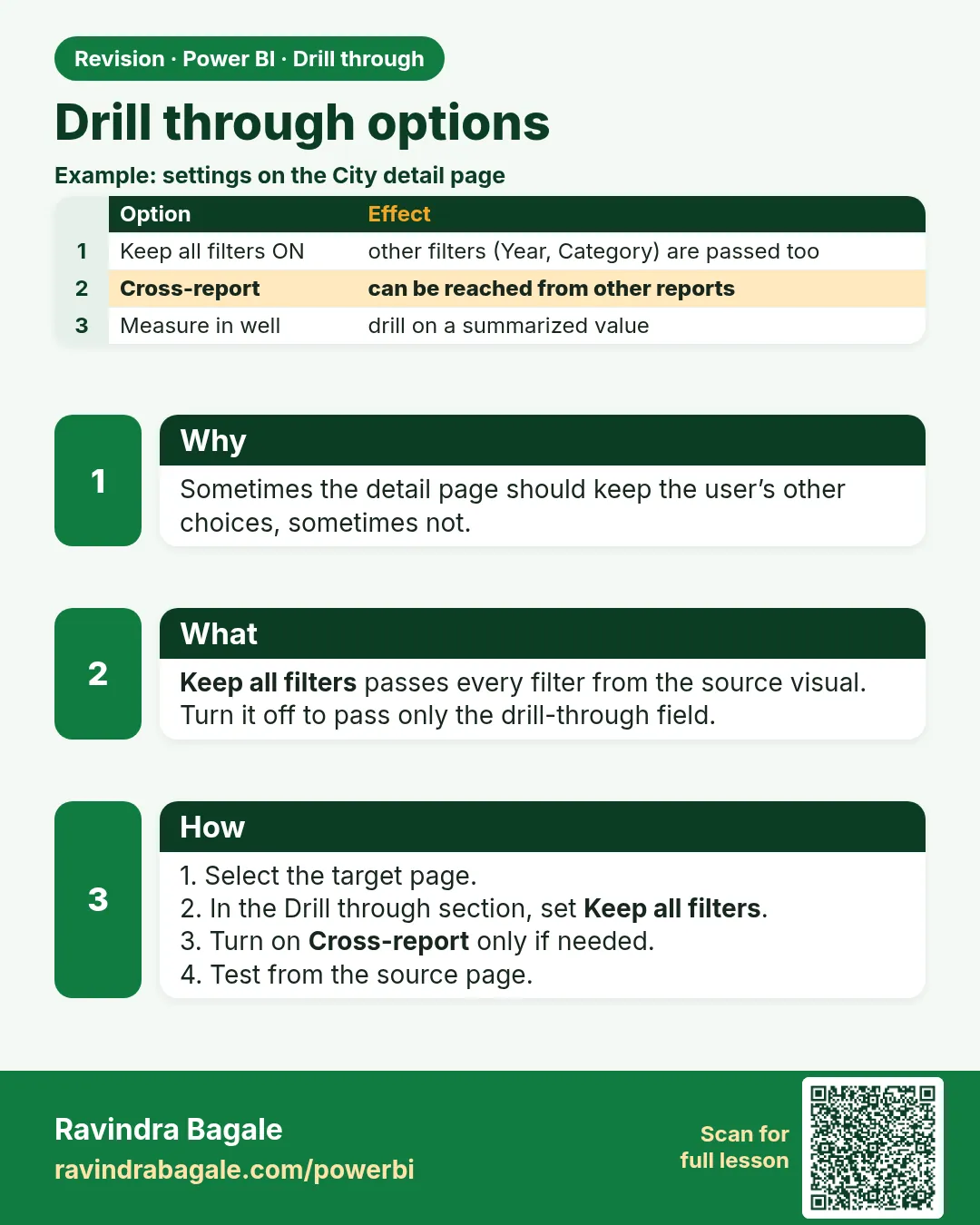
Keep all filters decides whether the other filters on the source (slicers, other fields) travel with the drill-through. Cross-report allows drill-through from another report (17.5).
Show the data
| Order ID | City | Platform | Amount (₹) |
|---|---|---|---|
| 301 | Pune | Blinkit | 400 |
| 302 | Pune | Amazon Now | 200 |
| 306 | Pune | Blinkit | 250 |
About this data: This table uses columns: Order ID, City, Platform, Amount (₹). This table uses columns: Keep all filters, Rows on detail page, Total. This table uses columns: Option (Build visual pane › Drill through), What it does, When to use. This table uses columns: Wrong result, Reason, Correction. Values shown are the lesson examples already on this page (not a new dataset).
Fictional sample data. Practice file: visuals_orders_apr_may_2026.csv (source: src/practice/).
Demonstrate
- Source page: Platform slicer = Blinkit.
- Target page Drill through well: Keep all filters = Off. Drill through on Pune.
- Note the table rows.
- Set Keep all filters = On, go back and drill again.
Show the result
Your result should look like this (fictional sample):
| Keep all filters | Rows on detail page | Total |
|---|---|---|
| Off | 301, 302, 306 | ₹850 |
| On | 301, 306 | ₹650 |
Explain what happened
With Keep all filters On, the Platform = Blinkit slicer filter is passed along with City = Pune.
Explore further
- Turning it On is usually what users expect; document the choice.
Detailed reference for this lesson:
| Option (Build visual pane › Drill through) | What it does | When to use |
|---|---|---|
| Cross-report (On/Off) | Allows other reports in the same workspace to drill into this page | Separate "Operations" and "Store Detail" reports |
| Keep all filters (On/Off) | On: passes all filters from the source (slicers, page filters, the other fields of the clicked point, e.g. Platform = Blinkit). Off: passes only the drill-through field(s) | On when the context matters (selected month, platform); Off for a clean store view |
| Drill through when: Used as category / Summarized (per field) | Used as category: drill appears when the field is on an axis/rows. Summarized: drill appears when the field is used as a value (e.g. Count of Store Name) | Leave the default Used as category in most cases |
What gets passed. With Keep all filters off, the target page receives the drill-through field value (Store Name = Blinkit Kothrud Hub). Filters that were directly applied on the source page (for example a Platform slicer) are not passed. With it on, the date slicer (October 2025), Platform = Blinkit and the clicked point's other fields are also passed. Check the result on the target page in Filters pane › Drill through filter card.
Multiple drill-through fields
Add City and Store Name to the drill-through well. Users can then drill from visuals showing either field. The page is available whenever at least one of the fields (depending on settings) is present in the source point.
Ravindra Bagale's Tip
Friends, remember: with Keep all filters On, the filters can combine with a conflicting filter on the target page and show blank visuals. Decide whether the target page should inherit slicers like Month, and check the Filters pane on the target page when it shows nothing. Keep this in mind!
Ravindra Bagale's Tip – मराठी
मित्रांनो, लक्षात ठेवा: Keep all filters On असताना filters target page वरच्या विरोधी filter सोबत एकत्र येऊन visuals blank दाखवू शकतात. Target page ने Month सारखे slicers घ्यायचे की नाही ते ठरवा, आणि target page काहीच दाखवत नसेल तर तिथला Filters pane चेक करा. लक्षात ठेवा!
Ravindra Bagale's Tip – हिंदी
दोस्तों, याद रखो: Keep all filters On होने पर filters target page के किसी उलटे filter से मिलकर visuals blank दिखा सकते हैं. तय करो कि target page को Month जैसे slicers लेने चाहिए या नहीं, और target page कुछ न दिखाए तो वहाँ का Filters pane check करो. ध्यान रखना!
Fix common mistakes
| Wrong result | Reason | Correction |
|---|---|---|
| Detail page ignores the slicer | Keep all filters Off | Turn it On |
| Detail page unexpectedly blank | Conflicting filters passed | Check the filter pane on the target |
| Users unsure which filters applied | No indicator | Show filters in a text box or the Filters pane |
Practise independently
Practice task
With Keep all filters On and slicer = Amazon Now, drill through on Nashik.
Hints
- Nashik Amazon Now: order 307.
Solution
One row: 307 College Road ₹350.
Think like a professional
Filter carry-over is where trust is won or lost. Test drill-through with slicers set, not only from a clean page.
 Revision card