2. Installation and Interface Tour
2.7 PBIX, PBIP and the TMDL Project Folders
Start with a problem
Shraddha reviews Ravindra's model changes, but with a .pbix she cannot see which measure changed.
Explain simply
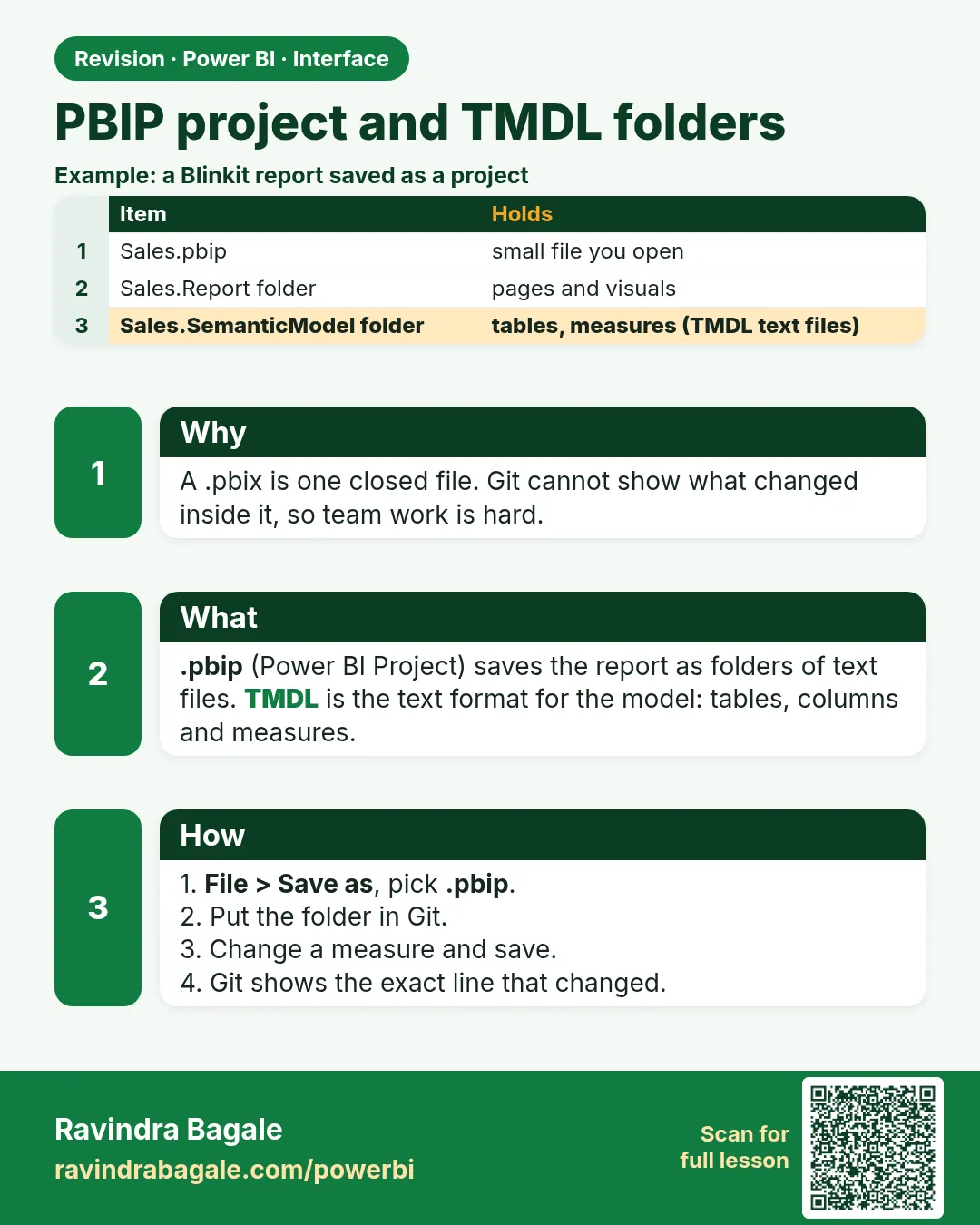
A Power BI Project (.pbip) saves the report and the semantic model as text folders. The model is stored as TMDL text, so Git can show a line-by-line diff.
Show the data
| Measure | Before | After |
|---|---|---|
| AOV | DIVIDE([Total Sales], COUNTROWS(Orders)) | DIVIDE([Total Sales], [Delivered Orders]) |
| Result on practice data | ₹262.50 (2,100 ÷ 8) | ₹300.00 (2,100 ÷ 7) |
Fictional sample data. Practice file: visuals_orders_apr_may_2026.csv (source: src/practice/).
Demonstrate
- Save the normal file as
MHQuickCommerce.pbix(single-file copy). -
File › Save as › Power BI project files (*.pbip) › an empty folder.
Your result should look like this:
Folder MHQuickCommerce.pbip, MHQuickCommerce.Report/, MHQuickCommerce.SemanticModel/ -
Close Desktop › open the SemanticModel folder in a text editor › search
AOV.Your result should look like this:
Text found measure AOV = DIVIDE([Total Sales], COUNTROWS(Orders)) -
Change the measure to use [Delivered Orders] in Desktop › save › run
git diff.Your result should look like this:
Diff − COUNTROWS(Orders) + [Delivered Orders] (one line) -
Commit the .pbip, .Report and .SemanticModel folders; ignore cache and local settings with .gitignore.
Show the result
Your result should look like this (fictional sample):
| Check | Value |
|---|---|
| Lines changed in the diff | 1 (the AOV expression) |
| AOV before | ₹262.50 |
| AOV after | ₹300.00 |
Explain what happened
Because the model is text, Git showed exactly the changed expression. AOV moved from ₹262.50 (cancelled order counted) to ₹300.00 (delivered orders only).
Explore further
- Menu labels for PBIP and PBIR move between Desktop versions; the idea stays the same.
Detailed reference for this lesson:
A .pbix is one file. When you work with a team in a job, you need folders instead. This is version-dependent: Microsoft keeps changing the project format in Desktop, so menu names may look slightly different on your machine.
.pbix म्हणजे एकच file. Job मध्ये team बरोबर काम करताना तुम्हाला folders लागतात. हे version वर अवलंबून आहे: Microsoft Desktop मधला project format सारखा बदलत असतो, त्यामुळे तुमच्या machine वर menu ची नावं थोडी वेगळी दिसू शकतात.
.pbix एक ही file है. Job में team के साथ काम करते समय आपको folders चाहिए. यह version पर निर्भर है: Microsoft Desktop में project format बार-बार बदलता रहता है, इसलिए आपकी machine पर menu के नाम थोड़े अलग दिख सकते हैं.
A .pbix file is one package. It holds the Power Query steps, the semantic model, imported data and the report. It is the right file while you are learning and for a report that one person owns. It is a poor file for Git, because most of it is binary, so a small change looks like the whole file changed.
A Power BI Project (.pbip) saves the same work as text folders. File › Save as › Power BI project files (*.pbip) (the exact label moves between Desktop versions). You get a folder something like this:
| Piece | What it is |
|---|---|
Something.pbip |
A small text pointer that opens the project in Desktop |
Something.Report/ |
The report definition (pages, visuals). Newer files use the PBIR layout; older ones use report.json |
Something.SemanticModel/ |
The model. definition.pbism points at the model, and the tables, relationships and measures are TMDL (Tabular Model Definition Language) text, often under a definition/ folder |
.gitignore |
You should ignore cache and local settings so they are not committed |
TMDL view (the icon next to Model view in current Desktop) shows that same model as script. You can read a measure or a relationship there. Bulk edits in TMDL are for people who already understand the model; a wrong edit can stop the file from opening. Prefer the ribbon for everyday work, and use TMDL when you need to review a change in source control.
Steps – save the fictional quick-commerce file as a project
- Save your normal file as
MHQuickCommerce.pbixfirst, so you still have a single-file copy. - File › Save as and choose the Power BI project type. Pick an empty folder.
- Close Desktop and open the folder in a text editor. Find
Total Salesinside the semantic model folder. You should see the DAX as text, not inside a binary file. - If your team uses Git, commit the
.pbip, the.Reportfolder and the.SemanticModelfolder. Do not commit credentials.
Worked example. Ravindra Bagale keeps the Pune report, and Shraddha Bagale reviews the Nashik measures. With a .pbix, Shraddha cannot see which measure changed. With PBIP, the Git diff shows only the Gross Margin % measure text. The data is still the fictional Maharashtra sample (Pune, Mumbai, Nashik, Sambhaji Nagar, Kolhapur, Nagpur). PBIP does not remove imported data from your machine; follow your company rule before you push a folder that contains a local cache.
Ravindra Bagale's Tip
Friends, many students turn on PBIP and then e-mail the whole project folder, including a local cache, to a classmate. A project is for source control, not for sending data. Share a published app, or a .pbit when the other person should reload the data themselves. Pay attention!
Ravindra Bagale's Tip – मराठी
मित्रांनो, बरेच students PBIP चालू करतात आणि मग local cache सकट पूर्ण project folder classmate ला e-mail करतात. Project हा source control साठी असतो, data पाठवण्यासाठी नाही. Published app share करा, किंवा समोरच्याने data स्वतः reload करायचा असेल तर .pbit द्या. लक्षात ठेवा!
Ravindra Bagale's Tip – हिंदी
दोस्तों, बहुत से students PBIP चालू करते हैं और फिर local cache समेत पूरा project folder classmate को e-mail कर देते हैं. Project source control के लिए है, data भेजने के लिए नहीं. Published app share करो, या सामने वाले को data ख़ुद reload करना हो तो .pbit दो. ध्यान रखो!
Fix common mistakes
| Wrong result | Reason | Correction |
|---|---|---|
| Whole folder e-mailed with a local cache | PBIP treated as a sharing format | Use Git; share apps or .pbit |
| Credentials committed | Local settings not ignored | Use .gitignore; never commit secrets |
| TMDL edit breaks the model | Bulk edit without understanding | Edit in Desktop or test in a copy |
Practise independently
Practice task
With the practice data, what would AOV be if it divided by distinct cities instead (a wrong formula)? Why would a reviewer catch it in the diff?
Hints
- 3 cities.
Solution
₹2,100 ÷ 3 = ₹700. The diff shows the changed DIVIDE line, so the reviewer sees the wrong denominator immediately.
Think like a professional
Use PBIP when more than one person changes a model. Review measure changes like code.
Thodkyaat sangaycha tar (quick recap)
Visuals in Report view, data checks in Table view, and relationships in Model view. If a pane closes, bring it back from the View tab. Now let us move on – it is time to bring in data!
Report view मध्ये visuals, Table view मध्ये data check, आणि Model view मध्ये relationships. एखादा pane बंद झाला तर View tab मधून परत आणा. आता पुढे जाऊया – data आणायचाय!
Report view में visuals, Table view में data check, और Model view में relationships. कोई pane बंद हो जाए तो View tab से वापस लाइए. अब आगे बढ़ते हैं – data लाना है!
 Revision card