Excel learning path — Beginner to Advanced
Friends, this page is your map. Pick Beginner, Intermediate or Advanced. Follow the steps in order. Each track ends with its own certificate test.
चला मित्रांनो — हे तुमचे नकाशा पान आहे. Beginner, Intermediate किंवा Advanced निवडा. क्रमाने पावले टाका. प्रत्येक ट्रॅक त्याच्या certificate ने संपतो.
चलो दोस्तों — यह आपका नक्शा पेज है। Beginner, Intermediate या Advanced चुनें। क्रम से कदम बढ़ाएँ। हर ट्रैक अपने certificate पर खत्म होता है।
Why
Why: The Excel hub has many chapters, functions, practice packs, broken sheets, bridge lessons and certificates. New students often ask “Where do I start?” This path answers that in plain English.
What: Three tracks. Each step is one real live URL. Finish a track → take that level’s certificate.
How:
- Jump to your level below (or start Beginner if you are new).
- Open step 1. Study it. Do a few practice tasks.
- Go down the list — do not skip cleaning and tables in Intermediate.
- At the last step, open the certificate page and take the test.
- After Advanced, use the Bridge to Power BI hub if your job needs dashboards for many readers.
Ravindra Bagale's Tip
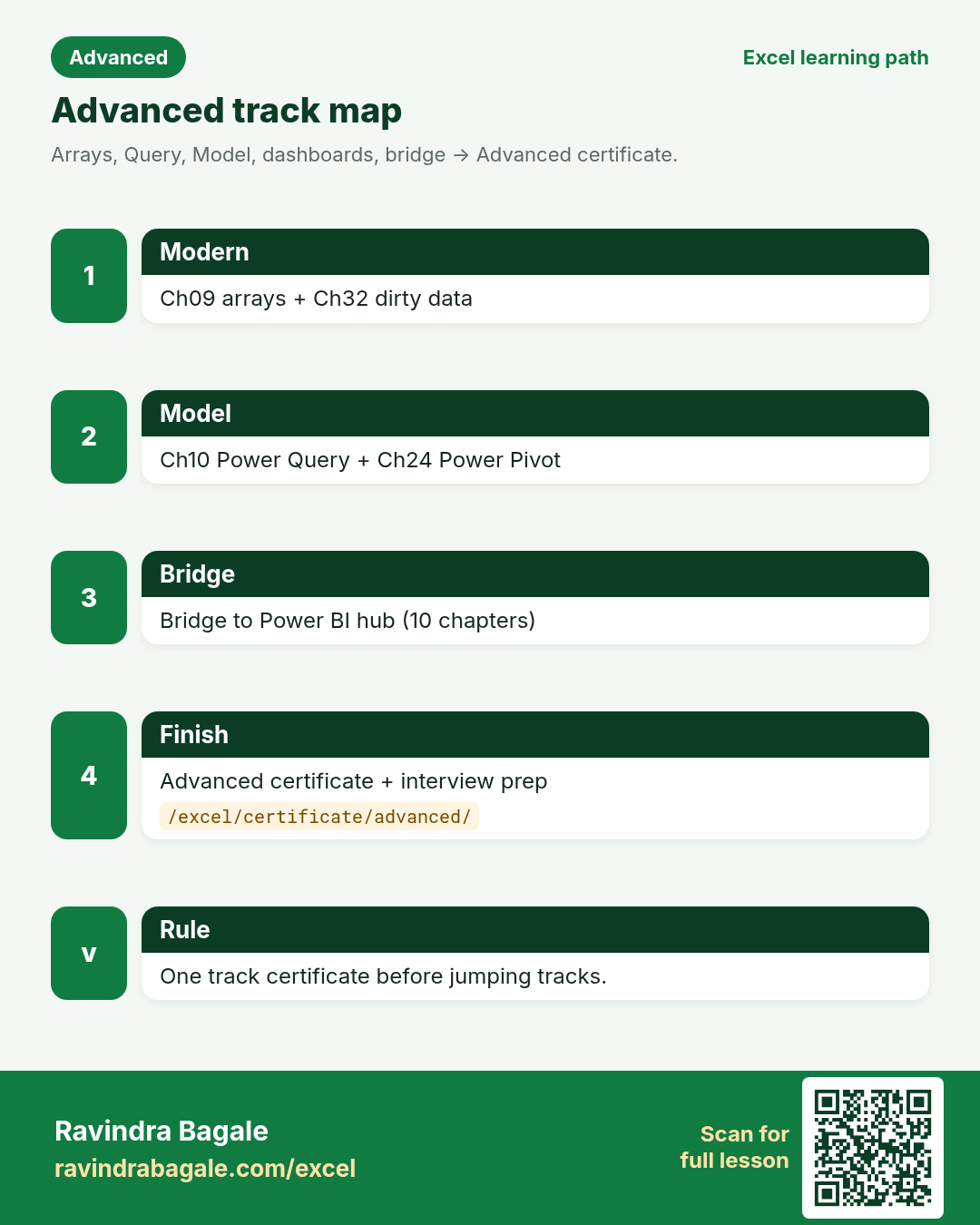
Friends, finish one track’s certificate before jumping tracks. A half-done Intermediate path confuses interviews more than a solid Beginner certificate.
Ravindra Bagale's Tip – मराठी
मित्रांनो, एक ट्रॅक पूर्ण करून certificate घ्या. अर्धवट Intermediate पेक्षा पूर्ण Beginner certificate चांगले.
Ravindra Bagale's Tip – हिंदी
दोस्तों, एक ट्रैक पूरा कर के certificate लो। अधूरा Intermediate से पूरा Beginner certificate बेहतर है।
Jump to a track
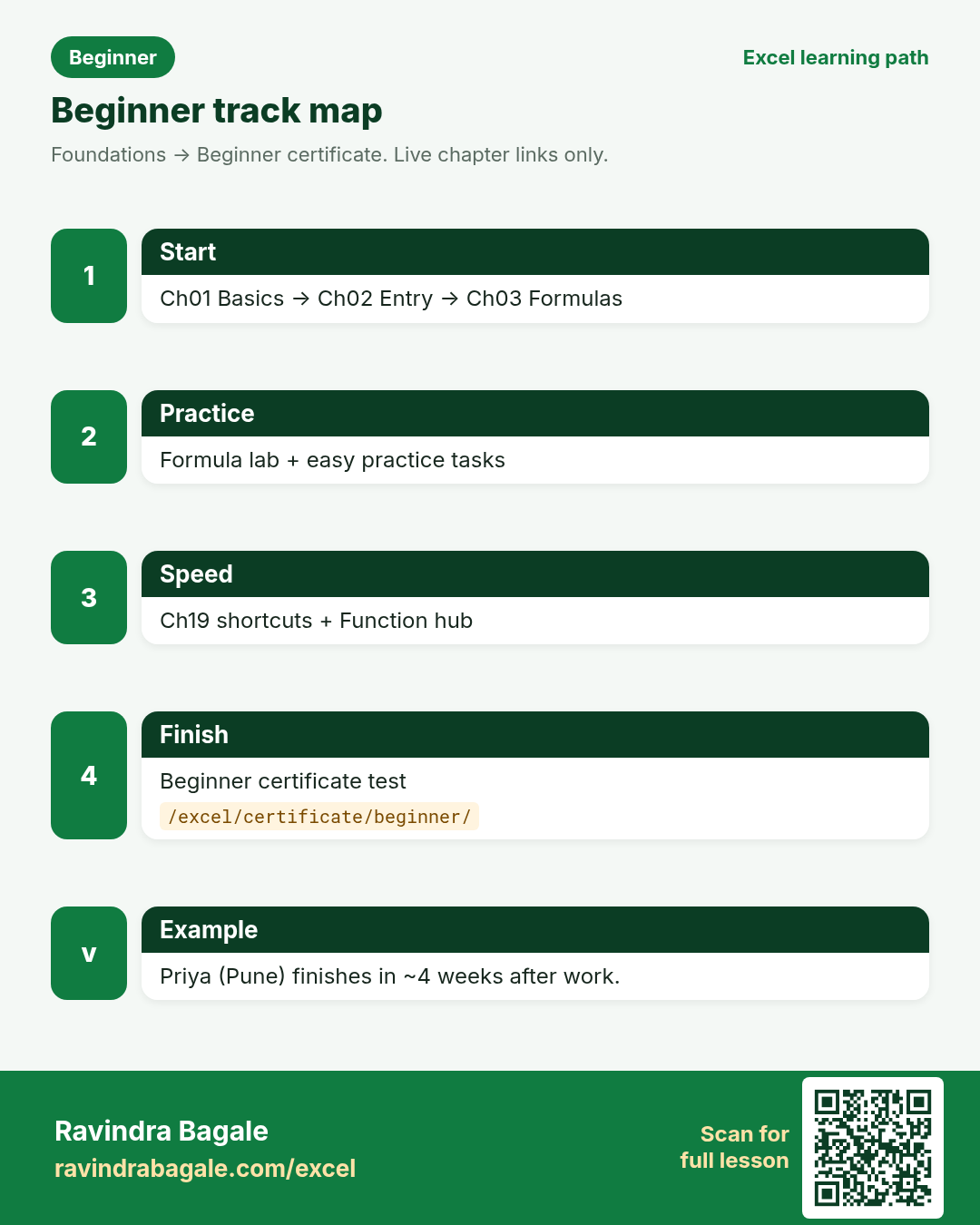
Track 1 — Foundations
Goal: open Excel without fear, write simple formulas, and earn the beginner certificate.
-
Chapter 1 — Excel basics
Rows, columns, cells, workbooks. Start here if Excel is new.
-
Chapter 2 — Data entry tools
Flash Fill, AutoFill, Paste Special, and clean typing habits.
-
Chapter 3 — Formulas and functions
SUM, AVERAGE, IF and how formulas grow.
-
Formula Practice Lab
Type formulas in a mini sheet and see results at once.
-
Chapter 19 — Shortcut cheat sheet
Learn a few daily keys early so work feels faster.
-
Function Reference Hub
Look up any function A–Z when you need syntax.
-
Practice Task Hub (easy packs)
Pick Easy tasks from early chapters. Hints are on every task.
-
Beginner certificate
Take the beginner test. Pass to earn your bronze-style certificate.
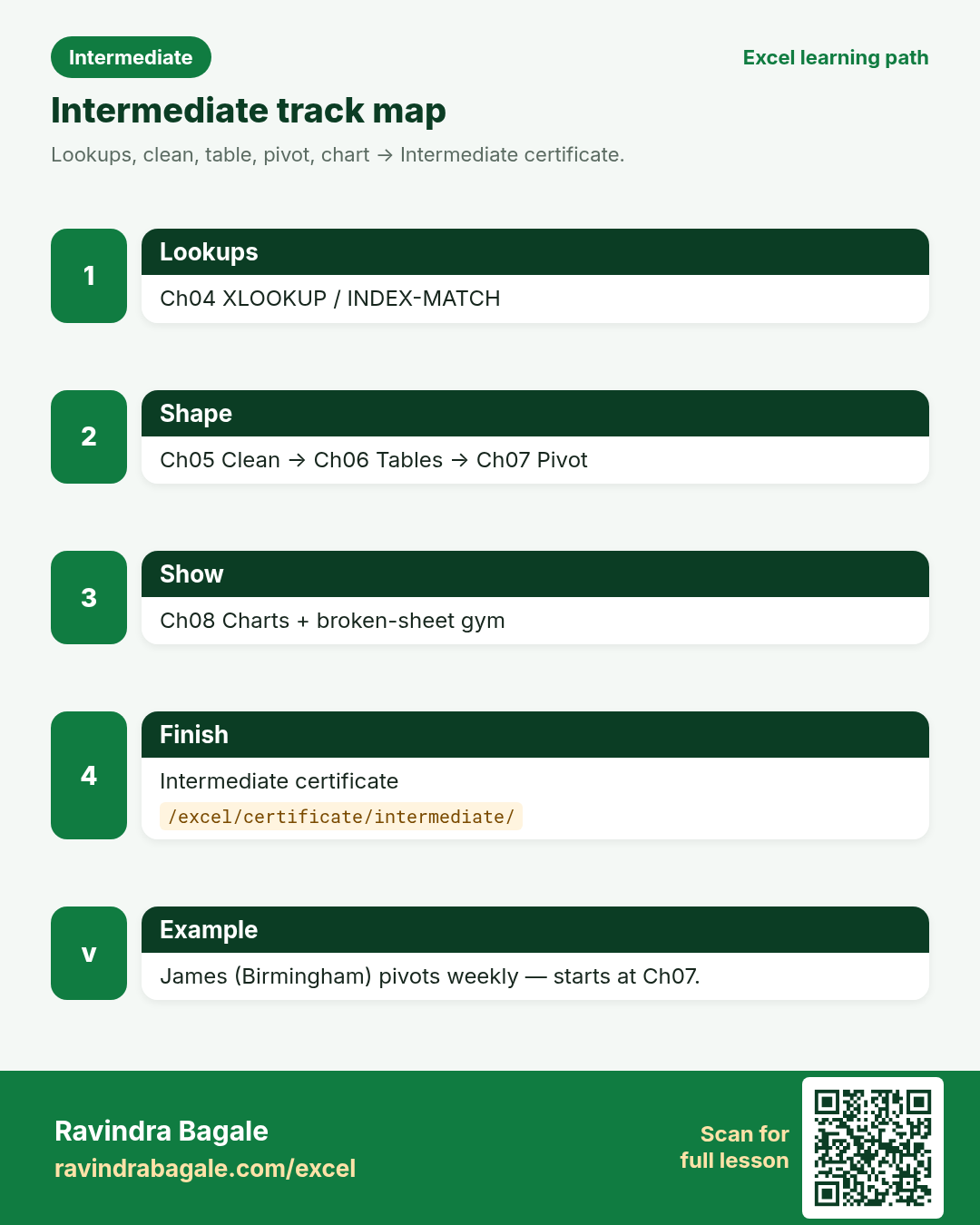
Track 2 — Analyst daily work
Goal: look up, clean, table, pivot, chart, and fix broken sheets — then earn the intermediate certificate.
-
Chapter 4 — Lookup functions
VLOOKUP, XLOOKUP, INDEX/MATCH for real sheets.
-
Chapter 5 — Data cleaning A–Z
TRIM, CLEAN, Text to Columns, duplicates.
-
Chapter 6 — Tables, sort, filter
Ctrl+T tables, structured references, AutoFilter.
-
Chapter 7 — PivotTables
Summarise big lists without writing every SUMIFS.
-
Chapter 8 — Charts
Pick the right chart and format it for managers.
-
Chapter 23 — Formulas across sheets
Link sheets and workbooks safely.
-
Chapter 26 — Analyst tricks
Speed tips for day-to-day MIS work.
-
Broken-sheet challenges
Fix messy files. Start with Easy, then Medium.
-
Chapter 16 — Practice with hints
Extra drills with answer hints.
-
Intermediate certificate
Pass the intermediate test for the silver-style certificate.
Track 3 — Model, automate, bridge
Goal: dynamic arrays, Power Query, Power Pivot, dashboards, dirty-data mastery, then Power BI bridge and the advanced certificate.
-
Chapter 9 — Dynamic arrays
FILTER, UNIQUE, SORT, LAMBDA family ideas.
-
Chapter 32 — Cleaning dirty data
A full dirty workbook, clean steps, cards and quiz.
-
Chapter 10 — Power Query
Get data, clean steps, append, merge, unpivot.
-
Chapter 24 — Power Pivot / Data Model
Relationships and measures inside Excel.
-
Chapter 11 — What-if analysis
Goal Seek, scenarios, data tables.
-
Chapter 13 — Excel dashboards
KPI layout, slicers, print-ready views.
-
Chapter 25 — All shortcuts (Win + Mac)
Full shortcut reference before interviews.
-
Chapter 12 — Macros, VBA, Office Scripts
Automate repeat work when ready.
-
Chapter 30 — Statistics for analysts
Means, spreads and simple stats in Excel.
-
Chapter 31 — Forecasting
Trends and forecast sheets for planning.
-
Bridge to Power BI (10 chapters)
Move skills from Excel into Power BI without starting from zero.
-
Interview prep hub
Role pages and common Excel interview questions.
-
Advanced certificate
Pass the advanced test for the gold-style certificate.
Example week plan (Pune analyst)
Priya Sharma (accounts, Pune) has 45 minutes after work. Week 1–2: Beginner steps 1–4. Week 3: shortcuts + function hub. Week 4: Beginner certificate. Then she starts Intermediate with XLOOKUP and tables before her appraisal.
James Cole (ops, Birmingham) already pivots weekly. He skips to Intermediate step 4, then Advanced Power Query, then Bridge chapter “Why move”.
Revision cards
Three standalone cards (no tip strip, no photo strip). QR opens this learning path. Download and revise offline.