उजळणी (Revision) cards
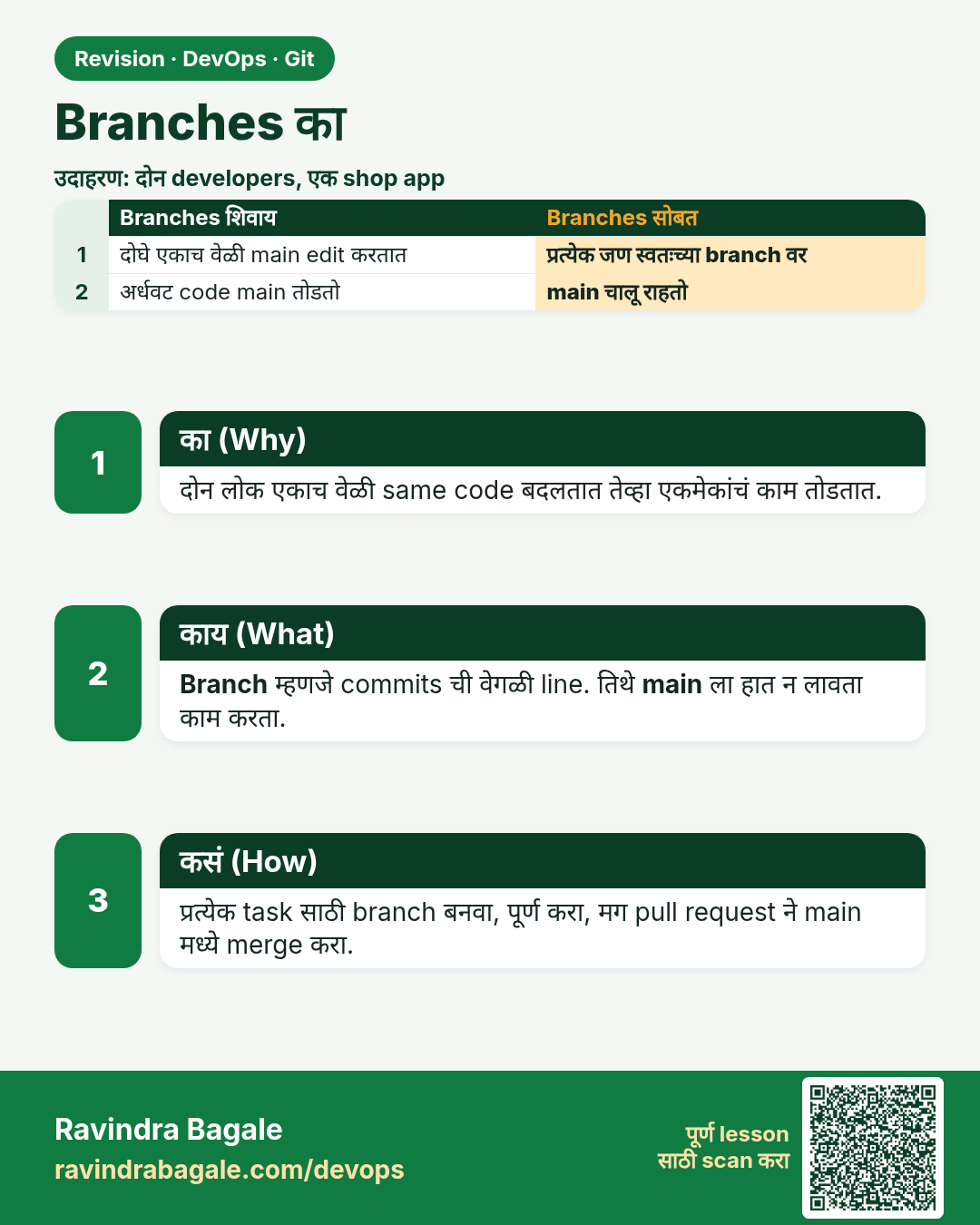
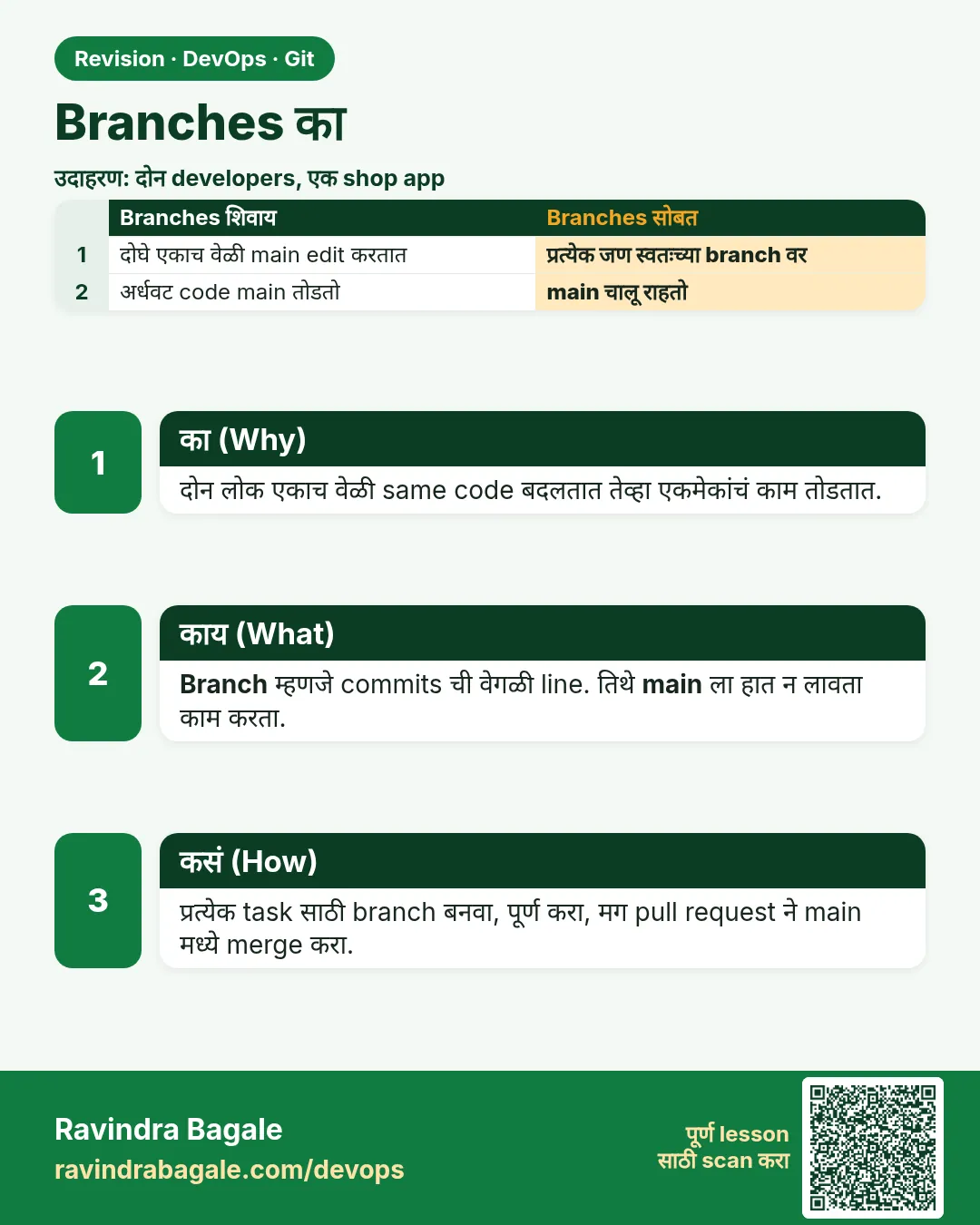 उजळणी (Revision) card 1 of 15: Branches का · PNG download करा · Card page उघडा
Lesson: 3.1 Why branches — two developers, one shared app
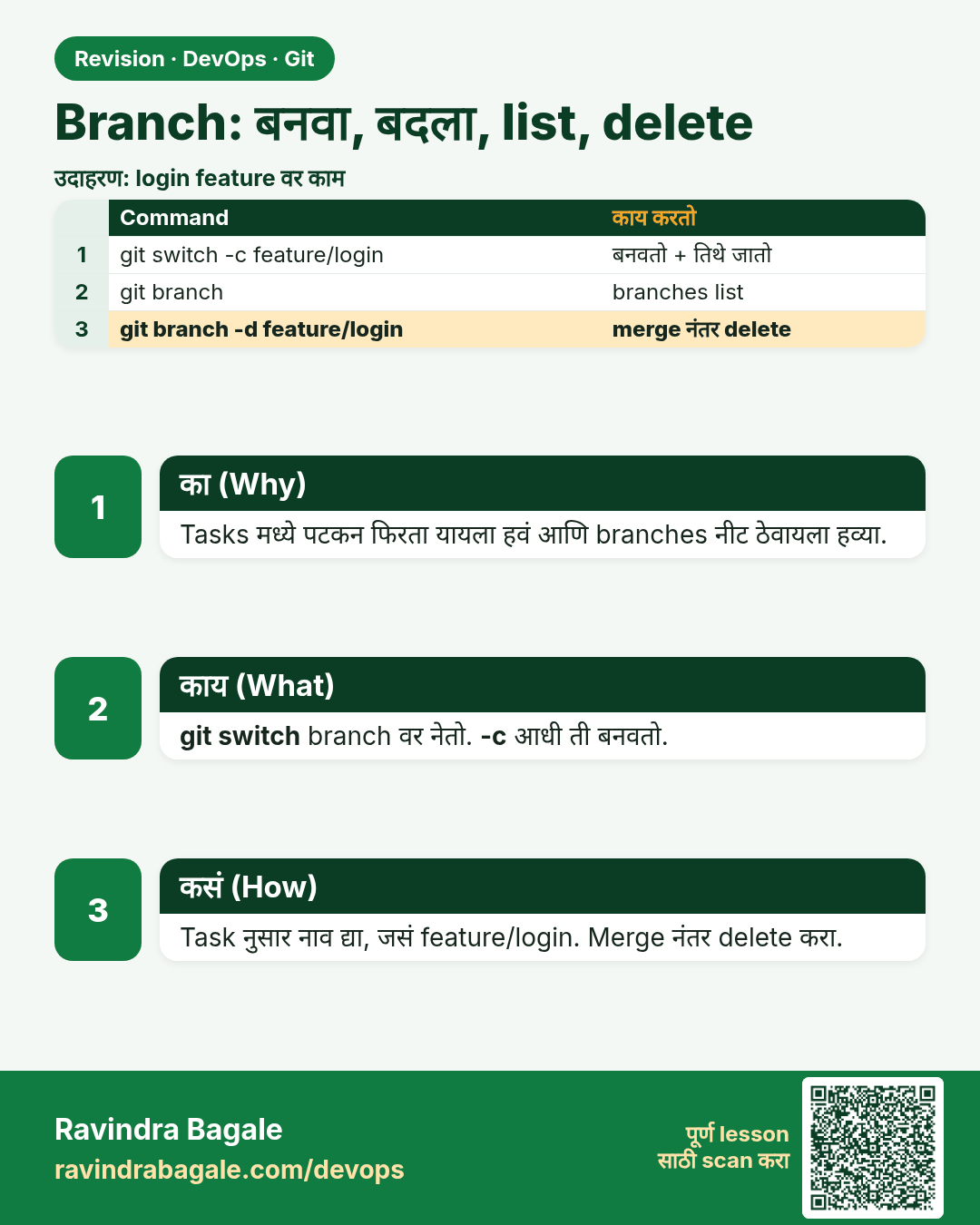
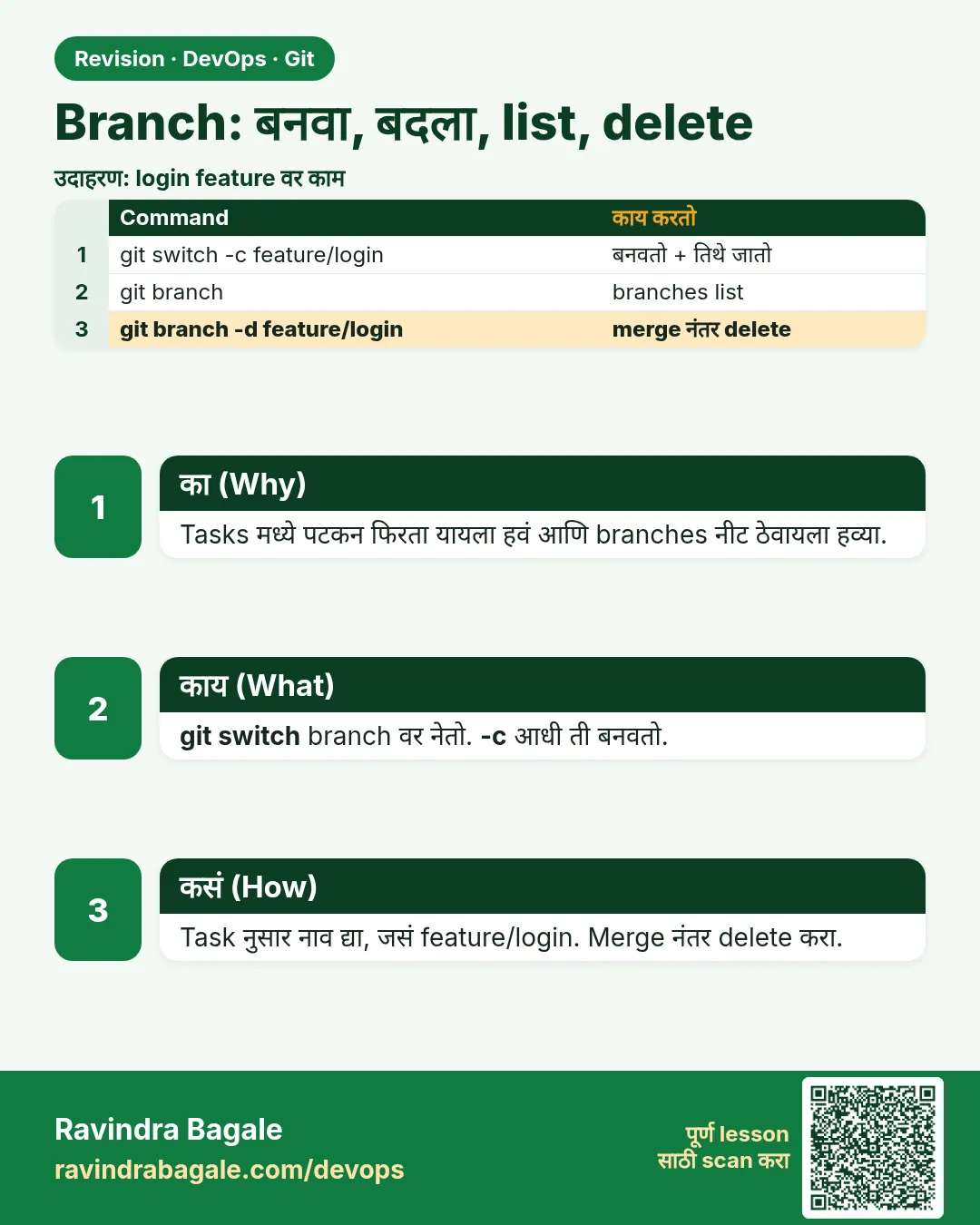 उजळणी (Revision) card 2 of 15: Branch: बनवा, बदला, list, delete · PNG download करा · Card page उघडा
Lesson: 3.2 branch, switch, list, delete
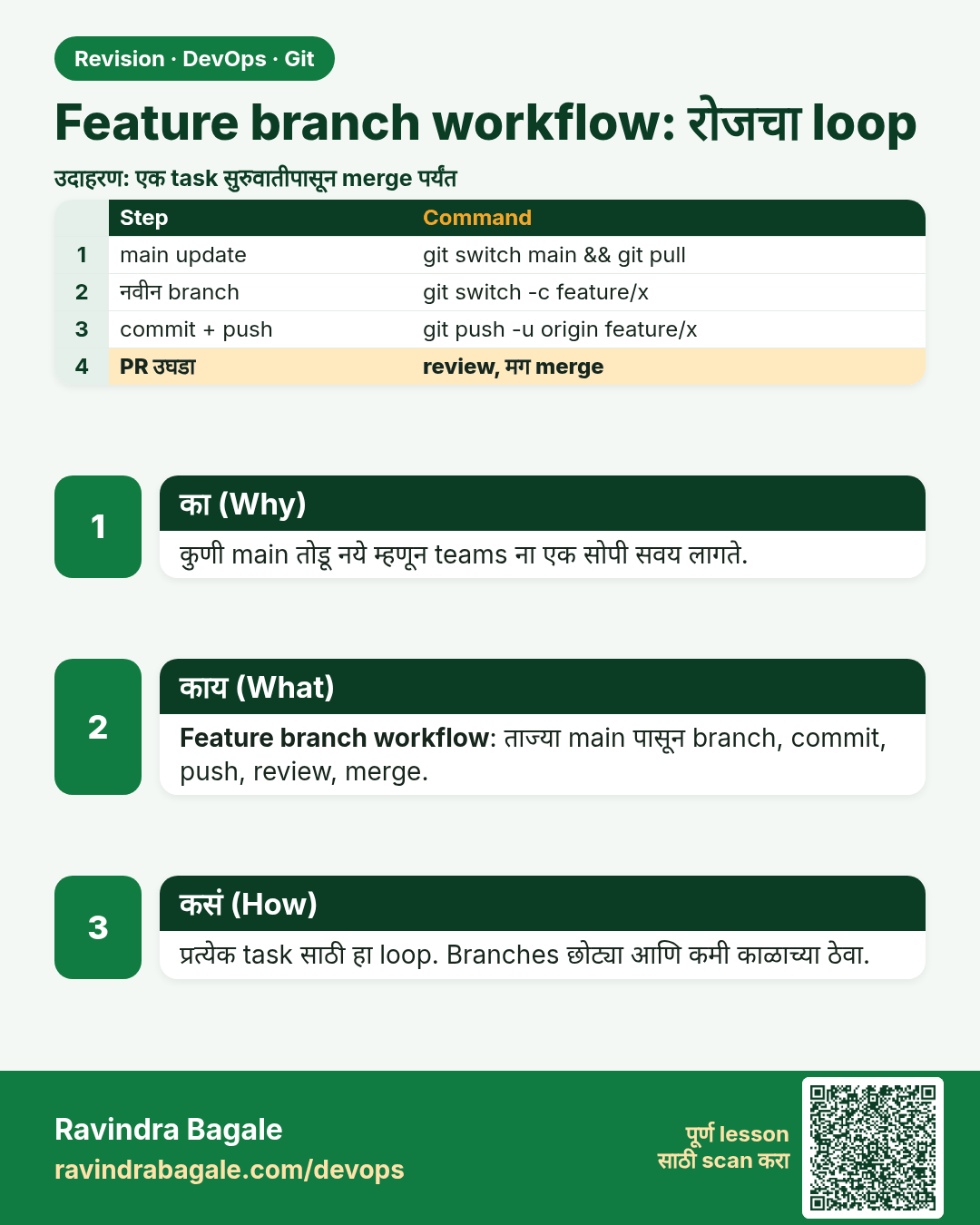
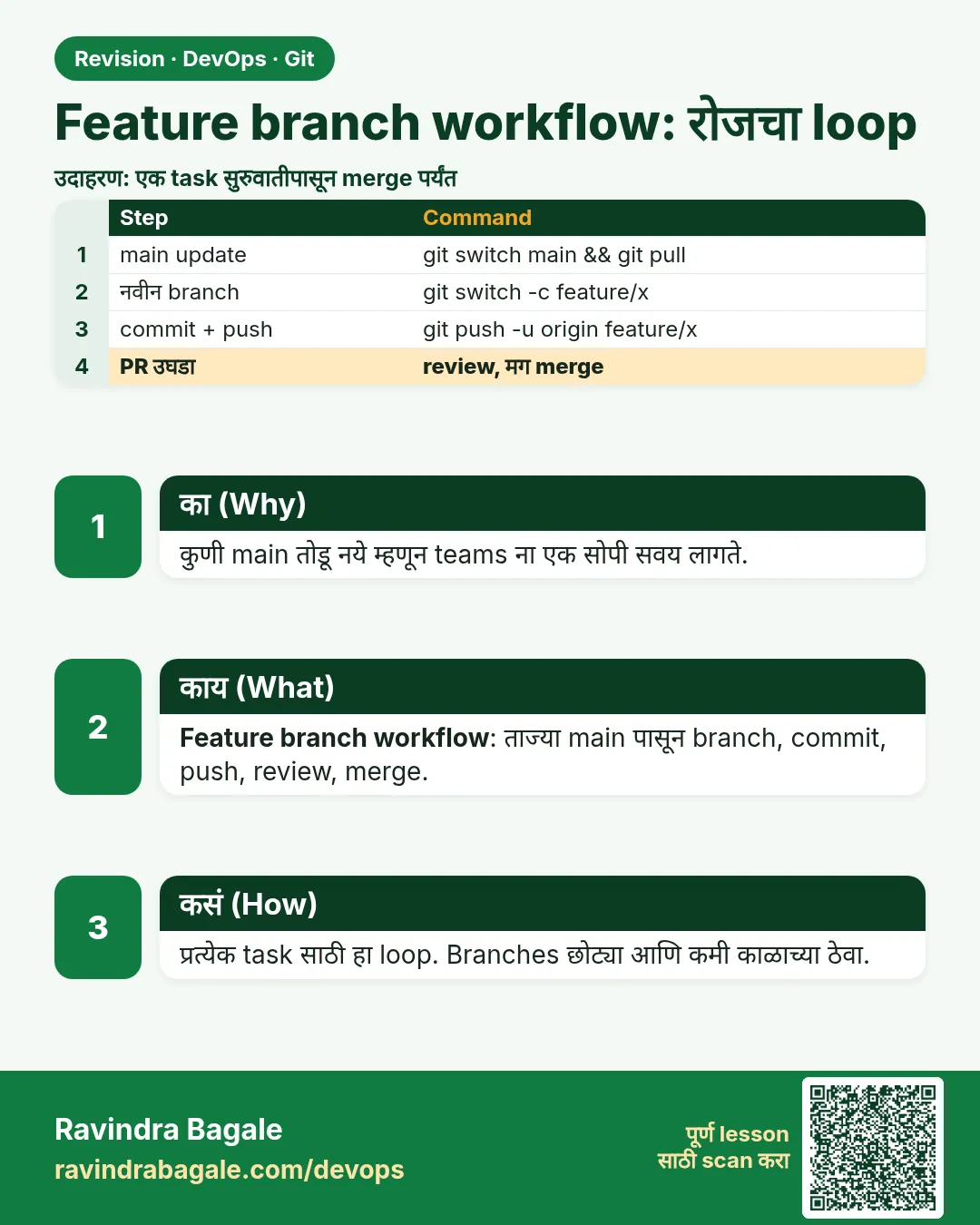 उजळणी (Revision) card 3 of 15: Feature branch workflow: रोजचा loop · PNG download करा · Card page उघडा
Lesson: 3.3 Feature-branch workflow (the daily loop)
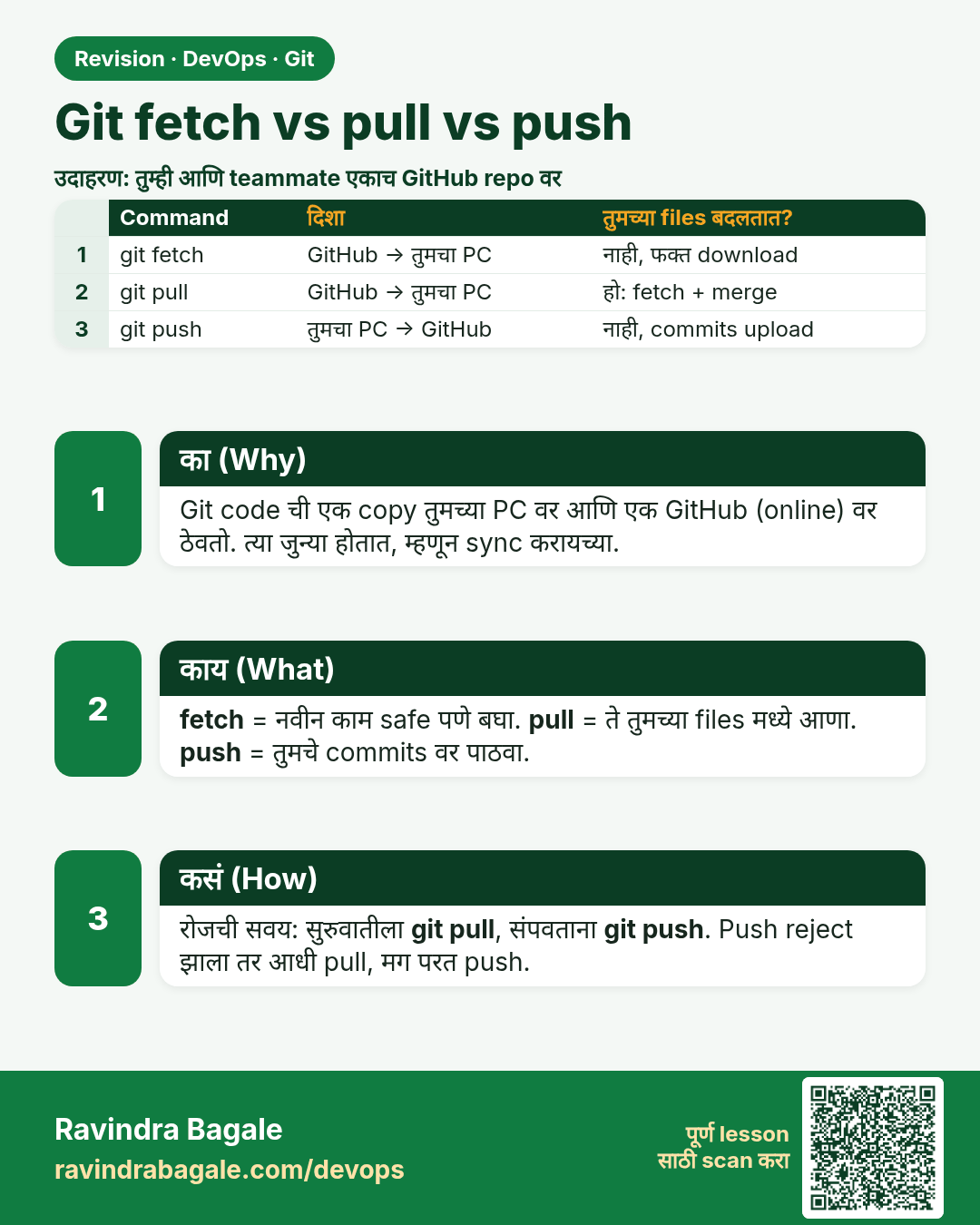
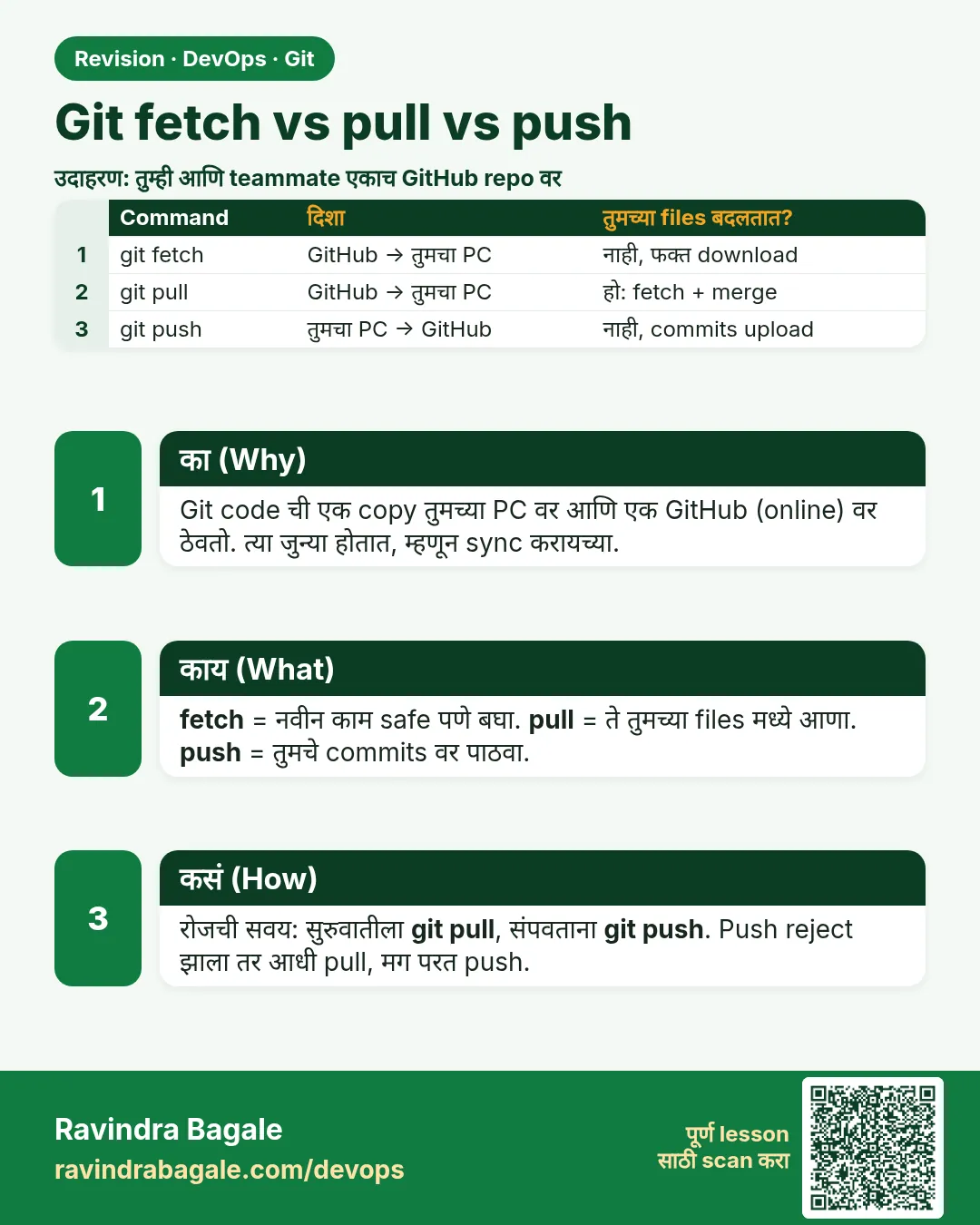 उजळणी (Revision) card 4 of 15: Git fetch vs pull vs push · PNG download करा · Card page उघडा
Lesson: 3.4 Fetch vs pull vs push
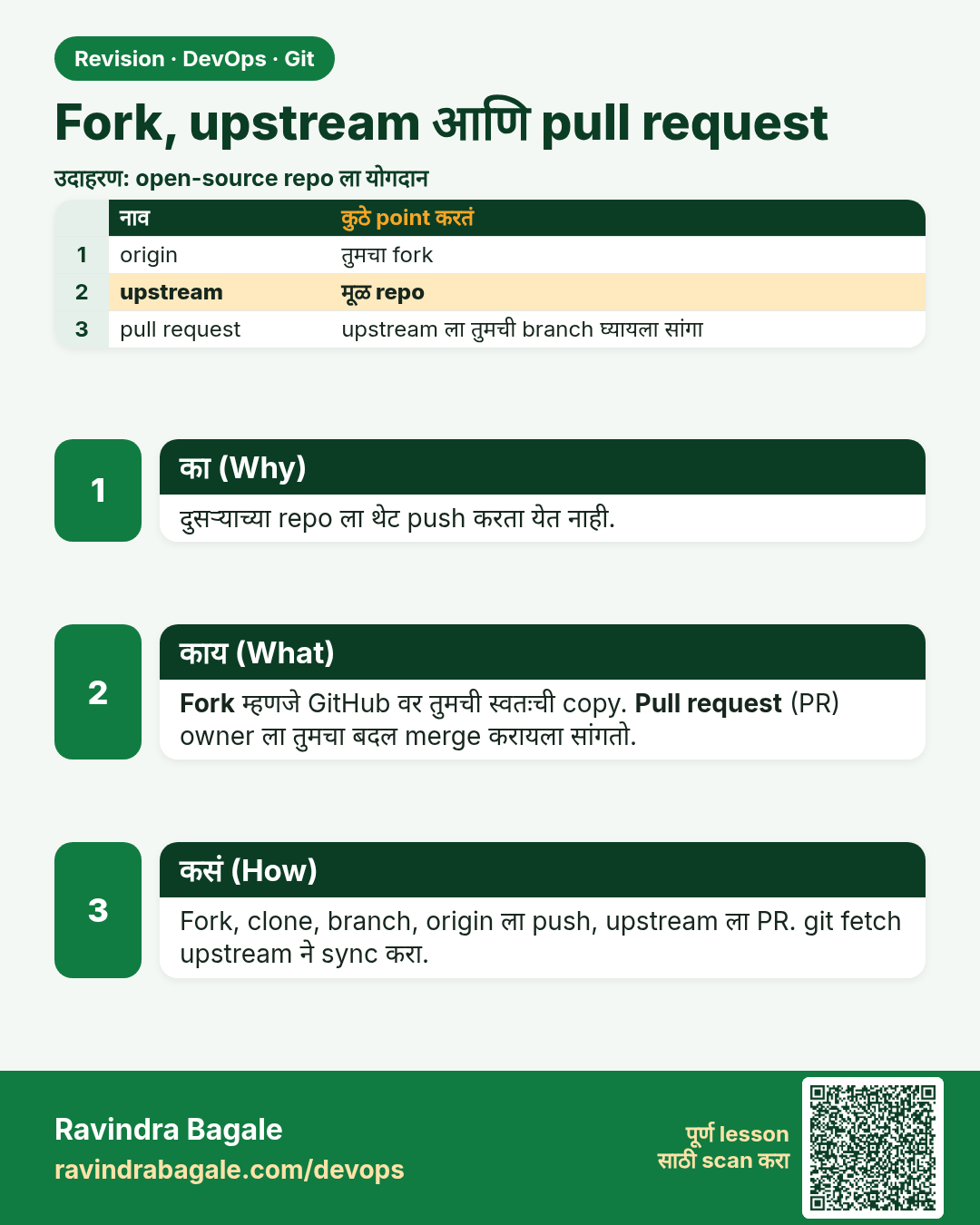
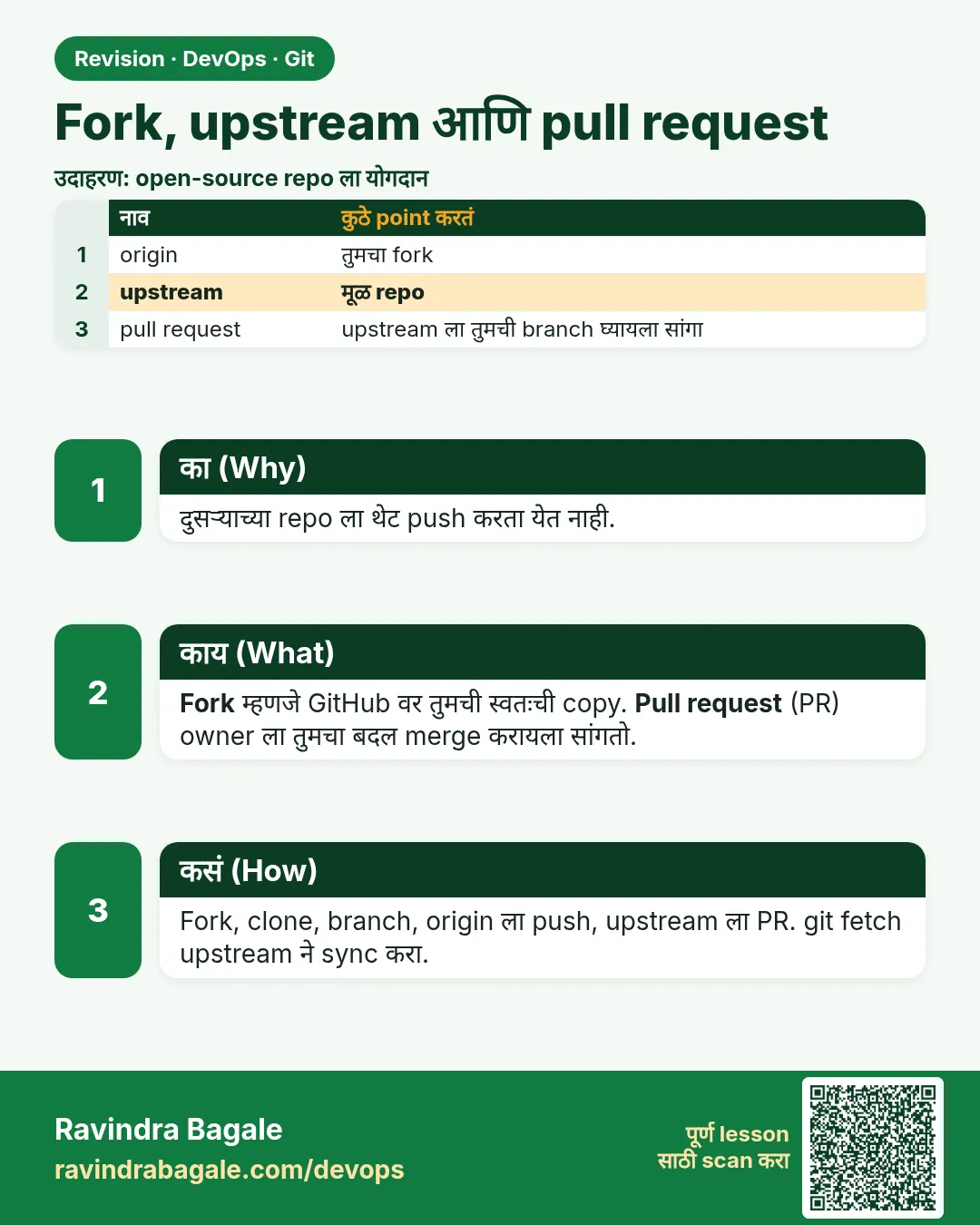 उजळणी (Revision) card 5 of 15: Fork, upstream आणि pull request · PNG download करा · Card page उघडा
Lesson: 3.5 Fork, upstream, and the pull request
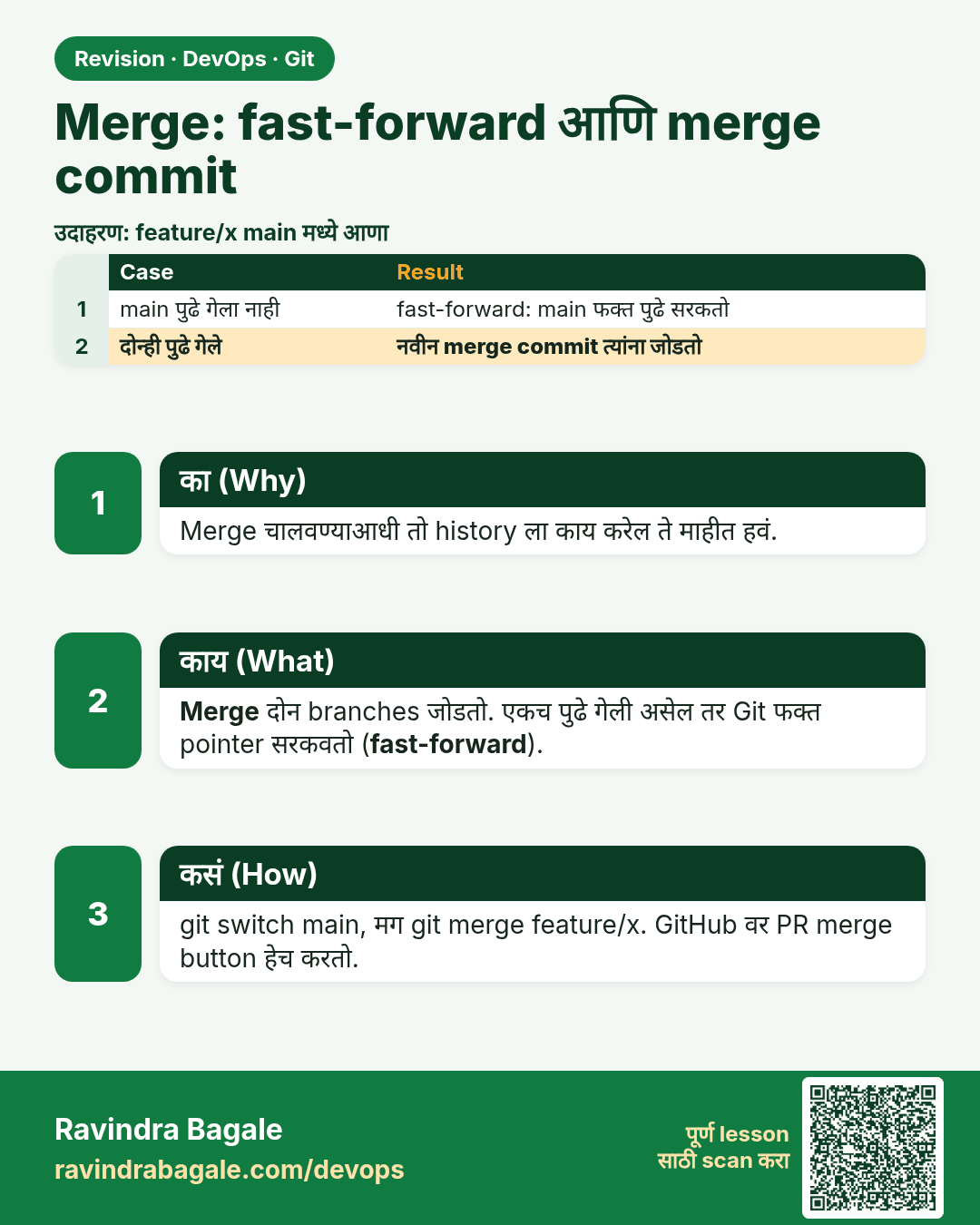
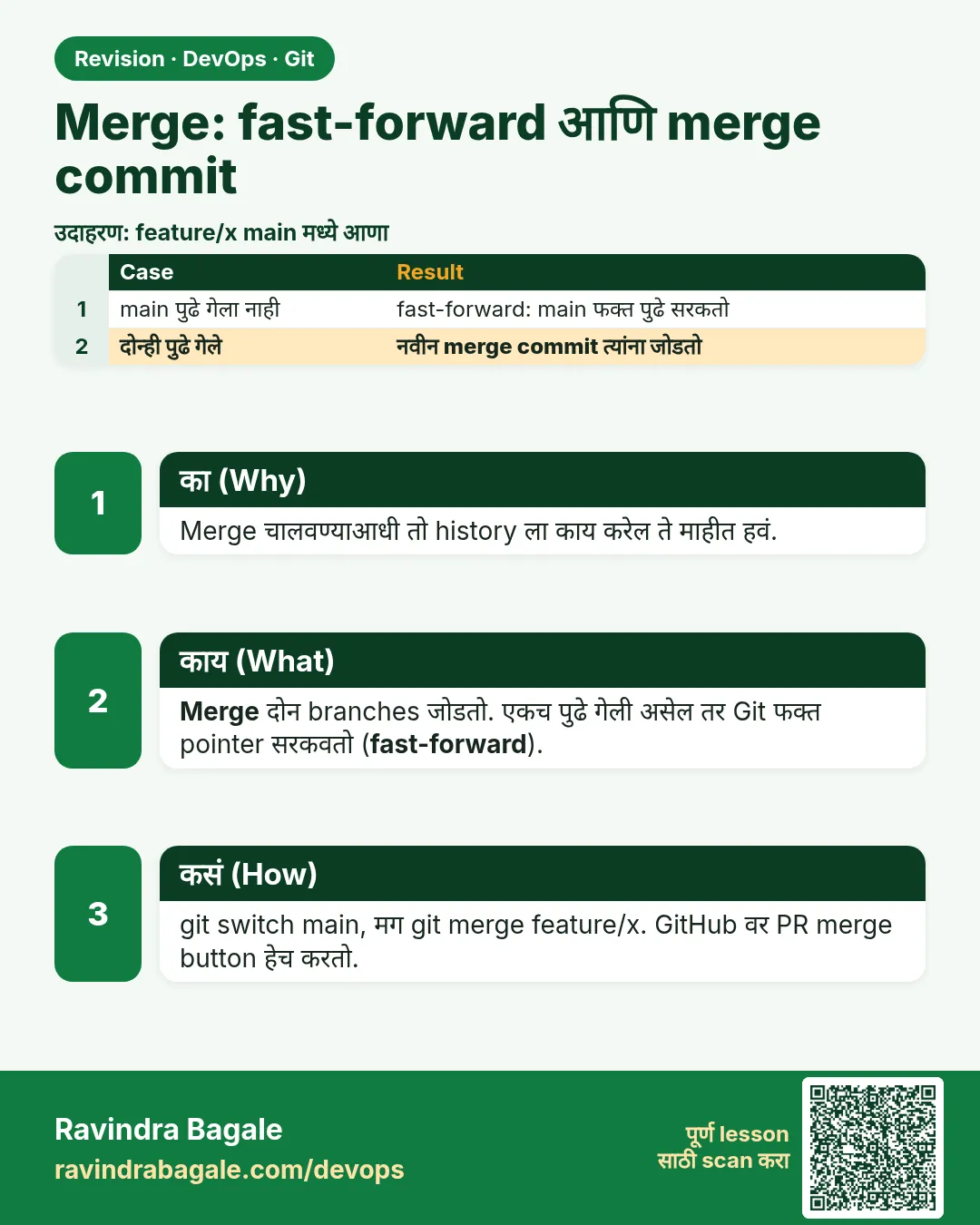 उजळणी (Revision) card 6 of 15: Merge: fast-forward आणि merge commit · PNG download करा · Card page उघडा
Lesson: 3.6 Merge — fast-forward and a merge commit
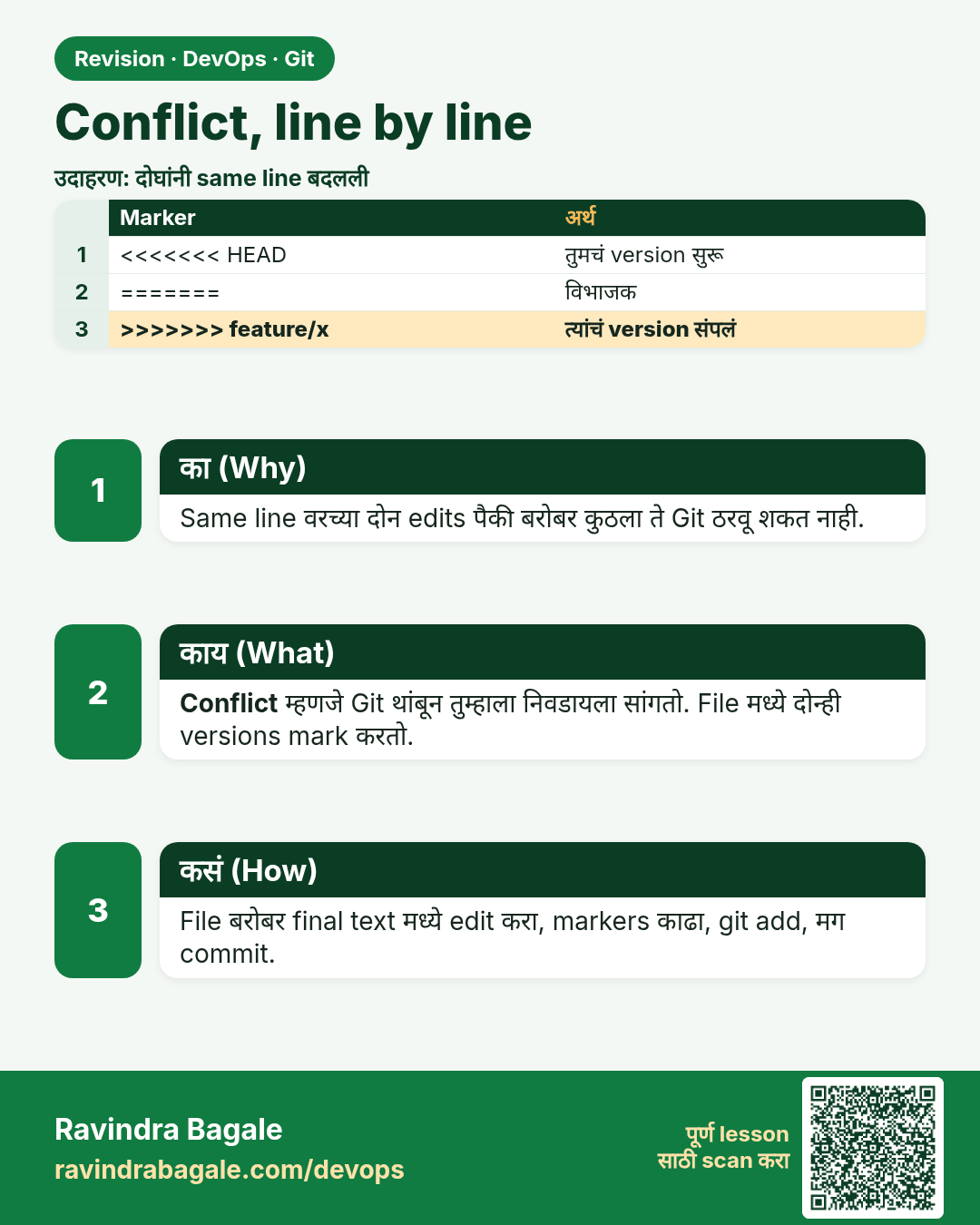
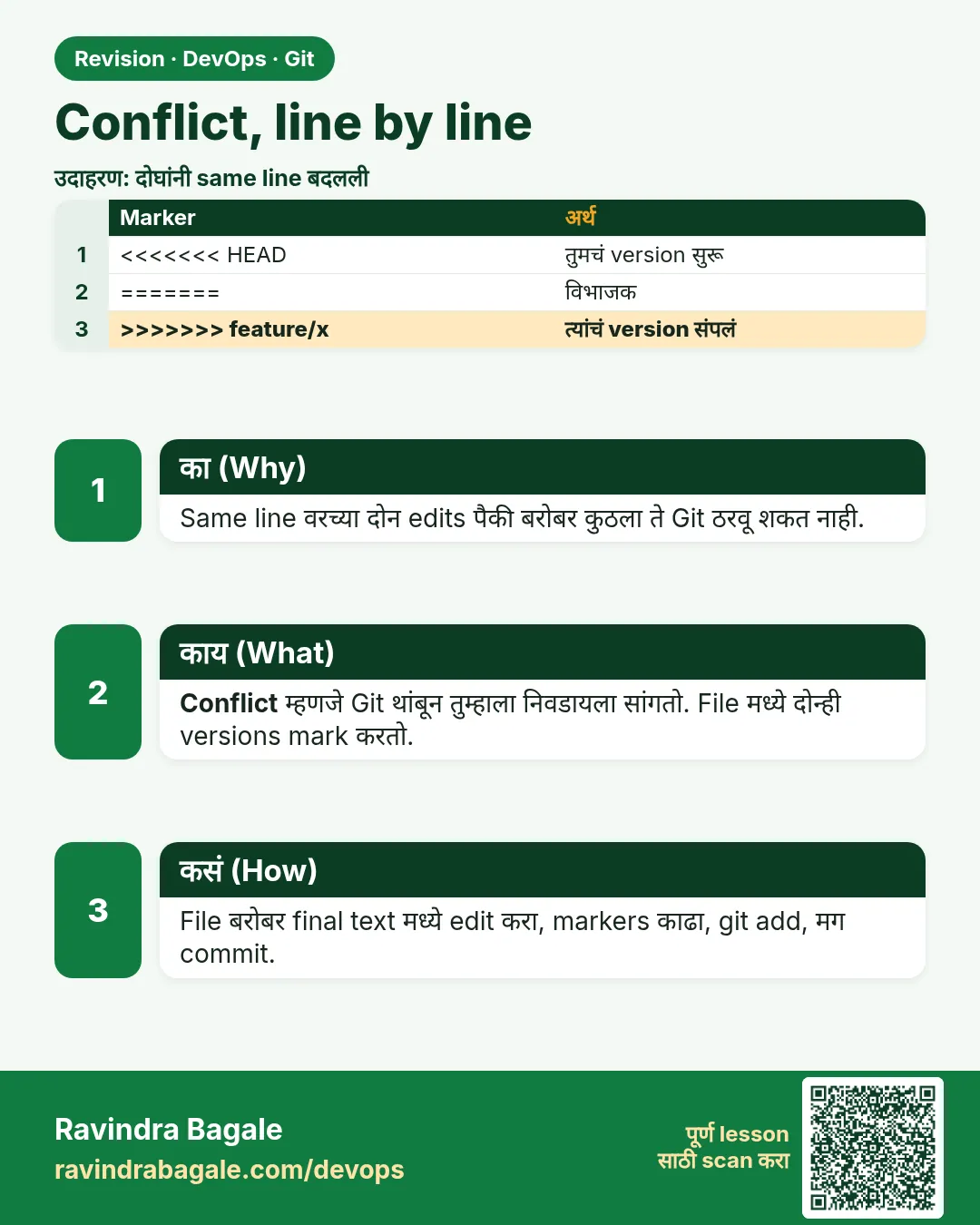 उजळणी (Revision) card 7 of 15: Conflict, line by line · PNG download करा · Card page उघडा
Lesson: 3.7 A conflict, line by line
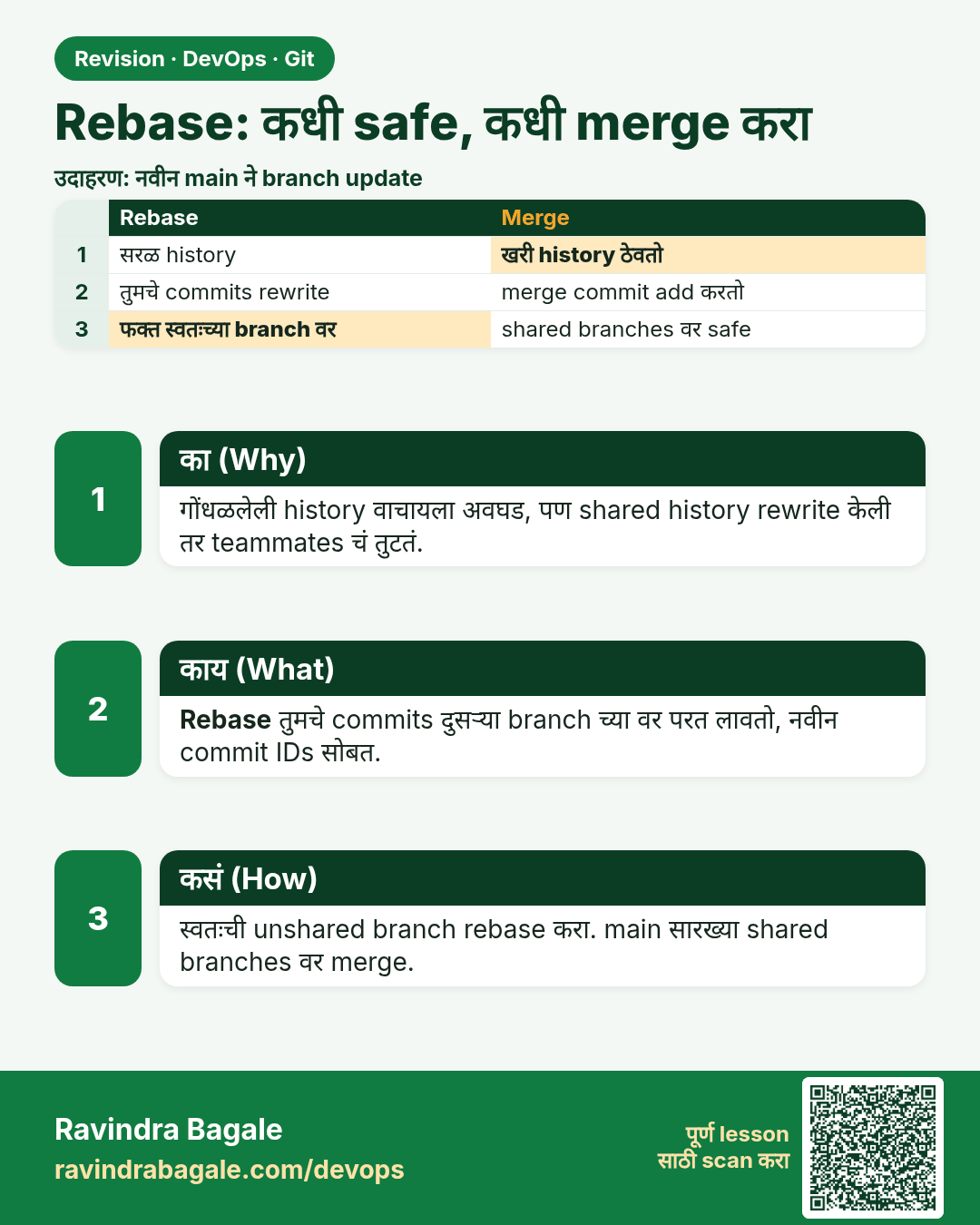
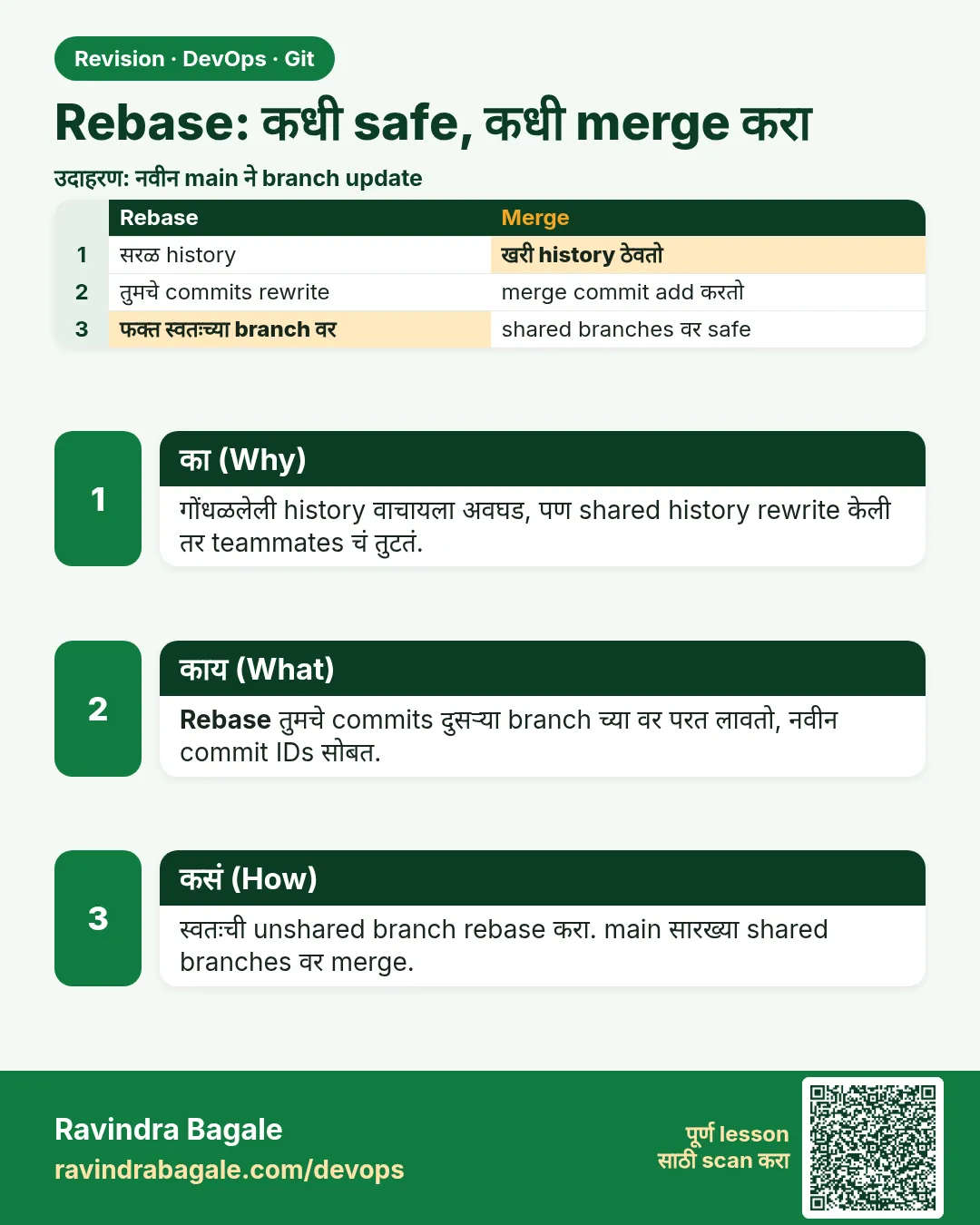 उजळणी (Revision) card 8 of 15: Rebase: कधी safe, कधी merge करा · PNG download करा · Card page उघडा
Lesson: 3.8 Rebase when it is safe — and when to merge instead
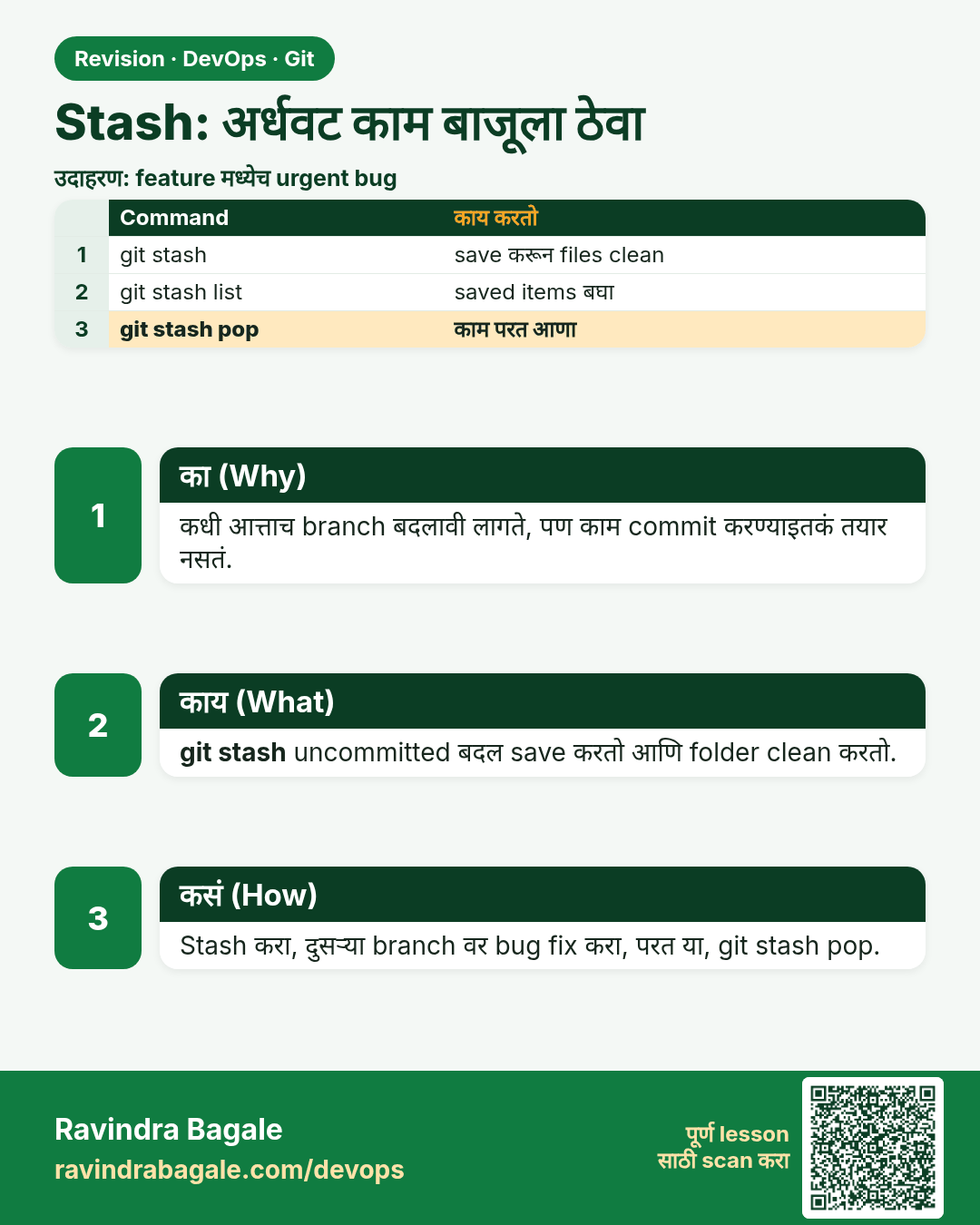
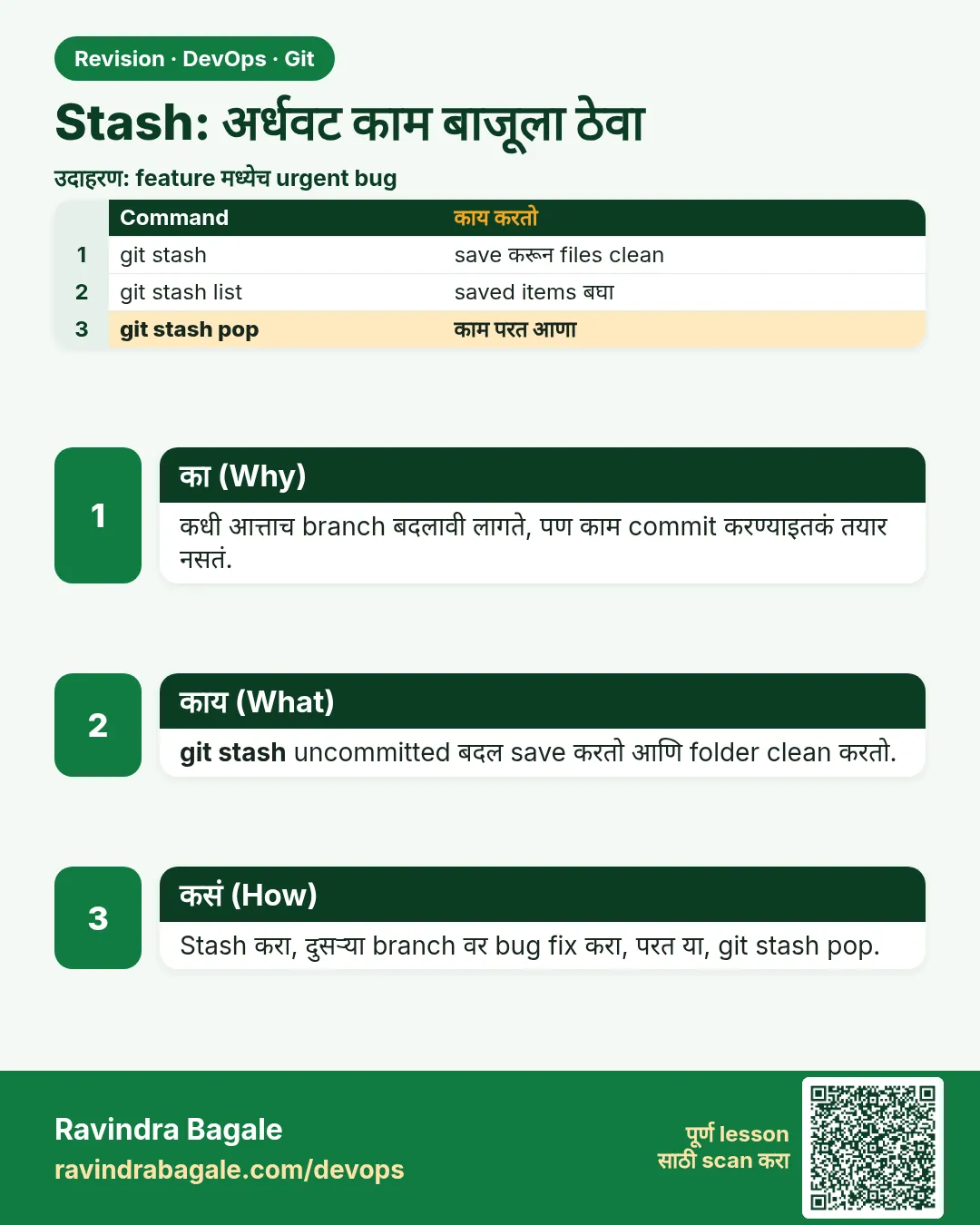 उजळणी (Revision) card 9 of 15: Stash: अर्धवट काम बाजूला ठेवा · PNG download करा · Card page उघडा
Lesson: 3.9 Stash — park the unfinished edit
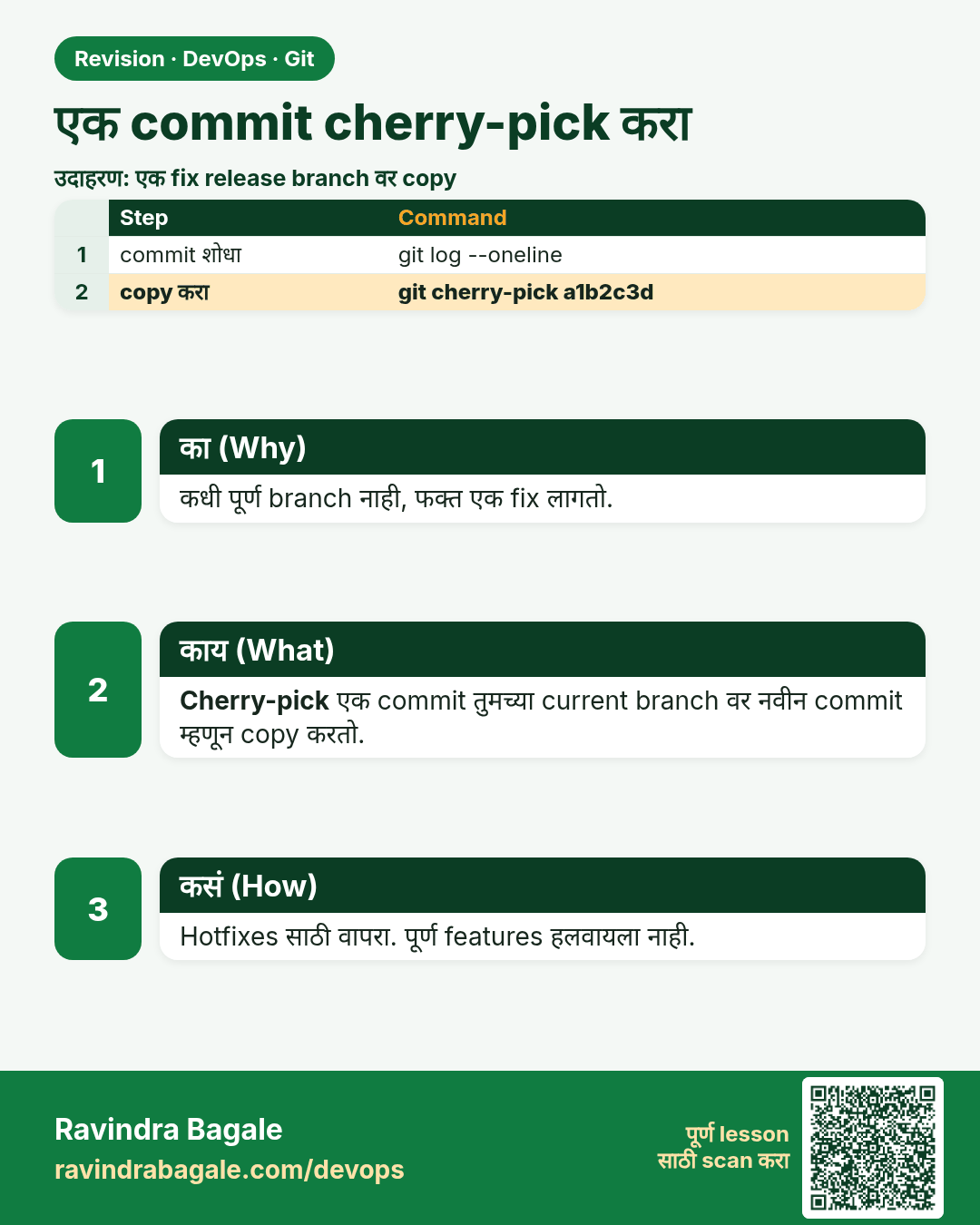
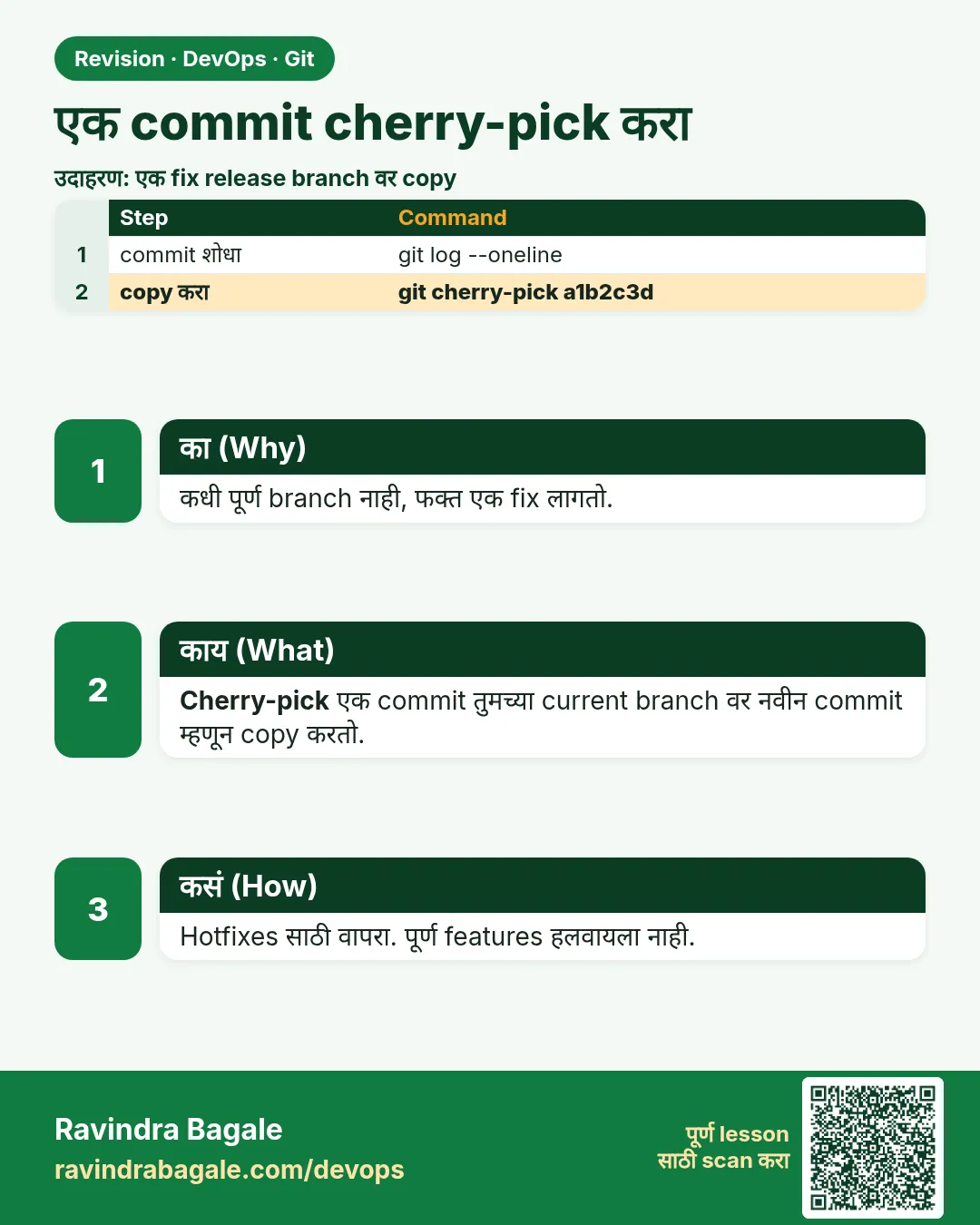 उजळणी (Revision) card 10 of 15: एक commit cherry-pick करा · PNG download करा · Card page उघडा
Lesson: 3.10 Cherry-pick one commit
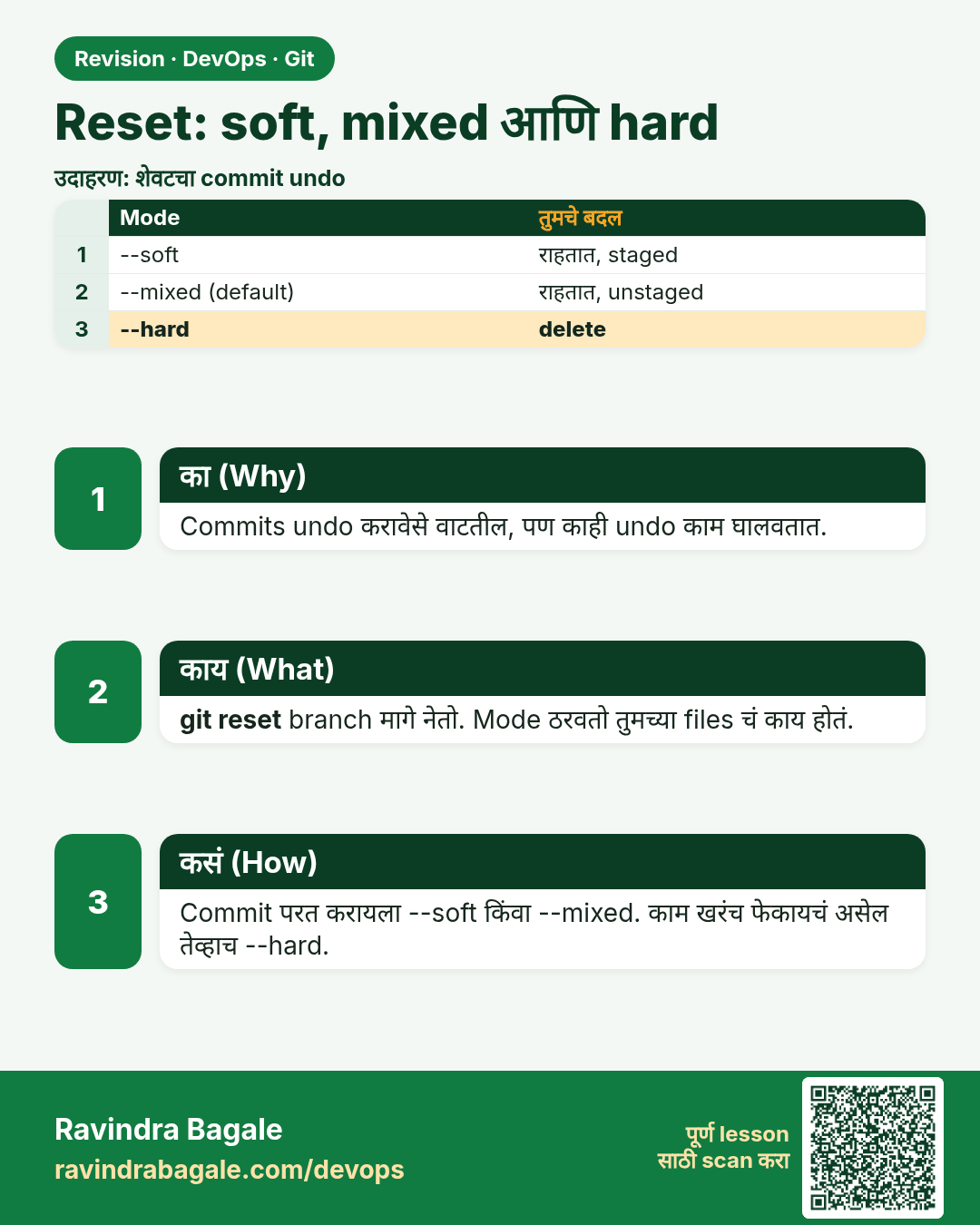
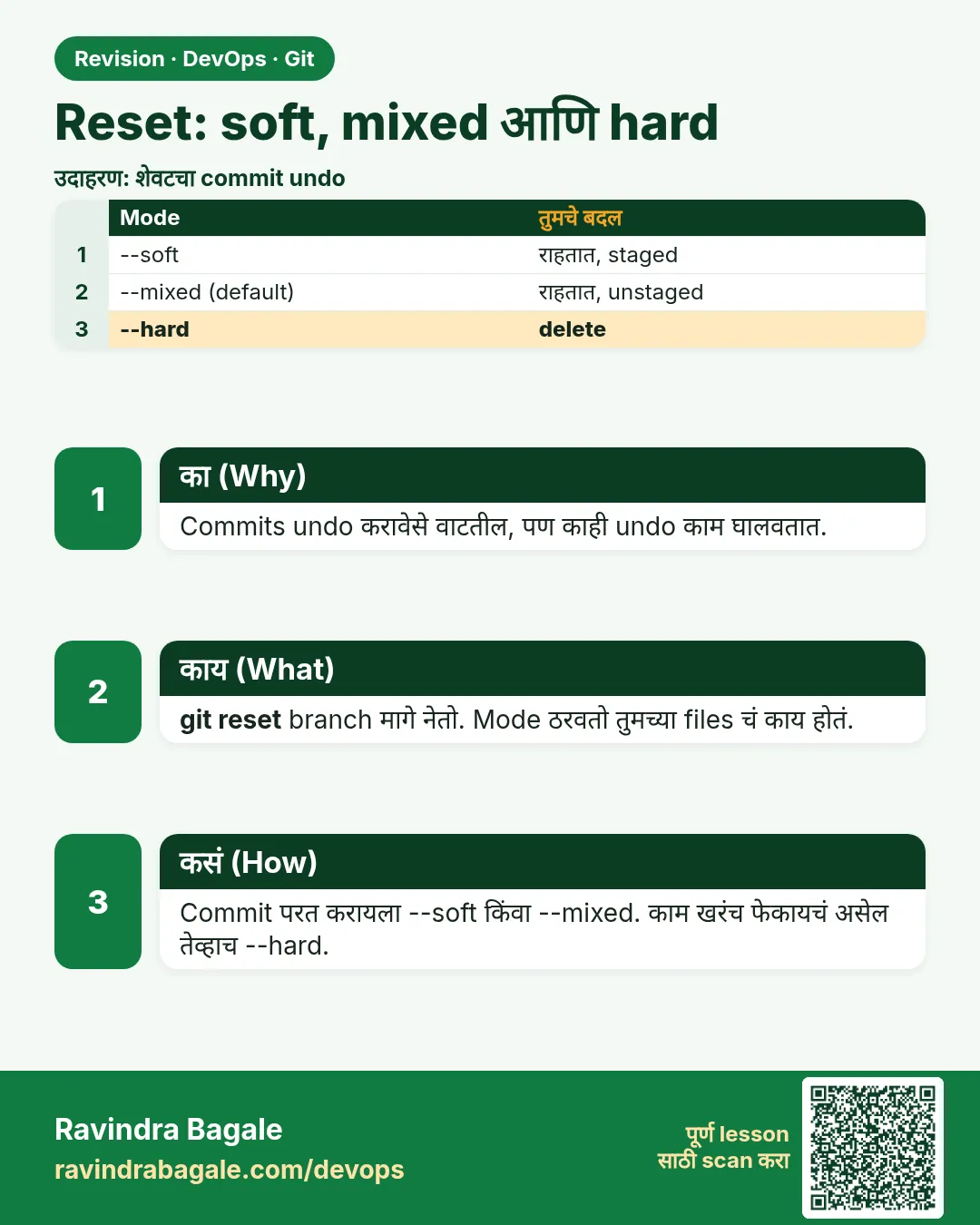 उजळणी (Revision) card 11 of 15: Reset: soft, mixed आणि hard · PNG download करा · Card page उघडा
Lesson: 3.11 reset --soft, --mixed and --hard
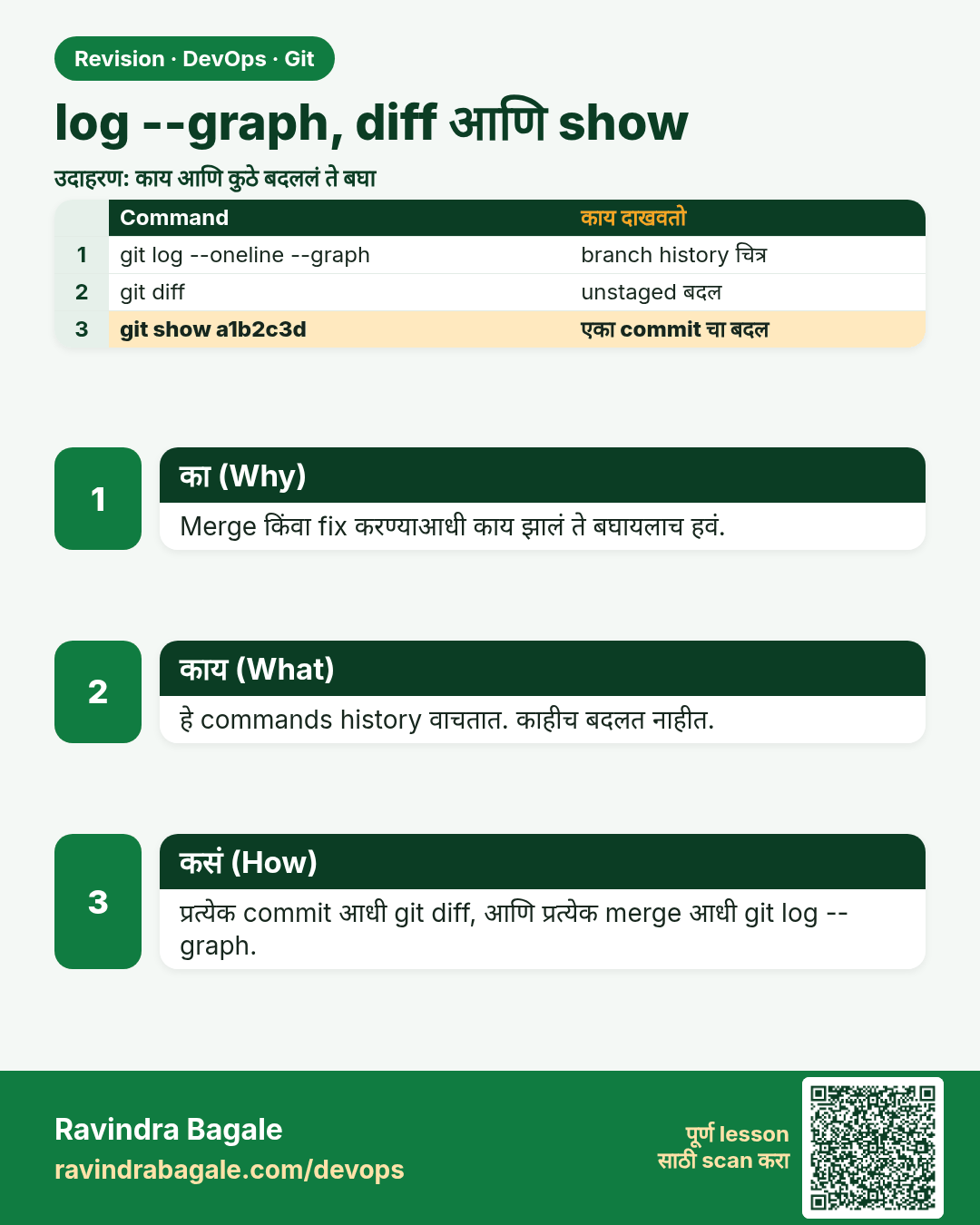
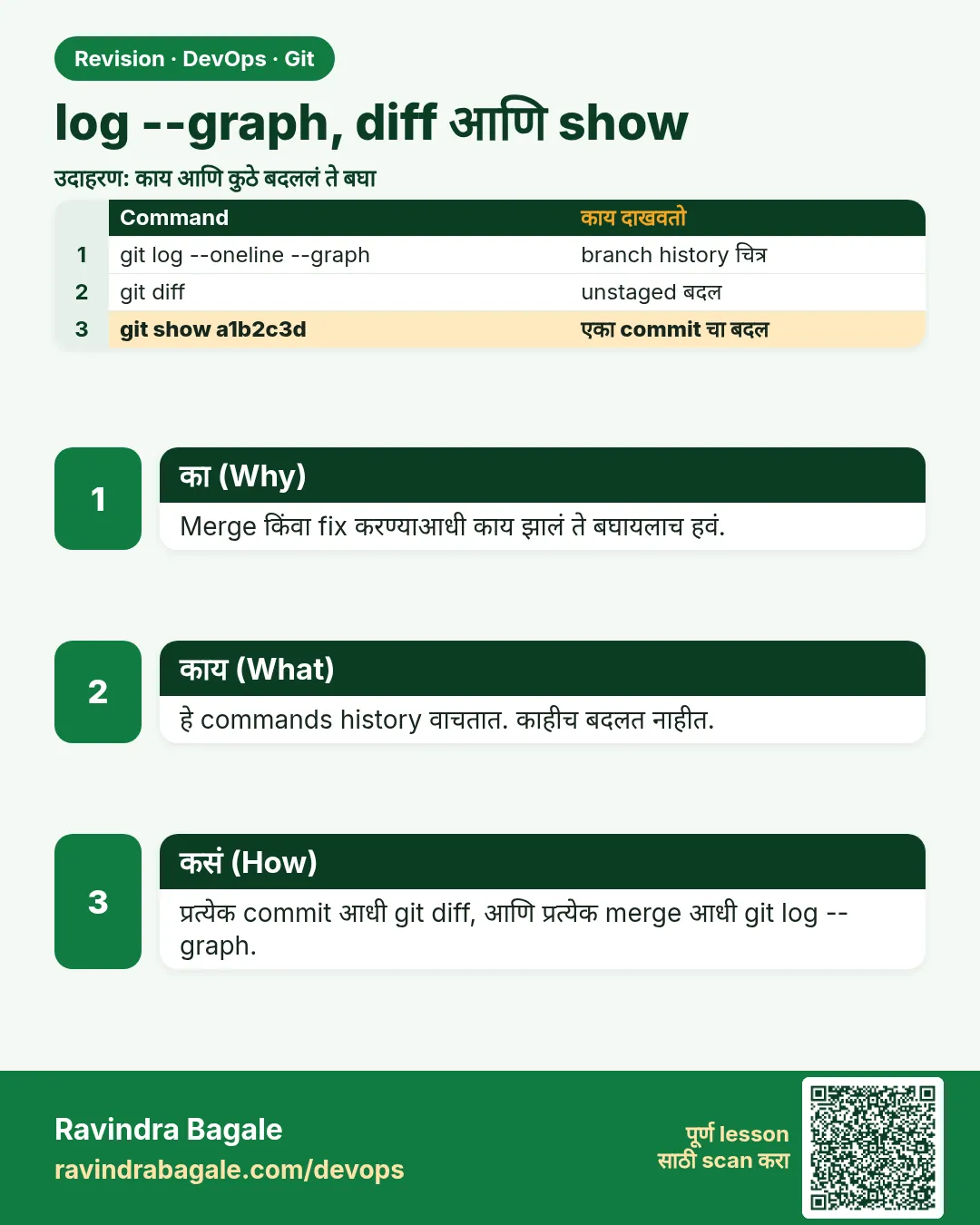 उजळणी (Revision) card 12 of 15: log --graph, diff आणि show · PNG download करा · Card page उघडा
Lesson: 3.12 log --graph, diff and show
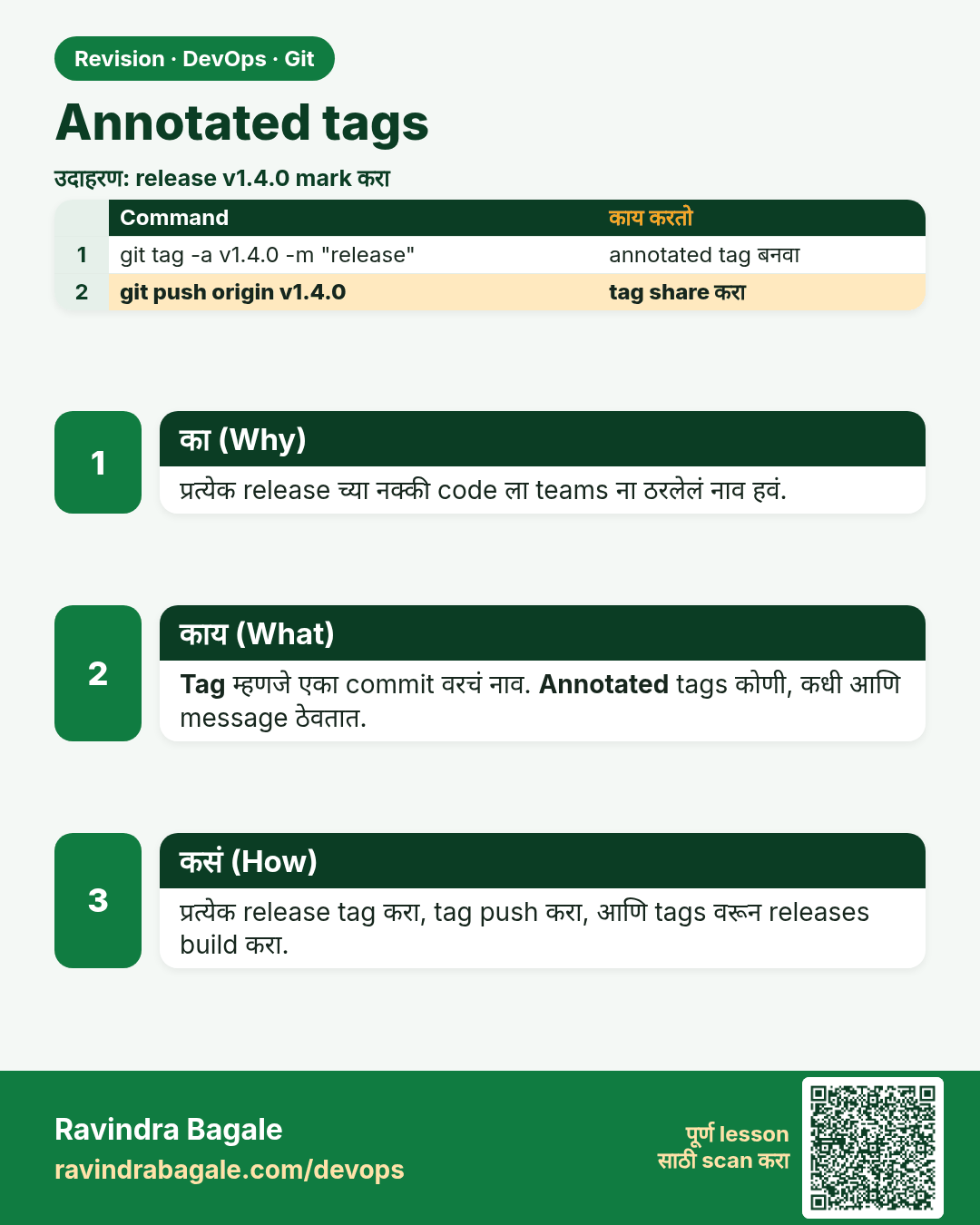
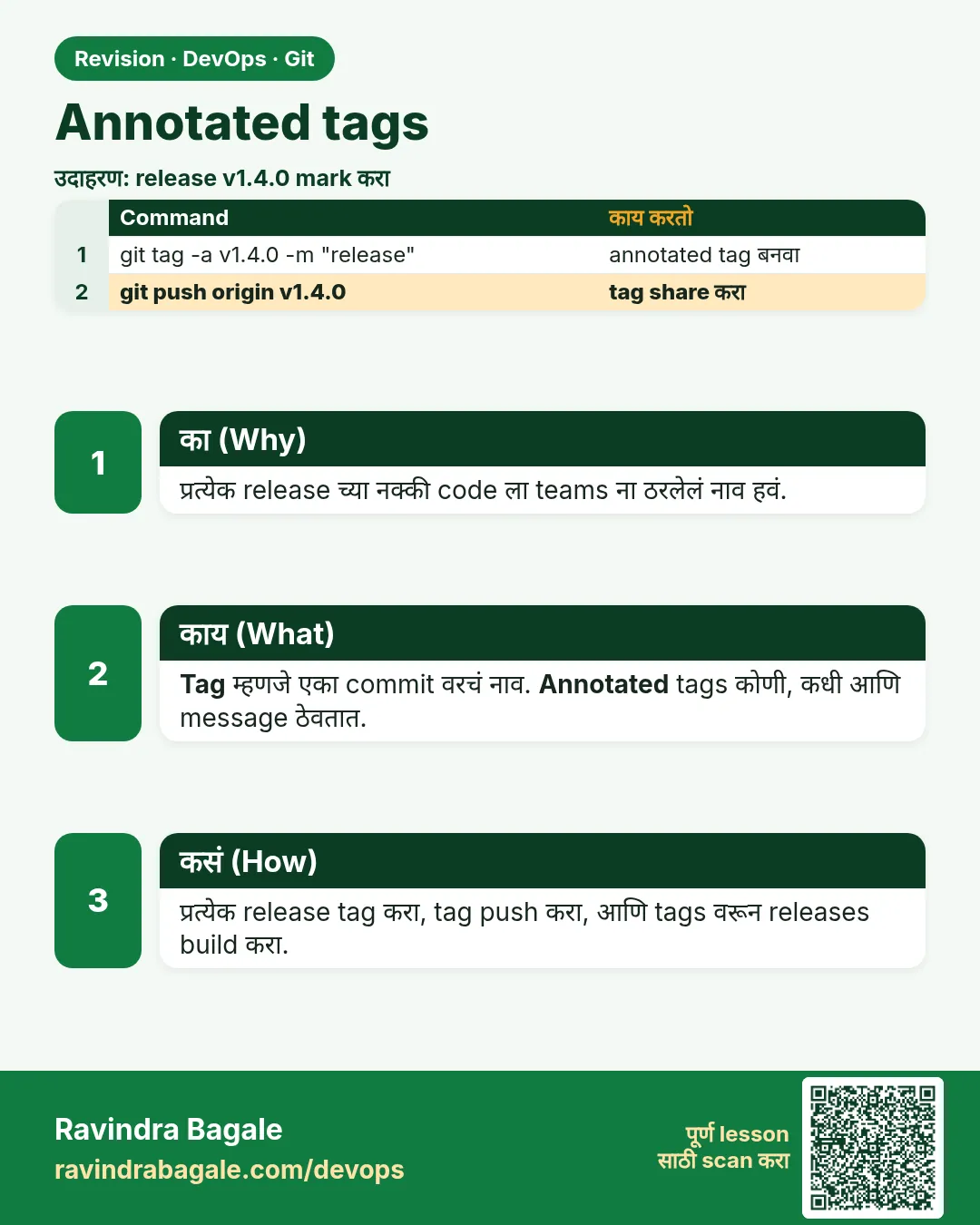 उजळणी (Revision) card 13 of 15: Annotated tags · PNG download करा · Card page उघडा
Lesson: 3.13 Annotated tags
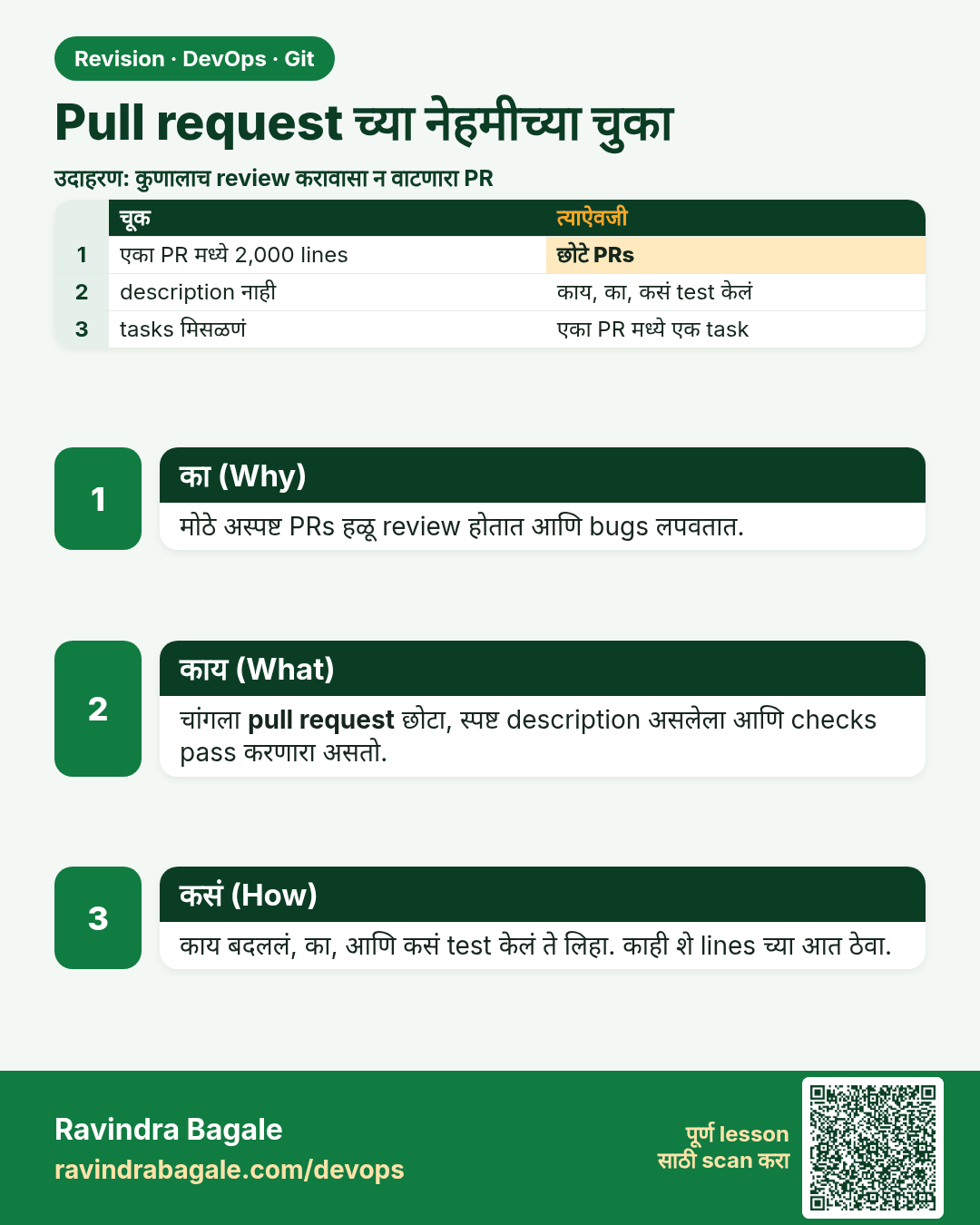
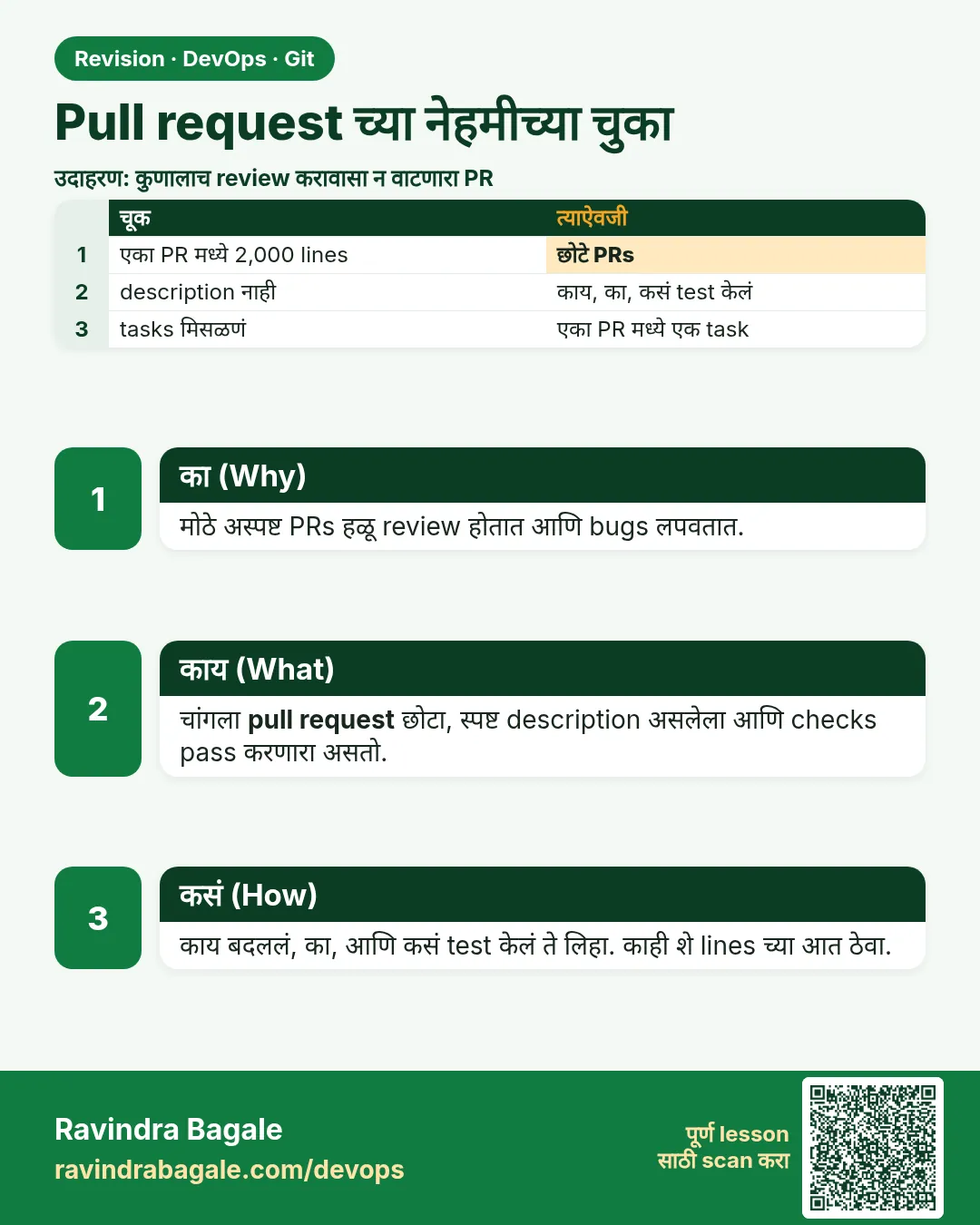 उजळणी (Revision) card 14 of 15: Pull request च्या नेहमीच्या चुका · PNG download करा · Card page उघडा
Lesson: 3.14 Common pull-request mistakes
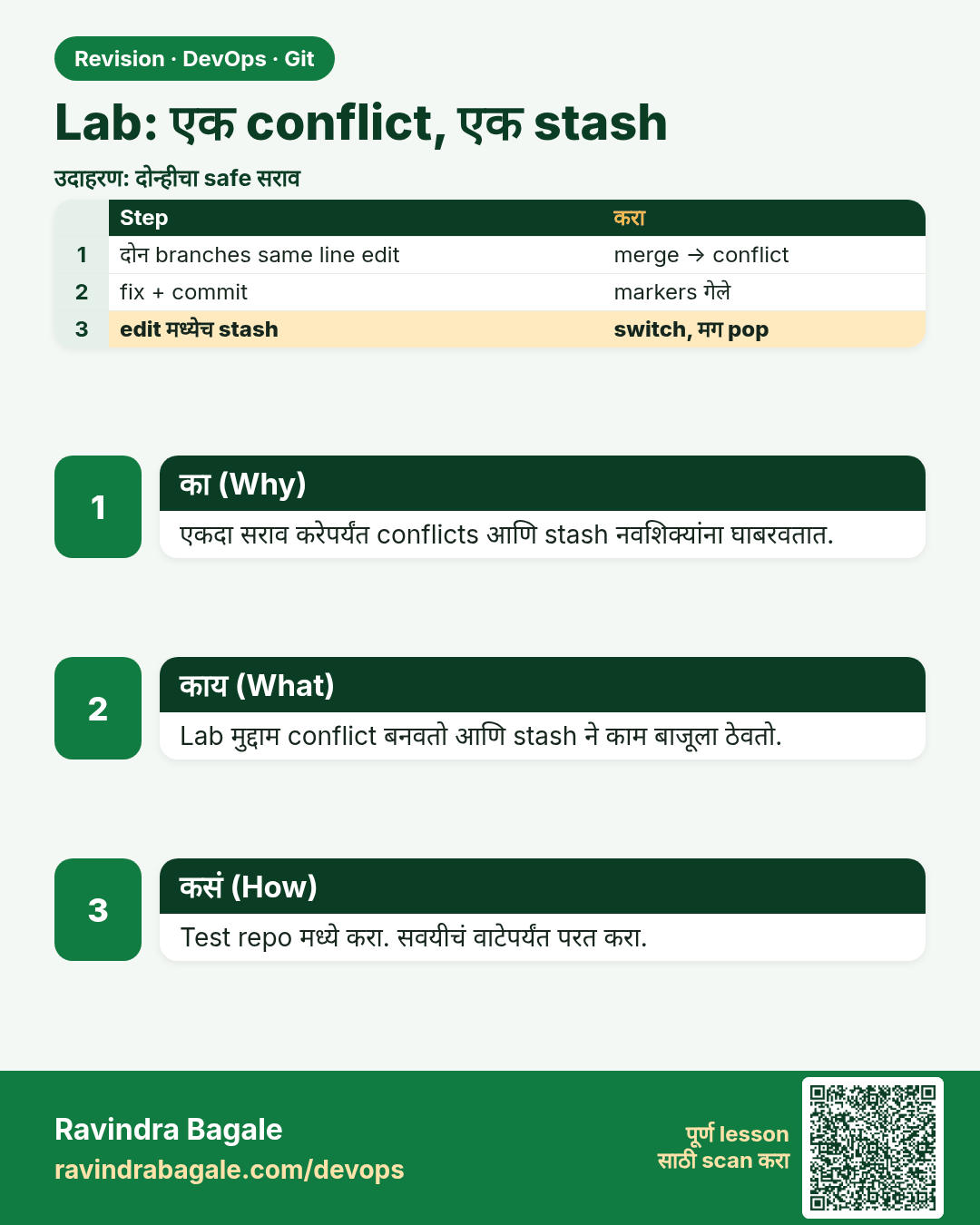
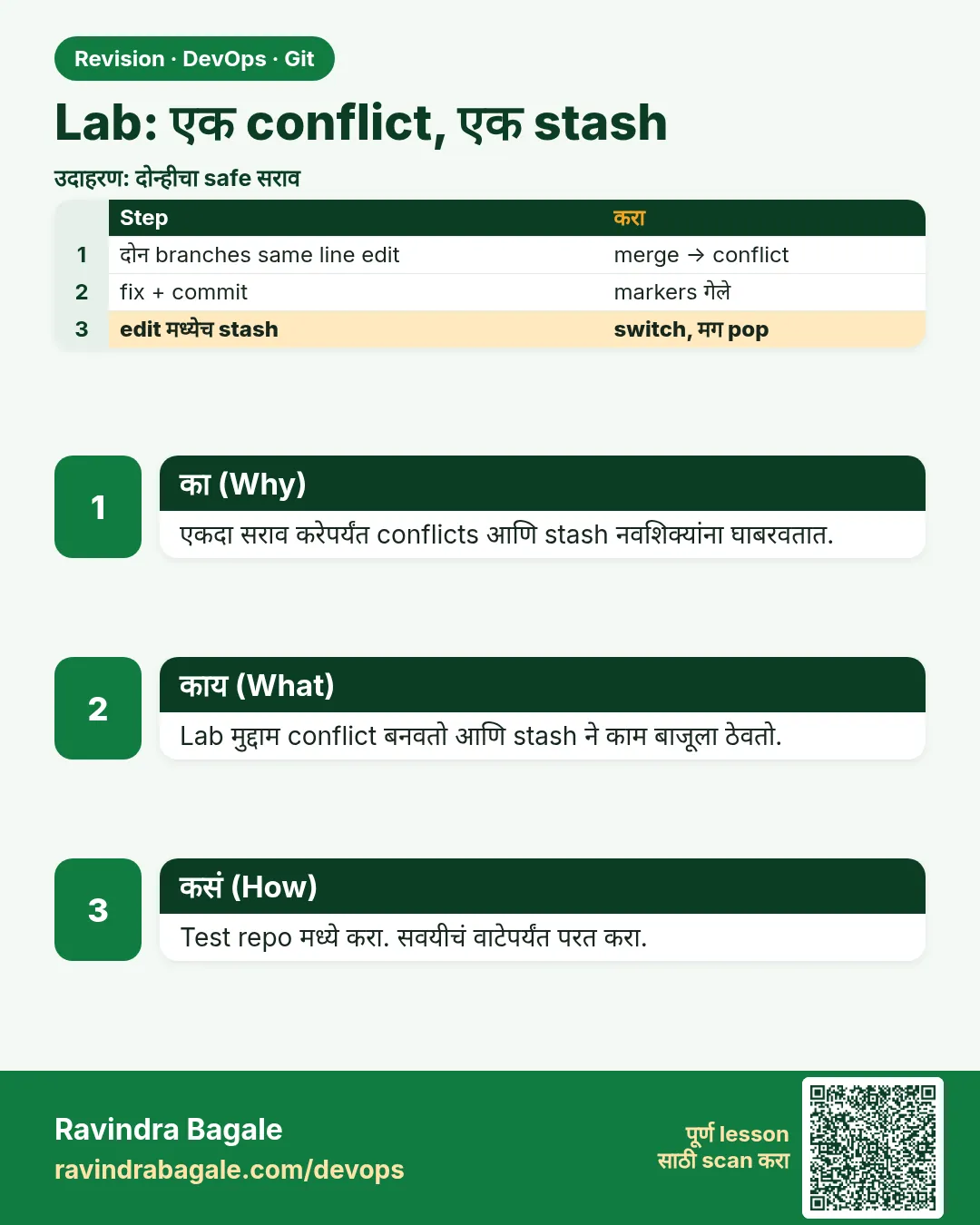 उजळणी (Revision) card 15 of 15: Lab: एक conflict, एक stash · PNG download करा · Card page उघडा
Lesson: 3.15 Lab — colour, one conflict, one stash
मुलाखत (Interview) cards
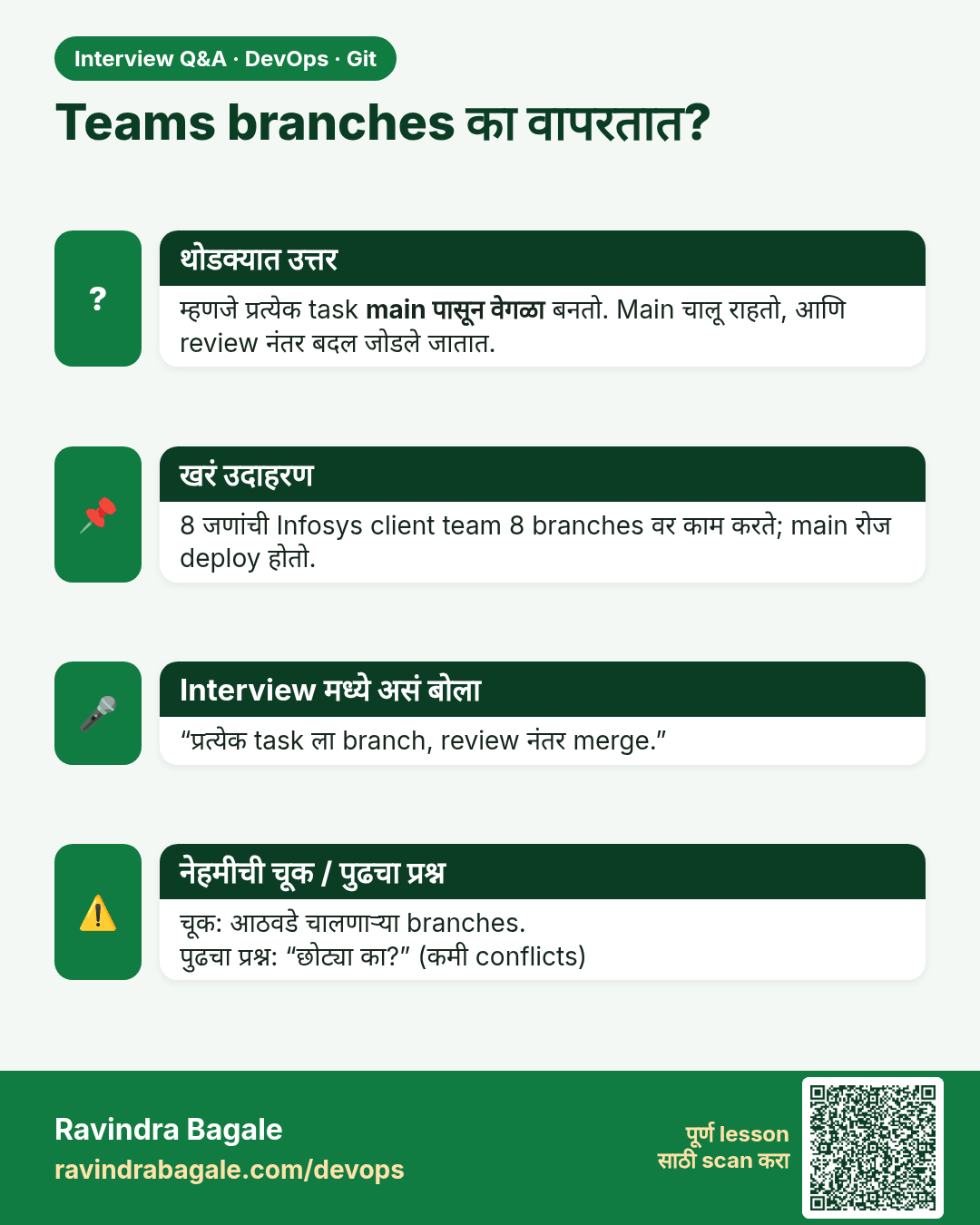
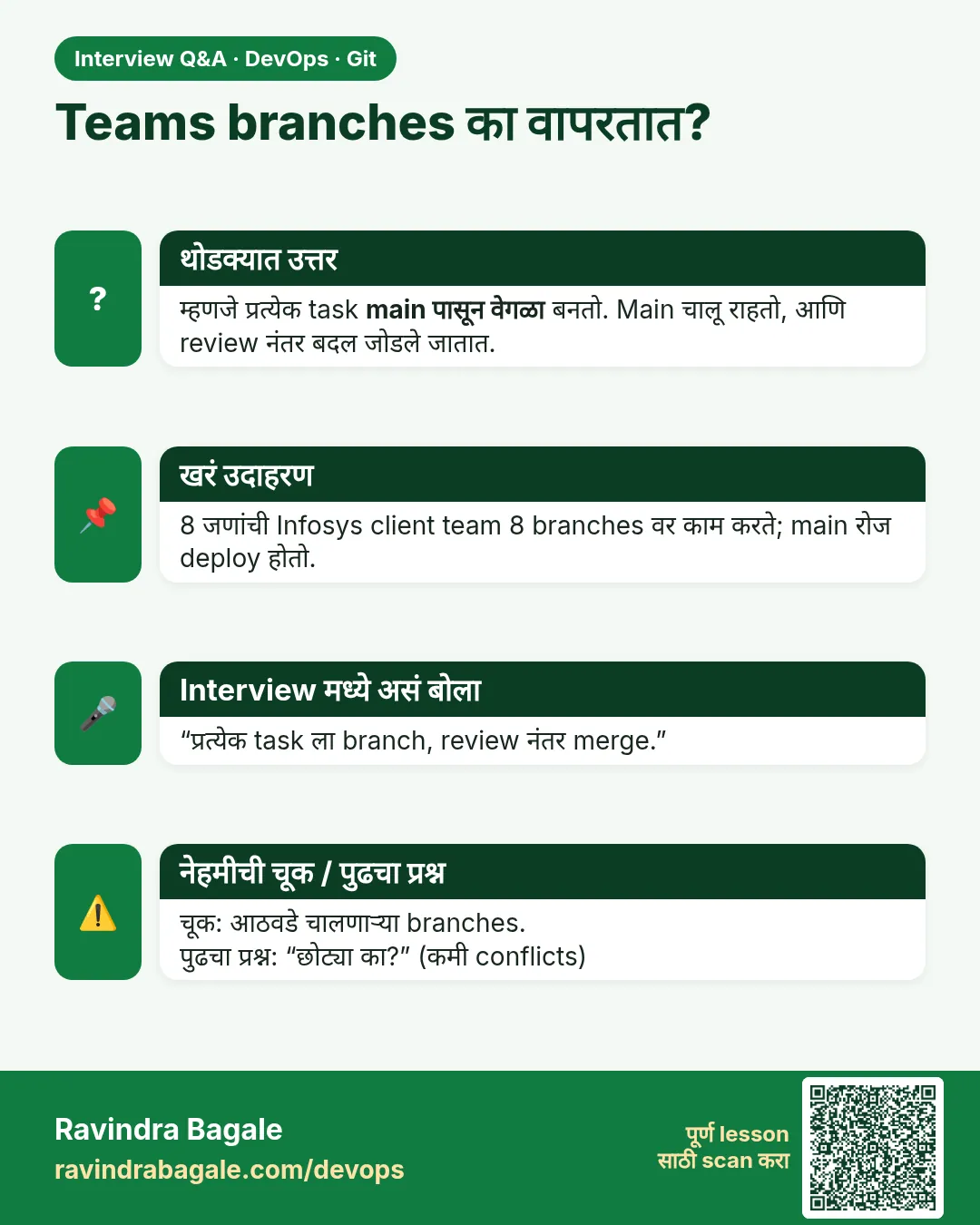 मुलाखत (Interview) card 1 of 15: Teams branches का वापरतात? · PNG download करा · Card page उघडा
Lesson: 3.1 Why branches — two developers, one shared app
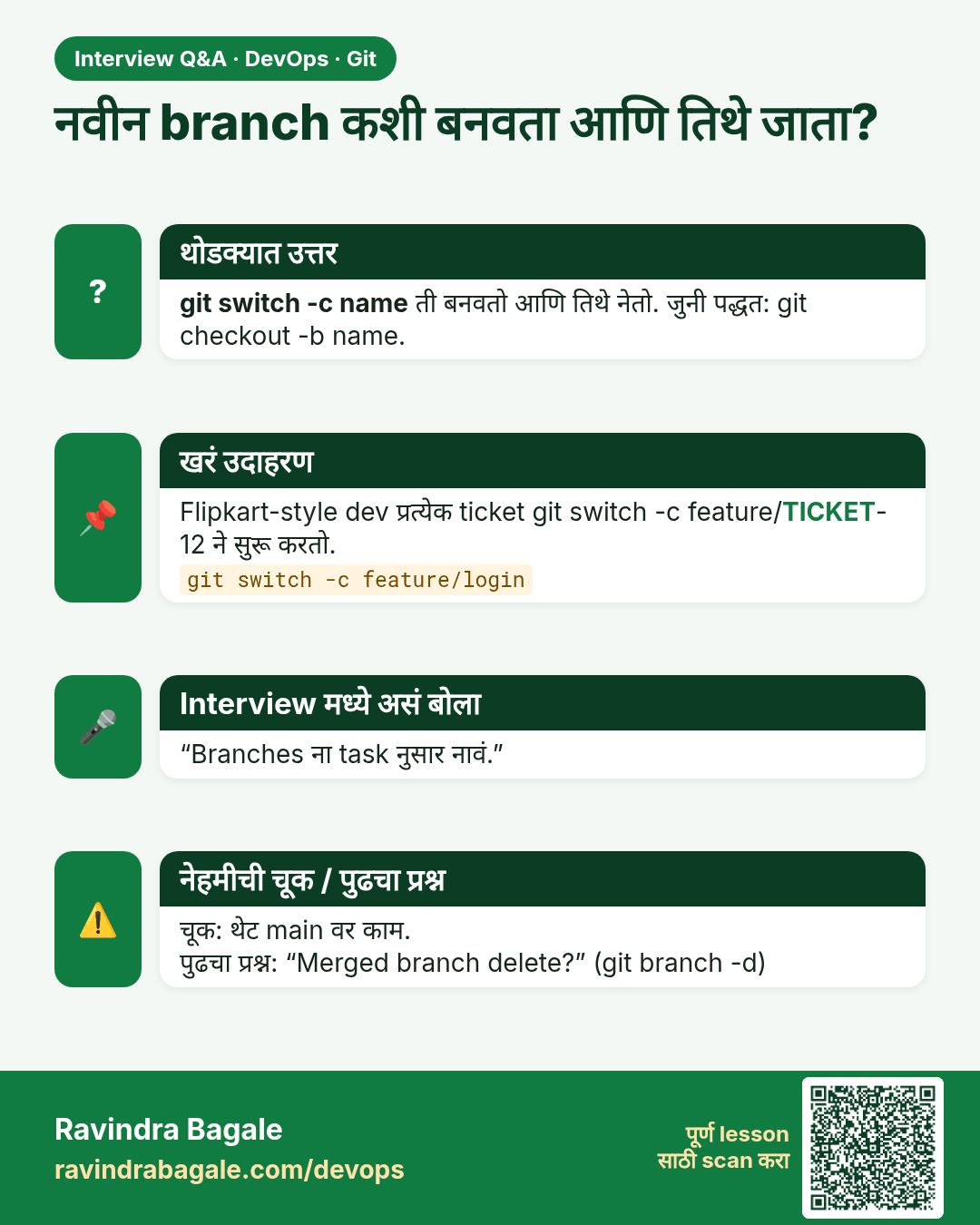
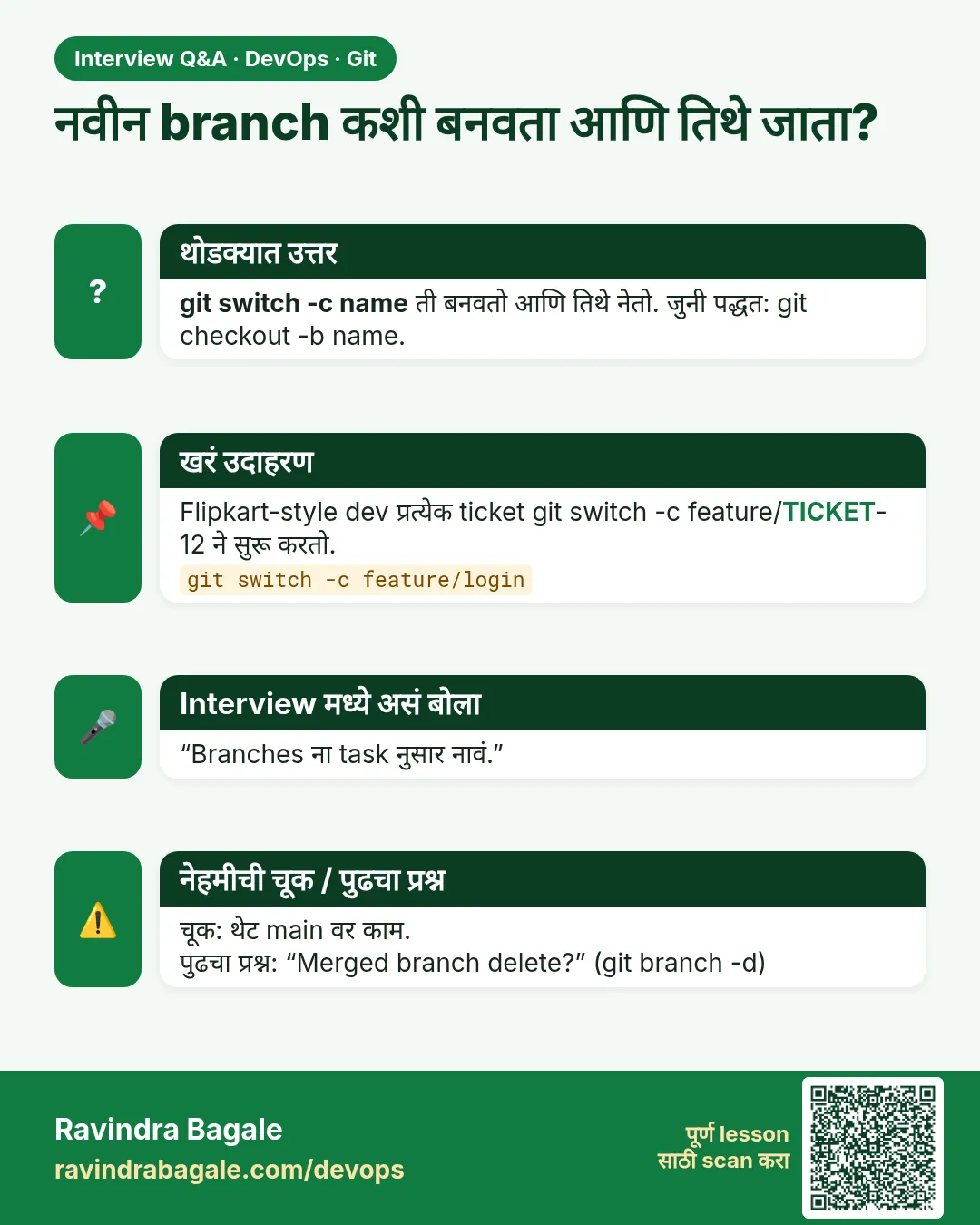 मुलाखत (Interview) card 2 of 15: नवीन branch कशी बनवता आणि तिथे जाता? · PNG download करा · Card page उघडा
Lesson: 3.2 branch, switch, list, delete
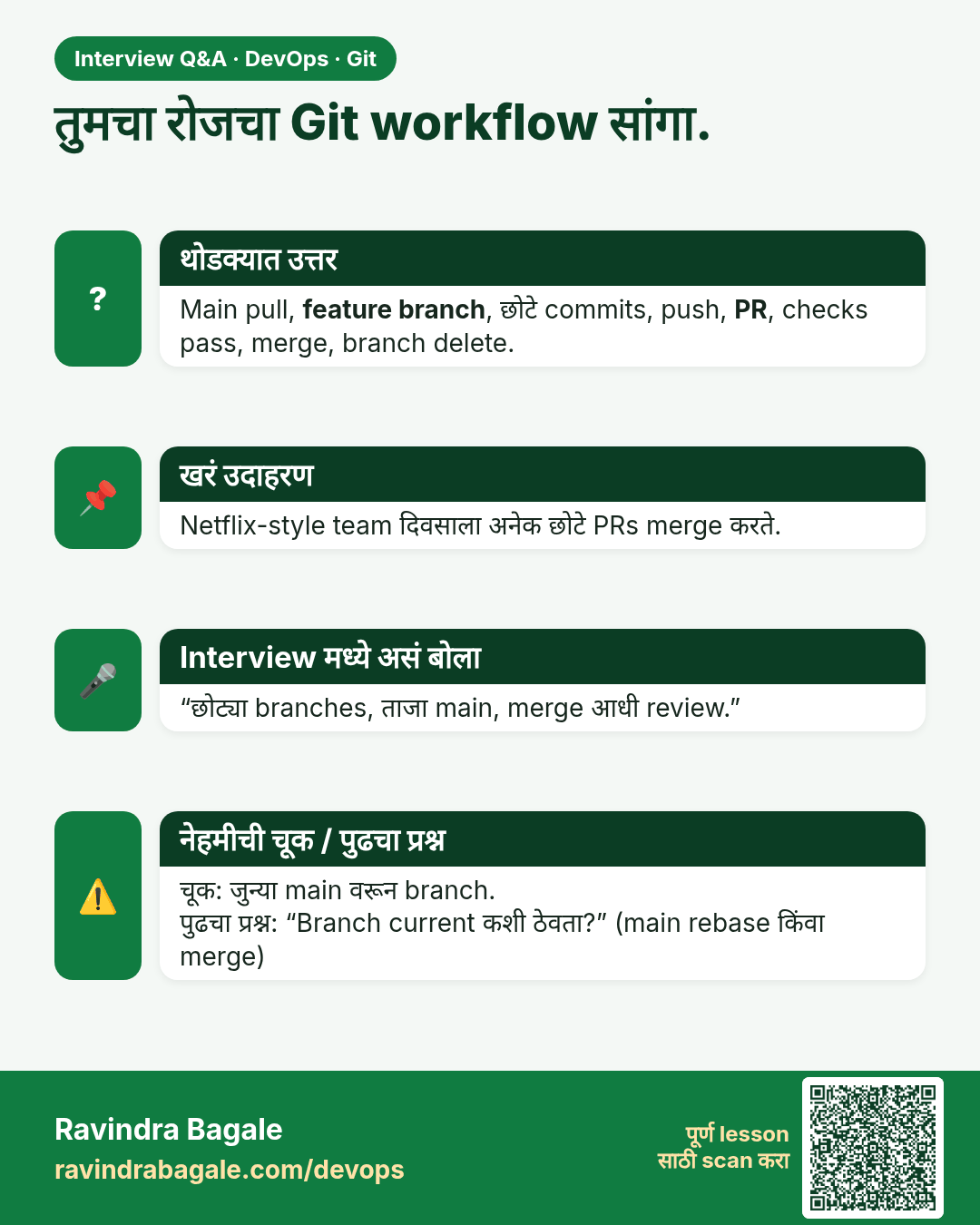
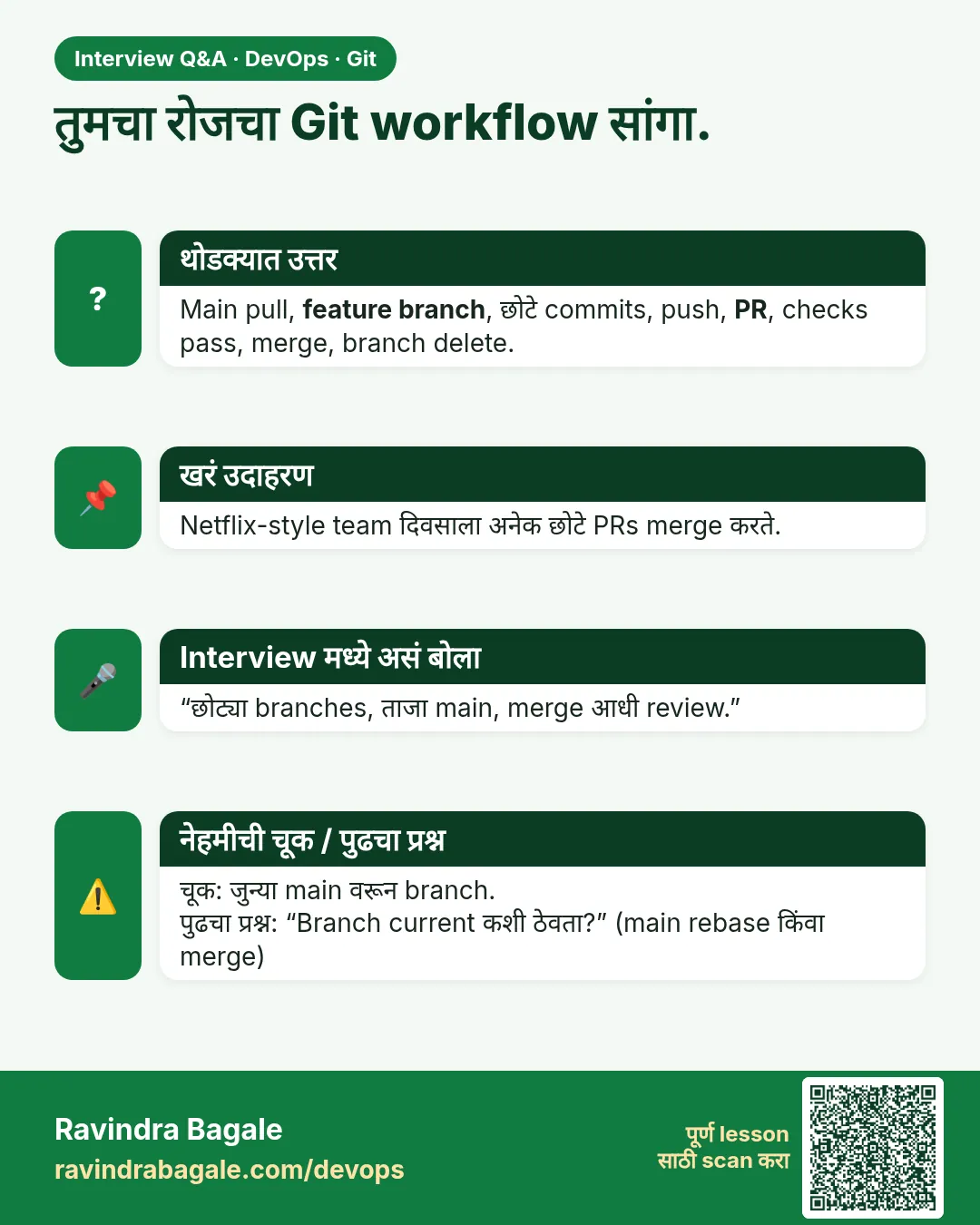 मुलाखत (Interview) card 3 of 15: तुमचा रोजचा Git workflow सांगा. · PNG download करा · Card page उघडा
Lesson: 3.3 Feature-branch workflow (the daily loop)
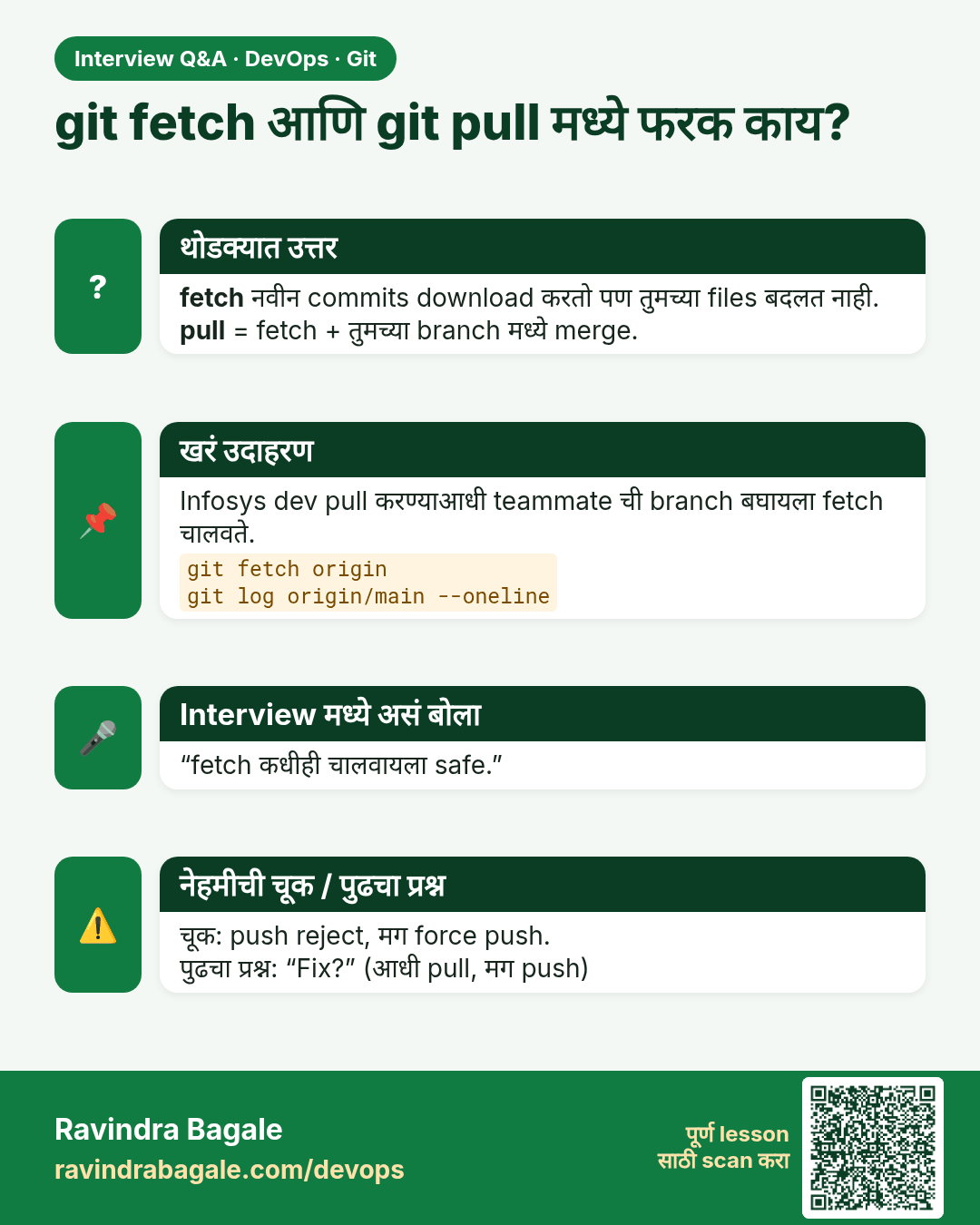
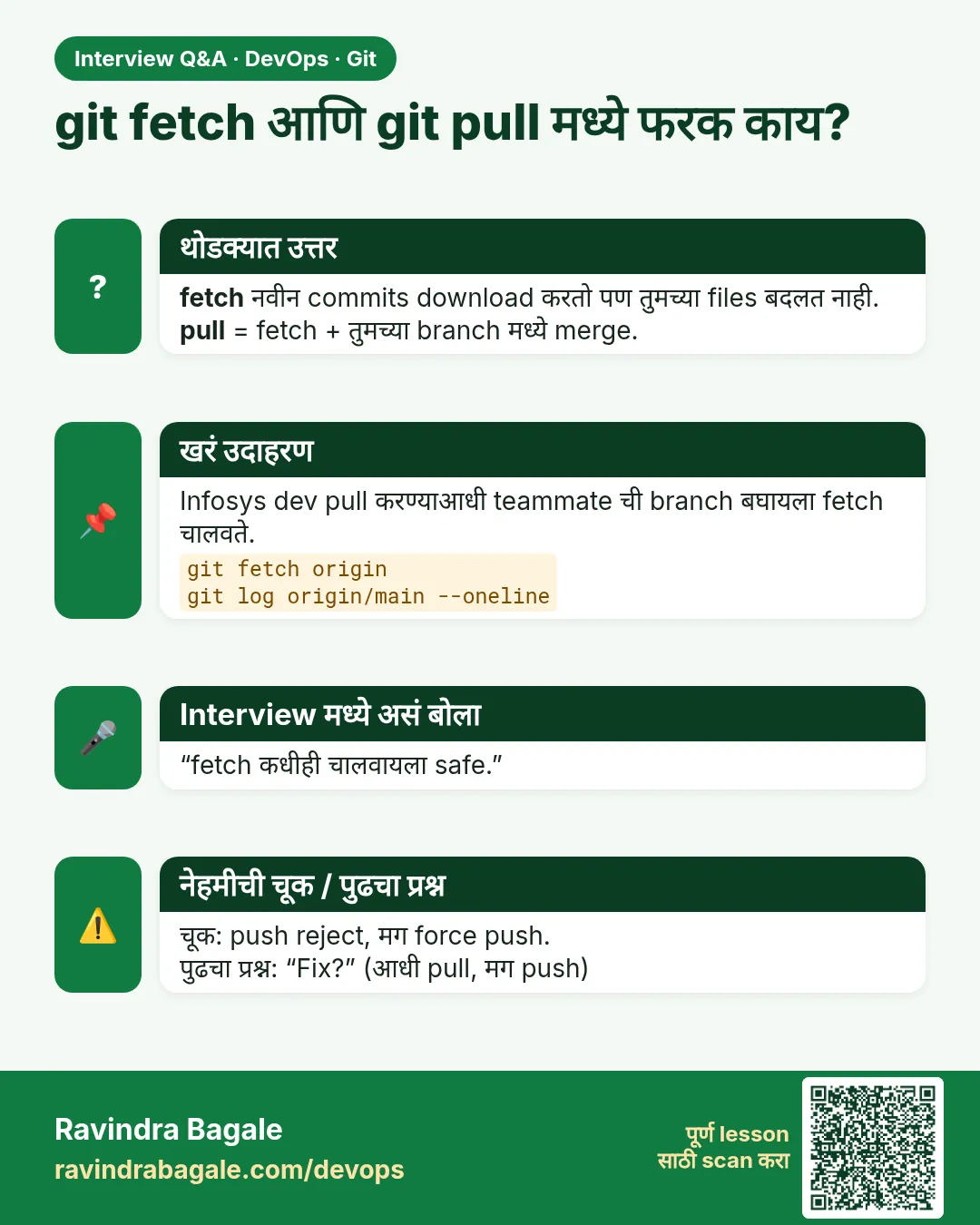 मुलाखत (Interview) card 4 of 15: git fetch आणि git pull मध्ये फरक काय? · PNG download करा · Card page उघडा
Lesson: 3.4 Fetch vs pull vs push
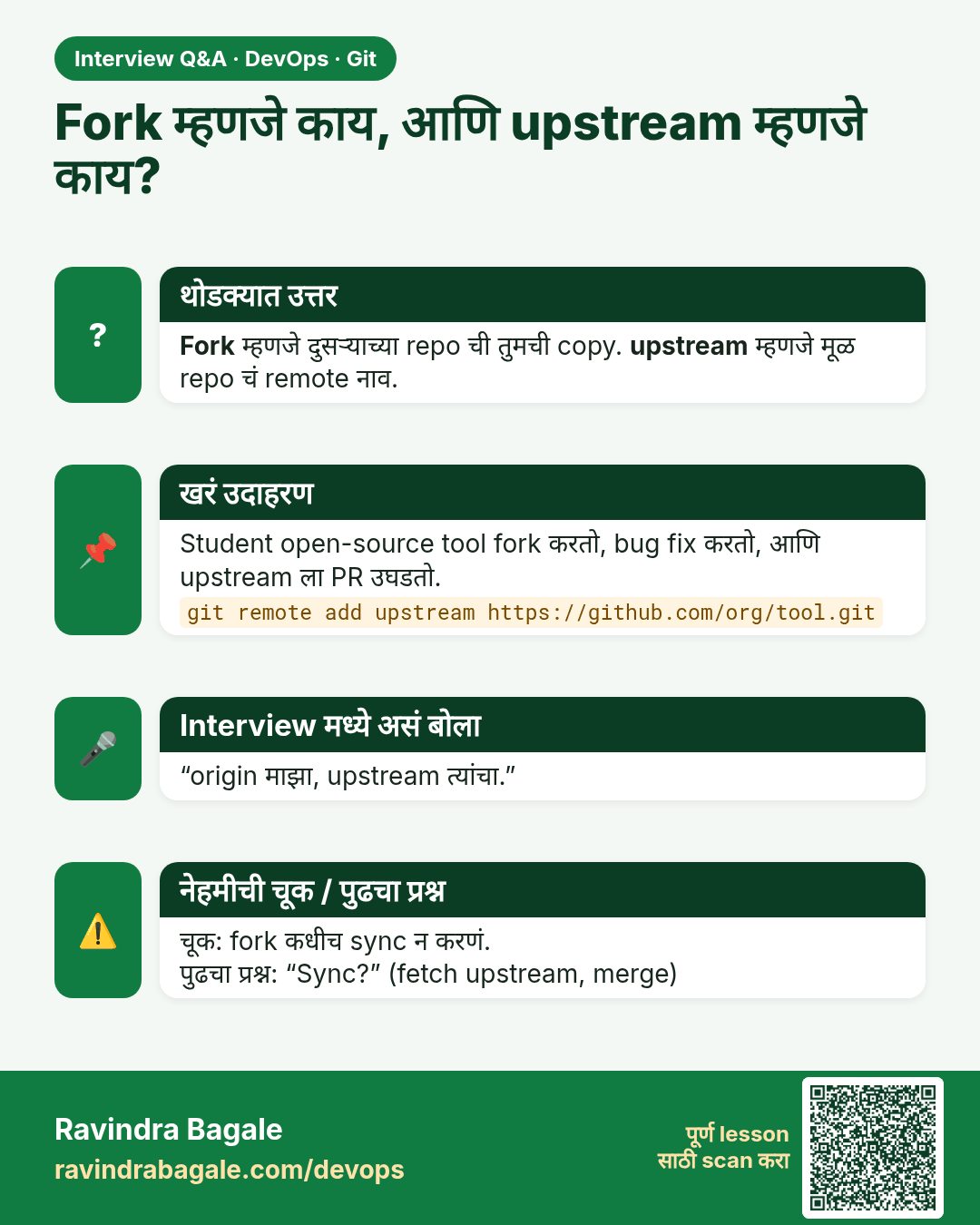
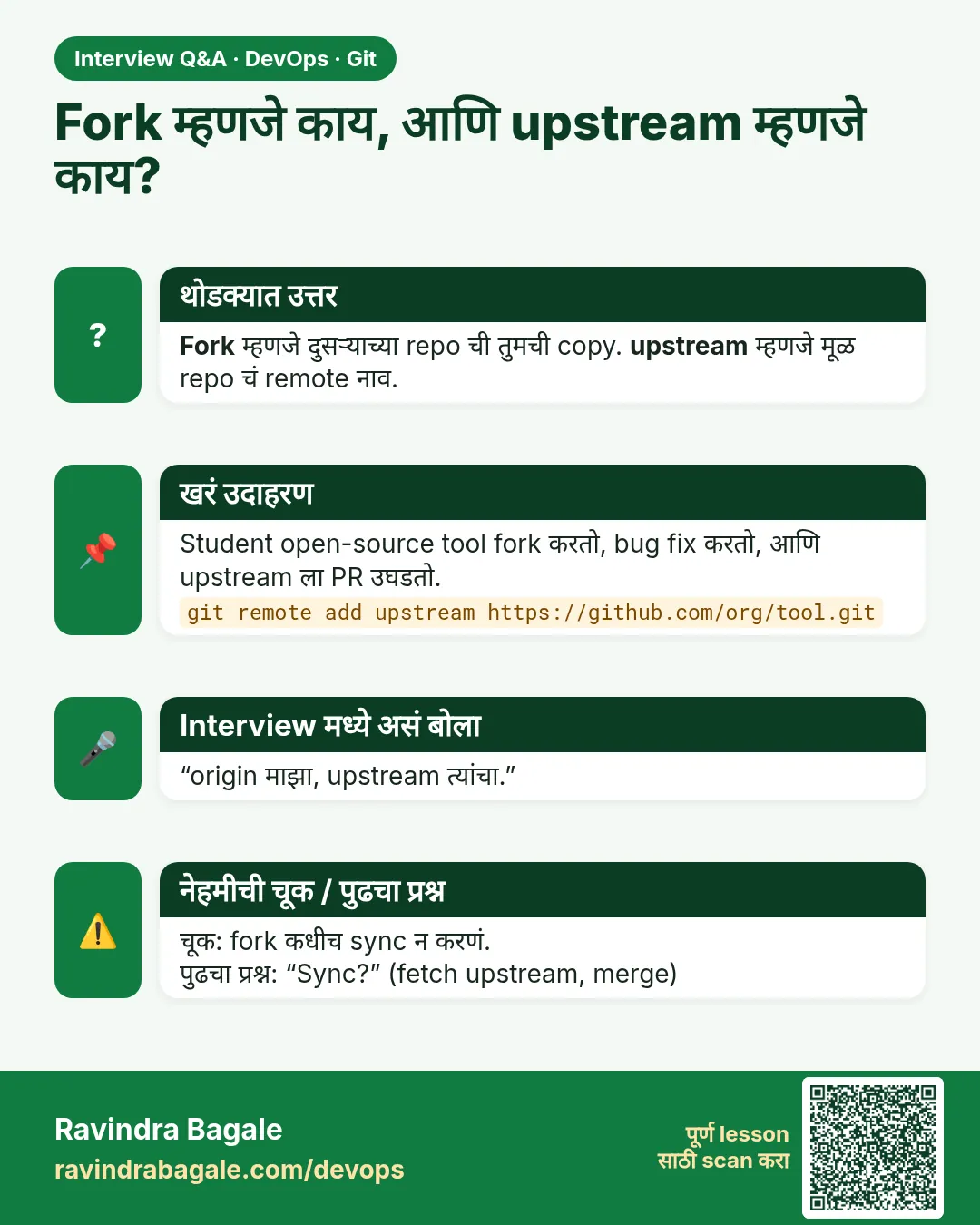 मुलाखत (Interview) card 5 of 15: Fork म्हणजे काय, आणि upstream म्हणजे काय? · PNG download करा · Card page उघडा
Lesson: 3.5 Fork, upstream, and the pull request
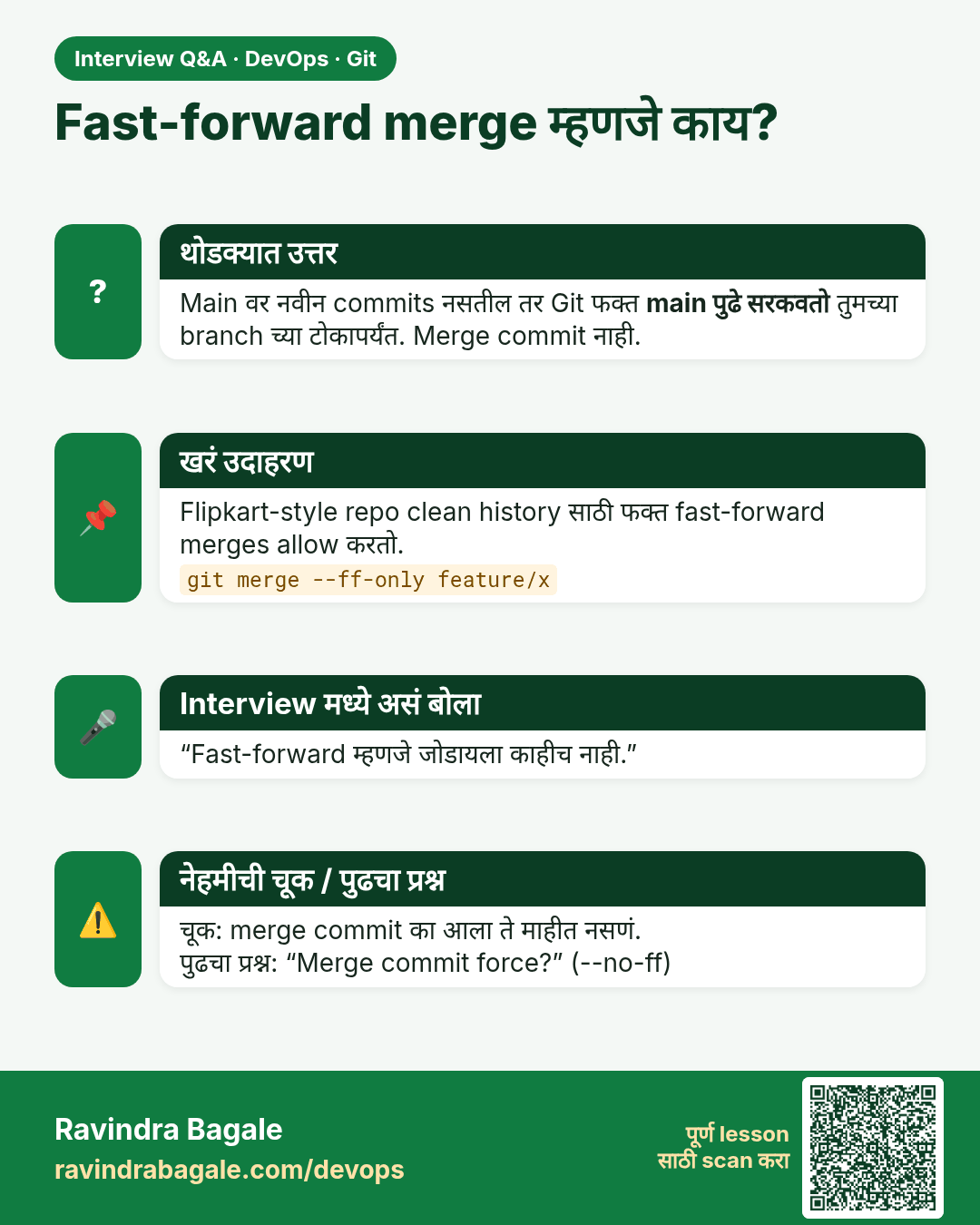
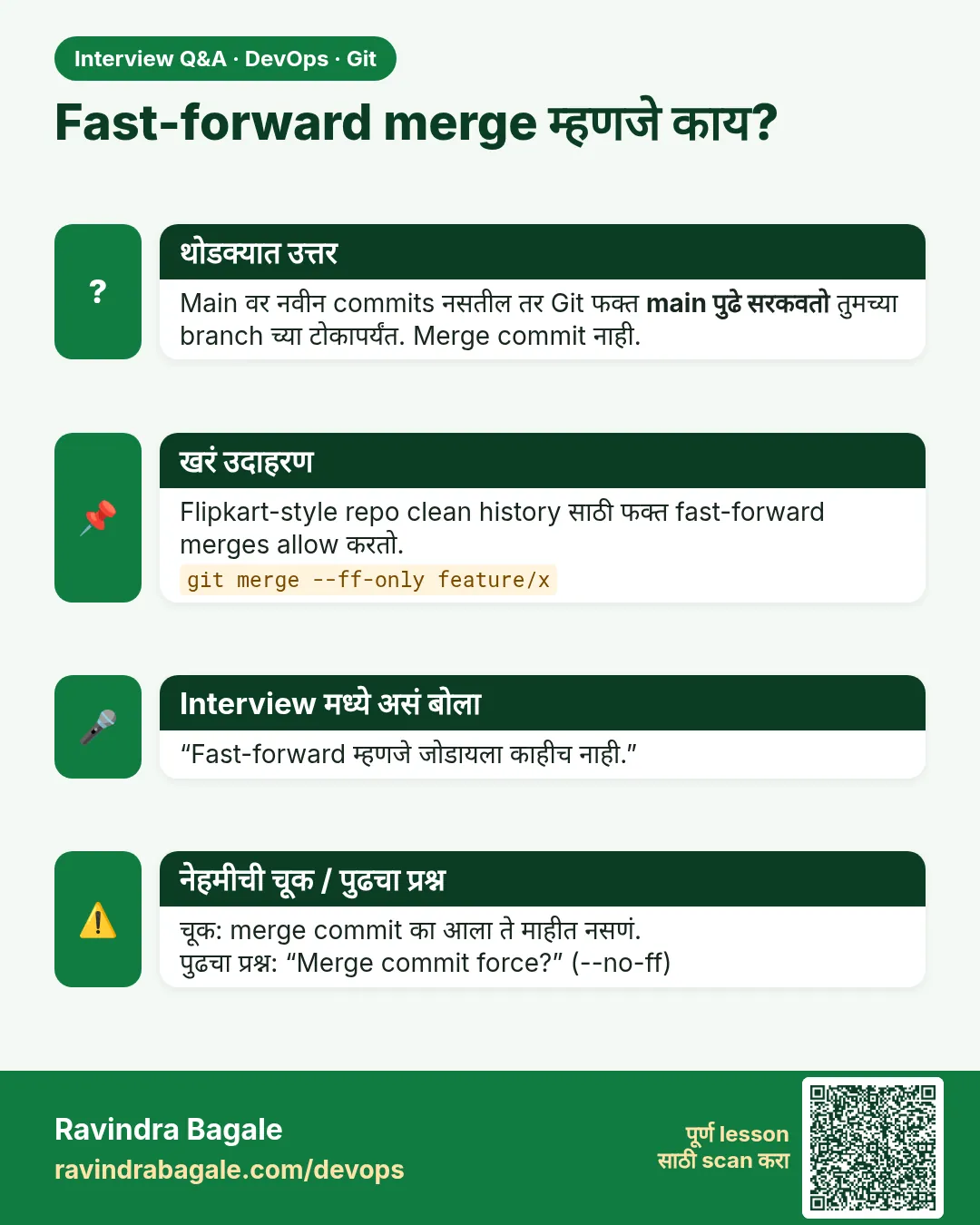 मुलाखत (Interview) card 6 of 15: Fast-forward merge म्हणजे काय? · PNG download करा · Card page उघडा
Lesson: 3.6 Merge — fast-forward and a merge commit
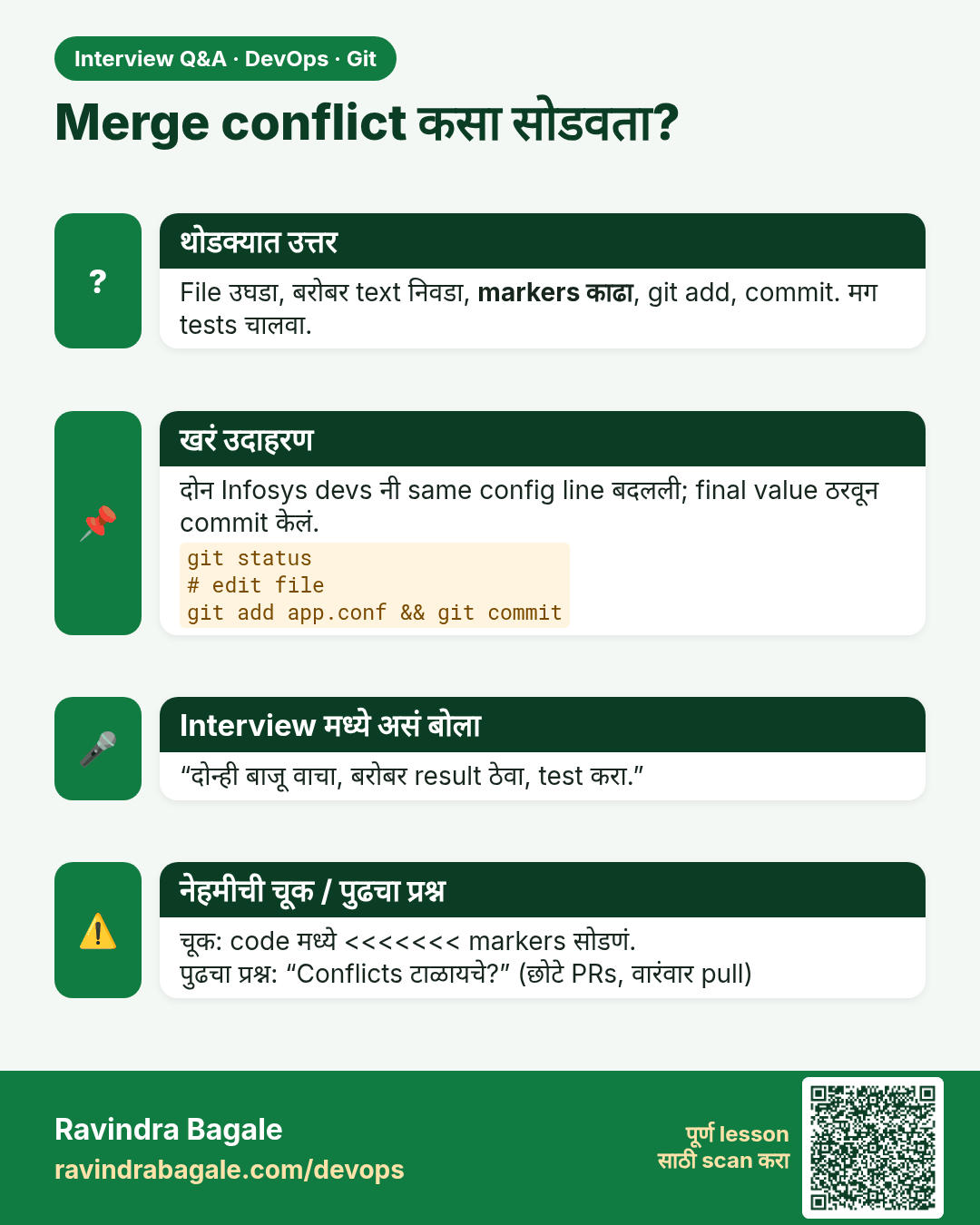
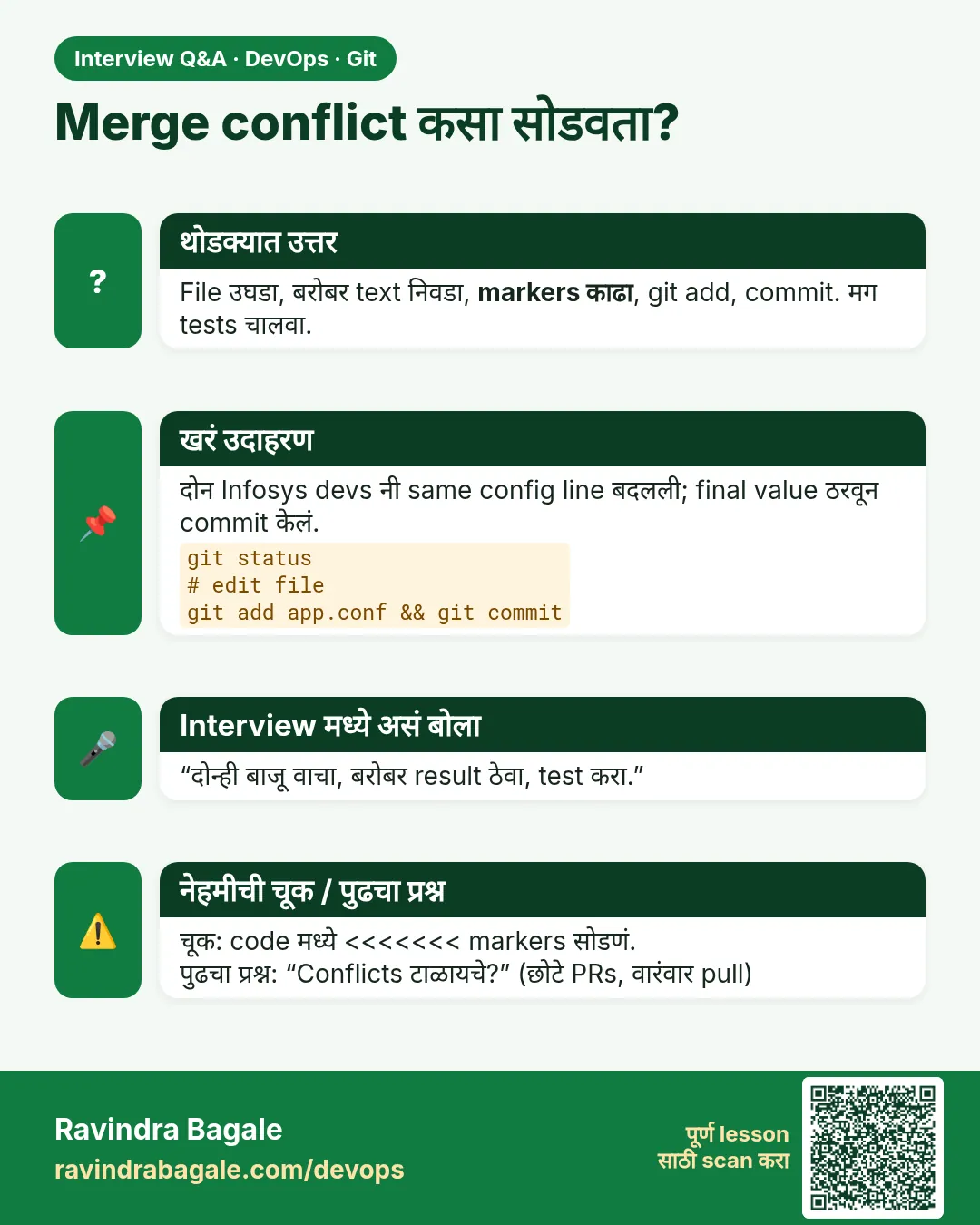 मुलाखत (Interview) card 7 of 15: Merge conflict कसा सोडवता? · PNG download करा · Card page उघडा
Lesson: 3.7 A conflict, line by line
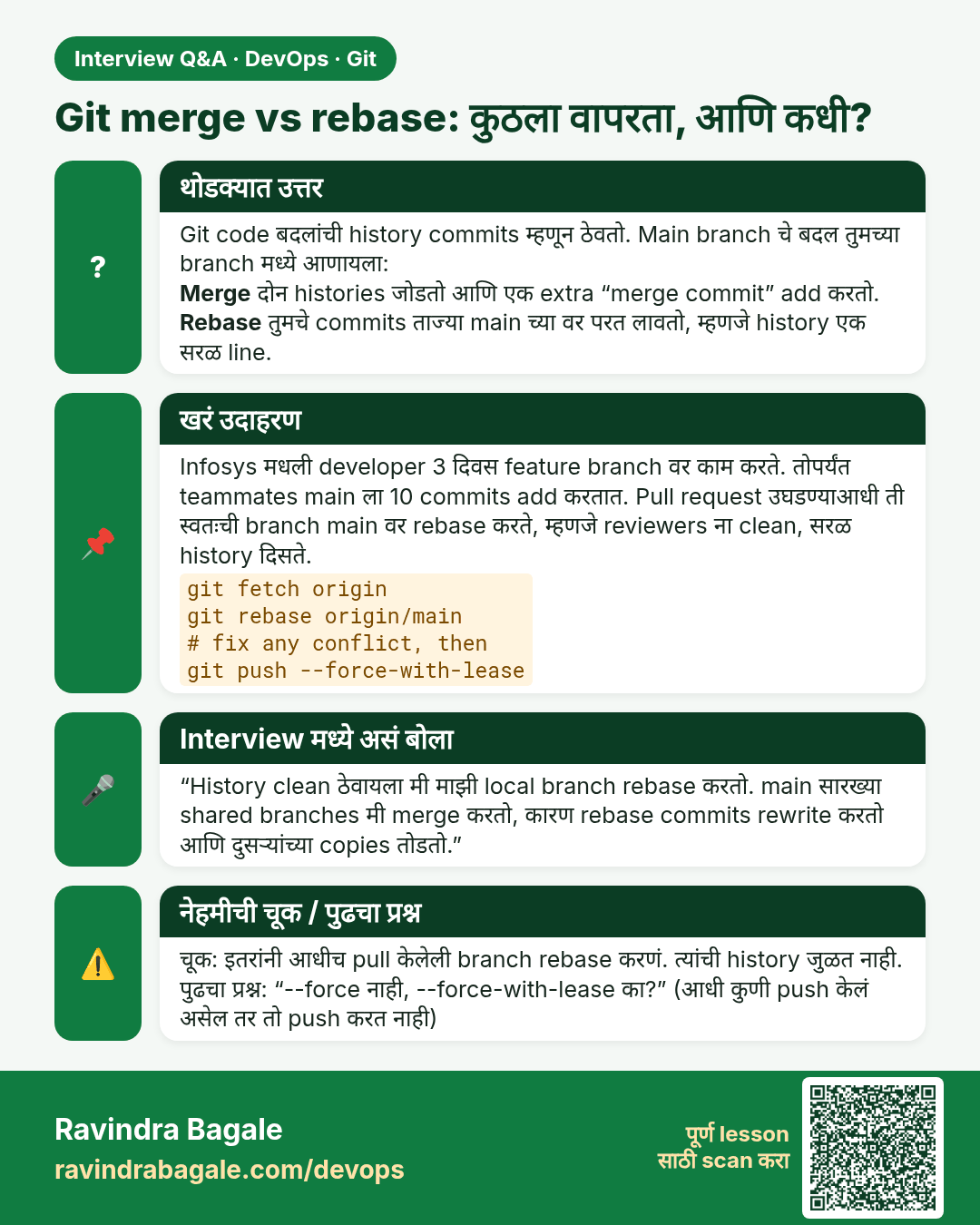
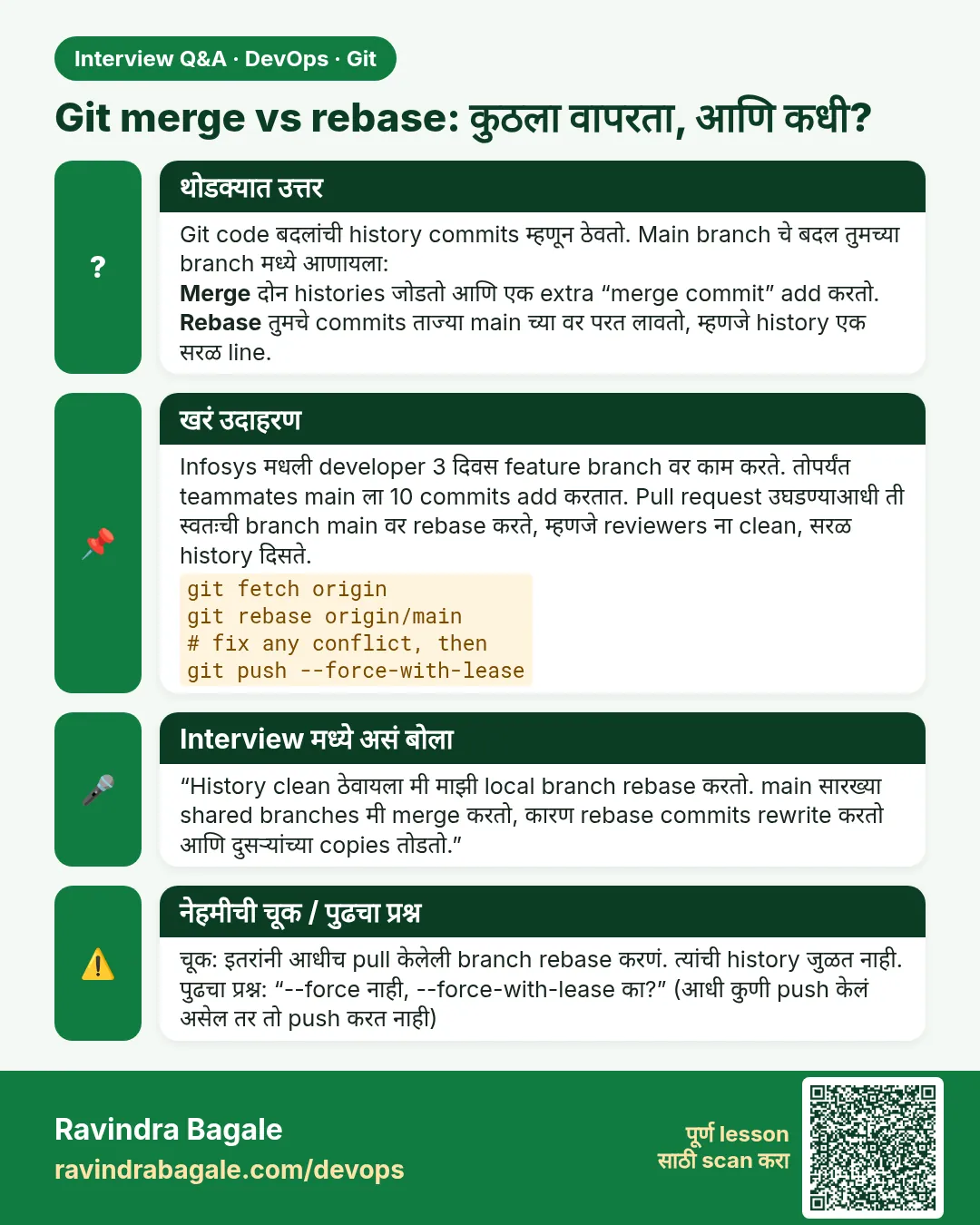 मुलाखत (Interview) card 8 of 15: Git merge vs rebase: कुठला वापरता, आणि कधी? · PNG download करा · Card page उघडा
Lesson: 3.8 Rebase when it is safe — and when to merge instead
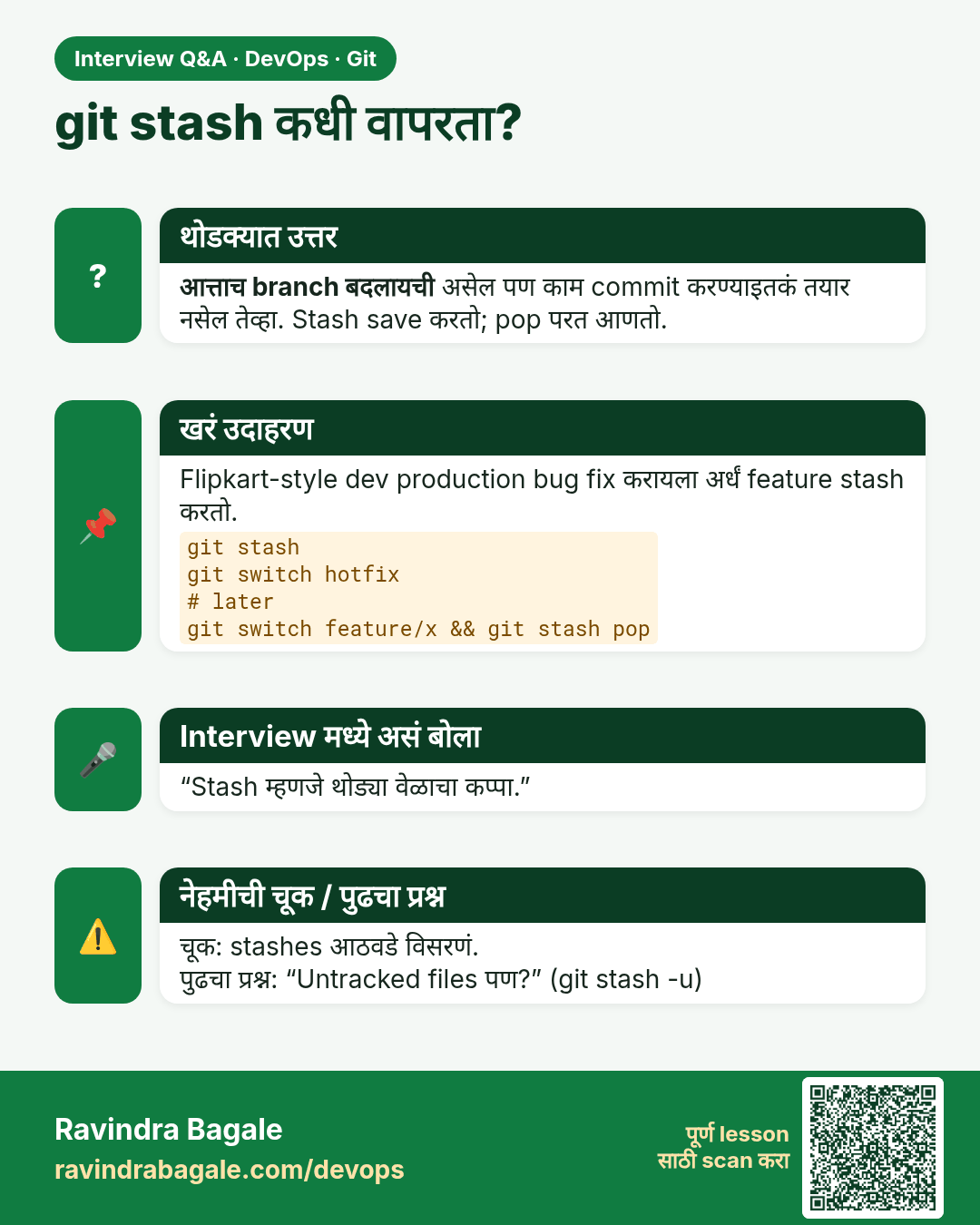
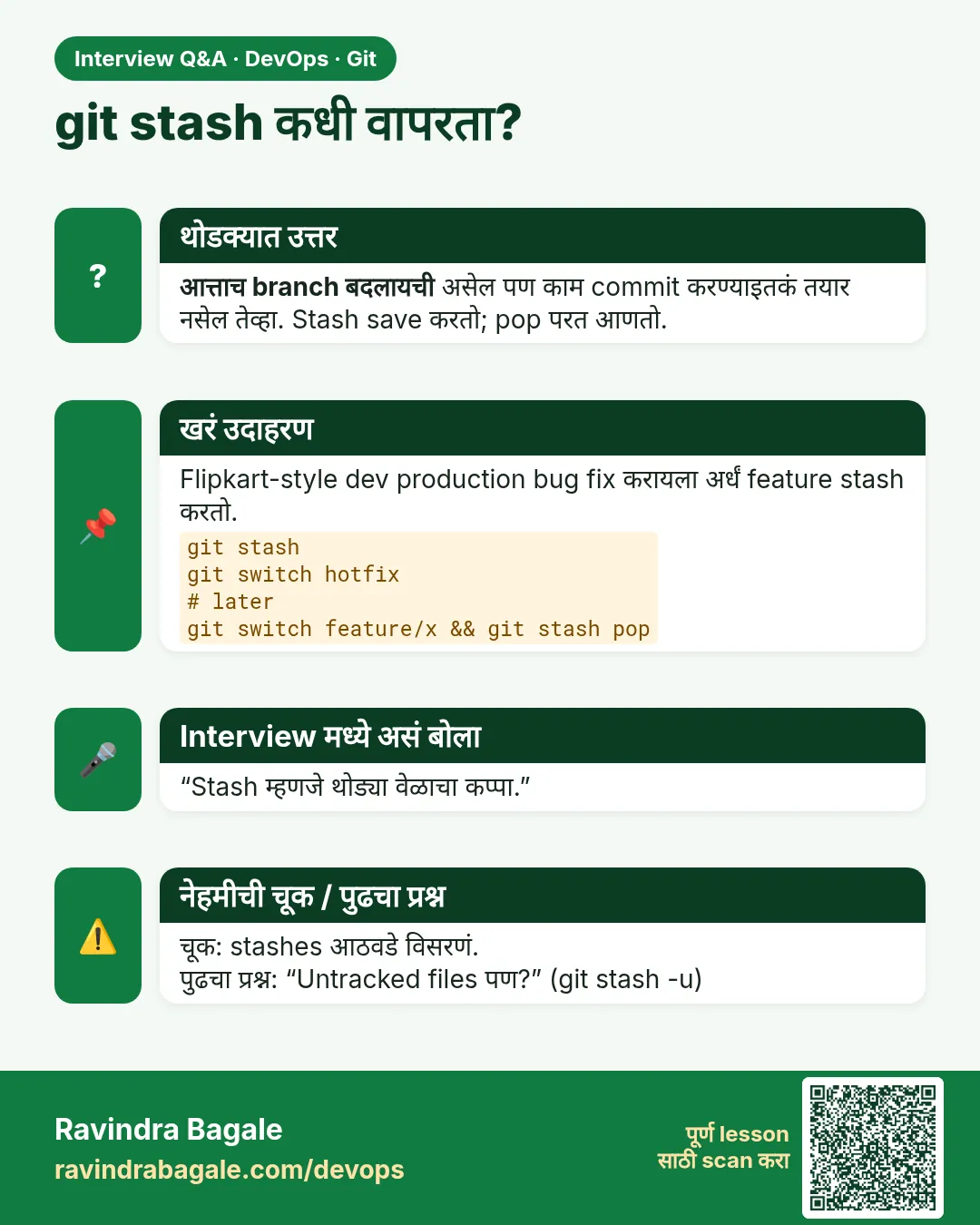 मुलाखत (Interview) card 9 of 15: git stash कधी वापरता? · PNG download करा · Card page उघडा
Lesson: 3.9 Stash — park the unfinished edit
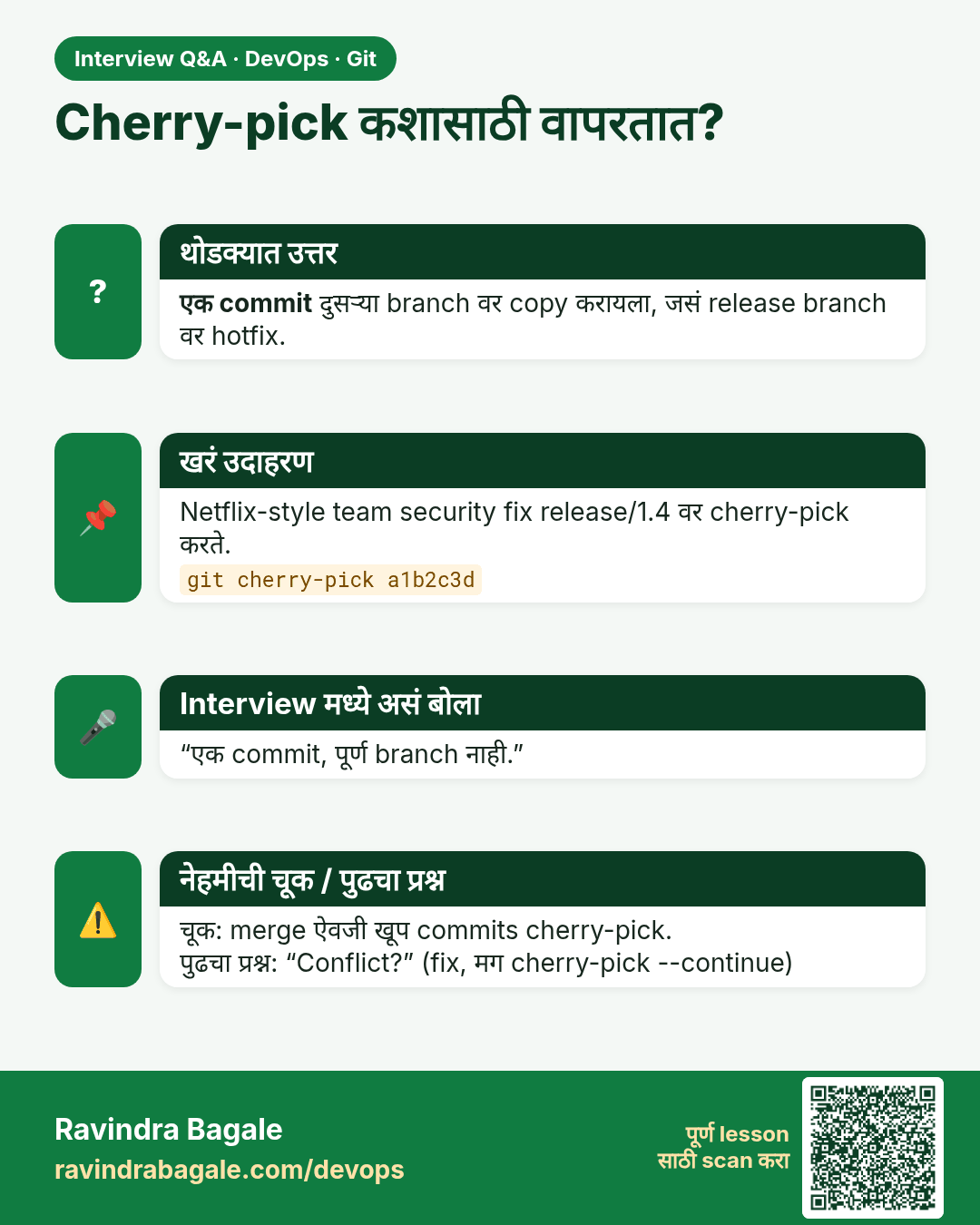
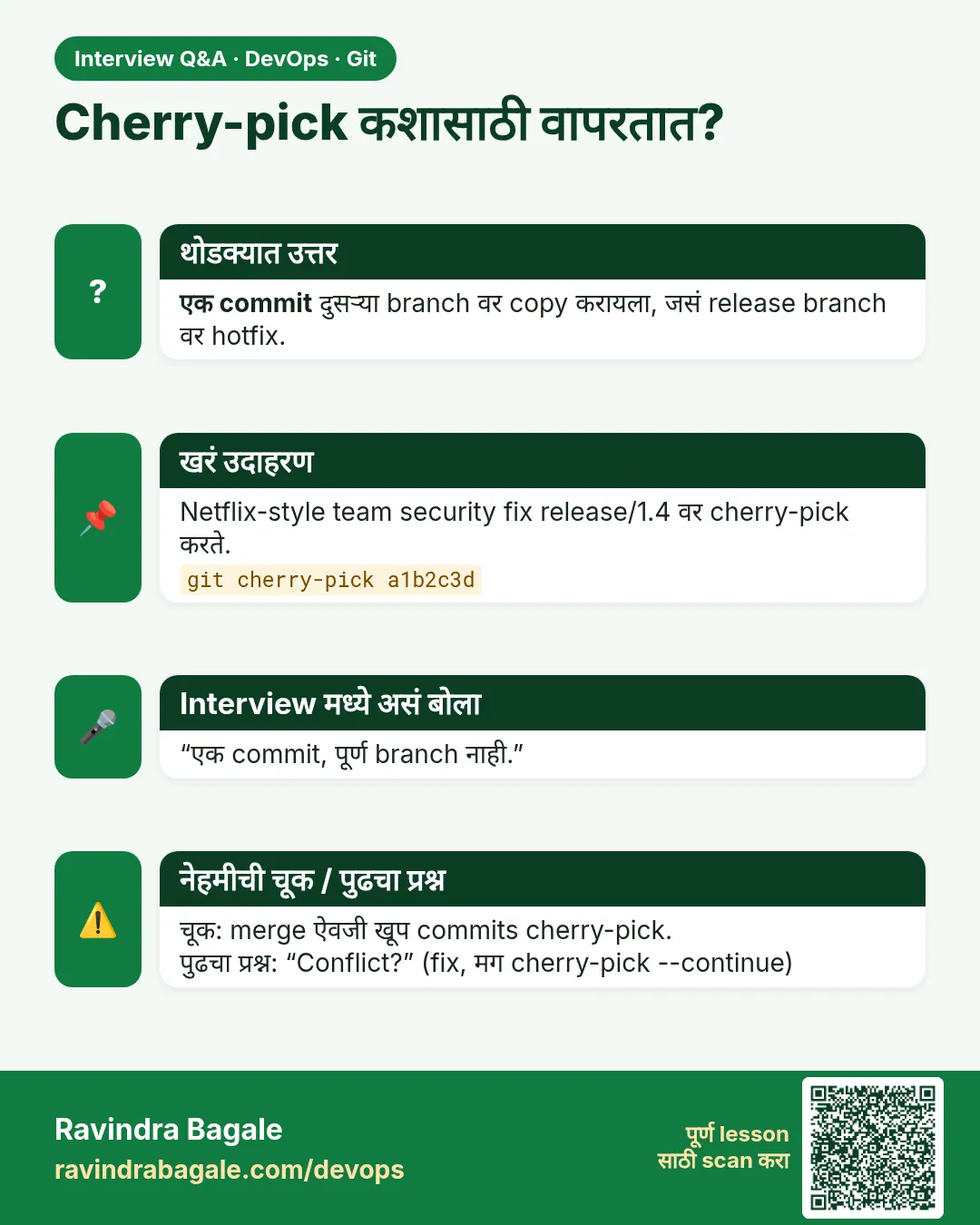 मुलाखत (Interview) card 10 of 15: Cherry-pick कशासाठी वापरतात? · PNG download करा · Card page उघडा
Lesson: 3.10 Cherry-pick one commit
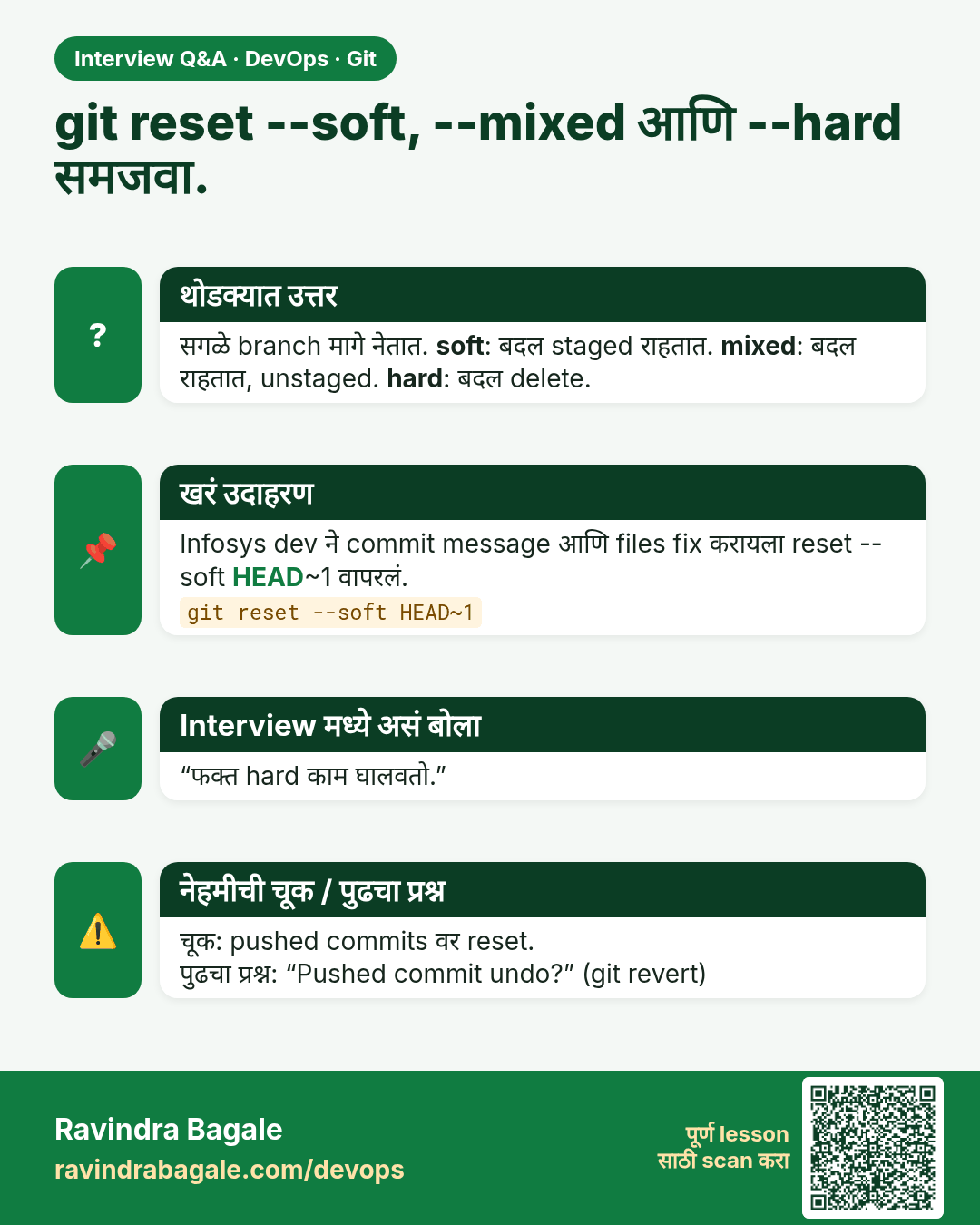
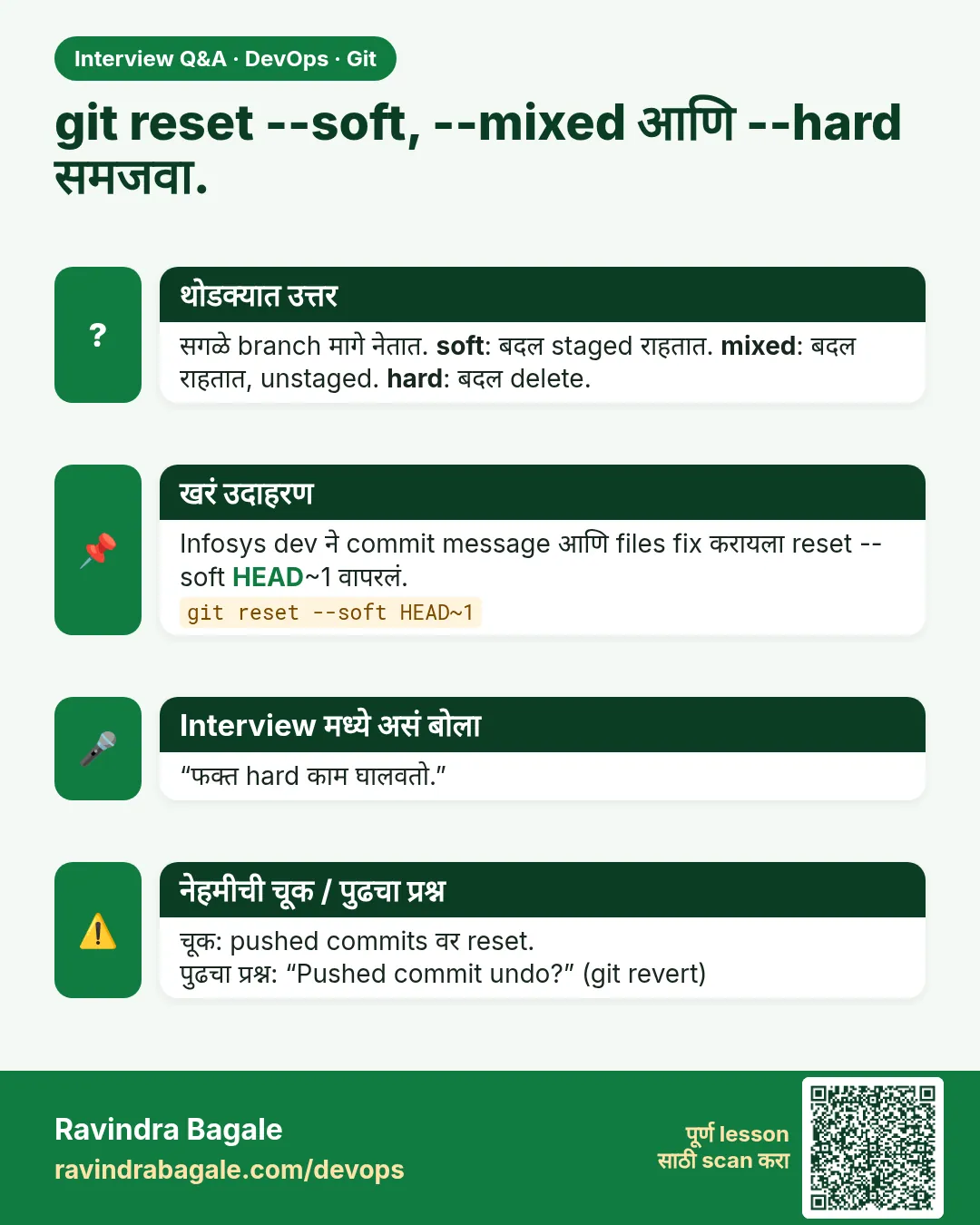 मुलाखत (Interview) card 11 of 15: git reset --soft, --mixed आणि --hard समजवा. · PNG download करा · Card page उघडा
Lesson: 3.11 reset --soft, --mixed and --hard
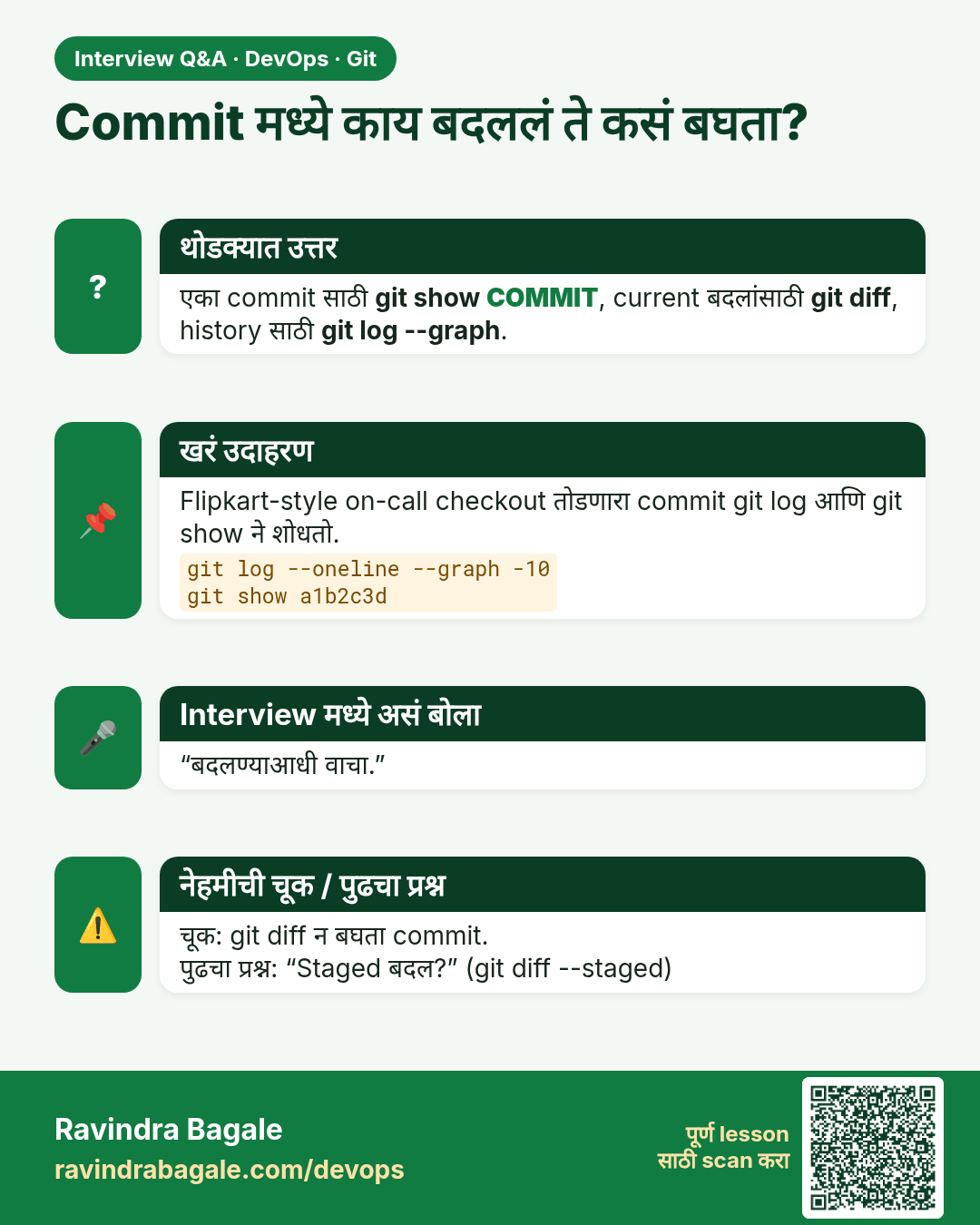
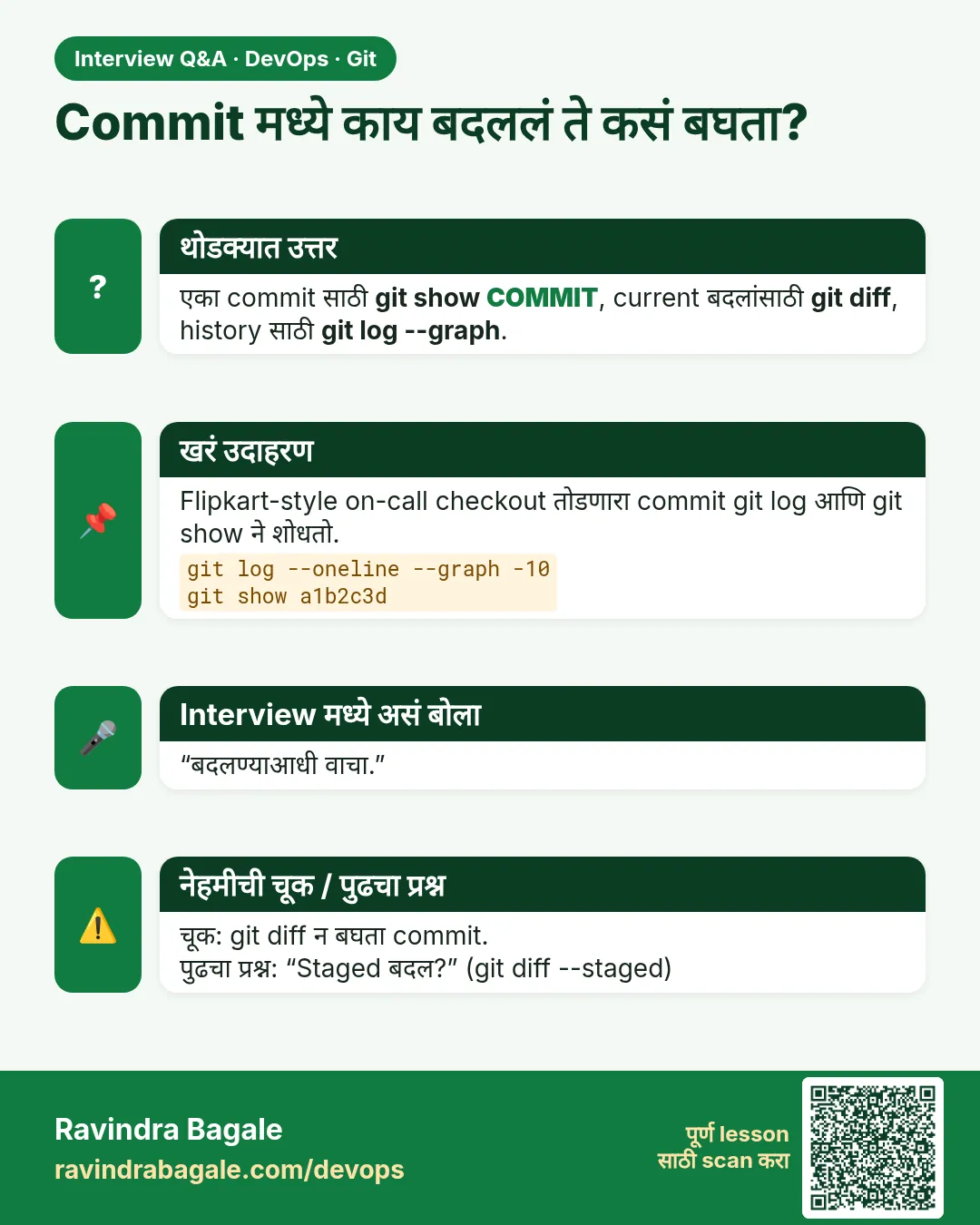 मुलाखत (Interview) card 12 of 15: Commit मध्ये काय बदललं ते कसं बघता? · PNG download करा · Card page उघडा
Lesson: 3.12 log --graph, diff and show
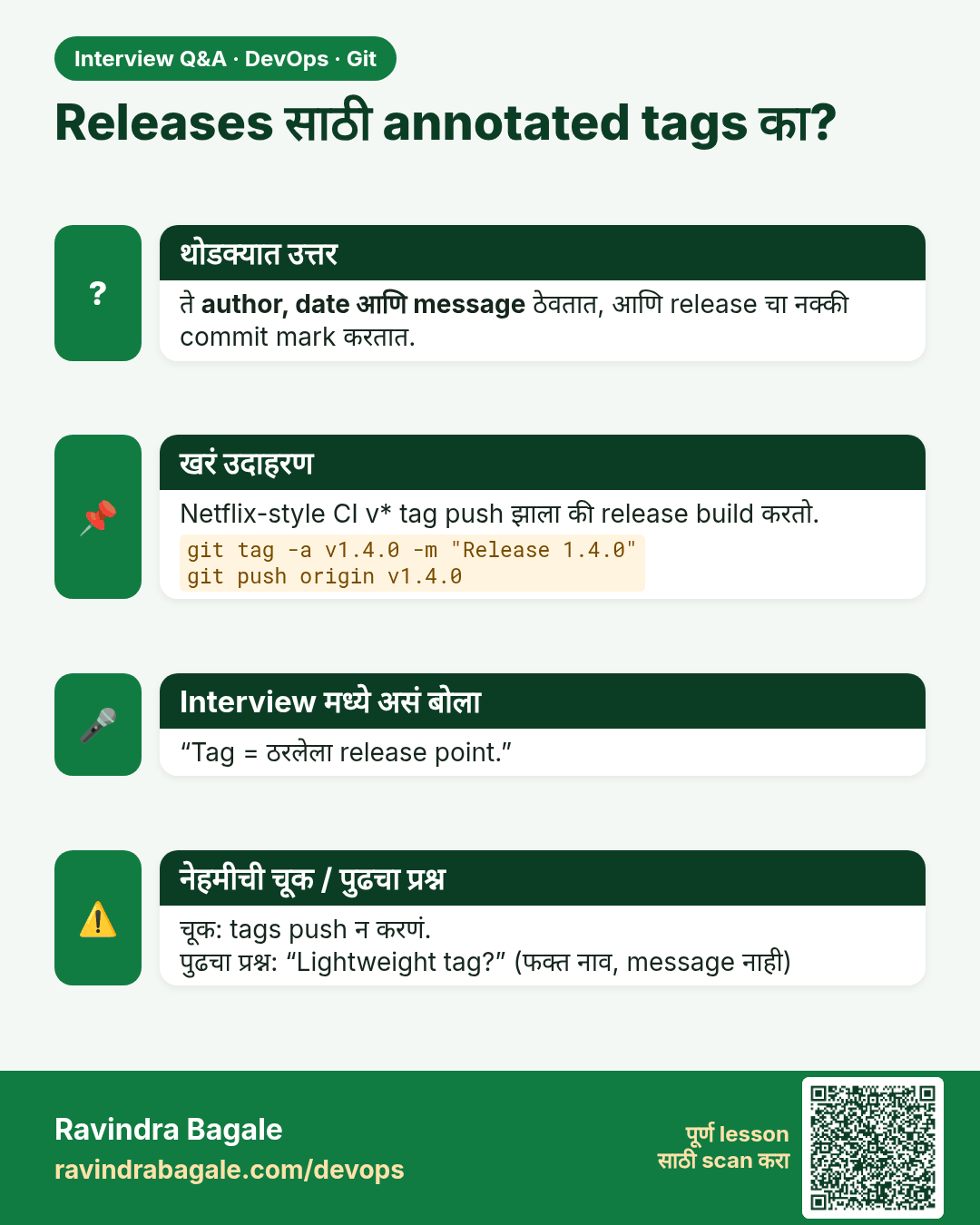
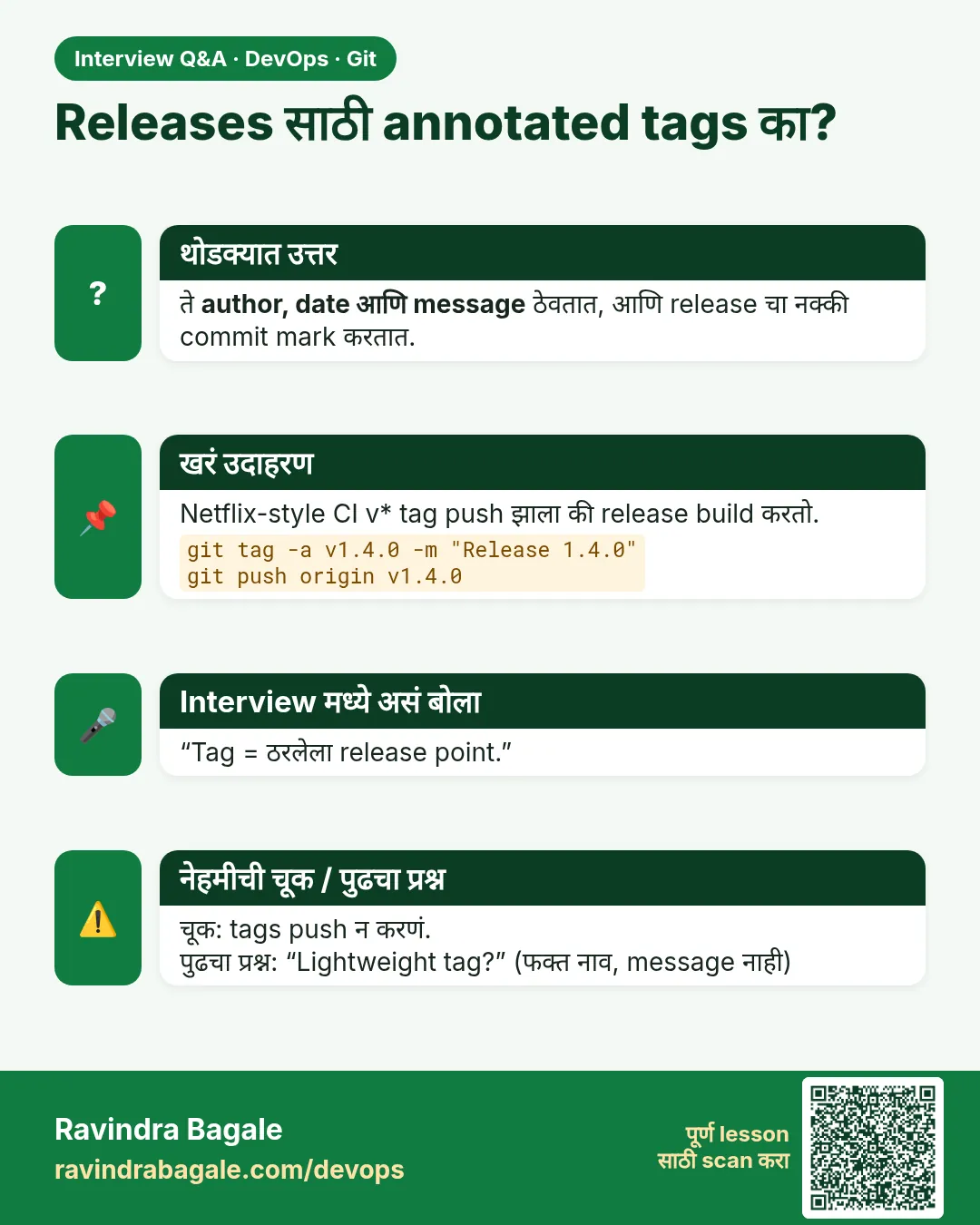 मुलाखत (Interview) card 13 of 15: Releases साठी annotated tags का? · PNG download करा · Card page उघडा
Lesson: 3.13 Annotated tags
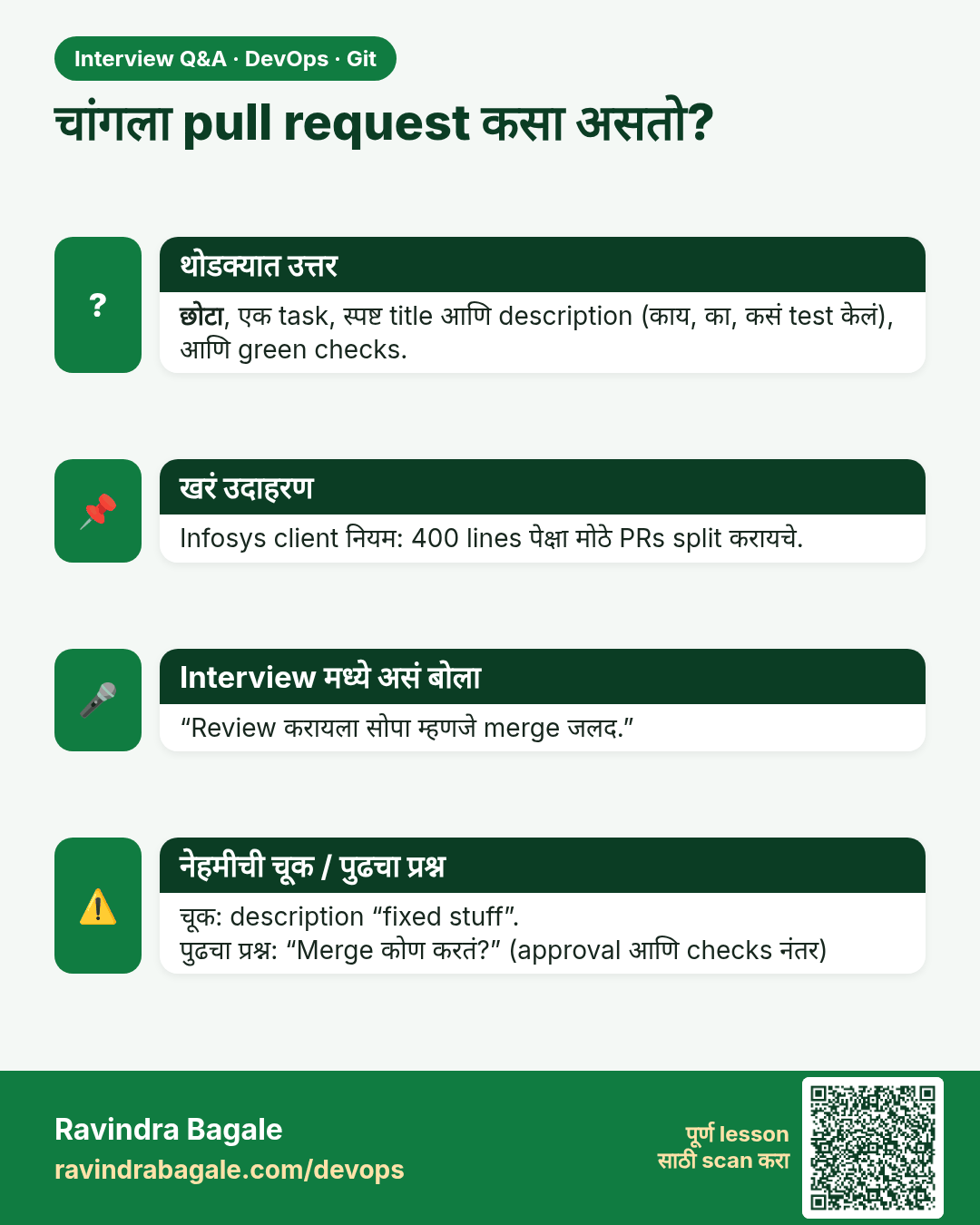
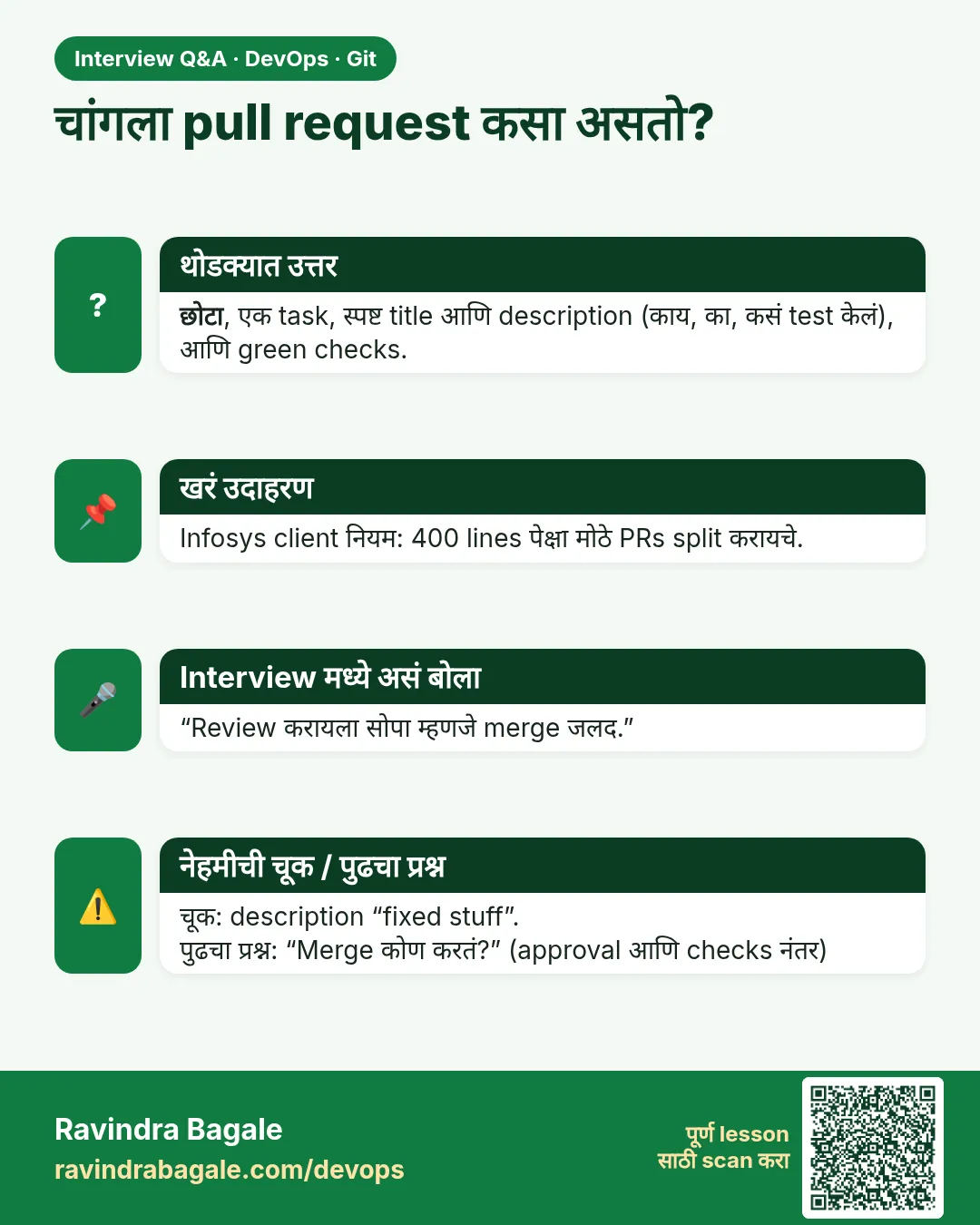 मुलाखत (Interview) card 14 of 15: चांगला pull request कसा असतो? · PNG download करा · Card page उघडा
Lesson: 3.14 Common pull-request mistakes
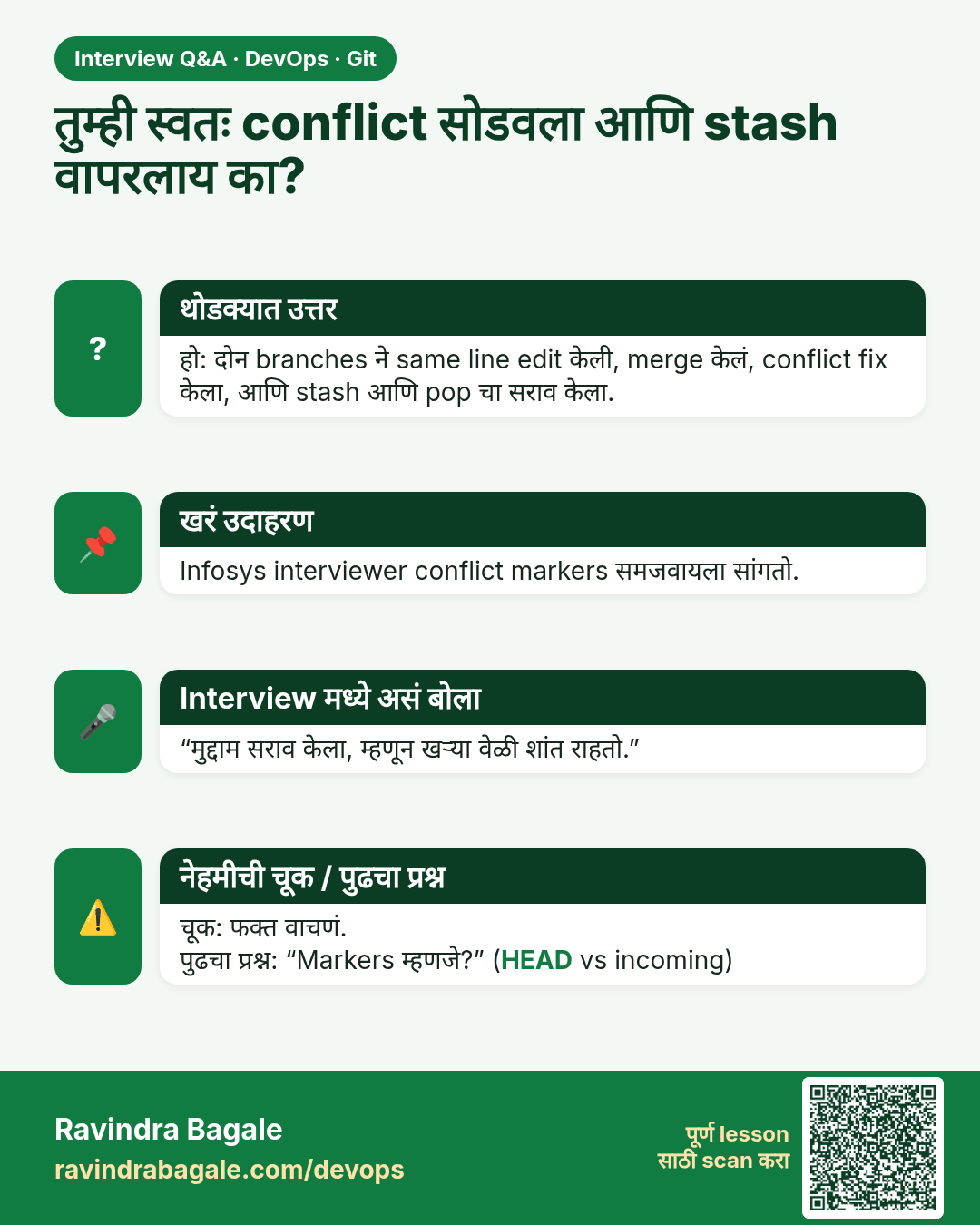
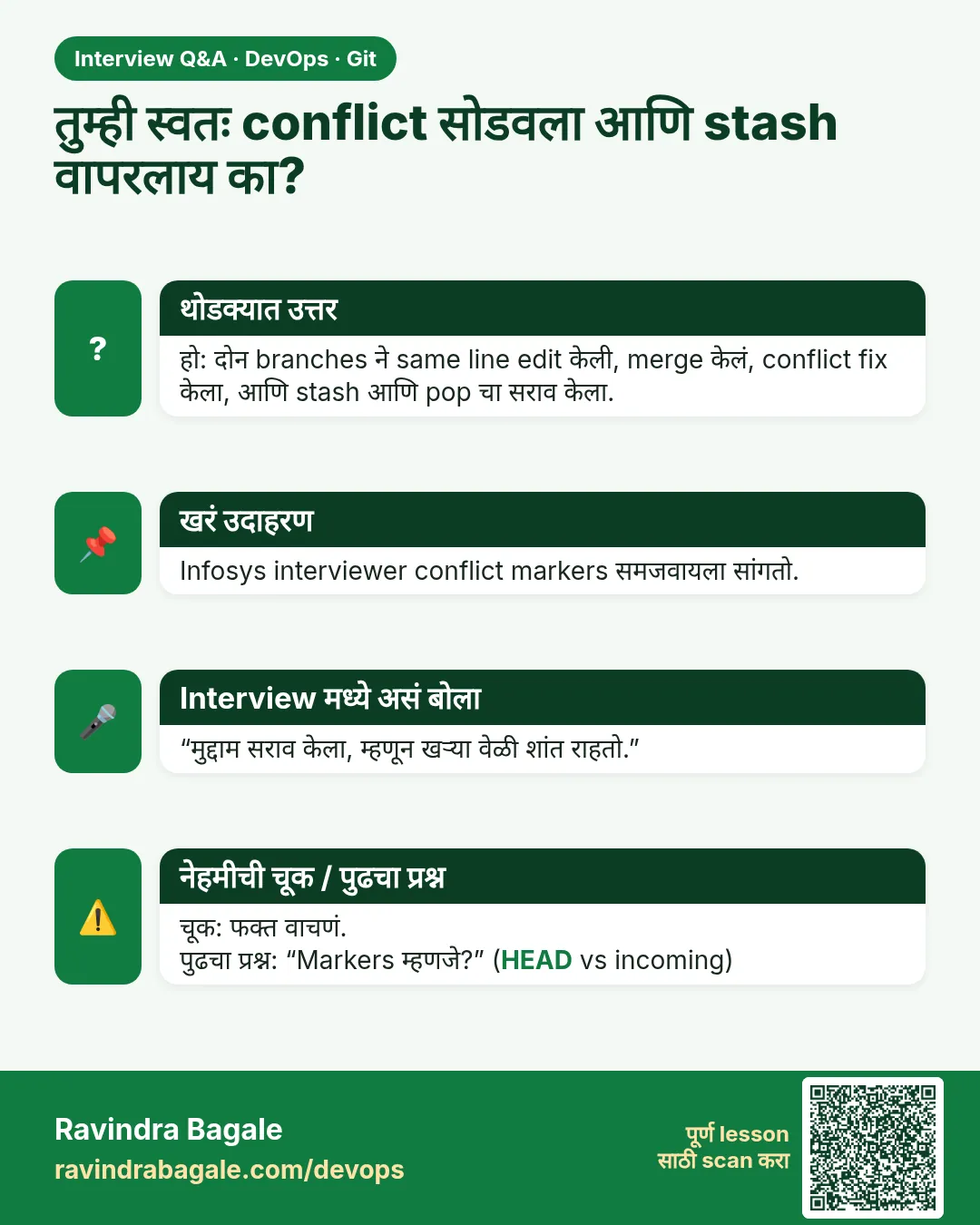 मुलाखत (Interview) card 15 of 15: तुम्ही स्वतः conflict सोडवला आणि stash वापरलाय का? · PNG download करा · Card page उघडा
Lesson: 3.15 Lab — colour, one conflict, one stash
तुलना (Comparison) cards
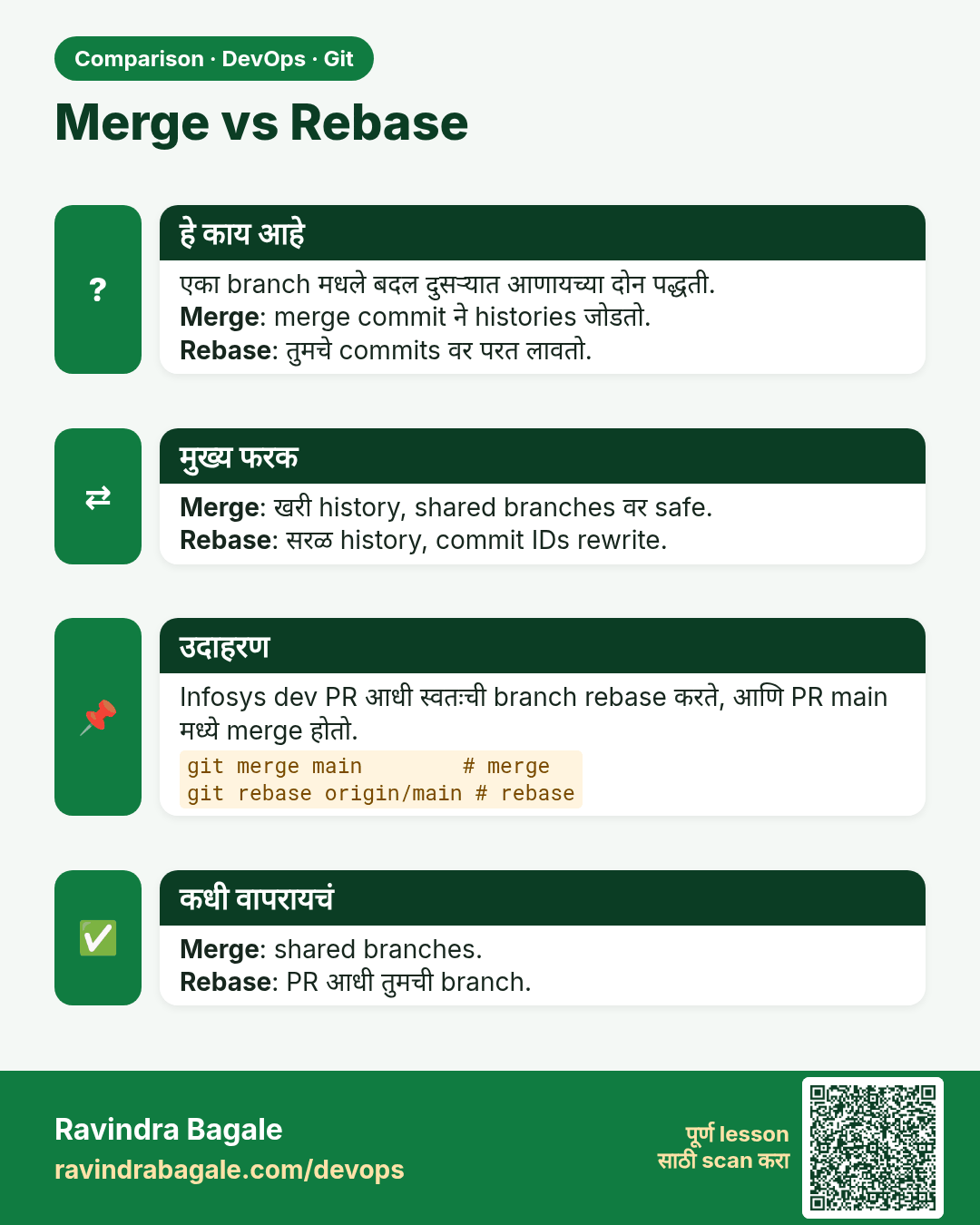
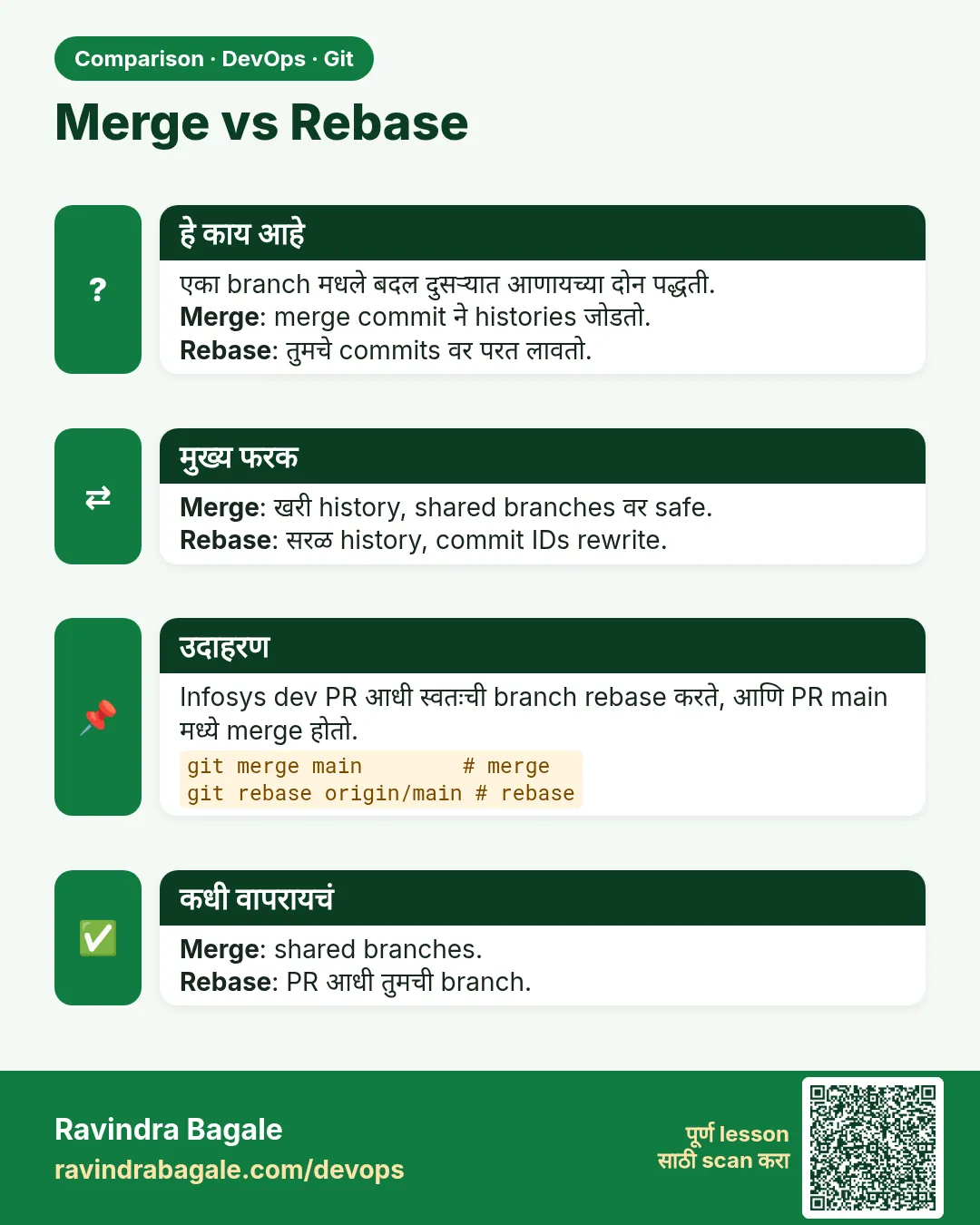 तुलना (Comparison) card 1 of 3: Merge vs Rebase · PNG download करा · Card page उघडा
Lesson: 3.6 Merge — fast-forward and a merge commit
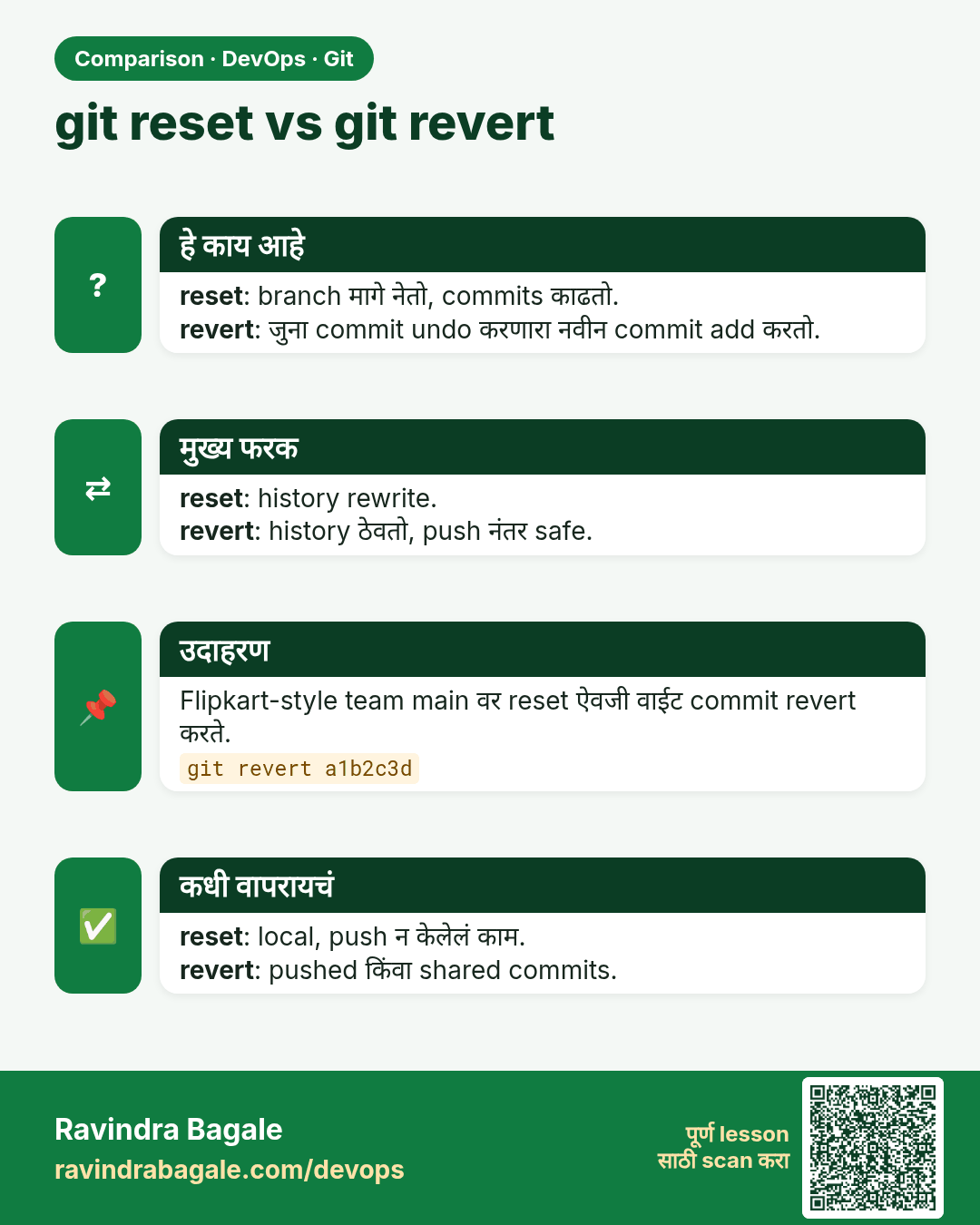
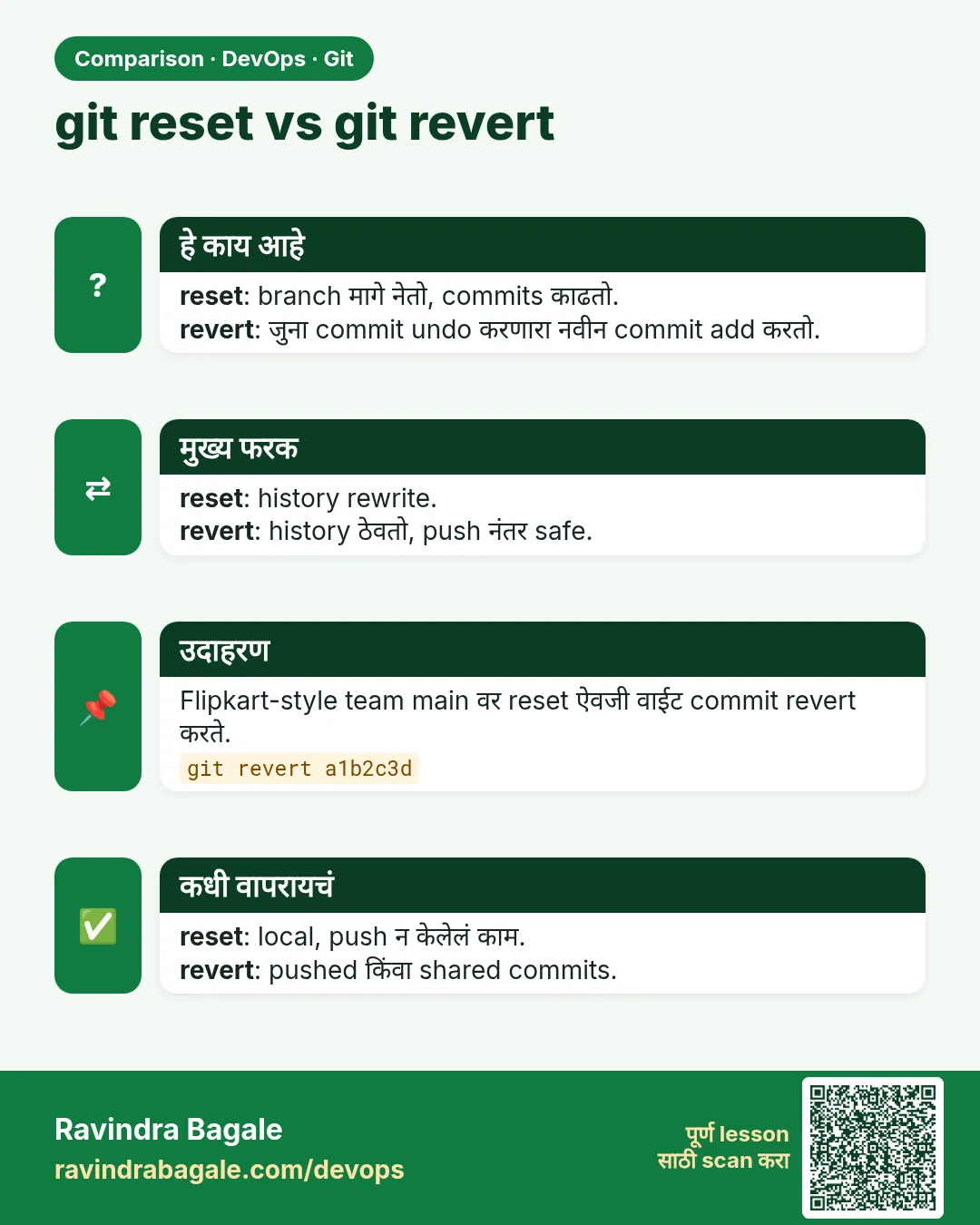 तुलना (Comparison) card 2 of 3: git reset vs git revert · PNG download करा · Card page उघडा
Lesson: 3.11 reset --soft, --mixed and --hard
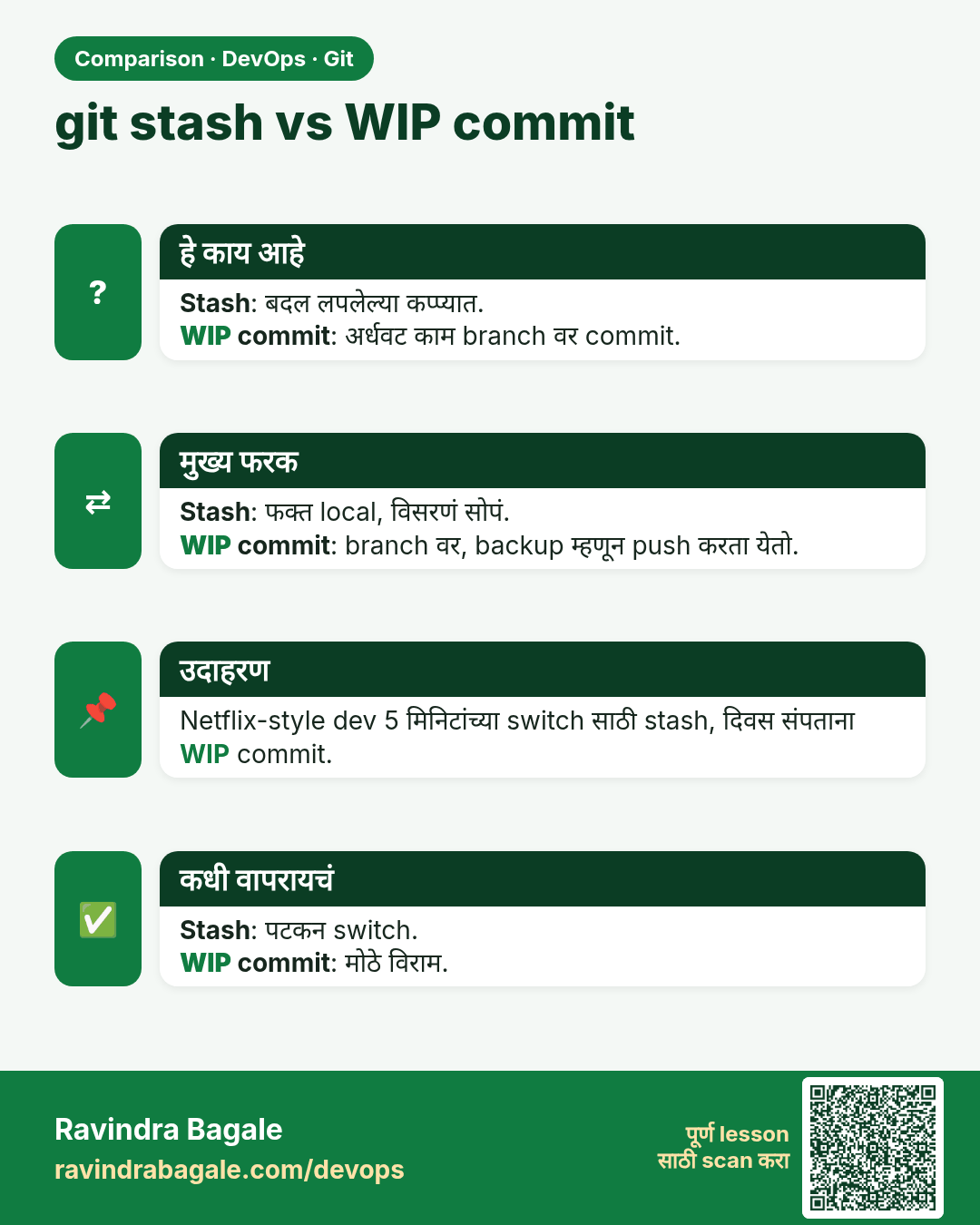
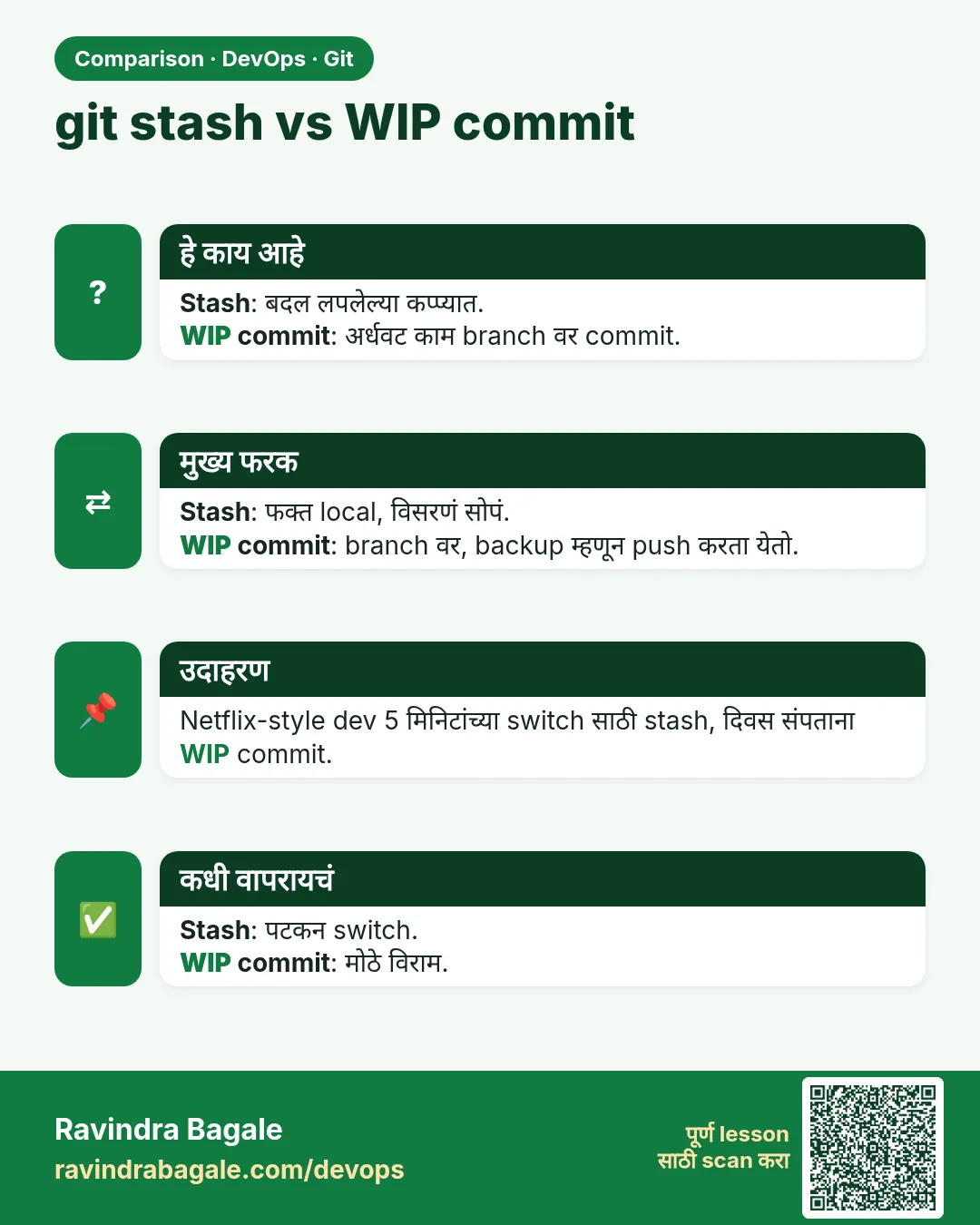 तुलना (Comparison) card 3 of 3: git stash vs WIP commit · PNG download करा · Card page उघडा
Lesson: 3.9 Stash — park the unfinished edit