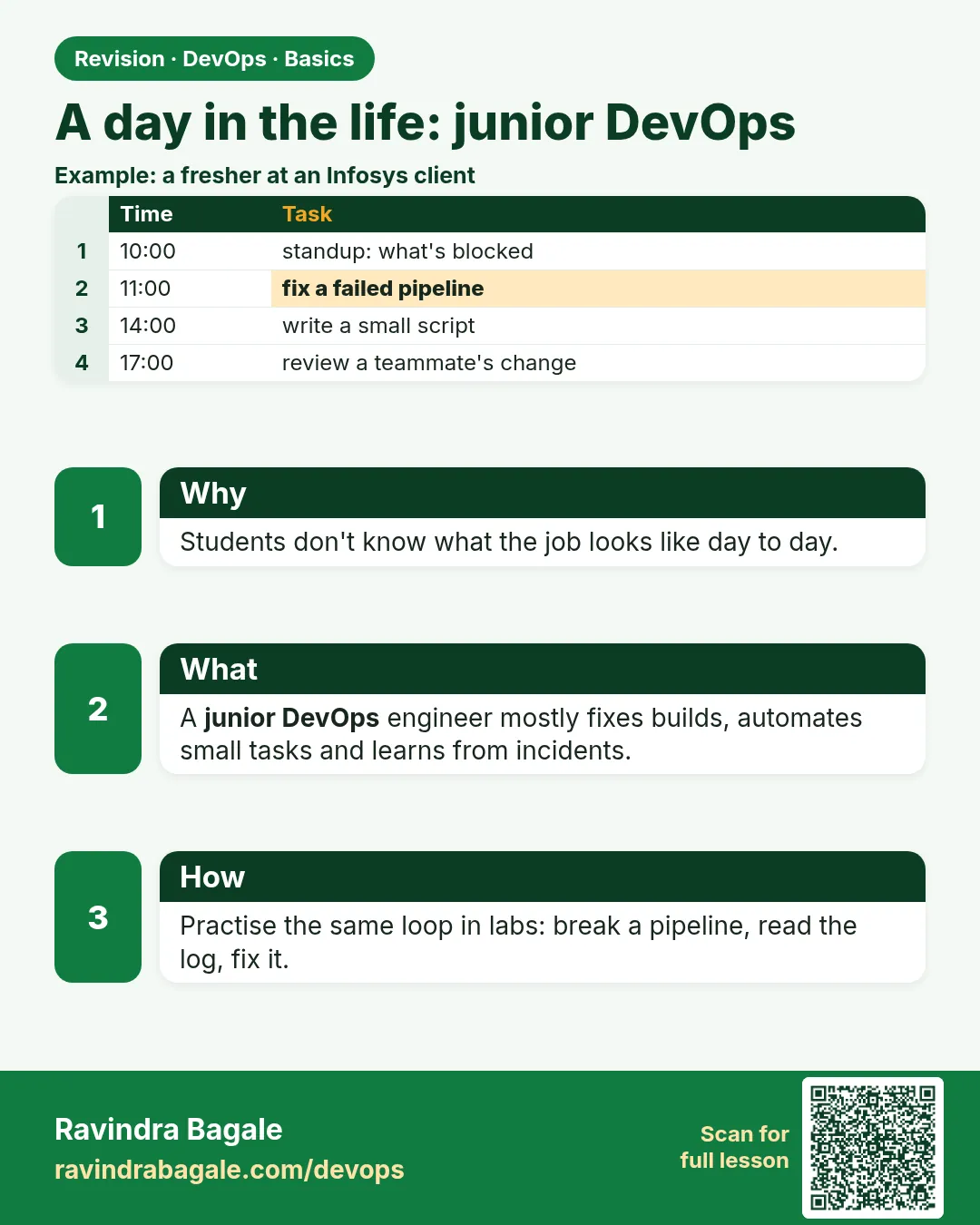
1.10 A day in the life — junior DevOps (story)
Why: the problem
What does a junior DevOps engineer actually do all day? Not only big projects. Picture Priya, eight months into her job at a Pune product company. 9:30: she checks the overnight alerts and the dashboards. 10:00: stand-up meeting. 10:30: a developer's pipeline is red; she reads the log and finds a missing environment variable. 12:00: she updates a Dockerfile to a newer base image to fix a security warning. 2:00 p.m.: she pairs with a senior on a Terraform change. 4:00: a disk alert on a server; she cleans old Docker images and writes a runbook step. 5:30: she writes a short note of the day. In this lesson you will live a compressed version of Priya's day on your own laptop, with real commands for each hour, so the job is not a mystery any more.
What we will build
You will play one day of a junior DevOps engineer on hello-shop: a morning health report, fixing a red pipeline, bumping a base image, cleaning a full disk, and writing an end-of-day note. Each task takes about 10 minutes and uses the scripts you already built.
What: every term in plain English
- Stand-up — A short daily team meeting: what I did, what I will do, what blocks me.
- Alert — An automatic message that something is wrong, like disk above 80%.
- Dashboard — A screen of graphs showing health, like Grafana.
- Red pipeline — A CI run that failed. Someone must read the log and fix it.
- Base image — The image a Dockerfile starts FROM, like python:3.12-slim.
- CVE — A public ID for a security bug, like CVE-2024-6387.
- Ticket — A task in a tool like Jira with a number, like OPS-142.
- EOD note — End-of-day note: what was done and what is pending.
How: step by step
-
9:30 morning report
./morning.shWhat it does: Example 1.
Output
app: ok | disk 41% | images 9 | last deploy 0b77e10 ok -
10:30 read the red pipeline
./pipeline.sh 2>&1 | tail -3What it does: A teammate broke it. Read the last lines first.
Output
[test] FAIL: bad body: Traceback ... -
Find the change
git log -1 -p | head -20What it does: The last commit shows what changed.
Output
-VERSION = os.environ.get("APP_VERSION", "v1") -
12:00 bump the base image
sed -i "s/python:3.12-slim/python:3.13-slim/" Dockerfile && make deployWhat it does: Newer base, fewer known bugs.
Output
[deploy] OK -
4:00 disk alert
docker system dfWhat it does: See what uses disk.
Output
Images 14 2 1.6GB 1.3GB (81%) -
Clean safely
docker image prune -af --filter "until=24h"What it does: Remove unused images older than a day.
Output
Total reclaimed space: 1.2GB -
5:30 EOD note
./eod.shWhat it does: Example 3.
Output
EOD 2026-10-25 written
Example 1: 9:30 a
Stack. Bash, Docker
Goal. 9:30 a.m.: one morning report of everything that matters.
morning.sh
#!/usr/bin/env bash
app=$(curl -fsS -m 2 localhost:8000/health || echo DOWN)
disk=$(df --output=pcent / | tail -1 | tr -d ' ')
imgs=$(docker images -q | wc -l)
last=$(tail -1 deploys.log 2>/dev/null | awk '{print $2, $3}')
echo "app: $app | disk $disk | images $imgs | last deploy $last"
[ "$app" = DOWN ] && echo "ACTION: open RUNBOOK.md 'Site down'"
[ "${disk%\%}" -ge 80 ] && echo "ACTION: open RUNBOOK.md 'Disk full'"
true
What each line does
curl -fsS -m 2 ... || echo DOWN— Health or the word DOWN.df --output=pcent /— Only the percent used.docker images -q | wc -l— How many images sit on disk.tail -1 deploys.log— The last deploy from lesson 1.5.[ "${disk%\%}" -ge 80 ]— Strip the % and compare with 80.ACTION: ...— Points straight to the runbook section.
Green output
app: ok | disk 41% | images 9 | last deploy 0b77e10 ok
Expected result. In 2 seconds you know if your day starts calm or with a fire. Real teams get this from Grafana and alerts; the questions are the same.
Example 2: 10:30 a
Stack. Bash, Git, Python
Goal. 10:30 a.m.: fix a teammate's red pipeline from the log.
the broken commit (git show)
-VERSION = os.environ.get("APP_VERSION", "v1")
+VERSION = os.environ["APP_VERION"]
fix steps
./test.sh                      # reproduce locally
cat /tmp/test-app.log | tail -2  # read the real error
sed -i 's/os.environ\["APP_VERION"\]/os.environ.get("APP_VERSION", "v1")/' app.py
./test.sh && git commit -am "fix: APP_VERSION typo, keep default"
What each line does
-VERSION ... get(..., "v1")— The old safe line with a default.+VERSION = os.environ["APP_VERION"]— The new line: a typo and no default. Crashes on start../test.sh— Always reproduce the failure first.tail -2 /tmp/test-app.log— The app log from the test run shows the KeyError.git commit -am "fix: ..."— A clear message so the team knows what was fixed.
Green output
$ ./test.sh
curl: (7) Failed to connect to localhost port 8099
$ tail -2 /tmp/test-app.log
    VERSION = os.environ["APP_VERION"]
KeyError: 'APP_VERION'
$ ./test.sh
[test] PASS
[main 6c1d0f4] fix: APP_VERSION typo, keep default
Expected result. Reading logs bottom up is the most used junior DevOps skill. You fixed the pipeline in minutes.
Example 3: 5:30 p
Stack. Bash, Git
Goal. 5:30 p.m.: write the end-of-day note automatically.
eod.sh
#!/usr/bin/env bash
f="notes/eod-$(date +%F).md"; mkdir -p notes
{
  echo "# EOD $(date +%F)"
  echo "## Done"
  git log --since=midnight --format="- %h %s"
  echo "## Deploys today"
  grep "^$(date +%F)" deploys.log | sed 's/^/- /'
  echo "## Disk now"
  echo "- $(df -h / | tail -1 | awk '{print $5}') used"
  echo "## Pending"
  echo "- OPS-142 move alerts to Grafana (tomorrow)"
} > "$f"
echo "EOD $(date +%F) written"; cat "$f"
What each line does
notes/eod-DATE.md— One note per day, kept in Git.{ ... } > "$f"— All echo lines go into one file.git log --since=midnight— Every commit you made today.grep "^$(date +%F)" deploys.log— Today's deploys.Pending— What is left, with a ticket number.
Green output
EOD 2026-10-25 written
# EOD 2026-10-25
## Done
- 6c1d0f4 fix: APP_VERSION typo, keep default
- 2f8e9a1 bump base image to python:3.13-slim
## Deploys today
- 2026-10-25_12:04:51 2f8e9a1 ok
- 2026-10-25_10:52:07 6c1d0f4 ok
## Disk now
- 23% used
## Pending
- OPS-142 move alerts to Grafana (tomorrow)
Expected result. Your manager sees your work in 10 seconds, and tomorrow you know where to start.
Verify: did it work?
-
Is the app healthy after the day?
curl -s localhost:8000/healthWhat it does: Leave the system better than you found it.
Output
ok -
Is disk lower?
df -h / | tail -1What it does: After prune, use should drop.
Output
/dev/root 30G 7.0G 23G 23% /
When it is red 1
Error response from daemon: conflict: unable to delete 8d1e3c0f9a21 (cannot be forced) - image is being used by running container
Cause. You tried to delete an image that a running container uses.
Fix, step by step
- Leave it; prune skips used images.
- Or stop the container first if it is not needed.
When it is red 2
python:3.13-slim: failed to resolve source metadata
Cause. No internet, or the tag does not exist.
Fix, step by step
- Check: docker pull python:3.13-slim
- Use a tag listed on Docker Hub.
When it is red 3
git log shows nothing for today
Cause. You have not committed, or the clock is wrong.
Fix, step by step
- git status
- date
Cleanup
-
Nothing to clean
git status -sWhat it does: Notes are kept in Git.
Output
(clean) -
Stop the app if done
docker rm -f shopWhat it does: Ends the day.
Output
shop
Ravindra Bagale's Tip
A junior day is full of small fixes. Read the log from bottom to top. Reproduce the problem first, then fix it.
Junior चा दिवस म्हणजे छोटे छोटे fixes. Log खालून वर वाचा, आधी problem पुन्हा घडवा, मग fix करा.
Junior का दिन छोटे-छोटे fixes से भरा होता है. Log नीचे से ऊपर पढ़ो, पहले problem दोबारा घटाओ, फिर fix करो.
Practice tasks
Easy Run morning.sh
Why: Every day starts with state.
What to do: Run it and read each part.
- Explain each field.
Check: You can explain the line.
Medium Fix a red pipeline
Why: The most common junior task.
What to do: Ask a friend to break app.py; fix it from the log.
- Do not look at their change first.
Check: Pipeline green with a clear commit message.
Hard Simulate a disk alert
Why: Disk alerts come at bad times.
What to do: Fill disk with images, then clean with prune and update RUNBOOK.md.
- docker pull several images.
Check: Disk drops and runbook has the exact command.
Easy Say a junior DevOps day in two lines
Why: If you can say it simply, you understand it. Interviewers want the short version first.
What to do: Write two short lines about a junior DevOps day for a fresher who knows only basic Linux.
- Write the problem it solves.
- Write one real command or file that shows it.
- Read it aloud to a friend.
Check: A fresher understands it without asking a question.
Easy Make a safe lab folder
Why: Practice needs a place you can throw away. Then mistakes cost nothing.
What to do: Create a lab folder for this chapter and work only inside it.
- mkdir -p ~/devops-lab && cd ~/devops-lab
- Run every command of this lesson from here.
- Check with pwd before you delete anything.
Check: All lab files live in ~/devops-lab.
Medium Repeat it in a container
Why: Your laptop is not the server. A clean Ubuntu container shows what a fresh server needs.
What to do: Run the main steps of this lesson again inside an Ubuntu container.
- docker run --rm -it -v "$PWD":/lab -w /lab ubuntu:24.04 bash
- apt update and install what is missing.
- Note every missing tool.
Check: Same result inside the container, or a list of what you had to install.
Medium Break it on purpose
Why: You must know the red message by face. In an outage there is no time to read slowly.
What to do: Cause one error from the "When it is red" part of this lesson and fix it.
- Follow the error section.
- Copy the exact message into your notes.
- Write the fix in one line.
Check: You fixed it using only the steps, without searching the web.
Medium Write a one-page runbook
Why: At 2 a.m. nobody remembers the right command. A short page saves the on-call person.
What to do: Write a runbook page for this lesson.
- Title, when to use, exact command, how to check, how to undo.
Check: A teammate can follow it alone.
Hard Explain it like an interview
Why: Interviewers want real stories, not definitions.
What to do: Record a 60 second answer about this lesson.
- Say the problem, the command or file you used, and one error you hit.
Check: Your answer has a real command and a real error message.
Hard Draw the flow top to bottom
Why: A drawing shows who does what and in which order.
What to do: Draw this lesson as boxes from top to bottom.
- Start at the developer laptop, end at the user on the website.
Check: Each box matches a real thing you ran.
Homework: try at home
Try at home
At home, set a timer and do this whole day in one hour. Write your own EOD note. Note which task took longest; that is the skill to practise most.
Recap
- A junior day: check, fix red builds, update images, clean, write notes.
- Read logs bottom up and reproduce first.
- Base image updates are routine security work.
- Prune unused images when disk is high.
- EOD notes make your work visible.
FAQ
Do juniors get night on-call?
Often after a few months, with a senior as backup.
How much coding is it?
Mostly scripts, YAML and small fixes, more as you grow.
Is it all firefighting?
Good teams spend most time on automation that prevents fires.
What tools are used for tickets?
Jira is most common; also ServiceNow in service companies.
How do I learn faster at work?
Read other people's pipelines and runbooks, and ask to pair on changes.
Interview questions
-
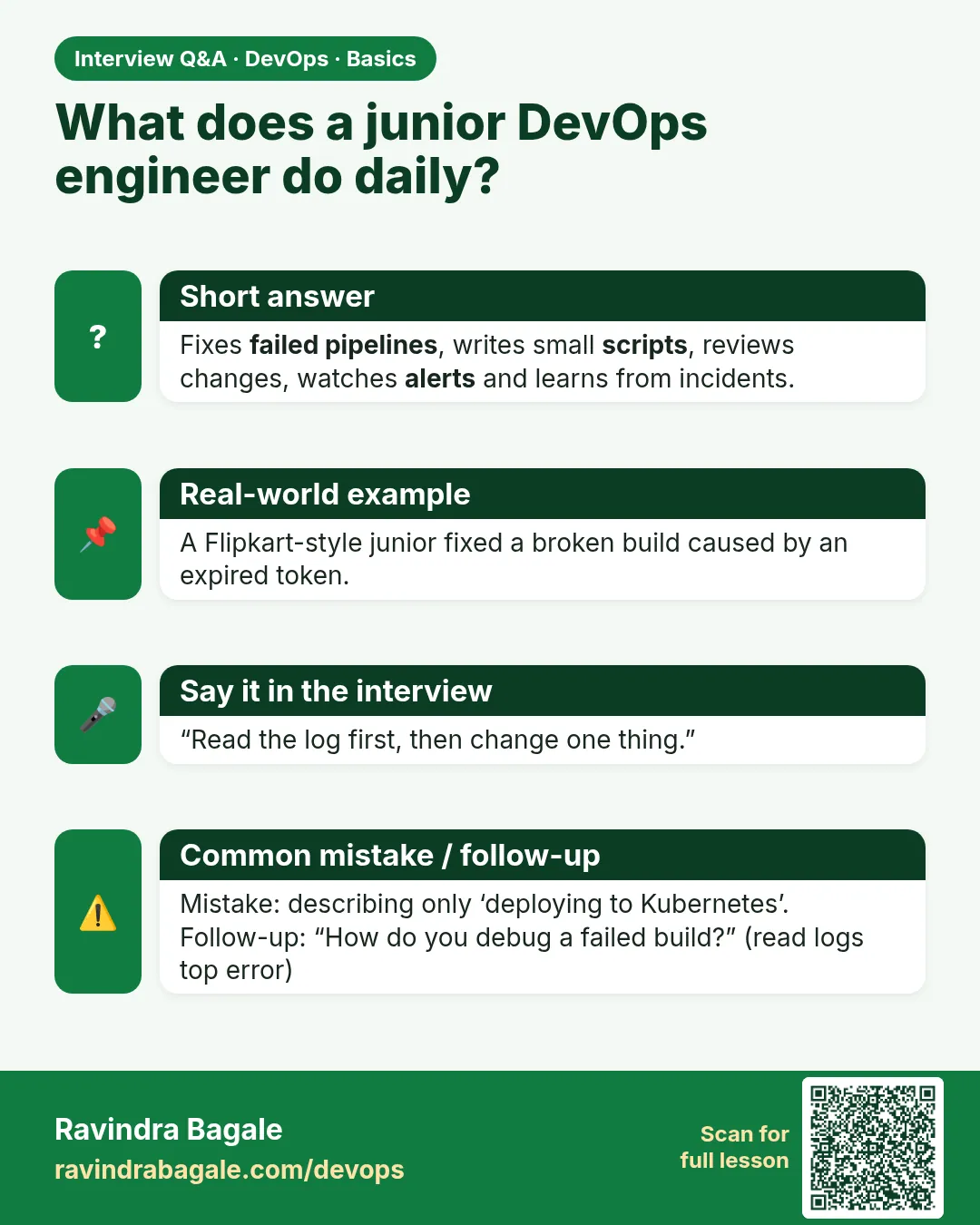
Walk me through a typical day as a DevOps engineer.
Check alerts and dashboards, stand-up, fix pipeline issues, work on automation tickets, review changes, update runbooks, hand over notes.
-
How do you debug a failing pipeline?
Read the failing step log, reproduce locally, check the last change, fix, add a test if possible.
-
How do you handle a disk full alert?
Find the biggest users (du, docker system df), clean safely, then fix the cause and add monitoring.
-
How do you keep images secure?
Update base images, scan with Trivy, use slim images and non-root users.
-
How do you share your work?
Commits with clear messages, tickets, EOD notes and runbooks.
Quick quiz
Q1. What is a stand-up?
A short daily meeting: done, next, blockers.
Q2. How do you read a red pipeline?
Reproduce it, read the last log lines, find the last change.
Q3. Why bump base images?
To get security fixes.
Q4. Which command shows Docker disk use?
docker system df
Q5. What goes in an EOD note?
Done, deploys, current state, pending.
Did you understand? Let us try it once more.
 Revision card
 Interview card