1.8 Roles students see in job posts
Why: the problem
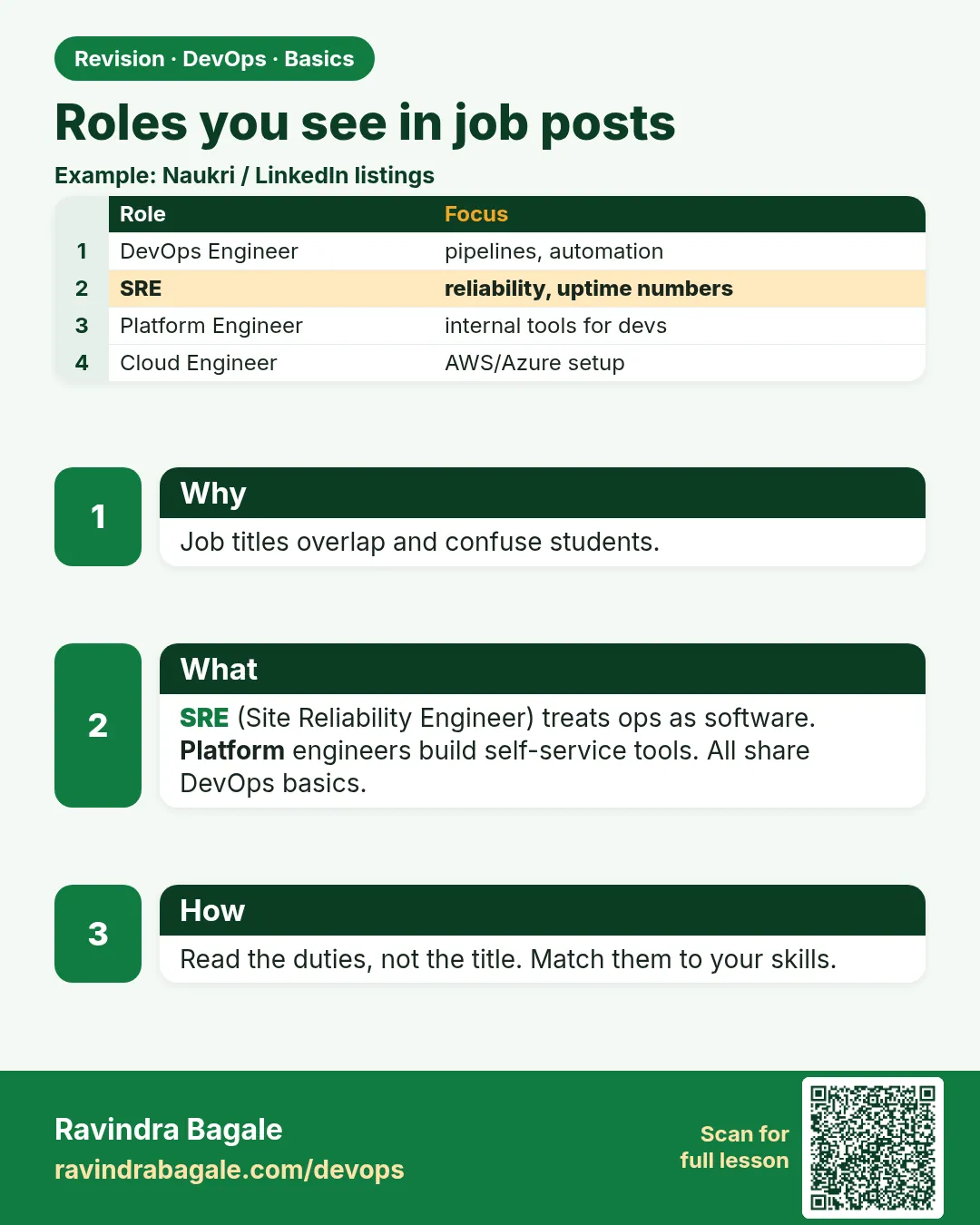
Job posts use many titles: DevOps Engineer, Site Reliability Engineer, Cloud Engineer, Platform Engineer, Build and Release Engineer. Freshers do not know which to apply for. The titles overlap a lot. What matters is the work in the description. A Cloud Engineer at an AWS partner like Wipro mostly builds AWS setups. An SRE at Google or Swiggy focuses on uptime, alerts and error budgets. A Platform Engineer at Flipkart builds the internal tools other developers use. A Build and Release Engineer at a product company owns pipelines and release days. In this lesson you will do something practical: take real-style job descriptions, extract the skills with a small script, compare them with your own skills from check-tools.sh, and get a clear gap list. You will also do one tiny task from each role on hello-shop, so you know what each job feels like.
What we will build
You will save three sample job descriptions as text files, run a skill-extractor script that counts tool names, compare it with your skills file, and then do a 5-minute task from each role: a release tag (Build and Release), an uptime check with an SLO (SRE), and a reusable template (Platform).
What: every term in plain English
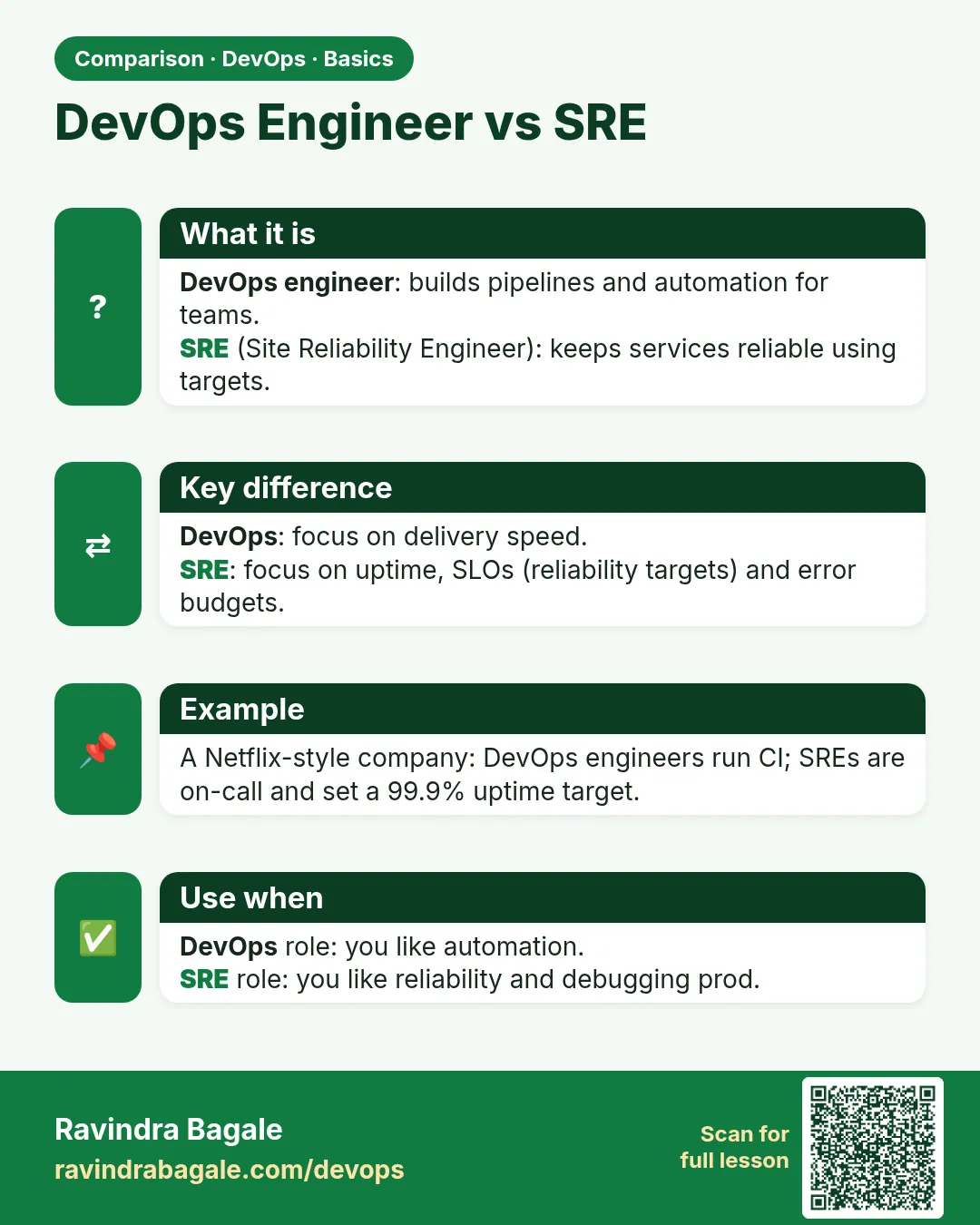
- DevOps Engineer — Builds pipelines, automation and environments. A broad title.
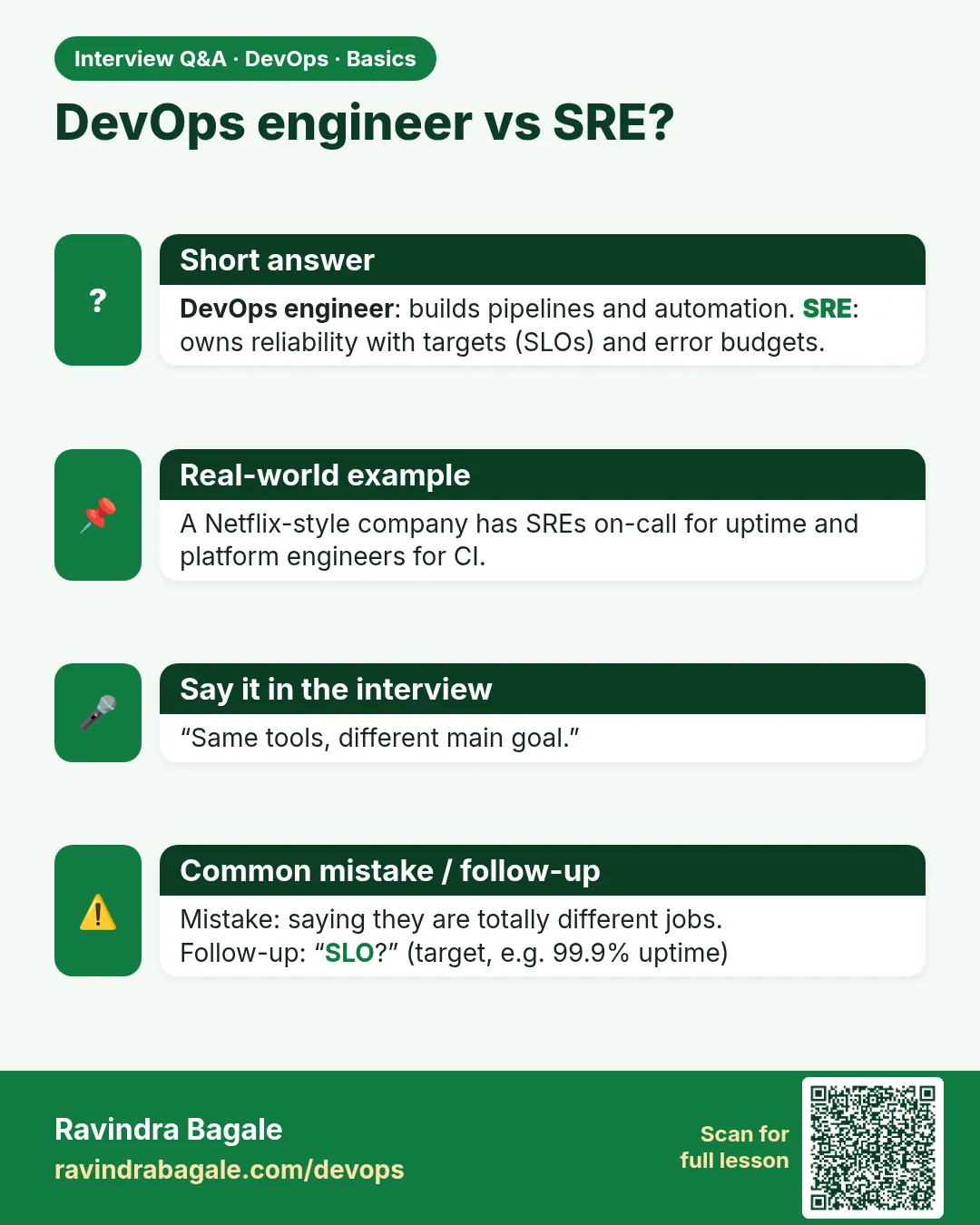
- SRE — Site Reliability Engineer. Keeps services reliable using SLOs, alerts and on-call.
- Cloud Engineer — Builds and runs cloud setups like AWS VPC, EC2, RDS and IAM.
- Platform Engineer — Builds internal tools and templates so developers ship on their own.
- Build and Release Engineer — Owns builds, versions, release tags and release days.
- SLO — Service level objective. A target like 99.9% of health checks succeed.
- Error budget — How much failure the SLO allows, like 43 minutes a month at 99.9%.
- Gap list — Skills the job wants that you do not have yet.
How: step by step
-
Make a jobs folder
mkdir -p ~/devops-lab/jobs && cd ~/devops-lab/jobsWhat it does: Keep job texts here.
Output
(no output) -
Save three job texts
nano devops.txt sre.txt platform.txtWhat it does: Paste descriptions from real posts.
Output
(files saved) -
Write your skills
printf "git\nlinux\nbash\ndocker\n" > my-skills.txtWhat it does: One skill per line, lower case.
Output
(no output) -
Count skills in the posts
./skills.shWhat it does: Example 1.
Output
3 docker 3 kubernetes 2 terraform -
Get your gap list
./gap.shWhat it does: Example 2.
Output
LEARN: kubernetes terraform jenkins prometheus -
Try one task per role
cd ~/devops-lab/hello-shop && ./roles.shWhat it does: Example 3.
Output
[release] v1.0.0 [sre] availability 100.0% -
Save the plan
nano ~/devops-lab/jobs/PLAN.mdWhat it does: Write the next 4 weeks.
Output
(file saved)
Example 1: Count which tools job posts ask for
Stack. Bash, grep
Goal. Count which tools job posts ask for.
sre.txt (sample)
Site Reliability Engineer - Bengaluru
Own uptime of our order platform. Write Python and Bash automation.
Run Kubernetes on AWS EKS. Build alerts in Prometheus and Grafana.
Define SLOs and error budgets. Join an on-call rotation.
Use Terraform for infrastructure. Docker and Linux are a must.
skills.sh
#!/usr/bin/env bash
TOOLS="git linux bash python docker kubernetes jenkins terraform ansible aws prometheus grafana helm"
for t in $TOOLS; do
  n=$(grep -il "\b$t\b" *.txt | grep -v my-skills | wc -l)
  [ "$n" -gt 0 ] && printf "%3d %s\n" "$n" "$t"
done | sort -rn
What each line does
TOOLS="..."— The words we look for. Add more as you see them.grep -il "\b$t\b" *.txt— List files that mention the tool, any case, whole word.grep -v my-skills— Do not count your own skills file.wc -l— How many posts mention it.sort -rn— Most wanted tools first.
Green output
3 docker
3 kubernetes
3 linux
3 aws
2 terraform
2 python
2 prometheus
2 jenkins
1 helm
1 grafana
1 bash
Expected result. Now you know what the market asks for, from data, not guesses.
Example 2: Compare with your skills and print a gap list
Stack. Bash, grep, awk
Goal. Compare with your skills and print a gap list.
gap.sh
#!/usr/bin/env bash
./skills.sh | awk '{print $2}' > wanted.txt
echo -n "HAVE: "; grep -xFf my-skills.txt wanted.txt | tr '\n' ' '; echo
echo -n "LEARN: "; grep -vxFf my-skills.txt wanted.txt | tr '\n' ' '; echo
What each line does
awk '{print $2}'— Keeps only the tool name from skills.sh.grep -xFf my-skills.txt wanted.txt— Lines in wanted that are also in my skills.grep -vxFf— Lines in wanted that are NOT in my skills: the gap.tr '\n' ' '— Puts the list on one line.
Green output
HAVE: docker linux bash
LEARN: kubernetes aws terraform python prometheus jenkins helm grafana
Expected result. Your gap list is your study plan. This course covers every LEARN item except deep AWS, which is in the AWS course.
Example 3: Feel three roles in five minutes on hello-shop
Stack. Git, Bash, curl
Goal. Feel three roles in five minutes on hello-shop.
roles.sh
#!/usr/bin/env bash
# Build and Release: tag a version
git tag -a v1.0.0 -m "first release" 2>/dev/null || true
echo "[release] $(git describe --tags)"

# SRE: measure availability against an SLO of 99%
ok=0; total=20
for i in $(seq $total); do curl -fsS -m 1 localhost:8000/health > /dev/null && ok=$((ok+1)); sleep 0.2; done
echo "[sre] availability $(awk "BEGIN{printf \"%.1f\", $ok*100/$total}")% (SLO 99%)"

# Platform: a template any team can reuse
mkdir -p templates && cp Dockerfile Makefile test.sh templates/
echo "[platform] new apps start with: cp -r templates/ ../new-app/"
What each line does
git tag -a v1.0.0— Release engineers mark versions with tags. Chapter 3 goes deeper.git describe --tags— Shows the nearest tag.for i in $(seq 20) ... curl /health— An SRE-style probe: 20 checks.awk ... printf "%.1f"— Turns the count into a percent.cp Dockerfile Makefile test.sh templates/— Platform work: give other teams a ready starting point.
Green output
[release] v1.0.0
[sre] availability 100.0% (SLO 99%)
[platform] new apps start with: cp -r templates/ ../new-app/
Expected result. You did a tiny piece of three different jobs. Now job titles mean real tasks to you.
Verify: did it work?
-
See the tag
git tag -nWhat it does: Lists tags with messages.
Output
v1.0.0 first release -
See the template folder
ls templatesWhat it does: Three reusable files.
Output
Dockerfile Makefile test.sh
When it is red 1
grep: *.txt: No such file or directory
Cause. You ran skills.sh outside the jobs folder.
Fix, step by step
- cd ~/devops-lab/jobs
- Run it again.
When it is red 2
[sre] availability 0.0%
Cause. The app is not running.
Fix, step by step
- docker run -d --name shop -p 8000:8000 hello-shop:TAG
- Run roles.sh again.
When it is red 3
fatal: tag 'v1.0.0' already exists
Cause. The tag was made in an earlier run.
Fix, step by step
- That is fine; the script ignores it.
- To redo: git tag -d v1.0.0
Cleanup
-
Stop the app
docker rm -f shop 2>/dev/null; echo doneWhat it does: Frees the port.
Output
done -
Keep the jobs folder
ls ~/devops-lab/jobsWhat it does: Update it each month.
Output
devops.txt gap.sh my-skills.txt platform.txt skills.sh sre.txt wanted.txt
Ravindra Bagale's Tip
Read the job description, not only the title. Compare your skills with the posts, make a gap list, and learn in that order.
Job title पेक्षा description वाचा. तुमच्या skills आणि posts compare करा, gap list बनवा, आणि त्याच क्रमाने शिका.
Job title से ज़्यादा description पढ़ो. अपनी skills और posts compare करो, gap list बनाओ, और उसी क्रम में सीखो.
Practice tasks
Easy Build my-skills.txt
Why: Honest skills give an honest gap list.
What to do: List only tools you have used hands-on.
- One per line, lower case.
Check: File has your real skills.
Medium Run gap.sh on 5 posts
Why: More posts give better data.
What to do: Save five posts and run gap.sh.
- Add missing tool names to TOOLS.
Check: A clear LEARN line.
Hard Write a resume line per role task
Why: Recruiters want proof.
What to do: Write one resume bullet for each roles.sh task.
- Use numbers, like 20 checks, 99% SLO.
Check: Three bullets with real numbers.
Easy Say DevOps roles in two lines
Why: If you can say it simply, you understand it. Interviewers want the short version first.
What to do: Write two short lines about DevOps roles for a fresher who knows only basic Linux.
- Write the problem it solves.
- Write one real command or file that shows it.
- Read it aloud to a friend.
Check: A fresher understands it without asking a question.
Easy Make a safe lab folder
Why: Practice needs a place you can throw away. Then mistakes cost nothing.
What to do: Create a lab folder for this chapter and work only inside it.
- mkdir -p ~/devops-lab && cd ~/devops-lab
- Run every command of this lesson from here.
- Check with pwd before you delete anything.
Check: All lab files live in ~/devops-lab.
Medium Repeat it in a container
Why: Your laptop is not the server. A clean Ubuntu container shows what a fresh server needs.
What to do: Run the main steps of this lesson again inside an Ubuntu container.
- docker run --rm -it -v "$PWD":/lab -w /lab ubuntu:24.04 bash
- apt update and install what is missing.
- Note every missing tool.
Check: Same result inside the container, or a list of what you had to install.
Medium Break it on purpose
Why: You must know the red message by face. In an outage there is no time to read slowly.
What to do: Cause one error from the "When it is red" part of this lesson and fix it.
- Follow the error section.
- Copy the exact message into your notes.
- Write the fix in one line.
Check: You fixed it using only the steps, without searching the web.
Medium Write a one-page runbook
Why: At 2 a.m. nobody remembers the right command. A short page saves the on-call person.
What to do: Write a runbook page for this lesson.
- Title, when to use, exact command, how to check, how to undo.
Check: A teammate can follow it alone.
Hard Explain it like an interview
Why: Interviewers want real stories, not definitions.
What to do: Record a 60 second answer about this lesson.
- Say the problem, the command or file you used, and one error you hit.
Check: Your answer has a real command and a real error message.
Hard Draw the flow top to bottom
Why: A drawing shows who does what and in which order.
What to do: Draw this lesson as boxes from top to bottom.
- Start at the developer laptop, end at the user on the website.
Check: Each box matches a real thing you ran.
Homework: try at home
Try at home
At home, collect ten real job descriptions for roles you like, run skills.sh on them, and write a 6-week plan in PLAN.md using the LEARN list in order of count.
Recap
- Titles overlap; read the work in the description.
- SRE: reliability, SLOs, on-call. Platform: internal tools. Cloud: cloud setups. Release: builds and versions.
- Use data from real posts to decide what to learn.
- A gap list becomes your study plan.
- Small hands-on tasks make titles real.
FAQ
Can a fresher get an SRE job?
Sometimes, but most start as DevOps or cloud support and grow into SRE.
Do I need certifications?
They help get interviews (AWS, CKA), but projects get offers.
Is coding needed for SRE?
Yes, usually Python or Go plus Bash.
What salary range?
It varies a lot by city and company; check recent Naukri and Glassdoor data.
What should my first project show?
A pipeline from Git to a running container with tests, health checks and rollback, like this chapter.
Interview questions
-
What is the difference between DevOps and SRE?
DevOps is a broad way of working; SRE is a specific practice that uses SLOs, error budgets and software to run reliable services.
-
What is an SLO?
A reliability target for a service, measured by an SLI such as successful request rate.
-
What does a platform team do?
Builds paved roads: templates, pipelines and self-service tools for product teams.
-
What is an error budget used for?
To decide when to slow releases and focus on reliability.
-
Tell me about a release you managed.
Use a real story: tag, changelog, pipeline, approval, deploy, verify, rollback plan.
Quick quiz
Q1. Which role focuses on SLOs and on-call?
SRE.
Q2. Which role builds internal templates for developers?
Platform Engineer.
Q3. What is an error budget?
How much failure the SLO allows.
Q4. What does grep -vxFf do in gap.sh?
Shows wanted skills you do not have.
Q5. Which command made a release tag?
git tag -a v1.0.0 -m "first release"
Did you understand? Let us try it once more.
 Revision card
 Interview card
 Comparison card