Chapter 3: Branch, Merge, Rebase, Stash and Pull Requests
3.6 Merge — fast-forward and a merge commit
Why: the problem
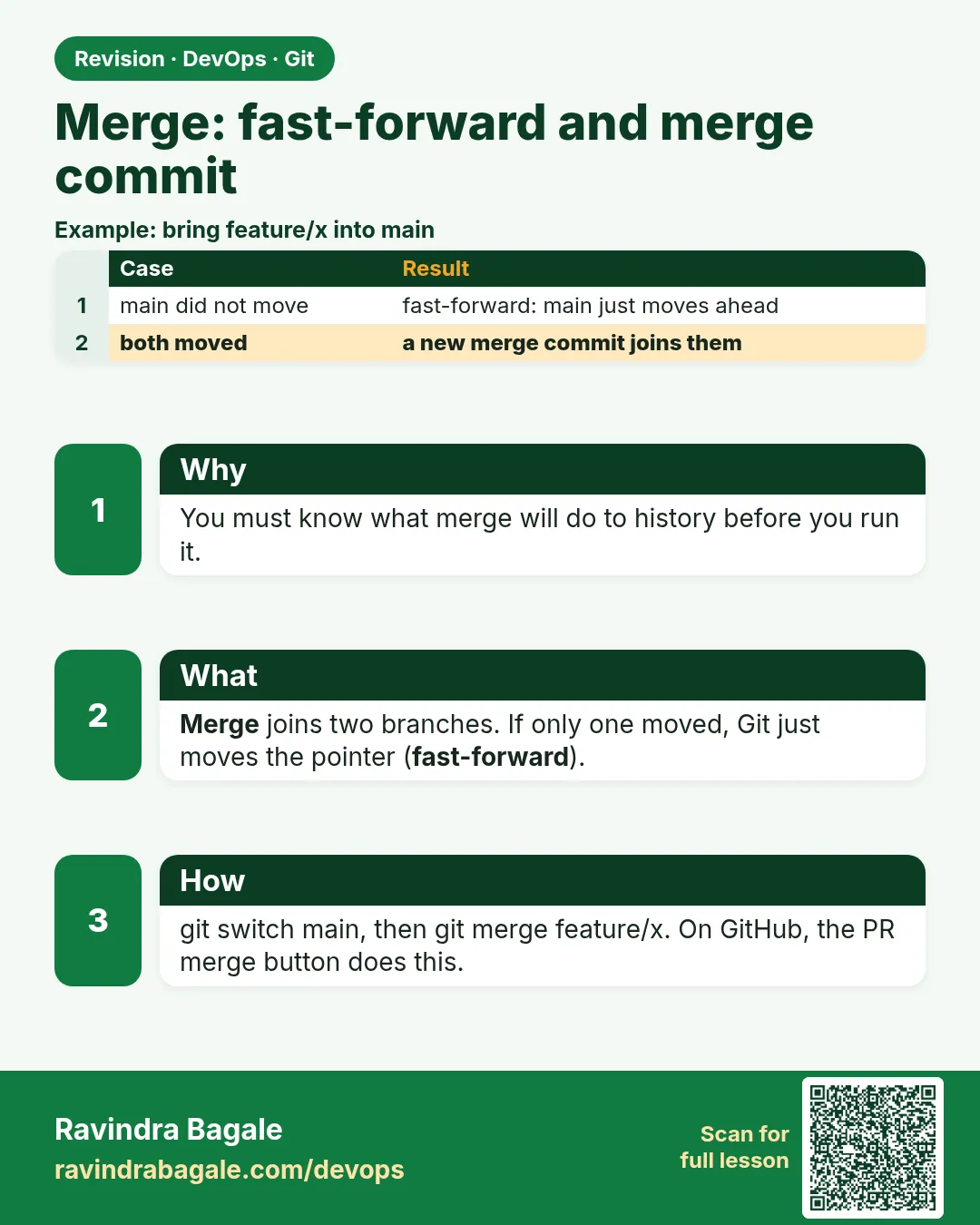
When your branch is ready, it must be joined into main. Git has two kinds of merge. If main did not move since you branched, Git only slides the main label forward to your last commit: a fast-forward, with no new commit. If main did move, Git makes a merge commit that has two parents and joins the two lines. Teams choose which they want: some force fast-forward with rebase, some always want a merge commit with --no-ff so each feature is visible, and many squash. Knowing the shape of history helps when you debug, revert a feature or read a release. In this lesson you will create each case on purpose on hello-shop, read the graph, and revert a whole feature using its merge commit.
What we will build
You will make a fast-forward merge, a forced merge commit with --no-ff, a real three-way merge after main moved, and a squash merge. Then you will revert a merged feature in one command.
What: every term in plain English
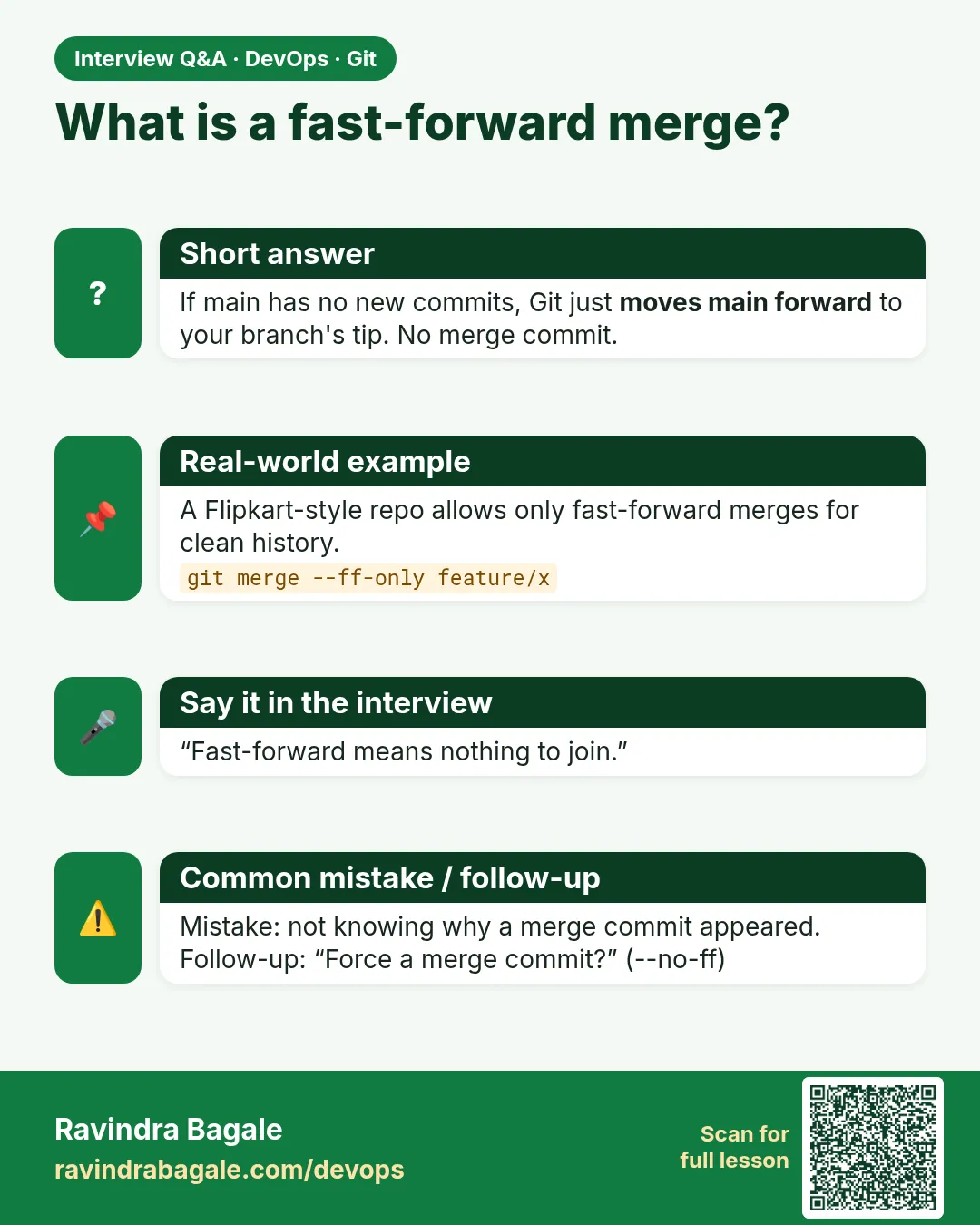
- Fast-forward — Main had no new commits; Git just moves the label.
- Merge commit — A commit with two parents that joins two lines.
- Three-way merge — Git uses the common base and both tips to build the result.
- --no-ff — Always create a merge commit.
- --ff-only — Merge only if fast-forward is possible.
- Squash merge — Put all branch changes into one new commit, without the branch history.
- Merge base — The last common commit of two branches.
- Revert -m 1 — Undo a merge commit, keeping parent 1 (main).
How: step by step
-
Start
cd ~/devops-lab/hello-shop && git switch -q mainWhat it does: Clean main.
Output
(no output) -
Branch and commit
git switch -qc feature/ff && echo "a" > ff.txt && git add . && git commit -qm "Add ff file"What it does: main did not move.
Output
(no output) -
Fast-forward merge
git switch -q main && git merge feature/ffWhat it does: Label slides.
Output
Updating e1f2a3b..6a6a6a6 Fast-forward ff.txt | 1 + -
Check parents
git log -1 --format="%h parents: %p"What it does: One parent: no merge commit.
Output
6a6a6a6 parents: e1f2a3b -
Forced merge commit
git switch -qc feature/noff && echo b > noff.txt && git add . && git commit -qm "Add noff file" && git switch -q main && git merge --no-ff --no-edit feature/noffWhat it does: A merge commit even though FF was possible.
Output
Merge made by the 'ort' strategy. -
Two parents
git log -1 --format="%h parents: %p"What it does: Merge commit.
Output
7b7b7b7 parents: 6a6a6a6 8c8c8c8 -
Merge base
git merge-base main feature/noffWhat it does: The shared commit.
Output
8c8c8c8...
Example 1: A real three-way merge after main moved
Stack. Git
Goal. A real three-way merge after main moved.
three-way.sh
git switch -qc feature/footer
echo "footer=2026" > footer.txt && git add . && git commit -qm "Add footer"
git switch -q main
echo "header=Hello Shop" > header.txt && git add . && git commit -qm "Add header"
git merge --ff-only feature/footer
git merge --no-edit feature/footer
git log --oneline --graph -4
What each line does
Both moved— main got header, branch got footer.--ff-only— Refuses: lines diverged.Normal merge— Git makes a merge commit.--graph— Shows the join.
Green output
fatal: Not possible to fast-forward, aborting.
Merge made by the 'ort' strategy.
*   9d9d9d9 Merge branch 'feature/footer'
|\
| * 0e0e0e0 Add footer
* | 1f1f1f1 Add header
|/
Expected result. Different files, so no conflict. Git did the join itself.
Example 2: Squash a messy branch into one commit
Stack. Git
Goal. Squash a messy branch into one commit.
squash.sh
git switch -qc feature/about
for i in 1 2 3; do echo "line $i" >> about.txt; git add .; git commit -qm "wip $i"; done
git switch -q main
git merge --squash feature/about
git commit -qm "Add about page (SHOP-230)"
git log --oneline -2
git branch -D feature/about
What each line does
3 wip commits— Typical messy branch.--squash— Stage all changes; no commit yet.One clean commit— Good message with ticket.-D— Needed: Git does not see the branch as merged.
Green output
Squash commit -- not updating HEAD
2a2a2a2 Add about page (SHOP-230)
9d9d9d9 Merge branch 'feature/footer'
Deleted branch feature/about (was 5c5c5c5).
Expected result. main gets one tidy commit instead of three wip commits.
Example 3: Revert a whole feature with its merge commit
Stack. Git
Goal. Revert a whole feature with its merge commit.
revert-merge.sh
git log --oneline --merges -1
git revert -m 1 --no-edit 9d9d9d9
ls footer.txt
git log --oneline -1
What each line does
--merges— Find merge commits.-m 1— Keep the main side; undo the feature side.ls footer.txt— The footer is gone.New commit— History is not rewritten; safe on shared main.
Green output
9d9d9d9 Merge branch 'feature/footer'
[main 3b3b3b3] Revert "Merge branch 'feature/footer'"
ls: cannot access 'footer.txt': No such file or directory
3b3b3b3 Revert "Merge branch 'feature/footer'"
Expected result. One command removed the full feature from production code. This is why some teams want merge commits.
Example 4: Set team rules for merges
Stack. Git
Goal. Set team rules for merges.
config.sh
git config merge.ff only
git merge feature/x
git config --unset merge.ff
git config --global merge.conflictstyle zdiff3
git config --get-regexp "^merge"
What each line does
merge.ff only— Refuse any non fast-forward merge in this repo.--unset— Remove the rule.conflictstyle zdiff3— Show the base version in conflicts too (helps in 3.7).
Green output
fatal: Not possible to fast-forward, aborting.
merge.conflictstyle zdiff3
Expected result. Repo settings can enforce the shape your team wants.
Example 5: Check if a branch can fast-forward before merging
Stack. Git
Goal. Check if a branch can fast-forward before merging.
canff.sh
git merge-base --is-ancestor main feature/x && echo "can fast-forward" || echo "needs merge commit"
What each line does
--is-ancestor— True if main is inside the branch history.&& ... ||— Print the answer.
Green output
needs merge commit
Expected result. You know the shape of the merge before you run it.
Example 6: Read the parents of a merge commit
Stack. Git
Goal. Read the parents of a merge commit.
parents.sh
git show --no-patch --format="%h %p %s" HEAD
git log --first-parent --oneline -3
What each line does
%p— Parent hashes.--first-parent— Follow only main, one line per merged feature.
Green output
9d9d9d9 1f1f1f1 0e0e0e0 Merge branch 'feature/footer'
9d9d9d9 Merge branch 'feature/footer'
1f1f1f1 Add header
Expected result. --first-parent gives a feature-level view of main.
Verify: did it work?
-
Graph
git log --oneline --graph -6What it does: You see straight parts and joins.
Output
* 9d9d9d9 Merge ... -
Count merges
git log --merges --oneline | wc -lWhat it does: At least 2.
Output
2 -
Clean tree
git status -sWhat it does: Nothing pending.
Output
(no output)
When it is red 1
fatal: Not possible to fast-forward, aborting.
Cause. --ff-only and the branches diverged.
Fix, step by step
- Rebase the branch on main first, or merge without --ff-only.
When it is red 2
error: commit 9d9d9d9 is a merge but no -m option was given.
Cause. Revert of a merge needs a parent.
Fix, step by step
- git revert -m 1 HASH
When it is red 3
Merge editor opens (vim) and you are stuck
Cause. Git asks for a merge message.
Fix, step by step
- Type :wq and Enter, or use --no-edit.
When it is red 4
Already up to date.
Cause. The branch is already in main.
Fix, step by step
- Nothing to do. Check with git branch --merged.
Cleanup
-
Delete lab branches
git branch -D feature/ff feature/noff feature/footer 2>/dev/null; git status -sWhat it does: Keep main only.
Output
(no output)
Ravindra Bagale's Tip
Main halla nasel tar fast-forward; donhi halle tar merge commit. Graph nehmi bagha!
Practice tasks
Easy Fast-forward
Why: See the simplest case.
What to do: Merge a branch when main did not move.
- git merge
Check: One parent.
Medium Three-way
Why: Normal team case.
What to do: Move both sides and merge.
- git merge --no-edit
Check: Graph shows join.
Hard Revert
Why: Production rollback.
What to do: Revert a merged feature.
- git revert -m 1
Check: Files of the feature are gone.
Easy Say merge types in two lines
Why: If you can say it simply, you understand it. Interviewers want the short version first.
What to do: Write two short lines about merge types for a fresher who knows only basic Linux.
- Write the problem it solves.
- Write one real command or file that shows it.
- Read it aloud to a friend.
Check: A fresher understands it without asking a question.
Easy Make a safe lab folder
Why: Practice needs a place you can throw away. Then mistakes cost nothing.
What to do: Create a lab folder for this chapter and work only inside it.
- mkdir -p ~/devops-lab && cd ~/devops-lab
- Run every command of this lesson from here.
- Check with pwd before you delete anything.
Check: All lab files live in ~/devops-lab.
Medium Repeat it in a container
Why: Your laptop is not the server. A clean Ubuntu container shows what a fresh server needs.
What to do: Run the main steps of this lesson again inside an Ubuntu container.
- docker run --rm -it -v "$PWD":/lab -w /lab ubuntu:24.04 bash
- apt update and install what is missing.
- Note every missing tool.
Check: Same result inside the container, or a list of what you had to install.
Medium Break it on purpose
Why: You must know the red message by face. In an outage there is no time to read slowly.
What to do: Cause one error from the "When it is red" part of this lesson and fix it.
- Follow the error section.
- Copy the exact message into your notes.
- Write the fix in one line.
Check: You fixed it using only the steps, without searching the web.
Medium Write a one-page runbook
Why: At 2 a.m. nobody remembers the right command. A short page saves the on-call person.
What to do: Write a runbook page for this lesson.
- Title, when to use, exact command, how to check, how to undo.
Check: A teammate can follow it alone.
Hard Explain it like an interview
Why: Interviewers want real stories, not definitions.
What to do: Record a 60 second answer about this lesson.
- Say the problem, the command or file you used, and one error you hit.
Check: Your answer has a real command and a real error message.
Hard Draw the flow top to bottom
Why: A drawing shows who does what and in which order.
What to do: Draw this lesson as boxes from top to bottom.
- Start at the developer laptop, end at the user on the website.
Check: Each box matches a real thing you ran.
Homework: try at home
Try at home
Make all four merges (FF, --no-ff, three-way, squash) in a scratch repo and draw the graph of each.
Recap
- FF slides a label.
- Diverged lines need a merge commit.
- --no-ff keeps features visible.
- Squash makes one commit.
- revert -m 1 undoes a merge safely.
FAQ
Which merge is best?
There is no single best. Follow the team rule.
Does squash affect blame?
Yes, all lines point to the squash commit.
What is ort?
The default merge strategy in new Git.
Can I merge main into my branch?
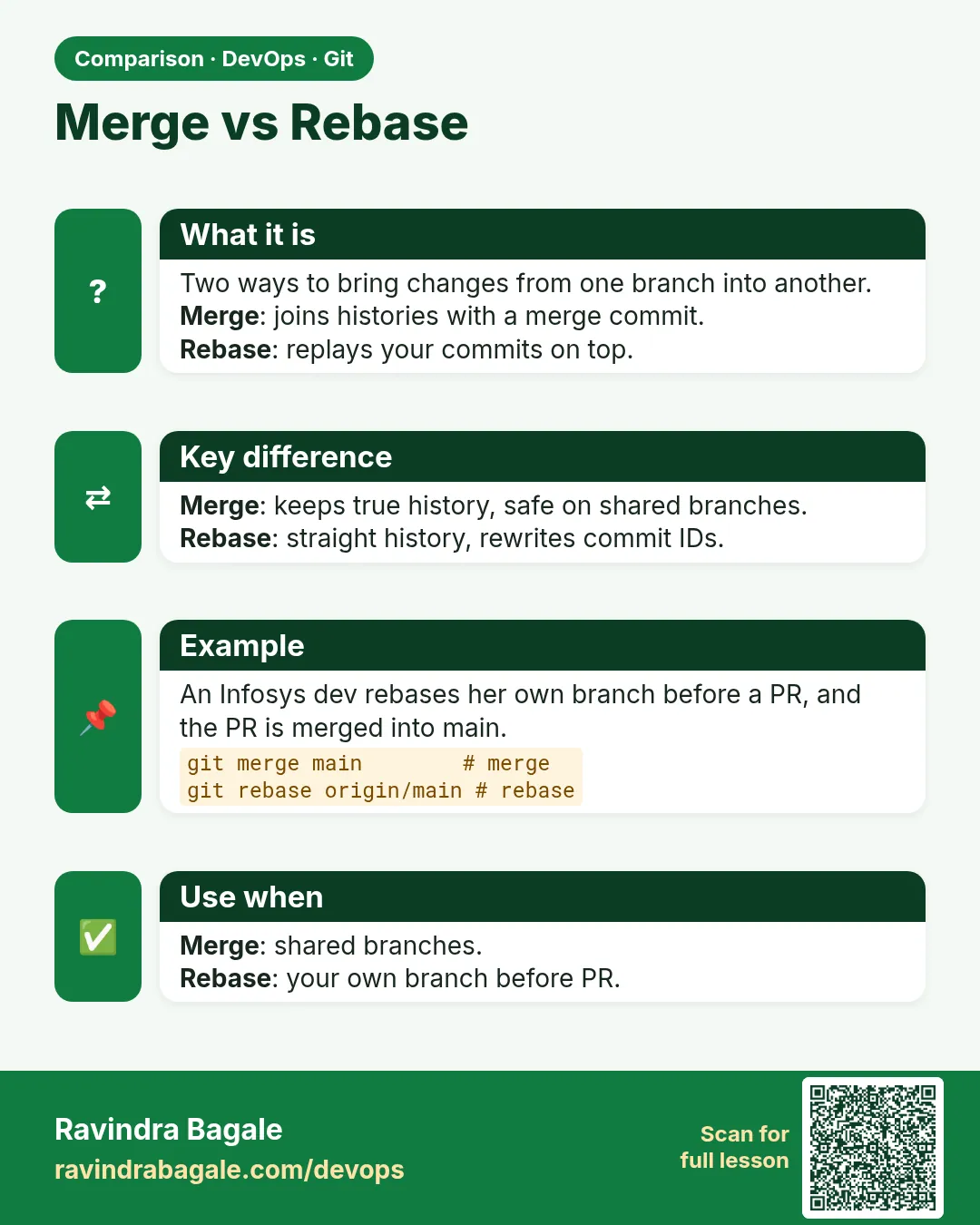
Yes, to update it. Some teams prefer rebase.
Why does GitLab offer fast-forward merge?
For a straight main history.
Interview questions
-
Explain fast-forward vs merge commit.
FF moves the pointer; a merge commit has two parents and joins diverged work.
-
When use --no-ff?
To keep a record that a feature branch existed.
-
What is a squash merge?
All branch changes in one commit on main.
-
How do you revert a merge?
git revert -m 1 MERGE_HASH.
-
What is a merge base?
The best common ancestor used for a three-way merge.
Quick quiz
Q1. When is a merge fast-forward?
When main has no new commits since the branch started.
Q2. How many parents does a merge commit have?
Two.
Q3. What does --no-ff do?
Always make a merge commit.
Q4. What does squash lose?
The separate branch commits.
Q5. How do you undo a merge on main?
git revert -m 1 HASH
Samajla ka?
 Revision card
 Interview card
 Comparison card