Chapter 3: Branch, Merge, Rebase, Stash and Pull Requests
3.12 log --graph, diff and show
Why: the problem
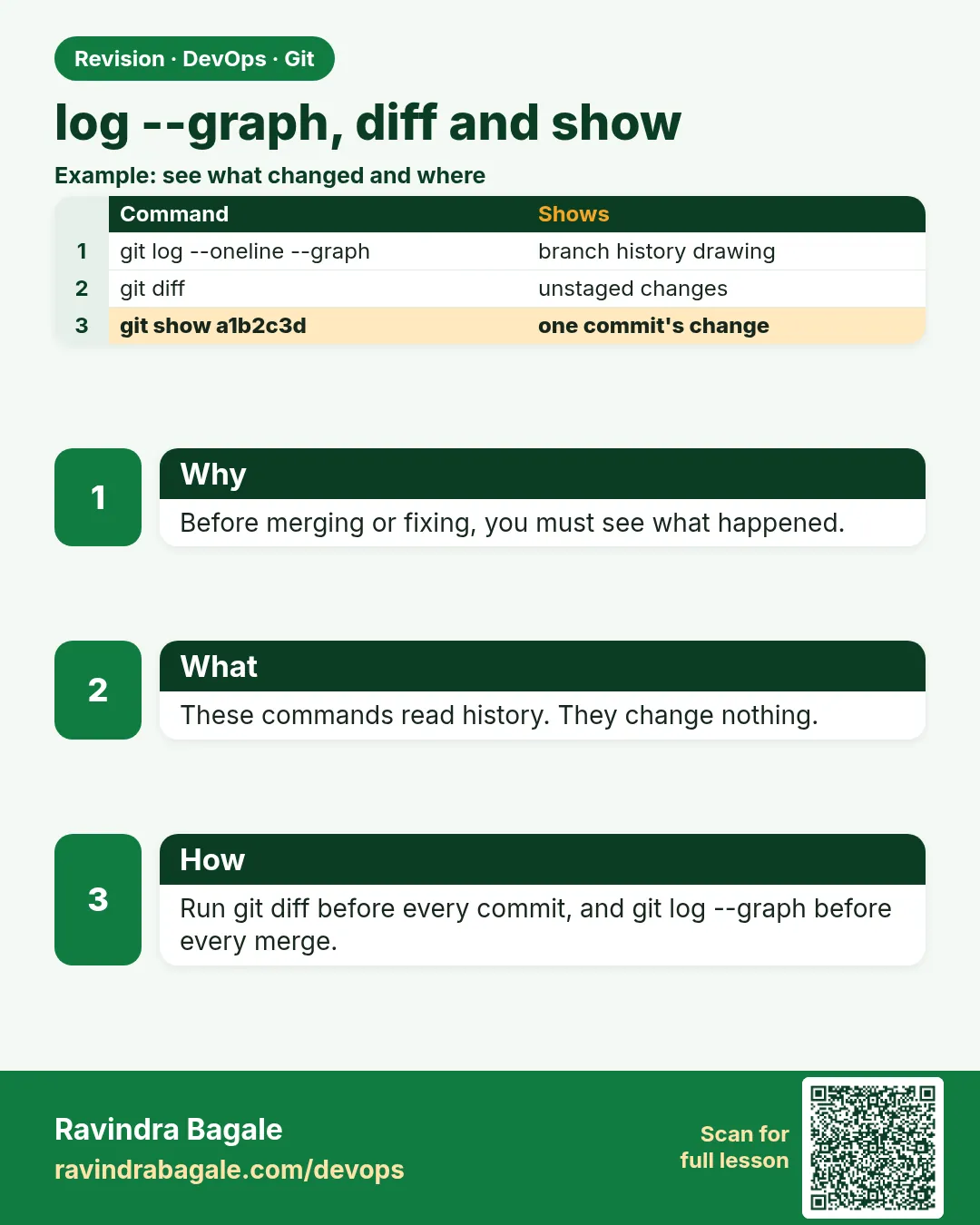
In a production incident, the first question is: what changed? Git answers it with three tools. git log shows the history: who committed, when and why, and with --graph you see branches and merges. git diff shows what changed between any two points: working tree, staging area, commits or branches. git show shows one commit fully: message and diff. Senior engineers at Zomato or Razorpay use these every day to review MRs, find the commit that broke something, and write release notes. In this lesson you will use the most useful options on hello-shop: graph views, filters by author, date, file and text, diff of staged changes and between branches, word diff, and show for one file at an old version.
What we will build
You will read hello-shop history with log --graph and filters, compare working tree, staging and branches with diff, and inspect commits and old file versions with show.
What: every term in plain English
- git log --oneline --graph --decorate --all — Picture of all branches.
- git log -p FILE — History with diffs for one file.
- git log -S TEXT — Commits that added or removed TEXT.
- git log --since / --author — Filter by date or person.
- git diff — Working tree vs staging area.
- git diff --staged — Staging area vs last commit.
- git diff A..B — Between two commits or branches.
- git show HASH:FILE — A file as it was at that commit.
How: step by step
-
Graph of all
cd ~/devops-lab/hello-shop && git log --oneline --graph --decorate --all -8What it does: All branches.
Output
* 4d4d4d4 (HEAD -> main) Merge branch 'feature/badge-colour' |\ | * 2b2b2b2 Gold badge -
Short alias
git config --global alias.lg "log --oneline --graph --decorate --all" && git lg -3What it does: Save typing.
Output
* 4d4d4d4 (HEAD -> main) ... -
By file
git log --oneline -- badge.pyWhat it does: Only badge commits.
Output
4d4d4d4 Merge ... 3c3c3c3 Set campaign colour to blue 2b2b2b2 Gold badge -
By text
git log -S "BADGE_COLOR" --onelineWhat it does: Where that word came or went.
Output
1e1e1e1 Add badge -
Unstaged diff
echo "x=1" >> badge.py && git diffWhat it does: Edits not yet added.
Output
+x=1 -
Staged diff
git add badge.py && git diff --staged --statWhat it does: Ready to commit.
Output
badge.py | 1 + -
Undo
git restore --staged badge.py && git restore badge.pyWhat it does: Clean.
Output
(no output)
Example 1: Find what changed between two releases
Stack. Git
Goal. Find what changed between two releases.
release-diff.sh
git tag -l
git log --oneline v1.0.0..main
git diff --stat v1.0.0..main
git log --format="- %s (%an)" --no-merges v1.0.0..main
What each line does
A..B— Commits in B not in A.--stat— Files and line counts.--format— Make release notes.--no-merges— Skip merge commits.
Green output
v1.0.0
4d4d4d4 Merge branch 'feature/badge-colour'
3c3c3c3 Set campaign colour to blue
2b2b2b2 Gold badge
 badge.py | 1 +
 1 file changed, 1 insertion(+)
- Set campaign colour to blue (Ravi Learner)
- Gold badge (Ravi Learner)
Expected result. Release notes and a change list in seconds.
Example 2: Investigate a production bug: who changed this line?
Stack. Git
Goal. Investigate a production bug: who changed this line?
investigate.sh
git blame -L 1,1 badge.py
git show --stat 2b2b2b2
git log -p -1 2b2b2b2 -- badge.py
What each line does
blame -L— Who last changed line 1.show --stat— Commit info and files.log -p— The exact diff.
Green output
2b2b2b2 (Ravi Learner 2026-10-20 11:02:13 +0530 1) BADGE_COLOR = "gold"
commit 2b2b2b2...
Author: Ravi Learner <ravi@example.com>
    Gold badge
 badge.py | 2 +-
-BADGE_COLOR = "green"
+BADGE_COLOR = "gold"
Expected result. You found the commit, the author and the reason in three commands.
Example 3: See an old file version without switching
Stack. Git
Goal. See an old file version without switching.
old.sh
git show 1e1e1e1:badge.py
git show main~3:badge.py > /tmp/badge-old.py
diff -u /tmp/badge-old.py badge.py | tail -2
git restore --source=1e1e1e1 --worktree badge.py && cat badge.py && git restore badge.py
What each line does
HASH:FILE— The file at that commit.> /tmp/...— Save it.restore --source— Put an old version in your working tree.
Green output
BADGE_COLOR = "green"
-BADGE_COLOR = "green"
+BADGE_COLOR = "gold"
BADGE_COLOR = "green"
Expected result. Read or restore any old version safely.
Example 4: Compare branches before opening an MR
Stack. Git
Goal. Compare branches before opening an MR.
mr-check.sh
git fetch -q
git log --oneline main..feature/offers
git diff --stat main...feature/offers
git diff --word-diff main...feature/offers -- offers.txt
What each line does
main..feature— Commits only on the feature.three dots— Diff from the merge base, what the MR will show.--word-diff— Shows changed words, easy for config.
Green output
6c6c6c6 Cap offer
0d0d0d0 Add offers
 offers.txt | 3 +++
{+offer=10+}
{+offer_max=40+}
Expected result. You see exactly what reviewers will see before you push.
Example 5: Summaries by author and message search
Stack. Git
Goal. Summaries by author and message search.
summary.sh
git shortlog -sn --no-merges
git log --grep "SHOP-2" --oneline
git log --since "2 weeks ago" --author Ravi --oneline | wc -l
What each line does
shortlog -sn— Commit count per author.--grep— Search messages.--since --author— Recent work by one person.
Green output
    14  Ravi Learner
     3  Asha Patil
5f5f5f5 Add /search route (!7)
5e5e5e5 Add steps file (SHOP-240)
12
Expected result. Good for standups and sprint reviews.
Example 6: Diff only names and status
Stack. Git
Goal. Diff only names and status.
names.sh
git diff --name-status v1.0.0..main
git diff --name-only HEAD~2 HEAD
What each line does
--name-status— A added, M modified, D deleted.--name-only— Only paths, good for scripts.
Green output
M   badge.py
A   offers.txt
badge.py
Expected result. Handy in CI to run tests only for changed folders.
Example 7: Follow a renamed file
Stack. Git
Goal. Follow a renamed file.
follow.sh
git mv badge.py ui_badge.py && git commit -qm "Rename badge"
git log --oneline -- ui_badge.py | wc -l
git log --oneline --follow -- ui_badge.py | wc -l
git mv ui_badge.py badge.py && git commit -qm "Rename back"
What each line does
Without --follow— Only commits after the rename.--follow— Full history.
Green output
1
5
Expected result. Always use --follow when a file was renamed.
Verify: did it work?
-
Alias works
git lg -1What it does: One line with labels.
Output
* 4d4d4d4 (HEAD -> main) ... -
Clean tree
git status -sWhat it does: Nothing.
Output
(no output) -
Last commit
git show --stat --oneline -1What it does: Commit info.
Output
4d4d4d4 Merge branch ...
When it is red 1
fatal: ambiguous argument 'v1.0.0..main': unknown revision
Cause. Tag does not exist locally.
Fix, step by step
- git fetch --tags
- git tag -l
When it is red 2
git log shows nothing for a file
Cause. The path is wrong or the file was renamed.
Fix, step by step
- Use git log --follow -- FILE.
When it is red 3
fatal: path 'badge.py' exists on disk, but not in '1e1e1e0'
Cause. The file did not exist in that commit.
Fix, step by step
- Pick a later commit: git log -- badge.py
When it is red 4
Output stuck in a pager (END)
Cause. Git uses less for long output.
Fix, step by step
- Press q, or use git --no-pager log.
Cleanup
-
Nothing to clean
git status -sWhat it does: Clean.
Output
(no output)
Ravindra Bagale's Tip
Incident madhe pahila prashna: kay badalla? git log ani git diff la vichara.
Practice tasks
Easy Graph
Why: See branches.
What to do: Make a log alias.
- git config alias.lg
Check: git lg works.
Medium Investigate
Why: Incident skill.
What to do: Find who changed a line and why.
- git blame
- git show
Check: Commit found.
Hard Release notes
Why: Real deliverable.
What to do: Generate notes between tags.
- git log A..B --format
Check: List of changes.
Easy Say log, diff, show in two lines
Why: If you can say it simply, you understand it. Interviewers want the short version first.
What to do: Write two short lines about log, diff, show for a fresher who knows only basic Linux.
- Write the problem it solves.
- Write one real command or file that shows it.
- Read it aloud to a friend.
Check: A fresher understands it without asking a question.
Easy Make a safe lab folder
Why: Practice needs a place you can throw away. Then mistakes cost nothing.
What to do: Create a lab folder for this chapter and work only inside it.
- mkdir -p ~/devops-lab && cd ~/devops-lab
- Run every command of this lesson from here.
- Check with pwd before you delete anything.
Check: All lab files live in ~/devops-lab.
Medium Repeat it in a container
Why: Your laptop is not the server. A clean Ubuntu container shows what a fresh server needs.
What to do: Run the main steps of this lesson again inside an Ubuntu container.
- docker run --rm -it -v "$PWD":/lab -w /lab ubuntu:24.04 bash
- apt update and install what is missing.
- Note every missing tool.
Check: Same result inside the container, or a list of what you had to install.
Medium Break it on purpose
Why: You must know the red message by face. In an outage there is no time to read slowly.
What to do: Cause one error from the "When it is red" part of this lesson and fix it.
- Follow the error section.
- Copy the exact message into your notes.
- Write the fix in one line.
Check: You fixed it using only the steps, without searching the web.
Medium Write a one-page runbook
Why: At 2 a.m. nobody remembers the right command. A short page saves the on-call person.
What to do: Write a runbook page for this lesson.
- Title, when to use, exact command, how to check, how to undo.
Check: A teammate can follow it alone.
Hard Explain it like an interview
Why: Interviewers want real stories, not definitions.
What to do: Record a 60 second answer about this lesson.
- Say the problem, the command or file you used, and one error you hit.
Check: Your answer has a real command and a real error message.
Hard Draw the flow top to bottom
Why: A drawing shows who does what and in which order.
What to do: Draw this lesson as boxes from top to bottom.
- Start at the developer laptop, end at the user on the website.
Check: Each box matches a real thing you ran.
Homework: try at home
Try at home
Write release notes for hello-shop from the last tag to main using git log --format, and attach git diff --stat.
Recap
- log shows history; filter by file, text, date, author.
- diff compares any two states.
- show prints one commit or old file.
- blame finds the line owner.
- Three dots diff equals the MR view.
FAQ
Two dots vs three dots in diff?
Two: tip vs tip. Three: from the merge base.
What is --follow?
Track a file across renames.
How do I see only file names?
git diff --name-only
Can I search commit messages?
git log --grep WORD
What is git shortlog?
Groups commits by author, good for summaries.
How do I see a diff of one function?
git log -L :NAME:FILE shows the history of a function.
Interview questions
-
How do you find which commit introduced a bug?
git log -S, git blame, or git bisect.
-
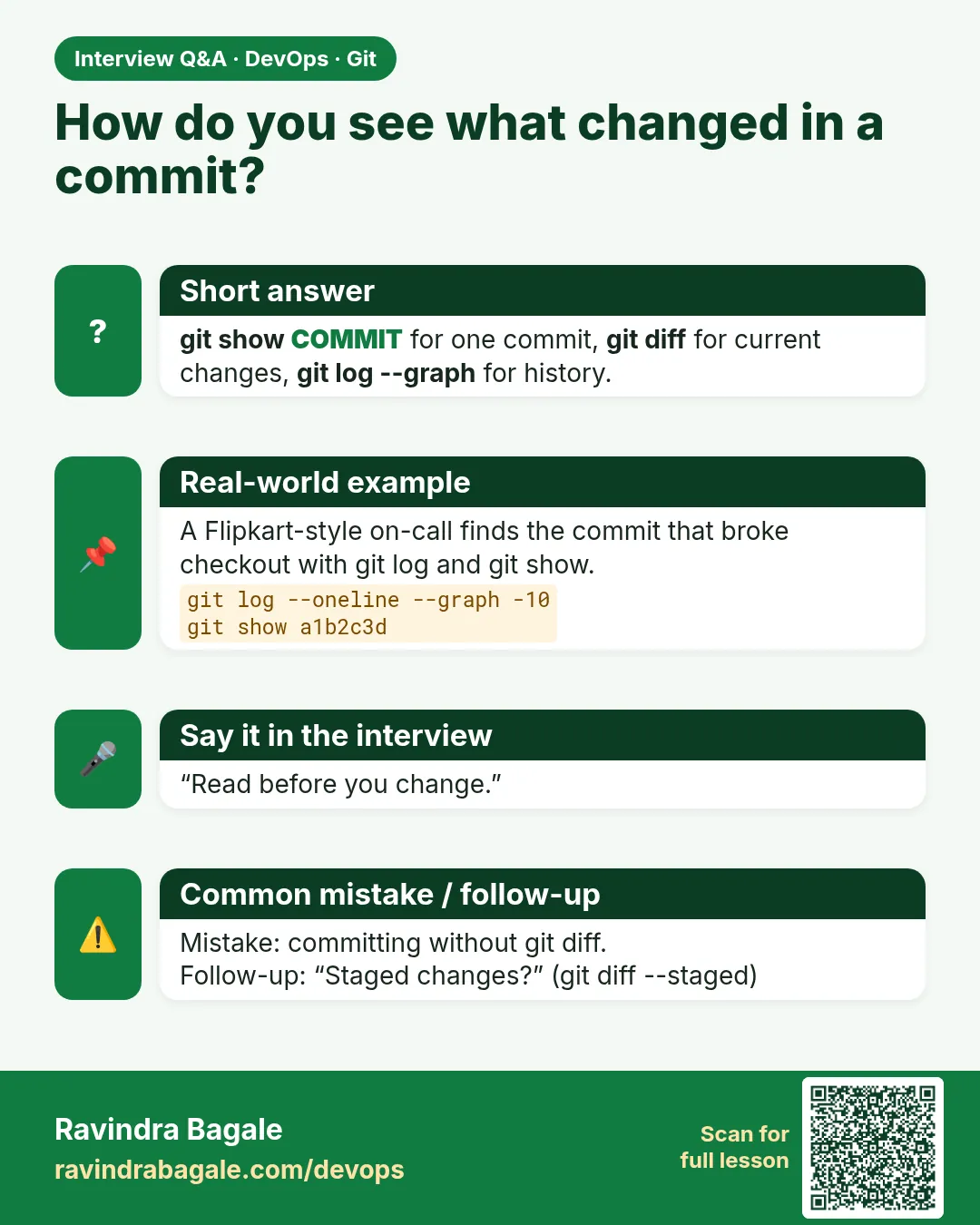
Difference between git diff and git diff --staged?
Unstaged changes vs staged changes.
-
How do you view a file at an older commit?
git show HASH:path.
-
How do you generate release notes?
git log --no-merges --format from the last tag.
-
What does --graph show?
The branch and merge shape of history.
Quick quiz
Q1. See all branches as a graph?
git log --oneline --graph --decorate --all
Q2. Staged diff?
git diff --staged
Q3. Commits that added a word?
git log -S WORD
Q4. A file at an old commit?
git show HASH:FILE
Q5. Who changed a line?
git blame -L N,N FILE
Samajla ka?
 Revision card
 Interview card