Chapter 3: Branch, Merge, Rebase, Stash and Pull Requests
3.11 reset --soft, --mixed and --hard
Why: the problem
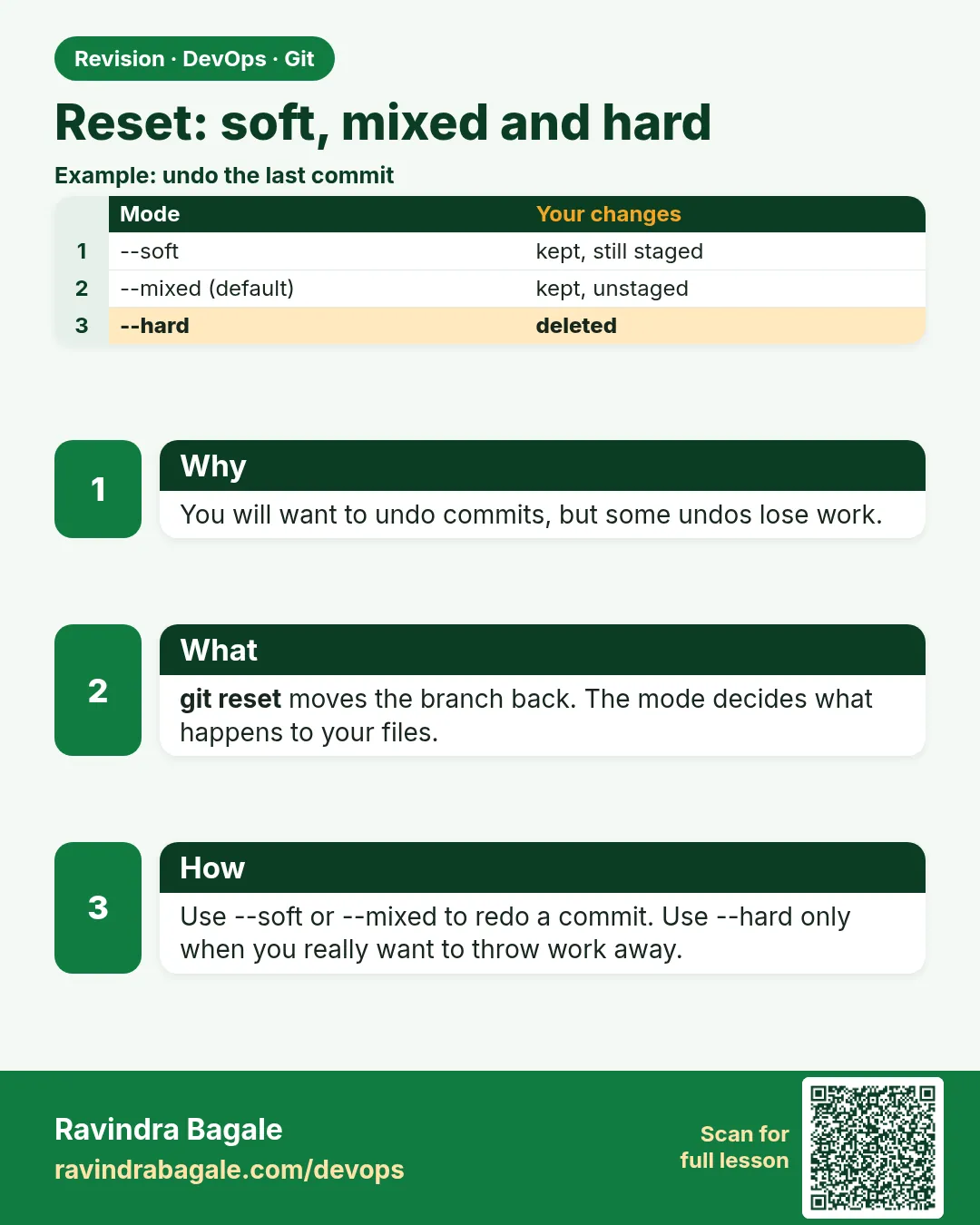
git reset moves the current branch label to another commit. It has three modes, and the difference decides whether you keep your work or lose it. --soft moves the label and keeps all changes staged. --mixed, the default, moves the label and keeps changes as unstaged edits. --hard moves the label and makes your files match, deleting uncommitted changes. Many people have lost a day of work with one --hard. Reset also rewrites history, so on a shared branch you should use git revert, which adds a new undo commit. In this lesson you will try all three modes on hello-shop, see exactly what happens to the files and the staging area, recover a lost commit with reflog, and use restore and revert for the safe cases.
What we will build
You will make three commits, reset with --soft, --mixed and --hard, check status after each, recover with reflog, unstage a file with restore, and undo a pushed commit with revert.
What: every term in plain English
- git reset --soft X — Move branch to X; keep changes staged.
- git reset --mixed X — Default; keep changes unstaged.
- git reset --hard X — Move branch and files to X; uncommitted changes are deleted.
- HEAD~1 — The commit before HEAD.
- reflog — Log of where HEAD has been; used for recovery.
- git restore --staged F — Unstage a file.
- git restore F — Throw away edits in a file.
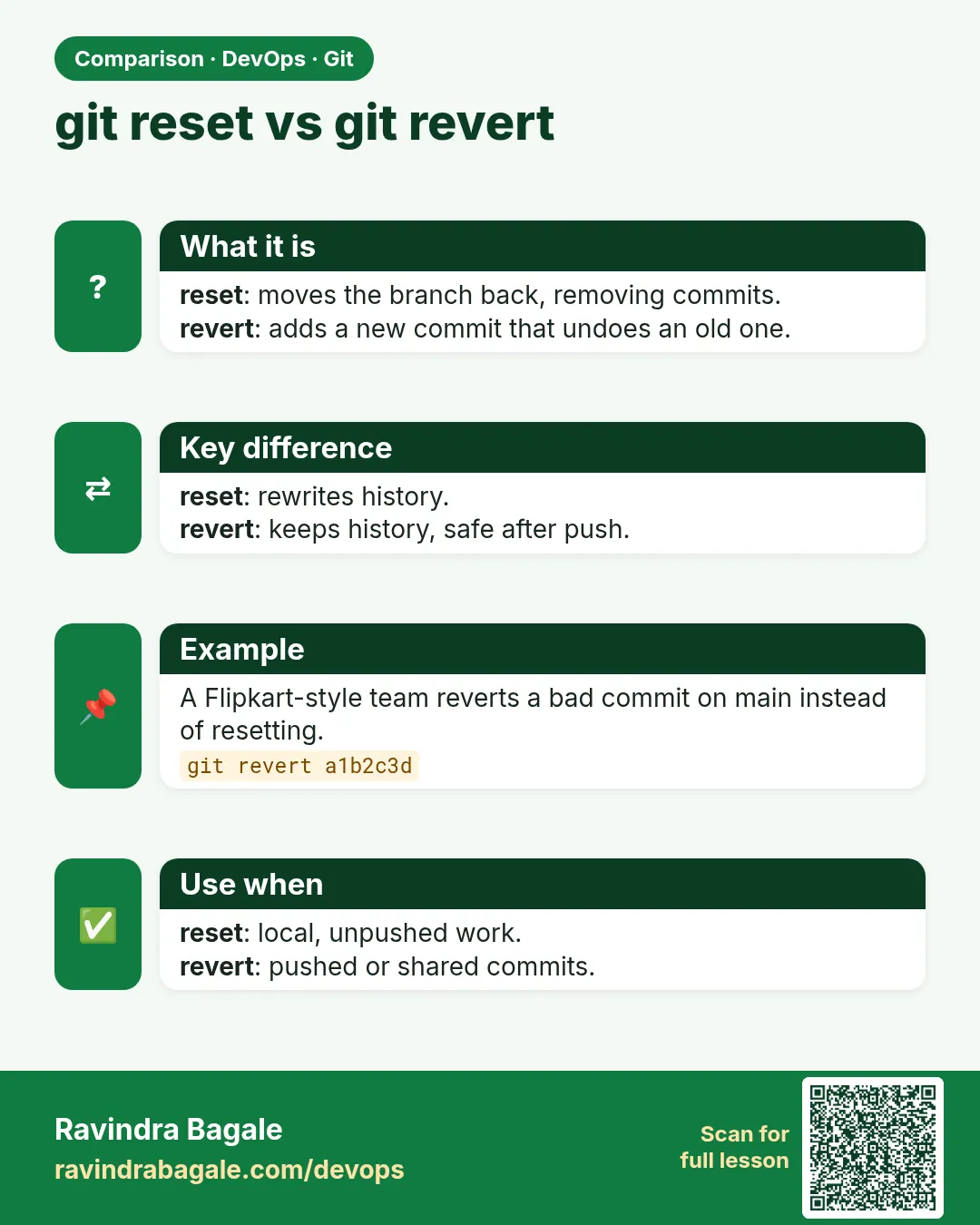
- git revert X — New commit that undoes X; safe on shared branches.
How: step by step
-
Lab commits
cd ~/devops-lab/hello-shop && git switch -qc lab/reset && for n in 1 2 3; do echo "step $n" >> steps.txt; git add .; git commit -qm "Step $n"; doneWhat it does: Three commits.
Output
(no output) -
See them
git log --oneline -3What it does: Newest first.
Output
3c3c3c3 Step 3 2b2b2b2 Step 2 1a1a1a1 Step 1 -
Soft
git reset --soft HEAD~1 && git status -sWhat it does: Step 3 is staged.
Output
M steps.txt -
Recommit
git commit -qm "Step 3 again"What it does: Back.
Output
(no output) -
Mixed
git reset HEAD~1 && git status -sWhat it does: Step 3 is unstaged.
Output
M steps.txt -
Hard
git reset --hard HEAD~1 && git status -s && cat steps.txtWhat it does: Step 2 and 3 work gone.
Output
HEAD is now at 1a1a1a1 Step 1 step 1 -
Recover
git reflog -4 && git reset --hard HEAD@{2}What it does: Go back via reflog.
Output
1a1a1a1 HEAD@{0}: reset: moving to HEAD~1
...
HEAD is now at 4d4d4d4 Step 3 again
Example 1: Squash your last 3 local commits with soft reset
Stack. Git
Goal. Squash your last 3 local commits with soft reset.
soft-squash.sh
git log --oneline -3
git reset --soft HEAD~3
git status -s
git commit -qm "Add steps file (SHOP-240)"
git log --oneline -2
What each line does
--soft HEAD~3— Label back 3; all changes staged.One commit— Clean history before push.
Green output
4d4d4d4 Step 3 again
2b2b2b2 Step 2
1a1a1a1 Step 1
A  steps.txt
5e5e5e5 Add steps file (SHOP-240)
Expected result. A simple way to squash local commits without interactive rebase.
Example 2: Unstage and discard with restore
Stack. Git
Goal. Unstage and discard with restore.
restore.sh
echo "API_KEY=dummy-not-real" > .env
echo "step 4" >> steps.txt
git add .
git restore --staged .env
git status -s
git restore steps.txt
git status -s
echo ".env" >> .gitignore
What each line does
restore --staged .env— Remove from staging; file stays.restore steps.txt— Throw away the edit..gitignore— Never commit env files.
Green output
M  steps.txt
?? .env
?? .env
Expected result. Exact control: unstage one file, discard another, keep the rest.
Example 3: Undo a pushed commit with revert
Stack. Git
Goal. Undo a pushed commit with revert.
revert.sh
git push -q -u origin lab/reset
echo "price=1" > price.txt && git add . && git commit -qm "Bad price" && git push -q
git revert --no-edit HEAD
git push -q
git log --oneline -3
What each line does
Pushed bad commit— Others may have it.git revert— New commit that removes the change.No force push— History stays shared and safe.
Green output
7a7a7a7 Revert "Bad price"
6f6f6f6 Bad price
5e5e5e5 Add steps file (SHOP-240)
Expected result. On shared branches, revert, do not reset.
Example 4: Find a commit lost after a hard reset
Stack. Git
Goal. Find a commit lost after a hard reset.
lost.sh
echo "important" > imp.txt && git add . && git commit -qm "Important work"
git reset -q --hard HEAD~1
git log --oneline -1
git reflog | grep "Important work"
git branch rescue HEAD@{1}
git log --oneline -1 rescue
What each line does
reset --hard— The commit is not on any branch now.reflog grep— Find it.git branch rescue— Give it a name so it is safe.
Green output
7a7a7a7 Revert "Bad price"
8b8b8b8 HEAD@{1}: commit: Important work
8b8b8b8 Important work
Expected result. Committed work is almost never truly lost. Uncommitted work deleted by --hard is.
Example 5: Preview and clean untracked files safely
Stack. Git
Goal. Preview and clean untracked files safely.
clean.sh
touch tmp1.log tmp2.log
git clean -n
git clean -f
git status -s
What each line does
-n— Dry run: show what would go.-f— Really delete untracked files.
Green output
Would remove tmp1.log
Would remove tmp2.log
Removing tmp1.log
Removing tmp2.log
Expected result. Always run -n first; clean has no undo.
Example 6: Redo the last commit with soft reset
Stack. Git
Goal. Redo the last commit with soft reset.
redo.sh
echo "typo" > note.txt && git add . && git commit -qm "Add nte"
git reset --soft HEAD~1
git commit -qm "Add note"
git log --oneline -1
What each line does
--soft HEAD~1— Undo the commit, keep the staged file.New commit— Correct message.
Green output
9a9a9a9 Add note
Expected result. Same result as commit --amend for the last commit.
Example 7: Reset one file to the last commit
Stack. Git
Goal. Reset one file to the last commit.
one-file.sh
echo "broken" > steps.txt
git restore --source=HEAD steps.txt
cat steps.txt | head -1
What each line does
--source=HEAD— Take the committed version.Only this file— Other edits are safe.
Green output
step 1
Expected result. Small, safe undo for one file.
Verify: did it work?
-
Rescue branch
git branch --list rescueWhat it does: Exists.
Output
rescue -
Clean tree
git status -sWhat it does: Only .gitignore change maybe.
Output
M .gitignore -
Revert present
git log --oneline -1 lab/resetWhat it does: Revert commit.
Output
7a7a7a7 Revert "Bad price"
When it is red 1
HEAD is now at 1a1a1a1 ... and your edits are gone
Cause. You used --hard with uncommitted work.
Fix, step by step
- Committed work: git reflog and reset back.
- Uncommitted: check your editor history; next time stash first.
When it is red 2
! [rejected] lab/reset (non-fast-forward)
Cause. You reset a pushed branch.
Fix, step by step
- If shared, use git revert instead.
- If only yours: git push --force-with-lease.
When it is red 3
fatal: ambiguous argument 'HEAD~5': unknown revision
Cause. Not that many commits.
Fix, step by step
- git log --oneline | wc -l
When it is red 4
error: pathspec '.env' did not match any file(s) known to git
Cause. File was never added.
Fix, step by step
- Nothing to restore; check git status.
Cleanup
-
Delete lab branches
git switch -q main && git branch -D lab/reset rescue && git push -q origin --delete lab/resetWhat it does: Tidy.
Output
Deleted branch lab/reset ...
Ravindra Bagale's Tip
--hard aadhi doan vela vichar kara. Shared branch var reset nahi, revert!
Practice tasks
Easy Three modes
Why: Know the difference.
What to do: Try each and check status.
- git reset --soft/--mixed/--hard
Check: Status matches table.
Medium Recover
Why: Fix mistakes.
What to do: Recover after --hard.
- git reflog
Check: Commit back.
Hard Revert
Why: Team-safe undo.
What to do: Revert a pushed commit.
- git revert
Check: No force push needed.
Easy Say git reset in two lines
Why: If you can say it simply, you understand it. Interviewers want the short version first.
What to do: Write two short lines about git reset for a fresher who knows only basic Linux.
- Write the problem it solves.
- Write one real command or file that shows it.
- Read it aloud to a friend.
Check: A fresher understands it without asking a question.
Easy Make a safe lab folder
Why: Practice needs a place you can throw away. Then mistakes cost nothing.
What to do: Create a lab folder for this chapter and work only inside it.
- mkdir -p ~/devops-lab && cd ~/devops-lab
- Run every command of this lesson from here.
- Check with pwd before you delete anything.
Check: All lab files live in ~/devops-lab.
Medium Repeat it in a container
Why: Your laptop is not the server. A clean Ubuntu container shows what a fresh server needs.
What to do: Run the main steps of this lesson again inside an Ubuntu container.
- docker run --rm -it -v "$PWD":/lab -w /lab ubuntu:24.04 bash
- apt update and install what is missing.
- Note every missing tool.
Check: Same result inside the container, or a list of what you had to install.
Medium Break it on purpose
Why: You must know the red message by face. In an outage there is no time to read slowly.
What to do: Cause one error from the "When it is red" part of this lesson and fix it.
- Follow the error section.
- Copy the exact message into your notes.
- Write the fix in one line.
Check: You fixed it using only the steps, without searching the web.
Medium Write a one-page runbook
Why: At 2 a.m. nobody remembers the right command. A short page saves the on-call person.
What to do: Write a runbook page for this lesson.
- Title, when to use, exact command, how to check, how to undo.
Check: A teammate can follow it alone.
Hard Explain it like an interview
Why: Interviewers want real stories, not definitions.
What to do: Record a 60 second answer about this lesson.
- Say the problem, the command or file you used, and one error you hit.
Check: Your answer has a real command and a real error message.
Hard Draw the flow top to bottom
Why: A drawing shows who does what and in which order.
What to do: Draw this lesson as boxes from top to bottom.
- Start at the developer laptop, end at the user on the website.
Check: Each box matches a real thing you ran.
Homework: try at home
Try at home
Write a table of soft, mixed and hard: where the label goes, staging area, working files. Prove each row with git status.
Recap
- soft keeps staged.
- mixed keeps unstaged.
- hard deletes uncommitted edits.
- reflog recovers commits.
- revert for shared branches.
FAQ
Is git reset --hard ever OK?
Yes, on your own branch when you truly want to throw away edits.
What does git reset FILE do?
Unstages FILE (same as restore --staged).
How long is reflog kept?
About 90 days by default, only on your laptop.
Can I undo a revert?
Yes, revert the revert.
What is git clean?
Deletes untracked files; use -n first to preview.
Is git switch --discard-changes like reset --hard?
For files, yes; it throws away edits while switching.
Interview questions
-
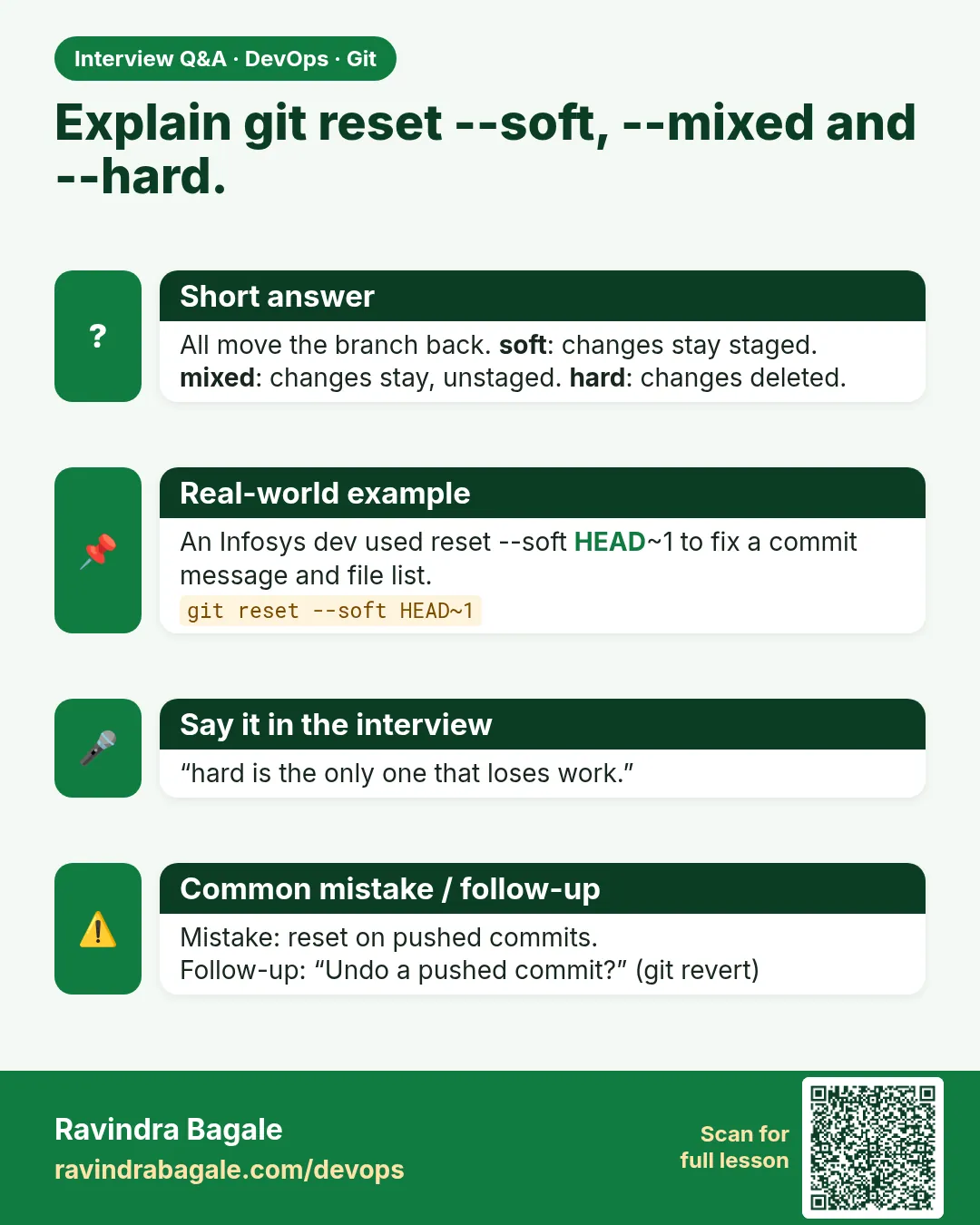
Explain reset modes.
soft: label only; mixed: label and index; hard: label, index and working tree.
-
Reset vs revert?
Reset rewrites history; revert adds an undo commit and is safe when shared.
-
How do you recover a commit after reset --hard?
git reflog and reset or branch to it.
-
How do you unstage a file?
git restore --staged FILE.
-
When would you use reset --soft?
To squash local commits or redo the last commit.
Quick quiz
Q1. Which mode keeps changes staged?
--soft
Q2. Default mode?
--mixed
Q3. Which mode deletes edits?
--hard
Q4. Undo on shared branch?
git revert
Q5. Find lost commit?
git reflog
Samajla ka?
 Revision card
 Interview card
 Comparison card