Chapter 3: Branch, Merge, Rebase, Stash and Pull Requests
3.5 Fork, upstream, and the pull request
Why: the problem
At a service company like TCS or a startup that uses open source, you often change code in a repository that you do not own. You cannot push to the client's repo. The answer is a fork: your own server copy of their project. You clone your fork, add their repo as a second remote called upstream, make a branch, push it to your fork, and open a merge request from your fork into their main. You also keep your fork up to date by fetching upstream. Many freshers mix up origin and upstream and push to the wrong place, or open an MR from an old fork. In this lesson you will practise the full fork flow on gitlab.com with a training project, and also simulate it locally so you can practise without any account.
What we will build
You will simulate a client repo and your fork with bare repos, set origin and upstream, make a fix on a branch, push to origin only, keep your fork in sync with upstream, and then see the same steps on gitlab.com.
What: every term in plain English
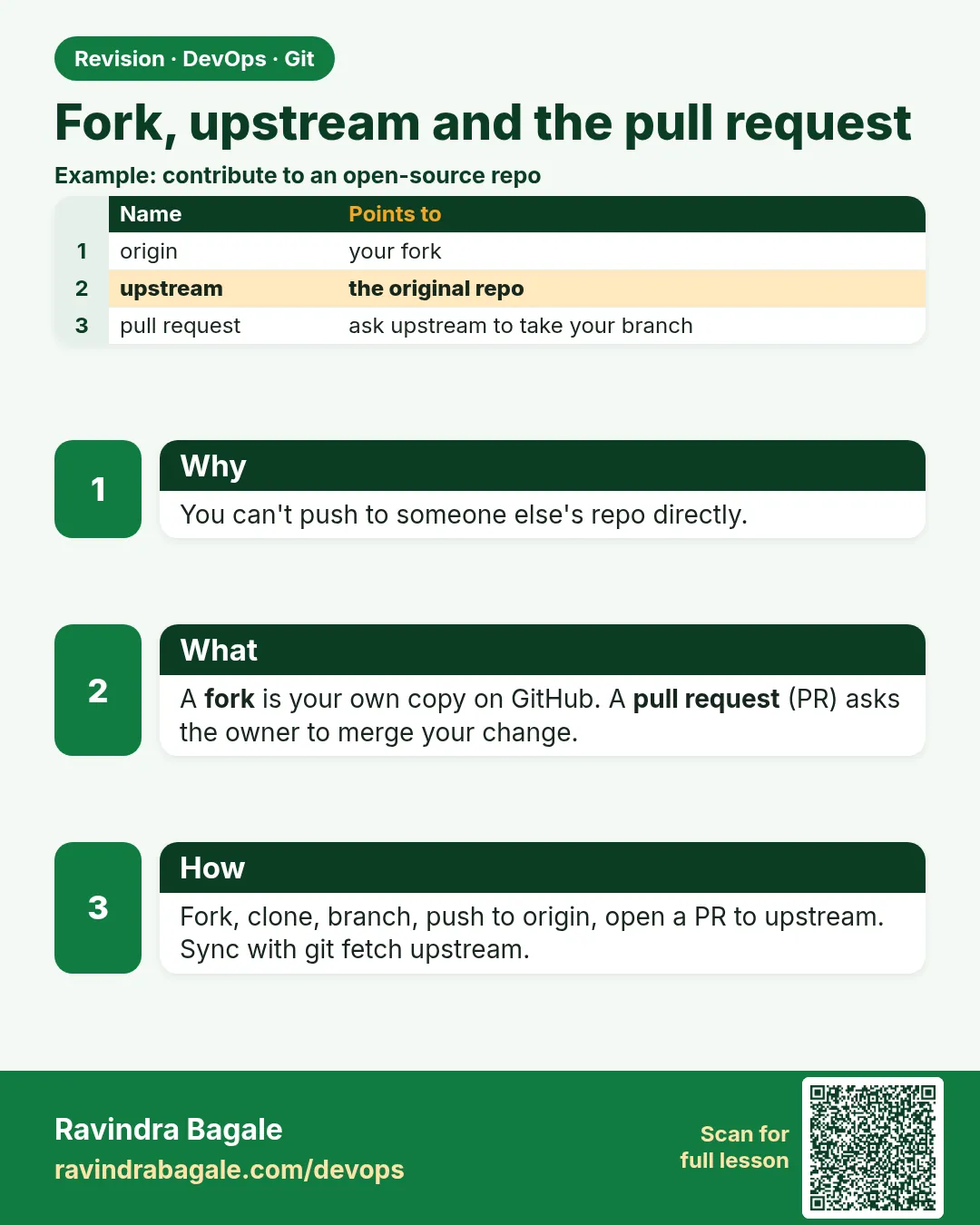
- Fork — Your own server copy of a repo owned by someone else.
- origin — Your fork. You can push here.
- upstream — The original repo. You only fetch from here.
- Merge request from fork — An MR from your fork branch into upstream main.
- Sync fork — Bring upstream main into your fork main.
- Maintainer — The person who owns upstream and merges MRs.
- Contributor — You: you send changes by MR.
- Push access — Permission to push. You have it on origin only.
How: step by step
-
Make upstream
mkdir -p ~/devops-lab/fork && cd ~/devops-lab/fork && git init -q --bare -b main client.gitWhat it does: The client repo.
Output
(no output) -
Seed upstream
git clone -q client.git seed && cd seed && echo "rate=5" > config.txt && git add . && git commit -qm init && git push -q && cd ..What it does: Client code.
Output
(no output) -
Fork it
git clone -q --bare client.git myfork.gitWhat it does: A server copy you own.
Output
(no output) -
Clone your fork
git clone -q myfork.git work && cd workWhat it does: Your laptop copy.
Output
(no output) -
Add upstream
git remote add upstream ../client.git && git remote -vWhat it does: Two remotes.
Output
origin /home/ravi/devops-lab/fork/myfork.git (fetch) origin ... (push) upstream /home/ravi/devops-lab/fork/client.git (fetch) upstream ... (push) -
Block push to upstream
git remote set-url --push upstream no_push && git remote -v | grep upstreamWhat it does: Safety: you cannot push there by mistake.
Output
upstream .../client.git (fetch) upstream no_push (push) -
Branch and push to origin
git switch -c fix/rate-limit && echo "rate=10" > config.txt && git commit -qam "Raise rate limit to 10" && git push -q -u origin fix/rate-limitWhat it does: Your fix on your fork.
Output
(no output)
Example 1: Keep your fork in sync with upstream
Stack. Git
Goal. Keep your fork in sync with upstream.
sync.sh
cd ~/devops-lab/fork/seed && echo "log=info" >> config.txt && git commit -qam "Add log level" && git push -q
cd ../work
git fetch upstream
git switch -q main
git merge --ff-only upstream/main
git push origin main
git log --oneline -2
What each line does
Client adds a commit— upstream moved.fetch upstream— Download it.--ff-only— Your main must not have its own commits.push origin main— Your fork main now equals upstream.
Green output
From ../client
   1a1a1a1..2b2b2b2  main       -> upstream/main
Updating 1a1a1a1..2b2b2b2
Fast-forward
To /home/ravi/devops-lab/fork/myfork.git
   1a1a1a1..2b2b2b2  main -> main
2b2b2b2 Add log level
1a1a1a1 init
Expected result. Your fork is fresh, so your next branch starts from the newest client code.
Example 2: Rebase your fix branch on new upstream
Stack. Git
Goal. Rebase your fix branch on new upstream.
update-fix.sh
git switch -q fix/rate-limit
git rebase upstream/main
git log --oneline -3
git push --force-with-lease
What each line does
rebase upstream/main— Put your fix on top of the newest client code.--force-with-lease— Update your fork branch safely. It is your branch.
Green output
Successfully rebased and updated refs/heads/fix/rate-limit.
3c3c3c3 Raise rate limit to 10
2b2b2b2 Add log level
1a1a1a1 init
 + 9d9d9d9...3c3c3c3 fix/rate-limit -> fix/rate-limit (forced update)
Expected result. The maintainer sees a clean fix on top of current main.
Example 3: The same flow on gitlab
Stack. GitLab
Goal. The same flow on gitlab.com.
gitlab-fork.sh
# 1. On gitlab.com open the project page and click Fork.
git clone git@gitlab.com:ravi-learner/training-app.git
cd training-app
git remote add upstream https://gitlab.com/devops-class/training-app.git
git remote set-url --push upstream no_push
git switch -c fix/typo-readme
sed -i 's/Instal /Install /' README.md
git commit -qam "Fix typo in README"
git push -u origin fix/typo-readme \
  -o merge_request.create -o merge_request.target_project=devops-class/training-app
What each line does
Fork button— Makes ravi-learner/training-app.upstream https URL— Read-only access is enough.target_project— Open the MR into the original project.
Green output
remote: View merge request for fix/typo-readme:
remote:   https://gitlab.com/devops-class/training-app/-/merge_requests/41
Expected result. A real contribution from a fork, ready for the maintainer.
Example 4: Catch the wrong-remote mistake
Stack. Git
Goal. Catch the wrong-remote mistake.
mistake.sh
git push upstream fix/rate-limit
git remote -v
git push origin fix/rate-limit
What each line does
push upstream— Blocked by no_push, or by permissions on a real server.remote -v— Check which name is yours.push origin— Correct place.
Green output
fatal: 'no_push' does not appear to be a git repository
fatal: Could not read from remote repository.
Everything up-to-date
Expected result. The no_push setting saved you from pushing to the client.
Example 5: See which fork branches are behind upstream
Stack. Git
Goal. See which fork branches are behind upstream.
behind.sh
git fetch -q upstream
git rev-list --left-right --count upstream/main...origin/main
What each line does
--left-right --count— Commits only on the left and only on the right.2 0— Your fork is 2 behind and 0 ahead.
Green output
2 0
Expected result. Time to sync your fork before the next branch.
Verify: did it work?
-
Two remotes
git remoteWhat it does: Both names.
Output
origin upstream -
Fix on fork
git ls-remote --heads origin fix/rate-limitWhat it does: Exists on your fork.
Output
3c3c3c3... refs/heads/fix/rate-limit -
Not on upstream
git ls-remote --heads upstream fix/rate-limitWhat it does: Empty.
Output
(no output)
When it is red 1
remote: You are not allowed to push code to this project.
Cause. You pushed to upstream.
Fix, step by step
- git push origin BRANCH instead.
When it is red 2
fatal: Not possible to fast-forward, aborting.
Cause. Your fork main has its own commits.
Fix, step by step
- Keep main clean; work only on branches.
- git reset --hard upstream/main on your fork main if those commits are not needed.
When it is red 3
error: remote upstream already exists.
Cause. You added it before.
Fix, step by step
- git remote set-url upstream URL
When it is red 4
MR shows 40 changed files you did not touch
Cause. Your branch started from an old fork main.
Fix, step by step
- Sync main, then git rebase upstream/main on your branch.
Cleanup
-
Remove lab
rm -rf ~/devops-lab/forkWhat it does: Everything from the lab.
Output
(no output)
Ravindra Bagale's Tip
origin aapla, upstream client cha. upstream la push karaycha nahi, fakt fetch!
Practice tasks
Easy Two remotes
Why: Know origin from upstream.
What to do: Add upstream to a clone.
- git remote add upstream URL
Check: remote -v shows both.
Medium Sync
Why: Fresh base.
What to do: Sync fork main with upstream.
- fetch, merge --ff-only, push
Check: Same hash as upstream.
Hard Full contribution
Why: Real open source.
What to do: Open an MR from a fork on gitlab.com.
- push -o ...
Check: MR link printed.
Easy Say fork and upstream in two lines
Why: If you can say it simply, you understand it. Interviewers want the short version first.
What to do: Write two short lines about fork and upstream for a fresher who knows only basic Linux.
- Write the problem it solves.
- Write one real command or file that shows it.
- Read it aloud to a friend.
Check: A fresher understands it without asking a question.
Easy Make a safe lab folder
Why: Practice needs a place you can throw away. Then mistakes cost nothing.
What to do: Create a lab folder for this chapter and work only inside it.
- mkdir -p ~/devops-lab && cd ~/devops-lab
- Run every command of this lesson from here.
- Check with pwd before you delete anything.
Check: All lab files live in ~/devops-lab.
Medium Repeat it in a container
Why: Your laptop is not the server. A clean Ubuntu container shows what a fresh server needs.
What to do: Run the main steps of this lesson again inside an Ubuntu container.
- docker run --rm -it -v "$PWD":/lab -w /lab ubuntu:24.04 bash
- apt update and install what is missing.
- Note every missing tool.
Check: Same result inside the container, or a list of what you had to install.
Medium Break it on purpose
Why: You must know the red message by face. In an outage there is no time to read slowly.
What to do: Cause one error from the "When it is red" part of this lesson and fix it.
- Follow the error section.
- Copy the exact message into your notes.
- Write the fix in one line.
Check: You fixed it using only the steps, without searching the web.
Medium Write a one-page runbook
Why: At 2 a.m. nobody remembers the right command. A short page saves the on-call person.
What to do: Write a runbook page for this lesson.
- Title, when to use, exact command, how to check, how to undo.
Check: A teammate can follow it alone.
Hard Explain it like an interview
Why: Interviewers want real stories, not definitions.
What to do: Record a 60 second answer about this lesson.
- Say the problem, the command or file you used, and one error you hit.
Check: Your answer has a real command and a real error message.
Hard Draw the flow top to bottom
Why: A drawing shows who does what and in which order.
What to do: Draw this lesson as boxes from top to bottom.
- Start at the developer laptop, end at the user on the website.
Check: Each box matches a real thing you ran.
Homework: try at home
Try at home
Fork a public training project on gitlab.com, add upstream with no_push, fix a typo on a branch and open an MR into the original. Do not push to upstream.
Recap
- Fork = your copy on the server.
- origin is yours; upstream is theirs.
- Block upstream pushes with no_push.
- Sync main from upstream, work on branches.
- Open the MR from fork to upstream.
FAQ
Do I need a fork if I am in the team?
No. Team members branch in the same repo.
Can a fork be private?
Yes, if the project allows.
Why use https for upstream?
You only read, so no SSH key is needed.
What if upstream renamed master to main?
git fetch upstream and use upstream/main.
Is a fork a backup?
No. It is a working copy; keep proper backups.
Interview questions
-
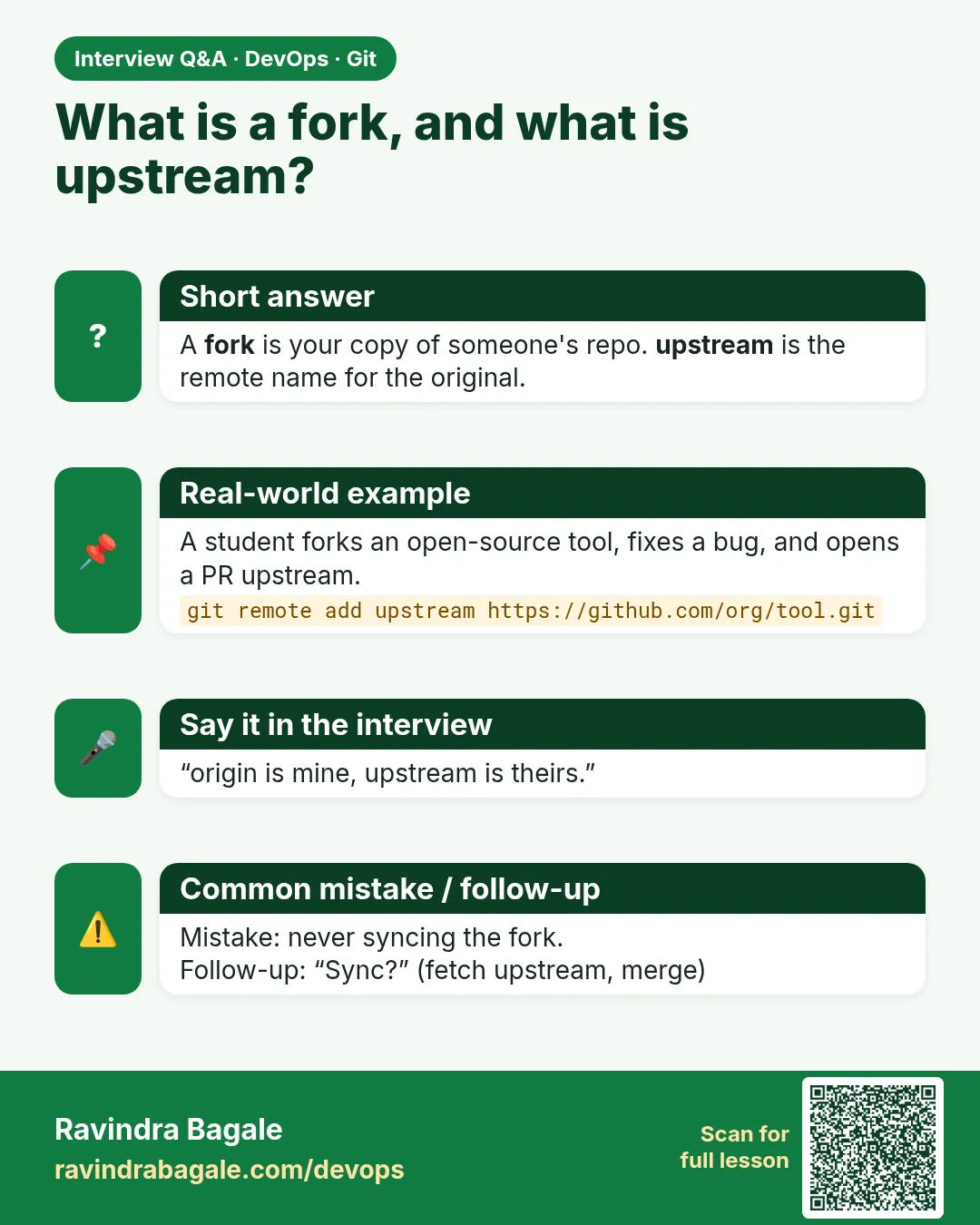
What is a fork and why use it?
A server copy of a repo you cannot push to, used to send MRs.
-
Difference between origin and upstream?
origin is your fork; upstream is the original.
-
How do you sync a fork?
fetch upstream, merge or rebase upstream/main, push to origin.
-
How do you avoid pushing to upstream?
Set its push URL to no_push and check git remote -v.
-
Why rebase a fork branch before an MR?
To remove unrelated changes and avoid conflicts.
Quick quiz
Q1. Which remote is your fork?
origin.
Q2. Which remote do you only fetch?
upstream.
Q3. How do you sync your fork main?
fetch upstream, merge --ff-only upstream/main, push origin main.
Q4. Why no_push?
To block pushes to upstream by mistake.
Q5. Where is the MR opened?
From your fork branch into upstream main.
Samajla ka?
 Revision card
 Interview card