Chapter 3: Branch, Merge, Rebase, Stash and Pull Requests
3.7 A conflict, line by line
Why: the problem
A conflict happens when two branches change the same line of the same file, and Git cannot know which version is right. It is not an error and nothing is lost. Git stops the merge, writes both versions into the file between marker lines, and waits for you. Freshers panic, delete one side by mistake, or commit the file with the markers still inside, which breaks the build for everyone. At a company like Paytm, a broken config line can stop payments. In this lesson you will create a real conflict in badge.py of hello-shop, read the file line by line, understand the three marker lines, fix it by hand, by choosing one side, and with a merge tool, and make sure no marker is left before you commit.
What we will build
You will set BADGE_COLOR to gold on a branch and to blue on main, merge, read the conflict, keep gold, check for leftover markers, and commit. Then you will try ours/theirs, abort, and a quick tool check.
What: every term in plain English
- Conflict — Two sides changed the same lines; Git needs you to choose.
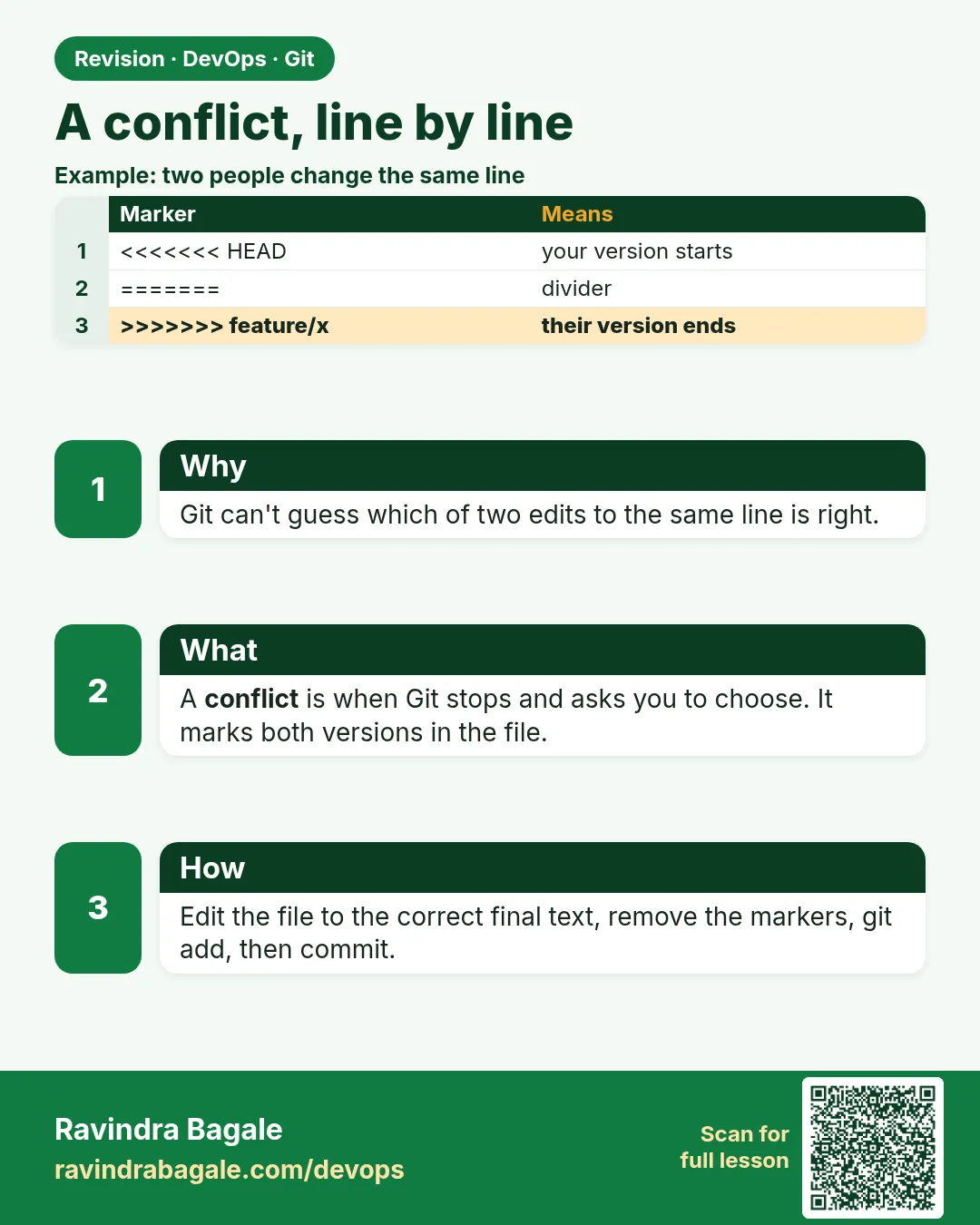
- Start marker — A line of seven less-than signs followed by HEAD. Your current branch side starts here.
- Middle marker — A line of seven equals signs (=======). It separates the two sides.
- End marker — A line of seven greater-than signs followed by the branch name. The incoming side ends here.
- Unmerged path — A file still in conflict; shown as "both modified".
- ours / theirs — In a merge, ours is the current branch; theirs is the branch you merge in.
- git merge --abort — Stop the merge and go back to before it.
- Resolve — Edit the file to the final content, remove markers, git add.
How: step by step
-
Base file
cd ~/devops-lab/hello-shop && git switch -q main && echo 'BADGE_COLOR = "green"' > badge.py && git add . && git commit -qm "Add badge"What it does: Common start.
Output
(no output) -
Branch says gold
git switch -qc feature/badge-colour && sed -i 's/green/gold/' badge.py && git commit -qam "Gold badge"What it does: Change one line.
Output
(no output) -
Main says blue
git switch -q main && sed -i 's/green/blue/' badge.py && git commit -qam "Set campaign colour to blue"What it does: Same line, other value.
Output
(no output) -
Merge
git merge feature/badge-colourWhat it does: Git stops.
Output
Auto-merging badge.py CONFLICT (content): Merge conflict in badge.py Automatic merge failed; fix conflicts and then commit the result. -
See status
git status -sWhat it does: UU = both modified.
Output
UU badge.py -
Count marker lines
grep -c -E "^(=======|>>>>>>>)" badge.pyWhat it does: Middle and end markers are in the file.
Output
2 -
Read both sides
git show :2:badge.py; git show :3:badge.pyWhat it does: Stage 2 is ours, stage 3 is theirs.
Output
BADGE_COLOR = "blue"
BADGE_COLOR = "gold"
Example 1: Fix the conflict by hand and commit
Stack. Git, Python
Goal. Fix the conflict by hand and commit.
fix.sh
cat -n badge.py
printf 'BADGE_COLOR = "gold"\n' > badge.py
grep -n -E "^(=======|>>>>>>>)" badge.py || echo "no markers left"
python3 -m py_compile badge.py && echo compile-ok
git add badge.py
git commit --no-edit
git log --oneline --graph -4
What each line does
cat -n— Five lines: start marker, blue, middle marker, gold, end marker.printf ... > badge.py— Write the final content: keep gold.grep markers— Must find nothing.py_compile— The file is valid Python again.git add— Mark as resolved.commit --no-edit— Finish the merge.
Green output
     2  BADGE_COLOR = "blue"
     3  =======
     4  BADGE_COLOR = "gold"
     5  >>>>>>> feature/badge-colour
no markers left
compile-ok
[main 4d4d4d4] Merge branch 'feature/badge-colour'
*   4d4d4d4 Merge branch 'feature/badge-colour'
|\
| * 2b2b2b2 Gold badge
* | 3c3c3c3 Set campaign colour to blue
Expected result. The merge is done with the colour you chose and no markers left.
Example 2: Choose a whole side fast with ours or theirs
Stack. Git
Goal. Choose a whole side fast with ours or theirs.
side.sh
git reset -q --hard HEAD~1
git merge feature/badge-colour
git checkout --theirs badge.py
cat badge.py
git add badge.py && git commit -q --no-edit
git log -1 --oneline
What each line does
reset --hard HEAD~1— Lab only: undo the merge to try again.--theirs— Take the incoming branch version (gold).--ours— Would keep main (blue).
Green output
CONFLICT (content): Merge conflict in badge.py
BADGE_COLOR = "gold"
5e5e5e5 Merge branch 'feature/badge-colour'
Expected result. Good for generated files like lock files where one side is clearly right.
Example 3: Abort when you are not sure
Stack. Git
Goal. Abort when you are not sure.
abort.sh
git reset -q --hard HEAD~1
git merge feature/badge-colour
git merge --abort
git status -s
cat badge.py
What each line does
merge --abort— Go back to before the merge.status empty— Nothing half-done.
Green output
CONFLICT (content): Merge conflict in badge.py
BADGE_COLOR = "blue"
Expected result. You can always stop, ask the teammate, and try again later.
Example 4: Block commits that still contain markers
Stack. Git hooks
Goal. Block commits that still contain markers.
.git/hooks/pre-commit
#!/bin/sh
if git diff --cached | grep -q -E "^[+](=======|>>>>>>>)( |$)"; then
  echo "ERROR: conflict markers found. Fix them before commit."
  exit 1
fi
setup
chmod 755 .git/hooks/pre-commit
printf '=======\n' >> badge.py && git add badge.py
git commit -m "bad"
git checkout -- badge.py; git reset -q badge.py
What each line does
git diff --cached— What you are about to commit.grep marker lines— Middle or end marker added.exit 1— Stop the commit.chmod 755— Make the hook run.
Green output
ERROR: conflict markers found. Fix them before commit.
Expected result. A small hook stops the most common conflict mistake. git diff --check also warns about markers.
Verify: did it work?
-
No unmerged files
git diff --name-only --diff-filter=UWhat it does: Empty.
Output
(no output) -
Final value
cat badge.pyWhat it does: The colour you chose.
Output
BADGE_COLOR = "gold" -
Merge commit exists
git log --merges --oneline -1What it does: Done.
Output
5e5e5e5 Merge branch 'feature/badge-colour'
When it is red 1
CONFLICT (content): Merge conflict in badge.py
Cause. Same line changed on both sides.
Fix, step by step
- Open the file, pick the final lines, remove markers.
- git add badge.py
- git commit
When it is red 2
error: Committing is not possible because you have unmerged files.
Cause. You did not git add the fixed file.
Fix, step by step
- git add FILE
- git commit
When it is red 3
SyntaxError: invalid syntax (badge.py, line 3)
Cause. Markers were committed into the code.
Fix, step by step
- Remove the marker lines.
- Commit the fix.
- Add the pre-commit hook.
When it is red 4
fatal: You have not concluded your merge (MERGE_HEAD exists).
Cause. A merge is still in progress.
Fix, step by step
- Finish with git commit or stop with git merge --abort.
Cleanup
-
Delete branch
git branch -d feature/badge-colourWhat it does: Merged now.
Output
Deleted branch feature/badge-colour (was 2b2b2b2).
Ravindra Bagale's Tip
Conflict mhanje Git vicharto aahe, "kuthla theu?" Markers kadhun, test karun mag commit kara.
Practice tasks
Easy First conflict
Why: Lose the fear.
What to do: Make and fix one conflict.
- git merge
- edit
- git add
Check: Merge commit exists.
Medium Pick sides
Why: Speed.
What to do: Use --ours and --theirs.
- git checkout --theirs
Check: File has chosen side.
Hard Guard
Why: Prevent breakage.
What to do: Add the pre-commit hook.
- chmod 755
Check: Commit with markers is blocked.
Easy Say merge conflicts in two lines
Why: If you can say it simply, you understand it. Interviewers want the short version first.
What to do: Write two short lines about merge conflicts for a fresher who knows only basic Linux.
- Write the problem it solves.
- Write one real command or file that shows it.
- Read it aloud to a friend.
Check: A fresher understands it without asking a question.
Easy Make a safe lab folder
Why: Practice needs a place you can throw away. Then mistakes cost nothing.
What to do: Create a lab folder for this chapter and work only inside it.
- mkdir -p ~/devops-lab && cd ~/devops-lab
- Run every command of this lesson from here.
- Check with pwd before you delete anything.
Check: All lab files live in ~/devops-lab.
Medium Repeat it in a container
Why: Your laptop is not the server. A clean Ubuntu container shows what a fresh server needs.
What to do: Run the main steps of this lesson again inside an Ubuntu container.
- docker run --rm -it -v "$PWD":/lab -w /lab ubuntu:24.04 bash
- apt update and install what is missing.
- Note every missing tool.
Check: Same result inside the container, or a list of what you had to install.
Medium Break it on purpose
Why: You must know the red message by face. In an outage there is no time to read slowly.
What to do: Cause one error from the "When it is red" part of this lesson and fix it.
- Follow the error section.
- Copy the exact message into your notes.
- Write the fix in one line.
Check: You fixed it using only the steps, without searching the web.
Medium Write a one-page runbook
Why: At 2 a.m. nobody remembers the right command. A short page saves the on-call person.
What to do: Write a runbook page for this lesson.
- Title, when to use, exact command, how to check, how to undo.
Check: A teammate can follow it alone.
Hard Explain it like an interview
Why: Interviewers want real stories, not definitions.
What to do: Record a 60 second answer about this lesson.
- Say the problem, the command or file you used, and one error you hit.
Check: Your answer has a real command and a real error message.
Hard Draw the flow top to bottom
Why: A drawing shows who does what and in which order.
What to do: Draw this lesson as boxes from top to bottom.
- Start at the developer laptop, end at the user on the website.
Check: Each box matches a real thing you ran.
Homework: try at home
Try at home
Make a conflict in two lines of the same file, fix one by hand and one with --theirs, and prove with grep that no marker is left.
Recap
- A conflict is a question, not a failure.
- HEAD side, middle marker, incoming side.
- Edit, remove markers, git add, commit.
- --abort to start over.
- Check for markers before commit.
FAQ
Can Git lose my code in a conflict?
No. Both sides are in the file and in stages 2 and 3.
What is zdiff3?
A style that also shows the base version, which helps you see what each side changed.
Can VS Code help?
Yes, it shows Accept Current, Accept Incoming and Accept Both buttons.
Why do lock files conflict often?
Many people change them; regenerate them instead of editing by hand.
How do I avoid conflicts?
Small branches, merge often, and pull main daily.
Interview questions
-
How do you resolve a merge conflict?
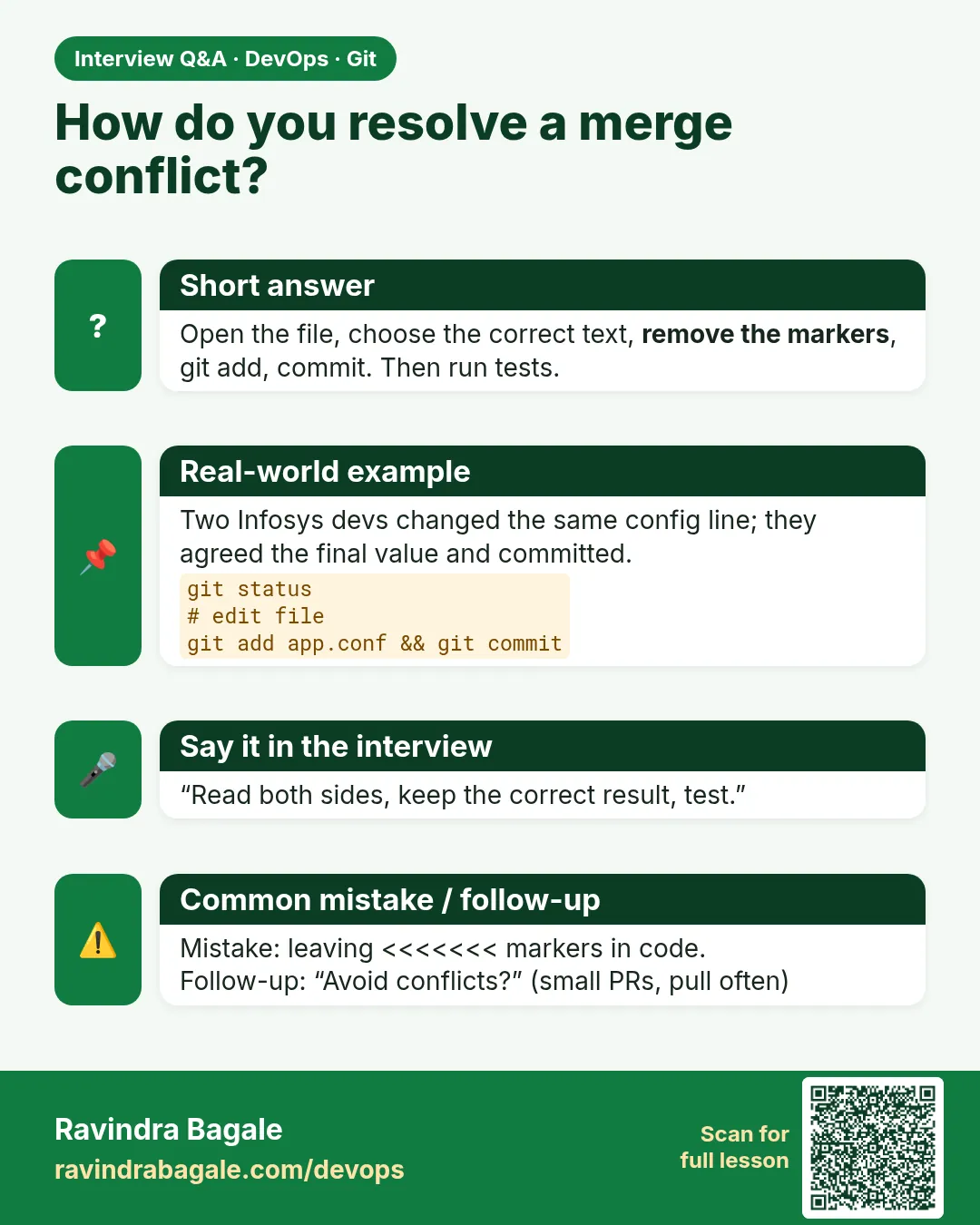
Open the files, choose the final content, remove markers, test, git add, commit.
-
What are ours and theirs?
In a merge, ours is the current branch and theirs is the incoming branch.
-
How do you cancel a merge?
git merge --abort.
-
How do you list conflicted files?
git diff --name-only --diff-filter=U.
-
How do you reduce conflicts in a team?
Short-lived branches, frequent merges from main, clear code ownership.
Quick quiz
Q1. When does a conflict happen?
Both sides changed the same lines.
Q2. Which side comes first in the file?
HEAD, your current branch.
Q3. What shows unmerged files?
git status (UU) or git diff --name-only --diff-filter=U
Q4. How to stop a merge?
git merge --abort
Q5. Last checks before commit?
No markers, code compiles, git add.
Samajla ka?
 Revision card
 Interview card