Chapter 3: Branch, Merge, Rebase, Stash and Pull Requests
3.3 Feature-branch workflow (the daily loop)
Why: the problem
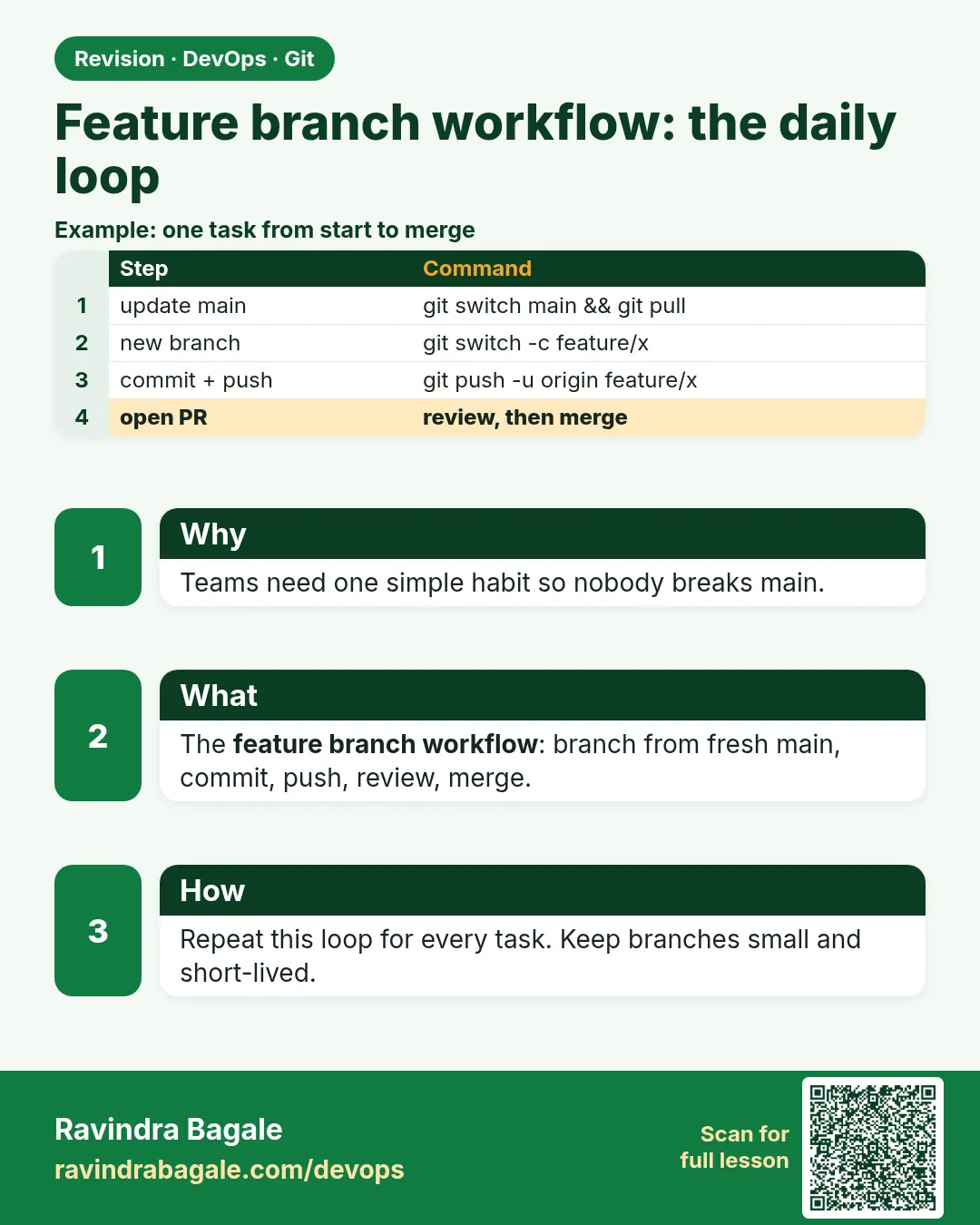
Every product company, from Flipkart to Zerodha, follows a daily loop for changes: update main, make a branch, do small commits, push, open a merge request, get review and green CI, merge, and delete the branch. On GitLab this request is called a merge request (MR); other sites call it a pull request (PR). It is the same idea. Freshers often skip steps, for example they start work on an old main or forget to pull before pushing. Then they get conflicts and failed builds. In this lesson you will run the full loop on hello-shop with gitlab.com, two times, so it becomes a habit. You will also see how the loop looks from the server side: the branch, the pipeline and the merge.
What we will build
You will do the full feature-branch loop on hello-shop: start from fresh main, branch, three small commits, push, open a merge request on gitlab.com from the command line, update it after review, merge it, and clean up.
What: every term in plain English
- Feature-branch workflow — Every change goes through its own branch and a review.
- Merge request (MR) — A GitLab page that asks to merge one branch into another, with review and CI.
- Pull request (PR) — The same idea on other hosting sites.
- Reviewer — A teammate who reads and approves your change.
- Pipeline — The CI job that runs tests on your branch.
- Squash merge — Join all branch commits into one commit on main.
- Push options — Extra flags in git push that GitLab understands, like creating an MR.
- Protected branch — A branch nobody can push to directly, like main.
How: step by step
-
Update main
git switch main && git pull --rebaseWhat it does: Always start from the newest main.
Output
Already up to date. -
Branch
git switch -c feature/SHOP-210-searchWhat it does: One branch per ticket.
Output
Switched to a new branch 'feature/SHOP-210-search' -
Small commits
(edit app.py) git commit -am "Add /search route"What it does: One idea per commit.
Output
[feature/SHOP-210-search 1b1b1b1] Add /search route -
Push and open MR
git push -u origin feature/SHOP-210-search -o merge_request.create -o merge_request.target=mainWhat it does: GitLab creates the MR for you.
Output
remote: View merge request for feature/SHOP-210-search: remote: https://gitlab.com/ravi-learner/hello-shop/-/merge_requests/7 -
Address review
(edit) git commit -am "Return 400 for empty search" && git pushWhat it does: The MR updates itself.
Output
To gitlab.com:ravi-learner/hello-shop.git 1b1b1b1..2c2c2c2 feature/SHOP-210-search -> feature/SHOP-210-search -
Merge after approval
On the MR page: Merge (with Squash commits ticked)What it does: CI is green and a reviewer approved.
Output
Merged: Ravi Learner merged 2 commits into main -
Clean up
git switch main && git pull --rebase && git branch -d feature/SHOP-210-search && git fetch --pruneWhat it does: Ready for the next ticket.
Output
Deleted branch feature/SHOP-210-search (was 2c2c2c2).
Example 1: The search feature for the loop
Stack. Python 3
Goal. The search feature for the loop.
app.py change
def do_GET(self):
    if self.path == "/health":
        self.send_response(200); self.end_headers()
        self.wfile.write(b"ok\n"); return
    if self.path.startswith("/search"):
        q = self.path.partition("q=")[2]
        if not q:
            self.send_response(400); self.end_headers()
            self.wfile.write(b"empty search\n"); return
        self.send_response(200); self.end_headers()
        self.wfile.write(f"results for {q}\n".encode()); return
test
python3 app.py & sleep 1
curl -s "localhost:8000/search?q=dosa"
curl -s -o /dev/null -w "%{http_code}\n" "localhost:8000/search?q="
kill %1
What each line does
startswith("/search")— New route.partition("q=")— Read the search word.send_response(400)— Bad request when empty; added after review.curl -w "%{http_code}"— Print only the status code.
Green output
results for dosa
400
Expected result. The feature works and the review comment is handled.
Example 2: A CI file so every branch is tested
Stack. GitLab CI, Python
Goal. A CI file so every branch is tested.
.gitlab-ci.yml
stages: [test]
unit:
  stage: test
  image: python:3.12-slim
  script:
    - python3 -m py_compile app.py
    - python3 app.py &
    - sleep 1
    - python3 -c "import urllib.request as u; print(u.urlopen('http://localhost:8000/health').read())"
  rules:
    - if: $CI_PIPELINE_SOURCE == "merge_request_event"
    - if: $CI_COMMIT_BRANCH == "main"
What each line does
stages— Order of jobs.image— Run in a clean Python container.py_compile— Catch syntax errors.urlopen /health— Real health check.rules— Run for MRs and for main.
Green output
$ python3 -m py_compile app.py
$ python3 -c "..."
b'ok\n'
Job succeeded
Expected result. The MR shows a green pipeline before anyone merges.
Example 3: Keep your branch fresh while main moves
Stack. Git
Goal. Keep your branch fresh while main moves.
refresh.sh
git fetch origin
git log --oneline HEAD..origin/main
git rebase origin/main
python3 -m py_compile app.py && echo compile-ok
git push --force-with-lease
What each line does
HEAD..origin/main— New commits on main you do not have.git rebase origin/main— Replay your commits on top of new main. Only your own branch.--force-with-lease— Safe force push: fails if someone else pushed to your branch.
Green output
3d3d3d3 Fix menu typo
Successfully rebased and updated refs/heads/feature/SHOP-210-search.
compile-ok
 + 2c2c2c2...4e4e4e4 feature/SHOP-210-search -> feature/SHOP-210-search (forced update)
Expected result. Your MR is up to date with main and has no merge noise.
Example 4: Do the loop with the GitLab CLI glab
Stack. glab, GitLab
Goal. Do the loop with the GitLab CLI glab.
glab.sh
glab auth login --hostname gitlab.com
git switch -c fix/SHOP-215-health-text
sed -i 's/ok\\n/healthy\\n/' app.py && git commit -qam "Change health text"
git push -q -u origin fix/SHOP-215-health-text
glab mr create --fill --target-branch main --yes
glab mr view --web
glab mr merge --squash --remove-source-branch --yes
What each line does
glab auth login— Log in once with a token.glab mr create --fill— Use your commit message as the MR title.glab mr view --web— Open it in the browser.glab mr merge --squash— Merge after approval, squash, delete branch.
Green output
Creating merge request for fix/SHOP-215-health-text into main in ravi-learner/hello-shop
!8 Change health text
https://gitlab.com/ravi-learner/hello-shop/-/merge_requests/8
Merged! !8
Expected result. The whole loop from the terminal. Many DevOps engineers prefer this.
Verify: did it work?
-
main has the feature
git log --oneline -1 origin/mainWhat it does: The squash commit.
Output
5f5f5f5 Add /search route (!7) -
Branch gone
git branch --list "feature/*"What it does: Empty.
Output
(no output) -
App works on main
python3 app.py & sleep 1; curl -s "localhost:8000/search?q=idli"; kill %1What it does: Feature is live in main.
Output
results for idli
When it is red 1
remote: GitLab: You are not allowed to push code to protected branches on this project.
Cause. You pushed straight to main.
Fix, step by step
- git switch -c feature/NAME
- git push -u origin feature/NAME
- Open an MR.
When it is red 2
! [rejected] feature/x -> feature/x (stale info)
Cause. --force-with-lease saw a teammate push.
Fix, step by step
- git fetch
- git rebase origin/feature/x
- Push again.
When it is red 3
Pipeline failed: SyntaxError: invalid syntax (app.py, line 18)
Cause. Code error in your branch.
Fix, step by step
- Run python3 -m py_compile app.py locally.
- Fix, commit, push. The MR re-runs CI.
When it is red 4
Merge blocked: 1 approval required
Cause. Nobody approved yet.
Fix, step by step
- Ask a reviewer in the MR.
- Answer comments with new commits.
Cleanup
-
Delete local branches
git branch --merged main | grep -v main | xargs -r git branch -dWhat it does: Tidy up.
Output
(no output)
Ravindra Bagale's Tip
Roj cha loop: pull, branch, commit, push, MR, merge, delete. He 7 steps tondpaath kara!
Practice tasks
Easy One loop
Why: Habit building.
What to do: Do the loop for a README change.
- branch, commit, push, MR, merge
Check: MR merged.
Medium Add CI
Why: No green, no merge.
What to do: Add .gitlab-ci.yml from Example 2.
- push
Check: Pipeline passes on the MR.
Hard Review cycle
Why: Real work has feedback.
What to do: Ask a friend to comment; push a fix.
- git push
Check: MR shows two commits and approval.
Easy Say the feature-branch loop in two lines
Why: If you can say it simply, you understand it. Interviewers want the short version first.
What to do: Write two short lines about the feature-branch loop for a fresher who knows only basic Linux.
- Write the problem it solves.
- Write one real command or file that shows it.
- Read it aloud to a friend.
Check: A fresher understands it without asking a question.
Easy Make a safe lab folder
Why: Practice needs a place you can throw away. Then mistakes cost nothing.
What to do: Create a lab folder for this chapter and work only inside it.
- mkdir -p ~/devops-lab && cd ~/devops-lab
- Run every command of this lesson from here.
- Check with pwd before you delete anything.
Check: All lab files live in ~/devops-lab.
Medium Repeat it in a container
Why: Your laptop is not the server. A clean Ubuntu container shows what a fresh server needs.
What to do: Run the main steps of this lesson again inside an Ubuntu container.
- docker run --rm -it -v "$PWD":/lab -w /lab ubuntu:24.04 bash
- apt update and install what is missing.
- Note every missing tool.
Check: Same result inside the container, or a list of what you had to install.
Medium Break it on purpose
Why: You must know the red message by face. In an outage there is no time to read slowly.
What to do: Cause one error from the "When it is red" part of this lesson and fix it.
- Follow the error section.
- Copy the exact message into your notes.
- Write the fix in one line.
Check: You fixed it using only the steps, without searching the web.
Medium Write a one-page runbook
Why: At 2 a.m. nobody remembers the right command. A short page saves the on-call person.
What to do: Write a runbook page for this lesson.
- Title, when to use, exact command, how to check, how to undo.
Check: A teammate can follow it alone.
Hard Explain it like an interview
Why: Interviewers want real stories, not definitions.
What to do: Record a 60 second answer about this lesson.
- Say the problem, the command or file you used, and one error you hit.
Check: Your answer has a real command and a real error message.
Hard Draw the flow top to bottom
Why: A drawing shows who does what and in which order.
What to do: Draw this lesson as boxes from top to bottom.
- Start at the developer laptop, end at the user on the website.
Check: Each box matches a real thing you ran.
Homework: try at home
Try at home
Do the full loop twice for two small changes to hello-shop. Time each loop. The second one should be faster.
Recap
- Start from fresh main.
- One branch per ticket.
- Push and open an MR.
- Green CI plus approval, then merge.
- Delete the branch and start again.
FAQ
MR or PR, which word?
MR on GitLab, PR elsewhere. Same idea.
Should I squash?
Many teams squash to keep main clean. Follow team rules.
How big should an MR be?
Small. Under about 400 changed lines is easy to review.
Can I open an MR before I finish?
Yes, as a Draft MR, to get early feedback.
Who merges?
Usually the author after approval, or a maintainer.
Interview questions
-
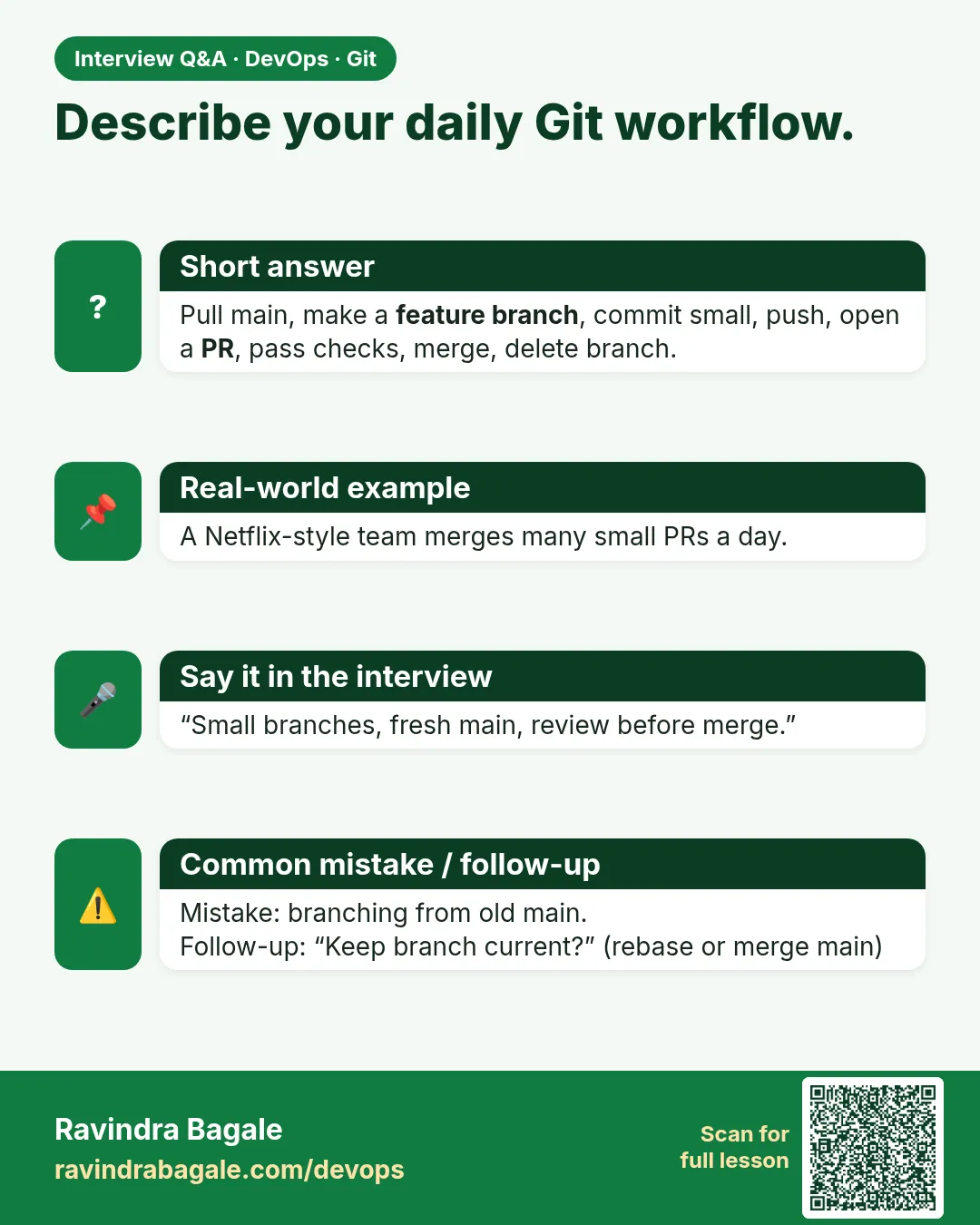
Describe your Git workflow.
Pull main, branch per ticket, small commits, push, MR with CI and review, squash merge, delete branch.
-
What is a protected branch?
A branch that blocks direct pushes and needs MRs and checks.
-
How do you keep an MR up to date?
Rebase on origin/main and push with --force-with-lease, or merge main into it.
-
What makes a good MR?
Small, one purpose, clear title, description, tests, and green CI.
-
What is a Draft MR?
An MR marked as not ready, so it cannot be merged yet.
Quick quiz
Q1. First step of the loop?
Update main with git pull --rebase.
Q2. What is an MR?
A GitLab request to merge a branch, with review and CI.
Q3. How do you update an open MR?
Commit and push to the same branch.
Q4. Why --force-with-lease and not --force?
It refuses if someone else pushed.
Q5. Last step of the loop?
Delete the branch and prune.
Samajla ka?
 Revision card
 Interview card