Chapter 3: Branch, Merge, Rebase, Stash and Pull Requests
3.9 Stash — park the unfinished edit
Why: the problem
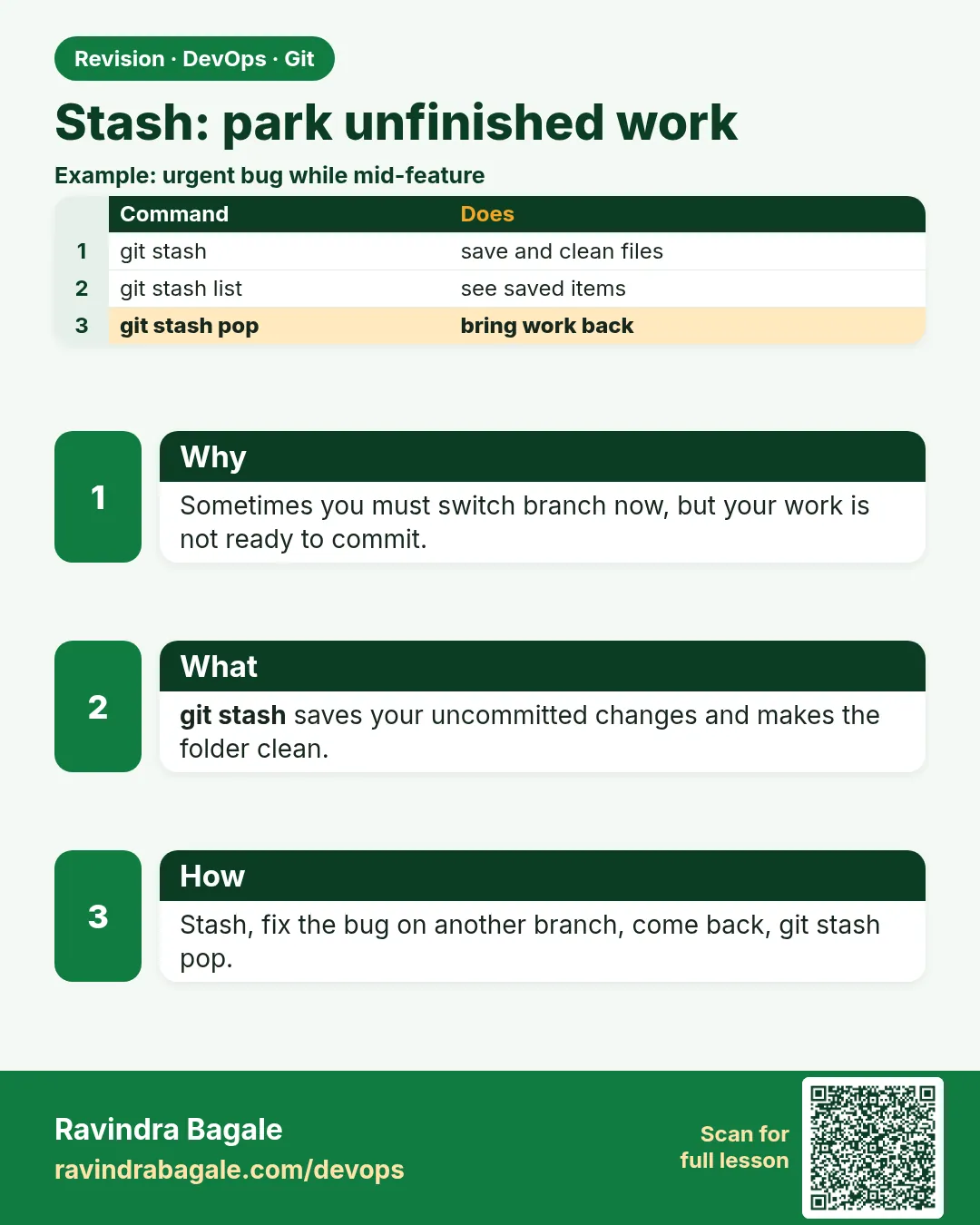
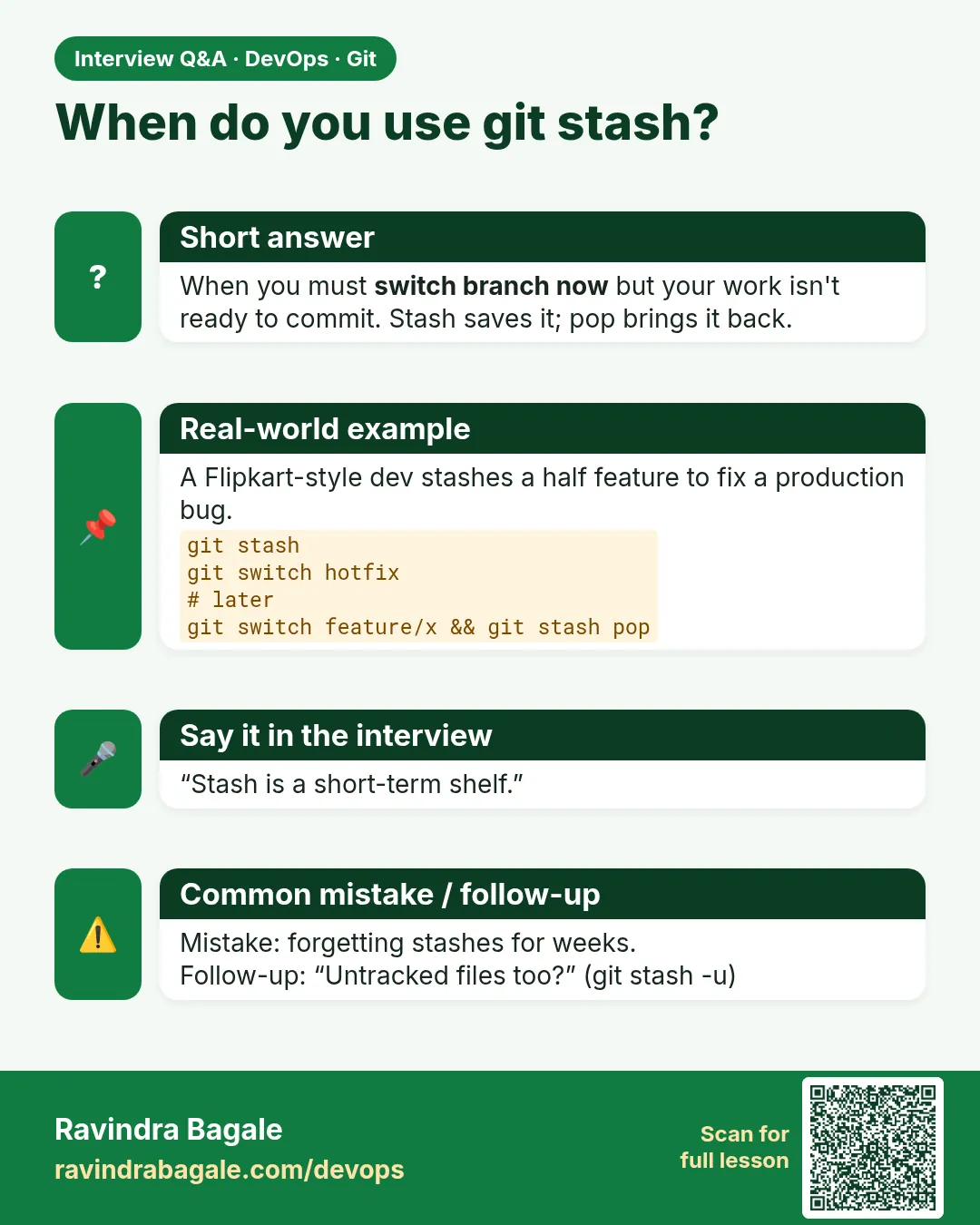
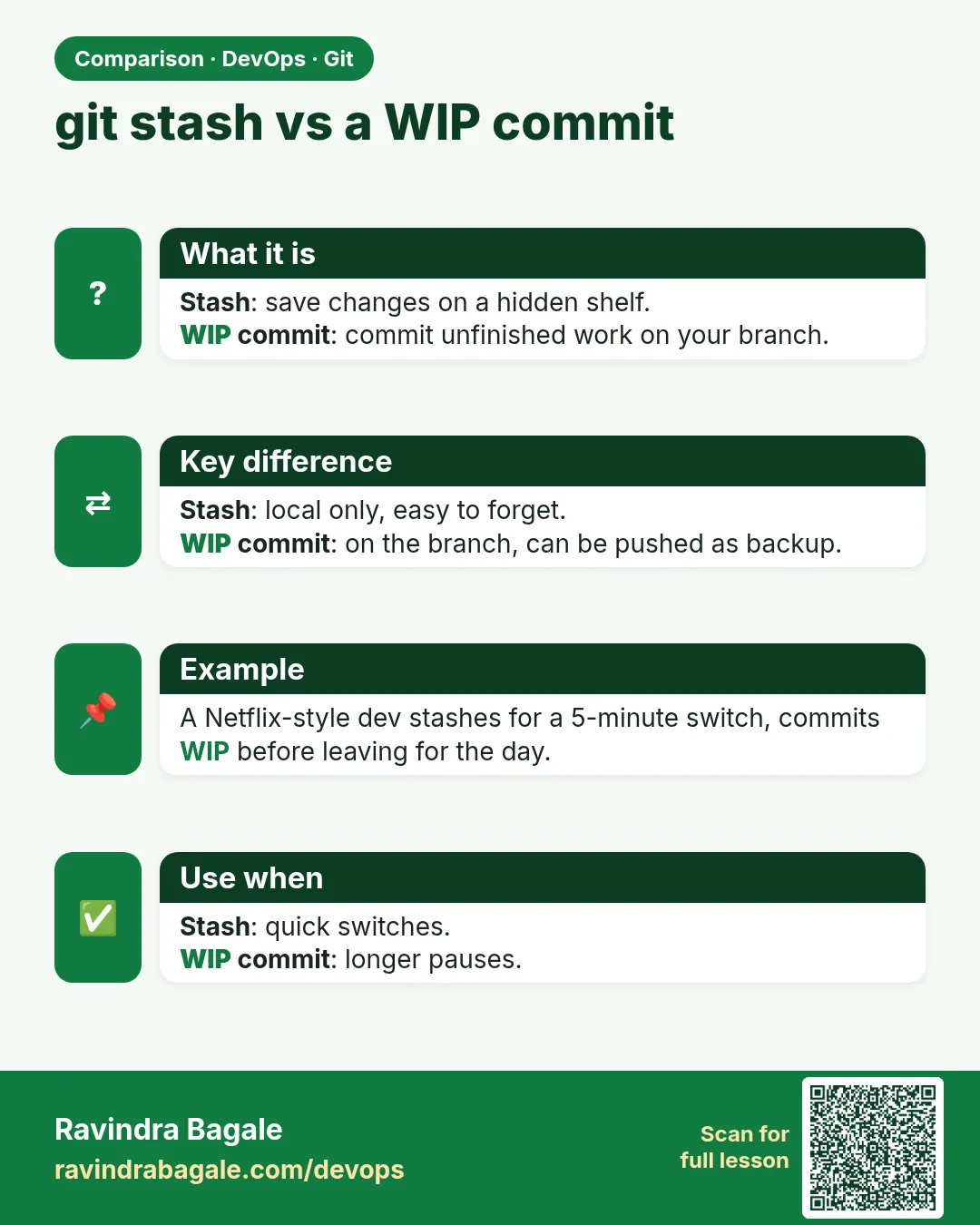
You are halfway through a change on feature/offers when your lead says: production bug, fix it now on main. Your work is not ready to commit. git stash takes your unfinished edits, saves them safely, and gives you a clean working tree. You switch branches, fix the bug, come back, and git stash pop brings your edits back. Stash is a short-term parking place, not a backup: if you collect ten unnamed stashes, you will not remember what is in them. In this lesson you will stash with a message, include new untracked files, list and look inside stashes, pop and apply, handle a stash conflict, and turn a stash into a branch.
What we will build
You will park unfinished work in hello-shop, fix a hotfix on main, come back and restore it. Then you will try untracked files, named stashes, show, drop and stash branch.
What: every term in plain English
- Stash — A saved set of uncommitted changes.
- git stash push -m MSG — Save changes with a name.
- -u — Also stash untracked (new) files.
- git stash list — All stashes, newest first as stash@{0}.
- git stash show -p — See the diff inside a stash.
- pop — Apply and remove the stash.
- apply — Apply but keep the stash.
- git stash branch NAME — Make a branch from a stash.
How: step by step
-
Start work
cd ~/devops-lab/hello-shop && git switch -q feature/offers && echo "offer_city=Pune" >> offers.txtWhat it does: Not committed.
Output
(no output) -
Need to switch
git status -sWhat it does: A modified file.
Output
M offers.txt -
Stash it
git stash push -m "wip: city offers"What it does: Tree is clean.
Output
Saved working directory and index state On feature/offers: wip: city offers -
Hotfix on main
git switch -q main && echo "timeout=15s" > pay.txt && git add . && git commit -qm "Hotfix: raise timeout"What it does: Urgent fix done.
Output
(no output) -
Back
git switch -q feature/offersWhat it does: Return.
Output
(no output) -
Restore
git stash popWhat it does: Edits come back.
Output
On branch feature/offers Changes not staged for commit: modified: offers.txt Dropped refs/stash@{0} (1a2b3c4...) -
Check
tail -1 offers.txtWhat it does: Your line is back.
Output
offer_city=Pune
Example 1: Stash new files too
Stack. Git
Goal. Stash new files too.
untracked.sh
echo "draft" > banner.txt
git stash push -m "no -u"
git status -s
git stash push -u -m "with banner"
git status -s
git stash list
What each line does
First stash— Only tracked changes; banner.txt stays.-u— Takes untracked files too.list— Two stashes.
Green output
Saved working directory and index state On feature/offers: no -u
?? banner.txt
Saved working directory and index state On feature/offers: with banner
stash@{0}: On feature/offers: with banner
stash@{1}: On feature/offers: no -u
Expected result. Use -u when you created new files.
Example 2: Look inside and pick a stash
Stack. Git
Goal. Look inside and pick a stash.
inspect.sh
git stash show stash@{1}
git stash show -p stash@{1}
git stash apply stash@{1}
git stash list | wc -l
What each line does
show— Files changed.show -p— Full diff.apply— Keep the stash after applying.
Green output
 offers.txt | 1 +
+offer_city=Pune
2
Expected result. You can check before you restore, and keep the stash in case.
Example 3: Handle a conflict on pop
Stack. Git
Goal. Handle a conflict on pop.
pop-conflict.sh
git checkout -- offers.txt
echo "offer_city=Mumbai" >> offers.txt && git commit -qam "Mumbai offer"
git stash pop stash@{1}
git status -s
git checkout --theirs offers.txt 2>/dev/null; sed -i '$d' offers.txt; echo "offer_city=Pune" >> offers.txt
git add offers.txt && git reset -q
git stash list
What each line does
Same line changed— Committed Mumbai; stash says Pune.pop conflict— The stash is kept when pop fails.Fix file, then drop— Clean up yourself.
Green output
CONFLICT (content): Merge conflict in offers.txt
The stash entry is kept in case you need it again.
UU offers.txt
stash@{0}: On feature/offers: with banner
stash@{1}: On feature/offers: no -u
Expected result. A failed pop never loses the stash. Drop it after you fix: git stash drop stash@{1}.
Example 4: Turn a stash into a branch and clean up
Stack. Git
Goal. Turn a stash into a branch and clean up.
stash-branch.sh
git stash branch feature/banner stash@{0}
git status -s
git add . && git commit -qm "Add banner draft"
git switch -q feature/offers
git stash clear
git stash list | wc -l
What each line does
stash branch— New branch from the commit where you stashed, with the stash applied.commit— Now it is real work.stash clear— Remove all stashes. Be sure first.
Green output
Switched to a new branch 'feature/banner'
?? banner.txt
0
Expected result. When a stash turns into real work, make it a branch.
Example 5: Stash only one file
Stack. Git
Goal. Stash only one file.
one-file.sh
echo "a" >> offers.txt; echo "b" >> tax.txt
git stash push -m "only offers" -- offers.txt
git status -s
git stash pop -q && git status -s
What each line does
-- offers.txt— Only this path.tax.txt stays— Still modified.
Green output
M tax.txt
M offers.txt
M tax.txt
Expected result. Park just the risky file and keep working on the other.
Example 6: Keep staged work while stashing the rest
Stack. Git
Goal. Keep staged work while stashing the rest.
keep-index.sh
echo "ready" >> offers.txt && git add offers.txt
echo "not ready" >> tax.txt
git stash push --keep-index -m "unstaged only"
git status -s
git stash pop -q
What each line does
--keep-index— Staged changes stay; others are stashed.Use— Test exactly what you will commit.
Green output
M offers.txt
Expected result. You can run tests on only the staged part.
Example 7: Name the stash for the hotfix story
Stack. Git
Goal. Name the stash for the hotfix story.
named.sh
git stash push -m "SHOP-220 city offers half done"
git stash list
git stash pop "stash@{0}"
What each line does
Ticket in message— You will know what it is next week.pop by name— Pick the exact stash.
Green output
stash@{0}: On feature/offers: SHOP-220 city offers half done
Expected result. Named stashes stop the "what is stash@{4}?" problem.
Verify: did it work?
-
No stash left
git stash list | wc -lWhat it does: Zero.
Output
0 -
Hotfix on main
git log --oneline -1 mainWhat it does: Done.
Output
2d2d2d2 Hotfix: raise timeout -
Banner branch
git log --oneline -1 feature/bannerWhat it does: Saved work.
Output
3e3e3e3 Add banner draft
When it is red 1
error: Your local changes to the following files would be overwritten by checkout
Cause. Dirty tree blocks switch.
Fix, step by step
- git stash push -m "wip"
- git switch BRANCH
When it is red 2
No local changes to save
Cause. Nothing to stash, or only untracked files.
Fix, step by step
- Use git stash push -u for new files.
When it is red 3
CONFLICT ... The stash entry is kept in case you need it again.
Cause. Pop met a conflict.
Fix, step by step
- Fix the file
- git stash drop after you are sure.
When it is red 4
error: stash@{5} is not a valid reference
Cause. No such stash.
Fix, step by step
- git stash list to see the numbers.
Cleanup
-
Drop branch
git branch -D feature/bannerWhat it does: Lab cleanup.
Output
Deleted branch feature/banner (was 3e3e3e3).
Ravindra Bagale's Tip
Stash mhanje parking, ghar nahi. Naav dya, ani lavkar pop kara!
Practice tasks
Easy Stash and pop
Why: Basic flow.
What to do: Stash, switch, pop.
- git stash push
- git stash pop
Check: Edits back.
Medium Untracked
Why: Common miss.
What to do: Stash a new file with -u.
- -u
Check: File hidden then back.
Hard Conflict
Why: Real life.
What to do: Handle a pop conflict.
- fix
- drop
Check: Stash list correct.
Easy Say git stash in two lines
Why: If you can say it simply, you understand it. Interviewers want the short version first.
What to do: Write two short lines about git stash for a fresher who knows only basic Linux.
- Write the problem it solves.
- Write one real command or file that shows it.
- Read it aloud to a friend.
Check: A fresher understands it without asking a question.
Easy Make a safe lab folder
Why: Practice needs a place you can throw away. Then mistakes cost nothing.
What to do: Create a lab folder for this chapter and work only inside it.
- mkdir -p ~/devops-lab && cd ~/devops-lab
- Run every command of this lesson from here.
- Check with pwd before you delete anything.
Check: All lab files live in ~/devops-lab.
Medium Repeat it in a container
Why: Your laptop is not the server. A clean Ubuntu container shows what a fresh server needs.
What to do: Run the main steps of this lesson again inside an Ubuntu container.
- docker run --rm -it -v "$PWD":/lab -w /lab ubuntu:24.04 bash
- apt update and install what is missing.
- Note every missing tool.
Check: Same result inside the container, or a list of what you had to install.
Medium Break it on purpose
Why: You must know the red message by face. In an outage there is no time to read slowly.
What to do: Cause one error from the "When it is red" part of this lesson and fix it.
- Follow the error section.
- Copy the exact message into your notes.
- Write the fix in one line.
Check: You fixed it using only the steps, without searching the web.
Medium Write a one-page runbook
Why: At 2 a.m. nobody remembers the right command. A short page saves the on-call person.
What to do: Write a runbook page for this lesson.
- Title, when to use, exact command, how to check, how to undo.
Check: A teammate can follow it alone.
Hard Explain it like an interview
Why: Interviewers want real stories, not definitions.
What to do: Record a 60 second answer about this lesson.
- Say the problem, the command or file you used, and one error you hit.
Check: Your answer has a real command and a real error message.
Hard Draw the flow top to bottom
Why: A drawing shows who does what and in which order.
What to do: Draw this lesson as boxes from top to bottom.
- Start at the developer laptop, end at the user on the website.
Check: Each box matches a real thing you ran.
Homework: try at home
Try at home
Practise the hotfix story twice: stash with a message, fix on main, come back, pop. Then make one stash into a branch.
Recap
- stash parks uncommitted work.
- Name every stash.
- -u for new files.
- pop removes; apply keeps.
- Long-lived work belongs on a branch, not a stash.
FAQ
Is stash pushed to the server?
No. It is only on your laptop.
How long do stashes last?
Until you drop or clear them. Do not depend on them.
Can I stash only one file?
Yes: git stash push -m msg -- FILE
What is --keep-index?
Stash but keep staged changes in place.
Can I recover a dropped stash?
Sometimes, using git fsck --unreachable; better not to need it.
Does stash save staged and unstaged separately?
Yes, and pop --index restores the staged part too.
Interview questions
-
What is git stash used for?
Saving uncommitted changes temporarily to switch tasks.
-
Difference between pop and apply?
pop removes the stash after applying; apply keeps it.
-
How do you stash untracked files?
git stash push -u.
-
Is stash a good backup?
No. It is local and short-term; commit to a branch instead.
-
How do you make a branch from a stash?
git stash branch NAME stash@{N}.
Quick quiz
Q1. Command to save unfinished work?
git stash push -m "msg"
Q2. Include new files?
-u
Q3. pop vs apply?
pop removes the stash; apply keeps it.
Q4. See inside?
git stash show -p
Q5. Stash to branch?
git stash branch NAME
Samajla ka?
 Revision card
 Interview card
 Comparison card