Chapter 20: Jenkins Manual Jobs — Install, Configure and Freestyle
20.7 Credentials for private Git (by ID only)
Why: the problem
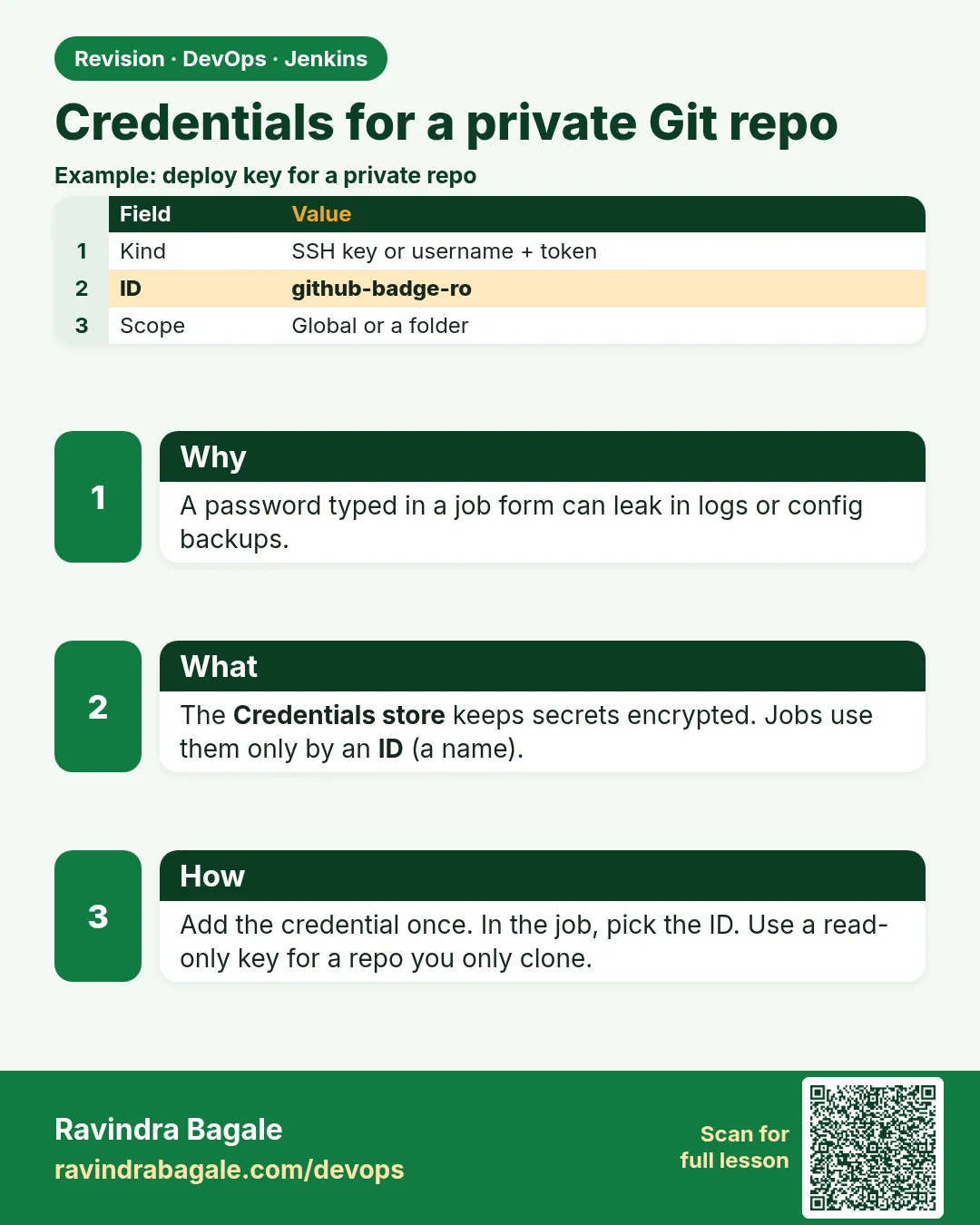
Every month, security scanners find passwords and tokens pasted straight into Jenkins jobs: a git URL like https://ravi:MyPassw0rd@host/repo.git in the SCM box, or export AWS_SECRET_ACCESS_KEY=... in an Execute shell step. Anyone who can read the job config or the console log can copy them, and they stay in old config history for years. At an Indian bank's vendor project, an auditor found a production database password in a Freestyle job that forty contractors could read; the whole team lost Jenkins access for a week. Jenkins has a proper place for secrets: the Credentials store. You save the secret once, give it an ID like gitea-badge-token, and jobs refer to the ID only. Jenkins encrypts it on disk with keys in JENKINS_HOME/secrets, and masks it in logs with ****. In this lesson you will start a small private Git server (Gitea) for the lab, make an access token there, save it in Jenkins by ID, and use it from a Freestyle job without the secret ever appearing in config.xml or the console.
What we will build
You will run Gitea in Docker on the ci network, create user ravi and a private repository badge-api, and generate a personal access token with repository read access. In Jenkins you will add a Username with password credential with ID gitea-badge-token, then a Secret text credential, and use them in a job through the Credentials Binding wrapper. You will check that config.xml holds only the ID and that the log shows ****. Last, you will create a credential from XML with the CLI, which is how teams script it.
What: every term in plain English
- Credential — A secret saved in Jenkins: password, token, SSH key, file or certificate.
- Credential ID — A stable name like gitea-badge-token that jobs use instead of the secret.
- Scope — Global (jobs can use it) or System (only Jenkins itself).
- Credentials Binding — A job option that puts a credential into environment variables for the build only.
- Masking — Jenkins replaces the secret with **** in console output.
- Gitea — A light, self-hosted Git server. Good for a private lab Git.
- Personal access token — A token from the Git server that acts like a password with limited rights.
How: step by step
-
Start Gitea
docker run -d --name gitea --network ci -p 3000:3000 -p 2222:22 -v gitea_data:/data gitea/gitea:1.22What it does: A private Git server reachable as http://gitea:3000 from Jenkins.
Output
e71c0d5f... -
Finish Gitea install
Open http://localhost:3000 > SQLite3 > Server domain gitea > Base URL http://gitea:3000/ > create admin raviWhat it does: Gitea is ready with your user.
Output
Install Gitea -
Create the repo
Gitea > + > New Repository > badge-api > PrivateWhat it does: The project repo for this chapter.
Output
ravi/badge-api -
Make a token
Gitea > Settings > Applications > Generate New Token > name jenkins > repository: ReadWhat it does: A token Jenkins will use to clone.
Output
Your new token: 3f6a9b... (copy now) -
Save it in Jenkins
Manage Jenkins > Credentials > System > Global > Add Credentials > Username with password > username ravi > password = token > ID gitea-badge-tokenWhat it does: Stored encrypted, used by ID.
Output
gitea-badge-token created -
Add a secret text
Add Credentials > Secret text > secret = any lab value > ID badge-api-keyWhat it does: A second type, for API keys.
Output
badge-api-key created
Example 1: Use credentials by ID in a Freestyle job, safely
Stack. Credentials Binding, Gitea API
Goal. Use credentials by ID in a Freestyle job, safely.
Job settings
Job: cred-demo (Freestyle)
Build Environment:
  [x] Use secret text(s) or file(s)
      Bindings:
        Username and password (separated)
          Username Variable: GIT_USER
          Password Variable: GIT_TOKEN
          Credentials: gitea-badge-token
        Secret text
          Variable: BADGE_API_KEY
          Credentials: badge-api-key
Execute shell
set +x
echo "user is $GIT_USER"
echo "token length is ${#GIT_TOKEN}"
echo "trying to print token: $GIT_TOKEN"
curl -s -o /dev/null -w "gitea api %{http_code}\n" -u "$GIT_USER:$GIT_TOKEN" http://gitea:3000/api/v1/repos/ravi/badge-api
test -n "$BADGE_API_KEY" && echo "api key is present"
What each line does
Use secret text(s) or file(s)— The Credentials Binding wrapper. Variables exist only during this build.set +x— Stops the shell from echoing each command, which keeps logs short. Masking still protects you if you forget.${#GIT_TOKEN}— Prints the length, never the value. A safe way to check it is set.echo ... $GIT_TOKEN— Jenkins masks it as ****. Never rely on this; just do not print secrets.curl -u ...— Calls the Gitea API with the token. 200 means it works.
Green output
Started by user ravi
[cred-demo] $ /bin/sh -xe /tmp/jenkins551.sh
+ set +x
user is ravi
token length is 40
trying to print token: ****
gitea api 200
api key is present
Finished: SUCCESS
Expected result. The secret works for curl but appears only as **** in the log.
Example 2: Prove config
Stack. Jenkins config.xml
Goal. Prove config.xml holds only the ID.
inspect.sh
J=http://localhost:8080
curl -s -u "ravi:$JENKINS_TOKEN" "$J/job/cred-demo/config.xml" | grep -n -i "credentialsId\|token\|password"
echo "---- credentials.xml on disk ----"
docker exec jenkins grep -c "gitea-badge-token" /var/jenkins_home/credentials.xml
docker exec jenkins grep -o "<password>{[A-Za-z0-9+/=]\{10\}" /var/jenkins_home/credentials.xml | head -1
What each line does
credentialsId— The only link from the job to the secret.credentials.xml— Where Jenkins stores credentials, encrypted.{AQAAAB...}— Encrypted value. It needs JENKINS_HOME/secrets to decrypt, so never copy both to an unsafe place.
Green output
12:          <credentialsId>gitea-badge-token</credentialsId>
13:          <usernameVariable>GIT_USER</usernameVariable>
14:          <passwordVariable>GIT_TOKEN</passwordVariable>
19:          <credentialsId>badge-api-key</credentialsId>
---- credentials.xml on disk ----
1
<password>{AQAAABAAAA
Expected result. The job file is safe to share or commit. The secret is encrypted on disk.
Example 3: Create a credential from XML with the CLI
Stack. jenkins-cli.jar, Credentials plugin
Goal. Create a credential from XML with the CLI.
gitea-ro.xml
<com.cloudbees.plugins.credentials.impl.UsernamePasswordCredentialsImpl>
  <scope>GLOBAL</scope>
  <id>gitea-readonly</id>
  <description>Gitea read-only token for CI</description>
  <username>ci-bot</username>
  <password>REPLACE_AT_RUNTIME</password>
</com.cloudbees.plugins.credentials.impl.UsernamePasswordCredentialsImpl>
create-cred.sh
set -euo pipefail
: "${CI_BOT_TOKEN:?export CI_BOT_TOKEN first}"
sed "s|REPLACE_AT_RUNTIME|$CI_BOT_TOKEN|" gitea-ro.xml \
 | java -jar jenkins-cli.jar -s http://localhost:8080 -auth "ravi:$JENKINS_TOKEN" \
   create-credentials-by-xml system::system::jenkins _
java -jar jenkins-cli.jar -s http://localhost:8080 -auth "ravi:$JENKINS_TOKEN" \
   list-credentials system::system::jenkins | grep gitea
What each line does
REPLACE_AT_RUNTIME— A placeholder so the real token is never in the file in Git.: "${CI_BOT_TOKEN:?...}"— Stops with a message if the variable is missing.system::system::jenkins _— The global store and the default domain (_).list-credentials— Shows IDs and names, never secrets.
Green output
gitea-badge-token   ravi/******
gitea-readonly      ci-bot/****** (Gitea read-only token for CI)
Expected result. A scripted, repeatable way to add credentials without typing secrets into files.
Verify: did it work?
-
Credential IDs exist
java -jar jenkins-cli.jar -s http://localhost:8080 -auth ravi:$JENKINS_TOKEN list-credentials system::system::jenkinsWhat it does: Lists IDs.
Output
badge-api-key gitea-badge-token gitea-readonly -
Gitea reachable from Jenkins
docker exec jenkins curl -s -o /dev/null -w "%{http_code}\n" http://gitea:3000/api/healthzWhat it does: 200 means the network works.
Output
200 -
No secret in the log
curl -s -u ravi:$JENKINS_TOKEN http://localhost:8080/job/cred-demo/lastBuild/consoleText | grep -c "\*\*\*\*"What it does: Masked at least once.
Output
1
When it is red 1
Could not resolve host: gitea
Cause. Jenkins and Gitea are not on the same Docker network.
Fix, step by step
- docker network connect ci gitea.
- Check with docker network inspect ci.
When it is red 2
gitea api 401
Cause. Wrong token or it lacks repository read.
Fix, step by step
- Generate a new token with repository Read.
- Update the credential, not the job.
When it is red 3
CredentialNotFoundException: gitea-badge-token
Cause. The ID is wrong or the credential is in a folder the job cannot see.
Fix, step by step
- Check the exact ID, it is case sensitive.
- Put it in Global scope for this lab.
Cleanup
-
Delete the demo credential
java -jar jenkins-cli.jar -s http://localhost:8080 -auth ravi:$JENKINS_TOKEN delete-credentials system::system::jenkins _ gitea-readonlyWhat it does: Removes the scripted one.
Output
(no output)
Ravindra Bagale's Tip
Password kadhihi job madhe lihu naka. Fakta ID vapra, value nahi. Lakshat theva!
Practice tasks
Easy Rename check
Why: IDs must be stable.
What to do: Try changing the ID and see the job break.
- Edit ID.
- Build.
Check: You see CredentialNotFound.
Medium SSH key credential
Why: Many teams use SSH.
What to do: Add an SSH Username with private key credential.
- Generate ed25519 key.
- Add public key to Gitea.
Check: Clone over SSH works.
Hard Least privilege tokens
Why: Limit damage.
What to do: Make tokens read-only and per purpose.
- One token per job type.
Check: Each token has one clear use.
Easy Say Jenkins credentials in two lines
Why: If you can say it simply, you understand it. Juniors and interviewers want the short version first.
What to do: Write two short lines about Jenkins credentials for a fresher who knows only Linux basics.
- Write what problem it solves.
- Write the one command or menu you use for it.
- Read it aloud to a friend.
Check: A fresher understands it without asking a question.
Easy Start a fresh lab Jenkins
Why: Practice needs a throwaway Jenkins. If you break it, you delete it and start again.
What to do: Run Jenkins LTS in Docker with a named volume.
- docker volume create jenkins_home
- docker run -d --name jenkins -p 8080:8080 -v jenkins_home:/var/jenkins_home jenkins/jenkins:lts-jdk17
- docker exec jenkins cat /var/jenkins_home/secrets/initialAdminPassword
Check: The Jenkins unlock page opens on localhost:8080.
Medium Break it on purpose
Why: You must know the red message by face. During an outage there is no time to read slowly.
What to do: Cause one error from the "When it is red" part of this lesson and fix it.
- Follow the error section.
- Copy the exact message into your notes.
- Write the fix in one line.
Check: You fixed it using only the steps, without searching the web.
Medium Write a one-page runbook
Why: At 2 a.m. nobody remembers where a file lives. A short page saves the on-call person.
What to do: Write a runbook page for this lesson.
- Title, when to use, exact command, how to check, how to undo.
Check: A teammate can follow it alone.
Medium Repeat it on a cloud VM
Why: A laptop is not a server. Real Jenkins runs on EC2 or a company VM.
What to do: Do the main steps of this lesson again on a small Ubuntu 22.04 EC2 instance.
- Launch t3.small with 20 GB disk.
- Open port 22 only to your IP.
- Repeat the steps and compare the output.
Check: Same green output on the VM as on your laptop.
Hard Explain it like an interview
Why: Interviewers want real stories, not definitions.
What to do: Record a 60 second answer about this lesson.
- Say the problem, the command you ran, and one error you hit.
Check: Your answer has a real command and a real error message.
Hard Draw the flow top to bottom
Why: A drawing shows who talks to whom and in what order.
What to do: Draw this lesson as boxes from top to bottom.
- Start at the developer push, go through the controller and agent, end at the result.
Check: Each box matches a real thing you saw on screen.
Homework: try at home
Try at home
Rotate the token: make a new Gitea token, update gitea-badge-token in Jenkins, revoke the old one in Gitea, and run cred-demo again. Write the four rotation steps in your runbook.
Recap
- Never write secrets in job fields or scripts.
- Save them as credentials with clear IDs.
- Bind them to variables for one build.
- Masking is a safety net, not a plan.
- Rotate tokens and revoke old ones.
FAQ
Is masking enough?
No. Transformed secrets, like base64, are not masked. Do not print them.
Can developers see secrets?
Not in the UI. But anyone who can edit a job can print them, so limit who can configure jobs.
Should I use Vault?
Big teams often use HashiCorp Vault or AWS Secrets Manager with a Jenkins plugin. The ID idea stays the same.
Interview questions
-
How do you handle secrets in Jenkins?
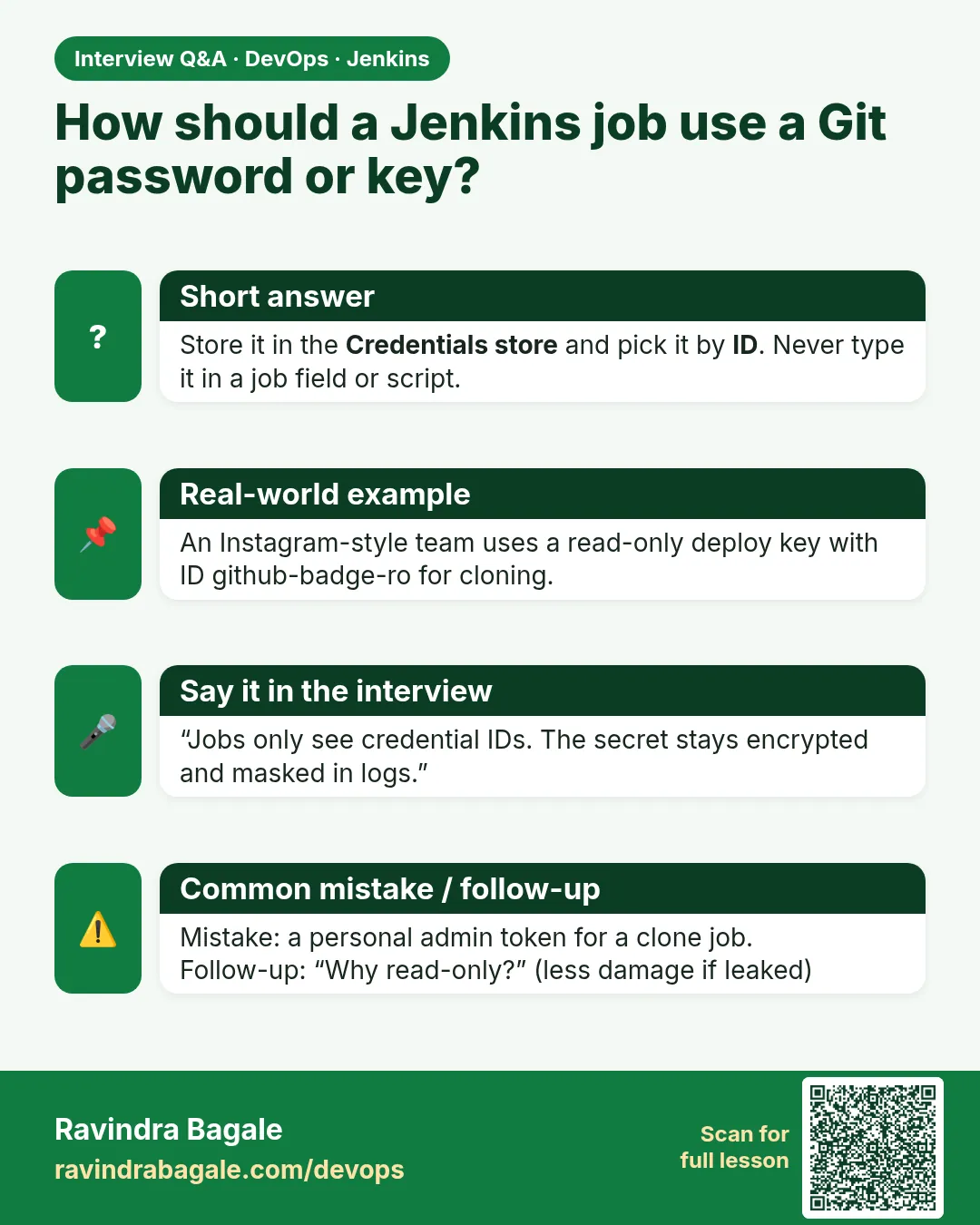
Credentials store, reference by ID, bind to environment variables in the build, mask in logs, least privilege, rotation, and no secrets in Git or job config.
-
Where is the key that encrypts credentials?
In JENKINS_HOME/secrets, mainly master.key and hudson.util.Secret.
Quick quiz
Q1. What does a job store about a credential?
Only its ID.
Q2. How are secrets shown in logs?
Masked as ****.
Q3. Where are credentials stored?
credentials.xml, encrypted with keys in JENKINS_HOME/secrets.
Q4. Which credential type fits a Git token?
Username with password.
Samajla ka?
 Revision card
 Interview card