Chapter 20: Jenkins Manual Jobs — Install, Configure and Freestyle
20.17 Triggers side by side
Why: the problem
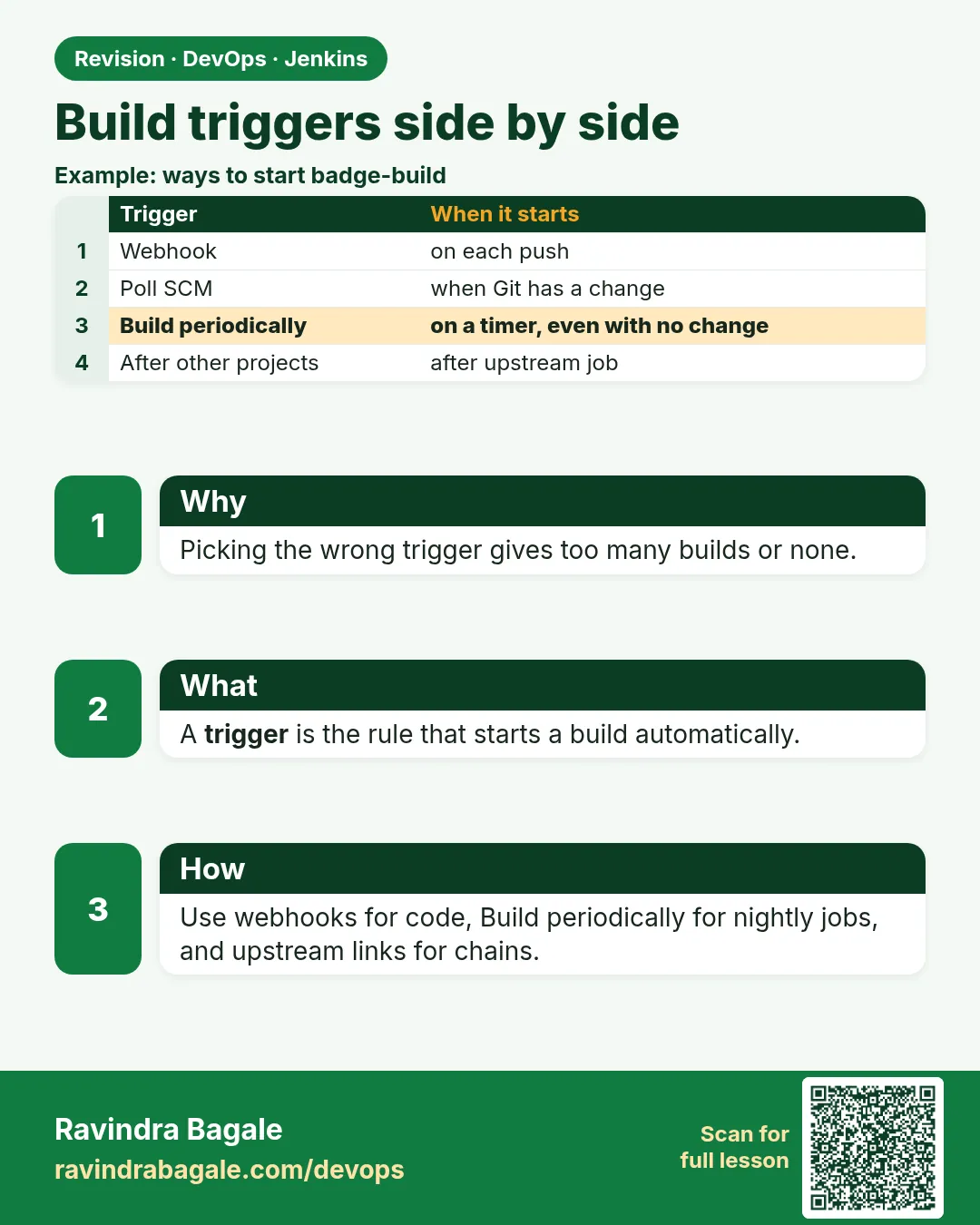
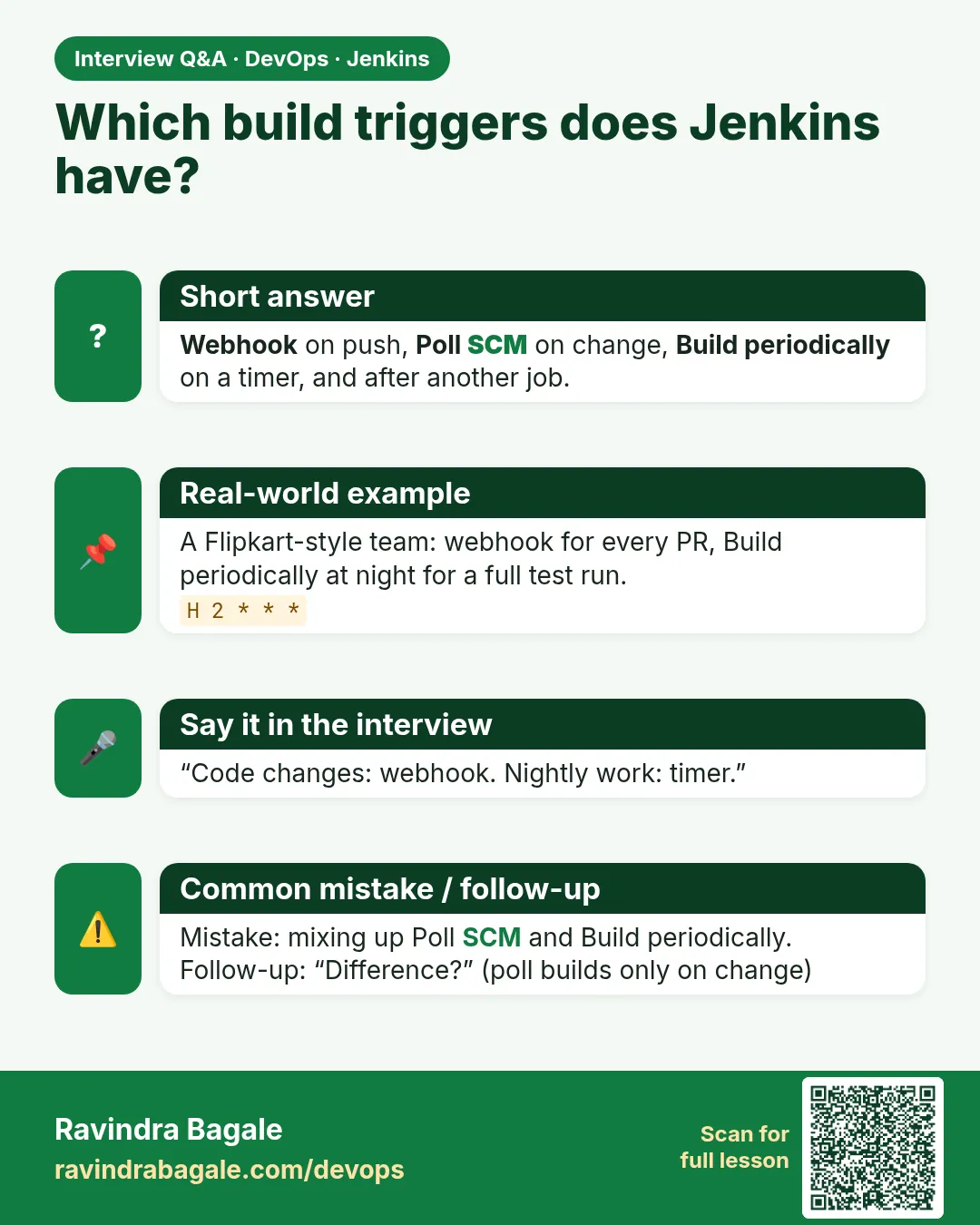
By now you have seen six ways a Jenkins job can start: a person clicks Build Now, a timer fires, Poll SCM finds a change, a webhook arrives, another job finishes, or a script calls the REST API. Each has a place, and choosing badly creates real pain. A nightly security scan on a timer is perfect; a timer for normal CI means developers wait hours for feedback. Polling every minute on two hundred jobs hammers the Git server. A webhook without a token lets anyone on the network start builds. A downstream trigger set to "always" deploys broken builds. Interviewers often ask "what are the ways to trigger a Jenkins job, and when would you use each?". In this lesson you will configure all six on small jobs, fire each one, and compare them in one table using the Started by line and the cause API. You will finish the chapter with a clear rule for each trigger and a single script that tells you how any build was started.
What we will build
You will create trigger-lab, one Freestyle job that prints how it was started, and set Build periodically to H/5 * * * , Poll SCM H/3 * * * , Trigger builds remotely with a token, and Build after other projects are built (badge-api-ci). You will fire each trigger, run a cause-report script over the last builds, and write a table of when to use each trigger. Then you will remove the noisy triggers so only the right ones remain.
What: every term in plain English
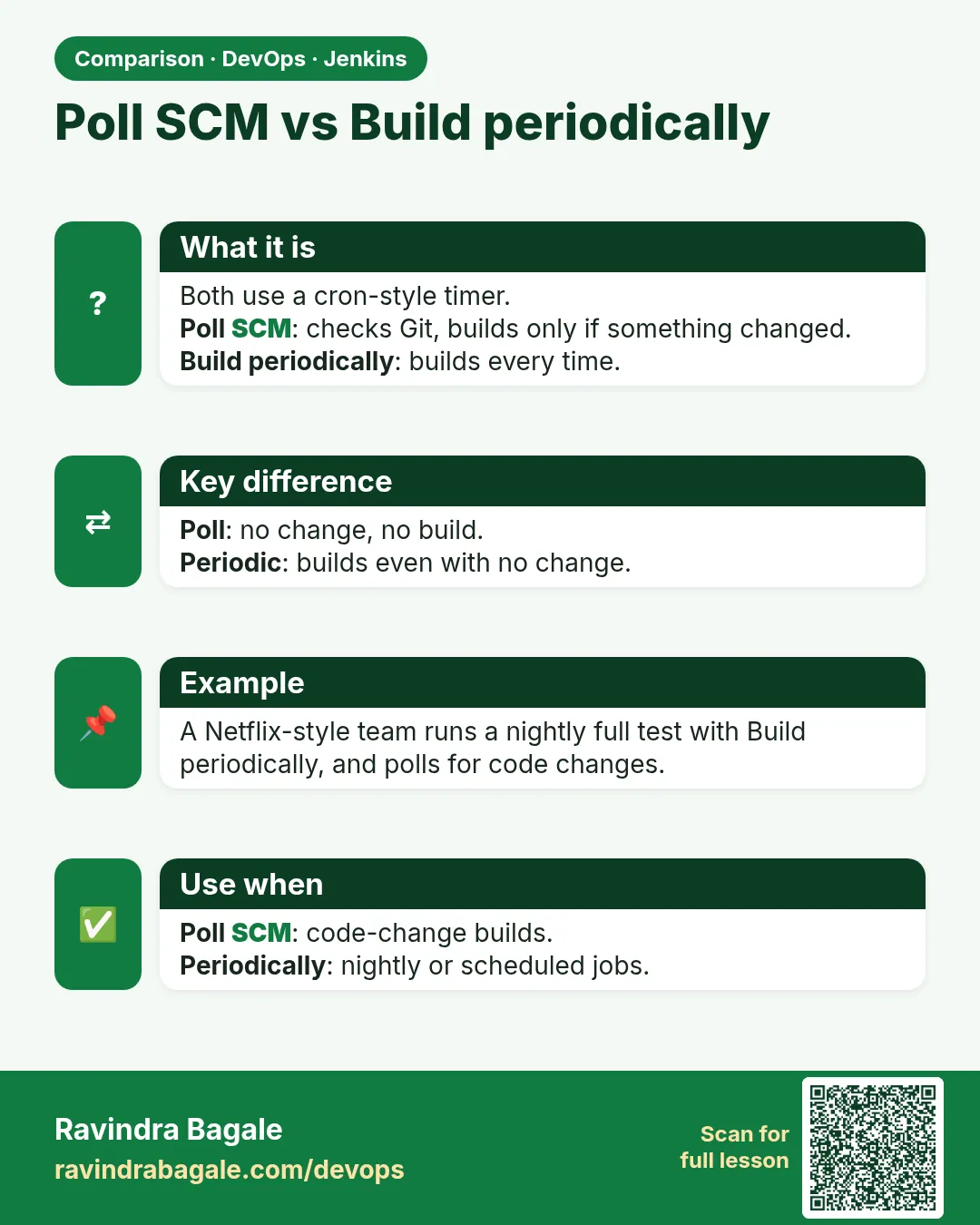
- Build periodically — A timer trigger with cron syntax. Builds even if nothing changed.
- Poll SCM — Builds only if Git changed, checked on a schedule.
- Trigger builds remotely — A token URL anyone with the token can call.
- Build after other projects — Starts this job when another job finishes.
- Cause — The recorded reason for a build: user, timer, SCM, remote, upstream.
- H/5 — Every 5 minutes at a hashed offset.
How: step by step
-
Create trigger-lab
New Item > trigger-lab > Freestyle > Source Code: Git badge-api, branch */mainWhat it does: A test job with SCM so polling can work.
Output
Saved -
Add the shell step
Execute shell: echo "build $BUILD_NUMBER of $JOB_NAME at $(date +%T)"What it does: Prints basic facts; the cause comes from the API in example 2.
Output
Saved -
Timer
Build Triggers > Build periodically > H/5 * * * *What it does: Runs about every 5 minutes.
Output
Would next run at ... -
Poll
Build Triggers > Poll SCM > H/3 * * * *What it does: Checks Git about every 3 minutes.
Output
Saved -
Remote token
Trigger builds remotely > token from your vault (lab: trig-lab-91c)What it does: Token URL works.
Output
Saved -
After other projects
Build after other projects are built > badge-api-ci > Trigger only if build is stableWhat it does: Starts after green CI.
Output
Saved
Example 1: Fire every trigger once
Stack. curl, git
Goal. Fire every trigger once.
fire-all.sh
J=http://localhost:8080; A="ravi:$JENKINS_TOKEN"
echo "1 user/API:"; curl -s -X POST -u "$A" "$J/job/trigger-lab/build" -o /dev/null -w "%{http_code}\n"
echo "2 remote token:"; curl -s -o /dev/null -w "%{http_code}\n" "$J/buildByToken/build?job=trigger-lab&token=trig-lab-91c"
echo "3 upstream:"; curl -s -X POST -u "$A" "$J/job/badge-api-ci/build" -o /dev/null -w "%{http_code}\n"
echo "4 SCM: pushing a commit"; (cd ~/badge-api && echo "// t" >> src/badges.js && git commit -qam "trigger test" && git push -q)
echo "5 timer: wait up to 5 minutes"
sleep 330
What each line does
/build with token user— Counts as Started by user ravi./buildByToken— Counts as Started by remote host.Build badge-api-ci— When it is green, trigger-lab starts as Started by upstream project.git push— Poll SCM picks it up within 3 minutes.sleep 330— Waits for the timer to fire at least once.
Green output
1 user/API:
201
2 remote token:
201
3 upstream:
201
4 SCM: pushing a commit
5 timer: wait up to 5 minutes
Expected result. Five or six new builds of trigger-lab, each with a different cause.
Example 2: Report the cause of every build
Stack. Python, Jenkins REST API
Goal. Report the cause of every build.
cause-report.py
import os, json, base64, urllib.request
J = "http://localhost:8080"; JOB = "trigger-lab"
H = {"Authorization": "Basic " + base64.b64encode(f"ravi:{os.environ['JENKINS_TOKEN']}".encode()).decode()}
def get(p): return json.loads(urllib.request.urlopen(urllib.request.Request(J + p, headers=H)).read())
tree = "builds[number,result,actions[causes[_class,shortDescription]]]{0,10}"
for b in get(f"/job/{JOB}/api/json?tree={tree}")["builds"]:
    causes = [c for a in b["actions"] if a and "causes" in a for c in a["causes"]]
    kind = causes[0]["_class"].split(".")[-1].replace("$", ".") if causes else "?"
    print(f"#{b['number']:3} {str(b['result']):8} {kind:28} {causes[0]['shortDescription'] if causes else ''}")
What each line does
{0,10}— Only the last 10 builds.causes[_class,...]— The type and text of each cause.split(".")[-1]— Short class name like TimerTrigger.TimerTriggerCause.
Green output
# 41 SUCCESS  TimerTrigger.TimerTriggerCause  Started by timer
# 40 SUCCESS  SCMTrigger.SCMTriggerCause      Started by an SCM change
# 39 SUCCESS  Cause.UpstreamCause             Started by upstream project "badge-api-ci" build number 18
# 38 SUCCESS  Cause.RemoteCause               Started by remote host 172.19.0.1
# 37 SUCCESS  Cause.UserIdCause               Started by user ravi
Expected result. Every trigger type, proved from the API.
Example 3: Pick the right trigger: a decision table you can defend
Stack. Markdown
Goal. Pick the right trigger: a decision table you can defend.
triggers.md
| Trigger            | Use it for                              | Avoid when                         |
|--------------------|-----------------------------------------|------------------------------------|
| Build Now / API    | Manual deploys, reruns, scripts         | Normal CI (people forget)          |
| Webhook (token)    | CI on every push, Git can reach Jenkins | Git cannot reach Jenkins           |
| Poll SCM H/5       | CI when webhooks are blocked            | Hundreds of jobs; minute polling   |
| Build periodically | Nightly scans, reports, cleanups        | Normal CI feedback                 |
| After other job    | Deploy after green build, smoke tests   | You need the same artifact: add Copy Artifact |
| Remote token only  | Simple tools that cannot log in         | Token shared widely or over HTTP   |
What each line does
Use / Avoid— Each trigger has a clear job.Copy Artifact note— Triggers start jobs; they do not pass files.
Green output
Agreed in team review; trigger-lab cleaned up to: webhook + after badge-api-ci.
Expected result. A table that answers the interview question and guides real setups.
Verify: did it work?
-
Causes seen
JENKINS_TOKEN=... python3 cause-report.py | wc -lWhat it does: At least five builds.
Output
5 -
Timer off after cleanup
curl -s -u ravi:$JENKINS_TOKEN http://localhost:8080/job/trigger-lab/config.xml | grep -c TimerTriggerWhat it does: 0 after removing it.
Output
0
When it is red 1
Timer never fires
Cause. Jenkins clock or timezone confusion, or the job is disabled.
Fix, step by step
- Read the "Would next run at" hint below the schedule.
- Check the job is enabled.
When it is red 2
Upstream trigger not firing
Cause. Upstream build was not stable.
Fix, step by step
- Check upstream result.
- Or choose "Trigger even if the build is unstable" on purpose.
When it is red 3
Both poll and webhook built the same commit twice
Cause. Two triggers watching one change.
Fix, step by step
- Keep one. For safety nets, use a slow poll like H/30 with webhook.
Cleanup
-
Remove noisy triggers
trigger-lab > Configure > untick Build periodically and Poll SCMWhat it does: Keeps only useful triggers.
Output
Saved -
Delete trigger-lab later
java -jar jenkins-cli.jar -s http://localhost:8080 -auth ravi:$JENKINS_TOKEN delete-job trigger-labWhat it does: After the chapter.
Output
(no output)
Ravindra Bagale's Tip
Pratyek build kasa suru zala, te "Started by" sangto. Toch pahila vacha. Lakshat theva!
Practice tasks
Easy Read cron
Why: Syntax.
What to do: Write a nightly 2 a.m. weekday schedule.
- H 2 * * 1-5
Check: Correct.
Medium Disable a job
Why: Maintenance.
What to do: Disable trigger-lab and fire triggers.
- Disable.
- Fire.
Check: Nothing runs.
Hard Trigger audit
Why: Hygiene.
What to do: List all jobs with timers or polling by script.
- Grep config.xml.
Check: A list to review.
Easy Say Jenkins triggers in two lines
Why: If you can say it simply, you understand it. Juniors and interviewers want the short version first.
What to do: Write two short lines about Jenkins triggers for a fresher who knows only Linux basics.
- Write what problem it solves.
- Write the one command or menu you use for it.
- Read it aloud to a friend.
Check: A fresher understands it without asking a question.
Easy Start a fresh lab Jenkins
Why: Practice needs a throwaway Jenkins. If you break it, you delete it and start again.
What to do: Run Jenkins LTS in Docker with a named volume.
- docker volume create jenkins_home
- docker run -d --name jenkins -p 8080:8080 -v jenkins_home:/var/jenkins_home jenkins/jenkins:lts-jdk17
- docker exec jenkins cat /var/jenkins_home/secrets/initialAdminPassword
Check: The Jenkins unlock page opens on localhost:8080.
Medium Break it on purpose
Why: You must know the red message by face. During an outage there is no time to read slowly.
What to do: Cause one error from the "When it is red" part of this lesson and fix it.
- Follow the error section.
- Copy the exact message into your notes.
- Write the fix in one line.
Check: You fixed it using only the steps, without searching the web.
Medium Write a one-page runbook
Why: At 2 a.m. nobody remembers where a file lives. A short page saves the on-call person.
What to do: Write a runbook page for this lesson.
- Title, when to use, exact command, how to check, how to undo.
Check: A teammate can follow it alone.
Medium Repeat it on a cloud VM
Why: A laptop is not a server. Real Jenkins runs on EC2 or a company VM.
What to do: Do the main steps of this lesson again on a small Ubuntu 22.04 EC2 instance.
- Launch t3.small with 20 GB disk.
- Open port 22 only to your IP.
- Repeat the steps and compare the output.
Check: Same green output on the VM as on your laptop.
Hard Explain it like an interview
Why: Interviewers want real stories, not definitions.
What to do: Record a 60 second answer about this lesson.
- Say the problem, the command you ran, and one error you hit.
Check: Your answer has a real command and a real error message.
Hard Draw the flow top to bottom
Why: A drawing shows who talks to whom and in what order.
What to do: Draw this lesson as boxes from top to bottom.
- Start at the developer push, go through the controller and agent, end at the result.
Check: Each box matches a real thing you saw on screen.
Homework: try at home
Try at home
Write a one-page "Jenkins triggers" note for your team with the table, one real example for each trigger from your lab, and the cause-report output.
Recap
- Six triggers: user, API token, webhook, poll, timer, upstream.
- Each build records its cause.
- Webhook for CI, timer for nightly work, upstream for deploys.
- Avoid fast polling and duplicate triggers.
- Protect token triggers.
FAQ
Can one job have many triggers?
Yes, but it gets confusing. Keep one main trigger.
What about GitHub or GitLab plugins?
They add richer webhook triggers; the idea is the same.
Does Pipeline change triggers?
Pipeline writes triggers in the Jenkinsfile, which you will see in chapter 21.
Interview questions
-
List ways to trigger a Jenkins job.
Manual, REST API, remote token, SCM polling, webhook, cron timer, upstream job, and plugin-specific events.
-
Why use H in cron?
To spread load so many jobs do not start at the same minute.
Quick quiz
Q1. Which trigger builds even with no changes?
Build periodically.
Q2. Which trigger needs Git to reach Jenkins?
Webhook.
Q3. How do you know what started a build?
The Started by line or the causes in the API.
Q4. What does H mean in cron?
A hashed spread of the start minute.
Thodkyaat sangaycha tar
- Follow current Jenkins Linux docs for repo lines; Java + systemctl is the usual package flow.
- Unlock password: standard secrets path — read once, never commit.
- Plugins from Plugin Manager: Git, Pipeline, GitHub, Credentials Binding; optional NodeJS.
- Freestyle + Git SCM; Poll SCM is the honest laptop fallback.
- Node manual job: npm ci, npm test, npm run build, optional lab copy.
- Parameters are choices. Secrets stay as credential ids. Downstream runs after stable upstream only.
Samajla ka?
 Revision card
 Interview card
 Comparison card