Chapter 20: Jenkins Manual Jobs — Install, Configure and Freestyle
20.11 Freestyle build steps — Node.js manual job
Why: the problem
This is the lesson where the chapter title comes true: Develop, Build, Test, and a lab Live. A developer pushes a change to badge-api. Within a minute Jenkins checks out that exact commit, installs dependencies with npm ci, runs the tests, packages a tgz, starts the new version in a lab container, and checks its health URL. If any step fails, the build is red and nothing goes live. That is continuous integration plus a tiny continuous deployment to a lab, built only with Freestyle form fields. Companies like Swiggy and Razorpay do the same thing at much bigger scale with Pipelines and Kubernetes, but the steps are the same: get code, build, test, package, deploy, verify. Splitting the steps matters. One giant shell box with fifty lines hides where it failed; three or four small Execute shell steps make the log readable and the failing step obvious. In this lesson you will build badge-api-ci into a full manual CI and lab deploy job, and watch it stop a broken commit.
What we will build
You will add four Execute shell build steps to badge-api-ci: tools check, install and test, package, and lab deploy with a health check. The deploy runs the packaged app in a node:20-alpine container called badge-lab on port 3001, using the Docker CLI against the host socket in this lab only. Then you will push a broken commit, watch the Test step fail, and see that the lab container still runs the previous good version.
What: every term in plain English
- Build step — One item in the Build Steps list. Steps run in order; the first failure stops the rest.
- Artifact — A file a build produces, like badge-api-1.0.0.tgz.
- Lab deploy — Running the new version somewhere safe to check it starts, not production.
- Health check — A request to /health that must return ok within a time limit.
- Docker socket — /var/run/docker.sock. Mounting it lets the container run Docker commands on the host. Lab only; it equals root on the host.
- Rollback — Going back to the last good version.
How: step by step
-
Give Jenkins the Docker CLI (lab only)
Add to Dockerfile: RUN apt-get install -y docker.io (as root) and run Jenkins with -v /var/run/docker.sock:/var/run/docker.sock --group-add $(stat -c %g /var/run/docker.sock)What it does: Jenkins can start lab containers. Never do this on a shared server.
Output
docker version shows Client and Server -
Step 1: tools check
Add build step > Execute shell > bash ci/check-tools.shWhat it does: Fails early if node, npm or docker is missing.
Output
node ok, npm ok, docker ok -
Step 2: install and test
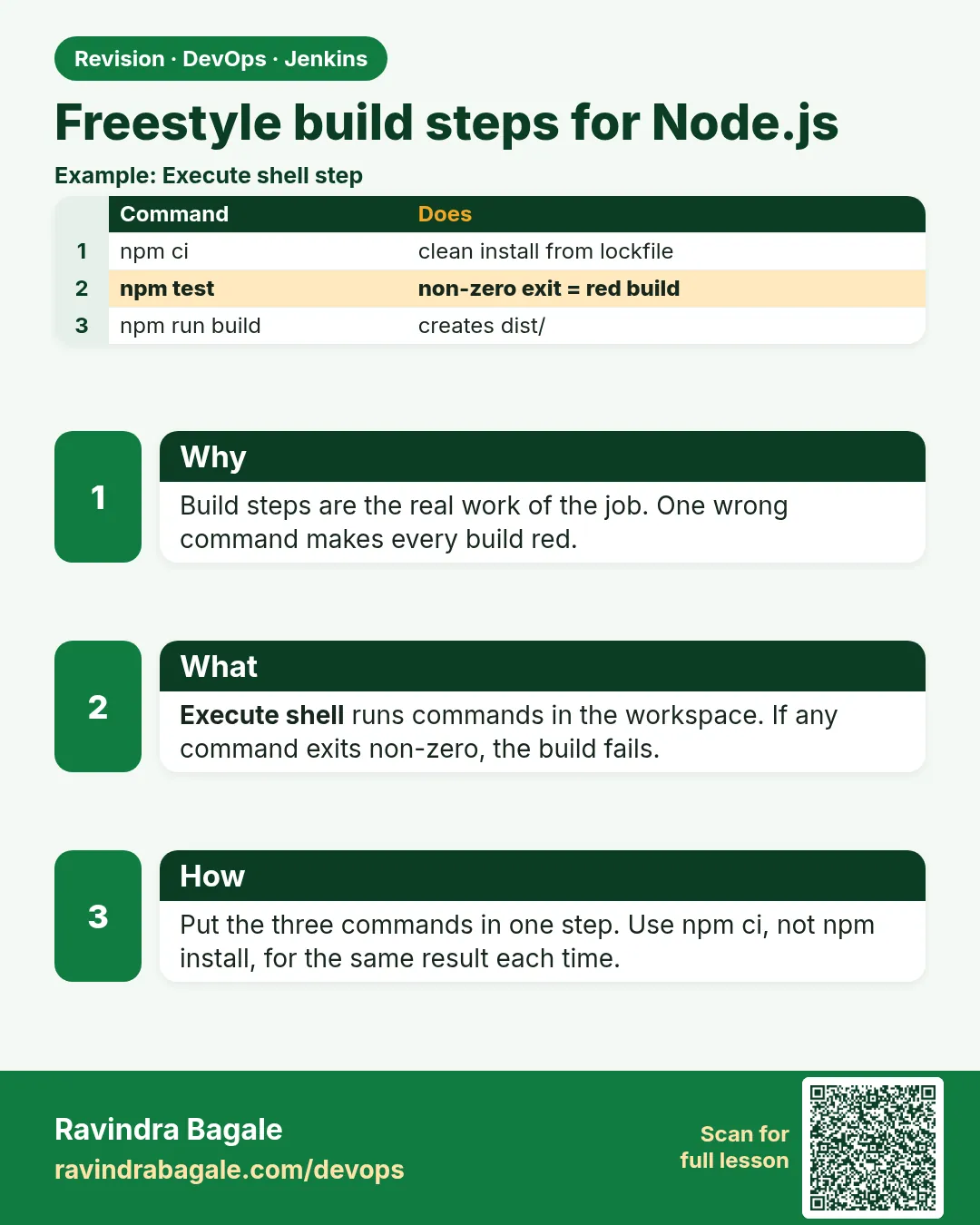
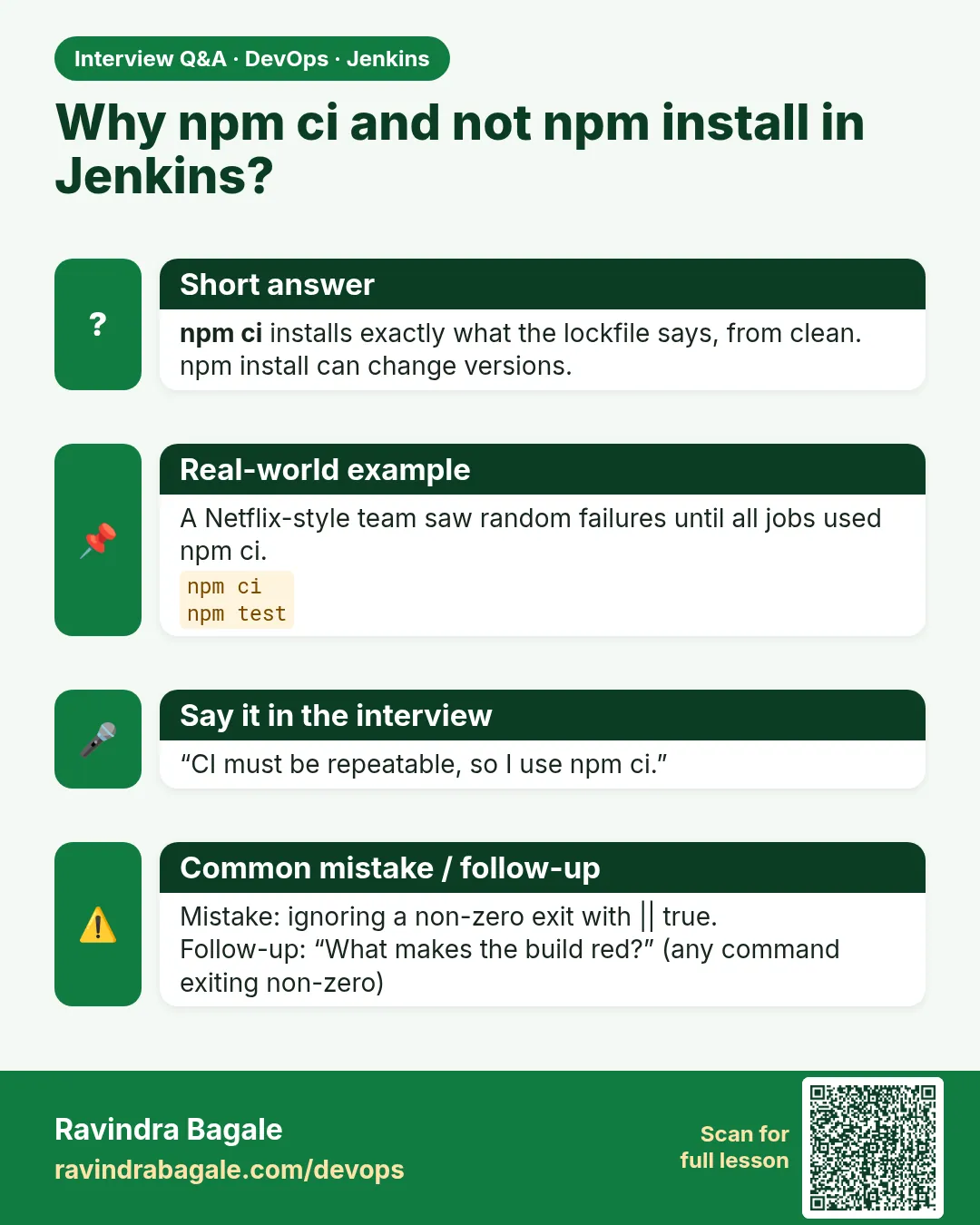
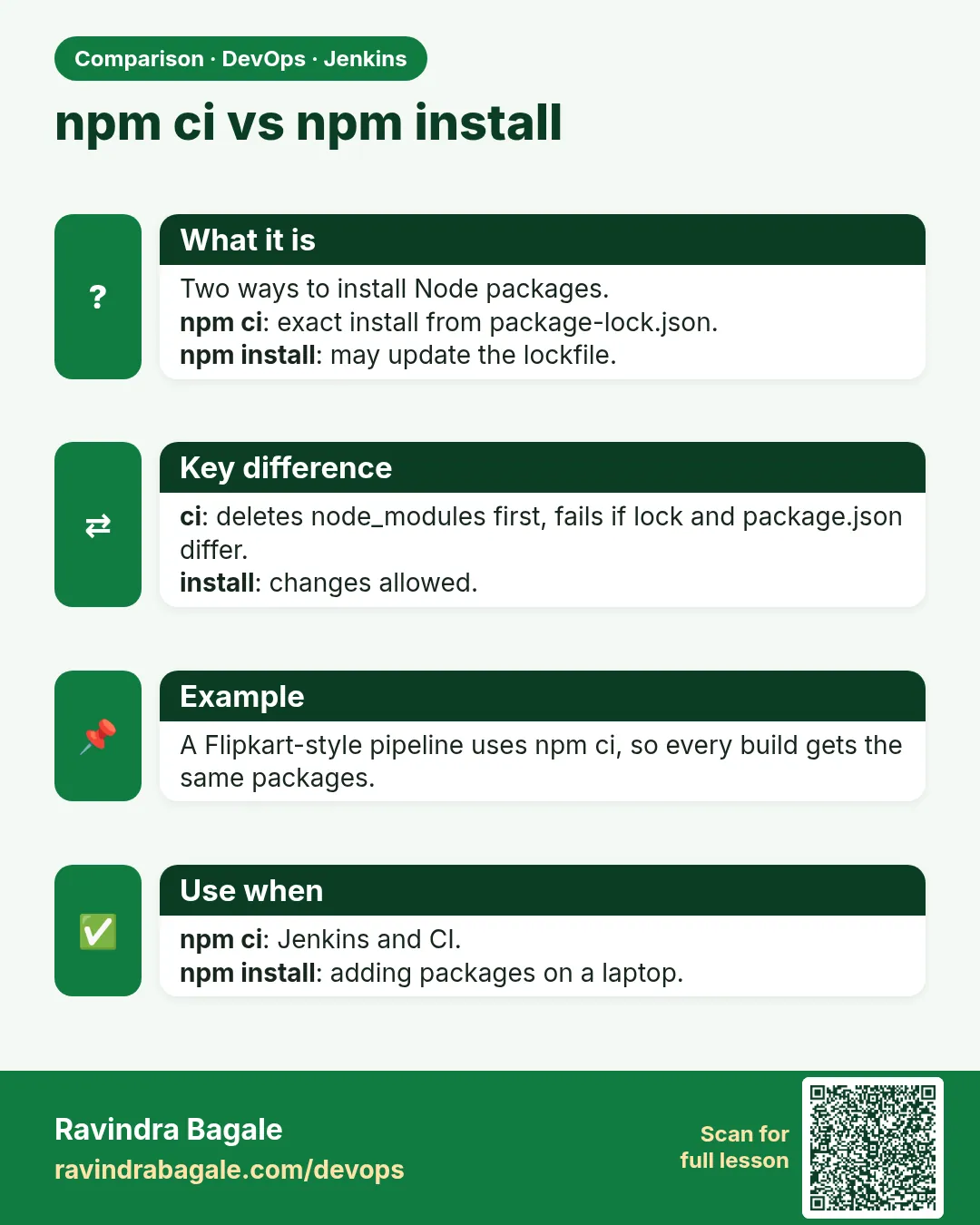
Add build step > Execute shell > npm ci && npm run test:ciWhat it does: Exact install and tests with a JUnit report.
Output
ℹ pass 3 -
Step 3: package
Add build step > Execute shell > npm run buildWhat it does: Makes dist/badge-api-1.0.0.tgz.
Output
badge-api-1.0.0.tgz -
Step 4: lab deploy
Add build step > Execute shell > bash ci/deploy-lab.shWhat it does: Runs the new version and checks health.
Output
health ok -
Run it
Build NowWhat it does: All four steps in the log.
Output
Finished: SUCCESS
Example 1: The four build steps as files in the repo
Stack. Freestyle, Docker, Node 20
Goal. The four build steps as files in the repo.
ci/check-tools.sh
#!/usr/bin/env bash
set -u
rc=0
for t in node npm docker tar; do
  command -v "$t" > /dev/null && echo "$t ok" || { echo "$t MISSING"; rc=1; }
done
exit $rc
ci/deploy-lab.sh
#!/usr/bin/env bash
set -euo pipefail
PKG=$(ls dist/badge-api-*.tgz | head -1)
NAME=badge-lab
docker rm -f "$NAME-new" > /dev/null 2>&1 || true
docker create --name "$NAME-new" -p 3002:3001 -w /app node:20-alpine \
  sh -c "tar xzf /pkg.tgz --strip-components=1 && node src/server.js" > /dev/null
docker cp "$PKG" "$NAME-new:/pkg.tgz"
docker start "$NAME-new" > /dev/null
for i in $(seq 1 15); do
  if docker exec "$NAME-new" wget -qO- http://localhost:3001/health 2>/dev/null | grep -q ok; then
    echo "health ok on new version"
    docker rm -f "$NAME" > /dev/null 2>&1 || true
    docker rename "$NAME-new" "$NAME"
    echo "$GIT_COMMIT" > deployed-commit.txt
    echo "lab live: build $BUILD_NUMBER commit ${GIT_COMMIT:0:7}"
    exit 0
  fi
  sleep 1
done
echo "health FAILED, keeping old version"
docker logs "$NAME-new" | tail -5
docker rm -f "$NAME-new" > /dev/null
exit 1
What each line does
command -v ... || { ...; rc=1; }— Checks every tool, then fails once with the full list.docker create ... node:20-alpine— A clean Node container. The package is copied in, not built inside.tar xzf --strip-components=1— npm pack puts files under package/, so strip that folder.-p 3002:3001— The new copy uses a side port while it is checked.wget -qO- /health— Alpine has wget; ok means the app started.docker rename— Only after health passes does the new one replace the old one.exit 1 on failure— The build turns red and the old version keeps running.
Green output
[badge-api-ci] $ /bin/sh -xe /tmp/jenkins1.sh
+ bash ci/check-tools.sh
node ok
npm ok
docker ok
tar ok
[badge-api-ci] $ /bin/sh -xe /tmp/jenkins2.sh
+ npm ci
added 0 packages in 0.3s
+ npm run test:ci
[badge-api-ci] $ /bin/sh -xe /tmp/jenkins3.sh
+ npm run build
badge-api-1.0.0.tgz
[badge-api-ci] $ /bin/sh -xe /tmp/jenkins4.sh
+ bash ci/deploy-lab.sh
health ok on new version
lab live: build 7 commit 9c41d2e
Finished: SUCCESS
Expected result. badge-lab runs build 7. Each step has its own block in the log.
Example 2: Push a broken commit and watch Jenkins protect the lab
Stack. Freestyle, node:test
Goal. Push a broken commit and watch Jenkins protect the lab.
break.sh (laptop)
cd badge-api
sed -i 's/points >= 1000/points > 1000/' src/badges.js
git commit -qam "change gold rule"
git push -q
sleep 30
curl -s -u "ravi:$JENKINS_TOKEN" http://localhost:8080/job/badge-api-ci/lastBuild/consoleText | grep -E "not ok|Expected|actual|Build step|Finished"
docker ps --filter name=badge-lab --format "{{.Names}} {{.Status}}"
What each line does
sed 's/>=/>/'— A real-looking bug: 1000 points no longer gives gold.grep -E ...— Pulls the useful lines from a long log.docker ps— The old container is untouched.
Green output
not ok 1 - gold at 1000
  expected: 'gold'
  actual: 'silver'
Build step 'Execute shell' marked build as failure
Finished: FAILURE
badge-lab Up 9 minutes
Expected result. Test failed, package and deploy steps never ran, the lab still serves build 7. Revert the change and push to go green again.
Example 3: Check what is live from outside
Stack. curl, docker exec
Goal. Check what is live from outside.
whats-live.sh
echo -n "health: "; curl -s localhost:3002/health 2>/dev/null || docker exec badge-lab wget -qO- localhost:3001/health; echo
docker exec badge-lab wget -qO- "http://localhost:3001/badge?points=1000"; echo
docker exec jenkins cat /var/jenkins_home/workspace/badge-api-ci/deployed-commit.txt | cut -c1-7
What each line does
/health— Is it alive?/badge?points=1000— Is the right logic live? It must say gold.deployed-commit.txt— Which commit the last good deploy used.
Green output
health: ok
{"points":1000,"badge":"gold"}
9c41d2e
Expected result. You can prove the live version and its behaviour in three commands.
Verify: did it work?
-
Lab container runs
docker ps --filter name=badge-lab --format "{{.Names}} {{.Image}}"What it does: One container, Node 20 alpine.
Output
badge-lab node:20-alpine -
Last good build
curl -s -u ravi:$JENKINS_TOKEN "http://localhost:8080/job/badge-api-ci/lastSuccessfulBuild/api/json?tree=number"What it does: Number of the build that is live.
Output
{"number":7}
When it is red 1
docker: permission denied while trying to connect to the Docker daemon socket
Cause. The jenkins user is not in the socket group.
Fix, step by step
- Start Jenkins with --group-add equal to the socket group id.
- Check: docker exec jenkins id.
When it is red 2
health FAILED, keeping old version
Cause. The new app crashed at start.
Fix, step by step
- Read the docker logs lines printed in the console.
- Run the package locally with node src/server.js.
When it is red 3
ls: cannot access dist/badge-api-*.tgz
Cause. The package step did not run or wrote elsewhere.
Fix, step by step
- Check scripts.build in package.json.
- Keep steps in order.
Cleanup
-
Stop the lab app
docker rm -f badge-labWhat it does: Frees the port.
Output
badge-lab
Ravindra Bagale's Tip
Ekach motha shell box nako. Chhote steps, mhanje kuthe fail zala te lagech kalta. Lakshat theva!
Practice tasks
Easy Name the steps
Why: Readable logs.
What to do: Add echo "== STEP 2 test ==" at the top of each step.
- Edit steps.
Check: Log shows clear headings.
Medium Rollback
Why: Recover fast.
What to do: Write rollback.sh that redeploys the last good tgz.
- Archive tgz files (20.15).
Check: Old version back in 1 minute.
Hard No socket
Why: Safer design.
What to do: Plan deploy over SSH to a lab VM instead.
- Write steps.
Check: No docker.sock needed.
Easy Say Freestyle build steps in two lines
Why: If you can say it simply, you understand it. Juniors and interviewers want the short version first.
What to do: Write two short lines about Freestyle build steps for a fresher who knows only Linux basics.
- Write what problem it solves.
- Write the one command or menu you use for it.
- Read it aloud to a friend.
Check: A fresher understands it without asking a question.
Easy Start a fresh lab Jenkins
Why: Practice needs a throwaway Jenkins. If you break it, you delete it and start again.
What to do: Run Jenkins LTS in Docker with a named volume.
- docker volume create jenkins_home
- docker run -d --name jenkins -p 8080:8080 -v jenkins_home:/var/jenkins_home jenkins/jenkins:lts-jdk17
- docker exec jenkins cat /var/jenkins_home/secrets/initialAdminPassword
Check: The Jenkins unlock page opens on localhost:8080.
Medium Break it on purpose
Why: You must know the red message by face. During an outage there is no time to read slowly.
What to do: Cause one error from the "When it is red" part of this lesson and fix it.
- Follow the error section.
- Copy the exact message into your notes.
- Write the fix in one line.
Check: You fixed it using only the steps, without searching the web.
Medium Write a one-page runbook
Why: At 2 a.m. nobody remembers where a file lives. A short page saves the on-call person.
What to do: Write a runbook page for this lesson.
- Title, when to use, exact command, how to check, how to undo.
Check: A teammate can follow it alone.
Medium Repeat it on a cloud VM
Why: A laptop is not a server. Real Jenkins runs on EC2 or a company VM.
What to do: Do the main steps of this lesson again on a small Ubuntu 22.04 EC2 instance.
- Launch t3.small with 20 GB disk.
- Open port 22 only to your IP.
- Repeat the steps and compare the output.
Check: Same green output on the VM as on your laptop.
Hard Explain it like an interview
Why: Interviewers want real stories, not definitions.
What to do: Record a 60 second answer about this lesson.
- Say the problem, the command you ran, and one error you hit.
Check: Your answer has a real command and a real error message.
Hard Draw the flow top to bottom
Why: A drawing shows who talks to whom and in what order.
What to do: Draw this lesson as boxes from top to bottom.
- Start at the developer push, go through the controller and agent, end at the result.
Check: Each box matches a real thing you saw on screen.
Homework: try at home
Try at home
Add a fifth build step that calls /badge?points=500 on the new container and fails if the answer is not silver. That is a smoke test. Push a change that breaks only silver and see it caught.
Recap
- Get code, install, test, package, deploy, verify.
- Use several small build steps.
- Deploy to a side slot, check health, then switch.
- A red test stops the deploy.
- Keep build scripts in the repo.
FAQ
Is this real CD?
It is a lab deploy. Production adds approvals, environments and rollbacks.
Why not put all lines in one box?
Smaller steps make failures obvious.
Can Freestyle run steps in parallel?
No. That is a Pipeline feature.
Interview questions
-
Describe a basic CI job for a Node app.
Checkout, npm ci, tests with reports, package, archive, optional deploy to test env with a health check.
-
How do you avoid deploying broken builds?
Tests before deploy, fail-fast steps, health checks before switching traffic.
Quick quiz
Q1. What stops later build steps?
A non-zero exit code in an earlier step.
Q2. Why deploy to a side port first?
To health-check the new version before replacing the old one.
Q3. Why is mounting docker.sock lab-only?
It gives root on the host.
Samajla ka?
 Revision card
 Interview card
 Comparison card