Chapter 18: Kubernetes Workloads
18.8 DaemonSet — one per node
Why: the problem
Every node in a Zerodha cluster needs a log shipper and a metrics agent. If the cluster grows from 10 to 25 nodes at market open, each new node must get those agents too, without anyone touching YAML. A Deployment with 25 replicas would not do it: the scheduler might put two copies on one node and none on another. A DaemonSet solves this. It runs exactly one Pod on every node that matches, and it adds a Pod the moment a new node joins. When a node leaves, its Pod is removed. kube-proxy and most network plugins run this way, and so do Fluent Bit, Promtail, node-exporter and security agents. In this lesson you will run node-exporter as a DaemonSet on a three-node kind cluster, add a node, keep it off the control plane with a toleration rule, and do a rolling update one node at a time.
What we will build
You will deploy Prometheus node-exporter as a DaemonSet, read node metrics from each Pod, add a fourth node and watch a Pod appear, and control which nodes get it with nodeSelector and tolerations.
What: every term in plain English
- DaemonSet — A controller that runs one copy of a Pod on each matching node.
- Node agent — A program that must run on every server, like a log or metrics collector.
- Taint — A mark on a node that keeps Pods away unless they tolerate it.
- Toleration — A Pod setting that allows it on a tainted node.
- nodeSelector — A simple rule: run only on nodes with this label.
- hostPath — A volume that mounts a folder from the node itself, like /var/log.
- hostNetwork — The Pod uses the node IP and ports directly.
- updateStrategy — RollingUpdate (default) or OnDelete for DaemonSets.
How: step by step
-
Create a three-node cluster
printf "kind: Cluster\napiVersion: kind.x-k8s.io/v1alpha4\nnodes:\n- role: control-plane\n- role: worker\n- role: worker\n" > kind-3.yaml
kind create cluster --name lab --config kind-3.yaml
What it does: One control plane and two workers.
Output
Set kubectl context to "kind-lab" -
Make a practice namespace
kubectl create namespace practice
kubectl config set-context --current --namespace=practice
What it does: Keeps all lab objects in one folder that is easy to delete.
Output
namespace/practice created Context "kind-lab" modified. -
See the built-in DaemonSets
kubectl get ds -AWhat it does: kube-proxy and the kind network plugin are DaemonSets.
Output
NAMESPACE NAME DESIRED CURRENT READY NODE SELECTOR kube-system kindnet 3 3 3 none kube-system kube-proxy 3 3 3 kubernetes.io/os=linux -
Apply node-exporter
kubectl apply -f node-exporter.yamlWhat it does: The file is in Example 1.
Output
daemonset.apps/node-exporter created -
One Pod per node
kubectl get pods -l app=node-exporter -o wideWhat it does: Each worker has exactly one.
Output
NAME READY STATUS NODE node-exporter-4xk2m 1/1 Running lab-worker node-exporter-9tq7z 1/1 Running lab-worker2 -
Read metrics
kubectl exec ds/node-exporter -- wget -qO- localhost:9100/metrics | grep ^node_load1What it does: Real load average of the node.
Output
node_load1 0.42
Example 1: node-exporter as a DaemonSet
Stack. node-exporter 1.8.1, kind 3 nodes
Goal. node-exporter as a DaemonSet.
node-exporter.yaml
apiVersion: apps/v1
kind: DaemonSet
metadata:
  name: node-exporter
spec:
  selector:
    matchLabels: {app: node-exporter}
  updateStrategy:
    type: RollingUpdate
    rollingUpdate: {maxUnavailable: 1}
  template:
    metadata:
      labels: {app: node-exporter}
    spec:
      hostPID: true
      containers:
      - name: exporter
        image: prom/node-exporter:v1.8.1
        args: ["--path.rootfs=/host"]
        ports: [{containerPort: 9100, name: metrics}]
        resources:
          requests: {cpu: 20m, memory: 32Mi}
          limits: {memory: 64Mi}
        volumeMounts:
        - {name: root, mountPath: /host, readOnly: true}
      volumes:
      - name: root
        hostPath: {path: /}
What each line does
kind: DaemonSet— No replicas field. The count is the number of matching nodes.hostPID: true— Lets it see node processes for metrics.--path.rootfs=/host— Reads the node disk through the mount.hostPath /— Mounts the node root folder, read only.readOnly: true— The agent can look but never change node files.maxUnavailable: 1— Update one node at a time.
Green output
daemonset.apps/node-exporter created
NAME            DESIRED   CURRENT   READY   UP-TO-DATE   AVAILABLE
node-exporter   2         2         2       2            2
Expected result. DESIRED is 2, not 3. The control plane has a NoSchedule taint, so the DaemonSet skips it. Example 2 changes that.
Example 2: Run on the control plane too, with a toleration
Stack. kubectl patch
Goal. Run on the control plane too, with a toleration.
terminal
kubectl describe node lab-control-plane | grep Taints
kubectl patch ds node-exporter --type=merge -p '{"spec":{"template":{"spec":{"tolerations":[{"key":"node-role.kubernetes.io/control-plane","operator":"Exists","effect":"NoSchedule"}]}}}}'
kubectl rollout status ds/node-exporter
kubectl get pods -l app=node-exporter -o wide
What each line does
Taints— The control plane node says NoSchedule.tolerations— Allow this Pod despite that taint.operator: Exists— Match the key whatever its value.rollout status ds— Waits for the DaemonSet update.
Green output
Taints:             node-role.kubernetes.io/control-plane:NoSchedule
daemonset.apps/node-exporter patched
daemon set "node-exporter" successfully rolled out
NAME                  READY   STATUS    NODE
node-exporter-7bn2r   1/1     Running   lab-control-plane
node-exporter-c5wq8   1/1     Running   lab-worker
node-exporter-m2zv4   1/1     Running   lab-worker2
Expected result. Monitoring agents usually need every node, including control plane nodes, so they carry this toleration.
Example 3: Pick nodes with a label, and watch a new node get a Pod
Stack. kind, Kubernetes 1.30
Goal. Pick nodes with a label, and watch a new node get a Pod.
terminal
kubectl label node lab-worker disk=ssd
kubectl apply -f ssd-check.yaml
kubectl get pods -l app=ssd-check -o wide
kubectl label node lab-worker2 disk=ssd
sleep 5
kubectl get pods -l app=ssd-check -o wide
ssd-check.yaml
apiVersion: apps/v1
kind: DaemonSet
metadata:
  name: ssd-check
spec:
  selector:
    matchLabels: {app: ssd-check}
  template:
    metadata:
      labels: {app: ssd-check}
    spec:
      nodeSelector:
        disk: ssd
      containers:
      - name: check
        image: busybox:1.36
        command: ["sh", "-c", "while true; do df -h / | tail -1; sleep 60; done"]
What each line does
label node disk=ssd— Tags a node.nodeSelector disk: ssd— Only tagged nodes get a Pod.Second label— The moment lab-worker2 is tagged, a Pod appears there. No YAML change.
Green output
node/lab-worker labeled
daemonset.apps/ssd-check created
NAME              READY   STATUS    NODE
ssd-check-h7k2p   1/1     Running   lab-worker
node/lab-worker2 labeled
NAME              READY   STATUS    NODE
ssd-check-h7k2p   1/1     Running   lab-worker
ssd-check-x9m4t   1/1     Running   lab-worker2
Expected result. The same thing happens when a new node joins with the label: the DaemonSet adds a Pod by itself.
Verify: did it work?
-
Desired equals nodes
kubectl get ds node-exporterWhat it does: DESIRED must equal the number of matching nodes.
Output
NAME DESIRED CURRENT READY node-exporter 3 3 3 -
Rolling update one node at a time
kubectl set image ds/node-exporter exporter=prom/node-exporter:v1.8.2 && kubectl rollout status ds/node-exporterWhat it does: Pods are replaced node by node.
Output
Waiting for daemon set "node-exporter" rollout to finish: 1 out of 3 new pods have been updated...
daemon set "node-exporter" successfully rolled out
When it is red 1
DESIRED is less than the number of nodes
Cause. Some nodes have taints the Pod does not tolerate, or labels that do not match nodeSelector.
Fix, step by step
- Run kubectl describe node and read Taints and Labels.
- Add tolerations or fix nodeSelector.
When it is red 2
Error: failed to start container: listen tcp :9100: bind: address already in use
Cause. With hostNetwork, another agent on the node already uses the port.
Fix, step by step
- Find it with ss -lntp on the node (docker exec lab-worker ss -lntp).
- Change the port or remove the duplicate agent.
When it is red 3
pods "node-exporter-xxx" is forbidden: violates PodSecurity "baseline:latest": hostPath volumes
Cause. The namespace enforces Pod Security and blocks hostPath.
Fix, step by step
- Run node agents in a namespace like monitoring with privileged level labels.
- Keep hostPath readOnly.
Cleanup
-
Delete the DaemonSets
kubectl delete ds node-exporter ssd-checkWhat it does: Removes the Pod from every node.
Output
daemonset.apps "node-exporter" deleted daemonset.apps "ssd-check" deleted -
Delete the lab cluster
kind delete cluster --name labWhat it does: Removes the whole cluster container. On minikube use: minikube delete.
Output
Deleting cluster "lab" ...
Deleted nodes: ["lab-control-plane"]
Ravindra Bagale's Tip
DaemonSet mhanje pratyek node var ek Pod. Navin node aala ki Pod aapoaap yeto. Lakshat theva!
Practice tasks
Easy List DaemonSets
Why: Know what runs on every node.
What to do: List all DaemonSets with their node selector.
- kubectl get ds -A
Check: You can name each one.
Medium Use OnDelete
Why: Some teams update agents by hand.
What to do: Set updateStrategy OnDelete and change the image.
- Patch the strategy.
- Delete one Pod at a time.
Check: Only deleted Pods get the new image.
Hard Ship logs
Why: A real platform task.
What to do: Run Fluent Bit as a DaemonSet that reads /var/log/containers.
- Mount hostPath /var/log read only.
- Output to stdout.
Check: Container log lines appear in Fluent Bit logs.
Easy Say a DaemonSet on every node in two lines
Why: If you can say it simply, you understand it. Interviewers want the short version first.
What to do: Write two short lines about a DaemonSet on every node for a fresher who knows only Docker basics.
- Write what problem it solves.
- Write the one kubectl command you use for it.
- Read it aloud to a friend.
Check: A fresher understands it without asking a question.
Easy Start a fresh lab cluster
Why: Practice needs a throwaway cluster. If you break it, you delete it and start again.
What to do: Create a kind cluster, or a minikube cluster, and check the node is Ready.
- kind create cluster --name lab
- kubectl get nodes
- kubectl get pods -A
Check: One node shows STATUS Ready and the kube-system Pods are Running.
Medium Break it on purpose
Why: You must know the red message by face. During an outage there is no time to read slowly.
What to do: Cause one error from the "When it is red" part of this lesson and fix it.
- Follow the error section.
- Copy the exact message and the kubectl describe Events into your notes.
- Write the fix in one line.
Check: You fixed it using only the steps, without searching the web.
Medium Write a one-page runbook
Why: At 2 a.m. nobody remembers the right command. A short page saves the on-call person.
What to do: Write a runbook page for this lesson.
- Title, when to use, exact kubectl command, how to check, how to undo.
Check: A teammate can follow it alone.
Medium Repeat it on a cloud cluster
Why: kind is a laptop toy. Real clusters run on EKS, GKE, AKS or k3s on a VM.
What to do: Do the main steps of this lesson again on a small k3s VM or a free-tier managed cluster.
- Install k3s on one Ubuntu 22.04 VM: curl -sfL https://get.k3s.io | sh -
- Copy the kubeconfig.
- Apply the same YAML and compare the output.
Check: Same output on the cloud cluster as on kind.
Hard Explain it like an interview
Why: Interviewers want real stories, not definitions.
What to do: Record a 60 second answer about this lesson.
- Say the problem, the YAML field you used, the kubectl command you ran, and one error you hit.
Check: Your answer has a real command and a real error message.
Hard Draw the flow top to bottom
Why: A drawing shows who talks to whom and in what order.
What to do: Draw this lesson as boxes from top to bottom.
- Start at kubectl apply, go through the API server, controller and scheduler, end at the running container.
Check: Each box matches a real thing you saw in kubectl output.
Homework: try at home
Try at home
At home, run Fluent Bit or node-exporter as a DaemonSet on a three-node kind cluster. Make it run on the control plane too, then label one node and run a second DaemonSet only there.
Recap
- A DaemonSet runs one Pod on each matching node.
- New nodes get the Pod automatically.
- Taints and tolerations decide if control plane nodes get it.
- nodeSelector limits it to labelled nodes.
- Updates roll node by node.
FAQ
Can a DaemonSet run 2 Pods per node?
No. Use two DaemonSets or a Deployment with anti-affinity rules.
Do DaemonSet Pods go through the scheduler?
Yes, in current versions the default scheduler places them using node affinity.
Is hostPath safe?
It is powerful. Mount only what you need, read only when possible.
Why ignore DaemonSets during drain?
They are meant to stay on each node; draining them is pointless.
What uses DaemonSets on EKS?
aws-node (VPC CNI), kube-proxy and agents like the CloudWatch agent.
Interview questions
-
What is a DaemonSet and when do you use it?
A controller that runs one Pod per node, used for node-level agents like logging, monitoring, networking and security.
-
How does a DaemonSet handle new nodes?
It creates a Pod on each new matching node automatically.
-
How do you run a DaemonSet on only some nodes?
With nodeSelector or node affinity, plus tolerations for tainted nodes.
-
DaemonSet versus Deployment?
A Deployment runs N replicas anywhere; a DaemonSet ties the count to the node count.
-
How are DaemonSets updated?
RollingUpdate with maxUnavailable, or OnDelete.
Quick quiz
Q1. How many Pods does a DaemonSet run per node?
One.
Q2. Why did the control plane get no Pod at first?
Its NoSchedule taint.
Q3. Which field picks nodes by label?
nodeSelector.
Q4. Does a DaemonSet have replicas?
No.
Q5. Name two real DaemonSets.
kube-proxy and a log or metrics agent.
Samajla ka?
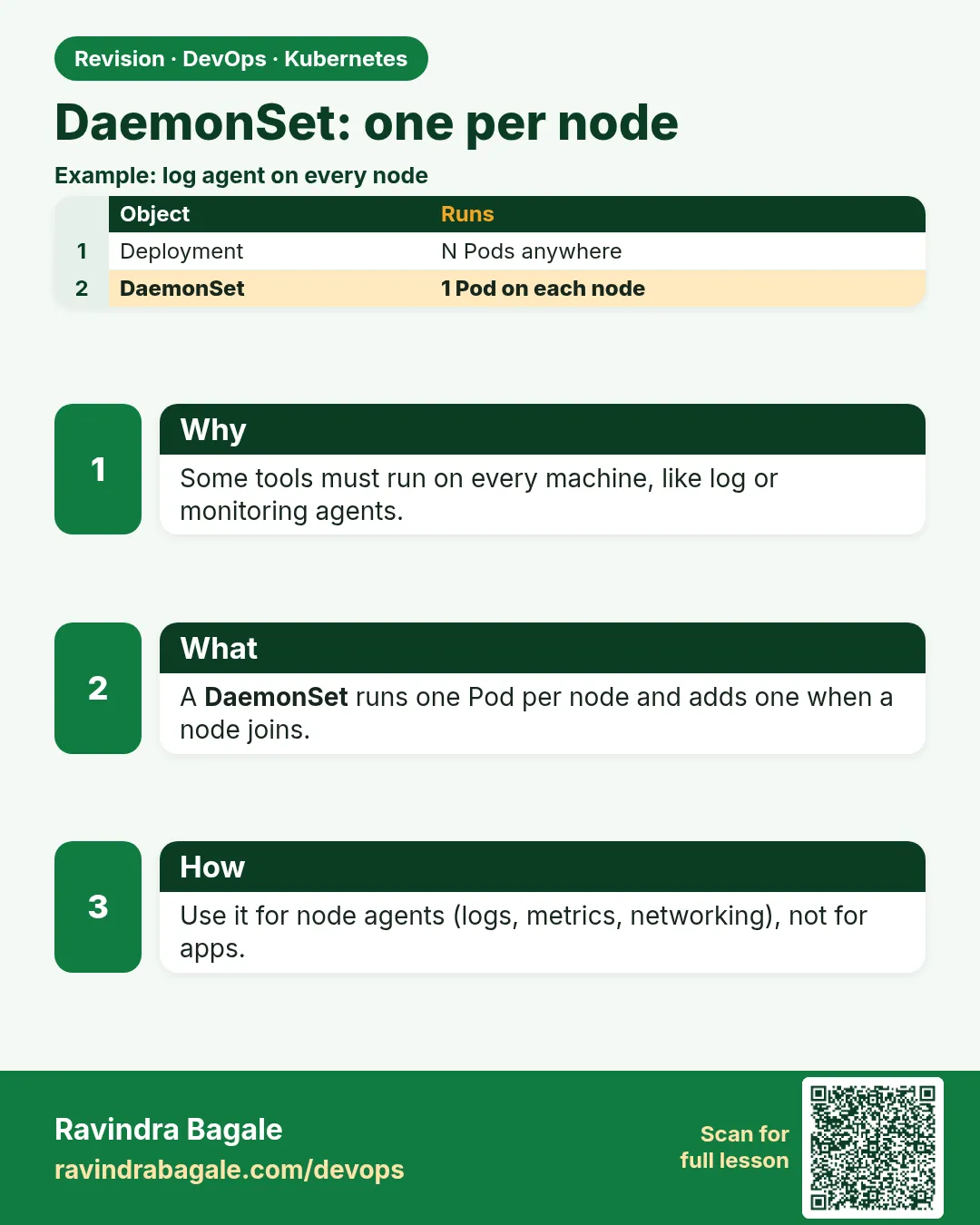 Revision card
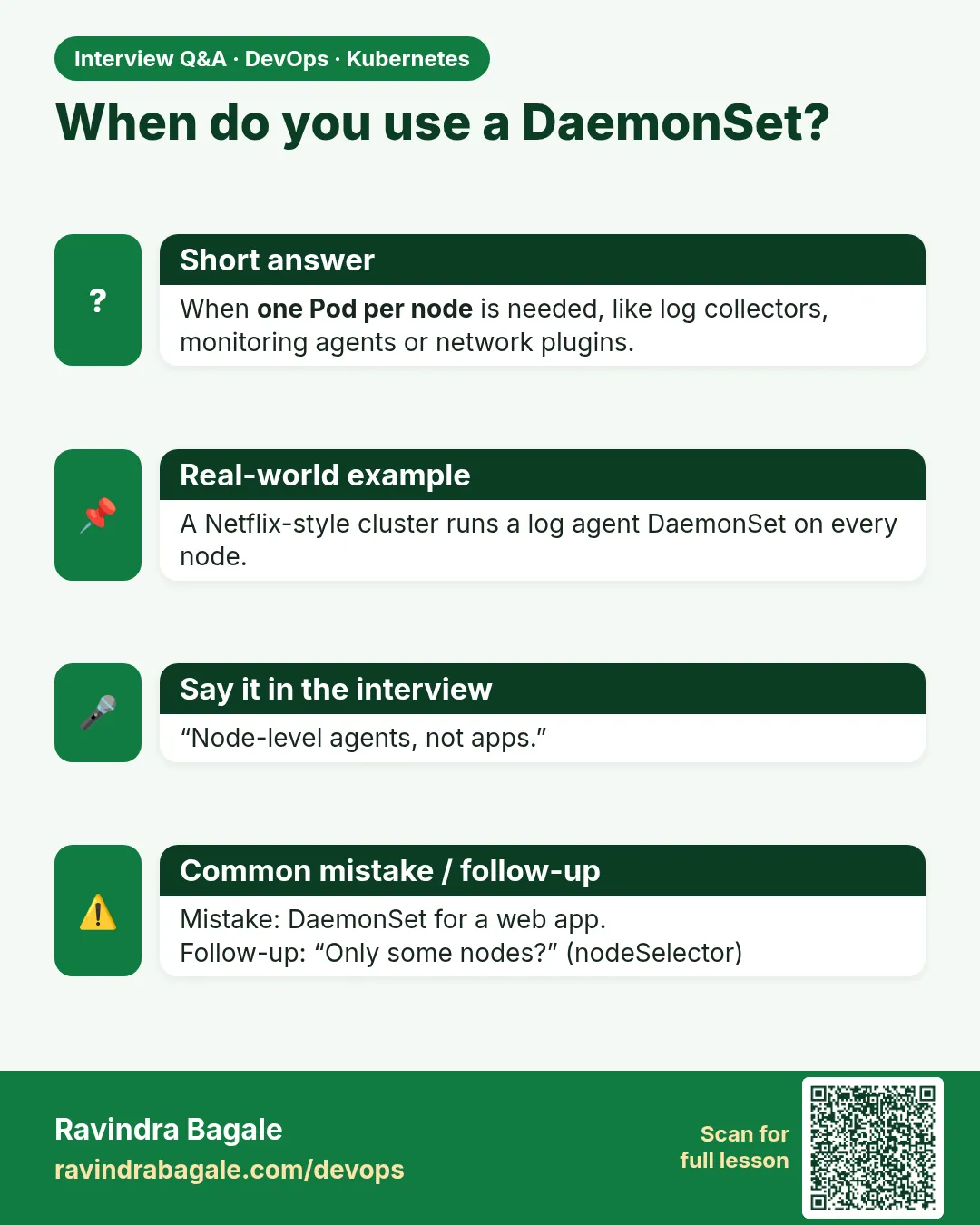 Interview card
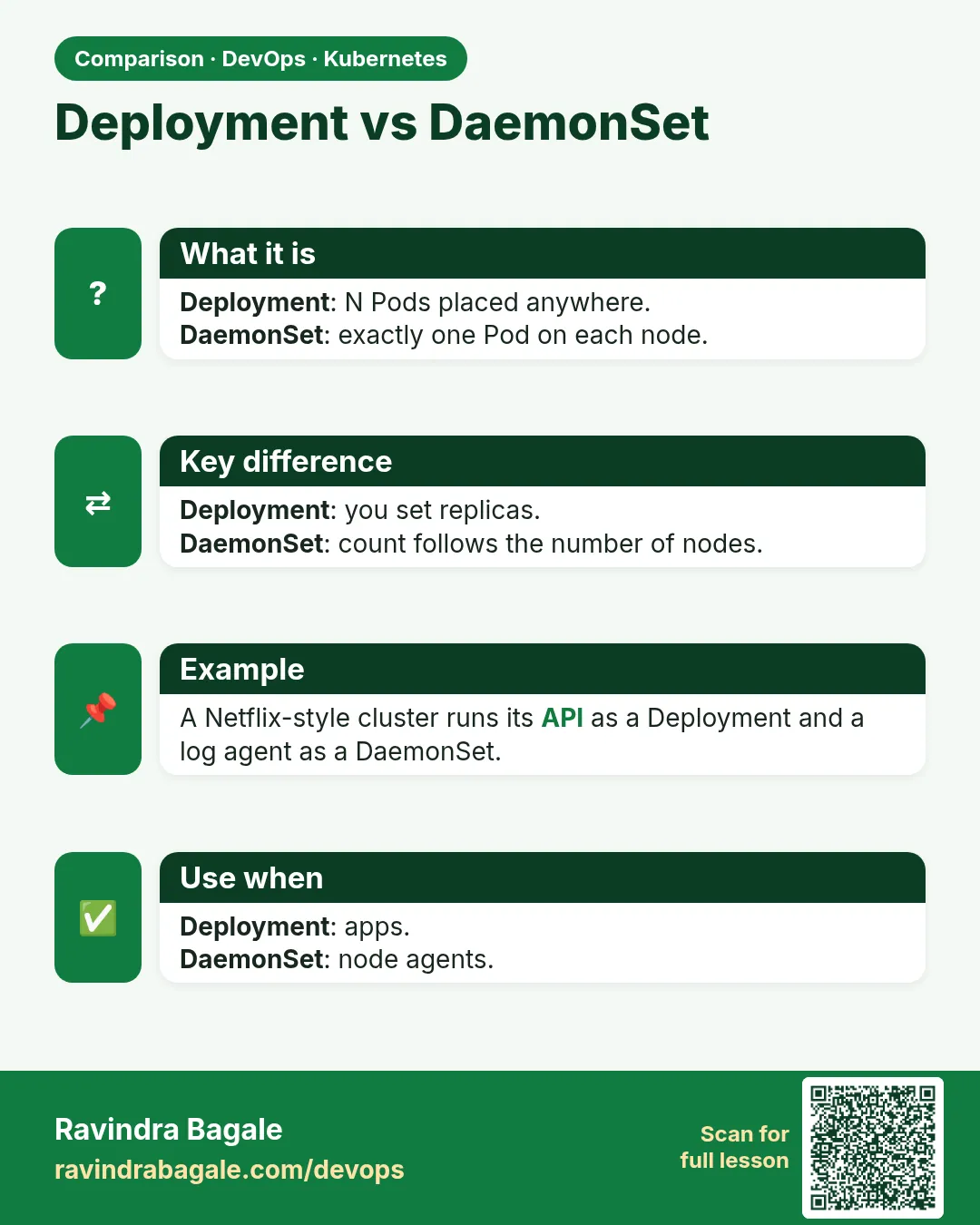 Comparison card