Chapter 18: Kubernetes Workloads
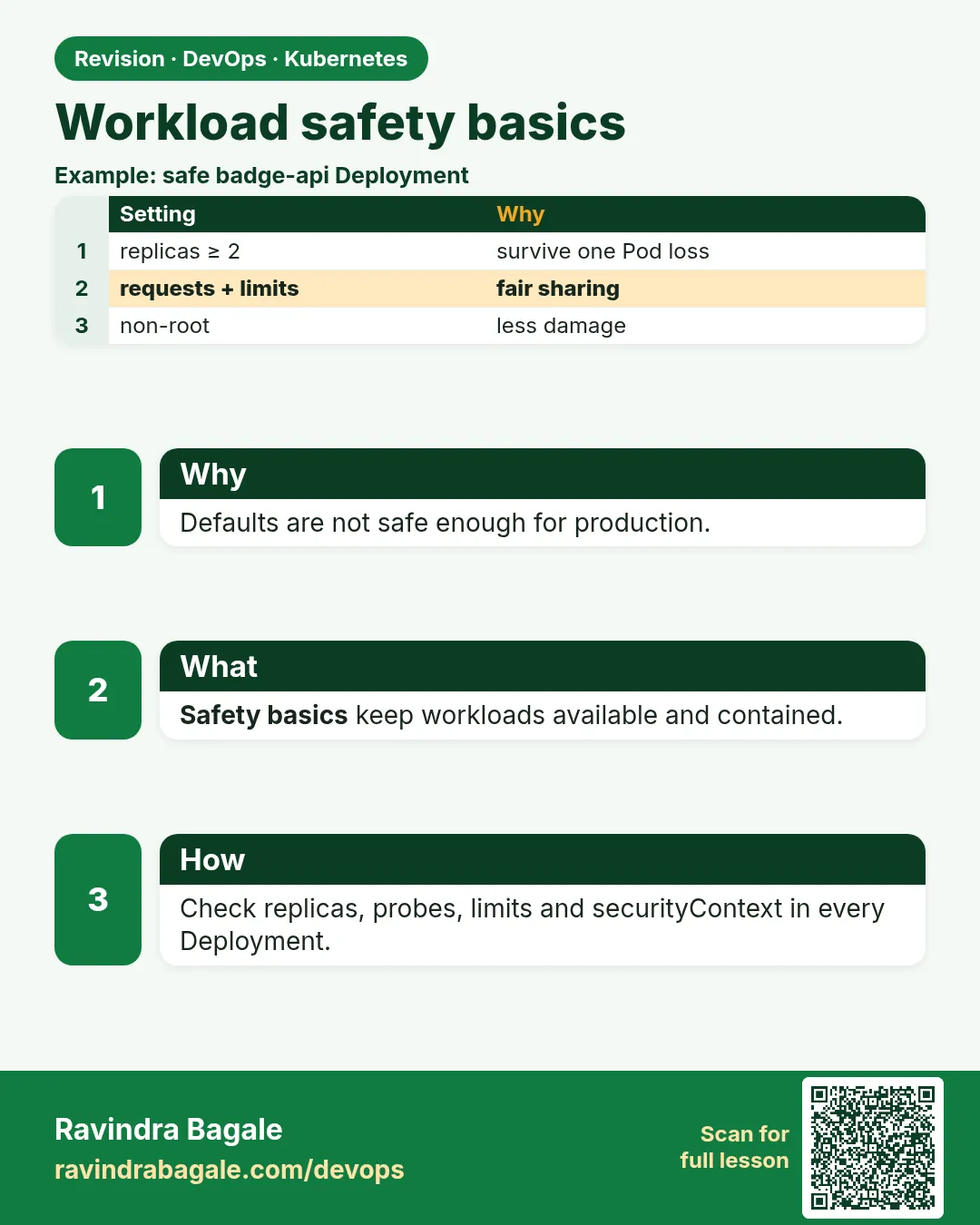
18.14 Safety basics
Why: the problem
Copy a random YAML from a blog and you might run a container as root, with privileged: true, no CPU or memory limits, in the default namespace. It works on your laptop. In a shared cluster at a company like Infosys it is a risk. A privileged container can control the whole node. A container with no memory limit can eat the node and get other teams' Pods killed. Everything in default means anyone can delete anything. Kubernetes gives you simple guard rails. securityContext to run as a normal user, drop Linux capabilities and make the root file system read only. resources so every Pod has requests and limits. Namespaces with a ResourceQuota and LimitRange so one team cannot take all the room. Pod Security Admission labels so the cluster refuses dangerous Pods. In this lesson you will try a dangerous Pod, see the cluster reject it, and fix it step by step.
What we will build
You will create a team-a namespace with the restricted Pod Security level, a ResourceQuota and a LimitRange. Then you will apply an unsafe Pod, read the rejection, and fix the YAML until it is accepted.
What: every term in plain English
- securityContext — Pod or container settings for user, group, capabilities and file system.
- runAsNonRoot — Refuse to start if the image runs as root.
- privileged — Gives the container almost full control of the node. Avoid.
- Capabilities — Small pieces of root power, like NET_ADMIN. Drop ALL by default.
- readOnlyRootFilesystem — The container cannot write to its image files.
- Pod Security Admission — Built-in checks with three levels: privileged, baseline, restricted.
- ResourceQuota — Total CPU, memory and object limits for a namespace.
- LimitRange — Default and maximum requests and limits for each container in a namespace.
How: step by step
-
Start a lab cluster
kind create cluster --name lab
kubectl get nodes
What it does: Creates a one-node Kubernetes cluster inside Docker. On minikube use: minikube start.
Output
Creating cluster "lab" ... ✓ Ensuring node image (kindest/node:v1.30.0) ✓ Preparing nodes Set kubectl context to "kind-lab" NAME STATUS ROLES AGE VERSION lab-control-plane Ready control-plane 40s v1.30.0 -
Create a team namespace
kubectl create namespace team-a
kubectl label namespace team-a pod-security.kubernetes.io/enforce=restricted pod-security.kubernetes.io/warn=restricted
What it does: The cluster now refuses unsafe Pods in team-a.
Output
namespace/team-a created namespace/team-a labeled -
Add a quota
kubectl -n team-a create quota team-a --hard=requests.cpu=2,requests.memory=2Gi,limits.memory=4Gi,pods=20What it does: The team cannot use more than this in total.
Output
resourcequota/team-a created -
Add default limits
kubectl -n team-a apply -f limits.yamlWhat it does: The file is in Example 3. Pods without resources get defaults.
Output
limitrange/defaults created -
Try a privileged Pod
kubectl -n team-a run bad --image=nginx:1.27 --overrides='{"spec":{"containers":[{"name":"bad","image":"nginx:1.27","securityContext":{"privileged":true}}]}}'What it does: The API server rejects it.
Output
Error from server (Forbidden): pods "bad" is forbidden: violates PodSecurity "restricted:latest": privileged (container "bad" must not set securityContext.privileged=true), allowPrivilegeEscalation != false, unrestricted capabilities, runAsNonRoot != true, seccompProfile -
See the quota use
kubectl -n team-a describe quota team-aWhat it does: Shows used versus hard limits.
Output
Resource         Used  Hard
--------         ----  ----
pods             0     20
requests.cpu     0     2
requests.memory  0     2Gi
Example 1: The unsafe Pod and every reason it is rejected
Stack. Pod Security Admission, restricted level
Goal. The unsafe Pod and every reason it is rejected.
unsafe.yaml
apiVersion: v1
kind: Pod
metadata:
  name: unsafe
  namespace: team-a
spec:
  hostNetwork: true
  containers:
  - name: app
    image: nginx:1.27
    securityContext:
      privileged: true
    volumeMounts:
    - {name: host, mountPath: /host}
  volumes:
  - name: host
    hostPath: {path: /}
terminal
kubectl apply -f unsafe.yaml
What each line does
hostNetwork: true— Shares the node network. Can sniff traffic.privileged: true— Full access to node devices.hostPath /— Mounts the node root disk. Could read every secret on the node.No securityContext user— nginx image runs as root by default.
Green output
Error from server (Forbidden): error when creating "unsafe.yaml": pods "unsafe" is forbidden: violates PodSecurity "restricted:latest": host namespaces (hostNetwork=true), privileged (container "app" must not set securityContext.privileged=true), allowPrivilegeEscalation != false (container "app" must set securityContext.allowPrivilegeEscalation=false), unrestricted capabilities (container "app" must set securityContext.capabilities.drop=["ALL"]), restricted volume types (volume "host" uses restricted volume type "hostPath"), runAsNonRoot != true (pod or container "app" must set securityContext.runAsNonRoot=true), seccompProfile (pod or container "app" must set securityContext.seccompProfile.type to "RuntimeDefault" or "Localhost")
Expected result. The error is a checklist. Fix each item in order.
Example 2: The fixed, restricted-safe Pod
Stack. Pod Security restricted, nginx-unprivileged 1.27
Goal. The fixed, restricted-safe Pod.
safe.yaml
apiVersion: v1
kind: Pod
metadata:
  name: safe
  namespace: team-a
spec:
  securityContext:
    runAsNonRoot: true
    runAsUser: 101
    runAsGroup: 101
    seccompProfile: {type: RuntimeDefault}
  containers:
  - name: app
    image: nginxinc/nginx-unprivileged:1.27
    ports: [{containerPort: 8080}]
    securityContext:
      allowPrivilegeEscalation: false
      readOnlyRootFilesystem: true
      capabilities: {drop: ["ALL"]}
    resources:
      requests: {cpu: 50m, memory: 64Mi}
      limits: {memory: 128Mi}
    volumeMounts:
    - {name: tmp, mountPath: /tmp}
  volumes:
  - name: tmp
    emptyDir: {}
terminal
kubectl apply -f safe.yaml
kubectl -n team-a wait --for=condition=Ready pod/safe
kubectl -n team-a exec safe -- id
kubectl -n team-a exec safe -- touch /etc/test
What each line does
runAsNonRoot and runAsUser 101— Runs as a normal user.seccompProfile RuntimeDefault— Blocks rare, risky system calls.nginx-unprivileged— An image built to run as non-root on port 8080.allowPrivilegeEscalation: false— No sudo-style tricks.readOnlyRootFilesystem— Image files cannot be changed.drop ALL— No extra root powers.emptyDir /tmp— A writable scratch folder nginx needs.
Green output
pod/safe created
pod/safe condition met
uid=101(nginx) gid=101(nginx) groups=101(nginx)
touch: /etc/test: Read-only file system
command terminated with exit code 1
Expected result. The app runs fine, as a normal user, and even an attacker inside cannot change files.
Example 3: LimitRange defaults and quota in action
Stack. ResourceQuota, LimitRange
Goal. LimitRange defaults and quota in action.
limits.yaml
apiVersion: v1
kind: LimitRange
metadata:
  name: defaults
spec:
  limits:
  - type: Container
    defaultRequest: {cpu: 100m, memory: 128Mi}
    default: {memory: 256Mi}
    max: {cpu: "1", memory: 1Gi}
terminal
kubectl -n team-a create deployment hog --image=nginxinc/nginx-unprivileged:1.27 --replicas=30 --dry-run=client -o yaml > hog.yaml
kubectl -n team-a apply -f hog.yaml 2>&1 | tail -1
kubectl -n team-a get deploy hog
kubectl -n team-a get events --field-selector reason=FailedCreate | tail -1
What each line does
defaultRequest— Requests added to containers that have none.default— Limit added to containers that have none.max— No container may ask for more.replicas=30— Too many for the quota pods=20 and requests.memory=2Gi.FailedCreate— The ReplicaSet cannot make more Pods.
Green output
Warning: would violate PodSecurity "restricted:latest": allowPrivilegeEscalation != false ...
NAME   READY   UP-TO-DATE   AVAILABLE
hog    0/30    0            0
Warning  FailedCreate  replicaset/hog-5c8d7f9b6  Error creating: pods "hog-5c8d7f9b6-xk2m4" is forbidden: violates PodSecurity "restricted:latest": allowPrivilegeEscalation != false
Expected result. Two guard rails fired: Pod Security blocks the unsafe template, and even a safe template would stop at the quota with exceeded quota: team-a, requested: requests.memory.
Verify: did it work?
-
Check one Pod got defaults
kubectl -n team-a get pod safe -o jsonpath='{.spec.containers[0].resources}{"\n"}'What it does: Shows the requests and limits used.
Output
{"limits":{"memory":"128Mi"},"requests":{"cpu":"50m","memory":"64Mi"}} -
Audit a namespace
kubectl label --dry-run=server --overwrite ns default pod-security.kubernetes.io/enforce=restrictedWhat it does: Shows which running Pods would break, without changing anything.
Output
Warning: existing pods in namespace "default" violate the new PodSecurity enforce level "restricted:latest"
namespace/default labeled (server dry run)
When it is red 1
container has runAsNonRoot and image will run as root
Cause. The image user is root but the Pod says runAsNonRoot.
Fix, step by step
- Use a non-root image like nginx-unprivileged.
- Or set runAsUser to a non-zero id the image supports.
When it is red 2
nginx: [emerg] mkdir() "/var/cache/nginx/client_temp" failed (30: Read-only file system)
Cause. readOnlyRootFilesystem is on and the app writes to a folder.
Fix, step by step
- Mount an emptyDir at that folder.
- Repeat for each path in the error.
When it is red 3
exceeded quota: team-a, requested: requests.memory=128Mi, used: requests.memory=2Gi, limited: requests.memory=2Gi
Cause. The namespace is full.
Fix, step by step
- Lower requests, delete unused Deployments, or ask for a bigger quota.
Cleanup
-
Delete the team namespace
kubectl delete namespace team-aWhat it does: Removes the Pods, quota and LimitRange together.
Output
namespace "team-a" deleted -
Delete the lab cluster
kind delete cluster --name labWhat it does: Removes the whole cluster container. On minikube use: minikube delete.
Output
Deleting cluster "lab" ...
Deleted nodes: ["lab-control-plane"]
Ravindra Bagale's Tip
privileged nako, root nako, limits nakkich. Namespace la quota ani restricted label lava. Lakshat theva!
Practice tasks
Easy Label a namespace
Why: The quickest safety win.
What to do: Add warn=baseline to the default namespace.
- kubectl label ns default pod-security.kubernetes.io/warn=baseline
Check: Unsafe applies show a warning.
Medium Scan with a tool
Why: Tools find more than eyes.
What to do: Run kube-score or Trivy config on your YAML.
- trivy config .
- Fix two findings.
Check: Fewer findings on the second run.
Hard RBAC for a team
Why: Namespaces need access rules.
What to do: Create a Role that can only manage Deployments in team-a and bind it to a test user.
- kubectl create role
- kubectl create rolebinding
- kubectl auth can-i delete deploy -n team-a --as test
Check: can-i says yes in team-a and no elsewhere.
Easy Say Kubernetes safety basics in two lines
Why: If you can say it simply, you understand it. Interviewers want the short version first.
What to do: Write two short lines about Kubernetes safety basics for a fresher who knows only Docker basics.
- Write what problem it solves.
- Write the one kubectl command you use for it.
- Read it aloud to a friend.
Check: A fresher understands it without asking a question.
Easy Start a fresh lab cluster
Why: Practice needs a throwaway cluster. If you break it, you delete it and start again.
What to do: Create a kind cluster, or a minikube cluster, and check the node is Ready.
- kind create cluster --name lab
- kubectl get nodes
- kubectl get pods -A
Check: One node shows STATUS Ready and the kube-system Pods are Running.
Medium Break it on purpose
Why: You must know the red message by face. During an outage there is no time to read slowly.
What to do: Cause one error from the "When it is red" part of this lesson and fix it.
- Follow the error section.
- Copy the exact message and the kubectl describe Events into your notes.
- Write the fix in one line.
Check: You fixed it using only the steps, without searching the web.
Medium Write a one-page runbook
Why: At 2 a.m. nobody remembers the right command. A short page saves the on-call person.
What to do: Write a runbook page for this lesson.
- Title, when to use, exact kubectl command, how to check, how to undo.
Check: A teammate can follow it alone.
Medium Repeat it on a cloud cluster
Why: kind is a laptop toy. Real clusters run on EKS, GKE, AKS or k3s on a VM.
What to do: Do the main steps of this lesson again on a small k3s VM or a free-tier managed cluster.
- Install k3s on one Ubuntu 22.04 VM: curl -sfL https://get.k3s.io | sh -
- Copy the kubeconfig.
- Apply the same YAML and compare the output.
Check: Same output on the cloud cluster as on kind.
Hard Explain it like an interview
Why: Interviewers want real stories, not definitions.
What to do: Record a 60 second answer about this lesson.
- Say the problem, the YAML field you used, the kubectl command you ran, and one error you hit.
Check: Your answer has a real command and a real error message.
Hard Draw the flow top to bottom
Why: A drawing shows who talks to whom and in what order.
What to do: Draw this lesson as boxes from top to bottom.
- Start at kubectl apply, go through the API server, controller and scheduler, end at the running container.
Check: Each box matches a real thing you saw in kubectl output.
Homework: try at home
Try at home
At home, make a namespace with the restricted level and a quota. Take any public Deployment YAML (like a Redis example) and fix it until it is accepted. List every field you had to add.
Recap
- Never use privileged, hostPath or hostNetwork for apps.
- Run as non-root, drop ALL, read-only root file system.
- Every container needs requests and a memory limit.
- Use a namespace per team with quota and LimitRange.
- Pod Security labels make the cluster enforce it.
FAQ
Is PodSecurityPolicy still used?
No. It was removed in 1.25. Pod Security Admission or Kyverno and OPA Gatekeeper replace it.
My image needs root. What now?
Find or build a non-root image. Most official images have one.
Should I set CPU limits?
Teams differ. CPU limits can throttle. Always set CPU requests and memory limits.
Is a namespace a security wall?
Only partly. Add RBAC, NetworkPolicies and quotas.
Where do I store passwords?
In Secrets with RBAC and encryption at rest, or an external store like AWS Secrets Manager.
Interview questions
-
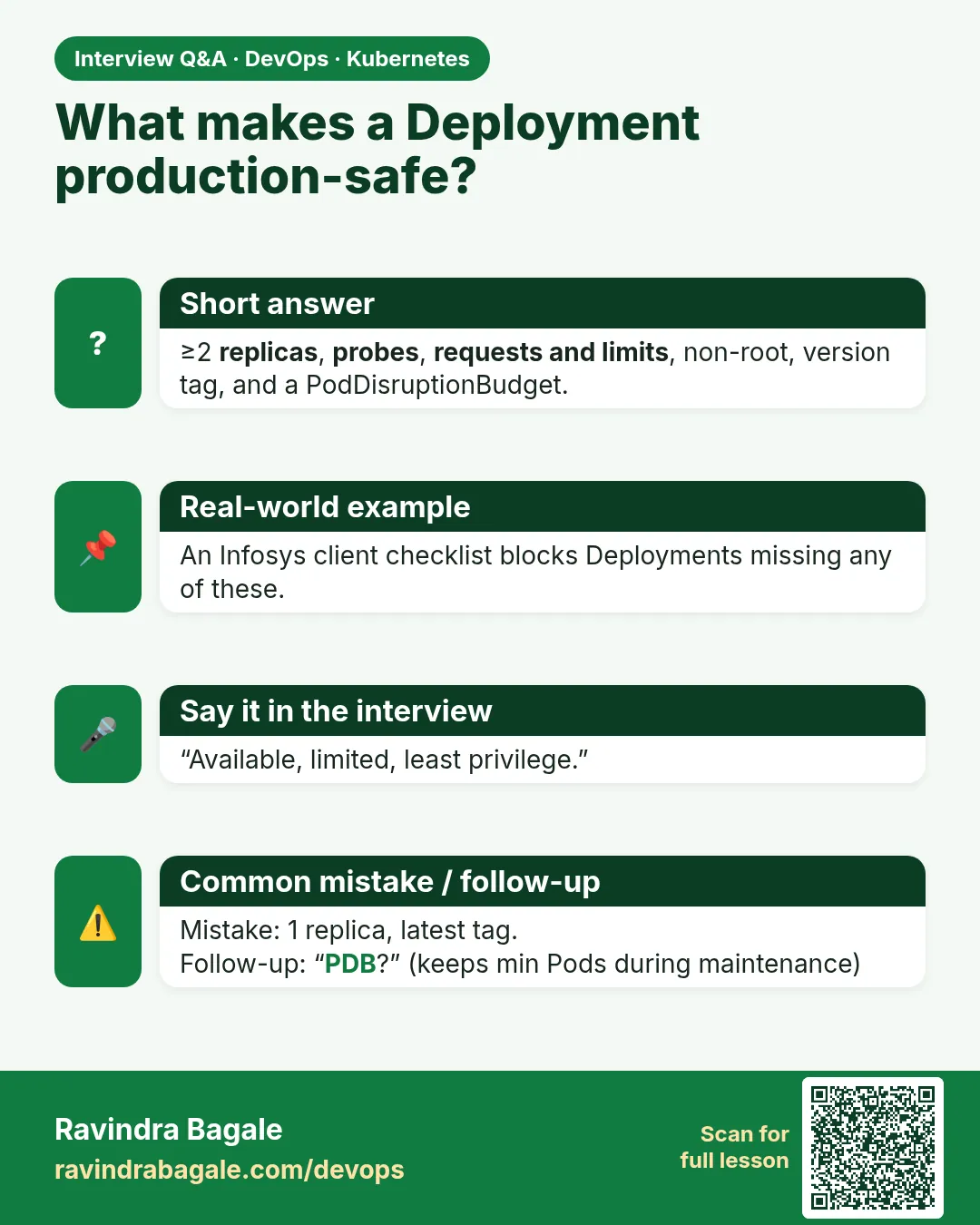
How do you secure a Pod spec?
Non-root user, no privilege escalation, drop ALL capabilities, read-only root file system, seccomp RuntimeDefault, resources set, no host namespaces or hostPath.
-
What replaced PodSecurityPolicy?
Pod Security Admission with privileged, baseline and restricted levels, often plus Kyverno or Gatekeeper.
-
ResourceQuota versus LimitRange?
Quota caps a namespace total; LimitRange sets per-container defaults and limits.
-
Why is privileged dangerous?
It gives the container near-root access to the host, so a break-in becomes a node takeover.
-
How do you roll out Pod Security safely?
Start with warn and audit labels, fix workloads, then enforce.
Quick quiz
Q1. Which level is the strictest Pod Security level?
restricted.
Q2. What does drop ALL remove?
All extra Linux capabilities.
Q3. Which object sets default requests?
LimitRange.
Q4. Which object caps a namespace total?
ResourceQuota.
Q5. How do you make the root file system unwritable?
readOnlyRootFilesystem: true.
Samajla ka?
 Revision card
 Interview card