Chapter 18: Kubernetes Workloads
18.2 What this solves that Docker alone does not
Why: the problem
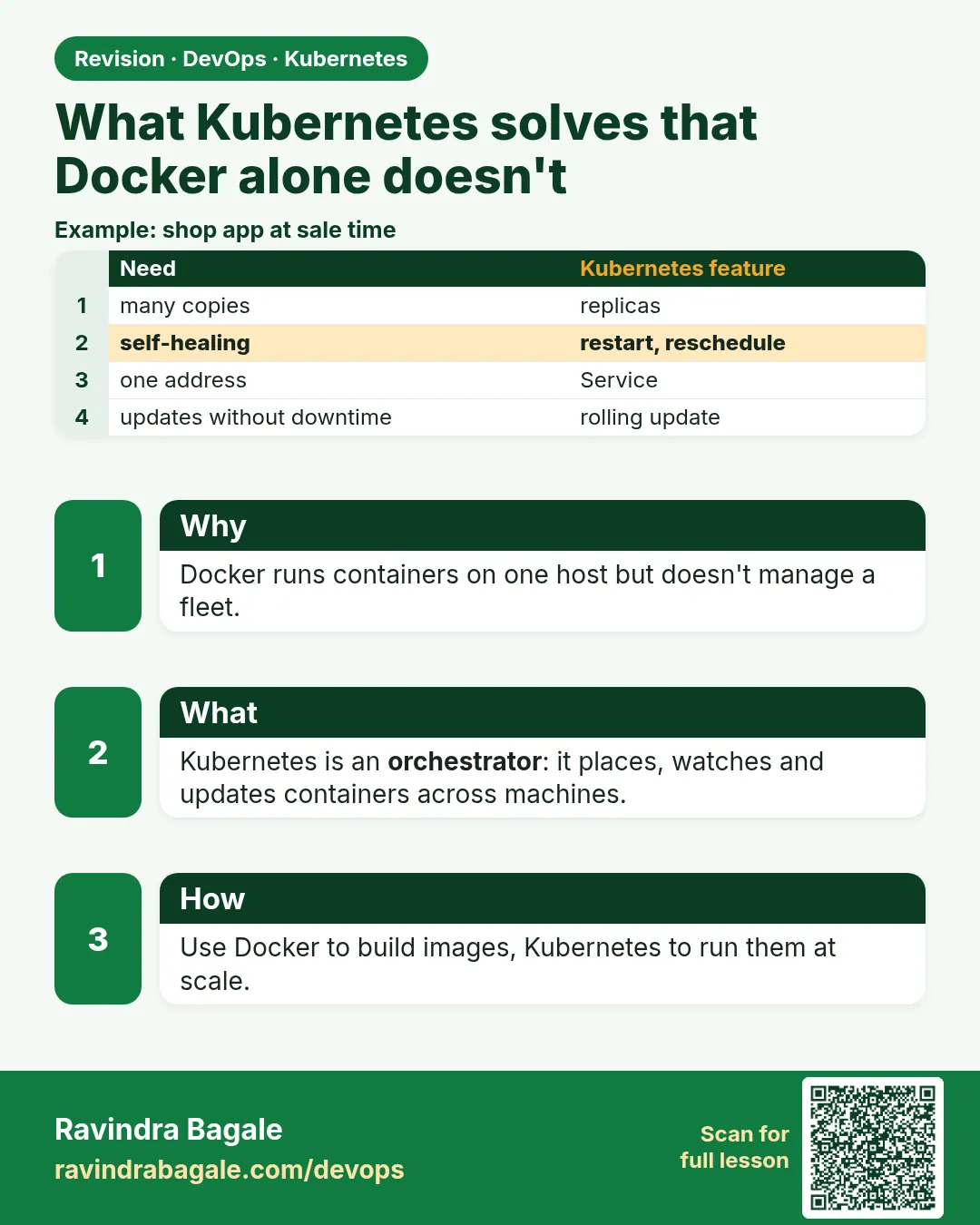
Docker alone gives you one engine on one machine. Ask a Razorpay engineer what they need in production and they will list more. They need many copies of the payment API. They need traffic spread over the copies that are healthy. They need a new version rolled out slowly, one copy at a time, with a quick undo. They need more copies at noon and fewer at 3 a.m. They need secrets kept out of the image. With plain docker run you write scripts for all of this. Scripts break. Kubernetes gives each of these a built-in object. A Deployment keeps copies and rolls updates. A Service gives one stable name and spreads traffic. A probe tells which copy is healthy. A HorizontalPodAutoscaler adds copies under load. A Secret keeps the password out of the image. In this lesson you will do each job twice: first by hand with Docker, then with one Kubernetes object, so you feel the difference.
What we will build
You will run the hashicorp http-echo app. First with Docker you will try to scale it, balance it and update it by hand. Then on kind you will do the same with a Deployment, a Service, a rolling update and a rollback, each in one or two commands.
What: every term in plain English
- Scaling — Changing the number of running copies.
- Load balancing — Spreading requests over all healthy copies.
- Rolling update — Replacing old copies with new ones a few at a time, so the app never fully stops.
- Rollback — Going back to the previous version.
- Service — A Kubernetes object with one stable IP and DNS name in front of many Pods.
- Self-healing — A crashed container is restarted, and a lost Pod is replaced, without a human.
- Secret — A Kubernetes object that stores a password or key, given to the Pod at run time.
- ConfigMap — Like a Secret, but for normal settings.
How: step by step
-
Start a lab cluster
kind create cluster --name lab
kubectl get nodes
What it does: Creates a one-node Kubernetes cluster inside Docker. On minikube use: minikube start.
Output
Creating cluster "lab" ... ✓ Ensuring node image (kindest/node:v1.30.0) ✓ Preparing nodes Set kubectl context to "kind-lab" NAME STATUS ROLES AGE VERSION lab-control-plane Ready control-plane 40s v1.30.0 -
Make a practice namespace
kubectl create namespace practice
kubectl config set-context --current --namespace=practice
What it does: Keeps all lab objects in one folder that is easy to delete.
Output
namespace/practice created Context "kind-lab" modified. -
Create the app with 3 copies
kubectl create deployment echo --image=hashicorp/http-echo:1.0 --replicas=3 -- /http-echo -text=v1What it does: Three Pods, each answering "v1".
Output
deployment.apps/echo created -
Put a Service in front
kubectl expose deployment echo --port=80 --target-port=5678What it does: One stable name, echo, for all three Pods.
Output
service/echo exposed -
Call it from inside the cluster
kubectl run tmp --rm -it --image=busybox:1.36 --restart=Never -- wget -qO- echoWhat it does: A throwaway Pod calls the Service by name.
Output
v1 pod "tmp" deleted -
Scale to 5
kubectl scale deployment echo --replicas=5What it does: One command. Kubernetes starts two more.
Output
deployment.apps/echo scaled -
Roll out v2
kubectl set image deployment/echo http-echo=hashicorp/http-echo:1.0 && kubectl patch deployment echo --type=json -p='[{"op":"replace","path":"/spec/template/spec/containers/0/args","value":["-text=v2"]}]'What it does: Changes the Pod template. Kubernetes replaces Pods one by one.
Output
deployment.apps/echo patched
Example 1: Scaling and balancing by hand with Docker
Stack. Docker 26, http-echo 1.0
Goal. Scaling and balancing by hand with Docker.
terminal
for i in 1 2 3; do
  docker run -d --name echo$i -p 500$i:5678 hashicorp/http-echo:1.0 -text="v1 from $i"
done
curl -s localhost:5001; curl -s localhost:5002; curl -s localhost:5003
What each line does
for i in 1 2 3— A loop to start three containers by hand.-p 500$i:5678— Each copy needs its own host port. You must track them.curl localhost:500x— There is no single address. You would need your own nginx in front.docker run— If echo2 crashes and the host restarts, nothing tells you.
Green output
v1 from 1
v1 from 2
v1 from 3
Expected result. It works, but you now own three ports, a load balancer config and a restart script. That is the work Kubernetes does for you.
Example 2: The same in Kubernetes: Deployment plus Service in one file
Stack. kind, Kubernetes 1.30
Goal. The same in Kubernetes: Deployment plus Service in one file.
echo.yaml
apiVersion: apps/v1
kind: Deployment
metadata:
  name: echo
spec:
  replicas: 3
  selector:
    matchLabels: {app: echo}
  template:
    metadata:
      labels: {app: echo}
    spec:
      containers:
      - name: http-echo
        image: hashicorp/http-echo:1.0
        args: ["-text=v1"]
        ports: [{containerPort: 5678}]
---
apiVersion: v1
kind: Service
metadata:
  name: echo
spec:
  selector: {app: echo}
  ports:
  - port: 80
    targetPort: 5678
terminal
kubectl apply -f echo.yaml
kubectl get endpoints echo
for i in 1 2 3 4 5 6; do kubectl exec deploy/echo -- wget -qO- echo 2>/dev/null; done
What each line does
---— Separates two objects in one YAML file.kind: Service— The stable front door.selector app: echo— The Service sends traffic to every ready Pod with this label.port 80 / targetPort 5678— Clients call port 80; the Pod listens on 5678.get endpoints— Shows the Pod IPs behind the Service.
Green output
deployment.apps/echo created
service/echo created
NAME   ENDPOINTS                                          AGE
echo   10.244.1.4:5678,10.244.1.5:5678,10.244.2.3:5678   5s
v1
v1
v1
v1
v1
v1
Expected result. One name, three backends, no ports to track. Add or remove Pods and the endpoints list updates by itself.
Example 3: Rolling update and rollback without downtime
Stack. kind, Kubernetes 1.30
Goal. Rolling update and rollback without downtime.
terminal
kubectl patch deployment echo --type=json \
  -p='[{"op":"replace","path":"/spec/template/spec/containers/0/args","value":["-text=v2"]}]'
kubectl rollout status deployment/echo
kubectl rollout history deployment/echo
kubectl rollout undo deployment/echo
kubectl exec deploy/echo -- wget -qO- echo
What each line does
kubectl patch— Changes one field in the Pod template, here the text.rollout status— Waits and prints progress as old Pods are replaced.rollout history— Lists the revisions Kubernetes kept.rollout undo— Goes back to the previous revision in one command.wget echo— Proves the answer is v1 again.
Green output
deployment.apps/echo patched
Waiting for deployment "echo" rollout to finish: 1 out of 3 new replicas have been updated...
Waiting for deployment "echo" rollout to finish: 2 out of 3 new replicas have been updated...
deployment "echo" successfully rolled out
REVISION  CHANGE-CAUSE
1         none
2         none
deployment.apps/echo rolled back
v1
Expected result. With Docker you would stop and start containers by hand and hope. Here update and undo are one command each and traffic never stops.
Verify: did it work?
-
Check the ReplicaSets
kubectl get rs -l app=echoWhat it does: Each revision has its own ReplicaSet. The old one is kept at 0 for rollback.
Output
NAME DESIRED CURRENT READY echo-5d8c7b9f6c 3 3 3 echo-7f6b9d4c8a 0 0 0 -
Prove self-healing
kubectl delete pod -l app=echo --wait=false && kubectl get pods -l app=echoWhat it does: Deleted Pods are replaced at once.
Output
pod "echo-5d8c7b9f6c-abcde" deleted
NAME                    READY   STATUS
echo-5d8c7b9f6c-x1y2z   0/1     ContainerCreating
When it is red 1
Error response from daemon: driver failed programming external connectivity: Bind for 0.0.0.0:5001 failed: port is already allocated
Cause. In the Docker test, another container already uses that host port.
Fix, step by step
- Run docker ps to find it.
- Remove it with docker rm -f echo1.
- Run the loop again.
When it is red 2
wget: bad address 'echo'
Cause. You called the Service from outside the namespace, or the Service is not created.
Fix, step by step
- Run kubectl get svc echo.
- If you are in another namespace use echo.practice.
- Create the Service with kubectl expose.
When it is red 3
error: deployment "echo" exceeded its progress deadline
Cause. The new Pods never became ready, often a wrong image name or args.
Fix, step by step
- Run kubectl describe pod on a new Pod and read Events.
- Fix the image or args.
- Or run kubectl rollout undo deployment/echo.
Cleanup
-
Remove the Docker copies
docker rm -f echo1 echo2 echo3What it does: Stops the hand-made containers.
Output
echo1 echo2 echo3 -
Delete the practice namespace
kubectl delete namespace practiceWhat it does: Deletes every object you made in this lesson in one go.
Output
namespace "practice" deleted
Ravindra Bagale's Tip
Docker madhe scaling, load balancing, update sagla haathane. Kubernetes madhe ek object, ek command. Lakshat theva!
Practice tasks
Easy Scale up and down
Why: Scaling is the most asked first task.
What to do: Scale echo to 6 and back to 2.
- kubectl scale deployment echo --replicas=6
- kubectl get pods
Check: Pod count matches each time.
Medium Watch endpoints change
Why: The Service follows the Pods.
What to do: Run kubectl get endpoints echo -w in one terminal and scale in another.
- Two terminals.
- Scale to 5 then 1.
Check: Endpoint IPs appear and disappear.
Hard Add a Secret
Why: Passwords must stay out of images.
What to do: Create a Secret and show it as an env var in the Pod.
- kubectl create secret generic db --from-literal=PASS=changeme
- Add envFrom secretRef to the template.
- kubectl exec deploy/echo -- env | grep PASS
Check: The value is in the Pod, not in the image.
Easy Say what Kubernetes solves beyond Docker in two lines
Why: If you can say it simply, you understand it. Interviewers want the short version first.
What to do: Write two short lines about what Kubernetes solves beyond Docker for a fresher who knows only Docker basics.
- Write what problem it solves.
- Write the one kubectl command you use for it.
- Read it aloud to a friend.
Check: A fresher understands it without asking a question.
Easy Start a fresh lab cluster
Why: Practice needs a throwaway cluster. If you break it, you delete it and start again.
What to do: Create a kind cluster, or a minikube cluster, and check the node is Ready.
- kind create cluster --name lab
- kubectl get nodes
- kubectl get pods -A
Check: One node shows STATUS Ready and the kube-system Pods are Running.
Medium Break it on purpose
Why: You must know the red message by face. During an outage there is no time to read slowly.
What to do: Cause one error from the "When it is red" part of this lesson and fix it.
- Follow the error section.
- Copy the exact message and the kubectl describe Events into your notes.
- Write the fix in one line.
Check: You fixed it using only the steps, without searching the web.
Medium Write a one-page runbook
Why: At 2 a.m. nobody remembers the right command. A short page saves the on-call person.
What to do: Write a runbook page for this lesson.
- Title, when to use, exact kubectl command, how to check, how to undo.
Check: A teammate can follow it alone.
Medium Repeat it on a cloud cluster
Why: kind is a laptop toy. Real clusters run on EKS, GKE, AKS or k3s on a VM.
What to do: Do the main steps of this lesson again on a small k3s VM or a free-tier managed cluster.
- Install k3s on one Ubuntu 22.04 VM: curl -sfL https://get.k3s.io | sh -
- Copy the kubeconfig.
- Apply the same YAML and compare the output.
Check: Same output on the cloud cluster as on kind.
Hard Explain it like an interview
Why: Interviewers want real stories, not definitions.
What to do: Record a 60 second answer about this lesson.
- Say the problem, the YAML field you used, the kubectl command you ran, and one error you hit.
Check: Your answer has a real command and a real error message.
Hard Draw the flow top to bottom
Why: A drawing shows who talks to whom and in what order.
What to do: Draw this lesson as boxes from top to bottom.
- Start at kubectl apply, go through the API server, controller and scheduler, end at the running container.
Check: Each box matches a real thing you saw in kubectl output.
Homework: try at home
Try at home
At home, run any web image with 2 replicas and a Service. Scale it to 6, change the image tag, watch the rollout, then undo it. Write each command and its output in your notes.
Recap
- Docker alone needs scripts for scaling, balancing and updates.
- Deployment keeps copies and does rolling updates and rollback.
- Service gives one name and spreads traffic.
- Deleted Pods are replaced automatically.
- Each job is one object and one command in Kubernetes.
FAQ
Can Docker Swarm do this too?
Yes, Swarm has services, scaling and rolling updates. Most companies chose Kubernetes for its bigger ecosystem and cloud support.
Does the Service balance by round robin?
In the default iptables mode it picks a backend at random. Over many calls it spreads evenly.
Is a Secret encrypted?
By default it is only base64 encoded in etcd. Turn on encryption at rest and limit who can read Secrets.
Why patch args and not the image?
Here the version is in the text. In real work you change the image tag, like myapp:1.4 to myapp:1.5.
How many revisions are kept?
10 by default, set by revisionHistoryLimit.
Interview questions
-
What does Kubernetes give you that Docker does not?
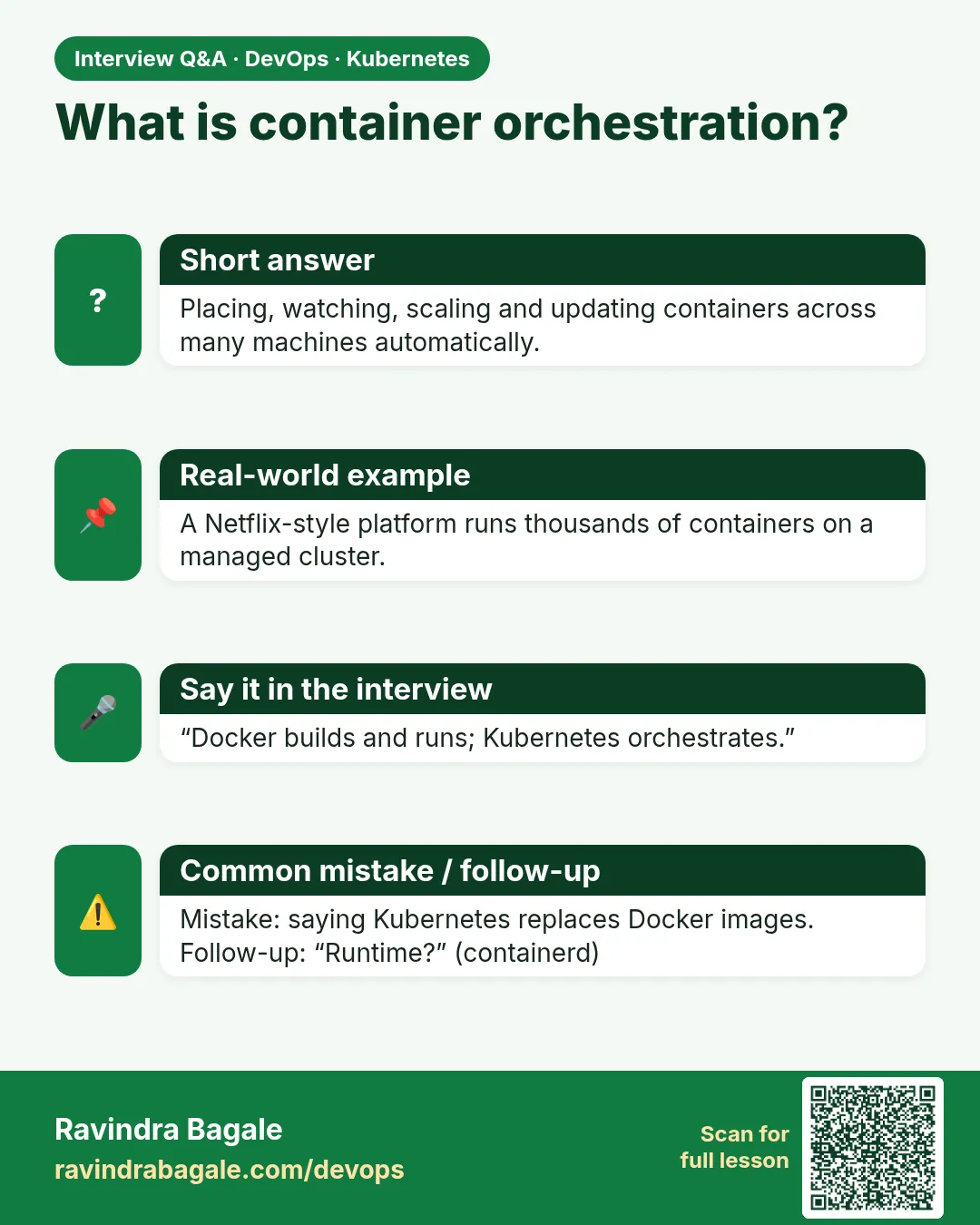
Multi-node scheduling, self-healing, Services with load balancing, rolling updates, rollback, autoscaling and Secrets as built-in objects.
-
How does a rolling update avoid downtime?
It starts new Pods and waits for them to be ready before removing old ones, controlled by maxSurge and maxUnavailable.
-
How do you roll back a bad release?
kubectl rollout undo deployment/NAME, or to a revision with --to-revision.
-
How does a Service find its Pods?
By label selector. Ready Pods with matching labels become its endpoints.
-
Why not use host ports for each copy?
They clash, they are hard to track, and they need a separate load balancer.
Quick quiz
Q1. Which object keeps N copies and does rolling updates?
Deployment.
Q2. Which object gives one stable name for many Pods?
Service.
Q3. Which command goes back one version?
kubectl rollout undo.
Q4. What did Docker need for three copies?
Three host ports and your own load balancer.
Q5. What shows the Pod IPs behind a Service?
kubectl get endpoints.
Samajla ka?
 Revision card
 Interview card