Chapter 18: Kubernetes Workloads
18.7 Deployment — the YAML you actually open
Why: the problem
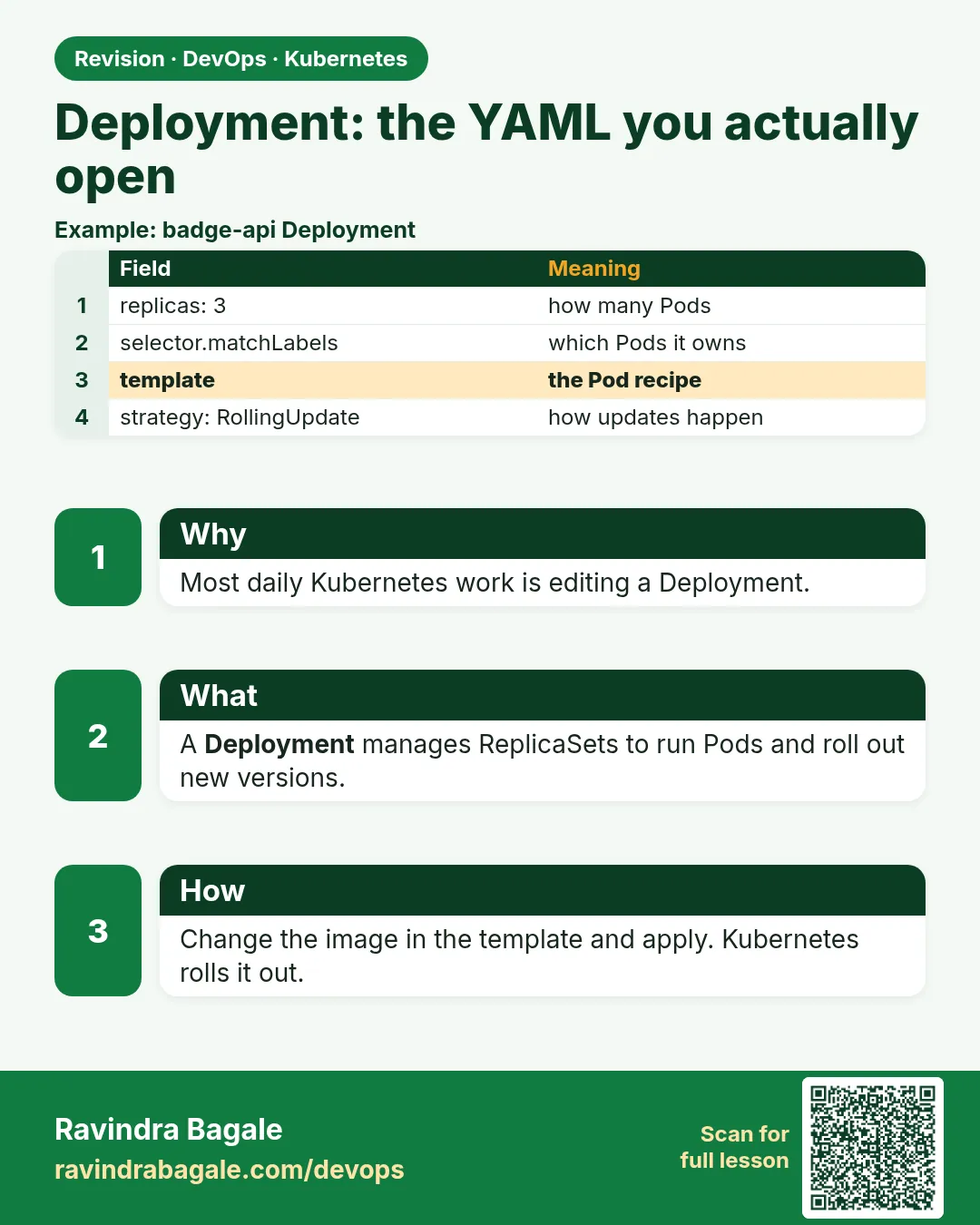
When you open a real Kubernetes repo at Flipkart, Infosys or any startup, the file you see most is a Deployment. It is the YAML you will edit almost every week: change the image tag, raise replicas, add a probe, set CPU and memory. A Deployment wraps a ReplicaSet and adds the thing ReplicaSets lack: safe updates. When you change the Pod template, the Deployment creates a new ReplicaSet and slowly moves Pods from the old one to the new one. maxSurge says how many extra Pods may exist during the move. maxUnavailable says how many may be missing. A readiness probe makes sure a new Pod gets traffic only when it is really ready. If the new version is bad, you roll back in one command. In this lesson you will write a production-style Deployment line by line, roll out a new version, watch a bad version get stuck, and roll it back.
What we will build
You will write a Deployment for a small web app with 4 replicas, resources, a readiness probe and a rolling update strategy. You will roll out v2, then push a broken v3 and see the rollout stop safely, and undo it.
What: every term in plain English
- Deployment — A controller that manages ReplicaSets to run Pods and update them safely.
- strategy RollingUpdate — Replace Pods a few at a time. The default.
- strategy Recreate — Delete all old Pods first, then start new ones. Has downtime.
- maxSurge — Extra Pods allowed above replicas during an update, like 1 or 25%.
- maxUnavailable — Pods allowed to be missing during an update, like 0.
- readinessProbe — A check that decides if a Pod may receive traffic.
- requests and limits — CPU and memory the Pod is promised, and the most it may use.
- revision — A numbered version of the Pod template kept for rollback.
- change-cause — A note on a revision, set with an annotation.
How: step by step
-
Start a lab cluster
kind create cluster --name lab
kubectl get nodes
What it does: Creates a one-node Kubernetes cluster inside Docker. On minikube use: minikube start.
Output
Creating cluster "lab" ... ✓ Ensuring node image (kindest/node:v1.30.0) ✓ Preparing nodes Set kubectl context to "kind-lab" NAME STATUS ROLES AGE VERSION lab-control-plane Ready control-plane 40s v1.30.0 -
Make a practice namespace
kubectl create namespace practice
kubectl config set-context --current --namespace=practice
What it does: Keeps all lab objects in one folder that is easy to delete.
Output
namespace/practice created Context "kind-lab" modified. -
Write the Deployment
cat web.yamlWhat it does: The full file is in Example 1.
Output
apiVersion: apps/v1 kind: Deployment ... -
Apply it
kubectl apply -f web.yaml
kubectl rollout status deploy/web
What it does: Creates the Deployment and waits for all 4 Pods.
Output
deployment.apps/web created deployment "web" successfully rolled out -
See the layers
kubectl get deploy,rs,pods -l app=webWhat it does: Deployment, then one ReplicaSet, then 4 Pods.
Output
NAME READY UP-TO-DATE AVAILABLE deployment.apps/web 4/4 4 4 NAME DESIRED CURRENT READY replicaset.apps/web-6f9c7d8b5d 4 4 4 NAME READY STATUS pod/web-6f9c7d8b5d-2hxk9 1/1 Running ... -
Roll out v2
kubectl set image deploy/web web=nginx:1.27
kubectl annotate deploy/web kubernetes.io/change-cause="nginx 1.27" --overwrite
What it does: Changes the image and writes a note for history.
Output
deployment.apps/web image updated deployment.apps/web annotated -
Watch Pods move
kubectl get rs -l app=web -wWhat it does: The new ReplicaSet grows while the old one shrinks.
Output
web-6f9c7d8b5d   4   4   4
web-84b7c6d9f8   1   1   0
web-84b7c6d9f8   1   1   1
web-6f9c7d8b5d   3   3   3
...
web-6f9c7d8b5d   0   0   0
web-84b7c6d9f8   4   4   4
Example 1: A production-style Deployment, line by line
Stack. kind, Kubernetes 1.30
Goal. A production-style Deployment, line by line.
web.yaml
apiVersion: apps/v1
kind: Deployment
metadata:
  name: web
  labels: {app: web}
  annotations:
    kubernetes.io/change-cause: "nginx 1.26 first release"
spec:
  replicas: 4
  revisionHistoryLimit: 5
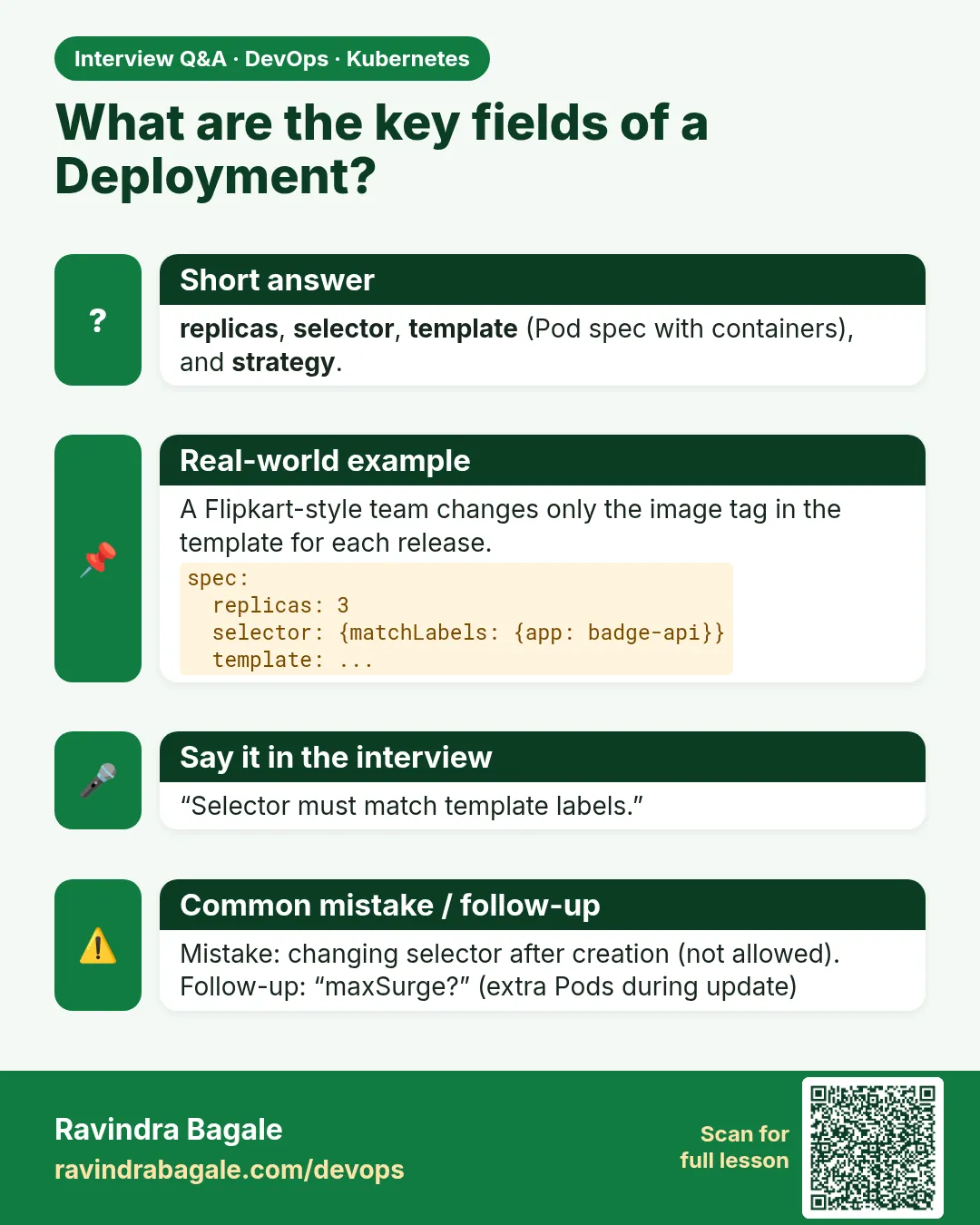
  selector:
    matchLabels: {app: web}
  strategy:
    type: RollingUpdate
    rollingUpdate:
      maxSurge: 1
      maxUnavailable: 0
  template:
    metadata:
      labels: {app: web}
    spec:
      containers:
      - name: web
        image: nginx:1.26
        ports: [{containerPort: 80}]
        resources:
          requests: {cpu: 50m, memory: 64Mi}
          limits: {memory: 128Mi}
        readinessProbe:
          httpGet: {path: /, port: 80}
          periodSeconds: 5
What each line does
replicas: 4— Four copies at all times.revisionHistoryLimit: 5— Keep 5 old ReplicaSets for rollback.maxSurge: 1— During an update, at most 5 Pods exist.maxUnavailable: 0— Never go below 4 ready Pods. Safest for traffic.requests— The scheduler uses this to place the Pod.limits memory— Above 128Mi the container is OOMKilled.readinessProbe— A new Pod gets traffic only after GET / returns 200.
Green output
deployment.apps/web created
Waiting for deployment "web" rollout to finish: 2 of 4 updated replicas are available...
deployment "web" successfully rolled out
Expected result. This is the shape you will copy for most apps. Pin the image, set resources, add a probe, choose a safe strategy.
Example 2: A bad release gets stuck instead of taking the site down
Stack. kind, Kubernetes 1.30
Goal. A bad release gets stuck instead of taking the site down.
terminal
kubectl set image deploy/web web=nginx:9.9-bad
kubectl annotate deploy/web kubernetes.io/change-cause="bad tag" --overwrite
sleep 30
kubectl rollout status deploy/web --timeout=10s
kubectl get pods -l app=web
kubectl get deploy web
What each line does
nginx:9.9-bad— A tag that does not exist.maxUnavailable: 0— No old Pod is removed until a new one is ready.ImagePullBackOff— The one surge Pod cannot start.READY 4/4— The four old Pods still serve traffic.
Green output
deployment.apps/web image updated
Waiting for deployment "web" rollout to finish: 1 out of 4 new replicas have been updated...
error: timed out waiting for the condition
NAME                   READY   STATUS
web-5c8d7f9b6-x2v7k    0/1     ImagePullBackOff
web-84b7c6d9f8-2kq8x   1/1     Running
web-84b7c6d9f8-8vwz3   1/1     Running
web-84b7c6d9f8-m4tn1   1/1     Running
web-84b7c6d9f8-z7p0c   1/1     Running
NAME   READY   UP-TO-DATE   AVAILABLE
web    4/4     1            4
Expected result. Users see no error. The rollout is simply stuck. This is the value of maxUnavailable: 0 with a readiness probe.
Example 3: Read history and roll back
Stack. kubectl rollout
Goal. Read history and roll back.
terminal
kubectl rollout history deploy/web
kubectl rollout history deploy/web --revision=2
kubectl rollout undo deploy/web
kubectl rollout status deploy/web
kubectl get deploy web -o jsonpath='{.spec.template.spec.containers[0].image}{"\n"}'
What each line does
rollout history— Lists revisions with their change-cause.--revision=2— Shows the Pod template of one revision.rollout undo— Back to the previous revision. Add --to-revision=N for an older one.jsonpath image— Proves the running image.
Green output
REVISION  CHANGE-CAUSE
1         nginx 1.26 first release
2         nginx 1.27
3         bad tag
pod template for revision 2:
  Containers:
   web:
    Image:      nginx:1.27
deployment.apps/web rolled back
deployment "web" successfully rolled out
nginx:1.27
Expected result. One command fixed the release. In real life you also revert the Git commit so the YAML matches the cluster.
Verify: did it work?
-
Check the conditions
kubectl get deploy web -o jsonpath='{range .status.conditions[*]}{.type}={.status} {end}{"\n"}'What it does: Available and Progressing must both be True.
Output
Available=True Progressing=True -
Pause and resume
kubectl rollout pause deploy/web
kubectl rollout resume deploy/web
What it does: Lets you make several changes and roll them out as one.
Output
deployment.apps/web paused
deployment.apps/web resumed
When it is red 1
error: deployment "web" exceeded its progress deadline
Cause. New Pods did not become ready within progressDeadlineSeconds (600 by default).
Fix, step by step
- Run kubectl describe pod on a new Pod.
- Fix the image, probe or config.
- Or kubectl rollout undo deploy/web.
When it is red 2
Readiness probe failed: HTTP probe failed with statuscode: 404
Cause. The probe path does not exist in the app.
Fix, step by step
- Check the app health URL with curl inside the Pod.
- Fix readinessProbe.httpGet.path.
- Apply again.
When it is red 3
0/1 nodes are available: 1 Insufficient cpu
Cause. requests are too high for the node, so surge Pods stay Pending.
Fix, step by step
- Lower requests.cpu, or add nodes.
- Or set maxSurge: 0 and maxUnavailable: 1 on small clusters.
Cleanup
-
Delete the Deployment
kubectl delete deploy webWhat it does: Removes the Deployment, its ReplicaSets and Pods.
Output
deployment.apps "web" deleted -
Delete the practice namespace
kubectl delete namespace practiceWhat it does: Deletes every object you made in this lesson in one go.
Output
namespace "practice" deleted
Ravindra Bagale's Tip
maxUnavailable 0 ani readinessProbe theva, mag kharab release aali tari site band honar nahi. Lakshat theva!
Practice tasks
Easy Scale with apply
Why: Keep Git as truth.
What to do: Change replicas to 6 in web.yaml and apply.
- Edit the file.
- kubectl apply -f web.yaml
Check: 6/6 ready.
Medium Try Recreate
Why: Know when downtime is OK.
What to do: Switch strategy to Recreate and roll out a new tag.
- type: Recreate
- Watch kubectl get pods -w
Check: All old Pods go before new ones start.
Hard Canary by hand
Why: A common senior question.
What to do: Run web-canary with 1 replica of a new tag and the same app label.
- Copy web.yaml, rename, replicas 1.
- Both get traffic through one Service.
Check: About 1 in 5 requests hit the canary.
Easy Say a production Deployment in two lines
Why: If you can say it simply, you understand it. Interviewers want the short version first.
What to do: Write two short lines about a production Deployment for a fresher who knows only Docker basics.
- Write what problem it solves.
- Write the one kubectl command you use for it.
- Read it aloud to a friend.
Check: A fresher understands it without asking a question.
Easy Start a fresh lab cluster
Why: Practice needs a throwaway cluster. If you break it, you delete it and start again.
What to do: Create a kind cluster, or a minikube cluster, and check the node is Ready.
- kind create cluster --name lab
- kubectl get nodes
- kubectl get pods -A
Check: One node shows STATUS Ready and the kube-system Pods are Running.
Medium Break it on purpose
Why: You must know the red message by face. During an outage there is no time to read slowly.
What to do: Cause one error from the "When it is red" part of this lesson and fix it.
- Follow the error section.
- Copy the exact message and the kubectl describe Events into your notes.
- Write the fix in one line.
Check: You fixed it using only the steps, without searching the web.
Medium Write a one-page runbook
Why: At 2 a.m. nobody remembers the right command. A short page saves the on-call person.
What to do: Write a runbook page for this lesson.
- Title, when to use, exact kubectl command, how to check, how to undo.
Check: A teammate can follow it alone.
Medium Repeat it on a cloud cluster
Why: kind is a laptop toy. Real clusters run on EKS, GKE, AKS or k3s on a VM.
What to do: Do the main steps of this lesson again on a small k3s VM or a free-tier managed cluster.
- Install k3s on one Ubuntu 22.04 VM: curl -sfL https://get.k3s.io | sh -
- Copy the kubeconfig.
- Apply the same YAML and compare the output.
Check: Same output on the cloud cluster as on kind.
Hard Explain it like an interview
Why: Interviewers want real stories, not definitions.
What to do: Record a 60 second answer about this lesson.
- Say the problem, the YAML field you used, the kubectl command you ran, and one error you hit.
Check: Your answer has a real command and a real error message.
Hard Draw the flow top to bottom
Why: A drawing shows who talks to whom and in what order.
What to do: Draw this lesson as boxes from top to bottom.
- Start at kubectl apply, go through the API server, controller and scheduler, end at the running container.
Check: Each box matches a real thing you saw in kubectl output.
Homework: try at home
Try at home
At home, write a Deployment with 3 replicas, resources and a readiness probe. Roll out two new versions with change-cause notes, then push a broken tag and roll back. Paste rollout history in your notes.
Recap
- A Deployment manages ReplicaSets for safe updates.
- Changing the template makes a new ReplicaSet.
- maxSurge and maxUnavailable control the speed and safety.
- A readiness probe stops bad Pods from getting traffic.
- kubectl rollout undo is your fast rollback.
FAQ
Is kubectl set image OK in production?
For emergencies. Normally change the YAML in Git and let CI or Argo CD apply it.
Does scaling create a new revision?
No. Only Pod template changes do.
What is a good default strategy?
maxSurge 25% and maxUnavailable 0 for web apps, if you have spare capacity.
Why no CPU limit in the example?
Many teams set only CPU requests to avoid throttling, and keep a memory limit. Follow your team rule.
Is kubernetes.io/change-cause still used?
It still shows in history. kubectl --record was removed, so set the annotation yourself.
Interview questions
-
How does a Deployment perform a rolling update?
It creates a new ReplicaSet and scales it up while scaling the old one down, within maxSurge and maxUnavailable, waiting for readiness.
-
How do you roll back?
kubectl rollout undo, optionally with --to-revision, and revert the Git change.
-
What is the difference between RollingUpdate and Recreate?
RollingUpdate replaces gradually without downtime; Recreate kills all old Pods first.
-
What happens if the new image is broken?
The rollout stalls; with maxUnavailable 0 old Pods keep serving until progressDeadline marks it failed.
-
Requests versus limits?
Requests are used for scheduling and are guaranteed; limits cap usage, and memory over the limit is OOMKilled.
Quick quiz
Q1. What does maxUnavailable: 0 promise?
Never fewer ready Pods than replicas during an update.
Q2. What creates a new ReplicaSet?
A change to the Pod template.
Q3. Which command goes back to revision 2?
kubectl rollout undo deploy/web --to-revision=2.
Q4. Which strategy has downtime?
Recreate.
Q5. What decides if a Pod gets traffic?
The readiness probe.
Samajla ka?
 Revision card
 Interview card