Chapter 18: Kubernetes Workloads
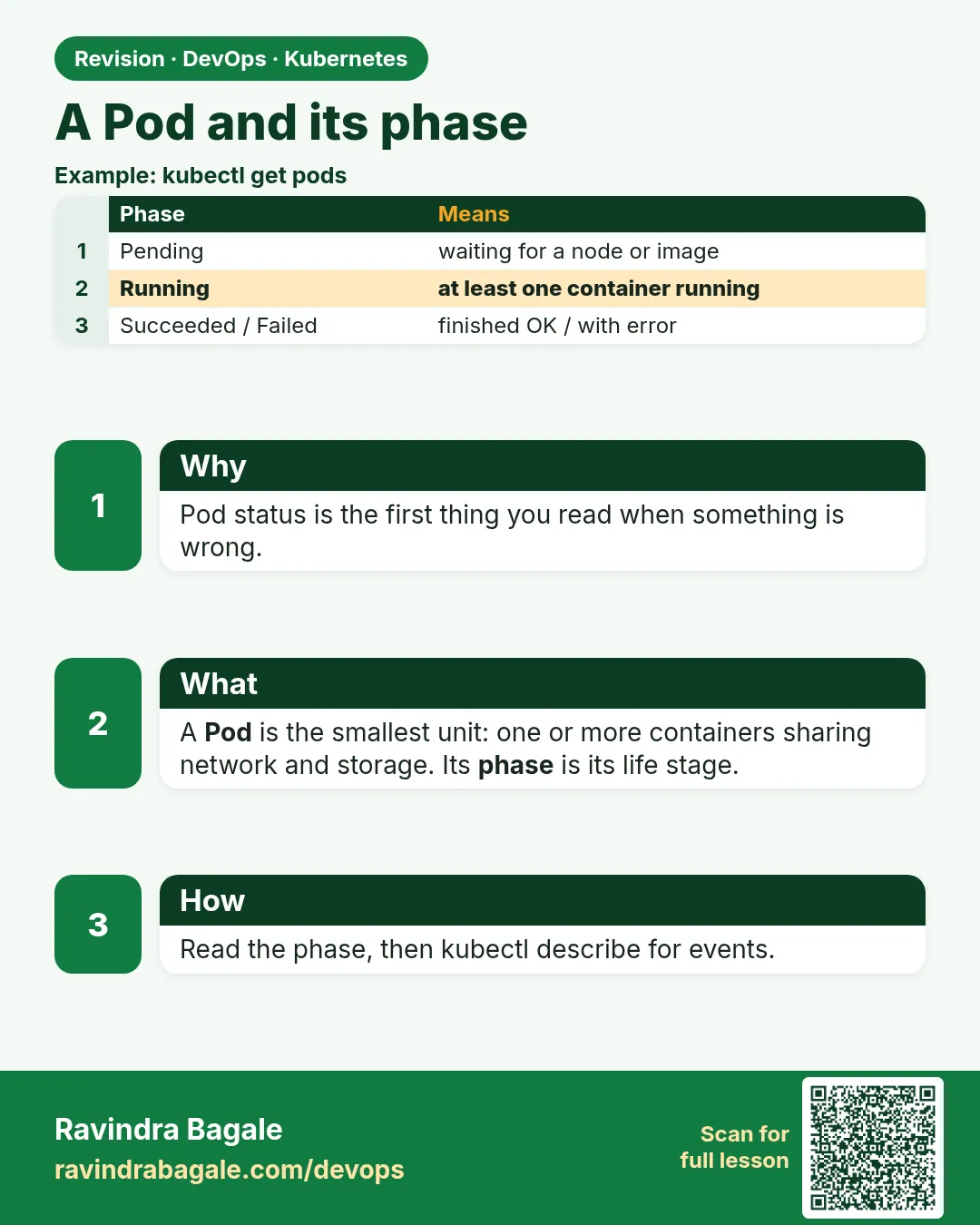
18.3 A Pod, and the phase you can quote
Why: the problem
At Paytm an on-call engineer gets a message: "payments is down". She runs kubectl get pods and sees a word in the STATUS column. That one word tells her where to look. Pending means the Pod has no node yet, so she checks CPU, memory and node selectors. ContainerCreating means it is pulling the image or mounting a disk. Running means the process started. CrashLoopBackOff means the process keeps dying, so she reads logs. ImagePullBackOff means the image name or the registry login is wrong. If you cannot read these words, you guess. Guessing during an outage wastes time. A Pod is the smallest thing Kubernetes runs: one or more containers that share one IP and can share disks. The Pod has a phase (Pending, Running, Succeeded, Failed, Unknown) and each container has its own state and reason. In this lesson you will make each status happen on purpose, so you know it by face.
What we will build
You will write a Pod YAML by hand and watch it go Pending to Running. Then you will break it four ways: an image that does not exist, a command that exits, a CPU request too big for the node, and a command that finishes. You will read the phase, the reason and the Events for each one.
What: every term in plain English
- Pod — The smallest unit Kubernetes runs. One or more containers with one shared IP.
- Phase — The Pod life stage: Pending, Running, Succeeded, Failed or Unknown.
- Container state — Waiting, Running or Terminated, with a reason like ErrImagePull.
- STATUS column — What kubectl get pods shows. It mixes phase and reason, for example CrashLoopBackOff.
- Events — Short messages from the scheduler and kubelet, shown at the end of kubectl describe.
- kubelet — The agent on each node that starts and watches containers.
- restartPolicy — Always, OnFailure or Never. Decides if a dead container is started again.
- Sidecar — A helper container in the same Pod, like a log shipper.
How: step by step
-
Start a lab cluster
kind create cluster --name lab
kubectl get nodes
What it does: Creates a one-node Kubernetes cluster inside Docker. On minikube use: minikube start.
Output
Creating cluster "lab" ... ✓ Ensuring node image (kindest/node:v1.30.0) ✓ Preparing nodes Set kubectl context to "kind-lab" NAME STATUS ROLES AGE VERSION lab-control-plane Ready control-plane 40s v1.30.0 -
Make a practice namespace
kubectl create namespace practice
kubectl config set-context --current --namespace=practice
What it does: Keeps all lab objects in one folder that is easy to delete.
Output
namespace/practice created Context "kind-lab" modified. -
Write a Pod
cat pod.yamlWhat it does: A simple Pod with one nginx container.
Output
apiVersion: v1 kind: Pod metadata: name: hello labels: {app: hello} spec: containers: - name: web image: nginx:1.27 ports: [{containerPort: 80}] -
Apply and watch
kubectl apply -f pod.yaml && kubectl get pod hello -wWhat it does: Shows the status change live. Press Ctrl+C to stop.
Output
pod/hello created NAME READY STATUS RESTARTS AGE hello 0/1 ContainerCreating 0 1s hello 1/1 Running 0 4s -
Read the phase only
kubectl get pod hello -o jsonpath='{.status.phase}{"\n"}'What it does: Prints the real phase field, not the mixed STATUS word.
Output
Running -
Describe the Pod
kubectl describe pod hello | tail -8What it does: Events show each step: scheduled, pulled, created, started.
Output
Events: Type Reason Age From Message Normal Scheduled 20s default-scheduler Successfully assigned practice/hello to lab-control-plane Normal Pulled 18s kubelet Container image "nginx:1.27" already present Normal Created 18s kubelet Created container web Normal Started 18s kubelet Started container web -
Open a shell inside
kubectl exec -it hello -- sh -c "hostname; curl -s localhost | head -4"What it does: Runs commands inside the container.
Output
hello
!DOCTYPE html
html
head
titleWelcome to nginx!/title
Example 1: ImagePullBackOff: a wrong image tag
Stack. kind, Kubernetes 1.30
Goal. ImagePullBackOff: a wrong image tag.
bad-image.yaml
apiVersion: v1
kind: Pod
metadata:
  name: badimg
spec:
  containers:
  - name: web
    image: nginx:9.99-doesnotexist
terminal
kubectl apply -f bad-image.yaml
sleep 20
kubectl get pod badimg
kubectl describe pod badimg | grep -A3 "Failed"
What each line does
image: nginx:9.99-doesnotexist— A tag that is not on Docker Hub.sleep 20— Gives the kubelet time to try and fail.STATUS ImagePullBackOff— The kubelet gave up for now and will retry with growing waits.grep Failed— Shows the exact pull error from the registry.
Green output
pod/badimg created
NAME     READY   STATUS             RESTARTS   AGE
badimg   0/1     ImagePullBackOff   0          21s
  Warning  Failed     15s   kubelet  Failed to pull image "nginx:9.99-doesnotexist": rpc error: code = NotFound desc = failed to resolve reference "docker.io/library/nginx:9.99-doesnotexist": not found
  Warning  Failed     15s   kubelet  Error: ErrImagePull
Expected result. Phase is Pending, because no container ever ran. Fix: correct the tag, or add imagePullSecrets for a private registry.
Example 2: CrashLoopBackOff: a process that keeps exiting
Stack. busybox 1.36
Goal. CrashLoopBackOff: a process that keeps exiting.
crash.yaml
apiVersion: v1
kind: Pod
metadata:
  name: crash
spec:
  containers:
  - name: app
    image: busybox:1.36
    command: ["sh", "-c", "echo starting; echo DB_HOST missing; exit 1"]
terminal
kubectl apply -f crash.yaml
sleep 40
kubectl get pod crash
kubectl logs crash --previous
kubectl get pod crash -o jsonpath='{.status.containerStatuses[0].lastState.terminated.exitCode}{"\n"}'
What each line does
command ... exit 1— The app starts and exits with an error, like a missing setting.RESTARTS— Counts how many times kubelet restarted it.CrashLoopBackOff— kubelet waits 10s, 20s, 40s and up to 5 minutes between restarts.logs --previous— Shows the logs of the last dead container, where the reason is.exitCode— 1 means app error. 137 means killed, often out of memory.
Green output
pod/crash created
NAME    READY   STATUS             RESTARTS      AGE
crash   0/1     CrashLoopBackOff   3 (15s ago)   41s
starting
DB_HOST missing
1
Expected result. The phase is Running, but the container keeps dying. Always read logs --previous first.
Example 3: Pending and Succeeded: no room, and a job that finishes
Stack. kind, Kubernetes 1.30
Goal. Pending and Succeeded: no room, and a job that finishes.
big.yaml
apiVersion: v1
kind: Pod
metadata:
  name: big
spec:
  containers:
  - name: app
    image: nginx:1.27
    resources:
      requests:
        cpu: "64"
        memory: 512Gi
---
apiVersion: v1
kind: Pod
metadata:
  name: once
spec:
  restartPolicy: Never
  containers:
  - name: task
    image: busybox:1.36
    command: ["sh", "-c", "echo report done"]
terminal
kubectl apply -f big.yaml
sleep 10
kubectl get pods big once
kubectl describe pod big | grep -A2 FailedScheduling
kubectl logs once
What each line does
requests cpu: "64"— Asks for 64 CPUs. No kind node has that.FailedScheduling— The scheduler found no node that fits.restartPolicy: Never— Do not restart when the process ends.Completed— The STATUS word for phase Succeeded.
Green output
pod/big created
pod/once created
NAME   READY   STATUS      RESTARTS   AGE
big    0/1     Pending     0          10s
once   0/1     Completed   0          10s
  Warning  FailedScheduling  9s  default-scheduler  0/1 nodes are available: 1 Insufficient cpu, 1 Insufficient memory. preemption: 0/1 nodes are available
report done
Expected result. Pending with FailedScheduling means "no node fits". Completed means the process exited 0 and will not restart.
Verify: did it work?
-
List all Pods with phase
kubectl get pods -o custom-columns=NAME:.metadata.name,PHASE:.status.phase,STATUS:.status.containerStatuses[0].stateWhat it does: Puts the real phase next to the container state.
Output
NAME PHASE STATUS badimg Pending map[waiting:map[reason:ImagePullBackOff]] crash Running map[waiting:map[reason:CrashLoopBackOff]] hello Running map[running:map[startedAt:...]] once Succeeded map[terminated:map[exitCode:0 reason:Completed]] -
Recent warnings only
kubectl get events --field-selector type=WarningWhat it does: A fast list of what is going wrong.
Output
LAST SEEN   TYPE      REASON             OBJECT       MESSAGE
30s         Warning   BackOff            pod/crash    Back-off restarting failed container
25s         Warning   FailedScheduling   pod/big      0/1 nodes are available: 1 Insufficient cpu
When it is red 1
Error from server (BadRequest): previous terminated container "app" in pod "crash" not found
Cause. The container has not crashed yet, so there is no previous log.
Fix, step by step
- Wait until RESTARTS is 1 or more.
- Run kubectl logs crash without --previous.
When it is red 2
OOMKilled, exit code 137
Cause. The container used more memory than its limit.
Fix, step by step
- Run kubectl describe pod and find Last State: Terminated, Reason: OOMKilled.
- Raise resources.limits.memory or fix the memory leak.
- Apply again.
When it is red 3
CreateContainerConfigError: secret "db" not found
Cause. The Pod refers to a Secret or ConfigMap that does not exist.
Fix, step by step
- Run kubectl get secret db.
- Create it in the same namespace.
- The Pod starts by itself once it exists.
Cleanup
-
Delete the test Pods
kubectl delete pod hello badimg crash big onceWhat it does: Removes all Pods from this lesson.
Output
pod "hello" deleted pod "badimg" deleted pod "crash" deleted pod "big" deleted pod "once" deleted -
Delete the practice namespace
kubectl delete namespace practiceWhat it does: Deletes every object you made in this lesson in one go.
Output
namespace "practice" deleted
Ravindra Bagale's Tip
Pending mhanje node milala nahi, CrashLoopBackOff mhanje app marat aahe. Aadhi describe ani logs --previous bagha. Lakshat theva!
Practice tasks
Easy Read the phase
Why: STATUS and phase are not the same.
What to do: Print the phase of three Pods with jsonpath.
- kubectl get pod NAME -o jsonpath={.status.phase}
Check: You can say the phase for each.
Medium Make an OOMKill
Why: You will see it in real life.
What to do: Run polinux/stress with a 50Mi limit and --vm-bytes 200M.
- Write the Pod with limits.memory: 50Mi.
- Apply and describe.
Check: You see Reason: OOMKilled.
Hard Two containers, one Pod
Why: Sidecars are common in interviews.
What to do: Run nginx and a busybox sidecar that curls localhost every 5 seconds.
- Two items under containers.
- kubectl logs POD -c sidecar
Check: The sidecar reaches nginx on localhost.
Easy Say Pod phases and status words in two lines
Why: If you can say it simply, you understand it. Interviewers want the short version first.
What to do: Write two short lines about Pod phases and status words for a fresher who knows only Docker basics.
- Write what problem it solves.
- Write the one kubectl command you use for it.
- Read it aloud to a friend.
Check: A fresher understands it without asking a question.
Easy Start a fresh lab cluster
Why: Practice needs a throwaway cluster. If you break it, you delete it and start again.
What to do: Create a kind cluster, or a minikube cluster, and check the node is Ready.
- kind create cluster --name lab
- kubectl get nodes
- kubectl get pods -A
Check: One node shows STATUS Ready and the kube-system Pods are Running.
Medium Break it on purpose
Why: You must know the red message by face. During an outage there is no time to read slowly.
What to do: Cause one error from the "When it is red" part of this lesson and fix it.
- Follow the error section.
- Copy the exact message and the kubectl describe Events into your notes.
- Write the fix in one line.
Check: You fixed it using only the steps, without searching the web.
Medium Write a one-page runbook
Why: At 2 a.m. nobody remembers the right command. A short page saves the on-call person.
What to do: Write a runbook page for this lesson.
- Title, when to use, exact kubectl command, how to check, how to undo.
Check: A teammate can follow it alone.
Medium Repeat it on a cloud cluster
Why: kind is a laptop toy. Real clusters run on EKS, GKE, AKS or k3s on a VM.
What to do: Do the main steps of this lesson again on a small k3s VM or a free-tier managed cluster.
- Install k3s on one Ubuntu 22.04 VM: curl -sfL https://get.k3s.io | sh -
- Copy the kubeconfig.
- Apply the same YAML and compare the output.
Check: Same output on the cloud cluster as on kind.
Hard Explain it like an interview
Why: Interviewers want real stories, not definitions.
What to do: Record a 60 second answer about this lesson.
- Say the problem, the YAML field you used, the kubectl command you ran, and one error you hit.
Check: Your answer has a real command and a real error message.
Hard Draw the flow top to bottom
Why: A drawing shows who talks to whom and in what order.
What to do: Draw this lesson as boxes from top to bottom.
- Start at kubectl apply, go through the API server, controller and scheduler, end at the running container.
Check: Each box matches a real thing you saw in kubectl output.
Homework: try at home
Try at home
At home, make each status appear once: Running, Completed, Pending, ImagePullBackOff, CrashLoopBackOff and OOMKilled. For each, copy the STATUS, the phase and one line from Events into a table.
Recap
- A Pod is one or more containers with one shared IP.
- The phase is Pending, Running, Succeeded, Failed or Unknown.
- STATUS words like CrashLoopBackOff are container reasons.
- Read describe Events and logs --previous first.
- Pending with FailedScheduling means no node fits.
FAQ
Why is CrashLoopBackOff phase Running?
The Pod is on a node and at least one container was started. The container keeps dying, which is shown as the reason.
What is the Unknown phase?
The control plane lost contact with the node, so it cannot tell.
Should I run apps as bare Pods?
No. Use a Deployment, StatefulSet or Job so they come back. Lesson 18.4 shows why.
Can I edit a running Pod?
Only a few fields like the image. Most changes need delete and create, which is why controllers exist.
How long is the back-off?
It doubles from 10 seconds up to 5 minutes and resets after 10 minutes of running fine.
Interview questions
-
Pod is in CrashLoopBackOff. What do you do?
Run kubectl logs --previous, check the exit code in describe, check env, config, secrets and probes, then fix and redeploy.
-
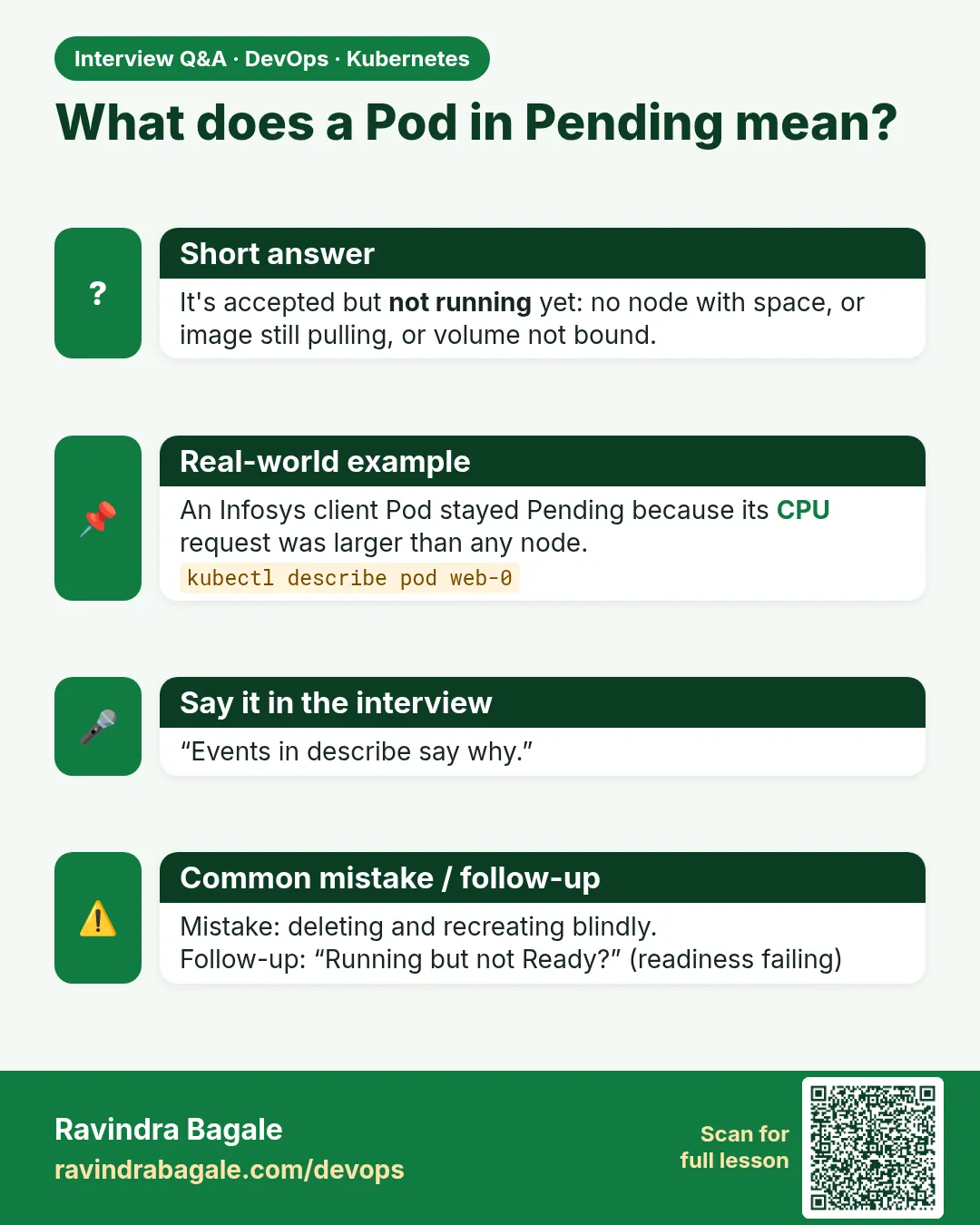
Pod is Pending. What do you check?
describe Events for FailedScheduling: CPU or memory requests, node selectors, taints, and unbound PVCs.
-
What is the difference between ErrImagePull and ImagePullBackOff?
ErrImagePull is the first failure. ImagePullBackOff means kubelet is waiting before trying again.
-
What is exit code 137?
The process got SIGKILL, often because of OOMKilled or a failed liveness probe.
-
Why do containers in a Pod share localhost?
They share one network namespace, so they have one IP and can reach each other on localhost.
Quick quiz
Q1. Which STATUS means the image could not be pulled?
ImagePullBackOff (or ErrImagePull).
Q2. Which command shows logs of the dead container?
kubectl logs POD --previous.
Q3. What is the phase of a CrashLoopBackOff Pod?
Running.
Q4. What does Pending with FailedScheduling mean?
No node has enough room or matches the rules.
Q5. What does exit code 137 usually mean?
The container was killed, often OOMKilled.
Samajla ka?
 Revision card
 Interview card