Chapter 18: Kubernetes Workloads
18.15 Lab — Deployment, not a bare Pod
Why: the problem
This is the lab that ties the chapter together. Imagine you are the new DevOps engineer at a Netflix-style streaming startup. The badge service, which shows "New" and "Top 10" badges on posters, was running as a bare Pod that a developer made months ago. Last night a node was patched and the badges vanished. Your task today is to move it to the right objects, the way a real team would: a namespace, a Deployment with three replicas, resources and a readiness probe, a Service in front, and an HPA. Then you prove each guarantee by breaking things: delete a Pod, roll out a bad version, push load. Everything runs on a kind or minikube cluster on your laptop. When you finish, you have one folder of YAML you could hand to any team, and you can answer the classic question "which kind do you open for a rollout?" from your own hands-on work.
What we will build
You will create a lab namespace and a badge folder with four files: pod.yaml (the old bare Pod), deploy.yaml, svc.yaml and hpa.yaml. You will apply them in order, test self-healing, rollback and autoscaling, and finish with a one-page report.
What: every term in plain English
- badge service — A tiny web app that returns which badge to show. Here it is hashicorp/http-echo.
- lab namespace — A folder in the cluster just for this lab.
- Deployment — Owns a ReplicaSet that keeps 3 badge Pods.
- Service — Gives the name badge and spreads traffic to ready Pods.
- HPA — Adds Pods when CPU is high, up to 6.
- Rollback — Going back to the last good version with kubectl rollout undo.
- Report — A short page with commands, outputs and one lesson learned.
How: step by step
-
Start a lab cluster
kind create cluster --name lab
kubectl get nodes
What it does: Creates a one-node Kubernetes cluster inside Docker. On minikube use: minikube start.
Output
Creating cluster "lab" ... ✓ Ensuring node image (kindest/node:v1.30.0) ✓ Preparing nodes Set kubectl context to "kind-lab" NAME STATUS ROLES AGE VERSION lab-control-plane Ready control-plane 40s v1.30.0 -
Create the namespace
kubectl create namespace lab
kubectl config set-context --current --namespace=lab
What it does: All lab objects go here.
Output
namespace/lab created Context "kind-lab" modified. -
Apply the old bare Pod and lose it
kubectl run badge-old --image=hashicorp/http-echo:1.0 -- -text=badge-v1
kubectl delete pod badge-old
kubectl get pods
What it does: Shows the problem you are fixing.
Output
pod/badge-old created pod "badge-old" deleted No resources found in lab namespace. -
Apply the Deployment and Service
kubectl apply -f deploy.yaml -f svc.yaml
kubectl rollout status deploy/badge
What it does: Files are in Example 1.
Output
deployment.apps/badge created service/badge created deployment "badge" successfully rolled out -
Write down the ReplicaSet
kubectl get deploy,rs,pods -l app=badgeWhat it does: The Deployment made one ReplicaSet with a hash name.
Output
NAME READY UP-TO-DATE AVAILABLE deployment.apps/badge 3/3 3 3 NAME DESIRED CURRENT READY replicaset.apps/badge-5f7c9d8b6d 3 3 3 -
Count the endpoints
kubectl get endpointslices -l kubernetes.io/service-name=badgeWhat it does: Three ready Pod IPs.
Output
NAME ADDRESSTYPE PORTS ENDPOINTS badge-k2x9q IPv4 5678 10.244.0.21,10.244.0.22,10.244.0.23 -
Apply the HPA
kubectl apply -f hpa.yaml && kubectl get hpaWhat it does: If TARGETS shows unknown, metrics-server is missing (lesson 18.13). The YAML is still fine.
Output
horizontalpodautoscaler.autoscaling/badge created
NAME    REFERENCE          TARGETS       MINPODS   MAXPODS   REPLICAS
badge   Deployment/badge   cpu: 1%/60%   3         6         3
Example 1: The four lab files
Stack. kind, Kubernetes 1.30
Goal. The four lab files.
deploy.yaml
apiVersion: apps/v1
kind: Deployment
metadata:
  name: badge
  annotations:
    kubernetes.io/change-cause: "badge v1"
spec:
  selector:
    matchLabels: {app: badge}
  strategy:
    rollingUpdate: {maxSurge: 1, maxUnavailable: 0}
  template:
    metadata:
      labels: {app: badge}
    spec:
      securityContext:
        runAsNonRoot: true
        runAsUser: 65532
        seccompProfile: {type: RuntimeDefault}
      containers:
      - name: badge
        image: hashicorp/http-echo:1.0
        args: ["-text=badge-v1"]
        ports: [{containerPort: 5678}]
        resources:
          requests: {cpu: 50m, memory: 32Mi}
          limits: {memory: 64Mi}
        readinessProbe:
          httpGet: {path: /, port: 5678}
          periodSeconds: 3
        securityContext:
          allowPrivilegeEscalation: false
          readOnlyRootFilesystem: true
          capabilities: {drop: ["ALL"]}
svc.yaml
apiVersion: v1
kind: Service
metadata:
  name: badge
spec:
  selector: {app: badge}
  ports:
  - port: 80
    targetPort: 5678
hpa.yaml
apiVersion: autoscaling/v2
kind: HorizontalPodAutoscaler
metadata:
  name: badge
spec:
  scaleTargetRef: {apiVersion: apps/v1, kind: Deployment, name: badge}
  minReplicas: 3
  maxReplicas: 6
  metrics:
  - type: Resource
    resource:
      name: cpu
      target: {type: Utilization, averageUtilization: 60}
What each line does
No replicas in deploy.yaml— The HPA owns the count (min 3), so Git and HPA never fight.maxUnavailable: 0— A bad release never removes a good Pod first.securityContext— Passes the restricted Pod Security level from 18.14.readinessProbe— Only ready Pods join the Service.svc port 80— Clients call http://badge.minReplicas: 3— Three copies even at night.
Green output
deployment.apps/badge created
service/badge created
horizontalpodautoscaler.autoscaling/badge created
Expected result. One folder, four files, all the guarantees of this chapter. Commit it to Git.
Example 2: Self-healing and traffic test
Stack. busybox client
Goal. Self-healing and traffic test.
terminal
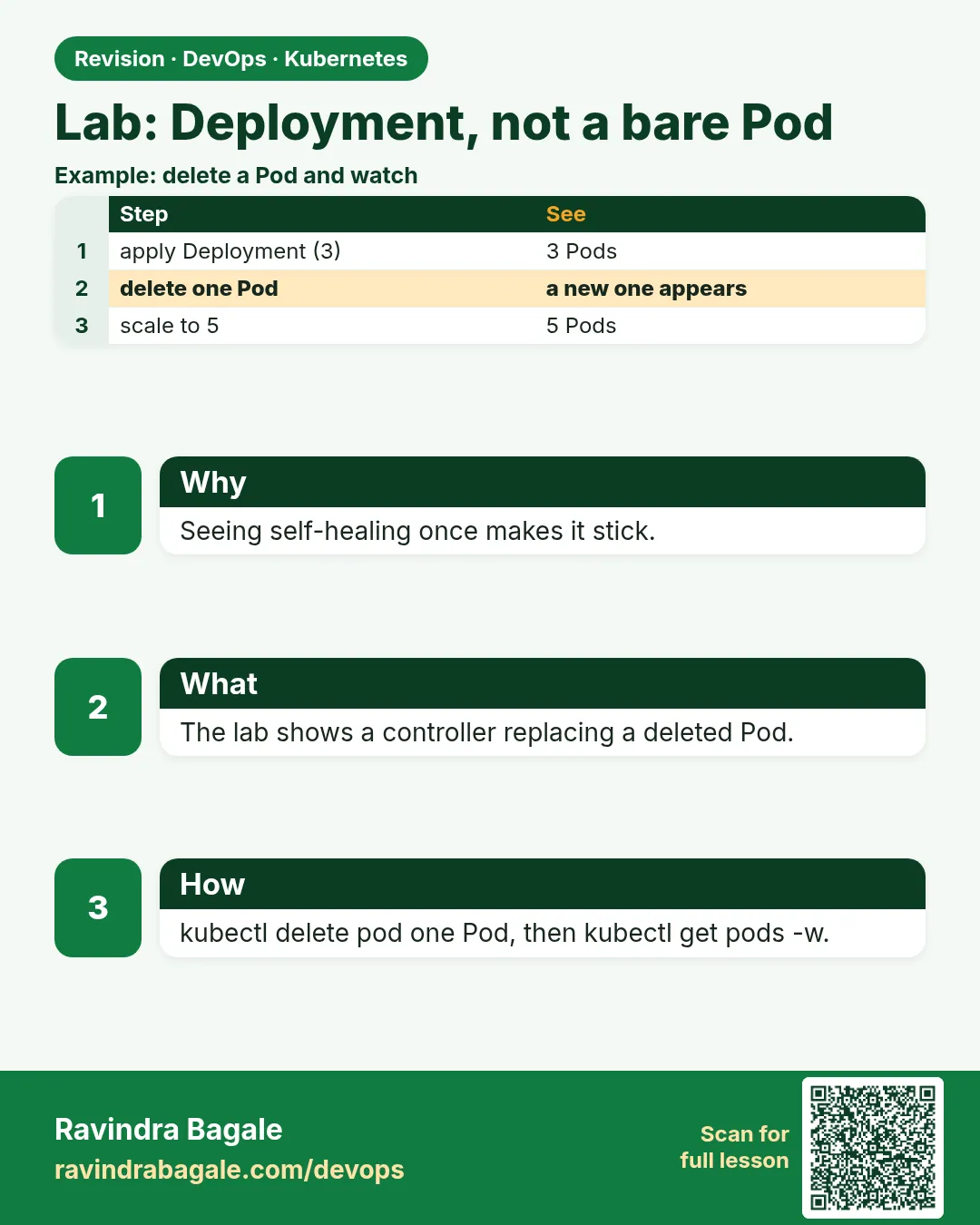
kubectl delete pod $(kubectl get pod -l app=badge -o name | head -1 | cut -d/ -f2)
kubectl get pods -l app=badge
kubectl run c --rm -i --image=busybox:1.36 --restart=Never -- sh -c 'for i in $(seq 20); do wget -qO- badge; done' | sort | uniq -c
What each line does
delete pod— Kills one badge Pod by name.get pods— A new Pod is already starting; the count goes back to 3.wget loop— 20 calls through the Service name.uniq -c— All 20 answered, no errors.
Green output
pod "badge-5f7c9d8b6d-2kq8x" deleted
NAME                     READY   STATUS
badge-5f7c9d8b6d-8vwz3   1/1     Running
badge-5f7c9d8b6d-m4tn1   1/1     Running
badge-5f7c9d8b6d-r7zp2   0/1     ContainerCreating
     20 badge-v1
Expected result. The bare Pod never came back. The Deployment Pod was replaced in seconds and users saw no error.
Example 3: Bad release, safe stop, rollback
Stack. kubectl rollout
Goal. Bad release, safe stop, rollback.
terminal
kubectl set image deploy/badge badge=hashicorp/http-echo:9.9-missing
kubectl annotate deploy/badge kubernetes.io/change-cause="badge v2 bad tag" --overwrite
sleep 20
kubectl get pods -l app=badge
kubectl run c --rm -i --image=busybox:1.36 --restart=Never -- wget -qO- badge
kubectl rollout undo deploy/badge
kubectl rollout status deploy/badge
kubectl rollout history deploy/badge
What each line does
set image ...9.9-missing— A broken release.get pods— One new Pod in ImagePullBackOff; three old Pods still Running.wget badge— Users still get badge-v1.rollout undo— Back to the good revision.history— Shows what happened, for your report.
Green output
deployment.apps/badge image updated
NAME                     READY   STATUS
badge-5f7c9d8b6d-8vwz3   1/1     Running
badge-5f7c9d8b6d-m4tn1   1/1     Running
badge-5f7c9d8b6d-r7zp2   1/1     Running
badge-7b9d6c8f4a-x2k4p   0/1     ImagePullBackOff
badge-v1
deployment.apps/badge rolled back
deployment "badge" successfully rolled out
REVISION  CHANGE-CAUSE
2         badge v2 bad tag
3         badge v1
Expected result. This is the answer to the rollout question: you open the Deployment. DaemonSet, StatefulSet, Job and CronJob are the special cases for per-node agents, stable disks and run-to-finish work.
Verify: did it work?
-
Final state check
kubectl get deploy,rs,svc,hpa,pods -l app=badgeWhat it does: Deployment 3/3, Service with 3 endpoints, HPA at 3.
Output
deployment.apps/badge 3/3 3 3 service/badge ClusterIP 10.96.40.12 80/TCP horizontalpodautoscaler.autoscaling/badge Deployment/badge cpu: 1%/60% 3 6 3 -
Export your work
kubectl get deploy,svc,hpa badge -o yaml > badge-backup.yaml
wc -l badge-backup.yaml
What it does: A copy of the live objects for your report.
Output
212 badge-backup.yaml
When it is red 1
error: unable to recognize "hpa.yaml": no matches for kind "HorizontalPodAutoscaler" in version "autoscaling/v2beta2"
Cause. Old HPA apiVersion from a blog.
Fix, step by step
- Use apiVersion: autoscaling/v2.
When it is red 2
pods "badge-..." is forbidden: violates PodSecurity "restricted:latest"
Cause. The lab namespace has the restricted label and a field is missing.
Fix, step by step
- Read the list in the message.
- Add the missing securityContext fields from Example 1.
When it is red 3
HPA TARGETS cpu: unknown/60%
Cause. metrics-server is not installed.
Fix, step by step
- Install it as in lesson 18.13.
- Or note it in your report; the YAML is correct.
Cleanup
-
Delete the lab
kubectl delete namespace labWhat it does: Removes every lab object.
Output
namespace "lab" deleted -
Delete the lab cluster
kind delete cluster --name labWhat it does: Removes the whole cluster container. On minikube use: minikube delete.
Output
Deleting cluster "lab" ...
Deleted nodes: ["lab-control-plane"]
Ravindra Bagale's Tip
Bare Pod sodun Deployment, Service ani HPA vapra. Ekda swatahachya haatane break karun bagha. Lakshat theva!
Practice tasks
Easy Rebuild from files
Why: Real teams rebuild from Git.
What to do: Delete the namespace and apply the folder again.
- kubectl create ns lab
- kubectl apply -f badge/
Check: Everything is back in one command.
Medium Add a PodDisruptionBudget
Why: Protects badge during node drains.
What to do: Write a PDB with minAvailable: 2.
- kind: PodDisruptionBudget, selector app: badge.
- Drain a node and watch.
Check: Drain never leaves fewer than 2 Pods.
Hard Package with Kustomize
Why: Teams keep dev and prod variants.
What to do: Make base and overlays/prod with replicas and image changes.
- kubectl kustomize overlays/prod
- kubectl apply -k overlays/prod
Check: Prod overlay applies with its own settings.
Easy Say the Deployment, Service and HPA lab in two lines
Why: If you can say it simply, you understand it. Interviewers want the short version first.
What to do: Write two short lines about the Deployment, Service and HPA lab for a fresher who knows only Docker basics.
- Write what problem it solves.
- Write the one kubectl command you use for it.
- Read it aloud to a friend.
Check: A fresher understands it without asking a question.
Easy Start a fresh lab cluster
Why: Practice needs a throwaway cluster. If you break it, you delete it and start again.
What to do: Create a kind cluster, or a minikube cluster, and check the node is Ready.
- kind create cluster --name lab
- kubectl get nodes
- kubectl get pods -A
Check: One node shows STATUS Ready and the kube-system Pods are Running.
Medium Break it on purpose
Why: You must know the red message by face. During an outage there is no time to read slowly.
What to do: Cause one error from the "When it is red" part of this lesson and fix it.
- Follow the error section.
- Copy the exact message and the kubectl describe Events into your notes.
- Write the fix in one line.
Check: You fixed it using only the steps, without searching the web.
Medium Write a one-page runbook
Why: At 2 a.m. nobody remembers the right command. A short page saves the on-call person.
What to do: Write a runbook page for this lesson.
- Title, when to use, exact kubectl command, how to check, how to undo.
Check: A teammate can follow it alone.
Medium Repeat it on a cloud cluster
Why: kind is a laptop toy. Real clusters run on EKS, GKE, AKS or k3s on a VM.
What to do: Do the main steps of this lesson again on a small k3s VM or a free-tier managed cluster.
- Install k3s on one Ubuntu 22.04 VM: curl -sfL https://get.k3s.io | sh -
- Copy the kubeconfig.
- Apply the same YAML and compare the output.
Check: Same output on the cloud cluster as on kind.
Hard Explain it like an interview
Why: Interviewers want real stories, not definitions.
What to do: Record a 60 second answer about this lesson.
- Say the problem, the YAML field you used, the kubectl command you ran, and one error you hit.
Check: Your answer has a real command and a real error message.
Hard Draw the flow top to bottom
Why: A drawing shows who talks to whom and in what order.
What to do: Draw this lesson as boxes from top to bottom.
- Start at kubectl apply, go through the API server, controller and scheduler, end at the running container.
Check: Each box matches a real thing you saw in kubectl output.
Homework: try at home
Try at home
At home, redo the whole lab from an empty cluster in under 30 minutes using only your four files. Then write the one-page report: the commands, the key outputs, and which kind you would open for a rollout and why.
Recap
- A bare Pod is lost after deletion; a Deployment Pod is replaced.
- Deployment, Service and HPA together give copies, a stable name and scaling.
- maxUnavailable 0 plus readiness makes bad releases safe.
- rollout undo fixes a bad release in one command.
- Keep all four files in Git.
FAQ
Can I use minikube instead of kind?
Yes. Run minikube start and the same YAML works; use minikube addons enable metrics-server for the HPA.
Why http-echo and not a real app?
It is tiny and starts fast, so you focus on Kubernetes objects.
Should replicas be in the Deployment for the first apply?
Without it, Kubernetes starts with 1 and the HPA raises it to minReplicas 3 within seconds.
Do I need a Service for one Pod?
Yes. Clients should always use the Service name, never Pod IPs.
What comes next?
Chapter 19: Service types, DNS, Ingress and volumes.
Interview questions
-
Walk me through deploying a stateless service on Kubernetes.
Namespace, Deployment with resources, probes and securityContext, Service, HPA and PDB, all in Git and applied by CI or GitOps.
-
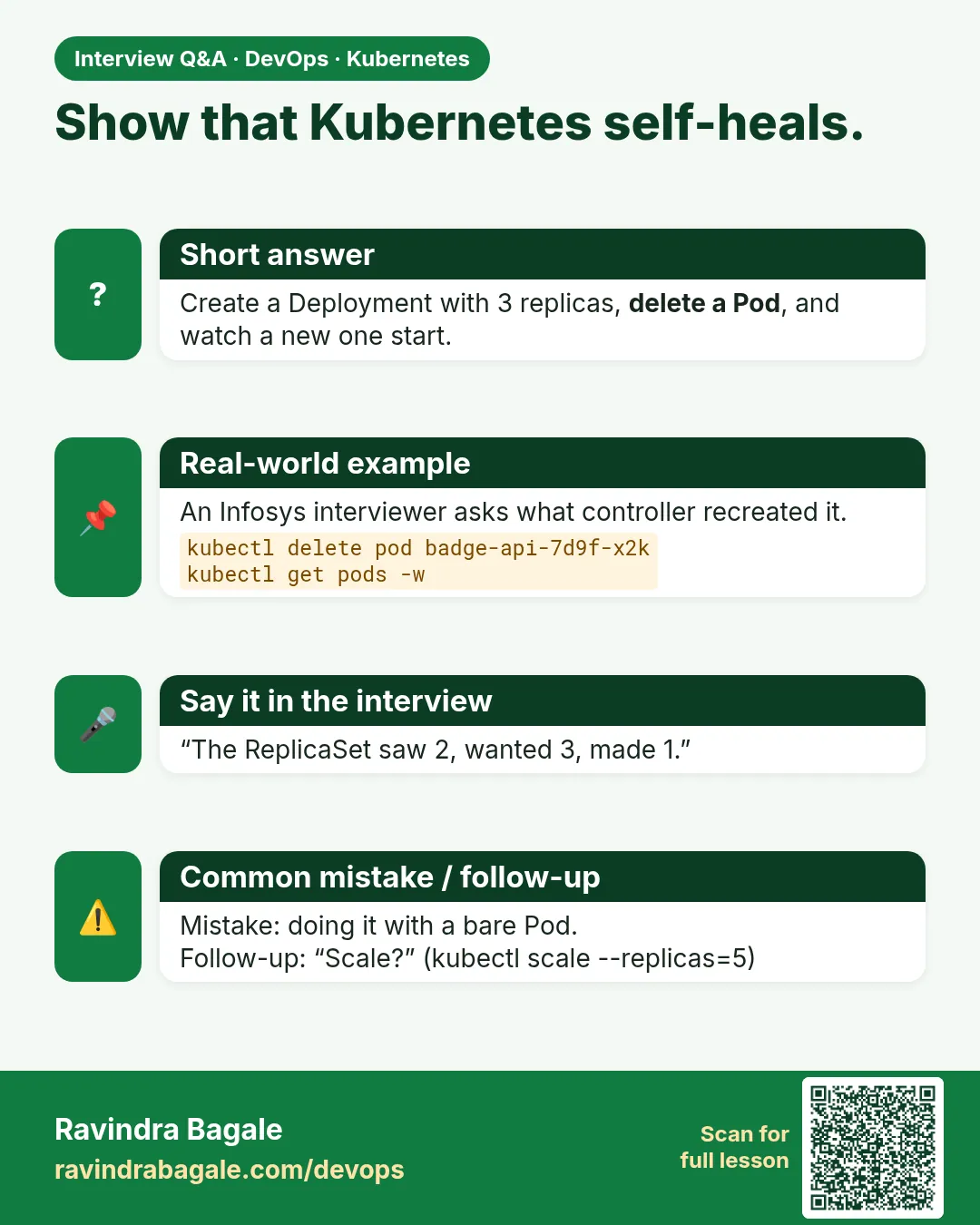
How do you prove self-healing?
Delete a Pod and show the ReplicaSet creates a new one while traffic through the Service keeps working.
-
A release is broken. What do you do?
Check rollout status and Pod events, then kubectl rollout undo and revert the Git change.
-
When would you not use a Deployment?
DaemonSet for per-node agents, StatefulSet for stable identity and storage, Job or CronJob for finite work.
-
Why remove replicas from the Deployment when using HPA?
So re-applying the YAML does not reset the HPA count.
Quick quiz
Q1. Which kind do you open for a normal app rollout?
Deployment.
Q2. Why is there no replicas field in deploy.yaml?
The HPA owns the count.
Q3. What protected users during the bad release?
maxUnavailable 0 and the readiness probe.
Q4. Which kind keeps a stable name and disk?
StatefulSet.
Q5. What does TARGETS unknown usually mean?
metrics-server is missing.
Lab
Copy the YAML fences in this chapter into files. Apply them on the kind cluster from Chapter 15.
kubectl create namespace lab- Apply the bare Pod. Delete it. Show that it does not return.
- Apply the Deployment with
replicas: 3.kubectl get deploy,rs,pods -n lab. Write down the ReplicaSet name Kubernetes created. - Delete one badge Pod by name. Wait. Show the new Pod.
- Apply the Service fence from section 18.12.
kubectl get endpointslices -n laband count addresses. - Apply the HPA.
kubectl get hpa -n lab. If TARGETS is<unknown>, write one sentence on metrics-server. Do not treat that as a failed YAML. - In one sentence: which
kinddo you open for a Netflix-style badge rollout, and which kinds are the special cases?
Practice task
Someone calls it a Staticset. What is the real kind name, and when would you choose it instead of a Deployment?
In short
- Kubernetes keeps copies, rolls tags and replaces dead Pods across nodes. Compose on one host does not.
- A bare Pod stays dead. A ReplicaSet keeps N. A ReplicationController is the old form. You write a Deployment; it owns the ReplicaSet.
- DaemonSet is one per node. StatefulSet is the real name for a stable Pod name plus disk. Job and CronJob run and finish.
- A Service sends each request to a ready Pod IP. The readiness probe decides who is in the pool.
- HPA scales Deployment replicas when CPU is high. It needs metrics-server. VPA changes requests. Cluster Autoscaler changes nodes.
Samajla ka?
 Revision card
 Interview card