Chapter 18: Kubernetes Workloads
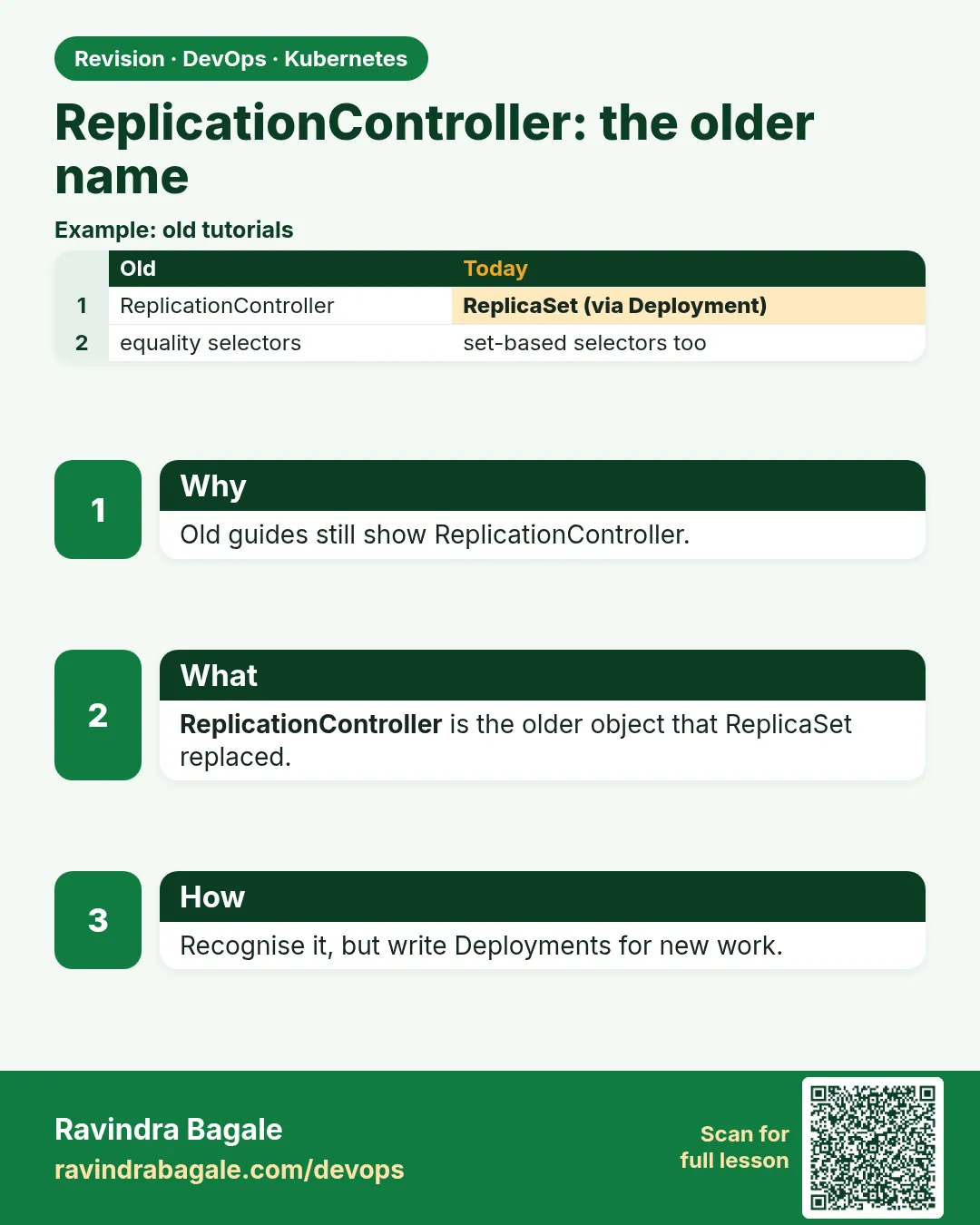
18.6 ReplicationController — the older name
Why: the problem
You join a bank's platform team and open an old repo. The YAML says kind: ReplicationController. Your senior asks you to move it to a Deployment before the next cluster upgrade. If you have never seen a ReplicationController, you will not know what to change. A ReplicationController, or RC, is the first version of a ReplicaSet from the early days of Kubernetes. It keeps N Pods running, just like a ReplicaSet. The big difference is the selector. An RC can only match labels by exact equality. A ReplicaSet also supports set-based rules like "env in (dev, test)". RC also used the old kubectl rolling-update command, which was removed. Kubernetes docs now say: use a Deployment. You still meet RCs in old tutorials, old Helm charts and interviews. In this lesson you will run an RC, see its limits, and migrate it to a Deployment with no downtime.
What we will build
You will apply an old RC with 3 Pods behind a Service, then create a Deployment that serves the same traffic, switch over, and delete the RC without dropping any request.
What: every term in plain English
- ReplicationController — The older controller that keeps N Pods. apiVersion v1, kind ReplicationController.
- Equality-based selector — Matches labels exactly, like app = pay.
- Set-based selector — Matches with in, notin or exists. ReplicaSets and Deployments support it.
- rolling-update — An old kubectl command for RCs. Removed in kubectl 1.18.
- Migration — Moving a workload to a new object type without downtime.
- Deprecated — Still works, but not recommended for new work.
How: step by step
-
Start a lab cluster
kind create cluster --name lab
kubectl get nodes
What it does: Creates a one-node Kubernetes cluster inside Docker. On minikube use: minikube start.
Output
Creating cluster "lab" ... ✓ Ensuring node image (kindest/node:v1.30.0) ✓ Preparing nodes Set kubectl context to "kind-lab" NAME STATUS ROLES AGE VERSION lab-control-plane Ready control-plane 40s v1.30.0 -
Make a practice namespace
kubectl create namespace practice
kubectl config set-context --current --namespace=practice
What it does: Keeps all lab objects in one folder that is easy to delete.
Output
namespace/practice created Context "kind-lab" modified. -
Write the old RC
cat rc.yamlWhat it does: An RC with an equality selector.
Output
apiVersion: v1 kind: ReplicationController metadata: name: pay spec: replicas: 3 selector: app: pay template: metadata: labels: {app: pay, version: v1} spec: containers: - name: web image: nginx:1.25 -
Apply it and add a Service
kubectl apply -f rc.yaml
kubectl expose rc pay --port=80
What it does: Three Pods behind one Service.
Output
replicationcontroller/pay created service/pay exposed -
List it
kubectl get rc payWhat it does: Same columns as a ReplicaSet.
Output
NAME DESIRED CURRENT READY AGE pay 3 3 3 10s -
Try the old update command
kubectl rolling-update pay --image=nginx:1.27What it does: The command no longer exists.
Output
error: unknown command "rolling-update" for "kubectl" -
Check the API shape
kubectl explain rc.spec.selectorWhat it does: The selector is a plain map, no matchLabels.
Output
KIND:       ReplicationController
FIELD:      selector map[string]string
DESCRIPTION:
    Selector is a label query over pods that should match the Replicas count.
Example 1: RC cannot use set-based selectors
Stack. Kubernetes 1.30
Goal. RC cannot use set-based selectors.
rc-set.yaml
apiVersion: v1
kind: ReplicationController
metadata:
  name: pay-set
spec:
  replicas: 1
  selector:
    matchExpressions:
    - {key: env, operator: In, values: [dev, test]}
  template:
    metadata:
      labels: {env: dev}
    spec:
      containers:
      - name: web
        image: nginx:1.27
terminal
kubectl apply -f rc-set.yaml
What each line does
matchExpressions— A set-based rule. Valid in ReplicaSet, not in RC.operator: In— Matches if env is dev or test.Error— The RC selector must be a simple map.
Green output
Error from server (BadRequest): error when creating "rc-set.yaml": ReplicationController in version "v1" cannot be handled as a ReplicationController: json: cannot unmarshal object into Go struct field ReplicationControllerSpec.spec.selector of type string
Expected result. This is the main technical difference you can quote in an interview.
Example 2: The same app as a Deployment
Stack. kind, Kubernetes 1.30
Goal. The same app as a Deployment.
pay-deploy.yaml
apiVersion: apps/v1
kind: Deployment
metadata:
  name: pay-v2
spec:
  replicas: 3
  selector:
    matchLabels: {app: pay, version: v2}
  template:
    metadata:
      labels: {app: pay, version: v2}
    spec:
      containers:
      - name: web
        image: nginx:1.27
terminal
kubectl apply -f pay-deploy.yaml
kubectl rollout status deploy/pay-v2
kubectl get endpoints pay
What each line does
apiVersion: apps/v1— Deployments live in the apps group.selector.matchLabels— The new selector shape.version: v2— Keeps the new Pods separate from the RC Pods.app: pay— The Service selects app=pay, so it now sends traffic to both sets.
Green output
deployment.apps/pay-v2 created
deployment "pay-v2" successfully rolled out
NAME   ENDPOINTS                                               AGE
pay    10.244.0.5:80,10.244.0.6:80,10.244.0.7:80 + 3 more...  2m
Expected result. Six endpoints: three old, three new. Traffic flows to both, so there is no gap.
Example 3: Switch over and remove the RC with no dropped requests
Stack. busybox load loop
Goal. Switch over and remove the RC with no dropped requests.
terminal
# terminal 1: keep calling the Service
kubectl run load --image=busybox:1.36 --restart=Never -- sh -c 'while true; do wget -qO- -T 1 pay >/dev/null && echo ok || echo FAIL; sleep 0.2; done'

# terminal 2: scale the RC down, then delete it
kubectl scale rc pay --replicas=0
kubectl delete rc pay
kubectl logs load | sort | uniq -c
What each line does
load Pod— Calls the Service five times a second.scale rc --replicas=0— Removes the old Pods slowly while new ones serve.delete rc pay— Removes the old object.uniq -c— Counts ok and FAIL lines.
Green output
replicationcontroller/pay scaled
replicationcontroller "pay" deleted
    412 ok
Expected result. Zero FAIL lines. The Service kept selecting app=pay, which the Deployment Pods also carry.
Verify: did it work?
-
Confirm no RCs are left
kubectl get rc -AWhat it does: Should return nothing in a clean cluster.
Output
No resources found -
Confirm the Service points to the Deployment
kubectl get pods -l app=pay -L versionWhat it does: All Pods now say v2.
Output
NAME                     READY   STATUS    VERSION
pay-v2-7d9c8b6f5-2kq8x   1/1     Running   v2
pay-v2-7d9c8b6f5-8vwz3   1/1     Running   v2
pay-v2-7d9c8b6f5-m4tn1   1/1     Running   v2
When it is red 1
error: unknown command "rolling-update" for "kubectl"
Cause. The command was removed in kubectl 1.18.
Fix, step by step
- Move the workload to a Deployment.
- Use kubectl rollout for updates.
When it is red 2
The Deployment Pods get deleted right after creation
Cause. The RC selector app: pay also matched the new Pods and it deleted extras.
Fix, step by step
- Give the RC an extra label like version: v1 in its selector first, or scale the RC to 0 before creating the Deployment.
When it is red 3
Service has no endpoints after deleting the RC
Cause. The Deployment Pods do not carry the label the Service selects.
Fix, step by step
- Run kubectl get svc pay -o yaml and check the selector.
- Add the label to the Deployment template.
Cleanup
-
Delete the lesson objects
kubectl delete deploy pay-v2
kubectl delete svc pay
kubectl delete pod load
What it does: Removes the Deployment, Service and load Pod.
Output
deployment.apps "pay-v2" deleted service "pay" deleted pod "load" deleted -
Delete the practice namespace
kubectl delete namespace practiceWhat it does: Deletes every object you made in this lesson in one go.
Output
namespace "practice" deleted
Ravindra Bagale's Tip
ReplicationController juna aahe. Navin kaamat Deployment vapra, ani migrate kartana Service cha label same theva. Lakshat theva!
Practice tasks
Easy Find RCs
Why: Old clusters still have them.
What to do: List RCs in every namespace.
- kubectl get rc -A
Check: You know if any exist.
Medium Convert an RC file
Why: A common clean-up ticket.
What to do: Turn rc.yaml into a Deployment file by hand.
- Change apiVersion and kind.
- Put the selector under matchLabels.
Check: kubectl apply works.
Hard Use kubectl-convert
Why: Upgrades need tooling.
What to do: Install the kubectl-convert plugin and try it on old YAML.
- Read the plugin docs on kubernetes.io.
- kubectl convert -f old.yaml
Check: You can explain its output.
Easy Say ReplicationController versus ReplicaSet in two lines
Why: If you can say it simply, you understand it. Interviewers want the short version first.
What to do: Write two short lines about ReplicationController versus ReplicaSet for a fresher who knows only Docker basics.
- Write what problem it solves.
- Write the one kubectl command you use for it.
- Read it aloud to a friend.
Check: A fresher understands it without asking a question.
Easy Start a fresh lab cluster
Why: Practice needs a throwaway cluster. If you break it, you delete it and start again.
What to do: Create a kind cluster, or a minikube cluster, and check the node is Ready.
- kind create cluster --name lab
- kubectl get nodes
- kubectl get pods -A
Check: One node shows STATUS Ready and the kube-system Pods are Running.
Medium Break it on purpose
Why: You must know the red message by face. During an outage there is no time to read slowly.
What to do: Cause one error from the "When it is red" part of this lesson and fix it.
- Follow the error section.
- Copy the exact message and the kubectl describe Events into your notes.
- Write the fix in one line.
Check: You fixed it using only the steps, without searching the web.
Medium Write a one-page runbook
Why: At 2 a.m. nobody remembers the right command. A short page saves the on-call person.
What to do: Write a runbook page for this lesson.
- Title, when to use, exact kubectl command, how to check, how to undo.
Check: A teammate can follow it alone.
Medium Repeat it on a cloud cluster
Why: kind is a laptop toy. Real clusters run on EKS, GKE, AKS or k3s on a VM.
What to do: Do the main steps of this lesson again on a small k3s VM or a free-tier managed cluster.
- Install k3s on one Ubuntu 22.04 VM: curl -sfL https://get.k3s.io | sh -
- Copy the kubeconfig.
- Apply the same YAML and compare the output.
Check: Same output on the cloud cluster as on kind.
Hard Explain it like an interview
Why: Interviewers want real stories, not definitions.
What to do: Record a 60 second answer about this lesson.
- Say the problem, the YAML field you used, the kubectl command you ran, and one error you hit.
Check: Your answer has a real command and a real error message.
Hard Draw the flow top to bottom
Why: A drawing shows who talks to whom and in what order.
What to do: Draw this lesson as boxes from top to bottom.
- Start at kubectl apply, go through the API server, controller and scheduler, end at the running container.
Check: Each box matches a real thing you saw in kubectl output.
Homework: try at home
Try at home
At home, write an RC, put a Service on it, and migrate it to a Deployment while a busybox loop calls the Service. Count the FAIL lines. The goal is zero.
Recap
- A ReplicationController is the old ReplicaSet.
- It supports only equality selectors.
- kubectl rolling-update is gone.
- Migrate to a Deployment behind the same Service label.
- You will meet RCs in old repos and interviews.
FAQ
Is RC removed?
No, it still works in v1, but docs say use a Deployment.
ReplicaSet or RC in an interview answer?
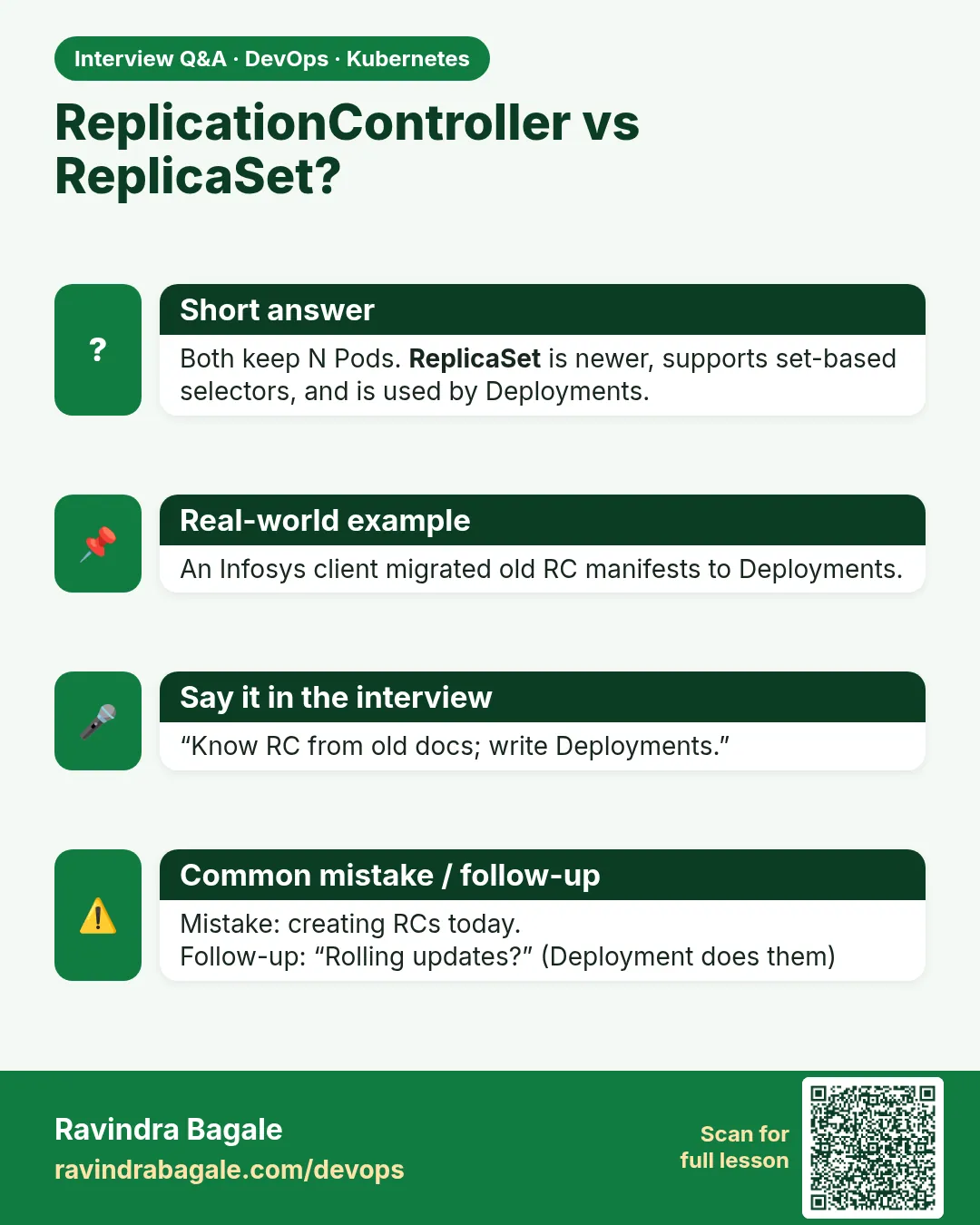
Say RC is legacy, ReplicaSet adds set-based selectors, and in practice you use Deployments.
Do Helm charts still use RC?
Very old ones. Modern charts use Deployments.
Does an RC keep revision history?
No. That is another reason to move.
Can a Deployment adopt RC Pods?
Not directly. Use the side-by-side switch shown here.
Interview questions
-
Difference between ReplicationController and ReplicaSet?
ReplicaSet supports set-based selectors and is used by Deployments; RC supports equality selectors only and is legacy.
-
How would you migrate an RC to a Deployment?
Create a Deployment with the Service label, verify endpoints, scale the RC to 0 and delete it.
-
What happened to kubectl rolling-update?
It was removed; Deployments handle rolling updates on the server side.
-
Why are server-side rollouts better?
They continue if your laptop disconnects and they keep history for rollback.
-
Where might you still see RCs?
Old tutorials, legacy clusters and old Helm charts.
Quick quiz
Q1. What apiVersion does an RC use?
v1.
Q2. What selector type does an RC support?
Equality only.
Q3. What replaced kubectl rolling-update?
Deployments with kubectl rollout.
Q4. How do you migrate with no downtime?
Run a Deployment with the label the Service selects, then scale the RC to 0.
Q5. Should new apps use RC?
No.
Samajla ka?
 Revision card
 Interview card