Chapter 18: Kubernetes Workloads
18.13 Autoscaling — HPA, and two names to recognise
Why: the problem
During a Big Billion Days sale, traffic to Flipkart's product pages can jump ten times in minutes. Nobody can sit and type kubectl scale all night. At 3 a.m. the same app needs only a few Pods, and paying for 50 idle Pods wastes money. The HorizontalPodAutoscaler, or HPA, watches a metric, usually CPU use compared with the CPU request, and changes the replicas of a Deployment for you. If the average is above the target, it adds Pods. If it is below for a while, it removes them, slowly, to avoid flapping. HPA needs metrics-server to read CPU and memory. Two other names you should recognise: the Vertical Pod Autoscaler (VPA) changes the CPU and memory requests of Pods instead of their count, and KEDA scales on events like queue length, even down to zero. In this lesson you will install metrics-server on kind, create an HPA, load it until it scales up, and watch it scale down.
What we will build
You will install metrics-server, deploy a php-apache app with CPU requests, create an HPA with a 50 percent CPU target and 1 to 8 replicas, run a load generator, and watch replicas rise and fall. You will also write the same HPA in YAML with a scale-down policy.
What: every term in plain English
- HPA — HorizontalPodAutoscaler. Changes the number of Pods based on metrics.
- metrics-server — A small add-on that collects CPU and memory from each kubelet.
- Target utilisation — The average CPU use you want, as a percent of the request.
- minReplicas and maxReplicas — The lowest and highest Pod count HPA may set.
- Stabilisation window — How long HPA waits before scaling down, 5 minutes by default.
- VPA — Vertical Pod Autoscaler. Changes requests and limits, not the count.
- KEDA — Kubernetes Event-driven Autoscaling. Scales on queues, cron, Kafka lag and more, down to zero.
- Cluster Autoscaler — Adds or removes nodes when Pods cannot fit. Karpenter is a newer option on AWS.
How: step by step
-
Start a lab cluster
kind create cluster --name lab
kubectl get nodes
What it does: Creates a one-node Kubernetes cluster inside Docker. On minikube use: minikube start.
Output
Creating cluster "lab" ... ✓ Ensuring node image (kindest/node:v1.30.0) ✓ Preparing nodes Set kubectl context to "kind-lab" NAME STATUS ROLES AGE VERSION lab-control-plane Ready control-plane 40s v1.30.0 -
Make a practice namespace
kubectl create namespace practice
kubectl config set-context --current --namespace=practice
What it does: Keeps all lab objects in one folder that is easy to delete.
Output
namespace/practice created Context "kind-lab" modified. -
Install metrics-server
# minikube: minikube addons enable metrics-server
# kind: download components.yaml from the metrics-server release page, then:
kubectl apply -f components.yaml
kubectl -n kube-system patch deploy metrics-server --type=json -p='[{"op":"add","path":"/spec/template/spec/containers/0/args/-","value":"--kubelet-insecure-tls"}]'
What it does: Installs the metrics add-on. The extra flag is needed only on kind because its kubelet certs are self-signed.
Output
deployment.apps/metrics-server created deployment.apps/metrics-server patched -
Check metrics work
kubectl top nodesWhat it does: Shows CPU and memory per node after about a minute.
Output
NAME CPU(cores) CPU% MEMORY(bytes) MEMORY% lab-control-plane 182m 4% 812Mi 10% -
Deploy the app
kubectl create deployment php-apache --image=registry.k8s.io/hpa-example --port=80
kubectl set resources deploy php-apache --requests=cpu=200m --limits=cpu=500m
kubectl expose deploy php-apache --port=80
What it does: A small app that burns CPU on every request, with a CPU request of 200m.
Output
deployment.apps/php-apache created deployment.apps/php-apache resource requirements updated service/php-apache exposed -
Create the HPA
kubectl autoscale deploy php-apache --cpu-percent=50 --min=1 --max=8What it does: Keep average CPU near 50 percent of 200m.
Output
horizontalpodautoscaler.autoscaling/php-apache autoscaled -
Check it
kubectl get hpaWhat it does: TARGETS shows current and target use.
Output
NAME         REFERENCE               TARGETS       MINPODS   MAXPODS   REPLICAS
php-apache   Deployment/php-apache   cpu: 0%/50%   1         8         1
Example 1: Load it and watch it scale up
Stack. metrics-server, autoscaling/v2
Goal. Load it and watch it scale up.
terminal
kubectl run load --image=busybox:1.36 --restart=Never -- sh -c "while true; do wget -q -O- http://php-apache; done"
kubectl get hpa php-apache -w
What each line does
load Pod— Sends requests in a tight loop.-w— Watch the HPA every few seconds.TARGETS— Rises above 50 percent.REPLICAS— HPA raises it so the average falls back near 50.
Green output
NAME         REFERENCE               TARGETS         MINPODS   MAXPODS   REPLICAS
php-apache   Deployment/php-apache   cpu: 0%/50%     1         8         1
php-apache   Deployment/php-apache   cpu: 248%/50%   1         8         1
php-apache   Deployment/php-apache   cpu: 248%/50%   1         8         5
php-apache   Deployment/php-apache   cpu: 71%/50%    1         8         7
php-apache   Deployment/php-apache   cpu: 49%/50%    1         8         7
Expected result. HPA formula: desired = current replicas x current use / target. 1 x 248 / 50 is about 5, then it settles at 7.
Example 2: Stop the load and watch it scale down slowly
Stack. autoscaling/v2
Goal. Stop the load and watch it scale down slowly.
terminal
kubectl delete pod load
kubectl get hpa php-apache -w
kubectl describe hpa php-apache | tail -6
What each line does
delete pod load— Traffic stops.TARGETS 0%— CPU falls at once.REPLICAS— Stays for about 5 minutes, then drops. This is the stabilisation window.describe— Events show each scale decision with its reason.
Green output
pod "load" deleted
php-apache   Deployment/php-apache   cpu: 0%/50%   1   8   7
php-apache   Deployment/php-apache   cpu: 0%/50%   1   8   1
Events:
  Normal  SuccessfulRescale  9m  horizontal-pod-autoscaler  New size: 5; reason: cpu resource utilization (percentage of request) above target
  Normal  SuccessfulRescale  8m  horizontal-pod-autoscaler  New size: 7; reason: cpu resource utilization (percentage of request) above target
  Normal  SuccessfulRescale  1m  horizontal-pod-autoscaler  New size: 1; reason: All metrics below target
Expected result. Fast up, slow down. This protects you from a traffic dip followed by a spike.
Example 3: The same HPA as YAML with a gentle scale-down policy
Stack. autoscaling/v2 behavior
Goal. The same HPA as YAML with a gentle scale-down policy.
hpa.yaml
apiVersion: autoscaling/v2
kind: HorizontalPodAutoscaler
metadata:
  name: php-apache
spec:
  scaleTargetRef:
    apiVersion: apps/v1
    kind: Deployment
    name: php-apache
  minReplicas: 2
  maxReplicas: 8
  metrics:
  - type: Resource
    resource:
      name: cpu
      target:
        type: Utilization
        averageUtilization: 50
  behavior:
    scaleDown:
      stabilizationWindowSeconds: 300
      policies:
      - type: Pods
        value: 1
        periodSeconds: 60
    scaleUp:
      policies:
      - type: Percent
        value: 100
        periodSeconds: 15
terminal
kubectl delete hpa php-apache
kubectl apply -f hpa.yaml
kubectl get hpa php-apache
What each line does
scaleTargetRef— Which Deployment to scale.minReplicas: 2— Never fewer than 2, for safety.averageUtilization: 50— Target 50 percent of the CPU request.scaleDown policy— Remove at most 1 Pod per minute.scaleUp policy— May double every 15 seconds.
Green output
horizontalpodautoscaler.autoscaling "php-apache" deleted
horizontalpodautoscaler.autoscaling/php-apache created
NAME         REFERENCE               TARGETS       MINPODS   MAXPODS   REPLICAS
php-apache   Deployment/php-apache   cpu: 1%/50%   2         8         2
Expected result. Keep this file in Git next to the Deployment. Remove replicas from the Deployment YAML so Git and HPA do not fight.
Verify: did it work?
-
Pod CPU use
kubectl top pods -l app=php-apacheWhat it does: Live CPU per Pod.
Output
NAME CPU(cores) MEMORY(bytes) php-apache-6c8d7f9b5d-2kq8x 1m 9Mi php-apache-6c8d7f9b5d-8vwz3 1m 9Mi -
HPA conditions
kubectl get hpa php-apache -o jsonpath='{range .status.conditions[*]}{.type}={.status} {end}{"\n"}'What it does: AbleToScale and ScalingActive must be True.
Output
AbleToScale=True ScalingActive=True ScalingLimited=False
When it is red 1
TARGETS shows cpu: unknown/50%
Cause. metrics-server is missing or broken, or the Pods have no CPU request.
Fix, step by step
- Run kubectl top pods. If it fails, fix metrics-server (on kind add --kubelet-insecure-tls).
- Add resources.requests.cpu to the Deployment.
When it is red 2
error: Metrics API not available
Cause. metrics-server is not installed or not ready.
Fix, step by step
- kubectl get deploy -n kube-system metrics-server.
- Read its logs.
When it is red 3
Replicas jump back after every deploy
Cause. The Deployment YAML sets replicas and your CD tool re-applies it, fighting the HPA.
Fix, step by step
- Remove spec.replicas from the Deployment in Git.
- Let HPA own the count.
Cleanup
-
Delete the lesson objects
kubectl delete hpa php-apache
kubectl delete deploy php-apache
kubectl delete svc php-apache
What it does: Removes the HPA, app and Service.
Output
horizontalpodautoscaler.autoscaling "php-apache" deleted deployment.apps "php-apache" deleted service "php-apache" deleted -
Delete the lab cluster
kind delete cluster --name labWhat it does: Removes the whole cluster container. On minikube use: minikube delete.
Output
Deleting cluster "lab" ...
Deleted nodes: ["lab-control-plane"]
Ravindra Bagale's Tip
HPA Pods chi sankhya badalto, VPA size badalto, KEDA queue baghun. CPU request theva nahitar HPA aandhla hoto. Lakshat theva!
Practice tasks
Easy Read the formula
Why: Interviewers ask for it.
What to do: Work out desired replicas for 4 Pods at 90 percent with a 60 percent target.
- 4 x 90 / 60 = 6.
Check: You get 6.
Medium Memory HPA
Why: Some apps are memory bound.
What to do: Add a memory metric with averageUtilization 70.
- Add a second item under metrics.
- Apply.
Check: kubectl get hpa shows two targets.
Hard Try KEDA
Why: Event scaling is common now.
What to do: Install KEDA with Helm and scale a Deployment on a cron trigger.
- helm install keda in the keda namespace.
- Write a ScaledObject with a cron trigger.
Check: Replicas change at the scheduled time.
Easy Say autoscaling with HPA in two lines
Why: If you can say it simply, you understand it. Interviewers want the short version first.
What to do: Write two short lines about autoscaling with HPA for a fresher who knows only Docker basics.
- Write what problem it solves.
- Write the one kubectl command you use for it.
- Read it aloud to a friend.
Check: A fresher understands it without asking a question.
Easy Start a fresh lab cluster
Why: Practice needs a throwaway cluster. If you break it, you delete it and start again.
What to do: Create a kind cluster, or a minikube cluster, and check the node is Ready.
- kind create cluster --name lab
- kubectl get nodes
- kubectl get pods -A
Check: One node shows STATUS Ready and the kube-system Pods are Running.
Medium Break it on purpose
Why: You must know the red message by face. During an outage there is no time to read slowly.
What to do: Cause one error from the "When it is red" part of this lesson and fix it.
- Follow the error section.
- Copy the exact message and the kubectl describe Events into your notes.
- Write the fix in one line.
Check: You fixed it using only the steps, without searching the web.
Medium Write a one-page runbook
Why: At 2 a.m. nobody remembers the right command. A short page saves the on-call person.
What to do: Write a runbook page for this lesson.
- Title, when to use, exact kubectl command, how to check, how to undo.
Check: A teammate can follow it alone.
Medium Repeat it on a cloud cluster
Why: kind is a laptop toy. Real clusters run on EKS, GKE, AKS or k3s on a VM.
What to do: Do the main steps of this lesson again on a small k3s VM or a free-tier managed cluster.
- Install k3s on one Ubuntu 22.04 VM: curl -sfL https://get.k3s.io | sh -
- Copy the kubeconfig.
- Apply the same YAML and compare the output.
Check: Same output on the cloud cluster as on kind.
Hard Explain it like an interview
Why: Interviewers want real stories, not definitions.
What to do: Record a 60 second answer about this lesson.
- Say the problem, the YAML field you used, the kubectl command you ran, and one error you hit.
Check: Your answer has a real command and a real error message.
Hard Draw the flow top to bottom
Why: A drawing shows who talks to whom and in what order.
What to do: Draw this lesson as boxes from top to bottom.
- Start at kubectl apply, go through the API server, controller and scheduler, end at the running container.
Check: Each box matches a real thing you saw in kubectl output.
Homework: try at home
Try at home
At home, install metrics-server on kind, autoscale any CPU-heavy app from 1 to 6 Pods at 60 percent, and record the HPA table every 30 seconds during load and after it. Explain each jump with the formula.
Recap
- HPA changes replica count from metrics.
- It needs metrics-server and CPU requests.
- Scale up is fast, scale down waits 5 minutes.
- Use behavior policies to tune speed.
- VPA changes size; KEDA scales on events; Cluster Autoscaler adds nodes.
FAQ
Can HPA and VPA run together?
Not on the same CPU or memory metric. Use VPA in recommend mode, or HPA on custom metrics.
Can HPA scale to zero?
Not by itself. KEDA can.
What if maxReplicas is reached?
ScalingLimited becomes True and Pods may slow down. Add nodes or raise the max.
Does HPA add nodes?
No. Cluster Autoscaler or Karpenter adds nodes when Pods are Pending.
Can HPA use requests per second?
Yes, with custom or external metrics from Prometheus Adapter or KEDA.
Interview questions
-
How does HPA calculate replicas?
desired = ceil(current replicas x current metric / target metric), within min and max and behavior policies.
-
Why do Pods need CPU requests for HPA?
Utilization is measured as a percent of the request.
-
HPA versus VPA versus Cluster Autoscaler?
HPA changes Pod count, VPA changes Pod size, Cluster Autoscaler changes node count.
-
Why should the Deployment not set replicas when HPA is used?
GitOps re-applies replicas and fights the HPA.
-
What is KEDA?
An event-driven autoscaler that feeds HPA with external metrics and can scale to zero.
Quick quiz
Q1. What does HPA change?
The number of replicas.
Q2. What does HPA need to read CPU?
metrics-server and CPU requests on the Pods.
Q3. Why is scale-down slow?
The 5 minute stabilisation window.
Q4. What does VPA change?
Requests and limits of Pods.
Q5. Which tool scales on queue length down to zero?
KEDA.
Samajla ka?
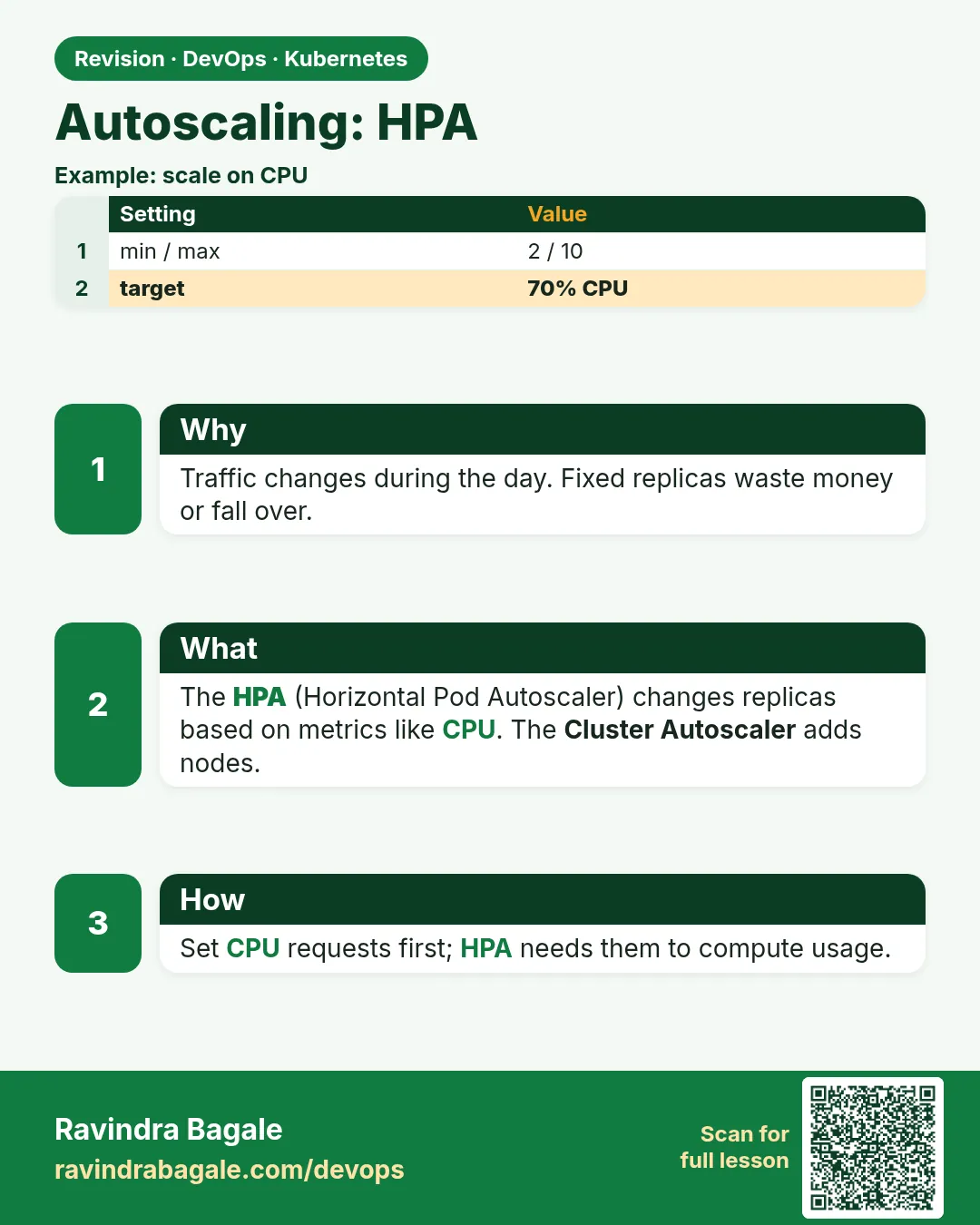 Revision card
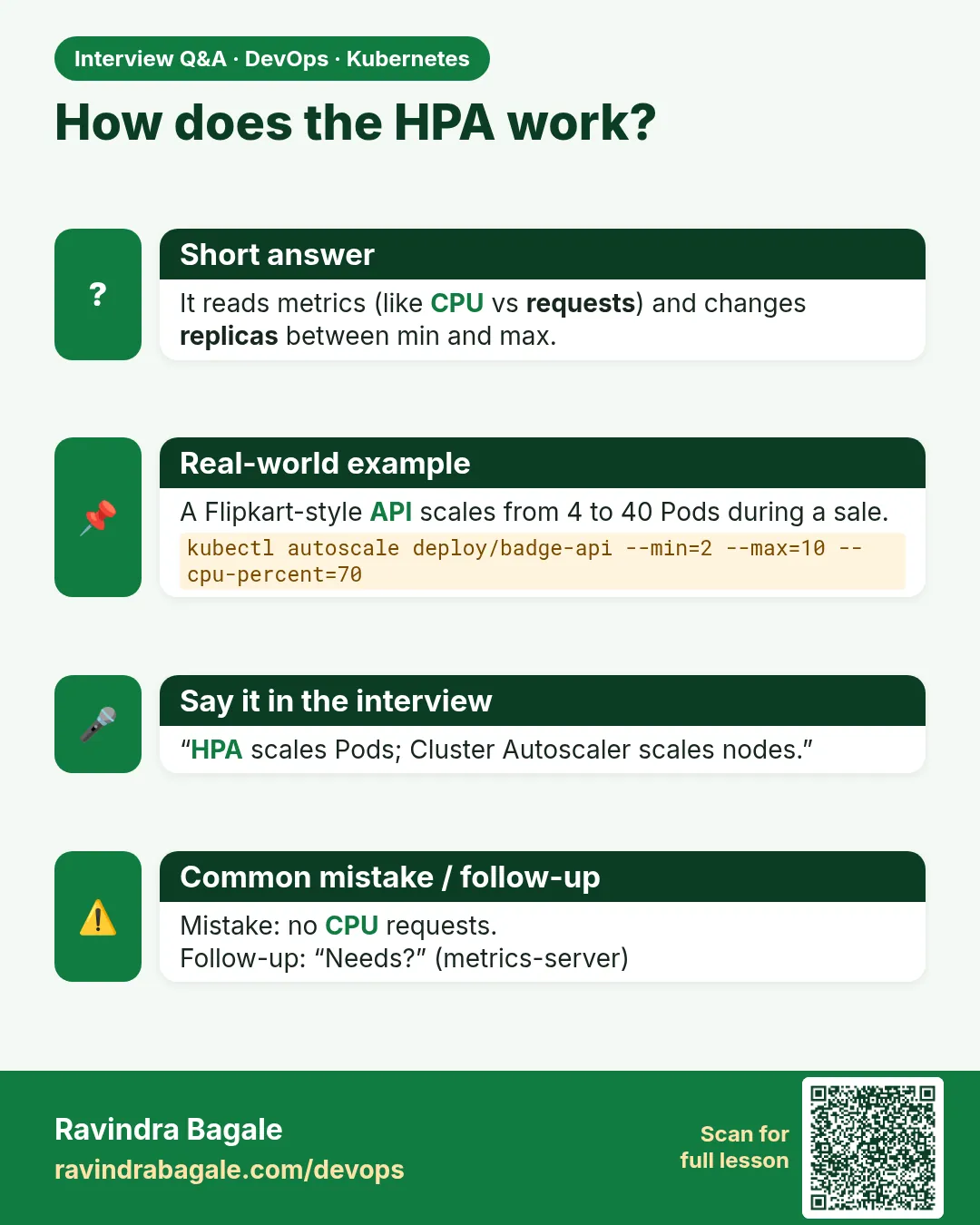 Interview card