Chapter 18: Kubernetes Workloads
18.10 Job and CronJob
Why: the problem
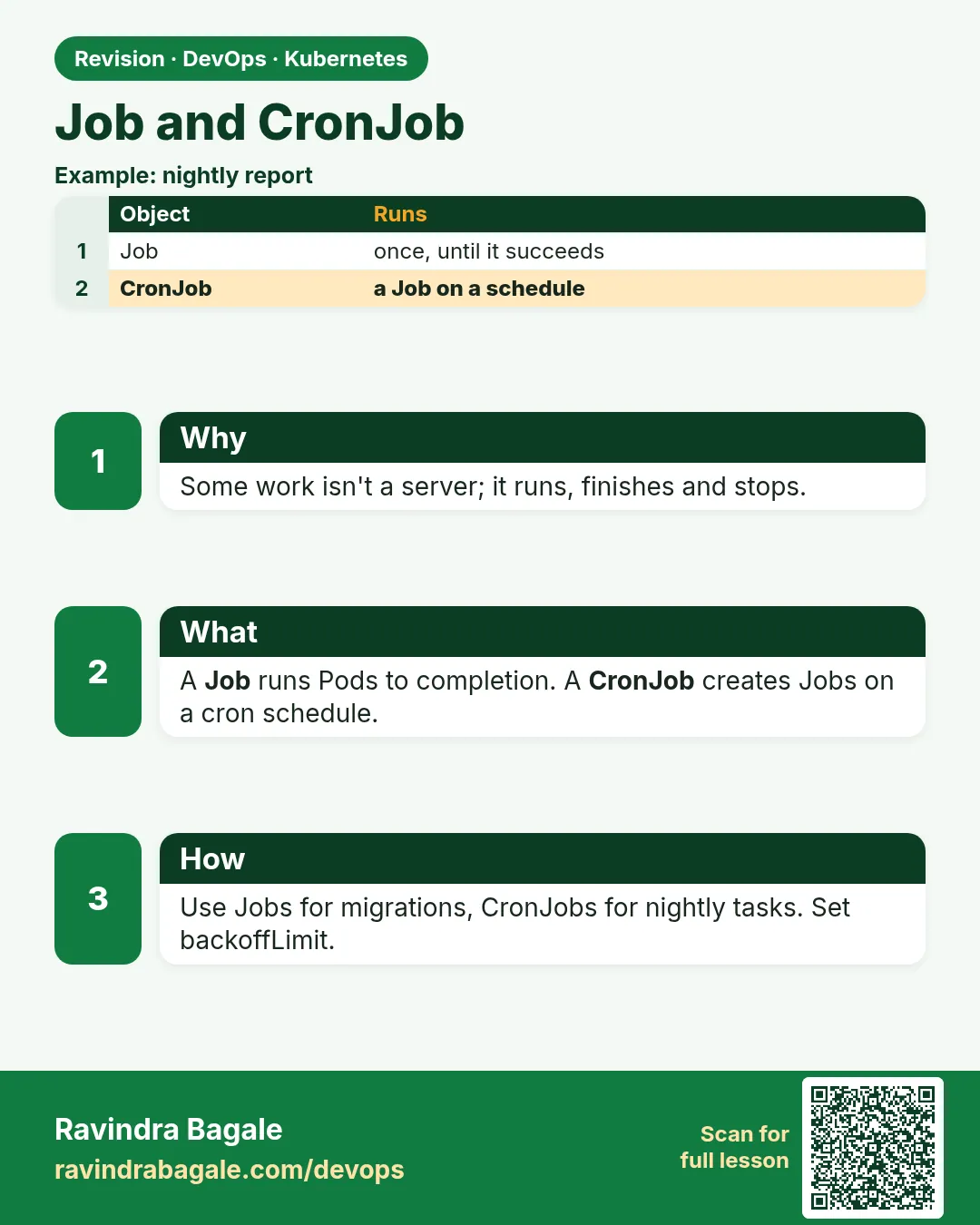
Not every program runs forever. At HDFC the nightly statement report runs once, writes a file and exits. A database migration runs once before a release. A cleanup script deletes old uploads every Sunday at 2 a.m. If you put these in a Deployment, Kubernetes restarts them again and again, because a Deployment thinks an exit is a crash. A Job is made for work that should finish. It runs Pods until a set number of them succeed, retries failures up to backoffLimit, and can stop after a time limit. A CronJob creates a Job on a schedule, using the same five-field cron format as Linux. In this lesson you will run a one-time Job, a parallel Job that processes several items, a Job that fails and retries, and a CronJob every minute, with history limits and safe concurrency.
What we will build
You will run a Job that computes pi, a parallel Job with 6 completions and 2 at a time, a failing Job that hits backoffLimit, and a CronJob that writes a timestamp every minute. You will also trigger a CronJob by hand and suspend it.
What: every term in plain English
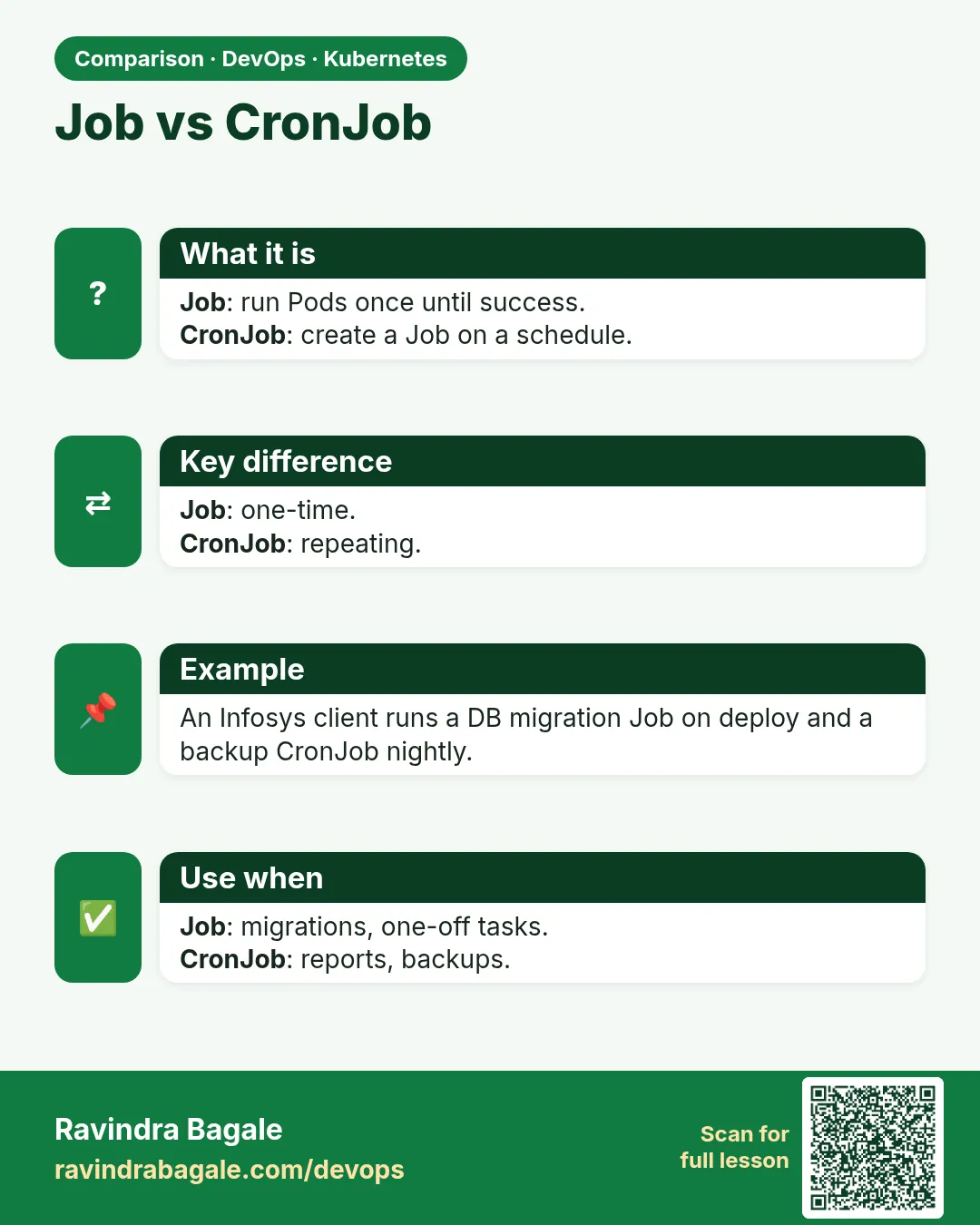
- Job — A controller that runs Pods until a number of them finish successfully.
- completions — How many successful Pods are needed.
- parallelism — How many Pods may run at the same time.
- backoffLimit — How many retries before the Job is marked Failed. Default 6.
- activeDeadlineSeconds — The most time the whole Job may run.
- ttlSecondsAfterFinished — Delete the finished Job automatically after this many seconds.
- CronJob — Creates a Job on a cron schedule.
- concurrencyPolicy — Allow, Forbid or Replace. What to do if the last run is still going.
- Cron format — minute hour day-of-month month day-of-week, for example 0 2 * * 0.
How: step by step
-
Start a lab cluster
kind create cluster --name lab
kubectl get nodes
What it does: Creates a one-node Kubernetes cluster inside Docker. On minikube use: minikube start.
Output
Creating cluster "lab" ... ✓ Ensuring node image (kindest/node:v1.30.0) ✓ Preparing nodes Set kubectl context to "kind-lab" NAME STATUS ROLES AGE VERSION lab-control-plane Ready control-plane 40s v1.30.0 -
Make a practice namespace
kubectl create namespace practice
kubectl config set-context --current --namespace=practice
What it does: Keeps all lab objects in one folder that is easy to delete.
Output
namespace/practice created Context "kind-lab" modified. -
Run a one-time Job
kubectl create job pi --image=perl:5.38 -- perl -Mbignum=bpi -wle "print bpi(200)"What it does: Computes pi to 200 digits and exits.
Output
job.batch/pi created -
Wait for it
kubectl wait --for=condition=complete job/pi --timeout=120sWhat it does: Blocks until the Job succeeds.
Output
job.batch/pi condition met -
Read the result
kubectl logs job/pi | cut -c1-40What it does: The Pod logs stay until the Job is deleted.
Output
3.14159265358979323846264338327950288419 -
See the Job and its Pod
kubectl get job,pods -l job-name=piWhat it does: COMPLETIONS 1/1 and the Pod is Completed.
Output
NAME STATUS COMPLETIONS DURATION job.batch/pi Complete 1/1 14s NAME READY STATUS pod/pi-7xk2m 0/1 Completed -
Create a CronJob
kubectl create cronjob tick --image=busybox:1.36 --schedule="*/1 * * * *" -- sh -c "date; echo tick"What it does: Runs every minute.
Output
cronjob.batch/tick created
Example 1: A parallel Job: 6 items, 2 at a time
Stack. Kubernetes Jobs, Indexed mode
Goal. A parallel Job: 6 items, 2 at a time.
batch.yaml
apiVersion: batch/v1
kind: Job
metadata:
  name: resize
spec:
  completions: 6
  parallelism: 2
  completionMode: Indexed
  backoffLimit: 2
  ttlSecondsAfterFinished: 600
  template:
    spec:
      restartPolicy: Never
      containers:
      - name: worker
        image: busybox:1.36
        command: ["sh", "-c", "echo resizing photo-$JOB_COMPLETION_INDEX.jpg; sleep 5; echo done $JOB_COMPLETION_INDEX"]
terminal
kubectl apply -f batch.yaml
kubectl get pods -l job-name=resize -w
kubectl logs -l job-name=resize --prefix | sort
What each line does
completions: 6— Six Pods must succeed.parallelism: 2— Only two run at once.completionMode: Indexed— Each Pod gets a number 0 to 5 in JOB_COMPLETION_INDEX.restartPolicy: Never— Jobs must use Never or OnFailure.ttlSecondsAfterFinished: 600— The Job cleans itself up after 10 minutes.
Green output
job.batch/resize created
resize-0-x2k4p   1/1   Running
resize-1-m7qz9   1/1   Running
resize-0-x2k4p   0/1   Completed
resize-2-t5vn3   1/1   Running
...
[pod/resize-0-x2k4p/worker] resizing photo-0.jpg
[pod/resize-0-x2k4p/worker] done 0
[pod/resize-1-m7qz9/worker] resizing photo-1.jpg
[pod/resize-1-m7qz9/worker] done 1
Expected result. This is how teams split batch work, like resizing uploads or sending reports, across Pods.
Example 2: A failing Job and backoffLimit
Stack. Kubernetes Jobs
Goal. A failing Job and backoffLimit.
fail.yaml
apiVersion: batch/v1
kind: Job
metadata:
  name: migrate
spec:
  backoffLimit: 3
  activeDeadlineSeconds: 120
  template:
    spec:
      restartPolicy: Never
      containers:
      - name: migrate
        image: busybox:1.36
        command: ["sh", "-c", "echo running migration; echo ERROR: cannot reach db:5432; exit 1"]
terminal
kubectl apply -f fail.yaml
sleep 60
kubectl get job migrate
kubectl get pods -l job-name=migrate
kubectl describe job migrate | grep -A2 BackoffLimitExceeded
What each line does
backoffLimit: 3— Try at most 3 retries.activeDeadlineSeconds: 120— Give up after 2 minutes whatever happens.exit 1— A failed run.Several Pods— With restartPolicy Never each retry is a new Pod, so logs of every try are kept.
Green output
job.batch/migrate created
NAME      STATUS   COMPLETIONS   DURATION
migrate   Failed   0/1           58s
NAME            READY   STATUS
migrate-4kx9p   0/1     Error
migrate-8bq2z   0/1     Error
migrate-j7m3c   0/1     Error
migrate-w2n6t   0/1     Error
  Warning  BackoffLimitExceeded  5s  job-controller  Job has reached the specified backoff limit
Expected result. A CI pipeline can wait on this Job and stop the release when it fails: kubectl wait --for=condition=failed.
Example 3: A safe CronJob for a weekly cleanup
Stack. Kubernetes CronJob, timeZone field (GA in 1.27)
Goal. A safe CronJob for a weekly cleanup.
cleanup.yaml
apiVersion: batch/v1
kind: CronJob
metadata:
  name: cleanup
spec:
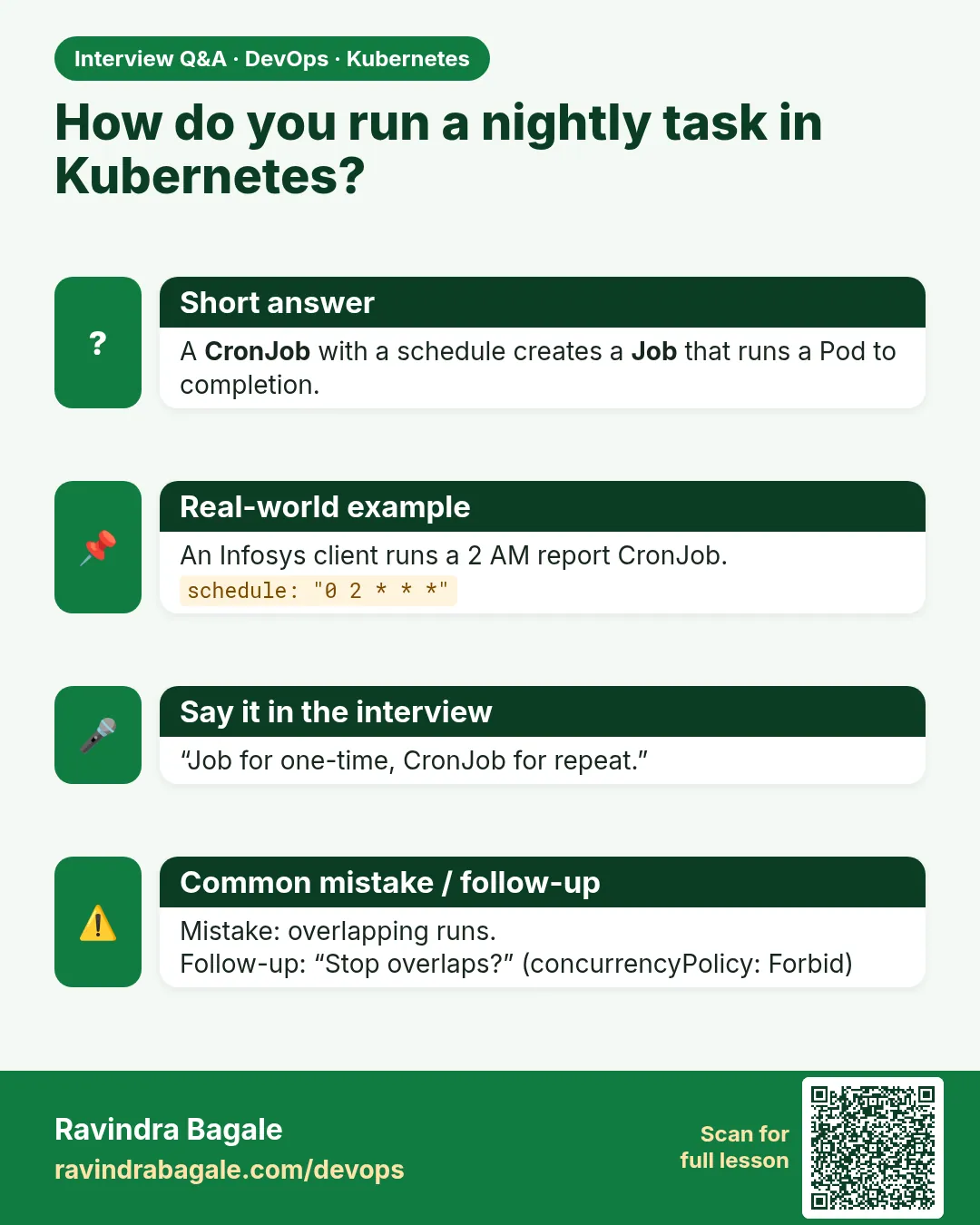
  schedule: "0 2 * * 0"
  timeZone: "Asia/Kolkata"
  concurrencyPolicy: Forbid
  startingDeadlineSeconds: 300
  successfulJobsHistoryLimit: 3
  failedJobsHistoryLimit: 1
  jobTemplate:
    spec:
      backoffLimit: 1
      template:
        spec:
          restartPolicy: OnFailure
          containers:
          - name: clean
            image: busybox:1.36
            command: ["sh", "-c", "echo deleting uploads older than 30 days; echo removed 214 files"]
terminal
kubectl apply -f cleanup.yaml
kubectl create job cleanup-manual --from=cronjob/cleanup
kubectl wait --for=condition=complete job/cleanup-manual
kubectl logs job/cleanup-manual
kubectl patch cronjob cleanup -p '{"spec":{"suspend":true}}'
kubectl get cronjob cleanup
What each line does
schedule 0 2 * * 0— Sunday at 2:00.timeZone— Run at 2 a.m. India time, not UTC.concurrencyPolicy: Forbid— Skip a run if the last one is still going.history limits— Keep only a few old Jobs.create job --from=cronjob— Test it now, without waiting for Sunday.suspend: true— Pause the schedule without deleting it.
Green output
cronjob.batch/cleanup created
job.batch/cleanup-manual created
job.batch/cleanup-manual condition met
deleting uploads older than 30 days
removed 214 files
cronjob.batch/cleanup patched
NAME      SCHEDULE    TIMEZONE       SUSPEND   ACTIVE   LAST SCHEDULE
cleanup   0 2 * * 0   Asia/Kolkata   True      0        none
Expected result. Always test a CronJob with create job --from before trusting the schedule.
Verify: did it work?
-
See CronJob runs
kubectl get jobs -l job-name --sort-by=.metadata.creationTimestamp; kubectl get jobsWhat it does: Each minute a new tick Job appears; old ones are trimmed to the history limit.
Output
NAME STATUS COMPLETIONS AGE tick-28800001 Complete 1/1 2m tick-28800002 Complete 1/1 1m tick-28800003 Complete 1/1 5s -
Read the last run
kubectl logs job/$(kubectl get jobs -o name | grep tick | tail -1 | cut -d/ -f2)What it does: Shows output of the newest tick.
Output
Sun Oct 25 06:31:00 UTC 2026
tick
When it is red 1
The Job "pi" is invalid: spec.template.spec.restartPolicy: Required value: valid values: "OnFailure", "Never"
Cause. restartPolicy Always is not allowed in a Job.
Fix, step by step
- Set restartPolicy: Never or OnFailure in the Pod template.
When it is red 2
Cannot determine if job needs to be started: too many missed start times (> 100)
Cause. The CronJob controller was down or the schedule was suspended for long.
Fix, step by step
- Set startingDeadlineSeconds, for example 300.
- Check the controller manager is healthy.
When it is red 3
Job runs twice at the same time and data is corrupted
Cause. concurrencyPolicy is Allow (the default) and the job took longer than the interval.
Fix, step by step
- Set concurrencyPolicy: Forbid.
- Make the script safe to run twice.
Cleanup
-
Delete Jobs and CronJobs
kubectl delete job --all
kubectl delete cronjob --all
What it does: Removes everything batch related in the namespace.
Output
job.batch "pi" deleted ... cronjob.batch "tick" deleted cronjob.batch "cleanup" deleted -
Delete the practice namespace
kubectl delete namespace practiceWhat it does: Deletes every object you made in this lesson in one go.
Output
namespace "practice" deleted
Ravindra Bagale's Tip
Kaam sampla ki Pod band, tyasathi Job. Thraavik velet chalvaycha asel tar CronJob, ani timeZone Asia/Kolkata theva. Lakshat theva!
Practice tasks
Easy Read cron
Why: Cron mistakes run jobs at wrong times.
What to do: Write cron lines for: every 15 minutes, 9 a.m. weekdays, 1st of month midnight.
- */15 * * * *
- 0 9 * * 1-5
- 0 0 1 * *
Check: All three are correct.
Medium Gate a release
Why: CI uses Jobs for migrations.
What to do: Run a migration Job and wait on success or failure in a script.
- kubectl apply -f migrate.yaml
- kubectl wait --for=condition=complete job/migrate --timeout=60s || exit 1
Check: The script exits 1 on failure.
Hard Work queue
Why: Real batch systems.
What to do: Run a Job with parallelism 3 that pops items from a Redis list until empty.
- Run Redis.
- Push 10 items.
- Workers use redis-cli LPOP.
Check: All 10 items processed once.
Easy Say Jobs and CronJobs in two lines
Why: If you can say it simply, you understand it. Interviewers want the short version first.
What to do: Write two short lines about Jobs and CronJobs for a fresher who knows only Docker basics.
- Write what problem it solves.
- Write the one kubectl command you use for it.
- Read it aloud to a friend.
Check: A fresher understands it without asking a question.
Easy Start a fresh lab cluster
Why: Practice needs a throwaway cluster. If you break it, you delete it and start again.
What to do: Create a kind cluster, or a minikube cluster, and check the node is Ready.
- kind create cluster --name lab
- kubectl get nodes
- kubectl get pods -A
Check: One node shows STATUS Ready and the kube-system Pods are Running.
Medium Break it on purpose
Why: You must know the red message by face. During an outage there is no time to read slowly.
What to do: Cause one error from the "When it is red" part of this lesson and fix it.
- Follow the error section.
- Copy the exact message and the kubectl describe Events into your notes.
- Write the fix in one line.
Check: You fixed it using only the steps, without searching the web.
Medium Write a one-page runbook
Why: At 2 a.m. nobody remembers the right command. A short page saves the on-call person.
What to do: Write a runbook page for this lesson.
- Title, when to use, exact kubectl command, how to check, how to undo.
Check: A teammate can follow it alone.
Medium Repeat it on a cloud cluster
Why: kind is a laptop toy. Real clusters run on EKS, GKE, AKS or k3s on a VM.
What to do: Do the main steps of this lesson again on a small k3s VM or a free-tier managed cluster.
- Install k3s on one Ubuntu 22.04 VM: curl -sfL https://get.k3s.io | sh -
- Copy the kubeconfig.
- Apply the same YAML and compare the output.
Check: Same output on the cloud cluster as on kind.
Hard Explain it like an interview
Why: Interviewers want real stories, not definitions.
What to do: Record a 60 second answer about this lesson.
- Say the problem, the YAML field you used, the kubectl command you ran, and one error you hit.
Check: Your answer has a real command and a real error message.
Hard Draw the flow top to bottom
Why: A drawing shows who talks to whom and in what order.
What to do: Draw this lesson as boxes from top to bottom.
- Start at kubectl apply, go through the API server, controller and scheduler, end at the running container.
Check: Each box matches a real thing you saw in kubectl output.
Homework: try at home
Try at home
At home, write a CronJob that runs every 2 minutes in Asia/Kolkata time, uses Forbid, keeps 2 successful Jobs, and prints the date. Trigger it once by hand, then suspend it.
Recap
- A Job runs Pods until they succeed.
- completions and parallelism split batch work.
- backoffLimit and activeDeadlineSeconds stop endless retries.
- A CronJob makes Jobs on a schedule, with timeZone.
- Use Forbid, history limits and create job --from for safety.
FAQ
Why not run the cron inside a container?
Then one Pod must run forever and you lose retries, history and kubectl logs per run.
Default time zone?
The controller time zone, usually UTC. Set timeZone to be sure.
Can a CronJob run every 10 seconds?
No. The smallest unit is one minute.
Are Job logs kept?
As long as the Pods exist. Ship logs to a central store for long history.
What is Indexed mode for?
Each Pod gets a fixed index, useful to split a list of items.
Interview questions
-
Job versus Deployment?
A Job runs to completion; a Deployment keeps Pods running forever and restarts them if they exit.
-
How do you stop a Job from retrying forever?
backoffLimit and activeDeadlineSeconds.
-
What is concurrencyPolicy?
It decides if a CronJob may start a new run while the previous is running: Allow, Forbid or Replace.
-
How do you clean old Jobs?
ttlSecondsAfterFinished and successfulJobsHistoryLimit or failedJobsHistoryLimit.
-
How do you test a CronJob without waiting?
kubectl create job --from=cronjob/NAME.
Quick quiz
Q1. Which restartPolicy values are allowed in a Job?
Never and OnFailure.
Q2. What does parallelism: 2 mean?
At most two Pods run at once.
Q3. What does concurrencyPolicy: Forbid do?
Skips a new run while the last one is still running.
Q4. How do you run a CronJob now?
kubectl create job NAME --from=cronjob/CRON.
Q5. What cleans up finished Jobs?
ttlSecondsAfterFinished or the CronJob history limits.
Samajla ka?
 Revision card
 Interview card
 Comparison card