Chapter 21: Jenkins Pipeline and Jenkinsfile
21.8 Multibranch awareness (not required for the lab)
Why: the problem
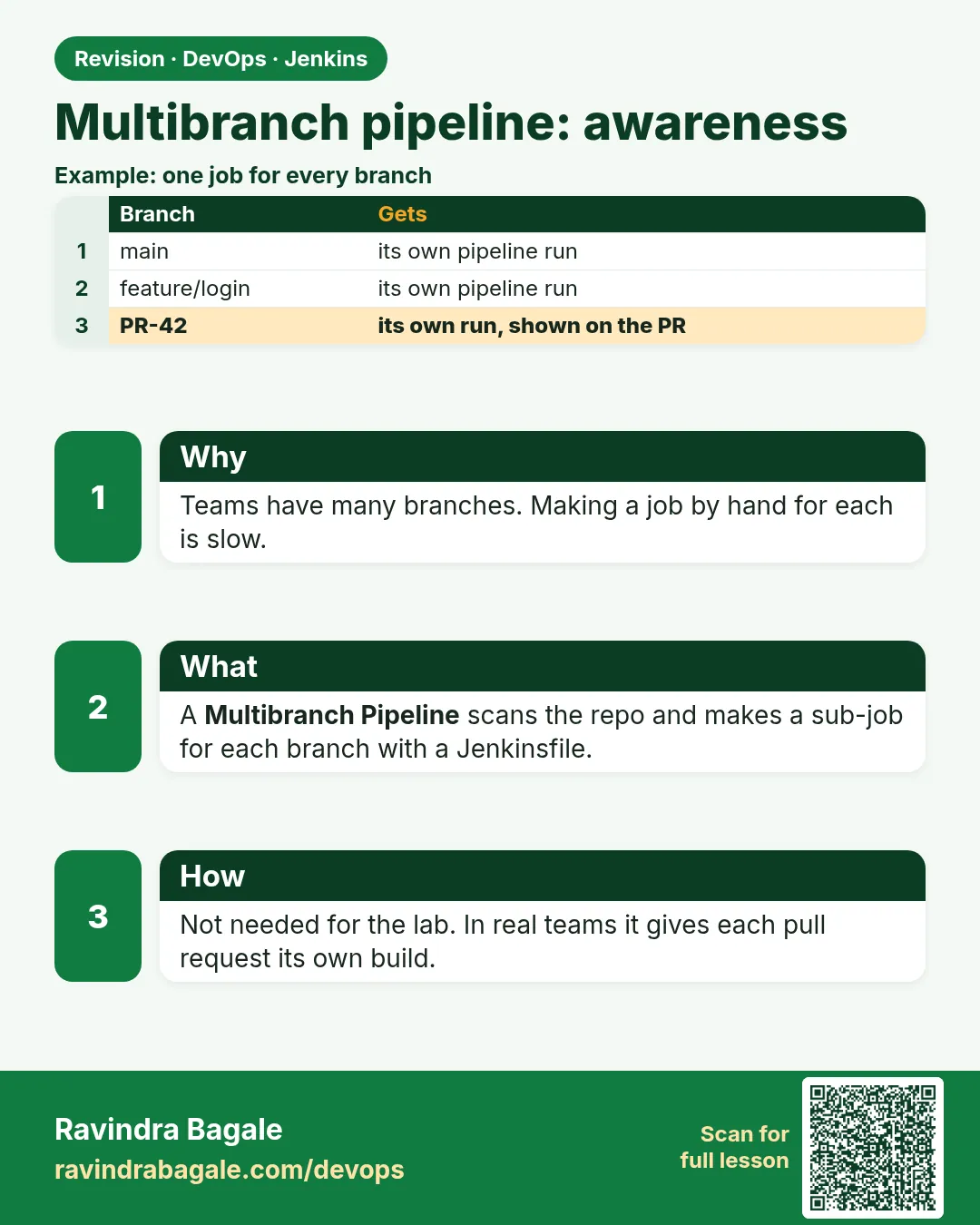
In a real team, nobody pushes straight to main. Think of Flipkart. Fifty developers each work on a feature branch, like feature/coupon or fix/login. Each branch needs its own build before it can merge. With a normal Pipeline job you would need fifty jobs, made by hand. A Multibranch Pipeline job solves this. You point it at a repo once. It scans all branches. Every branch that has a Jenkinsfile gets its own small job, made automatically. When a branch is deleted, its job goes away. Pull requests get builds too. The same Jenkinsfile can act differently per branch, using the BRANCH_NAME variable. For example, only main goes to the lab live folder. This lesson is awareness: you do not need it for the main lab, but every company uses it.
What we will build
You will create a Multibranch Pipeline for the badge repo. You will push two feature branches and watch jobs appear. You will add a when branch rule so only main updates Lab Live. You will delete a branch and see its job removed.
What: every term in plain English
- Multibranch Pipeline — A job type that makes one child job per branch with a Jenkinsfile.
- Branch source — Where branches come from: Git, GitLab, Bitbucket and others.
- Scan — Jenkins checks the repo for branches and Jenkinsfiles.
- BRANCH_NAME — Variable with the branch being built, like main or feature/coupon.
- CHANGE_ID — Set only for pull or merge request builds.
- Orphaned item strategy — What to do with jobs of deleted branches.
- Webhook — The Git server tells Jenkins about a push at once, no waiting for scan.
- when branch — Runs a stage only on matching branches.
How: step by step
-
Create the job
New Item > badge-multi > Multibranch Pipeline > OKWhat it does: A folder-like job.
Output
Saved -
Add a branch source
Branch Sources > Add > Git > URL > Credentials: git-readonlyWhat it does: Tells Jenkins which repo to scan.
Output
Saved -
Set scan interval
Scan Multibranch Pipeline Triggers > Periodically if not otherwise run > 15 minutesWhat it does: A backup scan if a webhook is missed.
Output
Saved -
Push branches
git checkout -b feature/coupon && git push -u origin feature/couponWhat it does: A new branch with the Jenkinsfile.
Output
branch feature/coupon set up to track origin -
Scan now
badge-multi > Scan Multibranch Pipeline NowWhat it does: Finds the new branch.
Output
Checking branch feature/coupon Met criteria Scheduled build for branch: feature/coupon -
Delete a branch
git push origin --delete feature/couponWhat it does: Next scan removes its job.
Output
- [deleted] feature/coupon
Example 1: One Jenkinsfile, branch aware
Stack. Multibranch Pipeline
Goal. One Jenkinsfile, branch aware.
Jenkinsfile
pipeline {
  agent any
  stages {
    stage('Info') { steps { echo "Branch: ${env.BRANCH_NAME}" } }
    stage('Test') { steps { sh 'npm ci && npm test' } }
    stage('Live') {
      when { branch 'main' }
      steps { sh 'mkdir -p "$HOME/lab-live/badge-node" && cp -r dist/* "$HOME/lab-live/badge-node/" || true' }
    }
  }
}
What each line does
env.BRANCH_NAME— Set by Multibranch for each child job.when { branch 'main' }— Live runs only on main.Other branches— Get Info and Test only.
Green output
Branch: feature/coupon
Tests: 2 passed, 2 total
Stage "Live" skipped due to when conditional
Finished: SUCCESS
Expected result. Feature branches are tested but never touch Live.
Example 2: Scan log and the job list
Stack. Multibranch scan
Goal. Scan log and the job list.
scan log
Checking branches...
  Checking branch main
      Jenkinsfile found
    Met criteria
  Checking branch feature/coupon
      Jenkinsfile found
    Met criteria
  Checking branch docs-only
      Jenkinsfile not found
    Does not meet criteria
Processed 3 branches
What each line does
Jenkinsfile found— Branch gets a child job.Jenkinsfile not found— Branch is ignored.Processed 3 branches— Total branches scanned.
Green output
badge-multi
  main            #4  SUCCESS
  feature/coupon  #1  SUCCESS
Expected result. Only branches with a Jenkinsfile become jobs.
Example 3: Pull request builds and a GitLab webhook
Stack. Multibranch with GitLab branch source
Goal. Pull request builds and a GitLab webhook.
Jenkinsfile stage
stage('PR check') {
  when { changeRequest() }
  steps {
    echo "PR ${env.CHANGE_ID} from ${env.CHANGE_BRANCH} into ${env.CHANGE_TARGET}"
    sh 'npm run lint || true'
  }
}
webhook
GitLab project > Settings > Webhooks
URL     : https://jenkins.example.com/project/badge-multi
Trigger : Push events, Merge request events
Secret  : stored as Jenkins credential gitlab-hook
What each line does
when changeRequest()— Runs only for PR or MR builds.CHANGE_ID— The PR number.CHANGE_TARGET— The branch it will merge into.Webhook URL— The GitLab plugin endpoint for this job.
Green output
PR 42 from feature/coupon into main
+ npm run lint
0 problems
Finished: SUCCESS
Expected result. The pull request shows a green check from Jenkins before merge.
Example 4: Branch filter and different targets per branch
Stack. Multibranch Pipeline
Goal. Branch filter and different targets per branch.
Multibranch settings
Branch Sources > Git > Behaviours > Add > Filter by name (with wildcards)
Include: main develop feature/* release/*
Exclude: feature/tmp-*
Orphaned Item Strategy: Discard old items, Max # of old items to keep: 0
Jenkinsfile
pipeline {
  agent any
  environment {
    TARGET = "${env.BRANCH_NAME == 'main' ? 'lab-live' : (env.BRANCH_NAME.startsWith('release/') ? 'lab-stage' : 'none')}"
  }
  stages {
    stage('Test') { steps { sh 'npm ci && npm test' } }
    stage('Copy') {
      when { not { environment name: 'TARGET', value: 'none' } }
      steps { echo "Copy ${BRANCH_NAME} to ${TARGET}" }
    }
  }
}
What each line does
Include / Exclude— Only matching branches get jobs. Temp branches are ignored.Discard old items— Jobs of deleted branches are removed at once.TARGET ternary— main goes to lab-live, release branches to lab-stage, others nowhere.when not environment— Skip Copy when TARGET is none.
Green output
badge-multi/main            Copy main to lab-live
badge-multi/release/1.4     Copy release/1.4 to lab-stage
badge-multi/feature/coupon  Stage "Copy" skipped due to when conditional
(feature/tmp-test not built: excluded by filter)
Expected result. One file, three behaviours. This is how most company pipelines handle environments.
Verify: did it work?
-
See child jobs
badge-multi pageWhat it does: One row per branch.
Output
main, feature/coupon -
Read the scan log
badge-multi > Scan Multibranch Pipeline LogWhat it does: Explains why a branch was or was not built.
Output
Met criteria
When it is red 1
Does not meet criteria
Cause. The branch has no Jenkinsfile, or a different name.
Fix, step by step
- Push the Jenkinsfile to that branch.
- Check Script Path in Build Configuration.
When it is red 2
Builds start only every 15 minutes
Cause. No webhook, so Jenkins waits for scans.
Fix, step by step
- Add the webhook.
- Check the delivery log on the Git server.
When it is red 3
Old branch jobs still present
Cause. Orphaned item strategy keeps them.
Fix, step by step
- Set Discard old items.
- Run a scan.
Cleanup
-
Delete the multibranch job
badge-multi > Delete Multibranch PipelineWhat it does: Removes all child jobs.
Output
Deleted -
Delete test branches
git push origin --delete feature/couponWhat it does: Removes lab branches.
Output
- [deleted] feature/coupon
Ravindra Bagale's Tip
Prattek branch la swatahacha job. Live fakt main var. Webhook lava. Lakshat theva!
Practice tasks
Easy Create badge-multi
Why: Every company uses it.
What to do: Scan the repo.
- Git source.
Check: main job appears.
Medium Branch rule
Why: Protect Live.
What to do: Add when branch main.
- Push a feature.
Check: Live skipped on feature.
Hard Webhook
Why: Fast feedback.
What to do: Add a GitLab webhook.
- Test delivery.
Check: Build starts in seconds.
Easy Say Multibranch Pipelines in two lines
Why: If you can say it simply, you understand it. Juniors and interviewers want the short version first.
What to do: Write two short lines about Multibranch Pipelines for a fresher who knows only Linux basics.
- Write what problem it solves.
- Write the one command or menu you use for it.
- Read it aloud to a friend.
Check: A fresher understands it without asking a question.
Easy Start a fresh lab Jenkins
Why: Practice needs a throwaway Jenkins. If you break it, you delete it and start again.
What to do: Run Jenkins LTS in Docker with a named volume.
- docker volume create jenkins_home
- docker run -d --name jenkins -p 8080:8080 -v jenkins_home:/var/jenkins_home jenkins/jenkins:lts-jdk17
- docker exec jenkins cat /var/jenkins_home/secrets/initialAdminPassword
Check: The Jenkins unlock page opens on localhost:8080.
Medium Break it on purpose
Why: You must know the red message by face. During an outage there is no time to read slowly.
What to do: Cause one error from the "When it is red" part of this lesson and fix it.
- Follow the error section.
- Copy the exact message into your notes.
- Write the fix in one line.
Check: You fixed it using only the steps, without searching the web.
Medium Write a one-page runbook
Why: At 2 a.m. nobody remembers where a file lives. A short page saves the on-call person.
What to do: Write a runbook page for this lesson.
- Title, when to use, exact command, how to check, how to undo.
Check: A teammate can follow it alone.
Medium Repeat it on a cloud VM
Why: A laptop is not a server. Real Jenkins runs on EC2 or a company VM.
What to do: Do the main steps of this lesson again on a small Ubuntu 22.04 EC2 instance.
- Launch t3.small with 20 GB disk.
- Open port 22 only to your IP.
- Repeat the steps and compare the output.
Check: Same green output on the VM as on your laptop.
Hard Explain it like an interview
Why: Interviewers want real stories, not definitions.
What to do: Record a 60 second answer about this lesson.
- Say the problem, the command you ran, and one error you hit.
Check: Your answer has a real command and a real error message.
Hard Draw the flow top to bottom
Why: A drawing shows who talks to whom and in what order.
What to do: Draw this lesson as boxes from top to bottom.
- Start at the developer push, go through the controller and agent, end at the result.
Check: Each box matches a real thing you saw on screen.
Homework: try at home
Try at home
At home, make a Multibranch job, push two branches, and show that only main runs Live.
Recap
- Multibranch makes jobs per branch.
- The Jenkinsfile decides per branch with when.
- PR builds have CHANGE_ID.
- Use webhooks plus a slow scan.
- Deleted branches remove their jobs.
FAQ
Do I need Multibranch for the lab?
No, but learn it for work.
Can I filter branches?
Yes, with Filter by name, like main feature/ release/.
What is an Organization Folder?
It scans many repos and makes Multibranch jobs for each.
Are PR builds safe?
Be careful with forks. Do not give secrets to untrusted PRs.
Can I build tags?
Yes, add Discover tags.
How do I rebuild one branch?
Open its child job and click Build Now. Other branches are not touched.
Interview questions
-
What is a Multibranch Pipeline?
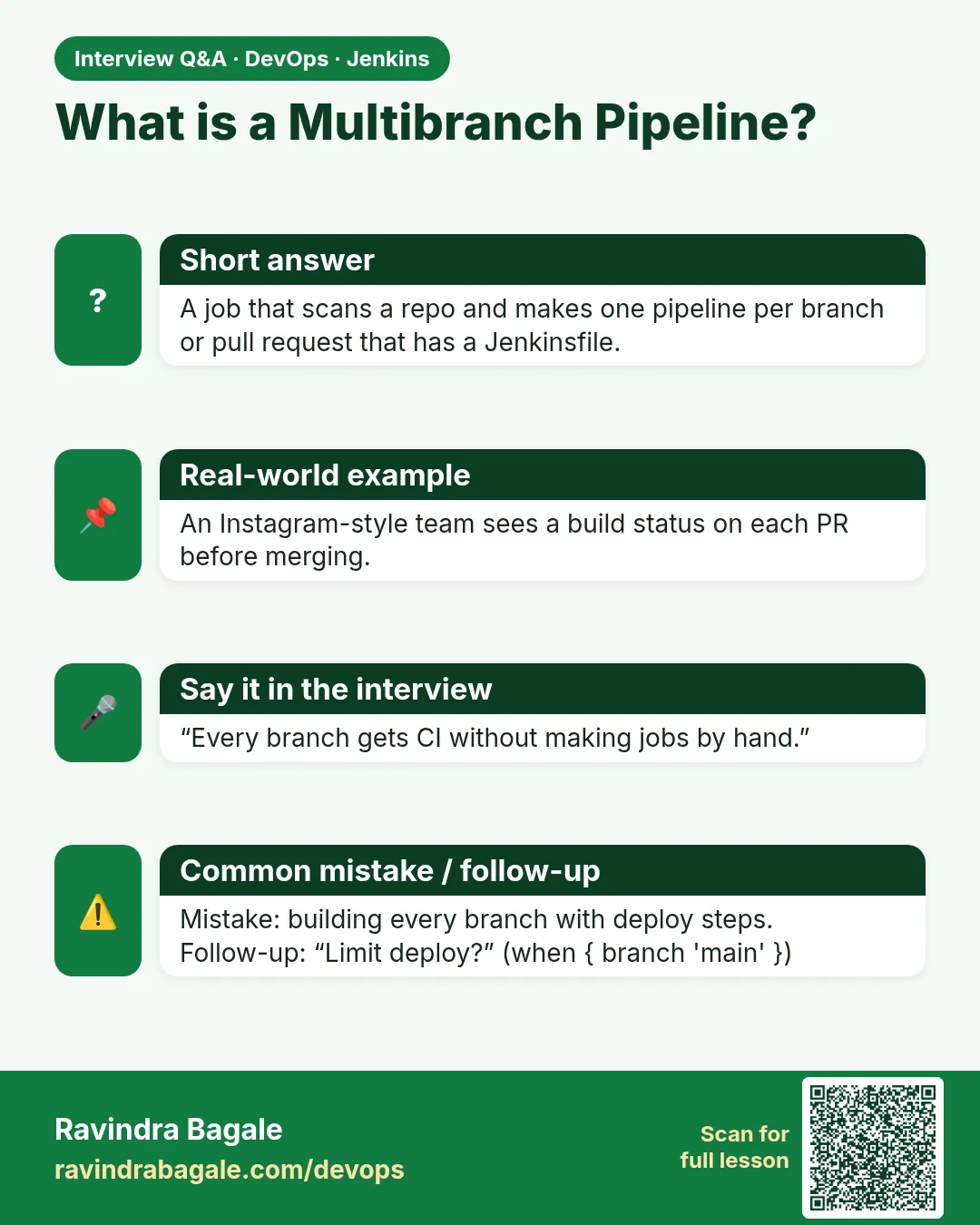
A job that scans a repo and makes a child pipeline for each branch and PR that has a Jenkinsfile.
-
How do you deploy only from main?
when branch main on the deploy stage.
-
Why do branch builds start late?
Missing or broken webhook; Jenkins waits for the periodic scan.
-
How do you build pull requests?
Use a branch source like GitLab or Bitbucket with PR discovery; check CHANGE_ID.
-
What happens when a branch is deleted?
The scan marks its job orphaned and removes it per the strategy.
-
How do you stop temp branches from building?
Add a Filter by name behaviour with include and exclude patterns.
Quick quiz
Q1. What does Multibranch make?
One job per branch with a Jenkinsfile.
Q2. Which variable has the branch?
BRANCH_NAME.
Q3. How do you limit a stage to main?
when branch main.
Q4. What is set only on PR builds?
CHANGE_ID.
Q5. Why add a webhook?
Builds start at once.
Samajla ka?
 Revision card
 Interview card