Chapter 21: Jenkins Pipeline and Jenkinsfile
21.6 Optional: bind a credential by id (pattern only)
Why: the problem
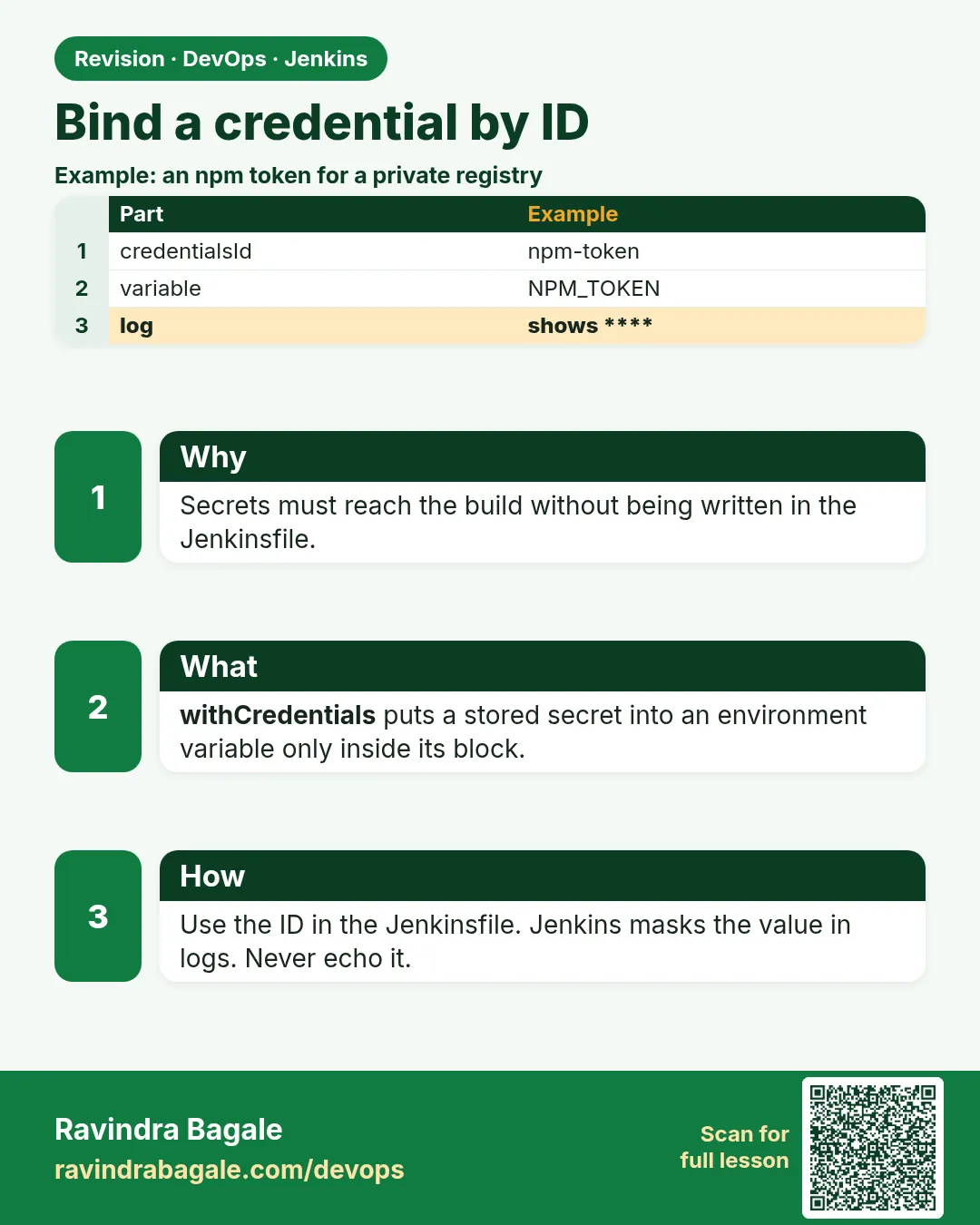
Every real pipeline needs a secret. A token to push an image. A password for a database test. An SSH key for a server. Think of PhonePe. If one token leaks in a build log, an attacker can push a bad image to production. So the rule is strict. The secret lives only in Jenkins credentials, encrypted. The Jenkinsfile only knows the credential ID, a plain name like registry-login. At run time Jenkins puts the secret in an environment variable for a short time and hides it in the log with stars. In this lesson you will create three kinds of credentials, use them with withCredentials and with the credentials() helper, and prove that the log never shows the value. All values in this lesson are fake lab values.
What we will build
You will add a secret text, a username and password, and an SSH key in Jenkins. You will write three stages that use them safely. You will try to print a secret and see Jenkins mask it. You will learn the Groovy string trap that leaks secrets.
What: every term in plain English
- Credential — A secret stored by Jenkins, like a token, password or key.
- Credential ID — The plain name you use in the Jenkinsfile. Not secret.
- Secret text — One secret string, like an API token.
- Username with password — A pair, like a registry login.
- SSH Username with private key — A key to log in to servers.
- withCredentials — A step that puts a secret in a variable only inside its block.
- credentials() — A helper in environment that binds a credential to a variable.
- Masking — Jenkins replaces the secret with **** in the log.
How: step by step
-
Add a secret text
Manage Jenkins > Credentials > System > Global > Add > Kind: Secret text > Secret: lab-fake-token-123 > ID: api-tokenWhat it does: Stores a fake lab token.
Output
api-token created -
Add a username and password
Add > Username with password > Username: ci-bot > Password: lab-fake-pass > ID: registry-loginWhat it does: A fake registry login.
Output
registry-login created -
Add an SSH key
Add > SSH Username with private key > Username: deploy > Key: paste lab key > ID: lab-sshWhat it does: A key for the lab server.
Output
lab-ssh created -
Install the plugin
Manage Jenkins > Plugins > Credentials Binding, SSH AgentWhat it does: Gives withCredentials and sshagent.
Output
Success -
Use them
Write the Jenkinsfile from the examplesWhat it does: Each stage binds only what it needs.
Output
(file saved) -
Check the log
Console OutputWhat it does: Secrets show as ****.
Output
curl -H Authorization: Bearer ****
Example 1: Secret text with withCredentials
Stack. Credentials Binding plugin
Goal. Secret text with withCredentials.
Jenkinsfile
pipeline {
  agent any
  stages {
    stage('Call API') {
      steps {
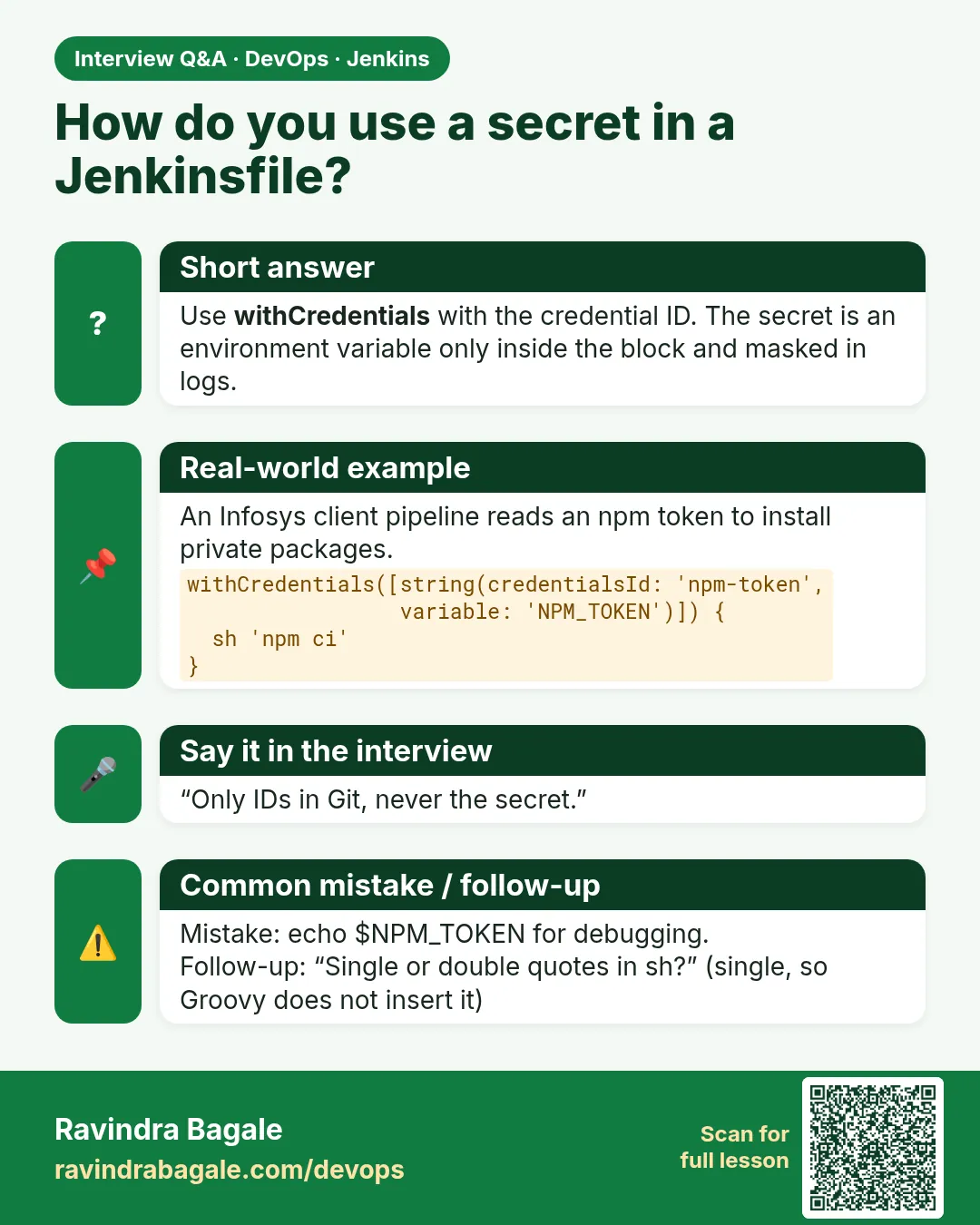
        withCredentials([string(credentialsId: 'api-token', variable: 'TOKEN')]) {
          sh 'curl -s -o /dev/null -w "%{http_code}" -H "Authorization: Bearer $TOKEN" https://httpbin.org/bearer'
          sh 'echo "token is $TOKEN"'
        }
      }
    }
  }
}
What each line does
withCredentials([...])— Opens a block where the secret exists.string(credentialsId: 'api-token', variable: 'TOKEN')— Secret text into the TOKEN variable.sh '...$TOKEN...'— Single quotes: the shell reads TOKEN. Groovy never sees the value.echo token— Even a print is masked.
Green output
[Pipeline] withCredentials
Masking supported pattern matches of $TOKEN
+ curl -s -o /dev/null -w %{http_code} -H Authorization: Bearer **** https://httpbin.org/bearer
200
+ echo token is ****
token is ****
Finished: SUCCESS
Expected result. The value was used and never shown.
Example 2: Username and password with credentials() in environment
Stack. Jenkins, Docker
Goal. Username and password with credentials() in environment.
Jenkinsfile
pipeline {
  agent any
  environment {
    REG = credentials('registry-login')
  }
  stages {
    stage('Login') {
      steps {
        sh 'echo "user is $REG_USR"'
        sh 'echo "$REG_PSW" | docker login registry.example.com -u "$REG_USR" --password-stdin'
      }
    }
  }
  post { always { sh 'docker logout registry.example.com || true' } }
}
What each line does
credentials('registry-login')— Binds the pair to REG.REG_USR and REG_PSW— Jenkins makes these two extra variables.--password-stdin— Password goes in through a pipe, not the command line.docker logout— Removes the saved login after the build.
Green output
+ echo user is ****
user is ****
+ echo ****
+ docker login registry.example.com -u **** --password-stdin
Login Succeeded
+ docker logout registry.example.com
Removing login credentials for registry.example.com
Expected result. Even the username is masked, because it is part of the credential.
Example 3: The Groovy string trap, and SSH key use
Stack. SSH Agent plugin
Goal. The Groovy string trap, and SSH key use.
Jenkinsfile (bad and good)
pipeline {
  agent any
  stages {
    stage('Bad') {
      steps {
        withCredentials([string(credentialsId: 'api-token', variable: 'TOKEN')]) {
          sh "curl -H 'Authorization: Bearer ${TOKEN}' https://httpbin.org/bearer"
        }
      }
    }
    stage('SSH') {
      steps {
        sshagent(credentials: ['lab-ssh']) {
          sh 'ssh -o StrictHostKeyChecking=accept-new deploy@10.0.1.20 "hostname && uptime"'
        }
      }
    }
  }
}
What each line does
sh "...${TOKEN}..."— Double quotes: Groovy puts the secret into the command text. Jenkins warns.Fix— Use single quotes and $TOKEN so the shell reads it.sshagent(credentials: ['lab-ssh'])— Loads the key into an SSH agent only for this block.accept-new— Trusts a new host once, then checks it later.
Green output
Warning: A secret was passed to "sh" using Groovy String interpolation, which is insecure.
         Affected argument(s) used the following variable(s): [TOKEN]
[Pipeline] stage (SSH)
[ssh-agent] Using credentials deploy (lab-ssh)
+ ssh -o StrictHostKeyChecking=accept-new deploy@10.0.1.20 hostname && uptime
lab-web-01
 10:52:11 up 3 days,  2:10,  0 users,  load average: 0.04, 0.03, 0.00
Finished: SUCCESS
Expected result. Read the warning. Always use single quotes with secrets.
Example 4: Secret file credential for a kubeconfig
Stack. Credentials Binding, kubectl
Goal. Secret file credential for a kubeconfig.
Jenkinsfile
pipeline {
  agent any
  stages {
    stage('Cluster check') {
      steps {
        withCredentials([file(credentialsId: 'lab-kubeconfig', variable: 'KUBECONFIG')]) {
          sh 'kubectl get nodes -o wide'
          sh 'ls -l "$KUBECONFIG"'
        }
        sh 'echo "after block: ${KUBECONFIG:-gone}"'
      }
    }
  }
}
What each line does
file(credentialsId: ...)— A Secret file credential. Jenkins writes it to a temp file.variable KUBECONFIG— kubectl reads this variable to find its config.ls -l— Shows the temp path, masked.after block— The temp file is deleted and the variable is gone.
Green output
+ kubectl get nodes -o wide
NAME        STATUS   ROLES           AGE   VERSION
lab-node1   Ready    control-plane   12d   v1.30.2
+ ls -l ****
-r-------- 1 jenkins jenkins 5521 Oct 25 10:58 ****
+ echo after block: gone
after block: gone
Finished: SUCCESS
Expected result. Files like kubeconfig or a service account JSON work the same way. They exist only inside the block.
Verify: did it work?
-
Search the log for secrets
curl -s -u admin:API_TOKEN http://localhost:8080/job/badge-scm/lastBuild/consoleText | grep -c lab-fakeWhat it does: Counts raw secret hits in the log. Must be 0.
Output
0 -
List credential IDs
Manage Jenkins > CredentialsWhat it does: Shows IDs, never values.
Output
api-token, registry-login, lab-ssh
When it is red 1
ERROR: Could not find credentials entry with ID 'api-tokn'
Cause. The ID is misspelled or in another folder scope.
Fix, step by step
- Copy the ID from the Credentials page.
- Check folder credentials.
When it is red 2
Warning: A secret was passed to "sh" using Groovy String interpolation
Cause. Double quotes with a secret.
Fix, step by step
- Switch to single quotes.
- Use $VAR not ${VAR} in Groovy.
When it is red 3
No such DSL method 'sshagent' found
Cause. SSH Agent plugin missing.
Fix, step by step
- Install it.
- Restart Jenkins.
When it is red 4
Permission denied (publickey)
Cause. Wrong key or the public key is not on the server.
Fix, step by step
- Add the public key to authorized_keys.
- Check the username.
Cleanup
-
Delete lab credentials
Manage Jenkins > Credentials > api-token > Delete (repeat)What it does: Removes the fake lab secrets.
Output
Deleted -
Rotate real tokens
Make a new token at the provider, update the credential, revoke the old oneWhat it does: Rotation limits damage if a token leaks.
Output
Token revoked
Ravindra Bagale's Tip
Jenkinsfile madhe fakt ID. Secret sathi single quotes. Double quotes mhanje dhoka. Lakshat theva!
Practice tasks
Easy Add three credentials
Why: Every pipeline needs them.
What to do: Create the three fake ones.
- Use clear IDs.
Check: All three listed.
Medium Use with single quotes
Why: Avoid the leak.
What to do: Write the API stage.
- Check for ****.
Check: No raw value in log.
Hard Find the warning
Why: Spot leaks in reviews.
What to do: Use double quotes once.
- Read the warning.
Check: You can explain it.
Easy Say credentials in a Jenkinsfile in two lines
Why: If you can say it simply, you understand it. Juniors and interviewers want the short version first.
What to do: Write two short lines about credentials in a Jenkinsfile for a fresher who knows only Linux basics.
- Write what problem it solves.
- Write the one command or menu you use for it.
- Read it aloud to a friend.
Check: A fresher understands it without asking a question.
Easy Start a fresh lab Jenkins
Why: Practice needs a throwaway Jenkins. If you break it, you delete it and start again.
What to do: Run Jenkins LTS in Docker with a named volume.
- docker volume create jenkins_home
- docker run -d --name jenkins -p 8080:8080 -v jenkins_home:/var/jenkins_home jenkins/jenkins:lts-jdk17
- docker exec jenkins cat /var/jenkins_home/secrets/initialAdminPassword
Check: The Jenkins unlock page opens on localhost:8080.
Medium Break it on purpose
Why: You must know the red message by face. During an outage there is no time to read slowly.
What to do: Cause one error from the "When it is red" part of this lesson and fix it.
- Follow the error section.
- Copy the exact message into your notes.
- Write the fix in one line.
Check: You fixed it using only the steps, without searching the web.
Medium Write a one-page runbook
Why: At 2 a.m. nobody remembers where a file lives. A short page saves the on-call person.
What to do: Write a runbook page for this lesson.
- Title, when to use, exact command, how to check, how to undo.
Check: A teammate can follow it alone.
Medium Repeat it on a cloud VM
Why: A laptop is not a server. Real Jenkins runs on EC2 or a company VM.
What to do: Do the main steps of this lesson again on a small Ubuntu 22.04 EC2 instance.
- Launch t3.small with 20 GB disk.
- Open port 22 only to your IP.
- Repeat the steps and compare the output.
Check: Same green output on the VM as on your laptop.
Hard Explain it like an interview
Why: Interviewers want real stories, not definitions.
What to do: Record a 60 second answer about this lesson.
- Say the problem, the command you ran, and one error you hit.
Check: Your answer has a real command and a real error message.
Hard Draw the flow top to bottom
Why: A drawing shows who talks to whom and in what order.
What to do: Draw this lesson as boxes from top to bottom.
- Start at the developer push, go through the controller and agent, end at the result.
Check: Each box matches a real thing you saw on screen.
Homework: try at home
Try at home
At home, add a fake secret text, use it with withCredentials in single quotes, then try double quotes and read the warning. Screenshot both.
Recap
- Secrets live in Jenkins credentials.
- The Jenkinsfile only has the ID.
- Use withCredentials or credentials().
- Always single quotes in sh.
- Rotate tokens and log out after use.
FAQ
Is masking enough?
No. A script can still leak a secret by encoding it. Limit who can edit Jenkinsfiles.
Folder or global credentials?
Folder credentials limit a secret to one team.
Can I use a vault?
Yes, with plugins for HashiCorp Vault or AWS Secrets Manager.
Why not environment variables on the agent?
They are not masked and anyone on the agent can read them.
What about cloud keys?
Prefer IAM roles on the agent instead of stored keys.
Interview questions
-
How do you use secrets in a Jenkinsfile?
Store them as credentials and bind by ID with withCredentials or credentials(), using single quoted sh.
-
What is the Groovy interpolation risk?
Double quoted strings put the secret value into the command text, which can leak in process lists.
-
How do you log in to a registry safely?
Pipe the password with --password-stdin and log out in post always.
-
How do you SSH from Jenkins?
sshagent with an SSH key credential and host key checking.
-
A token leaked in a log. What now?
Revoke it, rotate it, delete the build log, find the cause.
Quick quiz
Q1. What goes in the Jenkinsfile, the secret or the ID?
The ID.
Q2. Which quotes are safe with secrets in sh?
Single quotes.
Q3. What variables does credentials() make for a username and password?
NAME_USR and NAME_PSW.
Q4. How does Jenkins hide secrets?
It masks them with ****.
Q5. Which step loads an SSH key?
sshagent.
Samajla ka?
 Revision card
 Interview card