Chapter 21: Jenkins Pipeline and Jenkinsfile
21.3 Create a Pipeline job from SCM
Why: the problem
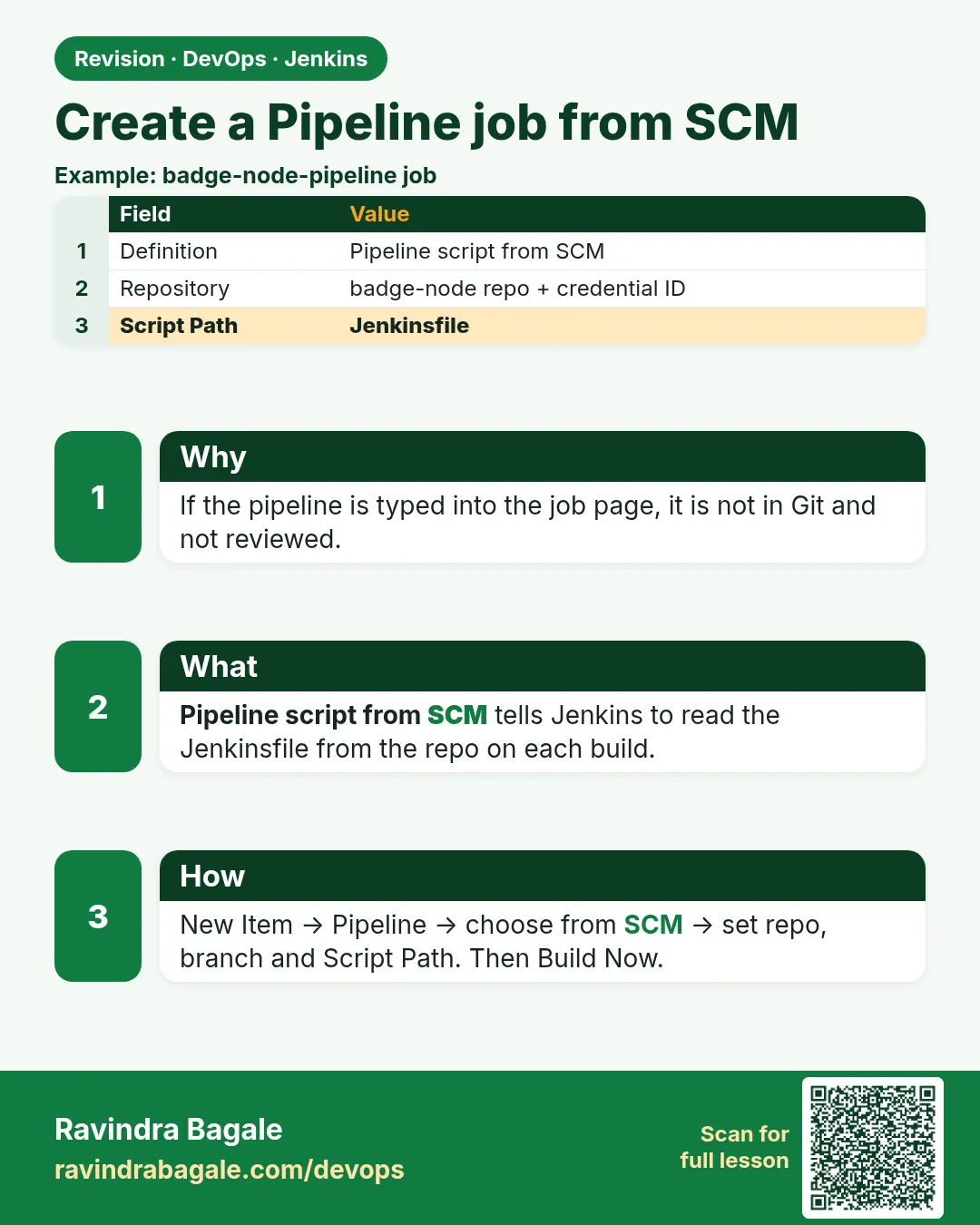
When you type a Jenkinsfile into the job page box, it works. But it is the same old problem. The code lives in Jenkins, not in Git. The right way is Pipeline script from SCM. SCM means source code management, like Git. The job only stores three things: the repo URL, the branch, and the path of the Jenkinsfile. On every build, Jenkins clones the repo and reads the file. Think of Paytm. Their payments repo has the Jenkinsfile next to the code. A developer changes the test command in a pull request. The reviewer sees the change. After merge, the next build uses it. No one opens the Jenkins job page at all. In this lesson you will create a private repo, store a read-only credential in Jenkins, and point a Pipeline job at the Jenkinsfile.
What we will build
You will push the badge Node app with a Jenkinsfile to a Git server. You will add a credential for clone access. You will create a Pipeline job from SCM, run it, and see the exact commit it built.
What: every term in plain English
- SCM — Source code management. Here it means Git.
- Pipeline script from SCM — Job setting that reads the Jenkinsfile from Git on every build.
- Repository URL — Where Jenkins clones from, HTTPS or SSH.
- Branch specifier — Which branch to build, like */main.
- Script Path — Path of the Jenkinsfile inside the repo. Default Jenkinsfile.
- Credentials ID — The name of a stored login, like git-readonly. Jenkins keeps the secret.
- Lightweight checkout — Jenkins reads only the Jenkinsfile first, without a full clone.
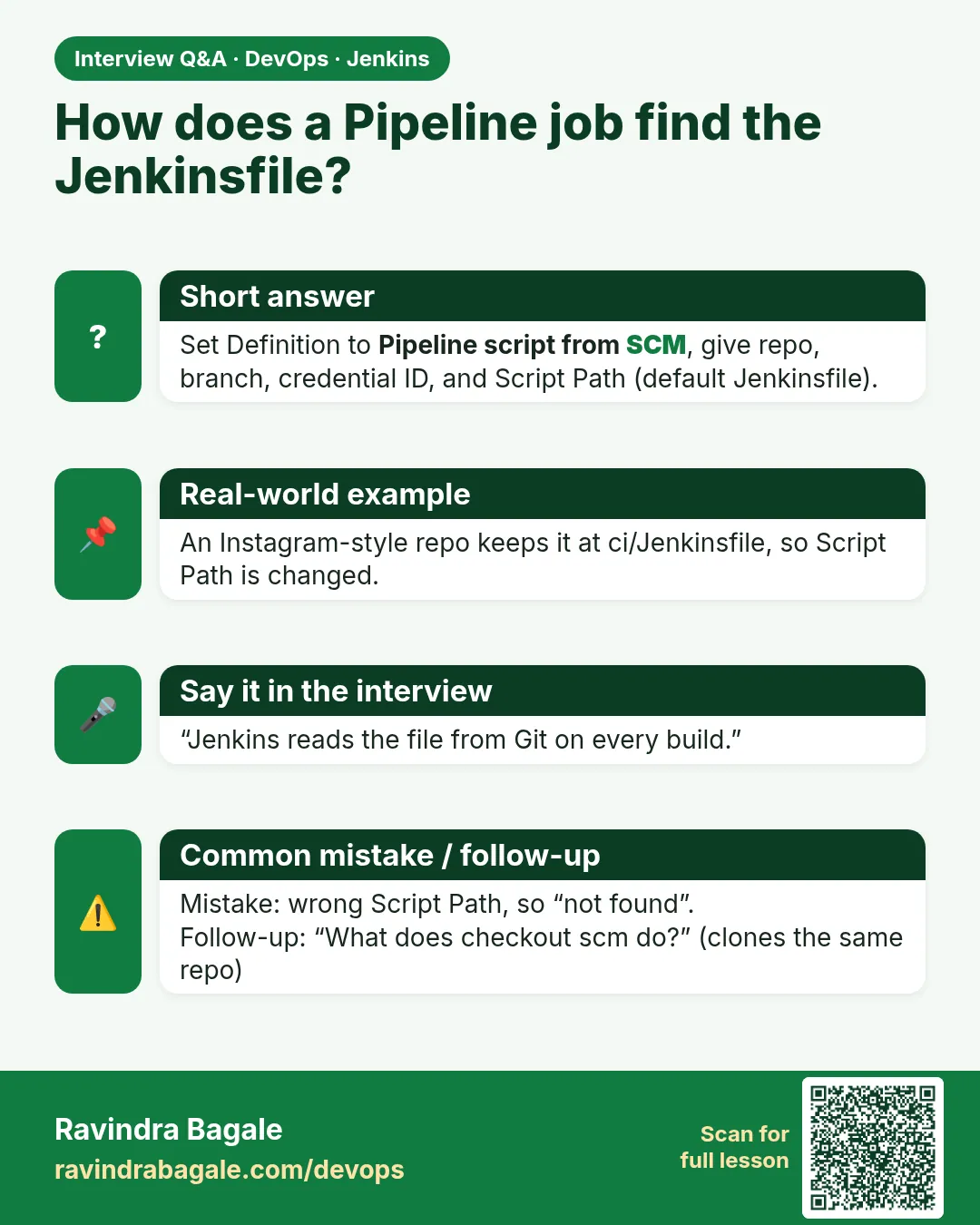
- checkout scm — Step that clones the same repo and commit the job used.
How: step by step
-
Push the repo
git remote add origin https://git.example.com/team/badge-node.git
git push -u origin main
What it does: The app and Jenkinsfile are on the Git server.
Output
Branch main set up to track origin/main. -
Add a credential
Manage Jenkins > Credentials > System > Global > Add > Username with password > ID: git-readonlyWhat it does: Stores a read-only token. Only the ID goes in jobs.
Output
git-readonly created -
Create the job
New Item > badge-scm > Pipeline > OKWhat it does: A blank Pipeline job.
Output
Saved -
Point to Git
Definition: Pipeline script from SCM
SCM: Git
Repository URL: https://git.example.com/team/badge-node.git
Credentials: git-readonly
Branch: */main
Script Path: Jenkinsfile
What it does: Jenkins now reads the build from the repo.
Output
Saved -
Run it
Build Now > Console OutputWhat it does: Jenkins clones and runs the stages.
Output
Checking out Revision 4b2d9e1 (refs/remotes/origin/main) -
Check the commit
Build page > Changes and Git Build DataWhat it does: Shows which commit was built.
Output
Revision: 4b2d9e1a... Branch: origin/main
Example 1: The repo layout Jenkins expects
Stack. Git repo
Goal. The repo layout Jenkins expects.
tree
badge-node/
  Jenkinsfile
  package.json
  package-lock.json
  src/
    index.js
  test/
    index.test.js
What each line does
Jenkinsfile— At the root, so Script Path stays default.package-lock.json— Needed for npm ci.test/— npm test runs these files.
Green output
$ git ls-files
Jenkinsfile
package-lock.json
package.json
src/index.js
test/index.test.js
Expected result. Jenkins finds the file without extra settings.
Example 2: A Jenkinsfile that prints what it built
Stack. Jenkins Pipeline from SCM
Goal. A Jenkinsfile that prints what it built.
Jenkinsfile
pipeline {
  agent any
  stages {
    stage('Info') {
      steps {
        echo "Job: ${env.JOB_NAME}  Build: ${env.BUILD_NUMBER}"
        echo "Commit: ${env.GIT_COMMIT}"
        echo "Branch: ${env.GIT_BRANCH}"
        sh 'git log -1 --pretty=format:"%an %s"'
      }
    }
    stage('Test') {
      steps {
        sh 'npm ci'
        sh 'npm test'
      }
    }
  }
}
What each line does
env.JOB_NAME— Name of the job.env.BUILD_NUMBER— Build count, 1, 2, 3.env.GIT_COMMIT— Full commit hash, set by the Git plugin.env.GIT_BRANCH— Branch name, like origin/main.git log -1— Author and message of the last commit.
Green output
Checking out Revision 4b2d9e1a7f (refs/remotes/origin/main)
[Pipeline] stage (Info)
Job: badge-scm  Build: 1
Commit: 4b2d9e1a7f3c0e55a8b21d9f0c6e7a4b1d2c3e4f
Branch: origin/main
+ git log -1 --pretty=format:%an %s
Asha Patil ci: move build into Jenkinsfile
[Pipeline] stage (Test)
Tests: 9 passed, 9 total
Finished: SUCCESS
Expected result. Every build tells you the exact commit. Bugs can be traced to a change.
Example 3: Use SSH instead of HTTPS for the clone
Stack. Git over SSH, Jenkins credentials
Goal. Use SSH instead of HTTPS for the clone.
terminal
ssh-keygen -t ed25519 -f jenkins_deploy -N "" -C "jenkins-readonly"
cat jenkins_deploy.pub
# add this public key as a read-only deploy key on the repo
ssh-keyscan git.example.com
job settings
Repository URL : git@git.example.com:team/badge-node.git
Credentials    : git-ssh (SSH Username with private key)
Manage Jenkins > Security > Git Host Key Verification: Known hosts file
What each line does
ssh-keygen -t ed25519— Makes a new key pair for Jenkins only.-N ""— No passphrase, so Jenkins can use it.deploy key— A key that can read one repo only.ssh-keyscan— Prints the server host key for known_hosts.Host key verification— Stops fake servers. Do not turn it off.
Green output
Generating public/private ed25519 key pair.
Your identification has been saved in jenkins_deploy
ssh-ed25519 AAAAC3Nza... jenkins-readonly
...
Fetching upstream changes from git@git.example.com:team/badge-node.git
Checking out Revision 4b2d9e1a7f
Finished: SUCCESS
Expected result. SSH clone works with a read-only key. Delete the private key file from your laptop after adding it to Jenkins.
Example 4: Keep the Jenkinsfile in a sub folder
Stack. Jenkins Pipeline from SCM
Goal. Keep the Jenkinsfile in a sub folder.
repo
badge-node/
  ci/
    Jenkinsfile.build
    Jenkinsfile.nightly
  src/
  package.json
job settings
Job badge-build   : Script Path ci/Jenkinsfile.build
Job badge-nightly : Script Path ci/Jenkinsfile.nightly
Lightweight checkout : checked
What each line does
ci/ folder— Some teams keep all pipeline files together.Two Script Paths— Two jobs from one repo, each with its own file.Lightweight checkout— Jenkins reads only the file first, which is faster for big repos.Workspace root— Commands still run from the repo root, not from ci/.
Green output
Obtained ci/Jenkinsfile.build from git https://git.example.com/team/badge-node.git
[Pipeline] stage (Build)
+ npm ci
added 270 packages in 8s
Finished: SUCCESS
Expected result. Script Path decides which file runs. Keep the name clear so people find it fast.
Verify: did it work?
-
See the cloned folder
docker exec jenkins ls /var/jenkins_home/workspace/badge-scmWhat it does: Shows the files Jenkins cloned.
Output
Jenkinsfile package.json src test -
Read Git Build Data
Build #1 > Git Build DataWhat it does: Shows URL, branch and commit.
Output
Built Branches: origin/main 4b2d9e1
When it is red 1
stderr: remote: HTTP Basic: Access denied
fatal: Authentication failed
Cause. Wrong token or the credential is not selected.
Fix, step by step
- Make a new read-only token.
- Update git-readonly.
- Pick it in the job.
When it is red 2
Couldn't find any revision to build. Verify the repository and branch configuration for this job.
Cause. The branch name is wrong, like */master on a main repo.
Fix, step by step
- Run git branch -r on your laptop.
- Set */main.
When it is red 3
No ED25519 host key is known for git.example.com and you have requested strict checking.
Cause. Host key not trusted yet.
Fix, step by step
- Add ssh-keyscan output to known hosts on the controller.
- Or pick Accept first connection in Git Host Key Verification.
Cleanup
-
Remove the job
badge-scm > Delete PipelineWhat it does: Removes the practice job.
Output
Deleted -
Remove lab keys
rm -f jenkins_deploy jenkins_deploy.pubWhat it does: Deletes the key files from your laptop.
Output
(no output)
Ravindra Bagale's Tip
Job madhe fakt URL, branch ani credential ID. Password kadhi pan Jenkinsfile madhe nako. Lakshat theva!
Practice tasks
Easy Create the job
Why: Base of all later lessons.
What to do: Make badge-scm from SCM.
- Use */main.
Check: Build #1 green.
Medium Print commit info
Why: Tracing bugs needs commit ids.
What to do: Add the Info stage.
- Use env.GIT_COMMIT.
Check: Commit shows in console.
Hard Switch to SSH
Why: Many companies block HTTPS tokens.
What to do: Use a deploy key.
- Add host key.
Check: Clone works over SSH.
Easy Say Pipeline job from SCM in two lines
Why: If you can say it simply, you understand it. Juniors and interviewers want the short version first.
What to do: Write two short lines about Pipeline job from SCM for a fresher who knows only Linux basics.
- Write what problem it solves.
- Write the one command or menu you use for it.
- Read it aloud to a friend.
Check: A fresher understands it without asking a question.
Easy Start a fresh lab Jenkins
Why: Practice needs a throwaway Jenkins. If you break it, you delete it and start again.
What to do: Run Jenkins LTS in Docker with a named volume.
- docker volume create jenkins_home
- docker run -d --name jenkins -p 8080:8080 -v jenkins_home:/var/jenkins_home jenkins/jenkins:lts-jdk17
- docker exec jenkins cat /var/jenkins_home/secrets/initialAdminPassword
Check: The Jenkins unlock page opens on localhost:8080.
Medium Break it on purpose
Why: You must know the red message by face. During an outage there is no time to read slowly.
What to do: Cause one error from the "When it is red" part of this lesson and fix it.
- Follow the error section.
- Copy the exact message into your notes.
- Write the fix in one line.
Check: You fixed it using only the steps, without searching the web.
Medium Write a one-page runbook
Why: At 2 a.m. nobody remembers where a file lives. A short page saves the on-call person.
What to do: Write a runbook page for this lesson.
- Title, when to use, exact command, how to check, how to undo.
Check: A teammate can follow it alone.
Medium Repeat it on a cloud VM
Why: A laptop is not a server. Real Jenkins runs on EC2 or a company VM.
What to do: Do the main steps of this lesson again on a small Ubuntu 22.04 EC2 instance.
- Launch t3.small with 20 GB disk.
- Open port 22 only to your IP.
- Repeat the steps and compare the output.
Check: Same green output on the VM as on your laptop.
Hard Explain it like an interview
Why: Interviewers want real stories, not definitions.
What to do: Record a 60 second answer about this lesson.
- Say the problem, the command you ran, and one error you hit.
Check: Your answer has a real command and a real error message.
Hard Draw the flow top to bottom
Why: A drawing shows who talks to whom and in what order.
What to do: Draw this lesson as boxes from top to bottom.
- Start at the developer push, go through the controller and agent, end at the result.
Check: Each box matches a real thing you saw on screen.
Homework: try at home
Try at home
At home, create a Pipeline from SCM job for any repo. Print GIT_COMMIT and the author. Then switch the clone to SSH with a deploy key.
Recap
- Use Pipeline script from SCM, not the text box.
- The job stores URL, branch, credential ID and script path.
- Jenkins clones on every build.
- Print GIT_COMMIT to trace builds.
- Use read-only tokens or deploy keys.
FAQ
Can I build any branch?
Yes, set the branch specifier, or use Multibranch (lesson 21.8).
Is checkout scm needed in Declarative?
No, Declarative checks out by default. Use it in Scripted or after skipDefaultCheckout.
Where is the token stored?
Encrypted in Jenkins home, never in the Jenkinsfile.
Can the Jenkinsfile live in another repo?
Yes, but keep it with the app when you can.
What is lightweight checkout?
Jenkins reads only the Jenkinsfile first, then clones fully on the agent.
Interview questions
-
How do you create a Pipeline job from Git?
New Item, Pipeline, Definition Pipeline script from SCM, Git URL, credential ID, branch and Script Path.
-
How do you know which commit a build used?
Git Build Data on the build page, or env.GIT_COMMIT in the log.
-
HTTPS or SSH for Jenkins clones?
Both work. SSH with a read-only deploy key and host key checking is common in companies.
-
Clone fails with Authentication failed. Steps?
Check the token, scope, expiry and that the job uses the right credentials ID.
-
Why not paste the pipeline in the job box?
No review, no history, and it is lost with the controller.
Quick quiz
Q1. What does Pipeline script from SCM do?
Reads the Jenkinsfile from Git on every build.
Q2. What is the default Script Path?
Jenkinsfile.
Q3. Which variable has the commit hash?
env.GIT_COMMIT.
Q4. What goes in the job instead of a password?
A credentials ID.
Q5. What does a deploy key give?
Access to one repo only.
Samajla ka?
 Revision card
 Interview card