Chapter 21: Jenkins Pipeline and Jenkinsfile
21.14 Parameters, when, parallel, and matrix
Why: the problem
One pipeline often has to do different things. Think of Nykaa. Sometimes the team wants to run only the tests. Sometimes they want to copy to the lab. The build should ask, with a form. That form is parameters. Some stages should run only on certain branches or when certain files change. That is when. Tests that take ten minutes one after another can run at the same time on different agents. That is parallel. And the same tests on many Node versions and two operating systems is a grid, called matrix. These four features turn a simple file into a flexible company pipeline. In this lesson you will add each one to the badge pipeline and watch the build page change.
What we will build
You will add choice, boolean and string parameters. You will use when with branch, expression, changeset and allOf. You will run lint and test in parallel. You will run a matrix of Node 18, 20 and 22 on linux.
What: every term in plain English
- parameters — Inputs on Build with Parameters. Read with params.NAME.
- choice — A drop down list.
- booleanParam — A check box, true or false.
- when — Rules for running a stage.
- changeset — when rule that checks which files changed.
- allOf / anyOf / not — Combine when rules.
- parallel — Run stages at the same time.
- matrix — Run the same stages for every mix of axis values.
- failFast — Stop other parallel stages when one fails.
- beforeAgent — Check when before taking an agent, saves time.
How: step by step
-
Add parameters
parameters { choice(...) booleanParam(...) }What it does: Adds the form.
Output
Build with Parameters link appears after first run -
Run once
Build NowWhat it does: First run registers parameters.
Output
Finished: SUCCESS -
Use the form
Build with Parameters > TARGET=lab, RUN_LINT=trueWhat it does: The values go into params.
Output
TARGET=lab -
Add when
when { allOf { branch "main"; expression { params.TARGET == "lab" } } }What it does: Live only on main and lab.
Output
Stage skipped due to when conditional -
Add parallel
parallel { stage("Lint") ... stage("Test") ... }What it does: Two stages at once.
Output
[Lint] ... [Test] ... -
Add matrix
matrix { axes { axis { name "NODE"; values "18","20","22" } } }What it does: Three runs.
Output
Matrix - NODE = 18 / 20 / 22
Example 1: Parameters and when
Stack. Jenkins parameters and when
Goal. Parameters and when.
Jenkinsfile
pipeline {
  agent any
  parameters {
    choice(name: 'TARGET', choices: ['none', 'lab'], description: 'Copy target')
    booleanParam(name: 'RUN_LINT', defaultValue: true, description: 'Run lint')
    string(name: 'NOTE', defaultValue: '', description: 'Free text')
  }
  stages {
    stage('Lint') {
      when { expression { params.RUN_LINT } }
      steps { sh 'npx eslint src || true' }
    }
    stage('Test') { steps { sh 'npm ci && npm test' } }
    stage('Live') {
      when {
        beforeAgent true
        allOf { branch 'main'; expression { params.TARGET == 'lab' } }
      }
      steps { echo "Copy to lab. Note: ${params.NOTE}" }
    }
    stage('Docs changed') {
      when { changeset 'docs/**' }
      steps { echo 'Docs changed, rebuild docs site' }
    }
  }
}
What each line does
choice— TARGET drop down, first value is default.booleanParam— RUN_LINT check box.params.NAME— How you read a parameter.allOf— All rules must be true.beforeAgent true— Decide before taking an agent.changeset— Runs only if docs files changed.
Green output
[Pipeline] stage (Lint)
+ npx eslint src
[Pipeline] stage (Test)
Tests: 2 passed, 2 total
[Pipeline] stage (Live)
Copy to lab. Note: demo
[Pipeline] stage (Docs changed)
Stage "Docs changed" skipped due to when conditional
Finished: SUCCESS
Expected result. The form controlled the build. Docs stage skipped because no docs changed.
Example 2: Parallel lint and test
Stack. Jenkins parallel
Goal. Parallel lint and test.
Jenkinsfile
pipeline {
  agent none
  options { parallelsAlwaysFailFast() }
  stages {
    stage('Checks') {
      parallel {
        stage('Lint') {
          agent { docker { image 'node:20-alpine' } }
          environment { HOME = "${env.WORKSPACE}" }
          steps { sh 'npm ci && npx eslint src' }
        }
        stage('Test') {
          agent { docker { image 'node:20-alpine' } }
          environment { HOME = "${env.WORKSPACE}" }
          steps { sh 'npm ci && npm test' }
        }
      }
    }
  }
}
What each line does
parallel { }— Child stages run at the same time.parallelsAlwaysFailFast— If one fails, stop the others.Own agent per branch— Each parallel stage can use its own container.
Green output
[Lint] Running on agent-node20 ... node:20-alpine
[Test] Running on agent-maven ... node:20-alpine
[Lint] 0 problems
[Test] Tests: 2 passed, 2 total
Finished: SUCCESS
Duration: 24 sec (was 41 sec one after another)
Expected result. Parallel cut the time almost in half.
Example 3: Matrix over Node versions
Stack. Jenkins matrix
Goal. Matrix over Node versions.
Jenkinsfile
pipeline {
  agent none
  stages {
    stage('Matrix') {
      matrix {
        axes {
          axis { name 'NODE'; values '18', '20', '22' }
        }
        excludes {
          exclude { axis { name 'NODE'; values '18' } }
        }
        agent { docker { image "node:${NODE}-alpine" } }
        stages {
          stage('Test') {
            environment { HOME = "${env.WORKSPACE}" }
            steps { sh 'node --version && npm ci && npm test' }
          }
        }
      }
    }
  }
}
What each line does
axis NODE— The value list to loop over.excludes— Skip Node 18, for example when it is end of life."node:${NODE}-alpine"— Double quotes so Groovy puts the version in.stages inside matrix— Run for each value.
Green output
[Matrix - NODE = '20'] v20.15.1
[Matrix - NODE = '22'] v22.4.1
[Matrix - NODE = '20'] Tests: 2 passed, 2 total
[Matrix - NODE = '22'] Tests: 2 passed, 2 total
Finished: SUCCESS
Expected result. Two versions tested at once; 18 excluded.
Example 4: Two axis matrix: Node version and OS image
Stack. Jenkins matrix
Goal. Two axis matrix: Node version and OS image.
Jenkinsfile
pipeline {
  agent none
  stages {
    stage('Grid') {
      matrix {
        axes {
          axis { name 'NODE'; values '20', '22' }
          axis { name 'FLAVOR'; values 'alpine', 'bookworm-slim' }
        }
        agent { docker { image "node:${NODE}-${FLAVOR}" } }
        stages {
          stage('Test') {
            environment { HOME = "${env.WORKSPACE}" }
            steps { sh 'node --version && head -1 /etc/os-release && npm ci && npm test' }
          }
        }
      }
    }
  }
}
What each line does
Two axes— 2 values times 2 values makes 4 runs.FLAVOR— Alpine uses musl, Debian slim uses glibc. Some packages act differently.Image name— Built from both axis values.Cost— Each cell takes an executor. Keep grids small.
Green output
[Matrix - NODE = '20', FLAVOR = 'alpine'] NAME="Alpine Linux"
[Matrix - NODE = '20', FLAVOR = 'bookworm-slim'] PRETTY_NAME="Debian GNU/Linux 12 (bookworm)"
[Matrix - NODE = '22', FLAVOR = 'alpine'] Tests: 2 passed
[Matrix - NODE = '22', FLAVOR = 'bookworm-slim'] Tests: 2 passed
Finished: SUCCESS
Expected result. Four green cells. Now you know the app works on both base images before you pick one.
Verify: did it work?
-
See parallel branches
Pipeline OverviewWhat it does: Side by side boxes.
Output
Lint | Test -
Read params in log
echo "${params}"What it does: Prints all parameters.
Output
[TARGET:lab, RUN_LINT:true, NOTE:demo]
When it is red 1
Build with Parameters link missing
Cause. Parameters are added only after the first run.
Fix, step by step
- Run once with Build Now.
When it is red 2
No such property: params
Cause. Used params outside a pipeline or a typo.
Fix, step by step
- Use params.NAME inside the pipeline.
When it is red 3
Parallel stages cannot be nested more than one level
Cause. parallel inside parallel.
Fix, step by step
- Use matrix or flatten.
When it is red 4
Matrix axis value invalid
Cause. Space or special char in value.
Fix, step by step
- Use simple values.
Cleanup
-
Remove extra Node images
docker image rm node:22-alpineWhat it does: Frees disk.
Output
Untagged: node:22-alpine -
Reset parameters
Remove the parameters block and run onceWhat it does: Removes the form.
Output
(saved)
Ravindra Bagale's Tip
Form sathi parameters, nirnay sathi when, vel vachvayla parallel. Lakshat theva!
Practice tasks
Easy Add a choice
Why: Flexible builds.
What to do: TARGET drop down.
- Run once.
Check: Form shows.
Medium Parallel checks
Why: Faster feedback.
What to do: Lint and Test parallel.
- Two agents.
Check: Time drops.
Hard Matrix
Why: Upgrade safety.
What to do: Node 20 and 22.
- excludes.
Check: Both green.
Easy Say parameters, when, parallel and matrix in two lines
Why: If you can say it simply, you understand it. Juniors and interviewers want the short version first.
What to do: Write two short lines about parameters, when, parallel and matrix for a fresher who knows only Linux basics.
- Write what problem it solves.
- Write the one command or menu you use for it.
- Read it aloud to a friend.
Check: A fresher understands it without asking a question.
Easy Start a fresh lab Jenkins
Why: Practice needs a throwaway Jenkins. If you break it, you delete it and start again.
What to do: Run Jenkins LTS in Docker with a named volume.
- docker volume create jenkins_home
- docker run -d --name jenkins -p 8080:8080 -v jenkins_home:/var/jenkins_home jenkins/jenkins:lts-jdk17
- docker exec jenkins cat /var/jenkins_home/secrets/initialAdminPassword
Check: The Jenkins unlock page opens on localhost:8080.
Medium Break it on purpose
Why: You must know the red message by face. During an outage there is no time to read slowly.
What to do: Cause one error from the "When it is red" part of this lesson and fix it.
- Follow the error section.
- Copy the exact message into your notes.
- Write the fix in one line.
Check: You fixed it using only the steps, without searching the web.
Medium Write a one-page runbook
Why: At 2 a.m. nobody remembers where a file lives. A short page saves the on-call person.
What to do: Write a runbook page for this lesson.
- Title, when to use, exact command, how to check, how to undo.
Check: A teammate can follow it alone.
Medium Repeat it on a cloud VM
Why: A laptop is not a server. Real Jenkins runs on EC2 or a company VM.
What to do: Do the main steps of this lesson again on a small Ubuntu 22.04 EC2 instance.
- Launch t3.small with 20 GB disk.
- Open port 22 only to your IP.
- Repeat the steps and compare the output.
Check: Same green output on the VM as on your laptop.
Hard Explain it like an interview
Why: Interviewers want real stories, not definitions.
What to do: Record a 60 second answer about this lesson.
- Say the problem, the command you ran, and one error you hit.
Check: Your answer has a real command and a real error message.
Hard Draw the flow top to bottom
Why: A drawing shows who talks to whom and in what order.
What to do: Draw this lesson as boxes from top to bottom.
- Start at the developer push, go through the controller and agent, end at the result.
Check: Each box matches a real thing you saw on screen.
Homework: try at home
Try at home
At home, add a TARGET choice, run lint and test in parallel, and a matrix on Node 20 and 22. Screenshot the Pipeline Overview.
Recap
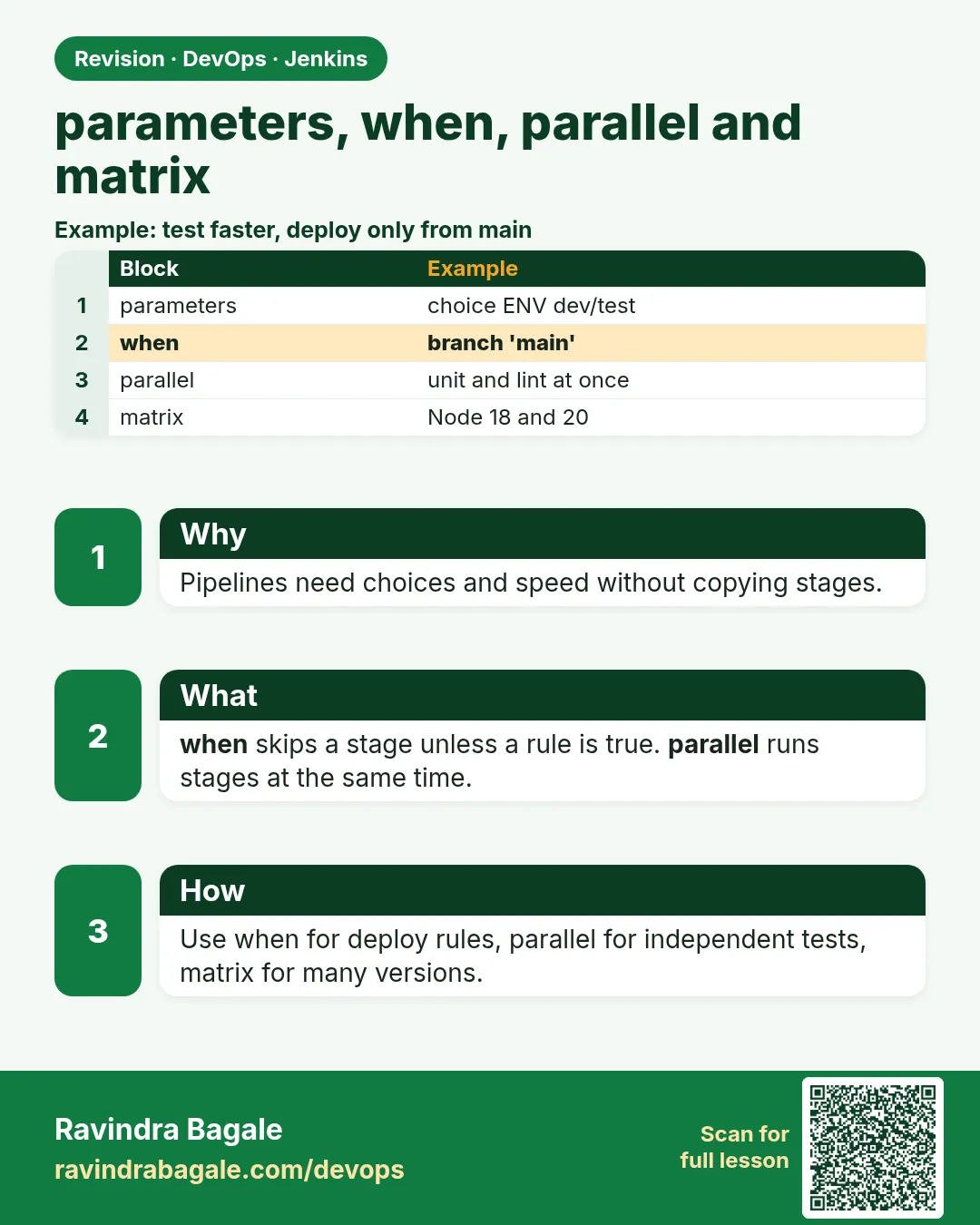
- parameters make a form.
- when decides which stages run.
- parallel runs stages together.
- matrix tests every mix.
- beforeAgent saves agents.
FAQ
Can parameters have secrets?
Use the password parameter or credentials, never a string.
Does when changeset work on first build?
It compares to the previous build, so the first build may skip.
How many parallel stages?
As many as you have executors.
Can matrix have two axes?
Yes, like NODE and OS, which makes every pair.
Can I stop other branches on fail?
Yes, failFast or parallelsAlwaysFailFast.
Interview questions
-
How do you make a parameterized pipeline?
parameters block with choice, booleanParam or string, read with params.NAME.
-
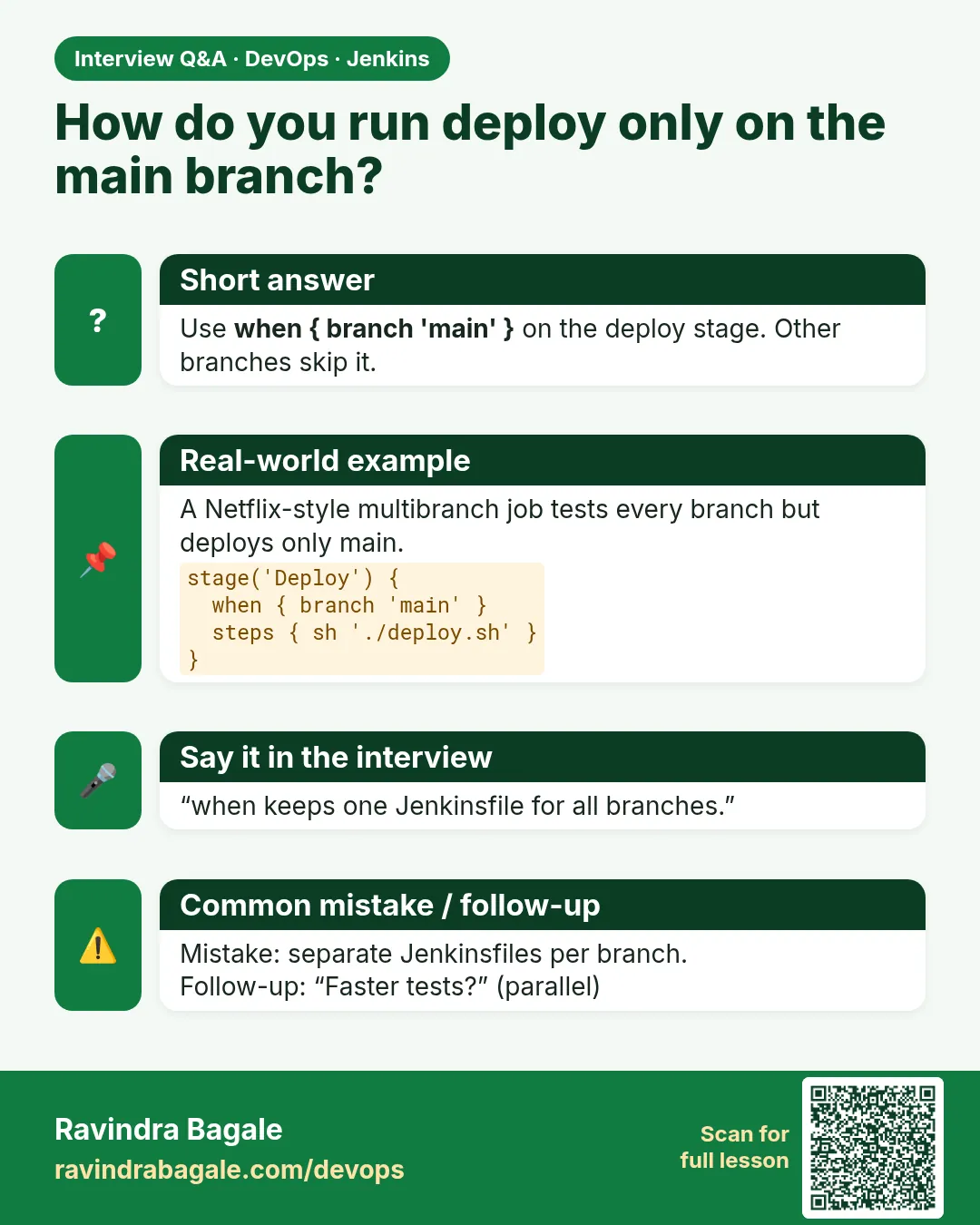
How do you run a stage only on main?
when branch main.
-
parallel vs matrix?
parallel lists different stages; matrix runs the same stages for each axis value.
-
Why use beforeAgent?
So skipped stages do not wait for an agent.
-
How do you cut pipeline time?
Parallel stages, caches, and matrix only where needed.
Quick quiz
Q1. How do you read a parameter?
params.NAME.
Q2. Which block runs stages at once?
parallel.
Q3. What does beforeAgent do?
Checks when before taking an agent.
Q4. What makes a grid of runs?
matrix.
Q5. Why does the form appear late?
Parameters register after the first run.
Samajla ka?
 Revision card
 Interview card