Chapter 21: Jenkins Pipeline and Jenkinsfile
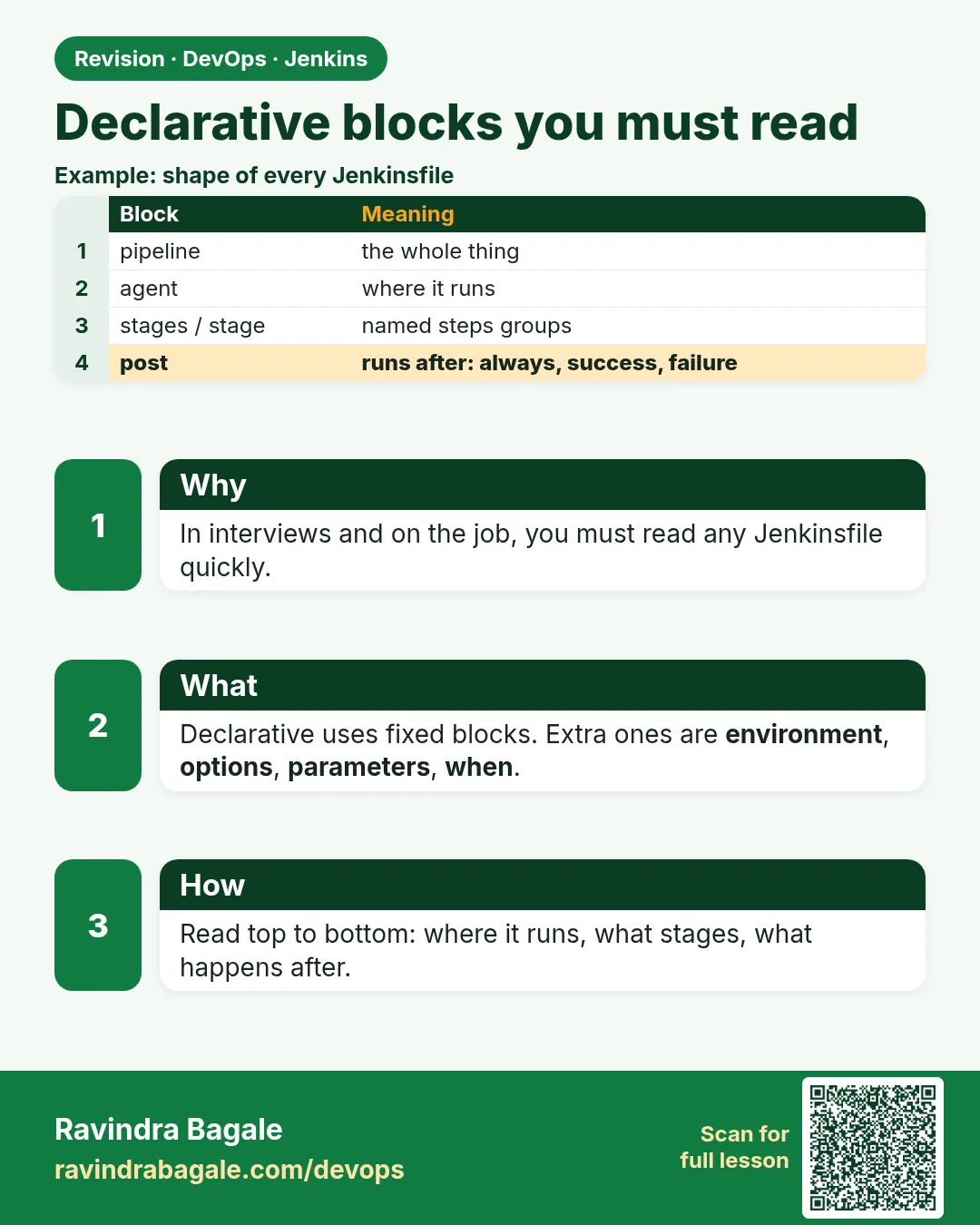
21.11 Declarative blocks you must be able to read
Why: the problem
When you join a company, you will read Jenkinsfiles more than you write them. Think of a TCS project with a 200 line Jenkinsfile. You must answer fast: where does it run, what tools, what variables, what stages, and what happens on failure. Declarative has a fixed set of blocks. If you know the blocks, any file becomes easy. There are about ten. pipeline, agent, environment, options, parameters, triggers, tools, stages, stage, steps, when, post. Each has a fixed place. Some go only at the top, some inside a stage, some in both. In this lesson you will build one file that uses every block, label each one, and then read a real long file and answer five questions about it in two minutes.
What we will build
You will write an all-blocks Jenkinsfile, run it, and map each block to the console output. Then you will read a sample company file and answer questions about it.
What: every term in plain English
- pipeline — The root. Only one per file.
- agent — Where to run. Top level or per stage.
- environment — Variables. Top level or per stage.
- options — Pipeline settings, like timeout. Some also per stage.
- parameters — Inputs the user fills on Build with Parameters.
- triggers — When to start by itself, like cron.
- tools — Configured tools to add to PATH.
- stages / stage / steps — The work. steps holds the real commands.
- when — Condition to run a stage.
- post — Actions after a stage or the pipeline.
How: step by step
-
Open the Directive Generator
Job > Pipeline Syntax > Declarative Directive GeneratorWhat it does: Generates any block for copy.
Output
Directive: options -
Write the all-blocks file
nano JenkinsfileWhat it does: Example 1 below.
Output
(file saved) -
Lint
curl -s -X POST -u admin:API_TOKEN -F "jenkinsfile=@Jenkinsfile" http://localhost:8080/pipeline-model-converter/validateWhat it does: Checks block order.
Output
Jenkinsfile successfully validated. -
Run once
Build NowWhat it does: First run reads parameters and triggers.
Output
Finished: SUCCESS -
Run with parameters
Build with Parameters > TARGET=labWhat it does: The parameter shows in the log.
Output
Target: lab -
Read a long file
Open the sample file in example 3What it does: Answer the five questions.
Output
(answers written)
Example 1: Every block in one file
Stack. Jenkins Declarative
Goal. Every block in one file.
Jenkinsfile
pipeline {
  agent { label 'linux' }
  tools { nodejs 'node20' }
  environment {
    APP = 'badge-node'
    CI  = 'true'
  }
  parameters {
    choice(name: 'TARGET', choices: ['lab', 'none'], description: 'Where to copy')
  }
  triggers { cron('H 2 * * 1-5') }
  options {
    timeout(time: 20, unit: 'MINUTES')
    timestamps()
  }
  stages {
    stage('Test') {
      environment { NODE_ENV = 'test' }
      steps { sh 'npm ci && npm test' }
      post { always { junit allowEmptyResults: true, testResults: 'junit.xml' } }
    }
    stage('Live') {
      when { expression { params.TARGET == 'lab' } }
      steps { echo "Target: ${params.TARGET} for ${APP}" }
    }
  }
  post {
    failure { echo 'Tell the team' }
    always  { echo "Done: ${currentBuild.currentResult}" }
  }
}
What each line does
agent { label 'linux' }— Run on a linux agent.tools { nodejs 'node20' }— Add Node 20.environment— APP and CI for all stages; NODE_ENV only in Test.parameters choice— A drop down on Build with Parameters.cron('H 2 * * 1-5')— Runs around 2 a.m. on weekdays. H spreads load.stage post— junit after tests.when expression— Live only when TARGET is lab.pipeline post— Final actions.
Green output
[Pipeline] stage (Test)
Tests: 2 passed, 2 total
Recording test results
[Pipeline] stage (Live)
Target: lab for badge-node
Done: SUCCESS
Finished: SUCCESS
Expected result. Each block did one clear job.
Example 2: Wrong order and the error
Stack. Declarative validation
Goal. Wrong order and the error.
Jenkinsfile (broken)
pipeline {
  agent any
  stages {
    stage('Test') {
      steps { sh 'npm test' }
      tools { nodejs 'node20' }
      environment { X = '1' }
      options { retry(2) }
    }
  }
  tools { nodejs 'node20' }
  stages { }
}
What each line does
Two stages blocks— Not allowed. One stages block only.Block order inside stage— Flexible, but must be legal directives.Lint first— Shows all problems at once.
Green output
WorkflowScript: 12: Multiple occurrences of the stages section @ line 12, column 3.
WorkflowScript: 12: No stages specified @ line 12, column 3.
2 errors
Expected result. Declarative tells you exactly which block is wrong.
Example 3: Read a company file in two minutes
Stack. Jenkins, Maven, Docker
Goal. Read a company file in two minutes.
Jenkinsfile (sample)
pipeline {
  agent none
  options { timeout(time: 30, unit: 'MINUTES'); buildDiscarder(logRotator(numToKeepStr: '30')) }
  environment { IMAGE = "registry.example.com/shop/cart:${env.BUILD_NUMBER}" }
  stages {
    stage('Unit') {
      agent { docker { image 'maven:3.9-eclipse-temurin-17' } }
      steps { sh 'mvn -B test' }
      post { always { junit 'target/surefire-reports/*.xml' } }
    }
    stage('Image') {
      agent { label 'docker' }
      when { branch 'main' }
      steps {
        withCredentials([usernamePassword(credentialsId: 'reg', usernameVariable: 'U', passwordVariable: 'P')]) {
          sh 'echo "$P" | docker login registry.example.com -u "$U" --password-stdin'
          sh 'docker build -t "$IMAGE" . && docker push "$IMAGE"'
        }
      }
    }
  }
  post { failure { mail to: 'cart-team@example.com', subject: "Cart build failed", body: "${env.BUILD_URL}" } }
}
What each line does
Q1 Where does it run?— Unit in a Maven container; Image on a docker agent.Q2 What tools?— Maven 3.9 and JDK 17 from the image; Docker on the agent.Q3 Which branches push images?— Only main.Q4 What secret?— reg, a username and password.Q5 On failure?— Email to the cart team with the build link.
Green output
Answers:
1 maven container, docker agent
2 maven 3.9, jdk 17, docker
3 main only
4 reg credential
5 mail to cart-team
Expected result. You read a real file block by block. This is a daily job skill.
Example 4: Stage level agent, environment and post together
Stack. Jenkins Declarative
Goal. Stage level agent, environment and post together.
Jenkinsfile
pipeline {
  agent none
  environment { APP = 'badge-node' }
  stages {
    stage('Unit') {
      agent { docker { image 'node:20-alpine' } }
      environment { HOME = "${env.WORKSPACE}"; NODE_ENV = 'test' }
      options { timeout(time: 5, unit: 'MINUTES') }
      steps { sh 'echo "$APP in $NODE_ENV" && npm ci && npm test' }
      post {
        success { echo 'unit ok' }
        failure { echo 'unit failed, check the test names above' }
      }
    }
  }
}
What each line does
agent none at top— No agent until a stage asks.stage agent— This stage only runs in node:20-alpine.stage environment— NODE_ENV exists only here; APP comes from the top.stage options— A timeout just for this stage.stage post— Messages for this stage only.
Green output
[Pipeline] stage (Unit)
+ echo badge-node in test
badge-node in test
Tests: 2 passed, 2 total
unit ok
Finished: SUCCESS
Expected result. Blocks can live at the top or in a stage. Inside a stage they affect only that stage.
Verify: did it work?
-
List all directives
Pipeline Syntax > Declarative Directive Generator > Sample Directive listWhat it does: Shows every block name.
Output
agent, environment, input, options, parameters, post, stage, stages, tools, triggers, when -
Global variables
Pipeline Syntax > Global Variables ReferenceWhat it does: Lists env, params, currentBuild.
Output
env, params, currentBuild, scm
When it is red 1
Multiple occurrences of the stages section
Cause. Two stages blocks.
Fix, step by step
- Merge into one.
When it is red 2
Invalid option type 'retry2'
Cause. Typo in an options name.
Fix, step by step
- Copy from the generator.
When it is red 3
Not a valid section definition: "tool"
Cause. tool instead of tools.
Fix, step by step
- Use the exact block name.
Cleanup
-
Turn off the cron
Remove triggers and pushWhat it does: Stops the 2 a.m. builds in the lab.
Output
(file saved) -
Delete the job
Delete PipelineWhat it does: Cleans the lab.
Output
Deleted
Ravindra Bagale's Tip
Dahach blocks aahet. Ekda olakhle ki koni pan Jenkinsfile sopi vatel. Lakshat theva!
Practice tasks
Easy Label blocks
Why: Reading skill.
What to do: Comment each block.
- Use the list.
Check: All labelled.
Medium Break the order
Why: Know the errors.
What to do: Add two stages blocks.
- Lint.
Check: Error seen.
Hard Read a file
Why: Work skill.
What to do: Answer five questions.
- Two minutes.
Check: All correct.
Easy Say Declarative blocks in two lines
Why: If you can say it simply, you understand it. Juniors and interviewers want the short version first.
What to do: Write two short lines about Declarative blocks for a fresher who knows only Linux basics.
- Write what problem it solves.
- Write the one command or menu you use for it.
- Read it aloud to a friend.
Check: A fresher understands it without asking a question.
Easy Start a fresh lab Jenkins
Why: Practice needs a throwaway Jenkins. If you break it, you delete it and start again.
What to do: Run Jenkins LTS in Docker with a named volume.
- docker volume create jenkins_home
- docker run -d --name jenkins -p 8080:8080 -v jenkins_home:/var/jenkins_home jenkins/jenkins:lts-jdk17
- docker exec jenkins cat /var/jenkins_home/secrets/initialAdminPassword
Check: The Jenkins unlock page opens on localhost:8080.
Medium Break it on purpose
Why: You must know the red message by face. During an outage there is no time to read slowly.
What to do: Cause one error from the "When it is red" part of this lesson and fix it.
- Follow the error section.
- Copy the exact message into your notes.
- Write the fix in one line.
Check: You fixed it using only the steps, without searching the web.
Medium Write a one-page runbook
Why: At 2 a.m. nobody remembers where a file lives. A short page saves the on-call person.
What to do: Write a runbook page for this lesson.
- Title, when to use, exact command, how to check, how to undo.
Check: A teammate can follow it alone.
Medium Repeat it on a cloud VM
Why: A laptop is not a server. Real Jenkins runs on EC2 or a company VM.
What to do: Do the main steps of this lesson again on a small Ubuntu 22.04 EC2 instance.
- Launch t3.small with 20 GB disk.
- Open port 22 only to your IP.
- Repeat the steps and compare the output.
Check: Same green output on the VM as on your laptop.
Hard Explain it like an interview
Why: Interviewers want real stories, not definitions.
What to do: Record a 60 second answer about this lesson.
- Say the problem, the command you ran, and one error you hit.
Check: Your answer has a real command and a real error message.
Hard Draw the flow top to bottom
Why: A drawing shows who talks to whom and in what order.
What to do: Draw this lesson as boxes from top to bottom.
- Start at the developer push, go through the controller and agent, end at the result.
Check: Each box matches a real thing you saw on screen.
Homework: try at home
Try at home
At home, write the all-blocks file and label each block in a comment. Then read the sample and answer the five questions without help.
Recap
- Declarative has about ten fixed blocks.
- Some blocks work at top and in stages.
- Use the Directive Generator.
- Lint shows block errors.
- Read files block by block.
FAQ
Is there a full list of blocks?
Yes, in the Directive Generator and the Jenkins Pipeline Syntax docs.
Can environment use other variables?
Yes, like "${env.BUILD_NUMBER}".
What is input?
A stage block that pauses for approval, lesson 21.13.
Can options go in a stage?
Some, like timeout and retry.
Where do comments go?
Anywhere, with // or / /.
Interview questions
-
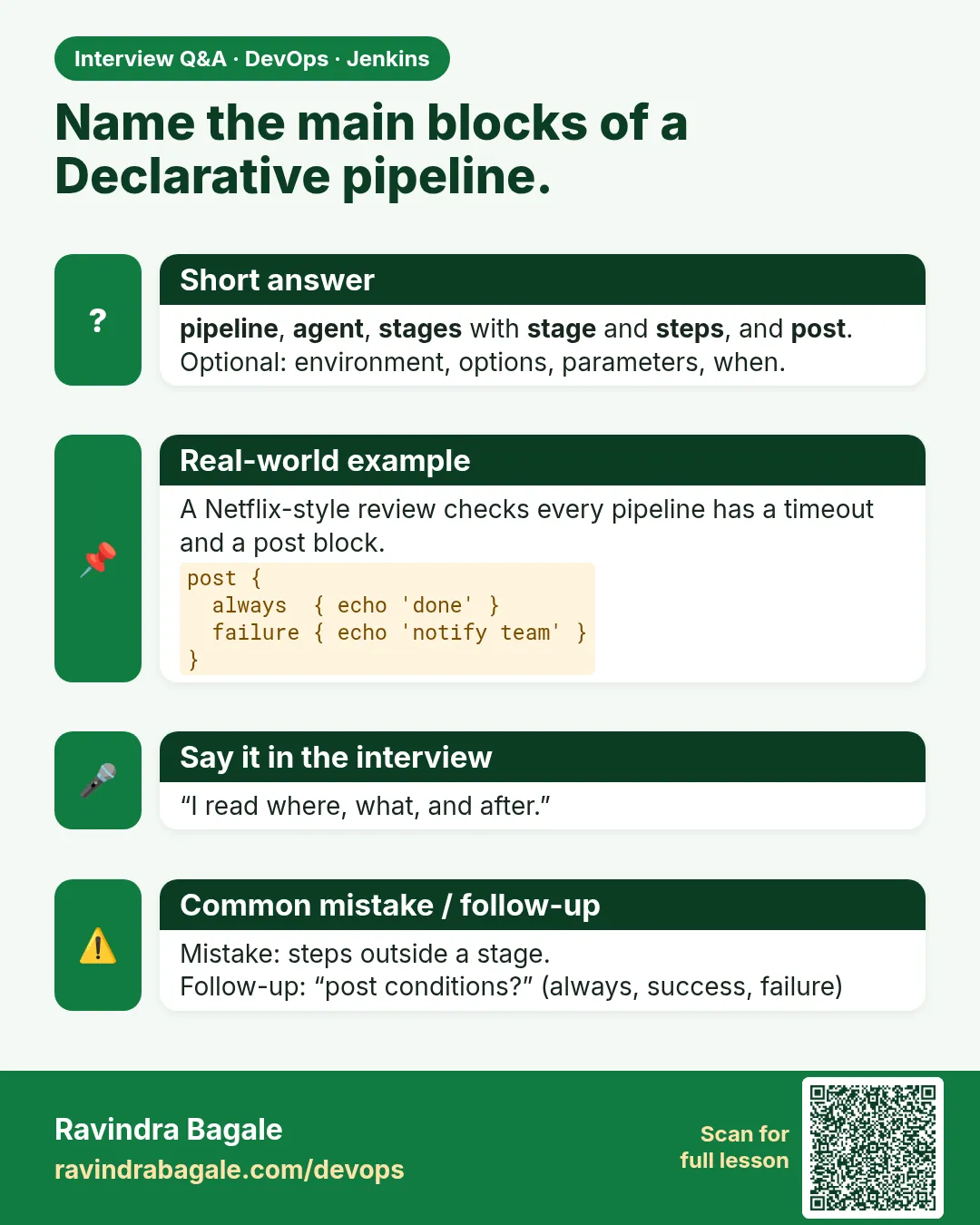
Name the main Declarative directives.
pipeline, agent, environment, options, parameters, triggers, tools, stages, stage, steps, when, post, input.
-
Difference between options and parameters?
options set pipeline behaviour; parameters are user inputs.
-
Where can you set environment?
At pipeline level and stage level.
-
What is H in Jenkins cron?
A hash that spreads job start times to avoid load spikes.
-
How do you read a long Jenkinsfile quickly?
Agent, tools, environment, stages with when, then post.
Quick quiz
Q1. Which block holds the commands?
steps.
Q2. Where can agent go?
Top level or inside a stage.
Q3. What does H in cron do?
Spreads start times.
Q4. Which block shows a drop down?
parameters.
Q5. How many stages blocks per pipeline?
One.
Samajla ka?
 Revision card
 Interview card